Categories
Apps Featured Info

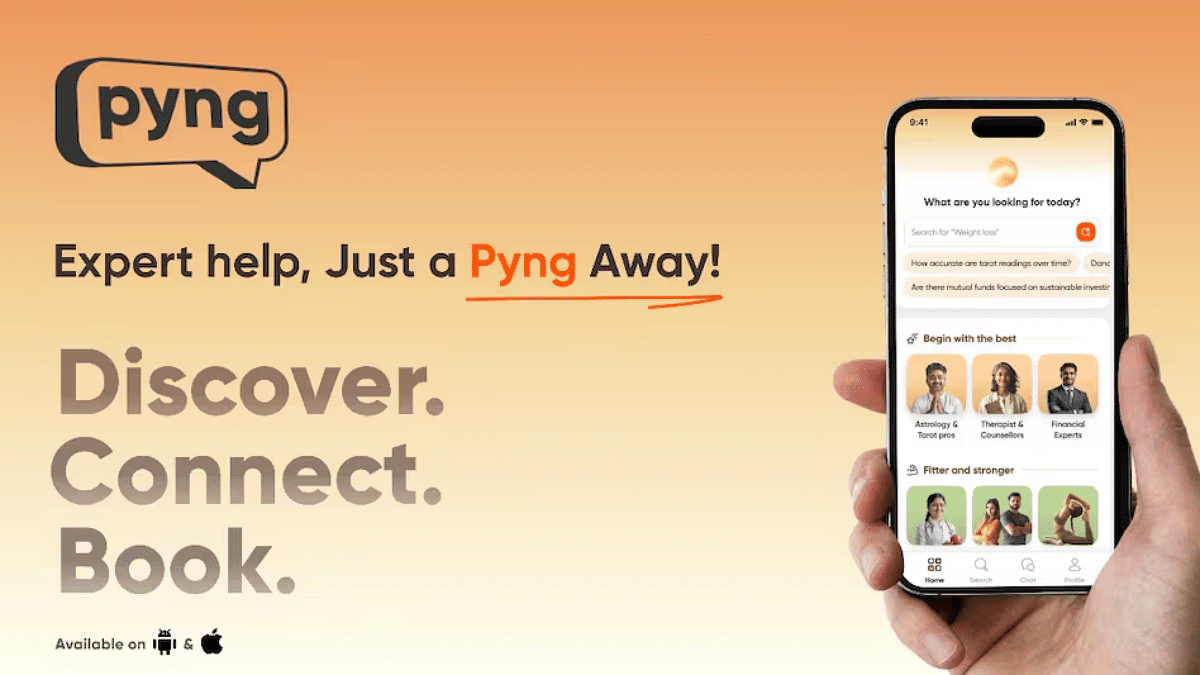
Swiggy Launches Pyng App To Simplify Finding Verified Professionals: Details

Key Highlights

  • Swiggy launches AI-driven app Pyng for verified professional services
  • Covers 100+ categories like fitness, therapy, and wellness
  • Available in Bengaluru on iOS and Android as Pyng Now

Swiggy is stepping into a new space with the launch of its AI-driven app, Pyng. Designed to eliminate the hassle of searching endlessly for trusted professionals online, Pyng simplifies the entire experience through advanced artificial intelligence, personalized assistance, and a highly curated network of verified experts. With its debut in Bengaluru, Pyng promises a smarter and faster way to access professional services across health, wellness, and more, all with a money-back guarantee. Here’s what makes Pyng by Swiggy worth checking out.

Also Read | Top 5 Alternatives To Blinkit For 10-Min Delivery In India

What Is Pyng by Swiggy?

  • Pyng is an intelligent platform that helps users discover and connect with verified professionals across 100+ service categories.
  • The app is now live in Bengaluru and available for download on both iOS and Android under the name Pyng Now.

Key Features That Set Pyng Apart

  • Smart AI Search Assistant: Understands your query in natural language and recommends professionals tailored to your specific needs.
  • Professional’s Personal AI Assistant: Lets users explore what each expert offers without any pressure to book, great for those who want to browse before deciding.
  • Spam-Free And Secure: Offers a trusted and clutter-free experience by listing only verified professionals.
  • Money-Back Guarantee: If users don’t find value in the service, Pyng provides a hassle-free refund.

Who Can You Find On Pyng?

Pyng covers a wide range of service categories, including but not limited to:

  • Health And Wellness: Fitness trainers, yoga instructors, therapists, nutritionists, and pregnancy coaches.
  • Skilled Experts: More than 1000+ professionals across 100+ specializations have already joined the platform.

Also Read | New Smartphone? Swiggy Instamart Brings It Home In Just 10 Minutes

Why This Matters

With urban consumers increasingly pressed for time, Pyng arrives as a timely solution for those tired of trial-and-error searches online. Swiggy’s move into this space highlights its larger goal, offering everyday convenience beyond just food delivery.

For the tech geeks, stay updated with the latest cutting-edge gadgets in the market, exclusive tech updates, gadget reviews, and more right on your phone’s screen. Join Giznext’s WhatsApp channel and receive the industry-first tech updates.

Categories
Featured

Top Five Smart Cities Around The World And What Makes Them Smart

Key Highlights

  • Top smart cities use AI, IoT, and data for better urban living
  • Cities like Singapore and Amsterdam lead in innovation and sustainability
  • Focus areas include mobility, public safety, and green infrastructure

In a world where technology shapes our everyday lives, smart cities are leading the way by blending digital innovation with sustainable living. These cities aren’t just about fast internet and futuristic architecture, they are redefining urban living by solving real problems like traffic congestion, energy use, and public safety through cutting-edge technology. Here’s a closer look at five of the best smart cities in the world and what makes them stand out.

Also Read | Here’s The List Of Best Smart Home Gadgets You Can Buy In India

Singapore: Asia’s Smartest City

Singapore is often hailed as the smartest city in the world, thanks to its seamless integration of tech in governance and public services.

  • Smart Traffic Management: AI-powered solutions give travelers real-time updates and ease traffic congestion.
  • Public Safety: Smart surveillance and facial recognition enhance security.
  • Eco-Friendly Planning: Vertical gardens and green buildings make Singapore a model for sustainable development.

Barcelona: The European Leader In Urban Innovation

Barcelona uses technology to enhance quality of life while preserving its cultural charm.

  • Smart Lighting: Streetlights automatically adjust based on motion and daylight, cutting energy usage.
  • Open Data Platforms: Citizens can access real-time city data, improving transparency.
  • Digital Citizen Services: Residents can manage bills, report issues, and access services via mobile apps.

Seoul: Where Tech Powers Public Life

South Korea’s capital is a showcase of how smart tech can enrich public experiences.

  • Wi-Fi Everywhere: All around the city, high-speed internet is free.
  • Smart Waste Bins: Sensor-based bins alert authorities when they need emptying.
  • Digital Inclusion: Services are designed to help both tech-savvy youth and senior citizens navigate city life easily.

Shenzhen: Fast, Futuristic, And Fully Connected

Shenzhen is China’s leading smart city and a global tech manufacturing hub.

  • 5G Everywhere: Among the first cities to roll out full 5G infrastructure.
  • Cashless Ecosystem: Most transactions, from street food to transit, are mobile-based.
  • Smart Policing: AI-driven surveillance and facial recognition help maintain public safety.
  • Green Transport: The world’s first fleet of public buses that run entirely on electricity.

Also Read | Securing Your Home: Top Four Popular Smart Locks Available In The Market

Amsterdam: Green And Connected

Amsterdam blends eco-consciousness with digital connectivity.

  • Smart Energy Grids: Helps reduce carbon footprints with real-time energy monitoring.
  • Bike-First City Design: Smart signals prioritize cyclists, promoting cleaner mobility.
  • IoT for Water Management: Tracks water levels and prevents flooding.

These five smart cities are not just technologically advanced, they are redefining what it means to live in a truly connected and sustainable urban environment. As more cities take inspiration, the future of smarter living is just beginning.

For the tech geeks, stay updated with the latest cutting-edge gadgets in the market, exclusive tech updates, gadget reviews, and more right on your phone’s screen. Join Giznext’s WhatsApp channel and receive the industry-first tech updates.

Categories
Comparison Featured TV

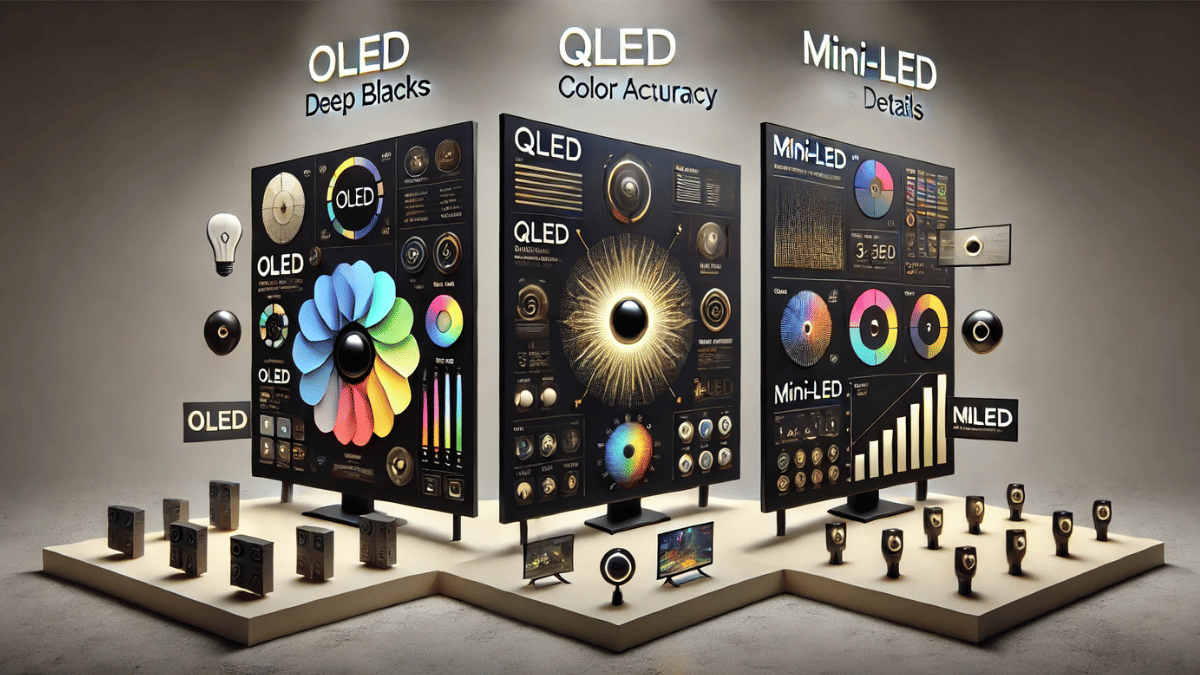
OLED vs. QLED vs. Mini-LED: Which TV Display Is Best For You?

Key Highlights

  • OLED gives the best picture quality with deep blacks
  • QLED is brighter and great for well-lit rooms
  • Mini-LED offers a good balance of brightness, contrast, and value

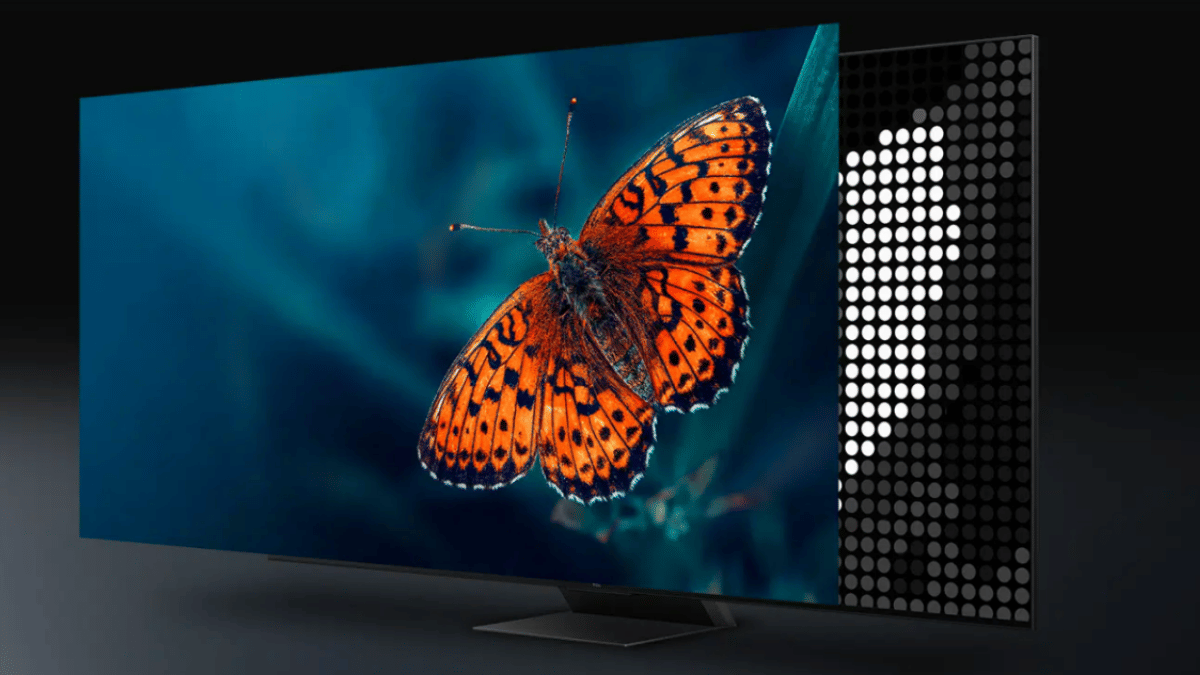
Picking the right TV can be confusing, especially with buzzwords like OLED, QLED, and Mini-LED thrown around. If you are hunting for a new television and want the best bang for your buck, understanding the difference between these display technologies is a great place to start. This guide breaks it down in simple terms so you can decide what suits your viewing style, budget, and space.

Also Read | Best 43-inch Smart TVs To Buy In India

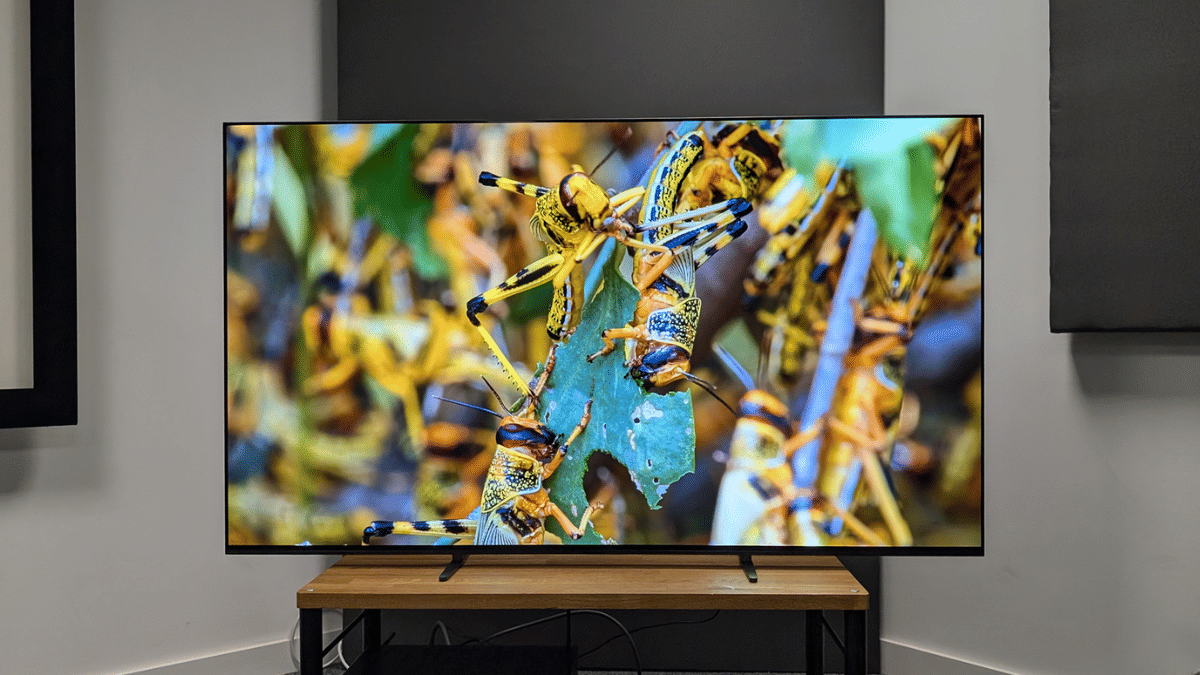
OLED: The King Of Contrast And Color

  • What it is: OLED stands for Organic Light-Emitting Diode. Each pixel lights up independently.
  • Picture quality: Delivers deep blacks, high contrast, and vibrant colors thanks to pixel-level dimming.
  • Best for: Movie lovers, dark room viewing, and those seeking cinematic visuals.
  • Downsides: Generally more expensive. Risk of burn-in over long periods if static images remain.
  • Popular models: LG C-series, Sony A80L, Philips OLED807.

QLED: Bright And Bold Visuals

  • What it is: QLED, short for Quantum Dot LED, is an LED panel enhanced with a quantum dot filter.
  • Picture quality: Brighter than OLED with vivid colors, making it ideal for well-lit rooms.
  • Best for: Daytime viewers, sports fans, and casual gamers.
  • Downsides: Blacks aren’t as deep as OLED. Contrast can suffer in darker scenes.
  • Popular models: Samsung Q80C, TCL C755, Hisense U7K.

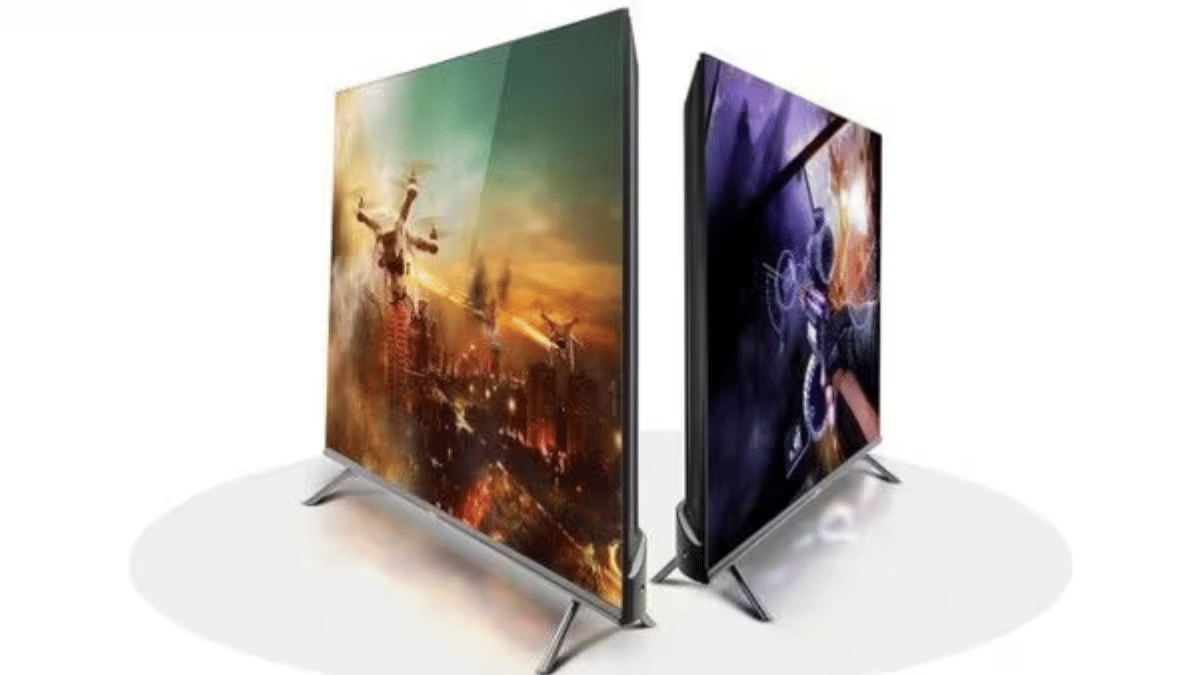
Mini-LED: The Brightness Master With Better Control

  • What it is: Mini-LED uses smaller LEDs for backlighting, allowing better control of light and contrast.
  • Picture quality: Offers deeper blacks than traditional LED TVs and better brightness control than OLED in bright rooms.
  • Best for: Balanced all-round use, gaming, movies, and bright environments.
  • Downsides: Doesn’t match OLED’s pixel-level control but beats regular LED/QLED in contrast.
  • Popular models: LG QNED, Samsung Neo QLED, TCL C845.

Also Read | Best 55 Inch TVs Under Rs. 40,000 In India

Which One Should You Buy?

If you are someone who loves watching movies in a dark room and want the best picture quality with deep blacks and rich colors, OLED is the best choice. For those who mostly watch TV during the day or in bright rooms and prefer vibrant, punchy visuals, QLED is a great option. And if you are looking for a balanced display that works well in different lighting conditions and is good for both movies and gaming, Mini-LED offers a solid middle ground. Your final choice depends on your viewing habits, room lighting, and budget.

For the tech geeks, stay updated with the latest cutting-edge gadgets in the market, exclusive tech updates, gadget reviews, and more right on your phone’s screen. Join Giznext’s WhatsApp channel and receive the industry-first tech updates.

Categories
Featured Info

Weekly Tech Wrap Up (April 2025): New Aadhaar App, iPhone 17 Air Leak, And More

Key Highlights

  • Motorola Edge 60 Stylus may launch on April 17
  • New Aadhaar app adds face scan login
  • JioHotstar hits 200M paying users

This week in tech has been nothing short of exciting. From smartphones launching to biometric innovations, there’s plenty to catch up on. Whether you’re a gadget geek, a privacy-conscious user, or a binge-watcher, here’s your quick guide to the top tech headlines.

Also Read | Watch IPL 2025 In 4K With Free JioHotstar Premium: Full Offer Details Inside

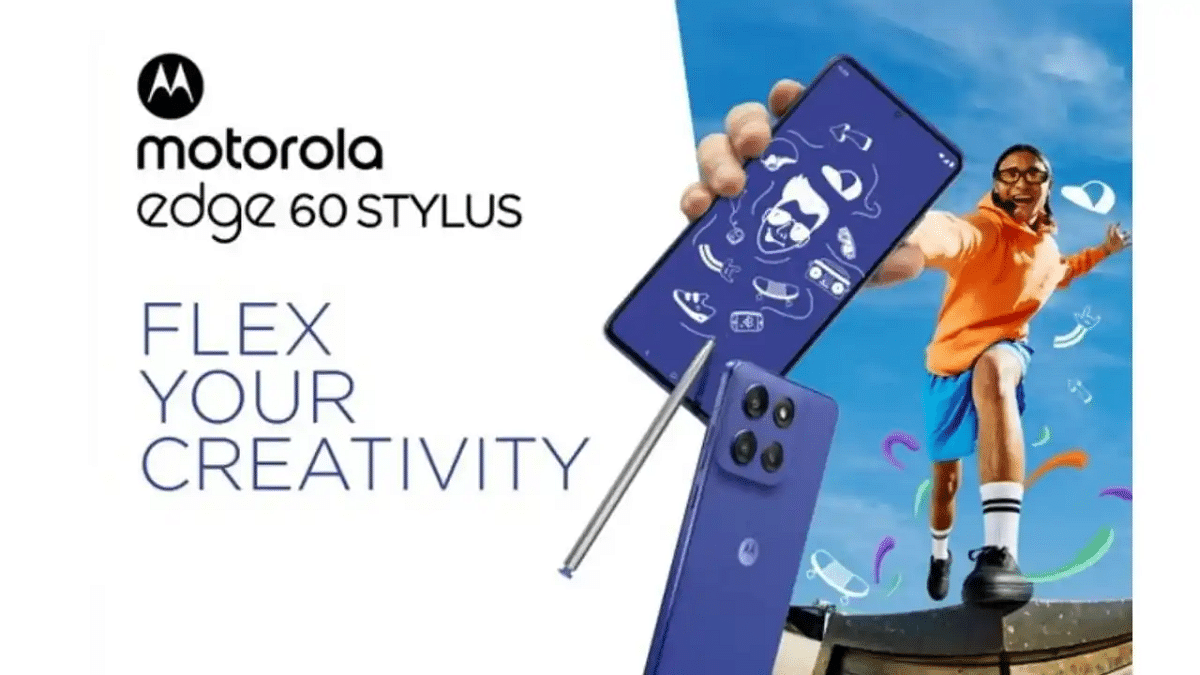
Motorola Edge 60 Stylus Set To Launch In India On April 17

Motorola is gearing up to launch the Edge 60 Stylus in India on April 17, according to leaks by tipster Abhishek Yadav. This mid-range device is expected to come with a 6.7-inch pOLED display featuring a 120Hz refresh rate and run on the Snapdragon 7s Gen 2 chipset. The phone may ship with Android 15, and its biggest highlight is the in-built stylus. The phone could pack a 5,000mAh battery with support for 68W wired and 15W wireless charging. It will likely feature a 50MP + 13MP dual rear camera and a 32MP selfie shooter.

New Aadhaar App Brings Facial Recognition-Based Verification

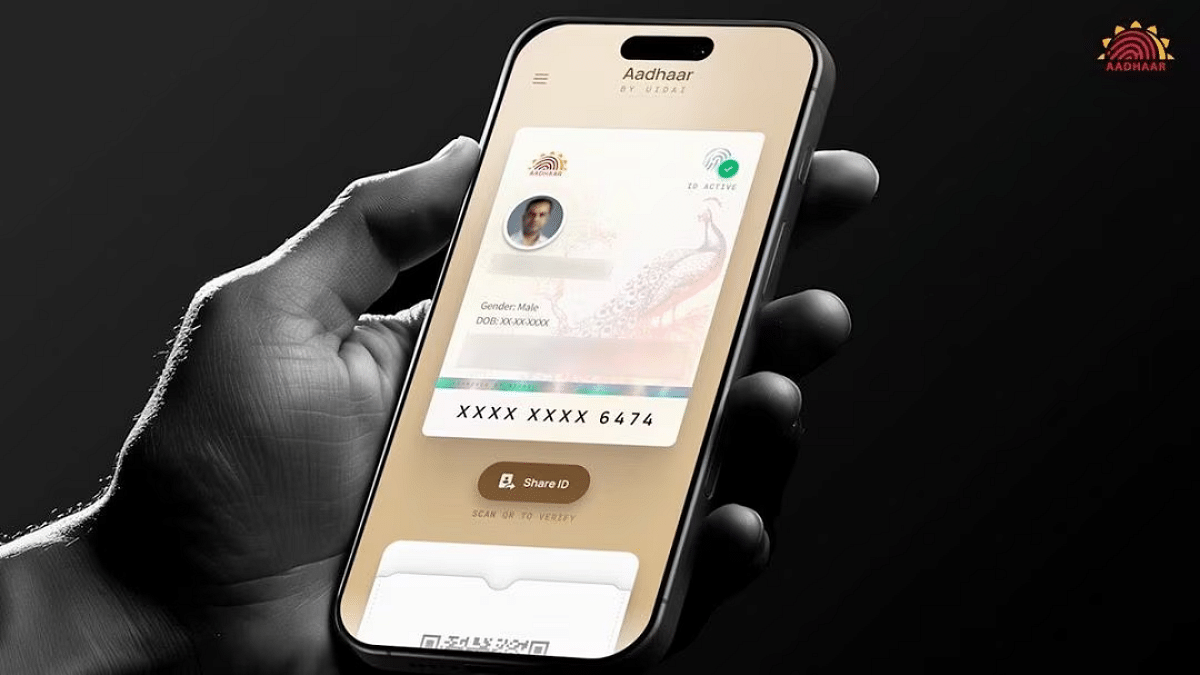
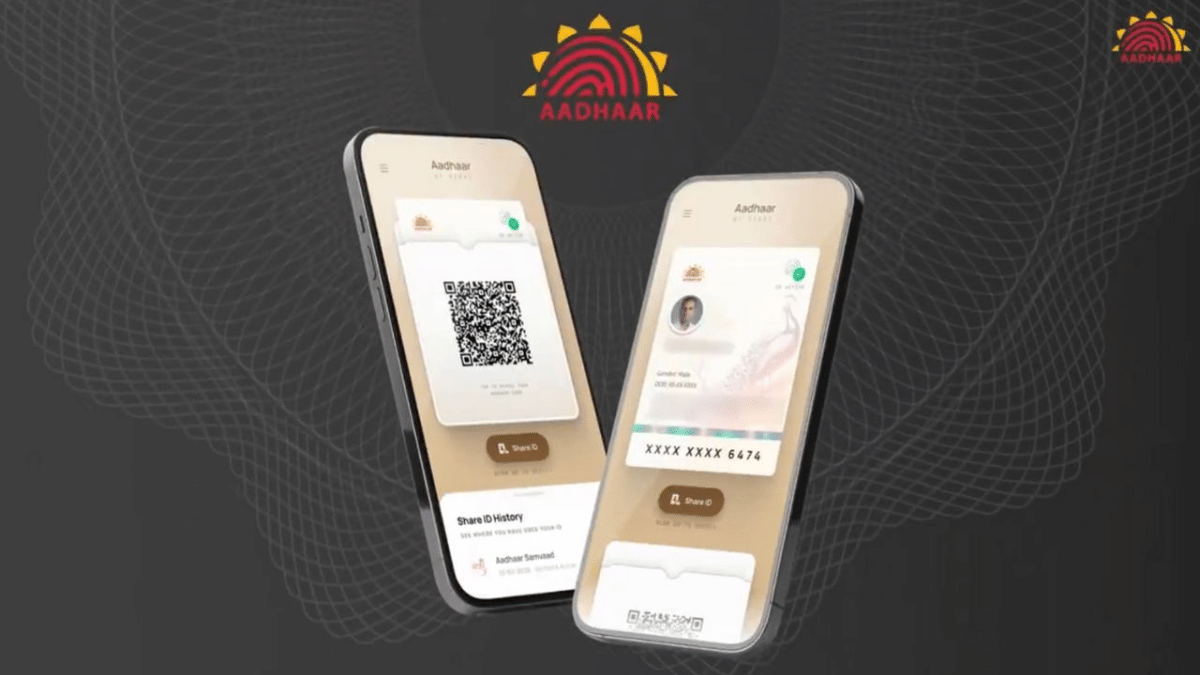
UIDAI has unveiled a redesigned Aadhaar app that uses facial recognition for identity verification. Revealed at the Aadhaar Samvaad event in Delhi, the new app supports digital authentication via face scans and QR code reading. While it promises more convenience, the use of biometrics raises privacy and security concerns. UIDAI is currently testing the app with ecosystem partners, and it’s expected to roll out widely in the coming months.

iPhone 17 Air Dummy Leak Teases Apple’s Thinnest Phone Yet

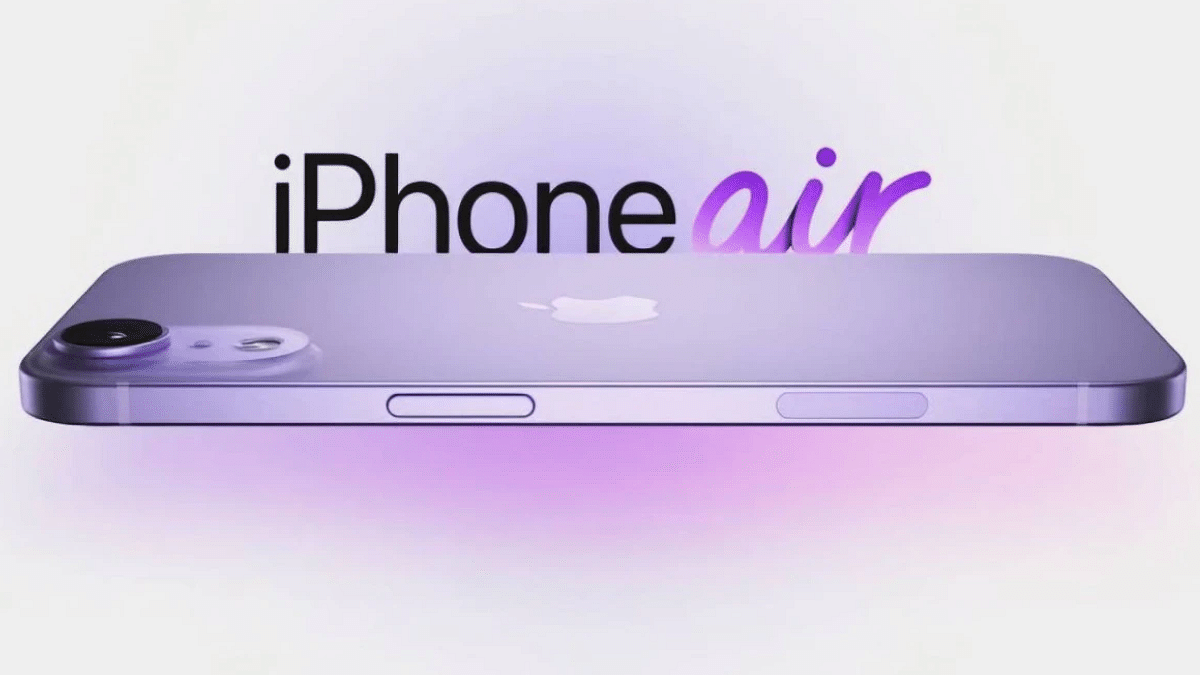
Leaked dummy images of the iPhone 17 Air (possibly named iPhone 17 Slim) have surfaced online, hinting at Apple’s bold new design for 2025. Shared by tipster Majin Bu, the model shows off a sleek, ultra-thin body with a flat frame and a wide camera module on the rear, featuring a pill-shaped layout like Google’s Pixel phones. Expected to debut in September, the iPhone 17 Air could replace the Plus variant in the iPhone lineup and be the brand’s thinnest phone ever.

JioHotstar Hits 200 Million Paying Users Thanks to IPL Craze

JioHotstar has crossed a massive milestone, 200 million paying subscribers, powered by the IPL’s multi-language streaming and affordable pricing. Uday Shankar, vice chairman of JioStar (a Reliance-Disney joint venture), confirmed this growth, stating it places the platform as the third-largest video streaming service globally, trailing only Netflix and Prime Video. JioHotstar’s aggressive sports content strategy has proved successful, especially in India’s fast-growing OTT market.

Also Read | Ghibli Studio Art Viral Social Media Trend: How To Create Your Own Ghibli Art For Free Without ChatGPT+

Elon Musk’s xAI Opens Grok 3 API To Developers Worldwide

Elon Musk’s xAI has officially released the Grok 3 API for developers, making its flagship and lightweight AI models accessible beyond the X (formerly Twitter) platform. The Grok 3 API supports enterprise-grade applications like data summarization, code generation, and logic-based tasks. Alongside Grok 3, developers can also use Grok 3 mini and two faster variants of both models.

For the tech geeks, stay updated with the latest cutting-edge gadgets in the market, exclusive tech updates, gadget reviews, and more right on your phone’s screen. Join Giznext’s WhatsApp channel and receive the industry-first tech updates.

Categories
Featured Gaming How To

How To Fix Lag In Online Games: Quick And Easy Tips

Key Highlights

  • Use a wired connection and close background apps for better speed
  • Lower game graphics settings to reduce system load and lag
  • Keep your system and drivers updated for smoother performance

There’s nothing more frustrating than getting the perfect shot lined up, only for lag to ruin it all. Whether you’re in a high-stakes battle royale or a fast-paced football match, lag can cost you the game. But don’t worry, you don’t need a fancy setup to enjoy smoother gameplay. With just a few simple changes, you can reduce lag and improve your gaming experience in no time. Here’s how you can get started with five tried-and-tested tricks.

Also Read | Seeking Success in Gaming? Here’s Top Must-Haves For Gamers In India

Use A Wired Ethernet Connection Instead of Wi-Fi

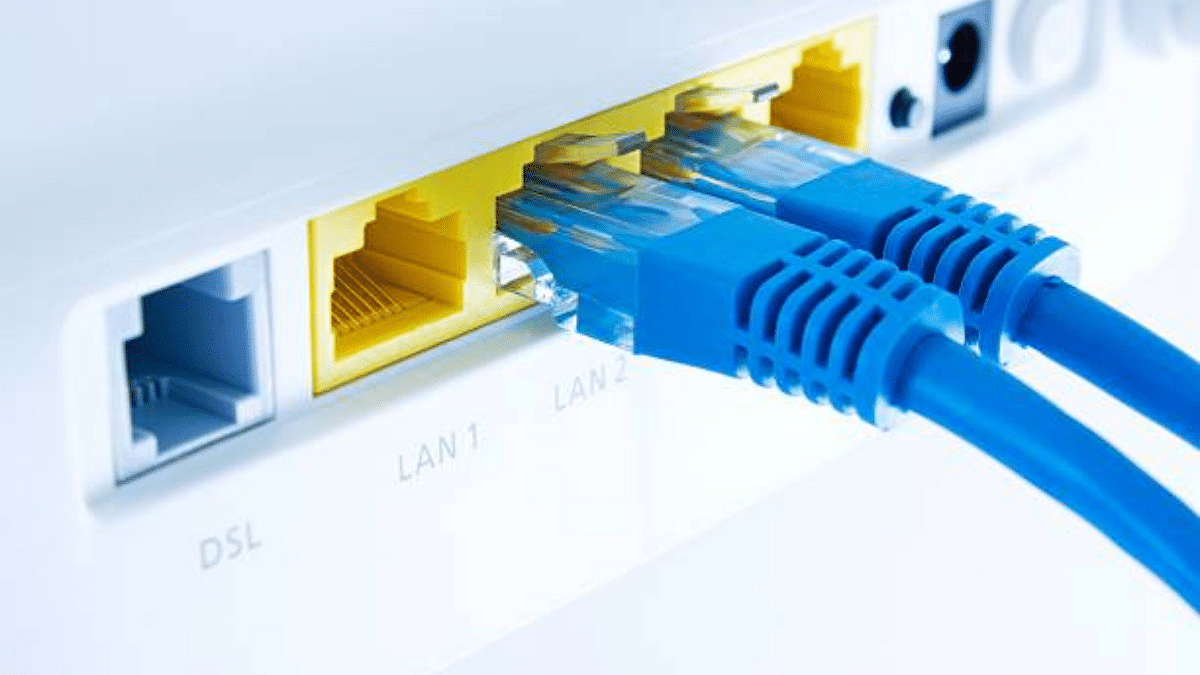
Wireless connections can be unstable, especially when there are multiple devices using the same network. Switching to a wired Ethernet cable provides a more reliable and faster connection with lower ping. This is one of the easiest ways to instantly reduce lag and enjoy seamless gaming.

Close Background Apps And Programs

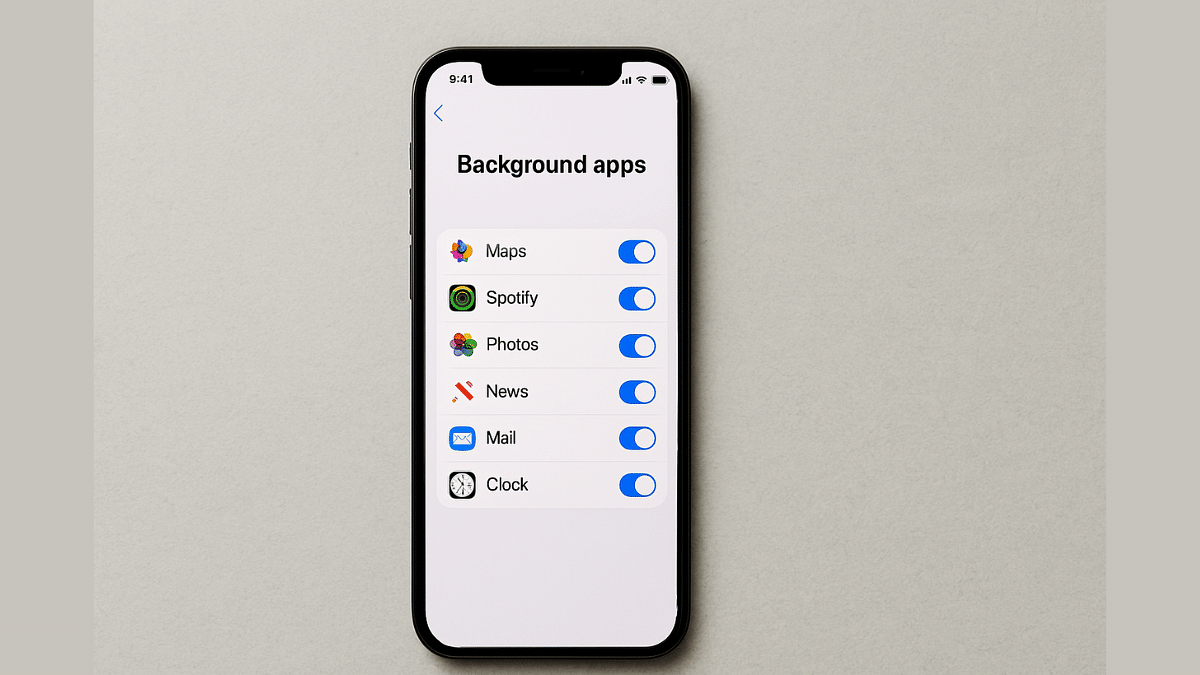
Before starting your game, make sure to shut down apps running in the background, especially heavy ones like browsers, streaming services, or software updates. These programs consume bandwidth and system resources, slowing down your gaming performance.

Adjust Your Game’s Graphics Settings

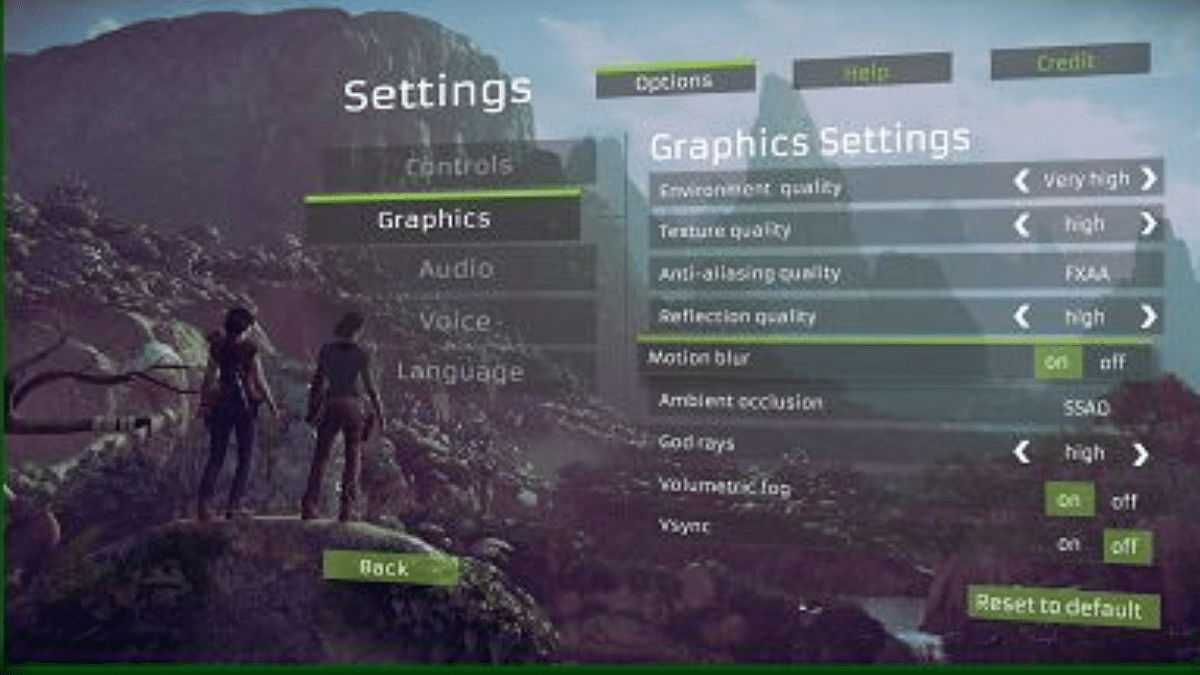
High-resolution graphics might look great but they can also cause frame drops and input delays if your device can’t handle them. Lowering settings like shadows, texture quality, or resolution can help your system run the game more smoothly and reduce lag.

Optimize Your Router Settings

Your router plays a huge role in your gaming experience. Enable QoS in your router settings to prioritize gaming traffic. Also, place your router in an open space, away from walls or obstacles, to improve signal strength.

Also Read | 100+ Best Instagram Gaming Names For Boys

Keep Your System And Drivers Updated

Outdated software and drivers can lead to performance issues. Regularly check for system updates and ensure your graphics card drivers are up to date. These updates often include bug fixes and performance improvements designed to enhance your gaming experience.

Lag doesn’t have to ruin your gaming session. These five simple tips can drastically improve your connection and overall gameplay without needing expensive upgrades.

For the tech geeks, stay updated with the latest cutting-edge gadgets in the market, exclusive tech updates, gadget reviews, and more right on your phone’s screen. Join Giznext’s WhatsApp channel and receive the industry-first tech updates.

Categories
Chipset Featured Info

MediaTek Dimensity 9400+ Launched: Check Out Its Top Highlights

Key Highlights

  • Dimensity 9400+ has a faster 3.73GHz core
  • AI performance boosted by 20%
  • Bluetooth range extended to 10km

MediaTek has officially unveiled the Dimensity 9400+, its most advanced flagship mobile chip for Android smartphones. Aimed at premium devices, this new SoC builds on the success of last year’s Dimensity 9400 but brings noticeable upgrades, especially in AI performance, processing speed, and wireless connectivity. Here’s everything you need to know about the latest Dimensity 9400+ processor.

Also Read | MediaTek Dimensity 8200 Chipset Vs Qualcomm Snapdragon 778G Chipset Comparison: Which Performs Better?

MediaTek Dimensity 9400+ Features

Performance Boost With All Big Core Design

The Dimensity 9400+ continues the “All Big Core” approach. It features a powerful Arm Cortex-X925 core clocked at 3.73GHz. This offers better performance than the 3.63GHz Cortex-X4 core on its predecessor. It’s backed by three Cortex-X4 and four Cortex-A720 cores, ideal for multitasking, gaming, and high-performance tasks.

Enhanced AI With MediaTek NPU 890

The chip includes the upgraded MediaTek NPU 890, which delivers up to 20 percent faster agentic AI performance thanks to Speculative Decoding+ (SpD+). This upgrade is designed to offer smoother, smarter interactions with AI features in supported apps.

Powerful GPU For Gaming And Graphics

MediaTek has retained the 12-core Arm Immortalis-G925 MC12 GPU, providing premium-level graphics rendering. Gamers and creators can expect a fluid and responsive experience, especially in graphically demanding applications.

Camera And Media Capabilities

The Imagiq 1090 ISP enables support for up to a 320MP rear camera, ensuring flagship photography performance. Users can also benefit from advanced photo and video features that rival the best in the industry.

Next-Level Connectivity

The chip supports Wi-Fi 7, 5G (Sub-6), Bluetooth 6.0, and GNSS, with a significant Bluetooth range boost to 10km—up from 1.5km in the Dimensity 9400. This opens the door for broader Bluetooth-based communication between smartphones.

Also Read | Qualcomm Snapdragon 7 Plus Gen 3 Vs MediaTek Dimensity 7200 Chipset: Quick Comparison

Availability And First Devices

The Oppo Find X8s and Find X8s+ are the first smartphones to feature the Dimensity 9400+ and are already launched in China. They are expected to go on sale this month. Brands like Vivo and Realme are also lining up with new smartphones, Vivo X200s and Realme GT7, powered by this chipset.

For the tech geeks, stay updated with the latest cutting-edge gadgets in the market, exclusive tech updates, gadget reviews, and more right on your phone’s screen. Join Giznext’s WhatsApp channel and receive the industry-first tech updates.
Categories
Featured Gaming

Best Anime Games To Play In India: Naruto, Dragon Ball, And More

Key Highlights

  • Play top anime-based games like Naruto and Dragon Ball Z
  • Great mix of action, story, and visuals
  • Available on PC, PlayStation, Xbox, and Switch

Anime fans in India are no longer limited to just watching their favorite shows. Now, they can play them too. From stunning visuals to rich storytelling and adrenaline-pumping action, anime-inspired video games are taking the gaming scene by storm. So, here are the top five anime-inspired video games you should definitely try this year.

Also Read | Love Anime? Here’s Where You Can Buy The Coolest Merchandise In India

Dragon Ball Z: Kakarot

Step into Goku’s shoes and relive the iconic Dragon Ball Z saga in this action-RPG masterpiece.

  • Open-world gameplay with real-time combat
  • Follows the original DBZ storyline, from Saiyan Saga to Buu Saga
  • Features training, fishing, eating, and bonding with characters
  • Available on PC, PlayStation, Xbox, and Nintendo Switch

Naruto Shippuden: Ultimate Ninja Storm 4

If you love epic ninja battles and emotional story arcs, this is a must-play.

  • Follows Naruto’s journey from the Great Ninja War to the finale
  • Gorgeous anime-style graphics and cinematic fights
  • Massive roster of playable characters
  • Local multiplayer and online modes available

One Piece Odyssey

An original One Piece story in JRPG form? Yes, please!

  • Play as Luffy and his Straw Hat crew on a brand-new island
  • Turn-based battle system with strategy elements
  • Unique “Dramatic Scenes” that alter combat based on the story
  • English and Japanese voice options

Demon Slayer: Kimetsu no Yaiba – The Hinokami Chronicles

Experience the beautifully animated battles of Tanjiro and Nezuko in this fighting game.

  • Faithful adaptation of the anime’s first seasons
  • Intense arena combat and story missions
  • Smooth controls and stunning visuals
  • Offline and online multiplayer options

Also Read | Who Runs The Anime World? These Five Studios Do

Attack on Titan 2

Take on giant titans and defend humanity in this thrilling action game.

  • Create your own scout and experience the anime story
  • Fast-paced 3D movement with vertical maneuver gear
  • Giant boss fights and team tactics
  • Available on major gaming platforms

These anime-inspired games are not just visually stunning, they deliver unforgettable experiences. Whether you are a fan of fighting, adventure, or storytelling, there’s a game here calling your name.

For the tech geeks, stay updated with the latest cutting-edge gadgets in the market, exclusive tech updates, gadget reviews, and more right on your phone’s screen. Join Giznext’s WhatsApp channel and receive the industry-first tech updates.
Categories
Apps Featured How To Info

UIDAI Launches New Aadhaar App With Face Authentication: Here’s How It Works

Key Highlights

  • New Aadhaar app uses face scan for easy identity verification
  • No need to carry physical Aadhaar cards or share photocopies
  • App is currently in testing and will roll out to more users soon

The UIDAI has launched a new and improved Aadhaar app that can verify your identity by scanning your face. The app was introduced at the Aadhaar Samvaad event in Delhi. It is designed to make identity checks quicker, safer, and completely digital, so you won’t need to carry any papers. Here’s everything you need to know about the new Aadhaar app and how it works.

Also Read | Aadhaar Card Lost Or Misplaced? Here’s How to Apply for a Duplicate Aadhaar Card Online

Face Authentication Made Simple

  • The updated Aadhaar app lets users verify their identity by simply scanning their face using the phone’s front camera.
  • No need to carry physical Aadhaar cards or share photocopies. Just use the app for quick verification.
  • The app integrates UIDAI’s Aadhaar Face Authentication system for secure, real-time verification.

How It Works: Step-by-Step Guide

Step 1: Download and install the new Aadhaar app on your smartphone (currently available to limited testers).

Step 2: Set a secure PIN to protect the app.

Step 3: When a QR code is presented, say at a hotel or retail store, the app will prompt you to enter your PIN.

Step 4: A digital, masked version of your Aadhaar card will appear, showing essential info like name, date of birth, and mobile number (masked).

Step 5: The app will then prompt you to align your face inside a circle and blink to confirm liveness.

Step 6: Once completed, a confirmation message is displayed stating that your identity has been verified.

Focus On Security And Privacy

  • According to UIDAI, the app does not share personal data with the service provider, only verified status is shared.
  • All verifications are done with user consent to ensure privacy.
  • Experts still urge caution, citing concerns about the storage and use of facial biometrics, which are unchangeable if leaked.

Also Read | Need To Lock And Unlock Your Aadhaar Card Biometrics? Here’s How To Do It

Testing Phase And Rollout

  • The redesigned app is currently in beta testing, rolled out to a select group of users and ecosystem partners.
  • Based on feedback, the UIDAI plans a wider rollout in the coming months.

UIDAI’s new Aadhaar app could redefine how we verify identity in India, fast, paperless, and secure.

For the tech geeks, stay updated with the latest cutting-edge gadgets in the market, exclusive tech updates, gadget reviews, and more right on your phone’s screen. Join Giznext’s WhatsApp channel and receive the industry-first tech updates.
Categories
Apps Featured

Looking For The Best Cloud Storage? These Apps Stand Out In 2025

Key Highlights

  • Google Drive and OneDrive offer great value
  • Dropbox is ideal for professionals
  • iCloud works best for Apple users

Nowadays, cloud storage is no longer a luxury, it’s a necessity. Whether you’re backing up precious memories or managing professional files, choosing the right cloud storage app can make all the difference. With so many options available, which app offers the best value for your money in 2025? Here, we have compared the top cloud storage platforms to help you find the one that fits your needs best.

Also Read | NAS (Network-Attached-Storage) Explained Via Synology BeeStation

Apple iCloud

For Apple users, iCloud offers flawless syncing across all devices.

  • Free Storage: 5GB
  • Paid Plans: Starts at Rs. 75 per month for 50GB
  • Top Features: iPhone backups, synced photo library, and keychain access
  • Best For: iPhone, iPad, and Mac users
  • Bonus: Bundled in Apple One subscription

Google Drive

Google Drive continues to be a favorite, especially for those already using Android or Google Workspace.

  • Free Storage: 15GB
  • Paid Plans: Starts at Rs. 130 per month for 100GB (Google One)
  • Top Features: Real-time collaboration via Docs, Sheets, and Slides, easy Gmail integration
  • Best For: Students, freelancers, and collaborative teams
  • Bonus: Google Photos storage counts here, too

Microsoft OneDrive

If you are a Windows user, OneDrive offers a highly integrated experience, especially with Microsoft Office apps.

  • Free Storage: 5GB
  • Paid Plans: Starts at Rs. 149 per month for 100GB
  • Top Features: Built-in with Windows, automatic photo and video backup
  • Best For: Professionals and Office 365 users
  • Bonus: Microsoft 365 subscription includes 1TB OneDrive storage

Also Read | SSD vs HDD for Laptops: Ultimate Guide to Choosing the Right Storage

Dropbox

Dropbox remains a solid choice for those who value reliability and compatibility across different platforms.

  • Free Storage: 2GB
  • Paid Plans: Starts at Rs. 850 per month for 2TB (Plus Plan)
  • Top Features: Smart sync, file versioning, easy sharing
  • Best For: Creatives and businesses handling large files
  • Bonus: Integrates with tools like Slack, Zoom, and Adobe

The best cloud storage app depends on what you prioritize, be it security, seamless syncing, or affordability. Choose smart and stay backed up in 2025.

For the tech geeks, stay updated with the latest cutting-edge gadgets in the market, exclusive tech updates, gadget reviews, and more right on your phone’s screen. Join Giznext’s WhatsApp channel and receive the industry-first tech updates.
Categories
Apps Featured How To

Instagram Reels In WhatsApp? Here’s How To Watch Them Using Meta AI

Key Highlights

  • WhatsApp users can now watch Instagram Reels via Meta AI
  • The feature is limited but offers quick entertainment within the app
  • Just update WhatsApp, tap the Meta AI icon, and ask for Reels

Instagram Reels have taken over our screens, and now, thanks to Meta AI, you don’t even need to leave WhatsApp to watch them. Whether you are in the middle of a chat or just killing time, you can now enjoy trending Reels directly in your WhatsApp app. This new feature blends AI magic with social entertainment, giving you quick access to your favorite content in seconds. Curious to know how it works? Here’s a quick step-by-step guide to get started in no time.
Also Read | Instagram Tips And Tricks: How To Share Music/ Songs As DMs With Friends On Instagram

How To Watch Instagram Reels In WhatsApp Using Meta AI

Step 1: Make sure your WhatsApp is updated to the latest version on Android or iOS. This feature only works on the most recent update, so check the app store before you begin.

Step 2: Open WhatsApp and look for a glowing blue-pink animated circle above your chat list. That’s the Meta AI icon. Tap on it to launch the feature.

Step 3: You’ll be directed to a chat-like interface, similar to any WhatsApp conversation. At the bottom, there’s a text box where you can type your prompt.

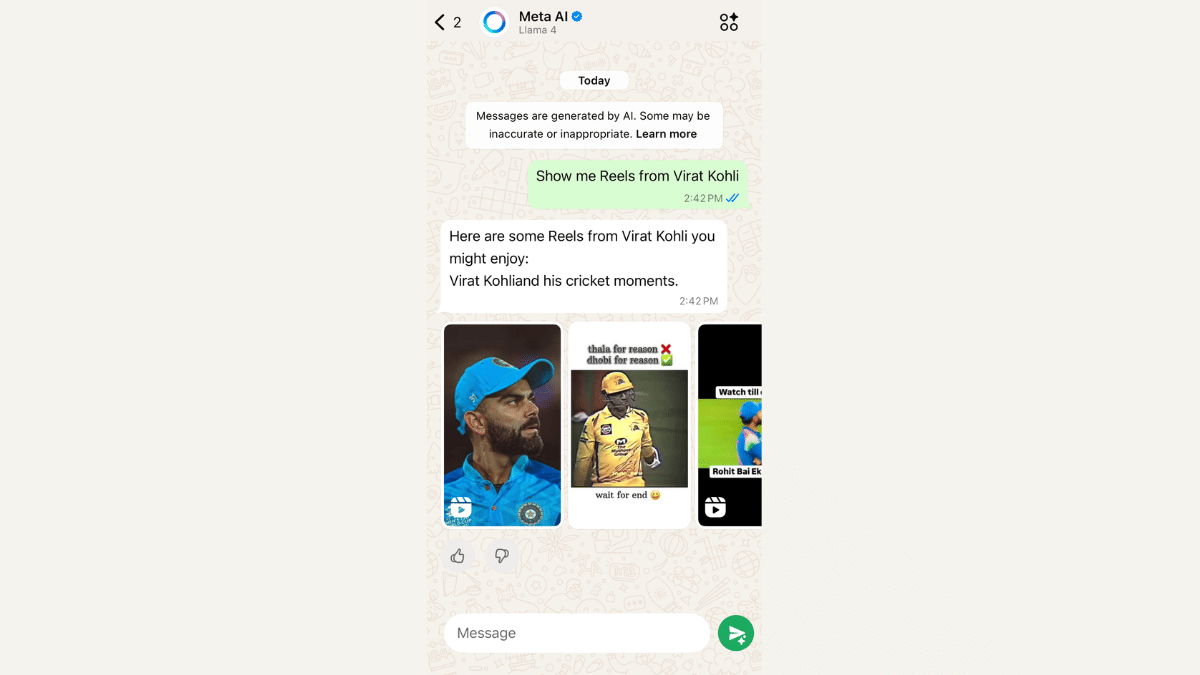
Step 4: In the chat, type something like “Show me Instagram Reels” and hit send. Within seconds, a handful of Instagram Reels will pop up right in the chat.

Step 5: Tap on any of the Reels shown to start watching them directly within WhatsApp. No need to switch apps.

Want Reels From A Specific Creator?

For this, you just need to type the creator’s name in the prompt.  For example, “Show me Reels from Virat Kohli”, and Meta AI will try to fetch the latest or trending Reels from that account.

Also Read | Want To Stand Out On Instagram As A Car Enthusiast? Check Out These 100+ Ideas

Important Note Before You Start

To access this feature, users must agree to Meta’s terms for chatting with businesses and bots on WhatsApp. Without that, Meta AI won’t work, and you won’t be able to access Reels.

For the tech geeks, stay updated with the latest cutting-edge gadgets in the market, exclusive tech updates, gadget reviews, and more right on your phone’s screen. Join Giznext’s WhatsApp channel and receive the industry-first tech updates.