Categories
Featured Info mobile

Nokia G60 5G To Launch Soon As First Nokia 5G Phone In India: Price, Specification, Competitions

Key Highlights

Nokia G60 5G will be the first Nokia 5G Phone in India

India launch confirmed on Twitter

To debut with Snapdragon 695 5G chipset, 6GB RAM, and 128GB storage

Will flaunt a 6.58-inch LCD display with 120Hz refresh rate

50MP triple rear camera setup

HMD Global has announced the launch of the first 5G Nokia Android phone in the Indian market. The Finnish brand is bringing the Nokia G60 5G to Indian shores soon. An official confirmation has been shared by the brand via its official Twitter handle. Which phones the Nokia G60 will be competing against and what all hardware features it will offer? We have shared the details below:

Nokia G60 India Launch Announced Officially

As mentioned above, the Nokia G60’s India launch has been revealed via an official tweet. Nokia will finally be joining the 5G smartphone race with this 5G handset in the Indian market. Only the upcoming launch has been announced, the exact Nokia G60 5G launch date is still kept a mystery by Nokia.

It is worth mentioning that the first Nokia 5G handset is also listed on the official website. This suggests the Nokia G60 5G launch date is just around the corner; could be a few weeks. The Nokia G60 5G official website listing hasn’t revealed the exact pricing details as well. However, it does mention a single 6GB RAM and 128GB storage configuration. The color options listed are Ice and black.

Nokia G60 5G Chipset And Configuration

The Nokia G60 5G made its international debut alongside the Nokia X30 a few months back. It will be coming with the same set of internals to the Indian market. The chipset powering the first Nokia 5G phone in India will be the Snapdragon 695 chipset. The octa-core 5G processor will be paired up with 6GB RAM and 128GB storage configuration (as per the official India website listing).

Nokia G60 Display, Camera, Battery

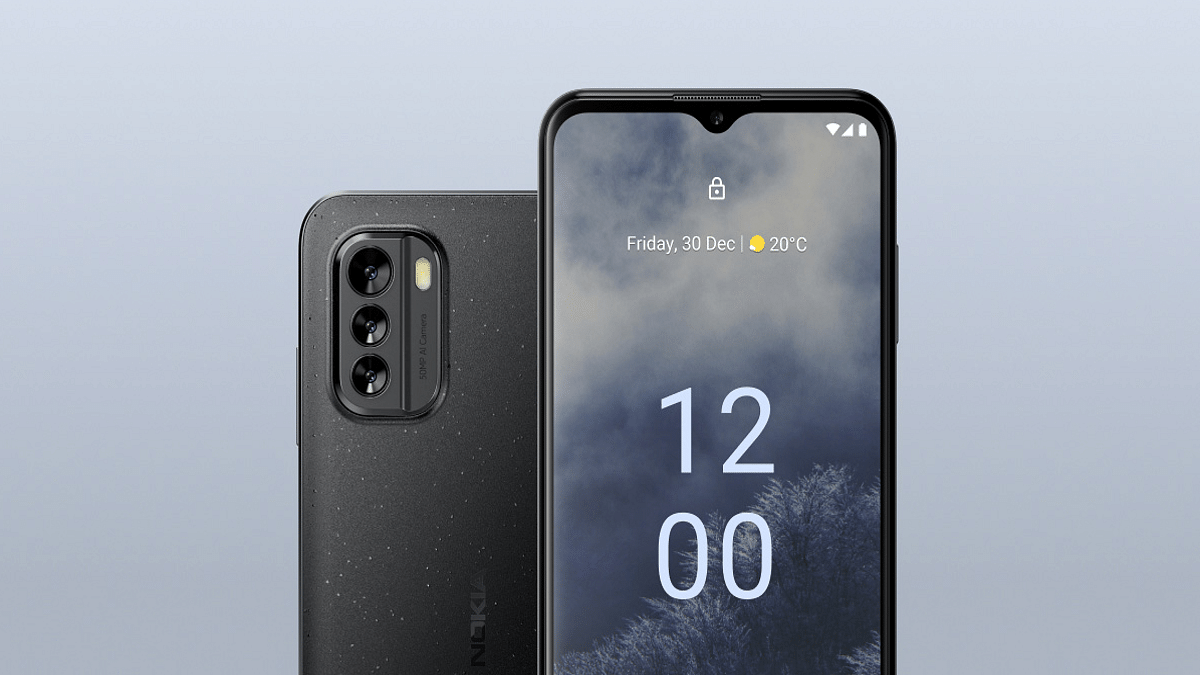
The Nokia G60 5G will be launched in India with a 6.58-inch LCD display that will support an FHD+ screen resolution and 120Hz refresh rate. The panel will feature a waterdrop notch design. This dewdrop notch will be housing an 8MP selfie and video calling lens.

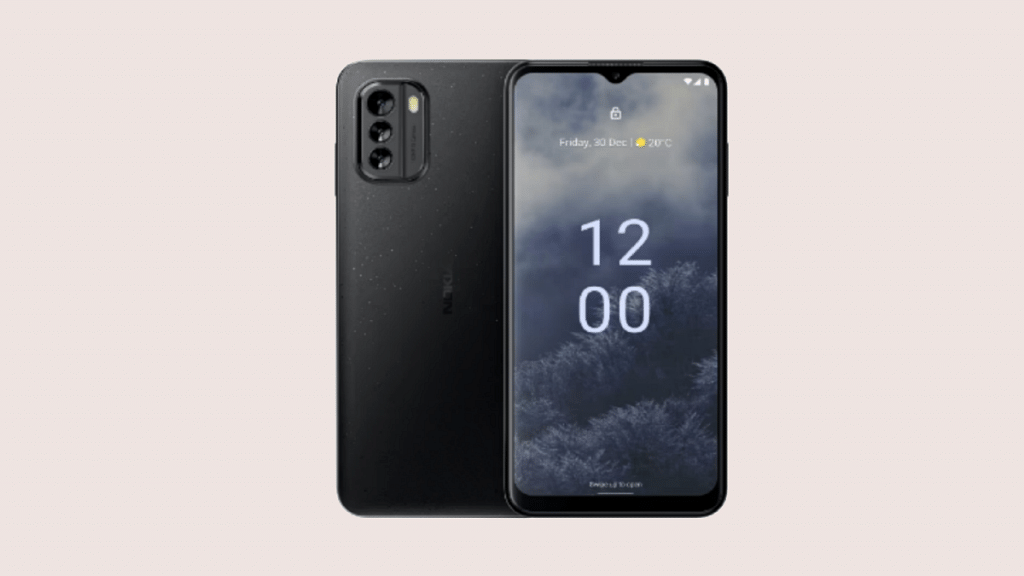
Speaking of the Nokia G60’s camera configuration, there will be three cameras at the back. The camera module will sport a 50MP main camera which will be aided by a 5MP depth and a 2MP macro camera sensor. The first Nokia 5G phone will be packing a 4,500 mAh battery unit that will support 20W fast charging.

Nokia G60 Expected Price And Competition In India

The Nokia G60 5G price is under wraps as of now. However, it is expected to be launched with a reasonable price tag and in the mid-range 5G Android phone segment. The pricing of the Nokia G60 5G in India could be under Rs. 20,000 (as per the rumors). However, we will have to wait for the official launch to be sure of the pricing.

If we speak of the competitors, the Nokia G60 5G will face direct heat from a couple of popular premium mid-tier Android phones such as the Moto G82, OnePlus Nord CE 2 Lite, Xiaomi Redmi Note 9 Pro, and the Vivo T1 Pro, etc.
Categories
Comparison Featured mobile

Vivo Y12 Vs OPPO A57 Vs Realme Narzo 50i Prime: Cheap And Best Android Phones Under Rs. 15,000

Choosing the best phone for you can be difficult because tech companies continue to release new models on an almost annual basis. This is especially true for entry-level cellphones with smart features that cost under Rs. 15,000. A recently released selfie-focused smartphone called the Oppo A57 is aimed at those who care about price. It is priced below Rs. 15,000 and shares many characteristics with its more expensive brother, the Oppo F1s. The Vivo Y12 is another recent low-cost smartphone that everyone should keep an eye out for. A brand-new addition to the Realme lineup of entry-level phones  is the realme Narzo 50i Prime. But, are these phones worth buying? Let’s find out:

Display and Camera

The Vivo Y12 comes with a 6.35-inch IPS LCD screen and has a sharpness rating of 268 PPI and a screen resolution of 720 x 1,544 pixels. Its 19.3:9 aspect ratio gives the image some elegance. Furthermore, the screen-to-body ratio is raised by the bezel-free display with a tiny notch on top. One can have a rich and true color photography experience with the 13MP main camera combined with the 8MP and 2MP sensors. The model features an 8MP front camera, with sharp, vibrant colors.

The OPPO A57 comes with a 6.56-inch immersive IPS LCD screen. The smartphone features a 20:9 aspect ratio with a screen with a resolution of 1612 x 720 pixels and a pixel density of 269ppi. The smartphone’s screen-to-body ratio was calculated to be 84.62%. A dual camera arrangement is present on the back of the OPPO A57 2022. There is a 2MP camera added to the 13MP primary camera. Along with it, a front-facing 8MP selfie camera is also present. The smartphone’s camera setup also offers sophisticated features like Touch to Focus, Digital Zoom, Face Detection, HDR Mode, Exposure Compensation, and ISO Control.

The Realme Narzo 50i Prime’s front panel is covered by a stunning 6.5-inch IPS LCD display with a 20:9 aspect ratio. Due to its 1600 x 720 pixel resolution and 270 ppi pixel density, this display offers an immersive visual experience. The Realme Narzo 50i Prime comes with an 8MP wide-angle camera with an aperture of f/2.0. Advanced functions like Digital Zoom, ISO Control, LED Flash, HDR mode, and Exposure Compensation are also supported by this camera. Realme also includes a 5MP front camera.

Configuration and Battery

The Vivo Y12 provides praised performance thanks to an octa-core Cortex A53 CPU with a clock speed of 2GHz. In addition, the PowerVR GE8320 GPU and 4GB RAM enable seamless multi-tasking. The MediaTek Helio P22 CPU, which controls the entire setup, does it with ease. A huge 5,000mAh Li-ion battery is included with the device to ensure long-lasting operation. One single charge from this enormous power pack will allow for a whole day of activities.

The OPPO A57 is equipped with MediaTek Helio G35 CPU and 4GB RAM. For improved functionality, the smartphone also includes a PowerVR GE8320 GPU and an eight-core processor with a dual Cortex A53 architecture. The Li-Polymer battery of the OPPO A57 has a capacity of 5000mAh. Additionally, it complies with the 33W Super VOOC mechanism, which guarantees a 50% battery charge in 30 minutes.

The Realme Narzo 50i Prime’s internal operations are supported by its Unisoc T612 chipset and Octa-core CPU, which has a dual-core 1.82GHz Cortex A75 and a hexa-core 1.8GHz Cortex A55 configuration. The 3GB RAM and Mali-G57 GPU of this smartphone additionally support its features and performance. A 5000mAh Li-Polymer battery is housed in the Realme Narzo 50i Prime’s power compartment.

Storage and Connectivity

The 32GB internal storage of the Vivo Y12 is promising when compared to the price and can hold a lot of files, data, programmes, images, and games. If the storage becomes full, one can use the external slot to add up to 256GB of memory and free up space. The smartphone includes 4G VoLTE-enabled functionality for connectivity. Other features include Bluetooth, GPS, microUSB 2.0, Wi-Fi 802.11, b/g/n, Mobile Hotspot, and Wi-Fi.

The OPPO A57 features a 64GB of onboard eMMC 5.1 internal storage that can be expanded up to 1TB. A-GPS, Bluetooth v5.1, 4G VoLTE, Wi-Fi, and USB Type-C are all supported by the smartphone in terms of connectivity.

The Realme Narzo 50i Prime has a 32GB UFS 2.2 storage device. Users can add a 1TB memory card to boost the available capacity. As for the smartphone’s connectivity capabilities, it supports USB Type-C, Wi-Fi, Bluetooth v5.0, micro USB 2.0, Mobile Hotspot, and 4G VoLTE.

GizNext’s Expert Opinion

The Vivo Y12 has a potent setup and a sizable battery backup that will deliver a genuine user experience. Even with frequent use, it can last all day. The triple rear lens, which is equipped with cutting-edge technology to improve the quality of the images, allows one to enjoy photography. It doesn’t have a full HD display, though. The OPPO A57 guarantees a superb user experience that is both inexpensive and bug-free. This tool can produce the best outcomes with the maximum accuracy. Additionally, with Android v12, you can rely on the same to enjoy a flawless multitasking experience.Your daily demands are catered to with the Realme Narzo 50i Prime. It is an inexpensive device that you can use for leisure purposes, work-related tasks, or to scroll through social media updates.

Categories
Featured How To Mobile

Turn On Emergency SOS Feature On Android Phone: Here’s How

Key Highlights

  • Setting up Emergency SOS can be a lifesaver
  • You can add an emergency contact or personal contact number
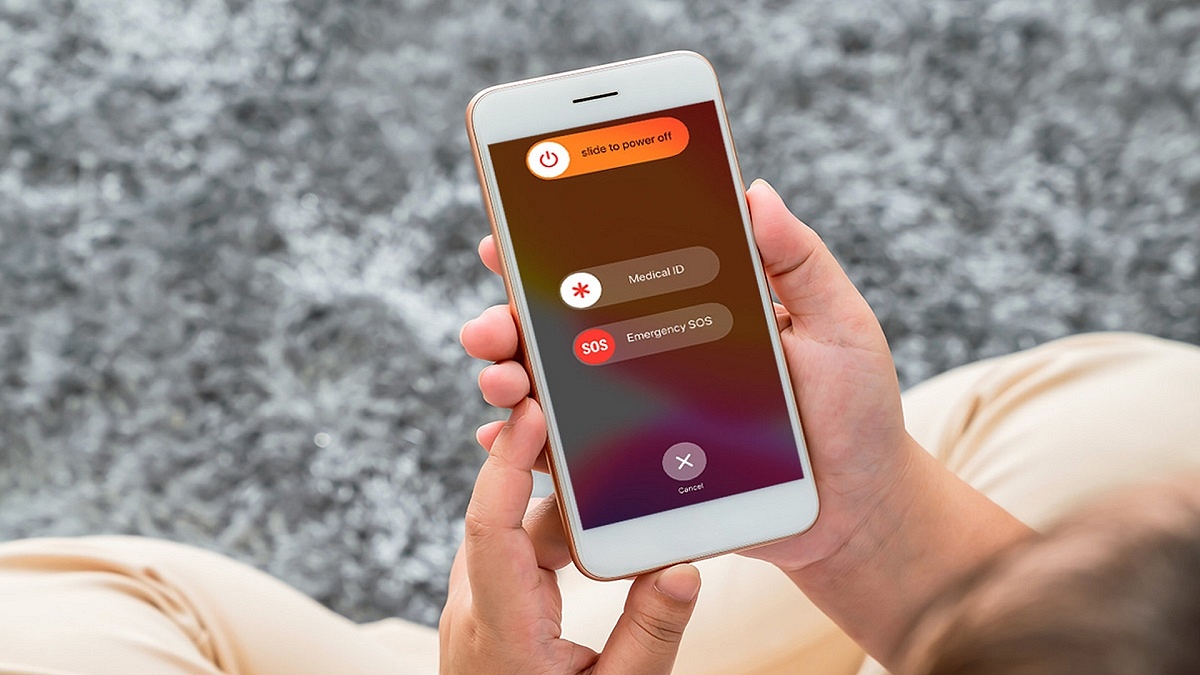
  • To activate the Emergency SOS feature, press the power button five times

Regardless of its brand or model, your phone is likely to have an emergency SOS option built in. Although you hope you never need it, you should be aware of it just in case.

It only takes a few minutes to set up emergency SOS features but they could save your life. Quickly press the power button five times to dial your emergency contact number after enabling Emergency SOS. This can be changed to a personal contact or set to your local emergency number. The emergency number is 112 in India. It’s one of the most crucial things you can do when configuring a new Android phone.

Having a personal emergency number is beneficial since it alerts your known contacts and enables them to take immediate action. This article will show you how to easily set up the Emergency SOS feature and add emergency contacts to your Android phone. Let’s check it out:

How To Set Up Emergency SOS On Your Android Phone?

Step 1: On your Android phone, go to Settings and select “Safety & emergencies.”

Step 2: Now, turn on “Emergency SOS.”

Step 3: After that, toggle on “Emergency SOS.”

Each phone has a different way of doing this. Both Pixel and stock Android phones will have the aforementioned options. Simply type “SOS” or “Emergency” into the search field to access the feature if you can’t find these alternatives.

Step 4: Once you do this, return to the “Safety & emergency” screen and click on “Emergency contacts.”

Step 5: Tap “Add Contact” and select an emergency number that you wish to add.

As said above, the procedure may be slightly different for you depending on the device you are using. But with Android-based devices, it’s largely the same. The Emergency SOS feature will be active and properly configured once you complete all the stages.

Categories
Featured How To Laptop

How To Fix Bluetooth Pairing Issues With Dell Laptops (All Models)?

Dell is one of the largest players in the laptop and PC market in India and other global markets. The PC manufacturer has designed several popular laptop lineups including Inspiron, Vostro, XPS, and Alienware. The former two have both affordable and premium mid-range laptop models, while the latter two are designed for premium end customers.

Dell laptops are multifunctional and equipped with best-in-class hardware. The vast and easily accessible service support ecosystem has been a primary factor for this brand’s popularity amongst the Indian audience. Dell has both Intel as well AMD-powered laptop models that feature the latest hardware innovations and are performance oriented.

All Dell laptops offer modern connectivity options including Wi-Fi and Bluetooth for wireless connectivity and pairing external accessories. Often there are general connectivity issues reported with both Wi-Fi and Bluetooth networks. We have previously covered the quick troubleshooting steps to fix issues with Wi-Fi internet connectivity while using Dell laptops. In this article, we are sharing the quick steps to resolve issues with Bluetooth in Dell laptops.

How To Quickly Fix Issues With Dell Laptop Bluetooth

Step 1: Check if the Bluetooth adapter of your Dell laptop is toggled on. If not, turn it on.

Step 2: Make sure the wireless device that needs to be paired with the Dell laptop is within range.

Step 3: You might need to change or replace the battery of the Bluetooth device for better connectivity.

Step 4: Restart the Dell laptop. Do save the important data or take a backup.

Step 5: From the control panel, go to the Bluetooth settings.

Step 6: Unpair the device with which you are experiencing connectivity issues.

Step 7: Re-pair the Bluetooth device and the connection should be successful.

Step 8: If the issue persists, open the SupportAssist application on your respective Dell laptops. Optimize the laptop using this application and the issue should be resolved.

Step 9: You will need to run the Bluetooth Adapter hardware test to check for errors.

Step 10: Download and install the latest Bluetooth drivers.

Step 11: The Bluetooth connectivity issue should be fixed. If for some reason, the Bluetooth adapter test fails while using the Support Assist feature, you would need to contact the Dell Technical Support center.

Categories
Accessories Featured How To

How To Connect OnePlus Buds True Wireless Earbuds With Smart TVs and Laptops?

Key Highlights

  • OnePlus Buds uses latest Bluetooth technology for quick connectivity
  • To connect your OnePlus Buds earbuds to your smart TV, read more.
  • You have to turn on Bluetooth on both devices for pairing

OnePlus has been growing its consumer gadgets portfolio with new products proactively. We see new Android smartphones, TWS earbuds, and smart TV launches from the Chinese tech OEM in the global regions and India frequently. OnePlus Buds is the brand’s bet in the affordable TWS earbuds segment.

OnePlus has been leading this race with pocket-friendly yet performance-oriented truly wireless earbuds. All the OnePlus Buds earbuds including the Buds Pro, Buds Z/Z2, and the vanilla Buds offer a rich listening experience. OnePlus has also made numerous upgrades with the new OnePlus Buds models to offer a wider range of connectivity as well as a better soundstage.

Also Read | How To Enable Multipoint And Audio Switch Feature In Pixel Buds TWS Earbuds

All OnePlus Buds variants are equipped with Bluetooth technology for quick connectivity with compatible smartphones and tablets. The OnePlus Buds TWS earbuds can also be paired with laptops and smart TVs. What all steps would you need to perform to connect the OnePlus Buds earbuds with any laptop or smart TV? The steps are listed here:

How To Connect OnePlus Buds Earbuds With Laptops

Step 1: To pair the OnePlus Buds TWS with laptops, go to the control panel first.

Step 2: Scroll to the Bluetooth and other devices options.

Step 3: Tap on the + icon or the Add Bluetooth device option.

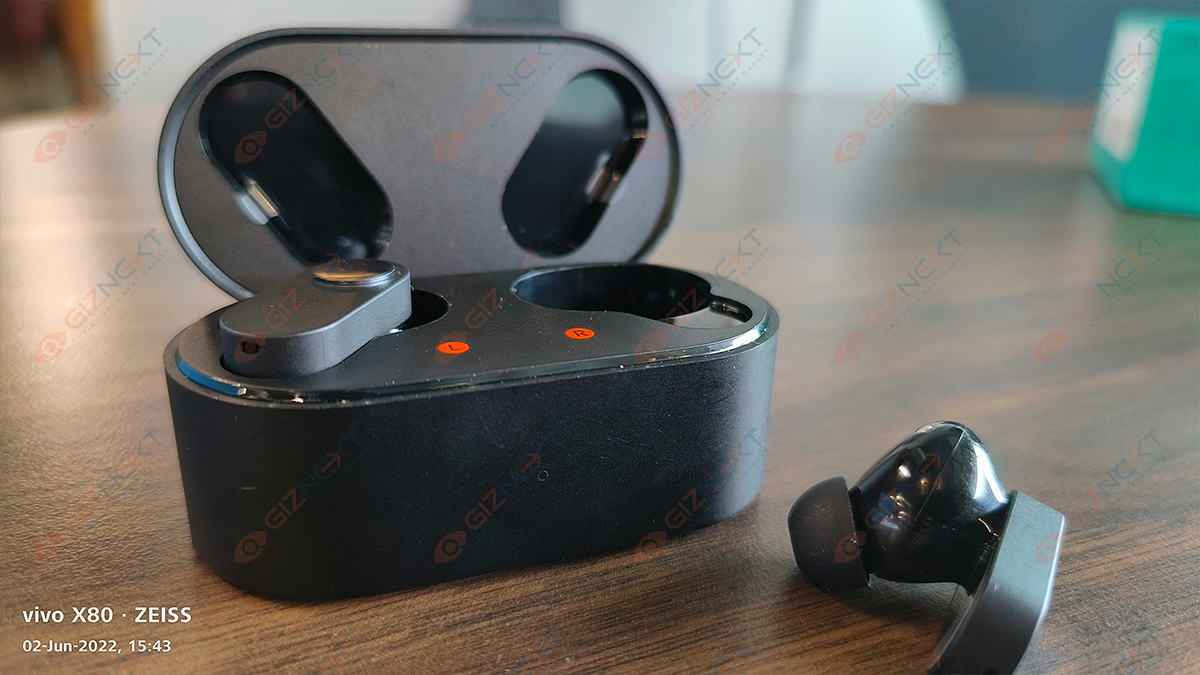
Step 4: Now, you would need to put the OnePlus buds earbuds into pairing mode. To do so, press and hold the setup/pairing key. You can locate this key on the charging case.

Step 5: Once the earbuds are in pairing mode, you will see it in the list of available devices on your laptop. Click on the device name to initiate the pairing process.

Step 6: The OnePlus Buds will now be connected to the laptop. You can start playing videos or games and listen to the audio on the OnePlus Buds earbuds.

Also Read | OnePlus Buds Failed To Discover Or Identify? How To Resolve Pairing Issues With OnePlus Buds TWS Earbuds

How To Pair OnePlus Buds TWS with Smart TVs

Step 1: You can connect OnePlus Buds TWS earbuds with TVs that have Bluetooth support.

Step 2: Go to the Settings menu on your respective smart TVs.

Step 3: Go to the pair new device option.

Step 4: Press and hold the pairing key on the OnePlus Buds earbuds.

Step 5: Tap on the earbuds name listed on the TV screen.

Step 6: Accept all permissions on the screen and you are good to go.

Also Read | Five Best Wireless Earbuds Under Rs. 2,000

Categories
Featured Info Mobile

Samsung Galaxy A04, Galaxy A04e, Galaxy M23 5G India launch Soon: All Details

Key Highlights

  • Three new smartphones will be released by Samsung in India soon
  • One of these is an M-series smartphone, while the other two are A-series model
  • Samsung has already released these phones in select global markets

The Samsung Galaxy A04, Galaxy A04e, and Galaxy M23 5G are expected to arrive in India soon. The three smartphones have reportedly been discovered on Samsung’s support page with the model numbers SM-M236B/DS, SM-A045F/DS, and SM-A042F/DS, according to tipster Sudhanshu Ambhore.

However, these support pages don’t provide many details about the upcoming smartphone. The South Korean company recently introduced three smartphones — the Samsung Galaxy M23 5G, Galaxy A04, and Galaxy A04e — in some markets around the globe. The company is now getting ready to introduce these devices in India.

Samsung Galaxy A04 (Specifications)

The Samsung Galaxy A04 has a 6.5-inch HD+ LCD screen. The Samsung Exynos 850 SoC, along with 8GB of RAM and 128GB of storage, powers the smartphone. One UI 4.1, which is based on Android 12, is preinstalled on the device. The device boasts a 50MP + 2MP camera system on the back and a 5MP selfie camera, according to the specifications for cameras. It has a 5,000mAh battery inside.

Samsung Galaxy A04e (Specifications)

A 6.5-inch HD+ LCD screen will be available on the Samsung Galaxy A04e. The MediaTek Helio G35 SoC, which runs Android 12 and OneUI 4.1 out of the box, powers the smartphone. The device sports a front-facing 5MP camera and a rear 13MP + 2MP depth sensor for optics. A 5,000mAh battery with support for 10W charging powers the upcoming smartphone.

Samsung Galaxy M23 5G (Specifications)

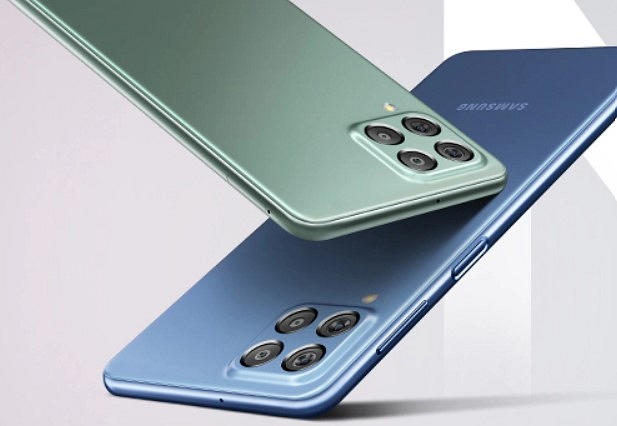
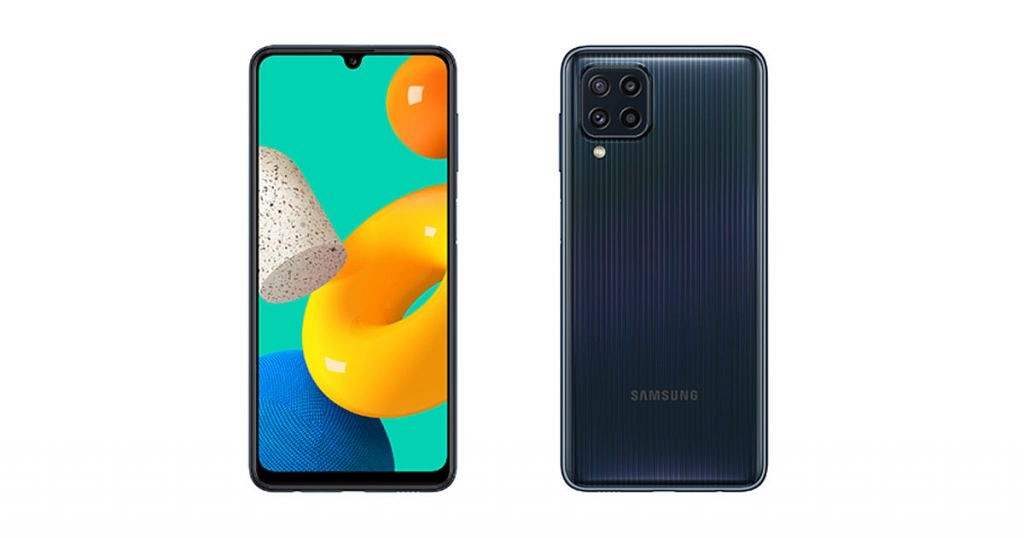
The Samsung Galaxy M23 5G will come with a 6.6-inch LCD HD+ display along with a screen refresh rate of 120Hz. The Qualcomm Snapdragon 750G SoC, which powers it, comes pre-installed with One UI 4.1, which is based on Android 12. It has an 8MP selfie camera in addition to a 50MP + 8MP ultrawide angle + 2MP macro lens on the back. A 5,000mAh battery with 25W fast charging support powers it.

Categories
Featured Leaks

Realme 10 4G Massive Leak; Full Specifications, Renders, Pricing Tipped

Key Highlights

Realme 10 4G official sale in mid-week of November

Price range within Rs. 17,000 to Rs. 19,000

6.6-inch FHD+ AMOLED screen with 90Hz display tipped

50MP dual rear cameras

5,000 mAh battery with 33W fast charging technology

Just a few days ago, Realme confirmed its next-gen affordable smartphone series launch. The Realme 10 series is breaking covers sometime in November with multiple models. The vanilla Realme 10 is one of the variants that will debut month besides the Realme 10 Pro and the Realme 10 Pro Plus. The rumor mill has been prompt with spilling beans related to the upcoming Realme 10 series features and pricing details.

Realme 10 4G Model Renders Leaked

Tipster Paras Guglani in association with the publication 91Mobiles has detailed the entire spec sheet along with the renders and pricing details of the standard Realme 9 4G model. The leaked renders have revealed the complete design language along with the color options. The Realme 10 4G model will feature a flat frame design with a thin bezel profile upfront.

A tiny punch-hole camera cutout will be placed on the top left of the Realme 10 4G’s display. The right panel of the handset will be packing the volume keys along with the fingerprint scanner integrated power key. At the rear, we can see the Realme 10 4G sporting two large camera modules with and an LED flash. The color options leaked are blue, pink, and grey.

Realme 10 4G Rumored Specifications

The Realme 10 4G’s spec sheet has also been leaked completely. The tipster has suggested the Helio G99 chipset powering the upcoming affordable Realme phone. The configuration details are not confirmed just yet. However, Realme could possibly pair this octa-core MediaTek gaming chipset with up to 6GB RAM and 128GB storage configuration.

The display panel that Realme 10 4G is said to offer will be AMOLED and the screen size will be 6.5-inches. The display on the Realme 10 will further support a 90Hz refresh rate. The camera setup that the Realme 10 4G will comprise two sensors including a 50MP main lens and a 2MP macro lens. The connectivity features will include a 3.5mm headphone jack, dual-band Wi-Fi, Bluetooth 5.0, and GPS along with 4G VoLTE.

A 5,000 mAh battery unit along with a 33W fast charging capacity tipped to keep the processor ticking. While this spec sheet of the vanilla Realme 10’s 4G model, there are rumors Realme will also launch a 5G variant of this handset.

Realme 10 4G Price In India And Sale Details

According to the tipster, the Realme 10 4G will be launched within Rs. 17,000 to Rs. 19,000 price range. However, the handset will be sold with around Rs. 15,000 price tag post introductory and other card offers. The exact launch date for the Realme 10 series is not announced, but the official sale is said to start in the mid-week of November 2022.

Categories
Accessories Featured

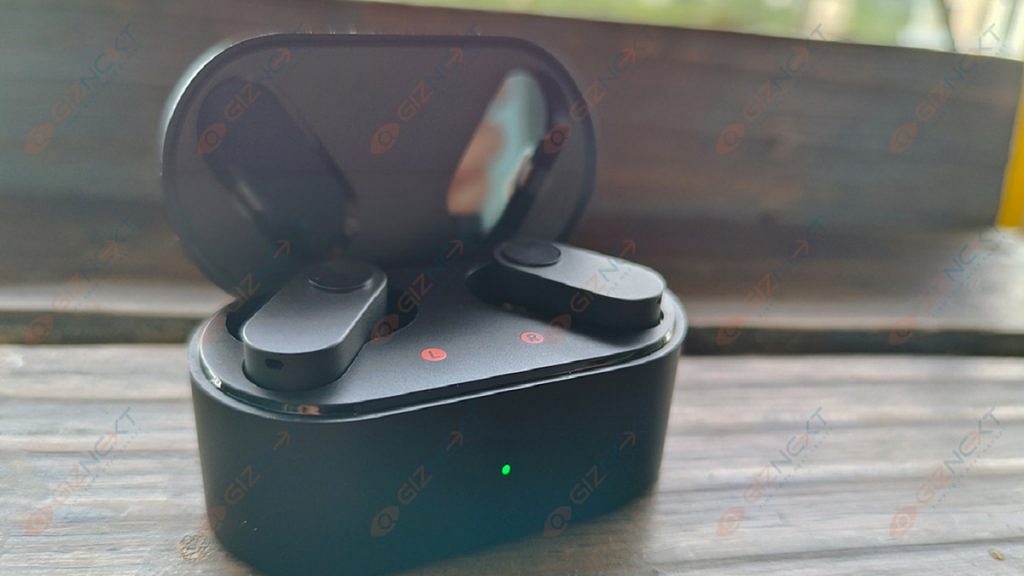
Nothing Ear (Stick) Competitions: Best Alternatives To Consider Under Budget

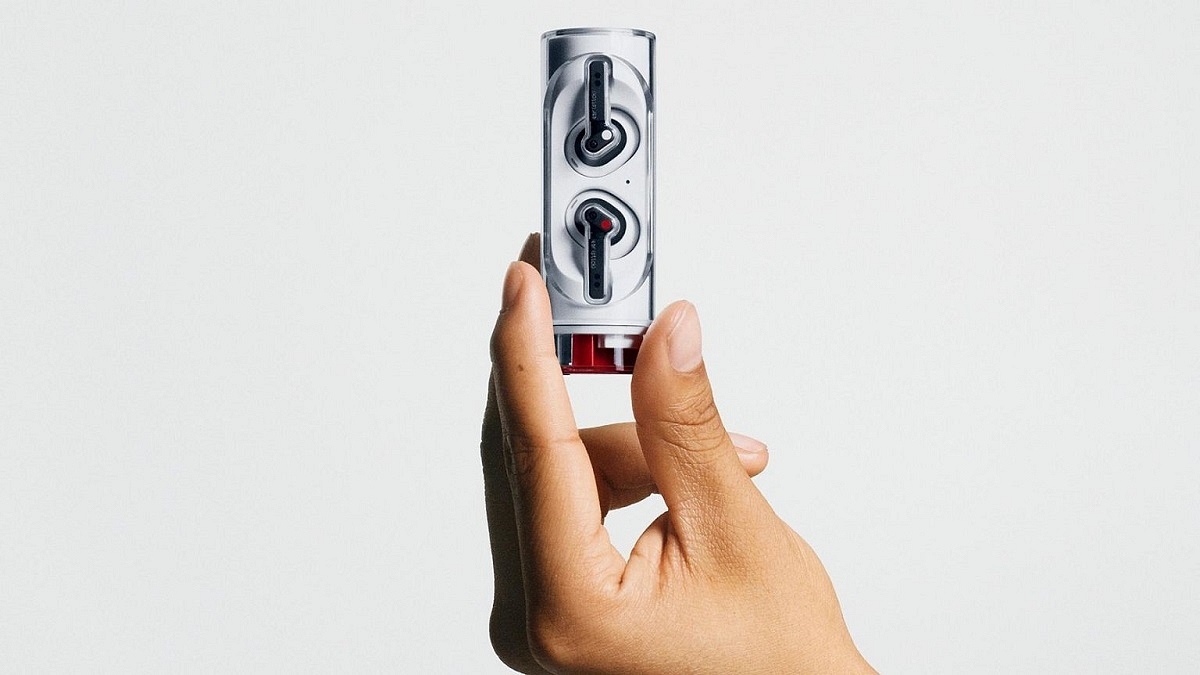
The Nothing Ear (Stick) TWS earbuds are now official and cost Rs. 8,499. It comes in a distinctive twist-to-open see-through housing, keeping with Nothing’s transparent design philosophy. A single charge of the Nothing Ear (Stick) can provide up to seven hours of audio playback and up to three hours of talk time. The audio is powered by 12.6mm dynamic speakers. Beginning November 4, the new earbuds will be available for purchase.

If you were waiting for the Nothing Ear (stick) and there may have been a number of factors that prevented you from purchasing it, here are some of the options that you can check out within a similar price range:

OnePlus Buds Pro

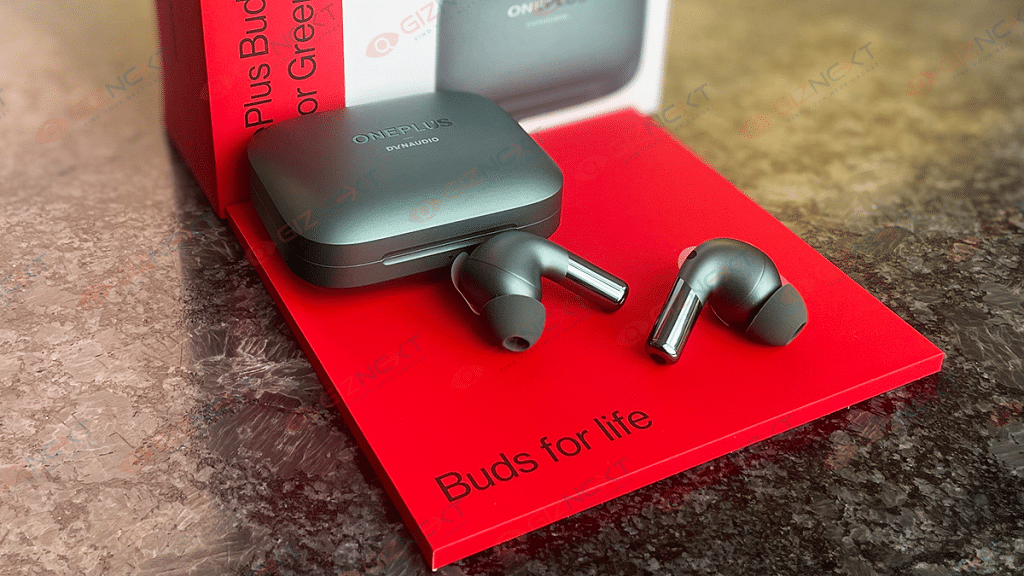
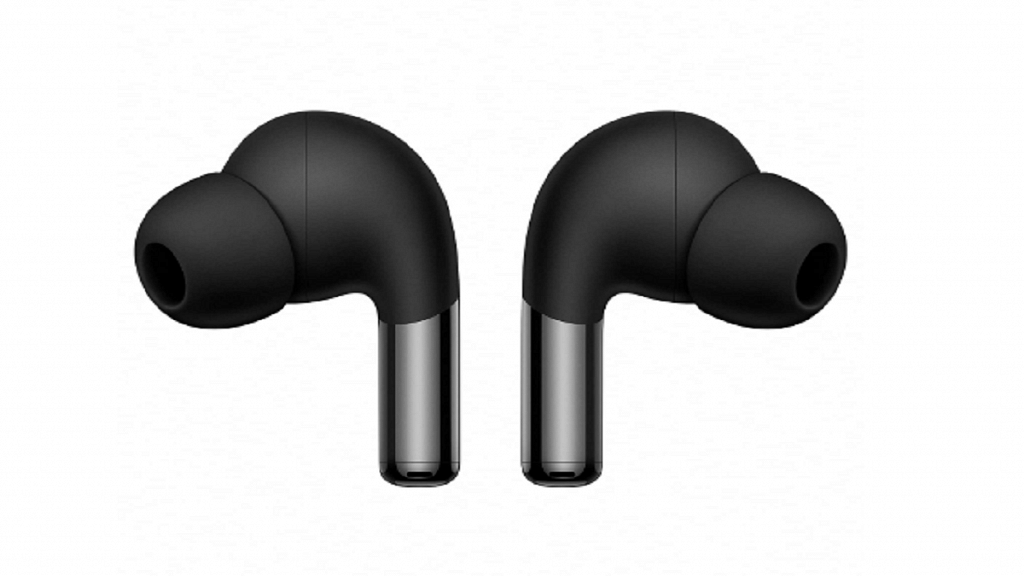
With its adaptive noise cancellation, the OnePlus Buds Pro can block up to 40dB of background noise. Three microphones are set up to enable ANC when calling. The Audio is handled by 11mm dynamic drivers. The wireless connection is handled via Bluetooth 5.2. The OnePlus Buds Pro was launched at a higher price but is currently available for a discounted price of Rs. 7,990 on Amazon India.

Pros

  • Comfortable, all-day wear design
  • Powerful ANC
  • Solid battery backup

Cons

  • The case’s hinge mechanism feels loose
  • It doesn’t support Google Fast Pair

Samsung Galaxy Buds 2

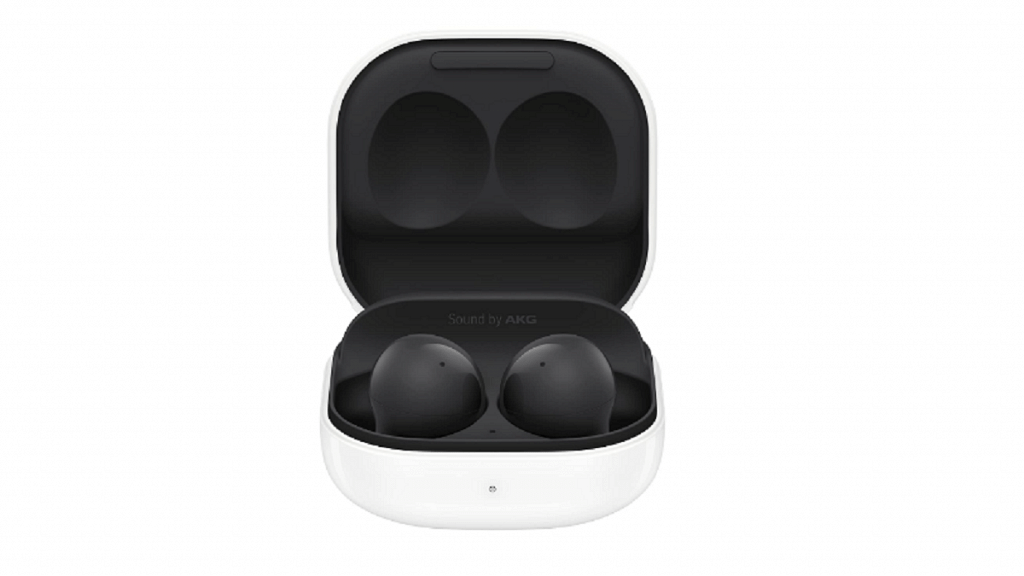
The Samsung Galaxy Buds 2 provide great connectivity capabilities with Samsung devices, ANC, a stem-less design, and two color options. The case in which the earbuds charge packs a 472mAh battery. The audio is tuned by AKG. The two drivers in each earbud are an 11mm woofer and a 6.5mm tweeter. Currently, the Samsung Galaxy Buds 2 are available for under Rs. 7,574 on Amazon India.

Pros

  • Decent active noise canceling
  • Qi wireless charging support
  • Transparency Mode

Cons

  • No iOS integration
  • No auto-pause when removing earbuds

Jabra Elite 4 Active

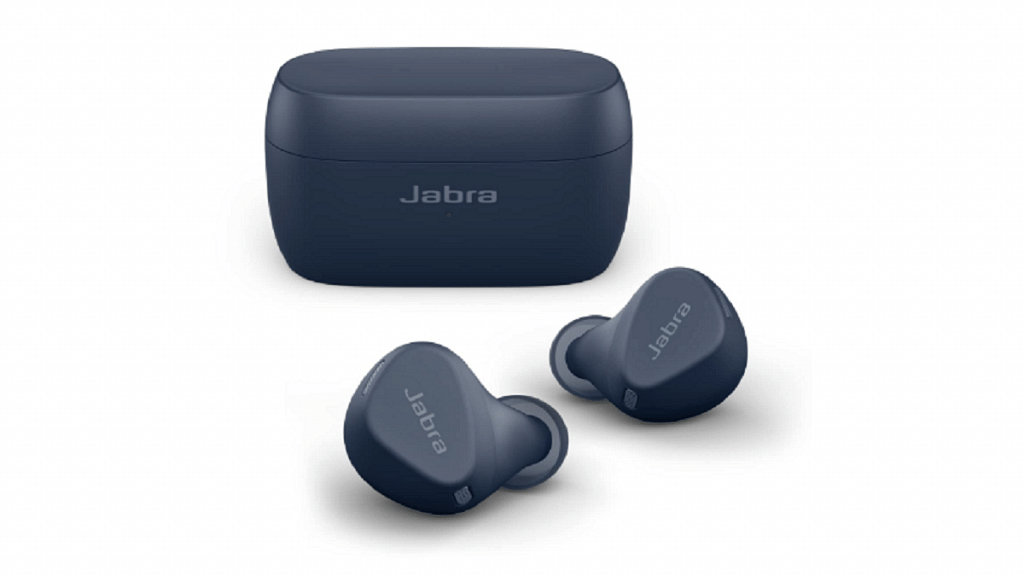
The Jabra Elite 4 Active has a Secure Active Fit ergonomic wing-free design for a noise-isolating fit as well as Active Noise Cancellation. Additionally, it supports Siri and Google Assistant in addition to Alexa. The 6mm drivers and Qualcomm aptX and SBC audio codecs are supported by the Elite 4 Active TWS earbuds. The Jabra Elite 4 Active is currently selling for Rs. 5,000 on Amazon.

Pros

  • Effective ANC
  • Waterproof and dust-resistant build
  • Good sound quality

Cons

  • No wear sensors
  • No AAC codec support
Categories
Comparison Featured Tablet

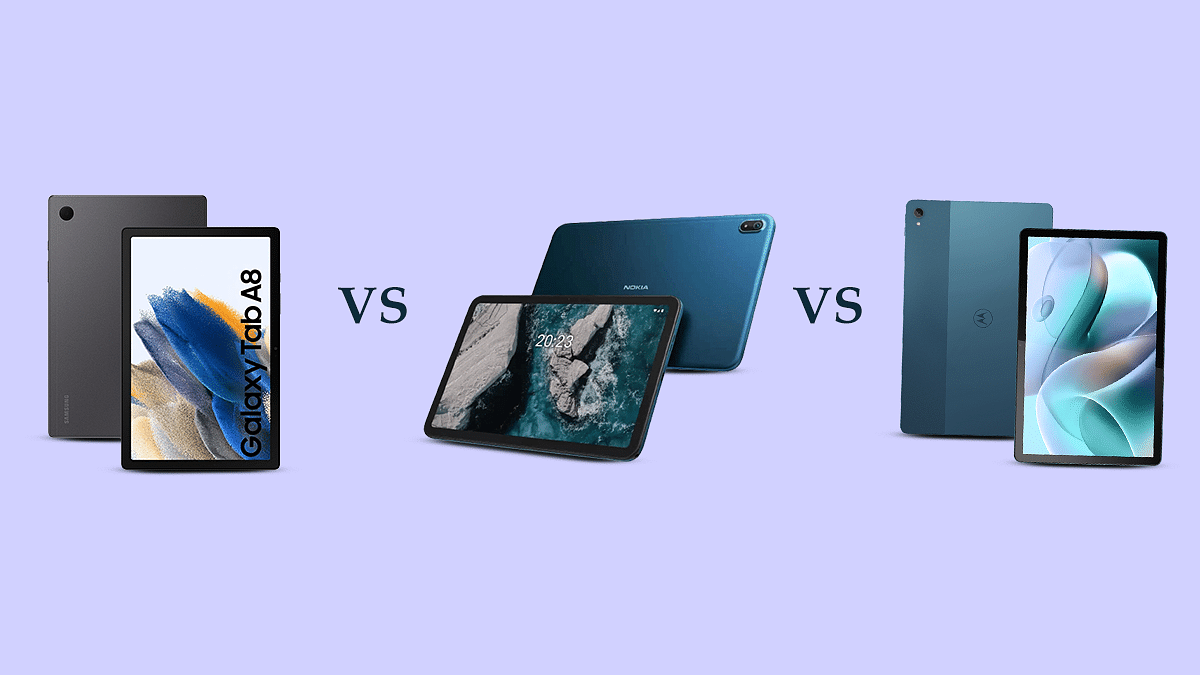
Samsung Galaxy Tab A8 Vs Nokia T10 Vs Moto Tab G62: Which Tablet Makes The Best Option For Budget Audience

Due to the pandemic’s impact on the market, tablet makers have enjoyed significant success in recent years. OEMs have risen to the challenge with new tabs in response to expanding needs. While Samsung and Apple currently produce a number of high-end, flagship tablets, other companies like Oppo, Motorola, Xiaomi, and Realme have entered the market for cost-effective, mid-range tablets. The newest product to enter this market is the Moto Tab G62. While, The Samsung Galaxy Tab A series has established a solid reputation for offering high-quality tablets at competitive rates. Samsung’s budget tablets have always excelled in terms of value, despite not having the most powerful CPUs or all the features of the Galaxy Tab S line. On the other hand, The Nokia T10 might be this year’s best 8-inch, low-cost Android tablet. It has a low starting under Rs. 15,000. So, do you need a tablet? You can discover which one to pick in this review.

Samsung Galaxy Tab A8 Vs Nokia T10 Vs Moto Tab G62 Specification Comparison

Display and Camera

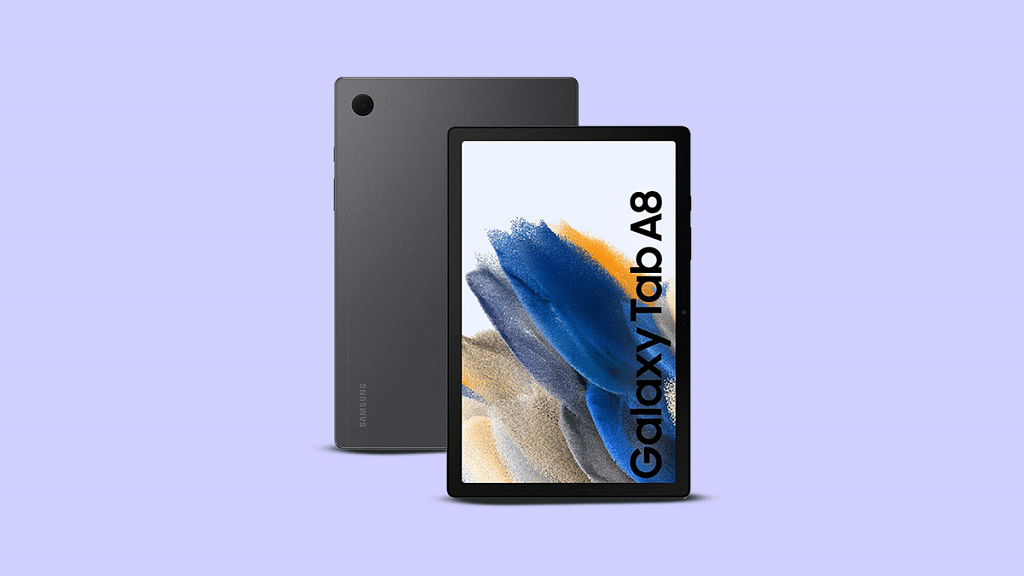
The Samsung Galaxy Tab A8 has a10.5-inch TFT screen and a pixel density of 216ppi and a screen resolution of 1200 x 1920 pixels. The tab’s bezel-free display has a capacitive touchscreen on top and supports multi-touch technology. The Samsung Galaxy Tab A8 2021 has an 8MP primary camera on the back. Some of the key features included are autofocus, digital zoom, and auto flash. On the front, there is a 5MP selfie camera.

The Nokia T10’s huge 8-inch display aids in providing fluid images. It has a 1280 x 800 resolution and an IPS LCD display with 189ppi pixel density. The tab’s screen-to-body proportion is 72.67%. On the back of the Nokia T10, there is an 8MP primary lens along with an LED flash. The Digital Zoom and Auto Flash functions of this camera are its key features. On the front end, there is a 2MP camera that uses Fixed Focus to take respectable pictures.

The Moto Tab G62’s front features an expansive 11-inch IPS LCD display. With a 212ppi pixel density and a 2000 x 1200 pixel resolution, it guarantees users the utmost in entertainment. The Moto Tab G62 has an 8MP rear-side camera in the optics sector. This camera supports an image resolution of 3264 x 2448 pixels and has a digital zoom capability. On the front of the tab, Moto has also included a 5MP camera that can be used to take pictures, videos, and make crystal-clear video calls.

Configuration and Battery

A Unisoc T618 CPU and 3GB RAM are included in the Samsung Galaxy Tab A8 2021. In order to achieve flawless results, it also includes a Mali-G52 MP2 GPU and an Octa-core processor with a Cortex A75 and Cortex A55 configuration. The Samsung Galaxy Tab A8 2021 comes with a sizable 7040mAh Li-Polymer battery that is non-replaceable by nature and supports 15W Fast Charging.

The Nokia T10’s performance is based on its Unisoc T606 chipset, 3GB of RAM, and its 8-core CPU, which consists of Dual-core Cortex A75 and Hexa-core Cortex A55 processors. Both of these processors operate at their maximum 1.6GHz speed. A Mali-G57 MP1 GPU also aids in projecting the internal processor onto the screen. A non-replaceable Li-Polymer type battery with a capacity of 5250mAh powers the Nokia T10.

The Moto Tab G62 is equipped with the MediaTek Helio G90 CPU, 4GB RAM, and Mali-G76 MC4 GPU. The company additionally installed an Octa-core CPU with a layout of Cortex A76 and Cortex A55 processors in order to control its internal operations flawlessly. The Moto Tab G62 has a sizable 7000mAh Li-Polymer battery. This device includes an 18W Fast Charging mechanism as well.

Storage and Connectivity

Internal storage on the Samsung Galaxy Tab A8 2021 is 32GB. A MicroSD Card allows users to increase the storage capacity to 1TB. The gadget has Bluetooth v5.0, Wi-Fi 802.11, b/g/n, a 3.5mm audio connector, and USB Type-C as standard connectivity options.

Nokia T10 comes with 32GB of storage. Additionally, consumers have the option of expanding their storage by up to 512GB. In terms of connectivity, this Nokia tablet has Wi-Fi 802.11, a/ac/b/g/n/n 5GHz, Bluetooth v5.0, and USB Type-C, but SIM cards are not supported.

The Moto Tab G62 has 64GB of inbuilt storage that can be increased to 1TB. There are no SIM card ports on this tab. Its connectivity options include Wi-Fi, Bluetooth v5.1, and USB Type-C.

GizNext’s Expert Opinion

Powerful and versatile, the Samsung Galaxy Tab A8 2021 is a great option for both personal and professional use. The gadget will enable you to take advantage of smooth operations, excellent battery life, expandable storage, and a common camera arrangement for conference calls. To connect to the internet, however, you will need to rely on external Wi-Fi networks. The Nokia T10 is the best option for you if you’re seeking for a low-cost gadget for your entertainment demands. You can watch movies and play games with continuous visuals by using this tab. It can also be used for video calls and eBook reading. Under this price, the Moto Tab G62 is an excellent entertainment device. It boasts a big display, a big battery, and strong configurations that make watching videos and playing games a breeze. Additionally, this tab has cameras on both sides that may be used for taking photos, video chatting, and taking online courses.

Categories
Apps Featured Info

Elon Musk Takes Over Twitter, Fires CEO Parag Agrawal: What Just Happened?

Key Highlights

  • Elon Musk took over Twitter after a months-long saga
  • Musk fired Twitter CEO Parag Agrawal, policy chief Vijaya Gadde, and CFO Nel Segal
  • Parag Agrawal became the Twitter CEO in November 2021

After a long-drawn-out, confusing saga spanning several months, Tesla CEO Elon Musk has finally acquired Twitter. Within minutes of taking control, Musk fired key Twitter executives, as had been predicted ever since the acquisition was under consideration.

Also Read: Twitter Gets WhatsApp-Inspired Direct Message Search Feature; How To Use?
Why Elon Musk Fired Twitter CEO Parag Aggarwal?

The first executives to leave the company were the CEO Parag Agrawal, Vijaya Gadde, who oversaw legal matters and set company policy, and CFO Nel Segal. Agrawal, who was chosen to be the CEO of Twitter in November 2021, will depart as a wealthy man. According to sources, if Agrawal were fired by Twitter within a year of a change in control, he would be entitled to $42 million.

On October 4, Musk decided to proceed with the originally proposed terms, and a judge in the Delaware Chancery Court granted the parties until October 28 to complete the deal. That deadline has been met, and now that he’s the CEO of SpaceX and Tesla Inc., Musk has also embraced the power of Twitter. He is a frequent user of his Twitter account, which he openly criticizes and promises to change radically. Shares of the company are not anticipated to trade on the New York Stock Exchange anymore.

Musk, who calls himself a “free speech absolutist,” has criticized Twitter’s moderation policies, thus the announcement will be met with varied reactions from users and staff.

As the deadline drew closer, Musk started to personalize the business, tweeting a video of himself entering the office and changing his platform designation to “Chief Twit.”

Because many of Musk’s suggestions for changing the company are incompatible with the way it has been conducted for years, the company’s operations will immediately become disrupted by his ownership. He has stated that he wants to protect “free speech” on the social network which probably entails lowering the standards for content moderation. He also plans to reinstate some well-known accounts that were suspended from Twitter for breaking the rules including the account of former US President Donald Trump.

Also Read: Best Tips And Tricks To Increase Your Followers On Twitter