Categories
Apps Featured How To

Instagram Tips: How To Change Instagram DM Background Theme, Colors & Gradient?

Instagram is one of the top-rated social media platforms for mobile users in the global markets. Its services are available for both smartphone as well as desktop users (laptops/ PCs). Instagram has made major improvements to its UI which is now more user-friendly. Besides, Instagram is consistently making upgrades to its platforms and has added several enhancement features in the last few years.

Instagram has become a hub for social media influencers and content creators. But, it is fairly popular amongst the general users as well who use the platform’s services for entertainment as well as private conversations with different contacts. The Instagram application offers a dedicated messaging section also known as the DM (direct messaging) option.

You don’t have to download any other dedicated app for the same. Rather, you can continue with the private conversations with a single tap on the app itself. Thankfully, the integrated messenger (DM) isn’t bland and is rich with features and tools to enhance the messaging experience.

You can also make audio and video calls using Instagram DM. But are you aware you can also change the background themes of the Instagram DM section? If not, you have just stopped by the right place. We have made it easy for you to apply the settings with which you can change the backgrounds of the DM section in Instagram. You can perform these steps using both mobile as well as desktop versions.

What Are The Steps To Change DM Background In Instagram?

Step 1: Launch the Instagram application on your respective devices. If you are using a laptop or PC, log in to your Instagram account to make the necessary changes.

Step 2: Click on the messenger icon to visit the DM section. You can locate this option on the top right of the app’s homepage.

Step 3: Open any chat window.

Step 4: Click on the top of the user profile of the chat window to open the chat settings.

Step 5: Now, you will be able to see the “Theme” option. Tap on it.

Step 6: Select the desired theme for the chat window and you are done.

How To Add Colors & Gradients On Instagram DM

The procedure to add colors & gradients on Instagram DM is similar to the how you would change the background theme. You just need to follow the same steps as above (up to step 4). The remaining procedure is mentioned below:

Step 1: Repeat step 1 to step 4 as stated above.

Step 2: Once you click on the “Theme” tab scroll down on the next page to see the colors & gradient option.

Step 3: Select the appropriate color or gradient for your Instagram DM and you are all good to go.

Categories
Featured Gaming How To

Pokemon Unite: Here’s How To Download And Play On Your Phone

As a multiplayer online battle arena or MOBA, Pokémon Unite’s gameplay is similar to that of other well-known MOBAs like League of Legends or Arena of Valor. Ten (or five) minute matches pit teams of up to five players against one another for map domination. You will work together with four other players to prevail in Standard combat.

One of the offerings from The Pokemon Company and TiMi Studios is Pokemon Unite. It was previously restricted to the Nintendo Switch only. Now, the game is available on both Android and iOS smartphones. Here’s how to download and play Pokemon Unite in order to enjoy the 5v5 MOBA action:

Spec Requirements

There are certain specifications and operating system requirements for this game to work on mobile phones. Pokémon Unite requires iOS 10.0 or later in terms of firmware across all devices like the iPhone, iPad, and iPod touch if you’re an iOS user. For Android users, KitKat 4.4 or newer is required. The app may require some permissions from you in order to function.

How To Download Pokemon Unite?

The game is available officially on both the Google Play Store and the App Store. You simply need to follow these steps:

Step 1: Open PlayStore/App Store on your mobile phone.

Step 2: Search for the Pokemon Unite game.

Step 3: Next to the game, click on the install button.

Step 4: The game will be installed on your device automatically.

How To Play Pokemon Unite?

In Pokemon Unite, players engage in 5-on-5 team bouts called Unite Battles where trainers attempt to outscore their opponents. You must battle rival Pokémon and wild Pokémon on the field to collect Aeos energy. This will help your team score points. After that, direct that energy toward a goal zone belonging to the opposition.

There are different stadiums where Unite Battles take place and each stadium has its own set of rules. All Pokémon on the field begin at Level 1, advance by gaining Experience Points by defeating adversaries in combat and have the option to momentarily evolve. As you level up your Pokémon, you’ll also get access to different moves, including a Unite Move, a powerful attack that can only be used in Unite Battles.

Categories
Auto Tech Featured

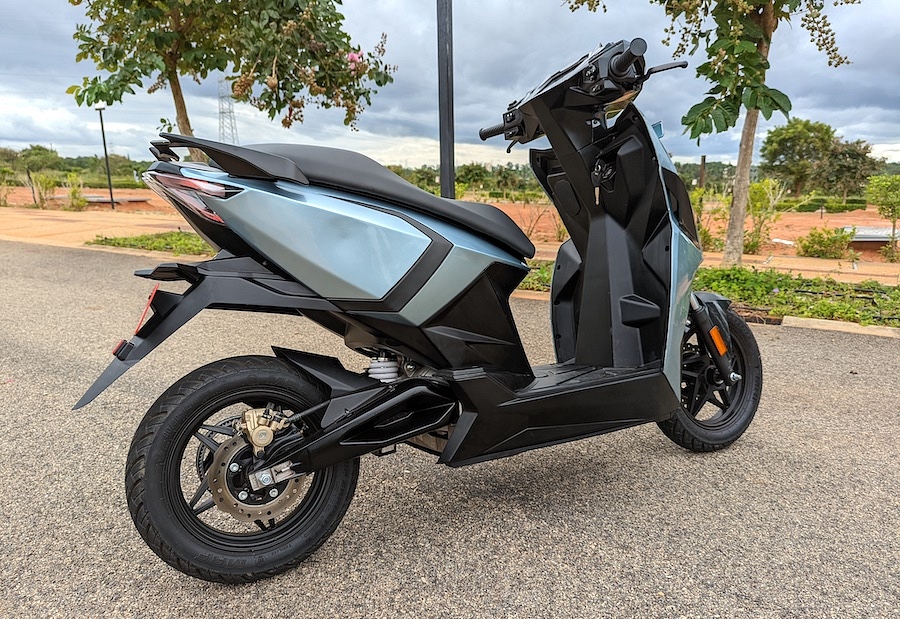
Simple One Electric Scooter Review Out Soon

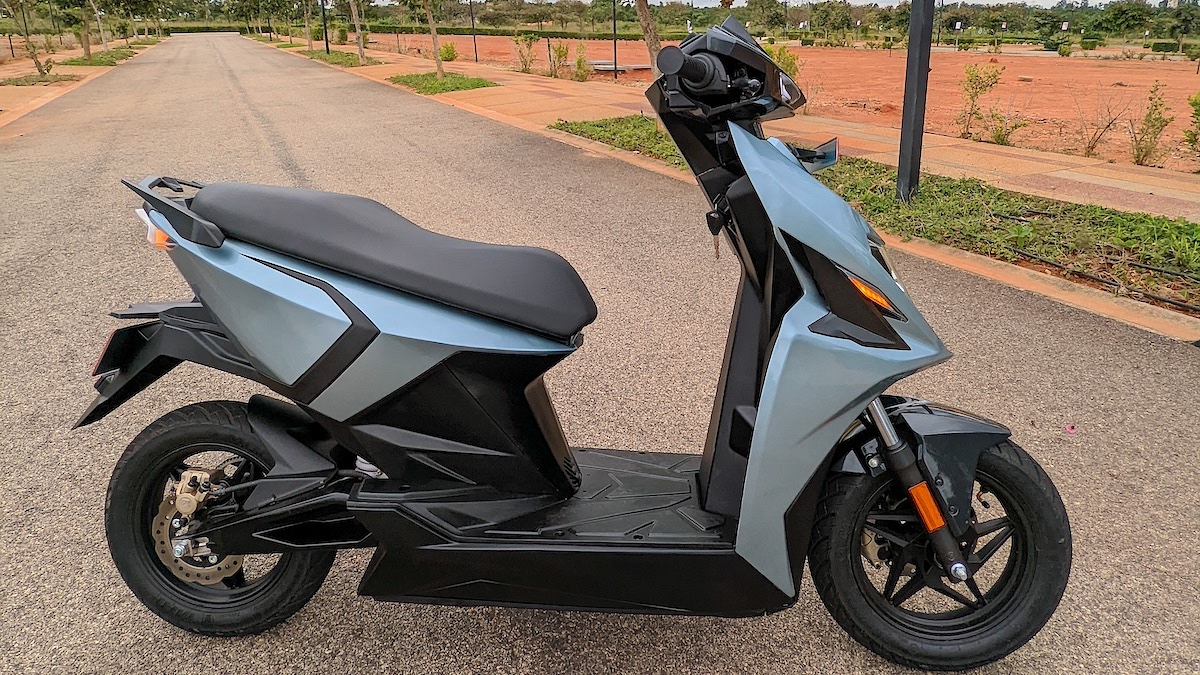
Yes, we have ridden the much awaited electric scooter from Simple Energy. Our review will be out on the 22nd July as that is when the embargo lifts off. However we can share ample information about this Ola S1 / Ather 450 rival that a lot of us have been waiting for. We rode the trial production units and although a few things were not upto the mark, officials have confirmed the delivery units will have everything sorted and rectified. Deliveries, by the way, start in September. Let’s have a closer look at the technology that this scooters brings to the table.

Dual Battery Set-up

Yes, you read that right and this seems to be an industry first. The Simple One electric scooter will come with two battery packs. The first is the main unit that is housed under the floor board. This has a capacity of 3.3 kWh. The second unit is portable and has a capacity of 1.5 kWh. This unit can be accessed from under the seat and taken to your home / office for a charge up. Ofcourse you can charge the scooter directly also via the socket on the left side of the handle. When you do so, both the batteries end up getting charged.

Impressive Riding Range

With a total battery capacity of 4.8 kWh (3.3 + 1.5), Simple Energy claims that the scooter will do more than 200km on a single charge. The certified range however is 236km which gives the Simple One a clear edge over its rivals. However do note, range depends a lot on your riding habits, weight of the rider etc. Plus of course the mode you use – these modes are discussed below

4 Riding Modes

Simple One e-scooter will come with four different rides modes as standard. These control the amount of power and torque that will be send to the rear wheel. The four modes are Eco, Ride, Dash and Sonic. The Eco mode has a limited top speed of 45 km/h but offers a range of as much as 200km. The ride mode is what most users will use and gets you to 65 km/h. Range however drops to about 150km. The Dash mode opens up performance and you can hit 85 km/h. Acceleration also improves a lot but range drops to about 100-120km. The Sonic mode is full power and given the right conditions, you will be able to hit a top speed of 105 km/h. That said, range reduces drastically and this mode will not work when the battery level is less than 40%.

Smart Connectivity

As expected, the scooter will come with Bluetooth connectivity and a touch screen panel for the rider info. Simple Energy will offer over the air updates from time to time. Users will also get on-board navigation, call alert and other features like document storage, remote telemetry, fast charger location etc. Owners will also be able to ‘Geo Fence’ the scooter and will be alerted if the machine leaves a pre-set fencing. Other features include TPMS (Tyre pressure monitoring system) and cruise control

Categories
Featured How To Info Laptop

Google Meet Hacks: How To Change/ Update Google Meet Name Using A Laptop Or PC?

The need for online video conferencing tools and applications skyrocketed in the last few years. Specifically with the pandemic situation due to the COVID-19 outbreak which restricted outdoor meetings and gatherings. Most industries and organizations routed to the remote working module. Tools and applications such as Google Meet, Microsoft Teams, and Zoom are some of those applications that have been helping the team members globally with online video conferencing.

Google Meet is currently amongst the most commonly used applications for video conferencing. It is loaded with user-friendly features that improve the user experience with group video calls. This application has wide compatibility with mobile devices as well as laptops/ PCs. A dedicated app has been made available by Google for Android and iOS users.

Desktop users also need to manually download Google Meet on their respective devices for online conferences. And to use its services, you would initially need to create a profile. The display name is one important factor that helps members in a meeting to know who all are attending the online conference.

We earlier helped you with the steps to download and use the Google Meet application on your laptops and PCs. In this article, we will be guiding you with the procedure to change the name on Google Meet using the desktop version on any laptop or PC. Read on the steps below:

What Is The Procedure To Change Google Meet Name On Laptop/ PC?

It might be a bit tricky procedure to update or change your name on the Google Meet application using a Laptop or PC. This is due to the fact this application comes void of any dedicated tab or settings that let you change the display name on the Google Meet application. You can perform the following workaround to get it done.

Step 1: Open any web browser on your respective laptop or PC.

Step 2: In the address bar, type www.myaccount.google.com. You can also directly open the Google Account settings from the browser.

Step 3: Locate the Personal Info tab placed on the upper left corner of the account settings page.

Step 4: Go to the Basic Info section.

Step 5: Tap on the “Name” option.

Step 6: Enter your first and last name.

Step 7: Click on Save to confirm the changes.

Once the changes are saved the updated name will be displayed across all your Google services including Google Meet.  

Categories
Featured Info TV

Best Smart TVs To Buy Under Rs. 10,000 In India

Purchasing a smart TV under Rs. 10,000 can be a tricky decision. This is because of the fact that the models available in this price range do not offer all the features you would expect from them. Well, there is not much to worry about if you are in this predicament. This post will help you learn about some of the best smart TVs available in India for less than Rs. 10,000. Let’s check out our list:

Infinix 32-Inch Y1 Smart TV

The Infinix 32-Inch Y1 Smart TV is one the best televisions to buy under Rs. 10,000 in India. The smart TV has an HD resolution, 60Hz refresh rate, and 250 nits peak brightness. It has a sleek design and comes with a bezel-less frame. This Infinix TV runs on Linux OS as well as features Chromecast. As for storage, it comes equipped with 4GB memory and 512MB RAM. The Infinix 32-Inch Y1 Smart TV is available for purchase at Rs. 8,999 in India.

VW 32-Inch HD Ready Smart LED TV

One of the few TVs in this segment that has a 32-inch display and HD capability is the VW HD Ready LED Smart TV. It features an IPS LCD panel with CLCP technology which offers vivid colors, crisp video, and high-quality image quality. The VW TV offers a viewing angle of 178 degrees and has a surround sound system for a decent audio experience. It runs on Android 9. You can get this VW TV at Rs. 8,499.

Thomson 32-Inch LED HD Ready TV

Thompson is one of the most popular budget electronics brands in India. It has multiple connectivity options like PC, HDMI, USB, and earphone jack outlets. Some of the key features of this smart TV are 20W output speakers, a zero dot A+ grade panel, and 178-degree wide viewing angles. The Thomson 32-Inch LED HD Ready TV is available for sale at Rs. 9,999.

eAirtec 24-Inch HD Ready Smart Android LED TV

eAirtec has come up with HD Ready Smart Android LED TV which is known for offering a decent experience. It has a 24-inch A+ Grade IPS panel that comes with 720 pixels HD resolution and 178 degrees viewing angle. The smart TV has a green screen resolution and rich and clear sound quality. As for connectivity, it has two HDMI ports and two USB Ports. You can purchase this eAirtec 24-Inch HD Ready Smart Android LED TV under Rs. 10,000 in India.

Categories
Auto Tech Featured Info

Xiaomi Smart Electric Car Prototype To Be Showcased In August 2022; Mass Production Begins In 2024

Key Highlights

  • Xiaomi has expanded its portfolio in the IoT segment
  • The company is planning to venture into the auto market slowly
  • Xiaomi reportedly is bringing the prototype of its first smart electric vehicle

Xiaomi is one of the biggest players in the smartphone market but gradually the Chinese tech giant has expanded its portfolio in the IoT segment as well. Xiaomi now has a wide range of smart TVs, audio accessories, smart wearables, and even laptops. However, the company is also planning to slowly venture into the auto market. Last year, Xiaomi announced an investment of $10 billion dollars into the smart vehicle industry. It seems the company might soon launch the prototype of its first smart electric vehicle soon. Here’s what the fresh development hints at:

Also Read | Auto Expo 2023 Electric Cars: BYD ATTO 3 Electric Car To Be Showcased Next Month At Auto Expo

Xiaomi Electric Car Prototype: When Is Its Debut?

Xiaomi as per new reports is bringing the prototype of its first smart electric vehicle next month. This information comes from Sina Tech. The Chinese publication has further reported that Xiaomi’s founder Lei Jun will himself be taking the wraps off the smart electric car in August 2022. The company will be hosting a public launch event for its first Xiaomi electric car.

Sadly, the report doesn’t confirm the exact date for the Xiaomi electric car launch. Only the August 2022 launch timeline for the prototype electric vehicle has been confirmed. Also, it is not yet clear by when Xiaomi plans to go full-fledged with electric car manufacturing.

However, the reports suggest Xiaomi will continue with the test runs with the smart electric car prototype on roads once it’s showcased. It will be made to go through a series of tests going forward before the final version is released for the audience. Xiaomi will have a dedicated facility for smart vehicle manufacturing.

This manufacturing facility is said to have an approximate capacity of manufacturing around 1,50,000 units each year. These figures are estimated for the initial phase. In the future, the company might expand the total capacity to almost double, i.e., around 3,00,000 units. This the brand is said to achieve in the future following the completion of the plant installation.

Reports are rife that Xiaomi will likely introduce as many as four different electric cars for the masses. The upcoming cars will be catering to different segments of consumers. Xiaomi will be launching electric cars for both budgets as well as high-end customers. Mass production is expected to begin by 2024. This is when the official launch of the first Xiaomi smart car is also anticipated.

Also Read | Kia EV9 Concept Teased Ahead Of 2023 Auto Expo: Debuting Next Year?

Categories
Featured Info TV

Best 50-Inch Smart And Ultra HD TV Under Rs. 50,000: List Inside

We must consider various viewpoints and perspectives when considering a television purchase for our household. When it comes to our families, we constantly look for the best options that will last for a long time while remaining reasonably priced. For all families looking for high-quality yet economical TVs, we have the top Smart UHD Television brands available. Here are some of the best 50-inch smart and Ultra HD TVs that you should consider buying:

Westinghouse 50-inch Ultra HD 4K Smart LED TV

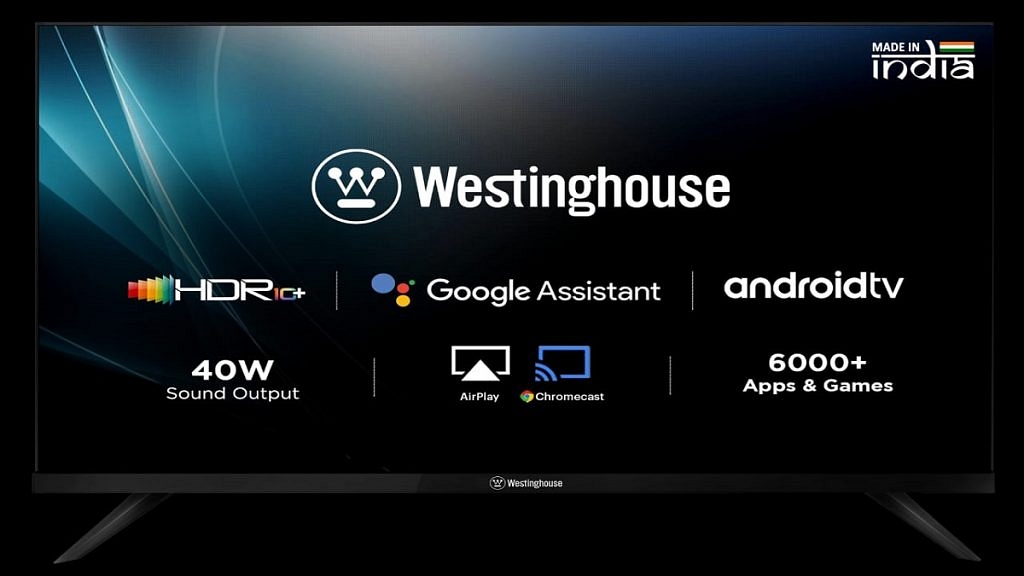
While talking about the most affordable and best-to-buy Television, Westinghouse TV comes on top of the list. The Westinghouse 50-inch Ultra HD 4K Smart LED TV support 2GB of RAM, 8GB of ROM, 3 HDMI ports, and 2 USB ports. The smart TV comes with HDR10 and Chromecast. It has two speakers and a digital noise filter. It has a 40W speaker output that supports surround sound technologies. Powered by the Android OS, users will have access to multiple apps and games through the Google Play Store. This Westinghouse TV is exclusively available on Amazon for Rs. 27,999.

Mi 50-inch 4K Ultra HD Android Smart LED TV 4X

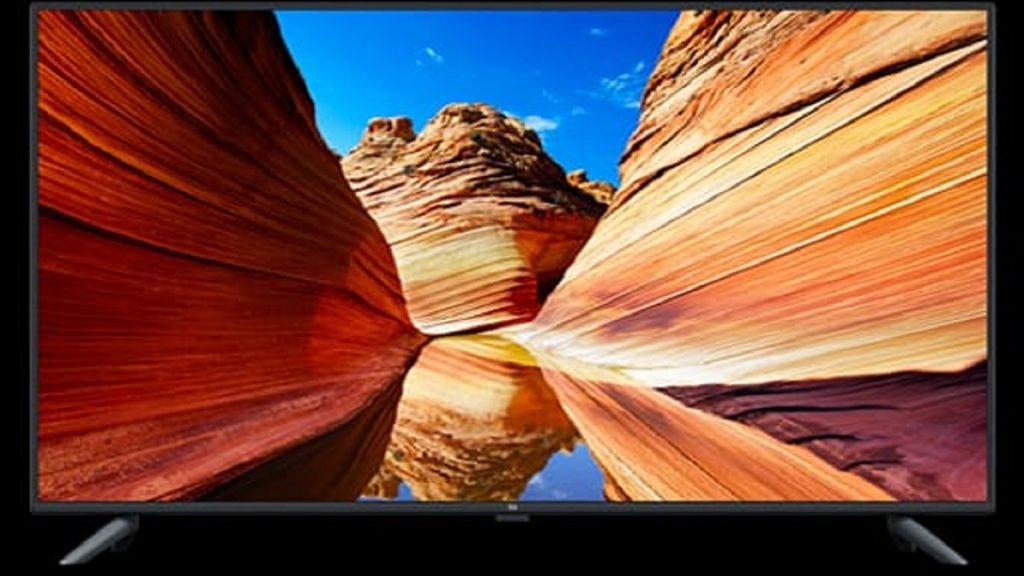
The Mi 50-inch 4K Ultra HD Android Smart LED TV 4X features the company’s Vivid Picture Engine. It delivers decent color accuracy and vibrancy. Powered by a Quad-Core Amlogic Cortex A53 processor, the smart TV has 2GB RAM and 8GB of internal storage. Additionally, it features an audio output of 20W with Dolby Audio support. The smart TV has two USB ports and three HDMI ports. It comes with PatchWall 3.0 and runs on Android 9.0. This Mi smart LED TV will cost you Rs. 29,999 in India.

LG 50-inch 4K Ultra HD Smart LED TV

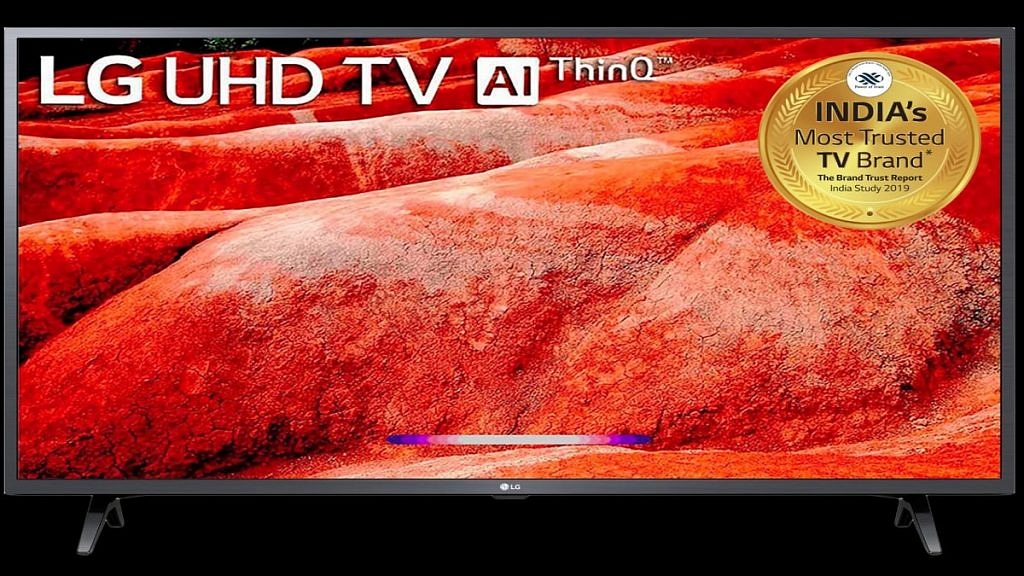
The LG 4K Ultra HD Smart LED TV has a slim design and a 4K Ultra HD LED display. It comes with two HDMI ports to connect the set-top box, Blu-ray players, and gaming console. It also has one USB port for hard drives and other USB devices. It has a Quad-Core processor for smoother multitasking. Some of its key features include AI ThinQ, 4K WebOS Smart TV, and built-in Alexa and Google Assistant. You can purchase this LG television from Amazon for Rs. 43,990.

Scape 50-inch 4K Ultra-HD Smart LED TV

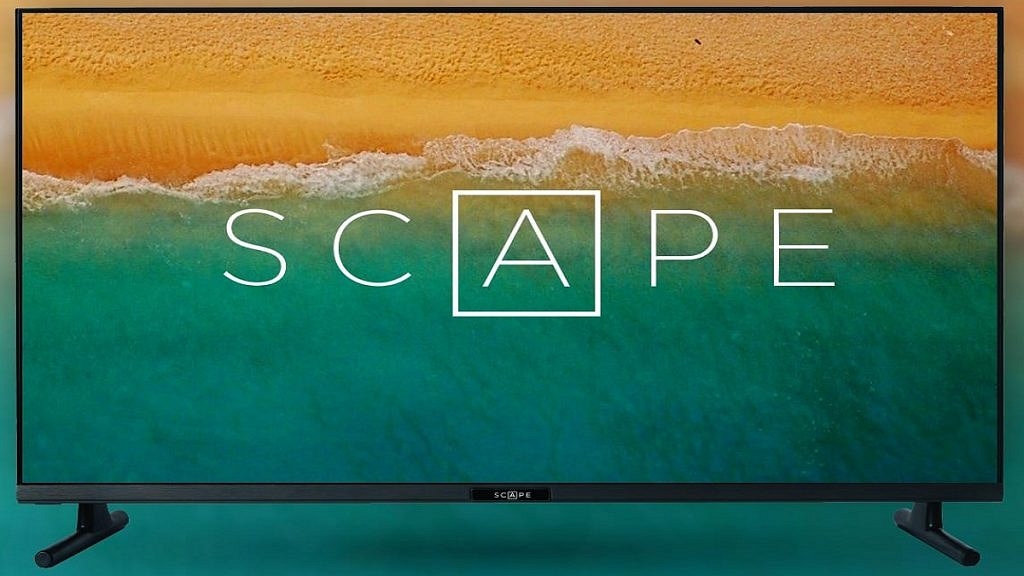
The Scape 50-inch 4K Ultra-HD Smart LED TV sports an IPS panel. It has an Android version of 11 and 2500 PMPO. The smart TV comes with 2GB RAM and 16GB ROM. As for connectivity, it has inbuilt WiFi of 2.4GHz, two HDMI, two 2 USB, and one earphone output. Further, it provides many supported apps like Netflix, Amazon Prime Video, YouTube, Sony Liv, Lattu Kids, Eros Now, Hungama Play, Disney+ Hotstar, and many more. You can buy the Scape 50-inch 4K Ultra-HD Smart LED TV at Rs. 35,000.

OnePlus 50-inch U Series 4K LED Smart Android TV

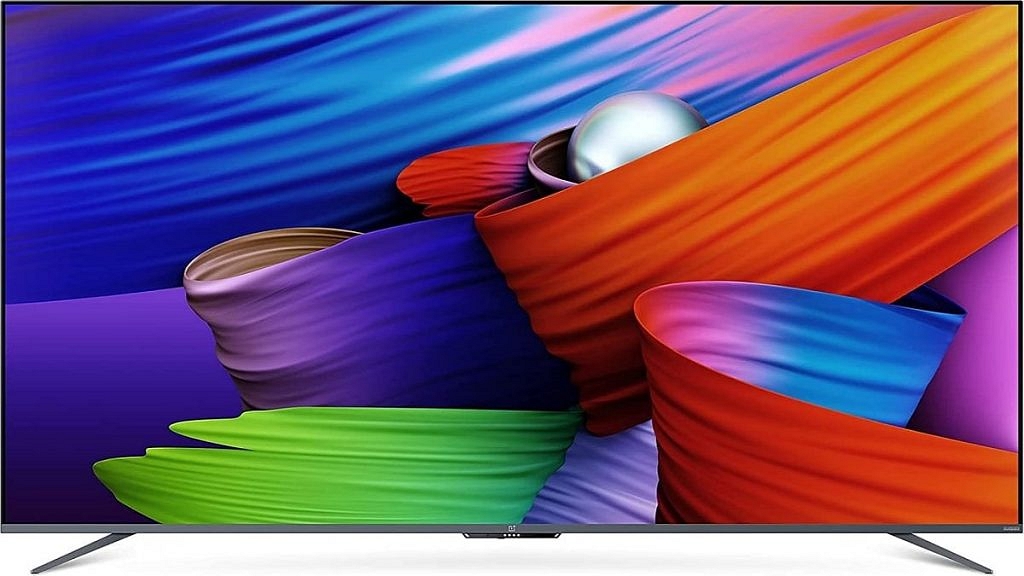
The OnePlus U Series Smart Android TV has a 4K Ultra HD LED display with a 60Hz refresh rate. Thanks to its 10-bit color depth, it can display over one billion brilliant colors. The bezel-less display on the OnePlus TV also allows for immersive viewing with a screen-to-body ratio of up to 95.7 percent. It further features OnePlus Connect 2.0. This helps you change the app, transfer files, etc. with a quick tap on your smartphone. This television is available on Croma, Vijay Sales, and Amazon at Rs. 40,990.

Categories
Accessories Featured Mobile Tablet

Oppo Reno8 Series, Oppo Pad Air Tablet, Oppo Enco X2 Earbuds Launched In India: Check Details

Key Highlights

  • Oppo launched its Reno8 series in India
  • Oppo also debuted its first tablet ‘Oppo Pad Air’ in India
  • Oppo Enco X2 truly wireless earbuds also got unveiled

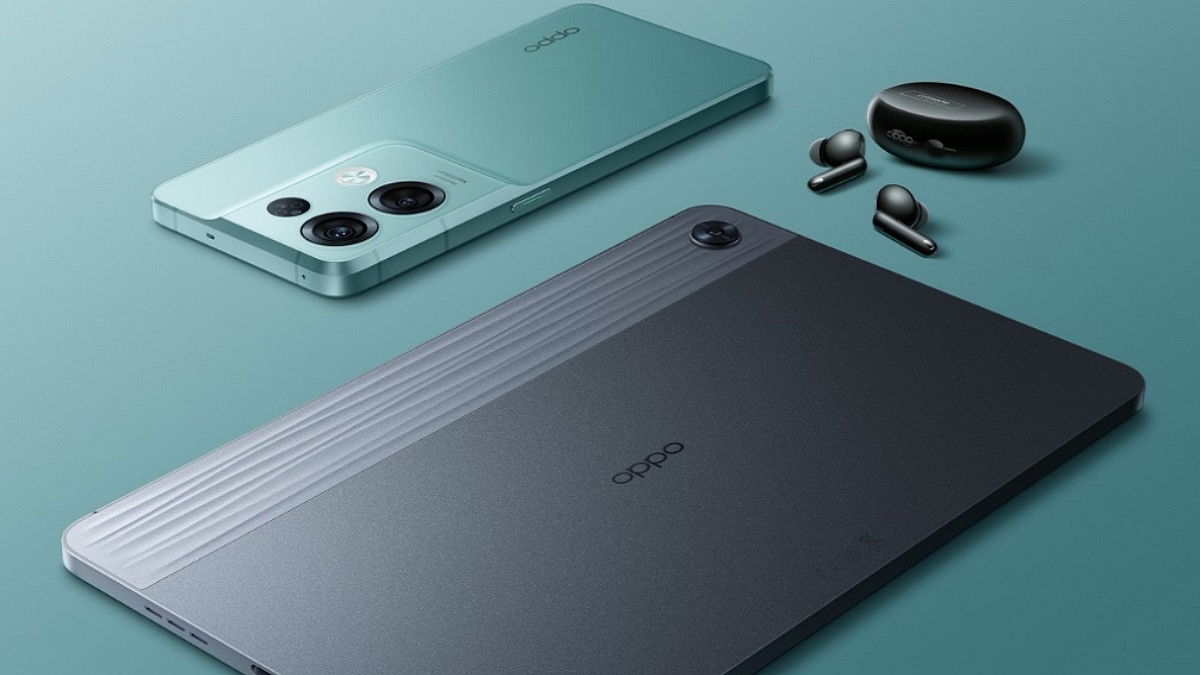
Oppo today unveiled a wide range of products including its first tablet in India, the Oppo Pad Air, as well as the Oppo Reno8 series of smartphones. Along with that, the company debuted the flagship Oppo Enco X2 truly wireless earbuds. Here’s everything you need to know about the newly introduced products from the house of Oppo:

Oppo Reno8 Series: Specifications

Chinese smartphone maker Oppo launched its Reno8 series which includes Reno8 and Reno8 Pro. In its home country China, the series has already been unveiled.

Oppo Reno8

The Oppo Reno8 has a 6.43-inch AMOLED display with a refresh rate of 90Hz. It comes equipped with the MediaTek Dimensity 1300 SoC. It has 8GB of RAM and up to 128GB of storage. The smartphone packs a 4,500mAh battery and has 80W fast-charging support.

In the camera department, the Reno8 get a triple-camera setup on the back. It includes a 50MP primary sensor, a 2MP depth sensor, and a 2MP macro unit. Additionally, the phone sports a 32MP selfie camera.

Oppo Reno8 Pro

The Oppo Reno8 Pro sports a 6.62-inch AMOLED display with a 120Hz refresh rate and HDR10+ support. Under the hood, it is powered by the MediaTek Dimensity 8100 Max processor. Up to 256GB of storage and up to 12GB of RAM are available in this phone. It further supports up to 7GB of expandable RAM. The device boasts a 4,500mAh battery and 80W fast-charging support.

On the back of the Reno8 Pro, three cameras are installed. It has a 50MP primary sensor, an 8MP ultrawide shooter, and a 2MP macro unit. The device sports a 32MP selfie camera for taking selfies and making video calls.

Oppo Reno8, Reno8 Pro: Price

The Oppo Reno 8 will be available at a starting price of Rs. 29,999 and go on sale from July 25, 2022. There is only one variant with 8GB + 128GB storage. On the other hand, the Oppo Reno Pro will start at Rs. 45,999 for the 12GB RAM + 256GB variant. It will go on sale from July 19, 2022.

Oppo Pad Air Tablet: Specifications

The Oppo Pad Air tablet sports a 10.36-inch 2K display that supports 2000 × 1200 pixel resolution. It is powered by a Qualcomm Snapdragon 680 chip and comes with Oppo’s “AI system booster 2.1”. It has up to 6GB RAM with 128GB storage.

The brand describes the design as having a “sunset dune 3D texture” and a “glow” aesthetic. It is sleek and premium-looking. The tablet has a 7,100mAh battery that supports 18W charging.

In terms of optics, the Oppo Pad Air comes with a single 8MP camera at the rear and a 5MP snapper on the front. In addition, the Oppo Pad Air runs on ColorOS 12 for Pad out of the box and features a quad-speaker that supports Dolby Atmos.

With the Pad Air, Oppo is also launching the Smart Stylus Pen. Users will likely have to buy this seperately.

Oppo Pad Air Tablet: Price

Oppo launched the Oppo Pad Air at Rs. 16,999 for the 64GB storage variant. The 128GB model will cost Rs. 19,999. It will go on sale from July 23, 2022.

Oppo Enco X2 Earbuds: Specifications

The Oppo Enco X2 is a set of premium truly wireless earbuds that enable active noise cancellation. They are a successor to Enco X. the earbuds come with 11mm dynamic drivers as well as include support for Bluetooth 5.2.It includes segment-first Dolby Atmos Binaural Recording which allows users to effectively record and playback audio.

The Enco X2 establishes a new standard for flagship audio with its segment-best 45dB depth and 4000Hz wide Active Noise Cancellation. A new Low Latency High-Definition Audio Codec (LHDC) 4.0 and Hi-Res Audio Wireless certification are also included in the TWS earbuds.

Oppo Enco X2 Earbuds: Price

The Oppo EncoX2 will cost Rs. 10,999 and will go on sale from July 25, 2022.

Categories
Comparison Featured Tablet

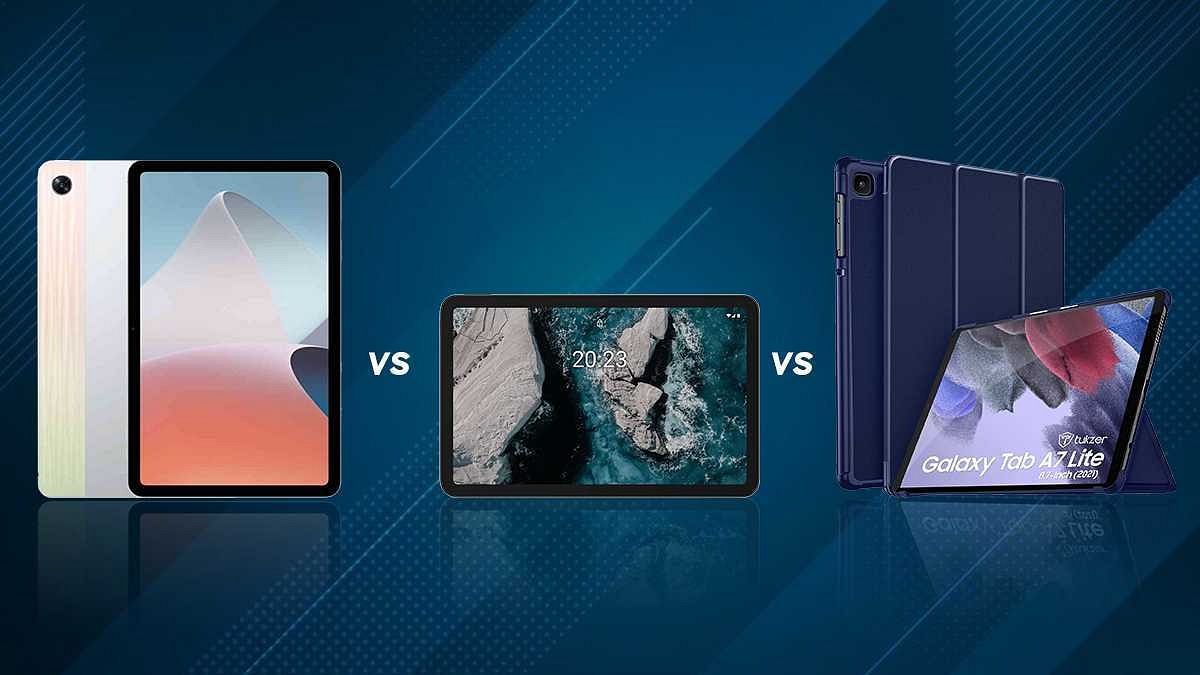
OPPO Pad Air vs Nokia T20 Vs Samsung Galaxy Tab A7: Best Latest Mid-Range Tablet

OPPO after all the wait finally introduced its pocket-friendly Android tablet to the Indian audience. The OPPO Pad Air is the first affordable tablet by the company loaded with mid-range hardware and a sub Rs. 20,000 price tag. The OPPO Pad Air is amongst the few pocket-friendly tablets in India which offer a complete package for its cheaper price tag in the country.

However, we have seen several new tablets in recent times that are a good value-for-money deal in this segment. One of the most latest tablets that goes up against the OPPO Pad Air is the Nokia T20 which also debuted a few months back in the Indian market. We have done several tablet comparison articles in the past few months.

We previously compared the OPPO Pad Air with the Realme Pad, Lenovo Tab P11 Plus, and a bunch of other popular mid-range Android tablets. This time we are pitting down the Pad Air against the Nokia T20 and the Samsung Galaxy Tab A7 both of which are currently the best sellers in the premium mid-range tablet market in India. This full comparison will help clear your confusion about which model should be your next buy.

OPPO Pad Air vs Nokia T20 Vs Samsung Galaxy Tab A7: Display Features

The latest OPPO tablet, i.e., the OPPO Pad Air bestows a large 10.36-inch display which is an IPS LCD panel with 1200 x 2000 pixels screen resolution. The display on the OPPO tablet offers a peak brightness of 360 nits and has a screen-to-body ratio of 80.5 percent. It is a decent panel for all types of content and also gaming.

Moving on to the Nokia T20, is also equipped with a similar 10.4-inch display which is also an IPS LCD similar to the OPPO tablet. The Nokia display offers a 1200 x 2000 pixels screen resolution and is protected by scratch-resistant glass. The bigger screen size along with high-resolution pixels offers the same vivid visuals as the Pad Air tablet. This panel is suitable for watching shows and movies on OTT platforms.

The Samsung Galaxy Tab A7 is almost identical to the remaining two models in terms of display size and specifications. The only primary difference is the TFT LCD panel instead of the IPS LCD. The Galaxy Tab A7 tablet’s panel also measures 10.4-inches with a 1200 x 2000 pixels screen resolution and 79 percent screen-to-body ratio.

You can consider all three models if good display specification is your requirement. The OPPO Pad Air and the Nokia T20 have a slight edge over the Samsung Galaxy Tab A7 with their IPS LCD panel.  But you won’t find any major differences in the display performance on the three tablets. So, even the Samsung Galaxy Tab A7 makes for a safe bet.

OPPO Pad Air Vs Nokia T20 Vs Samsung Galaxy Tab A7: Chipset, Configuration Differences

The OPPO Pad Air uses the octa-core Snapdragon 680 chipset. This is a new-generation Qualcomm mid-range processor which comes with 4G network connectivity and is supported by Adreno 610 GPU to render high-end graphics. The OPPO Pad Air can be purchased with up to 4GB RAM and 64GB storage configuration. It also has expandable memory support in case of a storage crunch.

The Nokia T20 on the other hand uses a Unisoc series processor (Unisoc T610). The budget chipset is designed using a 12nm fabrication process and is combined with Mali-G52 MP2 GPU for graphics. The Nokia mid-range tablet has up to 4GB of RAM for multitasking and 64GB native capacity.  

The Samsung Galaxy Tab A7 is also a Qualcomm Snapdragon chipset-powered tablet for the budget-conscious audience. This tablet is packed with the Snapdragon 662 chipset built on 11nm fabrication. The mid-range Qualcomm processor combined Adreno 610 GPU to handle the graphics.

For multitasking, the Galaxy Tab A7 has up to 4GB RAM and 64GB storage configuration. This tablet model also offers expandable storage support for extra space requirements. In terms of performance, the OPPO Pad Air and the Samsung Galaxy Tab A7 will be the best fit for moderate and extensive usage. The Nokia T20 will be a good daily driver.

OPPO Pad Air Vs Nokia T20 Vs Samsung Galaxy Tab A7: Camera Hardware Comparison

The OPPO Pad Air’s imaging setup is handled by a single 8MP lens with auto focus. This main camera supports 1080p video recording. The big sensor size allows for good clarity in broad daylight situations. You can expect a decent low-light camera performance with the OPPO Pad Air.

The main camera sensor on the remaining two models, i.e., the Nokia T20 and the Samsung Galaxy Tab A7 the same as the OPPO Pad Air and the Nokia T20. The main camera on three models can capture good photos with bright backgrounds. The recording capability is also the same, i.e., 1080p.

As for the selfie camera, the Nokia T20 and the OPPO Pad Air feature the same 5MP snapper, whereas the Samsung Galaxy Tab A7 has a smaller 2MP selfie lens.

OPPO Pad Air Vs Nokia T20 Vs Samsung Galaxy Tab A7: Battery, Fast Charging Speeds

The OPPO Pas Air employs a 7,100 mAh battery unit for power delivery. It comes with 18W fast charging. On the other hand, the Nokia T20 is equipped with an 8,200 mAH battery along with 15W fast charging support. The Samsung Galaxy Tab A7 uses a 7,040 mAh battery with 15W fast charging technology.

OPPO Pad Air Vs Nokia T20 Vs Samsung Galaxy Tab A7: Which One To Buy?

Out of all three models, the OPPO Pad Air is the latest and has the most powerful processor compared to the remaining two models. However, all three models are good for general performance and fit well as a daily driver.

Categories
Comparison Featured TV

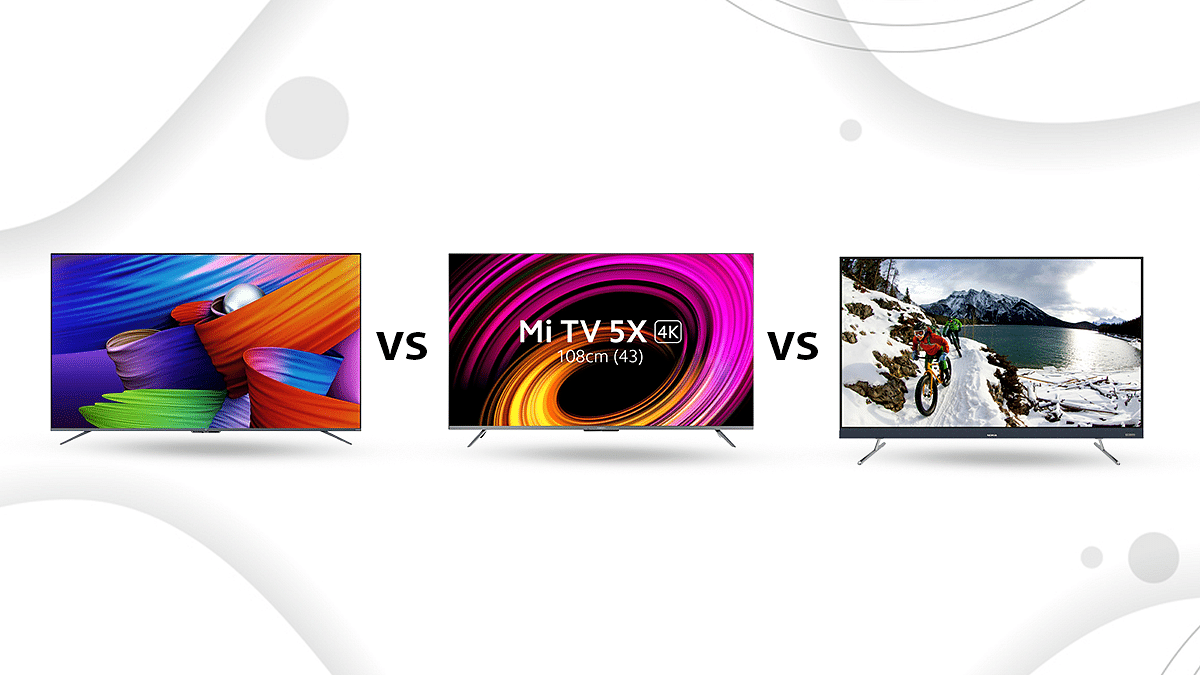
OnePlus U1S LED 4K TV Vs Xiaomi Mi TV 5X LED 4K TV Vs Nokia 50UHDADNVVGE LED 4K TV: Which Is Better?

With the rising craze for smart TVs, many popular brands are entering the market with high-end devices. The 50-inch is a popular TV size as they offer a great balance between performance, screen size, and price. However, every TV is not the same, and selecting the best out of crowded options is definitely a hard job.

The Nokia 50UHDADNVVGE LED 4K TV was unveiled in the market with many great features. But it faces stiff competition from the OnePlus U1S LED 4K TV and the Xiaomi Mi TV 5X LED 4K TV. So, if you too are confused about which one to go for, we are here to help you decide. In this post, we have compared these three 50-inch LED TVs that will make your purchase easier.

Design And Display

The OnePlus 50 U1S sports a near bezel-less design. The TV isn’t too thick nor too heavy. The grey bottom bezel has a trapezoid chin that hosts a bunch of LEDs and receivers for far-field mics along with a pair of power LEDs that look good.

On the other hand, the Xiaomi Mi TV 5X LED 4K TV has about 2cm thick bezels along the top, left, and right edges of the display. A thicker metal strip runs along the bottom of the display and has got the Xiaomi logo in between.

If we talk about the Nokia 50UHDADNVVGE LED 4K TV, it looks pretty good. It has a soft matte finish that looks more premium than its competitors. It has a sturdy design and its steel finish table top pegs look upmarket. The TV is lightweight and easy to set up, and the broad chin gives it a premium overall design.

Coming to the display, the OnePlus TV 50 U1S has a 50-inch panel with an Ultra HD resolution of 3840 x 2160 pixels and a 60Hz refresh rate. It can display over a billion shades and has a wide color gamut. However, the absence of Dolby Vision support is a notable omission.

Moving to the Xiaomi Mi TV 5X LED 4K TV, Xiaomi claims that it has added all the popular HDR codecs to this TV. Its display has a 10-bit color depth with 94% DCI-P3 for more and truer colors.

The Nokia TV’s LED-backlit LCD display supports a resolution of 4K, 3840 x 2160 pixels, and has a refresh rate of 60Hz. It has an aspect ratio of 16:9 and a 178-degree wide horizontal viewing angle.

OS And Features

The OnePlus 50 U1S runs the official Android TV OS and has a stock user interface. You have a row of installed apps. Other rows show the most recently watched or recommended content from different OTT services.

The Xiaomi Mi TV 5X LED 4K TV runs the company’s own PatchWall 4 UI that gives you IMDB ratings of the movies and TV shows. When it comes to the UI, it is a nice little addition. The UI can be managed with the aid of far-field microphones.

The Nokia TV runs on Android TV 9.0. It features a host of customization from Nokia’s end to better tune the image quality and the overall user experience.

Dolby Atmos is available on the OnePlus 50 U1S via HDMI passthrough. It includes Chromecast built-in, much like all certified Android TVs, allowing you to cast content to the TV from compatible apps on your phone or tablet. Besides, the sound output is rated at 30W RMS with support for Dolby Audio which is available via HDMI passthrough.

On the other hand, the Xiaomi Mi TV 5X LED 4K TV comes with 40W stereo speakers with Dolby Atmos support and with a bigger speaker cavity. Five sound settings are available: Standard, Movie, News, Game, and Custom. Besides, three HDMI 2.1 ports allow you to connect your PC or gaming console and enjoy big-screen gaming.

As part of its smart features, the Nokia 50UHDADNVVGE LED 4K TV gets access to OTT apps like Yes, Netflix, Prime Video, Disney+Hotstar, and YouTube. Along with other smart features like Android, the TV depends on a quad-core. Additionally, users receive RF remote control.

The TVs feature an integrated range of speakers designed in a sound bar form factor, with Japanese home audio brand Onkyo’s name featuring on the soundbar. The system has 48W of audio power including 18W tweeters and a 30W “QuatroX” speaker. The speakers further have Dolby Audio and Onkyo surround sound certification.

Verdict

The OnePlus 50 U1S can be purchased at Rs. 38,999. Although this TV offers a few extra features like far-field microphones and decent audio. But, similar-sized Dolby Vision-compliant TVs can be purchased for less than Rs. 35,000.

On the other hand, the Xiaomi Mi TV 5X LED 4K TV, which is priced at Rs. 38,999, is a decent TV when it comes to picture and sound quality. While the Nokia 50UHDADNVVGE LED 4K TV has a vast array of software features that give plenty of convenience at Rs. 33,999.

However, in our opinion, Xiaomi boasts a better brand cache and robust customer service network. So, if you are looking for a new TV, you can go with the Xiaomi Mi TV 5X LED 4K TV.