Categories
Featured Mobile Reviews

Vivo T4 Ultra Review: A Smarter Upgrade!

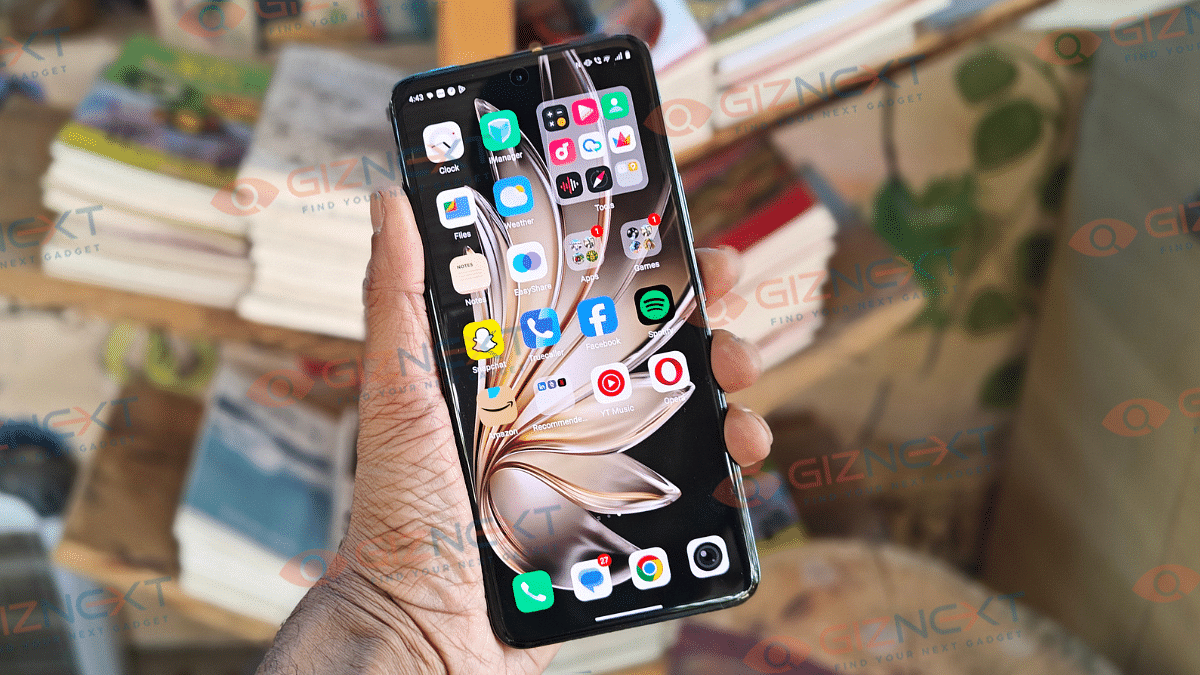
Vivo has been aggressively ramping up its mid-range portfolio and has added T4 Ultra to its portfolio. The successor to the T3 Ultra is targeting the premium mid-range segment (Under Rs. 40,000) with its powerful camera module offering 100x zoom, MediaTek Dimensity 9300+ chipset, beefy 5,500 mAh battery pack. Certainly this segment (Rs. 35,000- Rs. 40,000) has become the hot spot for all OEMs to compete. And with the T4 Ultra, Vivo seems to have raised the bars focusing on the imaging hardware and overall user experience. At Giznext, we got our hands on the T4 Ultra’s 8GB RAM trim and have tested its daily performance. Does it fair all the hype? We have tried to break it down below:

For the tech geeks, stay updated with the latest cutting-edge gadgets in the market, exclusive tech updates, gadget reviews, and more right on your phone’s screen. Join Giznext’s WhatsApp channel and receive the industry-first tech updates.

Also Read: Asus Vivobook S15 OLED Review: Stylish Performer Or Overpriced Ultrabook?

Box Contents

  • Vivo T4 Ultra (unit)
  • TPU case
  • User manuals
  • SIM ejector tool
  • Charging adapter
  • USB Type-C cable

Display Review

Let’s start with the basics first. The T4 Ultra’s big 6.67-inch quad-curved AMOLED panel looks sharp and crisp. Supporting a 2400 x 1200 pixels resolution with 460 PPI pixel density, the colors pops vibrant while the text look sharp. It comes with a 120Hz refresh rate and takes a step ahead in this visual game with whopping 5000 nits peak brightness. This definitely gives the T4 Ultra an edge over the rivals in the segment; specifically in the display game.

We were surprised how easy it was to watch videos and even get on with gaming outdoors. The T4 Ultra’s AMOLED panel has HDR10+ compatibility is another add on that provides an immersive visual experience with Netflix. Darks are clear and you don’t see any pixilations in the dark scenes. No evident frame drops and lags have been noticed during gameplays. You can find a Visual Enhancement feature in the display settings that makes content more vivid while optimizing power consumption.

Also Read: Urban Genesis Smartwatch Review: Premium Feel, Pocket-Friendly Price

Design

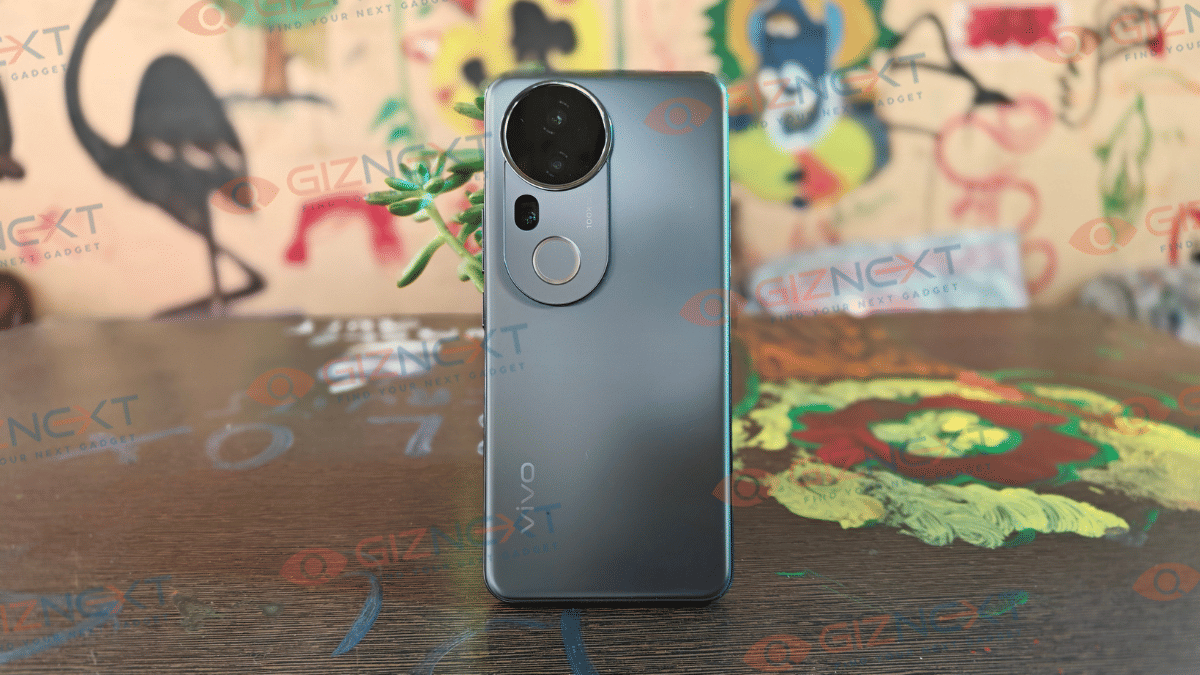
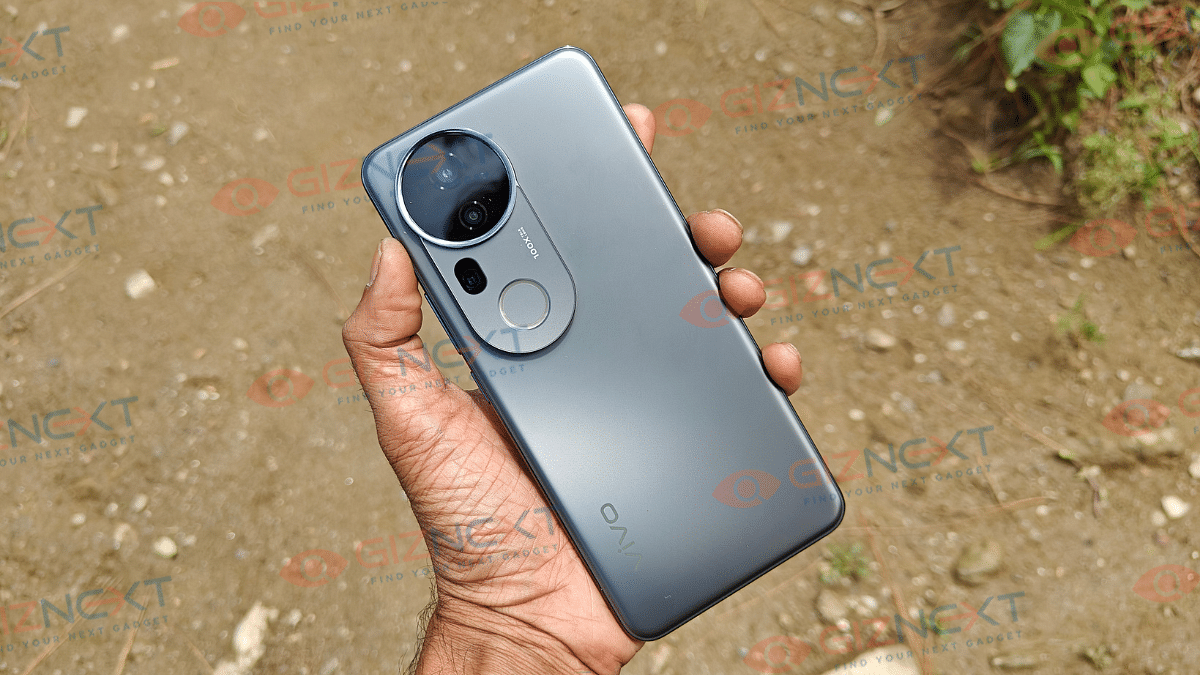
Design language hasn’t been altered much and you’ll find the looks familiar. The looks and feel’s all premium with the slim form factor along with the curved edge design. The large camera ring at the rear does grab the instant attention. And why not, that’s the top selling point for this. new T4 series handset. We have received the Meteor Grey variant of the T4 Ultra which looks subtle yet classy.

The combo of satin-matte texture of the rear panel is smooth to touch and provides a luxurious feel. It’s a lightweight handset with 192 gms weight that’s easy to both hold and carry around. Thankfully, even with the smooth texture the rear panel isn’t prone to fingerprints and smudges which is big respite. But the grip can be slightly slippery and you can use the soft TPU case that ships with the retail box.

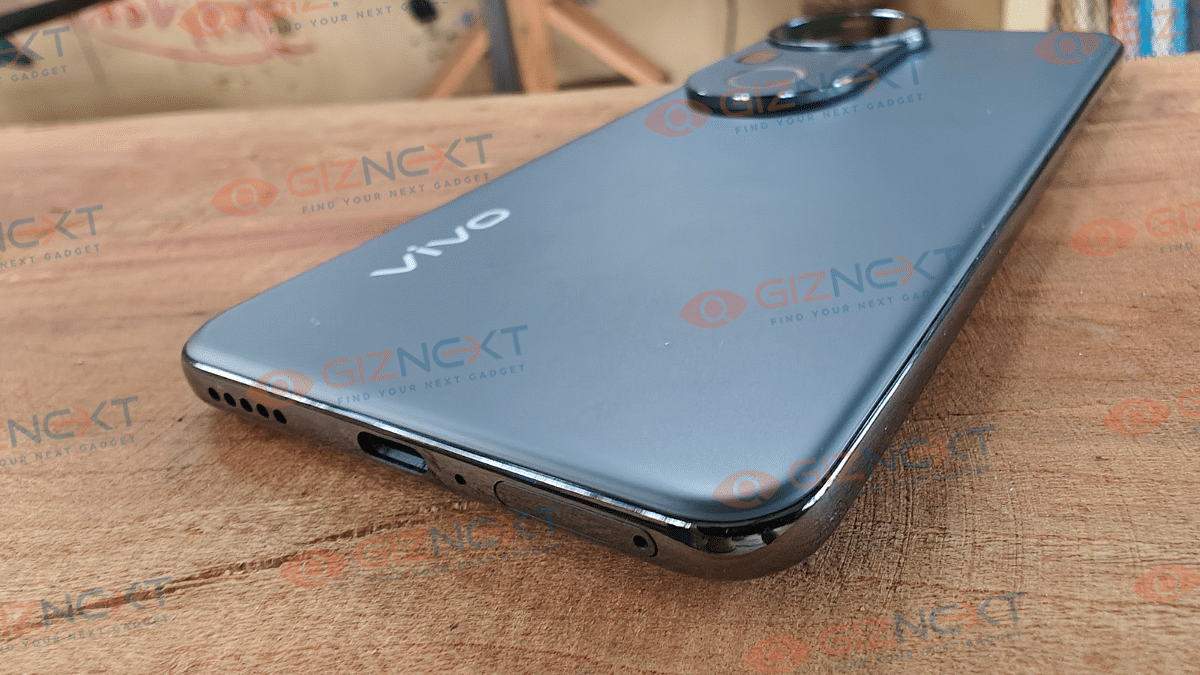
You also can opt for aftermarket cases and covers to protect the rear panel from scratches and also from accidental drops. Ports have got the usual placement with the power key and the volume key being placed at the right spine and the USB Type C port, speaker grille and the SIM card tray being positioned at the bottom panel. Note that this variant like its siblings come with hybrid SIM slot. So, only a single SIM card and a microSD card slot or just dual SIM cards can be used simultaneously.

Also Read: TecSox Luma LED Projector Review: Your Personal Theater In A Box

Camera

The biggest upgrade and the highlight of the T4 Ultra is its new and powerful camera setup. Vivo has stepped up the mobile photography game specifically in the mid-range segment. Specs here are a 50MP main lens (Sony IMX921) combined with 8MP ultra-wide angle sensor, and a 50MP periscope lens. Stepping up the photography game is the new periscope sensor which allows 3x optical and 100x digital zoom. While this isn’t a Zeiss co-engineered camera hardware like the X series, it’s definitely the T4 Ultra’s USP. We’ll speak about this one in a while, before that let’s start with the standard daylight performance.


The T4 Ultra’s main sensor does an impressive job with capturing details. Color retention is accurate no inconsistency is experience with color production. Dynamic range is to the point so is the edge detection. We are attaching a few samples here for the daylight shots and you can see the well balanced output it offers in broad daylight situations. Wide-angle sensor captures a decent frame overall both in daylight as well as night. Slight inconsistencies might occur in low light conditions.


filter: 2206; fileterIntensity: 1.0; filterMask: 0; captureOrientation: 90; runfunc: 0; algolist: 0; multi-frame: 1; brp_mask:8; brp_del_th:0.0000,0.0000; brp_del_sen:0.0000,0.0000; motionR: 0; delta:1; bokeh:1; module: polaroid;hw-remosaic: false;touch: (0.5910936, 0.54598737);sceneMode: 4194304;cct_value: 0;AI_Scene: (-1, -1);aec_lux: 290.0;aec_lux_index: 0;albedo: ;confidence: ;motionLevel: -1;weatherinfo: weather?null, icon:null, weatherInfo:100;temperature: 33;zeissColor: bright;

Portrait mode here does a fine job with background blurs and highlighting the subject. You can switch between different focal lengths with the maximum being 100mm. Now coming to the primary camera highlight, i.e, the zoom capabilities. Standard zoom shots (up to 10x) are clear and vibrant. Edge detection and color retention is apt when you stick to this range. With the maximum range the output tends to get slightly hazy. Using a tripod or stable surface does help when you are zooming on the subject over 5x zoom.


Night photography doesn’t disappoint when you enable the Night mode. Details are well retained here too with low grains and and noise. The 100x zoom option is available in the Night mode too but basic 5x and 10x clicks better output overall. Added bonus is the Aura light feature which helps improving the portraits at night.


Selfies are well defined with the 32MP snapper up front. You get all the primary modes including Night, Portrait, Dual View, etc while using the front camera. Overall output is good and the selfie sensor offers a pleasing experience.

Also Read: Infinix Note 50s 5G+ Review: The Sleek Budget Smartphone Powerhouse That Surprises

Performance And Battery Backup
Vivo T4 Ultra has been updated with the Dimensity 9300+ chipset. MediaTek’s flagship SoC lineup has been a well performer overall and that driving the T4 Ultra makes it handle all the tasks decently well. We got out hands on the 8GB RAM and 256GB storage variant. It’s built in 50,000 mm² cooling integrating a large vapour chamber area keeps a check at the temperature levels. This ensures experience is good with gaming and this unit has been able to handle graphic-intensive FPS and arcade titles well. Multitasking; specifically switching between multiple apps is swift. Storage is ample too if you go with the high end version. But still there is a provision for expanding storage via microSD card. This brings us to the SIM tray which is a hybrid SIM slot allowing using single SIM card and microSD card simultaneously.

Under its hood is the 5,500 mAh battery that allows a backup of over a day with a single charge. No additional plug-in is required if your usage is limited to basic browsing, calling, texting, etc. If your usage is extensive, you will need to use the charger by the end of the day. Its bundled 90W charger allows rapid charging speed. It takes around half an hour for the handset to take up to 50 percent charge, while a full charge takes slightly over an hour.

Also Read: Lenovo Tab K11 Enhanced Edition Review: Fits All Bills?

Final Verdict
Vivo T4 Ultra is announced starting at Rs. 37,999 which brings it in the premium mid-range segment. It’s amongst the few Android phones in this price range to come offer a larger 10x telephoto macro lens. Photography is one of its forte, but the remaining features are well balanced. It has got a vibrant screen with fluid touch response, premium build and design, fast processing speeds, and decent backup. Vivo has certainly improved the user experience with the T4 series and solely focusing on the camera capabilities, overall performance has been optimised too. Vivo has definitely made some advancements with the series T phones and we have seen significant improvements in the T4 Ultra; specifically its imaging capabilities.

Categories
Apps Featured How To

Amazon Prime Videos ‘Device Limit Reached’ Error: How To Fix In A Few Simple Steps

Key Highlights

  • Amazon Prime videos allows streaming on multiple device
  • Device limit reached is a common error
  • Can be fixed by removing Prime account from unused devices

Amazon Prime Video is soon starting with advertisements on its platform stopping the free access for all the Prime subscribers. The company recently confirmed additional charges to stream ad-free videos on Prime Videos (both app and the desktop versions). Nevertheless, remaining services and features remains the same on Amazon Prime Videos where you get to stream videos using same Prime account on multiple devices. While this is a handy feature for users to access Prime Videos services at different locations and on different devices, there is a common error related to this that can kill the mood for binge watching shows and movies. It’s the ‘Device Limit Reached’ error that commonly affects Prime Video users. And if you are getting this error message frequently and are clueless how you can fix this issue? This guide is what you need to go through. We tell you the easiest way that can help to fix ‘Device Limit Reached’ issue on Prime Videos.

Also Read: Enhance ChatGPT Privacy: How To Delete Individual And Entire Conversation History In ChatGPT

How To Fix ‘Device Limit Reached’ Issue With Amazon Prime Videos

Before we dive into the step-by-step guide, it is essential to understand that this error generally happens when your Prime subscription supports limited devices. Just for reference, there is a limitation as to how many devices you can use to log-in to your Prime Videos account. Deleting them is the only way to fix this error. It is also crucial to know the exact limit of devices that your Prime subscription supports. Note that, upgrading your subscription package can also do the trick if your aren’t already using the premium one.

Step 1: Open Amazon Prime mobile app or website

Step 2: Login with your registered credentials (username/ ID and Password

Step 3: Go to the Account Section

Step 4: Scroll down and find the “Devices” option. Tap on it.

Step 5: Select the Prime Video option

Step 6: You’ll see the list of devices where your Amazon Prime Video account is logged in.

Step 7: Identify the device that is not is use. Once found, select the “Deregister” option.

Also Read: Google Maps Quick Fix Guide: How To Resolve Alternate Route Not Showing On Maps

Amazon Prime Videos Device Limit Details As Per Plans

Prime Video Subscription Plans Device Limit
Prime Video Mobile Edition One mobile device
Prime Lite Only one device (either mobile or TV)
Amazon Prime Up to 5 devices
Categories
Featured Info

Apple WWDC 2025 Event: Timeline, How To Watch Live Stream, What To Expect?

Key Highlights

  • Apple announces WWDC 2025 event
  • Keynote to start on June 9, 2025
  • New iOS 19 to be introduced
  • Improved macOS and watch OS updates expected too

Coming June this year, Apple is all set for its mega annual developer event, the WWDC 2025. The Cupertino giant has announced the schedule for the Worldwide Developer Conference that kickstarts next month and will give clear insights on the new updates and improvements with iOS, macOS, and watchOS versions.

For the tech geeks, stay updated with the latest cutting-edge gadgets in the market, exclusive tech updates, gadget reviews, and more right on your phone’s screen. Join Giznext’s WhatsApp channel and receive the industry-first tech updates.

Also Read: Enhance ChatGPT Privacy: How To Delete Individual And Entire Conversation History In ChatGPT

Apple WWDC 2025 Schedule: Event Dates, Live Stream Details

Apple will be hosting its WWDC (Worldwide Developer Conference) 2025 from June 9, 2025. This event will be hosted till June 13, 2025 during when Apple is expected to clear all announcements related to the new updates and improvements with iOS, iPad OS, macOS, watch OS, and vision OS.

That said, the WWDC 2025 event’s keynote will be starting at 10 AM PT on June 9. Indian users can tune into the WWDC 2025 live stream from 10.30 PM IST. This brings us to the live streaming details. Just like every year, Apple will be hosting the WWDC 2025 event live on its official YouTube handle. The updates will be shared consecutively at Apple’s newsroom and other social media handles.

Also Read: Google Maps Quick Fix Guide: How To Resolve Alternate Route Not Showing On Maps

Apple WWDC 2025: New Launches Or Products Expected?

iOS 19 Update

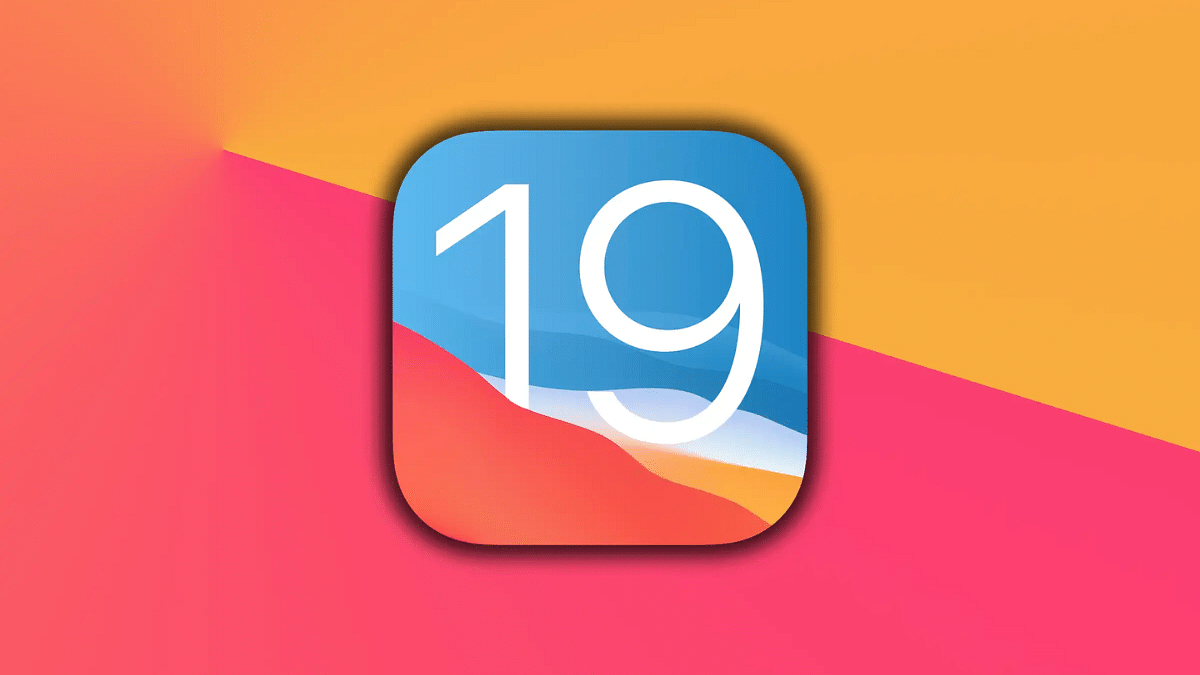
The WWDC 2025 event’s major highlight is expected to be the iOS 19. Apple is expected to give a complete revamp to the iOS with the latest version along with adding advanced features. But the UI overhaul along with new icon design and overall updated interface is said to steal all the limelight .

Also Read: Vivo T4 5G Review: A Sleek, Battery-Heavy Smartphone That Packs A Punch

Other Updates And Announcements Expected At WWDC 2025

Besides the iOS 19, Apple is also likely to introduce updated and improved versions of the iPad OS, Mac OS, watchOS, and tvOS. Certainly, Apple is also likely to bring new AI features and advancements to the table or at least reveal a roadmap for the same.

Categories
Auto Tech Featured

Ola Roadster X Electric Motorcycle Deliveries Confirmed To Start On This Date

Key Highlights

  • Ola Roadster X electric motorcycle delivery details revealed
  • Will be available starting this week
  • Deliveries to be done in phased manner
  • To be sold with three different battery pack options

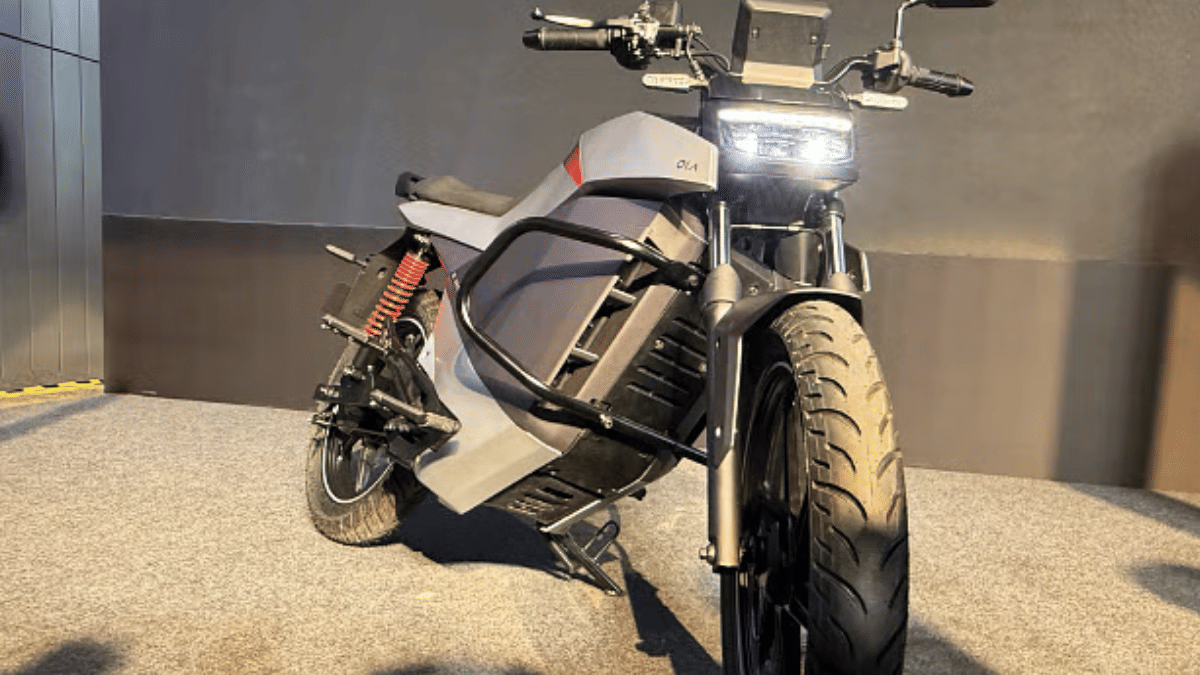
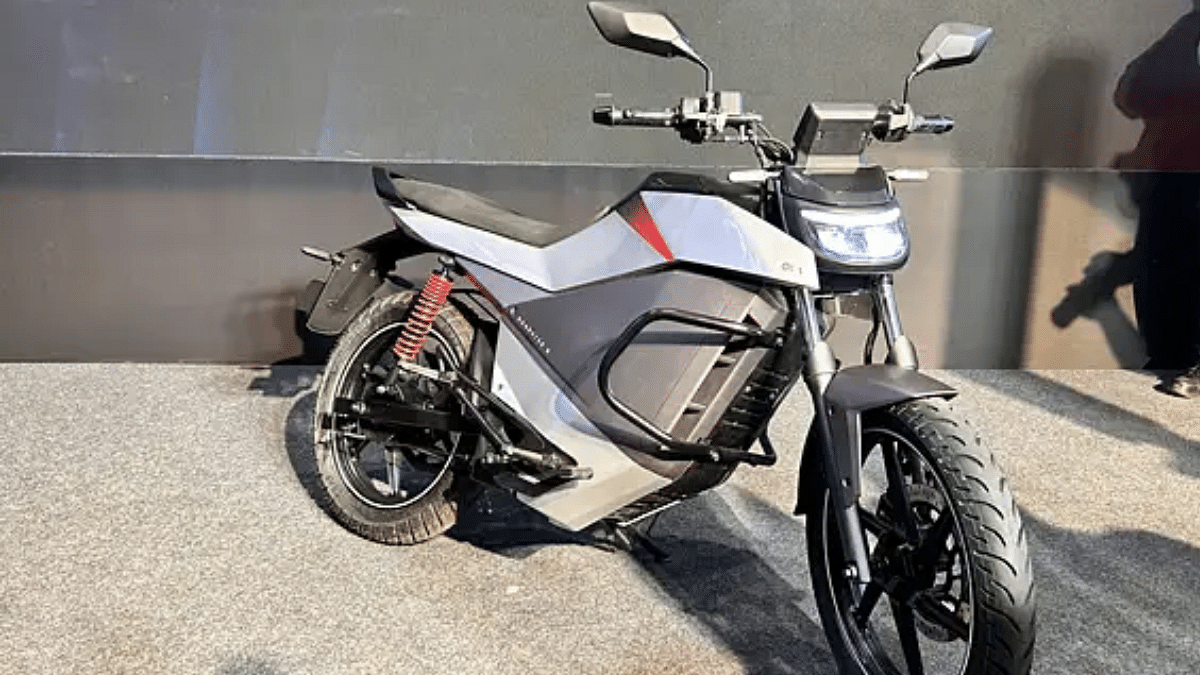
Ola Electric seems to be getting back on its feet with operations in India. The company is gearing up to commence deliveries for its first electric motorcycle lineup, the Roadster X. Ola has revealed the delivery roadmap for the Roadster X which is expected to be completed in a phased manner starting this week itself.

For the tech geeks, stay updated with the latest cutting-edge gadgets in the market, exclusive tech updates, gadget reviews, and more right on your phone’s screen. Join Giznext’s WhatsApp channel and receive the industry-first tech updates.

Also Read: Updated 2025 TVS iQube Electric Scooter Arrives In India: New Battery Packs, Color Schemes

Ola Roadster X Deliveries Starts On This Week In India

Ola will be starting Roadster X’s deliveries from later this week in India. Ola has confirmed the Roadster X will be delivered starting May 23 (this Friday) in India. The electric bike’s availability has been confirmed by the brand via official social media handles.

Furthermore, Ola will be delivering the Roadster X in batches with Bengaluru being the first city where it will be sold. The brand will gradually start with the Roadster X’s deliveries in the remaining Indian cities in phases.

Ola Roadster X will be available in three different battery pack option. Its base model with 2.5 KWh battery pack has a price tag of Rs. 99,999, whereas, the mid-variant with 3.5 kWh battery pack has a price tag of Rs. 1.09 lakh. The top trim Ola Roadster X with a 4.5 kWh battery pack has Rs. 1.24 lakh price label.

Also Read: Ola Electric Hyperdelivery Announced: Quick Speed Bookings And Deliveries Of Ola E-Scooters

Ola Roadster X: Top Highlights

Ola Roadster X is the standard variant with three battery packs as mentioned above. The base variant will offer up to 140 km range per charge, while the mid trim will offer around 196 km per charge range and the top model with 4.5 kWh battery will deliver 252 km per charge range. Features loaded will be a 4.3-inch LCD screen, multiple ride modes (Eco, Normal, and Sports), cruise control, single channel ABS, etc.

Categories
Apps Featured How To

Enhance ChatGPT Privacy: How To Delete Individual And Entire Conversation History In ChatGPT

Key Highlights

  • Search and chat history gets stored in ChatGPT log
  • One must delete for enhanced privacy
  • Archives should also be deleted to maintain privacy with ChatGPT

Today’s modern era has made it a necessity to use AI tools. And with technology taking a leap in the AI sector, reliability on AI chatbots and apps such as ChatGPT has increased magnificently. While getting tasks done has become time saving and efficient, there is a bigger concern ongoing with privacy while using AI chatbots. Specifically, if you have been using ChatGPT for sensitive searches and projects. Besides, ChatGPT using your search queries to train itself can get you more worried. So, what can you do to keep your ChatGPT conversations private? Well, the only option remaining is to delete the chat and archives. How to do it? We help you in this guide.

For the tech geeks, stay updated with the latest cutting-edge gadgets in the market, exclusive tech updates, gadget reviews, and more right on your phone’s screen. Join Giznext’s WhatsApp channel and receive the industry-first tech updates.

Also Read: Google Maps Quick Fix Guide: How To Resolve Alternate Route Not Showing On Maps

How To Delete Individual Chats In ChatGPT

Step 1: Open ChatGPT (web version or mobile app)

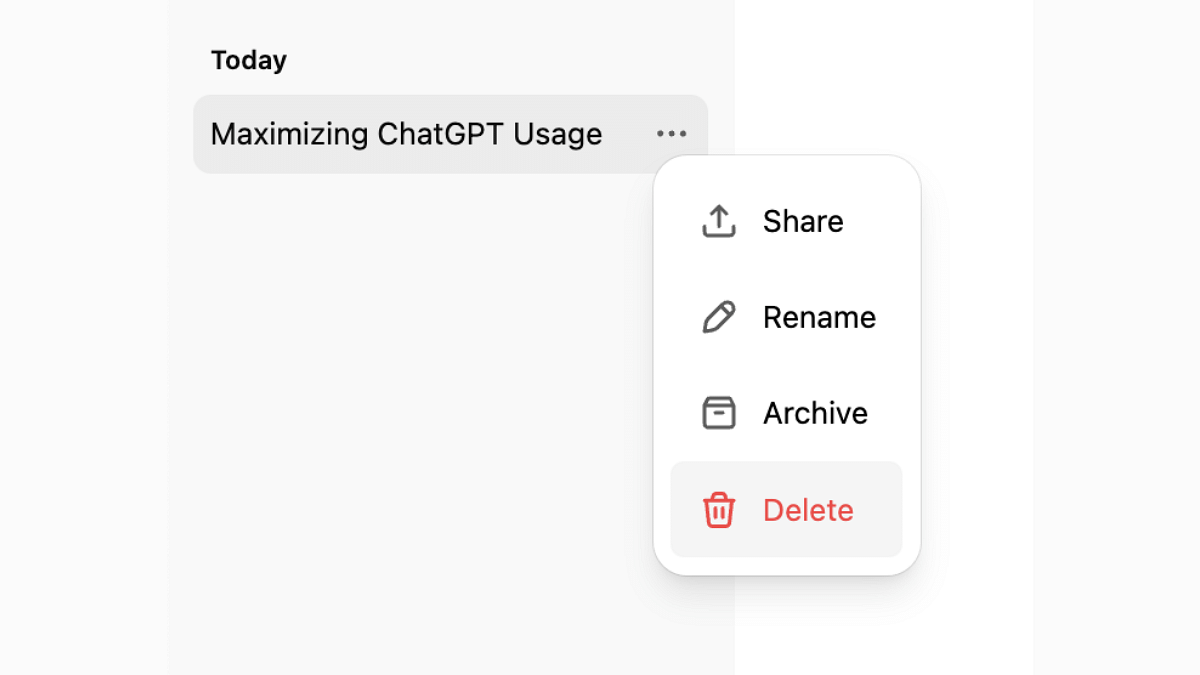
Step 2: From the left sidebar, move the cursor over the chat or conversation that you want to delete. Tap and hold the individual chat (on mobile app).

Step 3: Tap on the trash bin icon or delete

Step 4: Confirm that you want to delete the chat

Also Read: Google Maps Quick Fix Guide: How To Resolve Alternate Route Not Showing On Maps

How To Delete All ChatGPT Recent And Old Conversations

Step 1: Open ChatGPT on your respective devices

Step 2: Tap on the Profile icon placed at the bottom

Step 3: Tap on Settings option

Step 4: Now, select the Personalization option

Step 5: Click on Memory

Step 6: Tap Delete All

Also Read: Transform Your WhatsApp DP: How To Create AI Profile Image, Group DPs On Android And iOS

Why Deleting ChatGPT Helps?

  • Clears search clutter on the side bar
  • Allows fresh response generation that is not based on previous search and learnings
  • Helps maintaining privacy

Categories
Featured Mobile

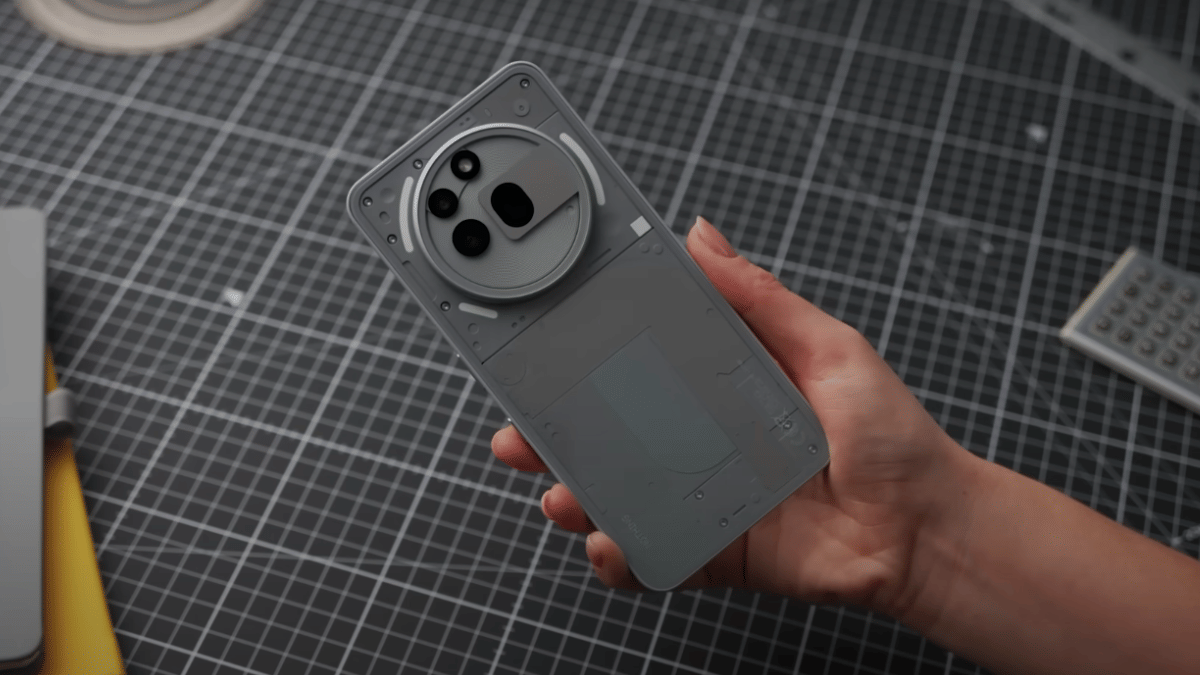
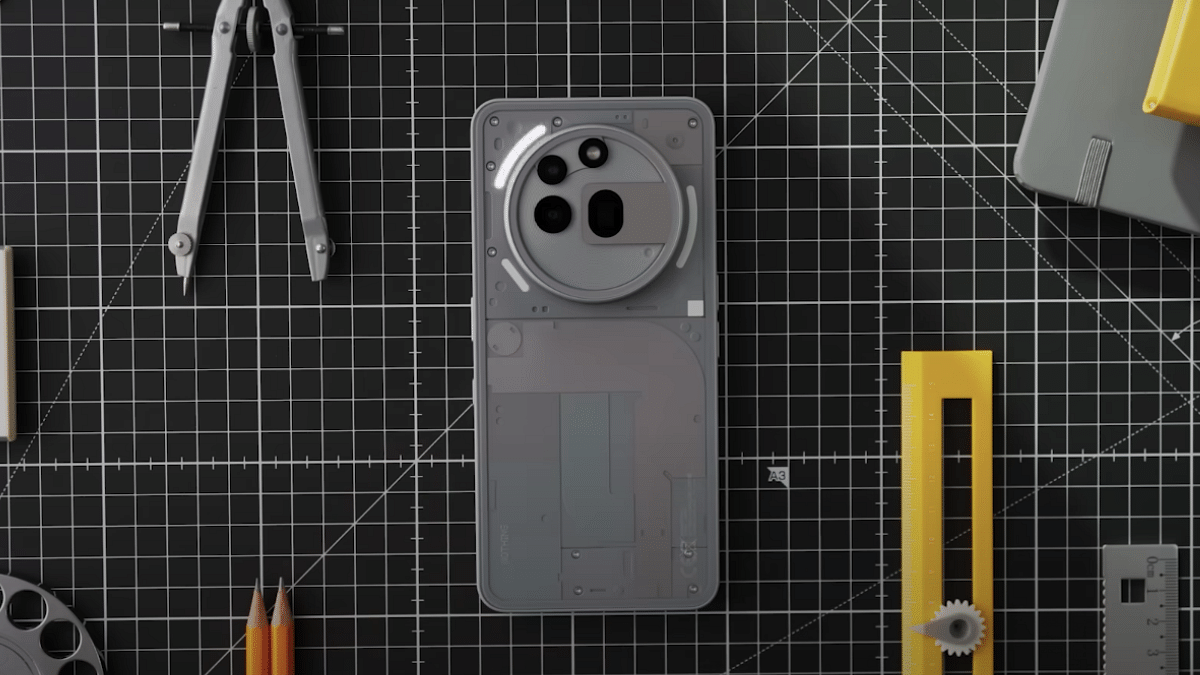
Nothing Phone 3 Worldwide Launch Confirmed For July 3

Key Highlights

  • Nothing Phone 3 official launch date announced
  • Touted as the first true flagship Android phone
  • Massive upgraded expected over Nothing Phone 2

At the Android Show held recently, Carl Pei, Nothing’s CEO dropped hints of the upcoming Phone 3’s prices. And now, the launch date has been disclosed too. Being touted as the first true flagship, the Nothing Phone 3 is making its worldwide debut coming July. More details below:

For the tech geeks, stay updated with the latest cutting-edge gadgets in the market, exclusive tech updates, gadget reviews, and more right on your phone’s screen. Join Giznext’s WhatsApp channel and receive the industry-first tech updates.

Also Read: Google Maps Quick Fix Guide: How To Resolve Alternate Route Not Showing On Maps

Nothing Phone 3 India Launch Date, Expected Prices

The Nothing Phone 3 is all set for its grand debut on July 3. Official announcements for the same has come from brand revealing the true flagship Nothing Phone’s launch. This launch is slated for the global markets including India. Just a while ago, Carl Pei, hinted the expected prices of the Nothing Phone 3 suggesting it to be the most expensive Nothing Phone yet.

Around £800 price tag (roughly around Rs. Rs. 90,000) is being hinted as the costs for the Nothing Phone 3. Pei further hinted the Nothing Phone 3 will be made using top-tier hardware and body materials which will make it more premium. We can’t say for sure if the upcoming flagship launches in the similar price range or lower in India. Nevertheless, the details could emerge soon.

Also Read: Google Maps Quick Fix Guide: How To Resolve Alternate Route Not Showing On Maps

Nothing Phone 3 Key Specs: What We Know So Far?

Nothing Phone 3 could come with the Qualcomm’s Snapdragon 8 Elite or the Dimenisty 9400 processor. It might feature the same LTPO AMOLED display display as the earlier-gen variant and a 50MP triple lens setup. With the launch date getting announced, we can expect Nothing Phone 3’s official spec-sheet getting teased gradually in the coming weeks.

Categories
Apps Auto Tech Featured How To

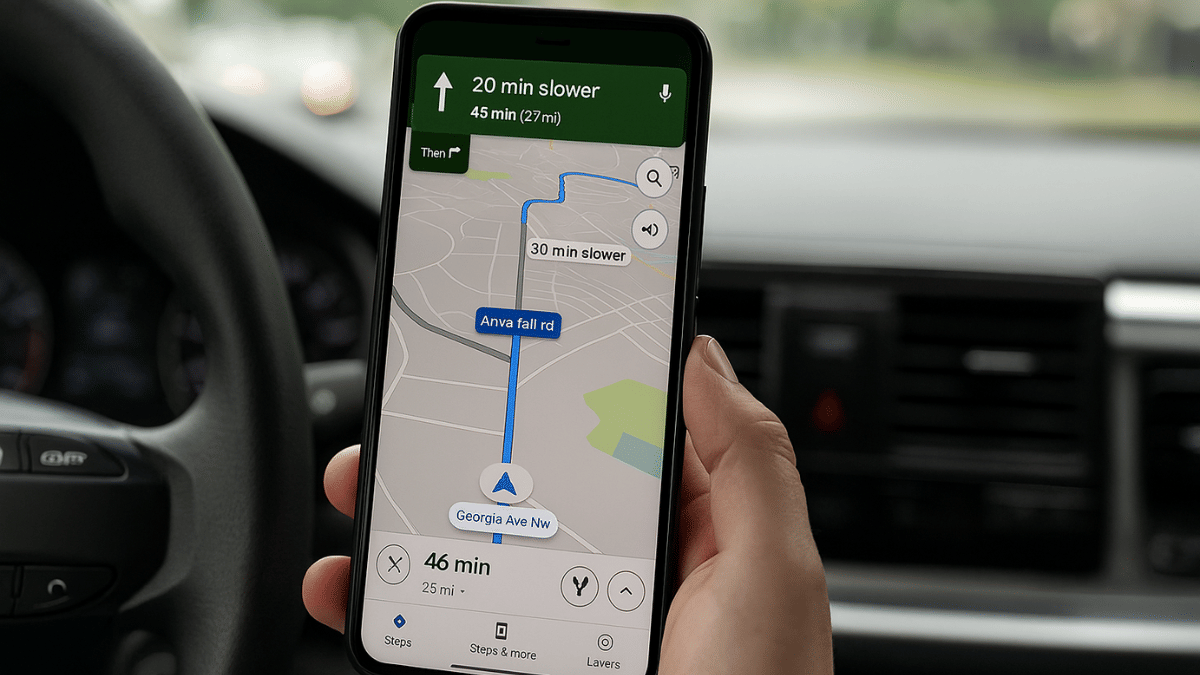
Google Maps Quick Fix Guide: How To Resolve Alternate Route Not Showing On Maps

Key Highlights

  • Google Maps shows alternate routes for different locations
  • App should be updated to fix alternate route not displaying error
  • Other fixes listed below

Imagine driving to an unknown destination only to find the road closed and no alternate being showed on Google Maps. It’s an tricky situation specifically if you are out with your family and you are unaware of the routes. But instead of panicking, trying some quick fixes can help you overcome this situation efficiently and swiftly. This also comes as a saviour in situations where’s hectic traffic can extend your travel period. In this guid, we help you fix the alternate routes not showing on Google Maps error.

For the tech geeks, stay updated with the latest cutting-edge gadgets in the market, exclusive tech updates, gadget reviews, and more right on your phone’s screen. Join Giznext’s WhatsApp channel and receive the industry-first tech updates.

Also Read: Transform Your WhatsApp DP: How To Create AI Profile Image, Group DPs On Android And iOS

Quick Fix Guide To Resolve Google Maps Not Showing Alternate Routes Error

Method 1. Check Internet Connections And Restart App

This is the basic fix that you can perform to fix errors with alternate route display on Google Maps. Check if the internet connection is up and running fine, if not re-connect the phone to internet and check if you are now able to see alternate route options. Re-starting the app after force closing can also do the trick.

Also Read: YouTube Music Hacks: How To Share YT Music Playlists With Others On WhatsApp, Email, Etc

Method 2. Re-Caliber Google Maps

Often Google Maps calibration can go off leading to errors with navigations and directions. Re-calibration is the quick fix that you can apply to resolve the error wit alternate route display on Google Maps. Specifically, if you notice the location dot turned grey instead of blue. Just tap on the location dot followed by the caliber option. Move the phone drawing figure-8 pattern. Doing this will re-caliber the Google Maps app’s direction and will fix any navigational error.

Also Read: Windows PC Getting Unresponsive? Here’s How To Emergency Restart Windows Laptops/ PCs

Method 3: Update And Re-Install Google Maps

This is another classic trick to fix any random functional errors with Android apps. The same can be applied to Google Maps where uninstalling Google Maps and re-installing can fix any basic bugs and errors that have been hampering its performance.

Also Read: Terror Hits Pahalgam & Poonch: How To Enable Emergency Alerts On Your Phone Amid Rising Indo-Pak Tensions

Method 4: Ensure Location Services Are Enabled

When location services are disabled, Maps will not be able to identify and suggest alternate routes for the destination and provide real time traffic analysis. Hence, ensure, you have enabled location services so that Google Maps can function properly and display alternate routes.

Also Read: Your Aadhaar Details Compromised? Here’s How To Instantly Check For Data Leaks, Unauthorized Aadhaar Use

When Does Google Maps Stops Showing Alternate Routes? Common Scenarios

Why Google Maps May Not Show Alternate Routes

Before jumping into the fixes, it’s important to understand what could be causing the issue:

  • Slow/Poor/No internet connection
  • Location services disabled
  • Calibration errors
  • Dated App version
Categories
Featured mobile

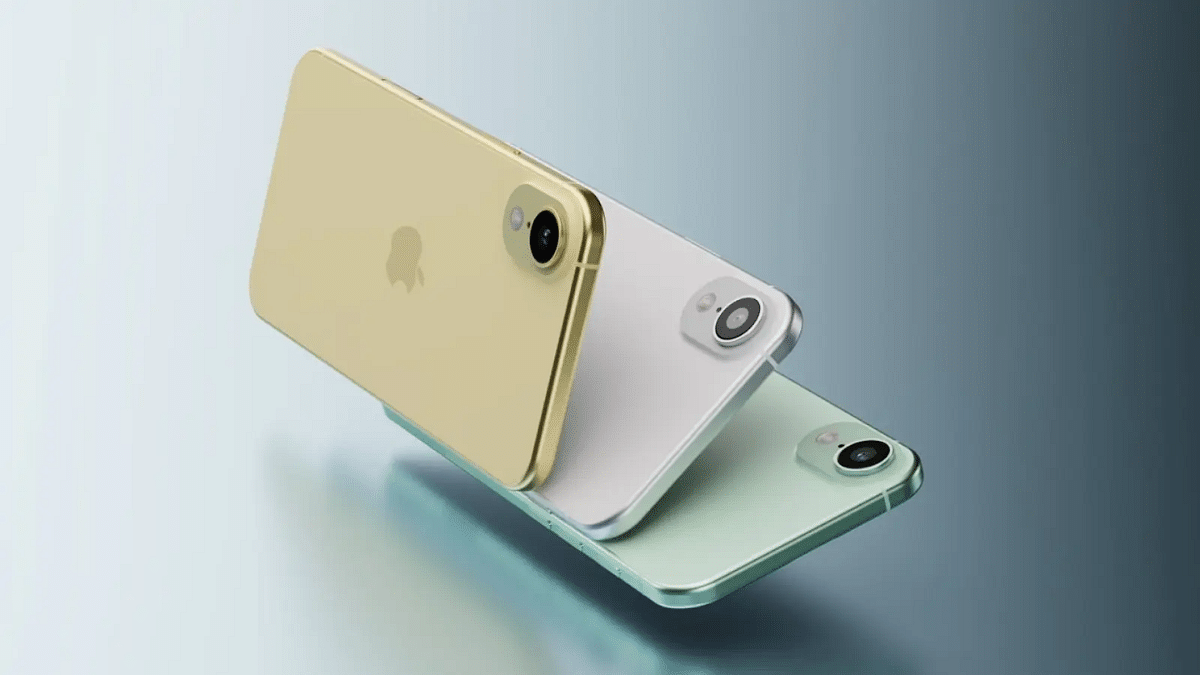
iPhone 17 Air Alleged Leak Hints Ultra-Slim Body, Smaller Battery Pack

Key Highlights

  • Apple iPhone 17 Air battery details leak
  • To feature an ultra-slim design
  • Smaller battery pack expected

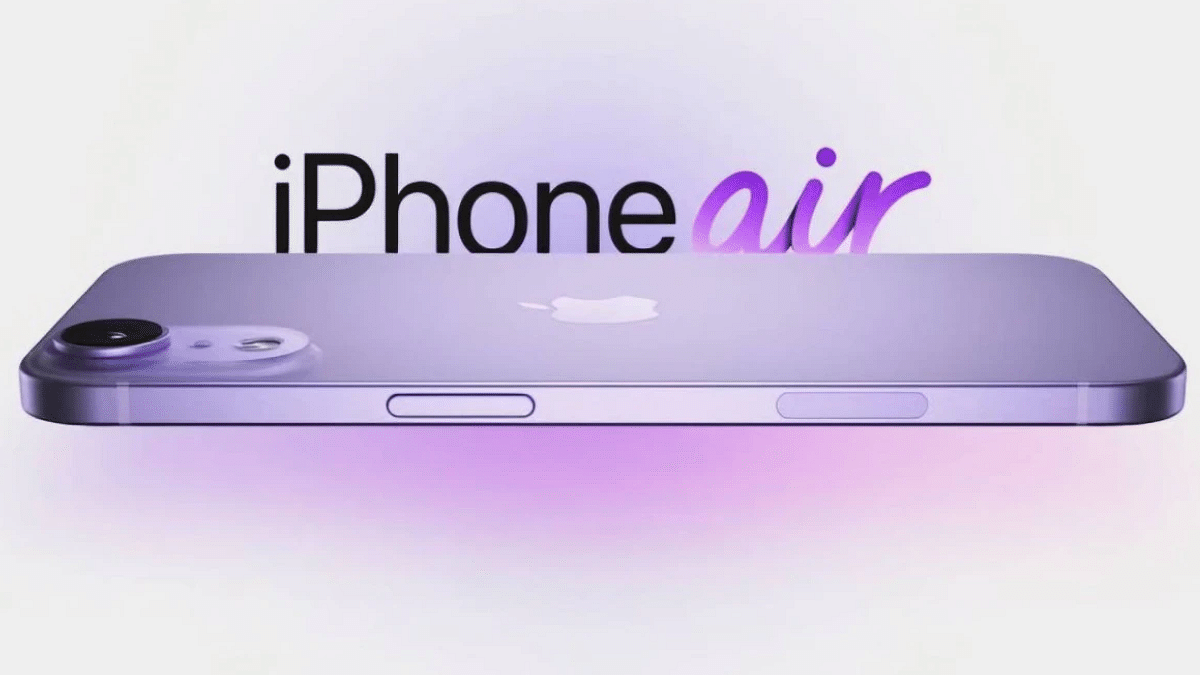
Apple will be launching the new-gen iPhone lineup later this year. The Cupertino giant is expected to showcase the entire iPhone 17 lineup including the iPhone 17 Air. The internet is all filled up with iPhone 17 leaks and the latest beans have been spilled on iPhone 17 Air’s battery details.

For the tech geeks, stay updated with the latest cutting-edge gadgets in the market, exclusive tech updates, gadget reviews, and more right on your phone’s screen. Join Giznext’s WhatsApp channel and receive the industry-first tech updates.

Also Read: Transform Your WhatsApp DP: How To Create AI Profile Image, Group DPs On Android And iOS

Apple iPhone 17 Air Battery Pack Details

A tipster going by yeux1122 have revealed some interesting details related to the upcoming iPhone 17 Air. The leaker has shared the insight on the Korean blog platform Naver inclduing iPhone 17 Air’s display, body weight and the battery capacity. If we believe the tipster, the iPhone 17 Air will be featuring a 6.6-inch display. The panel details have not been leaked but we can expect it to be similar to that of its older siblings (iPhone 17 lineup).

The screen size seems to have bumped up for the iPhone 17 Air, but still it is tipped to retain an ultra thin profile. It is said to come with around 145 gms of weight making it one of the lightest iPhone 17 models but similar to that of the iPhone 13 mini and the older-gen iPhone SE 2.

Also Read: Vivo T4 5G Review: A Sleek, Battery-Heavy Smartphone That Packs A Punch

iPhone 17 Air: Additional Details

Now, the most interesting detail, the battery pack. According to the tipster, the iPhone 17 Air will come with a 2,800 mAh battery. It is anticipated that Apple could integrate high-density battery pack inside the iPhone 17 Air. While the battery size gets reduced, the high-density package could be adding on to its backup by up to 15- 20 percent.

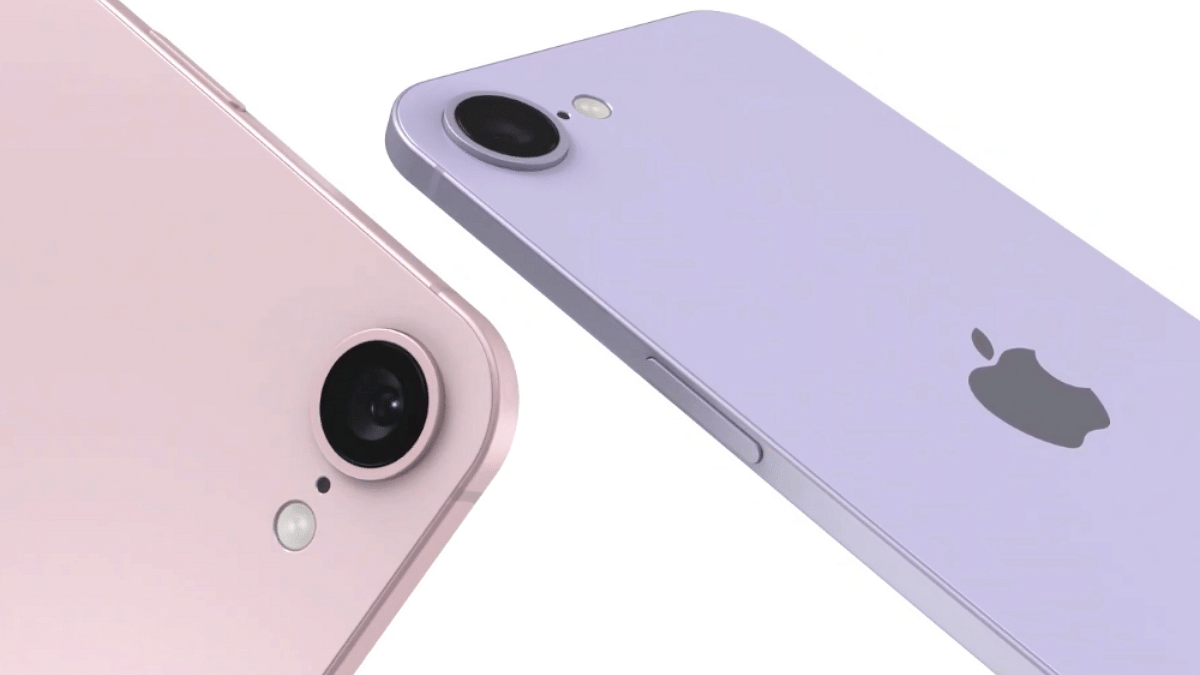
Apple could stick to the single camera setup for the iPhone 16 Air to maintain its slim profile. There are rumors that suggest the iPhone 17 Air might come with a 48MP rear and a 24MP front camera setup. But there is still no confirmation on this from Apple, hence, we would suggest you to wait for the official announcements.

Categories
Featured Mobile

OnePlus 13s India Launch Date Announced: New Compact Flagship

Key Highlights

  • OnePlus 13s India launch next month
  • Will be a new compact flagship
  • Could compete against Samsung Galaxy S25 Edge
  • Color options, designs and features teased previously

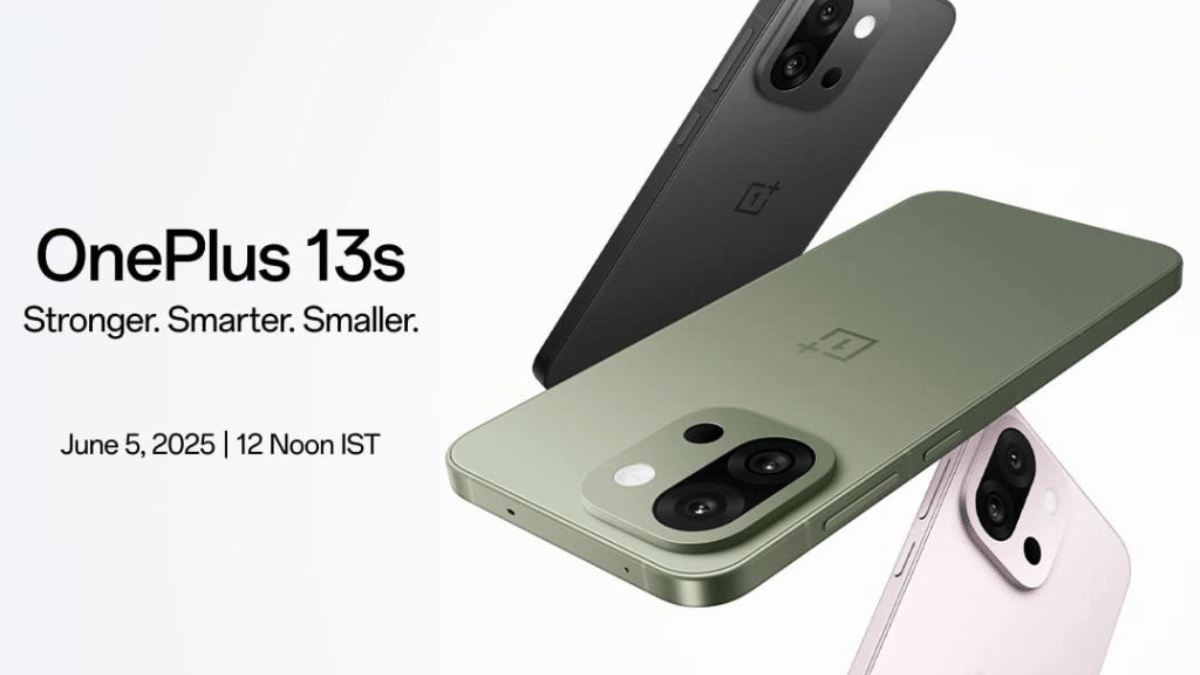
OnePlus 13s will be launched next month India. Following the complete design reveal, OnePlus has announced the new OnePlus 13 series handset’s upcoming debut date for the Indian market. Featuring a compact design and flagship grade hardware, the OnePlus 13s is expected bring along a host of AI features too taking on the Samsung Galaxy S25 Edge and others.

For the tech geeks, stay updated with the latest cutting-edge gadgets in the market, exclusive tech updates, gadget reviews, and more right on your phone’s screen. Join Giznext’s WhatsApp channel and receive the industry-first tech updates.

Also Read: Infinix Note 50s 5G+ Review: The Sleek Budget Smartphone Powerhouse That Surprises

OnePlus 13s India Launch Next Month

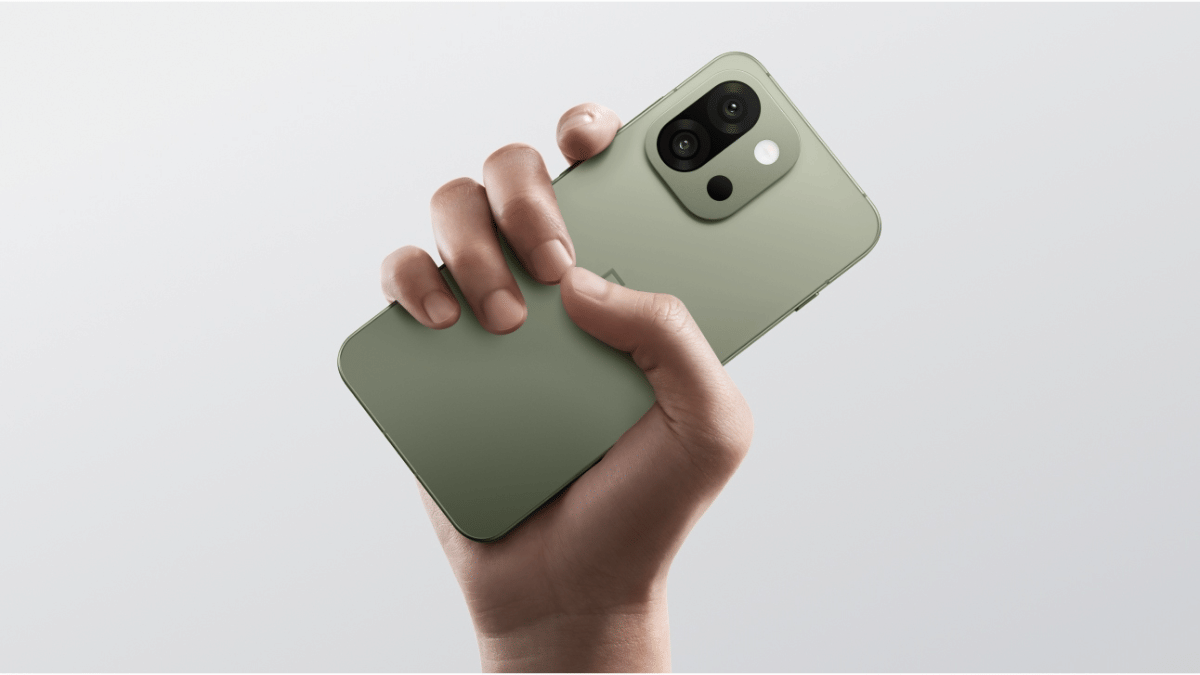
OnePlus 13s has got its official India launch date. The new compact flagship OnePlus 13 phone is arriving on June 5, 2025 in the country. Previous teaser have revealed its entire design showcasing the compact flat-edge form factor. Seems like OnePlus is taking a fresh approach with smartphone design for its premium range and we might see more innovations going forward.

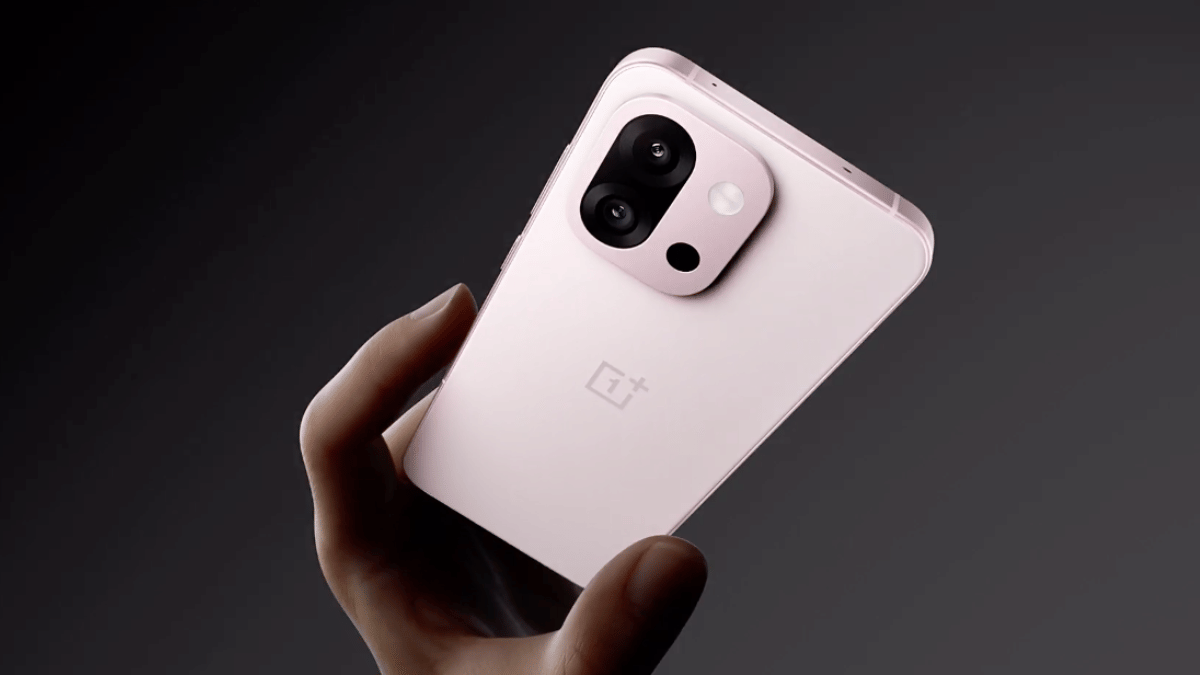
OnePlus is essentially rebranding the OnePlus 13T (Chinese variant) as the 13s in India and bringing and exclusive color option too, i.e., Green Silk. Other two color options including the Pink Sating and Black Velvet will be same as the Chinese trim. OnePlus has also integrated a new “Plus key” that comes instead of the Alert slider. This will be used for quick actions such as camera controls, silence mode, etc.

Also Read: Urban Harmonic Soundbar 2080 Review: A Punchy Audio Upgrade For Your Home

OnePlus 13s Specifications

OnePlus via the official teasers have already revealed some of the key hardware features of the OnePlus 13s. This upcoming compact phone will pack the powerful Snapdragon 8 Elite chipset under its hood combined with efficient cooling hardware. The OnePlus 13s will sport a 6.32-inch LTPO AMOLED display supporting 120Hz refresh rate and 2400 nits peak brightness. A squarish camera island at its rear is expected to come equipped with a 50MP dual lens setup. More details should be clear in the coming days.

Categories
Featured Mobile

Alcatel V3 Series Marking Brand’s India Comeback: Launch Confirmed For May 27

Key Highlights

  • Alcatel V3 series India launch confirmed
  • Three new models expected
  • Will be backed by TCL
  • To be available via Flipkart in India

Alcatel is all set for its revival in the Indian market. The French smartphone brand popular for its mobile phones in the late 90s is making its comeback with the V3 series. The official launch is slated for later this month where three new models in the Alcatel V3 series are expected to go official. Will Alcatel mange to disrupt the heavily competitive Indian smartphone market? Let’s find out what Alcatel is keeping in store for the Indian consumers:

For the tech geeks, stay updated with the latest cutting-edge gadgets in the market, exclusive tech updates, gadget reviews, and more right on your phone’s screen. Join Giznext’s WhatsApp channel and receive the industry-first tech updates.

Also Read: Infinix Note 50s 5G+ Review: The Sleek Budget Smartphone Powerhouse That Surprises

Alcatel V3 Series: India Launch Date, Expected Models, Availability

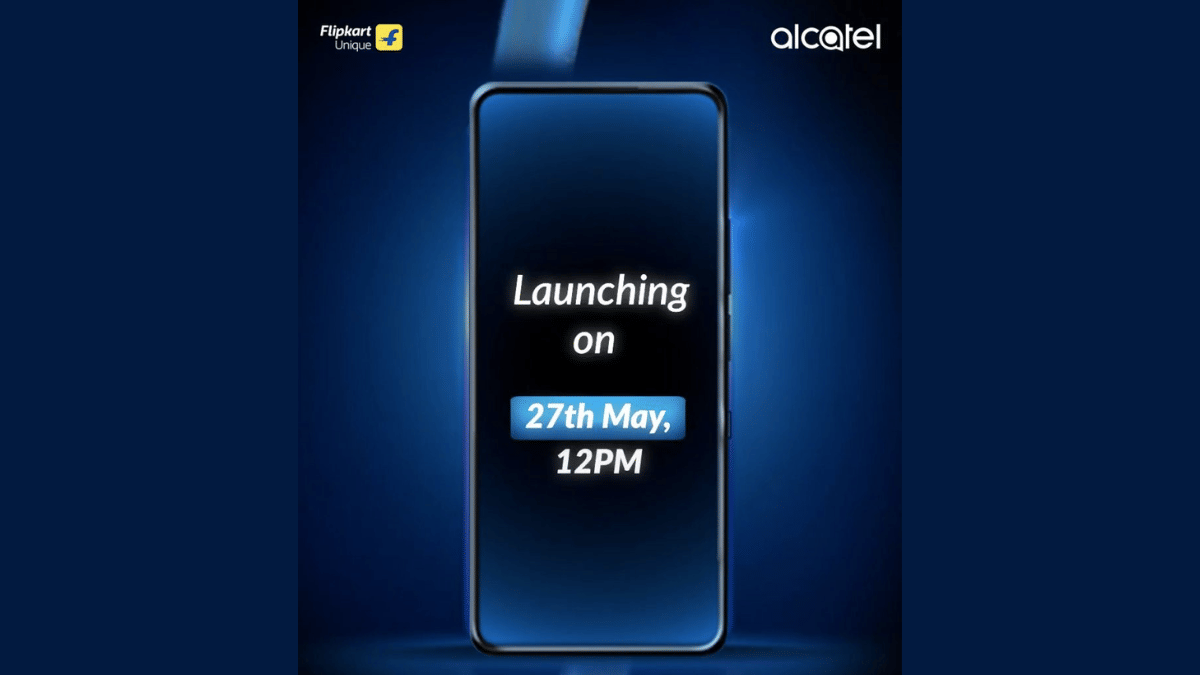
Alcatel is making its India comeback with the V3 series and have confirmed the launch date via its official handle on X. The Alcatel V3 series will be launched on May 27 in India with the brand confirming the Alcatel V3 Ultra model’s arrival. As per the rumors, Alcatel has three new phones in the pipeline. While the teasers have confirmed the V3 Ultra variant, the V3 Pro and the V3 Classic are also said to be launched later this month. Alcatel V3 series will be up for grabs via Flipkart in India and Flipkart Minutes.

Also Read: No More Snooping: How To Get Instant Login Alerts On Instagram And Protect Privacy

Alcatel V3 Series: Expectations

Alcatel V3 Ultra Key Specs
Display 6.8-inch, 120 Hz refresh rate
ChipsetDimensity 6300
Camera (primary rear)108MP
Selfie lens 32MP
Battery 5,010 mAh
Fast charging 33W

Not all the details have been teased, but the Alcatel V3 Ultra is confirmed to come with a flat screen design sporting 6.8-inch 1029Hz panel with a centrally-alinged punch-hole camera cutout. A circular camera island housing three sensors will be mounted at the rear.

The primary camera is tipped to be a 108MP lens, while the selfie snapper could be a 32MP lens. A 5,010 mAh battery combined with 33W fast charging could power up the Alcatel V3 Ultra, while the Dimensity 6300 chipset.