Categories
Featured How To TV

Annoying TV Ads? How To Stop Unwanted Ads On Your Smart TV?

Key Highlights

  • Personalized adds on smart TVs can be annoying
  • Ads show up on different apps installed on the TV
  • Option to disable ads is available

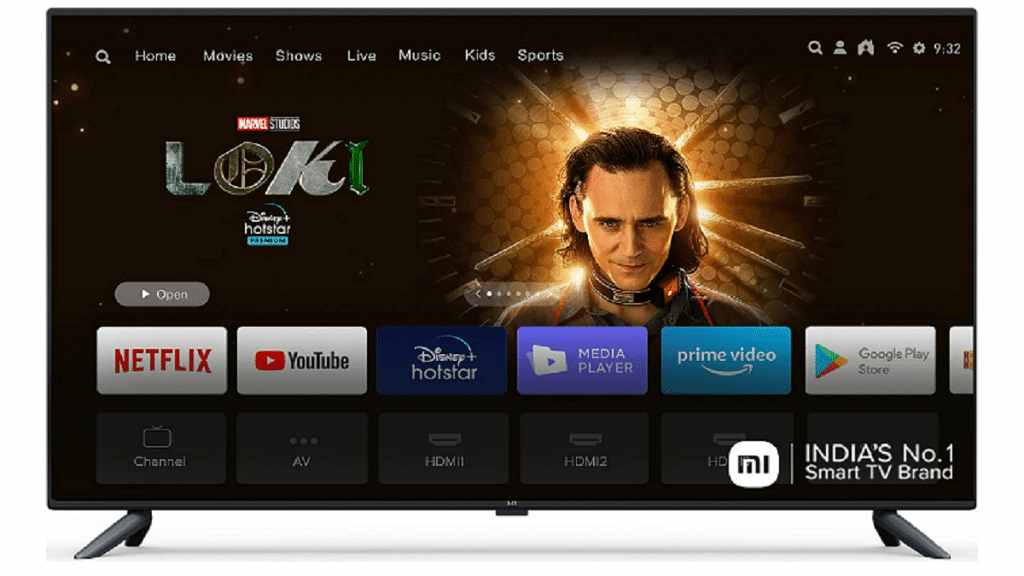
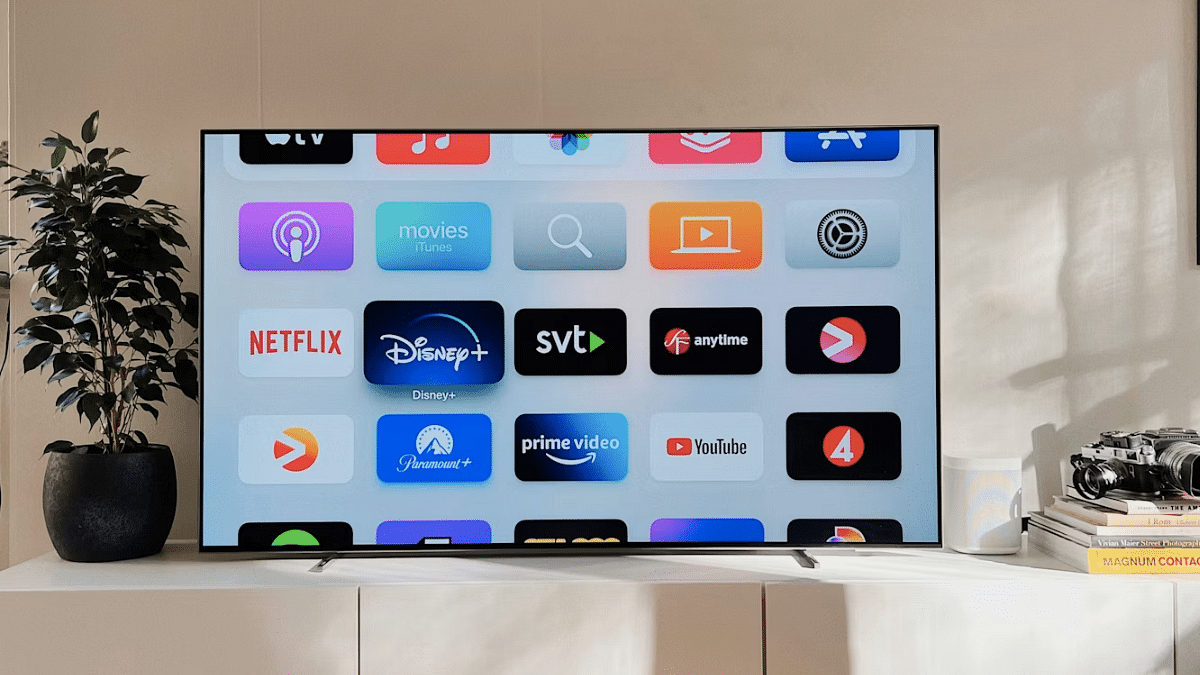
Smart TVs have been a game changer for entertainment buffs. The large screen panel combined with a whole array of modern features such as internet connectivity, compatibility with external wireless peripherals, and third party app download makes the current-generation TVs all advanced. If you own a smart TV, specifically an Android or Google TV, you must be aware of the ads that show up on the home screen every time you switch it on.

Also, while accessing any app, you might come across a whole set of personalized ads curated as per the type of content you consume. While this might be beneficial, it tends to be annoying most of the times. Specifically, when you don’t wish any breaks while watching your favorite show or movie. Disabling or at least controlling the ads to certain extent is still easier with mobile devices such as smartphones and tablets. But how do you do it smart TVs? Well, this is a step-by-step guide that will help with with change and control advertisement settings on your smart TV for a more personalized experience.

For the tech geeks, stay updated with the latest cutting-edge gadgets in the market, exclusive tech updates, gadget reviews, and more right on your phone’s screen. Join Giznext’s WhatsApp channel and receive the industry-first tech updates.

Also Read: Smart TV Storage Crisis? How To Get Additional Storage For Your Smart TV To Install Games, Apps

How To Control Personalized TV Ad Settings And Turn Off Ads

Before we proceed, it is worth adding that every smart TV comes with its own advertising ID. Customers can reset or even delete advertising ID which will help with a personalized ad experience.

Step 1: Power on your smart TV

Step 2: Open the home screen

Step 3: Tap on the Setting menu (gear icon)

Step 4: Select the ‘Device’ option

Step 5: Click on Preferences

Step 6: Select About option

Step 7: Now, click on the Legal information tab

Step 8: Hit the Reset advertising ID option

Step 9: If you wish to delete the adverstising ID, then tap on the D-Pad option twice and then select the change.
Categories
Auto Tech Featured

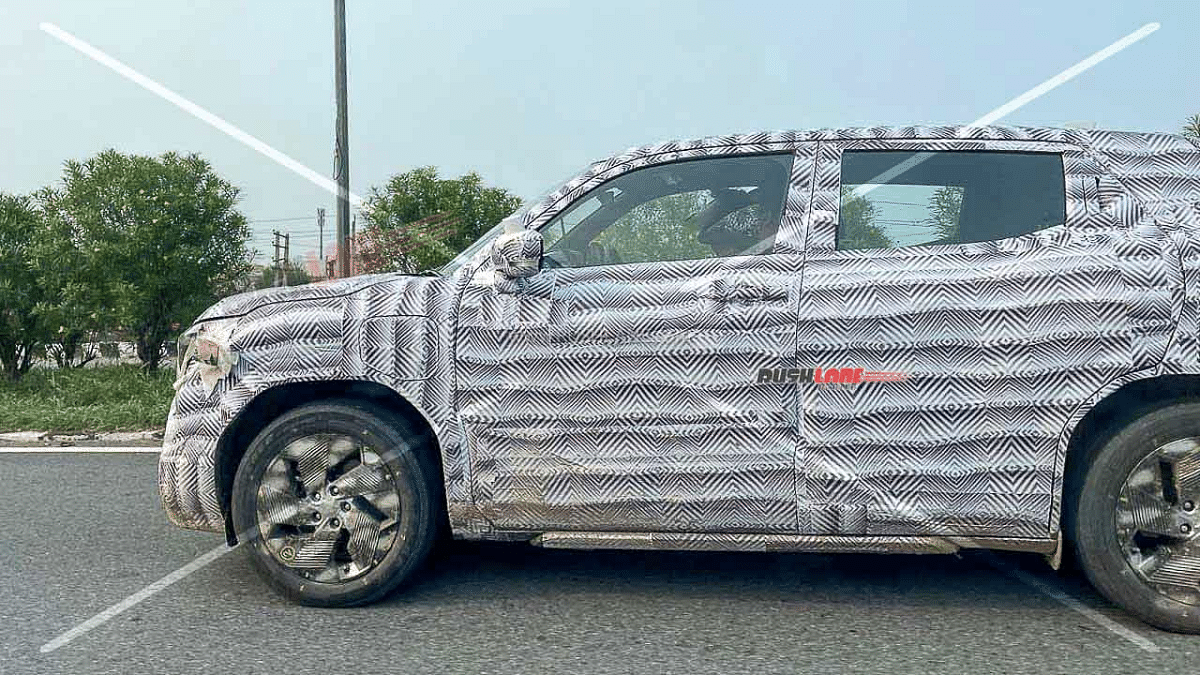
2025 Mahindra XUV400 Electric Test Mule Spied: Refreshed With XUV 3X0 Like-Design

Key Highlights

  • 2025 Mahindra XUV 400 EV test mule hints development underway
  • Spotted with identical design as the XUV 3XO
  • Compact design language compared to outgoing model

Mahindra is one of those brands that is rapidly upgrading itself with the EV transition. The company has revealed its roadmap for its EV launches in India which will comprise multiple BE and XUV.e series models. The company is bringing in its popular ICE SUVs in electric avatar and now a new model has been spied hinting at an upgraded e-SUV next year. We are speaking of the 2025 XUV400 EV which has been spied during testing. What all is revealed? Read on below:

For the tech geeks, stay updated with the latest cutting-edge gadgets in the market, exclusive tech updates, gadget reviews, and more right on your phone’s screen. Join Giznext’s WhatsApp channel and receive the industry-first tech updates.

Also Read: JSW MG Motor Announces Multiple New EV Ecosystem At DriEV.Bharat

2025 Mahindra XUV 400 Electric Test Mule Images Leak

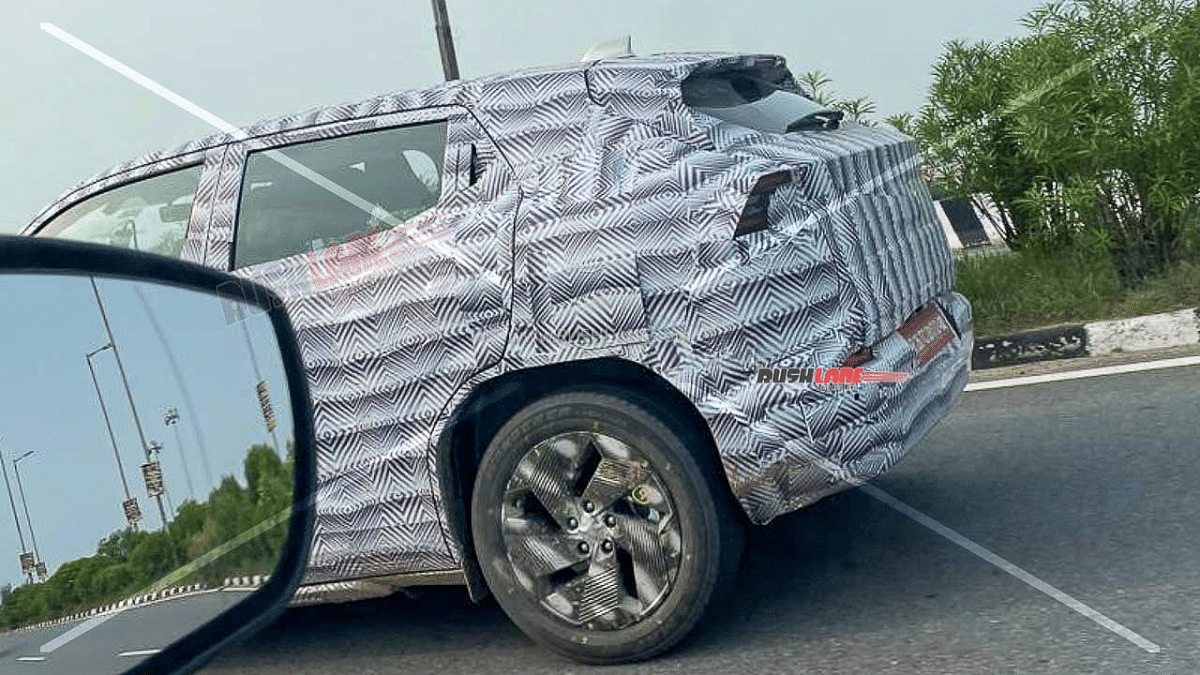
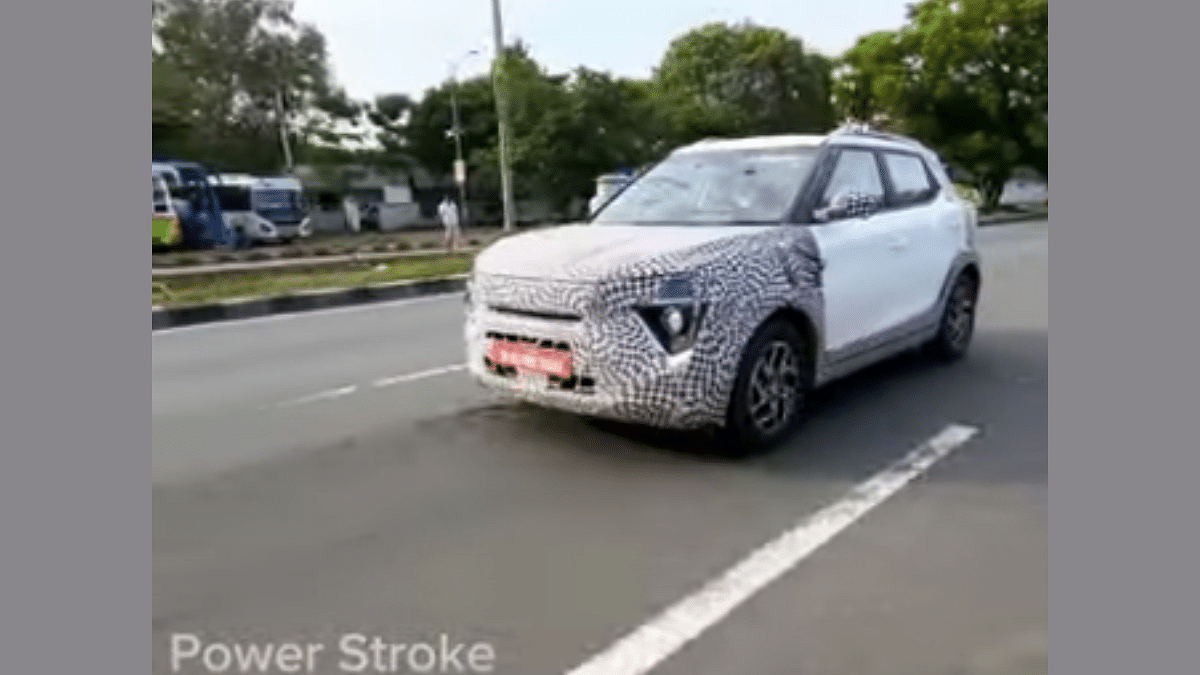
Mahindra is apparently working on another electric SUV which will possibly launch by 2025 in India. The rumor mill has received the snapshots of the XUV400 electric’s updated version. The XUV 400 electric 2025 model is the alleged model which has been spied during its test runs.

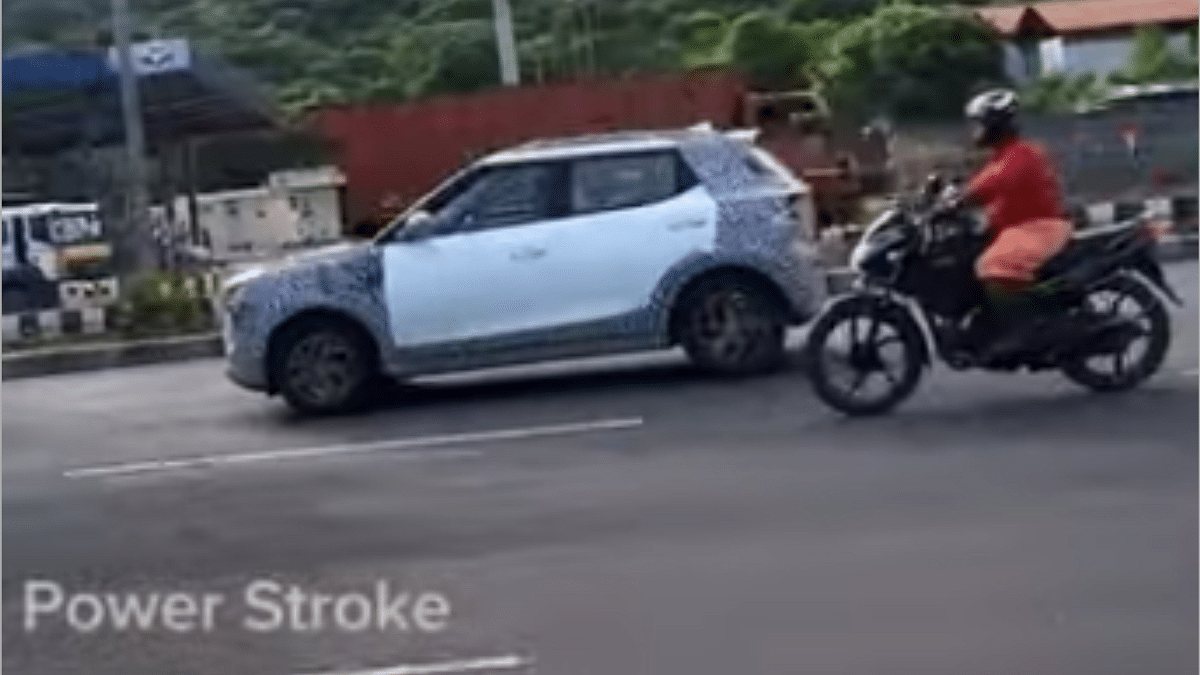
The 2025 XUV 400 electric SUV’s leaked spy video which has been shared by user going by PowerStroke PS handle on Youtube. The video shows the camouflaged XUV 400 EV model sporting an identical design as the recently revamped XUV300, i.e., the XUV 3XO. The XUV400 EV has been carrying forward XUV300’s design in an all electric avatar.

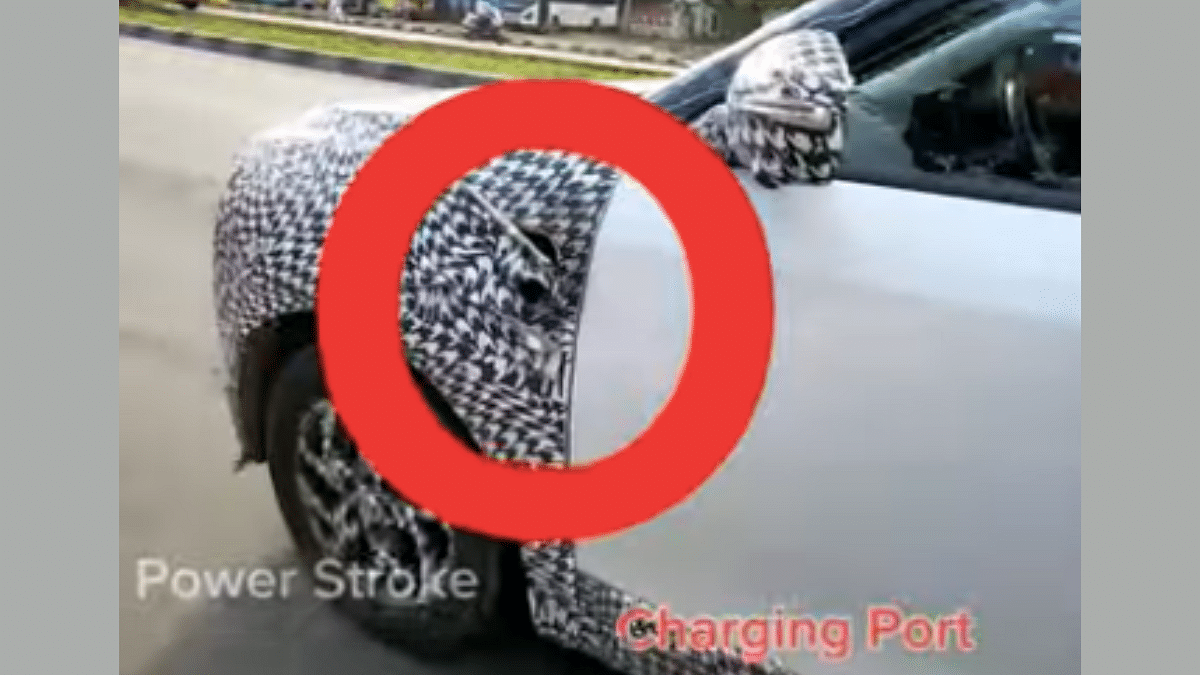
The same is expected with the 2025 XUV 400 EV. As seen with the test mule, the 2025 XUV 400 which has almost the similar fascia and side profile. However, the closed-off front-grille which is an EV specific design element is expected with the 2025 XUV 400 electric model. The charging port is spotted on the front left quarter panel of the updated XUV 400 electric model. The test mule is also seen with 17-inch alloy wheels.

Also Read: Maruti Suzuki eVX Latest Test Mule With Production-Ready Parts Spied

2025 Mahindra XUV 400 Electric: What Else To Expect?

Since the 2025 Mahindra XUV 400 electric is still under development, we can’t confirm the powertrain and feature range it is expected to offer. However, it could carry forward the security and other features from the XUV 3XO such as Level 2 ADAS, 360° camera, Android Auto and Car Play supported digital infotainment screen, and the new two spoke steering wheel.

Categories
Tech Gadgets

JSW MG Motor Announces Multiple New EV Ecosystem At DriEV.Bharat

Key Highlights

  • New initiatives announced by MG Motor India to boost EV ecosystem
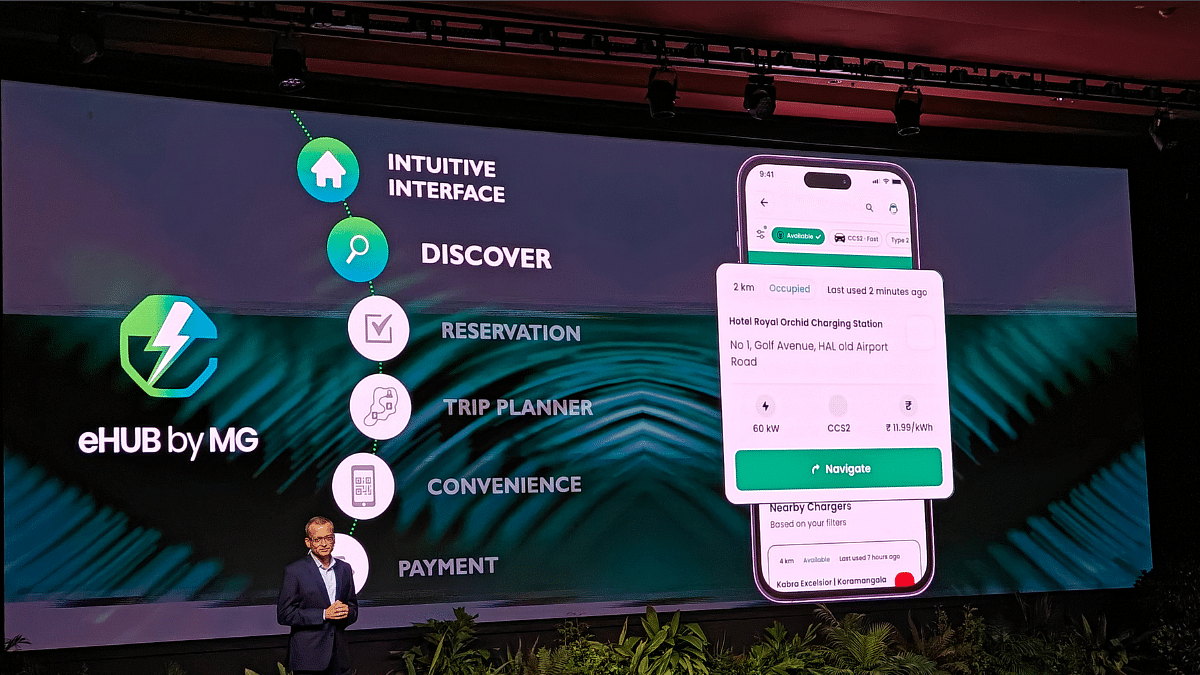
  • Dedicated eHUb by MG app for locating charging stations and more
  • Project REVIVE introudced for re-using worn out EV batteries
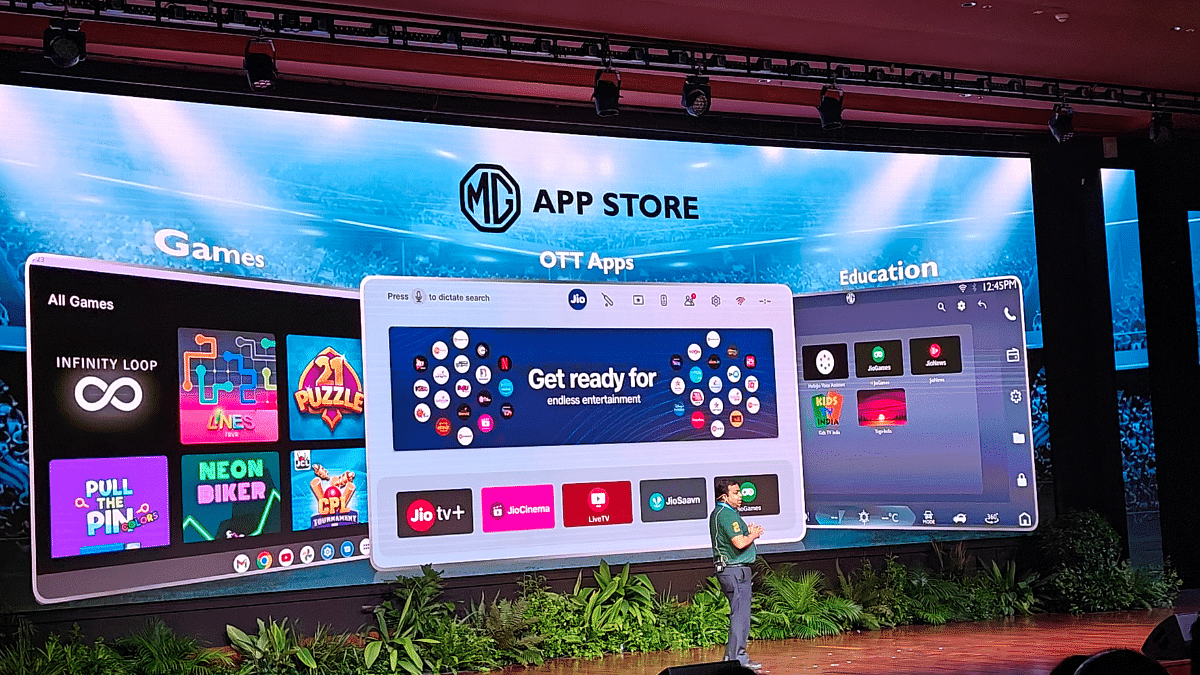
  • NG-Jio ICP announced for interactive gaming, learning, and entertainment

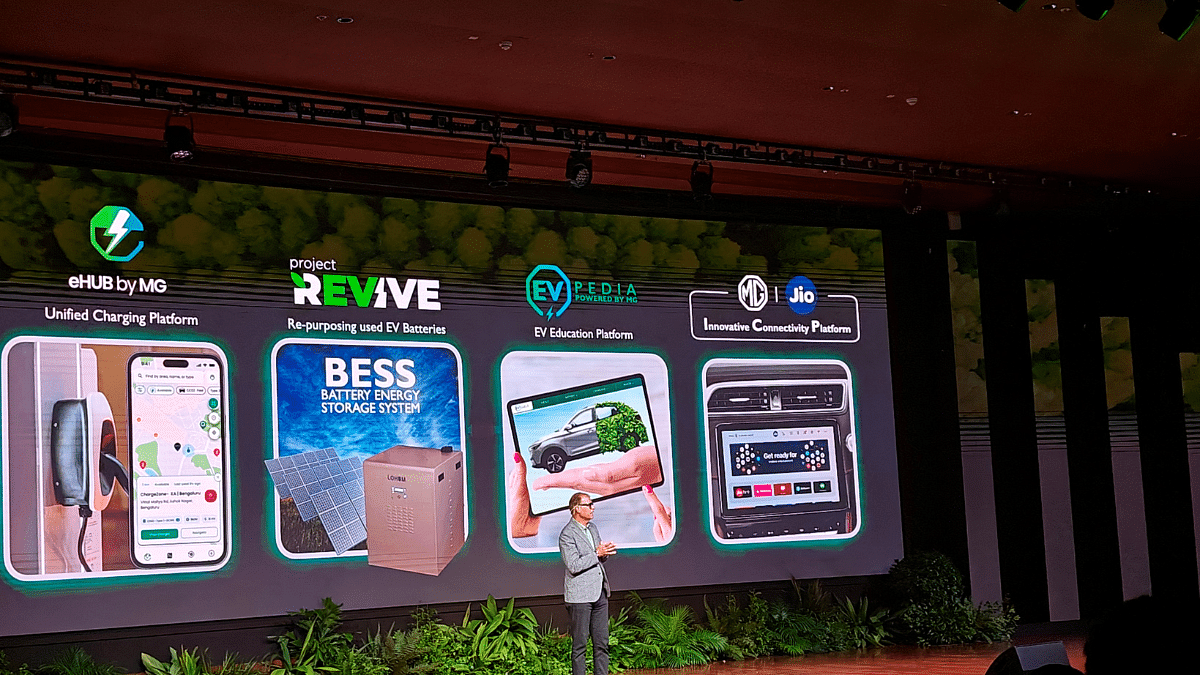
JSW MG Motor India is all set for its next EV venture in India with its first intelligent CUV (Crossover Utility Vehicle), the Windsor EV next month. Right ahead of it, the company introduced multiple new EV ecosystem at its DriEV.Bharat event held in New Delhi. The first-of-king initiative to boost the EV infrastructure in the country brings along a dedicated app for all EV charging concerns, a learning platform for EVs, a repurpose program for used EV batteries, and an interactive platform for games, learning, and entertainment. Here are the top highlights from today’s MG Motor India’s DriEV.Bharat event:

For the tech geeks, stay updated with the latest cutting-edge gadgets in the market, exclusive tech updates, gadget reviews, and more right on your phone’s screen. Join Giznext’s WhatsApp channel and receive the industry-first tech updates.

Also Read: MG Confirms Windsor EV Moniker For Its Upcoming CUV: All Details Inside

eHUB By MG App

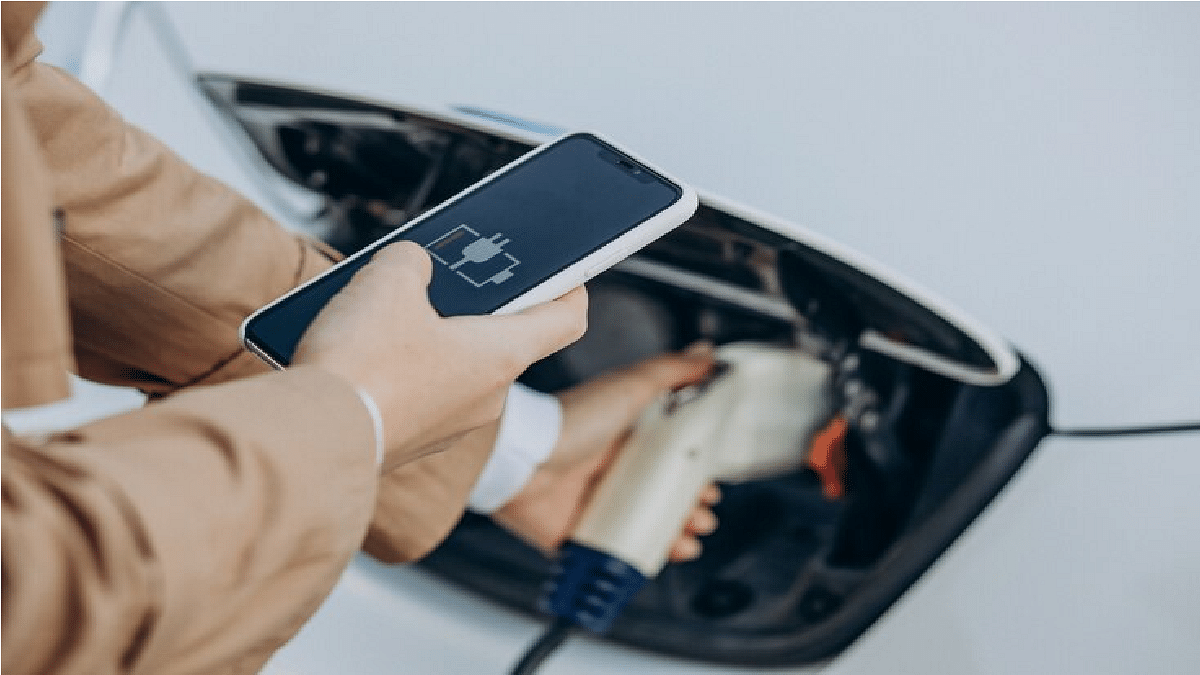
This is a dedicated mobile app introduced by MG Motor to address the common concern of owning an EV, i.e., charging and its infrastructure. The eHUB by MG will be serving as a one-stop solution for the consumers by provide crucial details such as locating a near by charging station.

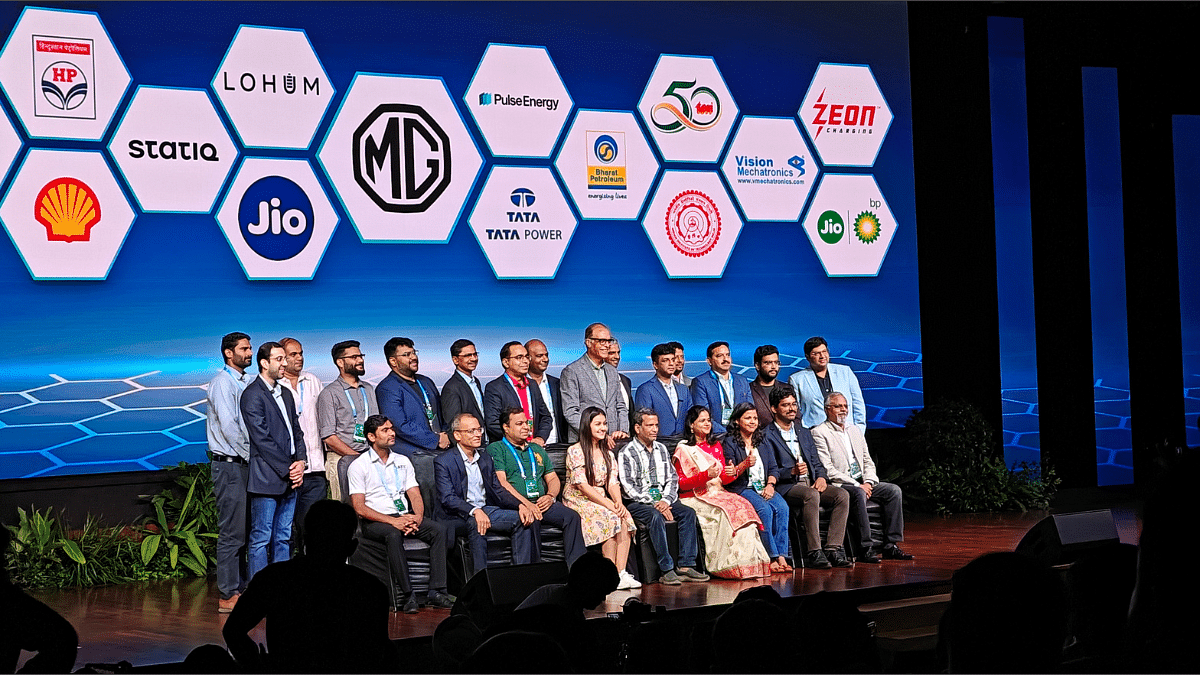
This app will also allow the customers to reserve any specific slot for charging at the desired stations which will help cut down on the wait time. MG Motor has teamed up with the major charging network provides such as Adani Total Energies Limited, BPCL, Chargezone, Glida, HPCL, Jio-BP, Shell, Statiq, Zeon, and more. The eHUB app is compatible with approx. 11 native languages for easy usage.

Also Read: EV Range Anxiety: How To Locate Nearest EV Charging Station Using Google Maps

Project REVIVE

This is one of the best initiatives from MG Motor which promotes the economical and greener mobility solution in the country. Project Revive is an initiative that comes in partnership with TERI and Lohum. The goal is to repurpose the used EV batteries as energy sources for schools and community centers.

The idea is to lower down the waste emission and offer reliable power source for the undeserved communities in the country. A pilot project is underway at a school in Mukteshwar, Uttrakhand, where the used EV batteries are keeping the lights on.

Also Read: Range Rover Sports EV Test Mule Spied First Time

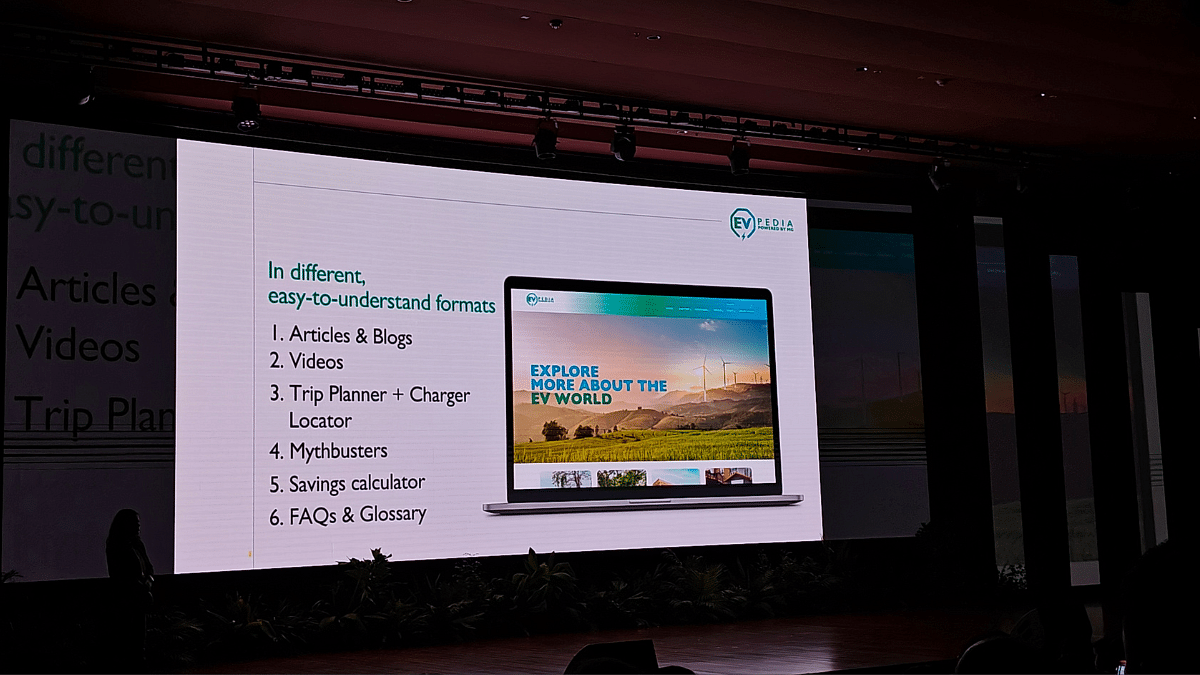
EVPEDIA Learning Platform

MG Motor India also introduced EVPEDIA at the DriEV.Bharat event today which essentially is a learning platform for electric vehicles. The platform is designed in a way that it is easily accessible to the customers and will offer all the knowledge-base one needs for EVS. With the EVPEDIA learning platform customers will be able to use practical tools that will help them with assessing the costs of EV ownership. With EVPEDIA, consumers will also be able to read various research papers, government policies, and more related to electric vehicles. This platform takes a step ahead with the integrated AI-powered chatbot called eVir. Users can get answers to different EV queries from this chatbot.

Also Read: EV Tips And Tricks: How To Get Maximum Range Delivery From Your EV On A Single Charge

MG-Jio Innovative Connectivity Platform (MG-Jio ICP)

The final initiative introduced at the event is the MG-Jio ICP (Innovative Connectivity Platform). This platform is a joint venture between MG Motor India and Jio which is designed to redefine the in-car experience for the customers. The MG-Jio ICP platform is primarily a hub for gaming, entertainment, and learning which users will get to access inside the car’s cabin. It also has voice command compatibility in six different Indian languages which again is one-of-a-kind move by an automotive giant in the EV sector.

Categories
Apps Featured How To

WhatsApp Advanced Privacy Hack: How To Share WhatsApp Profile Without Giving Out Your Mobile Number

Key Highlights

  • WhatsApp is the most advanced messaging app for Android and iOS devices
  • Sharing media files and locations is a provision
  • Enhanced privacy with end-to-end encryption makes it user favorite

WhatsApp is one the most advanced instant messaging application that has been launched for mobile devices. It is available widely for the masses globally using devices that run on Android or iOS ecosystems. Ever since Meta took WhatsApp’s control, we have seen a whole range of features being added to the messaging app. Not just simple texting, with WhatsApp you can even make secure voice and video calls both pf which are end to end encrypted just like the test messages providing a safer environment for personal and private conversations.

Meta has several stringent guidelines for WhatsApp to keep the user data private and safe. The end-to-end encryption for chats and its cloud server os one of the top safety features that you get on this platform. Previously, WhatsApp users couldn’t log into multiple devices with a single account as a part of added security. Likewise, multiple other security features have been introduced to safeguard user data on WhatsApp. However, the general functionality remains the same where you would need to share your personal mobile number to send or receive messages.

At times, you wouldn’t wish to share your contact details with strangers out of security concerns yet need to use WhatsApp messaging services. What can be done when you come across such scenario. Is there any way with which you can share only your WhatsApp profile and not your personal mobile number? The answer is yes and the steps for the same are mentioned below:

For the tech geeks, stay updated with the latest cutting-edge gadgets in the market, exclusive tech updates, gadget reviews, and more right on your phone’s screen. Join Giznext’s WhatsApp channel and receive the industry-first tech updates.

Also Read: Smart TV Storage Crisis? How To Get Additional Storage For Your Smart TV To Install Games, Apps

How To Share WhatsApp Profile For Messaging Without Sharing Mobile Number

Step 1: Open WhatsApp mobile application on your respective devices

Step 2: Tap on the three dots icon on the top left of the app’s homepage

Step 3: Select the Settings menu

Step 4: Now, tap on your profile option

Step 5: You’ll see a QR code option next to your profile. Tap on it.

Step 6: Click on Share to share your WhatsApp profile’s QR scanner.

Step 7: You can directly send your profile’s QR scanner to any contact.

The QR scan code that you will share with your contacts is private and doesn’t disclose any personal information such as mobile number.

Categories
Featured How To Mobile

Disturbed Sleep Cycle? How To Use Bedtime Mode On Your Smartphone For Improved Sleep Cycle

Key Highlights

  • Smart health features now available with smartphones and other modern digital gadgets
  • Mobiles can now be used for sleep cycle tracking
  • Optimizing sleep is possible with bedtime mode
  • Bedtime mode available for both Android and iOS devices

Our modern lifestyle has not just become fast-paced but also pretty hectic. Specifically, if you are a working individual, you would know how difficult it has now become for one to get a sound sleep. Shorter sleep cycles is one of the concerns that is consistently on a rise for individuals. Health professionals have been emphasizing how short sleep can lead to series of adverse health effects.

Thankfully, tech OEMs are now focusing on users health and are bringing in advanced features for measuring health metrics. This helps users to take necessary steps to improve their health by taking different measures for the same. And since, sleep cycle is one of the important aspects that needs to be addressed, smartphone OEMs have thrown in a feature that can help you track and optimize your daily sleep cycle.

A dedicated feature for the same called Bedtime mode can be accessed on the new-generation Android smartphones to keep a check on your sleep cycle. How can you access the bedtime mode on your smartphones for a better and improved sleep? The steps are listed below:

For the tech geeks, stay updated with the latest cutting-edge gadgets in the market, exclusive tech updates, gadget reviews, and more right on your phone’s screen. Join Giznext’s WhatsApp channel and receive the industry-first tech updates.

Also Read: Tech Guide: How To Connect Any OnePlus Smartphone With Apple MacBook

Steps To Enable Bedtime On Android For Improved Sleep Cycle.

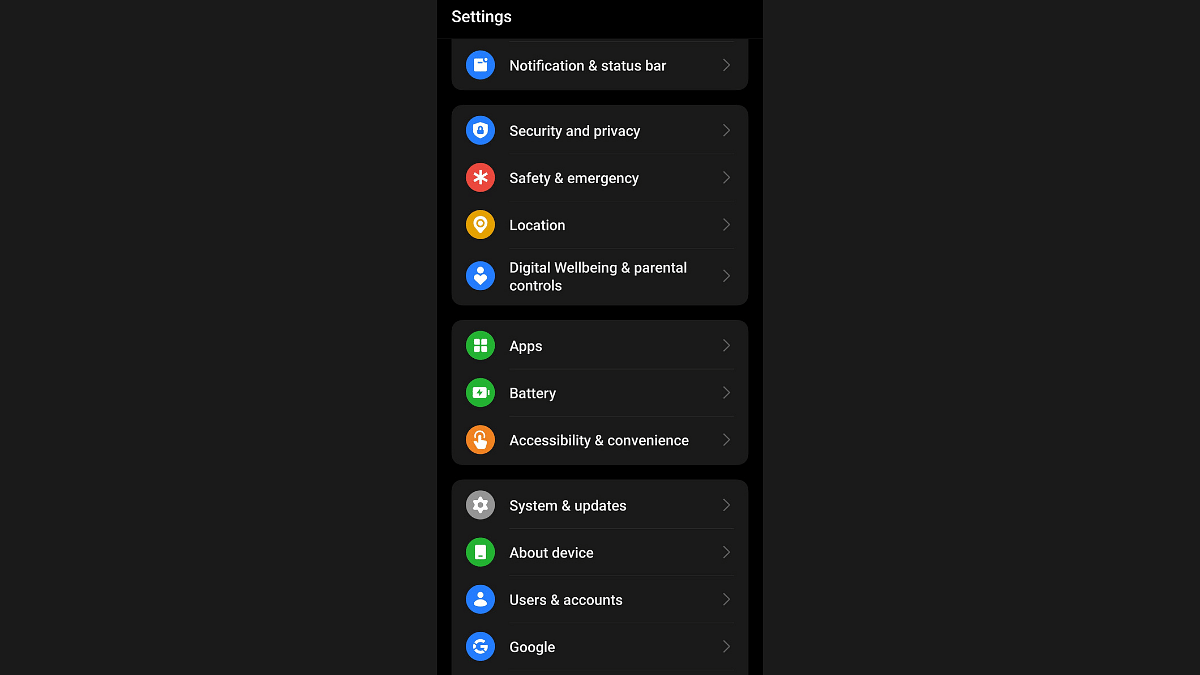
Step 1: Unlock your Android smartphone and visit the Settings menu.

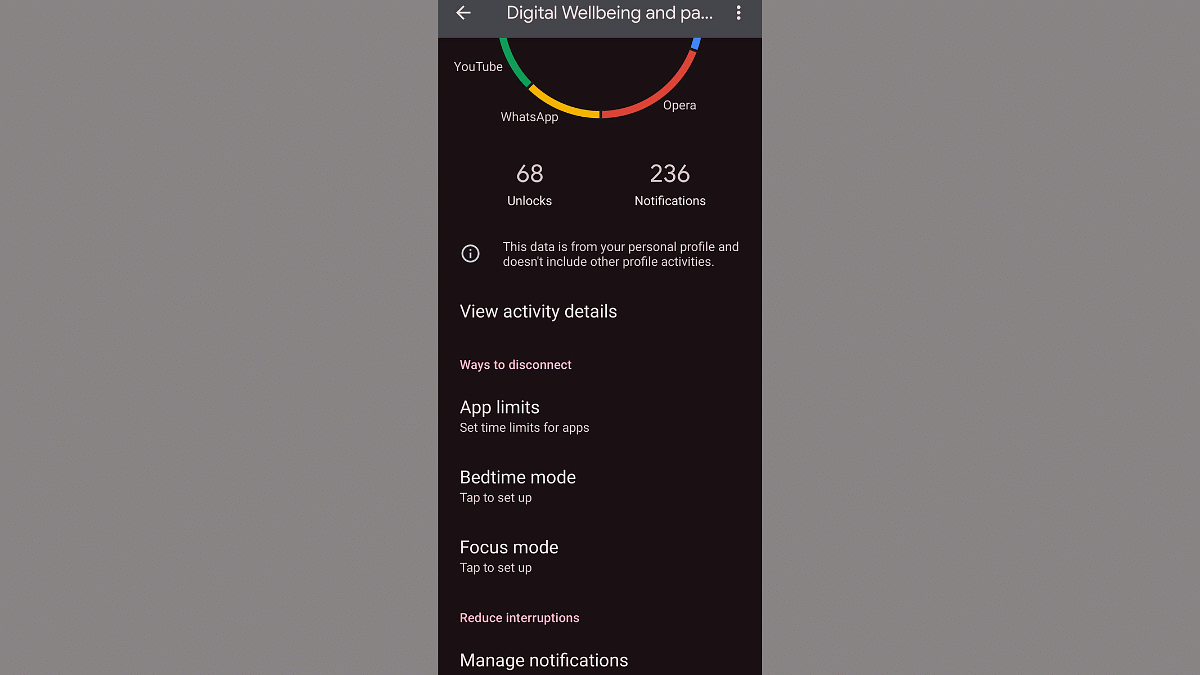
Step 2: Go to the Digital Wellbeing section.

Step 3: Scroll down to the Bedtime mode option and tap on it.

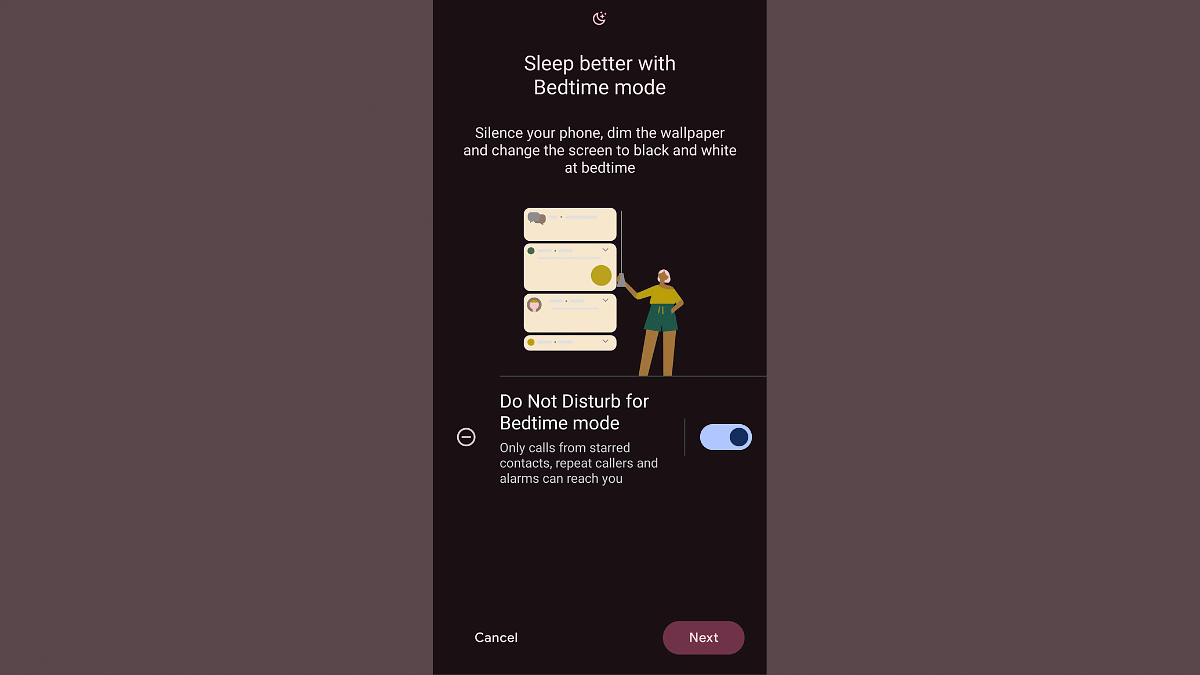
Step 4: Toggle on the ‘Do Not Disturb Bedtime mode’ option.

Step 5: Click on ‘Next’ to continue with the customizations.

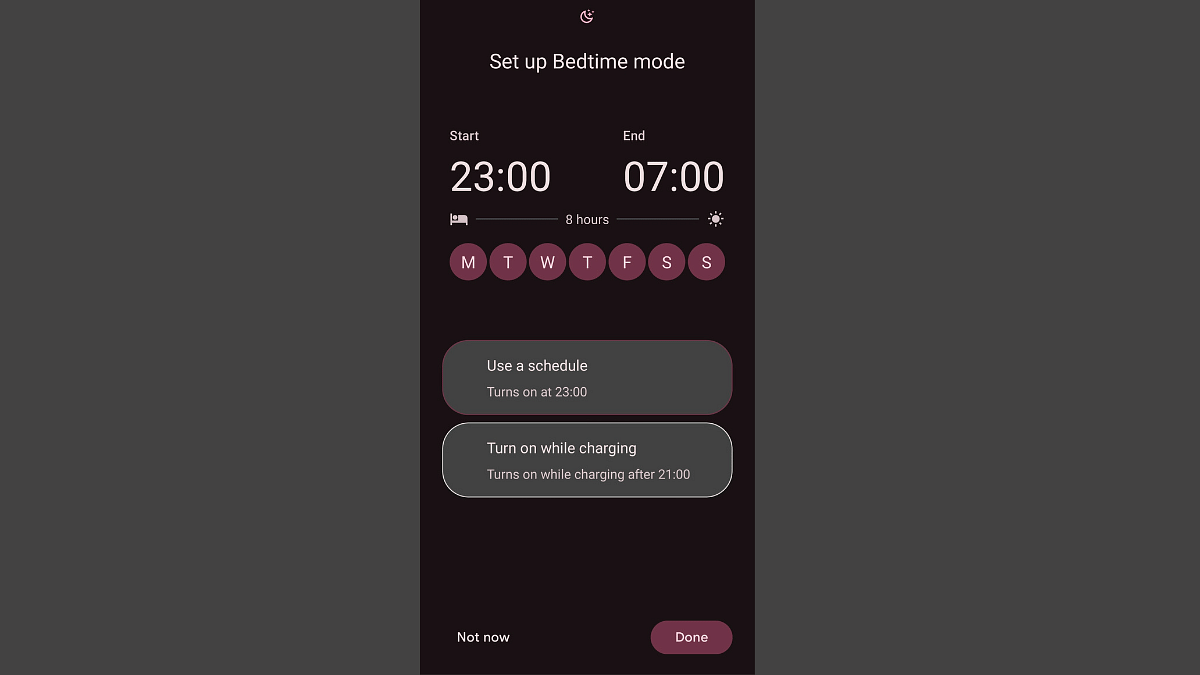
Step 6: You can either select the “Use a schedule” option where you can set in specific time for the bedtime mode’s activation.

Step 7: You can also opt for the “Turn in while charging” option where the bedtime mode will be activated once the device is plugged in after 9 PM in the night.

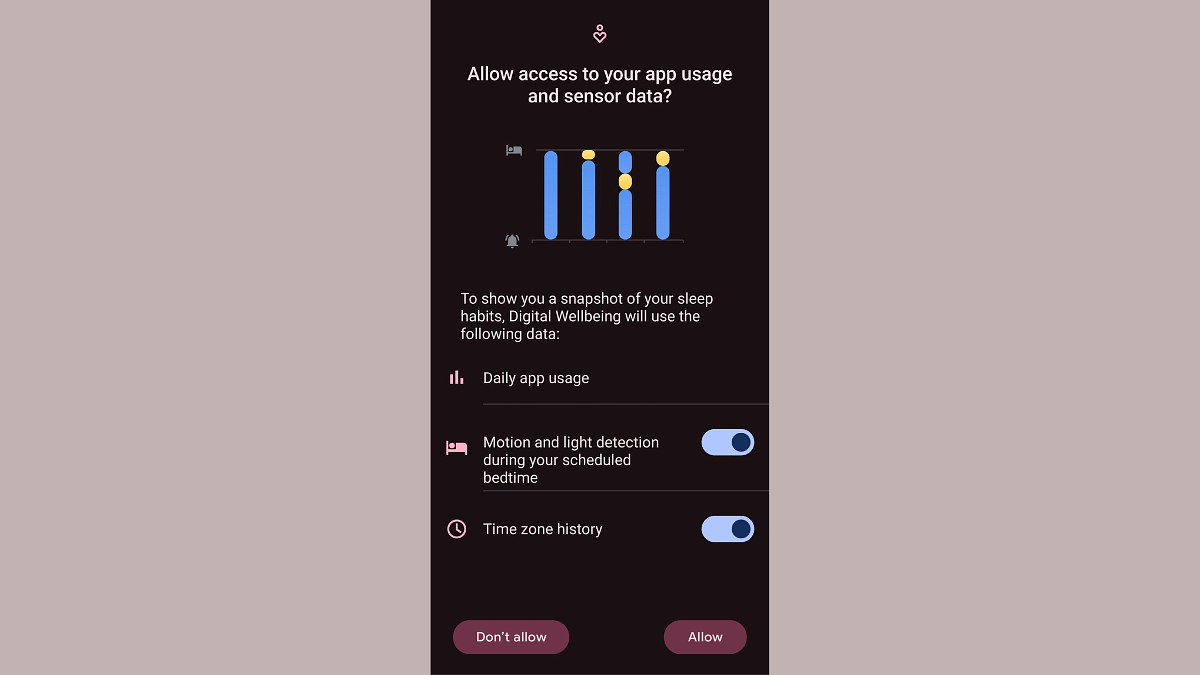
Step 8: Once this mode is activated, the app will keep a log of your sleep cycle, sleep quality which will further help you with sleep optimization.

Categories
Auto Tech Featured

Maruti Suzuki eVX Latest Test Mule With Production-Ready Parts Spied

Key Highlights

  • New Maruti Suzuki eVx test mule leaked
  • Spotted with production-ready body parts
  • Curved exteriors and dual LED DRLs spotted

Maruti Suzuki’s EV venture is all set to take shape with the eVX which will be the company’s first official electric SUV. Slated for a 2025 launch, the eVX electric SUV has been a subject to numerous leaks with the rumor mill snapping its tests mules frequently. Once again, the eVX’s test mule’s images have been leaked online which reveals the official production ready design of the upcoming electric SUV. How different is the Maruti Suzuki eVX when compared to the production-ready model? Let’s find out:

For the tech geeks, stay updated with the latest cutting-edge gadgets in the market, exclusive tech updates, gadget reviews, and more right on your phone’s screen. Join Giznext’s WhatsApp channel and receive the industry-first tech updates.

Also Read: Weekly EV News Wrap Up: Top Headlines From Electric Vehicle Industry

Maruti Suzuki eVX Test Mule With Production-Ready Body Parts Snapped

Maruti Suzuki eVX is one of the highly awaited mid-sized EVs in the Indian market. The upcoming electric SUV has been snapped recently wearing production-read body parts. While being covered in camouflage, the eVX’s test mule gives a distinctive look of the exteriors highlighting the production-ready body parts. Starting with its fascia, the Maruti eVX’s latest test mule is seen with a dual LED DRL along with projector headlamps. This is one of the unique design approaches that Maruti has opted for the eVX.

Besides, the test mule has been snapped with an all-curvy stance which looks classic yet premium. Since it’s an EV, the aerodynamic design approach is also evident with the test mule which will help with the improved range dynamics overall. The snapshots of the latest Maruti eVX test mule further reveals ORVM mounted turn indicators and polygonal wheel arches.

The side profile of the upcoming e-SUV is further seen sporting convention door handles on the front, while the rear doors gets C-pillar mounted door handles. A roof spoiler is added on the rear panel and also a rear wiper and washer is spotted with the test mule. The rumor mill indicates the eVX will come with large boot space, however, the capacity is not specified at this point.

Maruti eVX Other Key Features

While the interiors are not snapped with this test mule, the eVX is said to be loaded with modern cabin amenities such as a large infotainment screen with touchscreen, Android Auto, and Apple CarPlay compatibility along with automatic climatic control, and ventilated seats upfront. For safety, the eVX will come with a 360° surround camera system and Level 2 ADAS.

The eVX is said to be developed on the Born-electric platform and could come with both single motor FWD (front wheel drive) and dual motor AWD (All wheel drive) setup. There could be a 60 kWh battery pack driving the eVX that could offer over 500 km range per charge.

Categories
Auto Tech Featured How To

Android Auto Tips And Tricks: How To Fix Voice Commands Not Working Issue With Android Auto

Key Highlights

  • Android Auto allows voice controls for hands free usage
  • Resetting voice command feature is one of the fixes
  • Volume issues can be resoled with quick troubleshooting

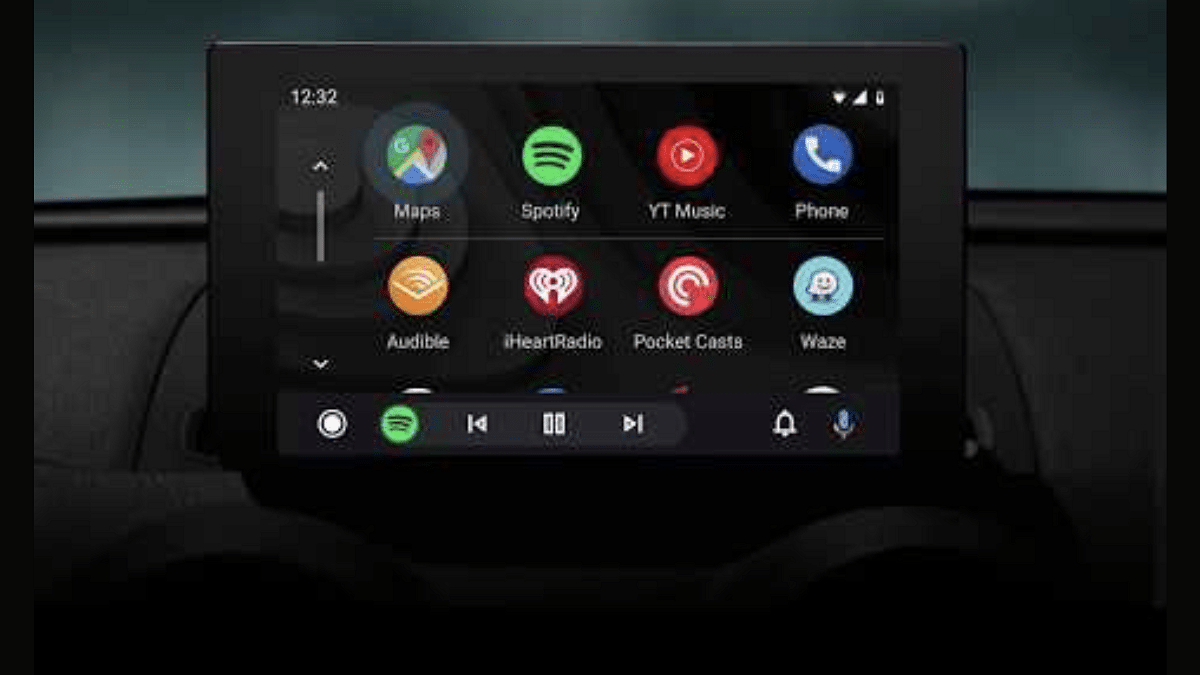
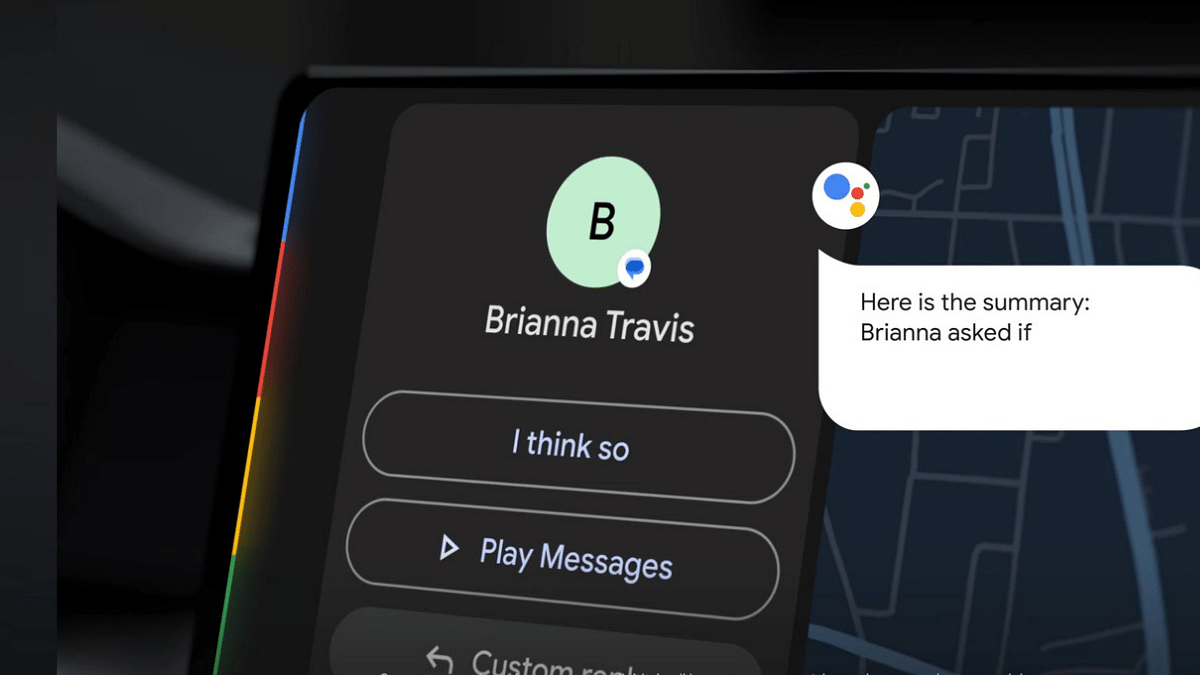
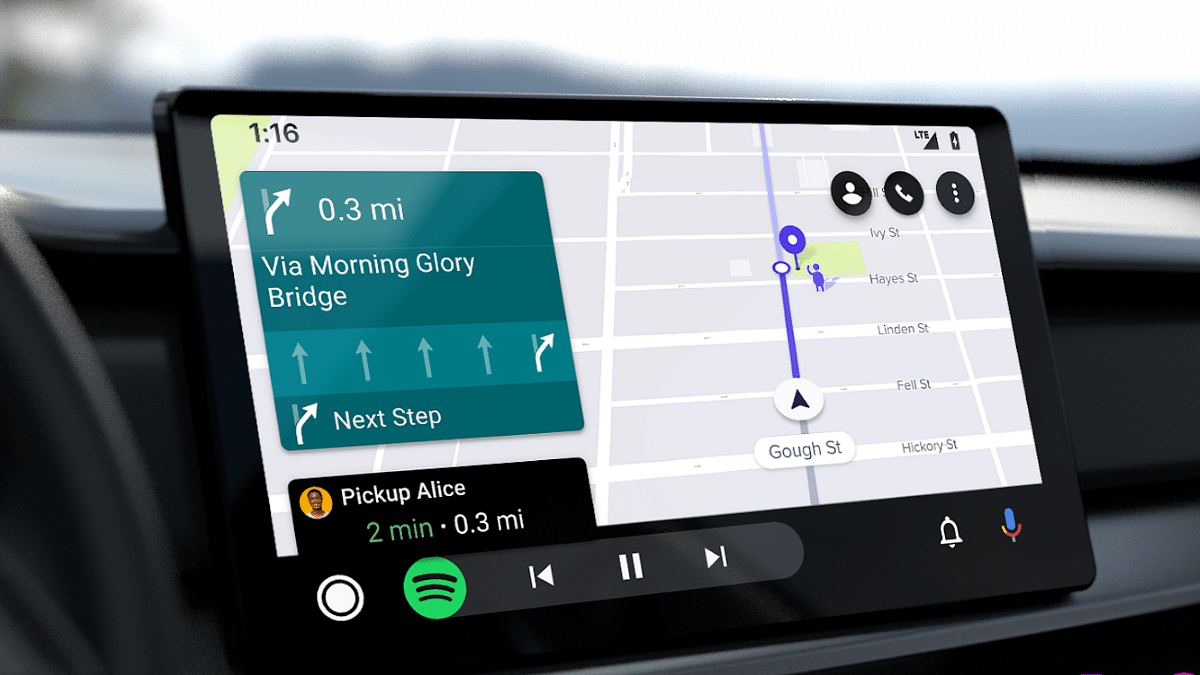
Google has also created a vast ecosystem for the consumers to use a variety of mobile services. Besides smartphones, Google has developed an entire operating system, i.e., Android to drive smartphones, tablets, and smart TVs. But the search giant hasn’t stopped expanding its wings and had also introduced a dedicated suite for four wheelers called Android Auto. Google Android Auto is a direct answer to Apple CarPlay providing a whole ecosystem of mobile apps such as multimedia, navigation, and instant messaging.

Wireless and hands free usage is one of the best experiences provided by Android Auto. You can give direct voice commands to start navigations, make or receive calls, and also music playback. All you need to do is summon the Google Assistant by giving the standard voice commands such as “Ok Google” or “Hey Google” followed by the task that you need the Android Auto to perform.

Using Google Assistant for different tasks allows for a premium user experience while driving any four wheelerhe . However, there could be times when the voice assistant system might not work smoothly on your Android Auto-enabled car’s infotainment system. This could be due to a random bug or any another issue. If you also have come across issues with the digital voice assistant system of your car’s Android Auto, then the quick fix is mentioned below:

For the tech geeks, stay updated with the latest cutting-edge gadgets in the market, exclusive tech updates, gadget reviews, and more right on your phone’s screen. Join Giznext’s WhatsApp channel and receive the industry-first tech updates.

Also Read: Android Auto Waze Navigation: What Is It? How To Use?

Steps To Fix Issues With Android Auto Voice Assistant Feature

Step 1: Turn on your car’s infotainment system

Step 2: Press and hold the voice command key on the car’s steering wheel and give “Ok Google” or “Hey Google” voice command. You can also use the microphone key on the car’s infotainment screen.

Step 3: Ensure that you hear the beep tone before giving the “Ok Google” voice command. This is when you are using the button on the steering wheel for the voice command setup.

Step 4: Exit from Android Auto and restart if the beep audio isn’t there despite long pressing the key on the steering wheel.

Step 5: Make sure there is least background noise when you are giving the voice command or are setting it up.

Step 6: If this is an aftermarket speaker that you are using then you need to get the microphone checked.

These are some general fixes that could help you with the ongoing issues affecting the voice commands feature on you Android Auto backed car.

Categories
Featured How To TV

Smart TV Storage Crisis? How To Get Additional Storage For Your Smart TV To Install Games, Apps

Key Highlights

  • Smart TVs now come with built-in storage space
  • From 8 GB to 16GB, various storage options available
  • Onboard storage helps with downloading and installing third party apps
  • Freeing up storage is required for downloading new apps

Smart TVs is the modern take on big screen entertainment. Over the years, we have witnessed a rapid evolution in the TV market with the OEMs opting for newer panels and technologies that helps with delivering a home-theater like viewing experience right from the comfort of your homes. We have been sharing various tips and tricks that help you get the best performance out of your smart TV. In one of recent articles, we mentioned the ways with which you can improve the speeds and overall performance of any new-age smart TV.

And since we are speaking of the storage capabilities, we would like to guide you with the methods that will allow you to get additional storage space for on your TV. Why is it required? Well, the extra storage on your smart TV helps with making up space for more apps and games. Also, the less the memory of the smart TV is clogged, the better is its performance with app loading and streaming videos at online platforms. But what are the ways that can help you with getting extra storage for your smart TVs? The steps are listed below, take a look:

Also Read: Smart TV Speeds Getting Slow: Steps To Clear Cache For Lag-Free Usage

Get Additional Space By Removing Unwanted Apps Or Games

Step 1: Power on your smart TV

Step 2: Head to the Home Screen

Step 3: Go to the Settings option (gear icon)

Step 4: Scroll down to the Device option and click on it

Step 5: Select the Apps category

Step 6: Now, tap on the ‘Downloaded’ option. You will see the list of apps that have been downloaded on your smart TV.

Step 7: Tap on the app that you wish to uninstall.

Step 8: Click Uninstall

Step 9: Tap on OK.

After the uninstallation is complete and the app is removed, you will see free up space on your TV.

Also Read: Top 55-Inch Smart TVs For A Thrilling Sports Viewing Experience In 2024: Options Under Rs. 40,000

Get Extra Space On Your Smart TV Using Compatible External USB Drives

Using external hard drives and portable drives, you can add up extra space on your smart TV. You can use these external drives to store various files of different formats specifically multimedia files that can be played using the TV’s media player.

Step 1: Power on your smart TV once again

Step 2: Locate the USB ports on your TV

Step 3: Hook up a USB drive

Step 4: Ensure the drive being connected is formatted to NTFS or FAT formats

Step 5: Once connected, you will be able to transfer or access different media files on your TV

It is worth mentioning that with the external drives, you won’t be able to store the apps or games that have been downloaded using the Play Store. Instead, you only get to store files externally for a later use.

Categories
Auto Tech Featured

Weekly EV News Wrap Up: Top Headlines From Electric Vehicle Industry

Key Highlights

  • EV brands have announced plans for new launches
  • Freedom Day sale deal announced for Oben Rorr electric motorcycle
  • Test mules of upcoming EVs spotted

We will be officially stepping into the week 32 of 2024 and this week too (Week 31) has been pretty hectic for the EV industry. Some major announcements have been made by the prominent brands, while the rumor mill has also shared insight into the upcoming models including the Range Rover Sport electric which will be most luxurious and premium electric SUVs in the country. This is yet another weekly news wrap up of the top headlines from the EV market. Let’s take a look:

For the tech geeks, stay updated with the latest cutting-edge gadgets in the market, exclusive tech updates, gadget reviews, and more right on your phone’s screen. Join Giznext’s WhatsApp channel and receive the industry-first tech updates.

Also Read: BMW CE 04 E-Scooter Makes A Grand Entry In India: Its Expensive Than Punch.EV

GNSS-Based Toll Collection System Gets Approval: Trials Begin

Nitin Gadkari, Union Road Transport and Highway minister India announced the new toll collection system for Indian highways. The GNSS-based toll system has finally been made active in the country with the test runs being conducted at certain sections of the national highways. GNSS which stands for Global Navigation Satellite System will use satellite-based services for toll deductions from a users account. This new toll system will be replacing FASTag in the coming years effectively curbing down traffic congestions at toll plazas across the country.

Also Read: EV Range Anxiety: How To Locate Nearest EV Charging Station Using Google Maps

MG Windsor CUV Model Name Officially Announced

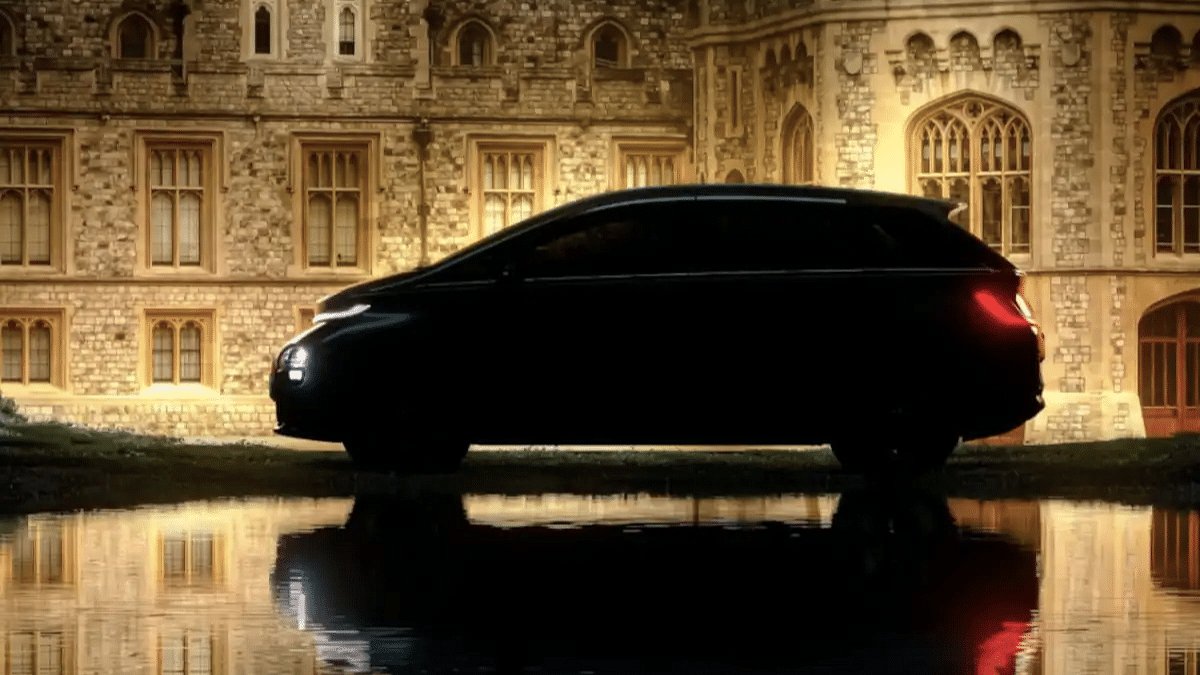
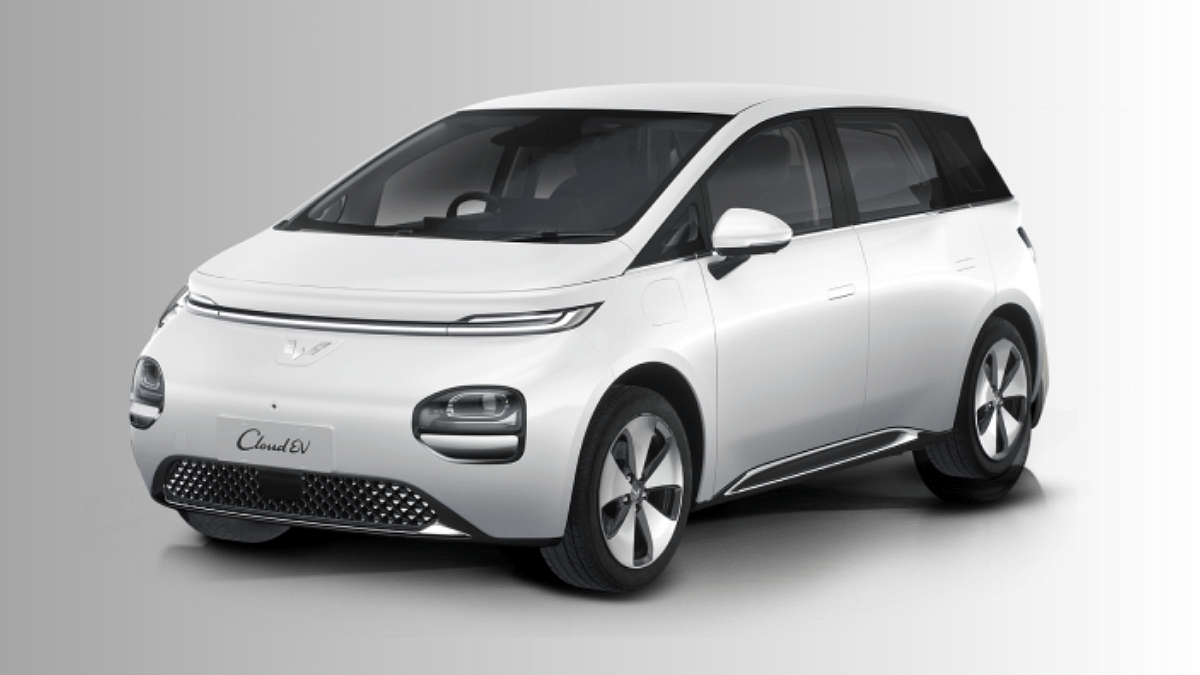
JSW MG Motor India will be launching a new EV in India soon. The joint venture is gearing up for the launch of the the India’s first ever Crossover Electric Utility Vehicle (CUV) which was tipped to be called as the Cloud EV. However, the company recently shared a cryptic teaser followed by an official confirmation revealing the Windsor EV name for its new electric CUV. The Windsor EV name is inspired from the Windsor Castle.MG Motor India will likely schedule the upcoming EV’s launch sometime in September this year with a price range starting under Rs. 20 lakh.

Also Read: Nissan Ariya EV Coming To India: New Premium E-SUV?

Oben Rorr Electric Motorcycle Freedom Offer Sale

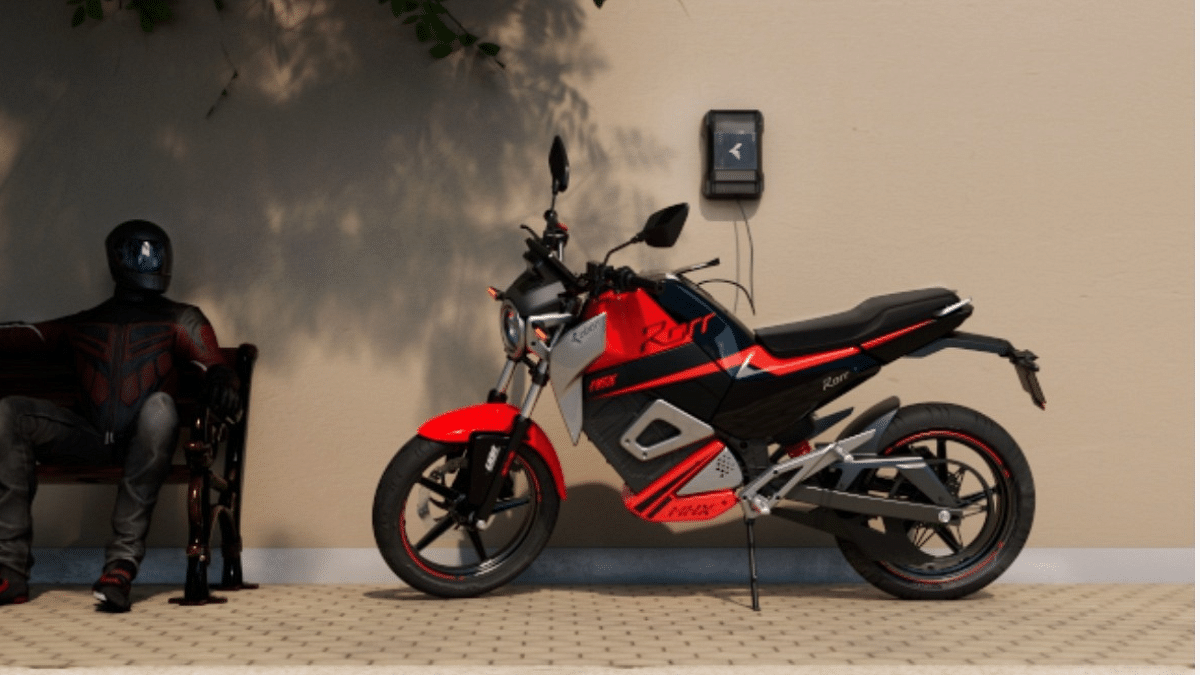
Oben Electric has made its e-motorcycle Rorr more affordable with fresh discounts. The company has announced Freedom Offer on the Rorr electric motorcycle as part of the Independence Day celebrations. The limited period sale on the Rorr electric motorcycle makes it cheaper by Rs. 25,000. With the new offer, the Oben Rorr electric motorcycle can be purchased at Rs. 1.24 lakh (ex showroom) instead of Rs. 1.41 lakh (ex showroom) retailing price. The discount on the Oben Rorr electric motorcycle is up for grabs till August 15, 2024 only post which the prices will be revised to original.

Also Read: Tata Curvv EV Real-Life Images Hits The Web: Take A Sneak Peek

Mahindra XUV.e8, XUV.e9 Spied Up Close

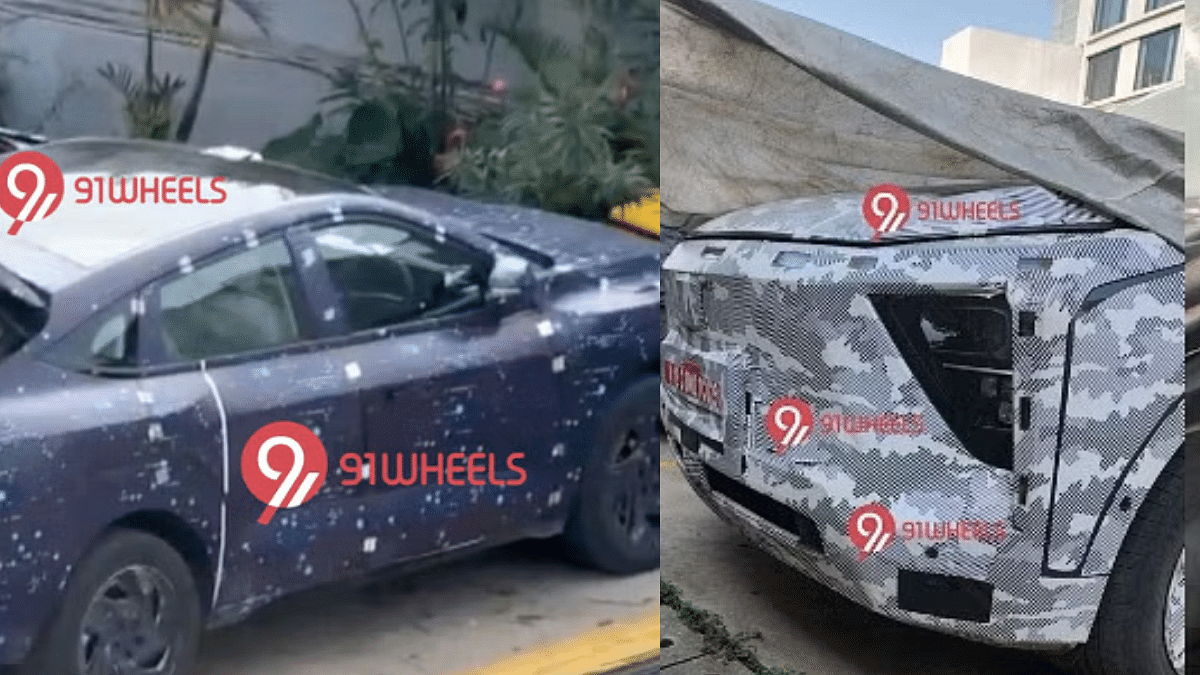
Mahindra’s upcoming electric SUV fleet comprising the XUV.e8 and the XUV.e9 have been stopping by constantly at the rumor mill. Both these electric SUVs have been snapped up close recently. Though heavily camouflaged, the close up spy shots of both XUV.e8 and the XUV.e9 models gives a decent glimpse of the exteriors as well as the interiors.

The outer design of XUV.e8 and the XUV.e9 falls in line with the test mules that were snapped earlier. It’s the interiors that have been disclosed for the first time with a production-ready test mule. The XUV.e9’s cabin is seen with a two-spoke steering wheel along with a dual connected display for infotainment as well driver. The interiors were also snapped with a rotary dial mounted at the centre console alongside the auto-hold feature. Likewise, the XUV.e8’s cabin is also seen sporting a new two-spoke steering wheel along with an updated infotainment and driver display.

Also Read: EV Range Anxiety In Summers: Tips To Improve Electric Car/ Scooter Battery Performance

Range Rover Sports EV Spotted Testing For The First Time

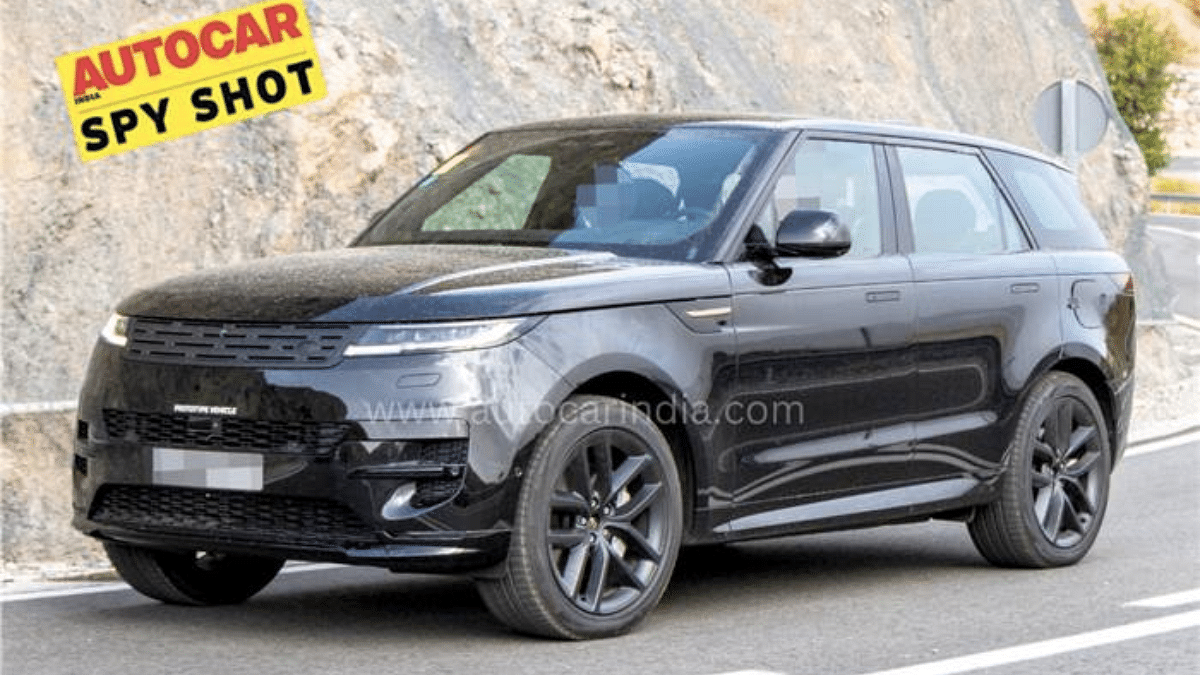
Range Rover Sport EV is another high-end luxury e-SUV which is set to break its cover in India. The upcoming electric SUV has ben spied for the first time being tested on the Indian roads. The first ever test mule of the Range Rover Sport electric is seen wearing the same design as the ICE model with minimum changes highlighting the EV-specific elements such as the closed-off front grille, etc. The Range Rover Sport electric’s test mule was also snapped with a missing exhaust at the rear which again confirms the EV-specific design elements.

Categories
Auto Tech Featured

MG Confirms Windsor EV Moniker For Its Upcoming CUV: All Details Inside

Key Highlights

  • JSW MG Motor officially announces new moniker for Cloud EV in India
  • Will be called Windsor EV as hinted by recent teaser
  • To be first CUV from JSW MG Motor in India
  • Might come with a sub Rs. 20 lakh starting price range

JSW MG Motor partnership is all set for its new EV venture where the collaborations aims to bring a new car in every six months in the country. The company has been teasing its upcoming electric vehicle in India with the most recent teaser hinting at a new name for its first CUV (Crossover Utility Vehicle) Cloud EV. Resting all the rumors, MG Motors has officially announced the new name for its upcoming EV just ahead of its official launch. All details below:

For the tech geeks, stay updated with the latest cutting-edge gadgets in the market, exclusive tech updates, gadget reviews, and more right on your phone’s screen. Join Giznext’s WhatsApp channel and receive the industry-first tech updates.

Also Read: Tata Curvv EV Real-Life Images Hits The Web: Take A Sneak Peek

MG Windsor EV Model Name Officially Announced

As mentioned above, JSW MG Motor India has finally confirmed the name for its first CUV in India. The company has revealed the upcoming electric CUV (Crossover Utility Vehicle) will be called as Windsor EV in the country.

The latest official teaser post shared by MG Motor India on microblogging website X further reveals the upcoming Windsor EV is inspired by the Windsor Castle, which is the emblem of a royal heritage and also an is an architectural marvel on its own.

Also Read: Range Rover Sports EV Test Mule Spied First Time

MG Windsor EV Launch Date, Expected Price Range

MG Motor has not currently detailed the official launch date for the new e-CUV in the Indian market. But as per the available information, the brand is planning for its official launch sometime in September this year. There have been several reports that also hints at the expected price range of the Windsor EV which could be starting below Rs. 20 lakh. It is also indicated that the Windsor EV will be positioned below the outgoing ZS EV model.