Categories
Featured How To Mobile

Turn On Emergency SOS Feature On Android Phone: Here’s How

Key Highlights

  • Setting up Emergency SOS can be a lifesaver
  • You can add an emergency contact or personal contact number
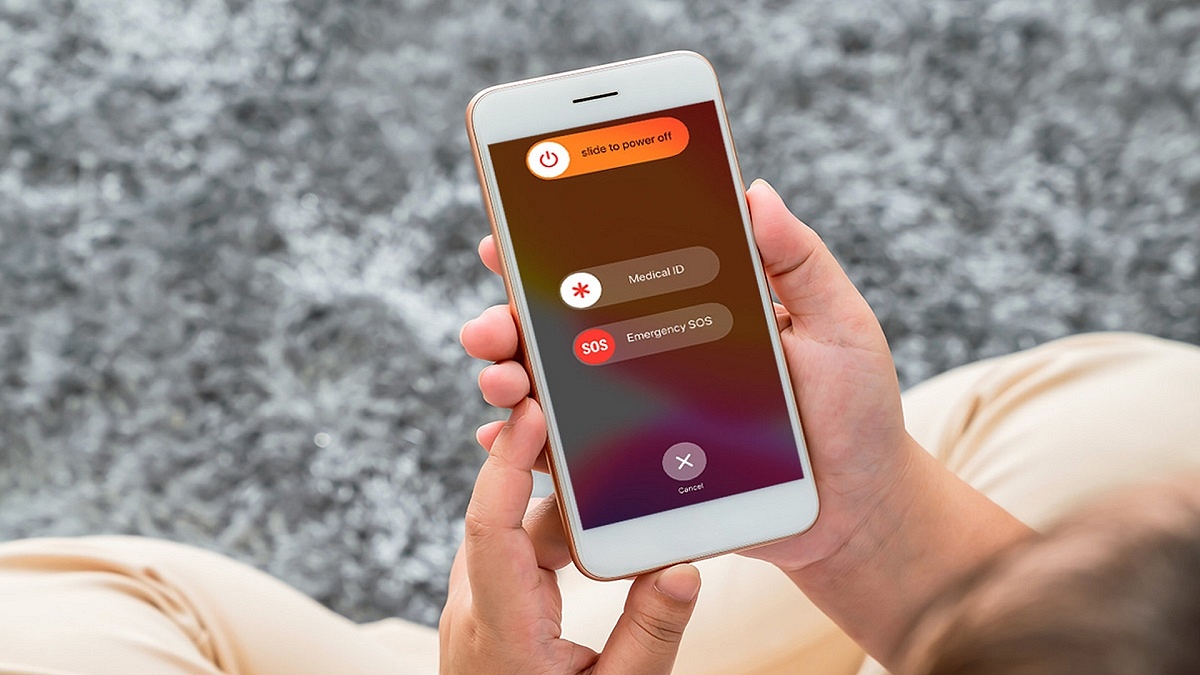
  • To activate the Emergency SOS feature, press the power button five times

Regardless of its brand or model, your phone is likely to have an emergency SOS option built in. Although you hope you never need it, you should be aware of it just in case.

It only takes a few minutes to set up emergency SOS features but they could save your life. Quickly press the power button five times to dial your emergency contact number after enabling Emergency SOS. This can be changed to a personal contact or set to your local emergency number. The emergency number is 112 in India. It’s one of the most crucial things you can do when configuring a new Android phone.

Having a personal emergency number is beneficial since it alerts your known contacts and enables them to take immediate action. This article will show you how to easily set up the Emergency SOS feature and add emergency contacts to your Android phone. Let’s check it out:

How To Set Up Emergency SOS On Your Android Phone?

Step 1: On your Android phone, go to Settings and select “Safety & emergencies.”

Step 2: Now, turn on “Emergency SOS.”

Step 3: After that, toggle on “Emergency SOS.”

Each phone has a different way of doing this. Both Pixel and stock Android phones will have the aforementioned options. Simply type “SOS” or “Emergency” into the search field to access the feature if you can’t find these alternatives.

Step 4: Once you do this, return to the “Safety & emergency” screen and click on “Emergency contacts.”

Step 5: Tap “Add Contact” and select an emergency number that you wish to add.

As said above, the procedure may be slightly different for you depending on the device you are using. But with Android-based devices, it’s largely the same. The Emergency SOS feature will be active and properly configured once you complete all the stages.

Categories
Featured Info Mobile

Samsung Galaxy A04, Galaxy A04e, Galaxy M23 5G India launch Soon: All Details

Key Highlights

  • Three new smartphones will be released by Samsung in India soon
  • One of these is an M-series smartphone, while the other two are A-series model
  • Samsung has already released these phones in select global markets

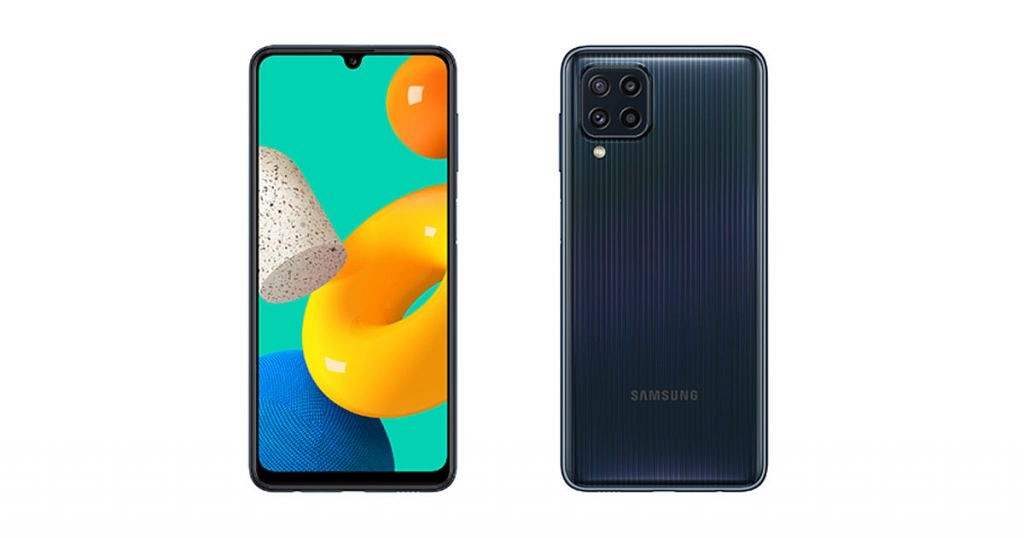
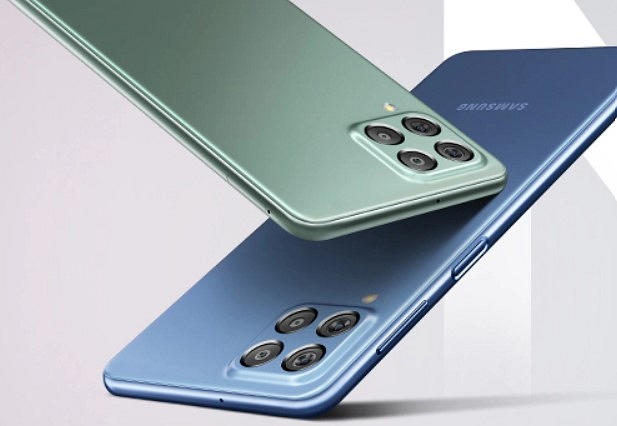
The Samsung Galaxy A04, Galaxy A04e, and Galaxy M23 5G are expected to arrive in India soon. The three smartphones have reportedly been discovered on Samsung’s support page with the model numbers SM-M236B/DS, SM-A045F/DS, and SM-A042F/DS, according to tipster Sudhanshu Ambhore.

However, these support pages don’t provide many details about the upcoming smartphone. The South Korean company recently introduced three smartphones — the Samsung Galaxy M23 5G, Galaxy A04, and Galaxy A04e — in some markets around the globe. The company is now getting ready to introduce these devices in India.

Samsung Galaxy A04 (Specifications)

The Samsung Galaxy A04 has a 6.5-inch HD+ LCD screen. The Samsung Exynos 850 SoC, along with 8GB of RAM and 128GB of storage, powers the smartphone. One UI 4.1, which is based on Android 12, is preinstalled on the device. The device boasts a 50MP + 2MP camera system on the back and a 5MP selfie camera, according to the specifications for cameras. It has a 5,000mAh battery inside.

Samsung Galaxy A04e (Specifications)

A 6.5-inch HD+ LCD screen will be available on the Samsung Galaxy A04e. The MediaTek Helio G35 SoC, which runs Android 12 and OneUI 4.1 out of the box, powers the smartphone. The device sports a front-facing 5MP camera and a rear 13MP + 2MP depth sensor for optics. A 5,000mAh battery with support for 10W charging powers the upcoming smartphone.

Samsung Galaxy M23 5G (Specifications)

The Samsung Galaxy M23 5G will come with a 6.6-inch LCD HD+ display along with a screen refresh rate of 120Hz. The Qualcomm Snapdragon 750G SoC, which powers it, comes pre-installed with One UI 4.1, which is based on Android 12. It has an 8MP selfie camera in addition to a 50MP + 8MP ultrawide angle + 2MP macro lens on the back. A 5,000mAh battery with 25W fast charging support powers it.

Categories
Accessories Featured

Nothing Ear (Stick) Competitions: Best Alternatives To Consider Under Budget

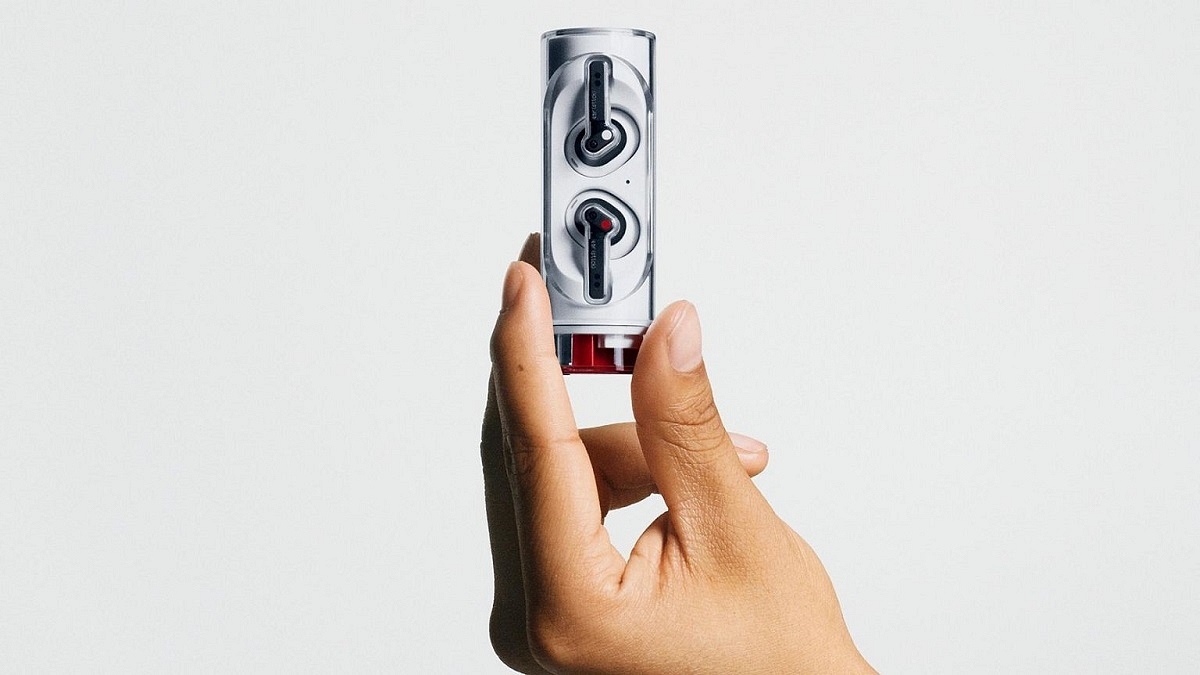
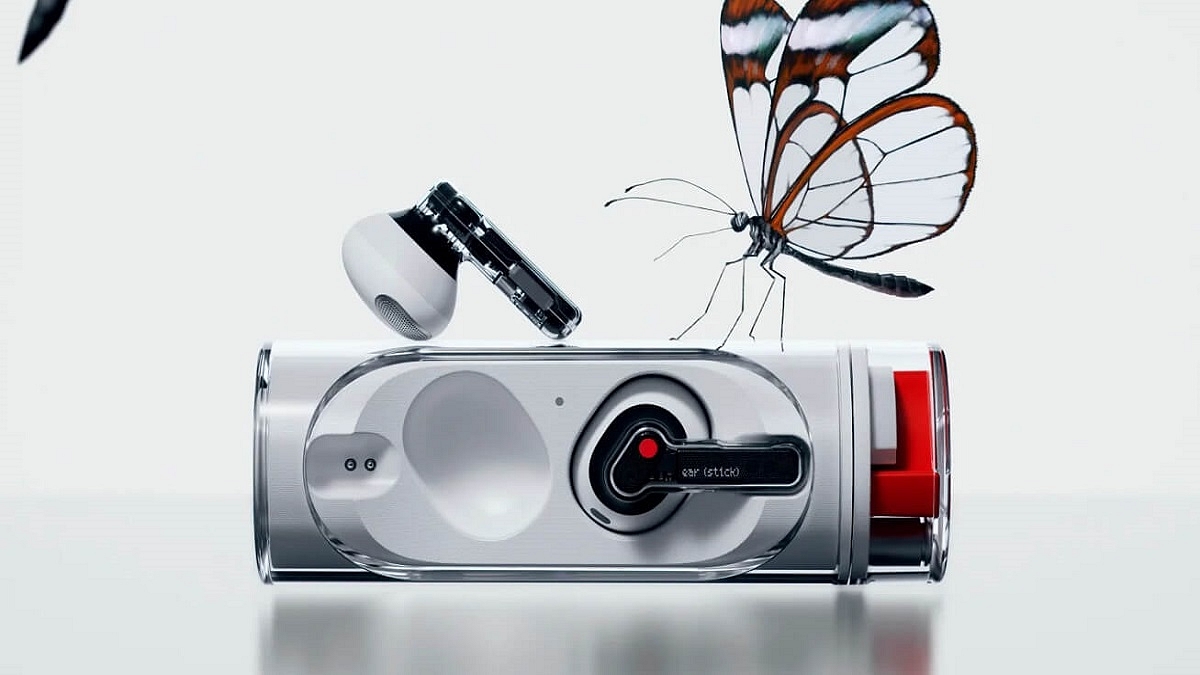
The Nothing Ear (Stick) TWS earbuds are now official and cost Rs. 8,499. It comes in a distinctive twist-to-open see-through housing, keeping with Nothing’s transparent design philosophy. A single charge of the Nothing Ear (Stick) can provide up to seven hours of audio playback and up to three hours of talk time. The audio is powered by 12.6mm dynamic speakers. Beginning November 4, the new earbuds will be available for purchase.

If you were waiting for the Nothing Ear (stick) and there may have been a number of factors that prevented you from purchasing it, here are some of the options that you can check out within a similar price range:

OnePlus Buds Pro

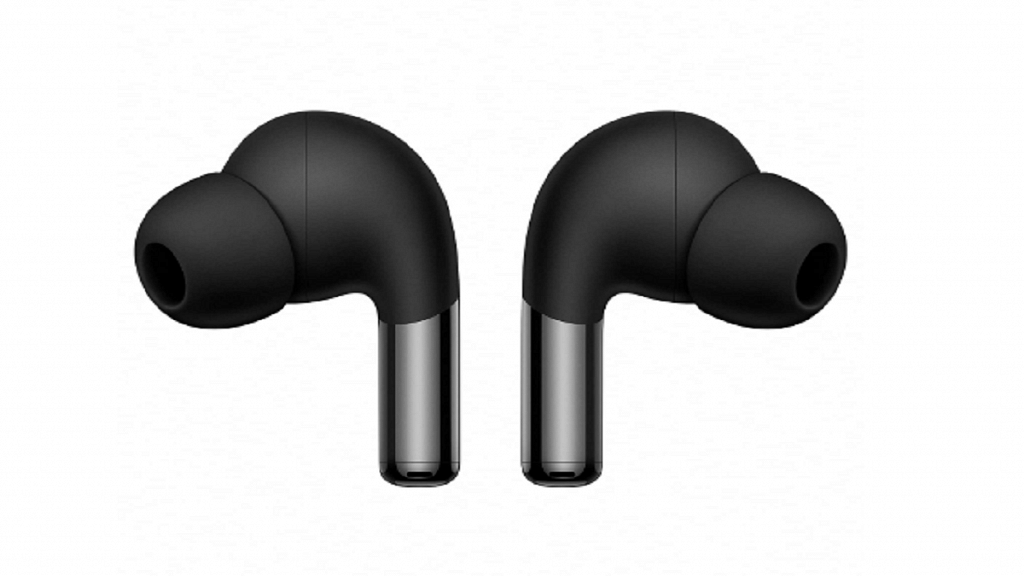
With its adaptive noise cancellation, the OnePlus Buds Pro can block up to 40dB of background noise. Three microphones are set up to enable ANC when calling. The Audio is handled by 11mm dynamic drivers. The wireless connection is handled via Bluetooth 5.2. The OnePlus Buds Pro was launched at a higher price but is currently available for a discounted price of Rs. 7,990 on Amazon India.

Pros

  • Comfortable, all-day wear design
  • Powerful ANC
  • Solid battery backup

Cons

  • The case’s hinge mechanism feels loose
  • It doesn’t support Google Fast Pair

Samsung Galaxy Buds 2

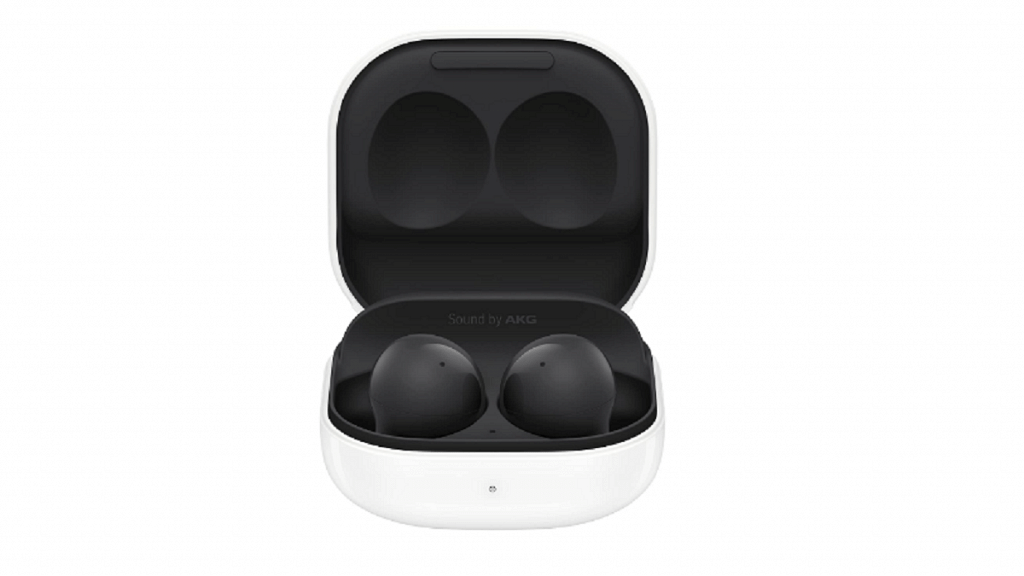
The Samsung Galaxy Buds 2 provide great connectivity capabilities with Samsung devices, ANC, a stem-less design, and two color options. The case in which the earbuds charge packs a 472mAh battery. The audio is tuned by AKG. The two drivers in each earbud are an 11mm woofer and a 6.5mm tweeter. Currently, the Samsung Galaxy Buds 2 are available for under Rs. 7,574 on Amazon India.

Pros

  • Decent active noise canceling
  • Qi wireless charging support
  • Transparency Mode

Cons

  • No iOS integration
  • No auto-pause when removing earbuds

Jabra Elite 4 Active

The Jabra Elite 4 Active has a Secure Active Fit ergonomic wing-free design for a noise-isolating fit as well as Active Noise Cancellation. Additionally, it supports Siri and Google Assistant in addition to Alexa. The 6mm drivers and Qualcomm aptX and SBC audio codecs are supported by the Elite 4 Active TWS earbuds. The Jabra Elite 4 Active is currently selling for Rs. 5,000 on Amazon.

Pros

  • Effective ANC
  • Waterproof and dust-resistant build
  • Good sound quality

Cons

  • No wear sensors
  • No AAC codec support
Categories
Apps Featured Info

Elon Musk Takes Over Twitter, Fires CEO Parag Agrawal: What Just Happened?

Key Highlights

  • Elon Musk took over Twitter after a months-long saga
  • Musk fired Twitter CEO Parag Agrawal, policy chief Vijaya Gadde, and CFO Nel Segal
  • Parag Agrawal became the Twitter CEO in November 2021

After a long-drawn-out, confusing saga spanning several months, Tesla CEO Elon Musk has finally acquired Twitter. Within minutes of taking control, Musk fired key Twitter executives, as had been predicted ever since the acquisition was under consideration.

Also Read: Twitter Gets WhatsApp-Inspired Direct Message Search Feature; How To Use?
Why Elon Musk Fired Twitter CEO Parag Aggarwal?

The first executives to leave the company were the CEO Parag Agrawal, Vijaya Gadde, who oversaw legal matters and set company policy, and CFO Nel Segal. Agrawal, who was chosen to be the CEO of Twitter in November 2021, will depart as a wealthy man. According to sources, if Agrawal were fired by Twitter within a year of a change in control, he would be entitled to $42 million.

On October 4, Musk decided to proceed with the originally proposed terms, and a judge in the Delaware Chancery Court granted the parties until October 28 to complete the deal. That deadline has been met, and now that he’s the CEO of SpaceX and Tesla Inc., Musk has also embraced the power of Twitter. He is a frequent user of his Twitter account, which he openly criticizes and promises to change radically. Shares of the company are not anticipated to trade on the New York Stock Exchange anymore.

Musk, who calls himself a “free speech absolutist,” has criticized Twitter’s moderation policies, thus the announcement will be met with varied reactions from users and staff.

As the deadline drew closer, Musk started to personalize the business, tweeting a video of himself entering the office and changing his platform designation to “Chief Twit.”

Because many of Musk’s suggestions for changing the company are incompatible with the way it has been conducted for years, the company’s operations will immediately become disrupted by his ownership. He has stated that he wants to protect “free speech” on the social network which probably entails lowering the standards for content moderation. He also plans to reinstate some well-known accounts that were suspended from Twitter for breaking the rules including the account of former US President Donald Trump.

Also Read: Best Tips And Tricks To Increase Your Followers On Twitter
Categories
Featured Info Mobile

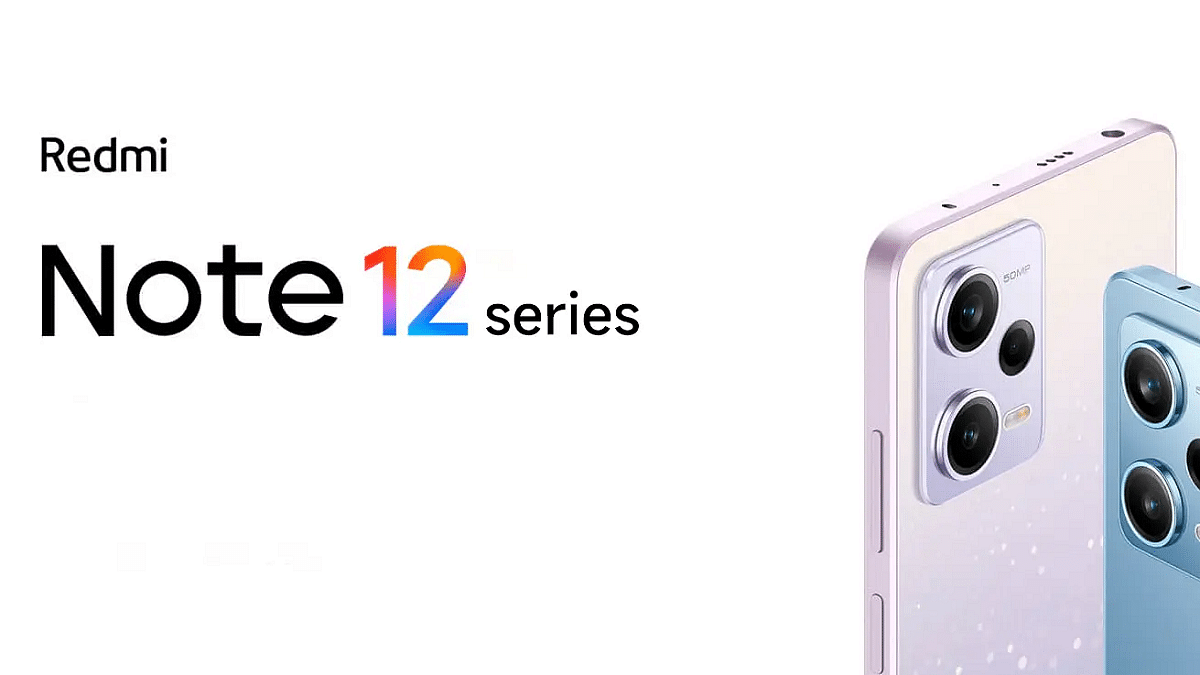
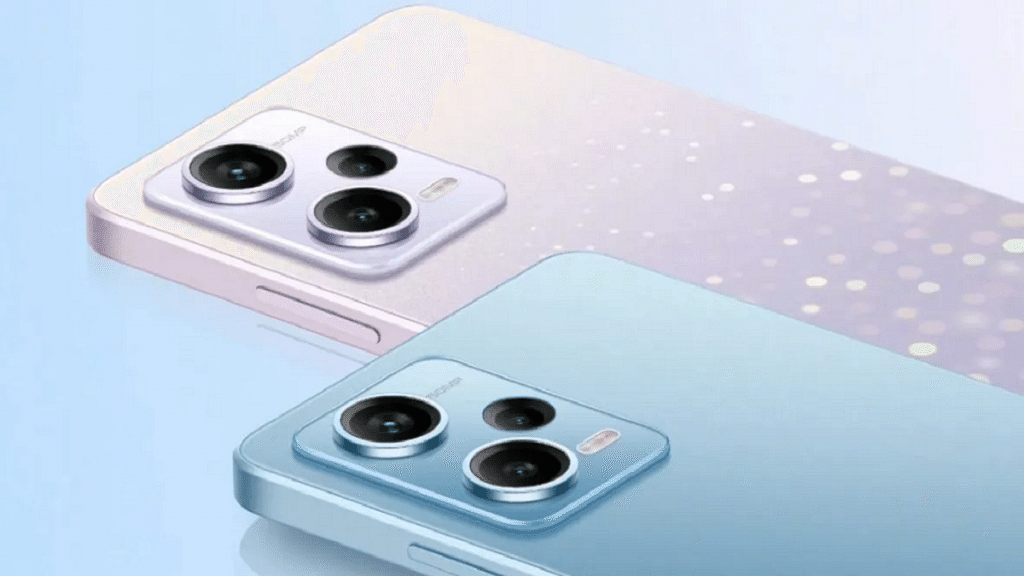
Xiaomi Redmi Note 12 Series Is Now Official: Check Prices, Specifications

Key Highlights

  • Redmi Note 12 series packs a 6.7-inch OLED panel
  • Redmi Note 12 Pro+ variants support 120W fast charging
  • The open sale in China will start on November 1

The Note 12 series was introduced by Xiaomi’s Redmi at an event in China. Redmi officially unveiled the Note 12 series in four models: the Note 12, the 12 Pro, the 12 Pro+, and the 12 Explorer Edition, confirming the rumors. The Explorer Edition has 120W quick charging which is its USP. Here are the details, prices, and features for each model’s specifications:

Redmi Note 12 Specifications

The 6.67-inch OLED screen on the basic Redmi Note 12 has an FHD+ resolution and a refresh rate of 120Hz. It houses a 5,000mAh battery with 33W fast charging. The Snapdragon 4 Gen 1 5G processor and two RAM variants—4GB and 8GB—power the smartphone.

In terms of optics, the primary shooter has a 48MP resolution, and the depth module has merely 2MP. The selfie camera has an 8MP resolution.

Display6.67-inch OLED
ProcessorSnapdragon 4 Gen 1 SoC
SoftwareMIUI 13 based on Android 12
Rear Camera48MP primary camera + 2MP secondary camera
Front Camera8MP
Battery5,000mAh battery with 33W charging

Redmi Note 12 Price

The Redmi 12’s base 4 / 128GB variant costs around Rs. 14,000, while the 8 / 256GB model costs Rs. 19,346. The smartphone is available in Black, White, And Blue color options. In China, open sales start on November 1.

Redmi Note 12 Pro and 12 Pro+ Specifications

The only significant difference between the Redmi Note 12 Pro and Redmi 12 Pro+ models’ specifications is their cameras. It has 6.67-inch FHD+ OLED panels and refresh rates of 120Hz. Notably, the phones include up to 12GB of RAM and a standard Dimensity 1080 chipset from MediaTek. The absence of expandable memory by the company is another factor to take into account.

Regarding the optics, Redmi has debuted a 200MP camera using Samsung’s ISOCELL HPX sensor for the first time ever. The camera can record 8K video at 30fps and 4K video at 120fps.

The Redmi Note 12 Pro, on the other hand, has a 50MP main camera with a Sony IMX766 sensor and optical image stabilization. Both phones have an 8MP ultra-wide sensor and a 2MP depth assist sensor as the last two sensors. The front-facing selfie camera has a resolution of 16MP.

Other features include that both the Redmi 12 Pro and Pro+ have 5,000mAh batteries, with the Pro charging at speeds of up to 67W and the Pro+ capable of 120W fast charging.

Redmi Note 12 Pro Features

Display6.67-inch OLED
ProcessorMediaTek Dimensity 1080
SoftwareMIUI 13 based on Android 12
Rear Camera50MP primary camera with OIS + 8MP ultra-wide angle camera + 2MP macro camera
Front Camera16MP
Battery5,000mAh battery with 67W charging

Redmi Note 12 Pro Price

The cost of the 6/128GB trim is CNY 1,699 (Rs. 19,354). There are three models available: 8/128GB (Rs. 20,498), 8/256GB (Rs. 22,779), and the top-of-the-line 12/256GB (Rs. 25,036). With the exception of the Yibo Edition, which is replaced by a pink gradient hue, the Redmi Note 12 Pro is available in the same color options as the Redmi Note 12. November 1 marks the start of open sales in China.

Redmi Note 12 Pro+ Features

Display6.67-inch OLED
ProcessorMediaTek Dimensity 1080
SoftwareMIUI 13 based on Android 12
Rear Camera200MP primary camera with OIS + 8MP ultra-wide angle camera + 2MP macro camera
Front Camera16MP
Battery5,000mAh battery with 120W charging

Redmi Note 12 Pro+ Price

For its 8GB RAM and 256GB ROM option, the Redmi Note 12 Pro+ will cost buyers at around CNY 2,199 (Rs. 25,035). Additionally, buyers will have to pay around CNY 2,399 (Rs. 27,340) for the 12/256GB trim.

Categories
Accessories Featured Info

Nothing Ear (Stick) Unveiled In India: Know Specs, Price, And More

Key Highlights

  • The Nothing Ear (Stick) has been launched in India
  • The earbuds come at a price of Rs. 8,499
  • It will be available for sale from Nov 17 via Myntra and Flipkart

Nothing has added another device to its ever-growing portfolio of devices. The company held a special event to unveil Nothing Ear (Stick). This is the third device in Nothing’s portfolio and second wearable launched by the company after Nothing Ear (1) which was launched for Rs. 5,999 in July this year. Here’s all you need to know about the newly launched Nothing Ear (Stick).

Nothing Ear (Stick) Specifications

The 12.6 mm drivers of the Nothing Ear (Stick) are designed to produce deep, clear highs and bold details. According to the company, the sound quality is constant throughout a range of frequencies.

Although these earbuds don’t have active noise cancellation, they do include bass lock technology which detects how much bass is lost when wearing them based on the user’s particular ear canal shape and how well they fit.

The Nothing Ear (Stick) has three high-definition microphones that boost the voice while amplifying stronger background noises to provide crowd and wind resistance calls. Additionally, users can press buttons on each earbud even with wet fingertips thanks to their location on each earpiece. To control the volume, activate voice assistance, play, pause, or skip music, users can press the earphone stem.

In terms of the Ear Stick’s battery, the earbuds can be used for up to seven hours of listening and three hours of talking. For speedier charging, the case contains an additional 22 hours of charge. The user can plug in the charger for 10 minutes and up to two hours of listening time.

The company claims that each bud weighs only 4.4g making the device “featherlight.” However, it does not include silicone tips like the Ear (1), thus background sounds will not be completely muffled.

Nothing Ear (Stick) Price In India

The Nothing Ear (Stick) has just been released in India at a cost of Rs. 8,499. From November 17, 2022, these earbuds will be sold on Myntra and Flipkart. The earbuds will be available across 40 countries and regions including US UK, and Europe at select retailers and nothing.tech.

Categories
Apps Featured Info

Bots On LinkedIn? Here’s How To Spot Fake Profiles On The Platform

Key Highlights

  • LinkedIn introduced new feature to allow users to spot fake profiles
  • It removes fake accounts using automated defense system
  • Validation option will be introduced to a limited number of companies

Fake accounts or bots have been flooding social media, notably on platforms such as Twitter and Facebook. Currently, it appears that LinkedIn has also been overrun by many bots. LinkedIn is the most used social media tool for job searching and creating professional networks.

The tech giant which has come under fire for accounts with profiles created by AI is said to have thrown out a number of solutions to solve the problem. Before interacting with other users, users can use the new features to evaluate their genuineness.

How To Spot A Fake LinkedIn Profile?

A new “About this profile” feature has been added by LinkedIn which displays information about the profile’s creation and latest update dates as well as whether or not the phone number and email address are verified. This week, the feature will begin to roll out for other sections such as reading invitations and messages and will be displayed on each LinkedIn member’s profile page.

“For work emails, we plan to start with a limited number of companies, but we can expect this expansion as we add more companies over time,” the statement said.

The platform’s deep-learning-based engine checks for these photos when a user uploads their profile photo. But LinkedIn further reveals that many users employ AI-based synthetic image synthesis technologies. According to LinkedIn, doing so allows it to delete fake accounts even before they have an opportunity to contact other users of the platform.

Additionally, some notifications on the platform will now include cautions from LinkedIn. These mails can contain risky material or appear to be a fraud. Users also have the option to report such messages without notifying the sender.

The company’s blog post states, “We are excited to start rolling out these new features. In the future, we hope to add new ways to improve our automated systems for detecting and removing fake accounts, and all see updates on how we’re finding other member features to keep people safe.”

Categories
Featured How To Mobile

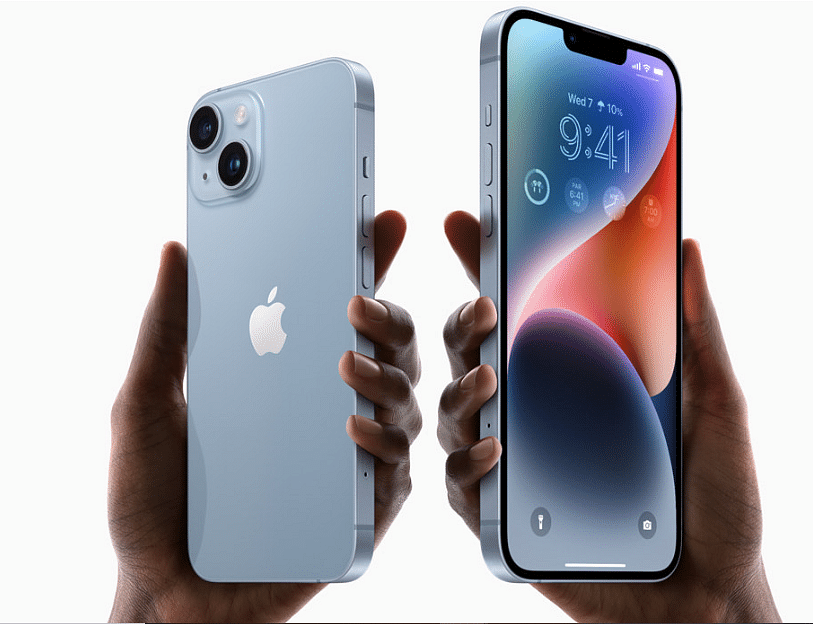
Here’s How To Use Emergency SOS Via Satellite On Your iPhone 14

Key Highlights

  • iPhone 14 comes with emergency SOS via satellite connection feature
  • Emergency SOS connects your iPhone’s antenna directly to a satellite to contact your emergency service provider
  • This feature is supported on iPhone 14 and iPhone 14 Pro models with iOS 16.1 or later

There are new features in the new iPhone 14 series including eSIM, photography, and emergency SOS through satellite connection. You can signal for assistance from anywhere because this service is available even in remote locations.

But for Emergency SOS, you need either an Apple Watch or an iPhone with WiFi or cellular connectivity that is close by. You will need to choose the emergency service that you need in some nations or regions.

Even though this feature is fantastic, many users are unaware of how Emergency SOS Via Satellite on the iPhone 14 operates. Everything you need to know about emergency SOS via Satellite for the iPhone 14 series is covered in this article. Let’s dive in.

How To Use Emergency SOS Via Satellite On iPhone?

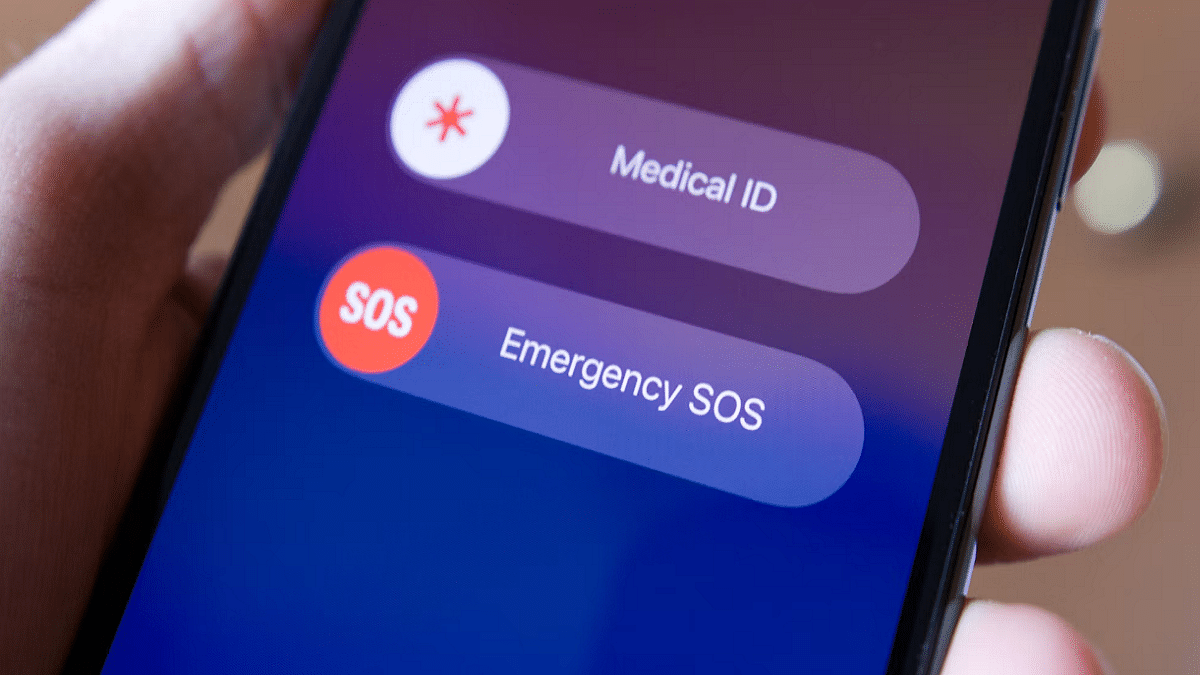
If there is no cellular or WiFi connection when you press and hold the power and volume buttons at the same time to make an emergency call, your Apple iPhone 14 will offer to send an SMS message instead. Here’s how you can use Emergency SOS Via Satellite by following simple steps:

Step 1: Press and hold the volume up and power keys simultaneously until the Emergency SOS slider shows.

Step 2: To contact local emergency services, move the Emergency SOS slider.

Step 3: The regular call should fail and at the top you should see a “No Connection” message. Then tap the “Satellite emergency call” button. Alternatively, you can text 911 or SOS in the Messages app and select Emergency Services.

Step 4: Select “Report Emergency” from the option now.

Step 5: Answer a few questions to describe your situation as accurately as possible.

Step 6: Follow onscreen tips to connect your iPhone to a satellite.

Step 7: Once you’ve established a connection, keep doing as instructed to maintain connection so the message could go through.

Your Medical ID, emergency contacts, responses to an emergency questionnaire, location (including elevation), and the amount of iPhone battery life left will all be shared with emergency responders by Emergency SOS.

Categories
Accessories Featured

Best Tech Gift Ideas For Your Siblings This Bhai Dooj

A special occasion calls for special gifts. And when it comes to siblings, any gesture of affection and concern, no matter how modest, is considerate. Bhai Dooj, a festival that honours the cherished relationship between brothers and sisters, brings Diwali celebrations to an end in India.

Bhai Dooj is also known as Bhai Phonta and Bhai Tika, and it is observed on October 26 this year. Here are a few tech gift suggestions if you want to get your brother or sister something special for Bhai Dooj. Check them out:

Activity Tracker

Today’s society places a high value on health, so as your Bhai Dooj present, consider giving your sibling an activity tracker that also functions as a watch and a heart rate monitor to make it easier to check their well-being. It is a waterproof fitness bracelet with features like a pedometer and a speed counter that keeps track of daily calories burned. Is there a more ideal gift for siblings in general? No, we think.

Headphones

Whether your sister or brother is studying or working, headphones are typically a great and economical solution. They will remember you every time your siblings use it.

Echo Dot

We all know what the Echo Dot is used for. It is a personal virtual assistant that can operate all smart home devices and doubles as a small speaker. With Alexa always at your service, the Echo Dot offers superior stereo sound.

Marshall Emberton

The brand’s lightweight portable speaker, the Marshall Emberton, gives their retro Rock ‘n’ Roll aesthetic a digital twist. This mini boombox is waterproof in addition to having dynamic True Stereophonic 360-degree sound technology. It advertises 20 hours of playback time and Bluetooth support in Marshall’s classic back suave. With an IPX7 rating, the speaker is also waterproof.

Categories
Featured Info

No More Google Chrome Support For These Windows Versions: Facts Check

Key Highlights

  • Google Chrome will drop support for Windows 7 and 8.1 starting Feb 2023
  • The web browser’s older versions will continue to work but there will be no further updates
  • Windows 7 is still running on over 10 percent of all Windows systems worldwide

Windows 7 is widely regarded as one of Microsoft’s best operating systems in decades among PC enthusiasts. Although Microsoft stopped supporting the operating system roughly two years ago, one of its largest support networks has opted to stop providing Windows 7 support. Beginning in 2023, Google will no longer be upgrading the Chrome browser for Windows 7 and Windows 8.1.

The company in a support page announced that on February 7, 2023, when Chrome 110 is expected to be released, the tech giant will formally discontinue support for Windows 7 and Windows 8.1. For users to continue receiving new Chrome updates, their device must be running Windows 10 or later.

Users of these operating systems won’t receive any new updates but older Chrome versions will continue to work. According to the company, upgrading to a supported version of Windows is encouraged if one wants to continue receiving Chrome’s security updates and new features while still using Windows 7 or Windows 8.1.

According to a recent report, Google Chrome is the most vulnerable browser currently in use, with 303 vulnerabilities and a cumulative total of 3,159 vulnerabilities as of 2022. The figures, according to the study, were based on data from a database that covered the period from January 1 to October 5.

Google Chrome was the only browser with vulnerabilities in the five days in October including CVE-2022-3314, CVE-2022-3318, CVE-2022-3309, CVE-2022-3311, and CVE-2022-3307. The CVE programme tracked vulnerabilities and security flaws across multiple platforms.

The database does not provide details of the error but reports indicate that it may lead to memory corruption on your computer.