Categories
Apps

Best Apps To Detect Hidden Camera For Android And iOS

Key Highlights

  • Camera-detecting apps can assist you in stopping you from being spied on
  • Majority of camera detector apps come with a scanner
  • These apps can be downloaded on Android or iOS device

Be cautious! You never know who might have installed a hidden camera in a public restroom, a locker room, or a hotel room. Fortunately, there are apps that can assist in stopping you from being spied on by detecting hidden cameras. Get some peace of mind by simply downloading apps on your Android or iOS device.

The majority of camera detector applications come with a scanner that searches any area or room for hidden cameras. A magnetometer that functions with a phone’s magnetic sensor is also included in some apps.

The Google Play Store and App Store each have a huge selection of apps. We’ve gathered the best hidden camera detectors that work reliably to identify hidden cameras wherever you go. Check this out!

Also Read | Best Apps to Watch Live TV on Android

Hidden Spy Camera Detector

The app, which is accessible on both Android and iOS, is made to assist users in identifying a spy camera. An all-in-one network scanner built into the software makes it simple to find GPS trackers and hidden cameras. Although the software is available for free download, the premium edition requires in-app purchases.

Hidden Camera Detector – Spy Camera Finder
In order to protect your privacy, use the Hidden Camera Detector – Spy Camera Finder to locate hidden cameras in hotels, locker rooms, or restrooms. Thanks to cutting-edge technology, it is now possible to recognize spy equipment including microphones, clear spy cameras, and hidden cameras. Up to 15 cm away from the camera, it works well. The magnetometers help to find magnetic objects like speakers and cameras.

Also Read | Best Fitness Apps To Download For Your Smartwatch To Stay Fit

Detectify

For Android users, Detectify is another hidden camera-detecting app. It is a popular app that can find hidden devices close to you. It can be used as a CCTV finder app to assist you to locate nearby covert or hidden cameras. It features incredible technology that makes it simple for you to locate a hidden camera that secretly captures your activity. This tool for finding hidden cameras is free and simple to use, and it works with two different methods.

Camera Detector: Find Spy Cam
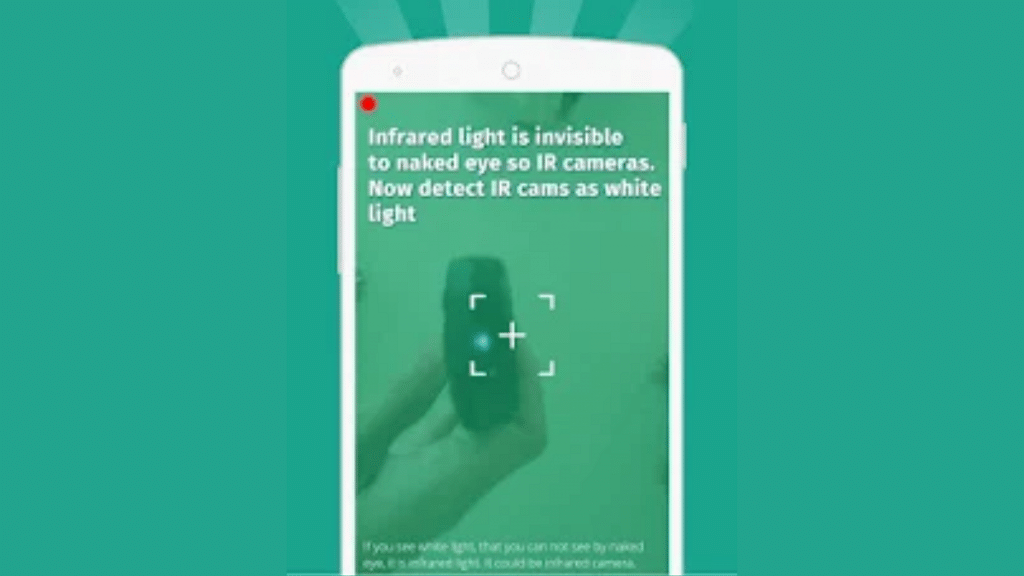
The Camera Detector: Find Spy Cam app can search the current network for suspicious devices. Additionally, it asserts that it can scan and find any Bluetooth devices that are connected to the network. The app also offers a Comprehensive anti-sneak shooting guide.

Also Read | Best Camera Phones Under Rs. 6,000

Categories
Apps Featured How To

Want To Create A New Group For Google Meet Calls? Here’s How To Do It

Key Highlights

  • You can use Google Meet suite features in the new Meet app on your Android or iOS device
  • Users can make unlimited video calls on their phones with no time limit
  • Google Meet app will be available on several platforms including Zoom

Google Meet is a crucial tool for a wide range of people. A meeting can be scheduled online with up to 100 participants for a maximum of 60 minutes by anybody with a Google Account. Google stated earlier this year that Meet features would be incorporated into the Duo app, allowing users to effortlessly schedule video conferences and video chats with an individual or a group.

Duo and Google Meet have been combined to offer a single, free video-calling tool that works with all Google accounts. With just a few easy steps, Google Meet enables you to start a video call and a new group instantly. Here’s how you can do it.

How To Create A New Google Meet Group?

It goes without saying that most people in 2022—whether they are working or not—are short on time. If you don’t already have a Google Meet Group set in place, creating a Google Meet call with a large number of participants can be challenging. Here’s how to start a video call and quickly create a new group under such circumstances:

Step 1: Launch the Google Meet app on your device.

Step 2: Now, click on the “New” button in the bottom right corner.

Step 3: Tap on “Create Group.” Select the contacts that you want to make a part of your group.

Step 4: Now, click on “Next.”

Step 5: Here, you have the option to rename the group, copy the group link, or add new members.

Step 6: When you are ready to start the meeting, tap “Start.”

According to a recent Google Meet update, the app will be available on a number of platforms, including Zoom. With this upgrade, users of Google Meet and Zoom Rooms will be able to join meetings by entering a meeting code or directly from their calendars.

Categories
Accessories Featured Info

Yale Home India Launches YDM7220 BioSecure Smart Lock: All Details

Key Highlights

  • Yale YDM7220 lock is equipped with BioSecure technology
  • It is formulated using silver ion to inhibit bacteria growth
  • This smart lock reduces the risk of secondary infections

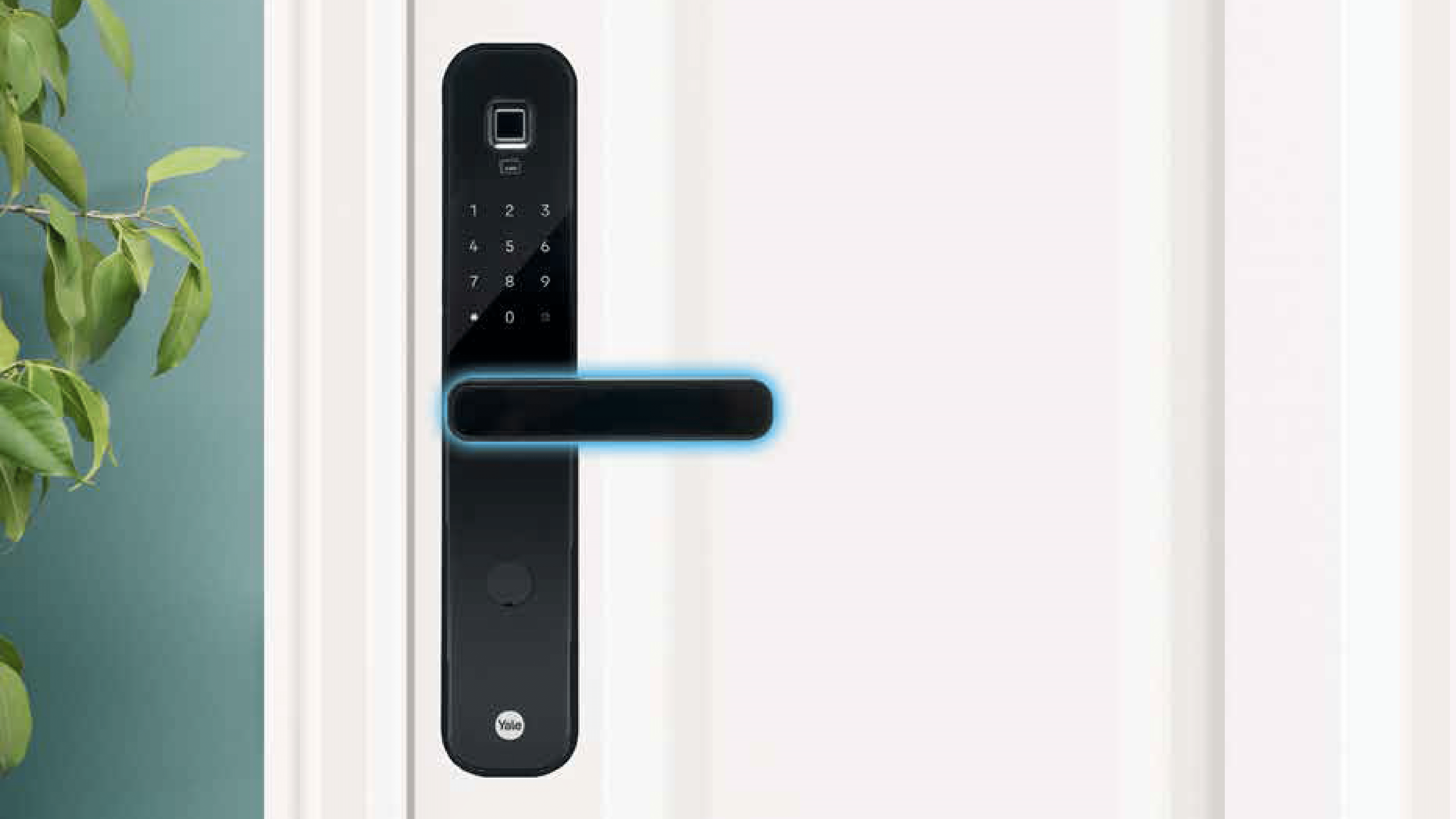
Yale Home India has launched a smarter lock – Yale YDM7220 BioSecure to keep the risk of cross-contamination at home at bay. This smart lock is equipped with BioSecure technology, ensuring that all touchpoints in your home are properly cleaned and sanitized as standard.

Regular home cleaning and disinfection have become a top priority for every household, especially after the COVID-19 outbreak. General household hygiene includes a frequent and thorough cleaning of the home but it is also important to regularly disinfect all major touch points around the home. Here’s all you need to know about the newly launched smart lock:

Yale YDM7220 BioSecure Smart Lock: Features

BioSecure technology is included in the Yale YDM7220 BioSecure Smart Lock. Silver ions are used in the formulation of the safe, non-toxic, and long-lasting BioSecure anti-bacterial solution. It has been proven that BioSecure technology can continually eliminate organisms by targeting the cell walls and preventing energy production as well as the reproduction of bacteria cells. Additionally, this helps prevent the formation of bacteria and lowers the risk of subsequent infections, especially in children and the elderly.

It has been proven that the base substance used in the BioSecure anti-bacterial solution reduces hazardous bacteria by over 80 percent in 15 minutes and by 99 percent in two hours.

No matter where you are, the YDM7220 Smart Lock lets you lock and open your door. Keyless access is made possible by the advanced software and user-friendly Yale Access mobile app. Users can also grant virtual guest keys, see who is visiting and when, and determine if the door is open or closed with the YDM 7220.

All smartphones can access the Yale YDM7220 BioSecure locks’ control panel. You can stop thinking about whether you locked your door before leaving in the morning at this point. Even if you are unsure, you can always use the Yale Access app to verify the condition of the door. The YDM7220 includes DoorSense technology for added convenience.

Yale YDM7220 BioSecure Smart Lock: Availability

The YDM7220 BioSecure Smart Lock is already available in all retail stores pan India.

Categories
Featured Info Telecom

Vi Max Postpaid Plans Launched: Here’s What The New Plans Offer

Key Highlights

  • The base Max 401 has a pricing of Rs. 401 minus taxes
  • It includes 50GB of data and 200GB of roll-over data
  • The top Vi Max RedX 1101 plan offers access to SonyLIV, Amazon Prime, and more

In its new Vi Max lineup, Vodafone Idea has unveiled four new postpaid plans. According to a statement from the company, the Vi Max plans provide greater data allotments, control over monthly costs, priority customer care, a free OTT subscription, and more. Both new and existing subscribers in India can choose from the new plans.

There are four Vi Max plans with prices ranging from Rs. 401 and Rs. 1,101. The plans come in denominations of Rs. 401, Rs. 501, Rs. 701, and Rs. 1,101. All of the plans include 3,000 SMS per month in addition to unlimited voice calls and broadband during the night.

The Rs. 401 package provides free subscriptions to Vi Movies & TV, Hungama Music, SonyLIV, and Vi Games. Plans for Rs. 501 and Rs. 701 include a free year of Amazon Prime, Disney+ Hotstar, Hungama Music, Vi Movies & TV, and Vi Games. Access to SonyLIV, Amazon Prime, Disney+ Hotstar, Hungama Music, Vi Movies & TV, and Vi Games is available with the new REDX 1101 Plan.

Additionally, Vi has enhanced its family plans to include Amazon Prime, Disney+ Hotstar, and four connections for Rs. 999 and five connections for Rs. 1,149, respectively.

Benefits are increased with higher postpaid plans. For instance, a base tier that costs Rs. 401 still includes a 12-month membership to Sony LIV Premium even though it does not include a free subscription to Amazon Prime Video or Disney+ Hotstar. Additionally, it is possible to carry over unused data from one payment cycle to the following.

In addition to the above benefits, users can also get discounts on flight tickets and hotel bookings through Makemytrip. This plan also provides free access to domestic and international airport lounges for Rs. 2,999 plan. The new Vi Max plans are available in all of the company’s telecom circles.

Categories
Featured Info Mobile

Mi Clearance Sale 2022: Grab Redmi Phones At Throwaway Prices

Key Highlights

  • The Smartphone Clearance Sale of Redmi is now live in India
  • The smartphones are available starting at Rs. 3,999
  • Older entry-level Redmi phones are available for under Rs. 5,000

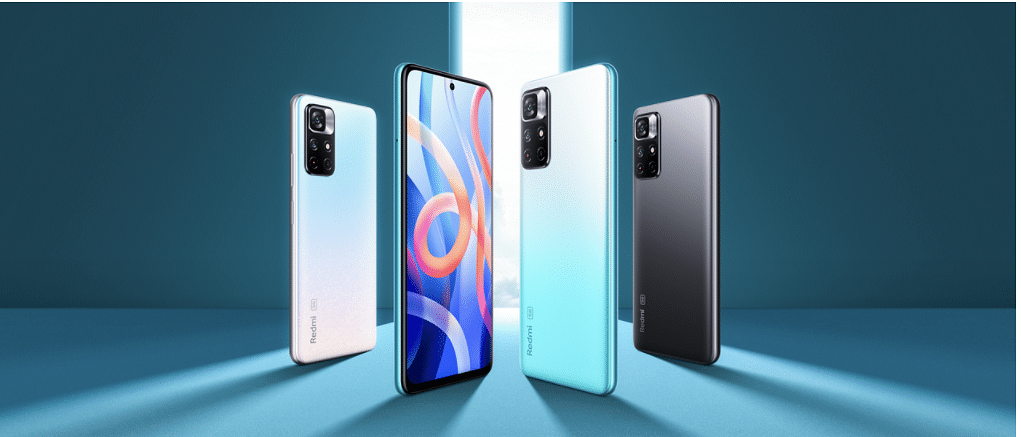
Redmi has discreetly started selling older Redmi phones for less in India as part of its Smartphone Clearance sale. Older entry-level phones can be purchased for under Rs. 5,000.

Many Redmi phones in the Redmi Clearance sale are more than three to four years old. All smartphones including the Redmi Note 3 and the more recent Redmi Note 10, may be found at affordable prices. However, it is important to note that all other phones, with the exception of the Note 10 series, do not support any form of warranty or service.

List Of Redmi Smartphone Clearance Sale

You can purchase these smartphones if you have extra cash and wish to explore some vintage models. All will come with official Redmi packaging. Here is a list of every device that is being sold in the Redmi’s Smartphone Clearance sale.

Redmi SmartphonePrice
Redmi 6ARs. 3,999
Redmi 5ARs. 4,499
Redmi 5Rs. 4,499
Redmi 4Rs. 4,499
Redmi 6 ProRs. 4,499
Redmi 7ARs. 4,499
Redmi 7Rs. 4,999
Redmi 8ARs. 4,999
Redmi Note 3Rs. 4,999
Redmi Note 4Rs. 4,999
Redmi Y1 LiteRs. 4,999
Redmi Y2Rs. 4,999
Redmi 8A DualRs. 5,499
Redmi 6Rs. 5,999
Redmi Y3Rs. 5,999
Redmi Note 7Rs. 5,999
Redmi Note 7 ProRs. 5,999
Redmi Note 8Rs. 6,499
Redmi Note 7SRs. 6,999
Redmi 8Rs. 6,999
Redmi Note 9Rs. 7,499
Redmi Note 5 ProRs. 7,999
Redmi Y1Rs. 8,999
Redmi Note 6 ProRs. 10,999
Redmi Note 9 ProRs. 10,999
Redmi Note 10Rs. 10,999
Redmi Note 9 Pro MaxRs. 11,999
Redmi Note 8 ProRs. 12,999
Redmi K20Rs. 14,999
Redmi K20 ProRs. 17,999
Categories
Apps Featured Info

YouTube Launches Primetime Channels: Here Are All The Details

Key Highlights

  • YouTube launched the Primetime channel feature
  • Primetime channels allow users to access various streaming services within the YouTube app
  • The feature is available for YouTube users in the US only

Users of YouTube use the platform to watch a wide range of content including music videos, movie videos, and full-length movies. The streaming giant has now unveiled a new feature that will let YouTube users access a variety of streaming services directly from the main YouTube app. Users of YouTube will be able to subscribe to, browse, and watch TV episodes, movies, and live broadcasts from a variety of streaming providers inside the main app thanks to a feature dubbed Primetime Channels.

In a blog post, the company said that the new Primetime Channels feature will let users access over 30 channels from within the app including Showtime, Starz, Paramount+, Vix+, Tastmade+, and AMC+. These channels will then be accessible as part of the YouTube app’s interface if interested YouTube viewers subscribe to them straight from the app.

“Once you sign up, content from your Primetime Channels will be reflected in the YouTube experience you know and love. For fans who like to go deeper into what they’re watching, Primetime Channels homepages will feature shows and movies with curated trailers, behind-the-scenes footage, and cast interviews,” the company added in the blog post that Primetime channel programming would be included in YouTube recommendations. The company also announced that it would soon be incorporating NBA League Pass and more streaming options.

Users of the YouTube app must go to the Movies & TV hub in order to subscribe to the various channels. There, they can do so by paying the monthly rental fee for the service and selecting the channel of their choosing. In essence, users will be able to access other services through YouTube’s newly launched Primetime Channels functionality in a manner similar to how they can rent movies and episodes from other channels in Amazon Prime Video’s Store. With the exception of this instance, they will be able to access a channel and all of its material from within the YouTube app.

Regarding availability, YouTube stated that Primetime Channels will only be accessible in the US at the time of introduction. The company intends to take this service globally in the near future.

Categories
How To Mobile

Samsung Easy Mode: What Is It And How To Enable It

Key Highlights

  • Samsung Galaxy phones come with the Easy Mode feature
  • The feature simplifies the user interface
  • Easy Mode is perfect for senior citizens or people with vision issues

Samsung smartphones use the One UI user interface from the company which is great to look at but not the most user-friendly interface. Samsung smartphones do, however, come with an Easy Mode that provides a simplified user experience. Here’s all you need to know about Easy Mode and how to enable it.

What Is Easy Mode?

Samsung Galaxy smartphones have an option called “Easy Mode” that simplifies the user interface. It removes the Samsung launcher and replaces it with a more user-friendly interface. Easy Mode is perfect for senior citizens or even those with vision issues because it boosts the system-wide font size. This is also a great tool for those who are new to using smartphones.

Easy Mode gives Samsung Galaxy users a simple method to streamline their smartphones and has long been a one-of-a-kind One UI feature. There is less mess and complexity when it is on.

Additionally, Easy Mode makes the contents on the screen larger and adds a high-contrast keyboard for easier reading. Using a longer touch-and-hold delay reduces accidental touches as well.

How To Turn On Samsung Easy Mode?

The Easy Mode can be turned on in the device Settings of the majority of modern Samsung phones. Listed are the steps that can help you turn on Easy Mode on your Samsung phone:

Step 1: To access the display settings menu, enter the Settings menu of your Samsung phone and touch Display.

Step 2: Then, select Easy mode by scrolling down. To activate Easy mode, tap the toggle next to it. The high contrast keyboard theme and the touch and hold delay duration can both be changed in the Easy mode.

Step 3: You will now notice that your home screen has been simplified when you access it. You’ll only find a small number of apps listed. By holding down on an app in the main app list and dragging it to the home screen, you can add more apps to the home screen.

Step 4: To add a single contact for quick access, simply swipe from the left until you locate the page. And you are all done.

Categories
Featured Leaks Mobile

Xiaomi 13 Pro Specifications Leaked, Likely To Pack Snapdragon 8 Gen 2

Key Highlights

  • Xiaomi plans to unveil the Xiaomi 13 Pro soon
  • The upcoming phone will feature the Snapdragon 8 Gen 2 SoC
  • It will be housed a 4,800mAh battery

Prior to any official announcement, a new leak has disclosed some crucial details about the upcoming Xiaomi 13 Pro. Let’s take a look at what to expect from the next flagship which is already expected to have top-notch specs and features.

Yogesh Brar, a well-known tipster, leaked the specifications. The premium flagship handset would have a 6.7-inch Samsung E6 AMOLED panel with LTPO technology and 2K resolution, according to his tweet. In other words, a high refresh rate of at least 120Hz is expected. The phone will have 8GB or 12GB of RAM and internal storage of 128GB, 256GB, or 512GB. It’s believed to be powered by Qualcomm’s upcoming Snapdragon 8 Gen 2 processor.

The Xiaomi 13 Pro is anticipated to have three cameras: a 50MP Sony IMX989 primary sensor with a 1-inch size, a 50MP ultra-wide-angle lens, and another 50MP telephoto camera. The front will hold a 32MP selfie camera in the meanwhile.

Notably, Leica optimizations will be present in the back cameras which was expected considering the two company’s collaboration. If this rumor is true, Xiaomi will be employing a sensor that cost $15 million because Sony and Xiaomi jointly developed the sensor for the Xiaomi 12S Ultra.

According to the leak, the handset would come equipped with MIUI 14, a custom skin based on Android 13. Rumor has it that the Xiaomi 13 Pro which supports 120W fast charging will come with a huge 4,800mAh battery. In addition, it has the potential to support reverse charging and wireless fast charging.

 Xiaomi 13 Pro Leaked Specifications:

Display6.7-inch E6 2K LTPO
ProcessorQualcomm Snapdragon 8 Gen 2
SoftwareAndroid 13, MIUI 14
Rear Camera50MP (1-inch IMX989) + 50MP (UW) + 50MP (Tele)
Front Camera32MP
RAM8GB / 12GB RAM
Internal Storage128GB / 256GB / 512GB
Categories
Featured Gaming How To

Want To Play Modern Warfare 2 On Steam Deck? Here’s How

Key Highlights

  • CoD MW2 is available on PC, Xbox, macOS, and PlayStation
  • The game is not available on Steam Deck because SteamOS does not support it
  • You must set up Windows on your device to play Modern Warfare 2 on Steam Deck

The release of Call of Duty: Modern Warfare 2 has Steam Deck users wondering if they can join in the fun by playing the game on it. You already have the game in your library because it is available on Steam. The console’s main purpose is to allow you to carry your Library with you wherever you go. Check out CoD MW2’s compatibility with Steam Deck and any available solutions in this thread.

How You Can Play Modern Warfare 2 On Steam Deck?

One must set up Windows on their mobile phone in order to play Modern Warfare 2 on Steam Deck. You can either completely replace SteamOS on the device with Windows or dual-boot Windows and SteamOS on the Steam Deck. To install Windows on your Steam Deck instead of SteamOS, you need to do the following:

Step 1: To create installation media, download the Windows ISO file to a USB device.

Step 2: Then, turn off the Steam Deck and use a USB Type-C hub or a connector to connect it to the installation media drive.

Step 3: Holding the Volume Down and Power buttons on your Steam Deck while simultaneously pressing and releasing both will launch the boot menu.

Step 4: When you choose EFI USB Device, the Windows Installer is started by the system.

Step 5: Now, verify the language, hit Next, and then select Install Now.

Step 6: If a key is available, enter it on the following screen; otherwise, select “I don’t have a product key.”

Step 7: Tap next after selecting a Windows version until you see an installation window type.

Step 8: Select “Custom: Install Windows only.” Then tap on drive 0 Partition 8 and delete it. Choose Drive 0 Unallocated Space and tap next.

Step 9: Next, follow the on-screen instructions to finish installing Windows on your device.

Unfortunately, Modern Warfare 2 uses the Ricochet anti-cheat tool which is incompatible with operating systems other than Windows. Once your Valve device runs Windows OS, you can install and play Call of Duty: Modern Warfare 2 with ease.

Categories
Apps Featured Info

Amazon Offering Six Months Free Spotify Subscription: Know How To Get It

Key Highlights

  • Amazon India is offering free Spotify subscriptions to its customers
  • Upon purchase of select electronic products, users can get a free six-month subscription to Spotify Premium
  • Spotify is one of the most widely used music streaming services in India

Spotify is one of the most widely used music streaming services in India. The company offers Spotify Duo, Spotify Individual, Spotify Family, and Spotify Mini plans in the nation. The most expensive premium plan costs Rs. 199 per month.

Customers of Amazon India can now take advantage of a new offer. This time, the e-commerce platform is giving its customers free music streaming service subscriptions when they buy specific electronic devices like earphones, headphones, laptops, tablets, smartphones, etc.

How To Get Spotify Subscription Free?

As part of the offer, Amazon is giving its customers a free Spotify Premium subscription for up to six months. This is a single user plan that normally costs Rs. 129 per month.

Users can save their favorite music and listen to them offline with the top-tier plan in order to conserve data. Also, users will be able to play music on any device including speakers and TVs with the Spotify Premium service.

Customers who purchase specific laptops, tablets, mobile devices and accessories, headphones, and speakers from any seller on Amazon India for a purchase value greater than Rs. 1,000 and less than or equal to Rs. 5,000 will receive a complimentary three-month Spotify Premium subscription, according to Amazon’s terms and conditions page.

Additionally, buyers of laptops, tablets, smartphones, and accessories from any vendor on Amazon India who spends more than Rs. 5,000 will receive a free six-month subscription to Spotify Premium.

Offer Period

Amazon Spotify’s free subscription offer starts on October 24 and ends on November 30.

Amazon-Spotify Free Subscription: Eligibility

Aside from the purchase amount criteria, this offer is intended for users who have not yet taken advantage of Spotify’s free trial offer. Also, the email ID must be registered with Amazon.in.