Categories
Featured Gaming How To

List Of GTA 5 Cheats Codes For PC, PS4, Xbox Consoles: Here’s How To Use

The popular video game GTA 5 or Grand Theft Auto 5 was released back in 2013. It has a massive player base across many platforms despite being so old. Like previous GTA games, GTA 5 allows you to achieve godlike abilities by making use of cheat codes.

There is a long list of GTA 5 cheat codes that you can use to wreak havoc and improve your gameplay. The entertaining action game is available for PC, PS5, PS4, PS3, Xbox Series X|S, Xbox One, and Xbox 360 users. This article will help you take a look at GTA 5 hacks or cheats for the PC, PlayStation, and Xbox as well as how to use them.

GTA 5 Cheat Codes For PC

ActionGTA 5 Cheat Codes
Get All WeaponsTOOLUP
Spawn a MotorcycleROCKET
Swim FasterGOTGILLS
Get a ParachuteSKYDIVE
Improve AimingDEADEYE
Decrease Wanted LevelLAWYERUP
Spawn an Armed HelicopterBUZZOFF
Spawn a sports carCOMET
Full Health and ArmourTURTLE
Become InvinciblePAINKILLER

Other GTA V Cheat Codes

ActionGTA 5 Cheat Codes
Run FasterCATCHME
Increase Wanted LevelFUGITIVE
Bullets that explodeHIGHEX
Get Character DrunkLIQUOR
Change WeatherMAKEITRAIN
Activate Low GravityFLOATER
Spawn a Garbage TruckTRASHED
Spawn a BMW BicycleBANDIT
Spawn a Golf CartHOLEIN1
Spawn a LimousineVINEWOOD
Spawn a different Sports CarRAPIDGT
Spawn a Dirt BikeOFFROAD
Spawn a Crop Duster PlaneFLYSPRAY
Spawn a Stunt PlaneBARNSTORM
Play the Game in Slow MotionSLOWMO
Slippery Cars on the RoadSNOWDAY
Fall from the SkySKYFALL
Flaming BulletsINCENDIARY
Exploding PunchHOTHANDS
Jump HigherGOTGILLS
Recharge Special AbilityPOWERUP

GTA 5 Cheat Codes For PS5, PS4, PS3

ActionGTA 5 Cheat Codes
Drunk modeTriangle, Right, Right, Left, Right, Square, O, Left
Change weatherR2, X, L1, L1, L2, L2, L2, Square
Fast swimmingLeft, Left, L1, Right, Right, R2, Left, L2, Right
Set on fireL1, R1, Square, R1, Left, R2, R1, Left, Square, Right, L1, L1
Fast sprintingTriangle, Left, Right, Right, L2, L1, Square
Explode with gunshotsRight, Square, X, Left, R1, R2, Left, Right, Right, L1, L1, L1
Full health and armorO, L1, Triangle, R2, X, Square, O, Right, Square, L1, L1, L1
Explode with handsRight, Left, X, Triangle, R1, O, O, O, L2
Jump highL2, L2, Square, O, O, L2, Square, Square, Left, Right, X
Give weaponTriangle, R2, Left, L1, X, Right, Triangle, Down, Square, L1, L1, L1
PainkillerRight, X, Right, Left, Right, R1, Right, Left, X, Triangle
Decrease Wanted levelR1, R1, O, R2, Right, Left, Right, Left, Right, Left
Increase Wanted levelR1, R1, O, R2, Left, Right, Left, Right, Left, Right
Recharge special abilityX, X, Square, R1, L1, X, Right, Left, X
Fall from skyL1, L2, R1, R2, Left, Right, Left, Right, L1, L2, R1, R2, Left, Right, Left, Right
Slow-motion aimSquare, L2, R1, Triangle, Left, Square, L2, Right, X
Change gravityLeft, Left, L1, R1, L1, Right, Left, L1, Left
Get a BMX bikeLeft, Left, Right, Right, Left, Right, Square, O, Triangle, R1, R2
Reduce frictionTriangle, R1, R1, Left, R1, L1, R2, L1
Get a Rapid GT carR2, L1, O, Right, L1, R1, Right, Left, O, R2
Give parachuteLeft, Right, L1, L2, R1, R2, R2, Left, Left, Right, L1
Get caddy vehicleTriangle, R1, R1, Left, R1, L1, R2, L1

GTA 5 Cheat Codes For Xbox Consoles

ActionGTA 5 Cheat Codes
Get Buzzard helicopterB, B, LB, B, B, B, LB, LT, RB, Y, B, Y
Decrease wanted levelRB, RB, B, RT, Right, Left, Right, Left, Right, Left
Increase wanted levelRB, RB, B, RT, Left, Right, Left, Right, Left, Right
Get BMX bikeLeft, Left, Right, Right, Left, Right, X, B,Y, RB, RT
Get weaponsY, RT, Left, LB, A, Right, Y, Down, X, LB, LB, LB
Get garbage truckB, RB, B, RB, Left, Left, RB, LB, B, Right
Get weaponsY, RT, Left, LB, A, Right, Y, Down, X, LB, LB, LB
Stretch LimoRT, Right, LT, Left, Left, RB, LB, B, Right
Bullets that explodeRight, X, A, Left, RB, RT, Left, Right, Right, LB, LB, LB
Get Rapid GTRT, LB, B, Right, LB, RB, Right, Left, B, RT
Bullets that flame upLB, RB, X, RB, Left, RT, RB, Left, X, Right, LB, LB
Get comet vehicleRB, B, RT, Right, LB, LT, A, A, X, RB
Change weatherRT, A, LB, LB, LT, LT, LT, X
Get caddy vehicleB, LB, Left, RB, LT, A, RB, LB, B, A
Change gravityLeft, Left, LB, RB, LB, Right, Left, LB, Left
Decrease frictionY, RB, RB, Left, RB, LB, RT, LB
Top health and max armorB, LB, Y, RT, A, X, B, Right, X, LB, LB, LB
Drunk modeY, Right, Right, Left, Right, X, B, Left
Fast runY, Left, Right, Right, LT, LB, X
Fast swimLeft, Left, LB, Right, Right, RT, Left, LT, Right
InvincibleRight, A, Right, Left, Right, RB, Right, Left, A, Y
High jumpLeft, Left, Y, Y, Right, Right, Left, Right, X, RB, RT

GTA 5 Cheat Codes For PC, Xbox, PlayStation Using In-Game Cell Phone

ActionGTA 5 Cheat Codes
Get drunk1-999-547867
Get weapons and ammo1-999-866-587
Swim fast1-999-46844557
Decrease wanted level1-999-529-93787
Increase wanted level1-999-384-48483
Sprint fast1-999-228-2463
Fall from sky1-999-759-3255
Max health and armor1-999-887-853
Get parachute1-999-759-3483
High jump1-999-467-8648
Slow-motion aim1-999-332-3393
Get Invincible1-999-724-6545537
Change weather1-999-625-348-7246
Get weapons and ammo1-999-866-587
Rounds that catch fire1-999-4623-634279
Rounds that explode1-999-444-439
Recharge special ability1-999-769-3787
Get Buzzard helicopter1-999-289-9633
Get Rapid GT car1-999-727-4348
Get BMX bike1-999-226-348
Get garbage truck1-999-872-7433

How To Use GTA 5 Cheat Codes

As you would expect, the process of entering cheat codes is different on different platforms. Players on a computer or PC can follow the listed steps to enter GTA 5 cheat codes:

Step 1: To open the command center, use the ~ (Shift + `) button.

Step 2: Then, type the required cheat code from the above-mentioned list to get the power/advantage.

For PS5, PS4, PS3 as well as Xbox Series X|S, Xbox One, and Xbox 360, type the key prompts from the above list to activate the powers. Additionally, on the D-pad, click the ‘Up’ button and dial the cell phone number to get the cheat codes activated.
Categories
Apps Featured How To

How To Archive Emails In Microsoft Outlook: Here’s The Step-By-Step Guide

Ever notice how slowly your Microsoft Outlook account is operating? Simple email features like Send or Receive acting strangely? Consider checking your mailbox’s size. You might be surprised to learn how bloated it really is.

Archiving emails is one of the best ways to keep your inbox organized. You’re in luck if you want to do this in Outlook. You can easily archive your emails in Outlook for desktop and web. So, if you want to declutter your inbox, here’s a quick tutorial on archiving an email in Microsoft Outlook.

How To Archive Emails In Outlook Manually

Step 1: On your desktop, go to Microsoft Outlook.

Step 2: In the top-left corner of Outlook’s desktop app, tap the ‘File’ option.

Step 3: On the left side, choose the ‘Info’ tab.

Step 4: Tap the down arrow icon for Tools and choose ‘Clean Up Old Items’.

Step 5: A dialog box will appear.

Step 6: Select the folder you wish to archive by clicking the Archive this folder and all subfolders option.

Step 7: Use the calendar option under Archive items older than to select the age of your items.

Step 8: Choose the folder where you wish to save your Outlook archive file by clicking ‘Browse’.

Step 9: Click OK at the bottom.

How To Archive Emails In Outlook Automatically

Step 1: Open Outlook on your PC.

Step 2: Choose ‘Options’ from the left sidebar by clicking ‘File’ in the top menu.

Step 3: On the left side, tap the ‘Advanced’ option.

Step 4: Click the ‘Auto Archive Settings’ button located under ‘Auto Archive’ in the right pane.

Step 5: At the top, tick the option Run Auto Archive every n day, and specify how often to run Auto Archive.

Step 6: Choose when a document should be archived in the section titled Default folder settings for archiving.

Step 7: Select the destination folder for your archive file by tapping Browse.

Step 8: At the bottom, tap ‘OK’ to save your changes.

In case you want to stop Microsoft Outlook from archiving your emails automatically, you can choose to disable the AutoArchive feature. Here’s how you do it:

Step 1: On your desktop, open Outlook.

Step 2: At the top, tap ‘File’ and choose ‘Options’ on the left.

Step 3: Tap ‘Advanced’ on the left.

Step 5: On the right side, click ‘AutoArchive Settings’.

Step 6: Untick the option ‘Run AutoArchive every’ at the top.

Step 7: Hit OK and you are all done.

Categories
Featured Info TV

Exclusive Interaction With Yadhu Krishnan, Founder Of Scape TV: Made In India Smart TVs For Budget Audience

Smart TVs are today one of the most vital parts of modern households. Last year, more than eight out of every 10 televisions brought by Indians were Smart TVs. Due to the rapid surge in smart TV demand, OEMs are rapidly increasing smart TV production in the global as well as the Indian market. One such brand is Scape TV.

Scape TV is a dynamic and technology-orientated brand that is exclusively Made in India. They offer a luxury experience with their premium products while being affordable. Their growth in the offline market has been phenomenal considering the fact that the 2020 and 2021 consumer market was affected by lockdown, yet the start-up could achieve amazing growth and even extend to North Indian states.

Giznext has done an exclusive interaction with Scape TV founder, Yadhu Krishnan about what kind of competition he sees in a similar segment, his plans to get more users to grow the platform, and more.

How did you establish yourself in the retail market in such a short span? A brief of your journey so far.

We started our journey in 2020, precisely during the peak of the pandemic. We started in Kerala with a single distributor and instead of online which was easier, we chose an offline market to start with. I could say we deliberately chose those circumstances because we knew if we are able to sail through it, we would be able to emerge as a stronger brand with a strong ground presence and brand recall.

Currently, we are present in 10 states with a very well-connected and supported dealer-distributor-service network.

What hurdles have you overcome while establishing a Made in India Brand for the consumers?

I think the people are specifically looking for made-in-India products nowadays. Given a choice between Indian products and a non-Indian brand, consumers will go for an Indian brand provided they are convinced about the quality and service support. As a new brand, I would definitely agree that creating a brand recall for a start-up is definitely going to be difficult but if we are able to provide the after-sales support with a best-in-the-class product/service customers are definitely going to remember you just like a major brand even without a huge marketing spend.

What’s your strategy and roadmap with the Made In India Television market?

We are not going to expand to all states in a short span of time. We are currently in 10 states and we would be focusing in the next few months on making a very strong offline presence and building a dealer-service network in these states rather than going live in Pan India.

At the same time, we definitely want our smart TV to reach pan India, so the online presence is going to be crucial too.

How do you ensure the quality of your products?

We adhere to the highest quality standards just like any major brand and we select our vendors after multiple processes of quality testing of the components. The fault ratio is less than 2% currently which is a very good number considering the industry standard and we thrive to keep the fault ratio as minimal as possible.

Most of our Smart TVs carry a comprehensive warranty of up to three years. Thanks to the high-quality components.

In an extremely competitive market like India which is already dominated by a number of small and big players, how has Scape TV positioned itself?

I agree that India is an extremely competitive market and it is currently dominated by a few major brands but if you look at the past, we can see a trend that major players can be replaced given how well we place the new product in the market. From the kind of response, we are getting from the market, we can assure you that Scape TV is going to be in the top five choices of consumers by 2024.

Which are the segments you are targeting and whom do you consider your potential buyers?

We are already in the Smart Tv segment and we will be soon launching Premium Speaker and Home Appliances as well. We are concentrating on the customers who look for value for money products but premium in terms of quality and aesthetics.

What are the trends that you foresee will drive the consumer electronics market in the coming years?

Artificial Intelligence is going to play a major role in Consumer Electronics in the coming years. There are wonderful stand-alone innovations in the field of artificial intelligence which we have not yet incorporated into consumer electronics at an affordable price. If manufacturers of consumer electronics are able to do that it is going to be a game-changer for sure.

How does Scape TV compete with its rivals?

It might look like the same thing every brand says if I say it is in terms of quality and the after-sales service because every brand claims so. We would say our customer satisfaction is the main reason for our success. We are delivering and working on a solution that the consumers are looking for. We made sure to go to any possible extreme to make the customer happy with the product and after-sale service.

What is your vision for the next few years to be a go-to brand for millennials in India?

As I mentioned earlier, the proper use of AI can be a deal-breaker for millennials in the consumer segment. As a young company, this is one of the advantages we have which is we can adapt to new changes very easily as we have structured the organization in such a way from the beginning. In the coming years, we will be introducing more and more consumer products with the latest technology which will make Scape a go-to brand for not just the millennials but for everyone.

What are the opportunities you see in the Indian market in regard to Scape TV?

We do have a very huge opportunity in the Indian market. The consumer segment especially the Smart TV segment is one that grows exponentially year after year and even having a mere 5% in the coming year would make a huge difference for the brand. The non-smart TV segment is slowly going away and that, in turn, is going to be a huge boost for the Smart TV segment ultimately.

Categories
Comparison Featured TV

Infinix Y1 HD Smart TV Vs Redmi HD Ready LED Android Smart TV Vs OnePlus Y-Series HD Android TV: Best Affordable Smart TV?

Television is an essential part of the majority of Indian houses. Therefore, consumers want to make the best decision possible when making such a significant purchase. The smart TV market is growing quickly to meet customer demand, and companies like OnePlus, Xiaomi, and others are vying for market share.

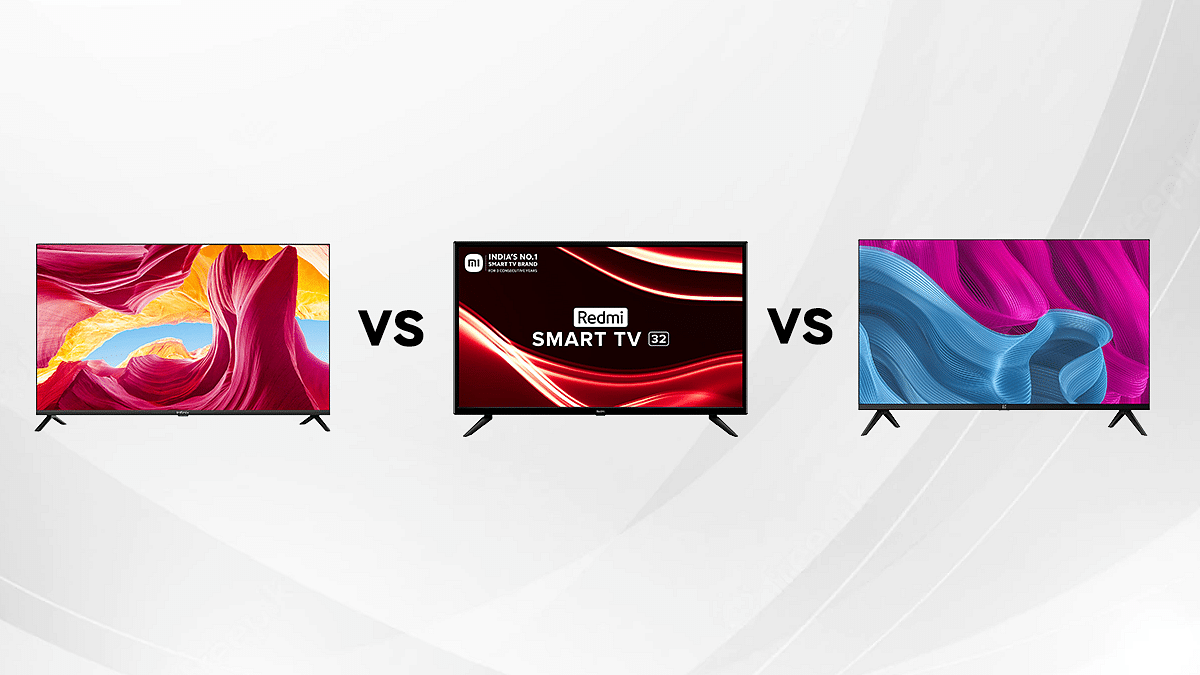
Soon, Infinix will introduce the “Infinix Y1 32-inch,” a new, cost-effective smart TV in the Indian market. The Infinix Y1 will have a pretty aggressive retail price for a smart TV. The upcoming TV will be in direct competition with the OnePlus Y-Series HD Android TV and the Redmi HD Ready LED Android Smart TV.

So, if you’re searching for India’s top television brand but aren’t sure which one to choose, you have come to the right spot. We will help you decide which smart TV to go for in this comparison article. Let’s check it out:

Design And Display

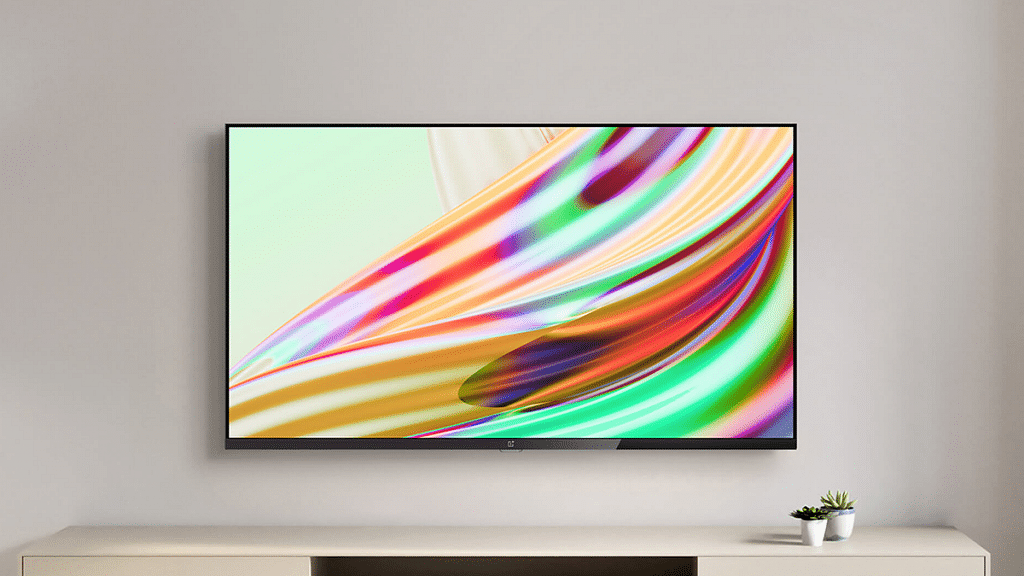
Let’s talk about the design first. The upcoming Infinix 32 Y1 HD smart TV, as per the Flipkart microsite, is seen with a bezel-less display. It has the company’s branding located in the center of the bottom bezel. On the other hand, the Redmi HD Ready LED Android Smart TV is neither too sleek nor too thick. It has a black frame on all four sides and a plastic body.

Coming to OnePlus, the Y-Series HD Android Smart TV comes with bezel-less panels. This maximizes the display space of the TV. This creates an immersive viewing experience.

In terms of display, the Infinix Y1 HD smart TV will come with a 32-inch display panel that will be rated HD+ resolution. No other information regarding its design has been revealed yet.

Besides, the 32-inch display of the Redmi Android Smart TV is HD-ready with 178-degree viewing angles and a Vivid Picture Engine. This is Xiaomi’s image processing algorithm that produces excellent colors, depth, and contrast on TV displays. It can display up to 16 million different colors. Moreover, Xiaomi has added custom picture controls for more granular control over settings which claims to be a ‘first in its segment.’

Moving to the OnePlus Y-series HD Android smart TV, the product has a bright 32-inch screen size that comes equipped with an HD display. It comes equipped with panels that boast a 93 DCI-P3 percent and an 83 percent NTSC color gamut. This will result in impressive picture quality and to-the-point color accuracy.

For TVs as affordable as the OnePlus TV 32 Y1, this is an impressive feature that makes it better than Redmi HD Ready LED Android Smart TV and Infinix Y1 HD smart TV.

OS And Features

The OnePlus Y-series TV comes running on the Android TV 9.0 platform. The OnePlus U1 smart TV, which costs more, is powered by the same software. Along with tens of thousands of apps, the most recent version of Android TV also includes premium features like support for Chromecast built-in on TVs.

On the other hand, the Redmi HD Ready LED Android Smart TV runs Xiaomi’s Patchwall 4.0 and can alternatively switch to the stock Android 11 TV OS. The Redmi Smart TVs include 20W speakers that support Dolby Audio. The TV comes with access to Google Play Store. Therefore, you can download whatever apps you want including Sony Liv, Disney+ Hotstar, and others.

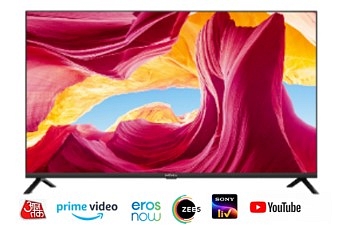
The Infinix Y1 HD smart TV will get a set of Dolby Stereo speakers with a combined maximum output of 20W. It will also get the latest OTT platforms such as Netflix, Amazon Prime, Sony Liv, Zee5, ErosNow, Aaj Tak, and Hotstar preloaded according to some speculations.

With details on the Infinix Y1 being scanty, more information should be out in the coming weeks as the company gears up for the launch of the TV. However, the number of features Infinix intends to offer with Y1 will grab substantial attention.

The sound system in the OnePlus Y-series HD Android TV is impressive. It has a sound system powered by Dolby Audio, with the OnePlus Y Series TVs promising a “cinematic soundstage” to fully immerse the user into their favorite shows.

Final Verdict

Regarding the price of the upcoming Infinix Y1, no official information has been revealed yet. However, it will adopt aggressive pricing and will be priced under Rs. 11,000 according to reports. The 32-inch smart TV will be among the most reasonably priced TVs in its class thanks to these prices.

On the other hand, the Redmi HD Ready LED Android Smart TV checks most of the boxes that are needed for a smart TV these days. It is a true value for money device at Rs. 15,999. Besides, the OnePlus 32-Inch Y-Series HD Android TV price starts from Rs. 15,999.

Considering the spec sheets, these three smart TVs give hard competition to each other as they boast similar features.

Categories
Apps Featured Info

Netflix Rolls Out ‘Spatial Audio Support’ To Its Original Shows, Movies

Key Highlights

  • Netflix adds spatial audio support for selected shows
  • Netflix worked with Sennheiser for this project
  • The new feature will work seamlessly with all audio products

Netflix has announced that it will start rolling out the spatial audio feature to its original shows and movies starting from today (July 8, 2022). The feature’s aim is to improve the listening experience for all of its original titles.

Netflix now offers this immersive audio experience, joining Apple TV+ and other streaming services that already offer it. According to a blog post, the video streaming service has teamed up with the German audio company Sennheiser to make the function available to all Netflix users, regardless of their streaming plan or device. As long as you’re watching supported content, the feature will therefore function properly with any device that supports Netflix.

For the unversed, spatial audio is created to offer theater-like sound from a TV show or movie. There will be sounds that appear from all around you whatever it is you are watching at home. Netflix says that Spatial Audio Technology helps to adapt the cinematic experience of immersive audio to any stereo.

Netflix’s spatial audio function is most noticeable with audio output devices that are closer to the ears such as headphones and earbuds. So, watching a movie or episode on your laptop speakers won’t make much of a difference.

In order to view videos that are compatible with spatial audio on an iPhone, iPad, or Apple TV, Netflix advises setting the streaming quality to “High” or “Auto.”

Additionally, it should be noted that for users who already own spatial audio-compatible Apple devices like the third-generation AirPods, AirPods Max, AirPods Pro, and Beats Fit Pro, nothing will change as this new feature has already been available.

Currently, the content that supports spatial audio includes the fourth season of ‘Stranger Things’, ‘Red Notice’, The Adam Project’, ‘Locke & Key’, and ‘The Witcher’ among others. Users can type ‘Spatial Audio’ into Netflix’s search bar to find all the series and shows that currently support this feature. This feature joins Netflix Calibrated Mode, Dolby Atmos, 4K, and HDR.

Categories
Accessories Featured Reviews

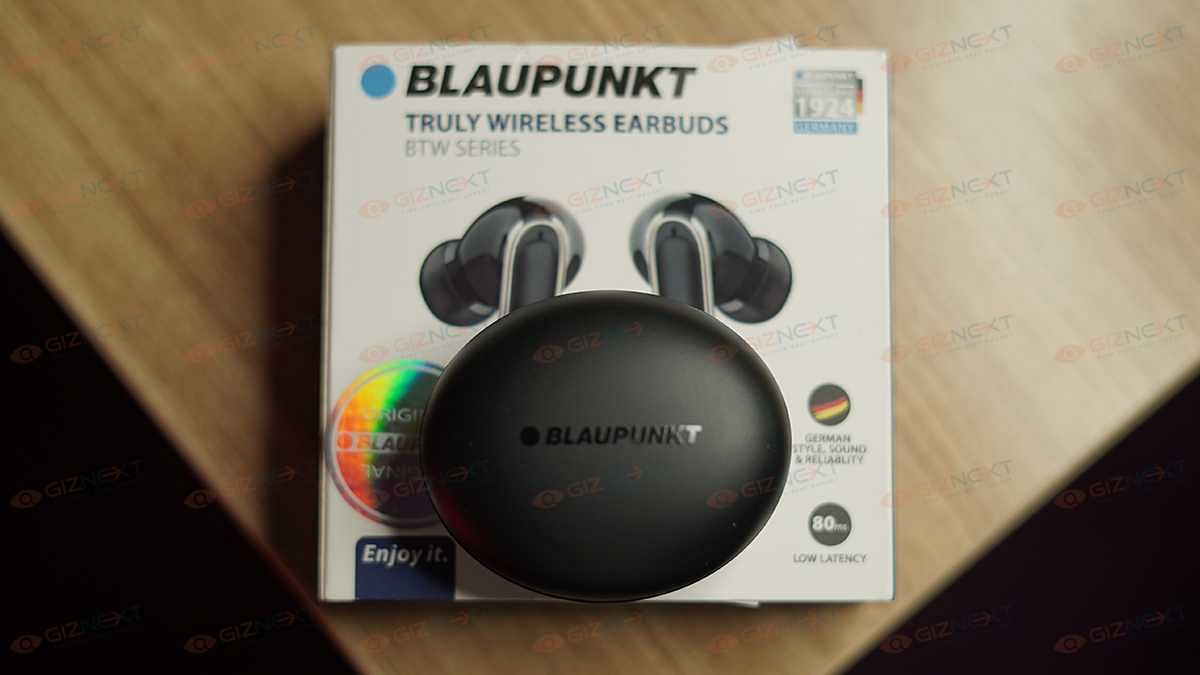
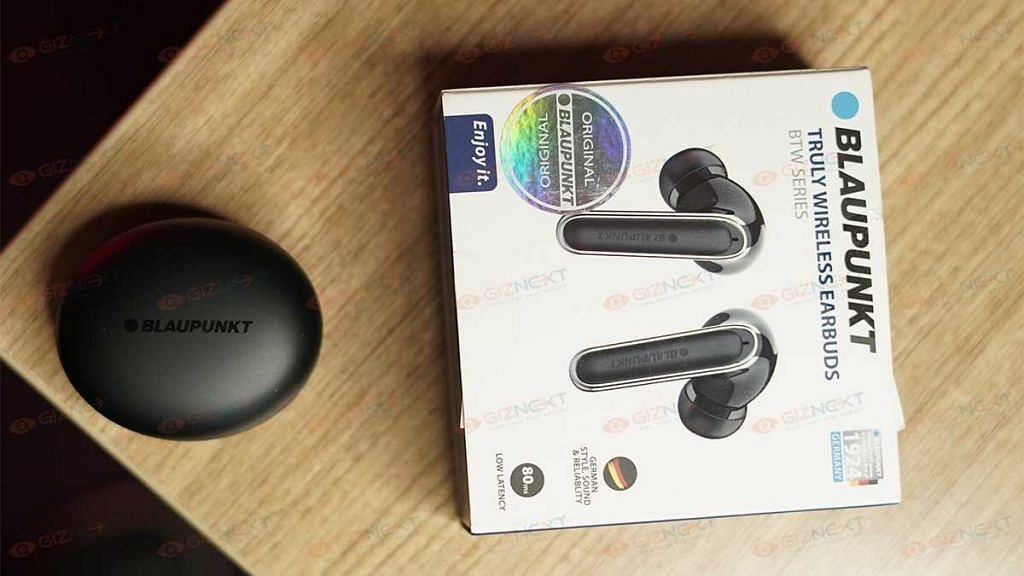
Blaupunkt BTW SeriesTruly Wireless Earbuds Review: Should You Buy?

Wireless is the latest craze in the audio industry and several brands are releasing their iteration of wireless earbuds, neckbands, or headphones. The demand for truly wireless earbuds is rising as more smartphone manufacturers ditch earphone jacks. Blaupunkt is a brand that specializes in launching products in the Bluetooth earphone market.

So, when Blaupunkt sent over its latest Truly Wireless Earbuds BTW series, we had to check them out. We have been using these earbuds for quite some time as our daily driver and here’s what we think of them:

What’s Inside The Box?

  • A pair of earbuds
  • Charging case
  • USB Charging cable
  • Ear tips
  • User manual

Design

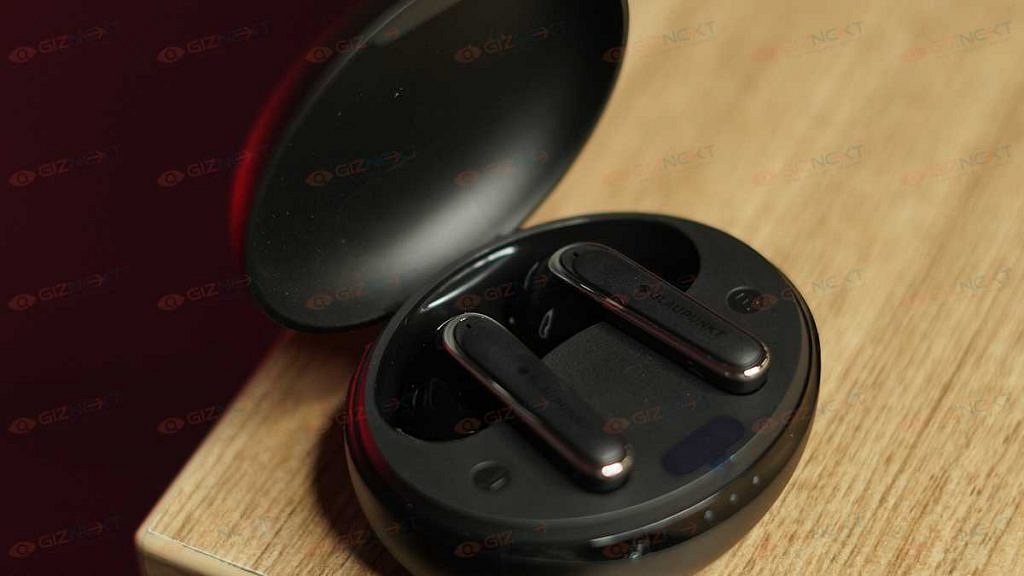
The Blaupunkt Truly Wireless Earbuds BTW Series comes with a stem design and charges inside an oval-shaped case. They come in two color options, i.e., Black and White. The one we have is Black. While the case looks decent enough, it nearly gives off the impression that it is built with cheap materials.

The case comes with LEDs on the front that let you know the amount of charge by displaying the power percentage. When the earbuds are fully charged, the LED light in the charging compartment will turn off. Besides, the case has a USB Type-C port at the back for charging.

The charging case does its job fine though. It holds the earbuds securely when not in use and charges them. Taking the earbuds out powers them on automatically while putting them back turns them off and starts charging them. The case is small and can be carried in your pocket easily.

Now coming to the earbuds, their design is average and gets the job done. They are light and comfortable to use. However, there’s a slight issue with the fit. While using them, they didn’t actually fall off in usual usage but we are confident of using these at the gym or while jogging.

The Blaupunkt earphones have touch controls. The taps on the outer sides of each unit can be used to control music playback, volume, and answer calls. To aid with the calls, there are two mics on each earbud which is located at the bottom. Overall, the earbuds and charging case are all made of plastic and are quite plain-looking in our opinion.

Audio Performance

A 10mm driver inside the earphones generates punchy bass as well as decent mids and highs. They deliver audibly elevated low-end responses while the mid-range and highs are slightly less aggressive.

Sound quality is usually the main factor of any audio product and the Blaupunkt Truly Wireless Earbuds BTW Series does offer good sound for its price. These earbuds are not the best but they’re good and for Rs. 2,999, they’re one of the better ones.

The Blaupunkt Truly Wireless Earbuds BTW Series can also be used for hands-free calling and we had a decent experience using them. The sound on calls was clear and the microphones could pick up our voice decently.

Battery And Connectivity

Pairing the Blaupunkt Truly Wireless Earbuds BTW Series is simple. Taking the earbuds from the case will turn them on automatically. If not, you can long-press on the multifunction keys for three seconds to turn it on.

After it gets paired successfully, the headset will sound prompt ‘successful connection’. The indicators of left and right earbuds will turn blue and flash slowly. If the earbuds don’t pair with the mobile phone after starting, it will shut down automatically after three minutes.  

The Blaupunkt TWS earbuds are compatible with both Android and iOS devices as well as can be paired with a mobile phone separately.

Talking about the battery, the charging case packs a large 400mAh battery. The device has a battery life of up to 40 hours of playtime. It does last for a decent amount of time. On using it for a few hours each day, it did last for over a day.

Verdict

The Blaupunkt Truly Wireless Earbuds BTW series does provide a level of performance that you would expect from a pair of budget TWS devices coming in at Rs. 2,999. That being said, they do fall short on some of the basics like the flimsy build and fit. What they have going on for them are decent sound quality and battery backup.

Categories
Featured Info Smart Watch

Smartwatch Buying Guide: Features To Look For Before Buying One

Who doesn’t love a smartwatch these days? Whether it is for fitness or health-related features or simply as a fashion accessory, now more people are looking for smartwatches than ever before.

But with so many budget options in the market right now, purchasing a smartwatch can be a little challenging. While it may appear to be a wonderful deal for buyers on a budget, there is more to it than meets the eye. To make things simpler, we have streamlined the process and provided a list of the important factors you should take into account before purchasing a new smartwatch.

Display

The display’s capabilities and quality must be taken into account. Just like smartphones, the display is a core component of any smartwatch because it shows all the information. It lets you interact with the watch itself. Therefore, it is recommended to select a smartwatch with a good display that can work well indoors and also outdoors, particularly under direct sunlight.

Make sure that the display has a responsive touch system and high-quality protective glass. The latter is crucial and worth considering because a subpar touch response might ruin the user experience.

Battery

Before purchasing a smartwatch, it’s crucial to take its battery into account. The battery in smartwatches doesn’t last as long as those in fitness bands. Smartwatches with plenty of functions such as cellular support, integrated GPS, constant heart rate monitoring, and other biometric sensors, typically require overnight charging to offer you a day’s worth of charge.

However, by disabling these features, the battery might be extended to more than a day. Budget and midrange smartwatches typically have a longer battery life, with some models claiming to operate for several days.

Connectivity

Today’s most popular smartwatches come equipped with connectivity options like Bluetooth, Wi-Fi, and a built-in GPS. Some of the more expensive ones also provide an optional cellular LTE connectivity option that allows you to set up an eSIM in addition to your standard SIM card. You can use a smartwatch without being linked to a smartphone if it has cellular and GPS connectivity. This eliminates the need for the smartphone and lets you use the smartwatch to go for walks and runs, make phone calls, or navigate with the built-in GPS.

App Support

When considering a good smartwatch, this is something that is often overlooked. A broad variety of third-party apps are supported by both Google Wear OS and Apple WatchOS with some that can be installed on the watch itself using their dedicated app stores. Rather than relying on a paired smartphone to push notifications, essentially apps can directly run on the watch.

Also, go through our list of the best smartwatch with calling features to find your next smartwatch.

Categories
Apps Featured How To

How To Hide Your WhatsApp Chats On Android And iPhone

People use WhatsApp to talk and interact with their friends, relatives, coworkers, and loved ones all around the world. However, there are times when it’s necessary to organize your conversations. You can’t keep some chats but you don’t want to delete them either. What should you do in such situations? Well, you can hide or archive your WhatsApp chats.

In order to manage your chats, WhatsApp offers its users the option to archive individual or group chats from their chats list. For the unaware, hiding a chat doesn’t actually delete the chat or back it up to your SD card. The chats will remain hidden on WhatsApp. Let’s get to know how to hide your WhatsApp chats on Android and iPhone.

How To Hide WhatsApp Chats On Android

Step 1: Open WhatsApp on your Android phone.

Step 2: Look for the chat that you want to hide.

Step 3: Long press the chat that you want to hide.

Step 4: Then, click on the archive button at the top right corner.

How To See Archived WhatsApp Messages On Android

Step 1: Open WhatsApp on your Android phone.

Step 2: Select ‘Chats’ in the tab near the top of the screen.

Step 3: Hit the back button if a conversation opens.

Step 4: Scroll to the bottom of the chat inbox, where you will see ‘Archived Chats’. You haven’t archived any chats if you don’t see the ‘Archived Chats’.

Step 5: To view all of your archived chats, click on ‘Archived Chats’. Pick a chat that you would like to open.

How To Hide WhatsApp Chats On iPhone

Step 1: Open WhatsApp on your iPhone.

Step 2: Look for the chat that you want to hide.

Step 3: Then, right-swipe on the chat and click the ‘Archive’ button.

Step 4: The chat is now archived and no longer visible in your chat list.

How To See Archived WhatsApp Messages On iPhone

Step 1: Open WhatsApp on your iPhone.

Step 2: Tap on ‘Chats’ (the speech bubble icon at the bottom of the screen).

Step 3: If a conversation is opened, tap the back button.

Step 4: In the middle of the screen, swipe down to open the ‘Archived Chats’ at the top of the screen. And you are all done.

Categories
Mobile Reviews

Xiaomi Redmi Note 11 Pro Long-Term Review: Justifies The Price Tag?

Key Highlights

  • Display: 6.67-inch FHD+ AMOLED display with 120Hz refresh rate
  • Camera: Quad-camera setup with a 108MP main lens
  • Battery: 5,000mAh battery with 67W fast charging
  • Design: Sleek, modern design with Gorilla Glass 5 protection
  • Price: Affordable, under Rs. 20,000

With flagship-like features and low-price tags, Xiaomi has long proven itself as one of the best affordable smartphone manufacturers. And to prove this statement, we have the Redmi Note 11 pro with its promise of offering high-end specs at a budget price, it has been one of the most eagerly awaited smartphones in its category.

However, due to increased smartphone prices, Xiaomi must be forced to walk on a tight rope to ensure that the Redmi Note 11 Pro lives up to the value-for-money champion tag; typically attached to the Redmi Note series. So, is the Redmi Note 11 Pro a purchase that is worthwhile? Find out by reading this review.

Also Read | Top Mid-Range Smartphones in 2024: Honor X9b 5G vs Realme 12 Pro 5G

ProsCons
AMOLED display with 120Hz refresh rateMediaTek Helio G96
108MP main cameraPre-installed third-party apps
Large 5,000mAh battery

What’s Inside The Box?

  • 1 Redmi Note 11 Pro handset
  • Adapter
  • USB Type-C cable
  • SIM eject tool
  • Quick start guide
  • Warranty card
  • Protective case

Design

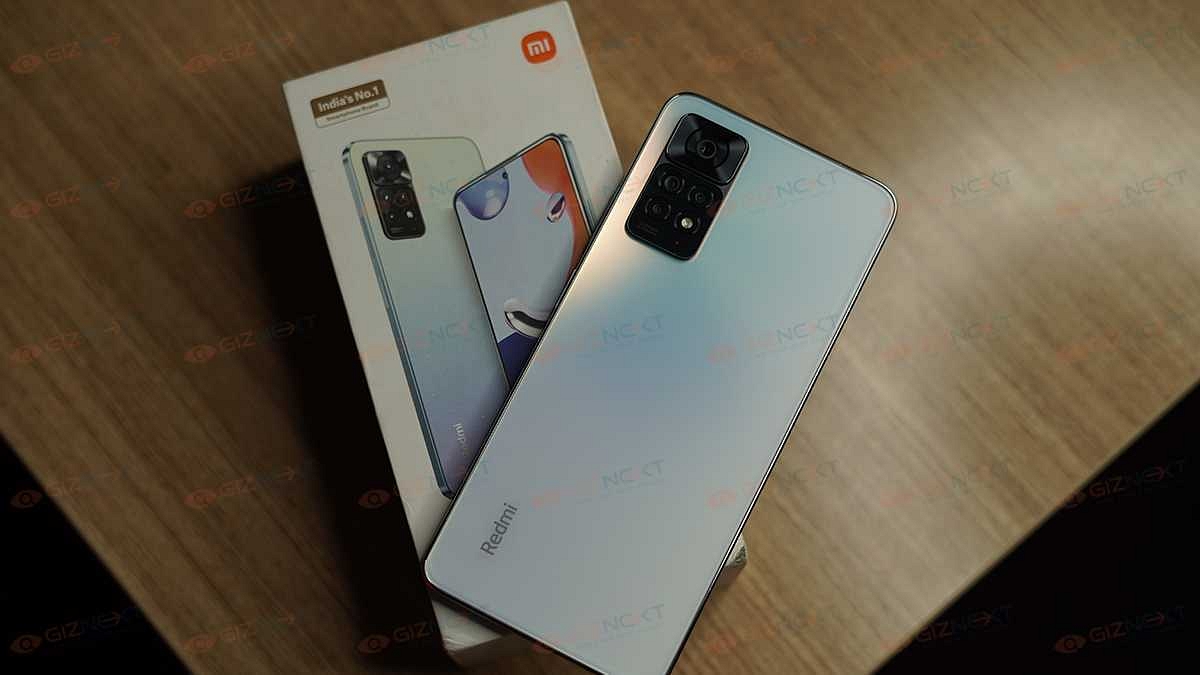
The Redmi Note 11 Pro is one of the good-looking phones out there. Although, it follows the same design language as other Note 11 series devices. The mid-range smartphone has a polycarbonate body and a flat-sided design.

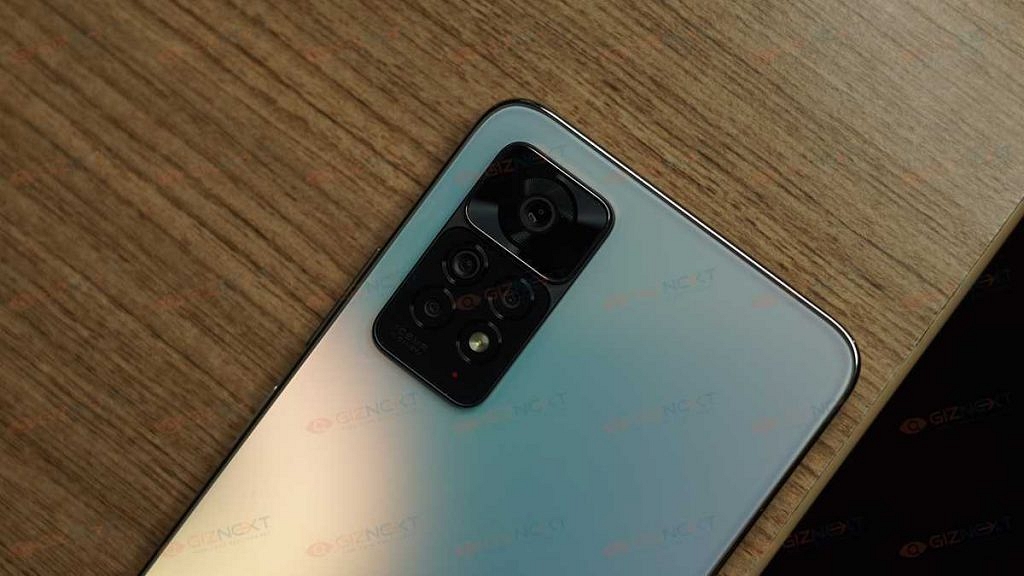
A rectangular module housing a quad-camera system is located on the top-left of the back panel. The module’s upper part has the larger primary lens while the section accommodates three additional sensors and an LED flash. The camera module protrudes out which is a welcome design approach. When kept on a flat surface, the device is wobbly. But that shouldn’t be any hassle.  Also, there is the Redmi branding at the back which looks quite subtle.

The Gorilla Glass 5 shields the front making you worry less about scratches. The handset can be operated with one palm and feels just the correct size to be held in one hand.

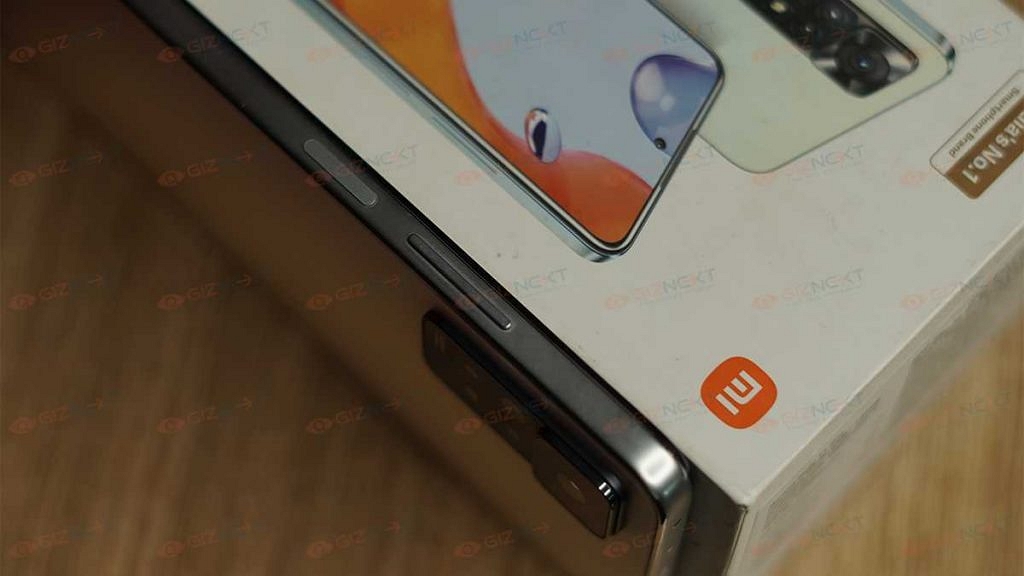
Speaking of buttons, the only buttons you find on the Redmi Note 11 Pro are the power button and the volume rocker on the right side whereas the left side is empty. The fingerprint scanner is embedded in the power button. The scanner does a good job of unlocking the handset in a jiffy.

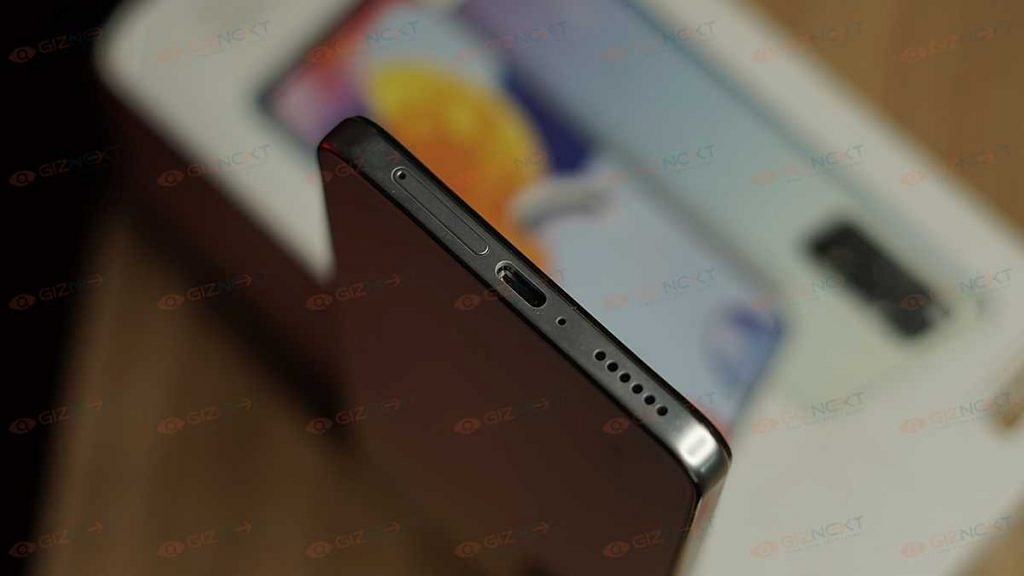
At the top, there is a speaker grille, an IR blaster, a 3.5mm headphone connector, and one microphone. On the bottom, there is a SIM card tray that doubles as a microSD card slot. Also, the USB-C port is there too.

The device’s design and quality are even more appealing as it is slim, sleek, and lightweight to hold. Overall, the Redmi Note 11 Pro is comfortable to use and looks modern.

Display

The Redmi Note 11 Pro’s display is among its strongest suits. You get an impressive 6.67-inch FHD+ AMOLED display. It has up to 120Hz of refresh rate that you can reduce to 60Hz instead if you want to save a considerable amount of battery. Unquestionably, it is the most impressive segment-leading display we have seen this far. After all, you don’t get AMOLED and 120Hz together on any other phone which is less than Rs. 20,000.

The display is protected by a layer of Gorilla Glass 5, making it robust to demanding usage. With high brightness levels, vibrant colors, and smooth animations, the screen is marvelous to look at.

Processor

The Redmi Note 11 Pro is powered by the MediaTek Helio G96 processor. To maintain things running for daily use, it provides a good performance. The multitasking is fluid and the apps open and load smoothly. The phone has 8GB RAM which combined with a processor makes the phone run smoothly. Additionally, it includes an internal storage of 128GB, which is enough to save significant files, documents, audio, videos, and more.

The smartphone launched with Xiaomi’s MIUI 13 which is an improved version of its predecessor. If you don’t require the third-party preinstalled apps, you can uninstall them. There are also a number of customization and personalization choices available.

Xiaomi released the HyperOS update for the Redmi Note 11 Pro in February 2024. This update is based on Android 13 and includes the latest February 2024 security patch. Since the Redmi Note 11 Pro has already received two major Android updates, from Android 11 to Android 13, it is unlikely that the device will be upgraded to Android 14.

In the audio department, the phone has a dual speaker system for loud output. The presence of a 3.5mm headphone port earns it some marks.

Camera

At the back of the Redmi Note 11 Pro are four cameras. A 108MP main lens, an 8MP ultrawide lens, a 2MP macro, and a 2MP depth sensor are all part of the package. Up front, there is a 16MP selfie camera as well.

There are numerous modes available to make photography even more interesting. Pro mode, night mode, extended exposure, and other modes are among them.

The primary 108MP camera performs decently. The photographs are sharp all around and appear realistic. The primary sensor performs well at night as well, producing clicks that are less noisy, bright, and crisp.

The 16MP selfie camera performs better than average by taking pictures that are detailed and vibrant. Although, the dynamic range is limited but functions nicely.

Battery

With a massive 5,000mAh battery capacity, the Redmi Note 11 Pro can last for an entire day. This included tasks such as calling, texting, browsing, using the camera, and streaming video.

Xiaomi also includes a 67W fast charger in the package. This is the fastest charging available in this segment. Besides, there is no need to bother about purchasing the adaptor separately as the charger is included in the box.

Also Read | Redmi K50i Review: An Impressive Mid-Range Smartphone

Verdict

In India, the Redmi Note 11 Pro is available for less than Rs. 20,000. Xiaomi provides a respectable package under the Redmi Note 11 Pro label. The phone boasts a stylish design, good display, a big battery, and quick charging speed. The only disappointment is that it is still on Android 11. We just hope that the brand rolls out the Android 12 update soon. Overall, the smartphone is good to go with.

Categories
Apps Featured How To

How To Share Instagram Posts With Other Social Media Channels: A Step-By-Step Guide

Nowadays, Instagram is one of the most widely used social media networks. But that doesn’t deny the significance of other platforms. On Instagram and other platforms, users usually share the same content but doing so manually can be time-consuming.

Sometimes you want to share a photo or video you’ve uploaded to Instagram on other social media sites. The good thing is that users can connect to their social media platforms so that they do not have to put up the same post separately every time. For this, you need to connect your Instagram account to other social media platforms. Here’s how to do it:

How To Use Link Instagram To Your Other Social Media Channels

It is simpler for followers to find your content and for you to share Instagram posts that you have made when your account is linked to your other social media platforms. Additionally, it shows that you are active across a number of channels which strengthens your online presence. Below are the steps that you need to follow in order to link your Instagram account to your other social media channels:

Step 1: On your mobile phone, open the Instagram app.

Step 2: Go to your profile and open the menu by tapping on the three dots in the top right corner.

Step 3: Click on ‘Settings’.

Step 4: Tap on ‘Account’.

Step 5: Now, tap on ‘Sharing to other apps’.

Step 6: Select the account you want to link from options like Facebook, Twitter, Tumblr, Ameba, and OK.ru.

Step 5: Enter the login information and you are all set to go.

The social media accounts are now linked to your Instagram account. You only need to upload the photo or video, edit it, add a description, tag people, and add location whenever you want to share a post on Instagram and other platforms. You simply need to enable the toggle for the accounts you want to share.

Besides, if you have chosen Advanced Settings (located under the social media services settings in the Settings), your posts or videos will be automatically posted to Facebook.