Categories
Featured Info Mobile

Xiaomi 12S, Xiaomi 12S Pro, Xiaomi 12S Ultra Launched: Know Specifications, Price

Key Highlights

  • Xiaomi 12S series has been launched in China
  • These are the first phones to use Qualcomm’s Snapdragon 8+ Gen1 chipset
  • The smartphones come with Leica optics

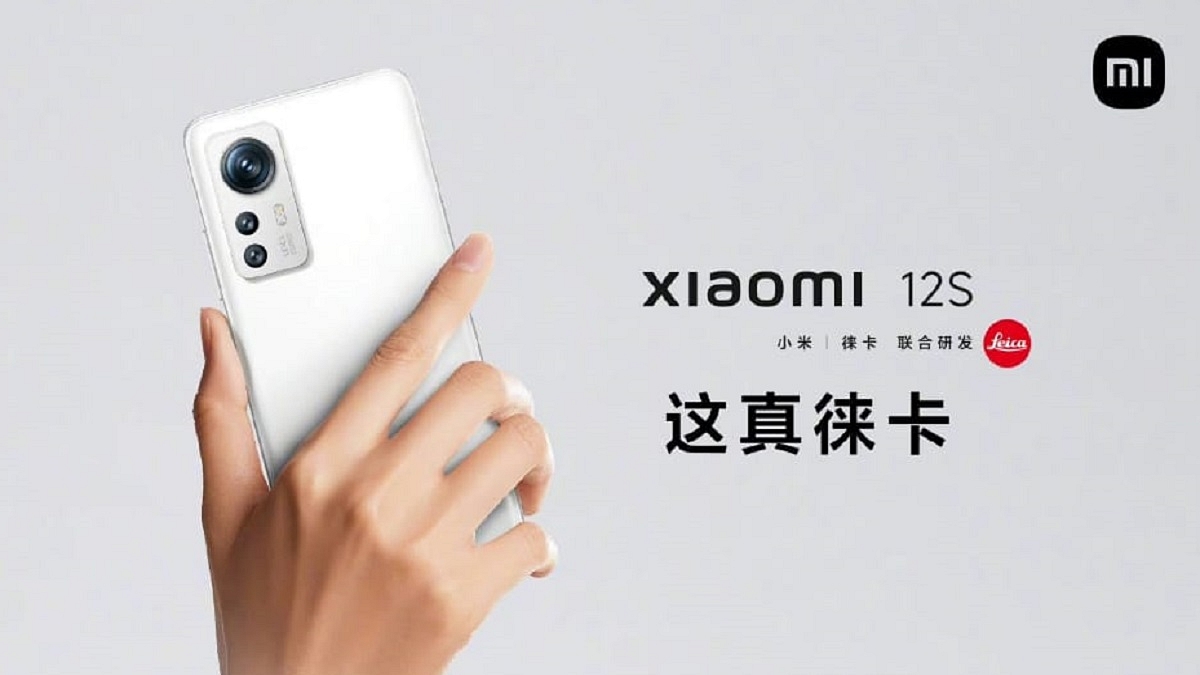
The Xiaomi 12S series has now been officially unveiled in China. These are the latest flagship offerings by the company. The lineup includes three models, i.e., the Xiaomi 12S, Xiaomi 12S Pro, and the Xiaomi 12S Ultra. All three smartphones are powered by the Qualcomm Snapdragon 8+ Gen 1 SoC and come with Leica optics. Check out the specifications and prices of the newly launched devices:

Xiaomi 12S, Xiaomi 12S Pro, Xiaomi 12S Ultra Specifications

The Xiaomi 12S features a 6.2-inch FHD+ AMOLED display with a refresh rate of 120Hz. On the other hand, the Xiaomi 12S Pro comes with a larger 6.73-inch QHD+ AMOLED panel with a 120Hz refresh rate. Meanwhile, the Xiaomi 12S Ultra features a 6.73-inch AMOLED micro-curved display with up to 120Hz refresh rate. The AMOLED panel on the Xiaomi 12S series supports 1500 nits of peak brightness and comes with Gorilla Glass Victus protection.

Under the hood, the Xiaomi 12S and 12S Ultra are powered by the new Snapdragon 8+ Gen 1 chipset. On the other hand, the Xiaomi 12S Pro comes in two variants: one with the Snapdragon 8+ Gen 1 chipset and the second with the Dimensity 9000+ chipset. The Xiaomi 12S and 12S Pro have up to 256GB of UFS 3.1 storage and 12GB of LPDDR5 RAM. Meanwhile, the Xiaomi 12S Ultra has up to 12GB RAM and 512GB storage.

Further, the Xiaomi 12S boasts a 4,500mAh battery with support for 67W fast wired charging. The Xiaomi 12S Pro is housed by a 4,600mAh battery with 120W and 50W wireless fast charging support. The Xiaomi 12S Ultra packs a large 4,860mAh battery with 67W wired and 50W wireless charging support.

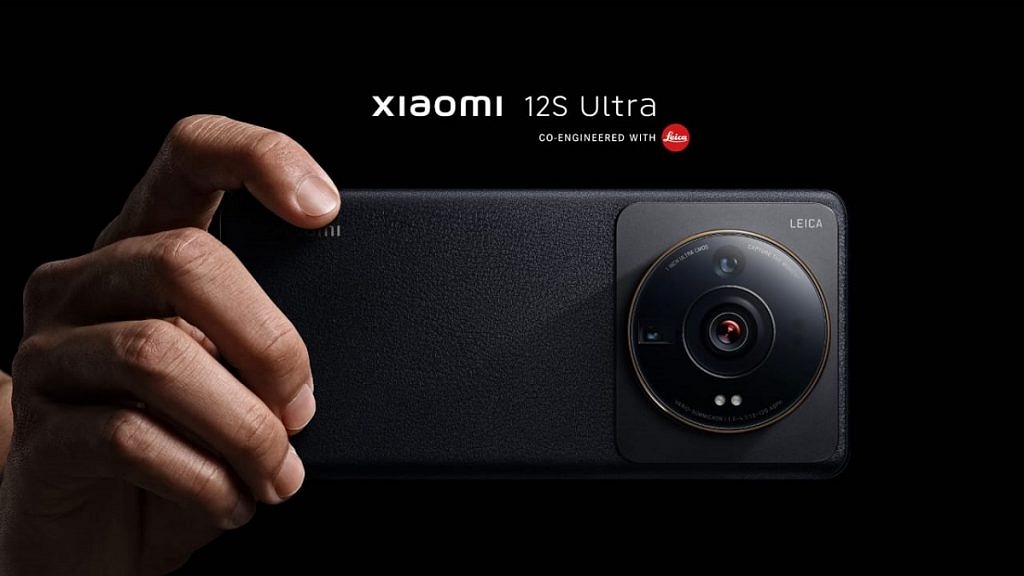
Moving to optics, the Xiaomi 12S has a triple camera setup. It carries a 50MP Sony IMX707 sensor, a 13MP ultrawide snapper, and a 5MP tele-macro camera. The device packs a 32MP selfie camera on the front.

The Xiaomi 12S Pro packs a triple camera setup. It includes a 50MP Sony IMX707 camera. The other two cameras are a 50MP ultra-wide shooter and a 50MP telephoto shooter.

Coming to the Xiaomi 12S Ultra, it has a triple camera array on the back. The custom 1-inch Sony IMX989 sensor is used for the first time in a phone. The device has a 50MP ultra sensor, a 48MP ultra-wide lens, and a 48MP zoom lens. For selfies, the phone has a 32MP camera on the front.

Xiaomi 12S, Xiaomi 12S Pro, Xiaomi 12S Ultra Price

The Xiaomi 12S comes at a starting price of CNY 3,999 (around Rs. 47,194) while the Xiaomi 12S Pro has a starting price of CNY 4,699 (around Rs. 55,408). On the other hand, the Xiaomi 12S Ultra price begins at CNY 5,999 (around Rs. 70,700).

The Xiaomi 12S and the Xiaomi 12S Pro will go on sale in China from July 6. On the other hand, the Xiaomi 12S Ultra will be available in the country starting July 8.

Categories
Featured Home Appliances Info

Xiaomi Showcases A Bio-Inspired Quadruped Robot ‘CyberDog’ In India: Check Out Specs

Key Highlights

  • Xiaomi showcases its CyberDog in India
  • It is the company’s first robotic dog
  • CyberDog has a lot of potential in the home security segment

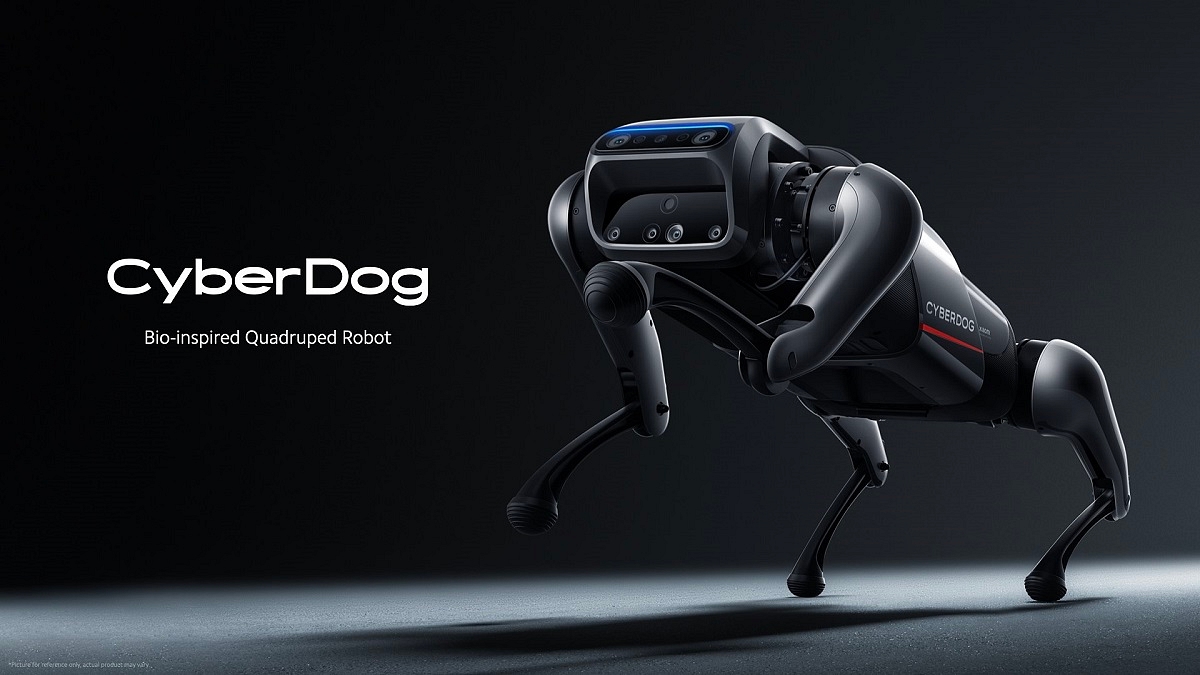
As Xiaomi celebrates its anniversary month, the brand showcased its ‘CyberDog’ in India today (July 4, 2022). This is Xiaomi’s first robotic dog. It is loaded with advanced features like an Intel processor, an NVIDIA GPU, and support for open-source algorithms.

The Xiaomi CyberDog has emerged as one of the most talked-about topics in the tech world and the users are quite interested in learning more about the brand’s first robotic dog. Here is all the information you need to know about the CyberDog:

All About Xiaomi’s CyberDog

The NVIDIA AI computing platform and custom-designed servo motors power the Xiaomi CyberDog. This produces 220 rpm rotation and up to 32 Nm of torque. Xiaomi claims that its CyberDog can execute complex motions as well as postures including backflips and moving speeds of up to 11 kmph. Additionally, it is capable of running and walking as well as more complex movements including rolling, jumping, leaning forward, and standing on its rear legs.

The CyberDog’s body is equipped with 11 high-precision sensors and specialized touch sensors. comes with 128GB of SSD storage. Along with an Intel RealSense D450 depth sensor, room mapping ultrasonic sensors, and geolocation processors, the CyberDog comes with embedded cameras for sight.

According to Xiaomi, the CyberDog has custom programmable computer vision. Therefore, you can teach the dog to respond appropriately when it notices something intriguing. Additionally, you can train it with custom voice instructions. Besides, the robot is also capable of auto-tracking and SLAM mapping.

Ultra-wide fisheye cameras with binocular capability and AI interactive cameras that can read the environment also contribute to the robot’s vision. It’s interesting to note that this CyberDog can recognize faces to provide its owner with personalized experiences. The Xiaomi CyberDog can also respond to human gestures.

Furthermore, the Xiaomi CyberDog has three USB-C ports and one HDMI port that can be used to connect extra cameras, LiDAR sensors, and other devices.

Xiaomi CyberDog Price

Xiaomi has not yet made any official statements regarding its price. However, the company is offering this CyberDog for 9,999 yuan in China which translates to Rs 1.15 lakh.

Categories
Featured How To Mobile

How To Sign In To Apple iPhone Apps With Google Chrome Passwords

Key Highlights

  • Google Passwords is now available for Apple iPhones as an autofill service
  • Users can use the Chrome-saved passwords to sign in to your iOS apps
  • Users can designate Google Password Manager as their default provider

Google Chrome is one of the most widely used browsers in the world, and desktop users probably already have a lot of passwords saved. These saved passwords can now be used with ease to sign into other applications. Now, Chrome 103 update includes a built-in Google Password Manager for iOS.

Google Passwords, a feature of Chrome, is now available for Apple iPhones as an autofill service. That implies that you can use the Chrome-saved passwords to sign in to your iOS apps. Additionally, users can now designate Google Password Manager as their default provider for autofill. Here’s how that works:

Also Read | How To Download Google Meet On Laptop: Here’s The Step-By-Step Guide

How To Save Passwords In Google Chrome

Google Chrome offers to store your password by default. Though, you can toggle this feature on or off at any moment. Therefore, if you have this feature turned off by default, here’s how you can turn it on:

Step 1: Open Google Chrome on your PC.

Step 2: Click the Profile in the browser’s upper right corner. Now, click the Passwords option.

Step 3: If the Passwords icon is not visible, click the More button at the top of the screen, followed by the Settings button.

Step 4: Next, select the Autofill option. Then, select the Passwords option.

Step 5: Now, enable the ‘Offer to Save Passwords’ option.

How To Make Chrome Passwords Usable By Other Apps

Step 1: Open your device settings in the Settings app on your iPhone.

Step 2: Now select Passwords.

Step 3: To unlock your device, follow the instructions.

Step 4: Now select AutoFill Passwords.

Step 5: Now, turn on AutoFill Passwords.

Step 6: Pick the Chrome option on the following screen.

Step 7: Follow the steps displayed on the screen to complete the setup.

Also Read | Here’s How To Print Documents And Images From Google Chrome Web Browser

How To Use Google Chrome Passwords On Your iPhone In Other Apps

Step 1: Go to the app you want to sign in to on your iPhone.

Step 2: Tap on the username or password field on the login page.

Step 3: Select Passwords on the keyboard.

Step 4: You may need to sign in to your device again to enable autofill.

Step 5: Once you’ve decided on a password, you’re done.

For the tech geeks, stay updated with the latest cutting-edge gadgets in the market, exclusive tech updates, gadget reviews, and more right on your phone’s screen. Join Giznext’s WhatsApp channel and receive the industry-first tech updates.

Categories
Featured How To Mobile

How To Lock Apps On iPhone With A Passcode: Check Steps

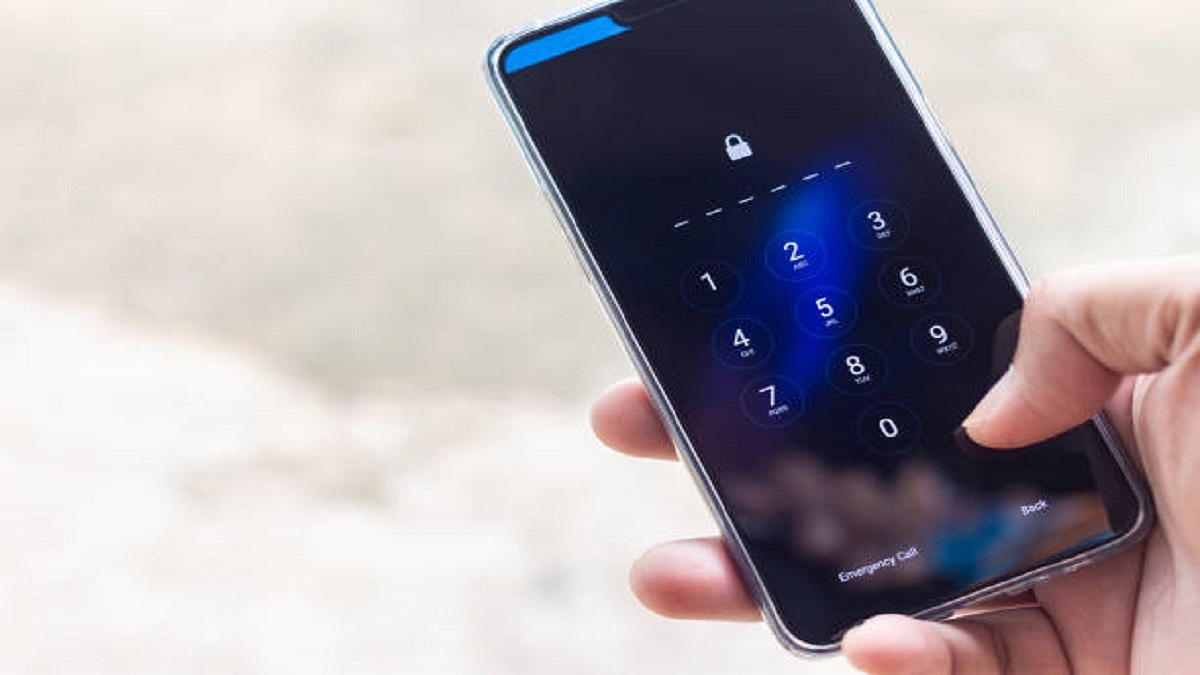
Apple devices lack an official method for independently locking sensitive applications with a password as Android smartphones have. Additionally, it doesn’t have a third-party app with comparable features that are readily available on the App Store. Fortunately, there is a solution that allows users to password-lock specific apps. This lies in the Screen Time function that was introduced with iOS 12.

So, if you’re concerned about privacy and want to lock down specific apps on your iPhone, don’t worry. This post will help you know how to lock apps on your iPhone via Screen time.

Steps To Lock Apps On iPhone Using Screen Time

Screen Time, a feature that’s built into your iPhone, has the power to impose restrictions on how an app is used. Except for the phone app, you can use it to lock all other apps. It is easy to use but keep in mind that it only locks an app for a certain amount of time. The feature is only available on iOS 12 and up.

Step 1: On your iPhone, open Settings.

Step 2: Find Screen Time in the list of tabs and tap on it.

Step 3: Tap on App Limits > Enable App Limits > Click on Add Limit.

Step 4: You will see a list of categories. Tap on ‘Social’ if you wish to lock a social media app.

Step 5: Now, from all the apps in the list, find the one that you want to lock and tap on it, and hit the Next button that’s on the top right corner.

Step 6: You will now have to set a time limit. Choose 1 minute from the slider as it is the minimum time. After the set time passes, the app will be locked automatically.

Step 7: Make sure you enable the ‘Block at the end of Limit’ option.

Step 8: Lastly, click on the ‘Add’ button in the top right corner.

The app you lock will have a limit of one minute. This means that when the one-minute time will expire after launching the app, it will be automatically locked with a passcode. If you want to lock the app, you first need to open the app for one minute and after that, it will be locked successfully.

Categories
Featured Info Mobile

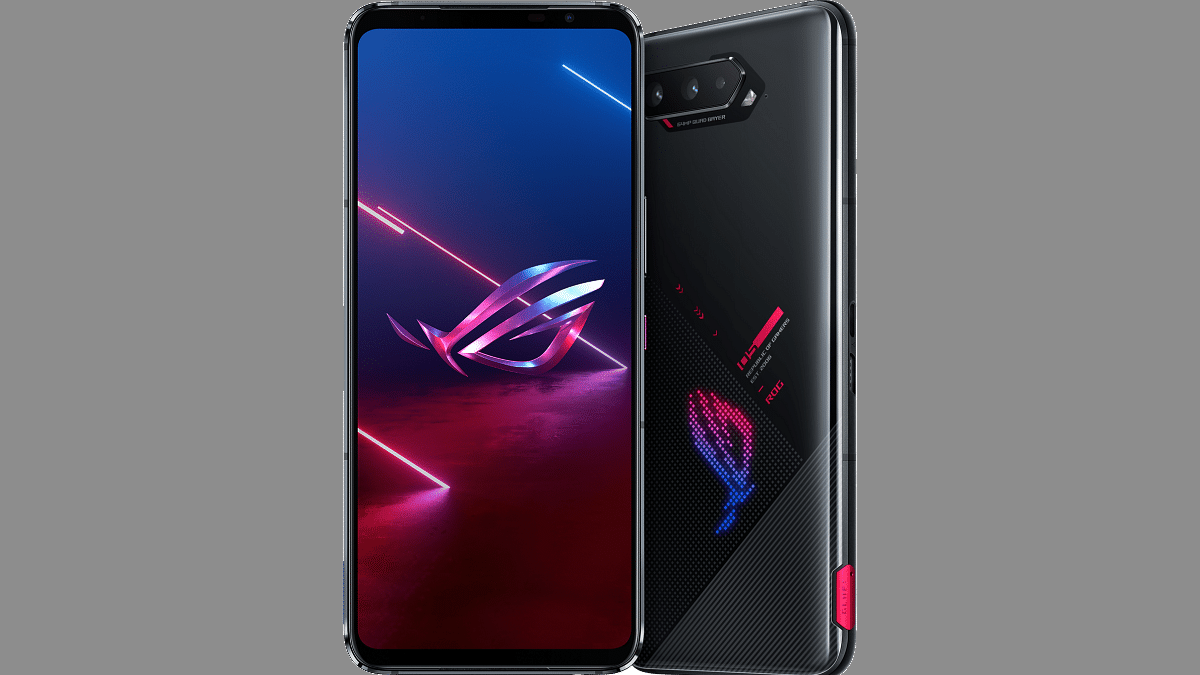
Asus ROG Phone 6 India Launch On July 5: All Details

Key Highlights

  • Asus ROG Phone 6 to launch on July 5
  • The phone will come with Snapdragon 8+ Gen 1 chipset
  • It will have a 165Hz refresh rate screen

The launch date for the Asus ROG Phone 6 in India has been finally announced. The brand has shared the launch teaser for July 5. Many reports suggest the new ROG Phone lineup could have two devices this year, i.e., vanilla ROG Phone 6 and a Pro variant. Let’s check out all the information regarding the upcoming smartphone.

Asus ROG Phone 6 Launch Details

Asus has confirmed that it will launch the smartphone on July 5, 2022, in India. The virtual launch event will begin at 5:30 PM IST. It will be live-streamed on the official YouTube channel of the company. Also, the global launch of the ROG Phone 6 is on the same date.

Asus ROG Phone 6 Specifications

The Asus ROG Phone 6 is expected to pack a 6.78-inch AMOLED display. It will offer support for a 165Hz refresh rate. The smartphone is likely to be one of the first smartphones in the market to come with the latest Snapdragon 8 Gen+ 1 chipset. The mid-year flagship SoC from Qualcomm which promises better performance and battery efficiency is the company’s most recent hardware.

The design of the ROG Phone 6’s back panel could see some changes but the RGB backlight panel is expected to be retained. The ROG Phone 6 is expected to be a handful device with a weight of 229 grams and a thickness of over 10mm, according to some of the listings quoted in multiple reports.

The smartphone can have 18GB of RAM and 512GB of internal storage. The device is expected to come with Android 12-based ROG Phone UI out of the box. For power, the gaming smartphone is expected to house a 6,000mAh battery with 65W fast charging support. Besides, the phone is expected to support reverse charging and might not include wireless charging abilities.

As for the cameras, the Asus ROG Phone 6 is tipped to pack a triple rear camera. It could have a main 64MP sensor combined with an ultra-wide camera and macro sensor. The front of the phone could have a 12MP shooter for selfies.

Categories
Accessories Featured Reviews

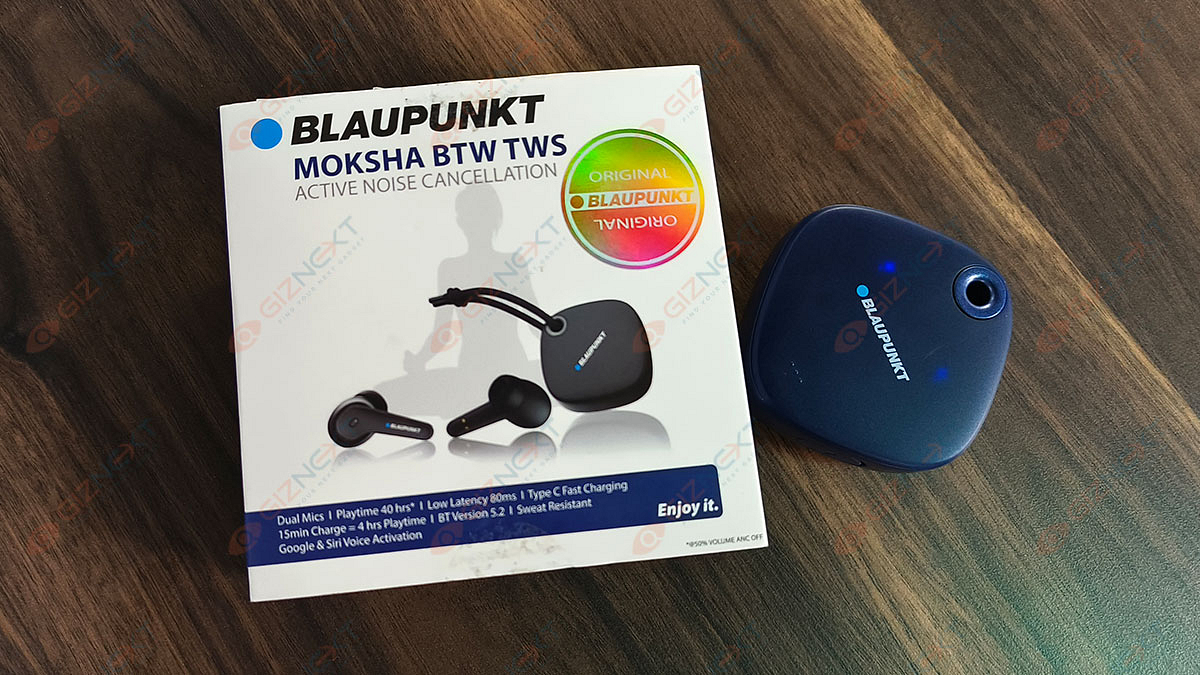
Blaupunkt Moksha BTW TWS Earbuds Review: Worth Buying For Daily Usage?

Pros

  • Better sound output
  • Good battery life
  • Comfortable to wear

Cons

  • Little expensive
  • Have a pairing issue

Everything is becoming simpler and better thanks to technology. The audio equipment is no exception. Earbud sales are booming right now. This is the time for wireless earbuds that looks stylish, comfortable to wear and offer a great user experience. The Blaupunkt Moksha BTW TWS earphones are one of the latest faces in this crowded space. We reviewed the product to see how it fares in daily life scenarios and against its rivals. Here is what we discovered:

Also Read: Vivo TWS 2 ANC Full Review: Rich Soundstage Takes The Limelight

What’s Inside The Box?

  • A pair of earbuds
  • Charging case
  • USB charging cable
  • Ear tips
  • User manual

Design

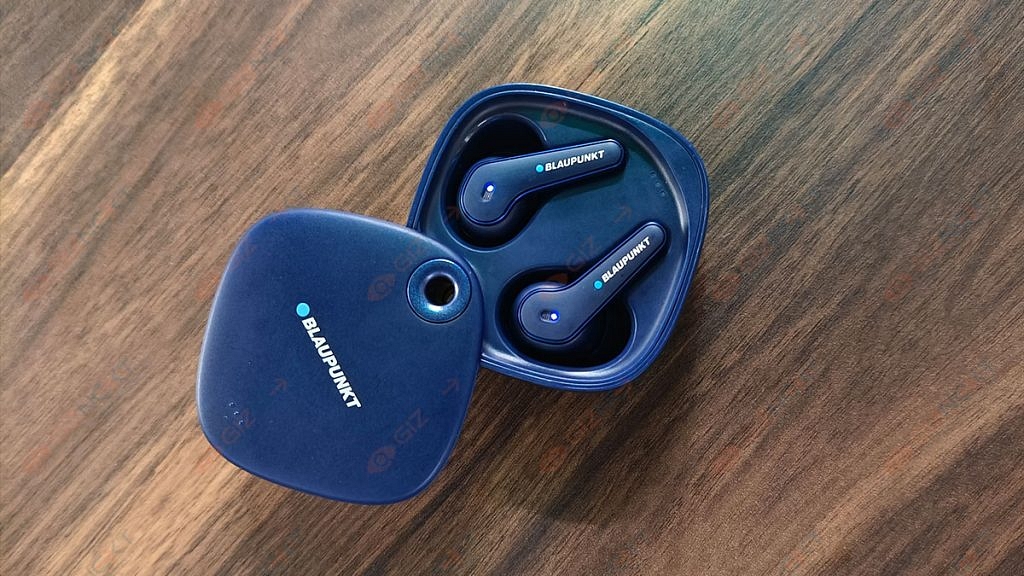
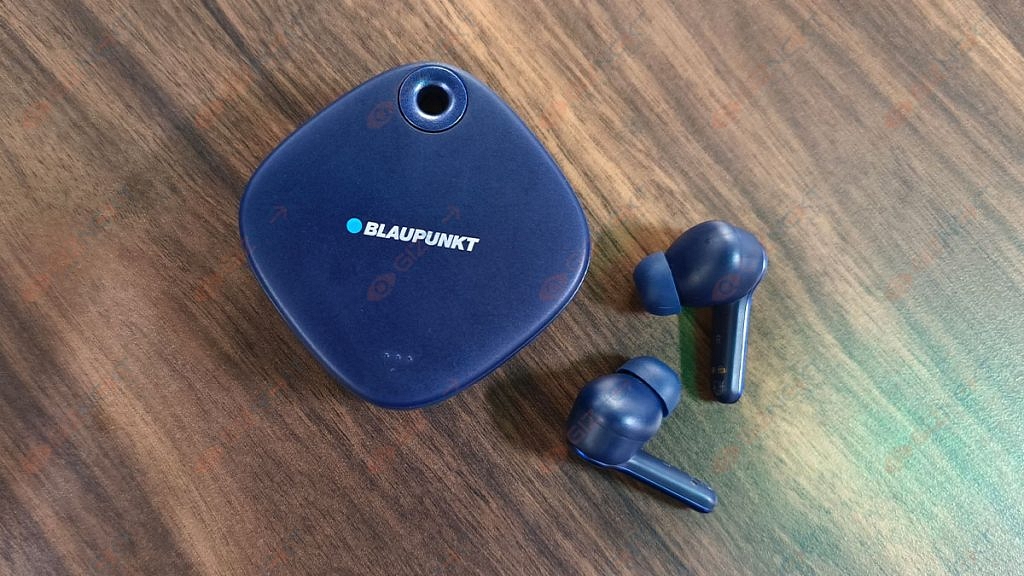
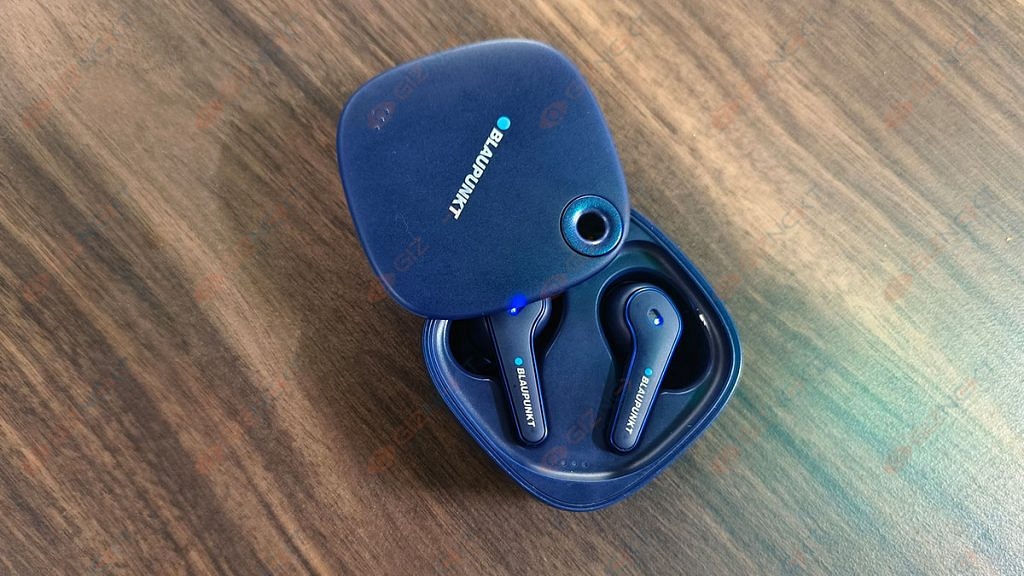
The Blaupunkt Moksha BTW TWS is entirely made of plastic. The square-shaped case with rounded edges offers a decent look. The charging case has a slider design that makes it stand out of the crowd. There is a USB Type-C charging port in front with a secure rubber casing that keeps it protected from dust and water. The hollow ring on the case lets you tie straps for easy portability.

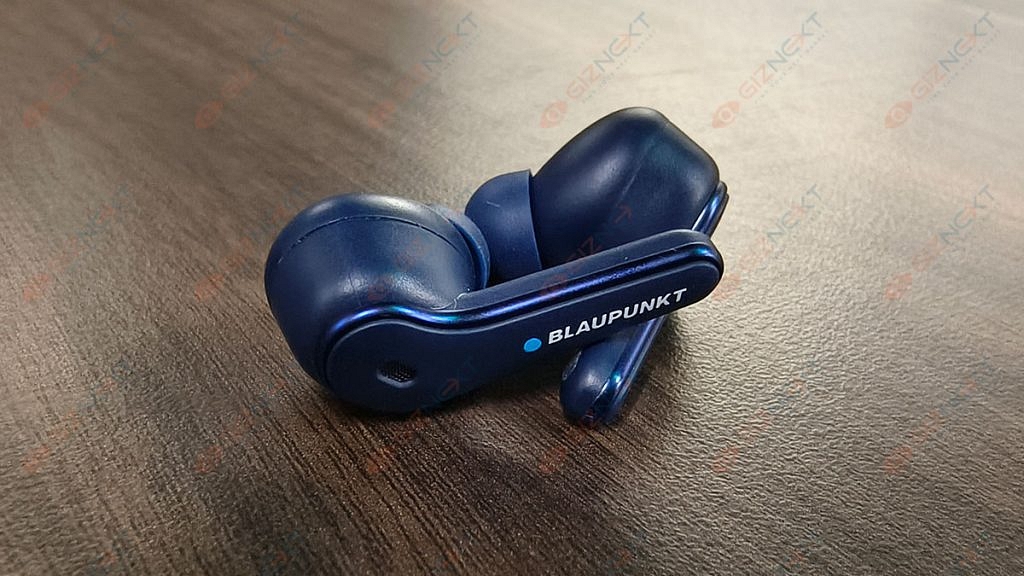
Coming to the earbuds, it has a stem shape that looks discreet and fits well in the ear. The charging ports on each unit’s bottom are magnetized allowing the earphones to securely snap into their charging cases. They are also stable even when with vigorous head bang motions. Besides, the earbuds are resistant to sweat which makes them apt for rough usage.

The outer parts of the earbuds are touch-sensitive and can be used to control volume and media playback. A single tap on either side adjusts the volume, a double-tap on the right plays or pauses music and a long-press on either side on/offs the ANC.

Also Read: How To Connect OnePlus Buds True Wireless Earbuds With Smart TVs and Laptops?

Audio Performance

Coming to the sound quality, we couldn’t find a flaw in the Blaupunkt Moksha BTW TWS. It delivers a quite balanced sound pattern. It is specifically been designed to offer high-resolution audio. The earbuds offer decent music quality. The tuning is balanced with non-intrusive bass.

There are two mics on each earbud, one for talking, and the other for noise cancellation. Just for reference, these earbuds come with ANC support. The Active Noise Cancellation works fine with cutting unnecessary external noises. You will also enjoy clean conversations with no external noises.

Battery And Connectivity

You won’t have to charge the Blaupunkt Moksha BTW TWS often. The company claims that it can give you 4 hours of playtime in 15 minutes charge and we cannot challenge that. They do last long.

When it comes to connectivity, Bluetooth 5.2 makes wireless paring simple and quick. While connectivity is smooth, there are some hiccups too. We had to place the earbuds back in the case and start all over again to get it working. Sometimes only one earbud worked.

Verdict

For Rs. 5,999, the Blaupunkt Moksha BTW TWS earbuds do offer better sound output and battery life. It is perhaps one of the decent sets of earbuds in the mid-range segment that you can buy in India.  

Also Read: Five Best Wireless Earbuds Under Rs. 2,000 You Can Buy In India

Categories
Featured Home Appliances

Dyson Corrale Hair Straightener: An All-In-One Personal Hair Expert

New hair color is a fun way to switch up your appearance for any season. But you may have heard before that intense heat can damage your hair and cause color fading. However, there are many popular brands that have come up with a range of technologies for hair care products. One such product is Dyson Corrale Straightener. It is a tech-advanced hair straightener for your daily hair management. It will cost you Rs. 38,900 in India.

Reasons For Hair Color Fade

There are multiple reasons why your hair color may start fading. Some of the causes of fading hair color include improper maintenance, heating treatments, the type of colorant used, how often you wash your hair and using the wrong products.

In addition, there are many other reasons as well that cause hair color fading. Some of them include excessive sun exposure, chlorine in swimming pools, and seawater.

How The Dyson Corrale Is Engineered To Reduce Color Fade?

Flexing Plates

The Corrale straightener by Dyson is designed with flexing copper plates that bend to gather hair and impart even heat and strain to hair strands with each pass. Users receive improved styling with less harm that further prevents hair breaking. The Dyson Corrale straightener helps avoid color fade by reducing hair’s exposure to high heat. This is made possible with improved heat plates.

Corrale Hair Straightener: Full Heat Plate Technology Explained

The brand has tested several alloys to design the Corrale Straightener. However, the brand found manganese copper alloy (a combination of copper, manganese, aluminum, iron, tin, and nickel) to be the best fit. Dyson selected the patented flexing plates for the best flexibility, strength, and thermal conduction. The plates are incredibly thin which allows them to shape and flex perfectly around the hair.

The Dyson Corrale straightener comes equipped with intelligent heat control. It has a dynamic heater system with an integrated sensor that regulates temperature 100 times per second. This technology connects with a microprocessor which in turn controls the heating system to bring accurate heat. The temperature options allow users to tailor the settings with three heat settings, i.e., 165°C, 185°C, and 210°C to suit their hair type, length, and desired style.

Battery Technology

The Dyson Corrale straightener is powered by a four-cell, lithium-ion battery. This delivers the thermal performance of a corded product with cord-free versatility. From curly waves to straight locks, the Dyson Corrale straightener allows you to create different looks for numerous occasions.

Categories
Featured How To Mobile

Want To Schedule A Text Message On Your iPhone? Know How

Although texting might provide quick gratification, there are occasions when it makes more sense to wait until an appropriate time to send a message. It can be helpful to plan out your text messages in advance.

Despite the fact that Apple didn’t directly build this functionality into its Messages app, the iPhone can send scheduled text messages. New possibilities open up with the option to schedule the time and date for a message to be sent. For instance, it is possible to schedule reminders to friends and family in advance, and ideas that might pop up in the middle of the night can be sent during working hours.

How To Schedule Text Messages On iPhone?

If you have the latest iPhone model with iOS 13 or a newer operating system, you have the option to schedule the message in advance. However, you should be aware that iMessage does not give you the option to schedule messages directly.

The Apple app itself offers a solution, though. The app is called Shortcuts and it is accessible on your iPhone. Download it from the App Store if you haven’t already. Here is the step-by-step guide to scheduling a text message on your iPhone.

Step 1: Open the Shortcuts app on your iPhone.

Step 2: Now click on the Automation option available at the bottom of the screen.

Step 3: Tap ‘Create Personal Automations’ if this is your first time doing this. Otherwise, simply select ‘Create Personal Automations’ by clicking the + sign in the top right corner of the screen.

Step 4: Here, click on the ‘Time of Day’ and make the necessary adjustments. Then, decide how frequently you want it to repeat. Keep in mind that this creates an automatic message shortcut on a frequent basis.

Step 5: Once you set the time, tap Next and select Add Action.

Step 6: Select the contact and tap Next.

Step 7: Now, click on Message and then continue after typing your message.

Step 8: Check your automation and deselect the Ask before running option. Then, tap Done.

However, you can simply delete the automation once the message is sent if you want to keep the message scheduled for a single time. You will need to swipe the name of the action to the left and tap Delete and you are all done.

Categories
Featured Info Mobile

Best Samsung And Tecno Smartphones With 7,000mAh Battery In 2022

Key Highlights

  • Battery performance is one of the important features of smartphones
  • A few smartphones with 7,000mAh battery are available in the market
  • Samsung and Tecno offer phones with 7,000mAh battery

Your smartphone may have the latest-generation processors, the best display, and a great camera, but all this gets worthless if the battery runs out. One of the most important features that people should consider when purchasing a phone is its battery performance.

To enhance battery life, the brands are now packing larger batteries inside smartphones. In fact, a few smartphones with 7,000mAh batteries are available today that offer even more usage time. Non-power users can easily get several days’ worth of battery life from a smartphone with a 7,000mAh battery. This list will assist you in choosing the best 7,000mAh battery smartphone that you can consider buying in India.

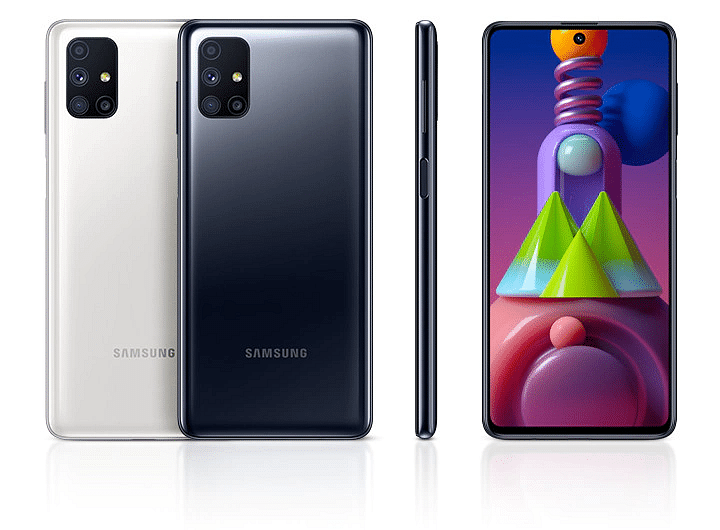
Samsung Galaxy M51

The Samsung Galaxy M51 is the company’s first smartphone to include a massive 7,000mAh battery. The device can be charged up with the provided 25W fast charger. It also supports reverse charging to power up your other devices. The Galaxy M51 uses the Qualcomm Snapdragon 730G SoC. It has up to 8GB of RAM and 128GB of internal storage. You can purchase the Samsung Galaxy M51 at Rs. 19,999.

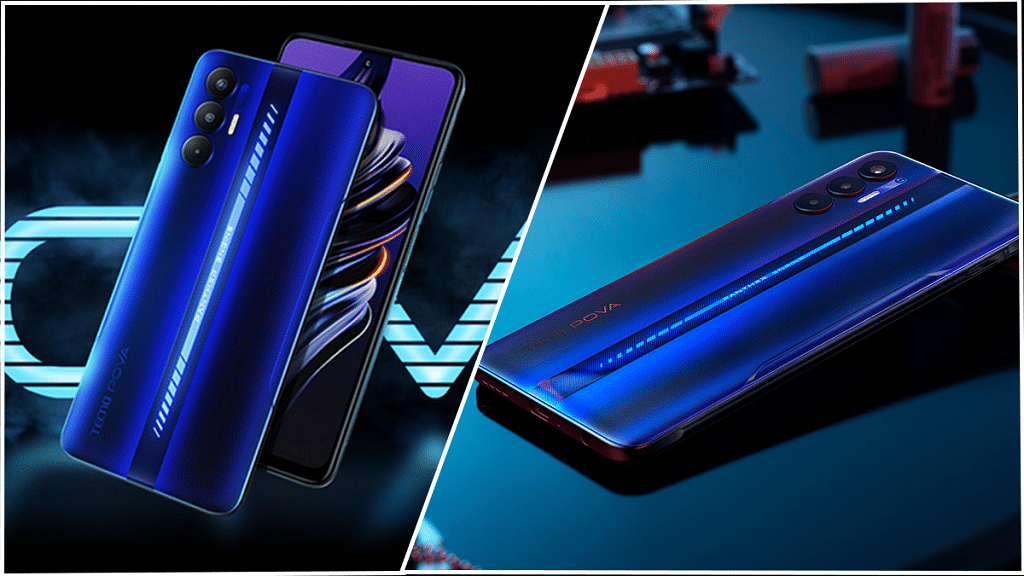
Tecno Pova 3

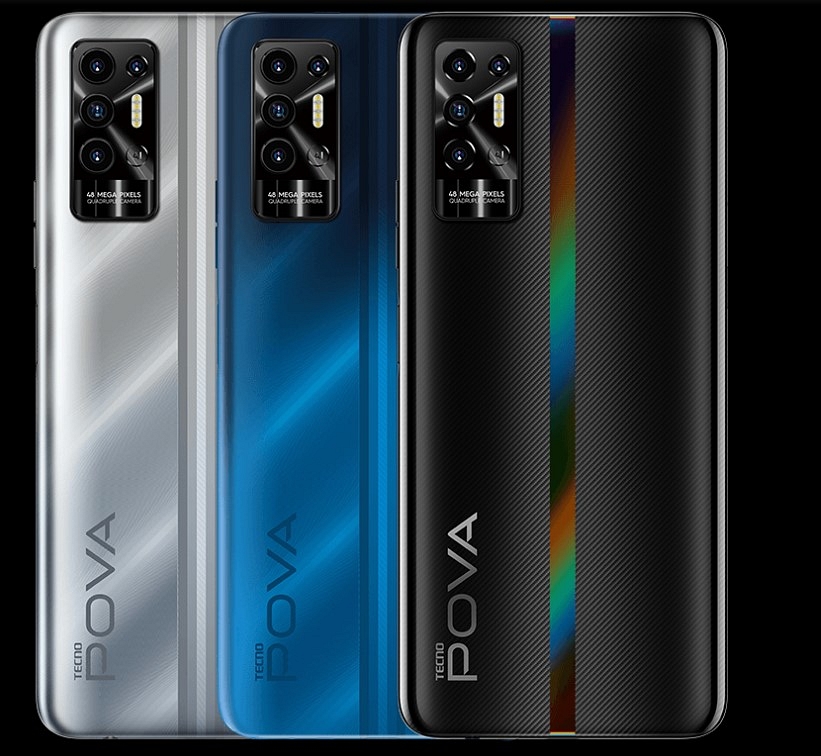
The Tecno Pova 3 is backed by a massive 7,000mAh non-removable battery. The phone comes compatible with a 33W Fast Charging system. It comes with a 6.9-inch IPS LCD that is incorporated with a pixel density of 389ppi and a resolution of 1080 x 2460 pixels. A MediaTek Helio G88 chipset along with 4GB of RAM and 128GB of internal storage is configured in the Tecno Pova 3. The smartphone costs Rs. 11,499 for purchase at Amazon.

Samsung Galaxy F62

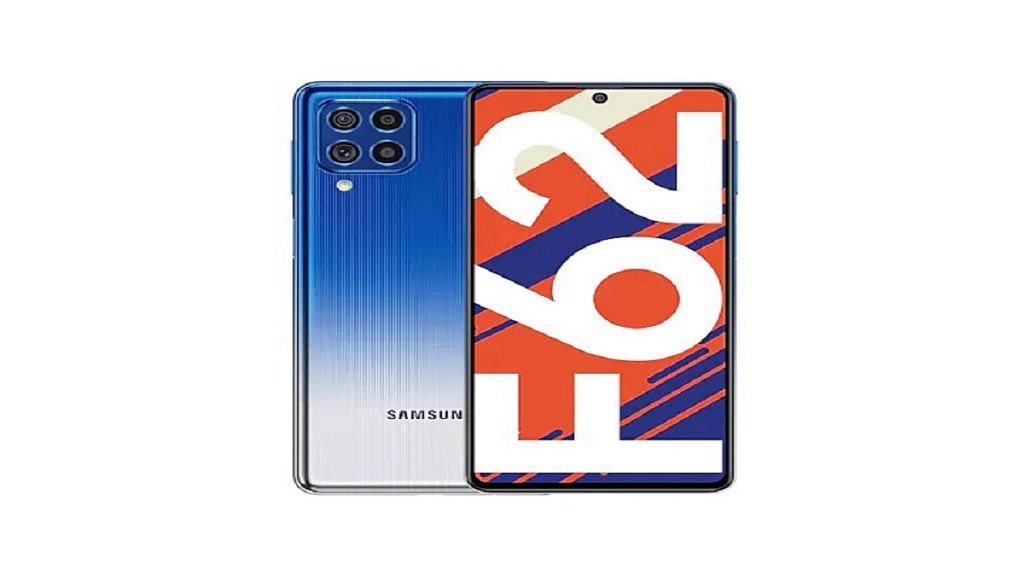
The Samsung Galaxy F62 is a mid-range smartphone. The phone’s most eye-catching spec is its mammoth 7,000mAh battery with reverse charging support. Additionally, the phone is compatible with 25W rapid charging. It is powered by the Exynos 9825 based on a 7nm process. The smartphone includes 128GB of internal storage and up to 8GB of RAM. The phone has a Super AMOLED display with FHD+ resolution. The Samsung Galaxy F62 will cost you Rs. 23,999 in India.

Tecno Pova 2

The Tecno Pova 2 houses a massive 7,000mAh battery capacity. It can offer up to 45 days of standby time according to the company. You also get an 18W charger in the box to top up the battery. The MediaTek Helio G85 SoC powers the phone. It has up to 6GB of RAM. The device further runs Android 11 out of the box with Tecno HiOS 7.6 on top. The Tecno Pova 2 can be purchased for Rs 11,999 on Amazon.

Samsung Galaxy M51Tecno Pova 3Samsung Galaxy F62Tecno Pova 2
Display6.7-inch Super AMOLED Plus6.9-inch IPS LCD6.7-inch Super AMOLED Plus6.9-inch IPS LCD
ProcessorQualcomm SDM730 Snapdragon 730GMediaTek Helio G88Exynos 9825MediaTek MT6769Z Helio G85
RAM6GB / 8GB4GB / 6GB6GB / 8GB4GB / 6GB
Camera64MP + 12MP + 5MP + 5MP50MP + 2MP64MP + 12MP + 5MP + 5MP48MP + 2MP + 2MP +2MP
Selfie Camera32MP8MP32MP8MP
Battery7,000mAh7,000mAh7,000mAh7,000mAh

Also Read | Best Phones With Fast Charging Under Rs. 15,000

Categories
Featured Info Laptop

Dell Unveils New Latitude, Precision Series Laptops In India: Check Details

Key Highlights

  • Dell has launched the new Latitude and Precision laptops
  • The new laptops have Intel’s latest 12th-generation CPUs
  • The products come with Nvidia RTX graphics

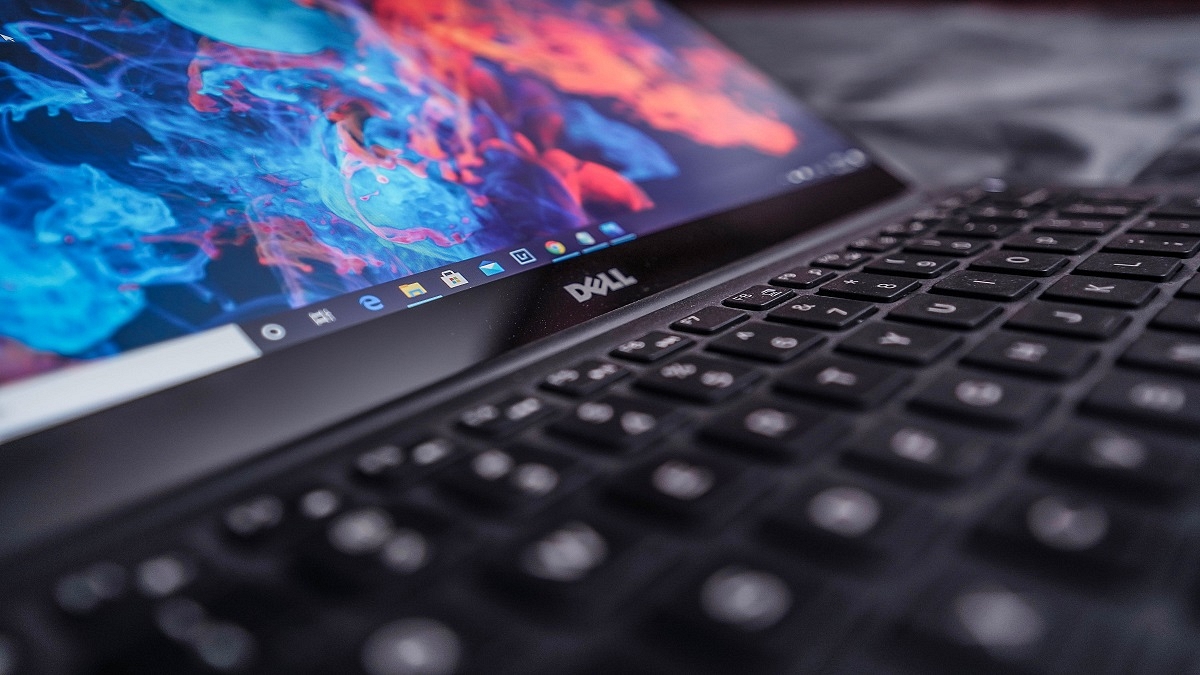
Dell has released new laptops and PCs for the Indian market. The launches include new laptops in the Dell Latitude series and mobile workstations from the Dell Precision series. The Latitude 9430, Latitude 7430, Latitude 7330, Dell Precision 5570, Precision 5470, and Dell Precision 3470 are three new laptops in the Dell Latitude line.

Dell Latitude Specifications

The new Dell Latitude laptops feature the latest 12th-generation Intel Core processors. It includes GeForce RTX GPUs from Nvidia. The Dell Latitude 7330 weighs under 1kg and has a 13.3-inch display. The brand claims that the Latitude 7330 is the smallest and lightest 13.3-inch premium laptop worldwide currently in use.

On the other hand, the Dell Latitude 7430 has a 14-inch display and a 2-in-1 design. The laptop has up to a 12th-generation Intel Core i7 processor. It features an internal storage capacity of up to 512GB and up to 16GB of RAM.

The Dell Latitude 9430 is an ultra-premium notebook. It packs a 14-inch screen with a 16:10 aspect ratio. For improved video calls, the laptop also has an FHD camera.

Dell Precision Specifications

The Dell Precision 5470 is claimed to be the world’s smallest, thinnest, and most powerful 14-inch MWS (Mobile Workstation). The MWS has up to 12th Gen Intel Core i9 processors, 64GB of DDR5 RAM, 4TB of storage, and a selection of NVIDIA RTX A1000 Graphics.

On the other hand, the Dell Precision 5570 comes as the company’s thinnest and smallest 15-inch MWS. It packs Intel’s 12th Generation Core processors along with Ndivia’s RTX A2000 graphics.

Dell Latitude, Precision Series Laptops Price In India

The new Dell products are now available for sale in India. The Latitude 7430 starts at Rs. 94,990, while the Dell Latitude 7330 costs Rs. 99,990. Besides, the Dell Latitude 9430 is available at Rs. 1,45,990 onwards.

The Precision 3470 is the entry-level model in the Dell Precision series which is priced in India at Rs. 79,990. The Dell Precision 5570 is available at Rs. 1,42,990 and the Dell Precision 5470 will cost you Rs. 1,46,990 onwards.