Say hello to Shweta, a tech fan who's hooked on keeping up with all things tech. When she's not exploring the latest gadgets, she's diving into a good book, clicking photos as an amateur photographer, or enjoying classic movies and music. With her love for both tech and creativity, Shweta adds her own touch to tech news in a way that's easy to understand and enjoy.
Garena Free Fire has gained a lot of popularity in India particularly in the absence of PUBG Mobile. It has exclusive rewards and in-game items that players look forward to every day. One of the most demanding items in the game has always been Free Fire Redeem codes.
Garena Free Fire is one of the most exciting battle royale games to play. Today, it is one of the most popular games in the world and has a high rating on the Google Play Store. In the game, players can create their own strategies such as landing positions, acquiring weapons and supplies, and engaging in combat with the enemy. Here’s how to redeem the codes to get free FF rewards:
How To Redeem Garena Free Fire Codes For 18 June 2022
Step 2: Log in to your account using Twitter, Facebook, Google, and Apple IDs.
Step 3: Copy and paste any of the above-listed redeem codes into the text box.
Step 4: Press the confirm button to continue.
You can check the embedded game mail section for the rewards. It might take around 24 hours for the rewards to show up in the game mail section of the players.
Here Are The Garena Free Fire Max Redeem Codes For Today, June 18, 2022
Garena Free Fire Redeem codes help to unlock resources that are otherwise too hard to get in the game. Also, they get a chance to win exclusive free rewards like vouchers and many more. For the players, new redeem codes for 18 June 2022 have been released.
FFA9 UV8X 4H7D
9EHDK5GDEW6DRDM5
FF46 OC2II VYU
JIJY L8T4 6V2Z
FF7W SM7C N44Z
8JKN XUB9 6C9P
8F8U Q5XP DKA7
3GF3851KB8H4JE2A
FXCV BNNK DSXC
FOKM JNLV CXSD
DWF3F71VE2D708EK
FX8V BNMK DSXC
MV9C Q97L QJOL
FFTQ T5PR MCNX
FFA9 UVHX 4H7D
FF7W 7M0C N44Z
8F9U QJXP DKA7
JIMY LVT4 6V2Z
MV9C Q27L QJOL
FF12 NYW9 4A00
FFA0 E811 YL2D
FFX6 0C4II VYU
88KN XUB9 6C9P
Also, note that the Free Fire Redeem Codes have a claim limit. If the redeem code fails, maybe they have been already claimed by too many other players. However, there is always another day for new codes. Check back here every day for Garena Free Fire’s new redeemable codes.
The mid-range smartphone sector is brimming with choices. It’s one of those segments where you now get a plethora of options from popular brands such as Vivo, Oppo, Realme, Xiaomi, Motorola, and others. The Vivo T1 Pro 5G made a gleeful arrival into the market, stiffening the competition even further.
Most Vivo smartphones have two things going for them, i.e., a stylish design and high-resolution camera hardware. Considering the Vivo T1 Pro 5G is a mid-range device, it is bound to act in every way with reference to its pricing. There is, however, a lot to look forward to. Is it worthwhile to explore the Vivo T1 Pro further or consider it as your next buy? In our in-depth Vivo T1 Pro 5G review, we’ll break down the pointers.
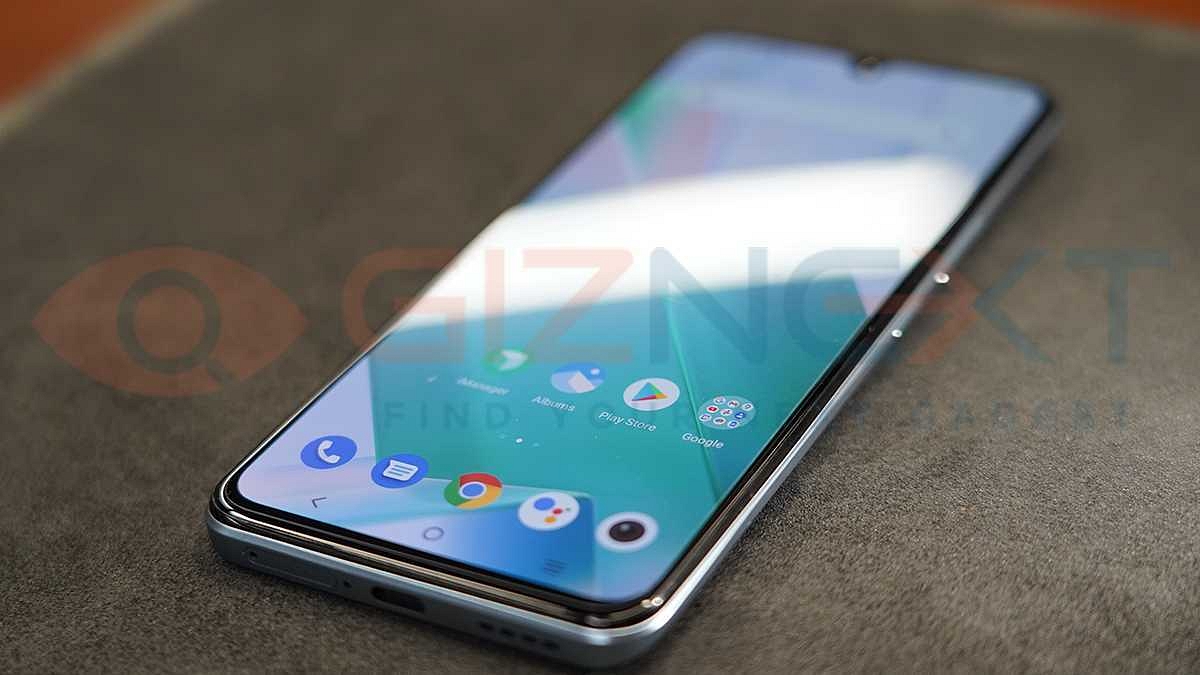
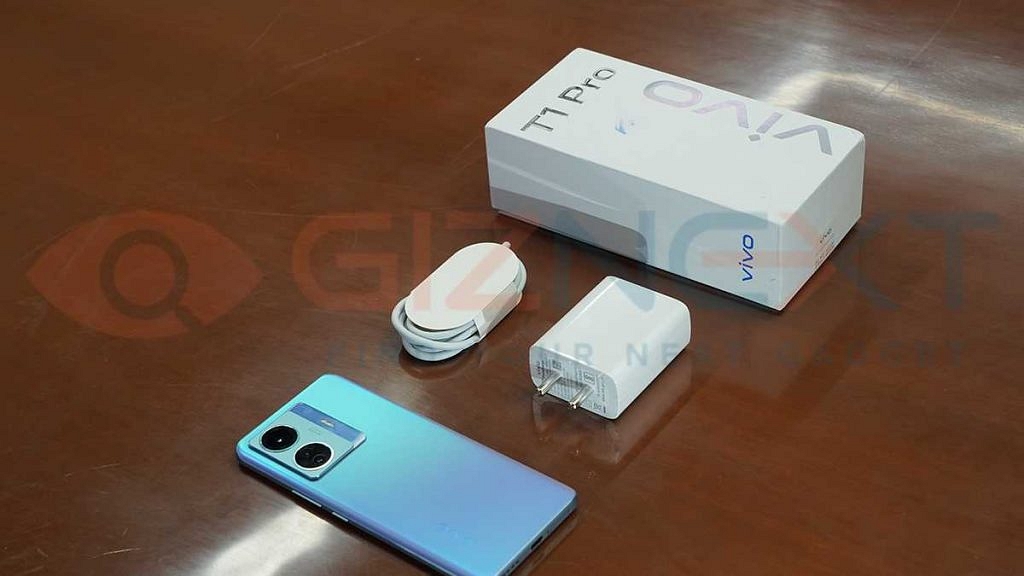
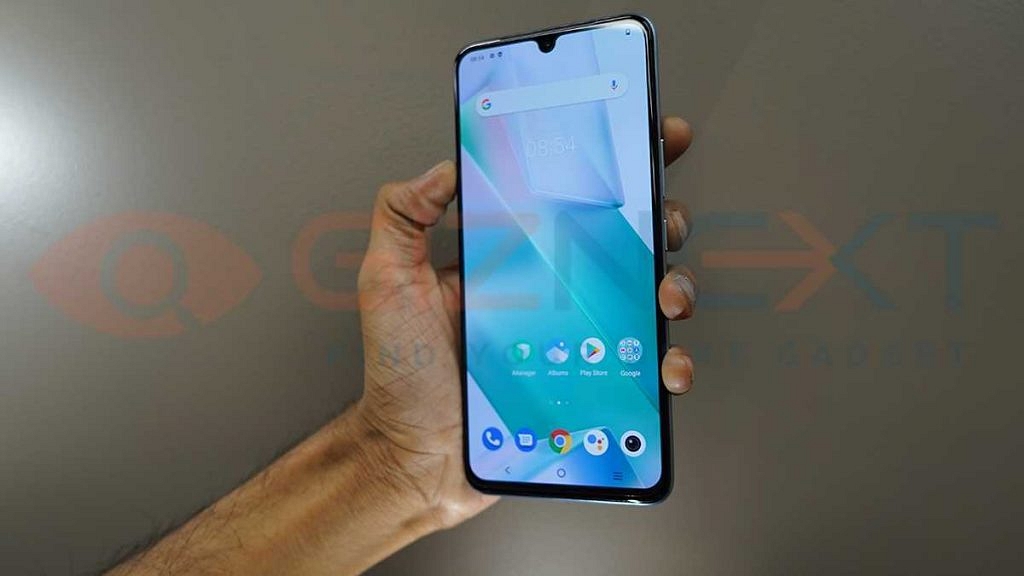
The Vivo T1 Pro has a stunning design that ranks it among the best-looking phones in the market. Turbo Black and Turbo Cyan are the two colors available for the smartphone. The Turbo Cyan model is the one highlighted in this review.
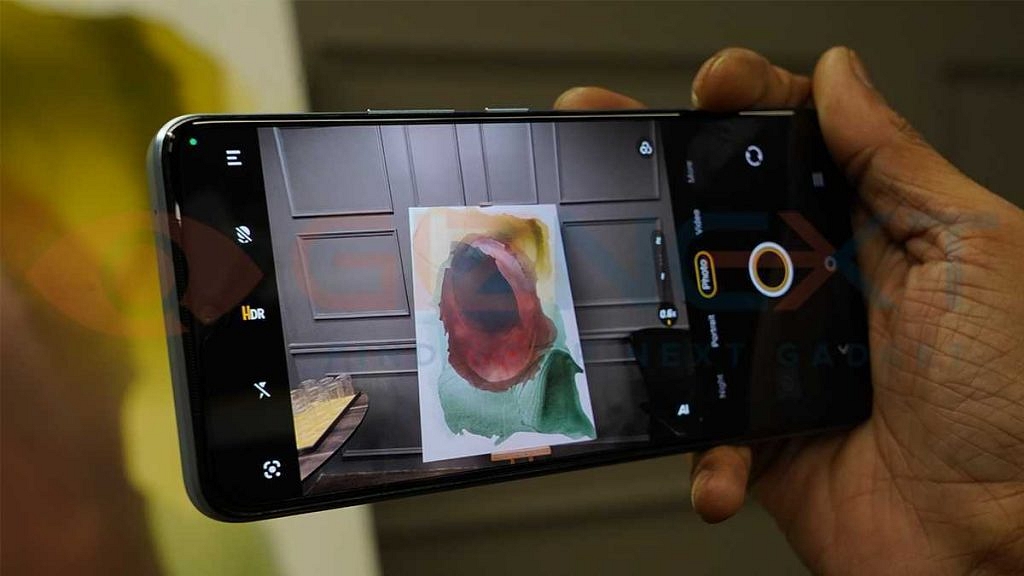
The rear panel features a shiny finish that shimmers in the light giving it a premium appeal. On the back, two gigantic and one small camera sensor are housed within a square-shaped camera module that protrudes a little.
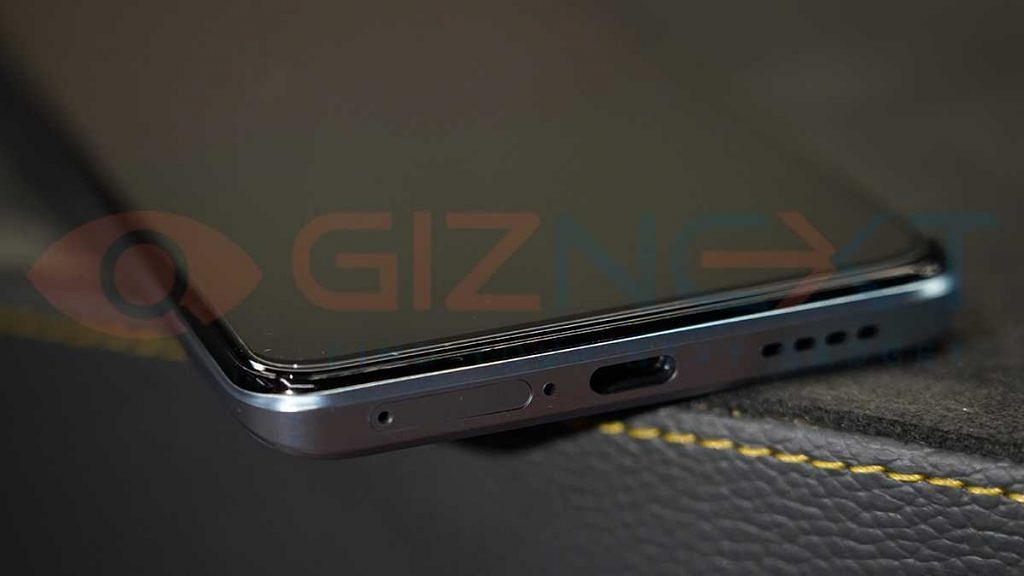
On the right side of the phone, you’ll find the power button and volume rockers. The SIM tray, USB Type-C connector, and speaker grille are placed on the bottom.
The Vivo T1 Pro offers a plastic build and has a matte surface at the back. It doesn’t feel slippery at any point and offers a premium in-hand feel. The phone offers a decent build but feels slightly heavier and thicker.
Display
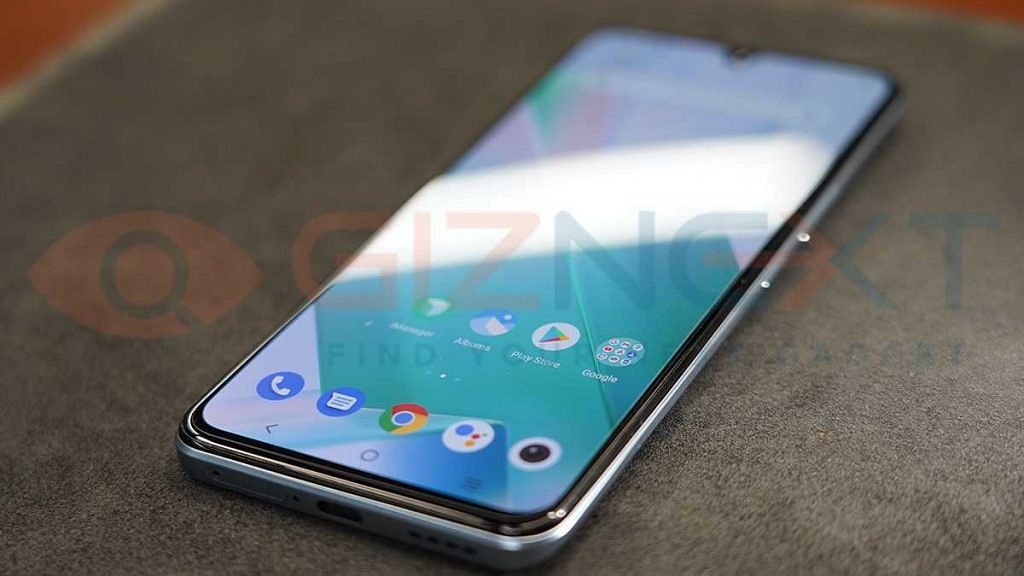
The Vivo T1 Pro 5G features a 6.44-inch Full HD+ display with support for a 90Hz refresh rate. The brand could have used a higher refresh rate (120Hz) considering most smartphones in this price segment offer the same. However, the 90Hz refresh rate is also not bad and helps with smoother frame transitions. It also offers 1300 nits brightness that makes the panel clearly visible under direct sunlight.
The display is fluid and responsive while playing high-octane games and also gives a pleasant experience while watching movies and web series while on the go. It delivers vibrant colors, contrast, and brightness. The display has a 20:9 aspect ratio and a 100 percent DCI P3 color gamut. Furthermore, the smartphone boasts an SGS Eye Care Display certification allowing you to binge-watch for hours without straining your eyes.
Performance
The Vivo T1 Pro is powered by the Qualcomm Snapdragon 778 5G. It has up to 8GB of RAM and 128GB of internal storage. On the Vivo T1 Pro, apps load faster and we didn’t experience any lags while switching between apps. If you enjoy watching movies or videos on your phone, this is a great pick.
The smartphone is capable of handling day-to-day tasks and allowing most games to run at high graphic settings. For speedier gaming actions, the device has Ultra Game Mode, a calibrated Z-axis linear motor, and 4D Game Vibration. Also, the handset lives up to its claim of having eight-layer liquid cooling technology since it did not get heated anywhere. It is unquestionably one of the best processors in its price range.
The phone runs Android 12 out of the box with the FunTouch OS. It comes with virtual RAM up to 2GB. Coming to the audio quality, the Vivo T1 Pro did not disappoint as it delivers decent audio performance. The phone packs dual stereo speakers that support Hi-Res audio. Overall, the phone provides a fast and smooth experience for decent multitasking and overall performance.
The Vivo T1 Pro 5G features 64MP AI Triple Camera module for High-Definition Night Shots, complemented by an 8MP ultra-wide, 2MP Macro camera. The front camera features a 16MP sensor.
The primary camera captured great detail in daylight situations. The images captured are sharp and offer good contrast. The dynamic range is also good with less noise. The pictures are brighter and the color reproduction is fairly accurate. About the selfie camera, we would say the skin color reproduction could have been better.
The phone also has a number of useful features including portrait mode, panorama mode, and slow-mo making it a good choice for social media content creators. There are numerous filters and styles to experiment with in portrait mode to give your social media postings a twist.
The smartphone supports 4K video recording. This allows users to capture special moments in ultra-high definition. Vloggers and content creators will appreciate features like Super Stabilization and Dual-View Mode which allows them to record videos from both rear and front cameras.
Battery
A 4,700mAh battery with 66W FlashCharge technology powers the Vivo T1 Pro. The brand claims that the advanced technology turbocharges the battery to 50 percent in just 18 minutes. During our test, the phone took approximately an hour to charge from zero to 100 percent.
Based on our normal usage which includes viewing videos, surfing the Internet, and browsing social networking apps, it provides a decent battery backup of up to a day on a single charge.
Verdict: Is Vivo T1 Pro A Worth Buy?
The Vivo T1 Pro does a decent job of addressing the essentials while providing a pleasant experience. In the mid-range segment, this is a promising smartphone. You get a fast enough phone for under Rs. 25,000 to manage your day-to-day tasks with ease. Aside from a few minor flaws, the Vivo T1 Pro 5G is a solid phone with a capable chipset to handle its day-to-day operations at a reasonable price.
When you want to quickly create large groups, WhatsApp group links can be useful. Admins could easily share the link while all relevant users may use it to join the group themselves. Now, a new feature the messaging app is working on may soon change that. WhatsApp is developing a feature that will allow admins to control who can access these links and join a group conversation.
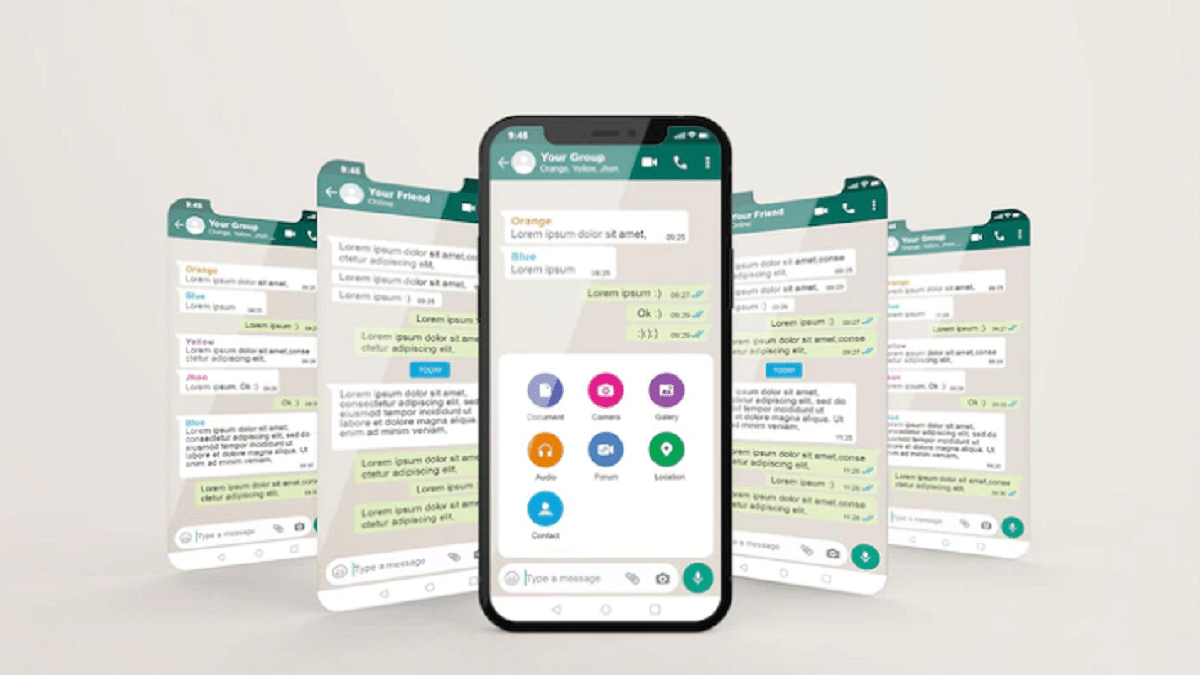
WhatsApp will be introducing admin approval as an optional feature to help admins manage group discussions better. It will be possible to manage group requests with WhatsApp’s upcoming Group Membership Approval feature. The user who wishes to use the group invite link after enabling the group admin feature will need to get manual approval from the admin. The notification of the request will be visible in the group chat.
How Will This Group Membership Approval Feature Work?
When it becomes available, the Admin Approval feature on WhatsApp will need to be manually turned on for each group admins want the tool to work in. In the group settings, the toggle to turn it on or off will be available as “group membership approval”. Every time the feature is turned on or off, it will appear in the group settings as “group membership approval.”
Once the group membership approval function is enabled, admins will find the requests for the same person waiting in a separate sub-section in the Group Info section each time they attempt to join the group using a shareable link. From here, admins can choose which users to allow into the group.
Steps To Approve A Member In WhatsApp Group By Admin
According to WABetaInfo, the feature is currently limited to beta users only. It will soon be available for stable versions of the app on both Android and iOS. Although the feature is in development, we can speculate how it can be used. If you’re a WhatsApp group admin, you can approve or deny member requests by following mentioned steps:
Step 1: Open WhatsApp Messenger on your mobile phone.
Step 2: Open your group.
Step 3: Then tap Group settings.
Step 4: Tap Add next to the group to approve members. That’s it.
WhatsApp is a highly popular and widely used social media messaging platform. The Meta-owned app is used by billions of people all around the world. You can exchange messages with an active internet connection after installing WhatsApp on your Android phone. Not only this but linking your bank account to WhatsApp Messenger allows you to send and receive payments.
A user has to first initiate a payment to a contact before using WhatsApp Pay. They can set up their UPI account on WhatsApp once the request has been received from the other hand. If you’re new to WhatsApp Pay, here’s a step-by-step guide on how to add a bank account through settings and chats.
Steps To Add A Bank Account In WhatsApp Pay From Settings
Step 1: Open WhatsApp Messenger on your mobile phone.
Step 2: Go to the ‘Settings’ section.
Step 3: Select ‘Payments’ and tap on ‘Add New Account’.
Step 4: Press ‘Accept’ and then tap ‘Continue’ to accept WhatsApp Pay’s terms and privacy policy.
Step 5: Now you will see a list of banks that you can link with WhatsApp Pay. Tap ‘Verify via SMS’ after selecting the bank name you prefer.
Step 6: Your phone will display a pre-filled SMS with a verification code. To send this message and authenticate your account, tap ‘Send’.
Step 7: Next, tap the bank account you wish to add to send and receive payments with WhatsApp. Tap ‘Done’.
Steps To Add A Bank Account In WhatsApp Pay From Chats
Step 1: Open WhatsApp and go to the chat of the person you’d like to send money to.
Step 2: Click the ‘Payments’ icon.
Step 3: Type in the amount you’d want to send. Now, tap ‘Next’ and then ‘Get Started’.
Step 4: Click the ‘Accept’ button. Tap ‘Continue’ to accept the company’s terms of service.
Step 5: Select the name of the bank you would like to connect with WhatsApp Pay. Now, tap ‘Verify via SMS’.
Step 6: Tap the bank account you want to add to send and receive payments with WhatsApp. Tap ‘Continue’.
Step 7: Click ‘Next’ after verifying your debit card details to return to your payment message.
WhatsApp payments use UPI (Unified Payments Interface) which is supported by the majority of major banks. In order to make payments, the phone number associated with your WhatsApp account is used to identify your bank account details.
Show your dad how special he is by choosing a gadget as a gift
Whether it’s a tab or headphones, tech gifts add a unique touch and demonstrate your thoughtfulness
If your dad is a tech enthusiast, surprise him with the latest gadget
For the father who has everything, what do you buy? Every June, it is a perennial problem. Father’s Day is almost here and selecting the perfect present for your dad can be challenging. Fortunately, you are at the right place. In this article, we’ve compiled the top Father’s Day gifts that are suitable for all kinds of dads. Also Read | Father’s Day 2023: Best Smart Tech Gadgets That Will Bring A Smile On Your Dad’s Face This Father’s Day
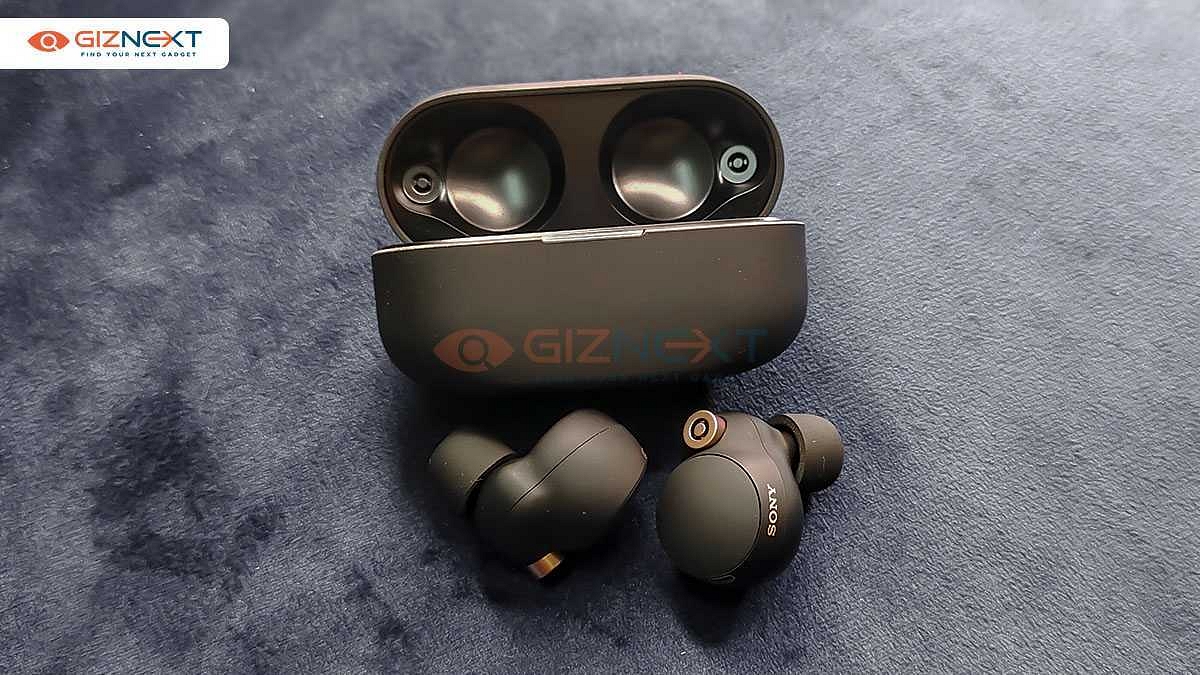
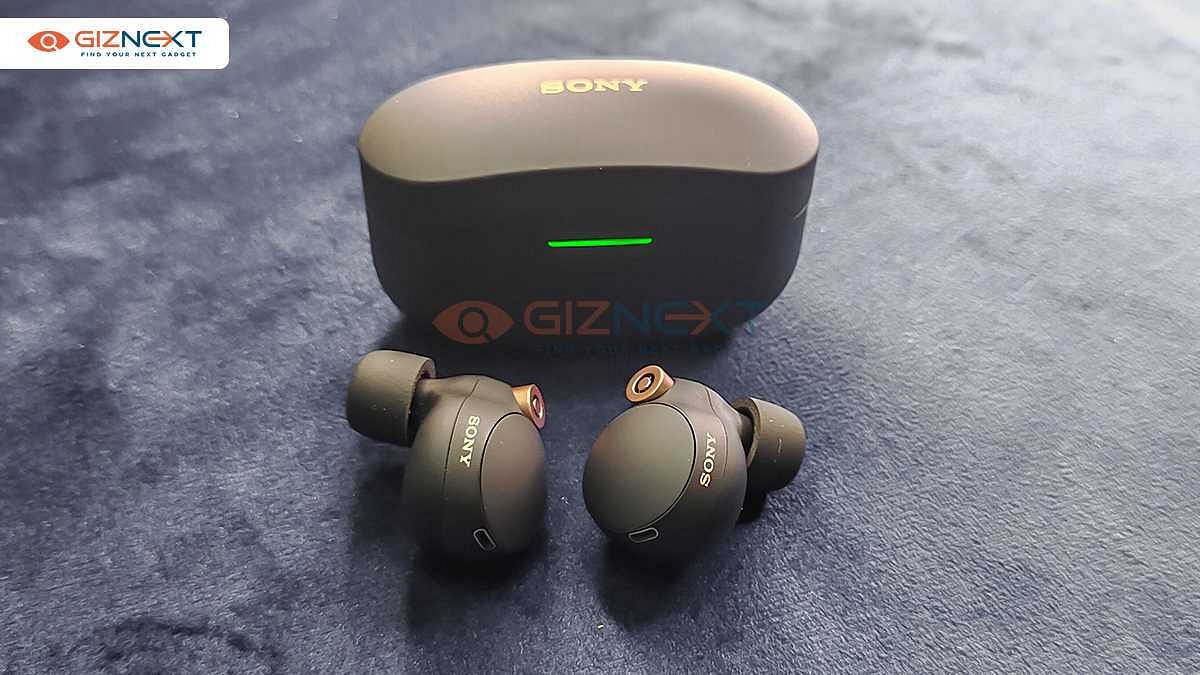
Sony WF-1000XM4
The Sony WF-1000XM4 wireless headphones bring together decent call quality and a smarter listening experience. It has features like Speak-to-Chat, Adaptive Sound Control, intuitive touch control settings, and more. The wireless headphone is priced at Rs. 18,990 in India.
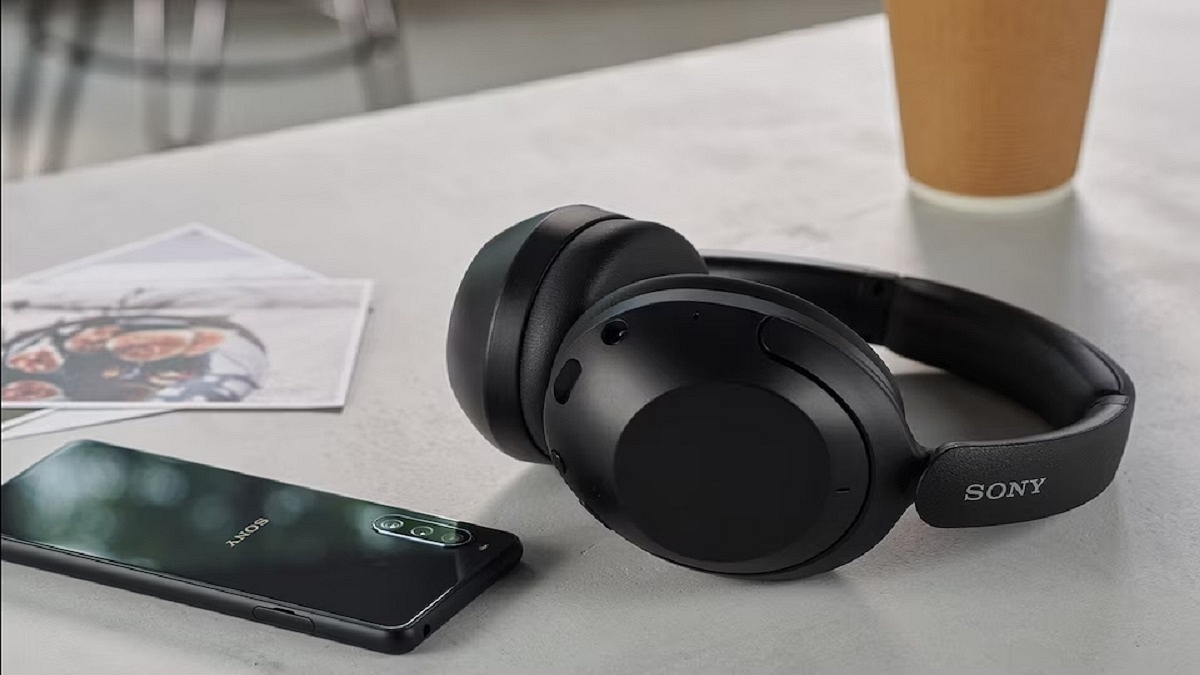
WH-XB910N Headphones
The WH-XB910N wireless headphones have a lightweight design. It comes with Sony’s ‘EXTRA BASS’ technology. The headphones can easily connect to any voice assistant on a smartphone to get directions or make an urgent call to a friend. The Sony WH-XB910N headphones can be purchased for Rs. 14,990.
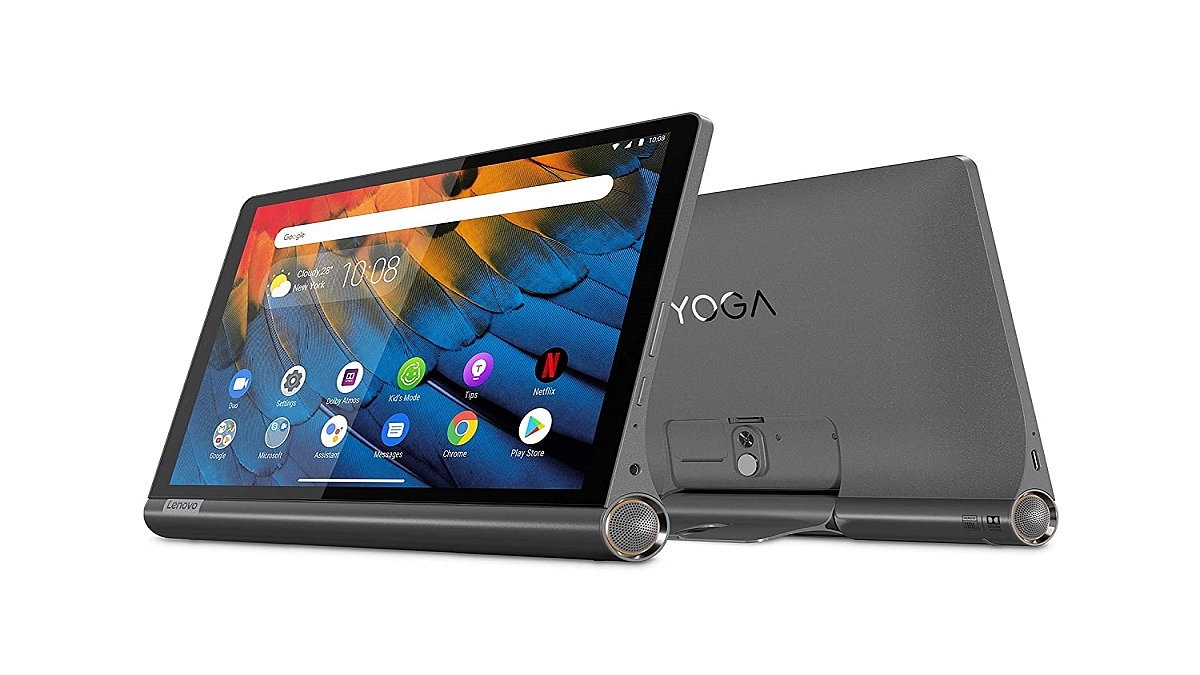
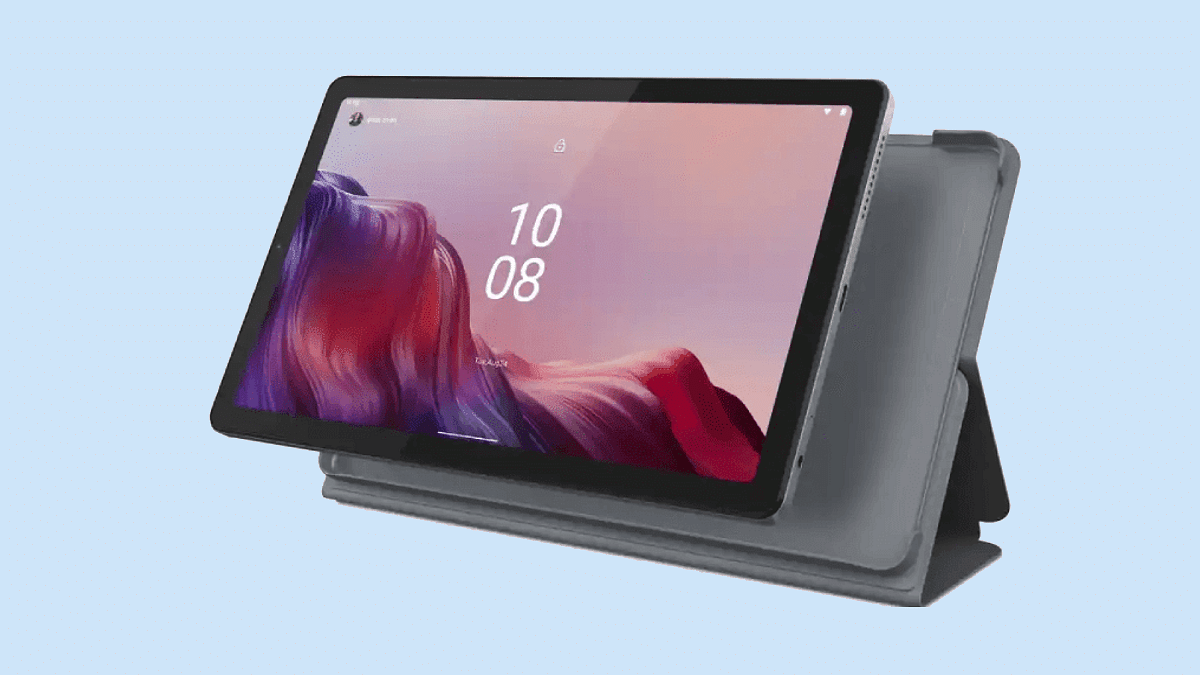
The Lenovo Yoga Tab 11 is the ultimate entertainment tablet that you can choose to gift your dad. It comes with a 2K display, Dolby Vision, UV-certified low blue light, and quad JBL speakers with Dolby Atmos. The Yoga tab 11 will cost you Rs. 27,999.
Lenovo IdeaPad Slim 5i Pro
The Lenovo IdeaPad Slim 5i Pro is equipped with the 11th Gen Intel Core processor. It has a 14-inch QHD display that explodes with color. The Lenovo IdeaPad Slim 5i pro is a perfect gift for those looking to work with the latest technology. It is available at a starting price of Rs. 73,990.
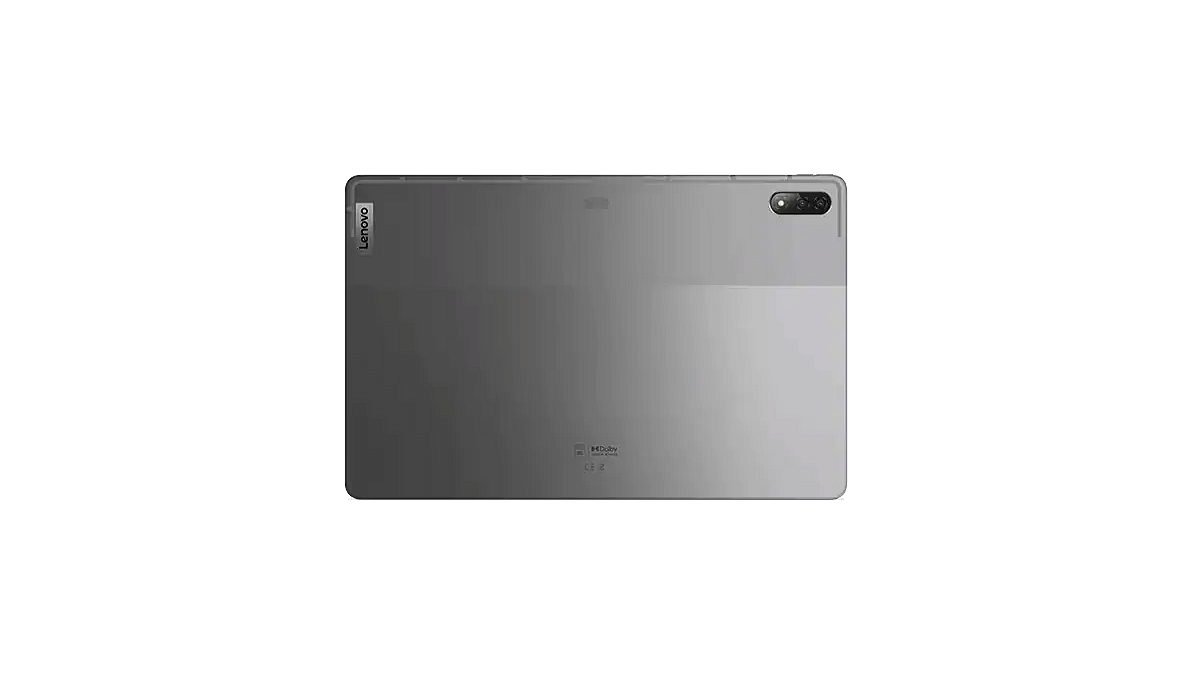
Lenovo Tab P12 Pro
The Lenovo Tab P12 Pro is an ideal gift for your dad. It sports a bright 12.6-inch 2K AMOLED Dolby Vision display on the TUV Rheinland Full Care-certified panel. The tab comes with a JBL quad-speaker system across four audio channels. It is powered by the WiFi 6-certified Qualcomm Snapdragon 870 mobile platform. The Lenovo Tab P12 Pro costs Rs. 69,999.
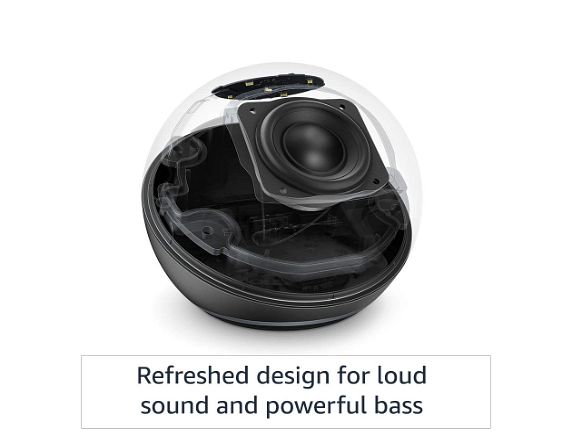
Echo Dot (3rd Gen)
One of the smart gadgets to gift your dad would be the Echo Dot (3rd Gen). This voice-controlled smart speaker with Alexa comes with a crisp and clear built-in speaker. You can ask the device for music, news, recipes, control compatible smart home devices, and more. The Echo Dot (3rd Gen) is available for sale at Rs. 2,499.
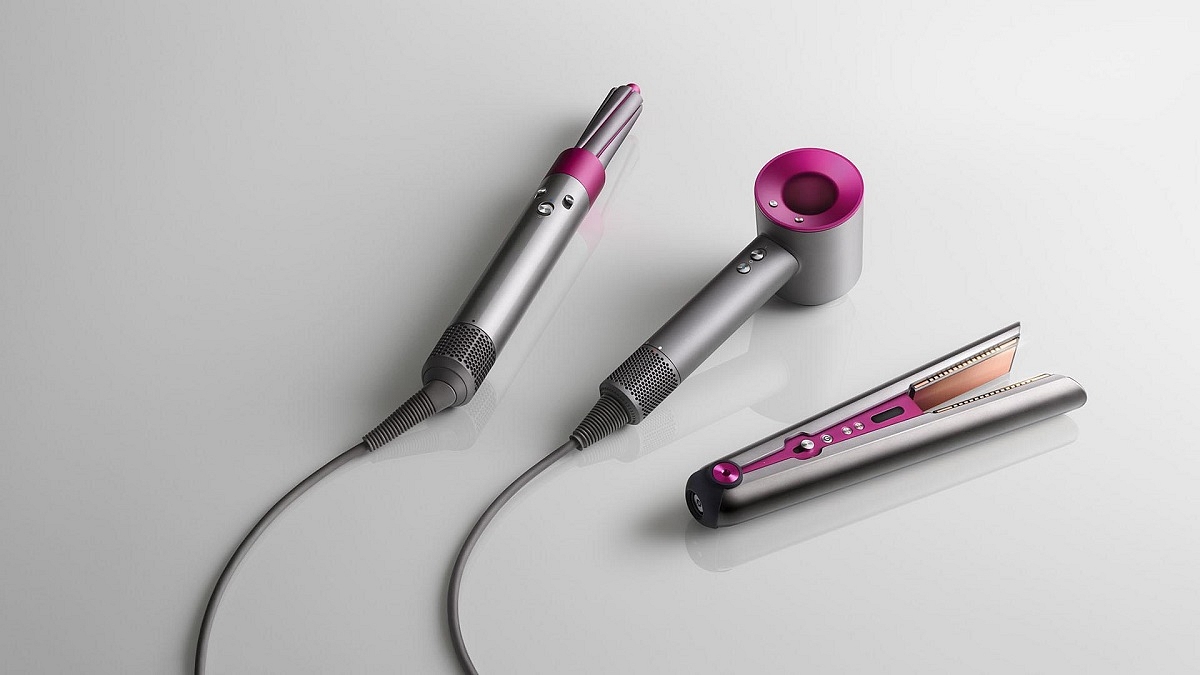
Dyson Supersonic Hair Dryer
Gift your dad the Dyson Supersonic Hair Dryer this Father’s Day. The product reduces hair drying time with no extreme heat. You can choose from a range of five styling attachments, i.e., flyaway attachment, styling concentrator, diffuser, gentle air attachment, and smoothing nozzle. The Dyson Supersonic Hair Dryer is available for Rs. 34,900.00 at Dyson Demo Stores and on Dyson.in.
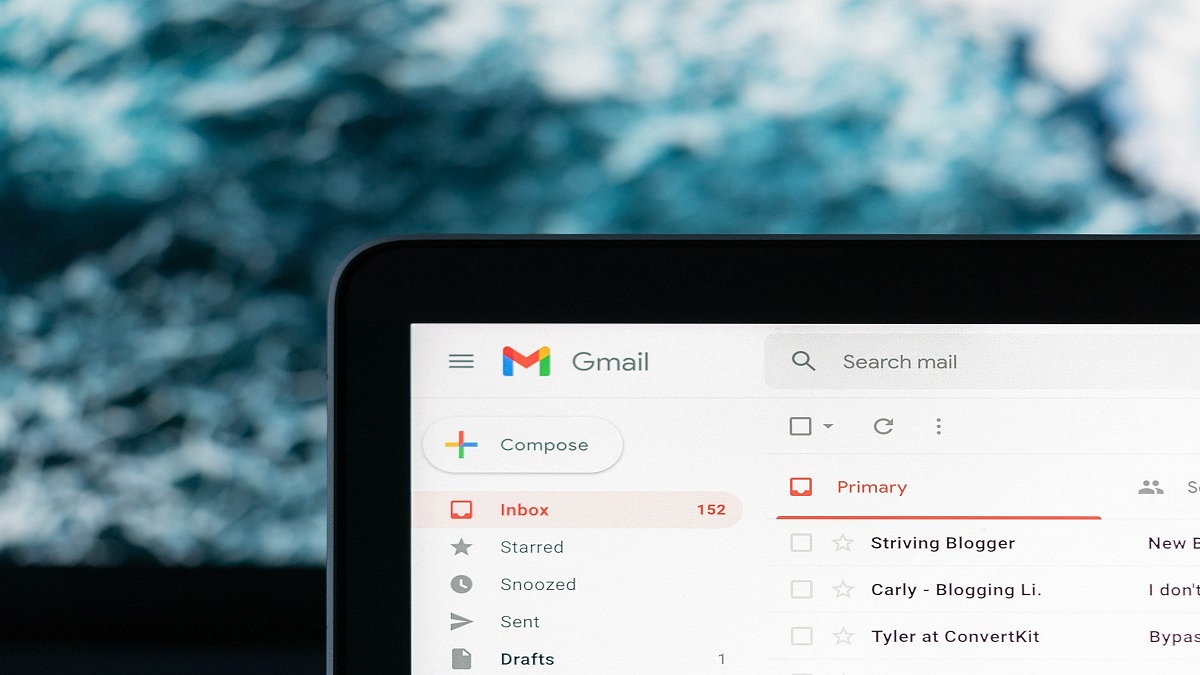
Gmail is currently one of the most widely used email services worldwide. The tech giant keeps on introducing new features to make the app more enticing and user-friendly. One such important feature is email scheduling which enables users to schedule and send both personal and professional emails. This circumstance can occur if you need to contact someone who is in a different time zone than you or remind people about an event that will take place at a certain time.
Google allows you to schedule an email by choosing the date and time you want it to be sent. The scheduling of an email can helps manage the workflow of both you and your colleagues. Besides, the process only takes a few clicks. Let’s check out how to schedule an email in Gmail. The process works roughly the same on the desktop and in the Android and iOS mobile apps.
Steps To Schedule An Email In Gmail On Desktop
The procedure to schedule emails on Gmail using a desktop web browser is as follows:
Step 1: Go to Gmail and log in to your account.
Step 2: On the top left of the screen, tap on the ‘Compose’ button.
Step 3: Draft your email. When you are finished writing a mail, click the down arrow next to send. Click ‘Schedule Send’.
Step 4: Now set a custom send date and time by clicking ‘Pick date & time’.
Steps To Schedule An Email In Gmail On Mobile
As for Gmail mobile app, instead of using the drop-down menu as we did in the desktop online version, you need to press on the three dots icon in the top right corner. The process is the same everywhere else. By following the mentioned below steps, you can easily schedule an email on mobile:
The highly acclaimed movie ‘Spider-Man: No Way Home’ from Marvel Entertainment is now officially available online. Starring Tom Holland, Benedict Cumberbatch, and Zendaya, the marvel movie has been released on Netflix in both English and Hindi language. The superhero movie was released in theatres in December 2021. The movie also bought back iconic villains like Alfred Molina’s Doc Ock, Willem Dafoe’s Green Goblin, and Jamie Foxx’s Electro.
‘Spider-Man: No Way Home’ Now Streaming On Netflix
The OTT giant Netflix is now streaming the Tom Holland-starring movie ‘Spider-Man: No Way Home’. Almost after five months, the movie was released on an OTT platform. Netflix has finally set Jon Watts’s directorial to stream on its platform from June 13, 2022.
The Netflix’s official Twitter handle shared the news and captioned it “Tweeting now in case someone casts a spell and we forget, SPIDER-MAN: NO WAY HOME IS NOW STREAMING”
Tweeting now in case someone casts a spell and we forget, SPIDER-MAN: NO WAY HOME IS NOW STREAMING ?️
Before Netflix, ‘Spider-Man: No Way Home’ was available on Google Play Movies, Amazon Prime Video, Apple TV, and Zee5 but only for paid watching.
How To Watch ‘Spider-Man: No Way Home’ On Netflix?
In this latest Spider-Man fiction, Peter Parker seeks the help of Doctor Strange to make people forget about his Spider-Man’s identity which was revealed by the previous film’s villain Mysterio. But by allowing several uninvited visitors to join their reality, Doctor Strange’s spell sets off a disaster of epic proportions. Here’s how to watch the same on Netflix:
Step 3: Search for ‘Spider-Man: No Way Home’ using the bar at the top of the screen.
Step 4: Click a title view details.
Step 5: Click the Play button and enjoy.
The blockbuster ‘Spider-Man: No Way Home’ from Marvel Studios was the second-largest opening weekend for a Hollywood production in India. Internationally, the movie ranked at 5th position. ‘No Way Home’ also became the first movie in the pandemic era to exceed the $1 billion mark at the global box office.
‘Spider-Man: No Way Home’ was scripted by Chris McKenna and Erik Sommers. This movie also stars Jacob Batalon, Jon Favreau, Benedict Wong, Tony Revolori, and Marisa Tomei.
Whether for business, education, or private purposes, 3D Printers are being used widely. With new brands and printing styles appearing every year, its market is expanding at an accelerating rate. These printers come in a variety of shapes and sizes depending on the use they are intended for. If you’re looking to purchase one of them as well, check out the list of the best 3D Printers provided below and select one that best suits your requirements.
Anet ET4 Pro DIY 3D Printer
The Anet ET4 Pro DIY 3D Printer has a modular robust design. It offers sturdy printing thanks to its unibody aluminum structure. To prevent air-printing, its filament sensor detects the filament end and sends notifications to the screen. The printer has a vibrant LCD touch screen that allows you to control the movement of the X/Y/Z axis, leveling, and printing. The Anet ET4 Pro DIY 3D Printer is available for sale at Rs. 17,987.
Comgrow WOL 3D Creality Ender 3D Printer
The Comgrow WOL 3D Creality Ender 3D Printer employs the FDM process for printing structures and has a printing size of 220 x 220 x 250 mm. It can print at a rate of 180mm per second using PLA or ABS filaments and can be used on carbon plastic and wood. You can use OBJ, STL, and G-Code file formats. Also, it resumes the print function from where you left off in case the machine shut down abruptly or there was a power cut. The Comgrow WOL 3D Creality Ender 3D Printer will cost you Rs. 18,099 in India.
WOL3D Ender 3 Original 3D Printer
The WOL3D Ender 3 Original 3D Printer offers precise and high-quality printing. It is one of the best 3D printers you can choose from. The V-slot with a Pruse i3 frame makes it an ideal printer to work with inventive designs. It offers high precision printing that allows you for decent and accurate printing. You can get the WOL3D Ender 3 Original 3D Printer for Rs. 14,452 in India.
Creality LD-002R 3D Printer
The Creality LD-002R 3D Printer is an all-metal printer with a sturdy build. It uses molding technology to print 3D structures. The device has an easy-to-use interface in English and Chinese. It sports a 3.5-inch screen with high resolution and a clear display. Besides, it features a larger printing volume of 119 x 65 x 160 mm. The Creality LD-002R 3D Printer can be purchased for Rs. 16,499 in India.
Anycubic Photon Photocuring LCD 3D Printer
The Anycubic Photon Photocuring LCD 3D Printer has XY resolution of 47 microns and Z layer height down to 10 microns. This means that it can deliver 3D printed models with decent detail. It comes with an interactive interface to preview and monitor print status in real-time. The CNC aluminum body offers a sturdy build that facilitates highly accurate print. Its price in India is set at Rs. 17,549.
Garena Free Fire has gained a lot of popularity in India particularly in the absence of PUBG Mobile. It has exclusive rewards and in-game items that players look forward to every day. One of the most demanding items in the game has always been Free Fire Redeem codes.
Garena Free Fire is one of the most exciting battle royale games to play. Today, it is one of the most popular games in the world and has a high rating on the Google Play Store. In the game, players can create their own strategy such as landing position, acquiring weapons and supplies, and engaging in combat with the enemy. Here’s how to redeem the codes to get free FF rewards:
How To Redeem Garena Free Fire Codes For 16 June 2022
Step 2: Login to your account using Twitter, Facebook, Google, and Apple IDs.
Step 3: Copy and paste any of the above-listed redeem codes into the text box.
Step 4: Press the confirm button to continue.
You can check the embedded game mail section for the rewards. It might take around 24 hours for the rewards to show up in the game mail section of the players.
Check Out The Garena Free Fire Max Redeem Codes For Today, June 16, 2022
Garena Free Fire Redeem codes help to unlock resources that are otherwise too hard to get in the game. Also, they get a chance to win exclusive free rewards like vouchers and many more. For the players, new redeem codes for 16 June 2022 has been released.
C2VB3WEHJRFU
98BV76DTS64T
V4BRTJGIBU7Y
F2VGSY6WR3DF
V6TDG87BE4N5
F9W3U47RY9FG
LJ23ON15B8V7
B8FNTM67KU74
DT21SR96FW9G
765RXE6SDA8W
6YJKUIH8B7UV
FV3GB4HN5J6K
F5N6KY34UO21
V2B4N5TYH8BU
JBV5TR97AQD2
F6STA5R4EQID
VYHDEN456KYU
Also, note that the Free Fire Redeem Codes have a claim limit. If the redeem code fails, maybe they have been already claimed by too many other players. However, there is always another day for new codes. Check back here every day for Garena Free Fire’s new redeemable codes.
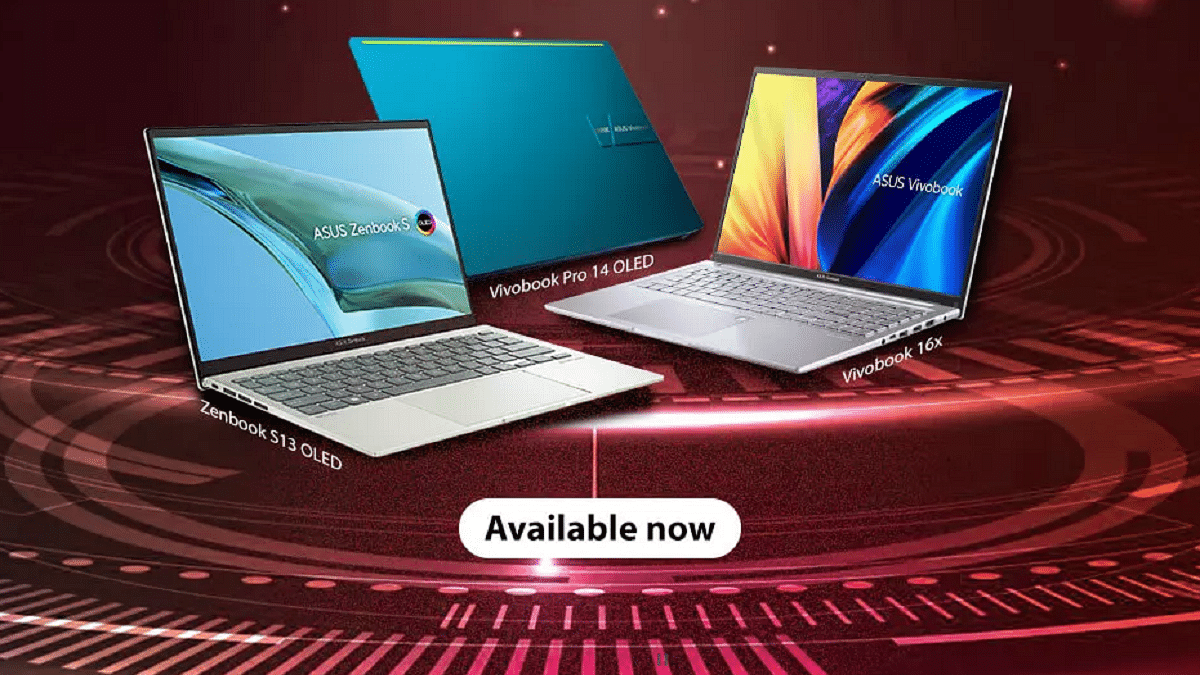
Zenbook S 13 OLED is Asus’ thinnest and lightest laptop
Asus Vivobook Pro 14 sports an OLED display
Vivobook 16X has a 16-inch display
Asus has released the Zenbook S 13 OLED laptop in India. With a thickness of 14.9mm and a weight of 1.1 kg, Asus’ new Zenbook is the world’s thinnest and lightest laptop. It’s also the first laptop in India to include Ryzen 6000 series processor. In addition to this, the company also unveiled the Vivobook Pro 14 OLED and the Vivobook 16X.
Asus ZenBook S 13 OLED Specifications
The Asus ZenBook S 13 OLED comes with a 13.3-inch OLED touchscreen panel and 2.8K resolution. The device is powered by up to AMD Ryzen 6000 U series processor. For flexibility, the Zenbook S13 has a Zen-capped 180° hinge. It comes with Asus Antibacterial Guard on the keyboard deck, touchpad, and palm rest.
The Zenbook S 13 has dual speakers with Dolby Atmos and Asus AI Noise-canceling audio. It sports a huge 67 WHrs battery with 65W fast charging for long battery life. It has 100 percent coverage of the DCI-P3 color spectrum. This new Zenbook has US MIL-STD 810H military-grade protection for drops, vibrations, and shocks, as well as a fingerprint scanner incorporated in the power button.
Asus Vivobook Pro 14 OLED Specifications
The 14-inch 2.8K OLED screen on the Asus Vivobook Pro 14 OLED has a 90Hz refresh rate. It has 600nits of peak brightness and supports VESA DisplayHDR True Black 600 and Dolby Vision. It also comes with Pantone certification and covers 100% of the DCI-P3 colour space.
It is powered by the AMD Ryzen 7 5800H CPU with a 45W TDP, 512GB PCIe Gen 3 SSD. The Vivobook Pro 14 OLEDhas up to 16GB of DDR4 RAM. It further features a 50WHr battery and can handle 90 watts of power.
Asus Vivobook 16X Specifications
The Asus Vivobook 16X is a budget-friendly laptop with a bigger 16-inch 16:10 screen. The thickness of this laptop is 19.9mm and it weighs 1.8kg. Featuring an AMD Ryzen 7 5800H gaming-grade processor, the device has 512GB PCIe 3.0 SSD and up to 16GB RAM. The Vivobook 16X comes with a 50WHr battery with 90W fast charging support.
Asus Zenbook S 13 OLED, Vivobook Pro 14 OLED, Vivobook 16X Price
The price of the Asus ZenBook S 13 OLED begins at Rs. 99,990 in India. It will be available starting today on Amazon, Flipkart, and offline outlets.
The Asus Vivobook Pro 14 OLED is priced at Rs. 59,990. It will be available for sale on Amazon and other major online and offline retailers.
In addition to this, the Asus Vivobook 16X starts at Rs. 54,990 and will be available in Transparent Silver and Quiet Blue color options through Amazon and other major online and offline retailers.