Categories
Accessories Featured

Perfect Tech Gifting Guide For Diwali 2024: Check Out Our List

Key Highlights

  • Diwali is perfect for gifting gadgets
  • Options include smartphones, smartwatches, and more
  • A handy list of top gadget gifts is available

Diwali, the festival of lights is just a few days away. It is the time of the year to offer gifts to your friends and family. If you are looking to give a gadget as a gift, there are several options to choose from, including smartphones, smartwatches, fitness bands, and more. To help you with your gift shopping, we’ve compiled a list of the best gadgets that you can gift this Diwali.

Also Read | Apple’s Diwali Offers In India: Save Big On iPhones, Macs, And More

GadgetPrice
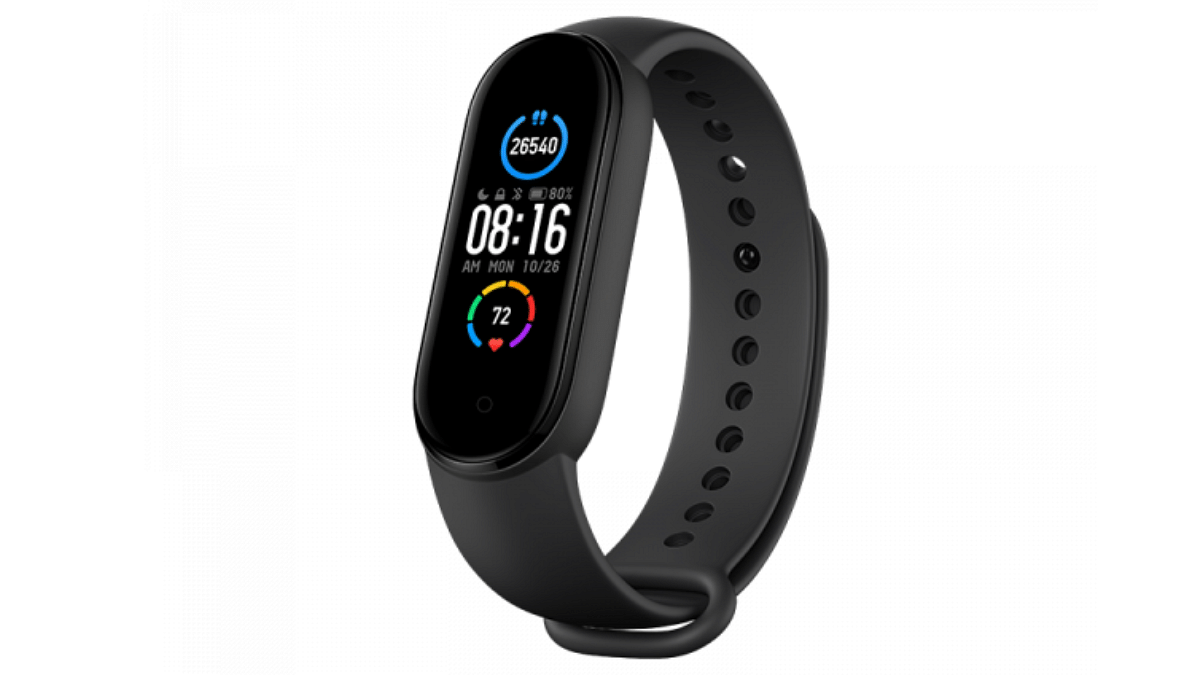
Mi Smart Band 5Rs. 2,499
Nescafe E’ Smart Personal Coffee MakerRs. 5,524
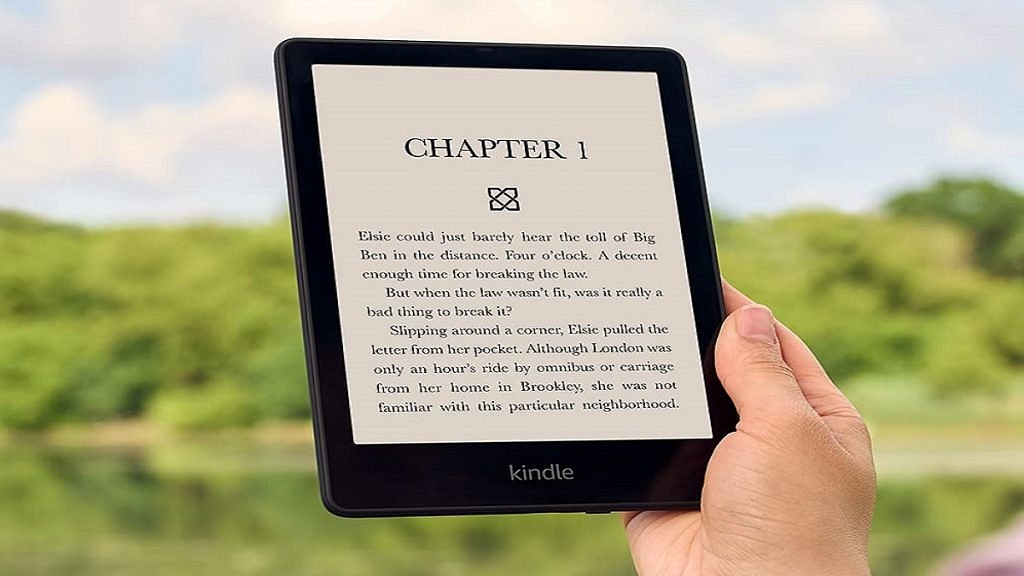
Amazon KindleRs. 14,999

Mi Smart Band 5

The 1.1-inch AMOLED screen on Xiaomi’s Mi Smart Band is protected by 2.5D scratch-resistant glass. It has a heart rate sensor, a gyroscope, and a tri-axis accelerometer. It can show the time, steps taken, heart rate, app notifications, call alerts, and other information. Users can use it while swimming thanks to its 5ATM water resistance. It has a 125mAh battery that provides up to 14 days of use on a single charge.

Amazon Kindle

Electronic books are significantly less expensive than physical notebooks, and you can preserve trees by using less paper. Why not gift a full library instead? Instead of downloading music to your iPod or MP3 player, you can download books (via wireless technology) to your Kindle and use it to read. The latest model is the Paperwhite which is right for most users, without a doubt.

Also Read | Top 5 Most Searched Diwali Queries On Google: CEO Sundar Pichai Reveals

Nescafe E’ Smart Personal Coffee Maker
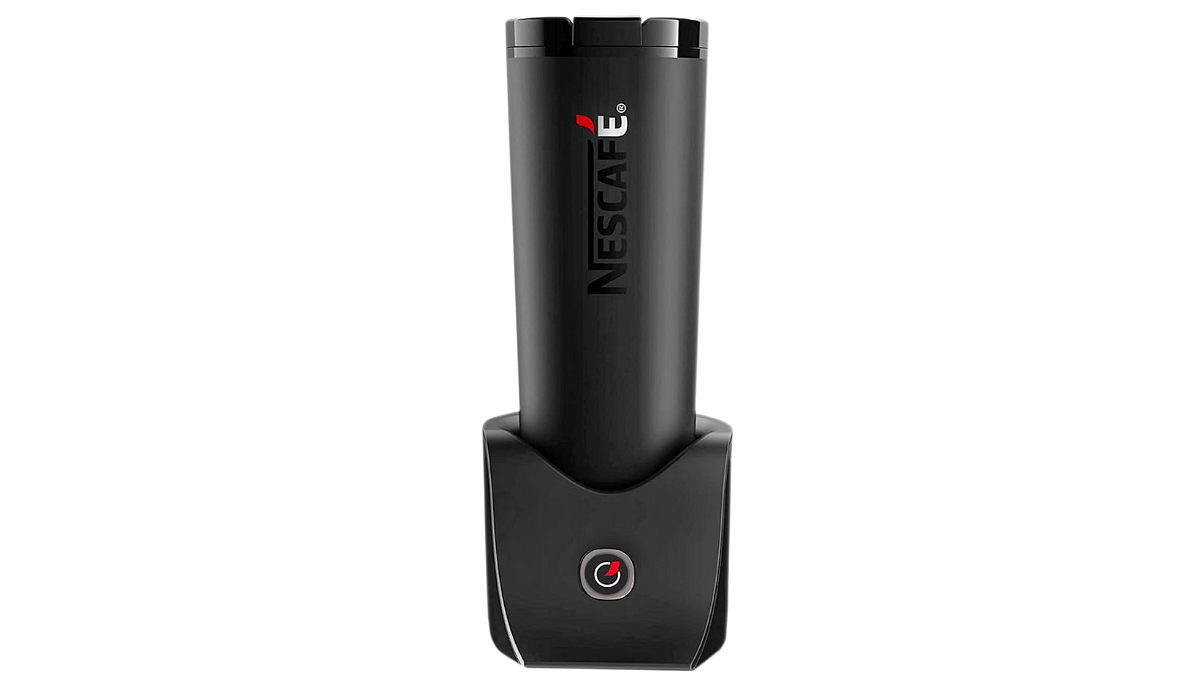
This is the ideal present for any coffee enthusiast. The Nescafé E` Smart Personal Coffee Maker is a smart, app-enabled hot and cold coffee maker. With it, you can make a range of specialty coffee drinks including lattes flavored with ginger and cinnamon, creamy iced coffees, and cappuccinos with cinnamon. The Nescafe E Connected cup software on your smartphone can be used to manage the coffee maker and it takes only 60 to 90 seconds to make coffee. Given the unexpected change in our working conditions, this is a great present option for anyone who might miss using the office coffee vending machine.

For the tech geeks, stay updated with the latest cutting-edge gadgets in the market, exclusive tech updates, gadget reviews, and more right on your phone’s screen. Join Giznext’s WhatsApp channel and receive the industry-first tech updates.


Categories
Accessories Featured

Spook Up Your Halloween Party 2024: Four Tech Gadgets To Create A Haunted House

Key Highlights

  • Transform your home with Halloween-themed lights and smart gadgets
  • Use Echo Pop and Echo Show 10 for music, smart home control
  • Add a spooky touch with portable projectors

Even though Halloween is not as popular in India as it is in the West, we can still have a memorable celebration. You can transform your home into a creepy haunted house by using the right technology. Here, we have mentioned a list of must-have gadgets that will help set the perfect spooky vibe for your Halloween party. Let’s check them out.

Also Read | Apple’s Diwali Offers In India: Save Big On iPhones, Macs, And More

GadgetsPrice
RSAAUD Halloween String LightsRs. 999
Amazon Echo PopRs. 2,949
Amazon Echo Show 10Rs. 21,999
Portronics Pico 13 Rechargeable Portable ProjectorRs. 31,499

RSAAUD Halloween String Lights

  • Design: 3D pumpkin shapes that glow with a warm orange hue, perfect for Halloween decor
  • Type: LED Pumpkin & Ghost String Lights (10 LED, 6 feet)
  • Features: Adds a spooky, fun atmosphere to both indoor and outdoor spaces
  • Power: Uses 2 AA batteries (not included)
  • Application: Ideal for decorating patios, gardens, porches, and even fences.
  • Bonus: Waterproof and energy-saving, so you can place them anywhere without worrying

Amazon Echo Pop

  • Design: Stylish speaker available in four colors (Black, White, Green, Purple)
  • Sound: Loud, balanced sound with crisp vocals and bass
  • Functionality: Play hands-free music from apps like Spotify, Amazon Music, or JioSaavn
  • Smart Controls: Voice control for lights, ACs, TVs, and more. Can extend to non-smart appliances using smart plugs
  • Alexa Features: Set alarms, play nursery rhymes, control devices, and much more
  • Privacy: Comes with multiple layers of privacy protection, including a mic off button

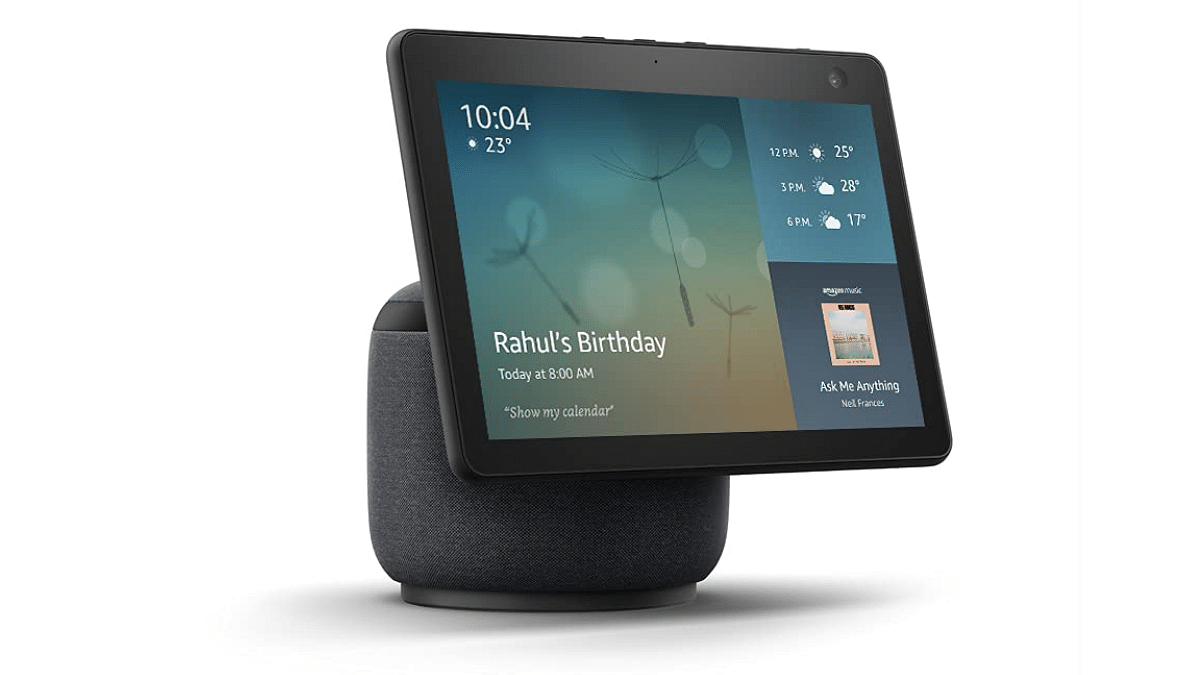
Amazon Echo Show 10

  • Screen: 10.1-inch HD display that automatically moves to face you
  • Entertainment: Play horror clips or create eerie scenes from Amazon Prime Video and Netflix. The screen follows you, ensuring you never miss a scene
  • Music: Play haunted music with on-screen lyrics from Amazon Prime Music, Spotify, and other platforms
  • Security: Use the 13MP camera to remotely monitor your home via the Alexa app
  • Smart Home Hub: Control smart devices like lights, TVs, and ACs with voice commands. It’s compatible with Zigbee and Matter devices

Also Read | Portronics Pico 13 Portable 4K UHD Projector: Key Features

Portronics Pico 13 Rechargeable Portable Projector

  • Projection Quality: Bright 3500 lumens for sharp, Ultra HD visuals
  • Screen Size: Adjust from a 20-inch screen at 0.5m to 120 inches at 3.0m, perfect for a cinematic Halloween display.
  • Sound: Built-in 10W speakers for small spaces, external audio options via AUX and Bluetooth for larger settings.
  • Smart Features: Runs on Android OS, comes pre-loaded with streaming apps, and supports screen mirroring for added flexibility
  • Portable: Rechargeable battery and wireless connectivity make it perfect for both indoor and outdoor use.

For the tech geeks, stay updated with the latest cutting-edge gadgets in the market, exclusive tech updates, gadget reviews, and more right on your phone’s screen. Join Giznext’s WhatsApp channel and receive the industry-first tech updates.

Categories
Featured Gaming Info

Global Ambassador Alan Walker Unveils ASUS ROG’s 300th Store In Bengaluru

Key Highlights

  • Alan Walker opened ASUS ROG’s 300th store in Bengaluru
  • The opening coincides with Walker’s 10-city tour in India
  • Walker highlighted the link between technology and music

In partnership with global brand ambassador Alan Walker, ASUS ROG announced the opening of their 300th store in Bengaluru, India. As part of the brand’s retail development strategy, the Grammy-winning DJ and music producer opened the store at the Mall of Asia with a gala opening.

Also Read | Asus ZenBook S13 OLED Laptop Review: A Compact Beast Machine!

Event Highlights

  • Grand Launch: Alan Walker, who opened the 300th store in Bengaluru, was in attendance at the inauguration event. This collaboration aligns with Walker’s strong association with technology and gaming.
  • Brand Collaboration: As the global brand ambassador for ASUS ROG, Alan Walker emphasized the synergistic relationship between technology and music, noting that ASUS ROG has always been at the forefront of innovation. Walker congratulated the brand on its innovative developments and expressed his delight about marking this milestone.

Walkerworld Tour Kicks Off

  • 10-City Tour: The store launch comes just as Walker embarks on his 10-city Walkerworld Tour in India. It kicked off on September 27 in Kolkata.
  • Key Cities: Alan Walker’s performances will take place in major Indian cities, including Shillong, Delhi NCR, Ahmedabad, Bengaluru, Chennai, Kochi, Pune, Mumbai, and the tour will conclude in Hyderabad on October 20.
  • Sunburn Partnership: The biggest music event in Asia, Sunburn, is producing the tour. This guarantees that music enthusiasts in these cities will have an amazing musical experience full of thrilling performances.

Also Read | ASUS Launches New AI-Powered PCs Featuring Intel Core Ultra Processors: Details

Alan Walker’s Statement

Speaking about his partnership with ASUS ROG, Walker noted, “Technology and music go hand-in-hand, and ASUS ROG has always been at the forefront of pushing boundaries. I’m thrilled to be a part of ASUS ROG’s journey and to celebrate this incredible milestone of their 300th store opening in Bengaluru. It’s an honor to collaborate with such an innovative brand and to share my music with their passionate community.”

For the tech geeks, stay updated with the latest cutting-edge gadgets in the market, exclusive tech updates, gadget reviews, and more right on your phone’s screen. Join Giznext’s WhatsApp channel and receive the industry-first tech updates.
Categories
Featured Home Appliances

Four Best Convection Microwave Ovens Under Rs. 10,000 In India (October 2024)

Key Highlights

  • Convection microwaves offer versatile cooking functions
  • They cook food evenly inside and out
  • Check out our list of top models under Rs. 10,000

A convection microwave oven provides multiple cooking features. Unlike traditional microwaves, convection microwaves cook food from both inside and outside. It ensures easy preparation of several recipes. If you are looking for a budget buy, we have prepared a list of the best convection microwave ovens under Rs. 10,000 that will guide you in the right direction.

Top Convection Microwave Oven In India

ModelPrice
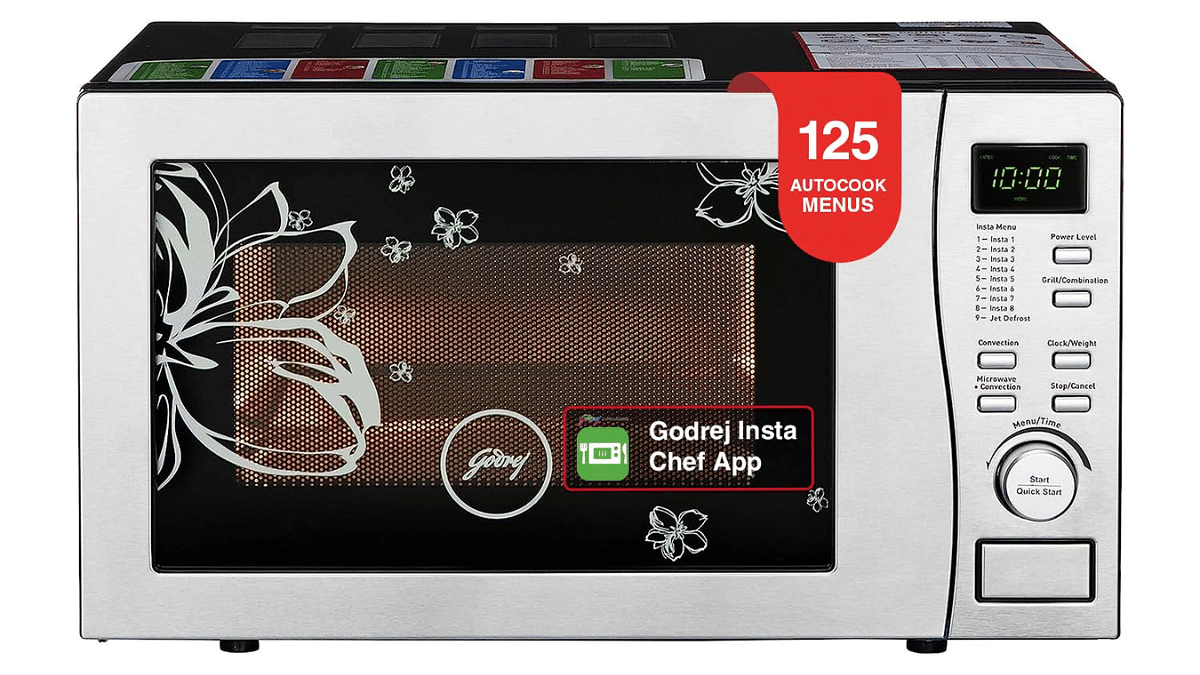
Godrej 19 L Convection Microwave OvenRs. 8,790
Panasonic 23 L Convection Microwave OvenRs. 9,790
IFB 20 L Convection Microwave OvenRs. 9,990
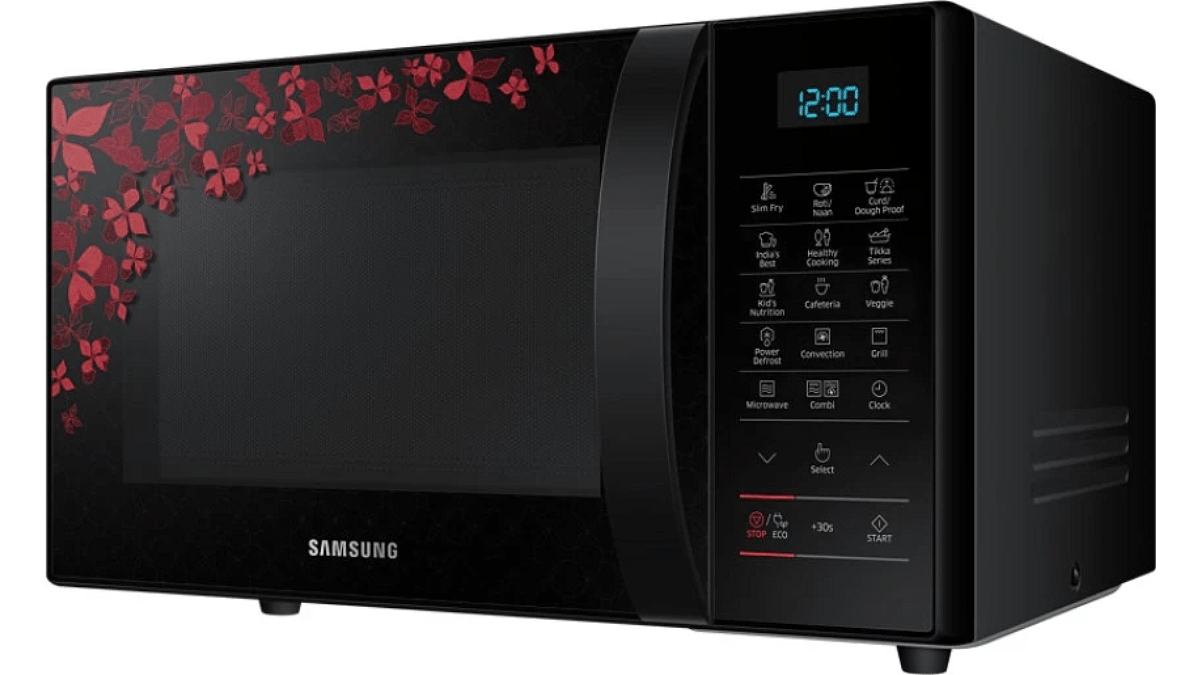
Samsung 21 L Convection Microwave OvenRs. 10,999

Godrej 19 L Convection Microwave Oven

The Instacook menus of the Godrej Convection Microwave Oven let you cook and relish dishes from across the country. It comes with a multi-distribution technology which will help in faster cooking by allowing heat to be distributed evenly. This microwave oven can be used for baking along with defrosting, reheating, grilling, and cooking.

Panasonic 23 L Convection Microwave Oven

The Panasonic Convection Microwave Oven can be an ideal choice under Rs. 10,000. It is large enough to hold a variety of foods comfortably. It is capable of 800W of high power output. The microwave oven offers 61 built-in auto cook menus and a glass turntable to ensure even cooking. The LED display and touch keypad let users quickly and innately operate this microwave. Further, its compact design helps save space in your kitchen.

IFB 20 L Convection Microwave Oven

The IFB Convection Microwave Oven has a capacity of 20 liters. It can be used for baking, defrosting, reheating, grilling, and cooking. Also, the microwave oven comes with 24 auto-cook menu options. Its touch keypad is responsive and easy to clean. The IFB Convection Microwave Oven has a child lock option to ensure maximum safety. You can get this convection microwave oven under Rs. 10,000.

Samsung 21 L Convection Microwave Oven

The Samsung Convection Microwave Oven features a ceramic enamel cavity for easy cleaning. It comes with a membrane touch keypad. This microwave oven has 35 auto cook menus that you can use to cook your favorite recipes. With a convection mode for baking along with reheating, grilling and cooking, it gives you the flexibility to do anything in the kitchen. You can buy the Samsung Convection Microwave Oven under Rs. 10,000 in India.

For the tech geeks, stay updated with the latest cutting-edge gadgets in the market, exclusive tech updates, gadget reviews, and more right on your phone’s screen. Join Giznext’s WhatsApp channel and receive the industry-first tech updates.

Categories
Featured Info Tablet

Flipkart Big Shopping Utsav 2024: Grab The iPad 9 At A Steal Price

Key Highlights

  • iPad 9 available for Rs. 20,499 during Flipkart’s sale
  • Extra Rs. 1,500 off with Yes Bank credit cards
  • Sale ends on October 13, 2024

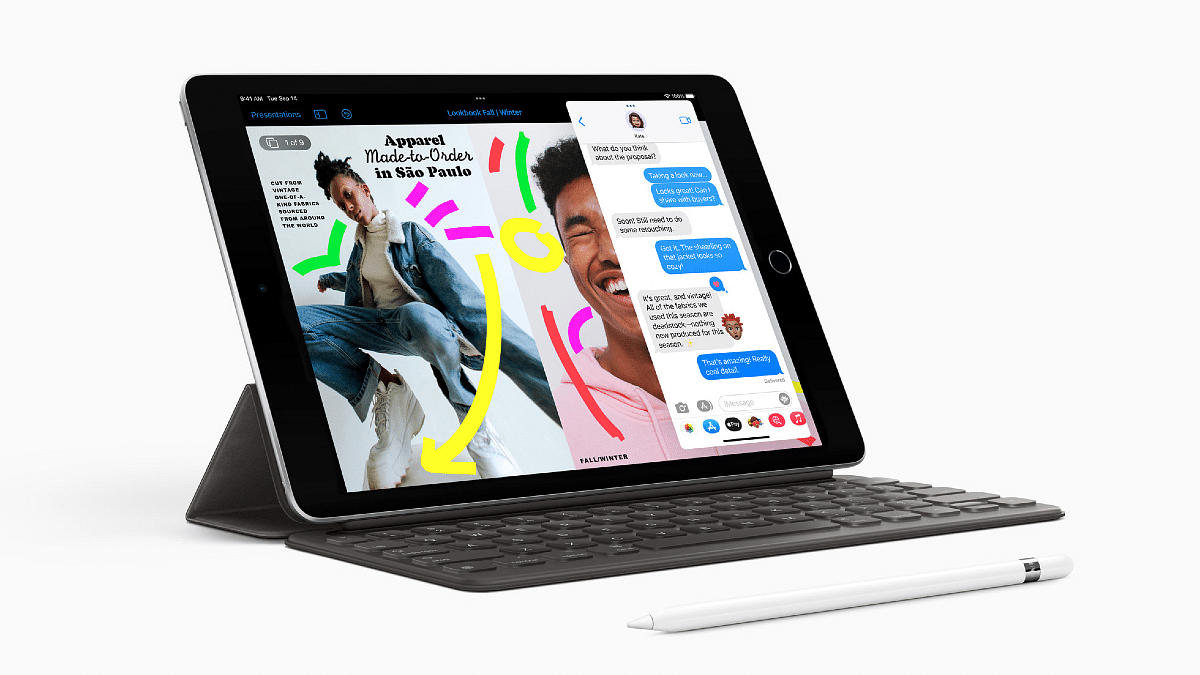
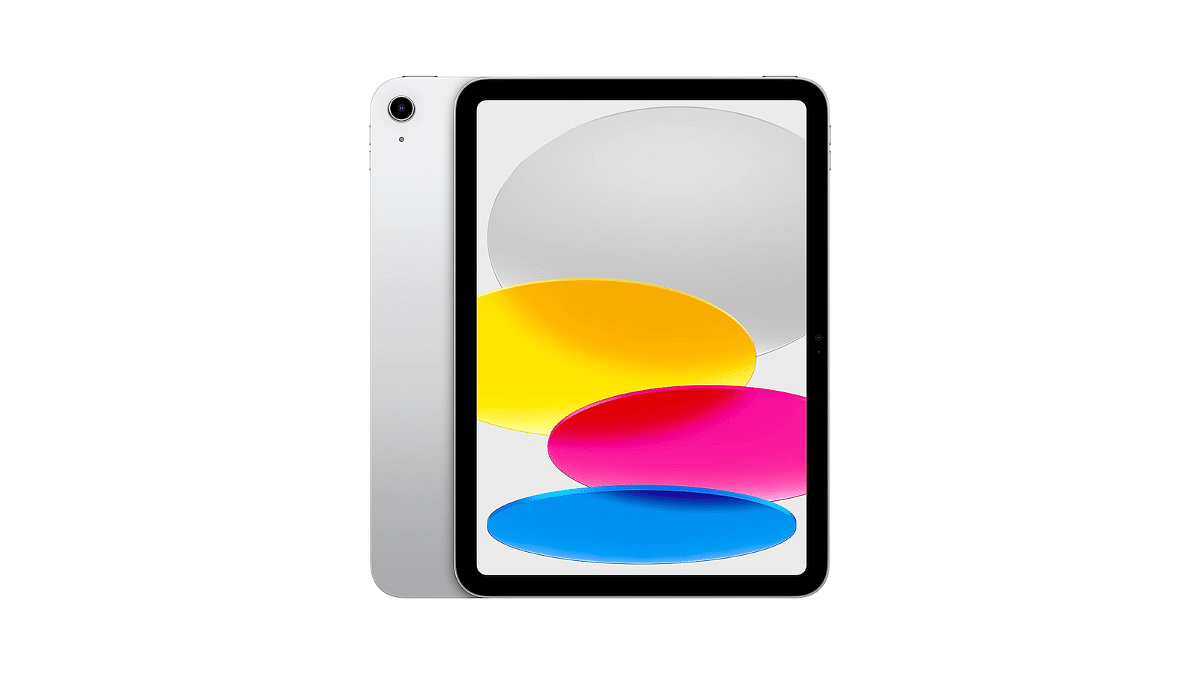
Looking for a great deal on an iPad? You have the opportunity to purchase the ninth-generation iPad (iPad 9) for as little as Rs. 20,499 during the Flipkart Big Shopping Utsav 2024. The sale begins on October 9, 2024, and runs until October 13, 2024. This is all the information you need.

Also Read | iPad Air 2024 vs. Samsung Galaxy Tab S9: Which Tablet Wins The Showdown?

iPad 9 Price During the Sale

  • Base price: Rs. 21,999 (original MRP Rs. 32,900)
  • Bank offer: Rs. 1,500 discount for Yes Bank credit card users
  • Exchange offer: Depending on the model and condition, you can exchange your old smartphone or tablet for up to Rs. 21,200 off.

iPad 9 Model Availability

The iPad 9 64GB Wi-Fi only device is covered by the Flipkart Big Shopping Utsav 2024. There are more variants available as well, however they cost more:

  • 256GB Wi-Fi: Priced at Rs. 37,999
  • 4G model: Goes up to Rs. 48,999

Why The iPad 9 Stands Out

The iPad 9 was released in 2021 and holds a special place for those who prefer Apple’s older design. Key features include:

  • 4G support: Last iPad model with 4G
  • Classic design: Physical home button and lightning port
  • Headphone jack: One of the last iPads to offer this feature
  • Big bezels: The classic iPad look with thick bezels

Also Read | OnePlus Pad Vs iPad Air: Best Premium Android Tablet

Changes In The iPad 10

The iPad 9 was officially discontinued in May 2024, with the newer iPad 10 taking its place. Here’s how the iPad 10 differs:

  • USB Type-C port: More modern connectivity
  • 5G support: Enhanced network speeds
  • No home button or headphone jack: Sleeker, buttonless design
  • Starting price: Rs. 34,900 for the base model

For the tech geeks, stay updated with the latest cutting-edge gadgets in the market, exclusive tech updates, gadget reviews, and more right on your phone’s screen. Join Giznext’s WhatsApp channel and receive the industry-first tech updates.

Categories
Apps Featured Info

Can’t Find Parking? Google Maps’ New Feature Comes To The Rescue

Key Highlights

  • Google Maps has partnered with SpotHero to find and reserve parking spots in advance
  • The feature includes filters for EV charging, accessibility, more
  • Parking reservations can be made directly through Google Maps and Google Search

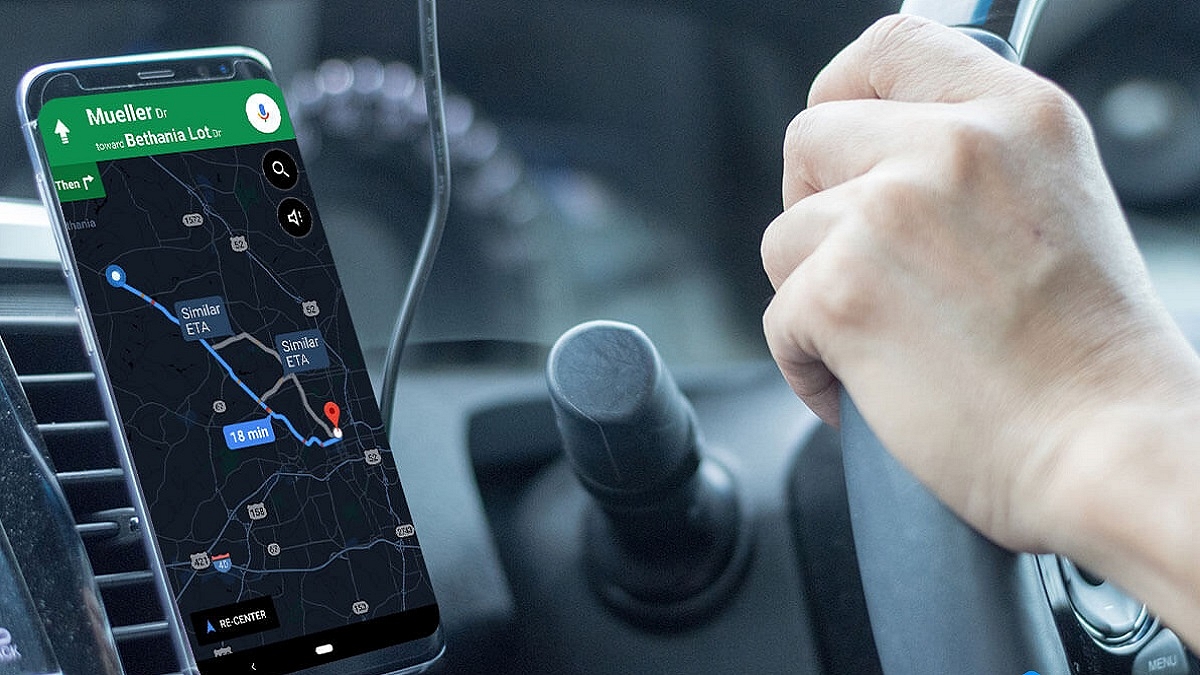
Google Maps is introducing a helpful new feature to make parking stress-free for drivers across North America. By partnering with SpotHero, a popular parking reservation platform, Google Maps now allows users to find and book parking spots in advance. This feature aims to simplify parking by letting drivers reserve spaces through the app.

Also Read | Best Mobile Apps To Easily Find Parking Spot For Your Car

New Google Maps Parking Feature

  • Google Maps and SpotHero have partnered to provide easy parking bookings. Through this integration, users can use Google Maps or Google Search to look up parking possibilities close to their destination and reserve a spot right away. Next to the parking selections, a “Book Online” button will show up, directing drivers to the SpotHero website to finish their reservation.
  • Launched in April 2024, SpotHero’s integration with Google Maps has expanded significantly. It now covers more locations and event venues in the U.S. and Canada, including partnerships with major venues like Madison Square Garden and the Chicago Cubs.
  • Users may filter parking spaces by a variety of criteria thanks to the new feature. Drivers can choose parking as well as other amenities like EV charging, wheelchair accessible, and valet parking based on the day and time of their visit.
  • By enabling pre-booking, this upgrade seeks to assist drivers in avoiding the last-minute rush for parking spaces. This feature helps reduce the hassle of searching for a parking space, especially in crowded areas.

How Parking Operators Benefit

Through its machine learning platform, SpotHero IQ, SpotHero provides parking operators with data-driven insights. Parking facilities can better manage spots with the aid of this technology.

Also Read | Google Maps Offline Mode For Smartwatch Finally Arrives: No Internet Required For Searching Location

When Will The Feature Be Available?

The feature is expected to be completely operational later this year and is progressively being rolled out to other locations. Drivers will be able to park more easily in advance and have a more enjoyable driving experience as a result.

For the tech geeks, stay updated with the latest cutting-edge gadgets in the market, exclusive tech updates, gadget reviews, and more right on your phone’s screen. Join Giznext’s WhatsApp channel and receive the industry-first tech updates.

Categories
Featured Info Mobile

OnePlus 13: Magnetic Charging And Advanced Upgrades On The Horizon

Key Highlights

  • OnePlus 13 will feature magnetic wireless charging
  • Expected to have up to 24GB RAM and a 6,000mAh battery
  • The OnePlus 13 global launch is expected in early 2025

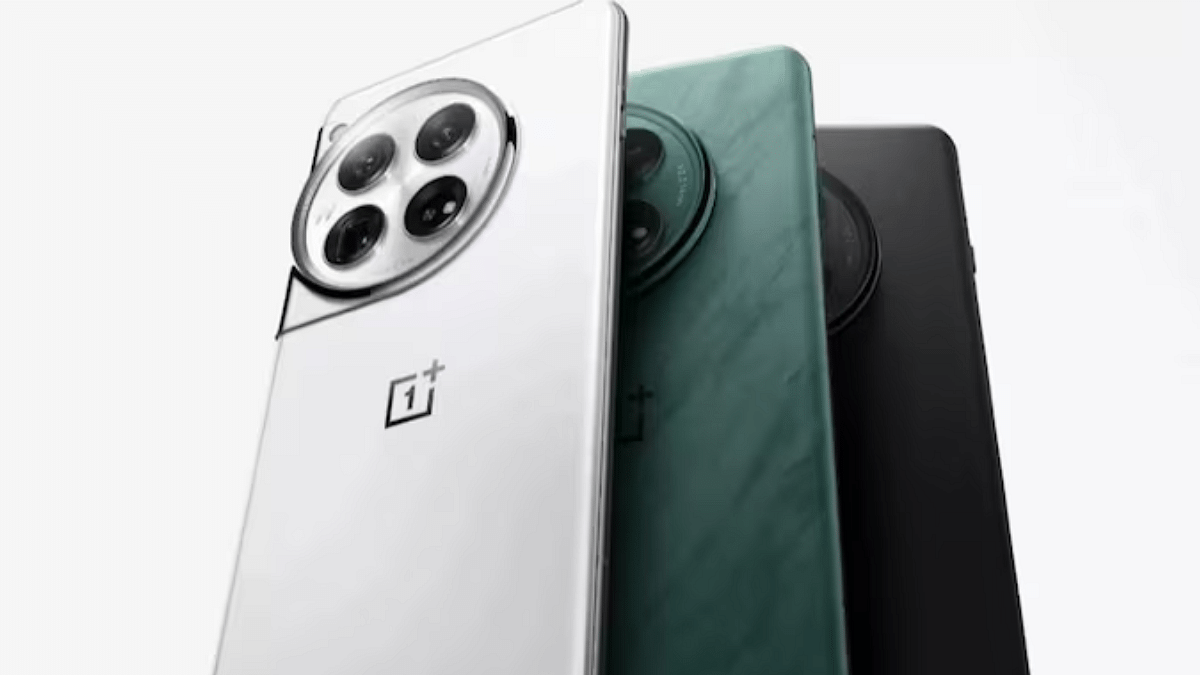
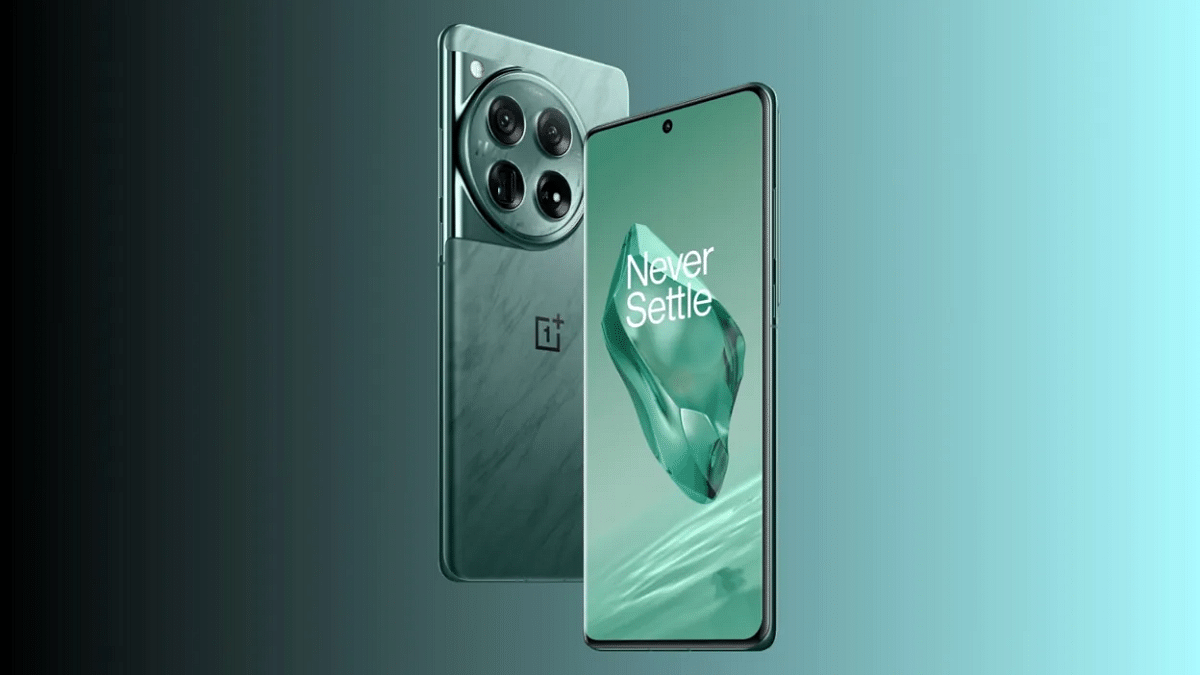
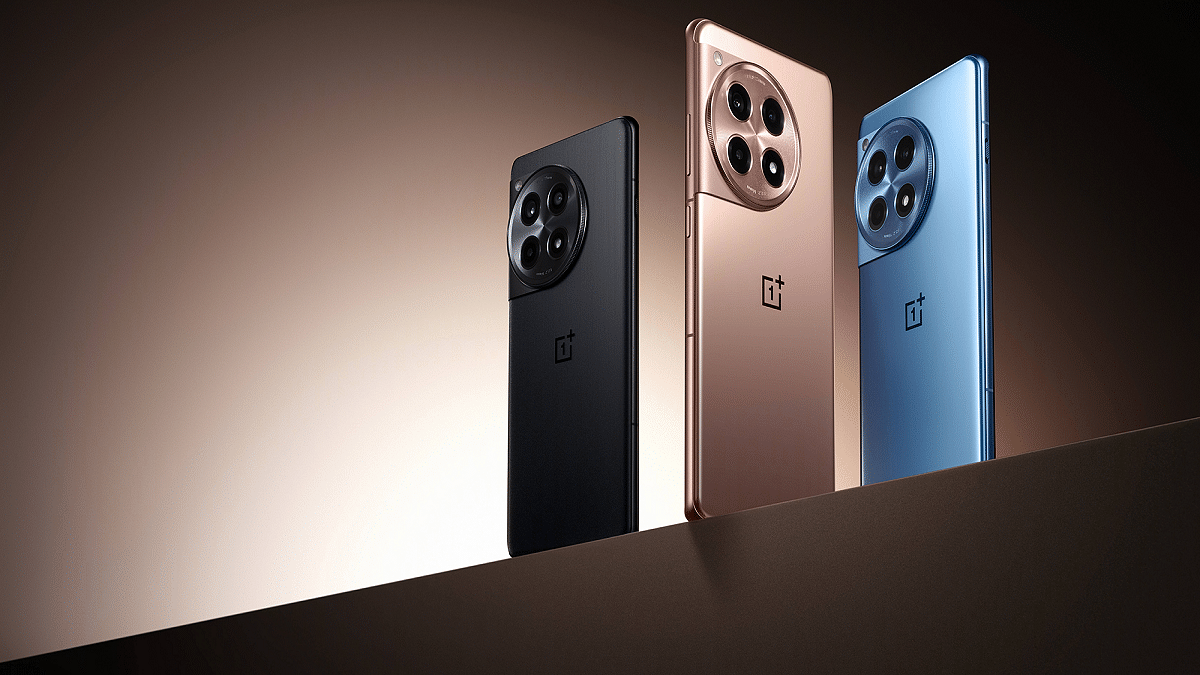
The launch of the OnePlus 13 is quickly approaching. Now the company has started teasing its flagship smartphone. Loaded with potent hardware, the device should bring about a lot of improvements over its predecessors. Magnetic wireless charging, which appears to have been influenced by Apple’s MagSafe technology, is one of the phone’s most notable features. Here’s what you can expect from the OnePlus 13.

Also Read | OnePlus 12 vs Google Pixel 8: A Detailed Comparison of Specs, Features, and Price

Magnetic Charging: A New Addition

  • Confirmed by OnePlus: OnePlus’ country chief in China, Louis Lee, has confirmed on Weibo that the OnePlus 13 will support magnetic wireless charging.
  • MagSafe-Like Feature: This new charging system likely works with Qi2 technology. It offers faster and more reliable wireless charging through magnetic alignment.
  • Quick and Easy Charging: The magnetic coil at the back will help users charge the phone more easily and quickly without fiddling with cables.
  • Dual Charging Options: OnePlus could combine Qi2 wireless charging with its own proprietary fast-charging system.

Additional Features (Expected)

  • Up to 24GB RAM: The OnePlus 13 might come with an impressive RAM boost of up to 24GB.
  • Large Battery: Reports suggest the device will be equipped with a 6,000mAh battery.
  • Fast Charging: The phone is expected to support 100W wired charging and 50W wireless charging.

Not The First In Magnetic Charging

While Infinix and HMD are two other Android brands that have already included magnetic charging in some of their models, OnePlus is the first to do so. But since OnePlus’s earlier models were renowned for their quick charging times, the company is probably going to maintain its advantage with this new technology.

Also Read | OnePlus 12R vs OnePlus 12: Top Flagship Smartphone Showdown

Launch And Pricing

The OnePlus 13 is set to launch in China soon, with global and India releases likely happening in early 2025. With all these upgrades, including better hardware and new features, we might see an increase in price.

For the tech geeks, stay updated with the latest cutting-edge gadgets in the market, exclusive tech updates, gadget reviews, and more right on your phone’s screen. Join Giznext’s WhatsApp channel and receive the industry-first tech updates.

Categories
Apps Featured Info

ChatGPT Canvas Is Here: Everything You Need To Know

Key Highlights

  • ChatGPT Canvas offers AI-assisted writing, coding collaboration
  • It helps with editing, grammar checks, debugging
  • Users have control over edits and versions

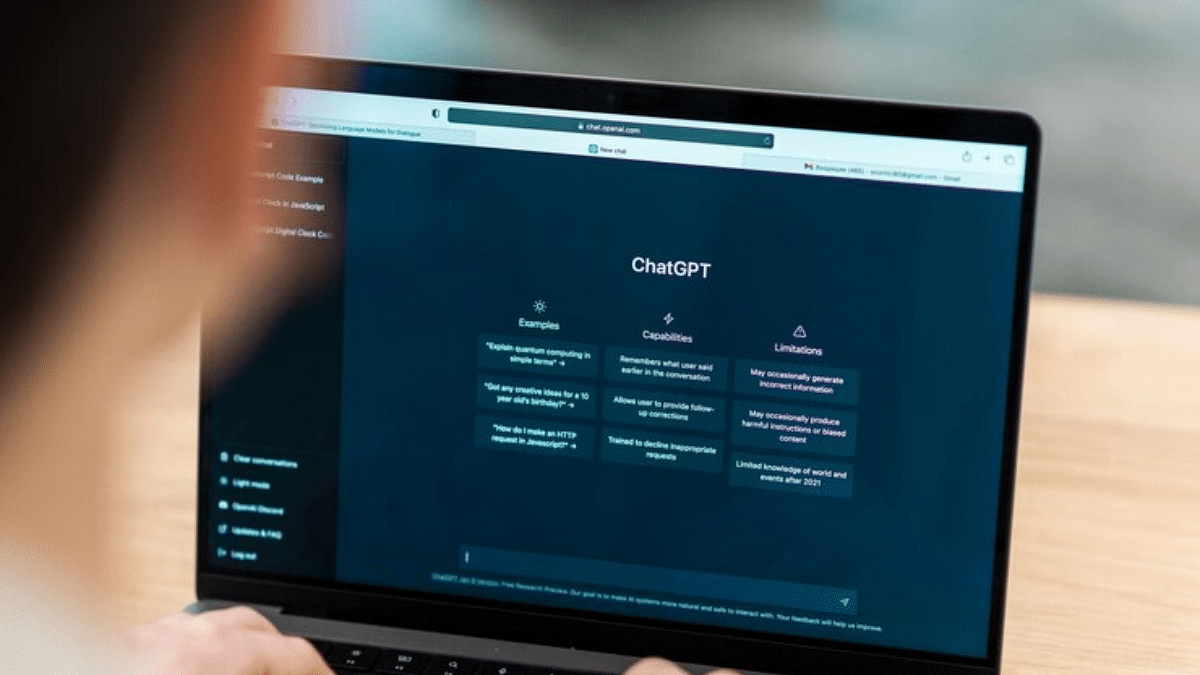
ChatGPT Canvas is a new tool that allows users to work closely with AI on writing and coding projects. Unlike traditional chat-based interactions, Canvas offers a dynamic, collaborative environment where you can edit, revise, and improve your work alongside ChatGPT. It is currently available in beta for Plus and Team users.

Also Read | Meta AI vs ChatGPT: Which Chatbot Fits Your Needs?

Key Features For Writers

ChatGPT Canvas is a game-changer for writers. It offers several tools that make content creation smoother and more effective:

  • Suggest Edits: ChatGPT provides inline suggestions to improve your writing, whether it is grammar, clarity, or structure.
  • Adjust Length: You can easily make your text shorter or longer based on your needs.
  • Change Reading Level: Adjust the complexity of your text from simple to advanced, depending on your audience
  • Final Polish: ChatGPT checks for consistency, clarity, and grammar to give your writing that final touch
  • Add Emojis: Make your content more engaging by adding relevant emojis to lighten the tone.

These features are ideal for bloggers, essay writers, and anyone looking to polish their creative content.

Key Features For Coders

Canvas isn’t just for writers. It is also a valuable tool for coders. It enhances the process of code revision, debugging, and translation:

  • Review Code: ChatGPT offers recommendations to raise the quality and effectiveness of your code
  • Add Logs: Easily insert print statements to help with debugging
  • Add Comments: ChatGPT can add helpful comments that explain parts of your code.
  • Fix Bugs: The AI detects and corrects errors in your code.
  • Port to Another Language: Canvas supports translations into various programming languages like Python, JavaScript, and Java.

Also Read | No Sign-Up Needed: OpenAI Enables Account-Free ChatGPT Access

Collaborative Control

Users have complete control over their creations with Canvas. You can directly alter things while ChatGPT provides you with advice in real time. You can return to earlier iterations using the back button if something doesn’t work. This makes risk-free experimenting possible. This feature comes in very handy when experimenting with alternative writing or coding techniques.

For the tech geeks, stay updated with the latest cutting-edge gadgets in the market, exclusive tech updates, gadget reviews, and more right on your phone’s screen. Join Giznext’s WhatsApp channel and receive the industry-first tech updates.
Categories
Featured Info Mobile

New Android Features Lock Your Phone Even When Stolen: Details

Key Highlights

  • Google is introducing new theft protection features for Android devices
  • These features help lock your phone automatically if it’s stolen
  • Currently the features are in beta

Losing your phone to theft can be terrifying, not only because of your hard-earned device but also the valuable data it contains. From personal accounts to sensitive financial details, securing this information becomes critical. To help protect users, Google is now rolling out new theft protection features for Android phones running version 10 and above.

Also Read | Android Tips And Tricks: How To Create Your Selfie GIF And Send Via Google Messages

Key Features To Protect Your Data

With its new theft protection features, Google hopes to preserve your data even in the event that your phone is taken. Here are the main features they have introduced:

Theft Detection Lock

  • Automatically locks your phone if it detects sudden movement, like someone grabbing your device while it is unlocked
  • Uses sensors, Wi-Fi, and smart device connections to sense when the phone is being snatched
  • Works through machine learning. It recognizes if someone tries to run away on foot, bike, or car with your phone

Offline Device Lock

  • Activates if a thief tries to turn off the internet on your phone in order to stop tracking
  • If the device is being used when it is stolen, it locks the screen twice a day
  • It’s an added protection, especially when the phone is not connected to the internet

Remote Lock

  • You can visit android.com/lock from a smartphone owned by someone you can trust if yours is stolen
  • This allows you to remotely lock your phone by entering a phone number and passing a security check
  • Google says this process is faster than using the ‘Find My Device’ feature

How To Access These Features

  • Users can turn on these features by searching for ‘Theft protection’ in the Settings app
  • Alternatively, they can find it under the Google services page by selecting Personal & Device Safety.

Also Read | Android Tips And Tricks: Here’s How To Make Your Smartphone More Useful

Availability And Rollout

These features are currently in beta testing, starting in Brazil. While some users claim to have Remote Lock, others claim to have access to Theft Detection Lock and Offline Device Lock. All features are available to U.S. Pixel users on the Google Play Services beta (version 24.40.33). However, a full rollout is expected later this year across more regions.

For the tech geeks, stay updated with the latest cutting-edge gadgets in the market, exclusive tech updates, gadget reviews, and more right on your phone’s screen. Join Giznext’s WhatsApp channel and receive the industry-first tech updates.

Categories
Featured How To Mobile

iPhone Running Slow? Here’s How to Clear Safari/ App Cache On iOS

Key Highlights

  • iPhone caches fill up fast, affecting performance
  • Safari and app caches can be cleared to free space
  • Clearing Safari cache is easy, but apps need extra steps

Caches don’t take long to fill up on your smartphones; be it Android or iPhones. The iOS has two big data caches: one for Safari and another for all the rest the apps. Deleting these caches can free up space on your device, improving performance and speed. While clearing the cache in Safari is simple and quick, deleting the cache in third-party apps can be more complicated. Here we’ll show you a step-by-step guide on how to clear the cache in Safari and other apps on iPhone.

Note: Make sure you know your passwords before clearing the cache on an iPhone for Safari or any other app. You will be signed out of any websites you are currently logged into after you clear the cache files.

How To Clear The Cache From Safari

Step 1: Open the Settings menuon your respective iPhones.

Step 2: Swipe down and tap on Safari.

Step 3: Scroll down and click on the Clear History and Website Data option.

Step 4: Your iPhone will ask if you want to clear Safari’s data. Confirm your choice.

Alternatively, you can also clear data from individual websites without clearing the whole Safari cache. The steps for the same are mentioned below:

Step 1: After performing the step 2 from above, you will get the option “Advanced”. Click on it.

Step 2: Now, select “Website Data”.

Step 3: You will now get the option “Edit” at the bottom of Safari settings (or swipe from right to left to delete individual items).

Besides, if you delete website data from your iPhone, it will be deleted from all of your other Apple devices that are signed in to the same iCloud account that syncs with Safari.

How To Clear Your iPhone’s App Cache

To clear the cache from your iPhone apps, you will need to offload them. This will free up the storage space the app uses while still keeping its data and documents. All your data will be recovered once you reinstall the app.

Step 1: Go to Settings and tap General and then click on iPhone Storage.

Step 2: Wait for the page to load a list of all your apps. Once the list is generated, tap the app you want to clear and select Offload App.

Step 3: If you want to delete the app along with the files and data, you need to select Delete App instead of Offload App.

Quick tip: When you open the list of all your apps, you may notice a menu called Offload Unused Apps. Selecting Enable here will allow your iPhone to automatically offload apps that you haven’t used in a while.

For the tech geeks, stay updated with the latest cutting-edge gadgets in the market, exclusive tech updates, gadget reviews, and more right on your phone’s screen. Join Giznext’s WhatsApp channel and receive the industry-first tech updates.