Categories
Featured Home Appliances How To

How To Choose The Right Air Purifier Based On Your City’s Pollution Level

Key Highlights

  • Check your city’s AQI level
  • Pick the right filter and CADR
  • Choose a trusted brand with good service

With rising pollution levels in cities, clean air is no longer a luxury, it’s a necessity. Whether you live in Delhi, Mumbai, Bengaluru, or any other urban area, air purifiers have become essential for a healthier home environment. But not all purifiers are created equal and buying the wrong one can be both costly and ineffective. This guide will help you pick the right air purifier based on the pollution level in your city, so you breathe easy.

Also Read | Best Wi-Fi-Connected Air Purifiers To Buy

Know Your City’s AQI First
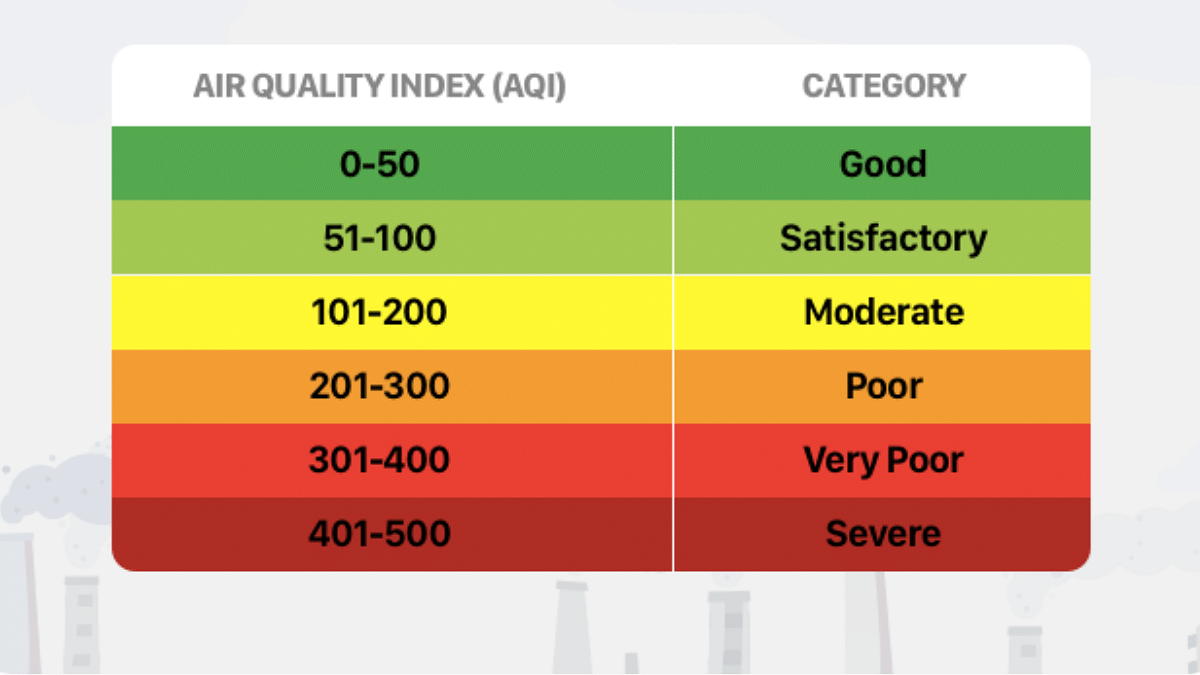
Start by checking the AQI for your city or neighborhood. This gives a clear idea of how severe the air pollution is.

  • Cities with AQI above 200 need heavy-duty air purifiers
  • Areas with AQI between 100–200 can manage with mid-range purifiers
  • Low AQI areas may only need basic filtration
  • You can check real-time AQI using apps like AQICN, SAFAR, or even Google.

Choose The Right Filter Type

Not all filters are designed to tackle every type of pollution.

  • HEPA Filters: Best for PM2.5 and PM10 particles
  • Activated Carbon Filters: Ideal for gases, odors, and VOCs
  • UV or Ionizer Filters: Good for bacteria and viruses (optional)

If your city has high particulate matter (common in North India), go for True HEPA (H13 or higher).

Match The CADR With Room Size

CADR (Clean Air Delivery Rate) indicates how fast an air purifier can clean a room.

  • For a bedroom, a CADR of 150–250 m³/hr is good
  • For living rooms, aim for 300 m³/hr or more
  • Always choose a purifier rated slightly higher than your room size

Look For Smart Features In Metro Cities

In highly polluted metros, convenience matters.

  • Auto mode adjusts settings based on real-time pollution
  • App controls let you operate remotely
  • Filter change alerts ensure consistent performance

Go For Low Noise And Energy Efficient Models

If you plan to run your purifier round the clock (common in high-pollution areas), pick a model that:

  • Runs below 40 dB (quiet enough for sleep)
  • Has energy star certification or low power consumption

Check Maintenance And Filter Replacement Cost

Filters need changing every 6–12 months.

  • Check how easy it is to buy replacement filters in your city
  • Consider annual maintenance cost while buying
  • Avoid brands that have limited service networks

Also Read | Best Air Purifiers With HEPA Filter

Choose Trusted Brands With Good Service

Cities with high AQI need purifiers that can last. Stick to brands known for:

  • Reliable HEPA tech
  • Good after-sales service
  • Warranty and quick parts replacement
  • Brands like Dyson, Philips, Honeywell, and Sharp are often recommended.

Choosing the right air purifier depends entirely on where you live and how bad the air is. What works in a Tier 2 town might not be enough for Delhi’s winter smog. So, before you hit ‘Buy Now,’ understand your city’s air and pick a purifier that fits your health needs.

For the tech geeks, stay updated with the latest cutting-edge gadgets in the market, exclusive tech updates, gadget reviews, and more right on your phone’s screen. Join Giznext’s WhatsApp channel and receive the industry-first tech updates.
Categories
Apps Featured Info

Swiggy Launches Pyng App To Simplify Finding Verified Professionals: Details

Key Highlights

  • Swiggy launches AI-driven app Pyng for verified professional services
  • Covers 100+ categories like fitness, therapy, and wellness
  • Available in Bengaluru on iOS and Android as Pyng Now

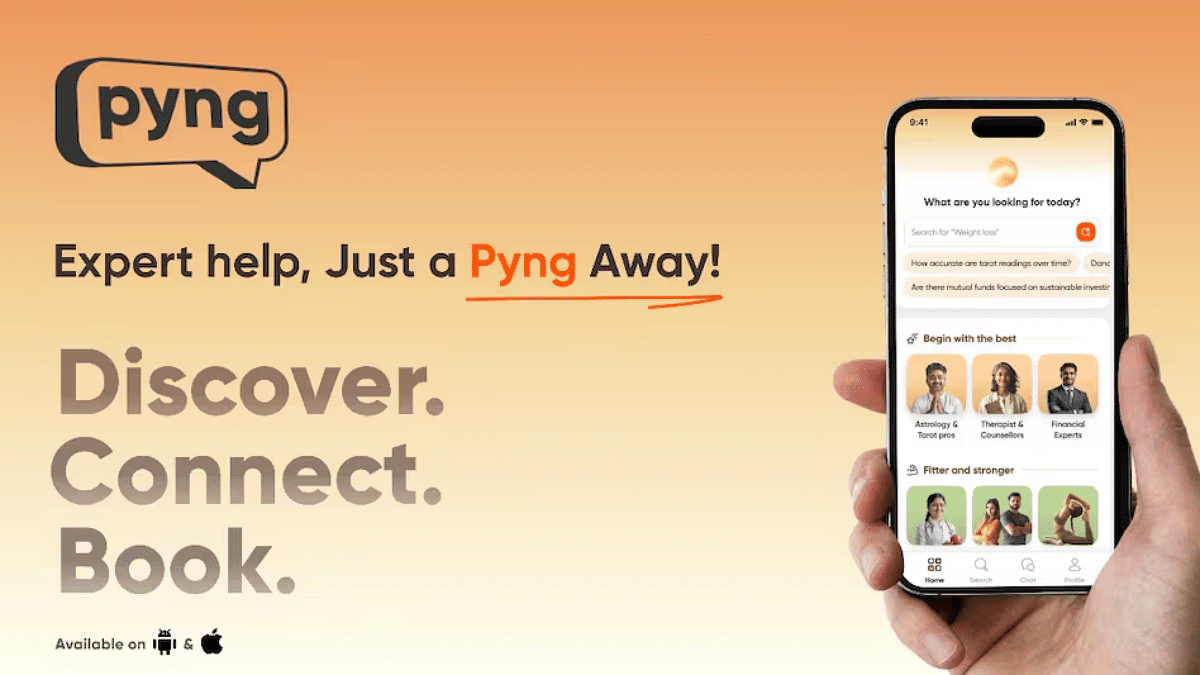
Swiggy is stepping into a new space with the launch of its AI-driven app, Pyng. Designed to eliminate the hassle of searching endlessly for trusted professionals online, Pyng simplifies the entire experience through advanced artificial intelligence, personalized assistance, and a highly curated network of verified experts. With its debut in Bengaluru, Pyng promises a smarter and faster way to access professional services across health, wellness, and more, all with a money-back guarantee. Here’s what makes Pyng by Swiggy worth checking out.

Also Read | Top 5 Alternatives To Blinkit For 10-Min Delivery In India

What Is Pyng by Swiggy?

  • Pyng is an intelligent platform that helps users discover and connect with verified professionals across 100+ service categories.
  • The app is now live in Bengaluru and available for download on both iOS and Android under the name Pyng Now.

Key Features That Set Pyng Apart

  • Smart AI Search Assistant: Understands your query in natural language and recommends professionals tailored to your specific needs.
  • Professional’s Personal AI Assistant: Lets users explore what each expert offers without any pressure to book, great for those who want to browse before deciding.
  • Spam-Free And Secure: Offers a trusted and clutter-free experience by listing only verified professionals.
  • Money-Back Guarantee: If users don’t find value in the service, Pyng provides a hassle-free refund.

Who Can You Find On Pyng?

Pyng covers a wide range of service categories, including but not limited to:

  • Health And Wellness: Fitness trainers, yoga instructors, therapists, nutritionists, and pregnancy coaches.
  • Skilled Experts: More than 1000+ professionals across 100+ specializations have already joined the platform.

Also Read | New Smartphone? Swiggy Instamart Brings It Home In Just 10 Minutes

Why This Matters

With urban consumers increasingly pressed for time, Pyng arrives as a timely solution for those tired of trial-and-error searches online. Swiggy’s move into this space highlights its larger goal, offering everyday convenience beyond just food delivery.

For the tech geeks, stay updated with the latest cutting-edge gadgets in the market, exclusive tech updates, gadget reviews, and more right on your phone’s screen. Join Giznext’s WhatsApp channel and receive the industry-first tech updates.

Categories
Featured Info Tablet

Tablet Buying Guide: Top 3 Tablets With Stylus Pen Support Under Rs.30,000 In 2025

Key Highlights

  • Android tablet with stylus pen support is suitable for creative tasks
  • Affordable options with stylus pen support available
  • Redmi and Poco both offering mid-range tablets with stylus under Rs. 30,000

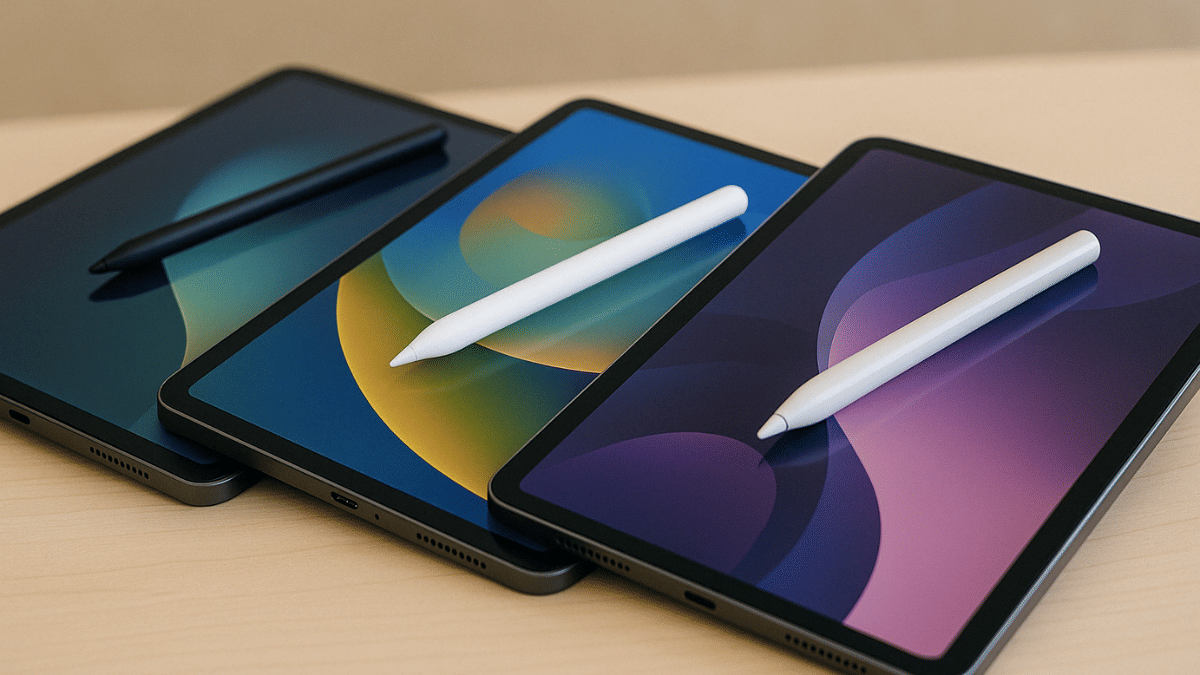
Tablet industry in India has seen a significant boom in the last few years. The game is getting stronger for the mid-range Android tablets where OEMs have started incoporating hardware and features that were previously limited to high-end models. From high-resolution audio video output to wireless keyboard and stylus pen support, these nifty features are now available with tablet models retailing under Rs. 30,000. In this article, we are exploring the list of best tablet models that are available with stylus pen support making them suitable for students and creative professionals. This list includes models from top smartphone brands such as Xiaomi, Poco, and Realme. Let’s take a look:

For the tech geeks, stay updated with the latest cutting-edge gadgets in the market, exclusive tech updates, gadget reviews, and more right on your phone’s screen. Join Giznext’s WhatsApp channel and receive the industry-first tech update.

Also Read: Best Anime Games To Play In India: Naruto, Dragon Ball, And More

Redmi Pad Pro 5G Tablet

Redmi Pad Pro 5G Specs
Display size 12.1-inch
Panel typeLCD
Resolution2.5K (2560 x 1600 pixels)
Refresh rate 120 Hz
Brightness 500 nits
Rear camera 8MP
Front camera 8MP
Processor Qualcomm Snapdragon 7s Gen 2
RAM 6GB/ 8GB
Storage 128GB/ 256GB
Battery 10,000 mAh
Fast Charging 33W
Stylus Support Yes
Price Starts at Rs. 20,999
Redmi Pad Pro 5G Full Specs

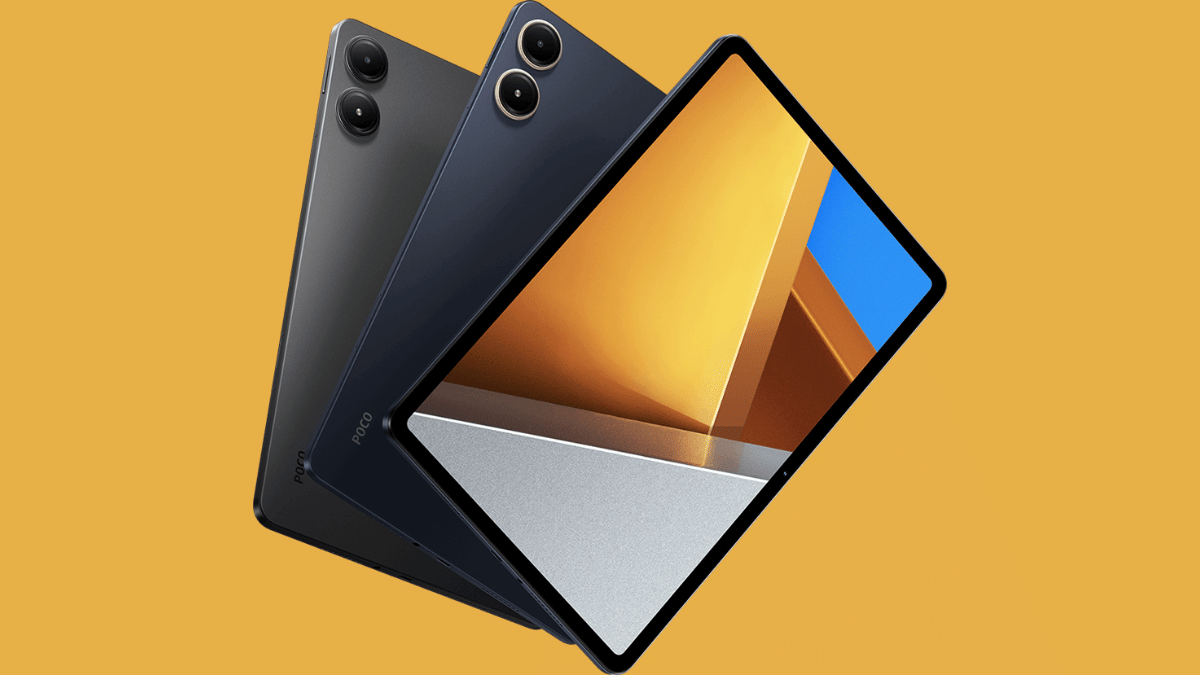
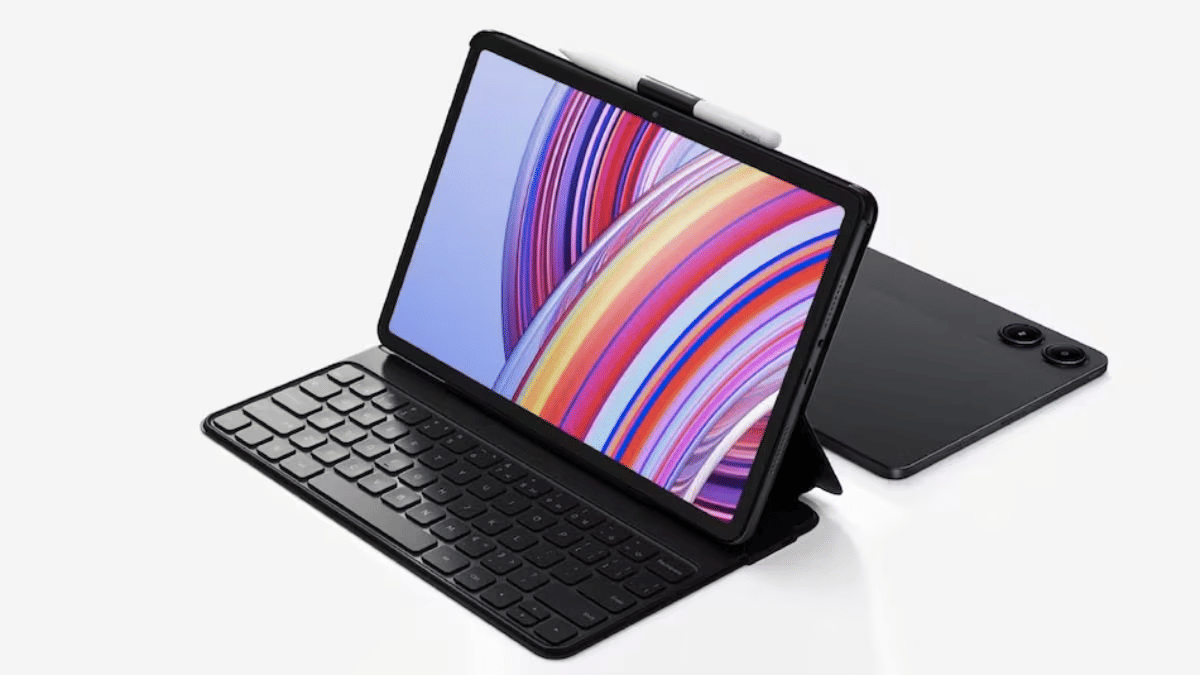
Xiaomi’s Redmi brand was refreshed earlier with the new Redmi Pad tablets. The Redmi Pad Pro 5G backed with Snapdragon 7s Gen 2 chipset and up to 8GB RAM/ 256GB storage makes it one of the most capable mid-range tablet with Wi-Fi and Cellular support. It also comes with stylus pen support which makes it apt for all creative users and students. Price for the Redmi Pad Pro 5G starts at Rs. 20,999 in India (Wi-Fi only model).

Also Read: Best Anime Games To Play In India: Naruto, Dragon Ball, And More

Poco Pad 5G

Poco Pad 5GSpecs
Display size 12.1-inch
Panel typeLCD
Resolution2.5K (2560 x 1600 pixels)
Refresh rate 120 Hz
Brightness 500 nits
Rear camera 8MP
Front camera 8MP
Processor Qualcomm Snapdragon 7s Gen 2
RAM 8GB
Storage 128GB/256GB
Battery 10,000 mAh
Fast Charging 33W
Stylus Support Yes
PriceStarts at Rs. 25,999
Poco Pad 5G Full Specs

Poco’s first tablet in India is another budget-oriented Android tablet which comes with stylus pen support making it an ideal pick under Rs. 30,000. The Poco Pad 2 is also powered by the mid-range Snapdragon 7s Gen 2 chipset clubbed with 8GB RAM and up to 256GB storage space. It is up for grabs exclusively via Flipkart in India and carries an asking price of Rs. 25,999.

Also Read: Best Laptops Under Rs. 80,000 For Designers And Creators In India (2025)

Lenovo Tab K11

Lenovo Tab K11Specs
Display size 10.95-inch
Panel typeLCD
Resolution1920 x 1200 pixels
Refresh rate 90 Hz
Brightness 400 nits
Rear camera 13MP
Front camera 8MP
Processor MediaTek Helio G88
RAM 4GB/8GB
Storage 64GB/128GB
Battery 7,040 mAh
Charging Support10W
Stylus Support Yes
PriceStarts at Rs. 14,999
Poco Pad 5G Full Specs

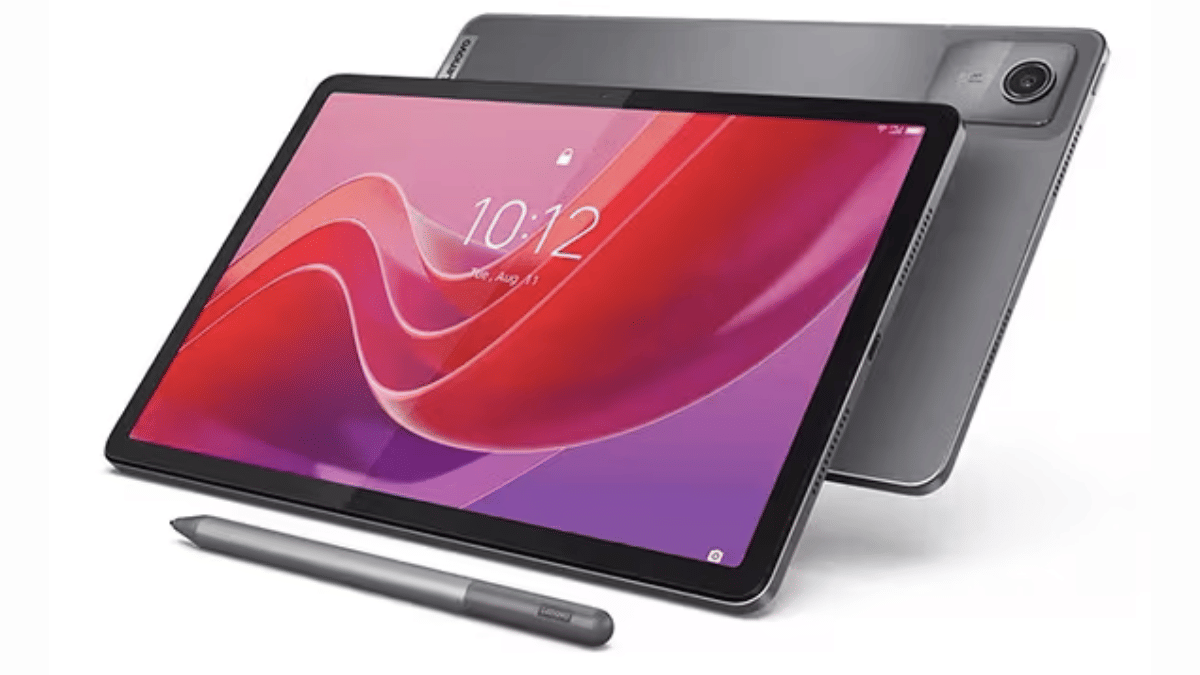
Lenovo Tab K series is one of the successful tablet lineups that is available in India and comes with reasonable pricing. Like the above tablets in this list, the Lenovo Tab K11 also comes with stylus pen support making it ideal for the masses who are into creative tasks. This is the cheapest model in this list with the asking price being Rs. 14,999.

Also Read: Looking For The Best Cloud Storage? These Apps Stand Out In 2025

Final Verdict

Modern day tablets are as versatile as smartphones allowing us to perform all those critical tasks that previously required a laptop or PC. And with features like stylus pen support can transform them to more useful gadgets. This list has the top 3 latest Android tablets in India that can be purchased at reasonable rates. Out of all these three models, the Redmi Pad Pro 5G and the Poco Pad 5G tablet are the closest contenders with the only major difference being the configuration. On the other hand, if you need more affordable option than these two yet a capable performer that supports stylus pen, then the Lenovo K11 will be the right pick.

Categories
Featured

Top Five Smart Cities Around The World And What Makes Them Smart

Key Highlights

  • Top smart cities use AI, IoT, and data for better urban living
  • Cities like Singapore and Amsterdam lead in innovation and sustainability
  • Focus areas include mobility, public safety, and green infrastructure

In a world where technology shapes our everyday lives, smart cities are leading the way by blending digital innovation with sustainable living. These cities aren’t just about fast internet and futuristic architecture, they are redefining urban living by solving real problems like traffic congestion, energy use, and public safety through cutting-edge technology. Here’s a closer look at five of the best smart cities in the world and what makes them stand out.

Also Read | Here’s The List Of Best Smart Home Gadgets You Can Buy In India

Singapore: Asia’s Smartest City

Singapore is often hailed as the smartest city in the world, thanks to its seamless integration of tech in governance and public services.

  • Smart Traffic Management: AI-powered solutions give travelers real-time updates and ease traffic congestion.
  • Public Safety: Smart surveillance and facial recognition enhance security.
  • Eco-Friendly Planning: Vertical gardens and green buildings make Singapore a model for sustainable development.

Barcelona: The European Leader In Urban Innovation

Barcelona uses technology to enhance quality of life while preserving its cultural charm.

  • Smart Lighting: Streetlights automatically adjust based on motion and daylight, cutting energy usage.
  • Open Data Platforms: Citizens can access real-time city data, improving transparency.
  • Digital Citizen Services: Residents can manage bills, report issues, and access services via mobile apps.

Seoul: Where Tech Powers Public Life

South Korea’s capital is a showcase of how smart tech can enrich public experiences.

  • Wi-Fi Everywhere: All around the city, high-speed internet is free.
  • Smart Waste Bins: Sensor-based bins alert authorities when they need emptying.
  • Digital Inclusion: Services are designed to help both tech-savvy youth and senior citizens navigate city life easily.

Shenzhen: Fast, Futuristic, And Fully Connected

Shenzhen is China’s leading smart city and a global tech manufacturing hub.

  • 5G Everywhere: Among the first cities to roll out full 5G infrastructure.
  • Cashless Ecosystem: Most transactions, from street food to transit, are mobile-based.
  • Smart Policing: AI-driven surveillance and facial recognition help maintain public safety.
  • Green Transport: The world’s first fleet of public buses that run entirely on electricity.

Also Read | Securing Your Home: Top Four Popular Smart Locks Available In The Market

Amsterdam: Green And Connected

Amsterdam blends eco-consciousness with digital connectivity.

  • Smart Energy Grids: Helps reduce carbon footprints with real-time energy monitoring.
  • Bike-First City Design: Smart signals prioritize cyclists, promoting cleaner mobility.
  • IoT for Water Management: Tracks water levels and prevents flooding.

These five smart cities are not just technologically advanced, they are redefining what it means to live in a truly connected and sustainable urban environment. As more cities take inspiration, the future of smarter living is just beginning.

For the tech geeks, stay updated with the latest cutting-edge gadgets in the market, exclusive tech updates, gadget reviews, and more right on your phone’s screen. Join Giznext’s WhatsApp channel and receive the industry-first tech updates.
Categories
Apps Featured How To

Enhance WhatsApp Privacy: How To Blur Images On WhatsApp Mobile, Desktop App

Key Highlights

  • WhatsApp allows media sharing in the form of images, videos, and audio files
  • Editing tool available for media on WhatsApp
  • Images can be blurred on WhatsApp mobile and desktop app for privacy

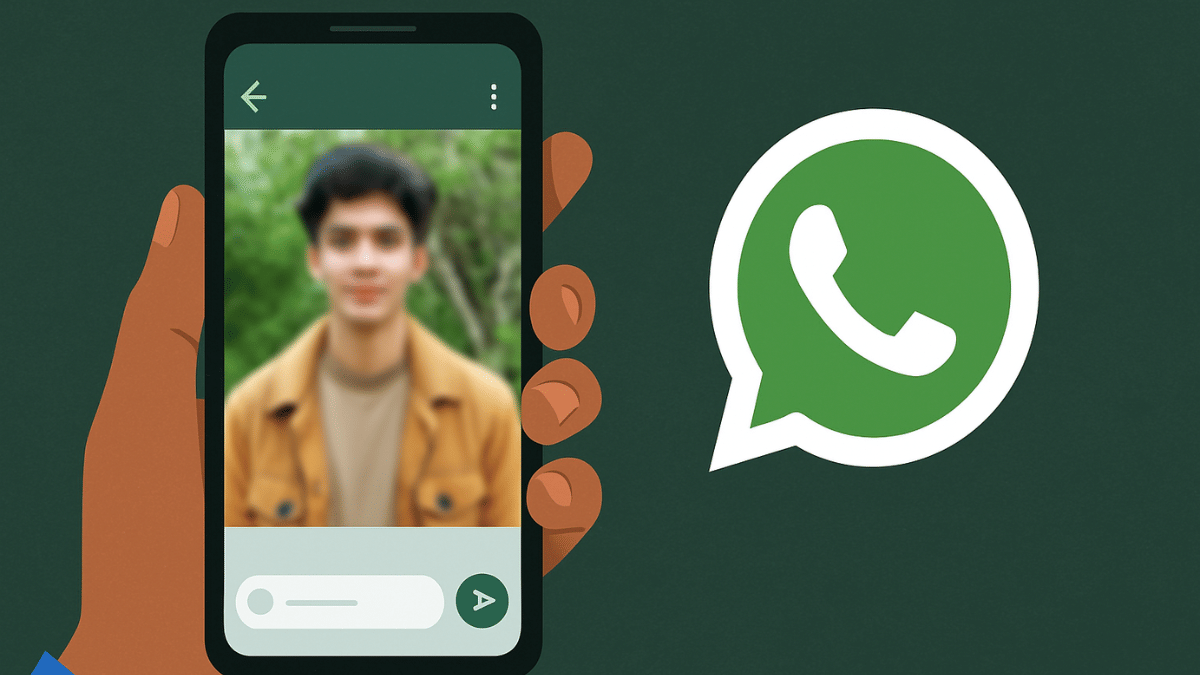
Media sharing is one of the best features offered by WhatsApp where you can send high resolution photos and videos to your friends and contacts on WhatsApp. Privacy has been the critical factor for WhatsApp’s success where the end-to-end encryption keeps all the chats private. Even the media files shared including photos and videos are end-to-end protected which makes it a safer platform for such transfers. But are you aware that WhatsApp allows blurring photos before you send them forward to your friends and contacts. This is an extra protection layer that enhances the privacy of a user while transferring images. And this feature is not just limited to the mobile app but also WhatsApp’s desktop version. This article has the step-by-step guide explaining the procedure to blur background in any image while sharing it on WhatsApp.

Also Read: Top 5 Ways To Verify If Your Instagram Account Is Hacked

Steps To Blur Images Before Sharing It On WhastApp Mobile App (Android and iOS)

Step 1: Open WhatsApp mobile app (on Android or iOS devices)

Step 2: Click on the Attachment icon (paperclip icon)

Step 3: Tap on “Gallery” if you wish to send photos from device gallery. Or click on Camera if you want to capture a new image.

Step 4: Select the Image that you want to send

Step 5: Locate the Edit icon (Pen icon) at the bottom. Tap on it.

Step 6: Now, a bunch of editing tools will show up at the bottom including markers and the blur tool. Tap on the blurring tool icon.

Step 7: Now, scroll on the part of the image that you want to blurr.

Step 8: Once done, tap on Done.

Also Read: Three Effective Ways To Restore Deleted Games And Apps On Windows 11 Laptops And PC: How To Guide

Steps To Blur Images Before Sharing It On WhastApp Desktop Version (For Laptop And PC)

Step 1: Open WhatsApp desktop version on your browser

Step 2: Go to the chat window where you want to send an image

Step 3: Click on the Attachment icon

Step 4: Open the Gallery

Step 5: Select the image that you want to share. Editing tools will show up before sending the image.

Step 6: Tap on the Blurr image option

Step 7: Adjust the Blurr intensity

Step 8: Adjust the blurr area on the image

Step 9: Once done, tap on Send.

Categories
Apps Featured How To

Instagram Account Hacked? Immediate Steps To Take If Instagram Account Is Compromised

Key Highlights

  • Instagram offers multiple ways to secure account privacy
  • Strong password combined with two-factor authentication adds extra protection
  • Hack accounts can be reported to Instagram to regain access

Instagram account getting hacked can be one of the worst nightmares. Specifically, if you are content creator and have a huge follower count on Instagram, your Instagram account could be a top target for cybercriminals. We previously shared the guide to check for the top 5 signs that can tell if your Instagram account is hacked. In this guide, we are listing the immediate steps in case you suspect your Instagram account is hacked or it has been taken over by some scammer.

For the tech geeks, stay updated with the latest cutting-edge gadgets in the market, exclusive tech updates, gadget reviews, and more right on your phone’s screen. Join Giznext’s WhatsApp channel and receive the industry-first tech update.

Also Read: Android Auto Customization: How To Change Wallpaper With And Without Smartphone

Immediate Steps You Should Take If Instagram Account Is Hacked

If you suspect your Instagram account is hacked, go through these steps to verify the same. And to safeguard your account from further such attacks, you can perform the following steps.

1. Report Cyber Attacks And Hacks To Instagram

Instagram is stringent with its safety and privacy policies which is why, the immediate step in case of an account hack is to report the incident. You can easily report Instagram of any cyberattack on your Instagram account which can lead to lost access and control. You can make request to Instagram to regain access of your hacked account after reporting it. The steps for the same are below:

  • Step 1: Open Instagram app
  • Step 2: Tap on the Help Center
  • Step 3: Select Hacked Accounts option
  • Step 4: Now, tap on Submit a report option
  • Step 5: Share the details required for verification
  • Step 6: Wait forInstagram to verify the hack report and verification details. Once done, you’ll be given access to the hacked account.

Also Read: Three Effective Ways To Restore Deleted Games And Apps On Windows 11 Laptops And PC: How To Guide

2. Review Login Activity And Log Out If required

Reviewing login activity ensures there are no suspicious account activity. This option also helps to check from which all locations login attempts have been made which you can report to Instagram. You need to immediately log out from your account and then follow move on to the next procedure. But before that take a look at the steps to check your login activity in Instagram.

  • Step 1: Open Instagram app
  • Step 2: Tap on Settings
  • Step 3: Head to Security
  • Step 4: Tap on Login Activity

Also Read: Want To Transfer Ola Money Cash To Bank Account? Here’s How To Do It

3. Change Instagram Account Password

If your Instagram account is hacked but you still have the control and its not yet taken over by the hacker, change the password immediately. Once a new password is updated, the hacker will loose control of your account giving you back all the access. Ensure you use a strong password when you change it. It should be a combination of alphabets (both lowercase and upper case), numerics, and special characters.

Also Read: Telegram Tips And Tricks: How To Schedule Messages On Telegram Android, iOS App

4. Activate Two-Factor-Authentication For Added Safety

Two-factor authentication makes it difficult to for the hackers and cybercriminals to get access of your account. Instagram allows enabling 2FA (two-factor-authentication) that adds extra safety layer to accounts by giving access via SMS or authenticator app.

  • Step 1: Open Instagram app
  • Step 2: Tap on Security
  • Step 3: Navigate to the Two Factor Authentication option and enable it
  • Step 4: Select SMS or authenticator app option.
Categories
Comparison Featured TV

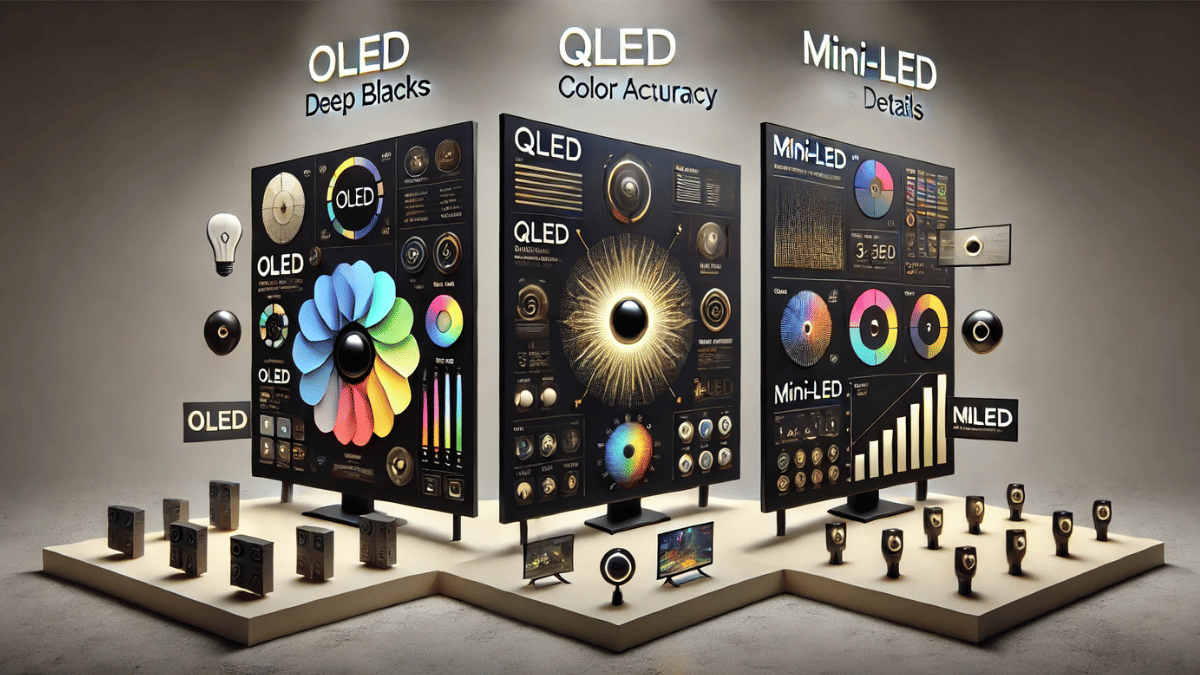
OLED vs. QLED vs. Mini-LED: Which TV Display Is Best For You?

Key Highlights

  • OLED gives the best picture quality with deep blacks
  • QLED is brighter and great for well-lit rooms
  • Mini-LED offers a good balance of brightness, contrast, and value

Picking the right TV can be confusing, especially with buzzwords like OLED, QLED, and Mini-LED thrown around. If you are hunting for a new television and want the best bang for your buck, understanding the difference between these display technologies is a great place to start. This guide breaks it down in simple terms so you can decide what suits your viewing style, budget, and space.

Also Read | Best 43-inch Smart TVs To Buy In India

OLED: The King Of Contrast And Color

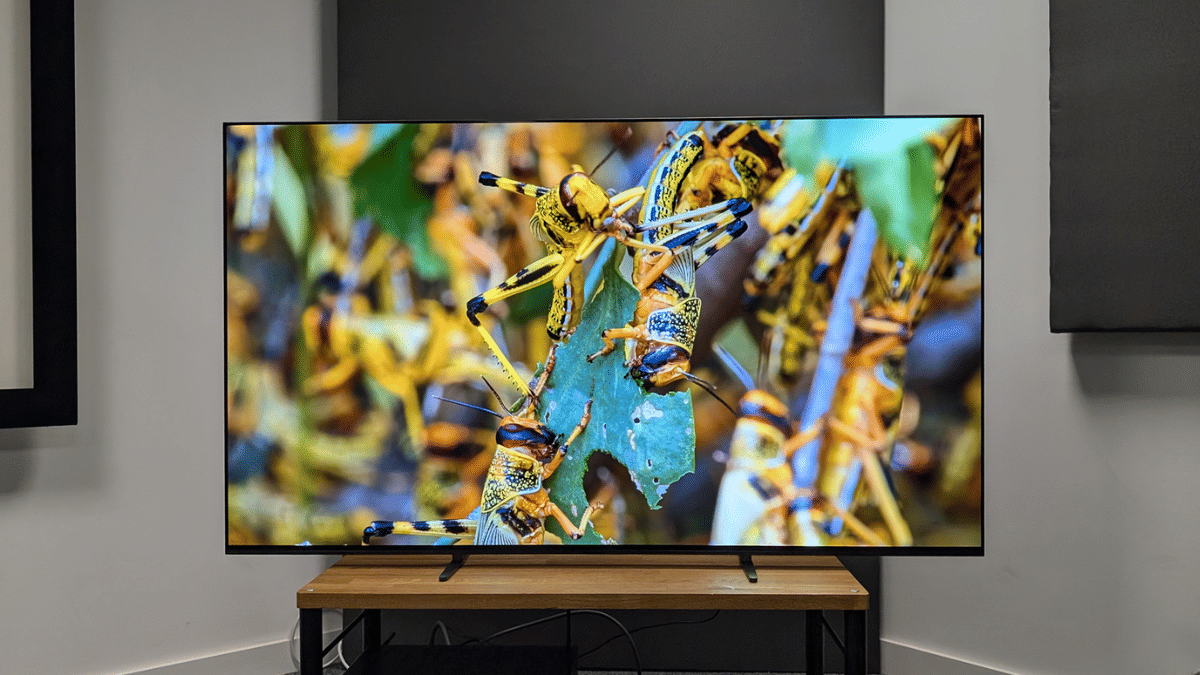
  • What it is: OLED stands for Organic Light-Emitting Diode. Each pixel lights up independently.
  • Picture quality: Delivers deep blacks, high contrast, and vibrant colors thanks to pixel-level dimming.
  • Best for: Movie lovers, dark room viewing, and those seeking cinematic visuals.
  • Downsides: Generally more expensive. Risk of burn-in over long periods if static images remain.
  • Popular models: LG C-series, Sony A80L, Philips OLED807.

QLED: Bright And Bold Visuals

  • What it is: QLED, short for Quantum Dot LED, is an LED panel enhanced with a quantum dot filter.
  • Picture quality: Brighter than OLED with vivid colors, making it ideal for well-lit rooms.
  • Best for: Daytime viewers, sports fans, and casual gamers.
  • Downsides: Blacks aren’t as deep as OLED. Contrast can suffer in darker scenes.
  • Popular models: Samsung Q80C, TCL C755, Hisense U7K.

Mini-LED: The Brightness Master With Better Control

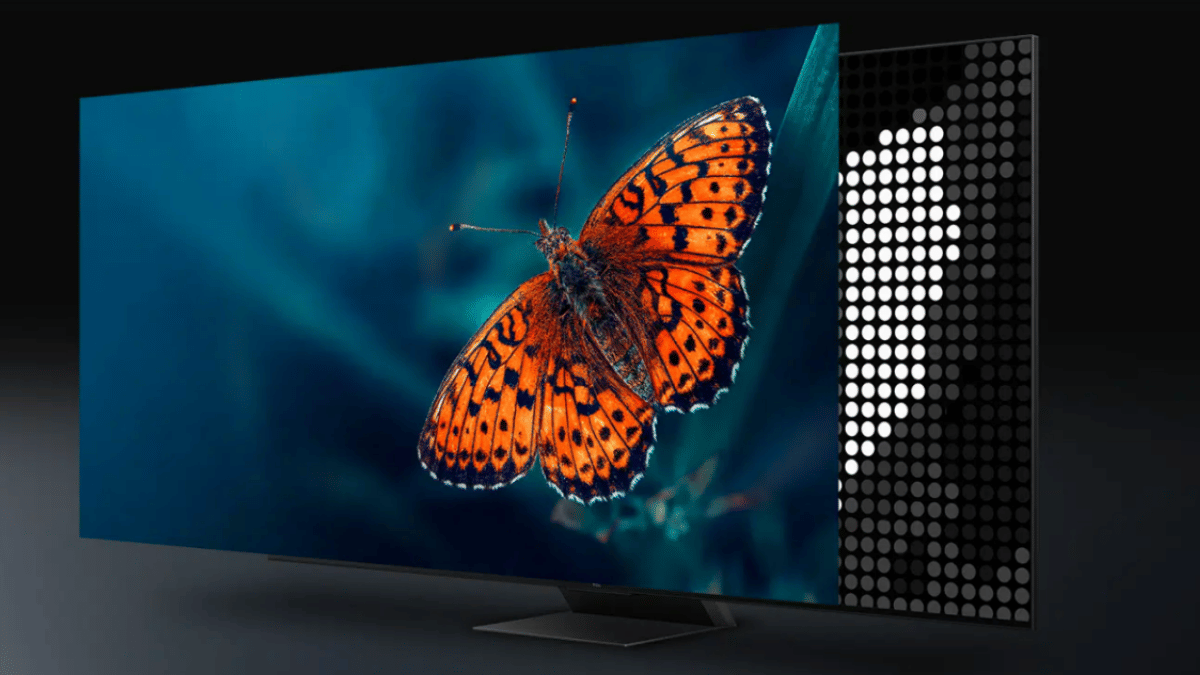
  • What it is: Mini-LED uses smaller LEDs for backlighting, allowing better control of light and contrast.
  • Picture quality: Offers deeper blacks than traditional LED TVs and better brightness control than OLED in bright rooms.
  • Best for: Balanced all-round use, gaming, movies, and bright environments.
  • Downsides: Doesn’t match OLED’s pixel-level control but beats regular LED/QLED in contrast.
  • Popular models: LG QNED, Samsung Neo QLED, TCL C845.

Also Read | Best 55 Inch TVs Under Rs. 40,000 In India

Which One Should You Buy?

If you are someone who loves watching movies in a dark room and want the best picture quality with deep blacks and rich colors, OLED is the best choice. For those who mostly watch TV during the day or in bright rooms and prefer vibrant, punchy visuals, QLED is a great option. And if you are looking for a balanced display that works well in different lighting conditions and is good for both movies and gaming, Mini-LED offers a solid middle ground. Your final choice depends on your viewing habits, room lighting, and budget.

For the tech geeks, stay updated with the latest cutting-edge gadgets in the market, exclusive tech updates, gadget reviews, and more right on your phone’s screen. Join Giznext’s WhatsApp channel and receive the industry-first tech updates.
Categories
Apps Featured How To

Top 5 Ways To Verify If Your Instagram Account Is Hacked

Key Highlights

  • Instagram account hack can bring troubles
  • Sudden log outs can be one of the signs for account hack
  • Other signs of account hack can be spam links and messages sent to contacts, login alerts

Social media has become more than just entertainment source in this modern era. Platforms like Instagram has emerged as a platform to showcase talent and even create a digital identity. The user base has substantially increased over the last few years on Instagram and it has become a popular space for new content creators. This sudden hype with Instagram has also led to increased cyber attacks with reports of phishing and other scams being reported consistently. Staying vigilant is more of a necessaity now if you are an Instagram user or creator. In this guide, we are exploring the ways with which you can identify if your Instagram account has been hacked. Take a look:

For the tech geeks, stay updated with the latest cutting-edge gadgets in the market, exclusive tech updates, gadget reviews, and more right on your phone’s screen. Join Giznext’s WhatsApp channel and receive the industry-first tech update.

Also Read: Android Auto Customization: How To Change Wallpaper With And Without Smartphone

Top 5 Signs Your Instagram Account Is Hacked

1. Suspicious Activity On Your Instagram Feed/ Account

If you notice any suspicious activity from your Instagram account or on your personal feed, it could be due to compromised account credentials/ security. If in case you see posts that aren’t created or shared by you or there are DMs sent without your knowledge, it could be a clear sign of account hack. A few of such activities are below.

  • Strange or unknown posts created or shared from your Instagram account
  • Unknown and random accounts are being followed suddenly
  • Messages or DMs sent to contacts that you haven’t

Also Read: Three Effective Ways To Restore Deleted Games And Apps On Windows 11 Laptops And PC: How To Guide

2. Spam And Phishing Messages/Links Sent To Contacts

If strange messages asking monetary help are being sent to your friends and other contacts on Instagram, it could be a compromised account situation that needs to be addressed quickly. Also, scammers might send suspicious links to the contacts which can further compromise the security of the other user. This is another clear sign that your Instagram account has been hacked.

Also Read: How To Use Telegram Without Internet? Top 5 Working Tricks In 2025

3. If You Are Receiving Login Alerts (Unrecognised)

Whenver you log in to your Instagram account on a new device or from a new location, you’ll be notified about the login session. Always ensure you check the login notifications that you receive from Instagram. If you get such login alerts when not initiated from your end, it could be a sign of a hack attempt.

Also Read: JioTV App On Laptop: Here’s How To Install And Use

4. Uninitiated Account/ Device Log Out

This is another clear sign that tells your Instagram account security has been compromised. If in case you are already using Instagram and are logged out abruptly and this keeps on happening despite you logging back in, the account security might have been compromised. This could also be a sign that the attacker has changed your Instagram account’s password which is why your account is being logged out.

Also Read: WhatsApp TV: How To Use WhatsApp On Smart TV For Messaging, Video Calling

5. Security Settings/Bio Changed

If you notice change in your personal information or any other information that has been shared by your on Instagram, it could be due to compromised account security. Verify if there has been any changes made to your personal information or account via the settings menu.

Step 1: Open Instagram app

Step 2: Navigate to the Settings menu

Step 3: Scroll to Account section

Step 4: Head to the Personal Information option and verify all the data.

These above methods can help you verify if your Instagram account’s security has been compromised. In our next guide, we’ll be sharing the tips with which you can protect your Instagram account from cyberattacks and what to do if your account has been hacked or its security is compromised. So, stay tuned.

Categories
Auto Tech Featured

Week 15 EV Wrap Up: April Discounts, New Launches, And More

Key Highlights

  • Maruti Suzuki e Vitara launch timeline revealed
  • Hero Vida V2 series gets discounts
  • Tata Motors makes its EV lineup cheaper this month

Indian automotive industry, specifically, the EV market is consistently evolving with the manufacturers bringing advanced E2W and E4Ws. Last week we saw a few new e-scooters and also came across spy shots of some of the upcoming electric cars/ SUVs, and electric scooters. This week too we have seen a few new launches in the E2W segment. Discounts and deals for the month of April has also been announced by Tata Motors and Hero Vida V2 e-scooter series.

For the tech geeks, stay updated with the latest cutting-edge gadgets in the market, exclusive tech updates, gadget reviews, and more right on your phone’s screen. Join Giznext’s WhatsApp channel and receive the industry-first tech update.

Also Read: Best Electric Scooters With Removable Batteries

Maruti Suzuki E Vitara India Launch Likely Next Month

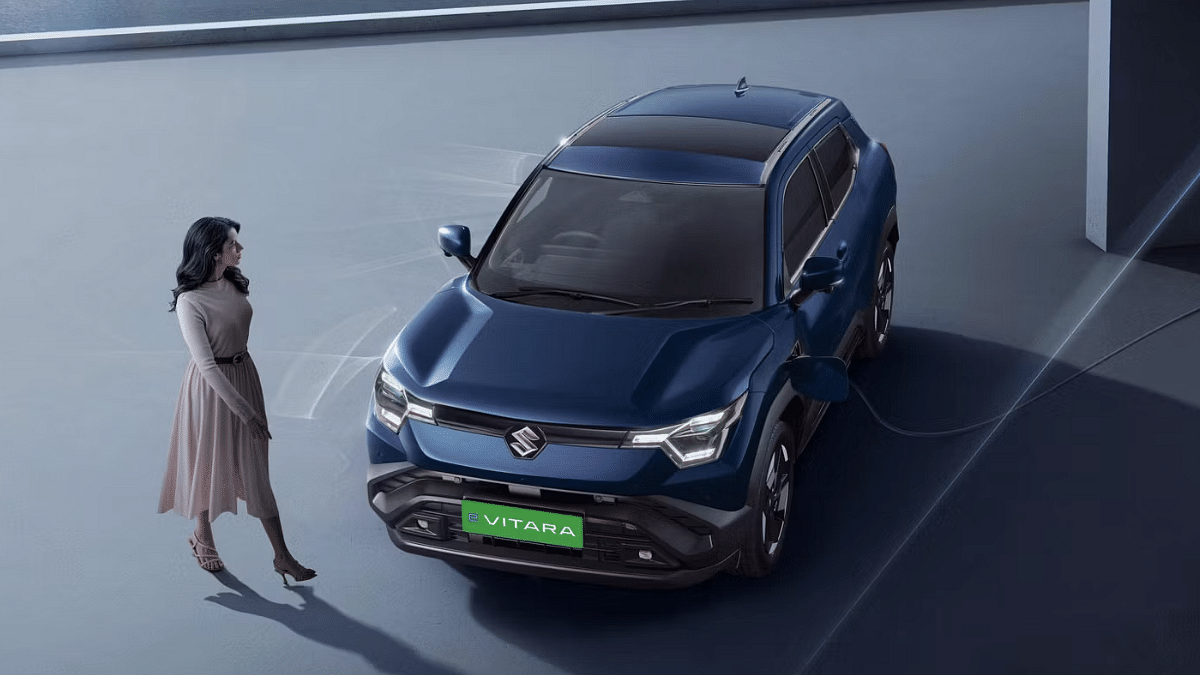
Maruti Suzuki could finally launch its first electric SUV in India. The brand is rumored to be launching the E Vitara electric SUV next month, i.e., May 2025 in the country. With a just a month remaining for its launch, Maruti Suzuki is expected to make the delivery related announcements soon. Maruti Suzuki has appranetly started taking pre-bookings for the E Vitara ahead of the launch which is scheduled for next month. Read More

Also Read: List Of Best Electric Scooters With Large Storage Space In 2025

Ampere Reo80 Low Speed Electric Scooter Launched

Greaves Electric Mobility have expanded its portfolio in India. The Reo80 is the latest model introduced by the brand which is a low-speed electric scooter suitable for daily rides. It is targeted at students and senior citizens as this e-scooter doesn’t need a driving licence or registration. The Ampere Reo80 electric scooter comes with a LFP battery module with 80 km range and 25 kmph top speed. Read More

Also Read: List Of Best Electric Scooters With Swappable And Removable Battery Pack

Tata Curvv EV, Punch EV, Nexon EV, Tiago EV April 2025 Discounts

Tata Motors has announced rocking deals for its EV lineup making the Curvv EV, Punch EV, Nexon EV, and the Tiago EV more affordable. The leading Indian automotive giant has made its EV lineup cheaper by up to Rs. 1.15 lakh where the Curvv EV and the Punch EV has received up to Rs. 70,000 discount, whereas, the Nexon EV and the Tiago EV have been made cheaper by up to Rs. 40,000 and Rs. 85,000 respectively. The offers have been announced for both MY24 and MY25 stocks. Read More

Also Read: Drive Smart And Safe: List Of Top Electric SUVs With Advanced Safety Features In India In 2025

Hero Vida V2 Series Gets Affordable By Up To Rs. 15,000

On the Vida V2 electric series, a price cut of up to Rs. 15,000 has been announced by HeroMotoCorp. The two wheeler manufacturer has given a price cut to the Vida V2 Lite and the V2 Plus trims. The former has received a discount of up to Rs. 11,000 with the new prices reflecting at Rs. 74,000. On the other hand, the Vida V2 Plus’s price has been dropped by Rs. 15,000 and it can now be purchased at Rs. 84,800 instead of its previous Rs. 97,800 price tag. Read More

Categories
Featured Info

Weekly Tech Wrap Up (April 2025): New Aadhaar App, iPhone 17 Air Leak, And More

Key Highlights

  • Motorola Edge 60 Stylus may launch on April 17
  • New Aadhaar app adds face scan login
  • JioHotstar hits 200M paying users

This week in tech has been nothing short of exciting. From smartphones launching to biometric innovations, there’s plenty to catch up on. Whether you’re a gadget geek, a privacy-conscious user, or a binge-watcher, here’s your quick guide to the top tech headlines.

Also Read | Watch IPL 2025 In 4K With Free JioHotstar Premium: Full Offer Details Inside

Motorola Edge 60 Stylus Set To Launch In India On April 17

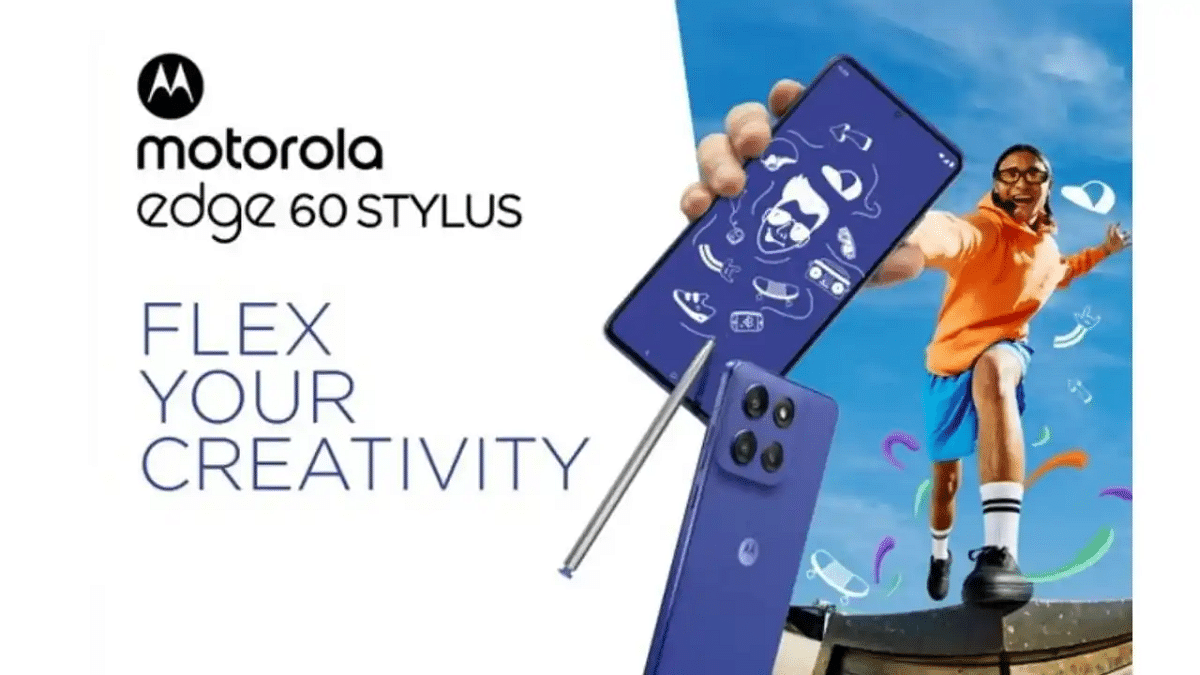
Motorola is gearing up to launch the Edge 60 Stylus in India on April 17, according to leaks by tipster Abhishek Yadav. This mid-range device is expected to come with a 6.7-inch pOLED display featuring a 120Hz refresh rate and run on the Snapdragon 7s Gen 2 chipset. The phone may ship with Android 15, and its biggest highlight is the in-built stylus. The phone could pack a 5,000mAh battery with support for 68W wired and 15W wireless charging. It will likely feature a 50MP + 13MP dual rear camera and a 32MP selfie shooter.

New Aadhaar App Brings Facial Recognition-Based Verification

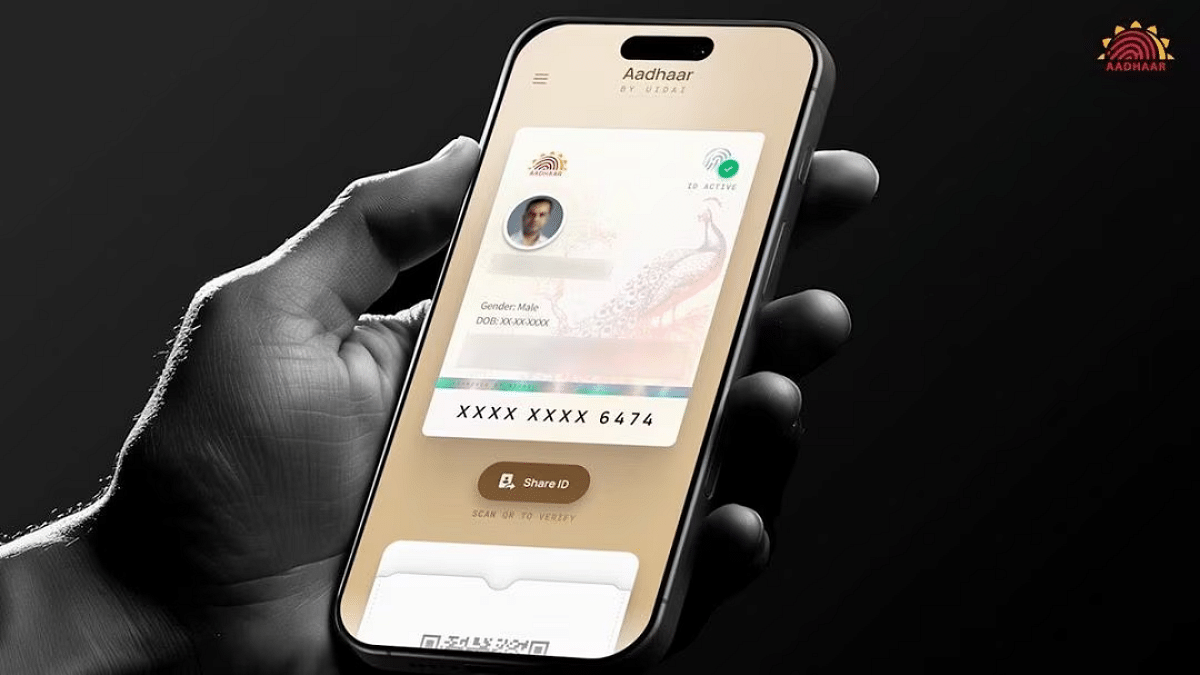
UIDAI has unveiled a redesigned Aadhaar app that uses facial recognition for identity verification. Revealed at the Aadhaar Samvaad event in Delhi, the new app supports digital authentication via face scans and QR code reading. While it promises more convenience, the use of biometrics raises privacy and security concerns. UIDAI is currently testing the app with ecosystem partners, and it’s expected to roll out widely in the coming months.

iPhone 17 Air Dummy Leak Teases Apple’s Thinnest Phone Yet

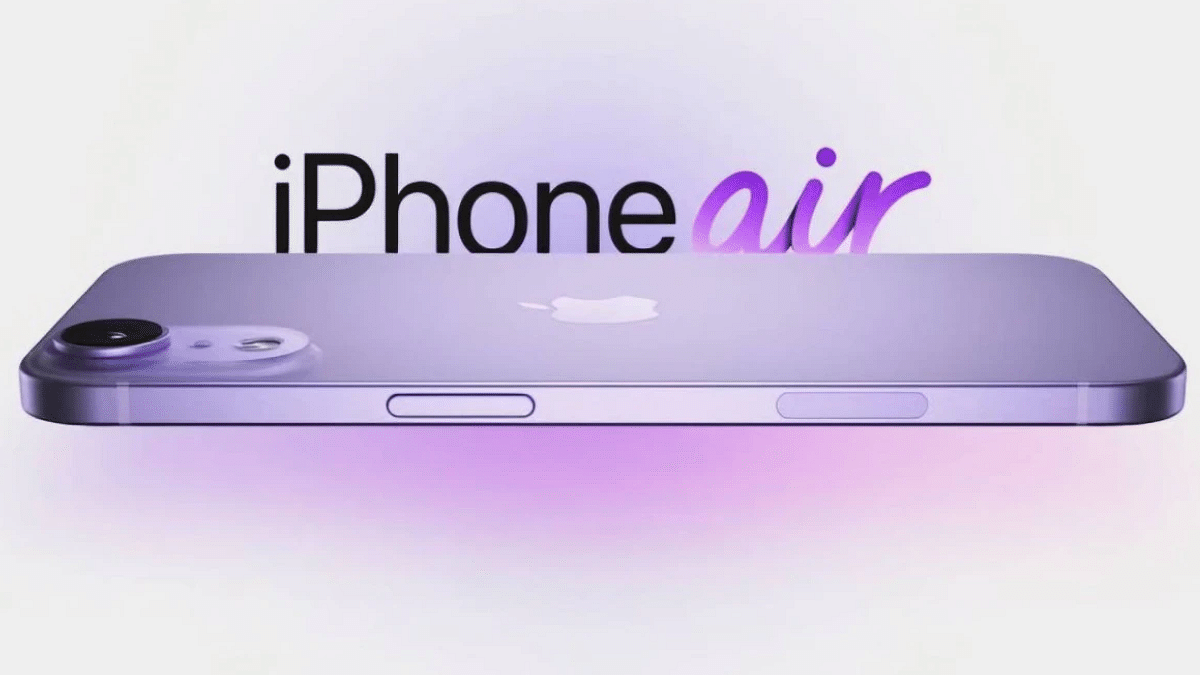
Leaked dummy images of the iPhone 17 Air (possibly named iPhone 17 Slim) have surfaced online, hinting at Apple’s bold new design for 2025. Shared by tipster Majin Bu, the model shows off a sleek, ultra-thin body with a flat frame and a wide camera module on the rear, featuring a pill-shaped layout like Google’s Pixel phones. Expected to debut in September, the iPhone 17 Air could replace the Plus variant in the iPhone lineup and be the brand’s thinnest phone ever.

JioHotstar Hits 200 Million Paying Users Thanks to IPL Craze

JioHotstar has crossed a massive milestone, 200 million paying subscribers, powered by the IPL’s multi-language streaming and affordable pricing. Uday Shankar, vice chairman of JioStar (a Reliance-Disney joint venture), confirmed this growth, stating it places the platform as the third-largest video streaming service globally, trailing only Netflix and Prime Video. JioHotstar’s aggressive sports content strategy has proved successful, especially in India’s fast-growing OTT market.

Also Read | Ghibli Studio Art Viral Social Media Trend: How To Create Your Own Ghibli Art For Free Without ChatGPT+

Elon Musk’s xAI Opens Grok 3 API To Developers Worldwide

Elon Musk’s xAI has officially released the Grok 3 API for developers, making its flagship and lightweight AI models accessible beyond the X (formerly Twitter) platform. The Grok 3 API supports enterprise-grade applications like data summarization, code generation, and logic-based tasks. Alongside Grok 3, developers can also use Grok 3 mini and two faster variants of both models.

For the tech geeks, stay updated with the latest cutting-edge gadgets in the market, exclusive tech updates, gadget reviews, and more right on your phone’s screen. Join Giznext’s WhatsApp channel and receive the industry-first tech updates.