Categories
Featured How To TV

Xiaomi TV No Sound Issue: How To Fix Speaker/ Audio Issues With Xiaomi Smart TVs

Key Highlights

  • Xiaomi smart TV comes loaded with modern amenities
  • Most models support external audio peripherals
  • General audio issues can be fixed with quick troubleshooting

Xiaomi is amongst the top players when it comes to consumer tech products. The Chinese OEM has created a big portfolio of smartphones, tablets, and digital accessories. We also have seen the brand taking up a chunk of the evolving EV market with its first sports electric car, the Xiaomi SU7 series. Smart TVs are also amongst Xiaomi’s expertise with the brand catering to both affordable and high-end consumers with the Mi TV A and the X series.

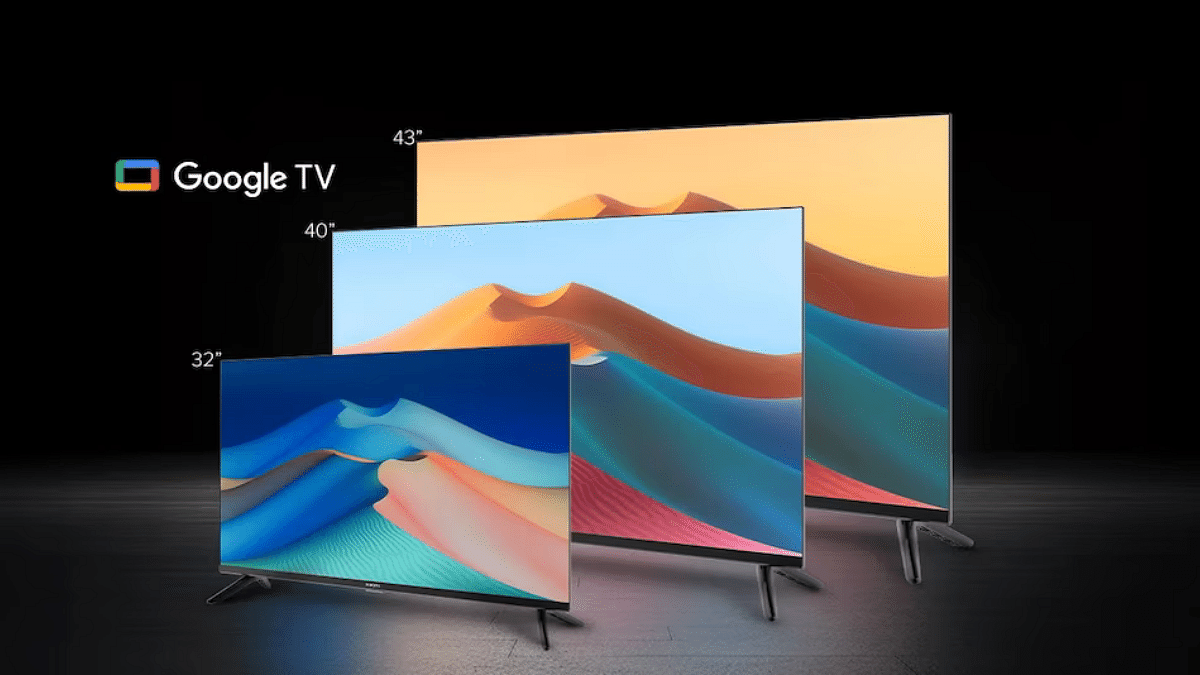
Both these smart TV lineups from Xiaomi comes with advanced industry features which allows a premium home-theater like viewing experience while sitting at the comfort of your home. You get a decent sound system integrated with these Xiaomi MI smart TV lineups. But you can also additionally pair up external speakers for a better audio delivery. As premium as is the quality of Xiaomi smart TVs, there could be scenarios where your Xiaomi TV might get some hiccups with performance. These could be general audio video issues that can be addressed with simple troubleshooting steps cutting down on the service centre visits.

If you are having troubles with the Xiaomi smart TVs built-in sound system or are unable to hear any audio with the connected speakers, then we have brought you the fix for the same. With just a few basic troubleshooting, you can easily resolve audio issues with your Xiaomi smart TV models. Take a look at the steps below:

Also Read: Smart TV Buying Guide: Top Budget-Friendly Smart TVs Under Rs. 35,000 In India

How To Fix No Audio Issue With Xiaomi Smart TV (built-in speakers)

Step 1: Power on your smart TV.

Step 2: Head to the Settings menu.

Step 3: Now, click on Device Preferences option.

Step 4: Select the Sound option

Step 5: Select TV speakers.

These steps will ensure that your TV sound system is set to default instead of any external speaker. Often, resetting the TV speakers to default fixes the general issues with the audio delivery. Also, if in case the TV is connected to an external speaker which isn’t functioning, the default TV speaker setting will resolve the issue.

Cross-check External Audio Peripheral Issues With Your Smart TV

Step 1: Open the Settings menu

Step 2: Select the “Remote & Accessories” option

Step 3: Now, check if any external audio peripheral is paired with the smart TV via AV Port, 3.5 mm headphone jack, or HDMI.

Step 4: Disconnect the paired audio device from your Xiaomi smart TV. You can try repairing the same audio device or connect a new one to fix any general audio issue here.

Categories
Apps Featured

100+ Top Instagram Username Ideas For Stock Market Pros

Key Highlights

  • Your Instagram username is crucial for brand’s first impression
  • A catchy name can attract followers interested in trading tips
  • Explore creative usernames to stand out

Choosing the right Instagram username for your stock market business is crucial. It’s your first impression and sets the tone for your brand. Whether you’re sharing trading tips, market analysis, or financial news, a catchy and memorable username can attract followers and build your audience. In this guide, we’ll explore creative and professional Instagram username ideas that reflect the essence of your stock market business. Get ready to stand out in the crowded social media landscape with a name that resonates with traders and investors alike. Let’s check them out.

Also Read | Earth-Friendly Handles: 100+ Instagram Username Ideas For Environmental Sustainability

Creative Username Ideas For Stock Market

Trade Trend TriumphBearish Bulls EyeProfit Pursuit
Capital CommanderBull Bear BattlesTrade Trend Team
Portfolio Profit PilotChart Champion ClubCapital Creator
Equity ExcellenceInvest Insight HQPortfolio Perfection
Market Mentor MastersStock Star HQEquity Ensemble
Asset AdvisoryFinancial FluencyMarket Mover Mentor
Trend Tracker TribeMarket Mastery HQAsset Advisor
Stock Strategy SageWealth Wave WhispererTrend Trekker HQ

Trendy Username Ideas For Stock Market

Stock Strategy SpotWealth Wisdom WaveTrend Tracker Team
Bearish BullseyeProfit PrecisionStock Strategy Savvy
Bull Bear BrigadeTrade Trend TrailBearish Bounce Back
Chart Chaser HQCapital CrazeBull Bear Blitz
Invest IntuitionPortfolio PursuitChart Champion HQ
Stock SymphonyEquity ExpertiseInvest Innovator
Financial FortuneMarket Mentor HQStock Savant Society
Market Magic MastersAsset ArchitectMarket Matrix HQ

Also Read | Get Noticed: 100 Best Instagram Username Ideas For Product Reviews

Catchy Username Ideas For Stock Market

Wealth Wise WizardTrend Twister HQBull Bear Balance
Profit ProphetCapital CraftersChart Chase HQ
Trade Trend TrailblazerPortfolio PrecisionInvest IQ Insight
Capital CornerstoneTrade Trend TellerTrade Talk Tactics
Portfolio PilotFinancial FlareStock Sage Squad
Equity EliteMarket Momentum HQMarket Mover
Market MarvelWealth Wave WarriorWealth Wise Whisper
Asset AcesStock Street SmartProfit Perspective

Remember, some of these usernames might already be taken, so feel free to modify them to fit your unique brand. A great username can make a significant impact on your online presence. Choose wisely, and watch your stock market business grow on Instagram.

Categories
Apps Featured How To

Write Emails Like A Pro With Gemini In Gmail: Here’s How

Key Highlights

  • Google’s Gemini AI helps users draft emails easily
  • Available for Gemini Enterprise, Business, Google One AI Premium, Workspace Labs users
  • Enhances email writing efficiency and saves time

Google has introduced AI feature to help users draft emails with ease. This new functionality, known as Gemini, is available to users with Gemini Enterprise and Gemini Business add-ons, as well as to personal account holders through Google One AI Premium. Additionally, it’s accessible through Google Workspace Labs, an early access testing program.

Also Read | Google’s Gemini Chatbot App Debuts In India, Now Supports 10 Indian Languages

Why Use Gemini In Gmail?

Gemini in Gmail controls AI to draft messages based on user prompts. This feature is designed to streamline email writing, making it easier and faster to communicate effectively. Users who are eligible will notice a “Help me write” button in Gmail. This button can be used to craft a new draft using a freeform prompt and then refine the draft as needed.

How To Draft An Email Via Gemini In Gmail

Here are simple steps to help you use Gemini in order to draft your emails:

Step 1: Start by opening Gmail on your computer. You can either compose a new email or reply to an existing email thread.

Step 2: In the top left corner of Gmail, click on “Compose” to start a new email.

Step 3: In the bottom left corner of the new email window, you’ll see the “Help me write” button. Click on it to activate Gemini.

Step 4: Type a prompt into the provided space. This could be as simple as “Draft an email to invite my friend to dinner,” or any other directive.

Step 5: Click on the option “Create” to let Gemini generate a draft according to your prompt.

How To Recreate Your Response

If you’re not satisfied with the initial response, you can click “Recreate” to generate a new version. Gemini offers several refining options:

  • Shorten: You can reduce the length of the draft.
  • Formalize: This makes your draft more formal.
  • Elaborate: This will add more details to build upon the text.
  • I’m Feeling Lucky: This will add creative details to the draft.

Once you’re happy with the draft, click “Insert” to place it into your email.

Important Considerations

While Gemini is a powerful tool, it’s important to note that its suggestions don’t represent Google’s views and shouldn’t be attributed to the company. Users are advised not to rely on Gemini for medical, legal, financial, or other professional advice. The feature is designed to assist with drafting emails but should not be considered a substitute for professional counsel.

Also Read | Google’s Gemini Outperforms ChatGPT in Multi-Discipline Benchmarks, Report Claims

Conclusion

Gemini in Gmail is a great tool for anyone looking to simplify their email writing process. By providing prompts and refining drafts, it can help users create polished emails quickly and efficiently. Whether you’re composing a formal email or adding creative touches to your message, Gemini makes the process seamless and enjoyable.

Categories
Auto Tech Featured

First VinFast EV India Debut Slated For 2025: These Could Be The First Models

Key Highlights

  • VinFast to mark India debut in 2025
  • Has patented both E4W and E2W
  • VF e34 could be first model
  • Test mule spied recently

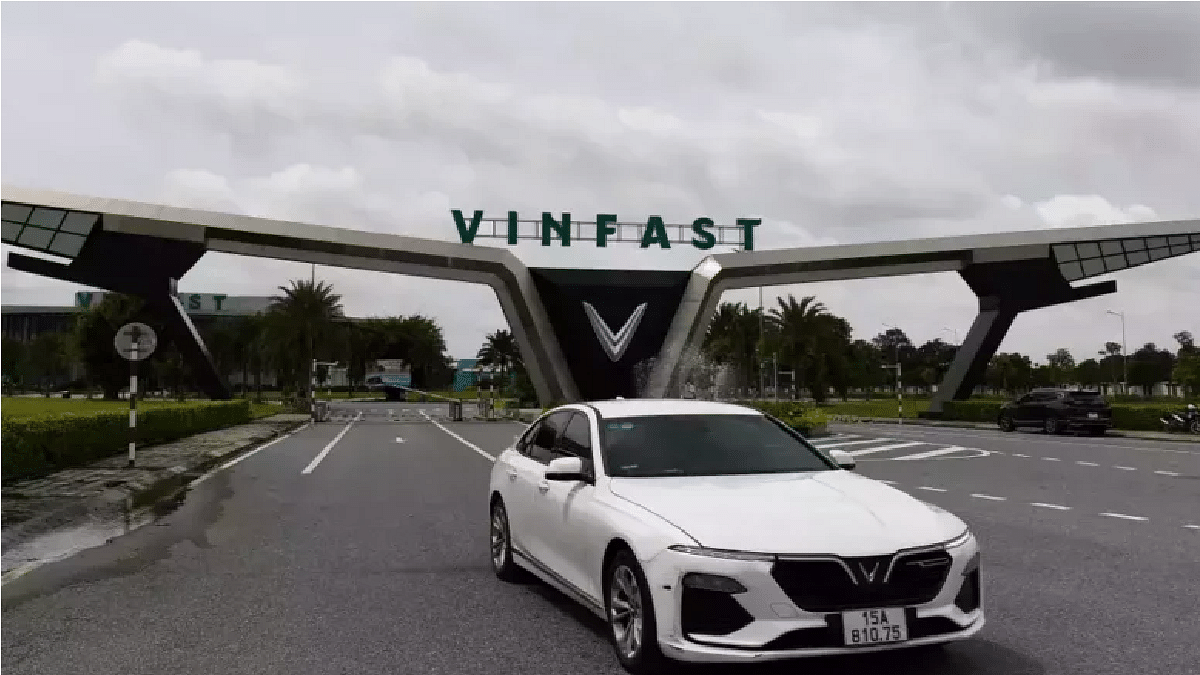
India has emerged as one of the top markets for EV players. A rapid surge has been witnessed in E2W and E4W production in the country in the last few years. Besides the home grown brands, international EV manufacturers are equally contributing in strengthening the EV market in India. VinFast, the Vietnamese EV maker has been in the limelight for a while now for its upcoming India venture. The company is also gearing up for local car assembly and had inaugurated its largest manufacturing hub in Tamil Nadu. Rumors are rife that VinFast will commence its EV journey in India with the launch of VF e34 electric SUV in the country. And now, the timeline for the first VinFast EV’s launch in India is also out. Whether VinFast will opt for an import route or will go ahead with the local assembly for its first EV in India? Here’s what the developments hints at:

Also Read: Skoda Elroq EV Key Details Out: 4 Variants, Up to 560 Km Range, And More

This Is When VinFast VF e34 Official India Debut Set For

VinFast could commence its EV venture in India with the VF e34 in 2025. Multiple reports online hints at this timeline for the first VinFast EV launch in the country. We have alreadt come across multiple sightings of the upcoming e-SUV while doing the test runs. It is anticipated that the VF e34 will hit the production bay at the local manufacturing facility soon.

There have been indications that the first EV from VinFast will probably arrive via the CKD (complete knocked down) route. This means the brand will import the parts and complete the local assembly at its manufacturing hub in India.

Also Read: EV Range Anxiety: How To Locate Nearest EV Charging Station Using Google Maps

Expected Price Range For VinFast Local Assembled/ India-bound EV Variants

There isn’t any specific pricing revealed for the upcoming VF e34 e-SUV or any other VinFast EV lined up for the India launch. However, the online reports indicate a price range between Rs. 25- Rs. 30 lakh for the locally assembled or the India-spec trims. The strategic pricing would be beneficial with penetrating a wider consumer base in the country.

Besides the VF e34, VinFast is also expected to introduce a whole range of EVs in the country. The remaining VinFast EV’s that are tipped to hit the Indian market going forward includes the VF6 and the VF7. VinFast has also filed a patent for the Klara S e-scooter which could also be added to the company’s portfolio in the coming years.

Categories
Auto Tech Featured Tech Gadgets

Ather Rizta E-Scooter Deliveries Finally Commence In Select Indian Cities: Price, Features

Key Highlights

  • Ather Rizta deliveries started
  • Announcement coms from Ather India CEO
  • Currently being sold in select cities

Ather Energy has emerged as one of the top contenders in the E2W industry in India. The brand is giving solid competition to the popular players such as TVS, OLA, Hero Electric, and others with the 450 and the newly launched Rizta e-scooter. The latter is the most recent entrant which targets the family consumers and had hopped on the production bay last month itself. After months of official release, the Rizta e-scooter is now made available to the consumers in select Indian cities. Here’s the list of cities where Ather has commenced the Rizta e-scooter’s deliveries in the country:

Also Read: Buying Your First EV? How Can You Setup EV Charger At Home

Ather Rizta E-Scooter India Deliveries Commence

Ather Energy’s India CEO, Tarun Mehta took to microblogging website X to announce the Rizta e-scooter’s deliveries in the country. The Rizta’s productions kicked off last month and the company has also started pre-bookings soon after its official launch. The post shared by the company’s CEO confirms the deliveries are now active in select cities.

The company has started delivering the Rizta e-scooter in Ahmedabad, Pune, Delhi, Lucknow, Agra, Jaipur, Nagpur, and Andhra Pradesh. Currently, it is not clear by when the Rizta will be reaching the dealerships in the remaining Indian cities. However, in the post shared on social media portals, the company CEO assures its availability in the remaining regions soon.

Also Read: Skoda Elroq EV Key Details Out: 4 Variants, Up to 560 Km Range, And More

Ather Rizta E-Scooter Pricing

Ather Rizta is amongst the most strategically priced electric scooters in India. The Rizta S and the Rizta Z are the trims that buyers can select from. The base model (Rizta S) featuring a 2.9 kWh battery carries a price tag of Rs. 1,09,999 (ex showroom). The Rizta Z with the smaller 2.9 kWh battery comes with a costing of Rs. 1.24 lakh (ex showroom), while the 3.7 kWh battery model is priced at Rs. 1.44 lakh (ex showroom)

Categories
Apps Featured

Looking To Boost Your YouTube Views? Try These Thumbnail Tips

Key Highlights

  • Use tools like Canva and Adobe Spark for professional thumbnails
  • Use bright colors, expressive faces, and minimal text for visual appeal
  • Include branding and test designs to see what attracts more viewers

Creating engaging YouTube thumbnails is essential for attracting viewers to your videos. Thumbnails are the first impression potential viewers get of your content, and a well-designed one can significantly increase your click-through rate. Here are some simple tools and tips to help you create eye-catching YouTube thumbnails.

Also Read | YouTube Tips And Tricks: How To Download YouTube Shorts Videos Offline

Tools For Creating Thumbnails

  • Canva: It is a user-friendly graphic design tool that offers a wide variety of templates specifically for YouTube thumbnails. It has drag-and-drop features, making it easy to add images, text, and other elements to your thumbnail.
  • Adobe Spark: This provides professional-grade design options while remaining accessible for beginners. It offers a variety of customization options to help you create unique thumbnails.
  • PicMonkey: This is another great tool for creating thumbnails. It provides photo editing tools and templates for designing engaging thumbnails.
  • Fotor: This is a photo editing and graphic design tool that is perfect for creating YouTube thumbnails. It offers numerous templates and easy-to-use editing features.
  • Snappa: It is a simple yet powerful design tool. It offers a wide range of templates, high-quality images, and graphics to make your thumbnails stand out.

Tips For Creating Eye-Catching Thumbnails

  • Use High-Quality Images: The quality of your thumbnail image is crucial. Always use high-resolution images to ensure your thumbnail looks professional and appealing.
  • Keep It Simple: One should avoid using too much text or images on their thumbnails. A simple, clean design with a clear focal point is more likely to attract viewers.
  • Use Bright Colors: Bright, contrasting colors can make your thumbnail stand out. Users can use different colors that complement each other as well as grab attention.
  • Include Faces: Thumbnails that have faces attract more audiences. If possible, include a close-up of a face with an expressive emotion. This helps create a connection with potential viewers.
  • Add Text Sparingly: If you include text, make sure it is easy to read and not overwhelming. Use large, bold fonts and keep the text to a minimum. A few words that highlight the main topic of the video are enough.
  • Use Branding: You can include your brand’s colors, logos, or other elements consistently in your thumbnails. This helps create a consistent look across your channel and makes your videos recognizable.
  • Test and Analyze: Try to use different designs to test which ones get the most clicks. If you want to track your thumbnail’s performance and adjust your strategy according to the results, you can use YouTube Analytics.

Also Read | YouTube Tips And Tricks: Best Features You Must Try On Your Phone

Conclusion

Creating engaging YouTube thumbnails doesn’t have to be complicated. By using the right tools and following these simple tips, you can design thumbnails that attract more viewers and increase your video’s click-through rate. Remember, a good thumbnail can make a significant difference in the success of your videos, so take the time to create something eye-catching and professional. Happy designing.

Categories
Apps Featured How To

Google Maps Quick Hacks: How To Enable Google Maps 3D View On Desktop

Key Highlights

  • Google Maps 3D view option available for desktop version
  • Gives a clear view of neighborhood and surroundings
  • Feature can be accessed using any web browser on laptops and PCs

Google Maps is currently the best navigational app which is accessible to smartphone as well as PC/ laptop users. Finding directions for a new destination is now easier than ever with Google Maps which is why it has become the go-to app for navigation across all the globe. With Google Maps, you can view the locality map in different layouts. Both 2D and 3D view is allowed with Google Maps.

The 3D Maps option gives an immersive and clear view of the streets and buildings for easy accessibility with directions. With just a few taps you can enable default 3D view on Maps. This can be done on both the mobile application as well as the desktop version. While the process is simple for the mobile app, it isn’t tricky for the desktop version too. Interested in knowing the steps to activate 3D Map view on your PC or laptop? Here’s the step by step guide for the same:

Also Read: Apple Maps Topographic Hiking Trail Feature: How To Use?

How To Enable Google Maps 3D View On PC Or Laptop

Step 1: Launch any web browser on your desktop. Just for reference, we have performed the steps on Google Chrome.

Step 2: Enter https://www.google.com/maps and hit enter

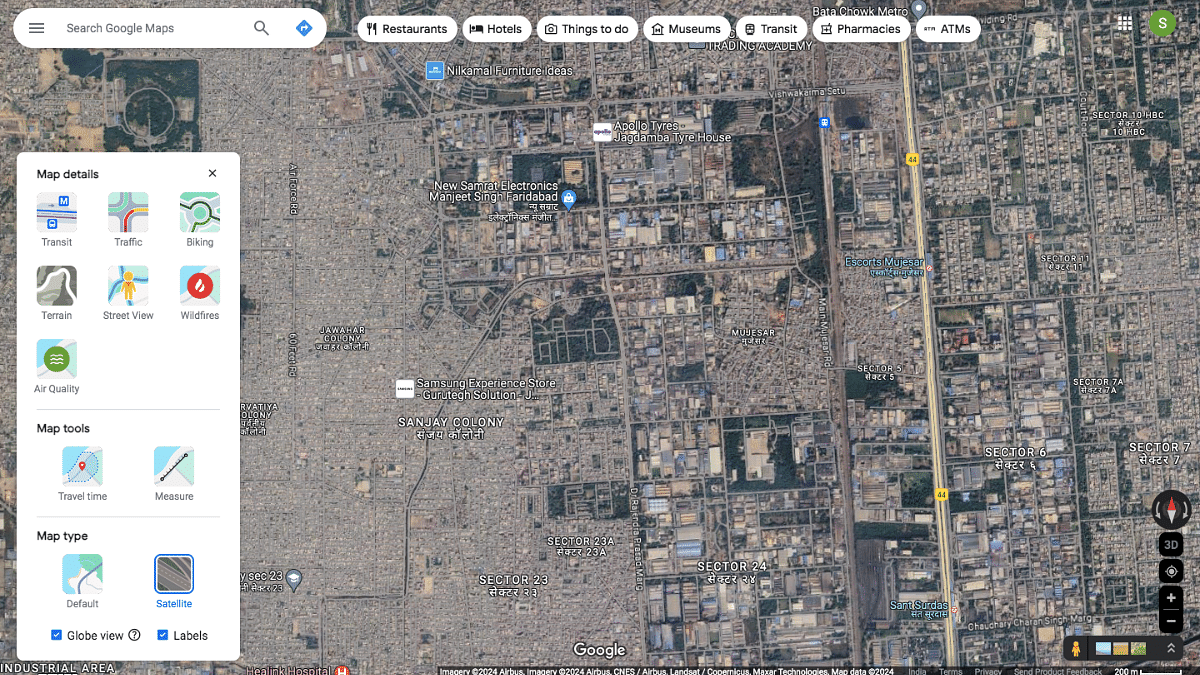
Step 3: Once the Google Maps homepage is open, locate the “layers” option at the bottom left of the apps homepage. Tap on it.

Step 4: You’ll see a bunch of options including “Terrain, Traffic, Transit, Biking, and More. Click on “More” option.

Step 5: Scroll to the Map Type and select the “Satellite” option.

Step 6: Do select the “Globe View” option to enable the 3D Maps view on your respective PC or laptop.

Categories
Apps Featured Info

Farewell, Koo: India’s Homegrown Social Media Platform Bids Adieu

Key Highlights

  • Koo is closing due to high technology costs and failed partnerships
  • Launched in 2020, Koo let users communicate in local Indian languages
  • Koo’s founders are open to future opportunities and promise a comeback

Koo, the Indian social media app, is shutting down. The company’s co-founder, Mayank Bidawatka, announced this on LinkedIn. He said, “we will be discontinuing our service to the public”. This news came just hours after a report by The Morning Context revealed that talks between Koo and DailyHunt about a possible acquisition had failed.

Also Read | Twitter Tips And Tricks: How To Download And Save Twitter Videos on Android, iOS Smartphones, Laptops/PCs

Why Is Koo Shutting Down?

Mayank Bidawatka explained that they tried to partner with many big companies, but these talks didn’t work out. “While we would’ve liked to keep the app running, the cost of technology services to keep a social media app running is high and we’ve had to take this tough decision,” he wrote.

A Brief History Of Koo

Koo was launched in March 2020 by Aprameya Radhakrishna and Mayank Bidawatka. The app quickly gained attention by winning the AatmaNirbhar App Innovation Challenge, organized by the Government of India, in August 2020. Koo was seen as India’s answer to Twitter, promoting the use of Indian-made products and services.

In April 2023, Koo began cutting down its workforce to manage expenses. Over the year, they reduced their 260-member team by 30 percent, laying off around 80 employees.

What Made Koo Unique?

Koo aimed to allow users to communicate in local Indian languages, filling a gap where most social media platforms, especially Twitter in India, were English-dominated. “We saw a big gap between the languages the world speaks and the fact that most social products, especially X/Twitter in India are English dominant. In a world where 80 percent of the population speaks a language other than English, this is a strong need. We wanted to democratize expression and enable a better way to connect people in their local languages,” said Bidawatka.

The Struggle For Funding

Despite its unique features and potential, Koo struggled with funding. “We built a globally scalable product in a fraction of the time that X/Twitter did, with superior systems, algorithms, and strong stakeholder-first philosophies. Koo used to have a 10 percent like ratio, almost 7-10x the ratio Twitter had – making Koo a more favorable platform for creators,” Bidawatka explained. At its peak, Koo had about 2.1 million daily active users and around 10 million monthly active users, including many VIPs.

Future Hopes

Even though Koo is shutting down, the company is still looking for a good deal. Bidawatka said they are open to sharing their technology with someone who has a great vision for India’s role in social media. He also mentioned the possibility of turning Koo into a digital public good to enable social conversations in native languages worldwide. Despite the shutdown, the founders promise a comeback. Bidawatka concluded by saying, “you will see us back in the arena one way or another”.

Also Read | YouTube Tips And Tricks: Best Features You Must Try On Your Phone

Conclusion

The shutdown of Koo marks the end of an ambitious project to create an Indian alternative to Twitter. While the app had many successes, the high cost of technology and lack of funding ultimately led to its closure. However, the founders remain hopeful for a future return.

Categories
Featured How To

Ayushman Bharat Yojana: Here’s How To Apply For India’s Health Insurance Scheme

Key Highlights

  • Free Medical Insurance of up to Rs. 5 lakh per year for low-income families
  • Eligibility is based on SECC data, focusing on families who are BPL
  • Apply online or offline with basic documents and track status on the PMJAY website

Ayushman Bharat Yojana (ABY), also known as Pradhan Mantri Jan Arogya Yojana (PMJAY), is a significant health insurance program launched by the Indian government in 2018. This scheme provides free medical insurance to low-income families, covering up to Rs. 5 lakh annually per family. Here’s what you need to know about its benefits, eligibility criteria, and application process.

Also Read | Want To Check PMAY Status Online? Here’s How To Do It

Ayushman Bharat Yojana: Benefits

Ayushman Bharat Yojana is a lifeline for low-income families in India. It offers cashless hospitalization coverage of up to Rs. 5 lakh per year for each family. This coverage includes both serious (secondary) and critical (tertiary) care. The program covers a wide range of treatments and surgeries, such as knee replacements, heart bypass surgeries, cancer treatments, and care for chronic conditions. It also includes pre and post-hospitalization expenses, ensuring a complete healthcare experience for beneficiaries.

Eligibility Criteria

Families qualify for Ayushman Bharat Yojana based on Socio-Economic Caste Census (SECC) data. This data categorizes families into different income brackets, focusing on those living below the poverty line (BPL) and those identified as deprived based on specific socio-economic indicators. In urban areas, specific occupational groups like street vendors, construction workers, domestic workers, and sanitation workers are also included. Note that eligibility criteria may vary slightly across different states in India.

Required Documents

Applying for Ayushman Bharat Yojana is simple and requires a few basic documents:

  • ID Proof: Aadhaar card or another government-issued ID.
  • Family Details: Ration card to verify family information and economic background.
  • Income Proof (optional): Some states may require an income certificate.
  • Proof of Address: Utility bills or other documents confirming your residence.

How To Apply For Ayushman Bharat Yojana

Follow these steps to apply for Ayushman Bharat Yojana:

Step 1: Check Your Eligibility

  • Online Verification: Visit the Ayushman Bharat PMJAY website, click on “Am I Eligible,” and enter your mobile number, state, and captcha code to check your eligibility.
  • Offline Verification: Go to the nearest Common Service Center (CSC) or an empaneled Ayushman Bharat hospital. Use your Aadhaar card or ration card details to verify eligibility with the help of trained personnel.

Step 2: Choose Your Application Method

  • Online Application: Visit the PMJAY website, look for the “Register” or “Apply” section, and enter your details. Upload scanned copies of all required documents and submit the application.
  • Offline Application through CSCs: Visit a CSC, where the operator will help you complete the application form, verify your documents, and submit the application electronically.
  • Offline Application at Ayushman Bharat Hospitals: Many empaneled hospitals have helpdesks to assist with the application process. Present your documents, and the hospital staff will help you enroll.

Step 3: Track Your Application Status

  • Use the PMJAY website to track your application status by entering your mobile number and captcha code.

Also Read | How To Get Free Smartphone And Tablet From UP Government: See Here For All Details

Step 4: Collect Your Ayushman Bharat Card

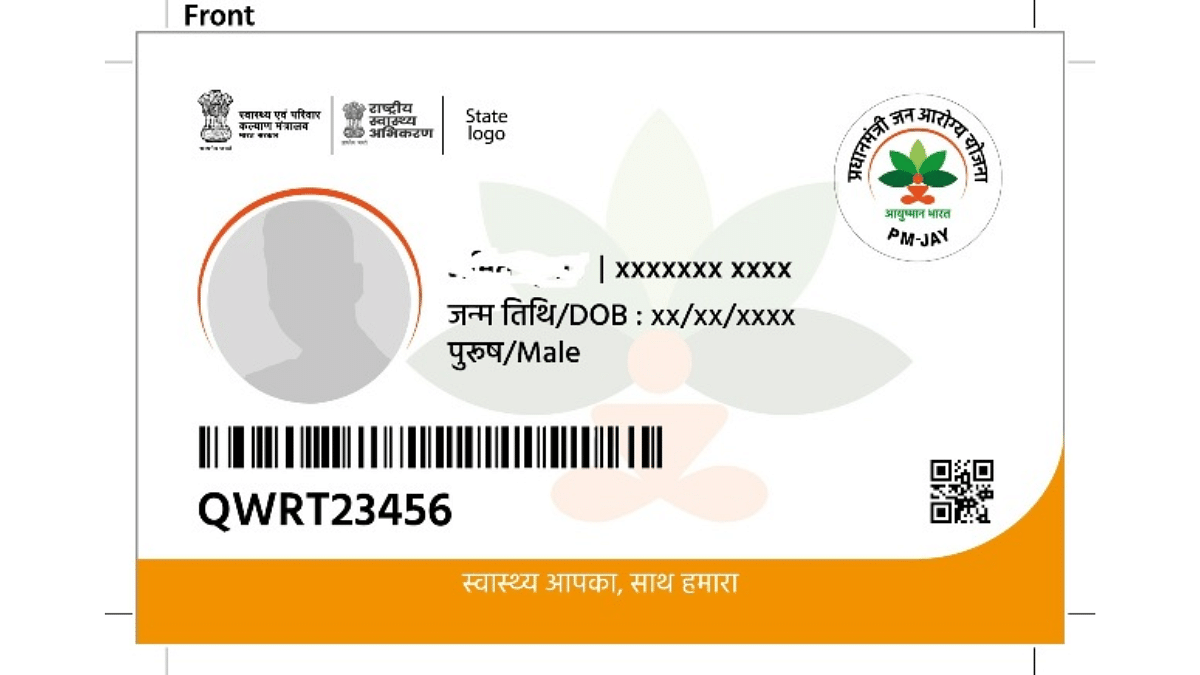
  • After successful verification and enrollment, you will receive an Ayushman Bharat Card (PMJAY card). Present this card at empaneled hospitals when seeking treatment.

Ayushman Bharat Yojana aims to provide comprehensive healthcare to millions of low-income families across India, reducing the financial burden of medical expenses.

Categories
Auto Tech Featured Info

Buying Your First EV? How Can You Setup EV Charger At Home

Key Highlights

  • EVs need specific chargers for refuel
  • 7kW fast charging setup is one option
  • Standard 15A socket also works but offers slow charging speeds

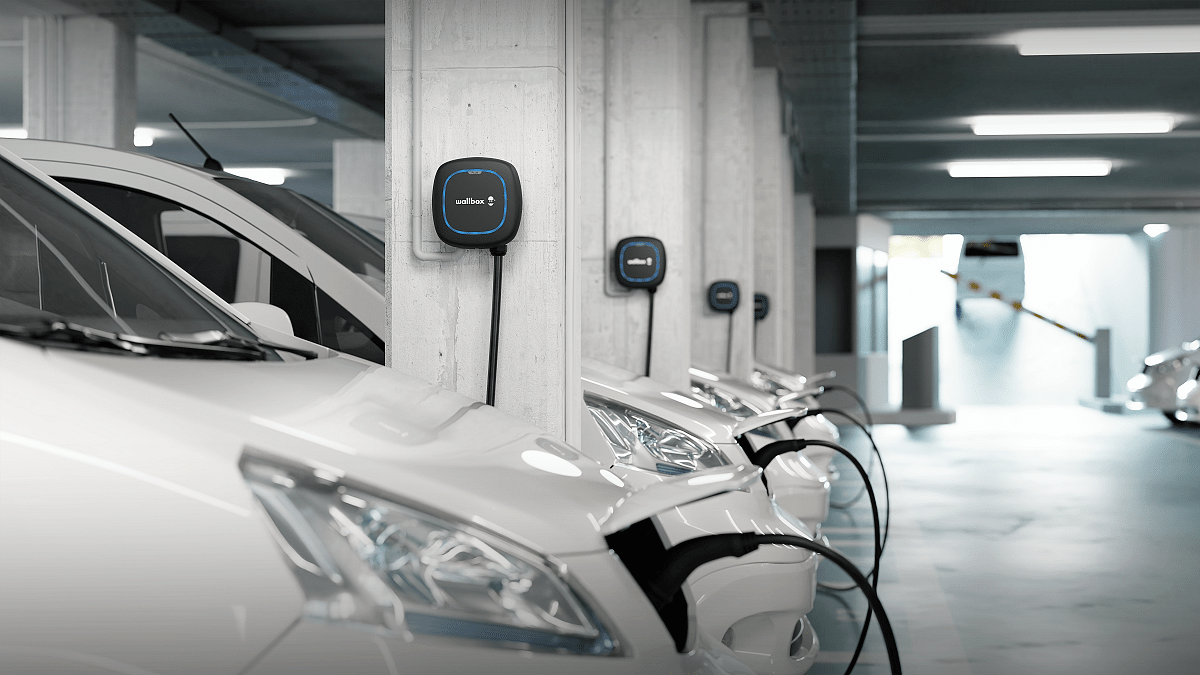
Electric vehicles are gradually shaping up as the modern mode of transportation for the urban commuters globally. In India too, the EV industry is rapidly pacing up and we are coming across electric four and two wheeler launches frequently. With the sales figures shooting up, the common query from the users is related to the charging infrastructure. While the public charging infrastructure is gradually getting better, installing EV chargers at home is the first concern that buyers wish to be addressed quickly.

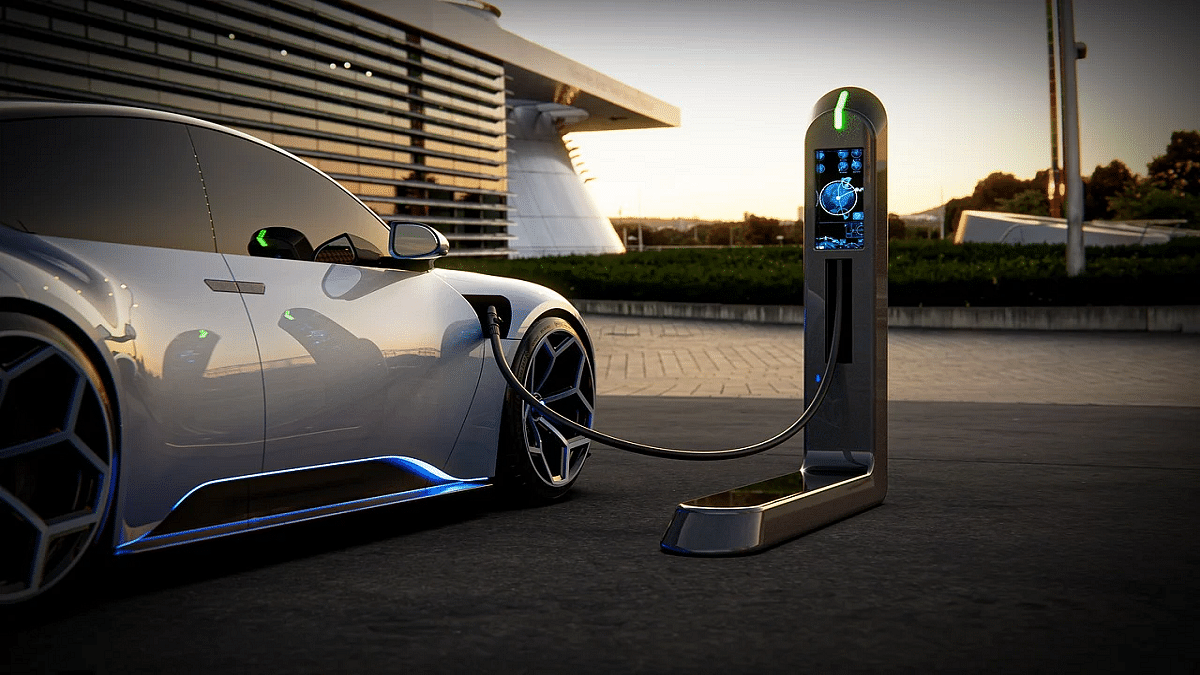
Transitioning to an EV could be a major step for the new owners considering one can get the refuels done without actually stepping outside. It isn’t much of a hassle to get an EV charger installed at your home. Besides the standard 15A charging socket, installing a Level 2 charger is another option that EV buyers can consider. The latter will allow fast charging of EVs, while the later will be slow with charging speeds. But what all steps would you need to follow to select the appropriate charger type and its installation at your house. Below is the step-by-step guide:

Also Read: Skoda Elroq EV Key Details Out: 4 Variants, Up to 560 Km Range, And More

Types Of Chargers Compatible For Charging EVs At Home

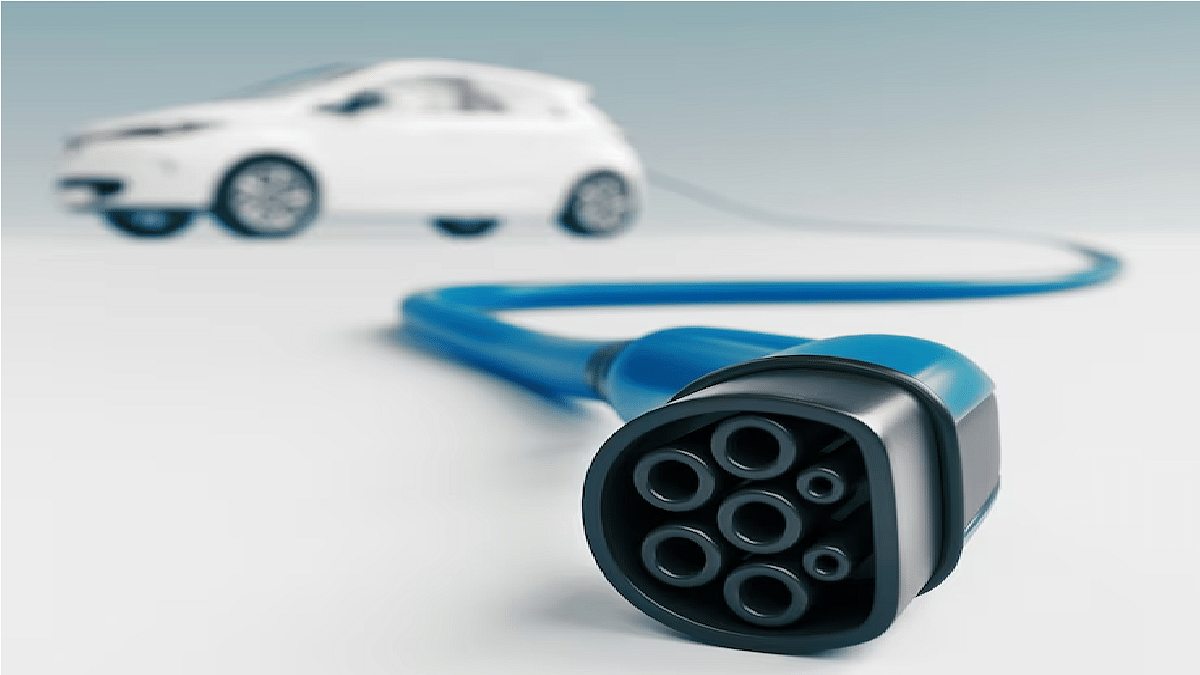
To charger an EV, there aredifferent types of chargers that one can opt while making the purchase. There is the standard Level 1 charger which uses 120V/ 15A socket for charging electric vehicles. This type of the charger is the slowest and doesn’t need any additional higher power supply for its functionality.

But if you need fast charging speeds, then you’ll have to opt for the Level 2 charger. This high-speed charger will require 220- 240V power supply along with a dedicated charging setup installation. This Level 2 charger can be purchased from the authorized service centers of your EV’s OEM.

Also Read: EV Range Anxiety: How To Locate Nearest EV Charging Station Using Google Maps

Adequate Power Supply Is Must

As mentioned, only the standard 120V/ 15A socket doesn’t need any additional installation except for the socket. However, for the 7KW charger, you’ll need to verify if you have the eligible power being supplied to you house. If not, you’ll have to contact your electricity provider and get the higher power supply activated.

Also Read: Google Maps Hacks: How To Use Google Maps Simultaneously On Multiple Devices

Safe Spot For Charging Socket Installation

You will need a proper parking spot for your EV. If you don’t have a separate parking lot for your car, ensure the spot that you’ve selected is safe for the charger port. Also, it should be covered so that it is kept protected from harsh weather conditions including rains. Once all the factors are at place, you can ask an experienced electrician to get the job done.