Categories
Accessories Featured How To

AirPods But No iPhone? Here’s How You Can Pair AirPods With Any Android Smartphone

Key Highlights

  • Most Apple accessories are only compatible with iPhones
  • AirPods can be paired with Android devices since they are Bluetooth-enabled earbuds
  • Android users cannot control advanced features such as ANC or transparency mode

Apple products such as the Apple Watch are only compatible with the iPhone. On the other hand, with its earbuds, the company has chosen a different approach. Apple has created its audio products to function with any Bluetooth-enabled device. You can enjoy more sophisticated features like dynamic head tracking, spatial audio, and simple device switching if you pair your AirPods Pro with an iPhone. However, “non-Apple” devices can still be used with these gadgets for their intended functions.

You can use AirPods and AirPods Pro with any Android phone because they are Bluetooth-enabled earbuds. Additionally, you can pair your AirPods with Android watches and tablets. Also Read | Apple AirPods Pairing Issue? How To Fix AirPod Not Connecting Issue With iPhones and iPad

Apple AirPods Compatible With Android Devices

  • Apple AirPods (all generations)
  • Apple AirPods Pro (all generations)
  • Apple AirPods Max (all generations)

How To Pair AirPods With Android Smartphone

Following are the steps to follow if you wish to pair your Android phone with a set of AirPods:

Step 1: Connectivity via Bluetooth should be enabled on your Android device. For this, open the Settings app, select the Connections section, and then hit the Bluetooth option.

Also Read | Dirty AirPods: Here’s How You Can Clean AirPods At Home Easily Without Damaging

Step 2: If you’re using AirPods or AirPods Pro, follow these steps: Keep your AirPods or AirPods Pro in the charging case. Open the lid. Then, press and hold the setup button on the back of the AirPods case for about 5 seconds or until the status light blinks white.

Step 3: Press and hold the noise control button for around five seconds, or until the status light flashes white if you’re using AirPods Max.

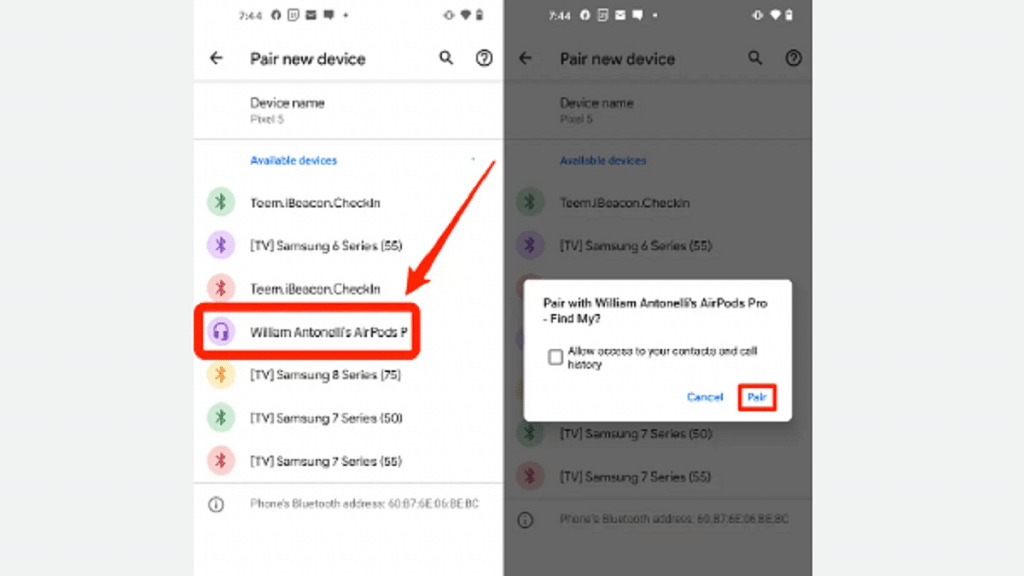
Step 4: Once your AirPods appear in the Bluetooth device list, select them to complete the pairing process.

Limitations

Apple’s earbuds are not officially compatible with Android, and users cannot control advanced features such as ANC or transparency mode, or check battery levels. Also, there is no Siri for Android, so you can’t enable Siri or switch to Google Assistant on your Android device.

Also Read | Lost Your AirPods’ Charging Case? Here’s How To Charge AirPods Without A Case
Categories
Auto Tech Featured

BMW CE 04 Is The Most Premium Maxi-Style Electric Scooter In India With 130KM Range: Its expensive Than Tata Nexon EV

Key Features

  • BMW CE 04 is the most expensive maxi-style electric scooter in India
  • Expected price is Rs. 20 lakh
  • Will deliver 130 km range on a single charge
  • 120km/hr top speed and 41bhp power

India is gradually becoming a hot destination for electric vehicles. Multiple brands are routing to the Indian markets to release electric bikes, cars, and scooters. While budget electric vehicles are witnessing major demand, premium EV vehicles are also becoming a new hype. BMW is all pepped up to join this bandwagon with its upcoming CE04 electric scooter. BMW will become the first premium brands to launch a high-end electric scooter in the country.  

BMW CE 04 Electric Scooter India: Key Features And Specifications

BMW CE 04Key Features
Motor15kW
Power41bhp
Range130km
Top Speed120km/hr
Infotainment10.95-inch
PriceRs. 20 lakh (expected)

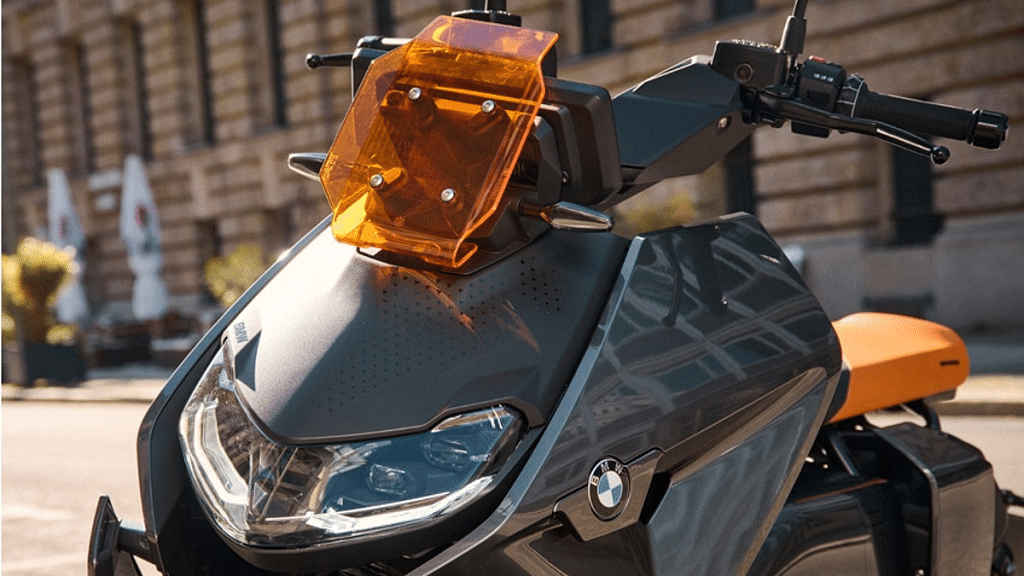
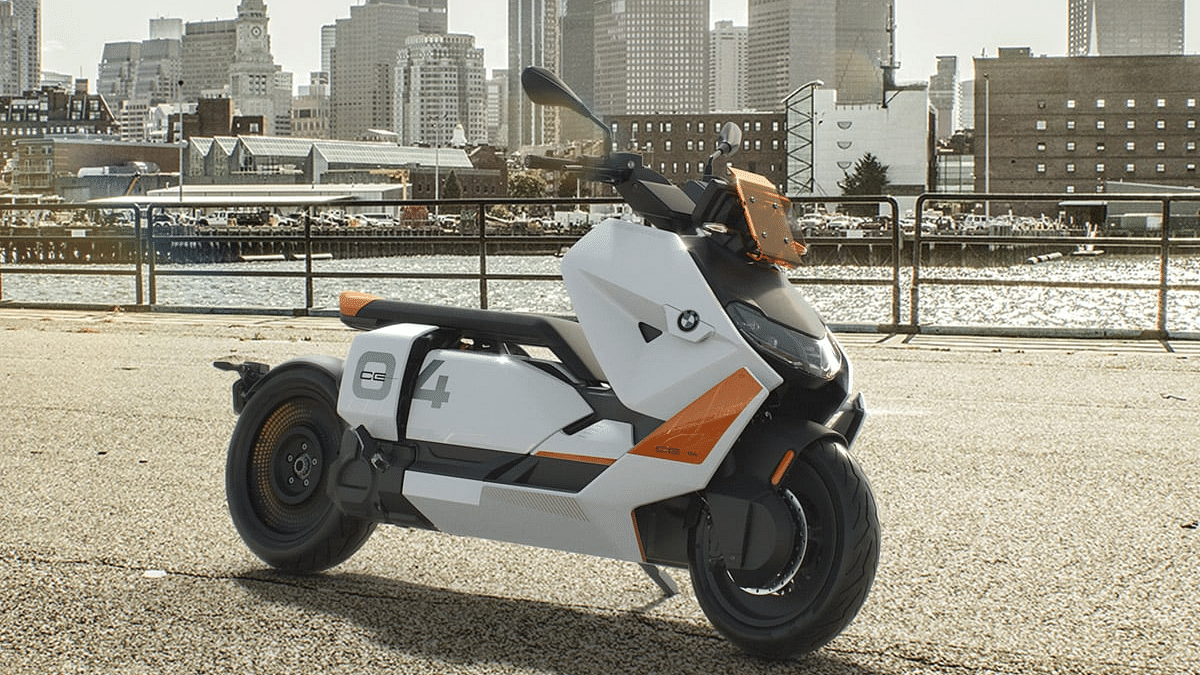
The BMW CE 04 will be launched as an ultra-premium electric scooter in India. BMW is aiming to target the top-tier consumer segment with this new max-style futuristic electric scooter in the country. BMW has showcased the CE 04 Maxi-style e-scooter and has also unveiled the key features.

The BMW CE 04 electric scooter is said to be equipped with a PMSM electric motor. It will be a liquid-cooled electric motor with a 15kW capacity generating around 41bhp power. The premium electric scooter will deliver a top speed of 120km/hr. This will be the electronically limited speed offered by the CE 04 electric scooter.

The BMW CE 04 electric scooter can reach from zero to 50km/hr within 2.6 seconds. The battery capacity packed inside this top-tier electric scooter will be 9.9kWh which can either be charged via a 2.3kW or 6.9kW charger. The former will take around 4.5 hours for the full recharge, while the latter can recharge the electric scooter completely within 1.6 hours.

The BMW CE 04 electric scooter will offer around 130 km on a single charge with optimum speeds. This electric scooter will use dual 265mm and single front, and rear discs respectively for braking. It will also have ABS and traction control features for effective braking. BMW has also added a massive 10.5-inch infotainment display.

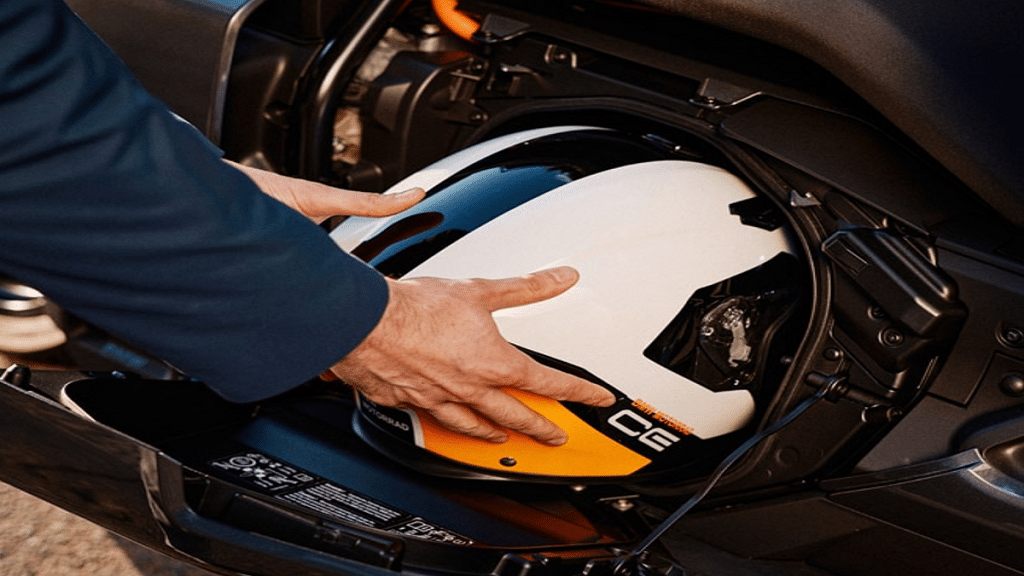
It is a TFT infotainment panel that will show all the primary details such as battery stats, speeds, maps, and more. The electric scooter will also have helmet storage and a ventilated mobile charging compartment.

Also Read: Ultraviolette F77 Is The Fastest, Most Expensive Electric Superbike In India With Up to 307km Range, 95Nm Torque: Costs More Than A Alto!

BMW CE 04 Electric Bike Price In India, Availability

The BMW CE 04 is likely to cost around Rs. 20 lakhs in India making it the most costly electric scooter in India. This price tag is more than the Tata Nexon EV which is one of the most popular e-cars in the country. As of now, BMW has not announced the exact sale dates for this premium electric scooter but some details could emerge soon.

Also Read: Honda Benly E Electric Scooter Test Mule Sighting At Bangalore With Dealer Plates: India Launch Imminent?

Categories
Featured Leaks Mobile

OnePlus 11 Breaking Covers On Brand’s 9th Anniversary: Everything We Know So far

Key Highlights

  • The OnePlus 11 phone might get released at the company’s 9th-anniversary event
  • Alleged renderings of the OnePlus 11 appeared online earlier this month
  • The rendering highlights the rear camera system of the circular camera module

The formal announcement of the OnePlus 11 series could happen soon. The new series will likely debut in China early next year. But with the company’s enormous popularity in India, it will also soon be available there. The OnePlus 11 and the OnePlus 11 Pro, both of which are powered by Qualcomm’s Snapdragon 8 Gen 2 CPU, may be included in the new series. The company might keep working with Hasselblad to develop its camera system. Before it is officially announced and launched, here is everything we currently know about it.

Also Read | OnePlus 11 Official Looking Renders Leaks Full Design: What All Can We Expect?

OnePlus 11 Series: Launch Date

The OnePlus smartphone company has revealed that it will have an event in China on December 17 at 2:30 PM local time. The event will mark the company’s ninth anniversary. However, there are rumors that OnePlus might present its OnePlus 11 phone at the event.

“New direction, new action, new future” is the tagline on the event’s post. The company might present its OnePlus 11 series at the event, according to probability. The launch could, however, happen in the first quarter of 2023.

OnePlus 11 Series: Specifications (Expected)

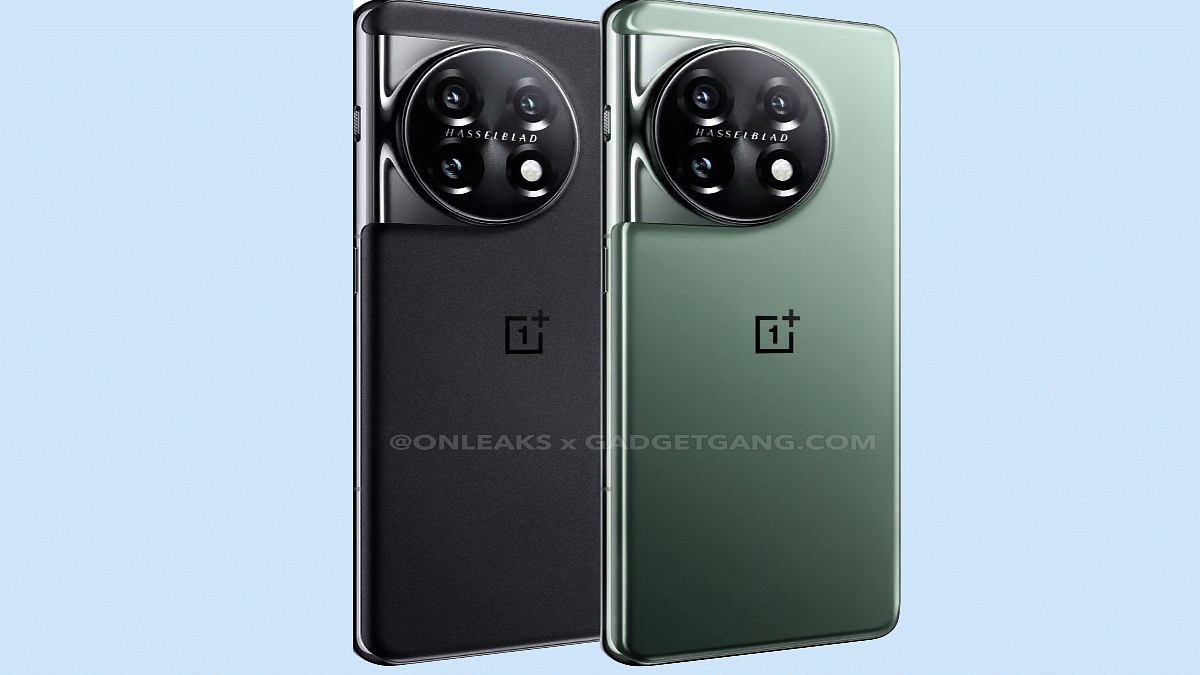
First, let’s talk about the design. According to tipster and OnePlus-observer Max Jambor, the new OnePlus 11 will be available in Matte Black and Glossy Green. There will be a 6.7-inch curved 2K resolution display with a 120Hz refresh rate, 16GB RAM, and UFS 4.0 storage, according to Digital Chat Station, another notable tipper.

Display6.7 inches LTPO2 Fluid AMOLED
ProcessorQualcomm SM8550 Snapdragon 8 Gen 2
Camera50MP + 32MP + 48MP
Selfie Camera16MP
OSAndroid 13, OxygenOS 13 (International), ColorOS 13 (China)
Battery5,000mAh
PriceRs. 65,999

Along with 128GB and 256GB storage capacities, the smartphone is said to have an LTPO display that adapts its refresh rate dependent on the content. The OnePlus 11 series will come pre-installed with OxygenOS 13 which is based on Android 13.

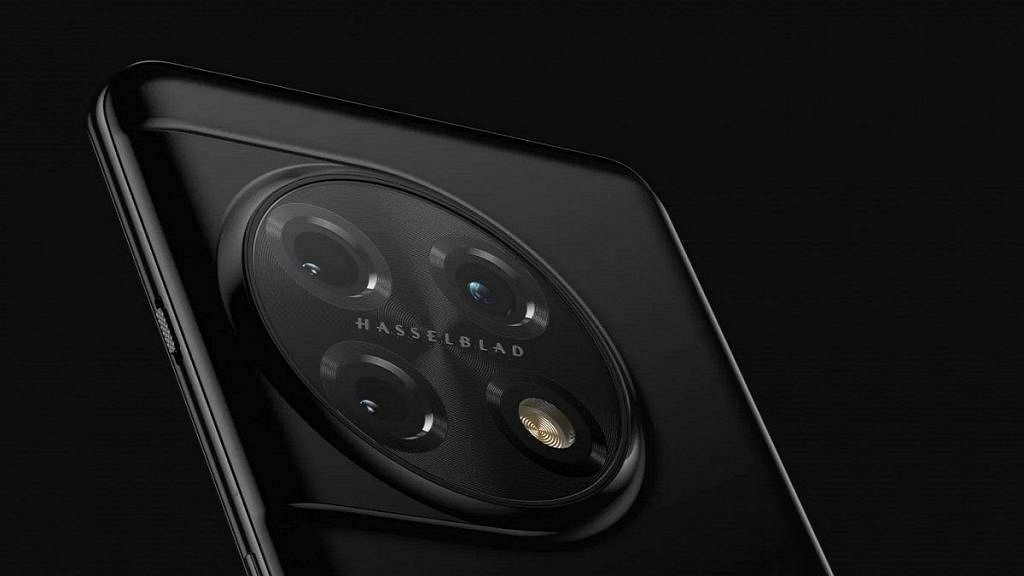
An alleged rendering of the OnePlus 11 appeared online earlier this month. The rendering focuses on the circular camera module’s back camera system. A 48MP ultra-wide-angle camera sensor, a 32MP telephoto camera, and a 50MP Sony IMX890 main sensor could be found in the rear camera system. According to rumors, the OnePlus 11 would have a 32MP camera for selfies and video chats.

Also Read | OnePlus Nord CE 3 First Look Revealed Via Leaked 5K Renders And 360-degree Video

Categories
Featured Laptop

Acer Swift Edge Debuts As Lightest 16-inch OLED Laptop Powered By AMD Ryzen Pro Processor In India: Price, Full Features

Key Highlights

  • Acer Swift Edge launched in India with 16-inch OLED display
  • Lightweight design and alloy body material
  • Powered by AMD Ryzen 6800U chipset
  • 16GB LPPDR5 RAM and 1TB PCIe Gen4 NVMe storage
  • Priced at Rs. 1,24,000

Acer has launched a new high-end laptop in the Indian market. The Taiwanese tech giant has launched the latest Microsoft Pluton security processor-powered notebook for productivity-oriented consumers in India. Called the Acer Swift Edge, this 16-inch notebook comes with a durable lightweight design and premium features such as a 4K display and AMD Ryzen Pro processor. Read on the pricing details along with the spec-sheet below:

Acer Swift Edge 16-inch Laptop Full Specifications And Features

Acer Swift Edge 16-inch LaptopKey Specifications
Display16-inch OLED
3800 x 2400 pixels resolution
Web CamIntegrated FHD
60fps recording
ProcessorAMD Ryzen 6800U
RAM16GB LPDDR5
Windows 1TB PCIe Gen4 NVMe
BiometricsFingerprint scanner
Battery54Wh
Adapter65W PD adapter

The Acer Swift Edge laptop is a flagship-grade laptop crafted with an alloy body material. As per Asus, the material used to design the Swift Edge cuts down on the weight by up to 20 percent as compared to the standard aluminum. This productivity-centered laptop gets power for all the tasks from the AMD Ryzen 6800U chipset. This octa-core chipset is combined with 16GB LPDDR5 RAM.

This laptop will be available with a 1TB PCIe Gen4 NVMe storage option. Acer has added a 16-inch display on the Swift Edge laptop. The OLED panel comes with a 3840 x 2400 pixels screen resolution. This laptop is also integrated with an FHD webcam. This built-in camera is capable of recording up to 60fps videos.

Audio delivery is handled by stereo speakers on the Swift Edge laptop. To enhance the audio with video calling, this laptop has Temporal Noise Reduction technology. The Swift Edge laptop has multiple connectivity options. It features one HDMI port, one USB Gen 3.2 Gen 1 port, and two USB Type -C ports.

It also has Wi-Fi 6W and Bluetooth 5.2 wireless network options. A large keyboard sans keypad is also present. For security, it has a fingerprint reader on the trackpad. It also features the Microsoft Ploton security processor.

The Acer Swift Edge will ship with the Windows 11 Home Edition pre-installed. It will also bring along Microsoft Office 2021. Furthermore, the laptop comes with a 54Wh battery and a PD adapter of 65W.

Also Read: Best Of 2022: List Of Top Laptops With Backlit Keyboard And Touchscreen Display In 2022 In India

Acer Swift Edge Price In India And Buying Details

Acer has announced the Swift Edge at Rs. 1,24,000 in India. The premium range productivity laptop will be up for grabs via the company’s official e-store and also Amazon.

Categories
Featured How To Printers

AirPrint: What Is It? How Can You Print Wireless Using AirPrint On iPads, iPhone, And Mac Devices

Key Highlights

  • Apple AirPrint allows wireless printing
  • Compatible printer required for AirPrint
  • AirPrint is available for iPads, iPhones, and Mac Devices

Apple iOS is one of the most productive mobile operating systems available for the current generation of smartphones. Apple has designed this OS for iPhones and iPads. The high-end Apple machines such as laptops and desktops get the MacOS platform which also offers endless possibilities with different kinds of tasks as the iOS. One of the common features that Apple has released for both iOS and MacOS is the AirPrint. This technology helps Apple device users to give print documents and images wirelessly.

Apple AirPrint wireless printing technology is available for all iPhone, iPad, and Mac users. With this feature, giving high-quality prints of images and documents becomes an easy process. Additionally, the AirPrint technology offer options such as easy discovery of printers and automatic media selection along with enterprise-class finishing operations.

But how do you use the AirPrint technology with iPhones, iPads, and Mac devices to give prints wirelessly using any compatible printer? The steps aren’t tricky but one thing that needs to be in place is the printer compatibility with the AirPrint technology. Thankfully, most of the popular printers in the market comes with AirPrint support, and downloading an additional app or driver isn’t required to use this printing service. The steps to print using the AirPrint technology are listed below:

Also Read: Best All-In-One Printer With Built-In Scanner Under Rs. 5,000 In India

How To Print Images And Documents Using AirPrint On iPhones And iPads

Step 1: On your iPhone and iPads, launch the app from where you wish to give the AirPrint command.

Step 2: You now need to find the print option. To do so, click on the app share icon.

Step 3: Now, scroll down and select on the Print symbol/ option. You can check the app’s user guide or the Help section to see the steps for printing.

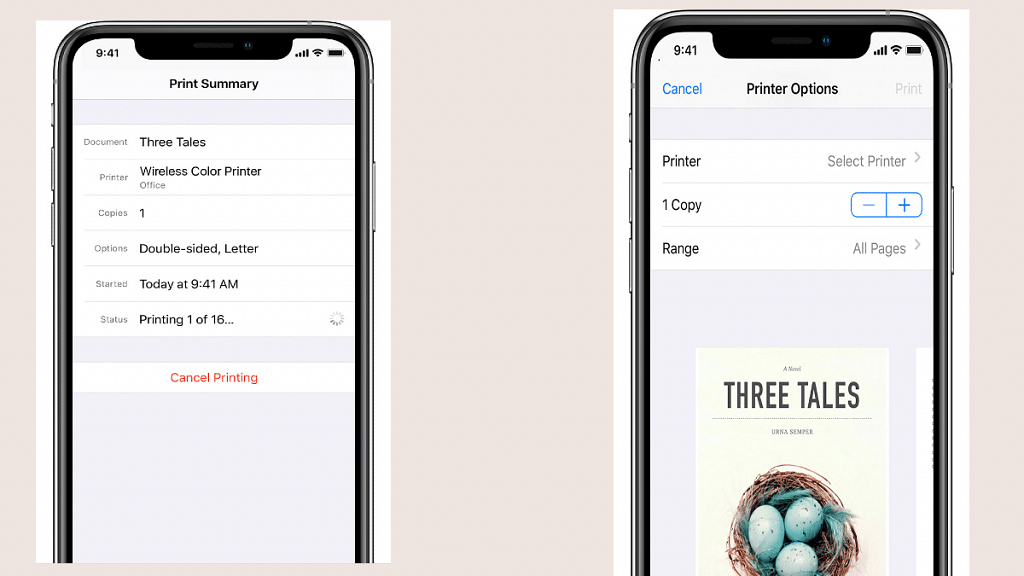
Step 4: Tap on the Printer option and select the AirPrint enabled printer option.

Step 5: Select the number of copies that you want to print. You can also modify other print settings and see the print view.

Step 6: From the upper right corner, tap on the Print option.

Also Read: How To Print Borderless Images Using Modern Printers: Steps Guide

Categories
Featured Info Mobile

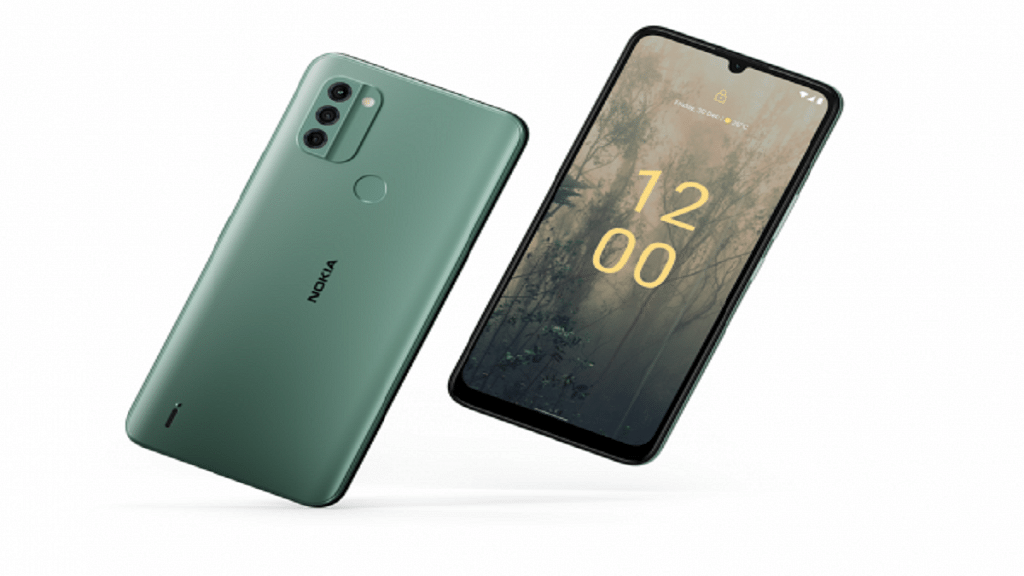
Nokia C31 With Triple Rear Camera Under Rs. 10,000 Launched In India

Key Highlights

  • Nokia C31 unveils in the entry-level segment in India
  • It comes with a triple camera setup and selfie cameras powered by Google
  • The smartphone’s price starts at Rs. 9,999

Nokia unveiled a brand-new budget smartphone in India – Nokia C31. The device comes as a successor to the Nokia C21 Plus. Triple cameras, a larger display, and a Unisoc chipset are some of its key features. The smartphone also features a massive battery that it boasts would last up to three days. Let’s examine the whole features, cost, and other details of the recently released Nokia smartphone.

Also Read | Nokia T21 Vs Nokia T20 Vs Realme Pad Mini Tablet Comparison: Best Entry-Level Android Tablet For Daily Use

Nokia C31 Specifications

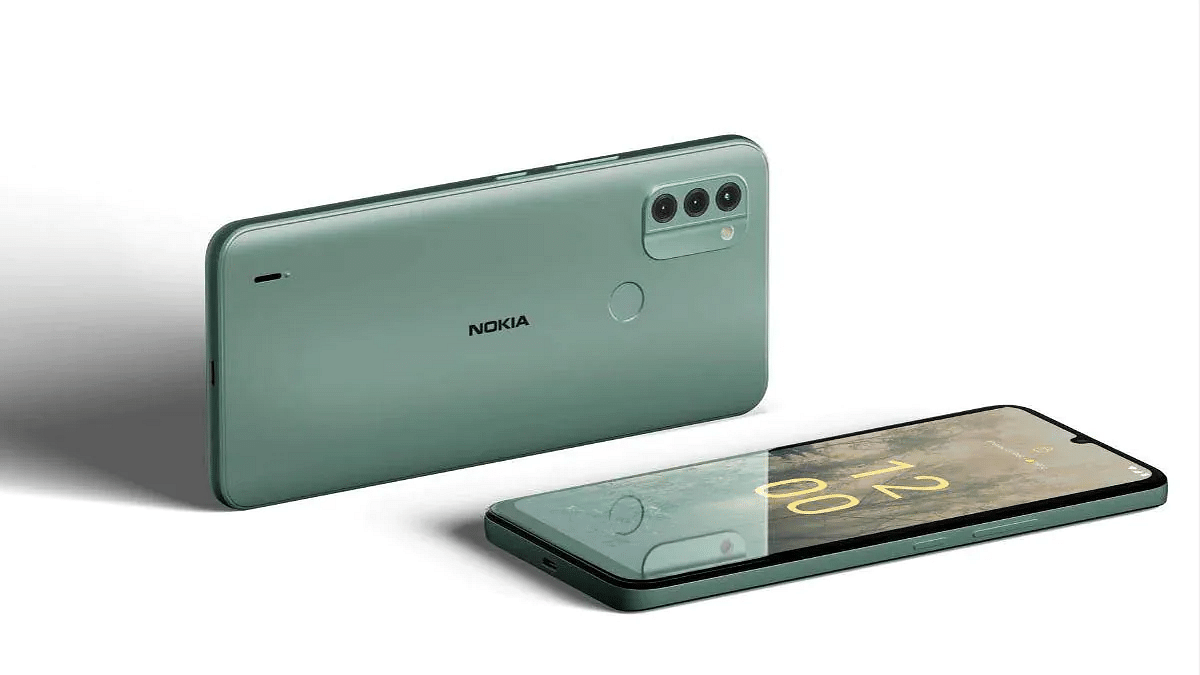
The Nokia C31 has a simple design that is typical of most budget Nokia phones. The device’s 6.7-inch screen features an HD+ resolution. Instead of having a fancy high refresh rate, it uses a typical 60Hz panel for the display.

Display6.75 inches IPS LCD
ProcessorUnisoc SC9863A (28nm)
Camera13MP + 2MP +2MP
Selfie Camera5MP
Battery5,050mAh
OSAndroid 12

The Nokia C31 is driven by an unknown Unisoc chipset. You can choose between 32GB and 64GB of storage and 3GB or 4GB of RAM. The phone’s battery is one of its standout characteristics. It has a 5,050mAh battery and 10W charging capability.

With a 13MP primary lens, a 2MP macro sensor, and a 2MP depth sensor, it boasts a triple camera setup on the back. It sports a 5MP camera up front for capturing selfies. It offers features like Night mode, HDR, and others because it uses the stock Google camera.

The phone boots on Android 12 OS out of the box and comes pre-installed with several apps like Spotify and GoPro Quik. It works with Android 12, but the OS could be upgraded to Android 13 sooner or later. It also has an IP52 rating to withstand splashing water.

Nokia C31 India Price And Availability

In India, there are two versions of the Nokia C31. The device’s base model with 3GB of RAM and 32GB of storage costs Rs. 9,999. The 4GB RAM and 64GB storage variant is priced at Rs. 10,999. Details of phone availability are not yet known. However, it may soon be available for sale in the domestic online and offline market. There are three color variations: charcoal, mint, and cyan.

Also Read | Samsung Galaxy M04 With 90HZ Display, 15W Fast Charging Launched In India: Budget Android Phone Under Rs. 10,000

Categories
Accessories Featured

Christmas 2022: Best High-Tech Gift Options For Your Loved Ones

Christmas is coming up in a few weeks, and this is the time of year when you build your shopping list and begin purchasing gifts for your loved ones. The latest high-tech gift options for devices always make for a wonderful value, even for the impossible-to-shop-for person. There is always something out there that is perfectly suited to where their interests lie, therefore it doesn’t matter where they may or may not be. This post will go over some of the top tech gift options you can get for your special someone.

ModelPrice (On Amazon)
Amazon Echo 4th GenRs. 6,999
Poly Sync 10Rs. 9,750
Kindle PaperwhiteRs. 13,999
Fitbit Versa 4Rs. 16,998

Also Read | Fortnite WinterFest 2022 Rewards: How To Redeem Rewards In Fortnite WinterFest 2022 Chapter

Amazon Echo 4th Gen

The 4th gen Echo features Dolby-powered quality audio. Additionally, users will be able to listen to millions of songs in their favorite languages and manage their music hands-free. It can also be used as a smart home device to regulate lighting, air conditioners, TVs, geysers, motors, etc. With up to four mics, Alexa can hear you from anywhere in the room. You can purchase it from Amazon for Rs. 6,999.

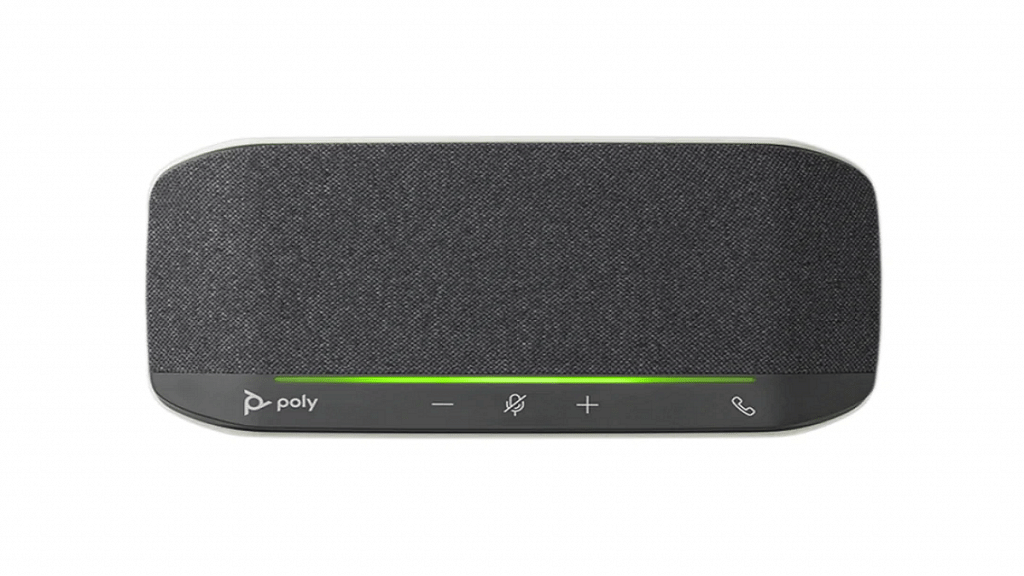
Poly Sync 10

Has your workaholic friend ever wanted a steerable two-microphone array that emphasizes only on their voice? Poly Sync 10 is for all your hands-free needs. It provides high-quality audio for calls, webinars, podcasts, and music. With touch-sensitive controls for secure calls, this makes an ideal long-lasting gift. You can get this speakerphone for Rs. 9,750 from Amazon.

Kindle Paperwhite

The 11th-generation Kindle Paperwhite will make this their home for all of your bookworm friends out there. With up to 10 weeks of battery life and a lightweight and portable design, it’s extremely easy to read thanks to the anti-glare display. Over 2 million titles are available with Kindle Unlimited. The best part is that it’s waterproof. The Kindle Paperwhite is priced at Rs. 13,999 on Amazon.

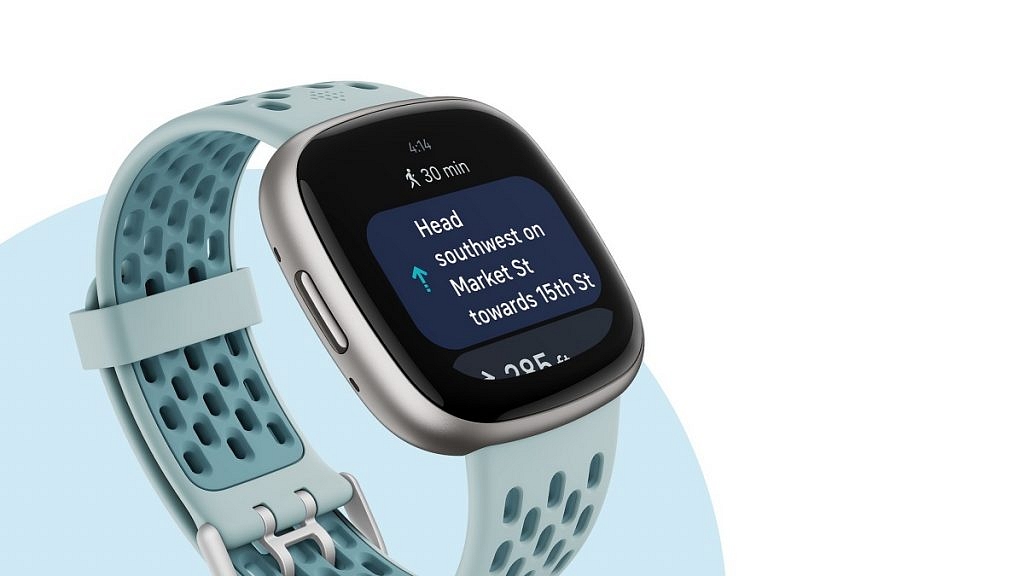
Fitbit Versa 4

The Fitbit Versa 4 is a thin and light fitness watch with 6+ hours of battery life. Track your workout intensity in 40+ workout modes and view your stats in real-time. Additionally, it works as a regular monitor for on-demand calls, texts, and notifications. Available in four colors, this smartwatch will cost you Rs. 16,998 on Amazon.

Also Read | Amazon Christmas Gifting Ideas: Best Digital Accessories, Smart Wearables For Christmas Gifts In 2022

Categories
Apps Featured How To

WhatsApp Video Calls PiP Mode For iPhones: What Is It? Steps To Use

Key Highlights

  • WhatsApp said that PiP for iOS is currently in beta testing
  • It shrinks the video into a small player, allowing users to continue watching while using other apps
  • This feature will be available to the users in 2023

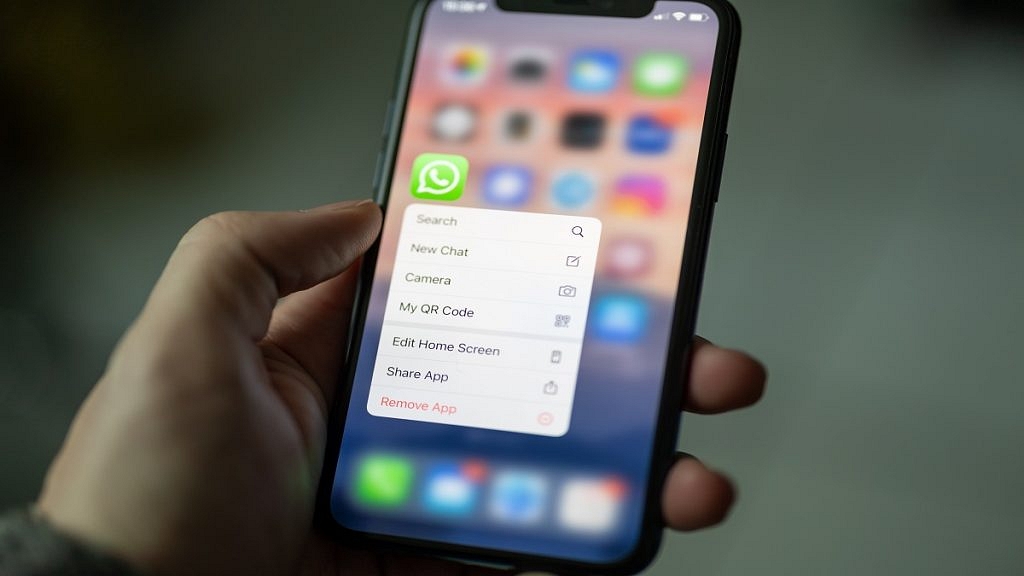
Meta-owned instant messaging platform WhatsApp has acknowledged developing a picture-in-picture capability for iPhone video calls. While on a video call, users can use other apps thanks to this mode. In a blog post, the company detailed this year’s upgrades to WhatsApp. In a blog post, WhatsApp announced that picture-in-picture for iOS is currently in beta testing. This feature will be available to users in 2023. Also Read | WhatsApp Security Code: What Is It? How To Get WhatsApp Security Code Notification On Android, iPhones, And Laptop/ PC?

What Is Picture-In-Picture Mode?

Picture-in-picture (PiP) mode condenses a video into a tiny player, enabling users to continue watching it on their smartphone while using other apps. Because it is a floating window, you can move it across your device’s screen and place it however you like.

How To Enable Picture-In-Picture Mode On iPhone?

The mode is automatically activated once iOS 14 or 15 has been installed on your device.

Step 1: Play a Video on any supported app.

Step 2: Tapping the PiP mode icon or navigating to the home screen will immediately minimize the video.

Step 3: Hold the minimized screen and drag it where you want it.

In order to resize the Pip mode, you can pinch the frame to make it bigger or smaller depending on how much focus you want to put on both windows.

Also Read | WhatsApp Silence Unknown Caller, Privacy Checkup Security Features Released: How To Use?

Hide PiP Mode And Play Video In The Background

Swipe the thumbnail view to the side if it is blocking your view. Swipe the video screen slightly to the right or left depending on whether the PiP screen is positioned on the right or left of the screen.

The video will disappear but a tab will remain so you can access it later. You can continue to hear the audio from the video or FaceTime call.

Disable And Close PiP Mode

To return to fullscreen, click the PiP Mode symbol in the top-right corner of the minimized screen. Additionally, tap the cross on the minimized screen’s top-left corner.

Also Read | WhatsApp Polls: What Is It And How Can You Create WhatsApp Polls For Individual User Or Groups?

Categories
Apps Featured How To

Paytm Bijlee Day Discounts: How To Get 100 Cashback By Paying Electricity Bills On Paytm

Paytm is the one-stop platform for digital money transactions and online bill payments. Paytm can be downloaded on both Android and iOS smartphones and offers digital wallet services on the go. Paytm is well known for offering cashbacks when payments are made using Paytm wallet and UPI. A new offer has been announced by the brand which will get you some extra discounts on the electricity bills. Called Paytm Bijlee Days, the limited period offer brings along Rs. 2,000 cashback and other deals. Check out the details below:

Paytm Bijlee Days Sale: What Are The Offers?

The Paytm Bijlee Days sale has been announced for the Indian audience which will get extra discounts and cashbacks on electricity bills. However, there’s a catch. The Paytm Days offer will be valid each month between 10th and 15th. A cashback of up to Rs. 200 will be given to the users making an electricity bill payment for the first time using Paytm. The code ELECNEW200 can be applied for the same.

This discount offer is valid for over 70 operators including Tata Power, DHBVN, BSES Rajdhani, Torrent Power, and others. In addition to the Paytm wallets, users will also get the option to pay electricity bills for all the operators using UPI, credit, and debit cards, net banking, and also Paytm postpaid.

In addition to the first-time payment discount, Paytm will also be offering a 100 percent cashback of up to Rs. 2,000. This will be given to at least 50 users every day to the users making electricity bill payments.

Also Read: UPI Money Transaction Limit In India: Here’s The Limit Of Transactions You Can Do Via GPay, PhonePe, Paytm Daily

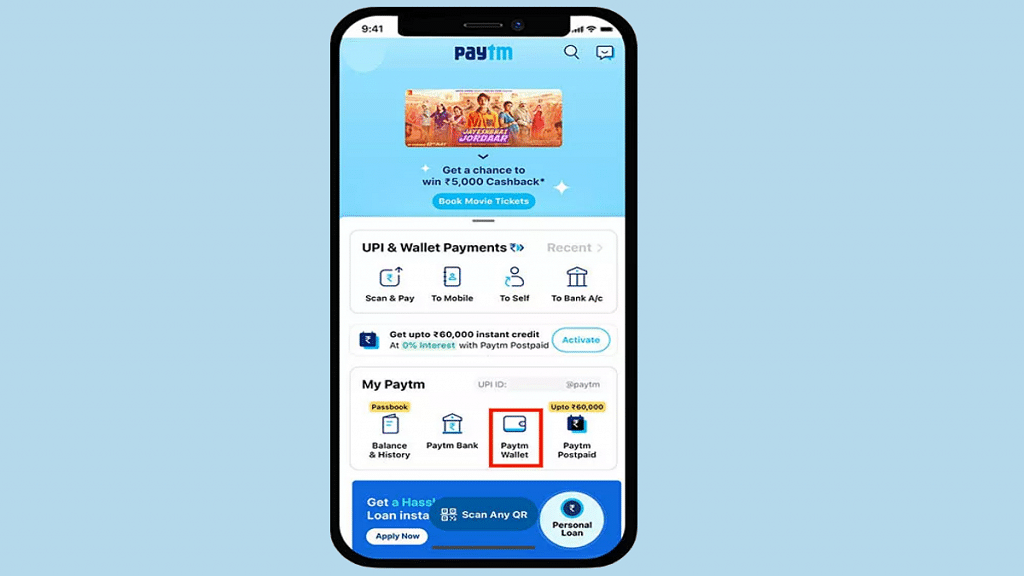
How To Pay Electricity Bill Easily Using Paytm App Using Android, iOS

Step 1: Launch the Paytm app on your smartphones (Android or iOS)

Step 2: On the app’s home page, scroll down to the ‘Recharges and Bill Payments’ option.

Step 3: Tap on the Electricity Bill option.

Step 4: Fill in the fields including the Customer Identification number and account number.

Step 5: Select Proceed.

Step 6: Now, select the mode of payment with which you need to pay the bills.

Step 7: You can use the ELECNEW200 code to get first time discount.

Step 8: Click on Pay.

Also Read: Paytm Live Train Running Status Feature Released; How To Check Train Status Using Paytm App

Categories
Apps Featured How To

WhatsApp Call Recording: Here’s How You Can Easily Record Call On Android And iOS

Key Highlights

  • WhatsApp does not have the option to record voice calls
  • Users can only record audio calls using third-party apps
  • You can record voice calls on both Android and iOS

There are several features available on WhatsApp. Voice calling is one of them. However, there is no legitimate way to record calls on WhatsApp. Due to its privacy policy, the company doesn’t offer an official method of call recording on WhatsApp. On the Meta-owned platform, though, there is a way to record calls. You need to use a third-party app to record WhatsApp calls. Here’s how to record WhatsApp calls on Android and iOS.

How To Record WhatsApp Video Calls On Android

You can record WhatsApp video calls using any of the numerous apps that are available in the Google Play Store. The AZ Screen Recorder is one such app. You can use the app to record WhatsApp video calls with audio. Here’s how you can record it:

Step 1: Go to the Google Play Store and search for the AZ Screen Recorder app. Install the app on your smartphone.

Also Read | WhatsApp Self Message Feature Goes Official: How To Self-Chat On WhatsApp Using Android, iOS Devices

Step 2: When you launch the app, a pop-up widget will appear on your notification panel. It’s important to remember that in order to record calls, you must first enable “Enable voice recording”.

Step 3: Open WhatsApp and dial the number of the person whose call you want to record.

Step 4: Tap the record button in the AZ Screen Recorder widget as soon as the call begins. Simply stop the recording after you’re finished, and your WhatsApp video call will be preserved.

How To Record WhatsApp Voice Calls On iPhone

It can be challenging to record a WhatsApp voice call on an iPhone. There isn’t a specific app that makes it simple to record WhatsApp voice calls. However, there is a workaround that requires a Mac and an iPhone. Here’s how you can do it:

Step 1: Connect your iPhone to your Mac using a Lightning cable. On your iPhone, click the Trust This Computer option.

Step 2: Launch the QuickTime app on your Mac. Select New Audio Recording from the File option.

Step 3: Select the iPhone option, then press the record button in QuickTime.

Step 4: Then make a WhatsApp call from your iPhone to your mobile phone. Once you are connected, click the add user icon.

Step 5: Call the person you want to record the audio with and start speaking. Simply end the call and QuickTime recording after you’re finished. Save the file to your Mac to record WhatsApp voice calls. That’s all.

Also Read | Now Use WhatsApp In Picture-In-Picture Mode: Feature Available For iOS Beta Users