Categories
Apps Featured How To

Instagram Reel: How To Create And Share Instagram Reel Videos Using Templates On Android, iOS

Instagram is currently a fan-favorite app for social media content creators. The photo-sharing app has evolved on a large scale in the last few years; specifically, after coming under Meta (Facebook) umbrella. The company has garnered all the fame ever since it released Reel, a short video feature introduced as a TikTok rival globally.

Instagram has been making improvements with Reels, similar to other in-app features in a bid to make Reels more interactive. Looking at the rising popularity of Reel, Instagram even extended the time limit to up to 90 seconds for recording. Furthermore, the company has also allowed using multiple audio video effects, location tagging, and much more to enhance the quality and for better reach.

Amongst several such provisions is template usage. Instagram has added the option for users to create their version of any Reel video by using a pre-loaded template. For the unaware, the templates feature on Instagram allows creators to remix a reel by adding their own photos and videos while using the same musing and timing from an original Reel.

The templates are not available for all Reel videos specifically the short-length ones. You will be able to use templates only with the Reel videos that comprise at least three clips with music in the background. So if you want to create a new Reel video using a template, this article will guide you with the steps:

How To Create A New Instagram Reel Video Using Available Set Of Templates

Step 1: Open the Instagram app. Note, you can perform these steps on both Android and Apple iPhones.

Step 2: From your profile’s home page, go to the Reel video that you want to remix with the template. Note, you can add templates to the new Reel video that you are creating.

Step 3: Click on the more option (three horizontal/ vertical dots) on the Reel video.

Step 4: Select the Use as template option.

Step 5: In the next step, you will get the option to add the photos or video clips to the Reel video. You will also be able to sort the order in which you wish the images or photos to appear in the video.

Step 6: Click on Done. Now, preview and share your Reel video on your Instagram account.

Categories
AMD Featured Laptop

List Of Best Premium Gaming Laptops For E-Sports Gamers

The best gaming laptops provide more than just the latest hardware innovations but also power-efficient chassis for premium gameplay sessions. With several options available in the market, it can be challenging for professional gamers to choose the ideal gaming laptop specifically if you are a professional E-sports athelete. Your gaming laptop should have sufficient power to enable you to play your favorite games with ease.

Therefore, you can’t consider cutting corners with the processor when you shop. It makes perfect sense if you choose a high-tech gaming laptop if you wish for a top-notch gaming experience. Taking care of all your gaming requirements is AMD. The PC brand has the strongest product catalog with gaming laptop chipsets and GPUs.

 If you are one of the avid or professional E-Sports gamers, AMD backs you with its best-in-class gaming machines. Here, we have listed the best gaming laptops for e-sports gamers that are worth buying. Let’s check them out:

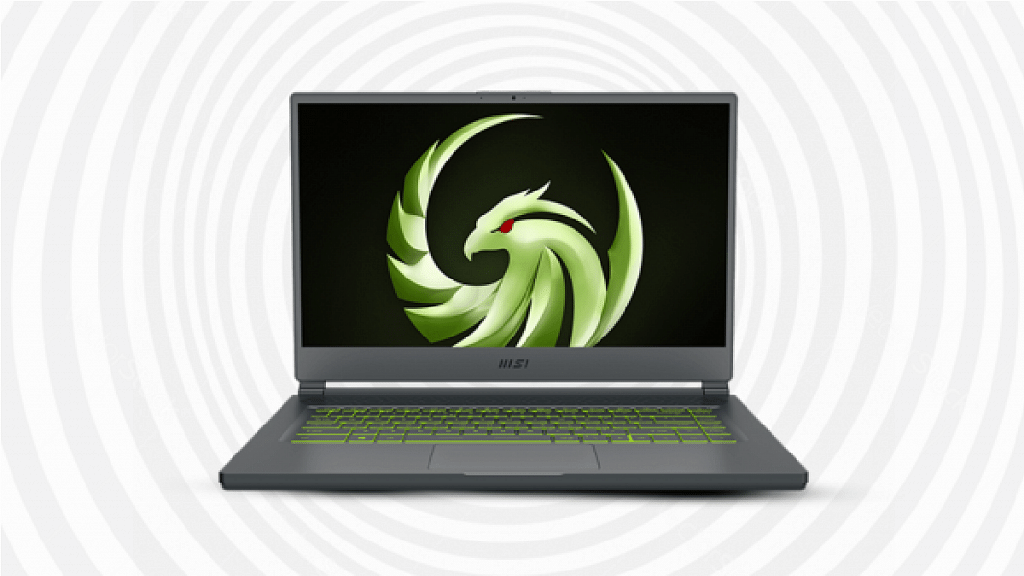
MSI Delta 15 AMD Advantage Edition

An all-powerful laptop with a high refresh rate display is the ideal machine for anyone wishing for a premium gameplay experience. With the MSI Delta 15 Advantage Edition laptop you get to take advantage of AMD’s Smart Access Memory technology. The brand-new Ryzen 9 5900HX octa-core CPU with support for up to 16 threads is included in the MSI Delta 15 AMD Advantage Edition. Additionally, the laptop has an AMD Radeon RX 6700M GPU with 10GB GDDR6 VRAM. This premium laptop’sFHD display with 240Hz maximum refresh rate support along with the top-tier hardware is what qualifies it as an eSports-compatible gaming laptop. The 16GB DDR4 RAM and 1TB of storage on this gaming laptop should be plenty for all use-case scenarios.

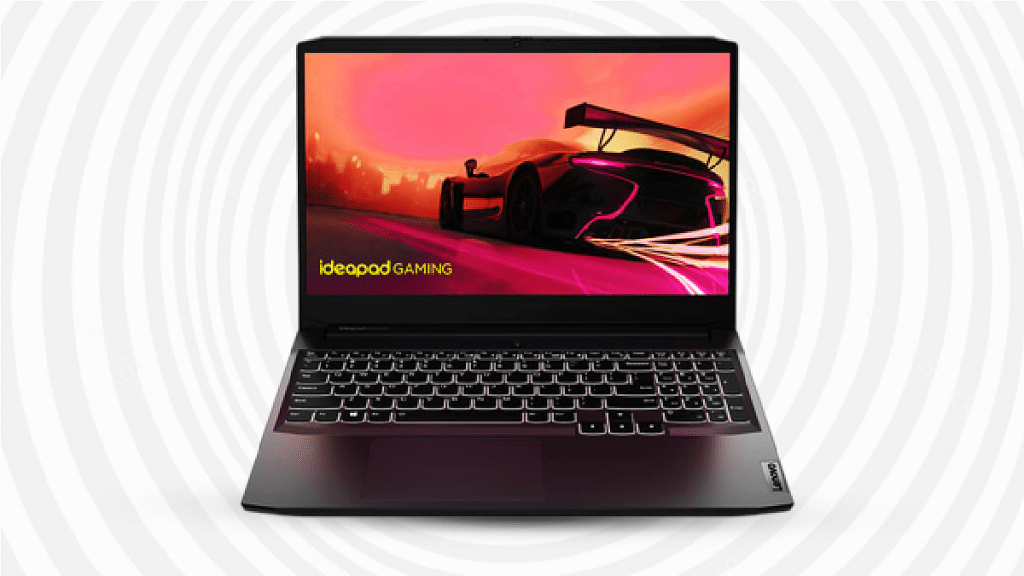
Lenovo Ideapad Gaming 3 AMDRyzen™ 7 5800H Gaming Laptop

Another excellent choice for your gaming needs is the Lenovo Ideapad Gaming 3 AMD Ryzen 7 5800H Gaming Laptop. This laptop is a delight for E-Sports fans with a 15.6-inch screen that is practically compact enough for all your gaming demands. This laptop is ideal for enhancing your gaming experience because it comes with an incredible vibration mechanism and a backlit keypad. When you have been playing your favorite gaming titles for long, your laptop won’t overheat thanks to its effective ventilation system.

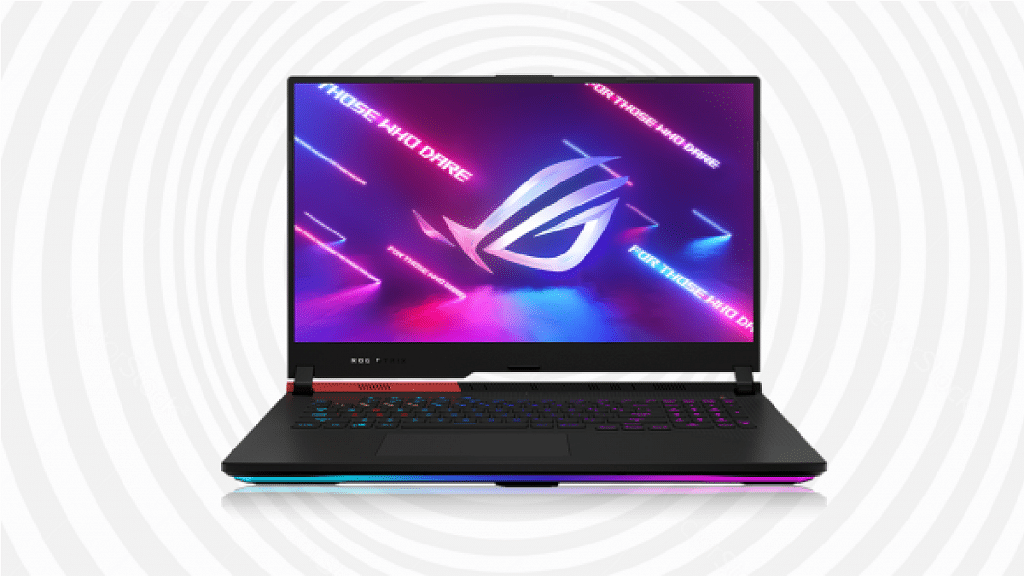
ASUS ROG Strix G17

The AMD Ryzen 9 6900HX, which has 8 cores, 16 threads, and a maximum boost frequency of 4.9GHz, powers the ASUS ROG Strix G17. Also, the device features the equally powerful Nvidia GeForce RTX 3070 Ti graphics along with 8GB GDDR6 VRAM for a rich gaming experience. Additionally, the device has a crisp 1440p display with a maximum 240Hz refresh rate that is ideal for eSports games. The RTX 3070 Ti is also quite capable of running a variety of eSports games at an insanely high FPS. The laptop has a 1TB SSD PCIe Gen 4 SSD and 16GB DDR5 RAM operating in the quad-channel mode for memory and storage.

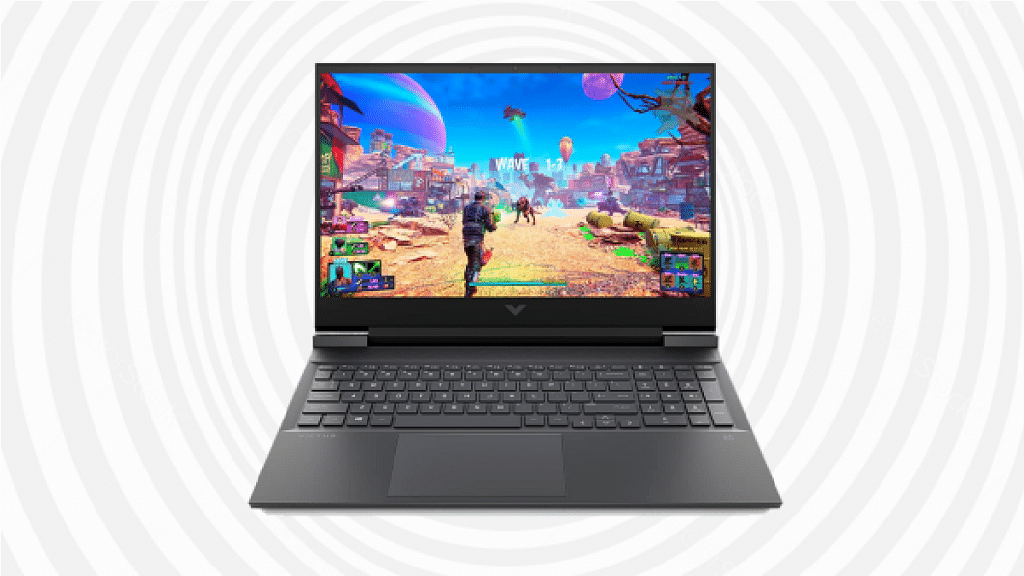
HP Victus AMDRyzen™ 7 FHD Gaming Laptop

Another strong and effective option that will easily suit all your gaming needs is the HP Victus AMD Ryzen 7 FHD Gaming Laptop. This laptop lets you easily browse for your next gaming necessity based on your needs and tastes. It is available in 512GB SSD and 1TB HDD configurations. This laptop is offered with a 16MB cache, 8 cores, 16 threads, and 16GB of extendable RAM that is expandable up to 32GB. Not only this, this gaming laptop reduces eye irritation after playing games for a long period by having a blue-light filter and an anti-glare screen.

Lenovo Legion 5 Pro 16-Inch

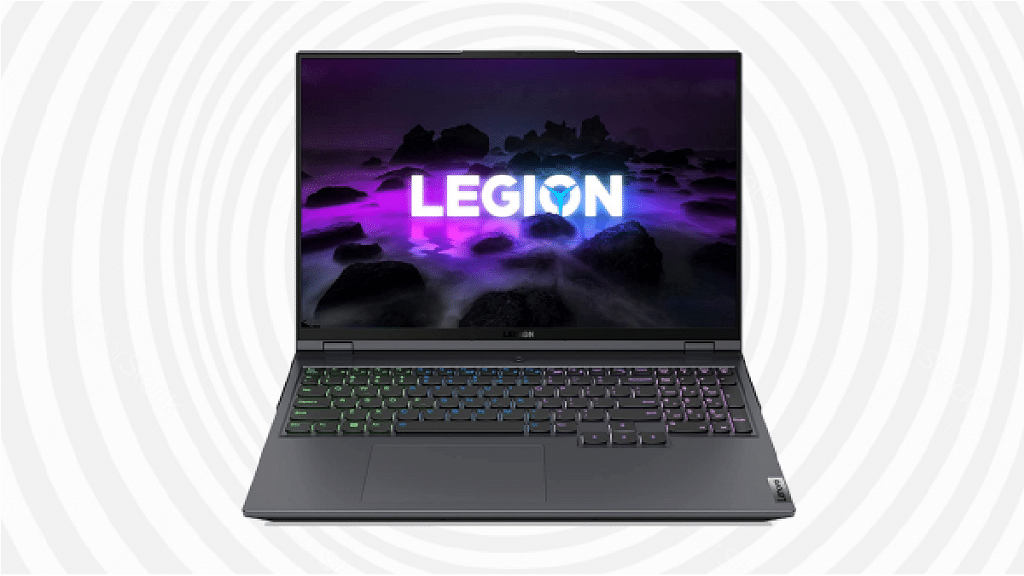
The Lenovo Legion 5 Pro has a 16:10 aspect ratio screen that looks amazing while gaming and supports a 165Hz high refresh rate display. The laptop has a 16-inch AMD gaming laptop that’s highly suitable for eSports gaming. It comes with an AMD Ryzen 7 5800H processor which has 8 cores, 16 threads, and a maximum boost rate of 4.4GHz. The Legion 5 Pro is fitted with an RTX 3070 with 8GB GDDR6 VRAM to efficiently run eSports games. The laptop’s 16:10 QHD display offers a lovely appearance and a very high brightness level that provides a fantastic gaming experience.

Dell New G15-5515 Gaming Laptop

The Dell New G15-5515 can be considered as a solid option when we speak of the best available gaming laptops in the current market. It has a screen size of 15.6-inch that offers you a decent display and makes this laptop easily portable. The laptop is equipped with an AMD Ryzen™7 5800H 8-core/16-thread mobile processor and RTX 3060 6GB GDDR6 GPU. this gaming laptop allows you to be immersed in your favorite games without worrying about the light around you. With plenty of ports available, you can easily connect your gaming laptop to other gaming accessories.

Categories
Featured Info Laptop

Lenovo Big Bonanza Sale: Get Best Deals On Laptops

Key Highlights

  • Lenovo Big Bonanza Sale is live
  • You can save 70 percent on your favorite laptop
  • You can enjoy cashback up to Rs. 5,000

In order to better serve specific needs and purposes, Lenovo laptops have organized their line of computers into a number of subheadings. You can select the option that best fits your needs and tastes. Everyone can choose from a top-of-the-line Lenovo laptop, whether they want a portable IdeaPad for people on the go or a gaming laptop from the Legion or IdeaPad Gaming series with the most advanced specs.

Lenovo Big Bonanza Sale is offering the lowest prices on some of the best laptops available if you’ve been holding off on purchasing a laptop for your personal, professional, or educational purposes. During the sale, you can save up to 70 percent on your favorite laptops. Besides, Lenovo is also offering up to Rs. 5,000 cashback using all bank credit cards.

IdeaPad Gaming 3i Gen 6 (15, Intel)

Equipped with a powerful 11th Gen Intel Core processor and NVIDIA GeForce RTX graphics, the IdeaPad Gaming 3i Gen 6 (15, Intel) helps you unlock your full gaming potential. It comes with an FHD IPS display with up to 165Hz refresh rate. This helps to dissipate heat faster with high-performance thermals, and pinpoint your enemies’ location instantly with immersive Nahimic audio. During the sale, you can get the laptop for Rs. 50,690.

Lenovo V15 Gen 2 (15, Intel)

The Lenovo V15 Gen 2 (15, Intel) laptop is designed for the modern workplace. Suitable for mobile productivity, it performs well in the office or at home. It is equipped with 11th Gen Intel Core processors and NVIDIA discrete graphics. The laptop comes with top-notch security, memory, and storage options, giving you a smooth workday. The Lenovo V15 Gen 2 (15, Intel) laptop is available for Rs. 36,990.

Legion 5 Gen 6 (15, AMD)

The Legion 5 Gen 6 (15, AMD) comes equipped with up to AMD Ryzen 7 5800H mobile processors and NVIDIA GeForce RTX 30 series graphics, giving you everything you need to rule any lobby. It sports a 39.6cms (15) FHD display, featuring amazing color accuracy and Dolby Vision, while Nahimic 3D audio and the Legion Truestrike keyboard help you strike with pinpoint precision. The Legion 5 Gen 6 (15, AMD) will cost you Rs. 85,990 during the sale.

Thinkpad E14 11th Gen (Intel)

The Lenovo ThinkPad E14 Gen 2 (Intel) laptop comes with modern innovations like one-touch power on with login, Modern Standby, and call-control keys. This delivers a productivity-rich, time-saving experience. In terms of design, performance, and security, the Lenovo ThinkPad E14 Gen 2 leaves nothing to be desired. During the Big Bonanza Sale, the ThinkPad E14 Gen 2 (Intel) laptop is available for Rs. 45,990.

Categories
Apps Featured Info

WhatsApp Latest Update Will Let You Share Voice Notes As Status: Here’s How

Key Highlights

New WhatsApp feature coming soon

Option to add voice notes as status

To be available for both Android and iOS

WhatsApp is regularly releasing new updates for its Android and Apple iOS mobile applications adding new aesthetics and user-friendly features. Just recently, the company was reportedly testing a new feature that will allow users to edit sent messages. But this isn’t the only new option that WhatsApp is working on. Previously, the company was rumored to be working on the option to add voice notes as a status update. However, the feature was being tested for the iOS app back then. Now, the company is also testing this new status update option for the Android app.

WhatsApp Voice Note Status Update Feature Coming Soon

WhatsApp’s next update will be adding the support to upload voice notes as a status. This update’s development has been shared with WaBetaInfo which has been consistent with sharing the latest WhatsApp updates in work. WhatsApp has already been testing this new status feature for iOS users and is apparently expanding its reach to the Android ecosystem as well.

WhatsApp currently only allows users to share images, texts, and short videos as statuses on their profile. With this new feature upcoming, users will also be able to share any important message as a voice note. The report shared by WaBetaInfo suggests the company has been testing this new feature with the Android 2.22.21.5 beta build.

WhatsApp has not confirmed any new development on this feature. But since it has been working already and testing it with the beta build, chances are we get some official nod soon. We can expect WhatsApp to release a stable update to set voice notes as status in the coming weeks.

According to the report, WhatsApp has also kept a short timeframe for the voice notes that will be shared as status updates. Users will be able to record and share up to 30 seconds of voice notes as a status on WhatsApp. Also, voice note statuses will have the same privacy options as the standard status updates.

Users will get the option to select from whom they wish to hide the voice note status and who can listen to the status. The process to share the voice notes as messages would also be the same as with the general status update on WhatsApp.

Categories
Comparison Featured mobile

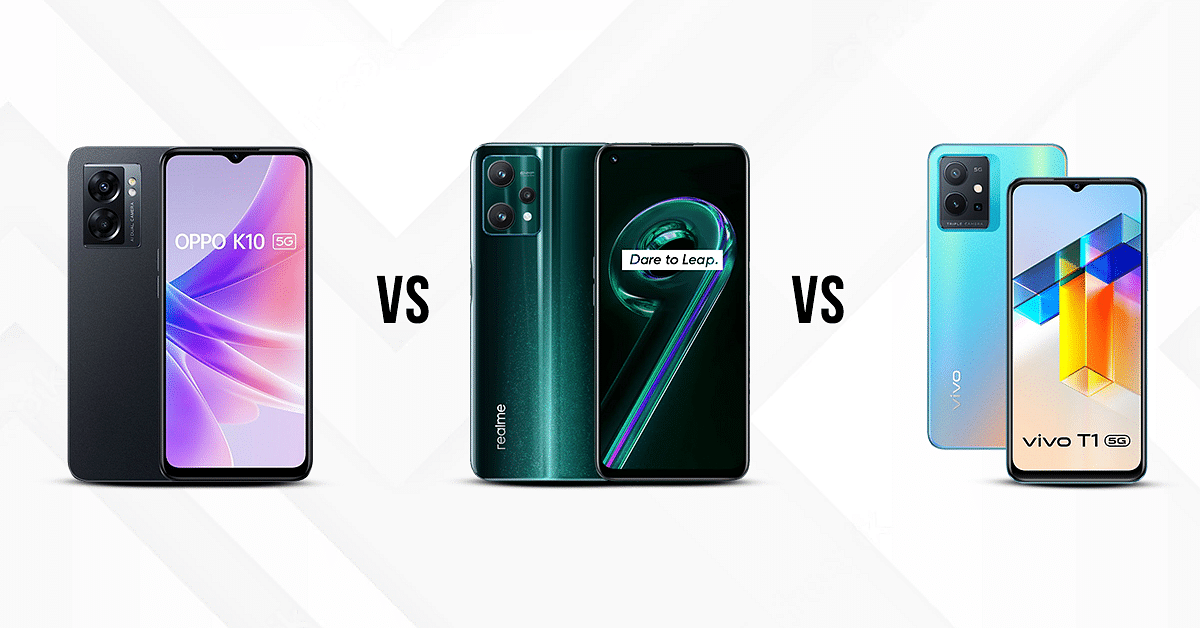
OPPO K10 5G Vs Realme 9 Pro Vs Vivo T1 5G: Mid-Range 5G Mobile Comparison

Looking for an affordable phone under 20k  offering the best specs for a mid-range budget? Look no further. We compared the Oppo K10 5G, Realme 9 Pro, and the Vivo T1 5G in terms of design and performance. The OPPO K10 5G starts at a price of Rs. 16,499, whereas Realme 9 Pro starts at Rs. 18,999, and Vivo T1 5G starts at a price of Rs. 14,999. All these phones cost under 20 thousand and are popular in the budget 5G market. Which model beats the competiton? Read on here: 

Display 

The OPPO K10 5G is designed with an aluminum frame that is dust and scratch-resistant. It is equipped with a 6.56-inch display with a resolution of 1612 x 720 pixels (HD+).The panel offers 90Hz refresh rate for improved visual feedback.

The Realme 9 Pro with its 6.6 inch display that supports a resolution of 2412 x 1080 pixels allows an immersive and vibrant experience on the go. The smooth 120Hz refresh rate cuts down on the usual lag with the frame transitions..

The Vivo T1 also has a powerful display. The screen is big and bright, with a resolution of 2408×1080 pixels. With a 6.58  inch diagonal display and 5G technology, it delivers the best images this side of life. All three phones have a vibrant display for media consumption but the Realme 9 Pro gets better with the high refresh rate.

Camera

The OPPO K10 5G sports a dual-camera setup with a 48-megapixel back. and a 2-megapixel secondary shooter.The rear camera has phase detection autofocus support. The front camera features an 8-megapixels with an f/2.0 aperture for better cclose-upselfies with group pictures.

The Realme 9 Pro packs a punch with its 64MP triple rear camera setup camera.It also boasts a Super Wide camera that measures 8MP and has 119-degree FoV. The Realme 9 Pro is the one of the best selfie camera phones in its league. It features a 16MP selfie snapper inside the punch-hole cutout upfront. The cameras come with a support for Portrait Mode, Beauty Mode, Night Mode, Panoramic view and HDR mode, Face Recognition and more.

The Vivo T1 has a front 16MP camera with f/2.0 aperture. At the rear, it features a 50MP+2MP camera. It also features a 2MP+2MP front-facing selfie camera. With a dual-lens setup, you can also take photos in both portrait and landscape modes. For Video, Portrait mode helps auto detect facial expressions and make emotion transitions in clips seamlessly.

RAM, Storage And Connectivity 

The Oppo K10 5G has 8GB RAM and 128GB internal storage. With 802.11a/b/g/n/ac Wi-Fi and 4G LTE Dual SIM Dual Standby, GPS, Bluetooth v 5.30, NFC support and a USB Type-C port for charging and data transfer. you can connect to the internet wireless on the go.

The Realme 9 pro 5G +5G is a dual sim mobile that comes with 6GB of RAM, 128GB of bbuilt-in storage space, and supports 5G+. This way you can not only stream videos, photos and music flawlessly but you will also be able to play games at higher graphics settings.

Vivo T1 5G is a mid-range phone with with 8GB RAM, 6GB RAM, and 4 GB RAM variants. You can also choose between 128GB and 512GB variants. It has Bluetooth 5.1, Type-C and supports OTG connection. It comes with dust-proof and water-resistant features, as well as NFC support.


Categories
Chipset Comparison Featured

Qualcomm Snapdragon 780G Vs MediaTek Helio G99 Chipset Comparison: Best Mid-Range Gaming Processor

Planning to buy a new smartphone? Specifically an Android handset? Well, you have got numerous of options from multiple popular Chinese and non-Chinese smartphone OEMs when you step out to buy one. And most of the smartphone OEMs are currently relying on chipsets from either Qualcomm or MediaTek to power mid-range and flagship-grade handsets.

Qualcomm’s Snapdragon series and MediaTek Helio, Dimensity mobile processors are the commonly found chipsets in most Android phones. We already have compared several of the latest chipsets from both these brands to see which one offers good performance in terms of CPU, GPU, and memory.  This time we are pitting down two of the most popular premium mid-range chipsets from both these brands. From Qualcomm, we have selected the Snapdragon 780G which is game-centric processor. Whereas, from MediaTek, we have chosen the Helio G99 which is also a mid-range gaming processor.

Qualcomm Snapdragon 780G Vs MediaTek Helio G99 Chipset: CPU Architecture

Starting this comparison with the Snapdragon 780G chipset, Qualcomm has fabricated it on 5nm process and used an octa-core CPU architecture featuring a single Cortex-A78 core clocked at 2.4GHz, three Cortex A-78 cores clocked at 2.2GHz, and four Cortex A55 cores clocked at 1.9GHz.

On the contrary, MediaTek has designed the Helio G99 chipset using a 6nm fabrication process and has used an octa-core COU architecture comprising two 2.2GHz Cortex-A76 cores and six Cortex A55 cores clocked at 2GHz. The frequency range is 2400MHz with the Snapdragon 780G chipset and 2200MHz with the Helio G99 chipset. Qualcomm has used a better CPU cluster compared to MediaTek for its premium mid-range processor.

Snapdragon 780G Vs Helio G99 Processor: GPU Comparison

The Qualcomm Snapdragon 780G ships with the Adreno 642 GPU which is from the Adreno 600 GPU series. Whereas, the Helio G99 chipset has the Mali-G57 MC2 GPU integration which is from Valhall GPU architecture. The Qualcomm chipset comes with 490MHz GPU frequency with two execution units and 384 shading units. It has a 1.1 Vulkan version, 2.0 OpenCL, and 12 DirectX version which is the same as the Helio G99 and its younger sibling, i.e., the Snapdragon 778G processor. In terms of GPU performance, the Qualcomm Snapdragon 780G is slightly battery compared to the Helio G99.

Snapdragon 780G Vs Helio G99 Processor: Memory, Multimedia (ISP)

As far as memory compatibility is concerned, both Qualcomm Snapdragon 780G and the Helio G96 ships with LPDDR4X memory support. However, the memory frequency range is different. The Qualcomm Snapdragon chipset delivers a 2133MHz frequency, while the Helio G99 processor offers 4266MHz frequency range. Also, the maximum RAM allocation with the Snapdragon 780G is higher at 12GB, whereas, the Helio G99 has a lower up to 10GB max memory size support. In terms of storage, the Snapdragon 780G chipset offers the latest UFS 3.1 storage support, while the Helio G99 comes with older UFS 2.2 storage compatibility. 

Speaking of the multimedia support, the Qualcomm Snapdragon 780G chipset offers a max display and camera resolution of 3360 x 1600 pixels and 1x 192MP, 2x20MP respectively. This chipset has the ability to record up to 4K@30fps videos. The video playback support is also the same.

The MediaTek Helio G99 supports 1080 x 2520 pixels max display resolution and 1 x 10⁸MP, 2X 16MP max camera resolution support. This gaming processor has a lower video recording support of 2K@30fps. The Snapdragon 780G outperforms Helio G99 in these segments as well.

Categories
Featured Info Mobile

YouTuber Crashes His Car To Test iPhone 14’s Crash Detection Feature

Key Highlights

  • A YouTuber tested iPhone 14 Pro crash-detection feature
  • TechRax posted a 6:27-minute video on his YouTube channel

How far will you go to test a new iPhone feature? In order to test the new iPhone 14 Pro crash-detection feature, a YouTuber went to all extremes. The test demonstrates how the iPhone 14 Pro responds to what Apple refers to as a “severe car crash.”

TechRax, a YouTuber who tests out new tech features and has over 7 million subscribers, published a 6:27-minute video. In a car with no one inside, he tried to simulate a few car crash accidents. To test the accuracy of the new iPhone 14 Pro crash detection feature, he equipped a car with a GoPro camera and a remote-control system, then drove it into abandoned cars in a field.

Does iPhone 14 Pro’s Crash Detection Feature Work?

In a video posted on YouTube by the TechRax channel, a brand-new iPhone is seen being fastened to the headrest of the passenger seat of a 2005 Mercury Grand Marquis sedan while being operated via remote control. The car then collided with a pile of rusted-out, old cars.

The YouTuber was surprised that the car detection feature did not work instantaneously. However, about 10 seconds later, a notification stating “It appears like you have been in a crash” appeared on the phone.

When the iPhone detects a severe car crash, it will automatically initiate an emergency call after 20 seconds unless you cancel it. The iPhone will play an audio message for emergency services if you are not responsive, alerting them to the severity of the incident and providing them with your latitude and longitude as well as a rough search radius.

The safety feature is then put to the test a second time by the YouTuber, and once more it correctly detects a crash and is prepared to initiate a call to emergency services. According to Apple, Crash Detection is intended to identify “severe car crashes,” such as rollovers and front-, side-, and rear-end collisions involving sedans, minivans, SUVs, and other passenger cars.

According to Apple, Crash Detection is on by default. In our previous coverage, we have listed down the simple steps on how you can activate the car detection feature on your iPhone 14 which you can read here.

Categories
Featured mobile

Google Pixel 7, Pixel 7 Pro India Launch Finally Happening; To Be Sold Via Flipkart

Key Highlights

Google Pixel 7 series India launch confirmed

Flipkart landing page live

Google is gearing up for its annual developer conference I/O 2022 which is slated for October 6, 2022. The company will take the wraps off the new-age Pixel 7 series comprising the vanilla Pixel 7 and the Pixel 7 Pro. Until the Pixel 7 series availability was expected in the international markets. But seems like google is finally bringing both these handsets to the Indian markets as well. Google had only released the affordable Pixel ‘a’ series models in the country since the Pixel 3 series. This new development comes as a delight for Pixel fans in India.

Google Pixel 7 Series India Launch Confirmed Officially

Google will be announcing the latest Pixel 7 series models at the I/O 2022 event which is slated for October 6, 2022. Alongside the Pixel 7 and the Pixel 7 Pro, the company is also bringing the Pixel 7a. The rumor mill has already been giving us a sneak peek of the upcoming premium Pixel series phones. Now, a fresh listing at the e-commerce giant Flipkart confirms both the high-end Pixel series phones will be launched in the Indian sub-continent as well.

Just to recap, Google hasn’t released any flagship Pixel model since the Pixel 3 series. We only have seen the Pixel 4a, Pixel 5a, and the Pixel 6a in the country but not their high-end versions. But the latest dedicated Pixel 7 series microsite on Flipkart is a clear indication that Google is finally breaking its past trend and revamping its flagship smartphone lineup in the country.

As of now, the Flipkart microsite only mentions coming soon along with the products. It doesn’t reveal the exact availability timeline for the Pixel 7 and the Pixel 7 Pro in the country. Given the possibilities, we can expect both Pixel 7 and the Pixel 7 Pro to debut around the same time as the international markets in India. Google could make some official announcements related to the same in the coming days.

It is not clear yet if Google will also introduce the affordable Pixel 7a in the country alongside the Pixel 7 and the Pixel 7 Pro. We might have to wait for the brand to release the affordable Pixel 7 variant in the country. We are still waiting for some announcements from Google regarding the same and will keep you updated with the details.

Categories
Comparison Featured Tablet

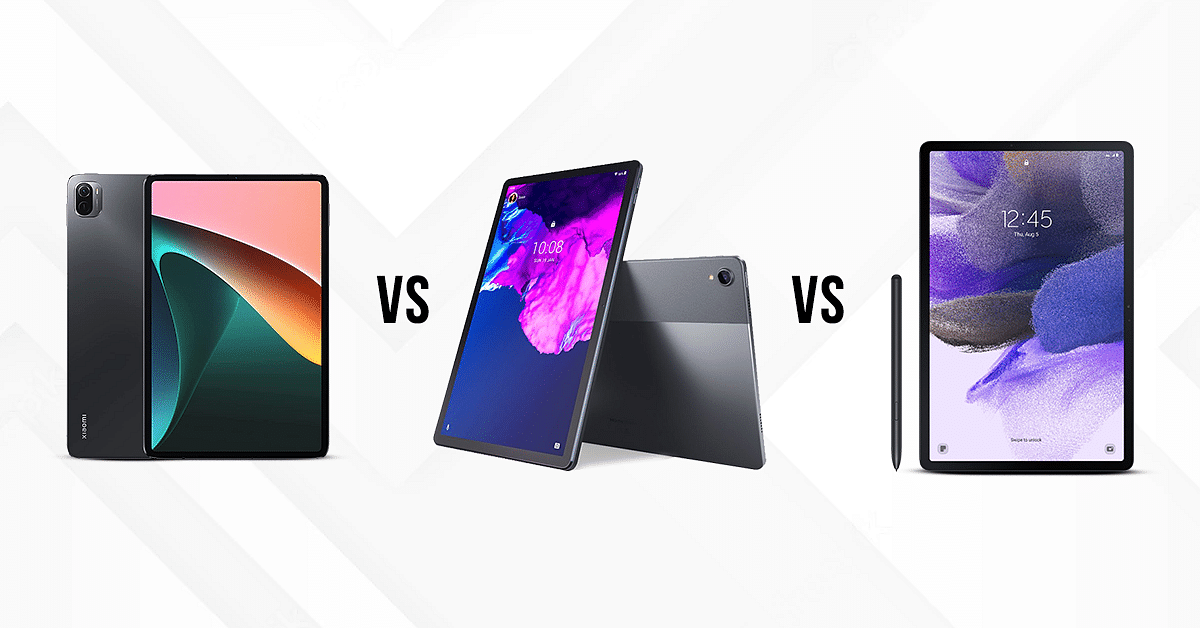
Xiaomi Pad 5 Vs Lenovo Tab P11 Pro Vs Galaxy Tab S7 FE: Premium Mid-Tier Tablet You Should Buy!

Tablets have emerged as effective alternatives to other tech gadgets in recent times, specifically smartphones. As a result, an upsurge has been witnessed with new tablet launches in the market. One of the latest top brands in the tablet industry is Xiaomi which is giving Lenovo and other popular tablet OEMs a hard run for the money. Similarly, Samsung has also launched many entry-level tablets in the market and has also seen its expertise with the flagship Android tablets. Today, we are going to carry out a comparison between the Xiaomi Pad 5, Lenovo Tab P11 Pro, and the Galaxy Tab S7 FE

Xiaomi Pad 5 Vs Lenovo Tab P11 Pro Vs Galaxy Tab S7 FE: Full Spec Sheet Comparison

Display Specifications 

The Xiaomi Pad 5 features an 11-inches screen which is an IPS LCD Panel with a resolution of 1600 x 2560 pixels. It has a pixel density of 275 PPI and a refresh rate of 120Hz which ensures smooth performance. Having a brightness of 500nits, it offers decent sunlight legibility when outdoors. 

The Lenovo Tab P11 Pro is equipped with an 11.5-inches display, Instead of the standard LCD screen, this tablet offers a high-res OLED display with a brightness of 500nits which ensures a clear picture outdoors. In order to prevent eye fatigue, it is low-blue-light certified. It allows superior quality streaming with its 2K screen resolution of 2560 x 1600 pixels. 

The Samsung Galaxy Tab S7 FE is also a premium mid-range Android tablet that features a 12.4 inches TFT panel. This display on this Samsung tablet delivers a resolution of  2560 x 1600 pixels. It has a maximum brightness of 430nits, which ensures clear visuals. 

Overall, the Lenovo Tab P11 Pro stands at the top in the display department since it operates on 2K resolution and has an OLED with high brightness. 

Camera Features 

The Xiaomi Pad 5 is packed with a 13MP rear camera, which captures vivid quality shots. 

The rear camera on the Pad 5 tablet also allows you to record cinematic 4K videos at 30fps and 1080p videos at 30fps. It has an 8 MP front camera, which features Auto Focus, HDR, and Panorama shooting modes for enhanced selfies. ‘

The Lenovo Tab P11 Pro is packed with a powerful set of dual cameras, both in the front and the rear end. It has a 13MP +5MP front camera (with autofocus and fixed focus). It also has a dual front camera, which includes an 8MP+8MP with fixed focus. 

The Galaxy Tab P11 has an 8MP rear camera and a 5MP front camera. It also allows the users to record UHD 4K videos at 30 fps. 

Considering all the camera aspects, the Lenovo Tab P11 Pro came out to be the best since it has dual cameras both up front and back. The Xiaomi Pad 5 and Galaxy Tab S7 FE offer decent camera hardware for general photography. 

Chipset Comparison 

The Xiaomi Pad 5 operates on the Qualcomm Snapdragon 860 chipset octa-core, which can handle intensive tasks with ease. The Pad 5 is available in two variants, both of which feature 6GB RAM along with 128GB and 256GB of onboard storage respectively. However, it does not feature expandable storage support. 

The Lenovo Tab P11 Pro houses the Qualcomm Snapdragon 730G chipset under the hood with an octa-core architecture. This premium range Lenovo tablet has 6GB RAM and 128GB of native storage space. It also allows an expandable memory of up to 256GB via a microSD card slot. 

The Galaxy Tab S7 FE runs on the Qualcomm Snapdragon 750G chipset with an octa-core CPU cluster. It is available in three variants including 4GB RAM + 64GB ROM, 6GB RAM+128GB ROM, and 8GB RAM+256GB. It also allows an expandable memory of up to 1TB via a microSD card slot. 

Overall, the Xiaomi Pad 5 is an efficient performer but does not allow an expandable memory. This feature is best available in Galaxy Tab S7 FE, which allows the users to expand the memory up to a whopping 1TB. 

Battery and Fast Charging 

The Xiaomi Pad 5 is equipped with an 8720mAh battery, which is accompanied by a 33W fast charging technology. One single charge can take up to two hours (zero to 100 percent) and can support up to 16 hours of video playback. 

The Lenovo Tab P11 Pro is furnished with an 8600mAh battery and can be recharged with a 20W charger, this tablet takes about four hours to refuel.

The Galaxy Tab S7 FE is equipped with a 10,090mAh battery, which can support up to 13 hours of video playback. It can get completely changed within 3 hours. 

The Xiaomi Pad 5 comes out to be the top performer since it offers faster quick charging. However, the Galaxy Tab S7 FE has the biggest battery module that will ensure a longer backup.

Final Verdict: Which One Should You Choose?

On carrying out a deep analysis, the Xiaomi Pad 5 stands at the top of the podium. However, the Lenovo Tab P11 Pro offers tough competition in the display and the camera department. The Xiaomi Pad 5 is inexpensive and cost-effective. But, if you want a better camera quality, the Lenovo Tab P11 Pro is a clear alternative. 

Categories
Accessories Featured How To

Lost PAN Card? Here’s How To Apply For A Duplicate PAN Card Online

A PAN card is an essential document for every Indian taxpayer, and losing or misplacing one can be highly troublesome. However, cardholders shouldn’t worry much about this circumstance. They can now readily obtain a duplicate PAN card online that performs the same function.

Note that this duplicate document has the same legal status as the original PAN card. Cardholders can easily use this document anywhere without any problems. However, applying for a duplicate PAN card is much easier than applying for a new card. In this post, we are here to help you learn how to apply for a duplicate PAN card. Let’s check it out.

Steps To Apply For A Duplicate PAN Card Online

Step 1: Visit the official website of TIN-NSDL.

Step 2: Select the “Application Type” option under “Apply Online.” Choose the drop-down menu’s selection for “Changes or Correction in Existing PAN Data/Reprint of PAN Card (No Changes in Existing PAN Data)” since you need a duplicate PAN card online.

Step 3: Now, under the “Category” option, from the drop-down menu, you have to choose your PAN card type.

Step 4: After that, provide your name, birthdate, contact information, and PAN in the appropriate boxes. After entering the security code, click “Submit.”

Step 5: Your token number which you will also see on your email ID will appear on the next screen. Take note of this number, then press the “Continue with PAN Application Form” button that appears.

Step 6: You will be sent to the online application form for a duplicate PAN card on the next page.

Step 7: Under the three headings “Personal Details,” “Contact & Other Details,” and “Document Details,” complete each field with precise information. You have the option of submitting digital or paper documents under the first section. Additionally, you can decide whether you want an e-PAN card or a duplicate physical PAN card.

Step 8: Click “Submit” after providing the required information on the online duplicate PAN card application form.

Step 9: You will then be redirected to the payment section where you can finish the procedure using net banking, a debit/credit card, or a demand draft. Thereafter, you will be given an acknowledgment number for future use.