Categories
Featured Leaks Tablet

Nokia T10 Budget Android Tablet India Debut Confirmed; Price Tipped Below Rs. 12,000

Key Highlights

Nokia T10 India launch soon

To be launched at Rs. 11,999

Will be available for sale via Amazon

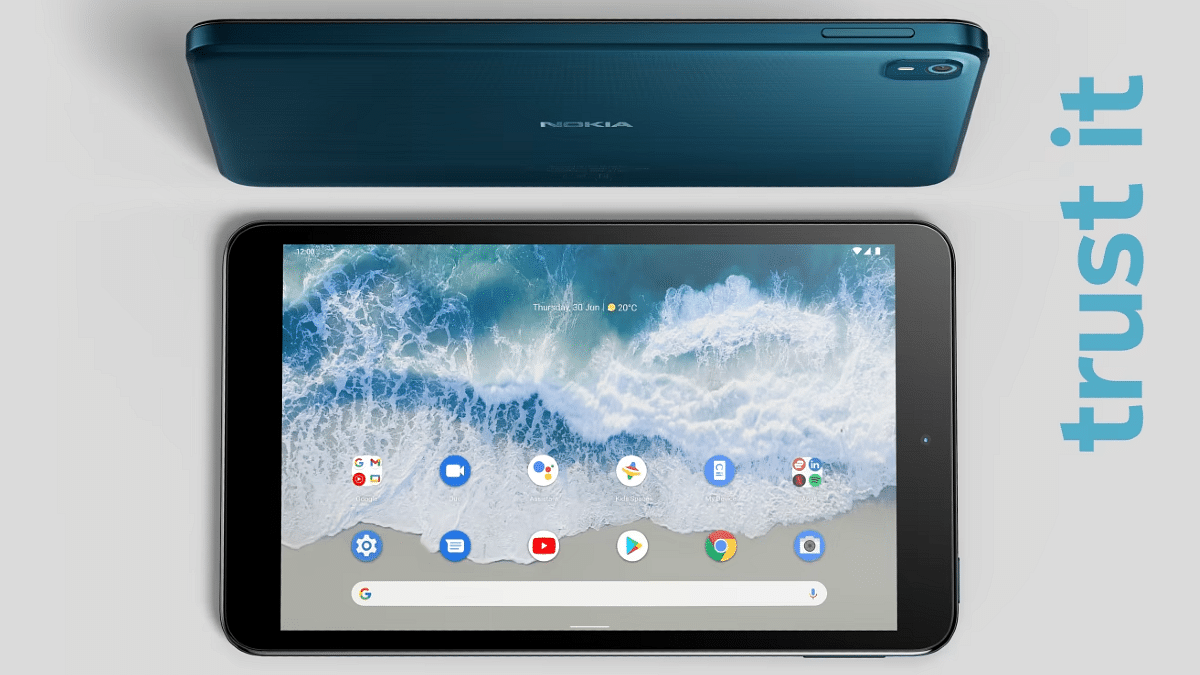
HMD Global released the new-generation Android tablets for the budget-conscious masses. The brand had released the Nokia T10 and the Nokia T20 tablets in the international markets out of which the latter has been announced in the country. Now, the Finnish giant is also bringing the Nokia T10 tablet to the country soon. While the spec-sheet of the Nokia T10 tablet is known, the pricing and availability details for the Indian market have been revealed by a new leak. Below are the details:

Nokia T10 Price In India Revealed Before Official Launch

The Nokia T10 tablet is likely getting launched during the festive season sale on one of the largest e-commerce players in the Indian market. The tablet has been spotted on the Amazon Great Indian Festival sale’s offer page listing. Nokia Power User first spotted the listing. The report doesn’t reveal the exact launch date, however, the product page listing is a confirmation of its imminent launch in the country.

Going by the report, the Nokia T10 tablet would be a budget offering that will be priced at Rs. 11,999 in the country. This pricing leak seems authentic since it has been spotted on the Amazon Great Indian Festival sale offers page.

With this price tag, the Nokia T10 would arrive as one of the cheapest Android tablets in India that will be competing against the likes of the Realme Pad Mini and the Moto Tab G20 tablets. HMD Global could soon reveal the exact launch date for the Nokia T10 sometime soon. The expected availability is on the official Nokia India website along with Amazon.

Nokia T10 India Specifications And Features

The Nokia T10 is an entry-segment Android tablet that runs on the Unisoc T606 processor. It is worth mentioning that the Nokia T20, the older sibling of the T10 also uses an octa-core Unisoc processor for power delivery and retails below the Rs. 15,000 price mark.

The Nokia T10 will be available in both Wi-Fi and Wi-Fi+ LTE variants. The device will ship with Android 12 OS and will offer a stock UI experience along with a promised three years of update cycle. Additionally, the Nokia T10 will flaunt an 8-inch display panel that will support a standard HD+ resolution.

The front panel will house a small 2MP camera for selfies and video calling, while at the rear there will be a single 8MP snapper for primary photography. The Nokia T10 will be featuring a USB Type-C port for charging and data transfers and will also integrate a 3.5mm headphone jack. The budget tablet will employ a 5,100 mAh battery to keep the lights on that will be supported by a standard 10W charging.


Categories
Featured Info Laptop

Flipkart Big Billion Days Sales 2022: Best Offers On HP, Asus, And Other Laptops

Flipkart has started its annual festive sale. As part of their 2022 Big Billion Days sale, the online retailer is giving away substantial savings on a range of electrical appliances. This is the best time to purchase a new laptop for your business or perhaps for the games you have been hoarding during the sale.

The Flipkart Big Billion Days Sale offers significantly higher discounts on Laptops and related accessories as compared to sales at other retailers. As a result, we’ve compiled some of the top laptops available on Flipkart during the BBD 2022 sale. Also, the online marketplace is offering immediate discounts of 10 percent for purchases made using ICICI Bank and Axis Bank credit cards as part of an ongoing deal.

Asus VivoBook 15 (2021)

During the Flipkart sale, the Asus VivoBook 15 (2021) is available at a reduced price of Rs. 34,990. The laptop’s 15.6-inch screen has Full HD resolution and is an anti-glare, IPS-level LED-backlit display. To log into this device, a user’s fingerprint can be utilized. A 1TB hard disc and an SSD of the same size are included, along with 8GB of DDR4 RAM.

HP Core i3 11th Gen 14s – dy2508TU Thin And Light Laptop

After the 21 percent off, the price drops to Rs. 38,990. The HP laptop has a 14-inch in size which is an IPS panel and it supports full high definition. It runs on the 11th Gen Intel chipset and is compatible with Alexa. In addition to being equipped with a USB port, it also supports a 4G LTE connection. As for connectivity, the laptop has two HDMI ports, one HDMI 2.1 and one HDMI 1.4b.

Realme Book Core i3 11th Gen

The Realme Book has an Intel i3 11th Gen chipset, the best chip available at this price point. In fact, you might not even be able to find an 11th Gen i3 processor for under Rs. 30,000. However, the Realme Book i3 is currently available for Rs. 30,000 owing to the Flipkart Big Billion Days deal. The 2K QHD IPS LCD display on this laptop is its primary selling point.

Lenovo IdeaPad 3

The Lenovo IdeaPad 3 is currently receiving a 42 percent discount on Flipkart. The price of this portable laptop is Rs. 33,990. The device weighs 1.65 kg and has a 15.6-inch screen. The 11th-generation CPU and fast SSD storage in this laptop provide smooth operation and plenty of space for all your digital media.

Categories
Featured How To Mobile

Want Lag Free Calling Experience? Here’s How To Make Calls Using Wi-Fi Networks From Any Mobile

Key Highlights

  • Mobile phones have made communication easier, even in remote areas
  • New smartphones support Wi-Fi calling for better voice call quality
  • Telecom operators are eliminating network dead zones for uninterrupted calls

Mobile phones have made it possible for the general masses to communicate with their distant relatives and peers on the go. Even with the onset of smartphones, the primary usage has been voice calls using mobile networks. Calling is now a premium experience with the new-generation smartphones as you get to make or receive calls even in remote areas where missing networks have been a common scenario until now.

The tech brands and telecom operators are now eventually scrapping out the dead zones on earth where network availability has been zero until now. Smartphone OEMs have also been equipping the new-generation phones with Wi-Fi calling. This new calling feature lets users make or receive calls using Wi-Fi instead of mobile networks from any telecom operator. Most telecom operators now allow smartphone users with the provision to call over a Wi-Fi network for a clear and uninterrupted user experience with voice calls.

Also Read | How to Fix Disconnecting Wifi Networks for Android?

All you need is the latest Android smartphone running on Android 6 or above and a reliable Wi-Fi internet connection. You can easily setup up Wi-Fi calling on your respective Android smartphones that run on the aforementioned OS versions for a rich and premium calling experience. You just need to set up the Wi-Fi calling feature to start making calls using it. Wi-Fi calling can be experienced on smartphones from popular brands such as OnePlus, Samsung, OPPO, Xiaomi, Vivo, Realme, and others. The steps are mentioned below.

Steps To Activate Wi-Fi Calling Feature On Android Smartphones Using Mobile Carriers

Step 1: Launch the Phone application on your respective Android smartphones (running on Android OS 6 or above).

Step 2: Click on the More option. It’s the three dots icon.

Step 3: Tap on the Settings menu.

Step 4: Now, select the Calls option.

Step 5: Scroll down to the Wi-Fi calling feature. If in case, this option is missing from the Settings tab, chances are the mobile operator whose services you are using still doesn’t support this option.

Step 6: For the users who don’t have the Wi-Fi calling feature present, the VoIP (Voice over IP service) is the second option.

Step 7: Just toggle on the Wi-Fi calling or the VoIP feature.

Also Read | Know WiFi Password on Android – Detailed in Simple Steps

How To Place Calls Using Wi-Fi Or VoIP Once Activated

Once the Wi-Fi calling or VoIP feature has been activated, you don’t need to perform any specific steps to place or receive calls over Wi-Fi. Simply, open the dialler app and make a call to any of your contacts and will be connected over Wi-Fi or VoIP.

For the tech geeks, stay updated with the latest cutting-edge gadgets in the market, exclusive tech updates, gadget reviews, and more right on your phone’s screen. Join Giznext’s WhatsApp channel and receive the industry-first tech updates.

Categories
Apps Featured How To

WhatsApp Business Quick Replies: How To Use Quick Replies For Businesses On WhatsApp Android, iOS

WhatsApp messaging service is used by numerous users globally. The app has evolved in the last few years and is offering services to general as well as professional users.  WhatsApp has also released a business app for small and large-scale industries to help customers with their queries instantly. With the WhatsApp Business app, you can also provide different services and resolve issues over chat.

Similar to WhatsApp’s primary messaging app, the business version also has the same set of advanced messaging features that enhances the experience with texting, voice, and video calls. WhatsApp is also proactively dishing out new features via OTA updates. The end-to-end encryption platform is also one of the crucial aspects that improve the messaging experience with business profiles.

One of the useful options that is available with the WhatsApp Business app is quick replies. This messaging feature can help you create shortcuts for a bunch of messages you frequently send the customers. With the WhatsApp Quick Reply feature, you can store up to 50 different text messages or images and videos and use shortcuts for the replies instead of typing the entire message. Below are the steps to add and use the Quick Reply feature for the WhatsApp Business app.

Steps To Add New Quick Replies To WhatsApp Business App

Step 1: Launch the WhatsApp Business app on your iPhone or Android smartphone.

Step 2: Click on the More option (three dots icon).

Step 3: Scroll to the Business tools tab.

Step 4: Tap on the Quick replies option.

Step 5: Click on Add and enter the desired message that you want to store as a Quick reply.

Step 6: Now, select the keyboard shortcut that you want to set as a Quick reply.

Step 7: Hit the Save tab.

How To Send Default Quick Replies Or Automatic Replies On WhatsApp

Step 1: Go to any chat window and type “/” in the message box. You can also click on the Attach (clipper icon).

Step 2: Select the Quick Replies option and then tap on the Use Quick reply as an attachment.

Step 3: Now, select the appropriate quick reply option that will automatically show up in the text box.

Step 4: You can either edit the message or send it directly

Categories
Comparison Featured Tablet

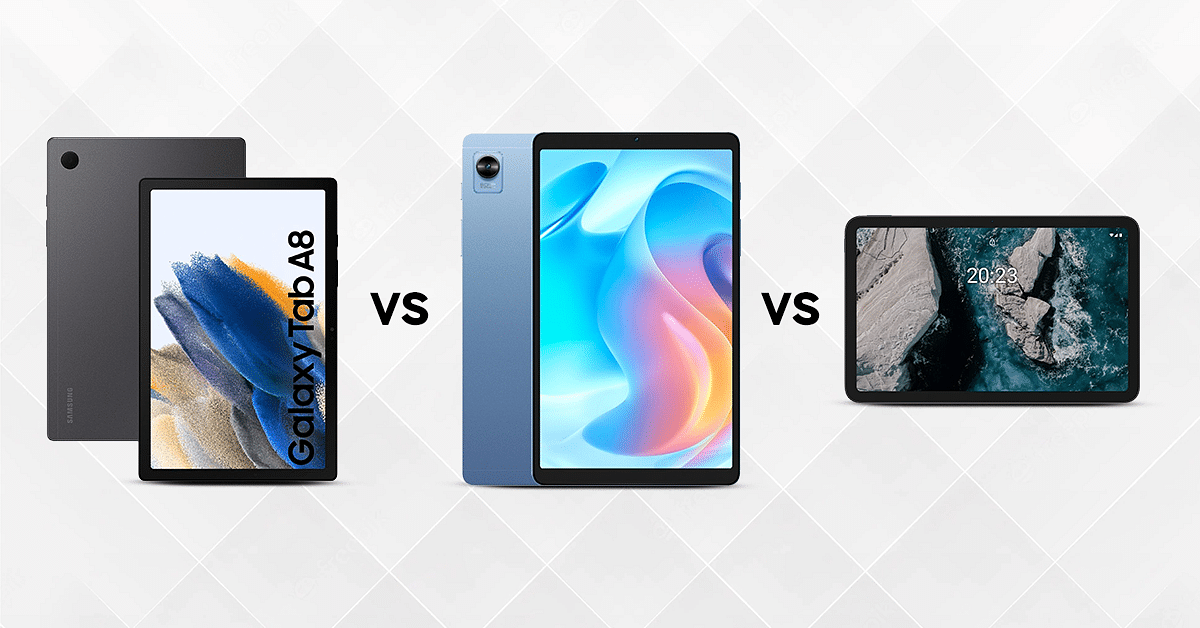
Samsung Galaxy Tab A8 Vs Realme Pad Mini Vs Nokia T20: Best Cost-effective Tablet In India

Tablets have become one of the top preferences for entertainment and professional work. The latest generation Android and iOS tablets assure you of a rich visual experience and powerful day-to-day performance. Realme has been one of the top choices for its premium yet affordable smartphones and tablet models at inexpensive prices. Samsung and Nokia have also emerged as close competitors in the tablet market. Therefore, today we are going to compare three popular budget tablets from these brands. We are pitting down the Samsung Galaxy Tab A8 against the Realme Pad Mini and the Nokia T20. 

Display Specifications 

The Samsung Galaxy Tab A8 features a 10.5 inches TFT LCD display. It has a resolution of 1920 x 1200 pixels, which ensures decent feedback with content production. The panel has a brightness of 330 nits with which offers average outdoor visibility. The Realme Pad Mini has an 8.7-inches LCD screen. The budget Android tablet’s display has a resolution of 1340 x 800 pixels. Moreover, it has a brightness of 360nits with which it will offer a similar outdoor viewing experience as the Galaxy Tab A8. 

The Nokia T20 has a massive screen that measures10.4-inches and is an LCD panel. The display on this budget Nokia tablet operates on a 2K resolution of 1200 x 2000 pixels. It has a maximum brightness of 400nits with which it offers better sunlight visibility compared to the other two models. 

Overall, the Nokia T20 offers better display performance than the rest of the two, it has higher brightness levels along with a 2K resolution. 

Chipset Comparison 

The Samsung Galaxy Tab A8 operates on the Unisoc Tiger T618 processor with an octa-core CPU cluster design. It is available in three different variants 4GB with 64GB and 128GB of internal storage, and 3GB RAM + 32GB storage. Also, the variants are also available in LTE and Wi-Fi models. It additionally supports expandable memory of up to 1TB via an external microSD card. 

The Realme Pad Mini houses the Unisoc T616 octa-core chipset. This is a budget mobile processor for Android smartphones and tablets. The Realme Pad Mini ships with 3GB RAM and 32GB storage, which can be expanded up to 1TB via a microSD card slot.

The Nokia T20 operates on the Unisoc T610 which is also an octa-core chipset for entry level devices. The Nokia T20 is available in three variants, which includes 3GB RAM with 32GB storage and 4GB of RAM along with 64GB of onboard storage. It also has an expandable memory of up to 512GB via a microSD card slot. 

Overall, all three tablets in this list will offer a similar user experience with all tasks with their entry-level Unisoc chipsets.

Camera Features 

The Samsung Galaxy Tab A8 features an 8MP rear camera and a 5MP front camera. Also, the tablet allows you to record FHD videos (1920 x 1080) at 30fps. The Realme Pad Mini is equipped with an 8MP rear camera and a 5MP front camera. Similarly, the Nokia T20 consists of an 8MP rear camera and a 5MP front camera with autofocus. 

Overall, all three tablets feature the same camera specifications and are good for general photography. 

Battery and Fast Charging 

The Samsung Galaxy Tab A8 features a 7040mAh non-removable battery. It is accompanied by a 15W charger, which takes about four hours to refuel it from zero to 100 percent. 

The Realme Pad Mini has a 6400mAh battery and can be completely charged in a little less than three hours via the 18W charger. One single charge can support up to 15.8 hours of video streaming. 

The Nokia T20 has a huge 8200mAh battery, which comes with an a10W fast charger, and can be fuelled up to full within three hours.

In terms of battery life, the Realme Pad Mini offers a long battery life and charges faster than the other two. 

Which One Should You Choose?

 After considering all of their key aspects, we have come to the conclusion that all three tablets offer almost similar specifications. However, the Nokia T20 has an upper hand in the display department, the Samsung Galaxy Tab A8 has a better chipset and Realme is better in the charging category. 

Categories
Comparison Featured mobile

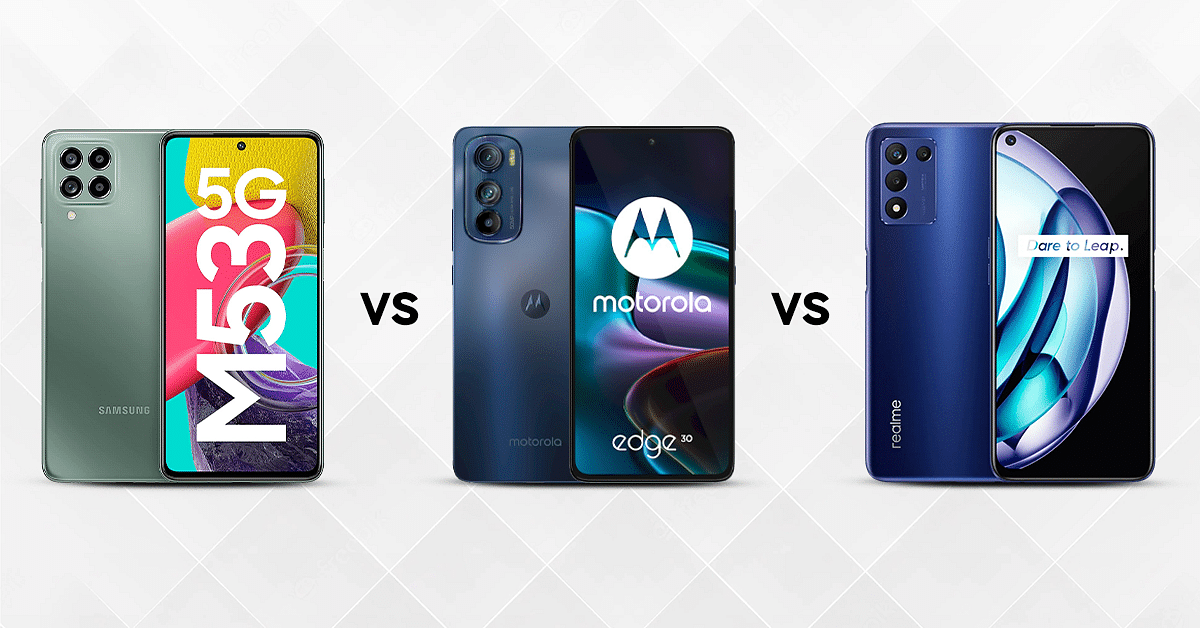
Samsung Galaxy M53 5G Vs Motorola Edge 30 Vs Realme 9 SE 5G: Pocket Friendly 5G Phone In India

If an affordable phone with advanced features is what you are looking for, rest your search. We have compared three phones loaded with quite a variety of user-friendly features. The Samsung Galaxy M53 5G which is a premium mid-range phone that comes at a price of Rs. 23,999. Another good pick in this segment is the recently introduced Motorola Edge 30 which retails at Rs. 26,999 in India.The Realme 9 SE 5G whose price starts at Rs. 16,999 gives both these handsets a tough competition. Which one is the best pick for you? Read on to find out:

Display, Camera And Battery

The Samsung Galaxy M53 5G boasts a large Super AMOLED display measuring 6.7-inches. The screen offers a resolution of 1080 x 2400 pixelsfor a premium viewing experience. The Motorola Edge 30 provides great visual performance with its 6.5 inch FHD+ display . The panel on the latest Motorola Edge series phone supports a resolution of 2400 x 1080 pixels and with DCI-P3 color gamut for high resolution output.

The Realme 9 SE 5G’s display is 6.6 inches IPS LCD gets an FHD screen resolution of 1080 x 2412 pixels and an aspect ratio of 20:9. Also, the bezel-less front screen of the smartphone features a pixel density of 400ppi alongside a refresh rate of 144Hz , providing a fulfilling visual experience.

The Samsung Galaxy M53 5G boasts a rear camera setup  comprising a 108 MP main camera along with an 8 MP ultrawide angle sensor and a 2 MP additional sensor . The front camera has a 32MP lens with an F/2.2 aperture for video calls, photos and selfies.

The Motorola Edge 30 comes with three cameras featuring a 50MP main camera , a 50MP ultra-wide angle camera with 114-degree FOV, and a 2MP third sensor for depth mapping.

The Realme 9 SE features  a 48MP primary camera with an of f/1.8 aperture  . It also has a 2MP macro camera with  f/2.4 dual and an 8MP ultra wide angle camera.

 The Motorola Edge 30 is equipped with a 4020mAh battery which is highly efficient and can deliver over half a day of backup. Thanks to its TurboPower 33W rapid charger that recharging speeds are quick.

The Motorola Edge 30 packs a massive 5000 mAh battery that can be charged via fast charger. The Realme 9 SE 5G is powered by a 5000mAh battery. The battery type is Li-Polymer and compatible with 30W Dart Charging besides being non- be plugged removable by nature.

Processor, RAM And Connectivity

The Samsung Galaxy M53 5G  houses 128GB of internal storage and 8GB RAM.  It has expandable microSD card support as well.

The Motorola Edge 30 runs on Android 12.0 OS and ships with a custom OneUI interface. It runs on the Snapdragon 778G+ 5G chipset for a reliable gaming experience. The Motorola Edge 30 has 6GB / 8GB LPDDR5 RAM to perform best under demanding conditions such as extensive multitasking and gaming. With 128GB internal storage, you’ll have plenty of room to store your photos, music and data all in one place. The Motorola Edge 30 offers a powerful connectivity experience with dual SIM cards, Wi-Fi, Bluetooth, GPS and more.

Inside The Realme 9 SE 5G you’ll find the Qualcomm Snapdragon 778G chipset coupled with 6GB RAM and  128GB internal storage  which can be expanded using a microSD card.

Categories
Apps Featured

Best Instagram Features That Are Worth Trying

Did you know you could schedule future Instagram posts? Or tweak your bio so that it shows up on the Explore tab? There is a ton of lesser-known Instagram settings, hacks, and search tools that can help you step up your Instagram game to the next level. And we’ve gathered them all together here.

There are Instagram features available for everyone, whether you’re a recruiter trying to highlight the culture of your business, an e-commerce marketer, or someone who just wants to use Instagram as effectively as possible. Let’s check some of the best Instagram features that are worth giving a try:

Reply While You Browse

While viewing your feed, a new message can come in. Also, you can respond to them instantly without having to go to your inbox and lose your place. Chatting while on the phone is now even simpler and more practical thanks to this feature.

Send Silent Messages

By including “@silent” in your message, you can send silent messages without notifying friends late at night or during a busy time. Now you can communicate without worrying about sending unnecessary notifications.

Instagram Reels

Reels are currently driving Instagram’s viral growth. It gives followers a means to produce and find quick, interesting films. Users are drawn to the entertaining videos and share them right away with audio, effects, and new artistic tools.

Play, Pause, And Replay

You can now post a 30-second preview of the song you can’t stop thinking about, and your friends can listen to it immediately from your chat. This feature is made possible by integrations with Apple Music, Amazon Music, and Spotify that are coming soon.

See Who’s Online

You can see who is available to talk to at the moment by looking at the top of your inbox. This will make it easier for you to connect with pals inadvertently.

Hide, Delete, Or Disable Comments On Posts

Twitter may have a more open-ended remark culture, but it’s far simpler to manage who comments on your content on Instagram. If you oversee a business account, this is extremely crucial.

Create A Poll

Choosing a restaurant for supper or a time to meet? One of Messenger’s most popular group chat features is coming to Instagram. You can use this to make a poll right in your group chat.

Categories
Apps Featured How To

How To Migrate YouTube Channel And Videos To A Different Account

Key Highlights

  • YouTube is the most popular platform for online video streaming and entertainment
  • Users can earn money by creating and sharing videos on YouTube
  • You can create a YouTube channel or move an existing one to a new email account

YouTube can be deemed the best streaming service for online video streaming. Users from all over the world have been using Google’s this video streaming platform for entertainment. Google has also made it possible for the general audience to earn a good sum of money by uploading videos and sharing them with the public.

Also Read | Top YouTube Channels For Exploring Hindu Mythology

If you want to earn money by creating videos on YouTube, you would need to create a channel. The wider popularity and audience reach are one of the best ways to make the most of monetization on YouTube. You can create your YouTube account and a brand channel using a Gmail or supported email address. If in case you already have an existing channel that you wish to move to any other email account, you have the provision to do so. You can move the videos as well to a different account. But what are the steps to migrate your old channel to a new account? Read the steps here.

Steps To Migrate Old YouTube Channel To A New Account

In order to move your old YouTube channel to a new account, you would need to be aware whether the channel is created using a Google or Brand account. If you don’t have the latter, you can create one by following the steps below:

Step 1: Sign in to your YouTube account and head to the channel list.

Step 2: Tap on the Create a channel.

Step 3: You would need to fill in all the necessary details related to your Brand Account.

Step 4: Complete the account verification process.

Step 5: Tap on Create option and your Brand Account will be created.

Also Read | Not Sure What To Watch? YouTube’s Play Something Button Picks For You

How To Move Any Brand Account To A Different Google Account

Step 1: Open the YouTube app and sign in to your Brand Account.

Step 2: Tap on the profile picture option from the app’s home page.

Step 3: Click on the Settings (gear icon).

Step 4: Scroll down to the Account option.

Step 5: Tap on the Add or remove manager tab.

Step 6: You will see the Manage Permissions settings. Click on it. You might be asked to verify your credentials such as password and email address. Complete the process.

Step 7: A new option will show up on the screen called Invite new users. Tap on it.

Step 8: Type the new email address or the Google Account to which you wish to migrate your old channel and its content.  

Step 9: Now, enter the name of the user and the profile’s role in the channel. If you are the primary owner, add your details.

Step 10: Click on Invite.

Step 11. Select Done and then open the new email address. Accept the invitation.

Step 12: After a time period of seven days, you will be able to sign in to the YouTube channel using the new account.

Step 13: Open the Settings menu and head back to the Manage Permissions option.

Step 14: From the drop down arrow, select the primary owner and tap on Transfer option.

For the tech geeks, stay updated with the latest cutting-edge gadgets in the market, exclusive tech updates, gadget reviews, and more right on your phone’s screen. Join Giznext’s WhatsApp channel and receive the industry-first tech updates.

Categories
Chipset Comparison Featured

Qualcomm Snapdragon 888 Vs MediaTek Dimensity 1300 Chipset Quick Comparison

The smartphone industry is evolving with the latest hardware innovations. The modern age mobile phones are all laced with the best-in-class camera, display, and battery features delivering a premium user experience. The chipsets packed inside each smartphone play an equally vital role in delivering a high-end user experience by providing reliable and faster processing speeds.

And when we speak of mobile chipsets, MediaTek and Qualcomm are amongst the two major players offering a wide catalog of options ranging from affordable to the premium segment. We have been consistently comparing the most popular mobile chipsets driving the latest smartphones. This article is a quick comparison between the Qualcomm Snapdragon 888 and the MediaTek Dimensity 1300 processors which are used by some of the best premium Android phones.

Qualcomm Snapdragon 888 Vs MediaTek Dimensity 1300 Processor: CPU Architecture, GPU Comparison

The CPU architecture is one of the most crucial aspects of any processor. Starting with Qualcomm’s premium Snapdragon 888, it has an octa-core CPU cluster with a single Cortex X1 processor with 2.8GHz clock speed, three Cortex A78 cores with 2.42GHz clock speed, and four Cortex A-55 cores with 1.8GHz clock speed. This flagship Qualcomm Snapdragon 800 series processor is fabricated with a 5nm process and ARMv8.4-A instruction set. It offers a frequency range of 2840MHz.

MediaTek has also used an octa-core CPU cluster to design the Dimensity 1300 processor along with the ARMv8.2-A instruction set. The fabrication process used for the Dimensity 1300 processor is 6nm and the frequency range offered is 3000MHz.

Qualcomm has used the Adreno 600 series GPU architecture and integrated the Adreno 660 GPU inside the Snapdragon 888 processor. This flagship grade Qualcomm processor has a high 840MHz frequency range, 1.1 Vulkan, 2.2 OpenCL, and 12 DirectX version.

On the contrary, the MediaTek Dimensity 1300 processor also has the same Vulkan, OpenCL, and DirectX version, but a different Maki-G79 GPU which has a higher 850Mhz GPU frequency. The MediaTek Dimensity 1300 gives tough competition to the Snapdragon 888 SoC in the CPU and GPU performance but falls short by just a few pointers.

Snapdragon 888 Chipset Vs Dimensity 1300 Processor: Memory, Multimedia (ISP)

The memory type supported by the Qualcomm Snapdragon 888 chipset is LPDDR5 with a total memory frequency of 3200 MHz. It can accommodate up to 24GB of maximum memory. The MediaTek Dimensity 1300 processor has the older LPDDR4X RAM support with 4266MHz memory frequency. It offers a maximum memory support of up to 16GB. The storage support offered by the Snapdragon 888 chipset is UFS 3.0 and UFS 3.1, while the Dimensity 1300 just comes with UFS 3.1 storage support.

Speaking of the maximum camera resolution, it’s 2160 x 3840 pixels with the Snapdragon 888 and 1080 x 2520 pixels with the Dimensity 1300. The former enables support for 1 x 200MP and 2 x 25MP max camera resolution which is just 1 x 200MP with the latter. Also, the Snapdragon 888 processor has up to 8K video playback and recording support, while the Dimensity 1300 has 4K@60fps videos recording support.

Categories
Featured Info Mobile

Apple India Begins Diwali Sale On September 26: All You Need To Know

Key Highlights

  • Apple announced the date of its Diwali sale
  • The tech giant hasn’t revealed the deals yet
  • Apple is expected to offer free AirPods with the iPhone 13

Even though Flipkart and Amazon’s festival sales have already begun with enticing discounts on iPhones and other Apple products, Apple will hold its own festive sale before Diwali.

On its official website, Apple has announced that it will be holding a Diwali sale. The company has stated that the sale offers would be available starting on September 26, which is essentially next week. The tech giant did state that there would be some limited-time period offers. However, it hasn’t provided any other information regarding the deals. Most likely, it will provide free gifts with iPhone purchases.

There are chances that the Cupertino-based company will once again provide a free pair of AirPods with the purchase of the iPhone 13 at its original price. However, considering that the iPhone 13 is available on Flipkart for a much cheaper price, it may not be an entirely good deal.

Apple’s Diwali Sale: Deals And Offers

Apple will have a special sale on its website on September 26. But the deals haven’t been made public yet. Like last year, we believe the company will give away a free pair of AirPods when you buy an iPhone 13 at its original price. It’s unclear if there will be any additional discounts on iPads, MacBooks, and other products. Only when the sale goes live on September 26 should we learn more.

While Apple’s sale appears to be profitable, the iPhone 13 is priced at Rs. 69,900 is still significantly higher than the discounted price advertised on Flipkart during the Big Billion Days sale.

Apple will also be releasing more iPhone 14 and iPhone 14 Pro and iPhone 14 Pro Max inventory during the sale. The latest iPhones feature improved camera systems, new face designs, and upgraded internals. The iPhone 14 is priced at Rs. 79,900 for the 128GB variant while the iPhone 14 Pro starts at Rs. 1,29,900 for the 128GB storage variant.