Categories
Accessories Featured

Apple Announces New AirPods Pro: Key Features, Price, And More

Key Highlights

  • Apple announces the next generation of AirPods Pro
  • It comes with an upgraded H2 chip
  • It has a new Touch Control feature on the stem

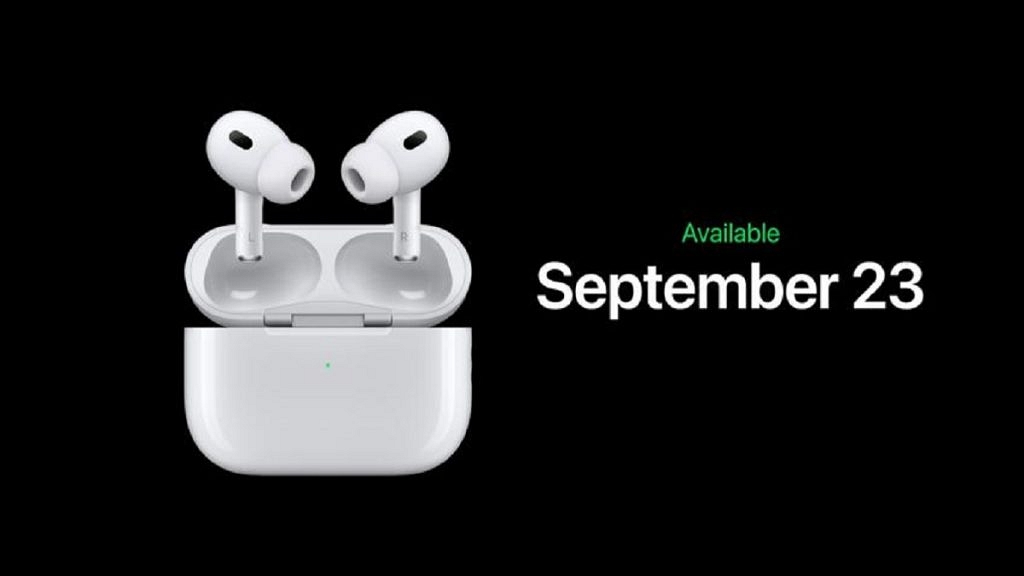
After a gap of three years, Apple has finally released the new AirPods Pro with an enhanced H2 processor that offers up to twice as much active noise reduction and more. This is the second generation of Airpods Pro. It has a design that is reminiscent of the original AirPods Pro. Here’s all that you need to know:

Apple AirPods Pro Specifications

The new AirPods Pro resembles the first model in appearance. Users can now swipe up or down on the stem’s new Touch Control function to change the volume, and in addition to small, medium, and large silicone ear tips, there is now also an XS size option.

The H2 processor in Apple AirPods Pro aims to deliver higher audio quality. It has brand-new personalized Spatial Audio.

A user’s iPhone running iOS 16 can be used to create personal Spatial Audio. A new personalization feature for Spatial Audio allows it to be specially adjusted to your head’s and ears’ size and shape.

Advanced computational audio in the new AirPods Pro is said to provide double noise cancellation. Additionally, the gadget has a new feature called Adaptive Transparency.

According to Apple, the new AirPods Pro have a battery life that is comparable to the third-generation AirPods, offering up to six hours of listening time per charge. In comparison to the original AirPods Pro’s 24-hour maximum listening time, the charging case now offers up to 30 hours of total listening time.

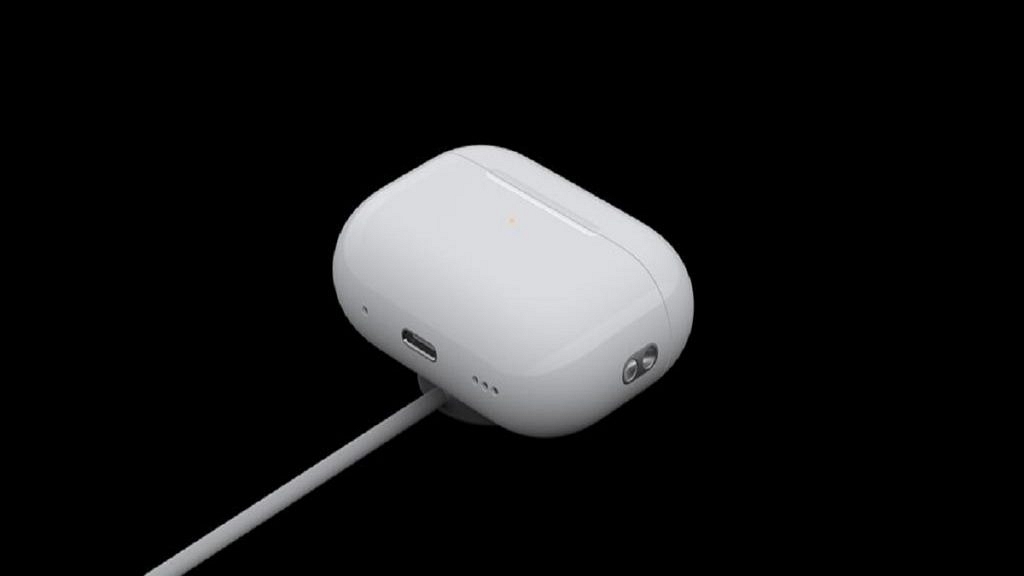
The new charging case has an integrated lanyard loop and speaker for Find My Support. The case’s Lightning connector is still present.

Apple AirPods Pro: Price And Availability

The new AirPods Pro will be available for order starting this Friday, i.e., September 9. It will come with pricing set at $249 (approx. Rs. 19,835) in the United States, which is the same price as the original. The second-generation AirPods Pro will be made available on September 23.

Categories
Featured Smart Watch

Apple Welcomes Watch Series 8: Check Out Features, Price, And More Details

Key Highlight

  • Apple Watch Series 8 launched
  • It features car detection, menstrual tracking features
  • It comes at a starting price of Rs. 31, 806

Apple unveiled the Watch Series 8 at its ‘Far Out’ event on September 7. The event was broadcast live across all of the top social media platforms. CEO Tim Cook and other Apple executives presented the new line of gadgets at the event. With the Apple Watch Series 8, Apple also unveiled the iPhone 14 series and AirPods Pro 2.

Apple Watch Series 8 Specifications

Apple says that the Watch Series 8 is built to maintain data privacy and security, and health information will only be shared with the user’s express consent.

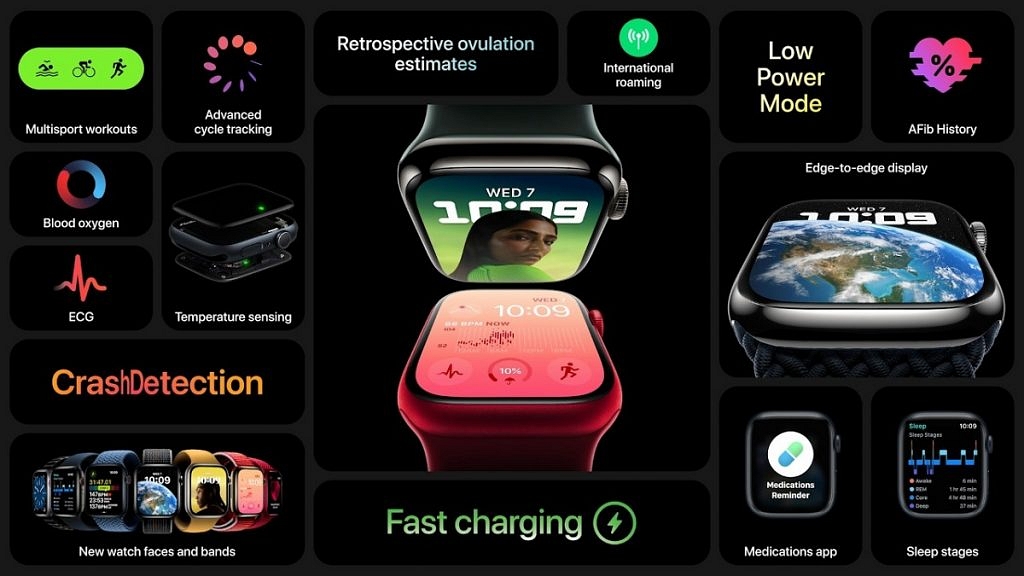
Ovulation tracking is among the functions of the Apple Watch Series 8 that are geared toward women’s health. It boasts new watch faces, an always-on display, and improved durability. It is resistant to cracks, dust, and swimming.

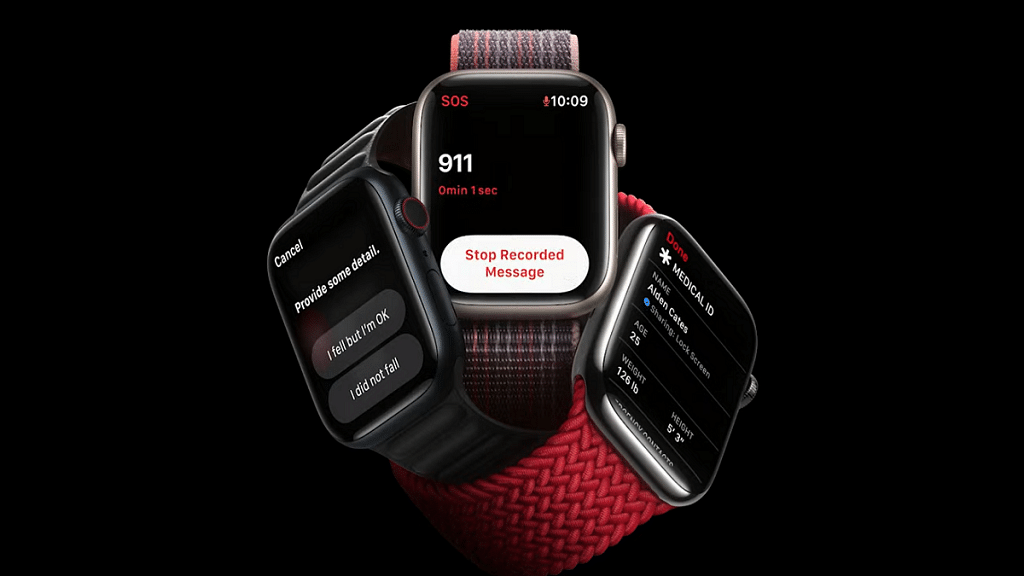
Additionally, Apple implemented additional security features that use two motion sensors. The new car crash detector can determine whether you were involved in a serious collision and will immediately contact emergency services.

Apple Watches now have a new mode that temporarily disables the always-on display and workout alerts, extending battery life from 18 hours to 36 hours.

It will be offered in three shades of stainless steel and four colors of aluminum, including black, gold, red, and aluminum. For an aluminum model, it costs at least $399 (approx. Rs. 31,000), and for one with cellular connectivity, will cost $499 (approx. Rs. 39,000).

Apple Watch SE Specifications

Apple has unveiled a new Apple Watch SE, a more affordable variation of its flagship Series 8. The model for this year has a larger screen, a new underneath plastic design, heart rate notifications, fall detection, and other features.

Starting on September 16, the Apple Watch SE will retail at $249 (Rs. 19,832) or $299 (approx. 23,815). It is being marketed by Apple as a device for children who might not require an iPhone of their own.

Apple Watch Ultra Specifications

Apple announced the Apple Watch Ultra, a new high-end watch with a fresh design, a larger screen, and a titanium case. Outdoor athletes are the target market for the product. It has a redesigned watch face with greater details and a compass. Additionally, it sports a brand-new “action” button for speedy use when exercising or donning gloves.

According to Apple, the watch can get as many as 60 hours of battery life with a software upgrade this fall. The Apple Watch Ultra will cost $799 (approx. Rs. 63,639) and will hit store shelves on September 23.

Categories
Featured How To Telecom

How To Win Rs. 10 Lakh Every Day From Reliance Jio: Check All Steps Here

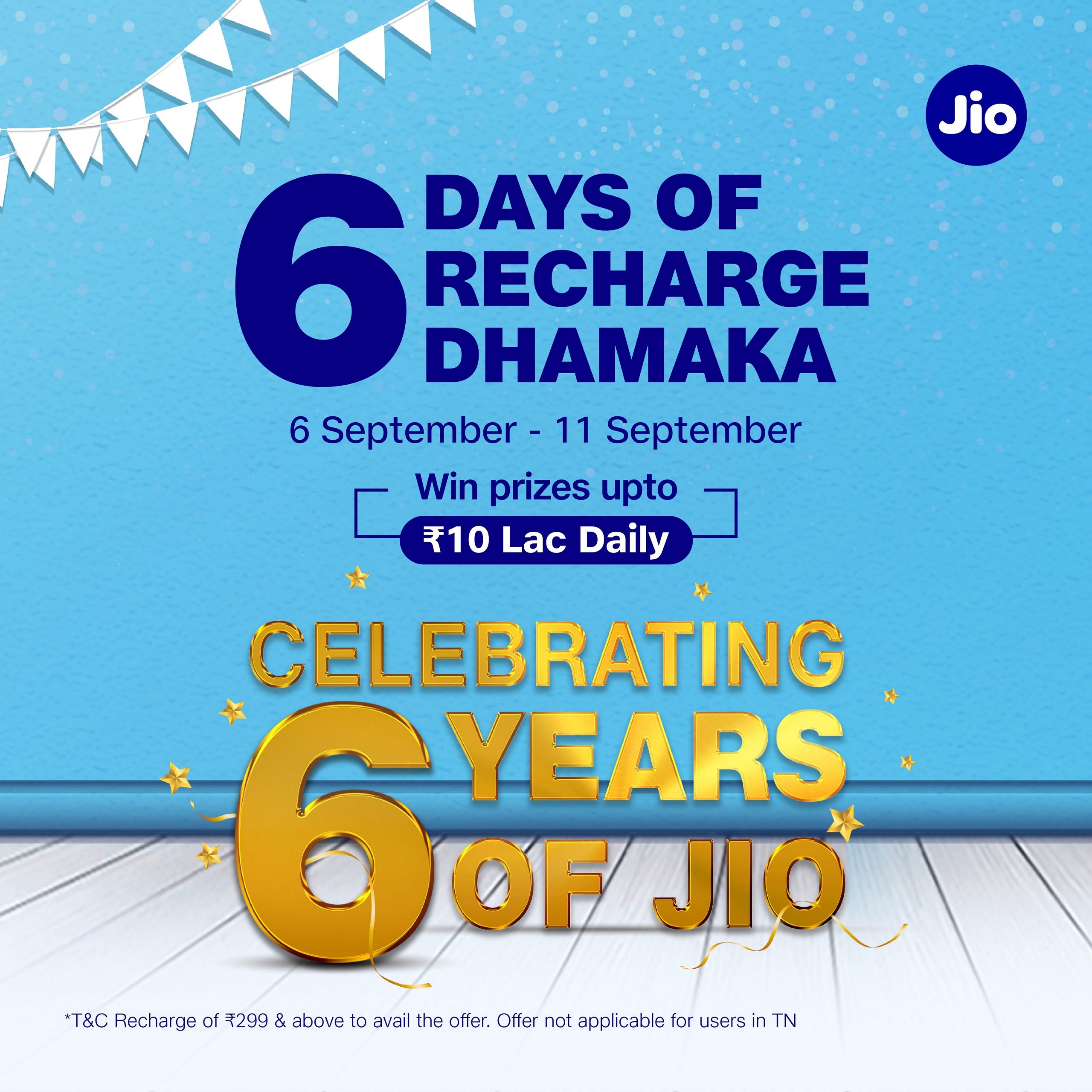
Reliance Jio, India’s leading telecom operator, has finally completed six years in the country. Besides, the telecom operator announced many benefits along with prizes worth Rs. 10 lakh every day to customers who are recharging their mobile numbers. Besides, this offer is applicable for six days between (September 6th and September 11th).

Reliance Jio Prepaid Plan To Win Prizes: Details

Reliance Jio is providing these benefits for Rs. 299 or more and users of these packs are eligible to get the prizes. In addition, the company said that this offer is available for all users in the country except customers in Tamil Nadu as Jio shared that they can win something else.

How To Get Rs. 10 Lakh Prize From Reliance Jio: Details

It is worth noting that there are some terms and conditions to winning an Rs. 10 lakh prize on the daily basis. This information has been shared by the company’s official Twitter page. However, this offer is not available for Reliance Jio postpaid users.

This offer is applicable on all unlimited recharge plans and in case you are not an active user, then you can also recharge the pack with your favorite plan and this pack will be activated after the expiry.

Reliance Jio 6 Years Benefit: Details

The telecom operator is providing high-speed data, coupons from Netmeds, JioSavn, Ajio, and more. Notably, this benefit for Rs. 2,999 plan. This plan also offers 75GB of data, Ixigo coupons close to Rs. 750, and a 25 percent discount coupon on orders close to Rs. 1,000.

The plan also provides Rs. 750 off on the purchase of Rs. 2,990 on Ajio. In addition, the customers will get a discount of Rs. 500on after purchasing electronics worth Rs. 5,000 from Reliance Digital.

.

Categories
Chipset Comparison Featured

Qualcomm Snapdragon 6 Gen 1 Vs Snapdragon 4 Gen 1 Processor: Latest Qualcomm Mobile Chipset Comparison

Key Highlights

  • Qualcomm Snapdragon 6 Gen 1 and Snapdragon 5 Gen 1 chipset launched
  • Snapdragon 6 Gen 1 replaces Snapdragon 695 5G chipset and is fabricated using a 4nm process
  • Snapdragon 4 Gen 1 replaces Snapdragon 440 Plus chipset and is fabricated using a 6nm process

Qualcomm is rapidly improving its game with mobile chipsets and has released multiple new processors for different segments of Android mobiles in the global market. The Snapdragon 400 and the Snapdragon 600 series have been powering the affordable and mid-range phones in the market. The company is gradually replacing its older Snapdragon chipset lineups by releasing new-generation processor models.

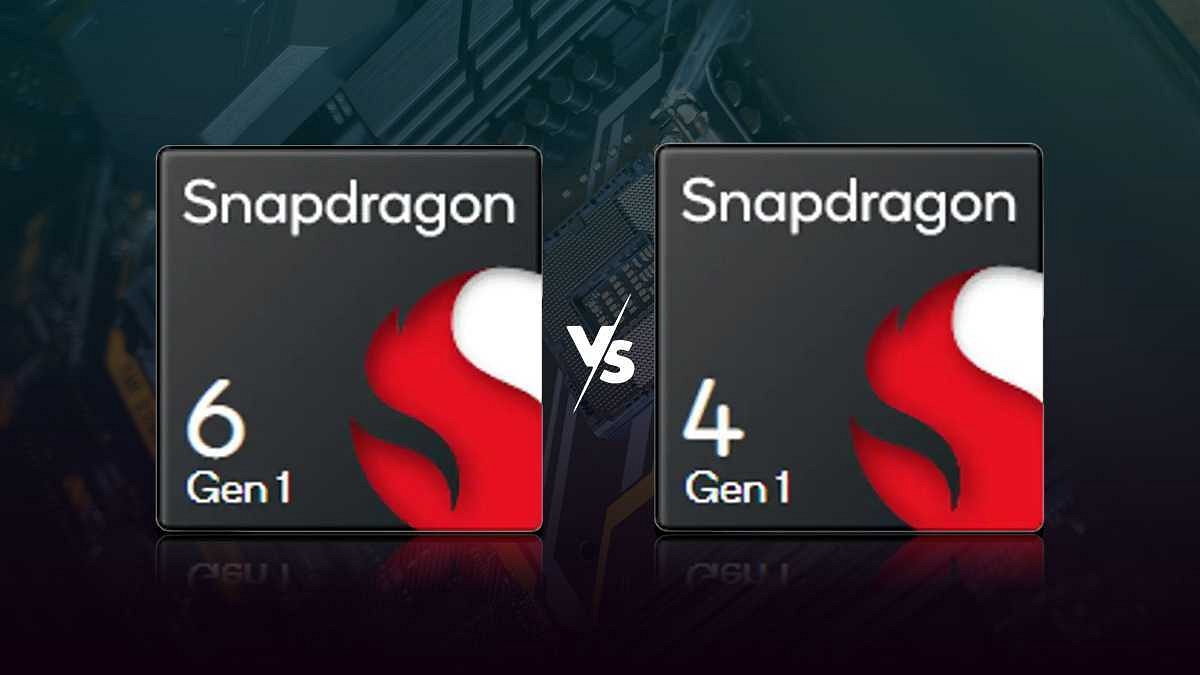
Previously, the Snapdragon 8 Gen 1 chipset series had replaced the Snapdragon 800 mobile chipset lineup. Qualcomm has now announced the Snapdragon 4 Gen 1 and the Snapdragon 6 Gen 1 chipsets that will take over the existing Snapdragon 400 and the Snapdragon 600 series. How do both the latest Qualcomm Snapdragon processors compare in the CPU, GPU, Memory, and Multimedia (ISP) segments? Read on below:

Qualcomm Snapdragon 6 Gen Vs Snapdragon 4 Gen 1 Chipset: CPU Architecture

Just for reference, the Qualcomm Snapdragon 6 Gen 1 chipset is said to bring over 40 percent CPU and 35 percent improved GPU performance over the Snapdragon 695 5G processor. This latest Snapdragon 5G chipset will be replacing the SD 695 5G SoC and will power the upcoming premium mid-range Android phones in the market. Qualcomm has not specified the exact CPU architecture.

However, the processor is based on 4nm fabrication and has 64-bit Kyro CPU with up to 2.2GHz clock speed. Similarly, Qualcomm has not specified the exact architecture details for the Snapdragon 4 Gen 1 chipset. The chipset is built on a 6nm fabrication process and has a 64-bit Kyro CPU architecture with up to 2.0 GHz clock speed.

Similar to the Qualcomm Snapdragon 6 Gen 1, the Snapdragon 4 Gen 1 will also be replacing the existing Snapdragon 400 series; Snapdragon 480 Plus chipset specifically. The performance improvements are high with this processor as well compared to the SD 480 Plus.

Also Read: Qualcomm Snapdragon 778G Vs MediaTek Helio G88 Chipset: Which Mid-Range Mobile Processor Wins?

The Snapdragon 4 Gen 1 processor will deliver 15 percent better CPU and 10 percent GPU performance over the previous-gen model. But out of these Snapdragon 6 Gen 1 and the Snapdragon 4 Gen 1, the former will offer a powerful user experience combined with 5G network connectivity.

Qualcomm Snapdragon 6 Gen Vs Snapdragon 4 Gen 1 Processor: GPU Performance

Qualcomm has also not defined the exact GPU version with neither the Snapdragon 6 Gen 1 nor the Snapdragon 4 Gen 1 processors. However, an Adreno GPU is confirmed for both these processors. The SD 6 Gen 1’s GPU features OpenCL 2.0 FP API support and has Vulkan 1.1 and OpenGL ES 3.2 version support.

The Snapdragon 4 Gen 1 processor also has the same 1.1 Vulkan version, OpenGL ES 3.2 version, and OpenCL 2.0 FP API support as the Snapdragon 6 Gen 1 chipset. We will update this section once the exact GPU models for both these new Qualcomm chipsets are revealed.

Also Read: Qualcomm Snapdragon 750G Vs MediaTek Dimensity 800 Chipset Comparison: Which Mid-Range 5G Chipset Is Better?

Qualcomm Snapdragon 6 Gen 1 Vs Snapdragon 4 Gen 1 SoC: Memory Compatibility

The Qualcomm Snapdragon 6 Gen 1 processor has LPPDR5 memory compatibility. The processor will support a maximum memory capacity of 12GB and will have a max frequency range of 2750MHz. This chipset comes with UFS 3.1 storage support. On the other hand, Qualcomm has added LPDDR4X RAM support with the Snapdragon 4 Gen 1 chipset.

The processor offers up to a 2133MHz memory frequency range. The SD 4 Gen 1 offers compatibility with eMMC 5.1 and UFS 2.2 storage support.  We will be updating the other prime difference between the Snapdragon 6 Gen 1 and the Snapdragon 4 Gen 1 processor including the Multimedia (ISP) and connectivity aspects.

Also Read: Qualcomm Snapdragon 888 Vs MediaTek Dimensity 1300 Chipset Quick Comparison
Categories
Featured Gaming

Best Train Simulator Games For PC Gaming Enthusiasts

Many gamers are unfamiliar with the popular branch of video games known as simulators. Why? Simulator games are built on the premise of being sophisticated and slow, but still require a much higher level of intelligence and strategy-making ability, and are filled with realism and precision that are a class apart. This is true even though they aren’t as exciting and action-packed as their counterparts. In this post, we’ve listed some of the best train simulator PC games in this article that you can consider playing. Let’s check them out:

Also Read | Best real-life bus Simulator Games For PC

Rail Nation

Rail Nation is more of a management game if you want to combine your love of trains with your love of strategy. It focuses on all the specifics, practical considerations, and political maneuvers involved in managing your own railway empire. There is much to admire in Rail Nation, which is free to play and delves into the minutiae of trains. By effectively managing your employees, revenues, and relationships with nearby train businesses, you’ll start out small and eventually build up to having a network of trains and stations.

Also Read | Best ‘Call of Duty’ Games To Download And Play: Check Out The List

Railroad Pioneer

In this train simulation game Railroad Pioneer, you play the owner of a railroad company in the 1800s. To facilitate trade in goods and allow for movement, you must build the railroads that link cities together. You can even explore well-known train tracks in the West as you travel and learn about the challenges the railroad industry faced at the time. You can play ten historically authentic story-based campaigns in addition to a variety of game types, terrain settings, expandable industries, and professions.

Also Read | Love Playing Games? Check Out The Best Gaming Laptops Under Rs. 50,000

Train Fever

Players in Train Fever are tasked with building a transportation empire while looking beyond the rails. You’ll need to oversee the transportation of commodities from mines, forests, farms, and other locations in addition to creating train lines and stations. To enable carriages carrying such commodities to get to your stations, you’ll also need to construct city roads. Players who can get past Train Fever’s high learning curve will find a hugely satisfying PC simulation game.

Trainz Simulator 12

The long-running Trainz series of railroad simulation games now allow players from all over the world to participate in gameplay. In the multiplayer game, you can run railroad networks with friends, create your own railroads using the editing tool, and find and use hundreds of thousands of other users’ assets. Of course, there is also the thrill of driving your own powerful locomotive through towns, cities, and the countryside.

Also Read | Gamers Rejoice: List Of Top Trending Action Adventure Games You Should Play

Categories
Apps Featured How To

WhatsApp UPI Payment: How To Setup Bank Account, UPI For Money Transactions On WhatsApp

WhatsApp has integrated numerous new features into its messaging application on the Android and iOS mobile ecosystems. The brand has also released multiple of these features to the WhatsApp Web version as well in the last few years. WhatsApp is amongst those few messaging applications that is based on an end-to-end encryption chat system with which it becomes most secure for personal and private messaging.

WhatsApp isn’t solely upgrading its platform for an improved texting experience. The changes and features added in the last few years have also enhanced the experience of voice/video calling directly from the app and sharing data such as media files and location. But that’s not it, WhatsApp is modernizing itself with the given market trend and has also integrated payment services including UPI.

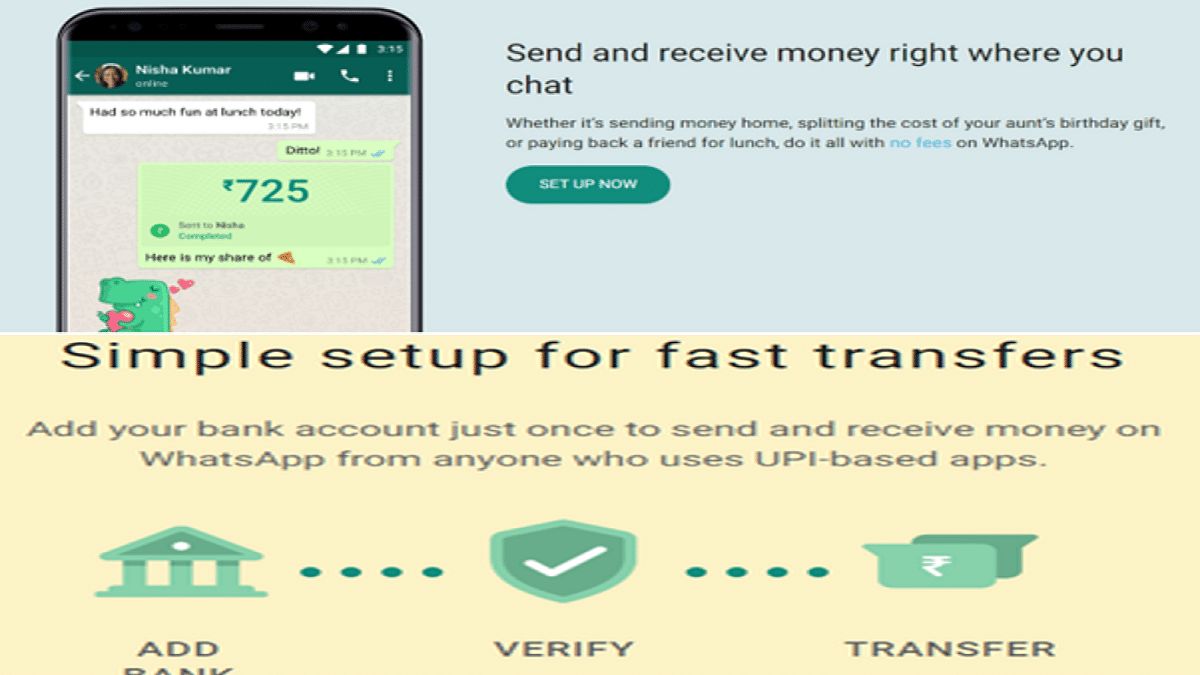
With the WhatsApp UPI integration, users now can easily make payments at local retailers and vendors easily. Suppose you are a frequent WhatsApp user and want to send or receive money from any of your friends or family who isn’t using any other specific UPI or digital payment app.

In that case, WhatsApp will be of great use. WhatsApp has simplified the payment transfer process using the messaging application directly. A dedicated option has been added for UPI payments on WhatsApp. If in case, you wish to use WhatsApp as the primary app for UPI transfers beyond messaging, you should know the steps to set up this feature. In this article, we have listed the method to set up payments on WhatsApp and send/ receive money using WhatsApp UPI. Take a look:

How To Setup Bank Account For WhatsApp UPI Transactions

You must make sure the bank account you are planning to link to your WhatsApp for UPI payments. The account should be of an Indian bank in order to support UPI payments. Also, the primary phone number registered with the bank and WhatsApp should be the same.

Step 1: Launch WhatsApp and open the chat window or the tap on the contact to whom you wish to send money.

Step 2: Select the Payments option. You can also do this by tapping on Attach and then Payment.
Step 3: Enter the amount that you wish to send as UPI via WhatsApp and click Next.

Step 4: You’ll see Get Started option. Tap on it.

Step 5: The Terms and Privacy Policy window will open up. Click Accept and Continue.

Step 6: Now, the list of banks will show up on your screen. Select your bank name.

Step 7: Tap on the Verify via SMS option and then select Allow.

Step 8:  Select the bank account from which you want to send or receive money.

Step 9: Click Continue to verify your debit card details.

Step 10: Once the card is added cross check the details and then tap  Verify card.

After the card has been added and UPI has been setup, you’ll be able to send money using WhatsApp. The remaining steps are listed below:

Step 1: Open the chat or the contact to whom you wish to send money via WhatsApp UPI.

Step 2: Tap on the Payments Icon (Rupee symbol)

Step 3: Enter the amount that you want to transfer.

Step 4: Select Next and then tap on Send Payment option.  You will need to enter the UPI PIN to complete the payment transfer.

Categories
Apps Featured

Are You A BTS Fan? Here Are The 100 Best Instagram Names For BTS Army

Key Highlights

  • BTS, a successful South Korean band, has seven members
  • For BTS fans starting groups or Instagram accounts, a unique username is crucial
  • The username not only defines identity but also serves as the account’s URL

BTS, also known as Bangtan Boys, is a South Korean musical band comprised of seven members: Jin, Suga, J-Hope, RM, Jimin, V, and Jungkook. Debuting under Big Hit Entertainment in 2013, they are currently experiencing immense success. However, all members of BTS have now officially enlisted in the South Korean army and are fulfilling their mandatory service.

If you are a BTS fan or member of the BTS Army and you plan to start a group for BTS fans, then you must choose a good username. You should pick a distinctive username that gives you a distinctive identity. Additionally, a username serves as your account’s URL. When someone searches for your username on social media, they can locate your profile. Finding a captivating username, however, is not simple.

So, if you’re looking for a username for your Instagram account, then you should definitely check out our BTS usernames list. Let’s dive into it. | Also Read: 100 Best Instagram Boys Name With Alphabets M To Z

Cool BTS Usernames For Your Instagram Profile

Boxviceoverlord_btsarmytwinkle.btsarmy
Cold As VenusIamapostSummate
Double TroubleAwakejinMinyoongie
Wish A FishCurlemFreckles On My Skin
FantashSnowYourJiminskies
HappyhoseokTragic Chroniclesjnope / jdope
BloggeryalThe Dream Clubrapokemon
BabynamjoonDream Angelsagustdee

Also Read | 100+ Best Instagram Names For Boys

Creative BTS Usernames For Your Instagram Profile

BtshiteuJimochiOnemama
smolminBombSpacehope
strawverrymilktaeBeauty BlastKiss-My-Axe
shookookieEyeliner VisualsSizzlinylin
hoppinessTwin NeutronsHero Of Itching
monihyungScoobyConnJhopesmiles
ilikeyoo(ngi)Fizzysodastuliptae
strawberryjaminStarryjiminGone With The Win

Also Read: Looking For Trending Gamer Name? 100 Best Instagram Usernames For Gamers

Trendy BTS Usernames For Your Instagram Profile

Cherry-PickedDazzling AestheticsProudie
FusimeshEpicSushyPrecision Painters
Furiously FamousHeart TickerGreatLucy
Red SalsaUntanterShipber
HeyyounotyouyouKim ChiJeonjk
Sweet WhimsyButternut SquashMobicon
BuddyanLogydgStarryjin
RyothWasSuruWaveparkjm

Also Read: 100+ Best Usernames Ideas For Instagram Account Dedicated To Lord Shiva

Amazing BTS Usernames For Your Instagram Profile

Dolly DangerousIMHObtsarmySoccerki
weaver_btsarmyBunny PassionNot James Bond
CuteBitCherry-Pickedbuddie_btsarmy
Study BuddiesGenius-Generalchubbs_btsarmy
WielderDirtyMybtsarmy_dante
PeatorksFinalDreamsparky_btsarmy
HexadedGone With The Wintito.btsarmy
DercologyHero Of Itchingsnoop.btsarmy

Also Read: 100 Best Instagram Name Ideas For Graphic Designers

Catchy BTS Usernames For Your Instagram Profile

that_btsarmybtsarmy_bulletbtsisinmyheart
curry.btsarmybtsarmy_sugar_babynotsobangtanish
chubbs_btsarmybtsarmy_alfiebtswantstotalk
chilibtsarmybtsarmy.DDbtsarmyfam
btsarmyspookeybtsarmy.cricketbtssatisfaction
btsarmychaunceybtsarmysnoopbangtan8thmember
btsarmy_chesterbtsarmybuzzyblushkook
yellow.btsarmybangtanbangbangSweet Whimsy

Conclusion

BTS, the famous South Korean band with seven members, has achieved huge success. Though each member has joined the South Korean army, their music legacy remains strong. Picking a unique username helps build a great and growing profile.

Also Read: 100+ BTS Suga-inspired Username Ideas For Your Instagram Fan Account

Categories
Featured How To Telecom

Here’s How To Block BSNL SIM? See All Steps Here

Key Highlights

  • BSNL doesn’t have an online SIM blocking service
  • To block a BSNL SIM, customers can call BSNL customer care and request a SIM block
  • Users will be asked to provide personal information to verify their identity, and the SIM will be blocked immediately

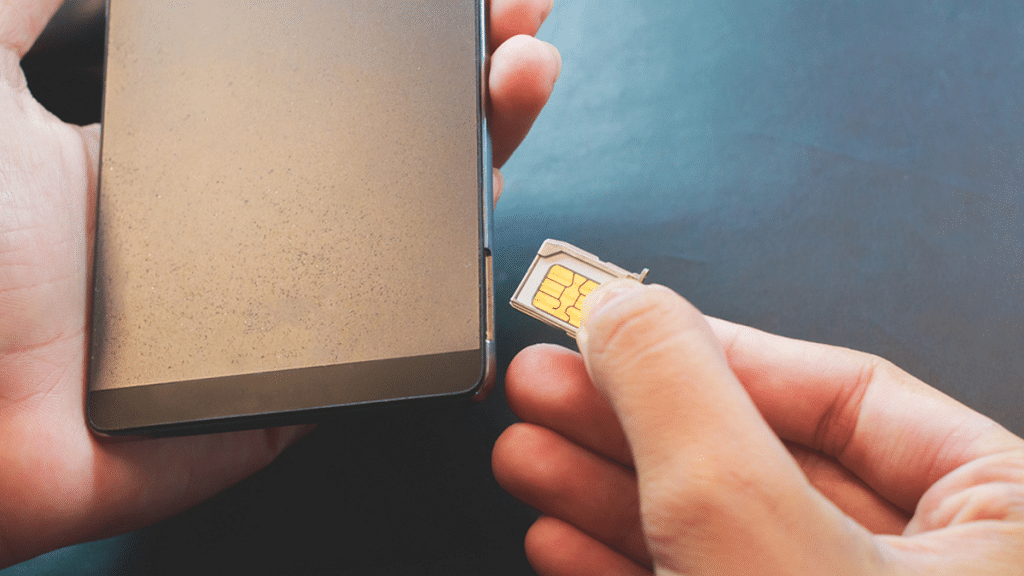
Losing a smartphone and SIM is common; however, after that, you have to block the SIM card so that no one can misuse it. Notably, Airtel, Vodafone-Idea, and Reliance Jio provide few services to customers so that they can block their SIM.

Also, state-run telecom operator BSNL is providing similar services to their customers, and in case you are looking for ways to block the SIM, then here we are listing all steps. Also Read | Lost Reliance Jio SIM Card? Here’s How To Block And Resume Your Jio Number

Steps To Block BSNL SIM Via E-Mail

It is worth noting that the state-run telecom operator BSNL is not providing SIM blocking facility online. But, you are allowed to block services via email and follow the below-written steps to block the SIM.

Step 1: Open the email, type block My BSNL SIM, and send it to
portalhelpdesk@bsnl.co.in.

Step 2: You need to write the reason why are you blocking your SIM in the email body.

Step 3: Also, write your name, address, recharge details, and last call. Plus, attach all the documents as proof in PDF form.

Step 4: Now, send the e-mail and wait for the response.

Also Read | No SIM Card Error: How To Fix No SIM Card Detected/ SIM Toolkit Issue With Smartphones

Steps To Block Your BSNL SIM Via Customer Care Support

It is important to note that this is the easiest way to block the SIM and for that, you have to dial the customer care number. Follow these steps to block the SIM.

Step 1: Open the application on the phone and dial 1503 if you are using the BSNL network.

Step 2: Without the BSNL network, you have to dial 1800 345 1500. Now, you have to follow the instructions and press the numbers accordingly as you want to talk to the customer care executive.

Step 3: Now, have to ask to block the BSNL SIM and provide details like date of birth, address, last five calls, and name. Now, your BSNL SIM is blocked.

Steps To Get BSNL Replacement SIM

Step 1: First, visit the BSNL retailer. You need to carry the ID proof along with the address proof.

Step 2: You need to provide all details via messages and your SIM will be blocked. Now, a new SIM will be provided.

Step 3: Now, you have to insert the SIM in your phone and complete the tele verification.

Also Read | How To Check Number Of Sim Cards Registered On Your Name And ID: How To Block Unauthorized SIM Cards Issued On Your Name?

Categories
Featured How To Telecom

Lost Reliance Jio SIM Card? Here’s How To Block And Resume Your Jio Number

Key Highlights

  • To block your Jio number, you can call the Jio customer care helpline or use the MyJio app
  • To resume your Jio number, you’ll need to contact customer care and provide the necessary information to reactivate your account
  • It’s important to keep your account active to avoid losing your number permanently

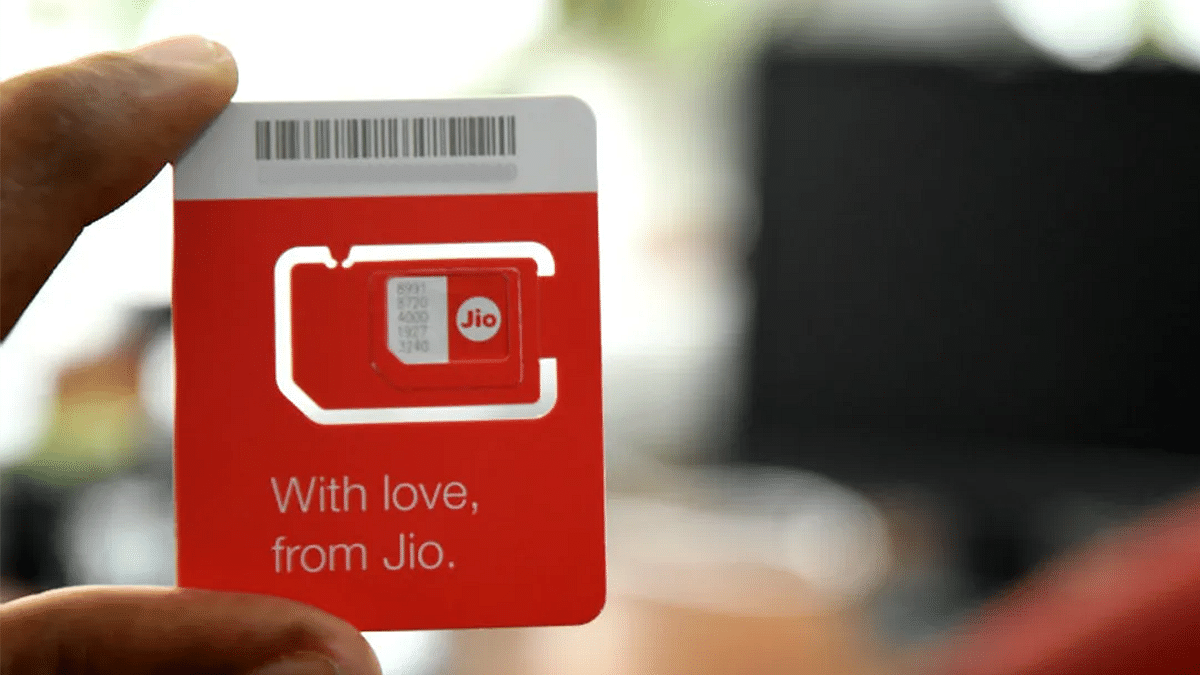
Nowadays, it’s very usual to lose a smartphone or a SIM, and the first step you should take after losing a SIM is to block it so that no one else can misuse it. Don’t worry! There are several ways through which you can block your Reliance Jio mobile number. Interestingly, you can even get a new Jio SIM card with the same number and continue using your mobile number like before.

This post includes some easy steps that will allow you to quickly and easily block your Reliance Jio SIM. Let’s check them out:

Also Read | Here’s How To Block BSNL SIM? See All Steps Here

How To Block Jio SIM Online?

As it only takes a few clicks to block your Jio number, the first method is by far the simplest. To start the procedure, all you have to do is follow the step-by-step instructions listed below: 

Step 1: Open the Reliance Jio website and click on the ‘Sign In’ button.

Step 2: To sign in to your My Jio account, enter your Email ID and password linked with your Jio Account.

Step 3: Click on the blue-colored ‘Settings’ icon (cogwheel).

Step 4: To expand the section, click Suspend and Resume.

Step 5: State a reason why you want to suspend the service.

Step 6: Finally, to submit your suspension or blocking request, click the ‘Suspend’ option.

Also Read | Lost Or Stolen Airtel SIM: See All Steps To Block Airtel SIM Easily At Home

How To Block Jio SIM From Another Number?

Step 1: You need to call 1800 88 99999.

Step 2: To connect with the customer care executive, follow the instruction.

Step 3: Provide them with the essential reason along with the details. They will block the Jio SIM.

How To Block Jio SIM Via Customer Care Number?

Contact the JioCare helpline for free by dialing 199 from your Jio SIM or 1800 88 99999 from any other number. They’ll disable your SIM to prevent misuse. They also accept emails at care@jio.com. You can disable your Jio SIM this way, protecting yourself against scams and preventing anyone else from using it.

How To Get The Same Jio Mobile Number?

Once you’ve completed the steps above and successfully blocked your missing Jio SIM card, you can easily visit your local Jio care center with identification documentation proving your ownership to get the same mobile number.

Categories
Comparison Featured Mobile

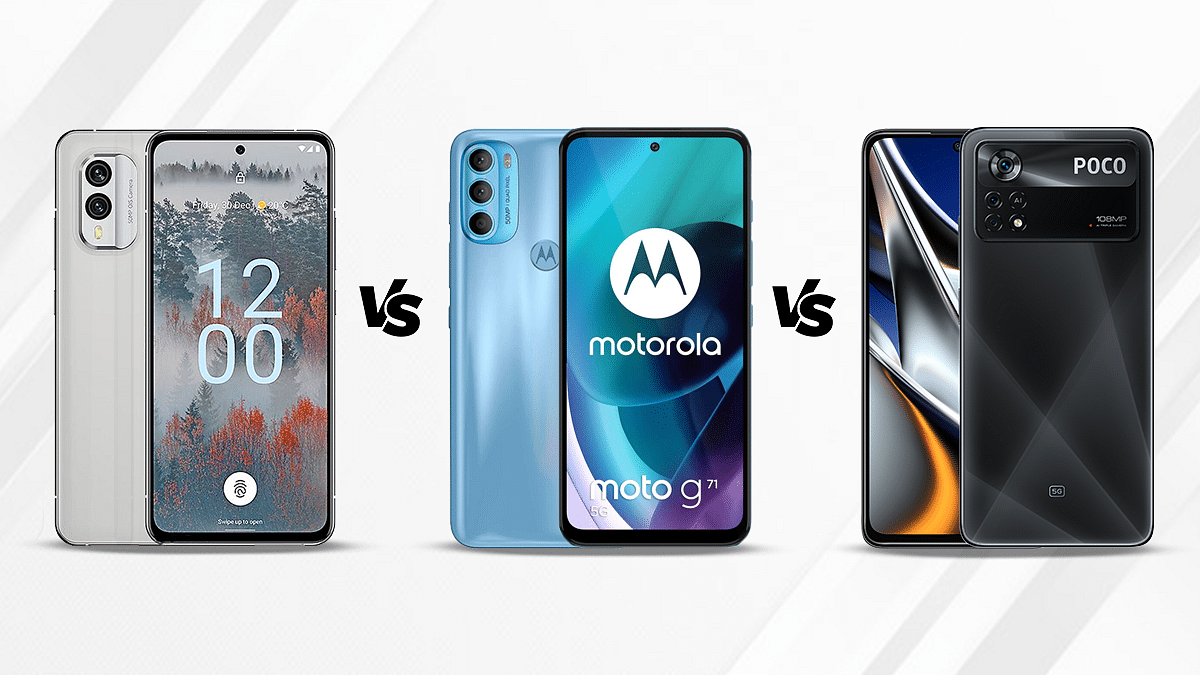
Nokia X30 5G Vs Poco X4 Pro 5G Vs Nokia G60 Comparison: Mid-Range 5G Phone You Should Consider

The mid-range smartphone industry is getting all the attention from smartphone OEMs and general consumers. The trend has seen a surge with the integration of 5G chipsets with new-generation mid-range and premium mid-range products. HMD Global is the latest brand to add multiple new products to this lineup including the Nokia X30 5G and the Nokia G60 5G.

We already have compared these two models along with the Motorola Moto G71 5G. In this article, we have replaced the Moto G71 5G with the Poco X4 Pro 5G which is another popular mid-range phone with a 5G network and capable hardware features. Let’s see which out of these three Android smartphones is best for daily usage:

Nokia X30 5G Vs Poco X4 Pro 5G Vs Nokia G60: Display Comparison

Nokia X30 5G flaunts a premium AMOLED display which is 6.43-inches in size. The display gets 1080 x 2400 pixels FHD+ screen resolution and has a 20:9 aspect ratio. The screen offers a screen-to-body ratio of 85 percent and has 409 PPI pixel density. It is layered by a Corning Gorilla Glass Victus protection and offers 700 nits peak brightness level and 90Hz refresh rate.

The Poco X4 Pro 5G is packed with a Super AMOLED display that is 6.67-inches and has an 86 percent screen-to-body ratio. The panel offers a 1080 x 2400 pixels screen resolution and 120Hz refresh rate which is higher that that of the Nokia X30 5G. The Poco X4 Pro 5G’s display is protected by the Corning Gorilla Glass 5 Victus protection.

The Nokia G60 is the only model in this list that features an IPS LCD screen instead of an AMOLED or Super AMOLED panel. The display measures 6.58-inches in size and has the same 1080 x 2400 pixels FHD+ screen resolution as the remaining two models.

The display has a 120Hz refresh rate and 400 nits of peak brightness levels. Out of the three models, the Poco X4 Pro 5G has the best screen for gaming as well as video playback (FHD). The Nokia X30 is the second and the Nokia G60 is the last on this list.

Nokia X30 5G Vs Poco X4 Pro 5G Vs Nokia G60: Camera Hardware Comparison

In terms of imaging hardware, the Nokia X30 5G is packed with two rear cameras and the setup includes a 50MP main camera with an f/1.8 aperture and OIS support. The secondary sensor at the back is a 13MP ultrawide sensor that has an f/2.4 aperture and 123-degree FoV. The camera setup offers several shooting modes along with 1080p@30 and 1080p@60fps video recording.

The Poco X4 Pro 5G uses three rear cameras for primary photography. The main camera is a bigger 64MP lens with PDAF and an f/1.8 aperture which gets additional support from an 8MP ultrawide angle sensor with 118-degree FoV, and a 2MP macro sensor with an f/2.4 aperture. The camera setup here also offers multiple shooting modes including HDR and others for a better photography experience. However, the video recording capability with this model is limited to 1080p@30fps only.

The Nokia G60 competes with these two models with its triple lens camera setup that comprises a 50MP main sensor. Accompanying the main camera is a 5MP ultrawide angle sensor and a 2MP lens. The video recording support here is identical to the Poco X4 Pro 5G, i.e., 1080p@30 fps.

Speaking of the selfie cameras, the Nokia X30 5G and the Poco X4 Pro 5G uses a 16MP selfie snapper, while the Nokia G60 has an 8MP snapper for self-portraits. Again, the Poco X4 Pro 5G takes the lead in the camera department as well followed by the Nokia X30 5G and the Nokia G60.

Nokia X30 5G Vs Poco X4 Pro 5G Vs Nokia G60: Chipset, RAM, Storage

Nokia has used the same Snapdragon 695 processor to drive both the X30 5G and the G60. This 5G chipset by Qualcomm is based on a 6nm fabrication process and has octa-cores. Poco has also packed the Snapdragon 695 chipset inside the X4 Pro 5G. So, you get the same power delivery and performance aspects from all three phones in this list.

The octa-core 5G mid-range chipset gets Adreno 619 GPU support which is used to render all the graphics. The firmware pre-installed is Android 12 OS on the Nokia X30 5G and the Nokia G60, whereas, the Poco X4 Pro 5G ships with the dated Android 11 OS.

Speaking of the configurations, the Nokia X30 5G can be purchased with 6GB/8GB RAM and 128GB/256GB storage. Notably, this handset doesn’t come with external microSD card support. Poco has launched the X4 Pro 5G with 6GB/8GB RAM and up to 256GB storage option. The Nokia G60 has 4GB/6GB RAM and 64GB/128GB storage.

Nokia X30 5G Vs Poco X4 Pro 5G Vs Nokia G60: Battery Specifications

The Nokia X30 5G is equipped with a 4,200 mAh battery with 33W fast charging support. Poco has used a bigger 5,000 mAh battery unit which gets 67W fast charging support, while the Nokia G60 has a 4,500 mAh battery unit with 20W fast charging technology. The Poco X4 Pro 5G is the safest bet in terms of battery backup and faster-charging speeds. Overall as well, the Poco X4 Pro 5G is better than the remaining two in the camera and display department.