The iPhone and iPad will get a very helpful feature this year when iOS 16 launches, which is expected to be somewhere in the fall: the capacity to view saved Wi-Fi passwords.
Even though iOS does currently support sharing Wi-Fi networks, it’s only possible amongst Apple products and even then, it doesn’t really display the password. It wouldn’t function until the password was truly written down if you tried to use this method to connect your Nintendo Switch or smart TV to the internet.
Thankfully, this latest feature makes it simple to access your settings, locate a Wi-Fi network, and display the Wi-Fi password. After that, you can copy and paste it into an email or text message and easily share it with anyone else that needs it.
How To View Your Wi-Fi Password On iPhone With iOS 16?
Users need to make sure of a few criteria in order to figure out a network’s password. For this feature to work, they must be connected to the Wi-Fi network, be close enough to the router for the network to appear in their settings, and have previously connected to the network. Here’s the step-by-step guide to help you with the same:
Step 1: In your iPhone, open the ‘Setting’ app.
Step 2: Now, open the ‘Wi-Fi’ section.
Step 3: Click on the blue information icon in the Wi-Fi area.
Step 4: When you visit the network’s information screen, you’ll see a number of options, including the password that is blanked out.
Step 5: If necessary, click the Copy button in the pop-up box that appears, then paste the password into the relevant app.
After viewing your password, you can copy and paste it into a text message or email to quickly share it with anyone who needs it.
This feature is currently only available for iOS 16 beta users. The stable version of iOS 16 will be released next month alongside the iPhone 14. So soon all users will be able to update and enjoy these and many other new features.
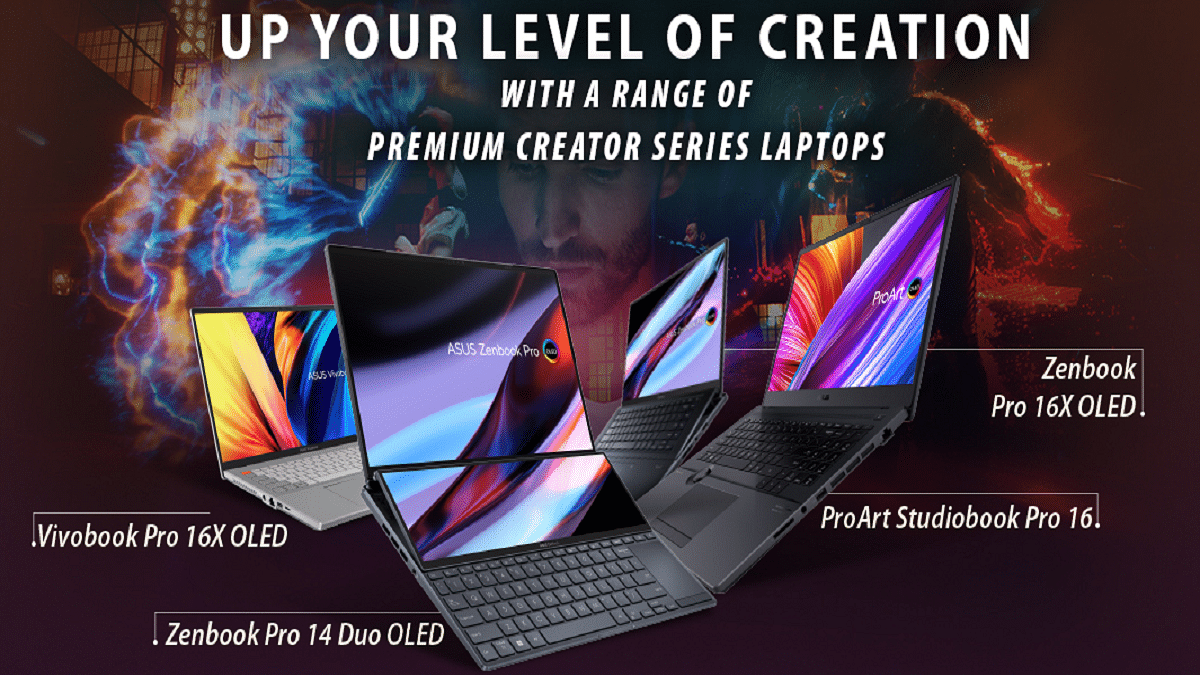
Asus released six new Creator Series laptops for the Indian market. Creator Series devices are equipped with novel designs and cutting-edge technology that give unmatched aesthetics, powerful performance, and a seamless user experience. They were created to meet the growing need for creative professionals, designers, vloggers, and artists.
Zenbook Pro 14 Duo OLED
The new Asus Zenbook Pro 14 Duo OLED has a 14-inch 2.8K OLED touchscreen display with a refresh rate of 120Hz. Additionally, the device makes use of a 4GB NVIDIA GeForce RTX 3050 Ti GPU (4GB). It supports 12th Gen Intel Core i9, i7, and i5 processor capacity and comes with up to 32GB RAM and 512 GB/1TB storage. The Asus Zenbook Pro 14 Duo OLED’s price starts from Rs. 1,44,990 in India.
Zenbook Pro 16X OLED
The Zenbook Pro 16X OLED carries a 16-inch 4K OLED touchscreen panel that offers a refresh rate of 60Hz as well as stylus support. Available in two processor variants, the device will have a 12th Gen Intel Core i9 with 32GB RAM and i7 with 16GB RAM. For graphics, it packs a 6GB NVIDIA GeForce RTX 3060 GPU. In addition to this, the device will come with 1TB of storage. The starting price of the Zenbook Pro 16X OLED is Rs. 2,49,990.
ProArt Studiobook Pro 16 OLED
Asus ProArt StudioBook Pro 16 OLED comes with a 16-inch OELD display with 4K resolution, 16:10 aspect ratio, HDR support, and 100 percent DCI-P3 color gamut. This laptop runs on the 12th generation Intel i9 processor. The device further has an NVIDIA RTX A3000 GPU with 12GB GDDR6 VRAM for graphics support. The price of the Asus ProArt StudioBook Pro 16 OLED in India starts at Rs. 329,990.
ProArt Studiobook 16 OLED
The ProArt Studiobook 16 OLED sports a 16-inch 4K OLED display. The laptop is available in two variants, i.e., 12th Gen Intel Core i9 and i7 processors, and two graphic processors, i.e., NVIDIA GeForce RTX 3070Ti with 8GB memory and 3060 with 6GB memory. The device further supports up to 2+2TB storage with support for up to 64GB RAM. The price of the ProArt Studiobook 16 OLED starts at Rs. 199,990.
Vivobook Pro 16X OLED
A 16-inch 4K OLED display, a 12-generation Intel Core i9 processor, up to 32GB of RAM, and NVIDIA’s GeForce RTX 3060 GPU are all included in the Vivobook Pro 16X OLED. It has an M.2 SSD expansion slot that can hold an additional 1TB SSD if needed. The price of the Asus Vivobook Pro 16X OLED starts at Rs. 159,990.
Vivobook Pro 15 OLED
The 12th generation Intel Core i7 processor, up to 16GB of RAM, and the NVIDIA GeForce RTX 3050Ti GPU power the Vivobook Pro 15 OLED. It comes with a 15.6-inch FHD OLED display and comes with fast 1TB SSD storage. The pricing of the Vivobook Pro 15 OLED starts at Rs. 89,990.
Smartphones have proved to be one of the most essential commodities for communication and entertainment on the go. And if we speak of the market it’s majorly Android and Apple iPhones that are ruling the smartphone industry. For Android smartphones, the prime mobile chipset providers are Qualcomm and MediaTek.
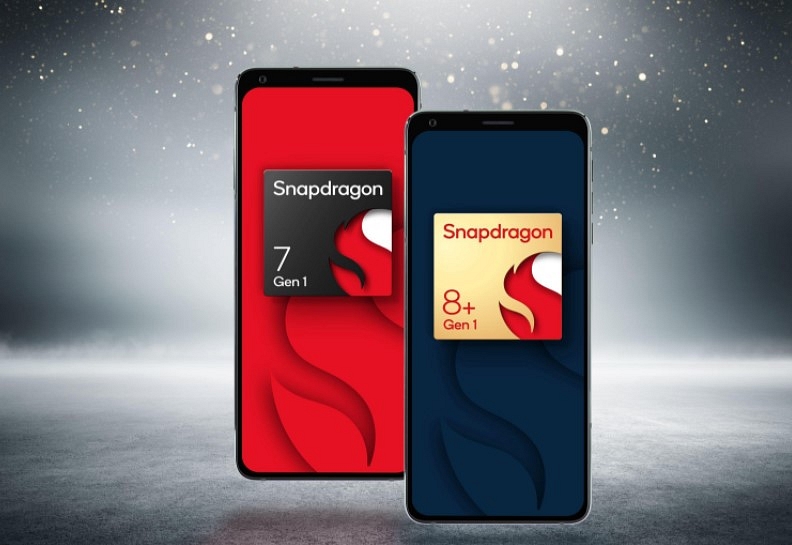
Both these brands are ramping up the competition by integrating the latest technologies in their SoCs. We have done several comparisons between MediaTek and Qualcomm processors. This time, we are pitting two of the best mid-range 5G processors from both brands against each other. From Qualcomm, we have selected the Snapdragon 695 chipset, whereas, the Dimensity 820 will take up the slot for MediaTek.
Qualcomm Snapdragon 695 Vs MediaTek Dimensity 820: CPU Comparison
The Snapdragon 695 is an octa-core chipset like most of the mid and premium-range Qualcomm processors. It is built on an ARMv8.2-A Instruction set and a 6nm fabrication process. The SD 695 architecture comprises two Cortex-A78 Kyro 60 Gold cores clocked at 2.2 GHz and six Cortex-A55 cores with 1.7GHz clock speed. It offers a total frequency range of 2200MHz.
On the other hand, the MediaTek Dimensity 820 processor is fabricated using a 7nm process and is based on the ARMv8.3-A Instruction set. The Dimensity 820 chipset also has octa cores including four Cortex-A76 cores clocked at 2.6GHz and four Cortex-A55 cores clocked at 2GHz.
Snapdragon 695 Vs Dimensity 820 Chipset: GPU Differences
Qualcomm has integrated Adreno 619 GPU with the Snapdragon 695 processor which is based on Adreno 600 architecture. The total GPU frequency is 840 MHz with 128 shading units. The MediaTek Dimensity 820 processor comes with Mali-G57 MC5 GPU support which is based on Valhall architecture and has a 650 MHz GPU frequency with 5 execution units. The Vulkan version, OpenCL version, and the DirectX version are 1.1, 2.0, and 12 respectively on both chipsets.
Snapdragon 695 Vs Dimensity 820 Processor: Memory, Multimedia (ISP)
The Snapdragon 695 processor supports LPDDR4X memory type with 2133MHz memory frequency. The same is supported by Dimensity 820 processor. The Max memory allocation size is 8GB for the Snapdragon 695 and 16GB for the Dimensity 820. The storage type is eMMC 5.1 and UFS 2.2 for the Snapdragon chipset, whereas, the Dimensity processor only has UFS 2.2 support.
Moving on to the display and camera resolution, the Snapdragon 695 has a 2520 x 1080 max display resolution and 108MP, 2x16MP camera resolution. The Dimensity 820 supports 2520 x 1080 pixels max display resolution and 1x80MP, 2x 32MP max camera resolution. The Qualcomm chipset can record up to 1080p@60fps videos, while the Dimensity 820 supports 4K@30fps video capturing.
The best smartphone around Rs. 20,000 should have a feature set that is amazing and was previously only found in high-end smartphones. However, times have evolved. The greatest mobiles under Rs. 20,000 have never been more accessible to consumers thanks to technological improvements in mobile phones throughout the years. One of the most fiercely contested market categories today is the best phone under Rs. 20,000 in India, with many potential consumers interested in purchasing one.
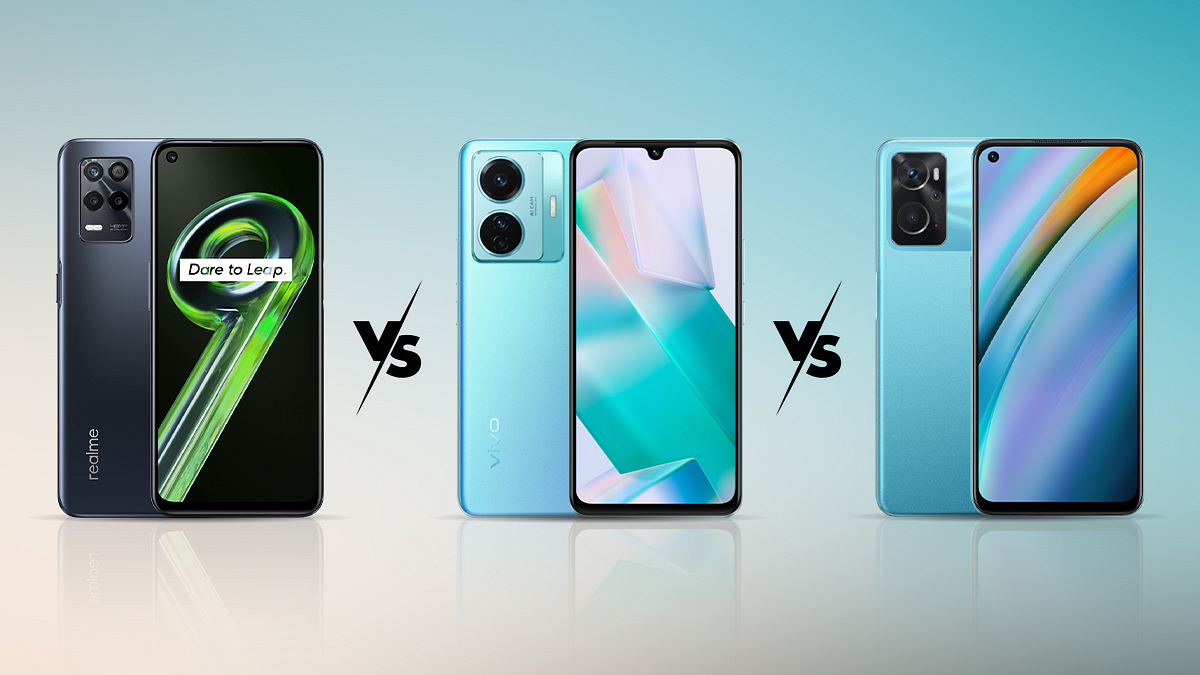
In this article, we will compare the three smartphones – Realme 9 5G, Vivo T1 5G, and Oppo K10. These phones offer almost the same specifications under a similar price range. Let’s get to know which one to go for.
Design & Display
The Realme 9 5G has a very simple and elegant design. It is pretty similar to that of previous Realme smartphones. It has a 6.5-inch LCD screen with a maximum refresh rate of 90Hz and full-HD+ resolution. Depending on what you do, the display switches between 60Hz and 90Hz.
Moving to the Vivo T1 5G, the flat edge design language of the phone makes it stand out. Similar to the high-end V and X series models, it has a robust rail around the edges and a matte finish. It sports a screen-to-body ratio of 83.9 percent and a 6.58-inch full HD+ LCD display on the display front.
On the other hand, the Oppo K10 5G is a phone with a striking visual appeal. The smartphone’s back panel, which has a soft glow to it, will draw your attention from a distance. The 6.56-inch LCD display panel of the Oppo K10 5G has HD+ resolution. It has a 90Hz refresh rate.
Processor
Realme uses the MediaTek Dimensity 810 5G octa-core SoC under the hood. Its operating system, Realme UI 2.0, is based on Android 11. Especially if you’re a first-time Realme user, the UI is easy and simple to use.
The Vivo T1 runs FuntouchOS 12 on Android 12 and is powered by an 8nm class Qualcomm Snapdragon 695 octa-core CPU with Adreno 619L GPU. It also has 128GB of internal storage.
The Oppo K10 5G is equipped with an 8GB RAM and MediaTek Dimensity 810 CPU. Together, they provide quick and effective performance with seamless multitasking. There is enough room on a 128GB storage device to store anything you want or need. In terms of software, the Oppo K10 5G runs an augmented version of Android 12.1, called Color OS 12.1. There are choices for modification and personalization, and the UI is colorful and neat.
Camera
The Realme 9 5G packs a 48MP primary camera. You don’t get an ultra-wide-angle camera on the Realme 9 5G which we think is a big miss. The other two are a macro camera and a black-and-white portrait camera. For selfies, it has a 16MP camera.
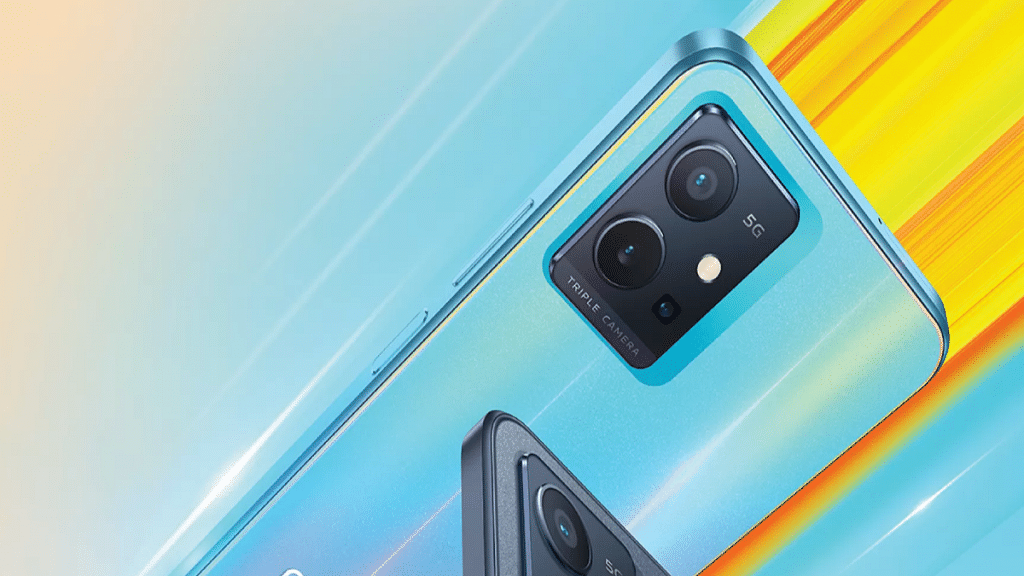
The triple camera module in the Vivo T1 has a main 50MP wide sensor, a 2MP macro camera, and a 2MP depth sensor with dual-LED light. It boasts a 16MP wide-angle camera on the front, and yes, it makes taking large group selfies easier.
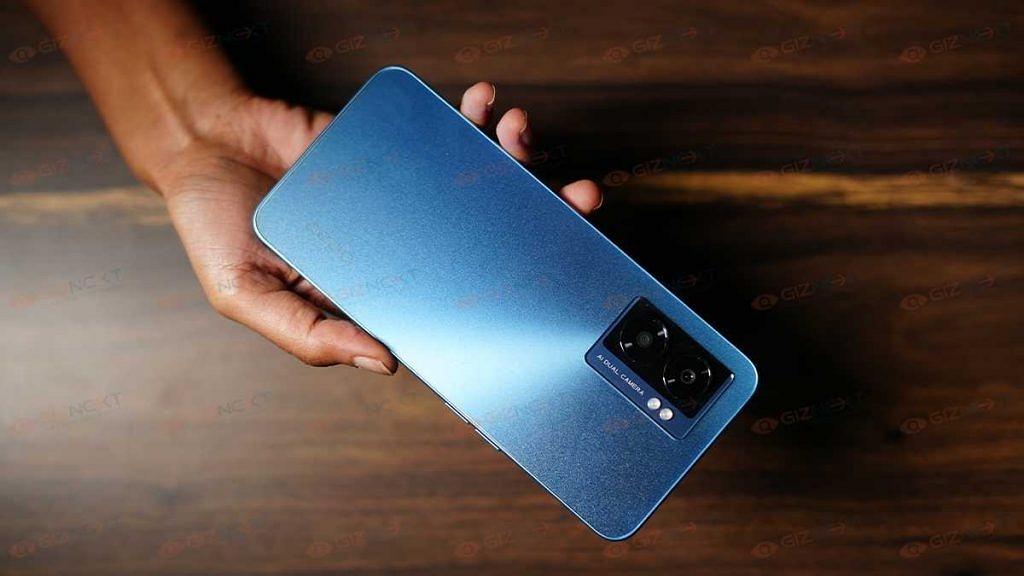
At the back of the Oppo K10 5G, there is a dual camera arrangement. It has a 2MP depth sensor in addition to a 48MP primary camera. At the front is an 8MP selfie camera as well.
Battery
Realme 9 phone has a 5,000mAh battery and supports 18W fast charging. A compatible charger is also included in the box. On the other hand, both the Vivo T1 5G and Oppo K10 5G have a 5,000mAh battery. While the Vivo T1 5G supports 18W fast charging, the Oppo K10 5G comes with a 33W power adapter bundled inside the box.
Verdict
If you are a casual user, you could consider going for the Realme 9 5G. On the other hand, Oppo K10 5G is a mid-range device that has an attractive design, good battery life, a fast processor, and decent gaming performance. But if you want a smartphone that looks and feels good and performs decently, Vivo T1 5G can be your choice in this 20k segment.
Finding a smartphone that suits the necessities and budget is a win-win situation, and the Indian mobile industry has a variety of brands and pricing points to pick from. The high-end specifications are seen in phones priced between Rs. 25,000 and Rs. 35,000 including flagship-class high refresh rate displays, powerful cameras, luxurious designs, big batteries, and a number of high-end features like wireless charging and water resistance.
The Vivo V25 Pro, which has a starting price of Rs. 35,999, was just introduced in India. It is intended for folks looking for a solid all-around phone. However, other smartphones with comparable price tags, including the Poco F4 and Redmi K50i, offer the same features. Which one should you get, then? We’ll help you decide in the comparison article where we are comparing the Vivo V25 Pro with Poco F4 and Redmi K50i.
Design & Display
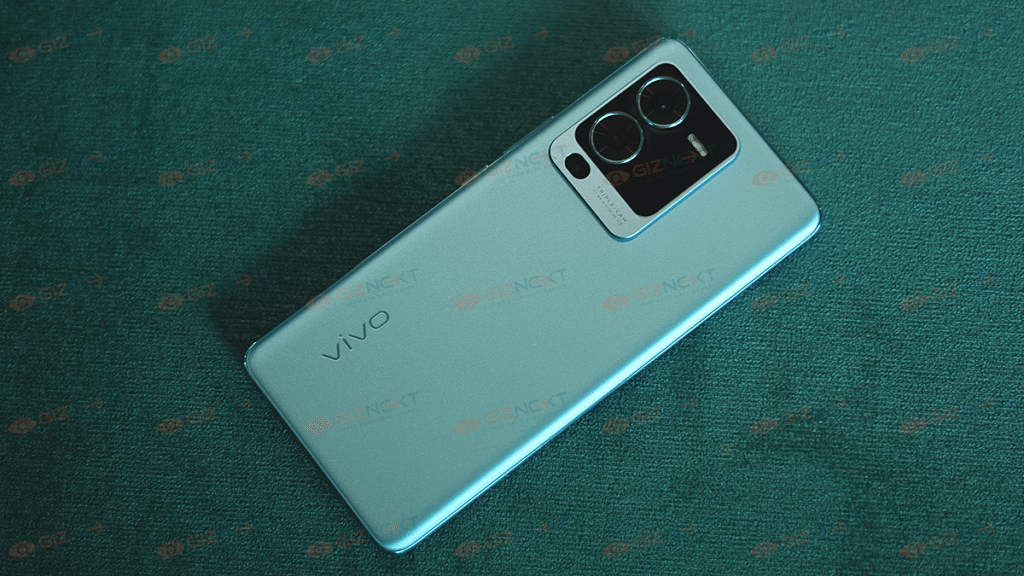
Vivo V25 Pro has been pitched as one of the most upscale-appearing mid-range smartphones on the market right now. The device is particularly simple to grip thanks to its flat bottom, metal edges, and curved glass sandwich design. It has a 2376x1080p resolution 6.5-inch FHD+ 3D curved AMOLED display.
On the other hand, the Poco F4 5G receives good marks for its looks, build quality, and overall in-hand appeal. It feels more upscale because of the glass body panel. It has a 6.67-inch AMOLED screen with Full HD+ resolution and 120Hz refresh rate, as well as HDR10+ and Dolby Vision support.
Moving to the Xiaomi Redmi K50i, its triple-camera carrying hump and color gradient design are similar to those of many other smartphones available in the market. The phone further sports a 6.6-inch tall Full HD+ screen with 144Hz refresh rate support.
Processor
The Mediatek Dimensity 1300 5G chipset powers the Vivo V25 Pro. It has 256GB of internal storage and 12GB of RAM. The phone further runs on Android 12 out of the box which is combined with Vivo’s own Funtouch OS 12 skin.
The Poco F4 5G, on the other hand, manages to give you reliable performance thanks to the Snapdragon 870 chipset which has somewhat become everyone’s favorite these days. It comes with up to 256GB of storage and up to 12GB of RAM. The Poco F4 comes preinstalled with MIUI 13 on top of Android 12. Xiaomi further promised three significant OS updates.
Now talking about the Redmi K50i, it has the MediaTek Dimensity 8100 SoC, a high-end Android SoC typically found in value flagships. The phone has up to 256GB of internal storage and up to 8GB of RAM. In addition, it comes pre-installed with MIUI 13 based on Android 12. Besides, it runs Android 12-based MIUI 13 out of the box.
Camera
The Vivo V25 Pro is at its best in this department. It features three rear cameras, the main one of which is a 64MP sensor and optical image stabilization (OIS). A 2MP macro sensor and an 8MP ultra-wide sensor follow. A 32MP camera with eye focus is used for selfies.
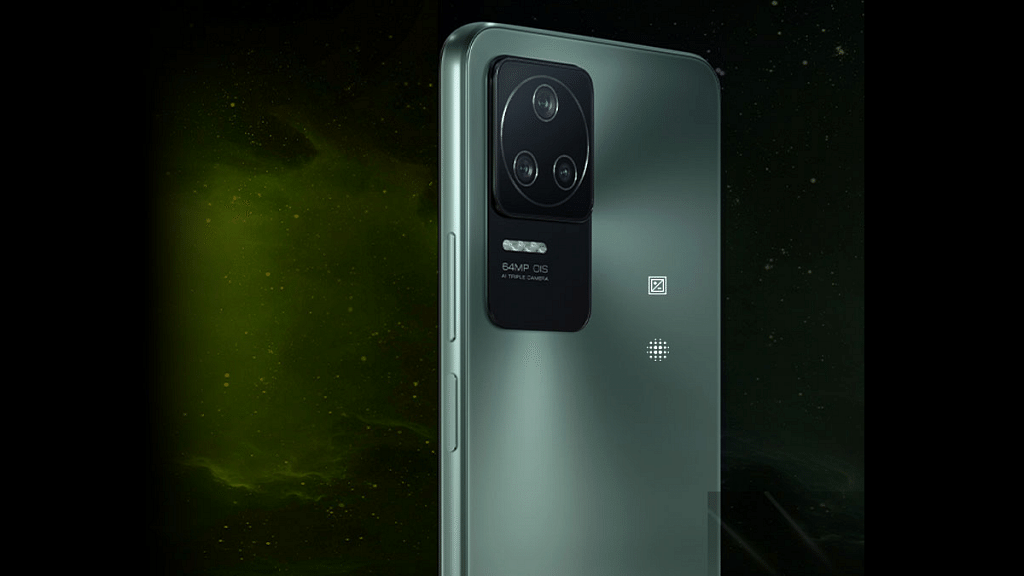
The 64MP primary OmniVision OV64B sensor with a Quad-Bayer filter is available in the Poco F4 5G. It sports an 8MP ultrawide camera, a 2MP macro camera, and a 20MP selfie camera. According to the maker, this is the first Poco to ever support OIS.
A triple camera arrangement is present on the back of the Redmi K50i. It has a 64MP main camera from the Samsung GW1, an 8MP ultrawide camera, and a 2MP macro camera. At the front, there is a 16MP camera for selfies and video calls.
Battery
The Vivo V25 Pro has a 4,830mAh battery inside that can be charged quickly using a 66W flash charge with the bundled power brick.
A 4,500mAh battery powers the Poco F4’s battery capacity. Additionally, a 67W rapid charger is included in the package to help you get going right away. The Redmi K50i, on the other hand, has a massive 5,080mAh battery. It includes a 67W quick charger.
Verdict
Vivo V25 Pro has quite a clear consumer base. The phone is for those who have cameras as their top priority, and this is without a doubt the V25 Pro’s best feature set. If you are someone who prefers a solid battery life and fast charging support, then you can go for Poco F4 5G. Apart from this, if you want a strong-performance-based phone, there’s could be nothing better than Xiaomi’s Redmi K50i.
The best monochrome laser printers may be what you’re looking for if you need a fast, affordable way to print documents in bulk. A monochrome printer is able to develop a large number of printouts only in black and white text graphics.
A black and white printer might help you save money if your company prints out loads of papers that don’t need to be in color. Since you only need to purchase black ink or toner to print in monochrome, they will be less expensive up front, and their operating costs are typically reduced as well. In conclusion, monochrome printers are recommended for all-around efficiency. Let’s look at the best options available for monochrome printers in the market.
HP Laserjet M1005 Multifunction Monochrome Laser Printer
The HP Laserjet M1005 Multifunction Monochrome Laser Printer comes with a multi-functionality and a flatbed type of scanner. The offered monochrome laser printer has a capacity to print 14 pages per minute at a cost of Rs. 1.4 per page in accordance with ISO standards. It comes with USB connectivity and a 2-inch LCD display. Additionally, this HP printer is appropriate for use in businesses, corporations, and organizations where the frequency is higher. A4, A5, B5, C5, C6, DL, and postcards can also be printed on with this device using a print resolution of up to 600 x 600 DPI.
Canon imageCLASS LBP2900B Single Function Laser Monochrome Printer
Canon has come up with s single-function laser monochrome printer that is available in black color and includes USB connectivity. This hard drive goes well with Windows 10 ((64-bit), 8.1 (64-bit), 8 (64-bit), 7 (64-bit), Vista (64- bit), XP (64-bit), Server 2008 (64-bit), Server 2012 R2 (64-bit), and Server 2016 (64-bit). This monochrome laser printer is ideal for your home and small office usage, producing 12 pages per minute at a cost of Rs. 2.80 per page.
The EPSON EcoTank Monochrome M2140 All-in-One Duplex InkTank Printer is a great option for people looking for a lower price per page for the bulk prints they order every day. This device has a portable and integrated tank design in addition to being an economical substitute. It has a high-yield pigment ink bottle that it comes with, and refilling is reputed to be precise and spill-free.
The Brother HL-L2321D Single-Function Monochrome Laser Printer also offers an auto-duplex printing feature. With an ISO standard synced cost of Rs. 1.5 per page, this monochrome printer produces about 30 prints per minute. Furthermore, the provided monochrome printer prints in a variety of sizes, including A4, Letter, A5, A5 (long edge), A6, executive, legal, and folio.
A printer is a must to keep gadgets for professional organizations and even for homes when you need printed documents readily available. And when you step out to buy a new printer you are flooded with options to choose from. One of the biggest players in the Printer segment is HP which has the widest portfolio of professional and home printers.
HP Printers are tech advanced and offer a host of features for reliable printing. All of the HP printers are compatible with Windows and Mac operating systems. We previously covered one of the printer issues where HP Printers stop working after a Windows 11 update. But what if you are using a Mac laptop or desktop and are experiencing a Printer offline and not working. We have listed the troubleshooting steps below:
Troubleshooting For Printer Showing Offline On Mac Computers And Laptops
Before you proceed with the steps, make sure your printer is on and has sufficient ink levels. Also, make sure there is no display errors or blinking lights.
Step 1: Check if the printer is not off or in Sleep mode. If it is not on, press the power button to wake it or turn it on.
Step 2: Also check the paper inside the feeder tray is placed properly. If everything is in place and there is no error then proceed with the Diagnose and fix option.
Fix Printer Not Showing Using Diagnose & Fix
Step 1: Open the HP smart app and click on the Diagnose and Fix option. You can download the app from Mac App store.
Step 2: Tap on the name of the printer and then click Printers. You’ll see this option in the top menu bar. Select Diagnose & Fix option.
Step 3: Select Start. Make sure you don’t close the HP Smart app while the troubleshooting is running.
Step 4: If there are any on-screen instructions follow them to fix the issue.
Step 5: If in case the issue persists, go to HP customer support or select one of the additional resources on the screen.
Try Removing And Re-adding the Printer
Step 1: First, delete your printer from the printer queue. This will clear all the errors. To do so, click on the Apple menu.
Step 2: Click on System Preferences and then click Printers & Scanners or Print and Scan.
Step 3: Select the printer that is to be removed and click on the Minus sign from the list of printers at the bottom.
Step 4: Tap on the Delete Printer option.
Step 5: Now, re-add the printer by tapping on the Plus sign and then following the on-screen guide.
With a large library and some crazy day-one launches, Xbox Game Pass is a worthwhile investment. When you’re looking for your next fixation, having a subscription comes in handy. There are tons of game collections, indie titles, and classics in the library that you’ve never had a chance to play.
We combed through the Game Pass library and compiled a list of exceptional games we think you’ll appreciate in order to assist you in deciding which ones to download first. From recent releases to fantastic throwbacks, our genre-spanning recommendations for the best Game Pass titles contain something for every gamer. Let’s check them out:
Forza Horizon 5
You can explore the magnificent maps of beautiful Mexico with Forza Horizon 5. The open-world racing game has expanded and improved over previous iterations. Playground games have improved the customizability of maps, cars, and playlists, allowing you to relax and cruise the Mexican coast. This is in keeping with the festival narrative. With this new installment in the series, Forza Horizon maintains its position as one of the top racing games.
Hitman Trilogy
Hitman will appeal to you if you enjoy stealthy missions. Play the role of Agent 47 and carry out assassination missions for a group called ‘the organization’ all over the world. Timing is everything in this series, which moves slowly and covertly. As you complete several tasks, try to enter restricted spaces, put on a disguise, and kill your targets while also uncovering a massive conspiracy, the game plays like an assassin movie.
Halo Infinite
In this installment of the Halo series, Master Chief defends a young AI, battles brand-new and recurring foes, travels through a vast, open world (which allows for much more flexible missions, though they do require a little more concentration to finish), and makes use of new tools like a grappling/grab hook for brand-new combat possibilities. Even while the multiplayer is still fiercely competitive and the gameplay is great, 343’s upgrades are helping it to keep getting better. There is a lot to adore here if you enjoy Halo.
PowerWash Simulator
PowerWash Simulator is an ideal game to play while lounging on the couch. As the name implies, you are a professional power washer and it is your responsibility to use your cleaning equipment to remove oil, dirt, and goop off buildings, vehicles, and even entire playgrounds. There are a few small enhancements and currency systems. But PowerWash Simulator generally adopts a basic approach; you power wash things, nothing more, nothing less.
Trek to Yomi
Trek to Yomi is the perfect game for those who enjoy classic samurai movies. This game incorporates the stylized genre of vintage Japanese films into a game that is unquestionably worthwhile. Trek to Yomi plays like an old black and white film, with considerable detail placed on the visual aspects of this game, from the black and white grainy effect to the epic cutscenes. The premise of the novel is a typical revenge tale, but there are some significant plot twists to keep you engaged.
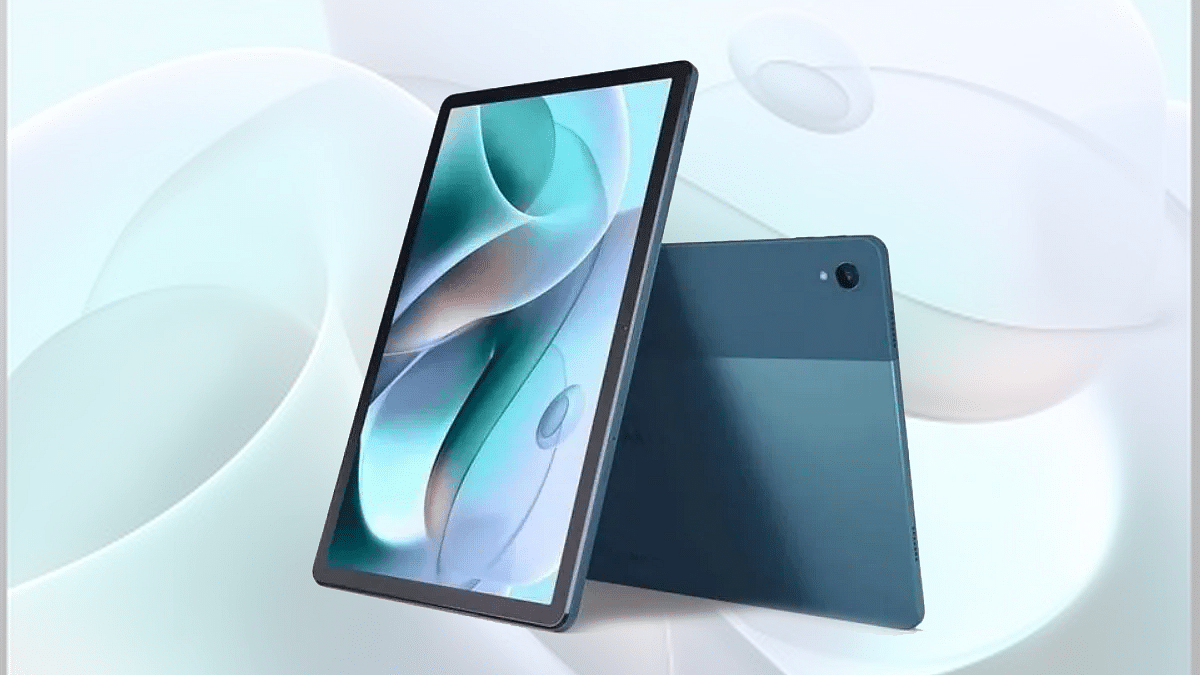
Motorola is ramping up its tablet business in India. The company has released the Moto Tab G60 as its latest mid-range tablet in the country with a starting price tag of Rs. 15,999. With this mid-tier tablet, Motorola is competing against Realme, Lenovo, OPPO, and other players in the tablet market. We just compared the Moto Tab G62 with OPPO Pad Air and the Realme Pad. In this article, we are pitting the Tab G62 against the Realme Pad X and the Moto Tab G70. Which one of these tablets is a good option to consider? This spec-sheet-based comparison will clear all your confusion:
Motorola Moto Tab G62 Vs Realme Pad X Vs Moto Tab G70: Display Specifications
Starting with the latest model, i.e., the Moto Tab G62, it is packed with a 10.6-inch display which is an IPS LCD panel. The display features an aspect ratio of 5:3 and has a screen-to-body ratio of 80.2 percent. It comes with a 1200 x 200 pixels screen resolution.
The Realme Pad X also features an IPS LCD screen that is bigger in size when compared to the Moto Tab G62. The Realme 5G tablet’s display measures 10.95-inches and has the same screen resolution as the Moto Tab G62, i.e., 1200 x 2000 pixels.
The Moto Tab G70 has the biggest panel size of 11-inches. It is also an IPS LCD screen like the remaining two variants that supports 1200 x 2000 pixels screen resolution. All three tablet display is well-loaded to deliver a rich viewing experience be it with videos or gaming.
Moto Tab G62 Vs Realme Pad X Vs Moto Tab G70: Camera Features
The Motorola Moto Tab G62 comes with a single rear camera. It features an 8MP ultrawide primary camera which has an f/1.4 aperture and 118-degree FoV. The Moto Tab G62’s main camera can shoot 1080p@ 30fps videos and also have Autofocus support.
The Realme Pad X also features a single rear camera. The sensor here is bigger compared to the Moto Tab G62. The Realme 5G tablet offers a 13MP main wide-angle camera that has an f/2.2 aperture. The main camera on the Realme Pad X 5G offers a 1080p video recording compatibility@ 30fps and also has HDR and other shooting modes.
The Moto Tab G70 also has the same rear camera hardware as the Realme tablet. The primary sensor at its back is a 13MP lens with the same f/2.2 aperture. The video recording capabilities are also the same as the Realme Pad X 5G.
For selfies, the Moto Tab G62 employs an 8MP snapper upfront. The remaining two tablets are also packed with the same 8MP sensor for selfies and video calling. If good camera hardware is your primary requirement with the next tablet, the Realme Pad X and the Moto Tab G70 would be the ideal pick.
Moto Tab G62 Vs Realme Pad X Vs Moto Tab G70: Chipset Comparison
The Moto Tab G62 is a mid-tier Android tablet that uses the Snapdragon 680 4G chipset for power delivery. This 6nm octa-core chipset has Adreno 610 GPU for graphics. It is available with 4GB RAM and 64GB native storage capacity.
The Realme Pad X is a 5G tablet that employs the octa-core Snapdragon 695 5G processor under the hood. The mid-range 5G Qualcomm processor uses Adreno 619 GPU to render all high-end graphics. This tablet can be purchased in multiple configurations, unlike the Moto Tab G62. The highest RAM capacity offered by the Realme Pad X is 6GB, while the built-in storage capacity is 128GB. The tablet also supports an external microSD card for additional storage requirements.
The Moto Tab G70 is powered by a MediaTek processor. This tablet draws its power from the MediaTek Helio G90T mid-range gaming processor. The octa-core MediaTek processor here has Mali-G76 MC4 GPU support to handle the graphics. This mid-tier tablet comes with 4GB RAM and 64GB storage configuration and features external microSD card support for extra space.
Moto Tab G62 Vs Realme Pad X Vs Moto Tab G70: Battery And Fast Charging Capabilities
The Moto Tab G62 uses a 7,700 mAh battery unit which is clubbed with 20W fast charging support. The Realme Pad X has a better battery hardware which includes a battery capacity of 8,340 mAh. This tablet has 33W fast charging support. Lastly, the Moto Tab G70 uses the same setup as the Moro Tab G62, i.e., a 7,700 mAh battery unit with 20W fast charging.
Although TV manufacturers keep pushing the boundaries of what is possible with built-in speakers, they are limited in their ability to provide the highest sound quality. This is where a dedicated soundbar comes into play.
Your movie nights can become even more special with a superb sound system. Your auditory experience can be greatly improved by adding a soundbar to your television, which will improve the entire movie-watching experience.
Given the wide range of options and functions on the market, selecting a soundbar can be a little challenging. Thus, to make your shopping experience easier, we have listed the top soundbars available in India. Let’s check them out:
Sony HT-S20R
A 5.1-channel surround sound soundbar includes rear speakers and an external subwoofer with 3-channel audio. In addition to this, Dolby Audio support is also available. In terms of connectivity, it supports Bluetooth and USB plug-and-play. Besides, HDMI ARC, optical and analog input connections are also available. The Sony HT-S20R has a total of 400W sound wattage and can be purchased for Rs. 17,990.
Yamaha YAS-109 Soundbar With Built-in Subwoofers
This Yamaha Soundbars with built-in subwoofers and uses DTS Virtual:X technology. This delivers a surround sound experience. Since it supports the voice operation of Alexa, it can be operated efficiently with voice commands. The soundbar can be paired with any Bluetooth device. Besides, it can be mounted on a wall without any mounting brackets. The Yamaha YAS-109 Soundbar is available for purchase at Rs. 19,990 in India.
JBL Bar
JBL Bar is a 2.1 soundbar with 300W of total output power and a wireless subwoofer. For a cinematic audio experience, Dolby Digital surround sound is supported. The cordless 6.5-inch subwoofer produces powerful bass. Optical and HDMI ARC connectivity are also supported. Additionally, it has support for Bluetooth connectivity. This soundbar is designed to work with your existing TV remotes. The JBL Bar will cost you under Rs. 25,000 in India.
Blaupunkt SBW08
We have another affordable soundbar on our list ‘Blaupunkt SBW08’. It is a 2.1-channel soundbar and comes with HDMI ARC compatibility. It has Dolby Audio 3D sound and an 8-inch wired subwoofer for thumping bass. This soundbar has rounded corners and a 220W maximum output. Additionally, you receive a wide choice of connectivity options, including HDMI ARC, optical, USB, and AUX ports, allowing you the freedom to select ports in accordance with your TV. You get Bluetooth connectivity as well. It is available for sale at Rs. 10,989 in India.