Motorola X30 Pro confirmed to sport 200MP primary camera
Snapdragon 8+ Gen 1 processor also confirmed
Could launch as Motorola Frontier in global markets
Motorola has been competing aggressively with the Chinese Android OEMs in the affordable and mid-range Android smartphone segment. The brand is also marking a stronger presence in the premium smartphone segment with its new launches. This time Motorola is gearing up to upgrade its mobile camera game with the launch of its first 200MP camera phone. Called the Moto X30 Pro or the Motorola Frontier, the latest camera-centric Motorola handset is expected to break covers later in July 2022 in the market. Now, the Moto X30 Pro’s exact camera details have been confirmed officially.
Moto X30 Pro/ Motorola Fusion Camera Features Leaked
The Motorola general manager, Chen Jin has revealed the Moto X30 Pro/ Motorola Frontier’s camera specifications via the Chinese microblogging website Weibo. There are several rumors that this upcoming Motorola flagship camera phone will be debuting with the Moto X30 Pro in China. However, in the global markets including India, this phone might arrive as the Motorola Frontier.
As per the company’s general manager, the Moto X30 Pro will indeed be announced with a massive 200MP primary camera. It will be a 1/1.22-inch sensor which as per the leaks could be the Samsung ISOCELL HP1 lens. This would probably make the Moto X30 Pro/ Motorola Frontier the first few Android phones with such as massive camera sensor. The remaining camera specifications are not confirmed officially as of now.
However, if we believe the leaks, the Moto X30 Pro will probably ship with three rear cameras. In addition to the 200MP main camera, the Motorola Frontier is also said to feature a 50MP secondary sensor that’ll be combined with a 12MP additional lens. Unfortunately, the functionality of the remaining sensors is not specified. The selfie camera tipped is a 60MP lens.
Separately, the brand has also confirmed the Snapdragon 8+ Gen 1 processor driving the Moto X30 Pro/Motorola Frontier. This flagship processor will probably be combined with up to 12GB RAM and 256GB storage configuration.
The rumor mill has also shared the display and battery specifications of the Moto X30 Pro/ Motorola Fusion. As per the leaks, Motorola will be using an AMOLED screen with an FHD+ resolution. The screen will measure 6.73-inches which will also support a 144Hz refresh rate. The handset is said to boot in Android 12 OS which will be layered with the custom MyUX OS interface. The Moto X30 Pro is also expected to ship with a 4,500 mAh battery will get 125W fast charging support.
iQOO 9T latest leak reveals Snapdragon 8+ Gen 1 chipset
E4 AMOLED display with 120Hz refresh rate
120W fast charging technology
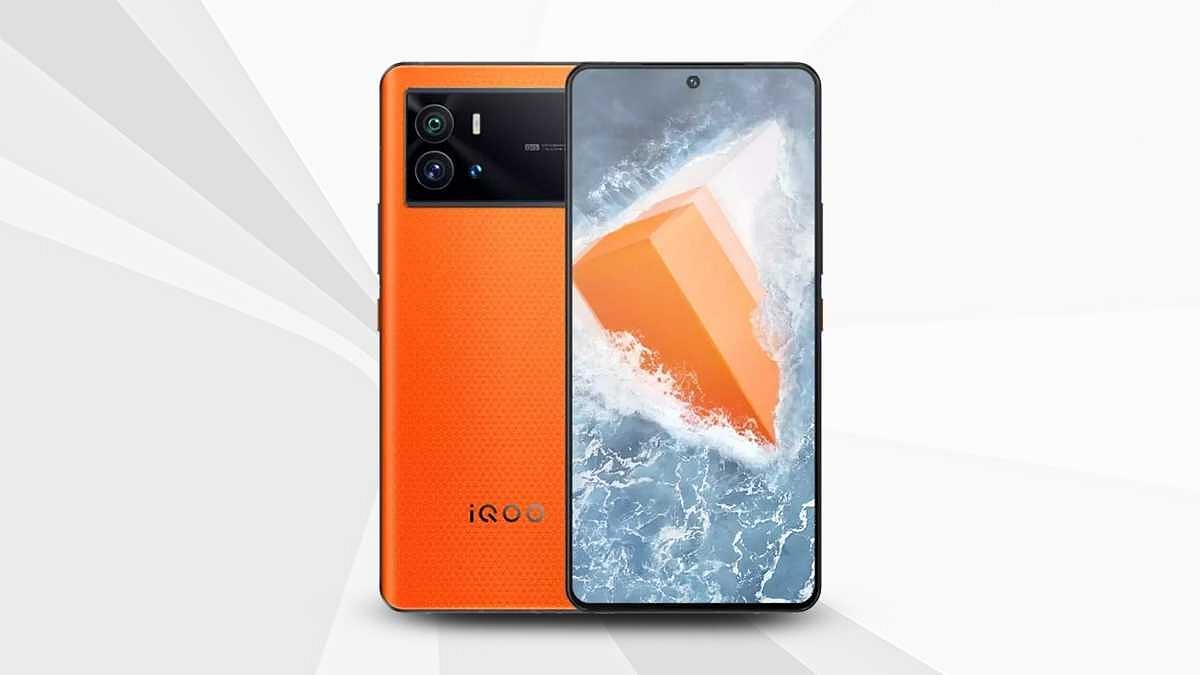
iQOO has a bunch of devices lined up for launch in the market. The brand is ready to launch a new iQOO 9 model in India and the iQOO 10 series in the international markets. The iQOO 9T is rumored to be the upcoming iQOO 9 series phone in the country whose features have been tipped via leaks in the last few weeks. iQOO is rumored to launch the 9T towards the end of July 2022 in India and ahead of the expected launch, more and more leaks are splashing up revealing the key features A fresh leak has now surfaced that reveals the chipset and other details.
iQOO 9T Specifications Leaked Again Ahead Of Launch
The iQOO 9T features have now been leaked by tipster Mukul Sharma. The tipster has shared a tweet confirming the Snapdragon 8+ Gen 1 processor. This will make the iQOO 9T among the first flagship Android phones to be powered by Qualcomm’s latest top-tier Snapdragon processor. iQOO has not yet confirmed this processor for the upcoming 9T in India. But multiple other leaks have also shared the same information. This makes us believe the fresh leak shares authentic details.
This leak has not shared details related to RAM and storage variants. However, as per previous reports, the iQOO 9T will likely be launched with up to 12GB RAM and 256GB storage configuration. It will probably ship with a hybrid SIM slot as other high-end iQOO phones.
Apart from the chipset, the tipster has also revealed the display and camera features of the iQOO 9T. The tipster hints at an E5 AMOLED display with 120Hz refresh rate. However, there is no mention of the display size or the screen resolution.
The iQOO 9T’s leaked imaging setup includes a 50MP Samsung GN5 primary sensor. The exact number of sensors packed at the rear panel is not specified, but there is a possibility we get to see a triple-lens module. The iQOO 9T is also said to come with a Vivo V1+ imaging chip that’ll enhance the overall imaging experience. Lastly, the tipster has also hinted at a 120W fast-charging capacity.
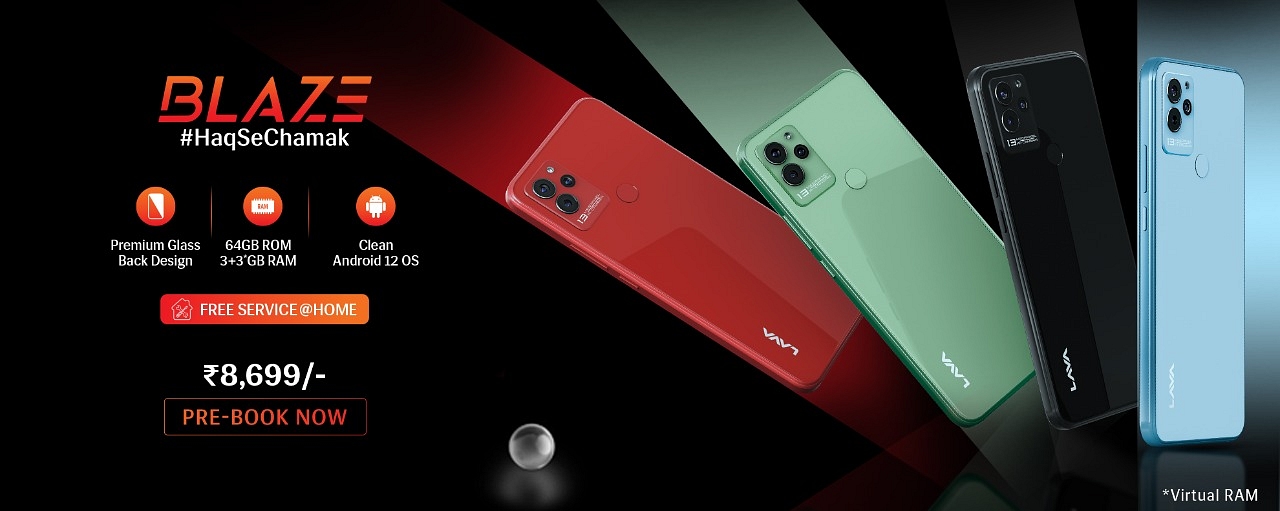
The Lava Blaze has a triple camera set up at the back, including a 13MP primary camera, 2MP secondary camera, and a VGA Camera. On the front, you will get an 8MP camera.
The smartphone supports a 6.5-inch IPS LCD and HD+ resolution of 1600 x 720 pixels.
The Lava Blaze phone also has a MediaTek Helio A22 Processor that is paired with 3GB of RAM and 256GB of storage.
Lava has announced the launch of the new smartphone in India. The Lava Blaze has been launched under Rs. 10,000 with a MediaTek processor, single RAM, and storage options in the country. The newly launched smartphone is expected to give tough competition to the Narzo 50i Prime, Poco C31, and the Realme C30.
The smartphone has been launched with a triple camera at the back. So, let’s take a look at all specifications and features of the device.
Lava Blaze: Specifications And Features
The Lava Blaze comes with a triple camera setup on the back, including a 13MP camera, 2MP secondary camera, and a VGA camera. On the front, the device will have an 8MP camera on the front. Besides, the device has a 6.5-inch IPS LCD and HD+ resolution of 1600 x 720 pixels.
Besides, the phone comes with a waterdrop notch at the top of the front camera. The device supports MediaTek Helio A22 Processor and has 3GB of RAM along with 256GB of storage through a microSD card. In addition, you will find a USB Type-C port and a 3.5mm headphone jack. Besides, the smartphone runs Android 12 OS out of the box, packs a 5000mAh battery, and is 8.9mm thick.
Lava Blaze Launched
Lava Blaze Smartphone: Price In India
The Lava Blaze is available on the company’s official website for Rs. 8,699. However, the device has been launched with only one storage option and the company announced that those who will pre-book now will also get Lava Probuds for free.
The device has been launched in four color options such as Glass Red, Glass Black, Glass Blue, and Glass Green. Moreover, the company said that the Blaze buyers will get free services at their places if anyone wants to.
Modern-day smartphones have proved a blessing in disguise for the masses globally. Google’s Android and Apple iOS are the two prime mobile operating systems that can be found on the latest devices. Thanks to these handheld devices, we now don’t need to power on laptops or PCs for professional tasks that require accessing documents in different formats.
You can even find applications such as MS Office on the Android and iOS ecosystem that help you with official tasks. Downloading and accessing all such applications is fairly simple. You just have to visit the Play Store and App Store on your respective Android and Apple iPhones and search for the supported apps.
You can also have an access to numerous third-party apps that supports document files for which you would’ve previously used MS Office. PDF files are one such example. Downloading, accessing, and even editing any PDF file is now easier with Android and iOS smartphones. In fact, advanced technologies now let you add encryption to PDF documents so that unauthorized access can be kept at bay.
You might have seen password-protected PDF documents shared in the form of bills or bank statements. This is one of the safest ways of sharing confidential documents, be it personal or professional. Adding password protection to any PDF document is an easy task if you are using a laptop or PC. But is it possible to lock a PDF document using smartphones? Well, the answer is yes. Smartphones nowadays are quite potent and can easily let you encrypt or add password protection to any PDF document. If you wish to know the steps, read on below:
Steps To Encrypt/ Password Protect Any PDF Document Using Smartphones
Not all smartphones are launched with the default tools to modify the privacy settings or even load a PDF document. In such cases, you can head to the Google Play Store or Apple App Store to download a third-party app supporting these features. Adobe Acrobat Reader, PDF Anti Copy, and iLOVEPDF are a few of the apps that support PDF file reading and also let you add password protection to the document. The method to add password protection to a PDF file using these apps is almost identical.
Step 1: Download and install any of the aforementioned apps on your respective Android or iOS smartphone.
Step 2: Open the PDF document on which you want to add the password protection.
Step 3: Now, locate the tools option in the respective app.
Step 4: You will be able to see the “Protect PDF” option. Tap on it.
Step 5: In the next step, you will get the option to add a new password to lock the document.
Step 6: Save the changes to password protect or encrypt the PDF document.
Microsoft Windows OS is one of the most commonly used computer operating systems across the globe. The Redmond giant has been upgrading this OS and proactively brings the newer versions each year. Currently, Windows 11 is the latest OS that is being used by the new-generation laptops and PCs across the globe. With the Windows 11 OS, Microsoft has made several improvements with the different services and tools offered by the platform. The security aspects have also been refined with the newer version of the Windows OS.
If you have purchased a new laptop/ PC with the latest Windows 11 OS, you would want to use the different privacy lock options to keep your system at bay from unauthorized access. Specifically, if you want to use your laptop/PC as a shared device, then you would need to activate the privacy features.
Besides the traditional password protection, the Windows 11 OS offers a host of other modern security features. Facial Recognition, a physical fingerprint scanner, and, picture passwords are some of the advanced biometric authentication modes available on the Windows 11 OS. Now, setting up a complex passkey is always crucial to make sure your laptop or PC is secure from unwanted hacks and data thefts.
It is also advised to update your password frequently to enhance the overall security. So, how do you update your password on Windows 11 OS? And is there any way to reset it in case you have forgotten your current password? If that’s something you have been trying to figure out, this article will be your guide:
Steps To Reset Windows 11 Password Without Old Password
Now, the method to reset the password mentioned below will be useful if in case you don’t remember your old password and wish to rest it.
Step 1: When you are trying to log in to your Windows 11-powered laptop or PC and are unsuccessful, you’ll see the Reset Password option. Click on it.
Step 2: If you have set up a PIN for authentication, then you would see the PIN sign-in issues. Select it.
Step 3: You will now see the security question tab once you click on the Reset password option. Answer the security question.
Step 4: Now, you will need to enter a new password. Make sure the password is complex so that unauthorized access becomes difficult.
Step 5: Once you have rest your old password, you’ll be able to log in to your laptop or PC easily.
How To Change Lock Password In Windows 11 OS Laptops/ PCs
Step 1: From the Windows home screen, click on the start menu.
Step 2: Head to the Settings app on your respective devices.
Step 3: Click on the Accounts menu.
Step 4: Select the sign-in option.
Step 5: Tap on the “Password” option and then “change password”.
Step 6: Now, you just need to follow the on-screen steps to change the old password. That’s it. The password on your Windows 11 OS laptop or PC will be updated.
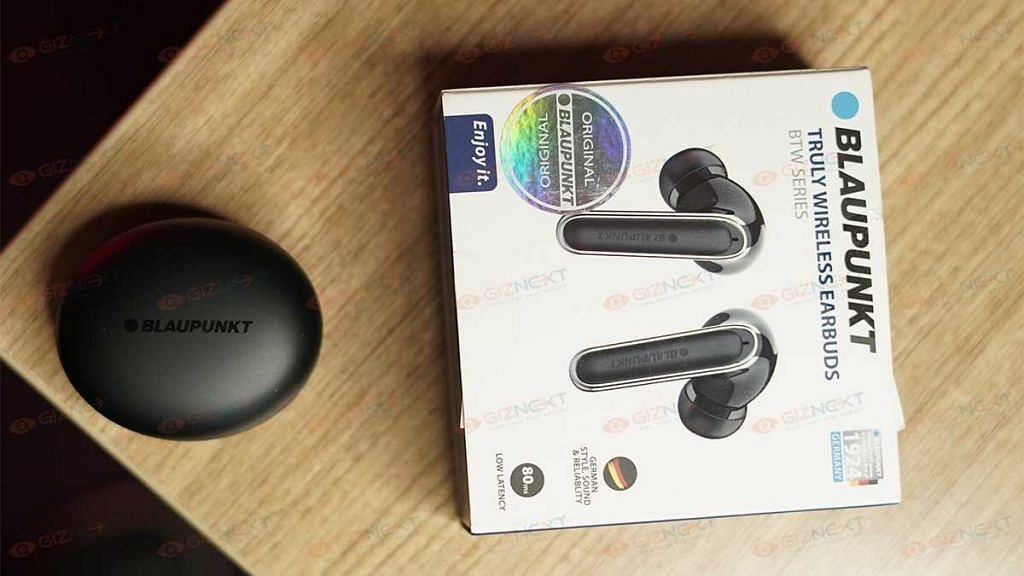
Wireless is the latest craze in the audio industry and several brands are releasing their iteration of wireless earbuds, neckbands, or headphones. The demand for truly wireless earbuds is rising as more smartphone manufacturers ditch earphone jacks. Blaupunkt is a brand that specializes in launching products in the Bluetooth earphone market.
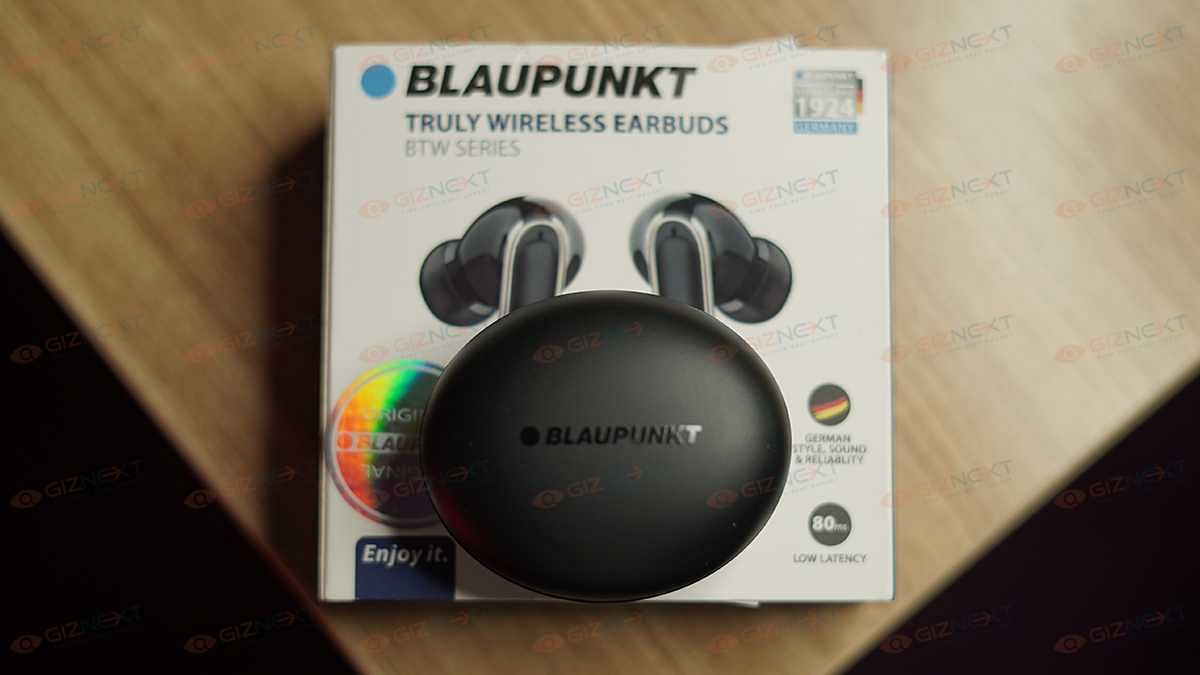
So, when Blaupunkt sent over its latest Truly Wireless Earbuds BTW series, we had to check them out. We have been using these earbuds for quite some time as our daily driver and here’s what we think of them:
What’s Inside The Box?
A pair of earbuds
Charging case
USB Charging cable
Ear tips
User manual
Design
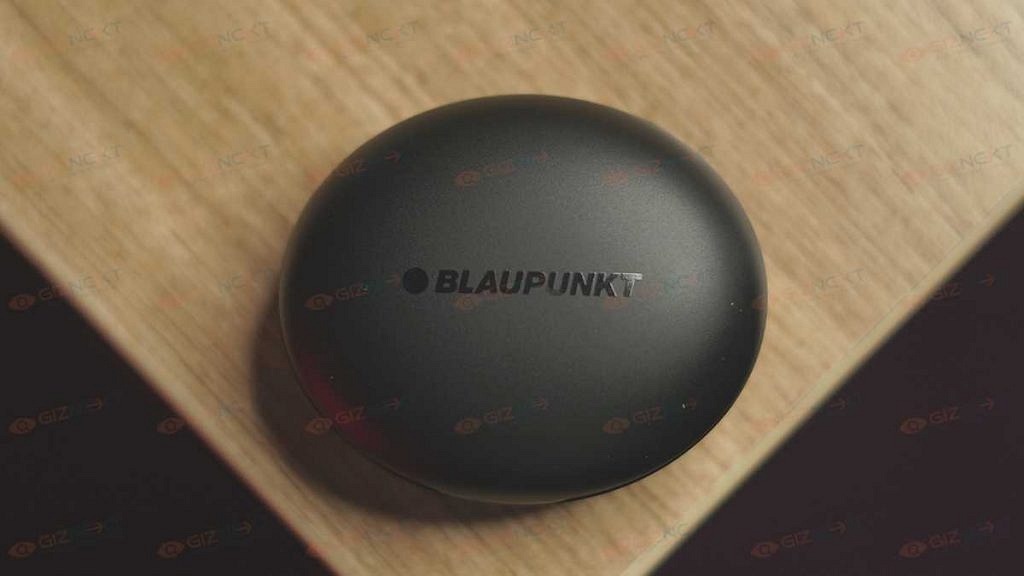
The Blaupunkt Truly Wireless Earbuds BTW Series comes with a stem design and charges inside an oval-shaped case. They come in two color options, i.e., Black and White. The one we have is Black. While the case looks decent enough, it nearly gives off the impression that it is built with cheap materials.
The case comes with LEDs on the front that let you know the amount of charge by displaying the power percentage. When the earbuds are fully charged, the LED light in the charging compartment will turn off. Besides, the case has a USB Type-C port at the back for charging.
The charging case does its job fine though. It holds the earbuds securely when not in use and charges them. Taking the earbuds out powers them on automatically while putting them back turns them off and starts charging them. The case is small and can be carried in your pocket easily.
Now coming to the earbuds, their design is average and gets the job done. They are light and comfortable to use. However, there’s a slight issue with the fit. While using them, they didn’t actually fall off in usual usage but we are confident of using these at the gym or while jogging.
The Blaupunkt earphones have touch controls. The taps on the outer sides of each unit can be used to control music playback, volume, and answer calls. To aid with the calls, there are two mics on each earbud which is located at the bottom. Overall, the earbuds and charging case are all made of plastic and are quite plain-looking in our opinion.
Audio Performance
A 10mm driver inside the earphones generates punchy bass as well as decent mids and highs. They deliver audibly elevated low-end responses while the mid-range and highs are slightly less aggressive.
Sound quality is usually the main factor of any audio product and the Blaupunkt Truly Wireless Earbuds BTW Series does offer good sound for its price. These earbuds are not the best but they’re good and for Rs. 2,999, they’re one of the better ones.
The Blaupunkt Truly Wireless Earbuds BTW Series can also be used for hands-free calling and we had a decent experience using them. The sound on calls was clear and the microphones could pick up our voice decently.
Battery And Connectivity
Pairing the Blaupunkt Truly Wireless Earbuds BTW Series is simple. Taking the earbuds from the case will turn them on automatically. If not, you can long-press on the multifunction keys for three seconds to turn it on.
After it gets paired successfully, the headset will sound prompt ‘successful connection’. The indicators of left and right earbuds will turn blue and flash slowly. If the earbuds don’t pair with the mobile phone after starting, it will shut down automatically after three minutes.
The Blaupunkt TWS earbuds are compatible with both Android and iOS devices as well as can be paired with a mobile phone separately.
Talking about the battery, the charging case packs a large 400mAh battery. The device has a battery life of up to 40 hours of playtime. It does last for a decent amount of time. On using it for a few hours each day, it did last for over a day.
Verdict
The Blaupunkt Truly Wireless Earbuds BTW series does provide a level of performance that you would expect from a pair of budget TWS devices coming in at Rs. 2,999. That being said, they do fall short on some of the basics like the flimsy build and fit. What they have going on for them are decent sound quality and battery backup.
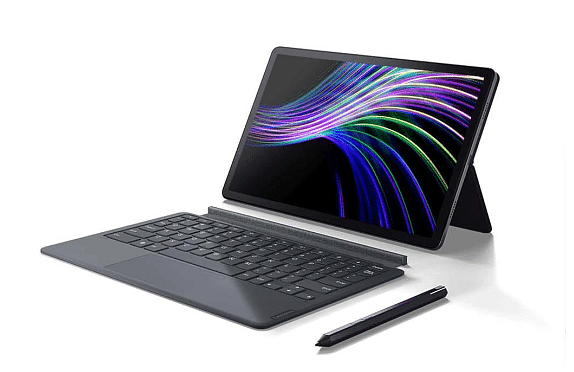
The Lenovo Tab P11 Plus comes with an 11-inch IPS LCD display, 400 nits of brightness, and a 70 percent NTSC color gamut.
The tablet comes with a MediaTek Helio G90T processor and 6GB of RAM and 128GB of internal storage.
The back camera flaunts a 13MP camera and you will find an 8MP camera on the front.
Lenovo has announced the launch of the new tablet in India on Wednesday. The Lenovo Tab P11 Plus has a 2K resolution along with a big battery. Besides, you will get Dolby Atmos speakers and a MediaTek processor.
Lenovo Tab P11 Plus Tablet: Specifications
The Lenovo Tab P11 Plus has an 11-inch IPS LCD display along with a 2000 x 1200 pixels resolution. It has 400 nits of brightness, TUV Rheinland’s blue light emission certification, and a 70 percent NTSC color gamut.
The device is powered by the MediaTek Helio G90T processor that is paired with 6GB of RAM and 128GB of internal storage. The tablet also comes with expandable memory of up to 356GB via memory card.
In addition, the tablet comes with a single LTE variant, which means you cannot insert the SIM into the tablet. On the imaging front, the newly launched tablet has a 13MP single camera on the back and an 8MP selfie camera on the front.
You will also find facial recognition support, whereas there is a fingerprint scanner. It has a 7,700mAh battery along with support for up to 20W fast charging. In addition, Lenovo said that the tablet offers 15 hours of usage on a single charge.
Also, the tablet has four stereo speakers with Dolby Atmos support. It also has a dual microphone setup. However, the tablet runs Android 11 out of the box that is because of tablet was launched in 2021 in other markets and now it has been launched in the country.
In addition, the tablet comes with dual-band Wi-Fi, Bluetooth v5.1, 4G, and GNSS. Furthermore, the tablet has 7.5 mm thick and weighs 490 grams.
Lenovo Tab P11 Plus: Price In India
The 6GB of RAM and 128GB of internal storage tablet are priced at Rs. 25,999. It is available in the Slate Grey Colour option and comes with a one-year warranty.
India has gradually become the one-stop destination for technology brands to introduce a wide range of consumer-centric goods. Smartphones and digital accessories are among the most sought-after consumer tech products in the country. Speaking of digital accessories, wireless audio products such as portable speakers, over-the-ear headphones, TWS earbuds, and neckbands have seen a significant boom in terms of sales in the last few years. German audio specialist Blaupunkt has also ventured into the Indian market space delivering quality products to the Indian audience.
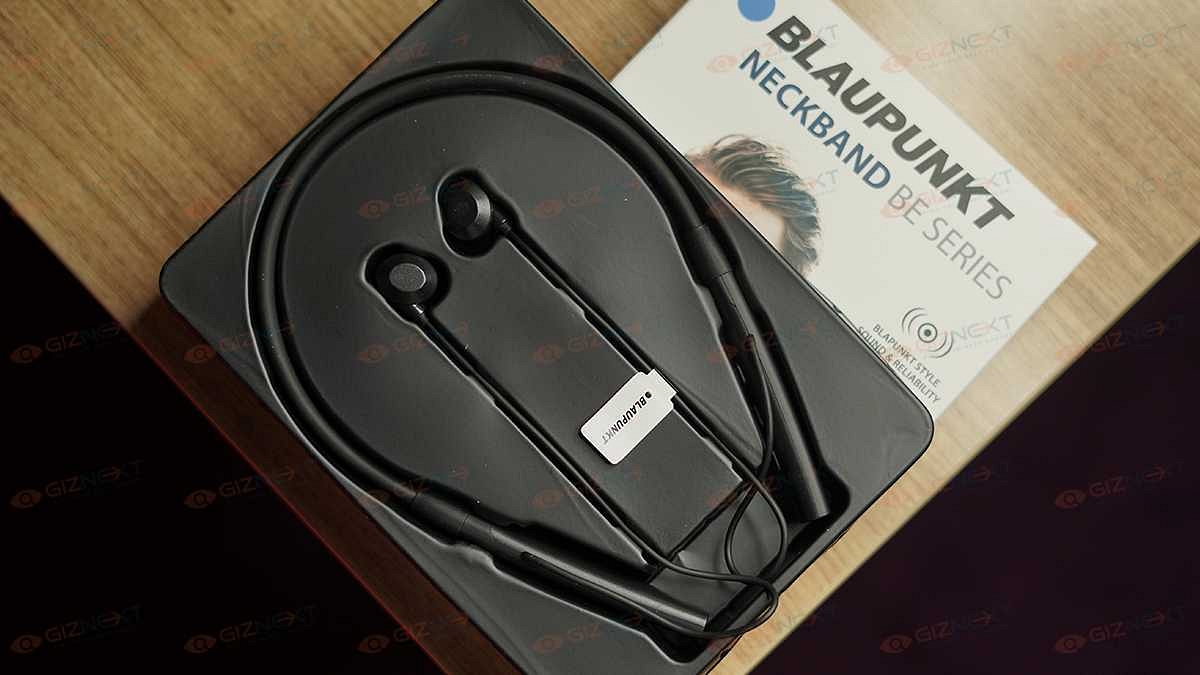
Blaupunkt has introduced a series of wireless neckbands under its BE series. The Blaupunkt BE200 is one of the wireless neckbands that is designed for the budget masses. Priced at around Rs. 1299, the BE200 neckband can be purchased via online retail platforms in the country. But if you visit the shopping portals, you will be flooded with options in the wireless neckband segment.
Often, affordable pricing isn’t enough to drive the sales of any product; specifically audio products including wireless neckbands. This is where brands fiddle along with the design and features so that their products can easily stand out from the crowd. What unique features does the Blaupunkt BE200 brings to the table that lets it compete against its rivals? And is it a practical product for daily usage? Read on this review to know if this budget Blaupunkt Bluetooth neckband is worth a purchase?
Blaupunkt BE200 Neckband Review: Design And Wearing Comfort
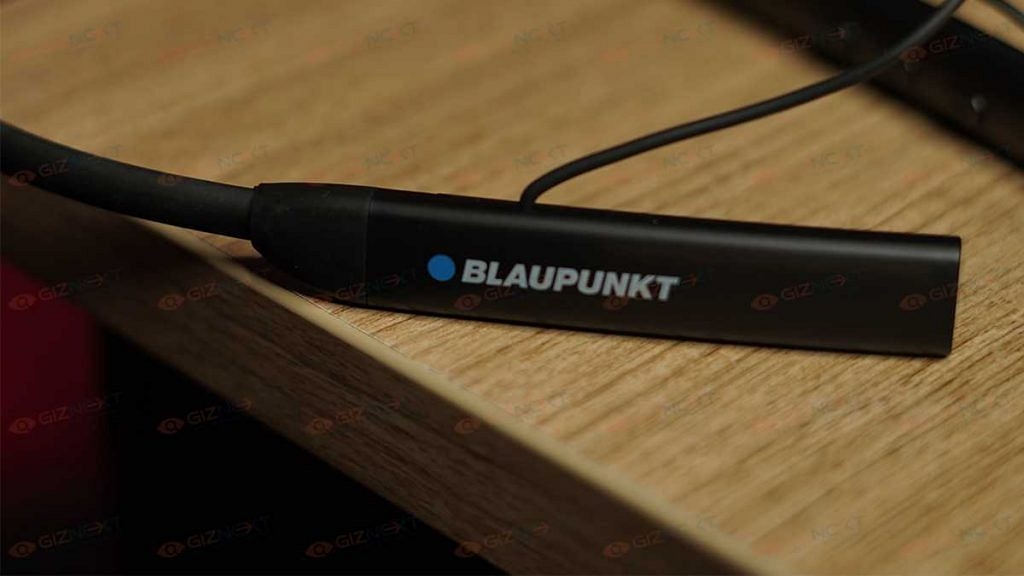
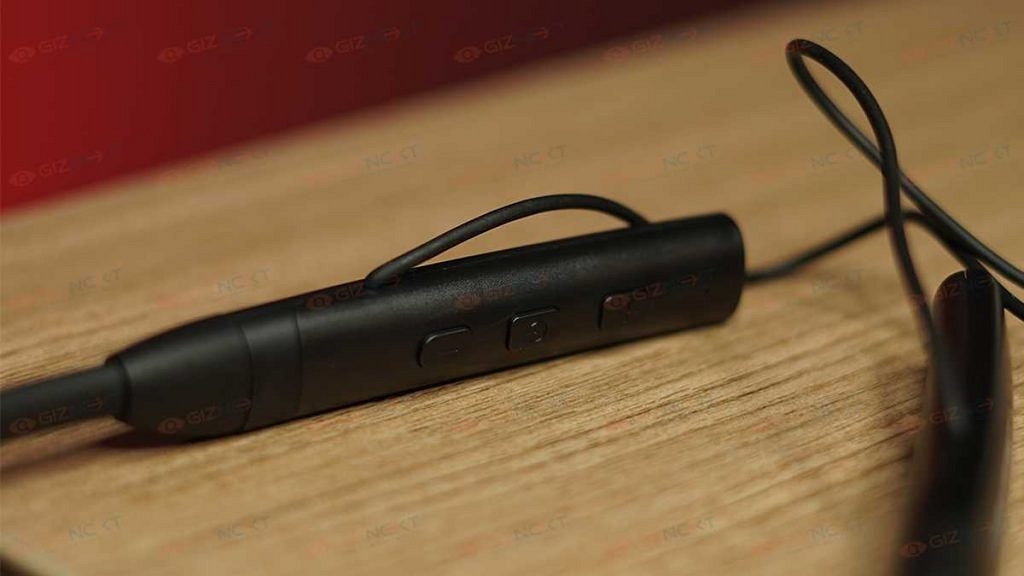
The Blaupunkt BE200 features a standard neckband style. Blaupunkt has used both plastics as well soft rubber material to design this pair. Unlike the conventional neckbands, the Blaupunkt BE200 is a bit thick and bulky. However, the excess bulk is on the lower edges (the console) where the physical control keys and the USB port are placed. The left stem of the neckband houses three keys. You get the power key sandwiched between the volume rockers.
The quality of the keys is good and you don’t get any missed click feedback. Speaking of the controls, you can press and hold the volume keys to change the music track. A single tap on the power key will play/ pause music.
The same panel accommodates the USB Type-C port for charging and an LED panel to display the battery percentage. Now, this latter part is what we believe will grab the users looking out for something unique in terms of neckband design. Thankfully, the wires connecting the eartips and the neckband aren’t fragile.
No complaints there with the built quality. But we aren’t really a fan of the bulkiness. Specifically, while using this pair in the soaring temperatures in NCR in the last few months. It’s the lightweight form factor that gives us some relief.
The in-ear design of the earbuds offers a snug fit that keeps them from falling off easily if you are using the pair with outdoor activities. Again, the earbuds are bulky and you might struggle a bit initially to get used to wearing them comfortably. But once you get a hang of it, it is easier to put them on while on the go. The earbuds also have a magnetic latch option that hooks both earbuds and protects them from falling off when not in use.
The Blaupunkt BE200’s driver size is unpecified. However, the frequency response range delivered by this budget wireless neckband is 20Hz-20KHz. This is a standard frequency range that you can find on budget earphones and headphones nowadays. As for the audio output, it is decent. The audio can get super loud at the highest levels.
But turning up the volume to the max might hamper your listening experience. That’s because the output sounds distorted and muffled when you fire up the volume levels to the max. And that’s not the case when you listen to the music at around 50- 60 percent volume levels. That has been our usual setting for audio playback. You might need to increase the volume levels if you are commuting in noisy backgrounds.
The Blaupunkt BE200 comes void of the Active Noise cancellation feature. Well, that’ll be criminal to ask with the sub Rs. 1500 asking price. But thanks to the design of the snug-fit earbuds, the audio listening experience isn’t hampered outdoors. The pair is able to block the surrounding noises passively. If we further emphasize on the audio performance, this pair sounds a bit stereophonic. The audio clarity is average on this Blaupunkt neckband. The bass levels are mediocre not super punchy.
Blaupunkt BE Neckband: Calling And Connectivity
The Blaupunkt BE200 neckband supports Bluetooth v5.0 for wireless pairing with compatible devices such as smartphones, tablets, laptops, and PCs. The pairing process is simple and you just have to follow the standard connectivity procedure. Just press and hold the power key unless the earbuds go into the pairing mode.
You’ll see the notification LED flickering red and blue. Open the Bluetooth settings on your respective devices and select the name of the neckband to complete the pairing. Thankfully, the Bluetooth pairing process is swift. The Blaupunkt BE200 neckband is good with calling as well. We were able to make and answer calls without struggling with the audio quality.
Blaupunkt BE200 Neckband Battery Backup
The Blaupunkt BE200 wireless neckband packs a 600mAh battery which as per the brand offers 100 hrs of music playtime. The figures were close to our testing. But only when the audio was played at around 50 percent volumes. This budget neckband also features Turbo volt charging technology that adds around 10 hours of backup with 10 minutes of quick charge. This is a useful feature that will be helpful for the users traveling outstations with no easy access to a power plug.
Blaupunkt BE200 Wireless Neckband: Final Verdict
The Blaupunkt BE200 neckband is a decent pick in our opinion. This neckband is suitable for users demanding a durable pair with good audio output. And if your budget is below Rs. 1500, this Blaupunkt neckband makes for a good choice if you can compromise a bit on the comfort levels and can also workaround with not-so-punchy bass.
Who doesn’t love a smartwatch these days? Whether it is for fitness or health-related features or simply as a fashion accessory, now more people are looking for smartwatches than ever before.
But with so many budget options in the market right now, purchasing a smartwatch can be a little challenging. While it may appear to be a wonderful deal for buyers on a budget, there is more to it than meets the eye. To make things simpler, we have streamlined the process and provided a list of the important factors you should take into account before purchasing a new smartwatch.
Display
The display’s capabilities and quality must be taken into account. Just like smartphones, the display is a core component of any smartwatch because it shows all the information. It lets you interact with the watch itself. Therefore, it is recommended to select a smartwatch with a good display that can work well indoors and also outdoors, particularly under direct sunlight.
Make sure that the display has a responsive touch system and high-quality protective glass. The latter is crucial and worth considering because a subpar touch response might ruin the user experience.
Battery
Before purchasing a smartwatch, it’s crucial to take its battery into account. The battery in smartwatches doesn’t last as long as those in fitness bands. Smartwatches with plenty of functions such as cellular support, integrated GPS, constant heart rate monitoring, and other biometric sensors, typically require overnight charging to offer you a day’s worth of charge.
However, by disabling these features, the battery might be extended to more than a day. Budget and midrange smartwatches typically have a longer battery life, with some models claiming to operate for several days.
Connectivity
Today’s most popular smartwatches come equipped with connectivity options like Bluetooth, Wi-Fi, and a built-in GPS. Some of the more expensive ones also provide an optional cellular LTE connectivity option that allows you to set up an eSIM in addition to your standard SIM card. You can use a smartwatch without being linked to a smartphone if it has cellular and GPS connectivity. This eliminates the need for the smartphone and lets you use the smartwatch to go for walks and runs, make phone calls, or navigate with the built-in GPS.
App Support
When considering a good smartwatch, this is something that is often overlooked. A broad variety of third-party apps are supported by both Google Wear OS and Apple WatchOS with some that can be installed on the watch itself using their dedicated app stores. Rather than relying on a paired smartphone to push notifications, essentially apps can directly run on the watch.
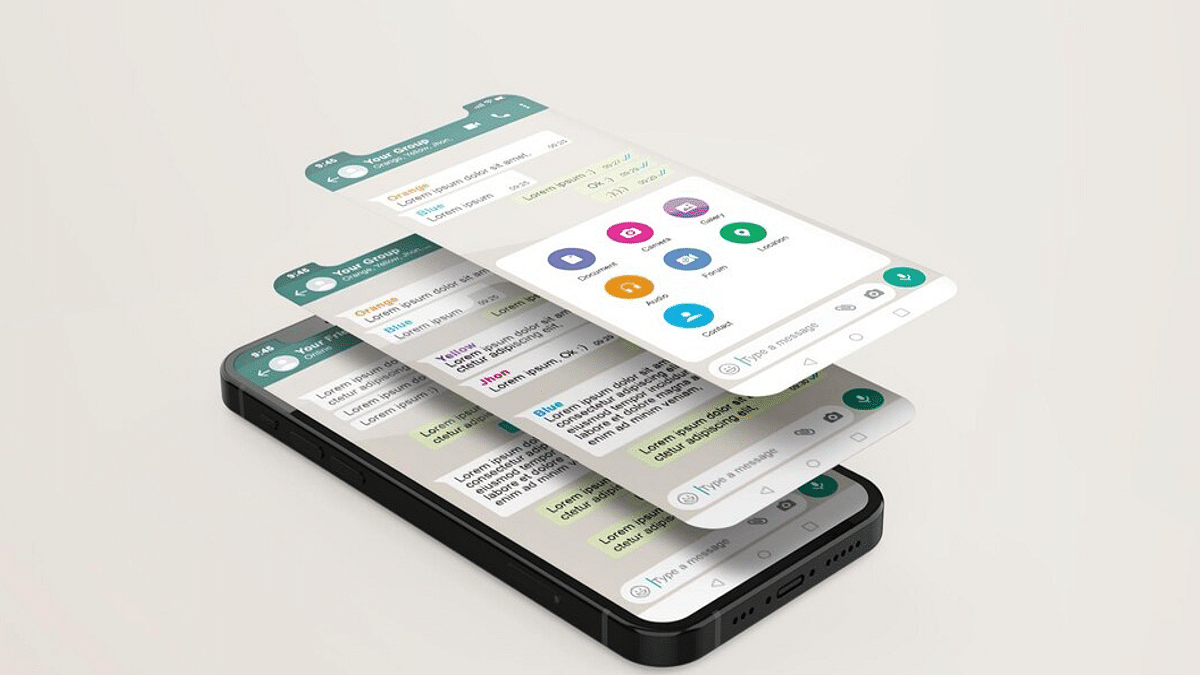
People use WhatsApp to talk and interact with their friends, relatives, coworkers, and loved ones all around the world. However, there are times when it’s necessary to organize your conversations. You can’t keep some chats but you don’t want to delete them either. What should you do in such situations? Well, you can hide or archive your WhatsApp chats.
In order to manage your chats, WhatsApp offers its users the option to archive individual or group chats from their chats list. For the unaware, hiding a chat doesn’t actually delete the chat or back it up to your SD card. The chats will remain hidden on WhatsApp. Let’s get to know how to hide your WhatsApp chats on Android and iPhone.
Step 3: Long press the chat that you want to hide.
Step 4: Then, click on the archive button at the top right corner.
How To See Archived WhatsApp Messages On Android
Step 1: Open WhatsApp on your Android phone.
Step 2: Select ‘Chats’ in the tab near the top of the screen.
Step 3: Hit the back button if a conversation opens.
Step 4: Scroll to the bottom of the chat inbox, where you will see ‘Archived Chats’. You haven’t archived any chats if you don’t see the ‘Archived Chats’.
Step 5: To view all of your archived chats, click on ‘Archived Chats’. Pick a chat that you would like to open.
How To Hide WhatsApp Chats On iPhone
Step 1: Open WhatsApp on your iPhone.
Step 2: Look for the chat that you want to hide.
Step 3: Then, right-swipe on the chat and click the ‘Archive’ button.
Step 4: The chat is now archived and no longer visible in your chat list.