Categories
Apps Featured

Stay Safe While Shopping Online: Five Easy Tips To Avoid Getting Scammed

Key Highlights

  • Buy only from trusted and secure websites
  • Avoid clicking on unknown links or fake offers
  • Use safe payment options and check return policies

Online shopping has made life super convenient, no more long queues or crowded stores. But with the ease of buying comes the risk of falling into scams. Fake websites, phishing emails, and too-good-to-be-true deals can lead to money loss and stolen data. The good news? Staying safe while shopping online isn’t hard. You just need to follow a few smart steps. Here are five simple ways to shop online safely and avoid getting scammed.

Also Read | Online Shopping? Here’s How To Spot Fake Reviews Like A Pro

Shop Only From Trusted Websites
Stick to online stores you know and trust, like Amazon, Flipkart, Myntra, or official brand websites. If you’re visiting a new store, do a quick background check. Look for the lock icon in the browser bar and make sure the website starts with “https”. This means the site is secure and your data is protected.

Don’t Click On Random Links Or Emails

Scammers often send fake offers through emails, SMS, or pop-up ads. These links might look tempting but can take you to harmful sites. Instead of clicking, go directly to the store’s website through your browser. If the deal is real, you’ll find it there too.

Use Secure Payment Methods

Always use credit cards, UPI, or trusted wallets like Google Pay, Paytm, or PhonePe when making a payment. Avoid bank transfers or cash on delivery for expensive items from unknown sellers. Credit cards usually offer better fraud protection in case anything goes wrong.

Keep Your Devices And Apps Updated

Whether it’s your smartphone or laptop, make sure your system and antivirus are up to date. Many scams happen through old apps or outdated security systems. Updating your devices helps block harmful websites and alerts you to suspicious activity.

Also Read | Cashback Vs Discount: Which Helps You Save Extra Money During Online Sales?

Check Reviews And Return Policies

Before buying anything, especially from a new site, read customer reviews. Real reviews can tell you if a product or seller is trustworthy. Also, read the return and refund policies. If the store has unclear or no return options, it’s better to skip the purchase.

Scammers are getting smarter, but so can you. Shopping online should be fun and safe. Follow these tips and stay alert to enjoy stress-free online shopping.

For the tech geeks, stay updated with the latest cutting-edge gadgets in the market, exclusive tech updates, gadget reviews, and more right on your phone’s screen. Join Giznext’s WhatsApp channel and receive the industry-first tech updates.

Categories
Featured Info Mobile

Lava Days Sale Live On Amazon: Top Smartphone Deals You Can’t Miss

Key Highlights

  • Lava Days Sale live till April 27 on Amazon
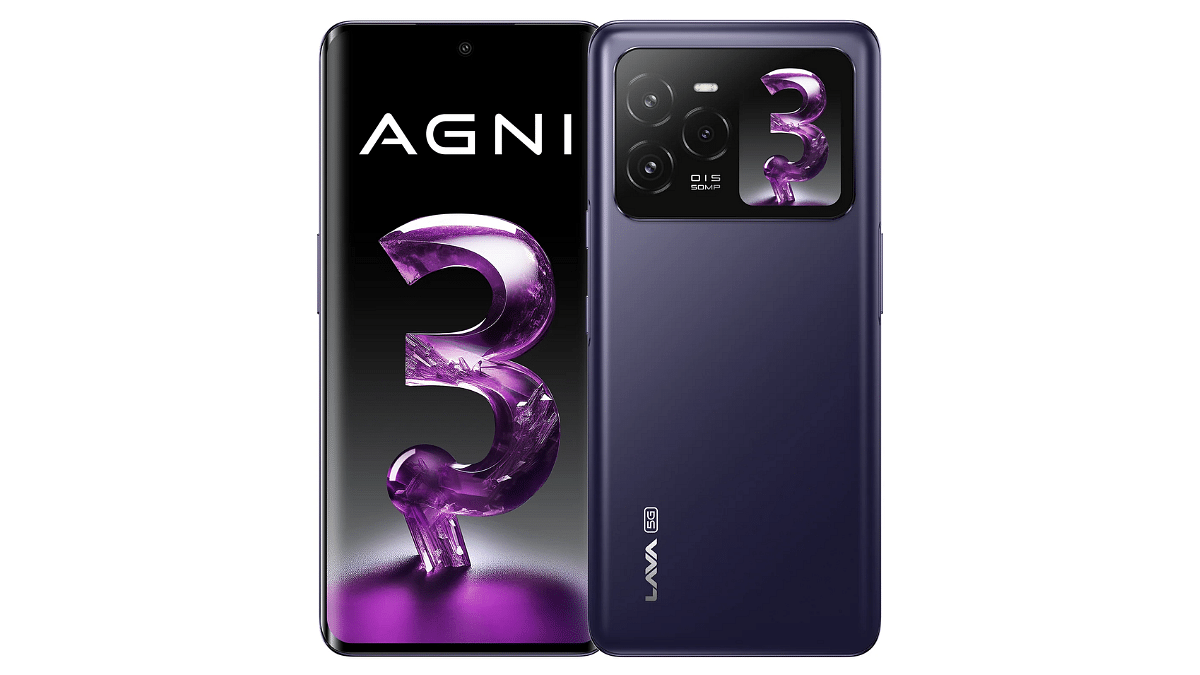
  • Up to Rs. 4,000 off on Lava Agni 3
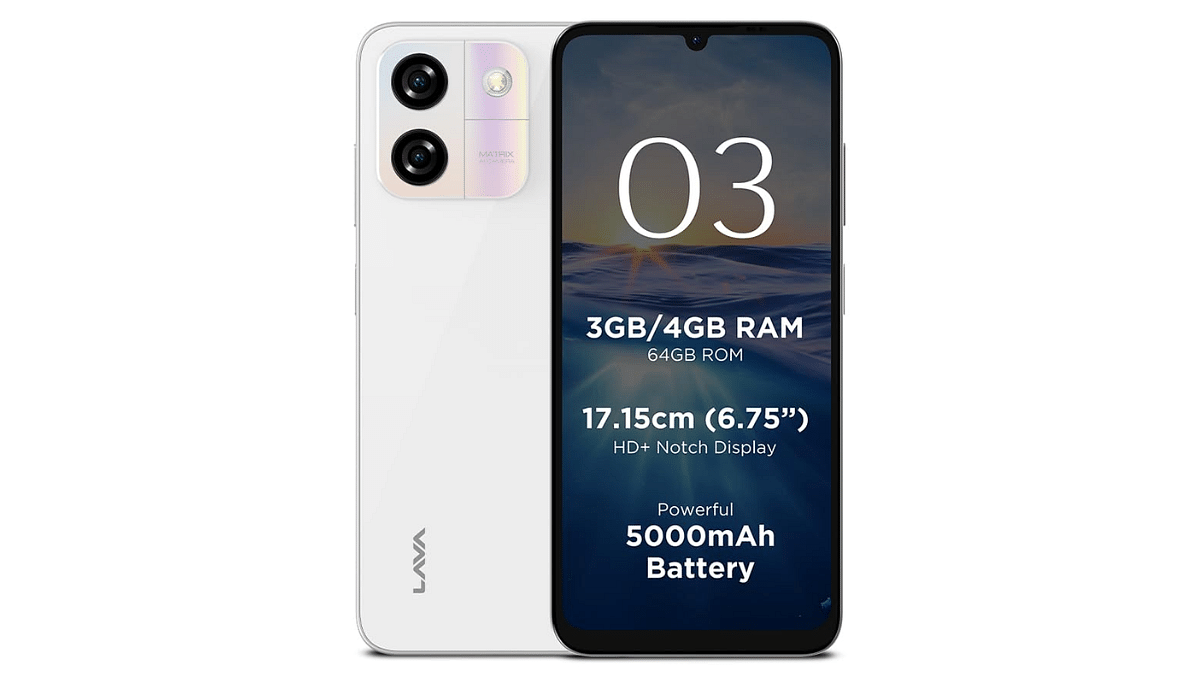
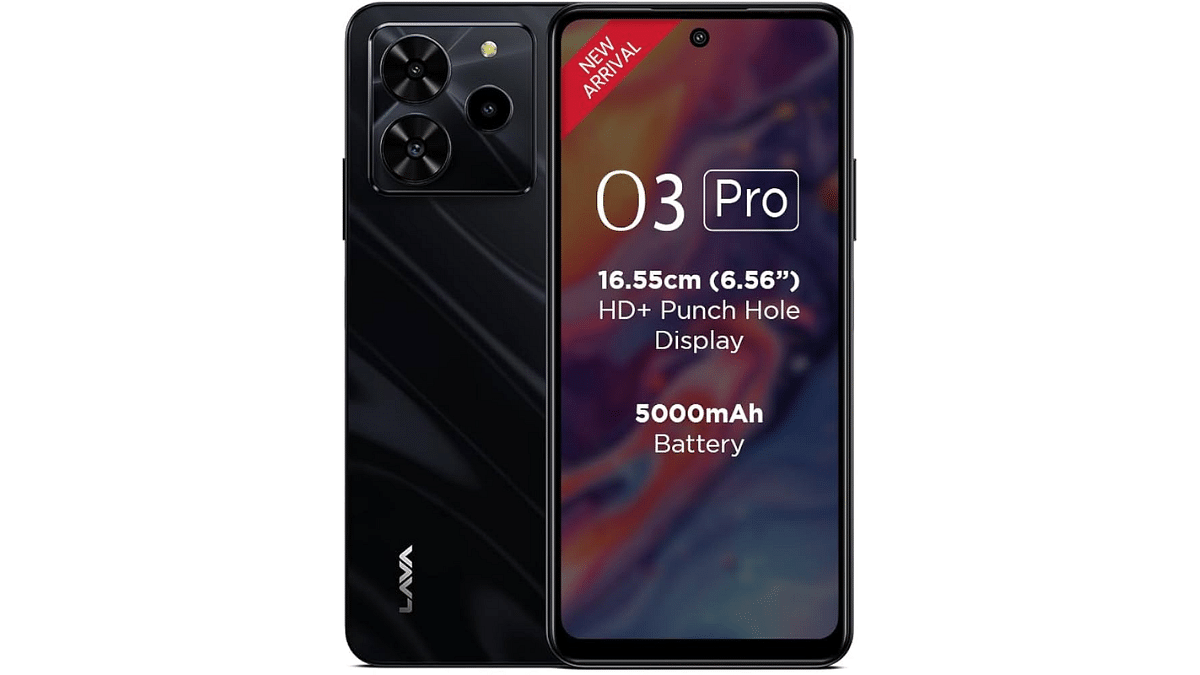
  • Lava O3 and O3 Pro also on discount

If you’re planning to upgrade your smartphone, now’s the perfect time. Lava has kicked off its festive Lava Days Sale from April 23 to 27, 2025, exclusively on Amazon India. This exciting sale brings massive savings across both flagship and budget segments, including popular models like the Lava Agni 3, Lava O3, and Lava O3 Pro. Let’s explore the best deals on offer.

Also Read | Lava Blaze Curve 5G Review: Setting New Standards For Budget Smartphones?

Lava Days 2025 Smartphone Deal

Offers On Lava Agni 3

Offer DatesVariantOffer DetailsEffective Price
Apr 23–258+128 GB (Without Charger)Flat Rs. 3,000 Coupon DiscountRs. 17,999
 8+256 GB (With Charger)Flat Rs. 3,000 Coupon DiscountRs. 21,999
Apr 26–278+128 GB (Without Charger)Rs. 2,000 Coupon + Rs. 2,000 Bank OfferRs. 16,999
 8+128 GB (With Charger)Rs. 2,000 Coupon + Rs. 2,000 Bank OfferRs. 18,999
 8+256 GB (With Charger)Rs. 2,000 Coupon + Rs. 2,000 Bank OfferRs. 16,999

Offers On Lava O3

Offer DatesVariantOffer DetailsEffective Price
Apr 23–274+64 GBFlat Rs. 300 Coupon DiscountRs. 5,899
 3+64 GBFlat Rs. 150 Coupon DiscountRs. 5,649

Offers On Lava O3 Pro

Offer DatesVariantOffer DetailsEffective Price
Apr 23–274+128 GBFlat Rs. 300 Coupon DiscountRs. 6,699

Also Read | Lava Blaze X Review: Can It Compete In The Crowded Budget Market?

Why Agni 3 Is A Hot Pick

  • Segment-first dual AMOLED displays: 6.78-inch 1.5K Curved front + 1.74-inch rear AMOLED
  • Performance powerhouse: MediaTek Dimensity 7300X
  • Camera excellence: 50MP Sony sensor with OIS
  • 66W fast charging, Dolby Atmos stereo speakers, Clean Android 14 UI

Where To Buy?

All deals are live exclusively on Amazon India, with bank offers available on HDFC and Axis Bank credit cards and EMIs (only on April 26–27).

For the tech geeks, stay updated with the latest cutting-edge gadgets in the market, exclusive tech updates, gadget reviews, and more right on your phone’s screen. Join Giznext’s WhatsApp channel and receive the industry-first tech updates.
Categories
Apps Featured How To

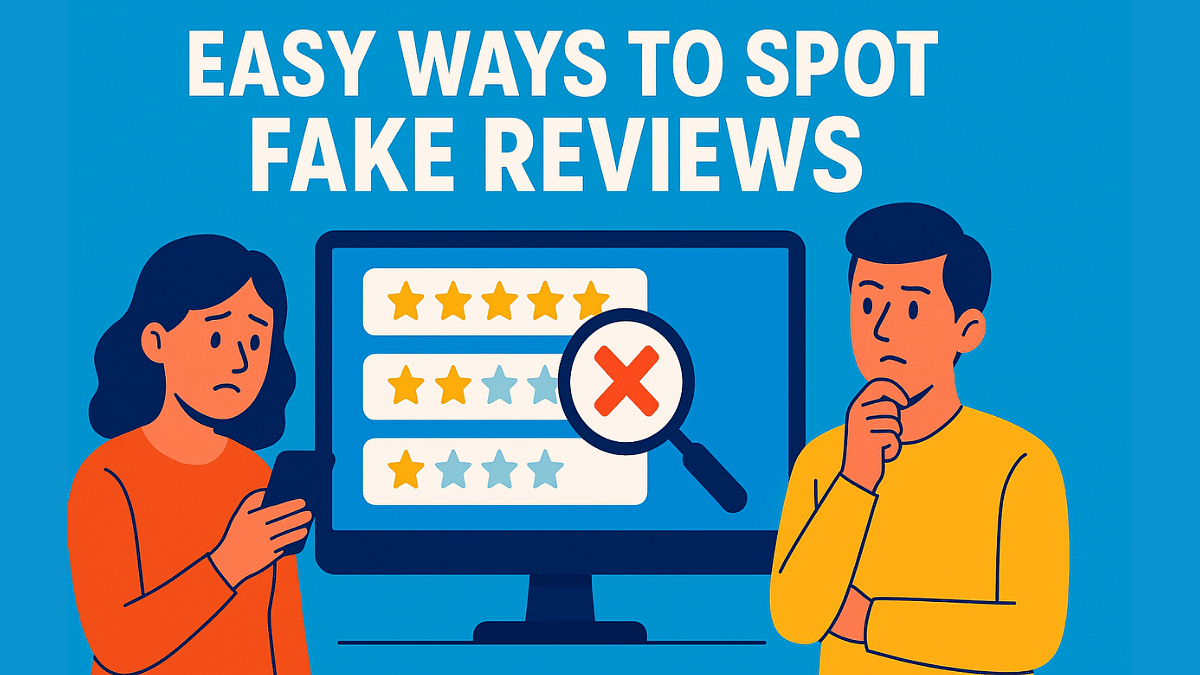
Online Shopping? Here’s How To Spot Fake Reviews Like A Pro

Key Highlights

  • Don’t trust only 5-star reviews, look for balanced opinions
  • Focus on verified purchases and detailed reviews
  • Use tools like Fakespot to check if reviews are real

Shopping online is super convenient. But how do you know if that glowing review is real or just fake hype? With thousands of reviews floating around, it’s easy to get misled. Whether you are buying a smartphone, skincare product, or a new kitchen gadget, spotting fake reviews is a must to avoid regret later. Here’s how you can find out which reviews to trust and how to choose genuine products confidently.

Also Read | Four Best Coupon Apps For Online Shopping

Check The Review Patterns

If you see a product with only 5-star reviews, all posted around the same time, be alert. This could mean the reviews were posted by bots or paid users. Real reviews come in a mix, some good, some bad, and are usually spaced out over time. A genuine product will have a balanced rating with comments talking about pros and cons.

Look At Verified Purchases

Most e-commerce sites like Amazon tag certain reviews with “Verified Purchase.” This means the reviewer actually bought the product. These reviews are generally more reliable than unverified ones. So, scroll through the verified section before making a decision.

Read The Review Details

Genuine reviews talk about real user experience, what they liked, what could be better, and whether the product met their expectations. If a review is too short, vague, or just keeps saying “awesome” or “great,” it might be fake. Trust reviews that give useful details, especially ones that mention usage after a few days or weeks.

Beware Of Overused Keywords

Some fake reviews are stuffed with keywords like “best phone ever” or “excellent quality” to boost visibility. These reviews sound robotic and unnatural. Real users usually don’t talk like ad copies. If it reads like a commercial, it’s probably not from a real buyer.

Also Read | Top Five Shopping Apps In India For Fashion Enthusiasts

Use Review Checker Tools

There are free tools like Fakespot and ReviewMeta that analyze reviews and rate their authenticity. These tools can save you time and help you avoid shady products. Just copy the product link into the tool, and it’ll show whether the reviews are mostly real or fake.

For the tech geeks, stay updated with the latest cutting-edge gadgets in the market, exclusive tech updates, gadget reviews, and more right on your phone’s screen. Join Giznext’s WhatsApp channel and receive the industry-first tech updates.
Categories
Featured Info Mobile

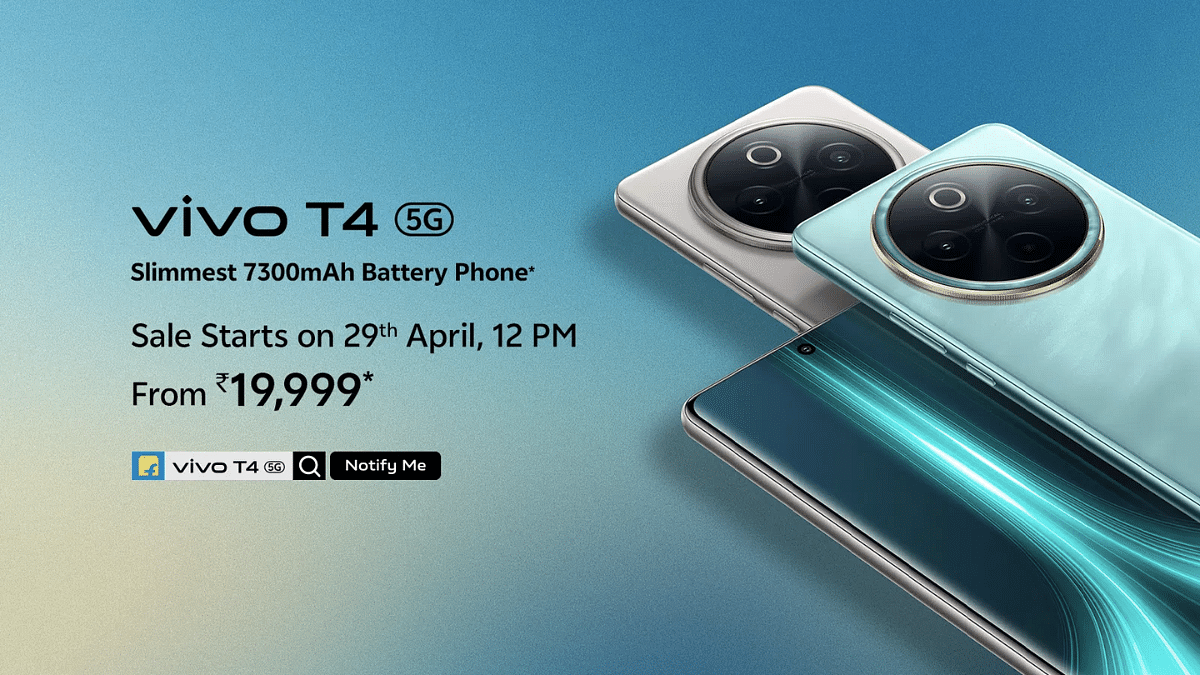
Vivo T4 5G Debuts In India: Top Highlights Worth Checking Out

Key Highlights

  • Vivo T4 5G debuts with Snapdragon 7s Gen 3 5G chipset
  • Packs segment’s largest 7,300 mAh battery pack
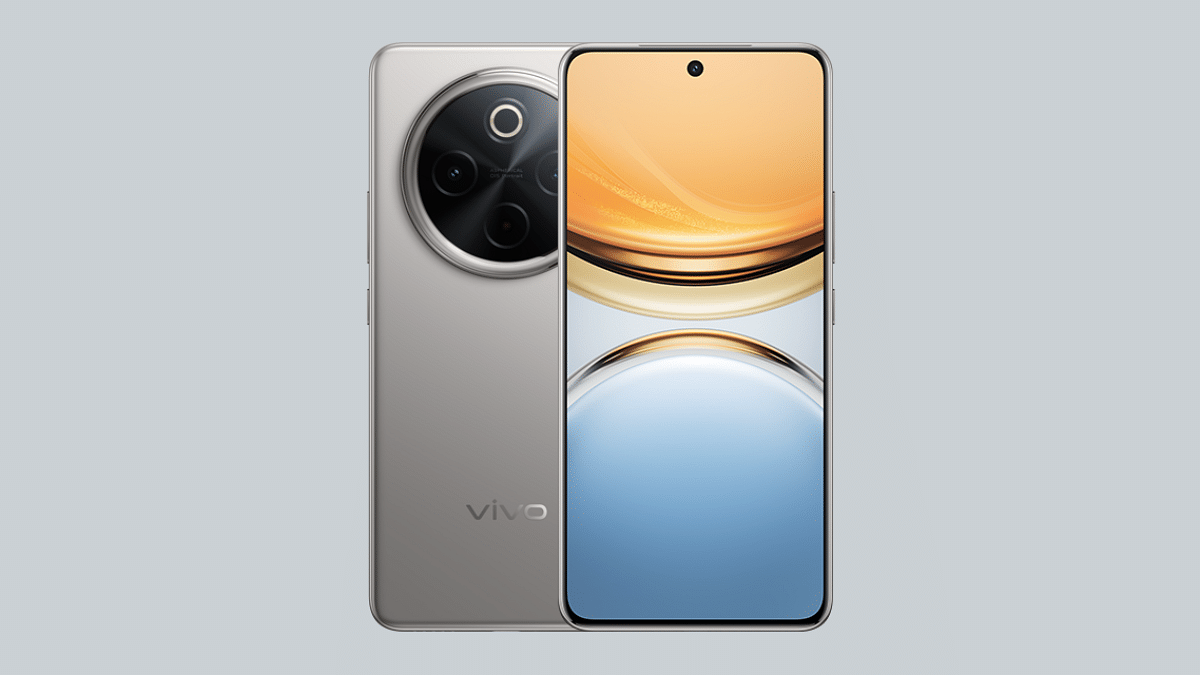
  • Equipped with quad-curved AMOLED display
  • Price in India starts at Rs. 21,999

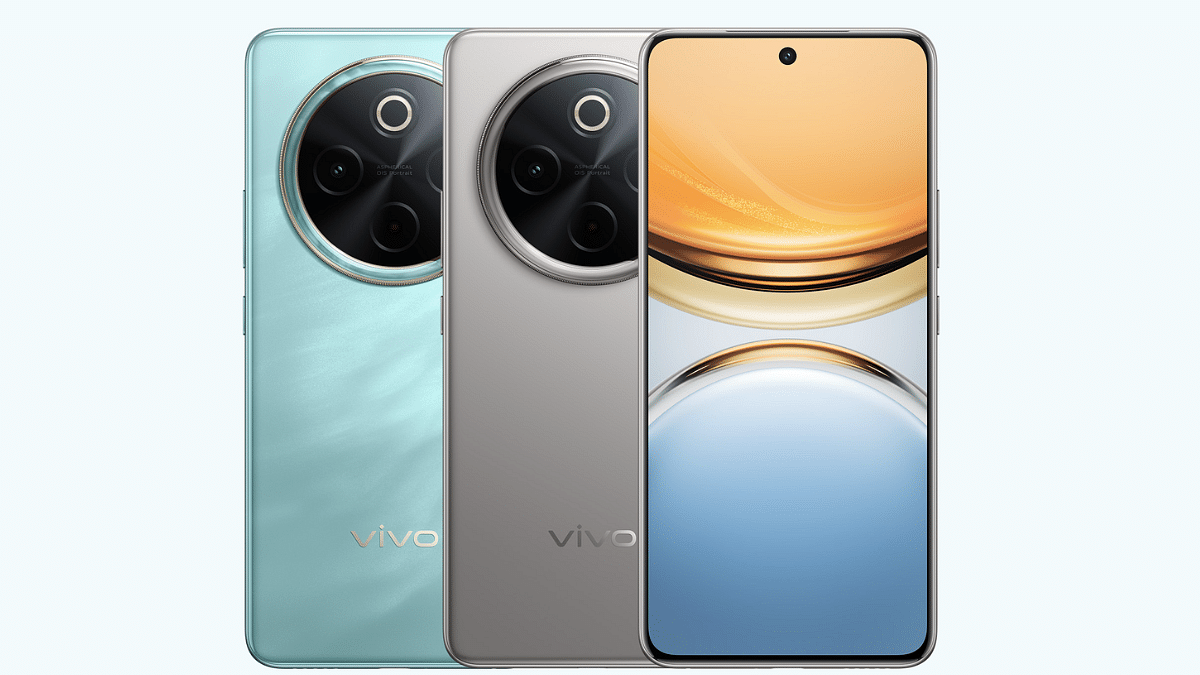
Vivo today has set a new standard in the mid-tier Android smartphone segment. The company has launched the T4 5G which comes as the first handset to feature a massive 7,000 mAh battery pack. Priced starting at Rs. 21,999, the T4 5G gets some other premium-range features such as a large quad-curved AMOLED screen, a 50MP primary Sony IMX882 lens, and also smart AI features such as AI Erase, Note Assist, Live Text & Super Documents, etc. Here are the top highlights of the Vivo T4 5G:

For the tech geeks, stay updated with the latest cutting-edge gadgets in the market, exclusive tech updates, gadget reviews, and more right on your phone’s screen. Join Giznext’s WhatsApp channel and receive the industry-first tech update.

Also Read: Vivo T4x 5G Review: Is This The Best Budget 5G Smartphone?

Vivo T4 5G Display Highlights

Vivo T4 5G Display Features
Display size 6.77-inch
Screen type quad-curved AMOLED
Resolution 1080 x 2392 pixels
Refresh rate 120Hz
Brightness levels 5000 nits
Vivo T4 5G Display

Also Read: Vivo T3 Ultra 5G Smartphone Review: A Flagship Experience For Less?

Vivo T4 5G Camera Features

Vivo T4 5GOptics
Rear camera (primary)50MP Sony IMX882
Aperture f/1.8
OISYes
Secondary camera 2MP portrait
Aperture f/2.4
Front camera 32MP
Aperturef/2.0
Vivo T4 5G Camera Specs

Vivo T4 5G Performance

Vivo T4 5GHardware Configuration
ChipsetSnapdragon 7s Gen 3 chipset
Chipset Fabrication 4nm
RAM8GB/ 12GB
Storage128GB/ 256GB
Android Android 15 OS
Vivo T4 5G Hardware Performance

Also Read: ASUS ZenBook S 14 OLED Laptop Review: Efficient Productive Notebook

Vivo T4 5G Battery Pack

Vivo T4 5GBattery And fast Charging
Battery size 7,300 mAh
Fast Charging 90W

Also Read: Vivo T3x 5G: Premium Features, Lower Price

Vivo T4 5G Price, Color Options

Vivo T4 5G 8GB RAM+ 128GB: Rs. 21,999

Vivo T4 5G 8GB RAM+ 256GB: Rs. 23,999

Vivo T4 5G 12GB RAM+ 256GB: Rs. 25,999

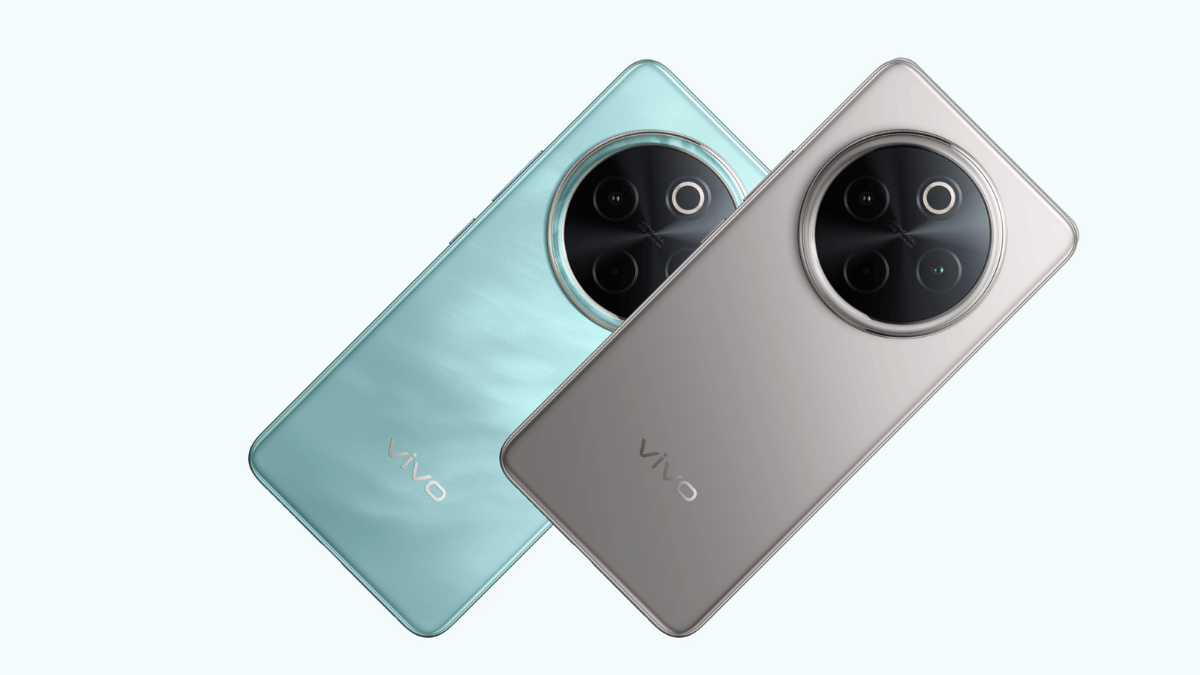
Color Variants: Emerald Blaze, Phantom Grey

Categories
Featured How To TV

Smart TV Modern Hacks: How Transform Your Smart TV Into A Digital Photo Frame

Key Highlights

  • Smart TVs can be transformed into digital photo frame
  • Built-in features and chromecasts can help with the same
  • Third party apps available to make smart TVs a photo frame

TVs aren’t just the usual bulky boxes with a picture tube. Modern age TVs are thinner and smart equipped with advanced internet and other technologies. And internet connectivity is just one part of it. Wireless accessories support, digital voice assistant integration, etc., are some of the other advancements with modern age TVs. But do you know, you can even transform your smart TV into a digital photo frame. Wouldn’t it be refreshing walking into your room with new photo frame every time. In this guide we are exploring the top 5 methods that can help you transform a smart TV into a digital photo frame.

For the tech geeks, stay updated with the latest cutting-edge gadgets in the market, exclusive tech updates, gadget reviews, and more right on your phone’s screen. Join Giznext’s WhatsApp channel and receive the industry-first tech update.

Also Read: List Of Best Advanced Air Purifiers For Large Rooms

5 Ways To Transform Smart TVs Into A Digital Photo Frame For Your Room

Method 1: Using Built-In Photo Frame Apps And Features

Flagship grade smart TV models from premium brands such as Samsung, LG, and Sony have a built-in ambient or art mode feature that helps that setting up photos as frame and wallpaper. These apps can be found wit the names such as Ambient mode or Art mode or Gallery, etc., depending on the brand.

You just need to navigate to the app and use your desired photo as a photo frame on the smart TV. These apps can also help setting up screen savers which can further enhance your room’s appeal.

Also Read: Hacked Instagram Account? Don’t Worry! Instagram To Help Regain Hacked Account Access Easily

Method 2: Via External USB Or Storage Devices

Ensure your smart TV supports external USB and storage devices. Only then you will be able to use images from external sources as photo frame or screen saver on the TV. Also, there should a built-in app to display and set the images as background photo frame or slide show.

  • Connect your USB or the external SSD storage device to a lapptop or PC
  • Upload the set of images that you wish to use as a digital photo frame
  • Now plug the USB or the external storage device to the TV
  • Open the supported app that can let you open the image and use it as a photo frame.

Also Read: Tablet Buying Guide: Top 3 Tablets With Stylus Pen Support Under Rs.30,000 In 2025

Method 3: Via Third Party Apps

Most of the new-age smart TVs available today comes with third party installation support. If your TV also supports third party apps, you can download Plex, Fotoo, and similar apps to transform it to a digital photo frame.

  • Go to the app store on your smart TV
  • Search for Kodi, Plex, and other similar apps
  • If available download and install
  • Choose the photo that you want to set as a photo frame

Also Read: Smart TV Slowing Down? Here’s How You Can Speed Up Smart TV Performance

Method 4: Via Chromecast

If your smart TV has integrated Chromecast feature, you can use Google Photos to select and set a photo as the digital frame. If not, you can use external chromecast devices and get done with the same.

  • On your smartphones, launch the Google Home mobile app
  • Tap on add device menu
  • Now, look for your TV in the device list
  • Open the settings menu (gear icon)
  • Head to the Ambient Mode settings
  • Select Google Photos option
  • Choose the image that you want to set as photo frame.
Categories
Comparison Featured Info

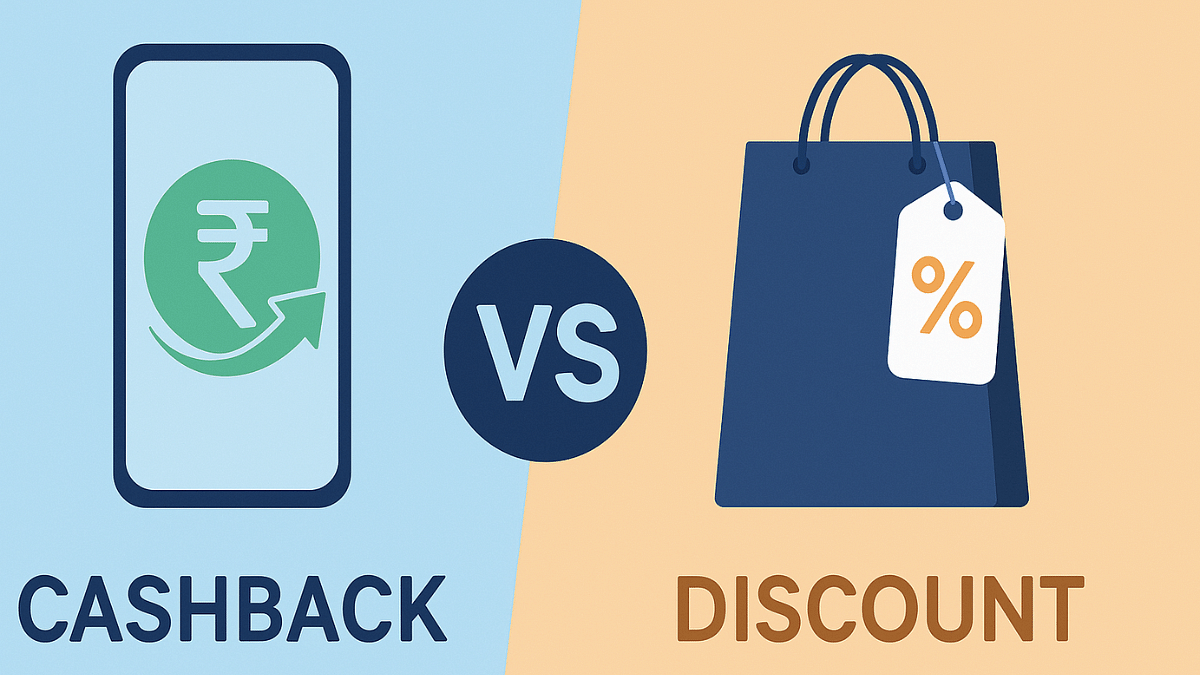
Cashback Vs Discount: Which Helps You Save Extra Money During Online Sales?

Key Highlights

  • Online shopping has seen a boom in the last decade
  • Dedicated and combined e-commerce platforms available for different consumer products
  • Festival sales and discount promotes online sales culture

Gone are the days when stepping out was mandate for shopping. Be it your monthly grocery shopping or purchasing clothes and appliances, paying visit to nearby shops and showrooms is no more a trend now. Rather, its the e-commerce platforms continue to lure in customers globally and in India for shopping. Major e-commerce giants such as Amazon and Flipkart have fuelled this online shopping culture making it convenient for buyers to shop right from the comfort of the bed. Seasonal sales, festival discounts combined with offers such as no cost EMIs, instant cashbacks, and discounts always make buying more special. Saving extra bucks by applying additional deals is one of our first approaches. Let’s breakdown

For the tech geeks, stay updated with the latest cutting-edge gadgets in the market, exclusive tech updates, gadget reviews, and more right on your phone’s screen. Join Giznext’s WhatsApp channel and receive the industry-first tech update.

Also Read: Enhance WhatsApp Privacy: How To Blur Images On WhatsApp Mobile, Desktop App

Cashback Defined: What Is It?

Online shopping platforms often provide a promotional offer where the buyer receives a certain amount after making the purchase. Cashbacks are often given by the e-commerce platforms on the purchases made using credit and debit cards of different banks. Additionally, cashback discounts are also applicable on the UPI app transactions. The cashback amount is sent as a refund to the user’s linked bank within a given time period ranging between immediately to a few days or months. Let’s break down the cahback types that you can get during online sales:

  • Cashbacks on UPI payments
  • Cashback on debit and credit card payments
  • Instant cashback on any mode of online payment
  • Standard cashback (where remaining amount gets credited after a few days or weeks or months)

Also Read: Android Auto Customization: How To Change Wallpaper With And Without Smartphone

How Is Discount Different Than Cashbacks?

Discounts are different than that of a cashback. This is just like a special offer where the price of product is reduced directly by a certain given amount. And unlike cashback where the offer price is given after transactions, customers need to directly pay the reduced costs with discount offer. This means no waiting to get the additional benefits.

Also Read: ChatGPT Search Quick Hacks: How To Use ChatGPT As Default Search Engine In Google Chrome

ChatGPT Vs Discount Benefits Comparison Which One Saves More Money During Sale?

Money Saving Factor / Features Cashback Deals Discount Deals
Direct saving Not applicable Applicable
One time benefit NoYes
Any conditions apply Often conditions appliedLimited
Refundable Cashback amount non-refundable mostly Refunds allowed mostly
Suitable for Repeat purchases or transactions such as bills, mobile recharges, etcSingle time purchases specifically for large appliances for expensive consumer goods
Long Time benefitYes Limited

Also Read: DeepSeek Vs ChatGPT: Which AI ChatBot Leads In 2025

Cashback Vs Discount Verdict: Which Should You Consider To Save More Money

Cashback Is Suitable For Extra Savings If:

  • You are regularly using some online payment service
  • If you make payments via UPI apps or credit/ debit cards frequently
  • If you are using UPI app wallets
  • If you are okay with waiting for cashback returns and refunds

Discounts Should Be Your Choice To Save Money If:

  • You are buying an expensive appliance or gadget
  • Upfront discounts is what you prefer
  • You are making one time purchase from the specific platform
  • If you want to go for direct price cuts and get instant offers
Categories
Featured How To Info

PAN 2.0 Scam: How To Protect Your Bank Account From Getting Empty

Key Highlights

  • Pan 2.0 scam leading to identity thefts
  • Scammers targeting masses by leveraging Pan 2.0 card upgrades
  • Phishing emails and sms being sent to update Pan 2.0 (essentially malware)

Digitisation is at its boom in India with almost every industry adapting to the online trend. This also has certainly given more opportunities to the cybercriminals to carry on remote phishing attacks on innocent masses. It’s never the same old trick but the scammers take advantages of the latest government schemes as well for cyber attacks.

For a while Pan 2.0 scan has been reported widely by the Indian citizens. A new sophisticated scam targeted at tax payers and other Indian citizens, the Pan 2.0 scam is a big threat that we are breaking down in this article. Alongside, we will also share the steps with which you can stay safe from Pan 2.0 scam.

For the tech geeks, stay updated with the latest cutting-edge gadgets in the market, exclusive tech updates, gadget reviews, and more right on your phone’s screen. Join Giznext’s WhatsApp channel and receive the industry-first tech update.

Also Read: Android Auto Customization: How To Change Wallpaper With And Without Smartphone

Pan Card 2.0 Scam Full Details: What Is It?

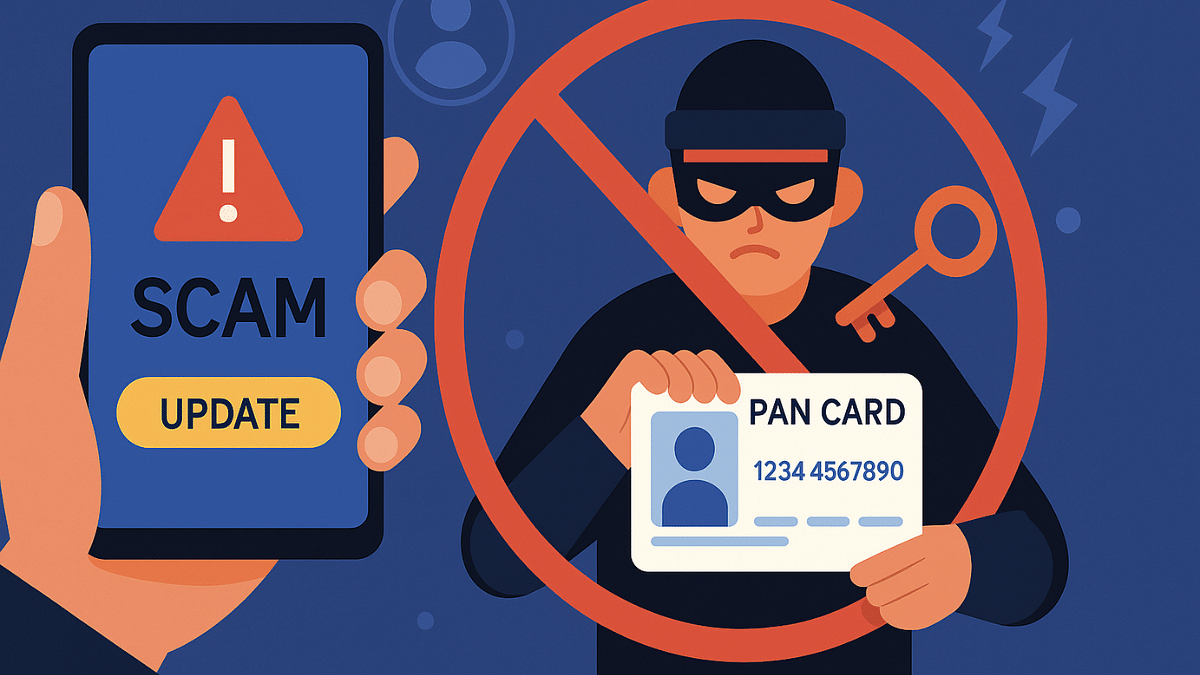
Pan Card 2.0 is the new cyber scam in India where criminals are leveraging advanced tricks making users share their PAN card (Permanent Account Number) details. To make this scam real, fake official letters are being created and circulated which looks like is a government advisory document to update PAN card with Pan 2.0.

Scammers are luring innocent tax payers by offering free upgrade to Pan 2.0 eventually taking all the critical PAN card and personal details. In some of the cases, scammers are even providing links and step-by-step guide to download new Pan card for free online. The emails and messages being circulated are hoax and if clicked can empty your bank accounts or can lead some other fraudulent activities being carried on your name.

Also Read: Missed Adhaar Pan Card Linking Deadline: Steps To Link PAN And Adhaar With Screenshots

Pan 2.0 Scam Modus Operandi: How To Stay Safe

1. Phishing Emails And Links

Scammers can send you emails making it look like an official e mail that will contain a link to download the new Pan or the steps to do so. For the latter, it could use a link that will redirect you to the official web page. However, these links and emails are often hoax and contain malware that can give access of your device and personal data to the scammers.

2. Scam Links Via Messages

If you receive SMS from unknown or international number claiming it to be from government organisations asking for PAN upgrade or free download, be aware. It could instead be the scam.

3. Fake OTPs Or Verification Messages

This is also a common approach taken by cybercriminals for the PAN 2.0 scam. Look out from any suspicious message, especially if the number has an international STD code. Don’ t click on the links if you are unsure and verify the authenticity of the sender.

4. WhatsApp Messages

This is similar to the remaining SMS and email message scam, where scammers can send send you malware links on WhatsApp. Refrain from downloading any of such unknown content shared for PAN card update.

Categories
Apps Featured How To

New Instagram ‘Blend Reels’ Feature Released: What Is It? How To Use?

Key Highlights

  • Instagram adds Blend Reels feature
  • Will help with enhancing user engagement
  • Is similar to Spotify’s Blend
  • Allows curating Reels based on group’s collective interests

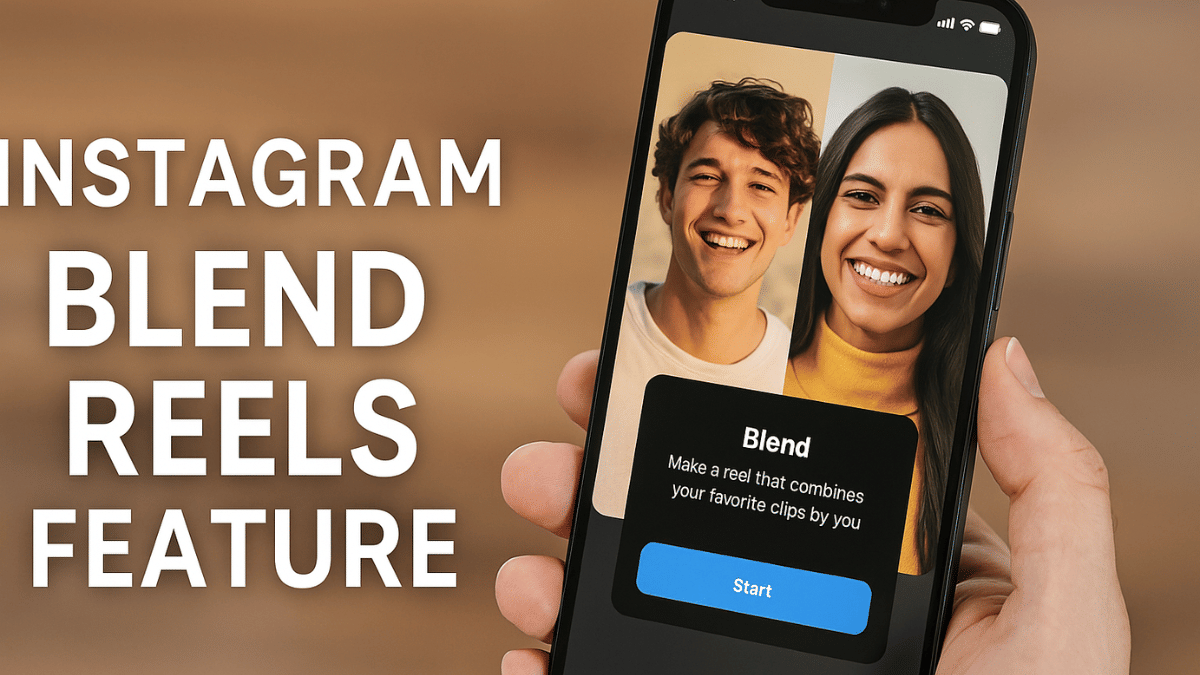
Instagram has been bringing new features to offer a more customised experience on its platform. The Meta-owned social media platform just released another collaborative feature for Reels called “Blend”. This new Reels feature is designed to make sharing more fun and personalised for all Android and iOS users.

For the tech geeks, stay updated with the latest cutting-edge gadgets in the market, exclusive tech updates, gadget reviews, and more right on your phone’s screen. Join Giznext’s WhatsApp channel and receive the industry-first tech update.

Also Read: Instagram Tips And Tricks: How To Play Hidden Interactive Games On Instagram

Instagram Blend For Reels: What Is It?

Instagram Blend for Reels is the latest update that is designed to transform the way users interact with each other on the platform. This is in context with sharing Reels which will now be more customised and engaging experience. Blend for Reels will be available in both scenarios including ‘sharing reels with friends individually’ or ‘sharing reels with groups’ as DM (direct message) thread.

Instagram Blend for Reels’ concept is somewhat similar to Spotify’s Blend where users are shown playlist inspired by their contact’s interests. Likewise, Blend for Reels will curate a fresh library for Reels that can be shared with a single contact or groups that will be essentially based on the collective interests. So, what your friend has been consuming and vice versa will be the primary content-type for the new Reels you discover with Blend.

Also Read: Hacked Instagram Account? Don’t Worry! Instagram To Help Regain Hacked Account Access Easily

How To Use Blend For Reels On Instagram

Before you start using Blend For Reels on Instagram, know that it’s an invite-based feature as of now. Therefore, you would first need to share an invite via the DM section to the preferred chat to start with sharing reels generated on common interests.

Step 1: Check your Instagram app’s version. It should be updated to the latest version

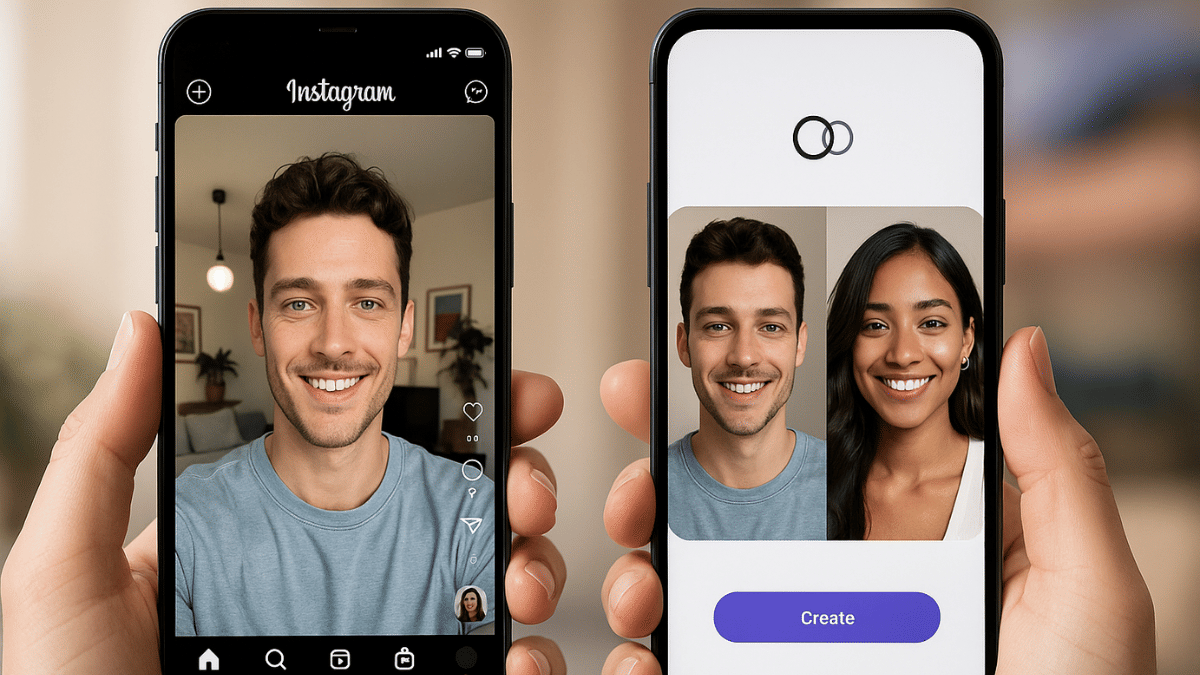
Step 2: Go to the DM section and open the single chat or group where you want to start Blend for Reels. A new Blend icon will be showed on the top right before the call icon. Tap on it.

Step 3: Once the Blend process is complete, share the invite with the friend. Tap on “Send Invite” option for the same.

Step 4: Wait for the invitation to be accepted.

Step 5: A new window with curated shared feed will be created where Reels of common interests will be shown.

Categories
Featured Home Appliances How To

Summer 2025 Hacks: Use This Basic Air Conditioner Timer Feature With/ Without Remote To Save Electricity Bills

Also Read

  • Air conditioner usage surges in peak summers
  • Basic AC timer feature is useful in multiple ways
  • Helps with energy efficiency and low electricity bills
  • Allows undisturbed night sleep
  • Improves AC compressor lifespan

Summer season is here and in 2025 we have advanced range of air conditioners keeping our rooms cool despite soaring temperatures outside. There has been a significant increase in temperatures each year which means air conditioners and coolers are being operated longer than before. This not just leads to increased electricity bills but also impacting the longevity of modern day air conditioners. But it doesn’t mean such common issues are being left unaddressed by the air conditioner manufacturers. A basic yet functional feature, i.e., Timer or Schedule (depending on the brand) comes as a rescue. In this guide, we are exploring the Air conditioner timer feature and how it can be your saviour this summers managing your AC’s operation timings, improving its life span, reducing electricity bills and eventually improving your sleep quality.

For the tech geeks, stay updated with the latest cutting-edge gadgets in the market, exclusive tech updates, gadget reviews, and more right on your phone’s screen. Join Giznext’s WhatsApp channel and receive the industry-first tech update.

Also Read: Enhance WhatsApp Privacy: How To Blur Images On WhatsApp Mobile, Desktop App

AC Timer Feature Explained: Functionality

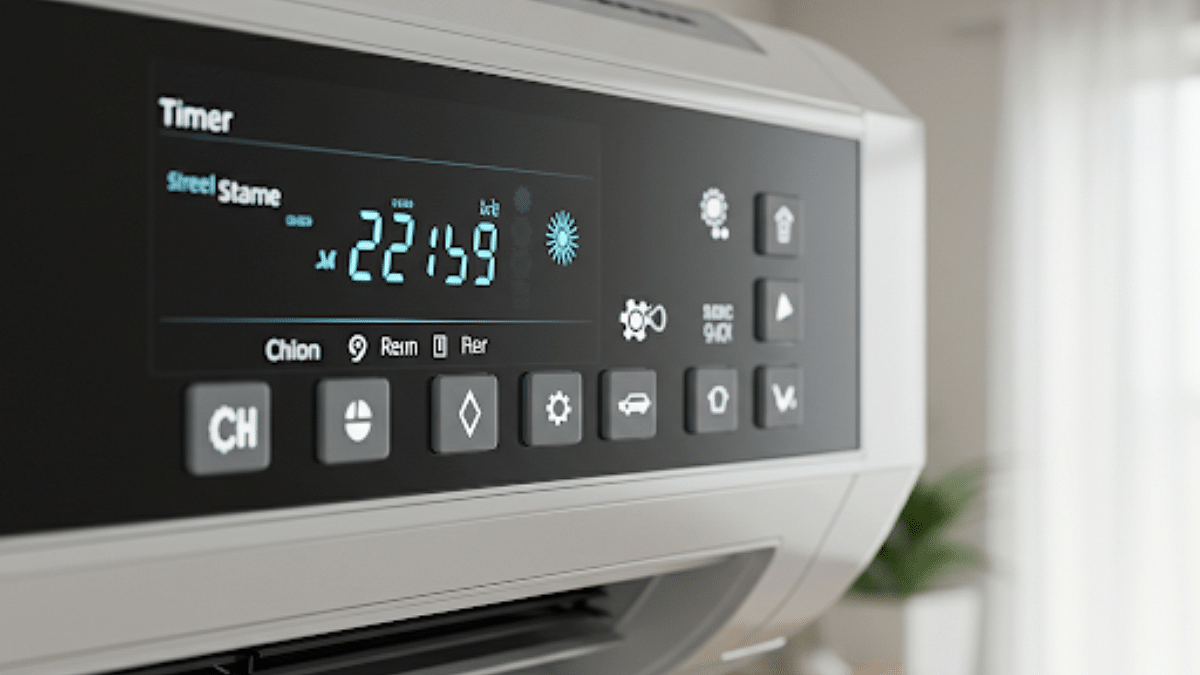
Air conditioner timer is an integrated function available with most of the new-age models including split and window ac type that helps with automatic power on and off. This feature can be found as Timer or Automatic schedule names (on the AC remote or controls) depending on the brand. This feature generally offers two basic settings including

  1. Timer On- Power ON the Air conditioner at specific duration
  2. Timer Off: Automatically power off the Air conditioner at specific duration
  3. Where to find:
    • On AC remote
    • Compatible smartphone app (Wi-Fi enabled Air conditioners)
    • Physical controls (On the panel)

Also Read: Android Auto Customization: How To Change Wallpaper With And Without Smartphone

How To Use/Activate AC Timer Feature Via Remote

Step 1: Power on your Air conditioner

Step 2: Push the “Timer button” once from the AC remore

Step 3: Once you see the “Timer On” option, use the arrow keys to adjust auto-start timer

Step 4: Use the arrow key again to move to the Timer Off option and set the auto-off time.

Step 5: Now, press Ok or Set (as per the AC model) using the remote

Also Read: Top 2025 Summer Appliances That Save Power

How To Use/Activate AC Timer Feature Via Compatible Smartphone App (Wi-Fi Enabled ACs)

Step 1: Power on the Air conditioner and pair it with the mobile app

Step 2: Select the AC model in the mobile app

Step 3: Navigate to the “Timer/ Schedule” feature

Step 4: Adjust the auto-on and auto-off timings for the AC

Step 5: Tap on Save to set the auto timer

Also Read: AC Power Consumption: How To Reduce Your Electricity Bill In Summers

Benefits Of Using AC Timer Feature In Summers 2025:

1. Reduced Electricity Bills/ Efficient Energy Consumption

Air conditioners when running continuously consumes excessive power which can lead to increased bills every summers. By automatic shut down, energy consumption is efficient leading to lower bills.

2. Improves Air Conditioner Lifespan

The timer feature turns off the compressor usage which further helps with reduced loads on compressor while maintaining the ideal room temperature. This helps in improving the longevity and lifespan of the air conditioner.

3. No More Disturbed Sleep Cycle

By setting up the AC auto timer, you don’t have to wake up in the middle of the night to turn off the chilling ac.

Categories
Apps Featured

Best Anime To Watch On Netflix In 2025: Your Ultimate Binge Guide

Key Highlights

  • Discover the top anime shows streaming on Netflix
  • From action to comedy, there’s something for every anime fan
  • Perfect picks for both beginners and long-time viewers

Looking to dive into the vibrant world of anime but not sure where to start? For anime enthusiasts, Netflix has emerged as the preferred platform. It offers a wide variety of top-rated series across different genres. Whether you are into action-packed battles, heartfelt stories, or mind-bending thrillers, there’s something for everyone. Here’s a handpicked list of the best anime shows currently streaming on Netflix that deserve a spot on your watchlist.

Also Read | Love Anime? Here’s Where You Can Buy The Coolest Merchandise In India

Demon Slayer: Kimetsu no Yaiba

If breathtaking animation and intense battles are your thing, Demon Slayer is a must-watch. Follow Tanjiro’s emotional journey as he fights demons to save his sister.

  • Genre: Action, Supernatural
  • Episodes: 26 (Season 1)
  • What makes it great: Stunning visuals, emotional storytelling, and a gripping plot.

Death Note

A psychological thriller like no other, Death Note explores the consequences of playing God. A lethal game of cat and mouse starts when Light Yagami discovers a notepad that murders everyone whose name appears on it.

  • Genre: Thriller, Supernatural
  • Episodes: 37
  • Why you’ll love it: Intense mind games and a morally grey storyline.

One Piece

Yes, the legendary One Piece is now on Netflix with a live-action adaptation and anime episodes. Come along with Luffy and his band of pirates as they hunt for the ultimate treasure.

  • Genre: Adventure, Fantasy
  • Episodes: 1000+ (partial seasons available)
  • Fun fact: It’s one of the longest-running anime with a global fanbase.

Also Read | Legends Never Die: Five Iconic Anime Series That Still Rule The World

Spy x Family

Looking for a light-hearted, feel-good anime? Spy x Family blends action, comedy, and heartwarming moments perfectly.

  • Genre: Action, Comedy
  • Episodes: 37
  • Highlight: A fake family with real feelings and hilarious situations.

Netflix has transformed into an anime paradise for casual viewers and die-hard fans alike. So, grab some popcorn, pick a show from the list, and get ready for an unforgettable ride into the world of animation.

For the tech geeks, stay updated with the latest cutting-edge gadgets in the market, exclusive tech updates, gadget reviews, and more right on your phone’s screen. Join Giznext’s WhatsApp channel and receive the industry-first tech updates.