Categories
Featured Info Mobile

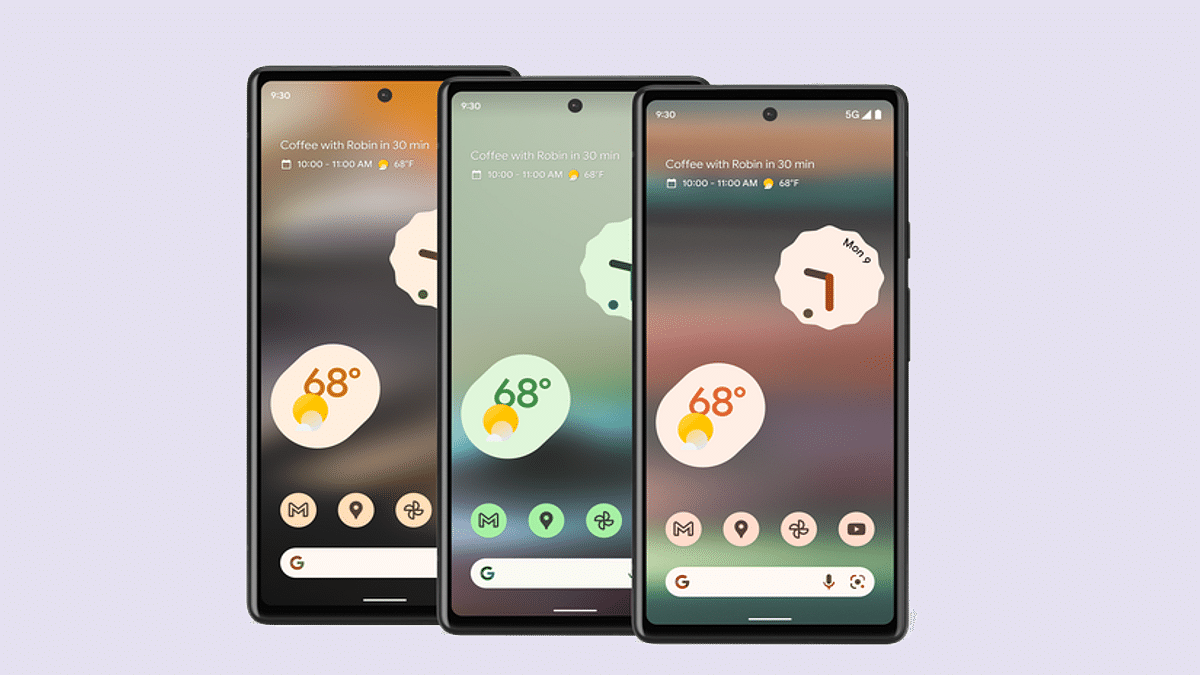
Google Pixel 6a Android 13 Beta Build Released In India: How To Download And Install

Google Pixel 6a is the latest affordable Pixel handset by the Mountain View tech giant. The device has finally set its foot in the Indian market with the custom Tensor processor and dual rear cameras. The Pixel 6a has arrived with an asking price of Rs. 43,999 in the country and ships with Android 12 OS. However, soon after its debut in India, the Pixel 6a is also getting the latest Android 13 beta update. How can you download and use the Android 13 beta version on your Pixel 6a devices? Read on the details below:

Google Pixel 6a Eligible For Android 13 Beta Update: How To Download And Install

Google has started dishing out the latest Android 13 beta update for the Pixel 6a in India. This development comes just a few weeks after the launch of the latest affordable Pixel 6 series phone in the country. Notably, Google has already started the Android 13 beta program for supported Pixel series phones. The top-end models including the standard Pixel 6 and the Pixel 6a have already started receiving this update in the international markets.

Google has released the Android 12 Beta 4.1 build to the Pixel 6a in India. As of now, the company has not announced when the stable Android 13 version will be available for all supported Pixel and other Android devices. However, the possibility of it arriving in August itself is highly likely. Also, this is the first and last Android 13 beta build that the Google Pixel 6a is said to receive. Google is expected to directly update the Pixel 6a to the stable Android 13 OS after this.

How To Download And Install Android 13 Beta 4.1 Update On Pixel 6A

Since the latest firmware comes under the Beta program, you’ll need to enroll first to start using the Android 13 Beta update on your respective Pixel 6a devices. You won’t get a notification for the Android update similar to the stable version update.

If you wish to use the Android 13 Beta build on your Pixel 6a phone, then you can directly visit the Android Beta webpage and enroll in the program. The secondary method that you can opt to download and use the Android 13 beta build on your phone is by downloading the latest system image from Google and flashing it on your Pixel 6a handset. But since you are downloading a new firmware version, it is advised to take a backup so that you don’t loose any data during the installation process.
Categories
Featured Info Mobile

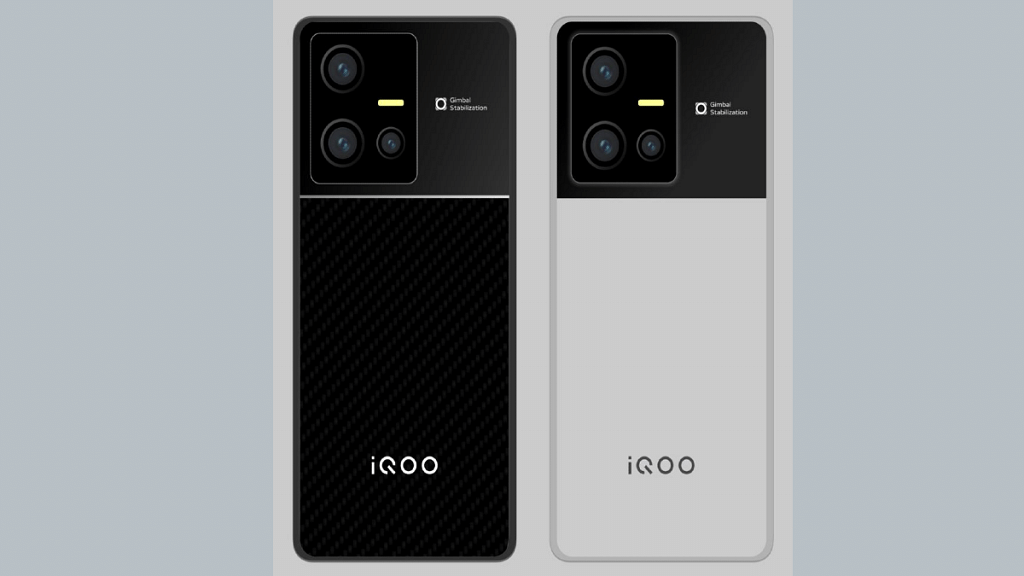
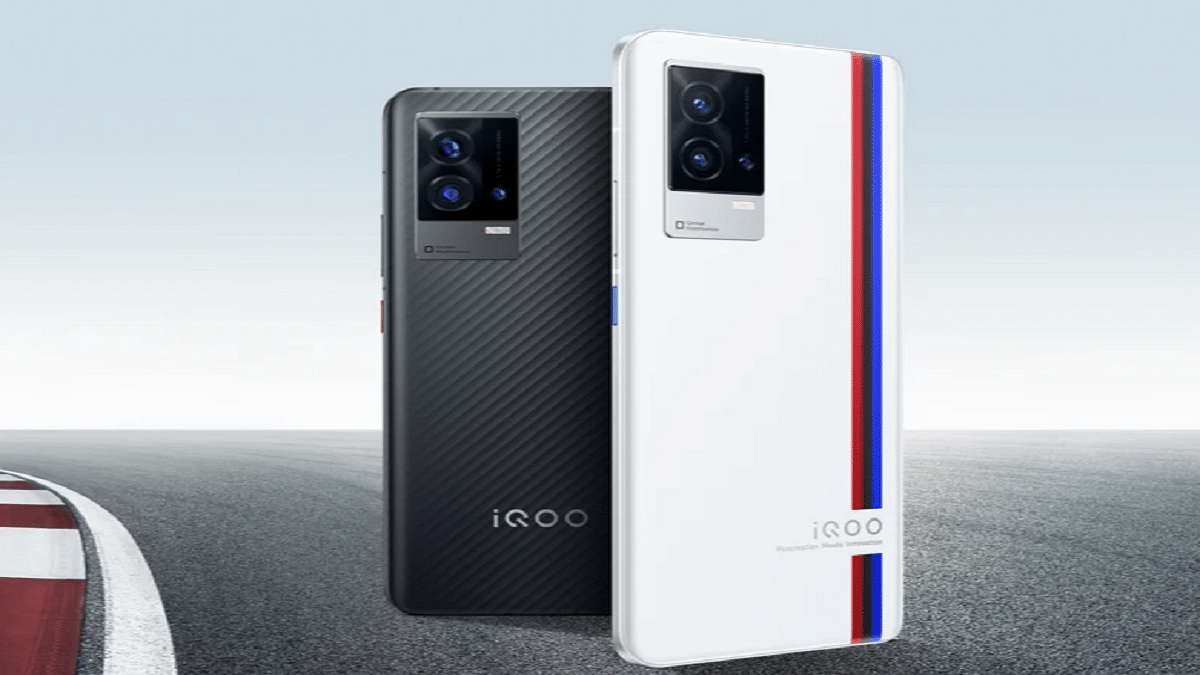
iQOO 9T With Snapdragon 8+ Gen 1 Chipset Launched In India: All Details

Key Highlights

  • iQOO 9T has been launched in India
  • It is powered by the Snapdragon 8+ Gen1 chipset
  • The starting price of iQOO 9T in India is Rs. 49,999

The iQOO 9T is finally now official in India. Touting it as ‘India’s most powerful smartphone, it comes with the Snapdragon 8+ Gen 1 chipset. Also, the device has a Vivo V1+ display chip that allows real-time extreme night vision. The key specifications include a 120Hz AMOLED display with FHD+ resolution, Android 12 OS, 50MP primary camera, and a 16MP selfie snapper on the front. Here’s everything you need to know about the latest iQOO 9 series:

iQOO 9T Specifications

The iQOO 9T comes with a 6.78-inch E5 AMOLED screen with Full HD+ resolution. The display is capable of peak brightness of 1500 nits and a refresh rate of 120Hz. The smartphone is powered by the Snapdragon 8+ Gen 1 CPU. It has up to 12GB of RAM and 256GB of internal storage. The device further uses the customized interface on top of the Android 12 operating system.

For extended gaming sessions without getting too hot, the iQOO 9T smartphone now has a vapour cooling mechanism. It is among the heaviest in its sector, weighing about 205 grams. As for security, the smartphone has an in-display fingerprint sensor.

Moving to the optics, the smartphone comes with a triple rear camera configuration. It has a 50MP GN5 sensor with OIS, a 13MP ultrawide-angle sensor, and a 12MP telephoto sensor. The device further packs a 4700mAh battery capacity that supports 120W charging.

In addition, the iQOO 9T has stereo speakers, Hi-Fi audio, and no 3.5mm audio port. 5G, 4G LTE, Wi-Fi 6, Bluetooth 5.2, GPS, and a USB Type-C port for charging and data transfer are among the connectivity features.

iQOO 9T Price In India

The 8GB / 128GB variant of the iQOO 9T costs Rs. 49,999 in India. The 12GB RAM/256GB storage model is also available for Rs. 54,999. As part of the launch offer, paying with an ICICI Bank card will save you Rs. 4,000. Besides, early purchasers receive an iQOO Gamepad worth Rs. 3,999. Starting at 12.30 PM IST today, the device will be available for purchase on the company’s website and from August 4 on Amazon.

Categories
Featured Info Laptop

Dell Wi-Fi Not Working? Here Are Some Quick Fixes For Dell Laptop/ PC Wireless Network Issues

Despite smartphones and tablets consuming the larger share of the consumer gadgets segment, Laptops and PCs still remain irreplaceable in most cases. That’s specifically with the complex tasks that can only be completed using a high-end computational machine. Dell is one of the largest players in the laptop market that has a wide catalog of laptop and PC lineups dedicated to gaming, general, and creative use.

Dell has a wide service network across India and is well known for its fast repair services. Dell laptops and PCs are equipped with the latest hardware technologies so that buyers get the best user experience throughout. Dell not just provides offline service repair but is also helping its customers through remote technical support. The latest laptop lineups from Dell are packed with the latest network technologies so that you get the fastest wireless and wired internet connection.

But while using your Dell laptop or PC, you would have come across certain scenarios where the internet speeds might slow down more than general. Also, in some cases, the Wi-Fi not connected error is frequent with Dell devices. What can be done when wireless internet connectivity is an issue with your personal or professional Dell laptop or PC? Here in this article, we will help you resolve the Wi-Fi network issues with Dell laptops and PCs.

Symptoms That You Need To Check With Your Dell Laptop/PC If Wi-Fi Is Not Working Properly

  1. If suddenly you are experiencing slow internet speeds and video buffer on OTT websites and YouTube is higher than usual, your internet isn’t working fine.
  2. If you are experiencing frequent disconnections or call drops with online conferencing apps, there might be some issues with the internet connection on your laptop or PC.

Quick Ways To Fix Wireless Networking Issues With Dell Laptops/ PCs

Step 1: Check your Wi-Fi connection with your respected laptops and PCs. Toggle on and off Airplane mode to restart the Wi-Fi connection. Keep the Airplane mode off to start the Wi-Fi network properly.

Step 2: Try placing your laptop or computer near the WiFi router. This will fix any wireless network range issues.

Step 3: Power off your Dell laptop and PCs and also the Wi-Fi router. You should wait for at least two to three minutes before switching the laptop/PC and the router. The internet connection should resume with good speeds.

Step 4: Try running the Windows Network Troubleshooter if the issue persists. The troubleshooter should resolve the Wi-Fi network issues.

Step 5: You can also try to fix the issue with Optimize Network option. You’ll be able to locate this option in SupportAssist.

Step 6: If in case the SupportAssist option is missing on your laptop or PC, download the wireless network drivers from www.dell.com/support/drivers.

Step 7: Now, you would need to run the SupportAssist diagnostics on your network adapter.

Step 8: You need to update the firmware of your router to fix any issues with the network.

Categories
Apps Featured Info

YouTube Tips And Tricks: Best Features You Must Try On Your Phone

YouTube mobile app is probably one of the easiest methods to use the platform. Both Android and iPhone apps are frequently updated. Its every update brings out a set of new features. Now, the YouTube app hardly ever lacks a feature. From using the Picture-in-picture feature and creating a shareable link at a particular period in a YouTube video, here are several YouTube features and tips you should be aware of.

Create GIFs From YouTube Videos

YouTube videos can be turned into GIFs far more easily than most people realize. By adding ‘GIF’ before ‘YouTube’ in the URL bar, you will be taken to a website where you can make GIFs with particular lengths. You can also visit the site and upload the video URL there. Additionally, you can add captions, stickers, and a few simple effects. The site, gifs.com, can also be used to create GIFs from videos downloaded from other websites, such as Instagram and Twitter, using the website gifs.com.

YouTube Restricted Mode

The restricted mode in YouTube is something you’ll need if your account is shared by children. By turning on this mode, they won’t encounter any mature or adult content on the platform. Just turn on the toggle for restricted mode under the General menu in YouTube Settings. However, one needs to turn on this mode on all devices individually.

Create Shareable Link For Specific Time

You can make a shared link if you’re viewing a long video and only want certain people to see a portion of it. All you have to do is access the relevant YouTube video, select Share, and select the Start time option by checking the box. Choose the start time, then copy the link that can be shared. Simply copy and paste it now to share it on other social media sites.

YouTube Picture In Picture (PiP) Feature

Users can access YouTube while using other apps at the same time. Picture-in-Picture is the name of this feature. But it only applies to non-musical content. Simply press on your profile photo, scroll down to the Settings area, then tap it to activate this mode. Next, select General from the menu and use the toggle to enable Picture-in-Picture.

YouTube Transcripts

Every video on YouTube has an automatic transcription of the audio into text that is accessible to anybody. To view the transcript, click the ‘more’ tab and choose ‘transcript’ from the drop-down menu. While uploading the video, you can also add the transcript, either as a pre-written file or by typing it out while you view the video.

Categories
Info Tablet

iPad Slow Charging Or Not Charging At All? Here Are Some Quick Fixes For iPad Charging Issues

Apple has one of the strongest ecosystems with consumer gadgets. The Cupertino giant is all popular amongst the Indian and the global audience with its premium range of iPhones, iPads, MacBook laptops, Apple Watch, and even audio accessories. The Apple iPad tablets are known for offering a premium end-user experience. The iPads have been a preference for users who don’t wish to carry around a bulky notebook yet don’t wish to compromise anyhow with performance.

Apple has been shipping iPads with a powerful set of battery hardware so that the users get a long-lasting backup to complete all tasks. The powerful battery and fast charging hardware also allow the iPads to be the best travel companions. But with time and extensive usage, the battery performance might not be as good as you would generally get with a new iPad.

The fast battery drainage is an issue with not just iPads but also Android tablets and smartphones. In some cases, you might also notice the iPad not charging properly with the charging icon missing as soon as you plug in a charger. There are several ways with which you can improve your iPads battery health and also fix no charging issues without paying a visit to the service center directly. If you are also experiencing frequent issues with iPad charging, then this article will be your guide to fix it:

Check The Accessories: Only Supported Charging Accessories Should Be Used With iPads

Step 1: Do check the charging accessories including the power brick or the charging cable. It should be the genuine accessories that Apple ships for its iPads. It is preferred that you use the charging cable as well as the adapter that ships with the retail box of your iPad or is purchased from authorized service centers.

Step 2: Connect the USB power adapter to your iPad.

Step 3: Complete the connection by pairing the cable with a USB Power adapter that is plugged into the wall outlet (make sure it’s working).

Step 4: If in case the iPad isn’t getting charged using the USB power adapter, try connecting it to the laptop or computer’s USB port. It should be a USB 2.0 or above port. Also, the laptop should not be in sleep mode. If your tablet starts charging, this is a sign you need to replace the power adapter.

Step 4: You can also check the iPad charging using another Apple-certified accessory including a USB hub.

Try Force Start And Other Methods To Check iPad Charging

Step 1: If you already have tried changing the power adapter and the USB cable and still have no results, you can perform a hard reset or force restart your iPad.

Step 2: Before you proceed with the force restart, you need to make sure your iPad’s temperatures are stable. Only if the device isn’t super hot or cold then only go ahead with the restart method.

Step 3: If your iPad doesn’t feature a Home button then first press and instantly release the volume key closest to the top button and then press and release the second volume button.

Step 4: Press and hold the top button. Do this until the iPad reboots.

Step 5: If you own an iPad with the Home button, you would need to press and hold the top or side button and simultaneously press the Home button. Release the keys once the Apple logo shows up on your screen.

Do note that these steps will only resolve issues with the charging when there is no major damage to the circuitry or the charging system on a hardware level. If for some reason your iPad still won’t charge after performing the aforementioned steps, you would need to contact Apple support.

Categories
Apps Info

The Best Instagram Reels, Stories, And Photos Apps For 2022

Key Highlights

  • The social media is currently ablaze with Instagram Reels
  • Every day, content producers saturate Instagram with new reels
  • Recently, Instagram extended the time restriction and made a number of Reels-related enhancements

Instagram Reels is currently raging the social media. The Meta-owned instant photo sharing platform grabbed this emerging short video market soon after the ban on TikTok. Instagram has made several improvements to the Reels and has also increased the time limit in recent times. We have seen content creators flooding Instagram with new reels every day. The frequency is only getting higher now.

But if you are a general user of Instagram, watching Reels from different content creators would definitely be one of your favorite activities. At times, you would wish to download that Instagram Reel on your device offline so that you can watch it later as many times as you want.

Instagram has an in-house option where you can save the Reel directly in your profile. However, you would need active internet connection support in order to watch that Reel later. That wouldn’t be the case if you download the Reel on your smartphone offline. We have already covered how you can download and install Instagram Reels on your respective Android and iOS devices. Now, we have listed the best third-party apps that you can download on your Android and iOS smartphones to download Instagram Reels.

Also Read: 100 Best Instagram Boys Name With Alphabets M To Z

Top Instagram Reels Downloader App In India

Video Downloader For Instagram

The Video Downloader For Instagram can be downloaded on Android smartphones. This app has been rated 4.7 stars on Google Play Store and is downloaded by over 10 million users. It has an easy UI that lets you download Instagram Reels, videos, and photos. You can also download Instagram stories using this app on Android phones. The size of the Video Downloader for Instagram is around 6.9MB.

InstDown For Instagram Reels

This app will let iOS users download any Instagram reel video on their respective iPads. This app is also rated at 4.7 stars on Apple App Store and allows users to create automatic hashtags and download Instagram stories, and photos besides the Reels. This app weighs around 37.8MB and supports iPadOS 12 and above.

Video Downloader For IG

Another decent app that lets you download and watch Instagram reels later is Video Downloader for IG. This app has is available for Android users on Google Play Store and has over 5 million downloads. The star rating of this app is 4.4 and the download options are multiple as the other two apps in this list. This app also lets you download stories and photos on Instagram.

Also Read: Instagram Tricks: Here’s How You Can Change Instagram Language Settings On Android, iPhones

Categories
Accessories Info

Best Earbuds To Buy Under Rs. 5,000 In India

Key Highlights

  • You can get a good set of earbuds under Rs. 5,000
  • Boat, Noise, and other popular brands offers the best affordable earbuds

Earphones or TWS, as they are sometimes called, are all the rage right now. All headphone makers are in a hurry to release a pair on the market. They are currently preferred by many of us over wired earphones. If you are looking for a good set of earbuds that are under Rs. 5,000, then you are in the right place. Here, we’ve listed the best earbuds available under Rs. 5,000 that you can consider buying.

ZOOOK Rocker Twins

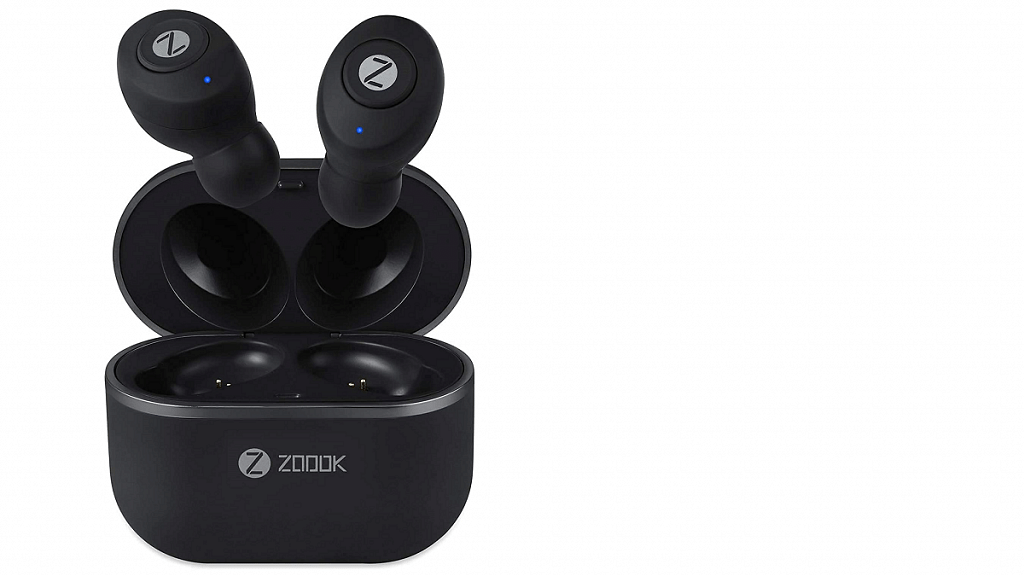
The ZOOOK Rocker Twins earbuds include lossless HD and upgraded Bluetooth 5.0. The Bluetooth 5.0 chip provides a faster remote connection while reducing noise and reverberation. Additionally, the buds can be used for calling and even separately to connect two devices at once. ZOOOK Rocker Twins are compatible with iOS and Android devices within a 10-meter range thanks to skin-friendly integrated ear tips and lightweight materials. With an integrated receiver, the device provides spoken right-hand assistance via Siri and Google Assistant. The ZOOOK Rocker Twins earbuds are available for sale for Rs. 1,300.

Boat Airpods 441 Pro

The Boat Airpods 441 Pro, which features advanced capacitive touch control and 6mm drivers for a rich audio experience, is powered by Insta Wake N’ Pair Technology. The broad playback season off of the buds, which may last up to 150 hours, is its USP. The buds were designed specifically for outdoor use and are resistant to water and sweat. It can be availed for Rs. 2,499.

Noise Air Buds

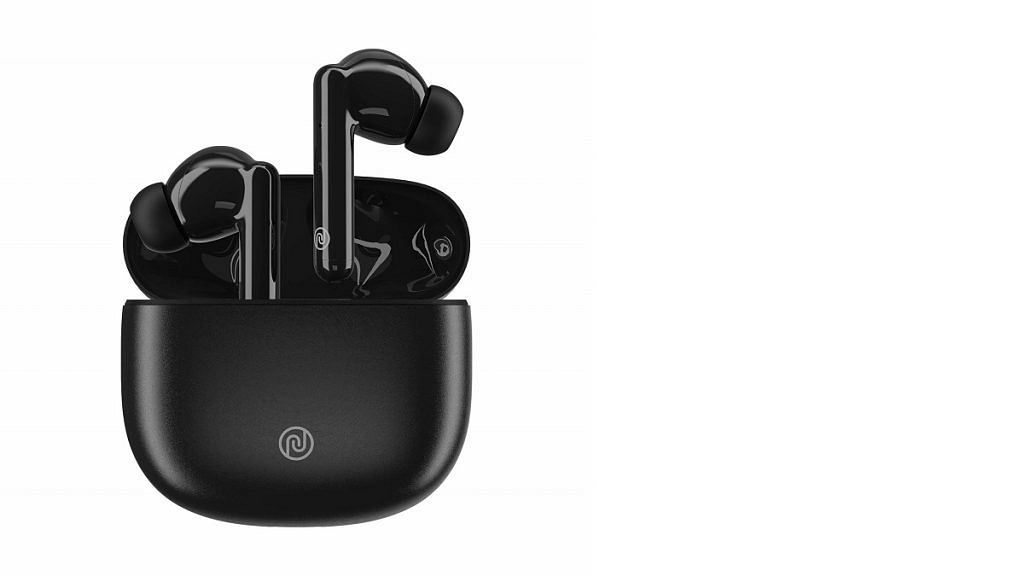
The Noise Air Bud’s truly wireless earbuds come in ice white and pure black colors. It includes full HD sound and a decent touch feature that lets users control music and volume with hardly a finger lift. It is useful to be worn for extended periods of time if necessary and only weighs 4.5 grams. These earbuds provide a break of approximately four hours on a single charge with 16 additional hours fueled by its charging case. The Noise Air Buds will cost you Rs. 1,999.

Crossbeats Curv

Crossbeats Curv features a modern and ergonomic design. Its 10mm Neodymium Driver produces a powerful bass impression, making it ideal for music fans. The background noise cancellation technology allows users to listen to music or take calls without being bothered by outside noises. Users can efficiently interact and make voice calls thanks to the strong dual mic. The paired device’s Smart AI Voice Assistant makes it possible to navigate without touching anything. It is designed for lag-free Bluetooth 5.1 connections. You can get the Crossbeats Curv for Rs. 1,599.

Pebble Buds Pro

The Pebble Buds Pro comes with Environment Noise Cancellation TWS earpads with quad microphones. It is packed with ultralow latency gaming mode and smart auto-pause sensors. The earbuds have dual audio drivers. They tick all the right boxes and are designed keeping in mind different use cases. You can purchase the Pebble Buds Pro for Rs. 1,994 in India.

Categories
Info Mobile

5G Spectrum Auction In India: Reliance Jio Emerges Biggest Bidder

The 5G spectrum auction has already started in India and Reliance Jio, Vodafone-Idea, and Bharti Airtel, including Adani Data Networks, are participating in the same.  The auction started on (July 26th and managed to garner 1.45 lakh crore during the first day.

However, the Government has managed to get Rs. 4,000 crores from the bidding. This means the Government has so far received Rs. 1.49 lakh crore in total. “So far, at the end of the ninth round, we have grossed about Rs. 1,49,454 crores (Rs. 1.49 trillion). We have been able to successfully generate confidence in the industry,” Ashwini Vaishnaw, Communications Minister, informed the media.

Spectrum Auction Bands Battle

It is important to note that the Day 1 of the auction, telecom operators bid for frequencies like 600MHz and other low-band of airwaves, whereas on Day 2 telecom operators bid for the mid-band (C-band) like 3.3GHz and 3.67GHz. The high band like 26GHz airwaves also received bidding from the telecom operators.

It is worth noting that Reliance Jio has spent over Rs. 82, 500 crores on the different bands available on the airwaves. In fact, Jio’s earnest money deposit is also higher than any other operator. 

Meanwhile, Airtel emerged as the second bidder that is close to Rs. 46,000 crores. The telecom operator targeted 3.6GHz of the mid-band and 26GHz in the high band in the auction. However, it is expected that Airtel will not go for 700MHz bands.  Similarly, Vodafone-Idea spent Rs. 19,000 crores on the mid and high-band airwaves.

On the other hand, Adani Group spent Rs. 900 to Rs. 1,000 crores in the auction and bid for the 26GHz band.

1800MHz Band: Aggressive Bidding

According to an ET report, the 1800MHz band received aggressive bidding from India’s leading telecom operators Reliance Jio and Airtel. Notably, the band is good for providing connectivity.

The report claims that both fought for the same band in eight circles, including Madhya Pradesh & Chhattisgarh, Himachal Pradesh, Jammu & Kashmir, Northeast, Karnataka, Kerala, UP-West, and Rajasthan.

“In all those places, coverage is very important. To get good coverage, you need a lower band. We are confident that this will provide a very high quality of service to the far-flung areas of our country,” Vaishnaw added.

Categories
Info TV

Best Mid-Range Smart LED TVs With 4K, 8K Resolution In India In 2022

The smart TV industry has seen some major transformations in the last decade. We have seen the televisions transitioning from black & white boxy devices to slim large screen colored panels with up to 8K screen resolution. The smart TV industry has seen all the advancements in display technology and other hardware features. The internet connectivity and support for voice-based digital assistants are other specializations with the new-generation smart TVs.

The latest smart TVs offer a fully functional browser so that you can easily surf the web and also support a wide array of third-party applications and games. If you are planning to replace your old TV with a new model that is best with the price specs ratio then this is the list you should check out:

Best Smart TVs With 4K And 8K Resolution To Buy In India

Sony Bravia 4K Ultra HD LED TV

Sony is a pioneer in the audio-visual industry and is well known for its premium range of smart TVs and audio accessories. The Sony Bravia 4K Ultra HD is one of the best Android LED TV that is available for purchase in the Indian market.

This Sony TV comes with up to 5000 applications support on its platform and is packed with Bass Reflex speakers for an enhanced viewing experience. The Sony Bravia 4K UHD TV is also equipped with Motionflow XR technology is compatible with Apple Airplay and Alexa.

Samsung 43-inch Crystal 4K Series Ultra HD Smart LED TV

One of Sony’s primary rivals in the smart TV industry is Samsung which is also leading the market with its premium smart TV range. The Samsung 43-inch Crystal Series TV supports a 3840 x 2160 pixels screen resolution and a 60Hz refresh rate.

The Samsung smart TV offers a slim portfolio and multiple connectivity ports including three HDMI and one USB. For enhanced visuals, the Samsung 43-inch Crystal 4K TV comes with PurColor technology, HDR content support, and an Auto Game Mode for a better gaming experience.

LG Full HD LED Smart TV 43LM5650PTA

LG might have pulled the plug off the mobility division in India and other markets but is proactive in the consumer electronics market. The brand has good expertise with smart TVs as well and its 43LM5650PTA Full HD smart TV is amongst the few best LED smart TVs in India with a quad-core processor and a high-resolution FHD Panel with a 16:9 aspect ratio. The LG FHD Smart TV 43LM5650PTA is capable of rendering HDR videos on OTT platforms including Netflix and Prime videos.

TCL P735 4K HDR Google TV

TCL is also manufacturing some of the excellent smart TVs equipped with modern technologies. The TCL P735 is one of the best contenders in the smart TV market in India. It is integrated with a wide color gamut, 4K HDR display with MEMC (Motion Estimation Motion Compensation) technology. The TCL P735 offers smooth visuals with which you can enjoy your favorite shows and movies in high resolution. It also comes with Dolby Vision and Dolby Atmos for an immersive viewing experience. The TCL P735 comes in multiple screen sizes including 43-inch, 50-inch, 55-inch, and 65-inch at INR 35,990, INR 41,990, INR 49,990 and 69,990 respectively.

Croma 32-inch HD Ready LED TV

The Croma 80 cm (32 Inches) HD Ready LED TV CREL7369 is an affordable model on this list. The Croma TV offers a 60Hz refresh rate and a screen resolution of 1366 x 768p. It also offers multiple connectivity ports including two HDMI, two USB ports, and a VGA slot. The Croma LED smart TV features two speakers that deliver 20-watt output.

Categories
Apps Info

Amazon Might Increase Prime Subscription Prices By Up To 43%: Check Here For All Details

Amazon is planning to increase the prices of its plans in some countries. The OTT platform is expected to increase the Prime subscription pack in September this year. This new development was reported by Reuters and claims that the company will raise tariffs to 43 percent; however, the percentage will be different in countries. So, let’s find out the details of the new Prime plans.

Amazon Prime Subscription: Expected New Plans

According to the report, users in France are expected to see a price hike of up to 43 percent, which means they have to spend EUR 69.90 per year, which is close to Rs. 5,640 in India. Besides, customers in Germany might have to pay EUR 89.90, close to Rs. 8, 950 per year, while users in Italy and Spain are likely to pay EUR 49.90 close to Rs. 4,032.

On the other hand, the users in the United Kingdom have to pay £95, close to Rs. 9,070. For the unaware, the UK is the third market for the OTT company.

Amazon Prime Subscription: Plans In India

It is important to note that the company has no plans to increase its price in India. The company increased Prime subscription plans last year in October in India.

Amazon Prime New Plans In India

The company is providing three plans in India that are priced at Rs. 179 per month instead of Rs. 129, while three months pack will cost you Rs. 459 and you have to pay Rs. 1,499 for a year.