Categories
Info Mobile

Best Smartphones With 8GB RAM Under Rs. 15,000 To Buy In India

As smartphone manufacturers add more RAM to them every few months, modern smartphones are becoming more and more RAM-demanding. 8GB of RAM was once regarded as being extremely large for smartphones. It was even considered a lot for computers.

Nowadays, smartphones come with 12GB, 16GB, and even 18GB of RAM. The best 8GB RAM mobiles are available in both mid-range and flagship models. Here, we’ve put up a list of the best phones with 8GB of RAM under Rs. 15,000 if you’re seeking to buy a new one.

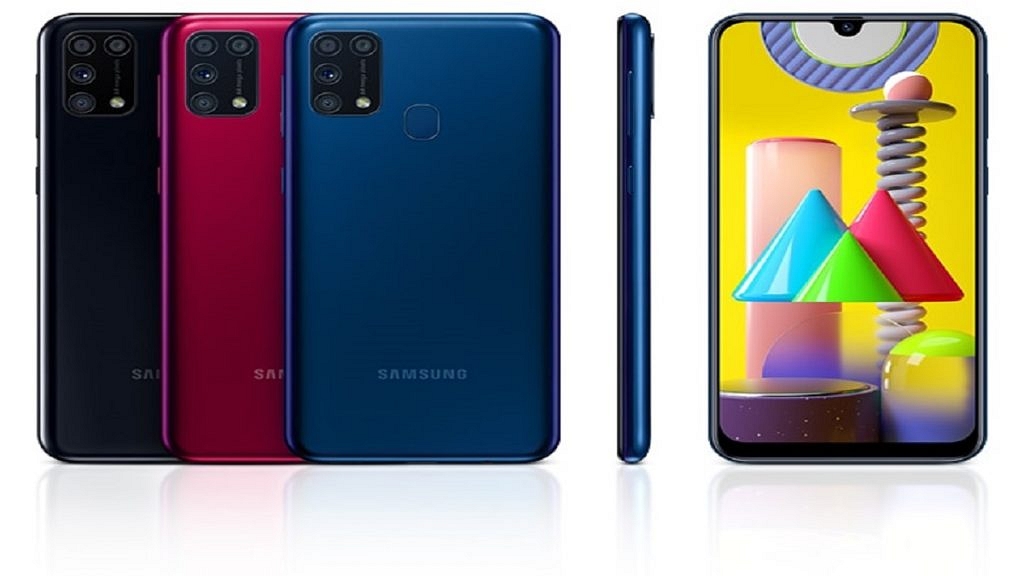
Samsung Galaxy M31

The Samsung Galaxy M31 comes with 8GB of RAM and 128GB of inbuilt storage. It flaunts a 6.4-inch display offering a resolution of 1080 x 2340 pixels. The device is powered by Octa-core Samsung Exynos 9 Octa 9611 processor. In addition to this, the smartphone runs Android v10 (Q) OS and houses a decent 6,000mAh battery. The Galaxy M31 is available for purchase at Rs. 14,999 in India.

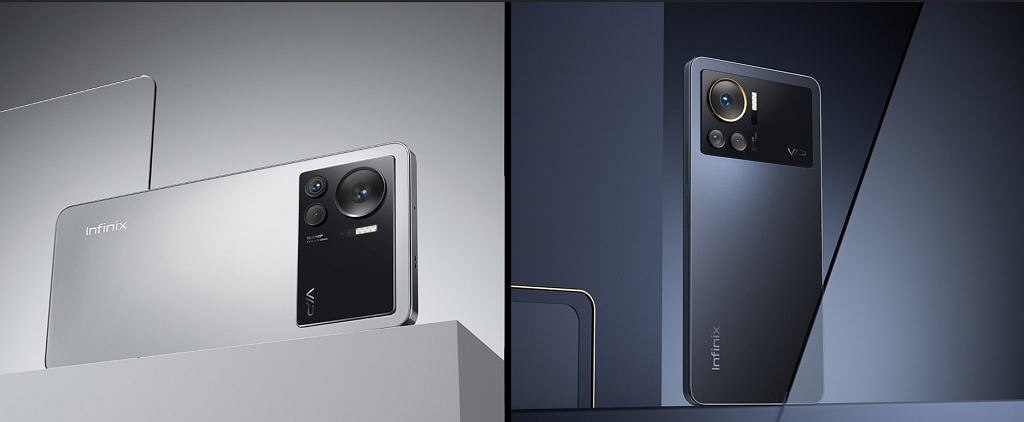
Infinix Note 12 Turbo

The Infinix Note 12 Turbo has 8GB of RAM along with 128GB of internal storage that can be expanded by up to 512GB. The smartphone sports a massive 6.7-inch AMOLED display with 2400 x 1080 pixels resolution. It uses the MediaTek Helio G96 chipset to handle its internal operations. The device houses a battery of 5,000mAh capacity that is compatible with 33W Fast Charging. The Infinix Note 12 Turbo will cost you Rs. 13,999 in India.

Xiaomi Redmi 10 Power
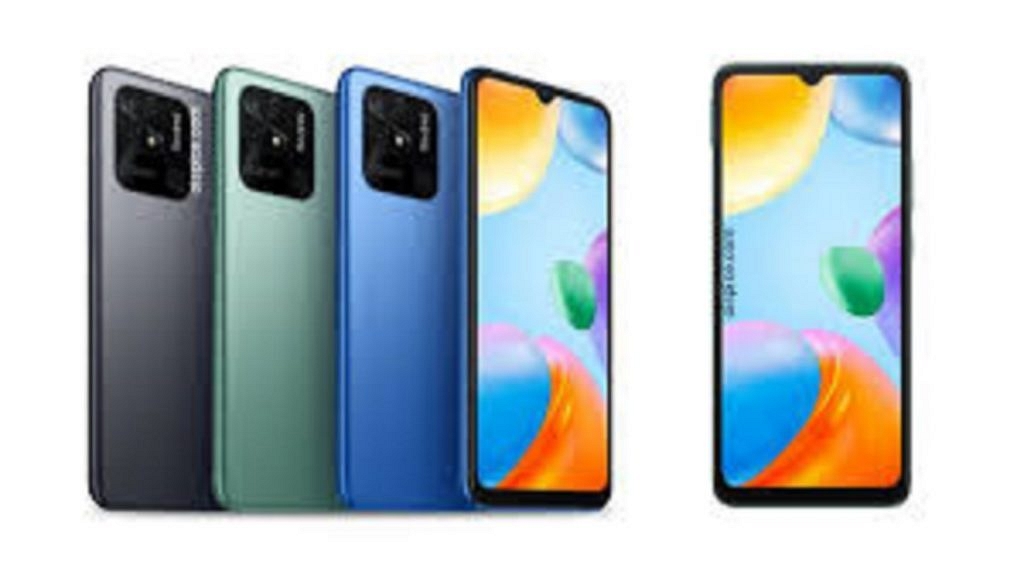
The Xiaomi Redmi 10 Power is backed by 8GB of RAM and 128GB of internal storage. The phone comes with a 6.71-inch IPS LCD display that includes a resolution of 720 x 1600 pixels. It is further protected by Corning Gorilla Glass v3. The smartphone is equipped with the Qualcomm Snapdragon 680 chipset and Adreno 610 GPU for graphics. As for power, the device has a massive 6,000mAh non-removable battery. The Xiaomi Redmi 10 Power can be purchased for Rs. 14,999 in India.

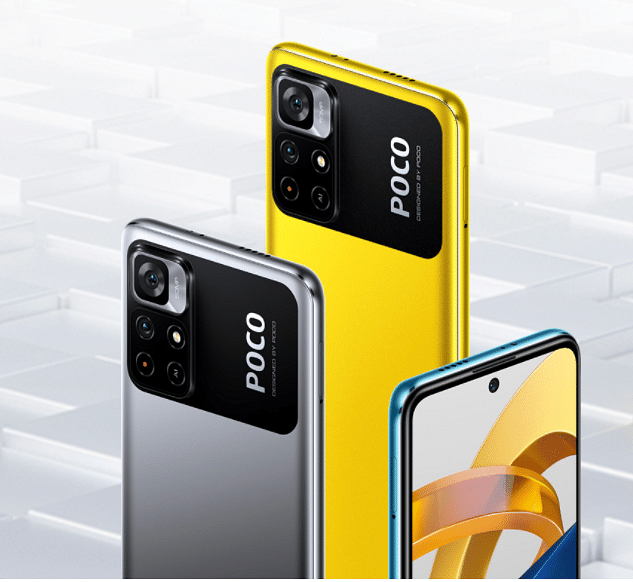
POCO M4 Pro

The POCO M4 Pro 8GB RAM has an expansive RAM technology that allows users to experience a substantial RAM of 11GB. It has a 6.43-inch AMOLED Dot display having a resolution of 1080 x 2400 pixels. The device is powered by the MediaTek Helio G96 chipset coupled with a Mali-G57 MC2 GPU. It further has a 5,000mAh battery capacity that is compatible with a 33W Pro Fast Charging technology. The POCO M4 Pro can be availed online for Rs. 13,999.

Tecno Pova 5G
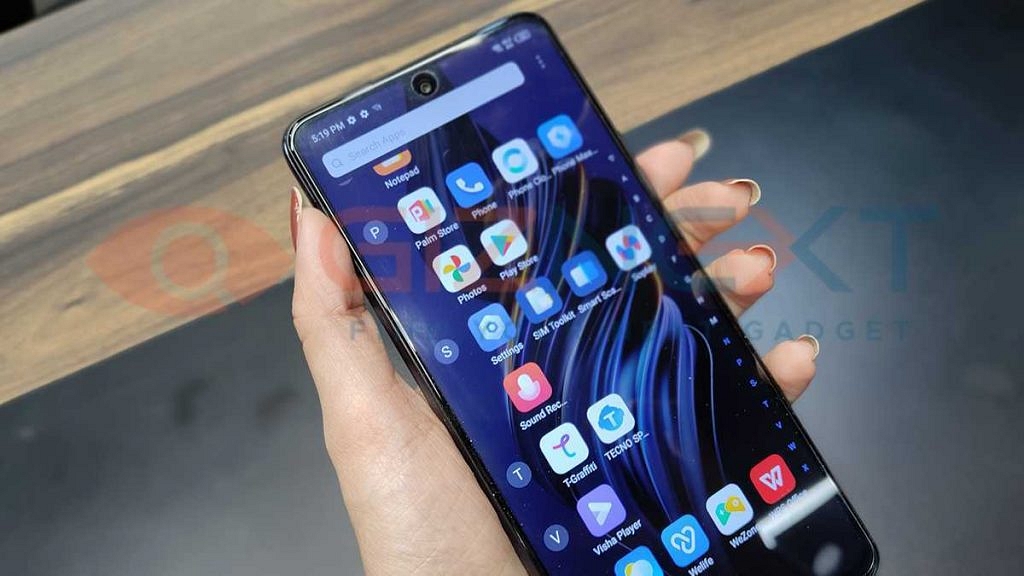
The Mali-G68 MC4 GPU and 8GB RAM are supported by the MediaTek Dimensity 900 MT6877 chipset, which powers the Tecno Pova 5G. The large 6.9-inch bezel-free IPS LCD front screen of the phone has a punch-hole in the center which houses the selfie camera. The device’s massive 6,000mAh 18W Flash provides all of the power it needs to function. The starting price of Tecno Pova 5G is Rs. 15,299 in India.


Categories
Gaming Info

Garena Free Fire: Here’s The Best Game Settings Tips And Guide

Are you having issues with Garena Free Fire and do you consistently lose games? Much of it depends on your sensitivity settings in Garena Free Fire. Battle royale games definitely require a thorough understanding of player positioning and the ability to turn a bad situation to your advantage and win. However, having all of that and being unable to shoot and kill enemies is pointless. We are here to help you, so don’t worry.

You might need to adjust your Free Fire sensitivity settings because gamers use a variety of smartphone models with varying refresh rates and hardware capabilities. Here are some of the sensitivity settings for Free Fire that will enable you to take the best headshots.

Here Are The Free Fire Sensitivity And Game Settings

Sensitivity For Headshots

These levels can be altered by players to fit their individual preferences. Before making any necessary alterations, they can first put them through their paces on the practice range.

Gamers should be aware that altering their sensitivity settings won’t help them aim better for headshots. They would have to work hard to continuously get better.

Sensitivity OptionsDefaultRecommended
General6590-100
Red Dot8590
2X Scope7585
4X Scope6570
Sniper Scope5058
Free Look5066

How To Change Game Settings In Free Fire

Typically, the player’s device should determine how the game is set up. The best graphics settings are playable on good mid-range or high-end devices.

On the other side, users with lesser requirements can choose “Smooth” for visuals and “High” for FPS. They can also disable Shadow to make sure the gameplay runs smoothly. Simply adhere to the simple instructions. You can instantly change your sensitivity options and start your game. The steps are as follows:

Step 1: Open Free Fire on your mobile phone.

Step 2: Tap on the icon “Gear” (Settings).

Step 3: The settings tab will show up on your screens. Then, they can go ahead and alter the required one. For instance, to change the sensitivity settings, you would have to visit the “Sensitivity” tab. That’s it.

Categories
Info Laptop

Second-Hand Laptop: Things You Should Check Before Buying It

The demand for laptops has decreased in the first quarter, as per Gartner and IDC. The IDC report pointed out that 80.5 million laptop shipments were in the same quarter, whereas Gartner shared only 77.5 million shipments during the same period; however, these numbers show a decline of 7.7 percent over the Q4 of the last quarter.

In addition, the prices of laptops have increased due to shortages of components, this has also affected the sales. But, still, if you are looking for ways to buy laptops at pocket-friendly prices or affordable, then you go for second-hand laptops, yes you read it right.

In fact, you’ll be surprised to know that there is a huge market for second-hand laptops in India and in case you are looking for ways to purchase it, then you should know or consider before buying the second-hand laptop.

Things You Should Know Before Buying Second Hand Laptop

It is important to note that before buying any second-hand laptop you need to check the battery health as replacement is expensive. In addition, check that it charges the laptop properly and don’t forget to take the charger from the seller. Also, check the power management settings of the laptop.

Plus, you have to do a proper examination of the body. You need to check the damages on the body as there are chances that they might decrease the life of the laptop. Plus, you also need to see that there is no crack on the screen or the laptop.

Second Hand Laptop In India

Additionally, you need to see or check that screen is in good condition. All angles should visible enough. Moreover, you need to check that the Keyboard and trackpad are in better condition before buying a second-hand laptop. Try to type on the keypad and your comfort level on the same.

Where To Buy Second Hand Laptop

If you want to purchase a second-hand laptop, then you check online websites Quikr, OLX, Amazon, Indiamart, and more. In case, you want to buy a second-hand laptop via offline stores, then you can visit Nehru Place market in Delhi.

Categories
Info Mobile

Android Tips And Tricks: Here’s How To Make Your Smartphone More Useful

Android is a mobile operating system that is remarkably innovative and powerful. It is loaded with great tips, decent features, and time-saving techniques. The user interface appears to be straightforward enough for casual users who only want to text, call, and utilize their apps. However, there are a variety of power-user options and features buried one or two layers deep in the UI. All you need to do is know where to look.

Here, in this article, we have come up with the best tips and tricks to make your Android smartphone more useful. Let’s check out:

Use Digital Well-Being Feature

The Bedtime and Focus mode of Android 11 is part of the Digital Wellbeing feature. The Bedtime mode silences your phone at a set time and changes the screen to black-and-white, in case you do have to look at the screen after hours. While the Focus mode silences noisy apps’ notifications, a quick and easy way to get relief from disturbances.

Clear App Defaults

When a link opens in an app rather than the browser, it is quite unpleasant. It might be a Facebook page, a tweet, or a YouTube link. You’ll have to wait until your phone switches to a different browser after closing Chrome or your preferred browser. This can be easily fixed by clearing defaults which you can find in your phone’s Settings.

‘OK Google’ Voice Match

On your Android mobile phone, you can start searching for anything at any time just by saying “OK Google.” This works automatically on the home screen as well as in the search box.  However, you can find ‘OK Google’ working everywhere if you go into the search settings.

In the search options, you have to go to Voice > Voice Match. When you enable ‘Access with Voice Match,’ the phone will ask you to say ‘OK Google’ a few times so that it can recognize your voice. Now, from any screen and while the device is awake, you can use the hotword any time.

Try Launchers / Android Themes

Different device manufacturers offer their own unique user interfaces, such as TouchWiz by Samsung. You are using Android, which is well-known for allowing users to personalize its user interface. The default phone screen and its user interface are not very robust or convenient. By installing the alternative launchers, you may customize your Android device’s home screen in a more advanced way and use it more effectively.

Categories
Gaming Info

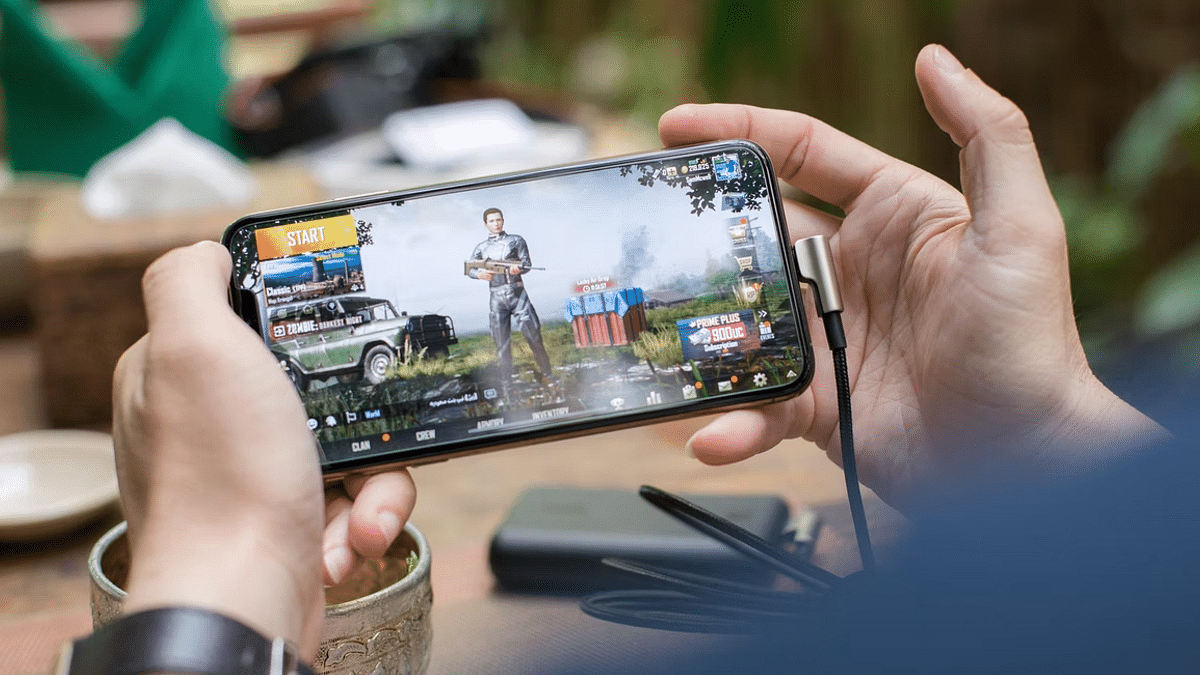
Best Game Settings For BGMI, PUBG For A Premium Gaming Experience On Android, iOS

Mobile gaming is at its peak in the modern market; specifically with the smartphone OEMs flooding this market with game-centric devices. You now don’t have to burn a hole in your pockets to buy a dedicated gaming phone that has a premium range display with a high refresh rate, a game-oriented processor and heat dissipation system, and a large battery system. Specifically, in the Android ecosystem, you have quite a vast catalog of gaming phones. You can get a good gaming phone for under Rs. 20,000.

iQOO, Xiaomi, Realme, OPPO, and Samsung are amongst the popular smartphone brands that have multiple options to offer to the masses when it comes to a gaming smartphone. These brands have expertise with value flagships and hence the wider popularity around the globe. No matter what smartphone you own, you must be aware of the hypes created by the FPS shooting games.

PUBG has been the most noted game in India and the global markets, but since its departure, BGMI took the reigns and is currently the best high-end FPS game on the Android platform. Not just Android, both PUBG and BGMI have a fair share of popularity amongst Apple iOS users as well. Now, you don’t really need a super high-end smartphone to play PUBG or BGMI. But smoother gameplay is always ensured with premium end phones.

But are you aware that you can manually tweak the game settings of both BGMI and PUBG to make sure you get a lag-free gaming experience? Well, if not, you have stopped by the right place. We will be guiding you with the appropriate game settings that you can easily apply on PUBG and BGMI on your Android and iOS smartphones for rich gameplay:

What Are The Best Settings To Apply On PUBG For Lag-Free Gaming

Change Graphics  And Frame Rate Settings Accordingly

Graphics Settings: Smooth, Balanced HD, HDR, Ultra HD, UHD (starting from affordable to premium end devices respectively).

Best Frame Rates: Low, Medium, High, Ultra Extreme, 90 fps. Note, select the highest 90fps settings if your display supports a higher refresh rate. Otherwise, keep it to the medium settings. Also, the higher refresh rate option will be available for supported Android and iOS devices.

Colorblind Mode Settings: Normal, Deuteranopia, Protanopia, Tritanopia

FPS Settings Change: There are a bunch of combinations that you can try with FPS settings to get the best of the output

  1. 20-25 FPS frames with Smooth+ low settings
  2. 25-30 FPS frames with Smooth+ Medium settings
  3. 30 FPS frames with Smooth+ High settings
  4. 40 FPS frames with Smooth+ Ultra settings
  5. 60 FPS frames with Smooth+ Extreme settings
  6. 90 FPS Frames with Smooth+ 90 FPS settings

Game Style: Classic, Colorful, Realistic, Soft, and Movie.

By applying the aforementioned settings on either BGMI or PUBG, you can get the best gameplay experience. But before you apply the highest of settings, make sure your device’s hardware is capable enough to handle it without any jitters or temperature instability.

Categories
Featured Info

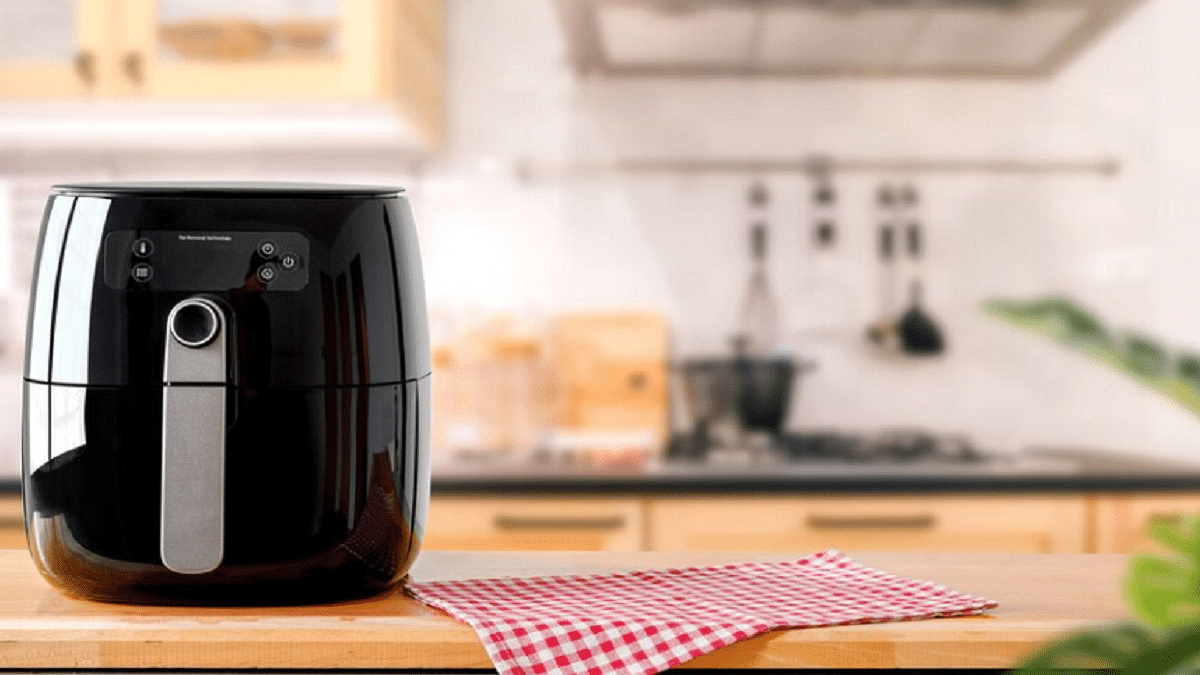
Worried About How To Use An Air Fryer? Here’s The Step-By-Step Guide

Air fryers can be used to shallow fry veggies in addition to making traditional fried dishes like potato chips. They are a healthier alternative to fried food since they have a comparable texture and flavor to deep-fried foods with just a tablespoon of oil. So much has been said about this cook’s best buddy. But how does it function?

How Does An Air Fryer Work?

Your air fryer is like a convection oven. It is a small but mighty appliance and you can roast, broil, or bake food in it. However, you cannot be used an air fryer to deep fry.

An air fryer has a heating element that generates heat and a blower that moves hot air around the food inside the air fryer basket. You can use a lot less oil than you could in an oven and still get the crispy dishes you want thanks to the hot air circulation.

How To Use An Air Fryer?

Step 1: Open the frying basket and arrange the vegetables, appetizers, or whatever else that you want to fry. Before placing the food in the fryer basket, make sure it has been thoroughly dried. Don’t pack the basket too tightly.

Step 2: A negligible amount of oil should be applied using an oil brush. You don’t even need to use oil while preparing non-vegetarian meals. The fatty oils from the food will be used by the air fryer to cook it.

Step 3: Depending on what you are cooking, adjust the Air Fryer’s temperature indicator and timer. Typically, it takes 10 minutes to fry veggies, compared to at least 15 minutes for non-vegetarian dishes. However, the fryer’s user handbook will also provide pre-designed menus for various dishes.

Step 4: Then, shake the contents after opening the Air Fryer basket. It will ensure that the hot air reaches every side of the food that is being cooked.

Step 5: To enhance a mouthwatering flavor, add or sprinkle oregano seasoning, spices, and several other decorative items.

Step 6: It’s time to let your taste senses go wild now that the dish is ready. And that’s all.

Using an air fryer is not rocket science. You only need to follow the above-mentioned steps and you are all done. Besides, in our previous coverage, we have also listed the best air fryers you can buy for under Rs. 10,000 which can check here.

Categories
Info Mobile

5G Plan Prices In India: Everything You Should Know About It

Reliance Jio, Airtel, and Vodafone-Idea are all set to bid in the upcoming election, which is why there are high chances that 5G plan prices might expensive than 4G plan pricing. The 5G plan pricing is expected to increase the average revenue per user growth.

Apart from the existing telecom player, Adani Group is all set to bid in the 5G auction, which will increase the competition in the sector.

5G Plan Price In India: Details

According to a new report in ET, “5G tariffs plans would be a key monitorable in the near term and a 5G premium (versus 4G) may provide the next leg of ARPU uptick for the telcos,” the Japanese brokerage firm said.

In fact, an analyst in a global brokerage firm said that said that 10-20 percent expensive as 5G will be launched in a few markets initially. Plus, 4G users can afford 5G devices or upgrade to 5G devices.

Categories
Gaming Info

Garena Free Fire Redeem Codes For 23 July 2022: Here Are The Steps To Redeem

Garena Free Fire has gained a lot of popularity in India particularly in the absence of PUBG Mobile. It has exclusive rewards and in-game items that players look forward to every day. One of the most demanding items in the game has always been Free Fire Redeem codes.

Garena Free Fire is one of the most exciting battle royale games to play. Today, it is one of the most popular games in the world and has a high rating on the Google Play Store. In the game, players can create their own strategies such as landing positions, acquiring weapons and supplies, and engaging in combat with the enemy. Here’s how to redeem the codes to get free FF rewards:

Here Are The Garena Free Fire Max Redeem Codes For Today, July 23, 2022

Garena Free Fire Redeem codes help to unlock resources that are otherwise too hard to get in the game. Also, they get a chance to win exclusive free rewards like vouchers and many more. For the players, new redeem codes for 23 July 2022 have been released.

  • FGYT GVCD RTYJ
  • FKFU FGUR RCXG
  • FQWE RTYU 8YH0
  • FVGB NMKL GFDX
  • FYTF CCDW S2ZA
  • FO2W KMBV GVUG
  • F8VT GYWY TF8S
  • FAER TYUI OKJN
  • FVBN JUYT REWA
  • F8RU FH8F 8Y8Y
  • FMKL POIU YTFD
  • FVCD SRTY UIOP
  • FMKI 88YT GFD8
  • IUYT RFDE SXDC
  • XSDC FVGH JKLO
  • FE8S RYUJ HGFD
  • FKJH BNJK OPOL
  • FDRD SASE RTYH
  • FHBV CDFQ WERT
  • FU821 OUYT RDVB

How To Redeem Garena Free Fire Codes For 23 July 2022

Step 1: Go to the official website of Free Fire redeem code redemption.

Step 2: Log in to your account using Twitter, Facebook, Google, and Apple IDs.

Step 3: Copy and paste any of the above-listed redeem codes into the text box.

Step 4: Press the confirm button to continue.

You can check the embedded game mail section for the rewards. It might take around 24 hours for the rewards to show up in the game mail section of the players.

Also, note that the Free Fire Redeem Codes have a claim limit. If the redeem code fails, maybe they have been already claimed by too many other players. However, there is always another day for new codes. Check back here every day for Garena Free Fire’s new redeemable codes.

Categories
Accessories Info

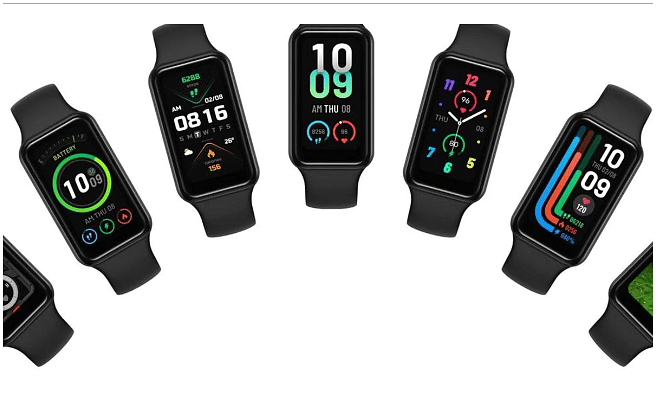
Amazfit Band 7 Launched With 1.47-Inch Display And 120+ Sports Modes

Amazifit has launched its much-awaited Band 7 after months of speculations. The Band 7 comes with 120+ sports modes and a new design; however, it is similar to Xiaomi Smart Band 7 Pro. In fact, it is the rebranded variant of the Band 7 Pro.

In addition, the company claims that the Band 7 can offer a battery life of up to 28 days along with 5ATM water resistance, and battery saver mode.

Amazfit Band 7: Specification And Features

It is worth noting that the Amazfit Band 7 is the successor of the Amazifit Band 6 which was launched in 2020. However, Amazifit Band 7 is the biggest upgrade from its predecessor. The Band 7 comes with a 1.47-inch AMOLED screen, along with 198 x 368 pixels and a pixel density of 282 PPI.

The smart band provides several watch faces, and 120+ sports modes, and packs a 232mAh battery that claims to provide 28 days of usage. The battery comes with a battery saver mode and offers 12 days of battery life on heavy usage.

The Band 7 runs on ZeppOS and comes with Alexa voice assistant support. It also has health features like heart rate sensors, stress monitoring, and Oxygen monitoring. In addition, the smartwatch comes with sleep tracking.

Moreover, the band can be paired with iOS devices and Android through Bluetooth; however, to pair it you have to download the Zepp app by Huami which is the parent firm of Amazfit.

Categories
Info TV

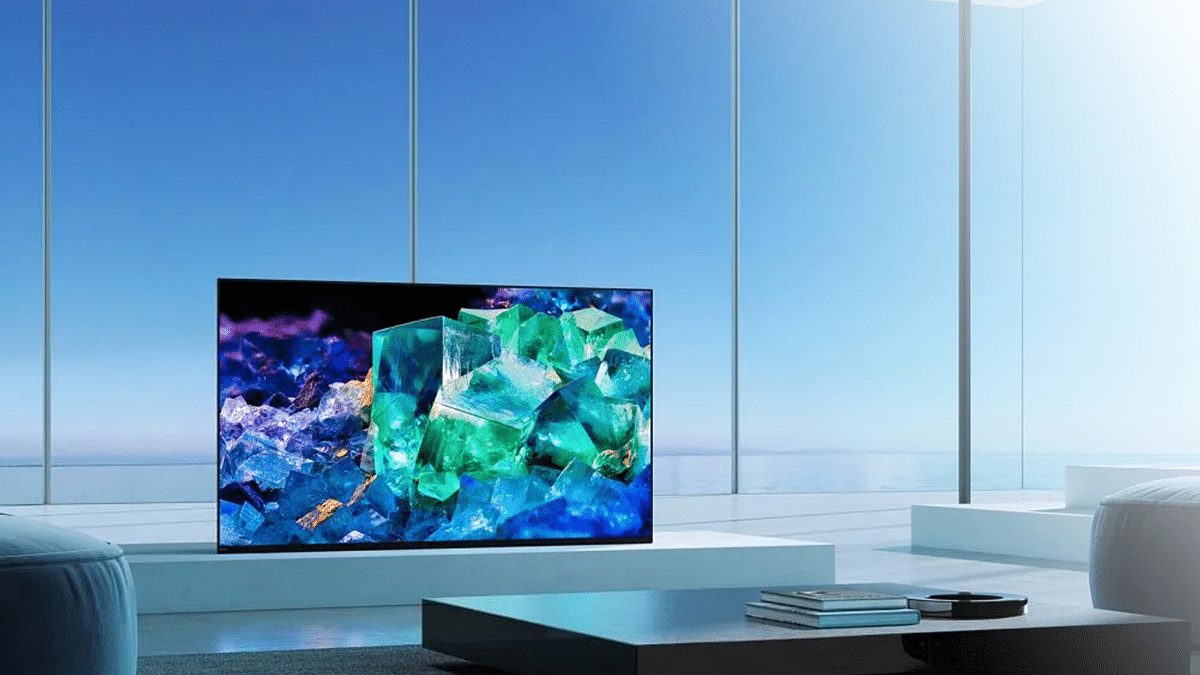
Sony Launches Bravia XR OLED A80K Smart TV In India: See Specifications, Price, And Availability

Sony has launched new smart televisions in India. The Bravia XR OLED A80K series of smart TVs come with a Cognitive Processor XR, which the company claims to provide an improved picture and sound quality smart televisions.

The company said that the “thinks like a human brain providing a revolutionary experience that completely immerses viewers in their favorite content”.

Sony Bravia XR OLED A80K Smart TVs Specifications And Features

The Sony Bravia series of televisions come with a 77-inch of OLED 4K 120Hz display along with a resolution of 3840 x 2160 pixels. The smart televisions have a metal flush surface with titanium black.

The smart Tv is powered by the Cognitive Processor XR processor along with 16GB of in-house storage. In addition, the smart television has XR 4K upscaling, dual database processing, live color technology, XR TRILUMINOS PRO functionalities, and XR super-resolution. Besides, the smart television runs Google’s Android TV operating system.

The audio department of the smart television comes with three actuators, two subwoofers, 3D Surround Upscaling, Dolby Audio, Dolby Atmos, and DTS Digital Surround sound. On the connectivity front, the smart television has Bluetooth 5.2 and Wi-Fi 802.11a/b/g/n/ac

Moreover, the smart television features auto HDR tone mapping, Apple AirPlay 2, built-in Chromecast, a Netflix mode, a Bravia Cam, Google Play Store, and auto genre picture mode for PlayStation 5.

Sony Bravia XR OLED A80K Smart Television Series: Price And Availability

The 65-inch smart television will cost you Rs. 2,79,990, while the 77-inch display of the smart television will cost you Rs. 6,99,900. both smart televisions will go on sale from July 22, 2022. The price of the 55-inch variant has not been revealed.