Categories
Featured How To Laptop

Three Effective Ways To Restore Deleted Games And Apps On Windows 11 Laptops And PC: How To Guide

Key Highlights

  • Windows 11 offers extensive app and software compatibility
  • Microsoft store allows downloading official PC apps and games
  • Provision to restore accidentally deleted files available
  • Multiple methods for restoring deleted apps and games on Windows 11 listed below

Microsoft has been developing Windows OS ecosystem to meet all user requirements for an efficient PC user experience. Over the last few years, Windows OS has been optimised for enhanced security and smooth work flow. A dedicated space has also been created by Microsoft from where users can download trusted apps and games on their laptops and PCs. Downloading an app or game from Microsoft Store comes with an added advantage of easy restore in case of accidentally deletes. But if you have deleted your favourite app or game from your Windows 11 powered laptop or PC, the Microsoft Store isn’t the only way that can help you restore. Here in this article, we have shared the methods with which you can easily restore your deleted apps and games on Windows 11 PC or laptop.

Also Read: Accidentally Deleted Your Favourite Game Or Mobile App With Active Progress: Here’s How To Restore On Android

Method 1: Head To Official Microsoft Store
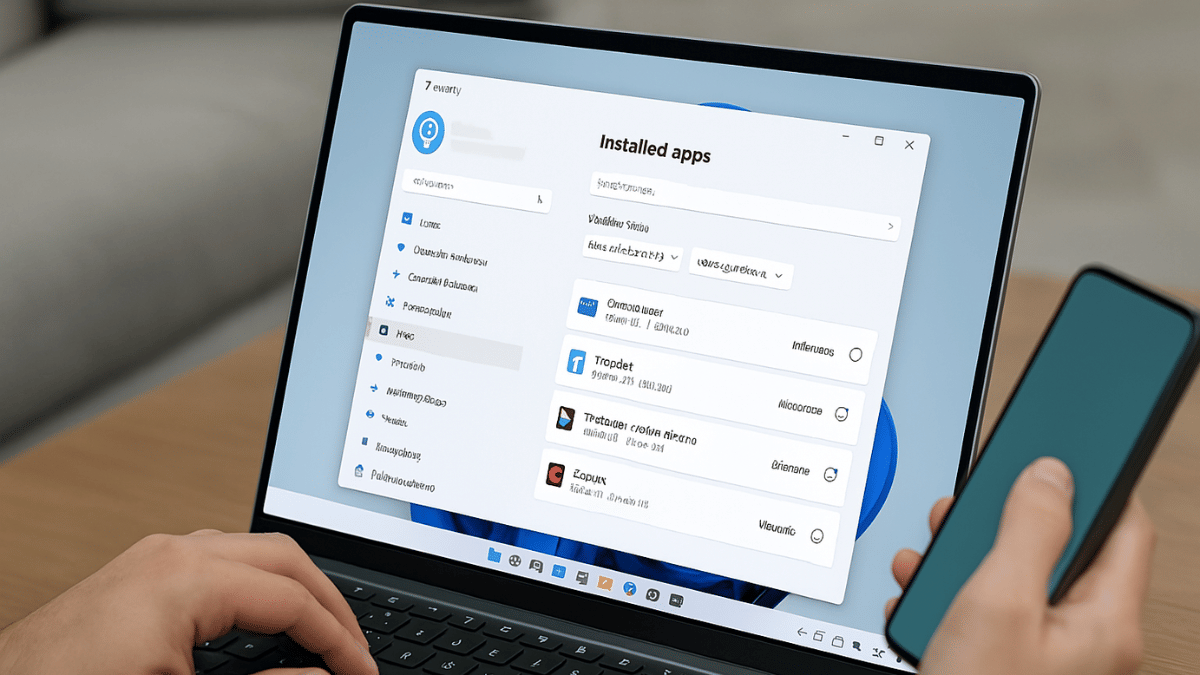
If the deleted app or game was downloaded from Microsoft Store, it will be easiest to re-install. Follow these steps:

Step 1: Power on your laptop/ PC

Step 2: From the task bar, tap on the Start menu

Step 3: Open the Microsoft Store app. If you have the shortcut on the desktop, open it directly.

Step 4: Tap on the Profile icon

Step 5: Go to the Library option

Step 6: From the “Not Installed” list, search for the app or game that has been deleted.

Step 7: Tap on Install

Also Read: Measure Distance Between Two Points With Pinpoint Accuracy On Google Maps: How To Guide

Method 2: Via OneDrive

You can restore your deleted apps and games on Windows 11 laptop or PC via OneDrive. Note that this method only works when the File History or OneDrive option has been enabled.

Step 1: Tap on the Start menu and go to the Control Panel

Step 2: Now, Click on the File History option

Step 3: Now, locate the folder where the app data was saved (this could be either in App Data or Program Files folder).

Step 4: Once the app or game’s folder is located, tap on Restore

Step 5: You can also directly log into OneDrive and download or restore the deleted app/ game.

Also Read: No Microsoft Account? No Problem: Here’s How To Install Windows 11 Your Way

Method 3: Via Windows System Recovery Tool
This is a built-in feature offered by Windows 11 which allows resetting the system settings and also recover older files, apps, or games.

Step 1: Power on your laptop or PC

Step 2: Open Settings

Step 3: Head to the System option

Step 4: Tap on About and then select System Protection option

Step 5: Click on the System Restore option

Step 6: Now, select the restore point to the point before which the app was deleted accidentally.

Step 7: Perform the steps mentioned on the screen

Step 8: Wait for the System restore to be completed.
Categories
Apps Featured How To

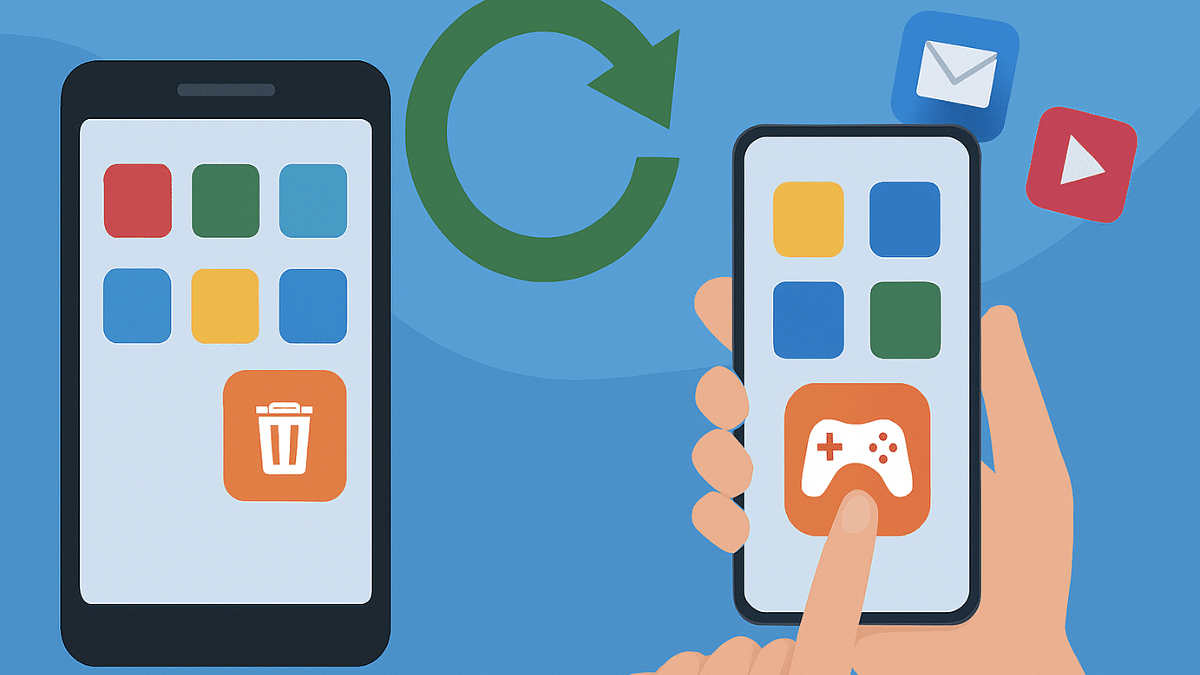
Accidentally Deleted Your Favourite Game Or Mobile App With Active Progress: Here’s How To Restore On Android

Key Highlights

  • Accidentally deleted apps can be restored
  • Games can also be restored with all progress
  • No subscription or plans re-purchases required with Google linked accounts

Google Play Store is the one stop destination for all mobile apps and games available for the Android users. Be it your favourite social media or messaging app or games, Play Store is the only authentic platform to download and install these apps. Google keeps a constant check on the apps being made available on the platform to keep it free from malware or similar scam apps. Often multiple mobile apps can lead up to clogged device memory which is why uninstalling apps that are not in use is advised. However, this process can lead to you accidentally delete the apps that you are using frequently. It can be a game with certain level of progress or your favorite app containing all your preferred customisations. If you have been in such situation then there’s no need to panic. In this article we are exploring the methods with which you can easily restore your deleted apps or mobile games on your Android smartphones and tablets:

For the tech geeks, stay updated with the latest cutting-edge gadgets in the market, exclusive tech updates, gadget reviews, and more right on your phone’s screen. Join Giznext’s WhatsApp channel and receive the industry-first tech update.

Also Read: Merge Two Different PF Accounts Into One: How To Guide

Steps To Restore Deleted Apps/ Games On Android

Via Google Play Store

This is the easiest way with which you can restore your deleted mobile apps or games. Google keeps a log of the installed apps on your device using the Google account. Just visit Play Store and re-install the app that has been deleted accidentally.

Step 1: On your Android devices, open the∫ app.

Step 2: From the top right corner, click on the Profile icon.

Step 3: You will see a bunch of option, navigate to the Manage apps and devices option.

Step 4: Tap on Manage option

Step 5: From the drop down next to Installed menu, tap on the “Not Installed” option

Step 6: Now, simply search for the app that has been deleted accidentally.

Step 7: Tap on the “Install” option

Step 8: Wait for the app to be downloaded and re-installed on your device

Step 9: Open the app once installed and sign-in back using your registered email address of Gmail account.

Pro Tip: Apps installed using Google Account can be re-synced. This means no need to buy subscriptions again.

Also Read: Incognito Browsing Not So Private! Steps To Check Incognito Mode Browsing History And How To Delete

Steps To Restore System Apps On Android Devices

If you have accidentally system apps or Google apps such as Phone app, clock, gallery, etc., do the following to restore

Step 1: Open Settings menu on your Android devices

Step 2: Navigate to Apps section

Step 3: Select Disabled Apps section

Step 4: Select the app that you want to restore such as Phone, Messages, etc.

Step 5: Click on Enable.

Also Read: Want To Transfer Ola Money Cash To Bank Account? Here’s How To Do It

Steps To Restore Games With Active Progress And Purchases

Most of the modern day games and apps on Google Play Store can be re-synced to previous progress. Also, no new subscriptions or purchases will be required to continue using the services.

Step 1: Open Play Store and download the deleted game or app

Step 2: For games like BGMI, Free Fire, etc., auto restore progress option is available.

Step 3: If the progress isn’t restored, open the game Settings

Step 4: Tap on the Restore from Cloud/ Server option.

Categories
Auto Tech Featured

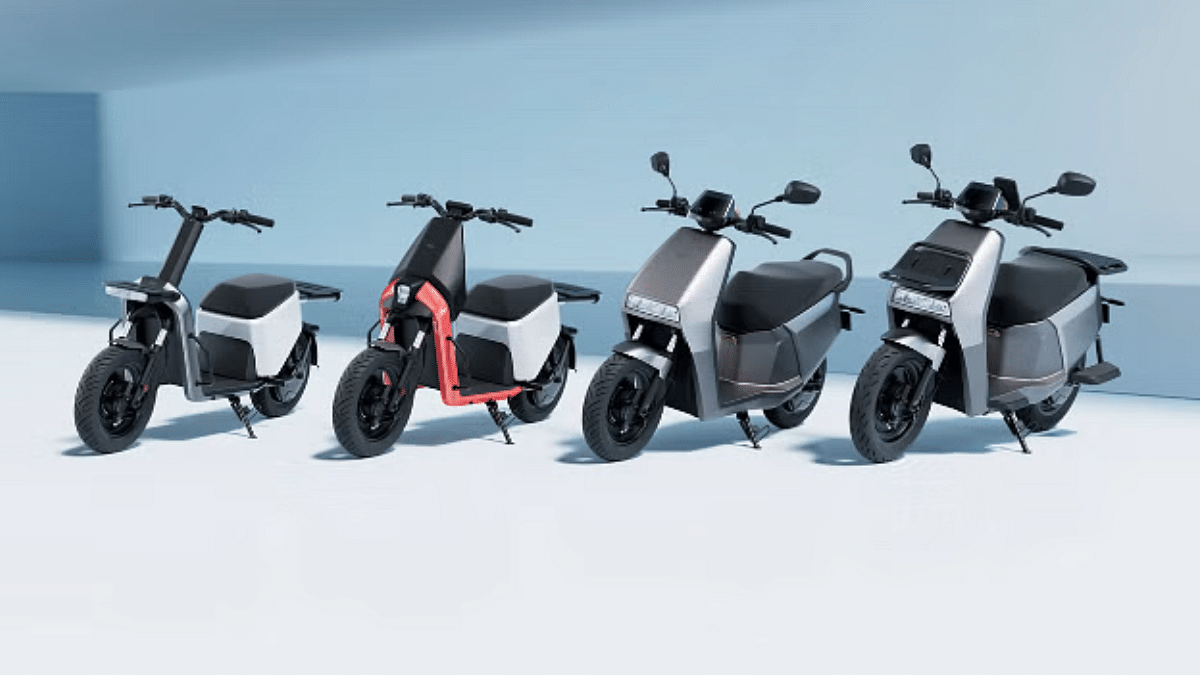
Ola Electric Hyperdelivery Announced: Quick Speed Bookings And Deliveries Of Ola E-Scooters

Key Highlights

  • Ola Hyperdelivery service introduced
  • Offers quick booking and registrations of Ola e-scooters and motorcycles
  • One-day delivery service also available via Hyperservice program

Ola Electric has introduced yet another program for rapid sales. After the Hyperservice plans, the E2W manufacturer has bow launched Hyperdelivery services in India. Under this new scheme Ola Electric will be providing single day booking and delivery services for its e-scooter and e-motorcycle range. Let’s explore the services and offers that Ola Electric is bringing with Hyperdelivery in India.

Also Read: Drive Smart And Safe: List Of Top Electric SUVs With Advanced Safety Features In India In 2025

Ola Hyperdelivery Services: What All Is Covered?

Ola Electric is trying all possible ways to bounce back in the business after the challenges dealt in the recent times. To provide a better customer experience, the company has come up with Hyperdelivery plans. This new service will make it possible for the interested customers to book and registration their preferred Ola electric scooters and e-motorcycle models within just a few hours.

The pilot phase for the Ola Hyperdelivery has kickstarted in Bangalore. The electric two wheeler manufacturer is further planning to expand this service across remaining Indian cities in the current quarter itself. The rollout will be taking place in phases with the list of remaining cities to be revealed yet.

That said, customers can visit the nearby Ola Electric dealerships and stores to make the same-day registrations and receive the deliveries of the e-scooters and e-motorcycles. Ola further clarifies that it has implemented AI-powered automation for Hyperdelivery services. The brand is working on to make the buying experience smoother for the customers by cutting down on the lengthy delivery process.

Also Read: List Of Best Electric Scooters With Large Storage Space In 2025

New Ola E-Scooters And E-Motorcycles Launching Next Year

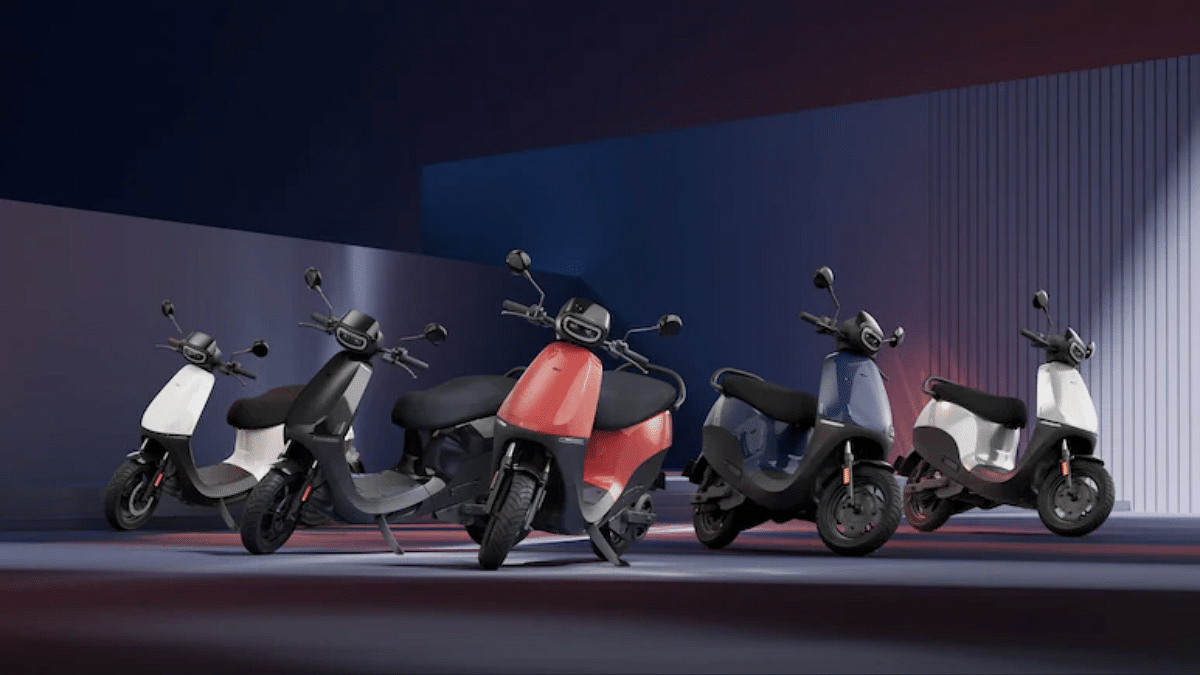
Ola also is in works to expand its product portfolio. The brand will be launching multiple new e-scooter and e-motorcycle models next year. As per the estimated timeline, the S1 Sports based on the S1 Gen 3 platform, followed by S2 platform based S2 City, S2 Sports, and S2 Tourer will be launched in Q2 of FY26. Likewise, S3 series will get new models including S3 Grand Adventure, S3 Grand Tourer, and other models.

Categories
Apps Featured How To

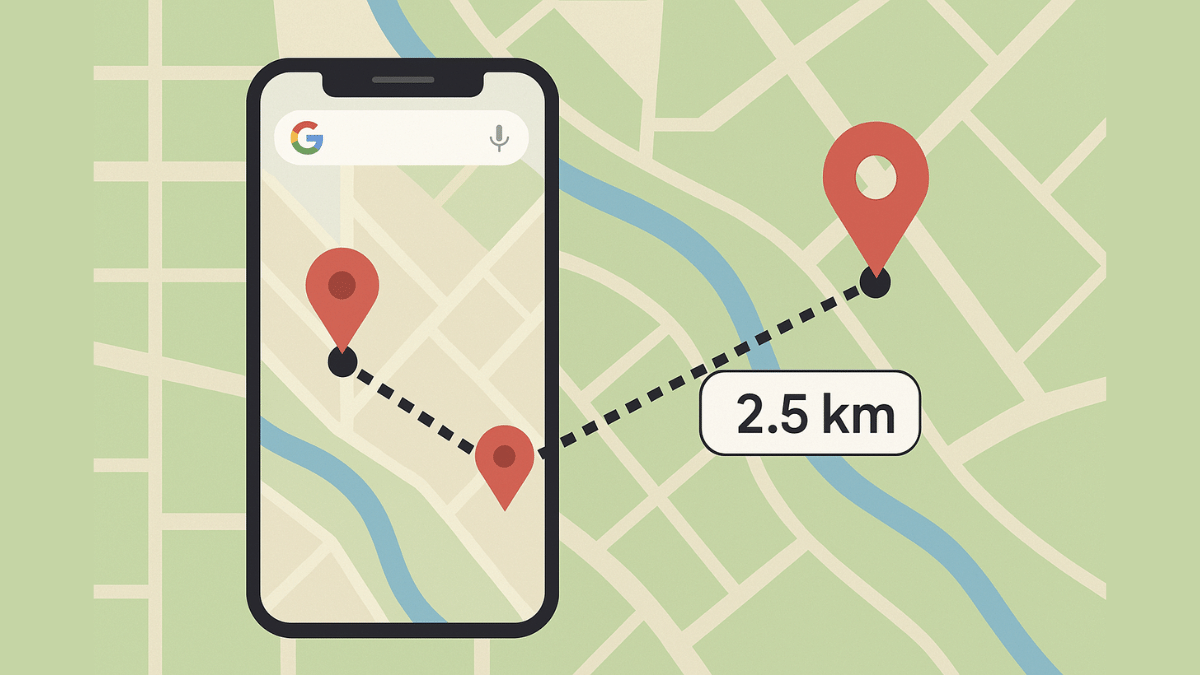
Measure Distance Between Two Points With Pinpoint Accuracy On Google Maps: How To Guide

Key Highlights

  • Navigation is easier than ever with Google Maps
  • Allows calculating distance between two points
  • Option available for Android and iOS users
  • Desktop version also supports distance measure feature

Google Maps is one of those reliable navigation apps that besides helping us to get directions also helps with trip planning and more. Maps have also simplified lives of tourists by offering the option to find nearby hot spots, emergency services, fuel stations, and what not. With such a long list, it might be a possibility that you miss out on some of the coolest features that Google Maps offer. One of such feature is the option to measure distance between two or more points. And Maps allows to do so with pinpoint accuracy. Here’s how you can use this simple Google Maps trick for you journey planning.

For the tech geeks, stay updated with the latest cutting-edge gadgets in the market, exclusive tech updates, gadget reviews, and more right on your phone’s screen. Join Giznext’s WhatsApp channel and receive the industry-first tech updates.

Also Read: No Microsoft Account? No Problem: Here’s How To Install Windows 11 Your Way

Steps To Measure Distance On Google Maps (Android, iOS) With Pinpoint Accuracy

Step 1: On your smartphones, open Google Maps app

Step 2: Touch anywhere on the app’s home screen. Ensure you are tapping on an empty space instead of a place or name or icon.

Step 3: A Red pin icon will show up. Tap on it.

Step 4: Scroll down to the option list and click on the Measure distance (ruler icon)

Step 5: Now, drag or move the map bringing the black circle to the point that you want to add for distance measurement.

Step 6: From the bottom right, select the Add Point (+) option. This will allow you to add multiple options.

Step 7: The distance between the selected two points will be displayed at the bottom with pinpoint accuracy.

Also Read: How To Use WhatsApp Without Internet And Your Primary Device: Step By Step Guide

Steps To Measure Distance On Google Map Desktop Version (Laptop, PC) With Pinpoint Accuracy

Step 1: Launch Google Maps desktop version on your laptop/ PC

Step 2: Right-click on any starting point

Step 3: Navigate to and select the Measure distance option

Step 4: Now, tap anywhere on the map to create a path to measure the distance.

Step 5: If you need another point then click anywhere again on the map.

Step 6: The distance between the point A and point B will be shown at the bottom with pinpoint accuracy.

Why Should You Use Distance Measure Feature On Google Maps?

  • Allows to plan trips efficiently
  • Allows tracking distances for fitness activities like running, cycling, etc.
  • Can help calculating distanced between points that aren’t directly connected via roads
  • Allows measuring distances between multiple points
Categories
Apps Featured How To

How To Use WhatsApp Without Internet And Your Primary Device: Step By Step Guide

Key Highlights

  • WhatsApp requires an active internet connection for message sending messages and media
  • It can also be used without internet
  • This method required workaround via linked devices feature

WhatsApp is the modern day messaging app on which we rely for daily texting and media transfers. The instant messaging mobile app has definitely simplified our lives and remain the top preferred choice for all personal and professional conversations. But to use all WhatsApp services a smartphone with working internet is must. Or not? Ever imagined using WhatsApp without both internet and your smartphone? That too, without compromising on privacy and security aspects keeping your chats all private? What if we tell you there’s a workaround where you can use WhatsApp without your smartphone and internet. Fone out more below:

For the tech geeks, stay updated with the latest cutting-edge gadgets in the market, exclusive tech updates, gadget reviews, and more right on your phone’s screen. Join Giznext’s WhatsApp channel and receive the industry-first tech updates.

Also Read: Call Merge Scam Alert: Here’s How To Stay Safe From OTP Fraud

Is It Possible To Use WhatsApp Without Internet Or Your Smartphone?

While there is no direct option to use WhatsApp without internet on your smartphone, there are a bunch of few features that can help you with all your conversations. There is the Schedule messages feature that comes handy when you know you won’t be able to access internet for WhatsApp and yet need your messages to be delivered on time.

But if in case your smartphone battery is drained and it can get switched off any moment, then the Linked Devices feature is what comes to the rescue. You can continue with your chats on a separate smartphone/ laptop, or PC via this WhatsApp feature. This paired device functions independently from the primary device while providing all levels of safety.

Also Read: Forgot Your ATM Card? Don’t Worry! Here’s How To Withdraw Cash From ATM Using Smartphone

How to Use WhatsApp Without Internet on Android, iOS

Step 1: Open WhatsApp Mobile App On Primary Phone

  • On your Android or iOS smartphone, launch WhatsApp app

Step 2: Tap the More Option Placed On The Top Right (Three Dots)

  • On Android devices select the “Linked Devices” option .
  • On iPhones navigate to Settings and select Linked Devices.

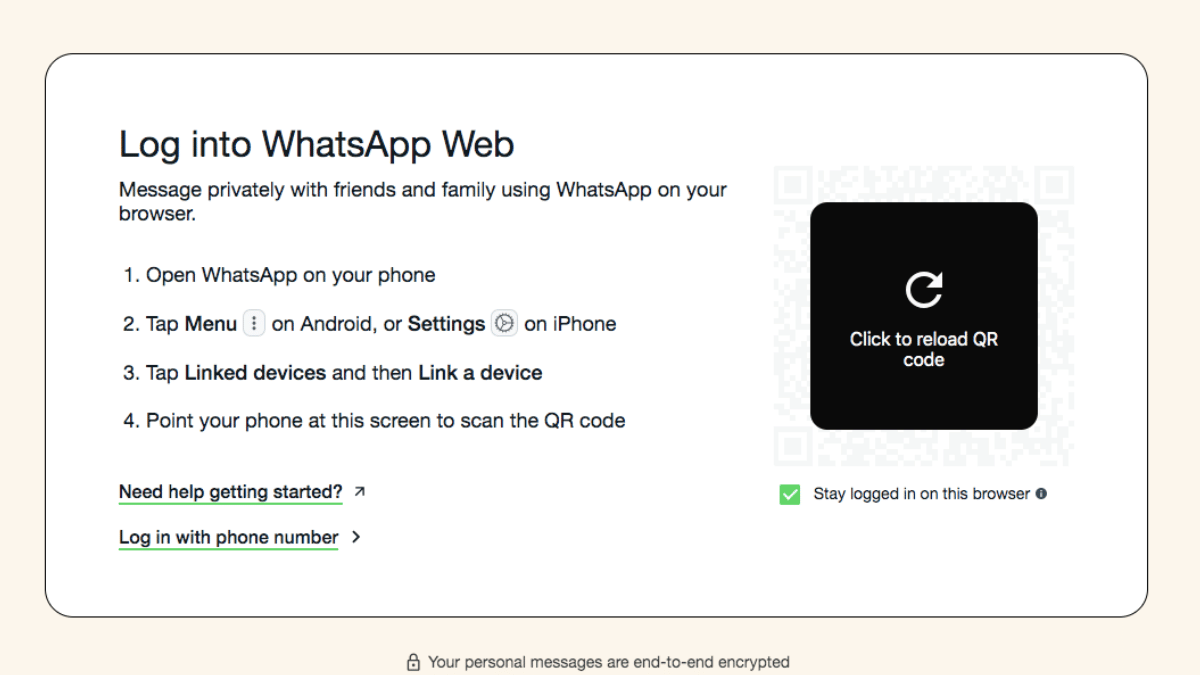
Step 3: Link a Secondary Device (Laptop/ PC)

  • Tap on the “Link a Device” option.
  • On your laptop or PC launch Chrome or any web browser
  • Open web.whatsapp.com
  • You can also install the WhatsApp Desktop App.

Step 4: Scan the QR Code Shown On The Screen

  • Open the QR scanner on your primary device
  • Scan the code shown on the laptop/ PC
  • Wait for the connection to be established

Also Read: Ghibli Studio Art Viral Social Media Trend: How To Create Your Own Ghibli Art For Free Without ChatGPT+

What All Can Be Done With Linked Devices On WhatsApp

All the standard messaging and media feature available for mobile app can be done via the Linked devices.

WhatsApp Feature Availability
Send Messages Yes
Receive Messages Yes
Media sharing Yes
Voice calls Yes (on supported systems)
Video Calls Supported systems with web cam
Categories
Auto Tech Featured Info

Week 14 2025 EV News Wrap Up: New Electric Scooter Launch, Upcoming EV Roadmaps, And More

Key Highlights

  • New special edition e-scooter launched this week
  • New E-Luna model patented ahead of launch
  • Upcoming Hyundai 3-row E-SUV Spied
  • Ola Electric reveals plans for future E2W launch

EVs have popularised the concept of sustainable mobility making rides not just efficient but also environment friendly. India has emerged as one of the biggest markets for EVs; specifically E2Ws. This rapid transition has led every auto manufacturer to switch to electric mobility market and it’s now almost every alternate month we come across a new launch or similar developments in E2W or E4W category. We have been doing a weekly wrap up doing a recap of the highlights from the EV industry. In the Week 14 of 2025, we got to see a new e-scooter, spy shots of an upcoming Hyundai 3-row e-SUV, and more. In this article, we are doing a quick wrap up of the top headlines from the EV market:

For the tech geeks, stay updated with the latest cutting-edge gadgets in the market, exclusive tech updates, gadget reviews, and more right on your phone’s screen. Join Giznext’s WhatsApp channel and receive the industry-first tech updates.

Also Read: Drive Smart And Safe: List Of Top Electric SUVs With Advanced Safety Features In India In 2025

VLF Tennis Milano Edition Launched

VLF, the Italian EV maker has introduced a new special edition of the Tennis e-scooter. That latest model launched by the brand is the Tennis Milano Edition which sports sleek and modern design inspired by the tennis sports and streets of Milan. The special limited Edition Tennis e-scooter model also gets performance boost and is equipped with a swapabble battery pack using which it can deliver over 130 km range on a full charge. Read More

Also Read: List Of Best Electric Scooters With Large Storage Space In 2025

Upcoming Hyundai 3-Row E-SUV Spied Testing

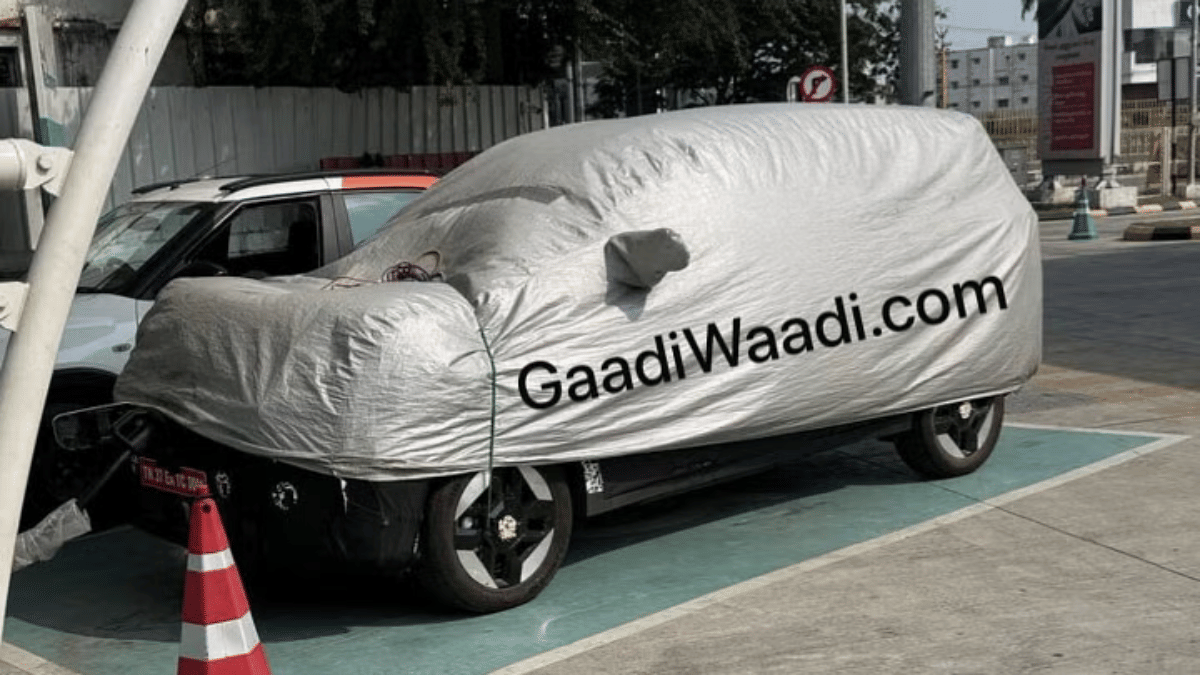
Hyundai is also likely working n a new EV model for India. After the Creta EV and the Ioniq 5, Hyundai could launch an all-electric version of the Alcazar EV. Recent spy shots of the 3-row e-SUV suggests it could be the next E4W from the company in India. Spotted with heavy camouflage at a charging station, the Alcazar EV is seen with a front-mounted charging socket and sleek connected LED light bar at the rear.

Also Read: Best Electric Scooters With Long Range And Affordable Price In India

New Kinetic E-Luna Moped Patented

Kinetic Greens is set to launch a new version of the E-Luna moped. The patent images for the upcoming E-Luna electric moped has surfaced revealing the design tweaks. The patent images reveal a new quadrilateral-shaped box with triangular contours mounted on the floor board. Rumors indicate it to be the casing for the swappable battery module. The current-gen E-Luna comes with a fixed battery setup. With the updated design Kinetic Greens is expected to make E-Luna a complete ride solution for last mile deliveries as well as general public who need a daily commute EV. Read More

Also Read: Best Electric Scooters With Removable Batteries

Ola Reveals 2026 EV Roadmap

Ola Electric despite being in all soup with unresolved consumer complaints, crashing stocks, and multiple summon notices from the government is planing to expand it EV portfolio next year as well. After starting its innings with the launch of the Ola S1 Gen 3 e-scooters, the brand will be launching new models backed by the new-gen S2 platform. Upcoming E2Ws from Ola will be the S2 City and S2 Sports e-scooter models for family-centric audiences. Additional models which Ola is planning to launch in 2026 includes the S2 Tourer, S3 Grand Adventure, and S3 Grand Tourer.

Categories
Apps Featured How To

Vacation Planning Guide: 5 Effective Ways To Make Use Of AI For Travel Planning In 2025

Key Highlights

  • AI-enabled apps and tools can be used for travel and vacation planning
  • Finding cheap flight an train tickets is now possible via AI tools
  • Pre-reservations of hotels and resorts can also be done via AI apps

With exams getting over, vacation planning is likely going on with full swing amongst families and friends. We believe you might have started that long tiring search for the best destination to travel this summers. For the ones planning a trip to Himalayas, beaches, or even international destinations, AI chatbot and tools can come to the rescue. With travel apps and agencies getting onboard with AI tech, planning travel and vacations is simple than ever. From reserving flight/ train tickets, to booking accomodations and finding route suggestions, all can be done without much efforts using AI. Let’s explore the ways that can help you plan your vacations this summer to your favourite destination.

For the tech geeks, stay updated with the latest cutting-edge gadgets in the market, exclusive tech updates, gadget reviews, and more right on your phone’s screen. Join Giznext’s WhatsApp channel and receive the industry-first tech updates.

Also Read: Forgot Your ATM Card? Don’t Worry! Here’s How To Withdraw Cash From ATM Using Smartphone

How To Use AI For Summer Travel Planning Effortlessly

1. Use AI Apps/ Tools To Find Cheapest Flights & Hotels

Most of the popular travel app such as Google Flights MakeMy Trip, Ixigo, Scyscanner have incorporated AI to help users search for cheapest flight/railways tickets along with stays. This helps with advance planning while keeping a check on the budget.

  • Can help with prediction and tracking cheapest flight tickets along with the month or timeline when the fares are lowest.
  • Allows price comparison for tickets for different airlines and hotels
  • One can also get discounts and offer alerts using AI travel apps and tools

Expert Tip: MakeMyTrip and Goibibo travel apps are best for making last-minute bookings for hotels. Both platforms offers deals and packages for long as well as short stay options.

Also Read: Want To Transfer Ola Money Cash To Bank Account? Here’s How To Do It

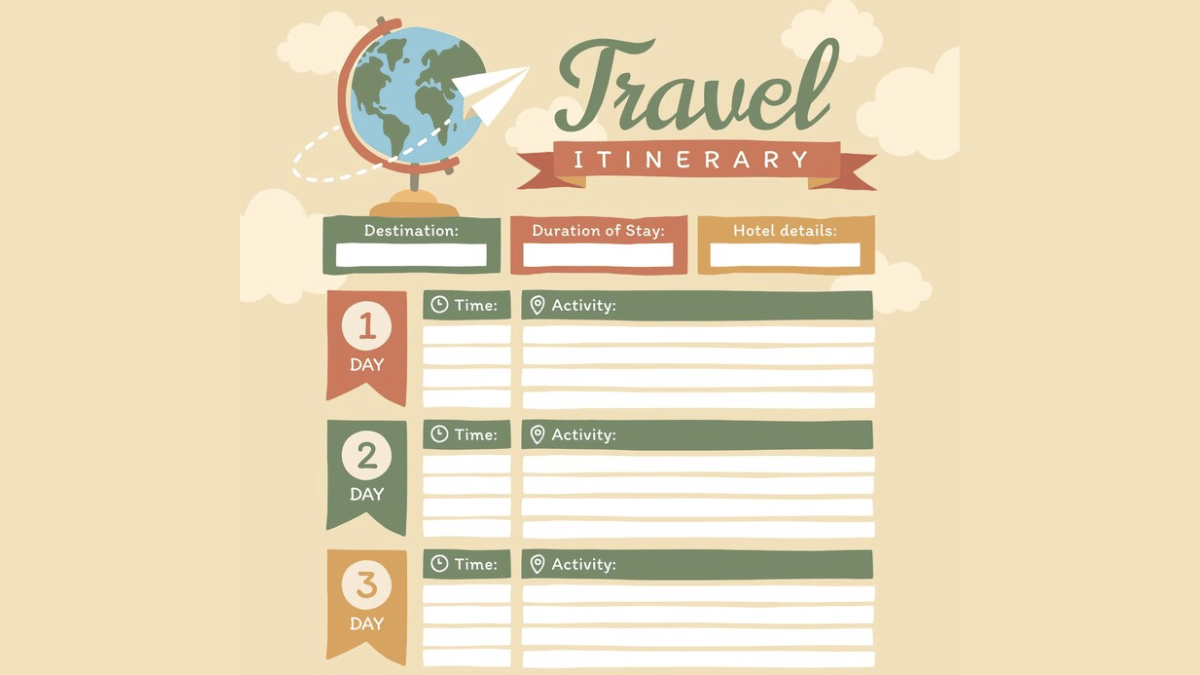
2. Create Customised Travel/ Stay Itinerary Using AI

AI tools besides helping to find cheapest flights and hotels can help you create a customised itinerary as well. You can make use of ChatGPT and Gemini AI for the same. All you need is to share details of the journey including dates, number of days of the trip, your preferences while travelling, and also budget. Adjustments and further customisations can be done using the same AI chatbots.

Also Read: Make WhatsApp Video Calls More Fun: How To Add Filters, Change Backgroun

3. Faster Trains & Buses Ticket Reservations

Domestic travel via trains and busses makes more sense of your destination is roughly an overnight journey. IRCTC, the official Indian Railways train booking app is now AI-enabled and can help with all bookings with just a few taps. Likewise, you can use RedBus app for reserving bus tickets for your destination. The AI integrated in these apps helps with faster and confirmed ticket booking. Additional tasks that these helps with are:

  • Check real time PNR status predictions
  • Emergency Tatkal ticket booking
  • Train/ bus delay predictions

Also Read: Aadhaar Card Lost Or Misplaced? Here’s How to Apply for a Duplicate Aadhaar Card Online

4. Check Weather Forecasting Via AI Before Travel

AI apps can also help you keep a check on the weather which is necessary before you hit the roads. This is specifically if you are planning your visit to destination with high chances or rainfall or snowfall or extreme heat conditions. You can check early weather predictions (Week-wise or month-wise) using AccuWeather, Rainbow weather, and others are AI-enabled and can predict weather effectively allowing you to plan your travel well in advance.

Also Read: Summer 2025 Buying Guide: How To Choose The Perfect Air Conditioner And Pay Less Electricity Bills

5. Plan Your Budget Using AI

AI travel apps can also help you with effective budget management for your summer vacation travels. And for the international travellers, currency apps such as Instarem and Niyo Global can help you with rate conversions. Users can also keep a track of their travel expenses and expenditure further making it simple to avoid overspending of funds.

Also Read: Ghibli Studio Art Viral Social Media Trend: How To Create Your Own Ghibli Art For Free Without ChatGPT+

Why Use AI for Vacation Planning in India?

Travelling is essential for reviving your brain and energies and also for new experiences and memories. However, unplanned vacations or travels can be a nightmare if you are planning to visit an entirely new destination. And if you are with our family, it is always advised to make bookings well in advance. Specifically, when the tourist season is at peak, finding stays and travel options could be difficult. Hence, AI tools can make our jobs much easy by planning our trips, train/ flight, and hotel reservations.


Categories
Auto Tech Featured

VLF Tennis Milano Edition E-Scooter Launched: Limited Edition Variant

Key Highlights

  • VLF India launched Tennis Milano Edition e-scooter
  • Is a limited edition version
  • Equipped with swappable battery pack
  • Is priced starting at Rs. 99,999

VLF after teasing its new e-scooter for India has unveiled the model. As expected, the latest offering from the Italian E2W maker is the Tennis Milano Edition. The new e-scooter model is a limited edition version of Tennis e-scooter which was launched last year and comes with some notable upgrades. Along with the special design, the Tennis Milano Edition comes with performance upgrade and a new battery module.

For the tech geeks, stay updated with the latest cutting-edge gadgets in the market, exclusive tech updates, gadget reviews, and more right on your phone’s screen. Join Giznext’s WhatsApp channel and receive the industry-first tech updates.

Also Read: Drive Smart And Safe: List Of Top Electric SUVs With Advanced Safety Features In India In 2025

VLF Tennis Milano Edition: Powertrain And Feature Highlights

  1. Exclusive design tweaks: The VLF Tennis Milano Edition gets special design upgrades. It sports a sleek and stylish design which is inspired by the vibrant streets of Milan and tennis sports. It will please the youth and customers seeking a mix of trendy and classic e-scooter.
  2. Updated battery platform: The VLF Tennis e-scooter comes equipped with a fixed battery setup. However, this new special edition of the Tennis e-scooter uses a swappable battery pack which will make charging more convenient for the customers.
  3. Range: The VLF Tennis Milano Edition e-scooter featuring a 2.6 kWh battery. Using this swappable battery pack, it can run to a maximum distance of 130 km (claimed) range per charge.
  4. Fast charging supported battery: VLF Tennis Milan edition e-scooter’s battery pack supports fast charging where it can get a full charge within 3 hours.
  5. Smart Connectivity: Features a large 5-inch instrument cluster that supports navigation
  6. Multiple Riding modes: Offers three different ride modes for efficiency and performance boost.

Also Read: List Of Best Electric Scooters With Large Storage Space In 2025

VLF Tennis Milano Edition Price

VLF Tennis Milano Edition has been launched in India with a reasonable price tag of Rs. 99,999. The prices are ex showroom. As this is a limited edition version, you should hurry before the stocks run out.

Categories
Featured Info Mobile

Fed Up With Slow Internet Speeds? 5 Effective Ways To Boost Your Mobile Internet Speeds (FAQs)

Key Highlights

  • Internet speeds with 5G and 4G networks are the fastest
  • Wi-Fi networks offer stable high speed internet
  • Slow data speeds hampers browsing and streaming experience
  • Resetting network settings can allow improved speeds
  • More steps below

Internet connection today has become more of a necessity than a luxury simplifying our complicated and fast paced lifestyle. It’s impossible to imagine our lives with Wi-Fi or mobile internet, specifically when the digital era is at its boom. And thanks to smartphones, internet is now readily accessible to the masses. High speed internet is also now a reality with faster networks such as 5G and 4G and fibre-optics Wi-Fi connections. But slow internet connection can be frustrating specifically if your are in need of emergency services, or are working remotely, or are in a middle of making a digital payment. What can you do in such situations? Are there any workarounds that can help with enhanced internet speeds? Let’s explore 10 quick ways that can help you fix slow internet speeds.

For the tech geeks, stay updated with the latest cutting-edge gadgets in the market, exclusive tech updates, gadget reviews, and more right on your phone’s screen. Join Giznext’s WhatsApp channel and receive the industry-first tech updates.

Also Read: Forgot Your ATM Card? Don’t Worry! Here’s How To Withdraw Cash From ATM Using Smartphone

Key Reasons For Slow Internet Speeds

General issues such low network coverage, dated firmware and others can slow down the internet speeds.

  • Low Network Coverage: When there is low network reception on your device, it could lead to slow data speeds.
  • Network Congestion: Another common reason for slow internet where number of users increases on a same tower at a given point of time.
  • Multiple Background Apps: If there are multiple apps running in the background, your internet speeds can be affected.
  • Data Throttle/ Pack Expiry: If your mobile data pack is over you might experience slower speeds or no internet connection. Likewise, data throttle which is activated after exceeding the data limit provided by the carrier can also lead to slower speeds.
  • Outdated/ Wrong Network Settings: In case of wrong APN or network settings, data speeds can slow down.

Also Read: Want To Transfer Ola Money Cash To Bank Account? Here’s How To Do It

1. Restart Your Phone

This the classic old method to get back the internet speeds. Switching off and restarting often clears of unused apps and caches and refreshes networks for better internet connectivity and speeds.

2. Upgrade To Faster Network (5G or 4G LTE)

If you still are using older 3G or 2G networks then it’s the time to switch to the latest high-speed 4G or 5G networks. Most of the telecom providers are offering high-speed data packs with 5G and 4G speeds at affordable costs hence switching to a faster network will resolve all the speed-related issues. And if you already have a 5G or 4G SIM just enable the settings on your device.

  • Open settings on your smartphone
  • Go to Mobile Network option
  • Navigate to the Preferred Network Type option
  • Toggle on 5G/ 4G network option

3. Check Network Signal Strength

Low network coverage is another factor for slowing down internet speeds. Check the network status on your devices and move to a different area for better signal reception.

4. Clear Cache & Unnecessary Apps

When your device’s memory gets clogged, it can slow down your phone’s performance and also internet speeds. Hence, it’s advised to clear cache memory to boost phone’s and internet speed.
  • Open Settings menu
  • Navigate to Apps section
  • Click on Storage
  • Tap on Clear Cache

5. Restrict Background App Data
Disabling or restricting background app data helps with restoring high speed internet. You can directly close the apps running in the background that are consuming data. Otherwise, enable the background data restriction.

  • Head to the Settings menu
  • Open Network And Internet
  • Tap on Data Usage setting
  • Enable Restrict Background Data

FAQs

Why is my mobile internet slow even when signal/ network coverage is full?

As mentioned above, general reasons for slow internet speeds despite full networks can vary from congestion on cell towers, expired data backs, data throttles, etc.

Can a VPN connections slow down internet speeds?

Not all VPNs slow down internet speeds. You might experience slower internet speeds if you are using a free VPN service. However, premium VPN services are known to provide faster and secure network connections.

Will Upgrading To 5G Network Help?

Definitely. 5G mobile networks are the fastest and you’ll see noticeable improvements with web browsing and streaming speeds online.

How often should I clear my cache for better speed?

Frequently cleaning cached memory will ensure your device performance remains stable. It will also help with better speeds.

Categories
Comparison Featured Info

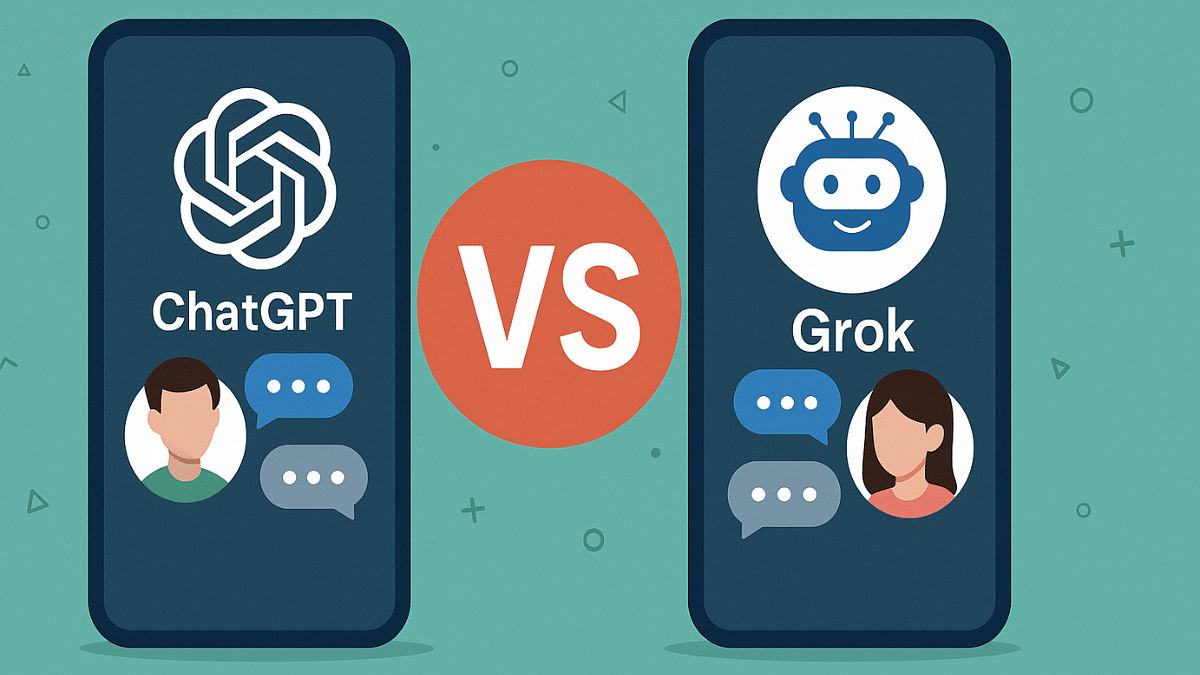
ChatGPT Vs Grok AI: Can Elon Musk’s AI Beat OpenAI’s Chatbot?

Key Highlights

  • Grok Ai is the latest AI chatbot in the market
  • Is developed by X
  • Uses real time internet from X for data research
  • Provides humorous and witty responses

ChatGPT has been a revolutionary invention bringing AI to our daily lifestyle. And certainly, AI’s landscape is growing immensely and we can see industries adaption to the latest trend quickly. This has led to multiple new AI tools making way to the market. A while ago, it was China-based DeepSeek AI that stormed the internet for giving a tough competition to Open AI’s ChatGPT. And now, we have Elon Musk-backed Grok AI that seems to be getting all the attention. How different is Grok AI compared to ChatGPT and which one we think will rule 2025? Let’s try to break it down:

For the tech geeks, stay updated with the latest cutting-edge gadgets in the market, exclusive tech updates, gadget reviews, and more right on your phone’s screen. Join Giznext’s WhatsApp channel and receive the industry-first tech updates.

Also Read: Ghibli Studio Art Viral Social Media Trend: How To Create Your Own Ghibli Art For Free Without ChatGPT+

ChatGPT vs. Grok AI: Know The Key Differences

AI Chatbot ChatGPT Grok AI
DeveloperOpen AIxAI (Elon Musk)
Accessible Via Web, Android and iOS mobile apps X (previously Twitter) on web and mobile apps
Integration API and Microsoft Copilot API only currently, more integrations planned for future
Meme-friendlyNoYes
User Base Over 100M + globally rapidly growing user base globally (stats yet to be available
Subscription TypePaid and free both available Free (Limited), paid subscriptions
ChatGPT vs. Grok AI Key Differences

Also Read: ChatGPT Vs Microsoft Copilot: The AI Battle In 2025!

ChatGPT vs. Grok AI: Data Access And Functionality

AI ChatbotChatGPTGrok AI
Data access built-in knowledge database (2024 cutoff year)Uses Real-time data access via X
Conversation style Creative and professional Provides witty response
AI technology GPT 3.5 and GPT 4Grok 1- AI model
Coding Supports HTML, Java, Python, etc. Doesn’t support yet
Content GenerationYes (Script writing, Blogs, essays, and moresocial media-centric content and responses, limited content generation
Image generation YesYes
ChatGPT vs. Grok AI Functionalities

Also Read: DeepSeek R1 Explained: What Is It? How To Use For Free?

1. ChatGPT Vs Grok AI: AI Model & Performance

ChatGPT uses the in-house GPT-4 (for paid users) and GPT-3.5 (free version) AI model which has been developed by Microsoft-backed OpenAI. ChatGPT is known for its professional approach for responses and content generation and is capable of

On the other hand, Grok AI is developed using Grok-1 which has been developed by Elon Musk-led xAI. Unlike ChatGPT that uses its own knowledge database, Grok AI relies on real time internet for information and data access.

2. Conversation And Response Style

  • ChatGPT is versatile AI Chatbot which has been using subtle and ethical language for conversations and responses. It sticks to creative and technical conversation and response style making it apt for professional organisations.
  • On the contrary, Grok AI is grabbing all the attention for its unique sarcastic styling which is unlike ChatGPT or any other AI ChatBot available in the market. It is also meme-freindly which is making it more popular amongst the audiences.

Also Read: ChatGPT Replacing Gemini As New Default AI Assistant On Android? Here’s How

3. Content Generation & Coding Capabilities

Both ChatGPT and Grok AI are capable of generating content. However, both route to different approach for the same.

  • ChatGPT: Is apt for long format content. It is fully capable of writing programming codes, story write-ups, research copies, and more. As for coding, it can write multiple programming languages including Python, Java, C++, HTML, etc.
  • Grok AI: It’s primarily suitable for queries and short content type which is best for social media. It’s witty approach for responses makes it content more engaging.

Also Read: China-Owned Deepseek AI Raises Global Security Concerns: Why Countries Are Blocking It?

Verdict: Which AI Chatbot Should You Use?

  • Go for ChatGPT if you need a full-fledged AI assistant tool which can generate a variety of content and is suitable academics and professional tasks.
  • Go for Grok AI if you prefer real-time information and witty/ humorous responses which is apt for social media platforms.

To sum it up, ChatGPT is currently a better alternative for content, coding, and image generation, whereas, Grok AI being in the development stage is expected to catch up in the coming years.