Categories
Chipset Comparison Featured

MediaTek Dimensity 9200 Processor Vs Qualcomm Snapdragon 8 Gen 1 Chipset: High-End Mobile Chipset Comparison

Dimensity 9200 is the latest top-of-the-line chipset for smartphones and tablets from MediaTek. This new-generation Dimensity series chipset from MediaTek ships with 5G network compatibility and an octa-core CPU cluster. The Dimensity 9200 processor can easily outperform some of the most powerful mobile chipsets available in the market.

Since Qualcomm is one of the primary rivals of MediaTek in entry-level as well as premium chipset categories, we are comparing one of its potent chipsets with the Dimensity 9200 SoC. We are speaking of the Snapdragon 8 Gen 1 chipset which is driving the high-end smartphones launched in recent times. Which chipset out of the Dimensity 9200 or the Snapdragon 8 Gen 1 chipset is more capable in terms of CPU and GPU performance? Let’s find out in this comparison article.

MediaTek Dimensity 9200 Vs Qualcomm Snapdragon 8 Gen 1 Chipset: CPU Architecture, Performance

We’ll start off this comparison between the most powerful mobile processor in the market with the CPU performance. The Qualcomm Snapdragon 8 Gen 1 chipset has a thin 4nm fabrication process and an octa-core cluster. MediaTek has used the same 4nm thin fabrication process along with an octa-core core cluster design for the Dimensity 9200 processor.

The CPU cores in the Snapdragon 8 Gen 1 chipset feature one Cortex-X2 core with 3GHz clock speed, three Cortex-A710 cores with 2.5GHz clock speed, and four Cortex-A510 cores with 1.8GHz clock speed. The frequency range delivered by the Snapdragon 8 Gen 1 chipset is 3000 Mhz, whereas, the Dimensity 9200 has a similar 3050MHz frequency range. Both these processors have the ARMb9-A instruction set. Overall, the Dimensity 9200 and the Snapdragon 8 Gen 1 processors have neck-to-neck competition in terms of CPU performance.

Dimensity 9200 Vs Snapdragon 8 Gen 1 Processor: GPU Performance

Speaking of the GPU performance, the MediaTek Dimensity 9200 processor features the Mali-G715 Immortalis MC11 GPU which is based on Vallhall 3 GPU architecture. On the other hand, Qualcomm has used an Adreno 730 GPU with 818MHz GPU frequency to handle all the graphics delivery with the Snapdragon 8 Gen 1 processor. The GPU integrated within both these high-end processors are powerful and wouldn’t flinch with extensive graphics rendering.

MediaTek Dimensity 9200 Vs Snapdragon 8 Gen 1 Chipset: Memory, Multimedia (ISP) Compatibility

Moving on to memory compatibility, the MediaTek Dimensity 9200 processor takes a lead with its LPDDR5X memory support. The Qualcomm Snapdragon 8 Gen 1 ships with standard LPDDR5 RAM option. The memory frequency range is also higher with the Dimensity 9200 chipset.

It offers 8533MHz of memory frequency. On the contrary, the Snapdragon 8 Gen 1 chipset features a 3200MHz frequency range. Both these processor supports a maximum of 24GB memory compatibility. In addition to the RAM, the storage format is also better with the Dimensity 9200 processor. This processor has UFS 4.0 storage support that will offer faster read/write speeds along with transfer speeds compared to the Snapdragon 8 Gen 1 chipset. The latter is integrated UFS 3.1 storage support.
When we compare the multimedia aspects, the Snapdragon 8 Gen 1 chipset is a winner with a maximum display resolution of 3840 x 2160 pixels. The Dimensity 9200 processor ships with a max display resolution compatibility of 2960 x 1440 pixels. The SD 8 Gen 1 chipset supports 8K@30fps and 4K@120fps video playback and recording. The Dimensity 9200 has up to 8K@30fps video recording and playback compatibility.

MediaTek Dimensity 9200 Vs Snapdragon 8 Gen 1 Processor: Final Verdict

Both Dimensity 9200 and the Snapdragon 8 Gen 1 chipsets are primarily designed for top-tier Android phones and tablets. The 5G network compatibility combined with efficient and fast processing makes both these chipsets potent for flagship-grade devices. The power delivery is almost similar with both these chipsets, so you can easily consider any of the handsets driven by these two chipsets.
Categories
Featured How To TV

OnePlus TV HDMI Issue: How To Quickly Fix HDMI Picture Quality And Interface Issue With All OnePlus Smart TVs

OnePlus is one of the biggest smartphone manufacturers across the globe. We have seen the brand launching top-of-the-line handsets equipped with high-end internals including the flagship grade MediaTek and Qualcomm chipsets and premium display and camera features too. In addition to smartphones, the company is also aggressively getting hold of the market in other consumer goods markets.

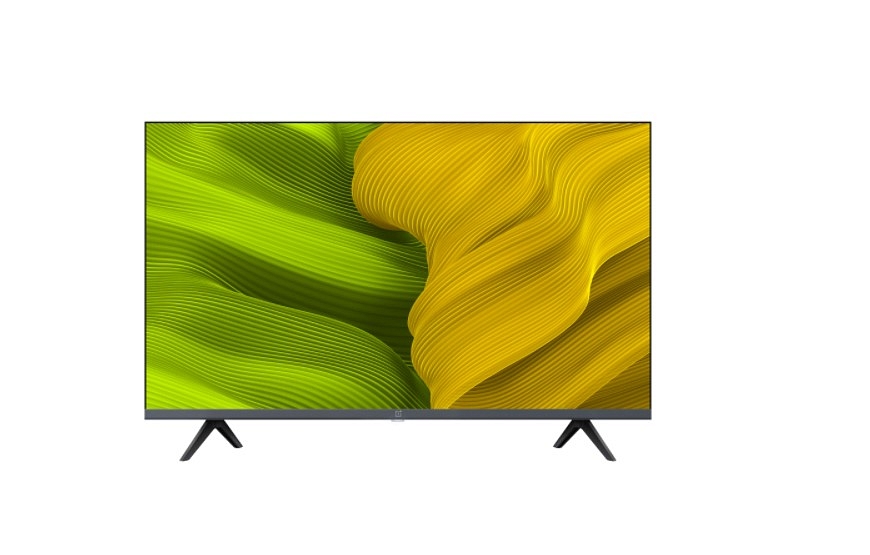
OnePlus smart TVs are also giving tough competition to most of the premium TVs available in the premium and mid-range segments. The brand has a bunch of TV lineups for all categories of users. Despite an affordable price range, OnePlus smart TVs don’t compromise anyhow with delivering rich audio-video output.

All OnePlus smart TVs have multiple connectivity options. You also get wireless connectivity options with OnePlus smart TVs (both Wi-Fi and Bluetooth). With this, you can not get access to the internet for OTT and streaming platforms but also get the option to add wireless accessories such as remote control or a speaker. All OnePlus smart TVs also offer HDMI port connectivity. Some of the OnePlus smart TVs even offer HDMI (ARC) ports for seamless connectivity.

But have there been any situations where you have experienced issues with HDMI ports and connectivity on your OnePlus smart TVs? If yes, are you aware of the quick fixes of troubleshooting steps to resolve HDMI issues with OnePlus smart TVs? Well, we have listed down all the ways in which you can easily resolve the HDMI interface and abnormal picture quality with OnePlus smart TVs. Read on below:

How To Fix Abnormal HDMI Interface Issue With OnePlus Smart TVs

Step 1: The first step is to unplug and re-plug the HDMI cable connection between the OnePlus TV and the supported device. If this doesn’t resolve the issue move to the next step.

Step 2: On your OnePlus smart TV, open the Settings menu and then click on the More option.

Step 3: Click on Settings and then the Input option. Now, switch the “Signal Format” settings. This should resolve the issue and if not you should try performing the next step.

Step 4: Restart the paired HDMI device and also unplug and replug the TV and reboot. This should resolve the abnormal HDMI issue with your OnePlus smart TV.

How To Resolve HDMI Picture Issues With OnePlus Smart TVs

Step 1: Power off and unplug the OnePlus TV from the power source and reboot after re-plugging.

Step 2: Try connecting the device to another HDMI interface/port.

Step 3: If the picture quality issue persists, try switching the Signal Format settings from the TV.

Step 4: Also, try resetting the default picture settings operations.

Step 5: Restart the connected HDMI device and also reboot the TV to fix the abnormal picture quality issue with the OnePlus smart TV HDMI.

Categories
Info Leaks mobile

Realme 10 5G Massive Leak: Full Design, Specifications Listed At China Telecom Ahead Of Global Launch

Key Highlights

Realme 10 5G leaks on China Telecom Website

Official launch on November 17

Will be powered by Dimenisty 700 chipset

Triple rear camera confirmed

Realme has already announced its upcoming budget smartphone launch. The brand is all set to take the wraps off the Realme 10 series which will have multiple models both with standard 4G as well as 5G network connectivity. The rumor and the brand itself has confirmed the standard Realme 10 4G’s arrival alongside the Realme 10 Pro and the Realme 10 Pro Plus. There has been no word related to the Realme 10 5G until now. However, just a few weeks ahead of the launch the Realme 10 5G has been leaked in full glory. The full spec sheet along with the design has been revealed.

Realme 10 5G New Leak Reveals Full Design

The Realme 10 5G has made an appearance on the Chine Telecom website. Just for reference, the Realme 10 series is breaking covers in China on November 17 which makes us believe the design and features tipped for the Realme 10 5G by the China Telecom website are authentic. The upcoming affordable 5G phone by Realme has been spotted with the RMX3615 model number.

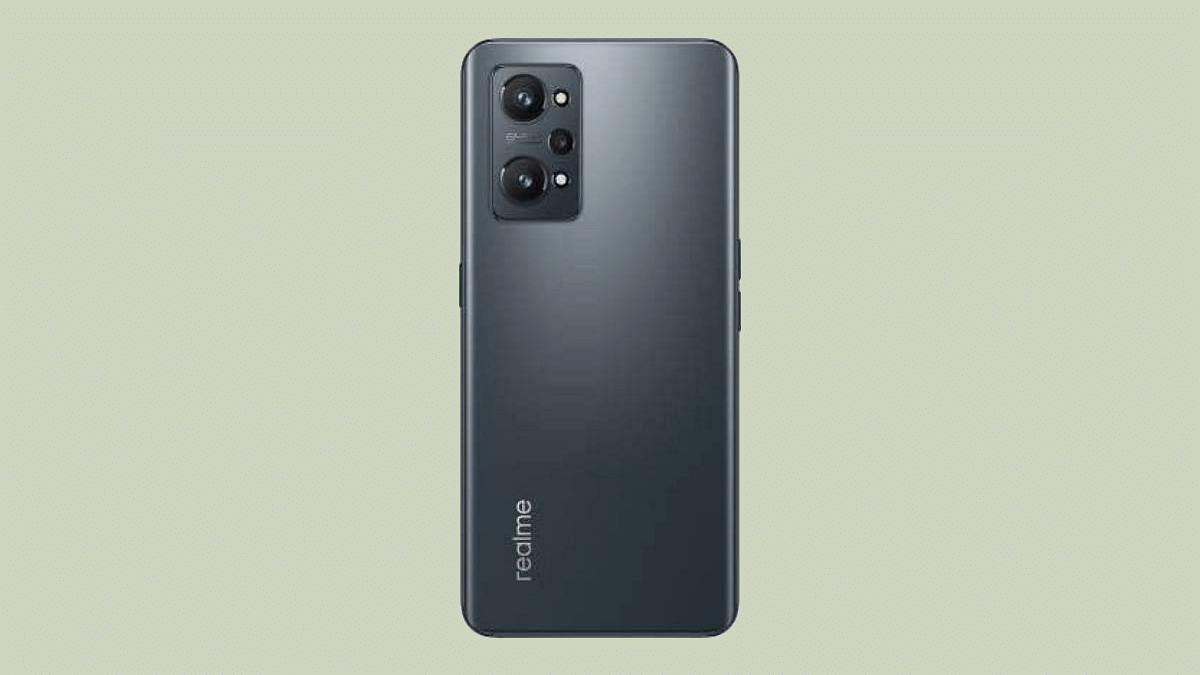
Moving on to the design, the Realme 10 5G will be flaunting a standard waterdrop notch display. Realme isn’t opting for the punch-hole camera cutout design which can be found in the majority of the mid-range Realme handsets. Up front, the display is surrounded by thin bezels.

The Realme 10 5G will be packing a triple-lens camera module at the rear panel. The camera setup will be stacked in a triangular array. The handset will have the volume keys on the left panel and the power key on the right which will be integrating a fingerprint scanner for security. We can assume the bottom panel accommodates the USB Type C port and a 3.5mm headphone jack.

Realme 10 5G Leaked Specifications

As far as the specifications are concerned, the Realme 10 5G variant will be employing the MediaTek Dimensity 700 chipset. This entry-level 5G processor could be accompanied by up to 8GB RAM. The device might be available with up to 256GB storage configuration. There could be a hybrid SIM slot.

It is not clear at this point if the Realme 10 5G will be launched with an AMOLED panel or a standard IPS LCD display. The probability of the display panel being LCD is highly likely since this is a budget 5G phone. The device will support an FHD+ screen resolution.

The refresh rate is currently not confirmed but we might see either a 90 or 120Hz refresh rate. The camera specifications are said to comprise a 50MP main lens at the rear along with a pair of 2MP sensors for depth mapping and macro shots.

Categories
Tech Gadgets

Instagram Business Profile: How To Setup Professional Instagram Business Account

Instagram is a popular social media platform for Android and iPhone users globally. The photo-sharing app has evolved over the last few years with new tools and features that have majorly improved the user experience. Instagram has released multiple such features to boost its popularity at the same time giving opportunities to its user base to get monetary benefits from the platform.

This is one of the biggest reasons we are witnessing a surge in content creators and social media influencers choosing Instagram as a primary business module.  The Meta-owned photo-sharing has brought in the provision for users to create a dedicated business profile wherein they can showcase, promote, and even sell their products.

If you have created an Instagram business account, you get the option to have a complete insight into your business and see which audience engagement is higher and how good your product is performing. The Instagram business account also lets users access a Professional Dashboard that lets them keep a track of the business performance.

Using this Professional Dashboard, users can also discover new tools and learn market strategies from Instagram that will eventually help with a boost in the business. But how can you create a new Instagram Business account? Or is there any method with which you can transform your existing Instagram account into a business or professional account? This article covers the procedure for the same. Let’s take a look:

Steps To Set Up Or Update An Existing Instagram Account To A Business Account

Step 1: Launch the Instagram application and log into your profile. If you don’t have an Instagram account yet, create one.

Step 2: Head over to your Instagram profile from the app and select the More (three horizontal lines) icon. This can be located on the top-right of the profile page.

Step 3: Click on the Settings menu (gear icon).

Step 4: Scroll to the Accounts options.

Step 5: Select the “Switch to professional” account option.

Step 6: Now, tap on the Continue option.

Step 7: In the next step, you would need to select a category for your business.

Step 8: Once the appropriate business is selected, click on OK to confirm.

Step 9: Now, tap on the Business option and hit Next.

Step 10: You now need to update your contact details for the business. If you don’t wish to update your contact details yet, select the “Don’t use my contact info” option.

Step 11: You can also link a Facebook page to boost the reach of your Instagram business account.

Step 12: Click on the “X” option on the top-right corner to return to your original profile.

Categories
Featured How To Laptop

Dell PC, Laptop Support: How To Fix Display Issues With Dell Monitors At Home

Dell has become a preferred brand for laptop and PC users in India and global markets. The PC brand has been bringing in good options for performance-oriented users and is proactively releasing new models in different lineups targeting all segments of users. For budget and mid-range consumers demanding high-end performance, the Dell Vostro and Inspiron series offer the best options. Whereas, for high-end consumers and gaming professionals, the Dell XPS and Alienware laptop lineups have suitable models.  

Dell PCs are also all potent and offer a premium-class user experience. What gives Dell an edge over other PC brands in India is the widely available support ecosystem and post-sale services to help users resolve any issue with their laptops and PCs.  Dell also offers remote support services to laptop and PC users to minimize the visits to a nearby service center in case of any issue with the hardware or firmware.

One of the common issues with Dell laptops and PCs that can be easily fixed at home without necessarily heading to an authorized service station is the display issue. This is a random issue where in the screen doesn’t turn on or you see a blank or black screen. In some cases, the images displayed on the Dell laptops and PCs could be distorted and blurry and in other cases, you might see horizontal or vertical lines on the screen.

Also Read: How To Fix Wi-Fi Issues With Windows 11 Laptops And PCs

If you aren’t aware of the quick fixes that can easily help fixing display issues with Dell PCs, you are at the right place. We have listed down the troubleshooting steps to resolve display issues with Dell PCs in this article.

Quick Troubleshooting Steps To Fix And Resolve Display Issues With Dell Monitors

Step 1: The first step would be to check if there is any physical damage on the laptop or PC’s screen. If there is any visible crack, you might have to get the panel replaced. If there is no display breakage, you can move to step 2.

Step 2: Try to plug in the Dell monitor (for PC) to any other wall outlet. Also, do not supply power using a power strip or surge protector to check if the display turns up.

Step 3: If the above step doesn’t work, try bypassing Dell docking station. Connect the Dell PC monitor to the computer using an HDMI, DisplayPort, or USB Type Cm and other supported video cables.

Step 4: Try changing the video source of the Dell monitor using the menu buttons on the monitor. Change the brightness and contrast levels. This should fix the temporary issues with the display configurations.

Step 5: If still you see a black/ black display or blurred images, check the monitor as a stand alone device and see if its working properly.

Step 6: Try downloading or updating the display drivers to the latest version,

Step 7: If the display issue persists, run the Support Assist hardware test for the video card. If there is some issue with the panel and it fails the test, you would need to contact Dell technical support for a permanent fix.

Categories
Featured Home Appliances Info

Need A Budget Air Purifier: List Of Best Air Purifiers For Home Under Rs. 10,000 In India

Key Highlights

Budget Air purifiers in India can be purchased under Rs. 10,000

HEPA filter, carbon filters, pre-filters equipped filters makes for the best options

Options available with smartphone app and voice control support

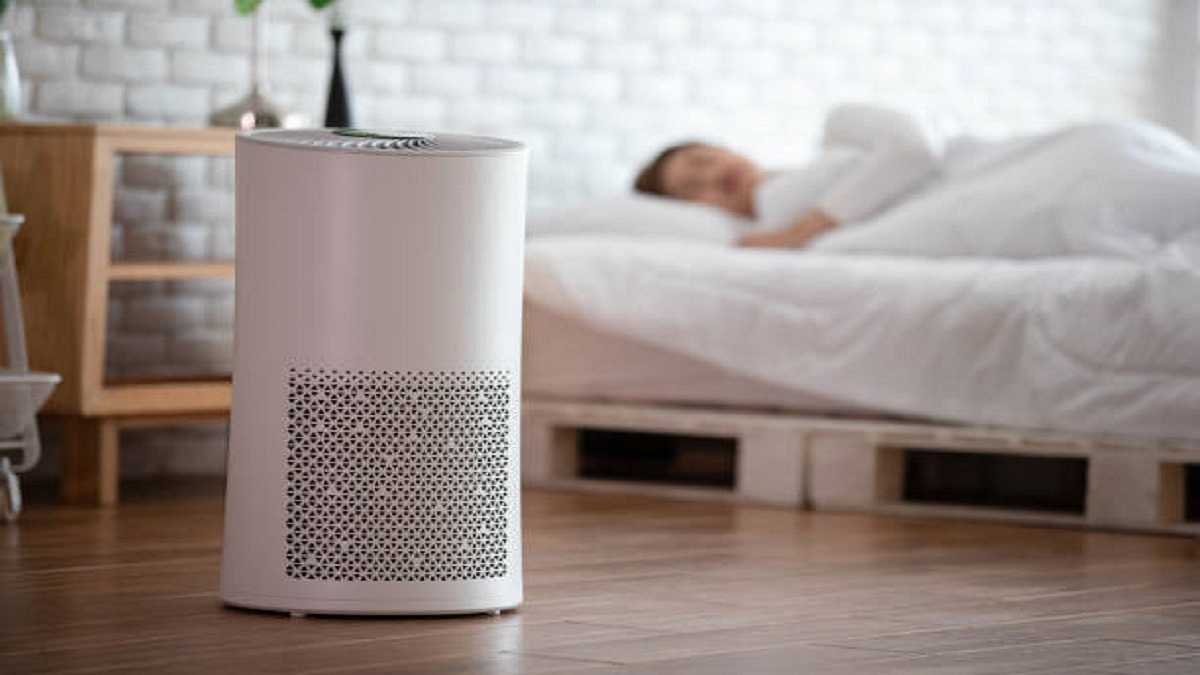
Air Purifiers have become an essential commodity with the rising air pollution levels across India. Breathing fresh air has become a task with the air quality index dropping each passing day. Buying an Air purifier is the only way out to breathe fresh quality air that is free of harmful air pollutants and gaseous emissions. We have multiple tech brands that are offering air purifying solutions in India.

Not for just the premium category of audience, Air purifiers are being made available at affordable price ranges too. We previously compiled some of the advanced Air purifiers that offer Ozone free emission and advanced filtration technologies. This time around we have curated the best Air purifier models that you can buy without burning a massive hole in your pockets.

List Of Best Pocket-Friendly Air Purifiers With Advanced Air Filtration Capabilities

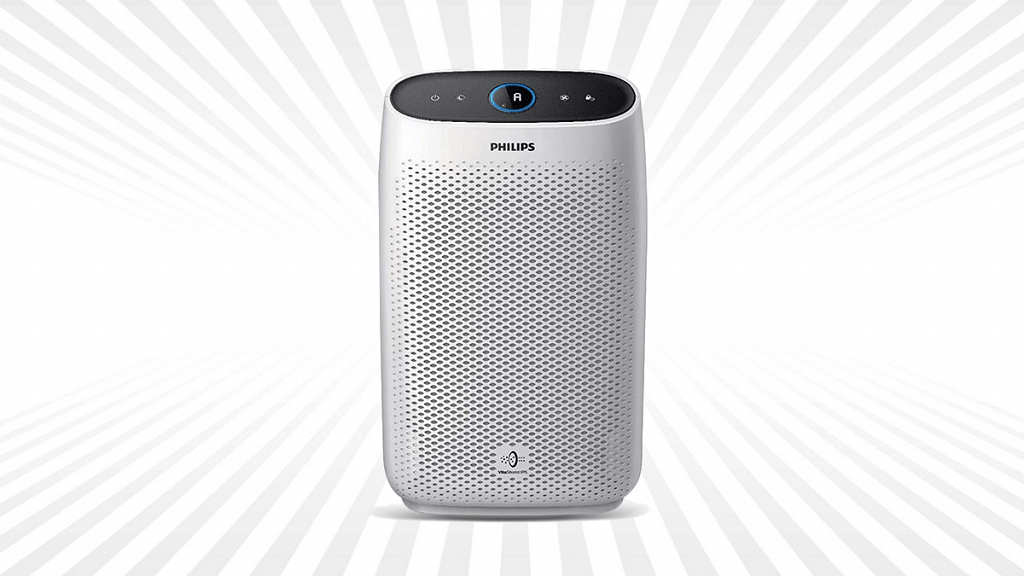
Philips AC1215/20 Air Purifier Under Rs. 10,000 In India

Pros

A budget price tag under Rs. 10,000

4-stage Air purification with H13 Grade True HEPA Filter

Removes dust and allergens

Cons

No smart control feature

For audiences looking for a capable Air purifier under Rs. 10,000 price tag in India. This Air Purifier offers a CADR range of 270m3/hour and can purify a standard-sized room of up to 333 sq. ft in just 12 minutes. The Philips Air purifier uses 4 stage filtration process through the integrated activated carbon filter and double-layered H13 Grade True HEPA filter.

The Philips Air Purifier can remove harmful pollutants and allergens from the room easily and let users breathe healthy and clean air. The price of Philips AC1215/20 can be purchased at around Rs. 8,799 via Amazon and other major online/offline stores in the country.

Buying Link: Amazon

Mi Air Purifier 3 Under Rs. 10,000

Pros

Affordable Air Purifier

Advanced HEPA filters

Wi-Fi, smartphone app, and digital voice assistant support

Cons

Not suitable for large areas

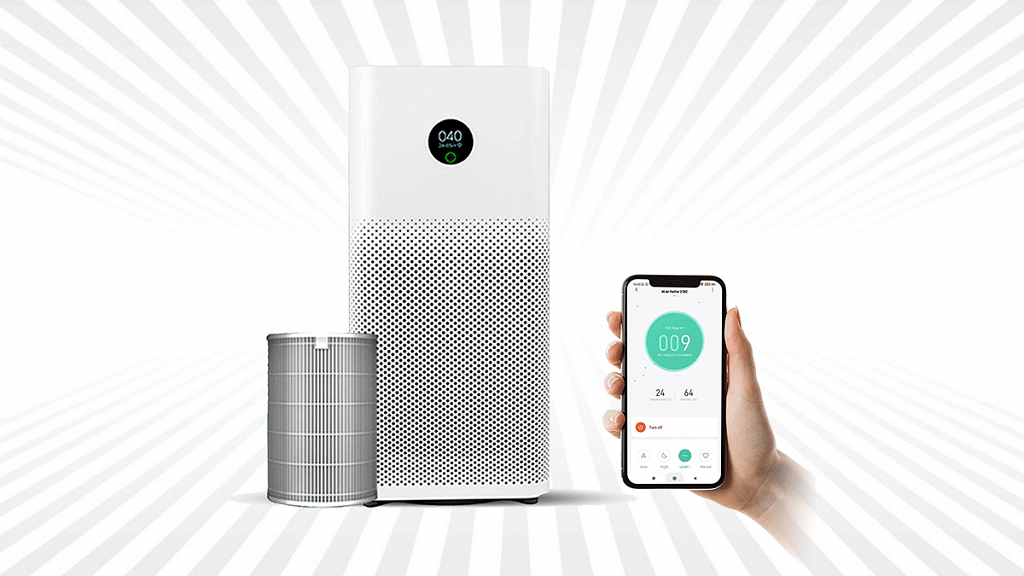
Another powerful and advanced air purifier that can be purchased under Rs. 10,000 in India is the Mi Air Purifier 3. Xiaomi has used some advanced filters in the Mi Air Purifier 3 so that consumers get healthy and fresh air despite the rising air pollution. The Mi Air Purifier 3 is packed with a HEPA filter that can filter out particles of up to 0.1 microns.

The integrated OLED touch display on this Xiaomi filter notifies real-time PM2.5 concentration, temperature, and humidity range. The Xiaomi Air Purifier 3 is Wi-Fi enabled and can be controlled via the app. It also features Google Assistant and offers a CADR (Clean Air Delivery Rate) of 380 m3/h. The Mi Air Purifier 3 is selling for around Rs. 9,999 via Amazon in India.

Buying Link: Amazon

Sharp FP-F40E-W Air Purifier With Plasmacluster ION Technology

Pros

Retails under Rs. 10,000

Multiple filtration stages

Easy clean mesh filters

Cons

No voice control feature

Bit heavy

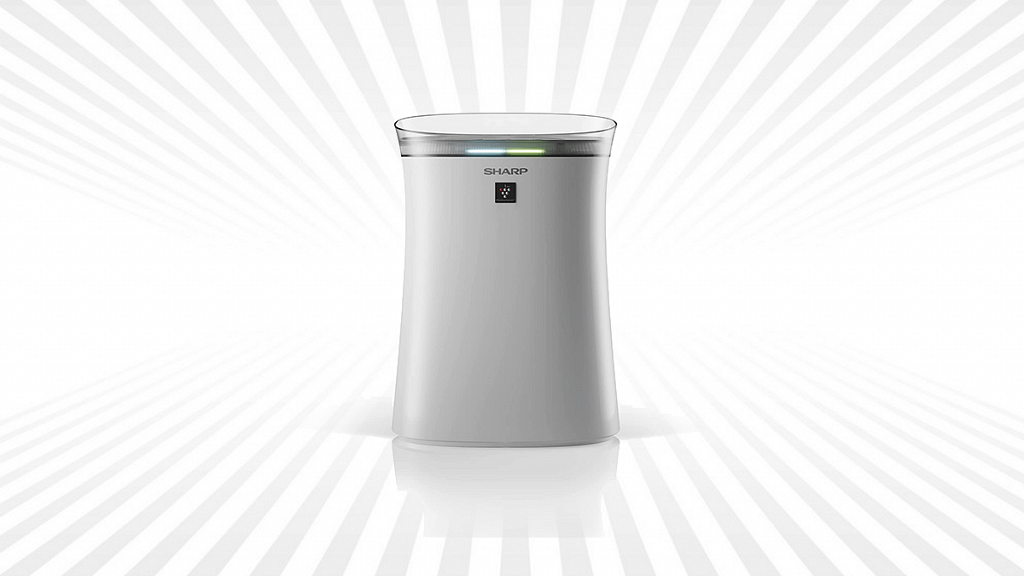
The Sharp FP-F40E-W is one of the best options for buyers looking for a potent air purifier under Rs. 10,000 in India. The Sharp FP series Air purifier is with uses a dual purification process and features HEPA, pre-filter, and Carbon filters to clean the polluted air in any room.

The mesh-type pre-filters are easy to clean. The Sharp Air Purifier features come with auto and Haze modes that you can select as per convenience. The price of the Sharp FP-F40E air purifier in India at the time of writing is Rs. 9,890.

Buying Link: Amazon

Honeywell Air Touch HAC35M1101W Room Air Purifier

Pros

Can be purchased under Rs. 10,000

HEPA filter

Cons

No smartphone app control

Doesn’t support voice commands

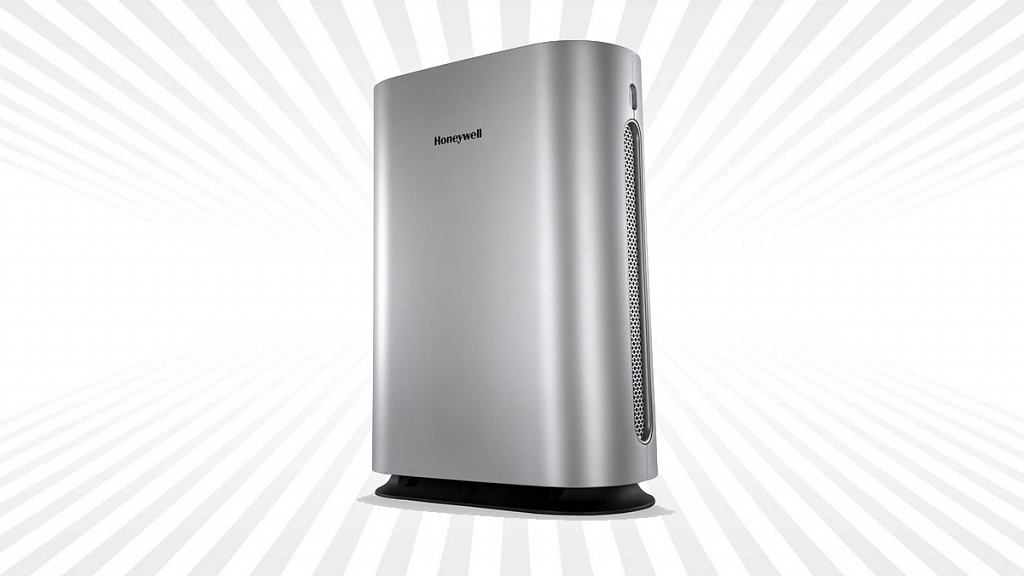
Honeywell has a wide range of Air purifier options for Indian consumers. And if you are looking for a budget option that will cost you less than Rs, 10,000, the Air Touch HAC35M1101W air purifier is the best deal to consider.

This Honeywell Air Purifier model offers 300 m3/hr CADR and has a coverage range of up to 450 sq. fy/ 42 sq. meters. This air purifier also has a HEPA filter to eliminate harmful particles and pollutants from any room. You can buy the Honeywell Air Touch HAC35M1101W room air purifier at Rs. 9,990 via Amazon.

Buying Link: Amazon

Best Budget Air Purifiers In India: Roundup

Air Purifier Model NamePrice In India
Philips AC1215/20 Air PurifierRs. 8,799
Xiaomi Mi Air Purifier 3Rs. 9,999
Honeywell Air Touch HAC35M1101W Room Air PurifierRs. 9,990
Sharp FP-F40E-W Air Purifier With Plasmacluster ION TechnologyRs. 9,890
Categories
Featured Leaks Mobile

Realme 10 Ultra Likely Under Development With Snapdragon 8 Gen 2 And 200MP Camera; Concept Or Reality?

Key Highlight

Realme 10 Ultra likely under development with Snapdragon 8 Gen 2

200MP main camera for photography

Could be a concept phone

Realme 10 series launch has been announced for November 9. The latest affordable smartphone lineup from the company will be introduced with multiple models including both 4G and 5G variants. Going by the recent leaks along with the details shared by Realme itself, the vanilla Realme 10 4G. Realme 10 5G, Realme 10 Pro, and the Realme 10 Pro+. It seems like Realme will be settings new standards with this upcoming budget series and for the first time will be launching a flagship-grade model in its popular mid-range smartphone lineup.

Now, a new model in this series has surfaced which seems to be a game changer. Called the Realme 10 Ultra, the new variant will be a lot more powerful than the remaining Realme 10 series phones and also other mid-range Android phones.  

Is Realme 10 Ultra The Most Powerful Realme 10 Series Phone?

The Realme 10 Ultra variant’s existence has been tipped by a new leaked poster floating on the web. The top-of-the-line Realme 10 series phone’s poster has surfaced on the Chinese microblogging website Weibo.

The Realme 10 Ultra poster has one crucial detail related to the hardware, i.e., the chipset. This Realme 10 series phone’s poster mentions the Qualcomm Snapdragon 8 Gen 2 chipset. We have seen Realme powering its premium range phones specifically the Realme GT series with top-of-the-line Qualcomm processors.

But this would be the first time Realme will integrate such a powerful chipset on an affordable model. In addition to the high-end Qualcomm chipset the leaked poster hints the Realme 10 Ultra will be employing a 200MP primary camera sensor. This is another advancement with the primary hardware that will be offered by the budget Realme phone.

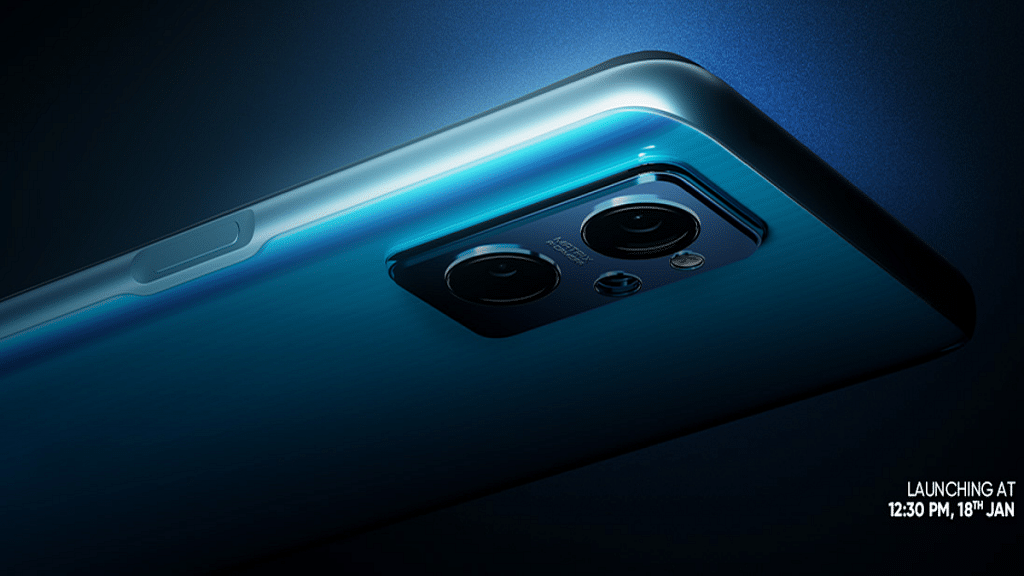
The render images also show a curved-edged panel of the Realme 10 Ultra. The brand had earlier teased the Realme 10 4G with a curved display which suggests the top-of-the-line model will also be using the same panel design. Unfortunately, there is no word from the brand on this model’s launch and arrival details. It can’t be said if the brand will indeed launch this model or if this is just a concept designed by a fan. Whatever may be the case, we are expecting the details to be revealed in the coming days.

Categories
Tech Gadgets

OnePlus Tech Support: How To Migrate And Restore Data From iPhone To New OnePlus Smartphone Using Clone App

OnePlus smartphones are well known for powerful performance. The brand has established its name in the premium smartphone league with its reasonably priced handsets. Besides the flagship OnePlus phones, the mid-range Nord lineup is also delivering the best-in-class user experience to consumers. With its premium range yet reasonably priced Android phones, OnePlus is consistently increasing its user base across the globe.

We even have seen iPhone buyers opting for high-end OnePlus models as an alternative. OnePlus offers several useful features for the masses with which they can easily migrate data from their old Android or iPhone models. The Clone Phone is the feature we are speaking of.

With the Clone Phone app on the OnePlus Phones, you can easily copy or transfer data such as calls history, short messages, pictures, audio, video, and other app data to the new OnePlus phone. This app also lets you create a local backup for all such data. This article is a step-by-step guide with which you can easily migrate old data and also restore data on the cloud with iPhone.

Steps To Migrate Data Using Clone App On OnePlus Smartphones From iOS Devices

Step 1: On the old iOS handset,  sync the data to the iCloud. You can do so by going to the Settings menu of the iOS phone and entering the Apple ID and logging in to iCloud and then toggling on the synchronization for contacts, photos, and more.

Step 2: Once the data is backed up on iCloud, you can start Importing data to the new OnePlus phones.  

Step 3: Launch the Clone Phone app on the OnePlus phone and select iPhone as the option. At the same time, open the Clone Phone app on iPhone and tap on the data that you need to migrate to the new OnePlus phone.

Step 4: Now, on the iPhone scan the QR code from the new OnePlus phone to complete the pairing process.

Step 5: Tap on Start migration to initiate the data migration process.

Step 6: Select the import Contacts and Pictures option from the iCloud login screen. Just for reference, the new OnePlus phone will act as the data recipient, while the old iPhone or Android phone will be only used for data sending.

Step 7: You shouldn’t exit the app to ensure data transfer isn’t impacted.

Also read: How To Fix OnePlus Smart TV Display Issues

How Can You Restore Data On iCloud With Clone Phone App On New OnePlus Handset?

Step 1: Open the Settings menu and select the System Settings option.

Step 2: Tap on the Back up and reset option and then select Back up & migrate.

Step 3: Click on the Cloud backup option and then select the type of data that you wish to backup.

Step 4: Tap on the Start Backup menu.

Step 6: Now, launch the Clone Phone app and select the “This is the new device” menu.

Step 7: Now, tap on the Cloud backup option. From here, you can select the backup of the date that you wish to restore. Hit the Start button and the data will be restored to the former state.

Categories
Tech Gadgets

Nokia 2780 Flip Feature Phone Breaks Cover With Snapdragon 215 Chipset; When Is Its India Launch?

Key Highlights

Nokia 2780 arrives as the latest feature phone with flip design

Powered by Qualcomm Snapdragon 215 chipset

Flaunts 2.7inch and 1.77-inch TFT display

Features 5MP Fixed focus camera

Mobile phones have evolved with advanced technologies and we are getting a premium user experience even with budget phones nowadays. While large touch screens and smart features well define modern-day handsets, their popularity is also high with smartphones. But Nokia has been consistent with releasing feature phones for a general audience and is dominating this market with multiple products. HMD Global has added yet another feature phone for budget-conscious audiences called the Nokia 2780. In which all markets the latest Nokia feature phone will be available for sale and what all hardware features it offers? The details are listed below:

Nokia 2780 Feature Phone Full Specifications

Design And Display

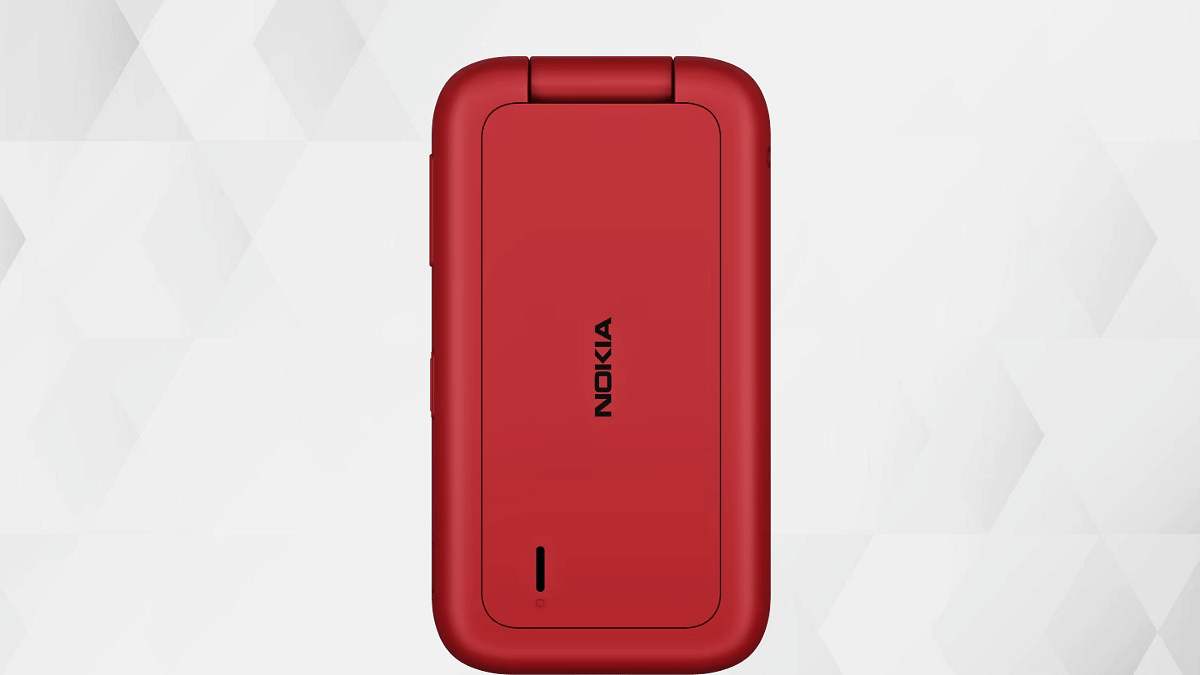
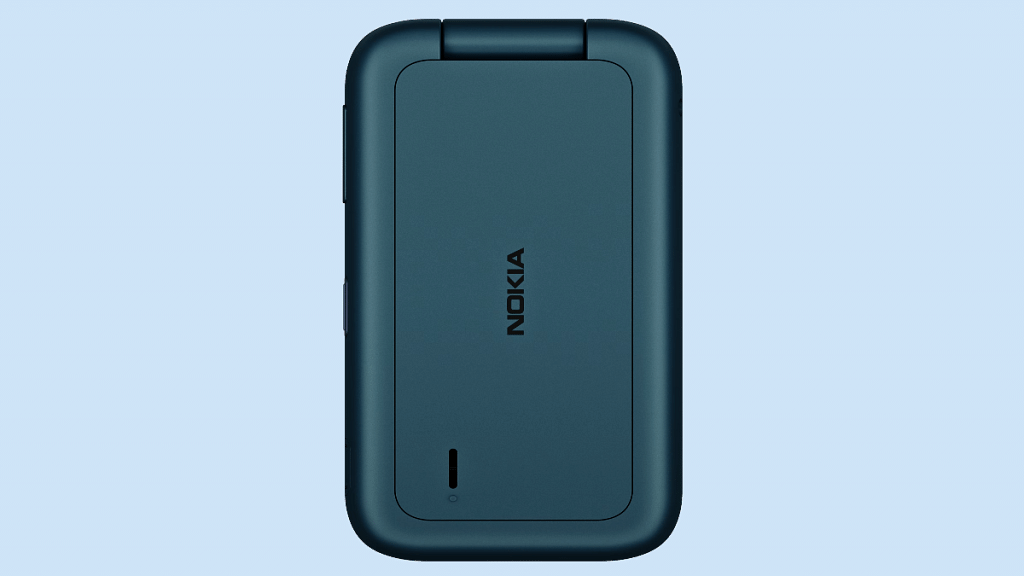
The Nokia 2780 isn’t any average-looking mobile phone. This feature phone flaunts a clamshell foldable design or the flip fold design that makes it stand out from the crowd. The Nokia 2780 inner display panel is bigger in size and measures 2.7-inches. The display panel type is TFT which is common for feature phones under budget.

The outer display is smaller compared to the internal panel and measures 1.77-inches diagonally. The inner display supports a QVGA screen resolution of 320 x 240 pixels, while the outer screen comes with a QQVGA resolution of 160 x 128 pixels.

Chipset And Configuration

For power delivery, the Nokia 2780 feature phone uses the Qualcomm 215 64-bit entry-level chipset. The GPU integrated for graphics is Adreno 308. If we speak of the configuration, this feature phone is packed with 4GB of RAM and 512MB of onboard storage capacity.

If the built-in storage isn’t sufficient, you can also expand the storage using an external microSD card to up to 32GB. The firmware pre-installed in the Nokia 2780 is KaiOS 3.1. For reference, KaiOS is a common platform for feature phones across the globe. This Nokia feature phone can store up to 1,000 contacts in the phonebook.

Camera, Battery Specifications

The imaging hardware used by the Nokia 2780 feature phone is a 5MP main camera with fixed focus. There is also an LED flash to help with low-light photography. Connectivity and other important features include Bluetooth 4.2, a USB Type-C port, a 3.5mm headphone jack, GPS/AGPS, and WiFi. The battery capacity powering the 1,450 mAh battery unit.

Nokia 2780 Flip Feature Phone Price And India Sale Dates

The Nokia 2780 Flip feature phone has been announced with $90 price tag which is around Rs. 7,417 in Indian currency. Currently, HMD Global has launched this phone in the US and is yet to release it in the remaining regions including India. The color options released are red and blue.

Categories
Tech Gadgets

Air Purifier Buying Guide: Best Premium Air Purifiers With Advanced Filteration Technolgy And Ozone Free Emissions In India

Key Highlights

Modern Air Purifiers are witnessing a major surge in sales this season

One should check coverage area, types of filters before buying an air purifier

HEPA filter, carbon filter, Wi-Fi connectivity amongst other features define the performance

Modern-day lifestyle is vastly dependent on technology. We have numerous gadgets that help us with our fast-paced lifestyle and improve our quality of living. However, technology is like a blessing in disguise and as beneficial as it is for the masses, it has some adverse effects on nature. Rising air pollution is one of the major health concerns amongst the public. The quality of air getting deteriorated with each passing day is also alarmingly increasing medical bills across the country.

Since technology plays a major role in our daily lifestyle? How can it not play a vital role in improving air quality around you? Tech brands have stooped in to offer air purifiers for small and large areas helping the masses to breathe in the fresh air.

In fact, the demand for Air purifiers has surged exponentially in the last few years in India. We have all sorts of Air purifying machines laced with high-end filtering and air purifying technologies. With so many options available in the market, it could be a task to select the best air purifier that meets all your requirements and provides the freshest air free from all kinds of viruses and bacteria.

If you are looking out to buy an air purifier this season to breathe in the best air quality, we have compiled the list for you. The air purifiers we have mentioned below are equipped with some of the advanced filters that are ozone-emission free.

Best Ozone Free Advanced Air Purifiers In India

Dyson Hot+ Cool Air Purifier

Pros

Advanced Air filter with multiple health features

Equipped with a 360-degree Glass HEPA filter

Can remove harmful pollutants such as PM2.5, PM10, and NO2

Cons

Bit expensive

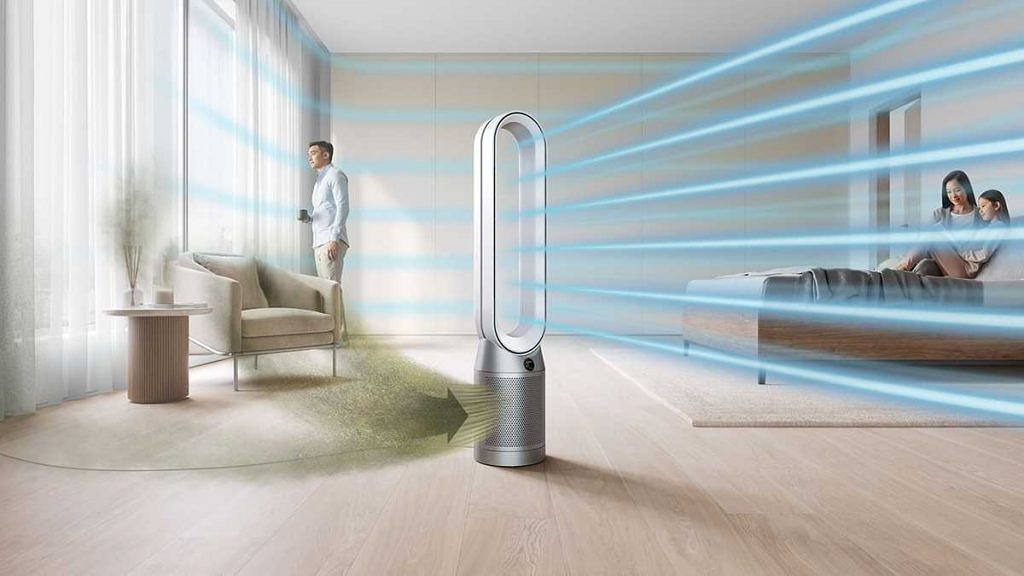
Dyson is one of the biggest names in the air purifier market. The British tech behemoth has one of the largest catalogs of advanced air purifiers for households and industries. The Dyson Hot+ Cool Air purifier is one of the premium air purifier models from the company that lets you breathe fresh and healthy air quality with its integrated and Activated Carbon Filter and 360-degree Glass HEPA filter.

This premium range air purifier can easily filter out dust, pollen, pet dander, VOCs, and other harmful pollutants from the air such as PM2.5, PM10, and NO2. The Dyson Hot+ Cool Air Purifier also has Wi-Fi Connectivity to let you remotely control the air purifier and easily monitor it using the Dyson Link app. The Dyson Hot+ Air Purifier is also certified by AAFA (Asthma and Allergy Foundation Of America) and can be purchased at Rs. 56,900 in India.

Buying Link: Amazon

Philips 3000 Series AeraSense Purifier

Pros

Touch sensor controls

Can filter PM 2.5 particles

Multiple health certifications

Silent sleep mode feature

Cons

No dedicated Active carbon filter

All plastic design

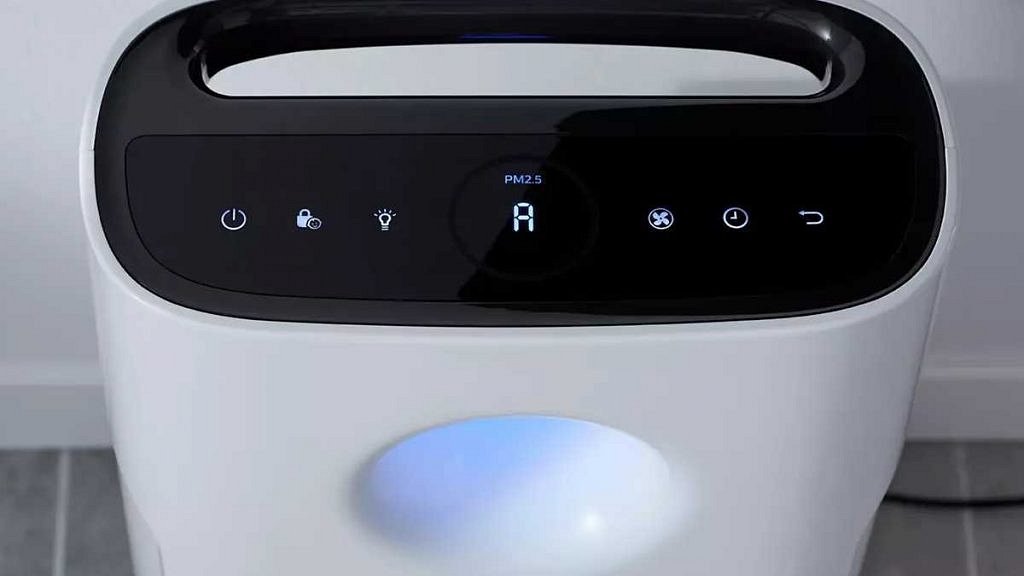
Another premium range air purifier from one of the top consumer electronics brands Philips is the 3000 Series AeraSense Air Purifier AC3256. The Philips 3000 Series AeraSense Purifier features Nanoprotect HEPA and AC Filter that keeps airborne pollutants at bay.

This high-end air purifier also comes with a dedicated Allergen mode, real-time PM 2.5 indicator, touch sensors, and a Sleep mode feature. The Philips 3000 Series AeraSense Air Purifier is also certified by multiple health organizations making it the perfect air purifier for your home. You can buy the Philips 3000 Series AeraSense Air Purifier AC3256 at Rs. 25,499 in India.

Buying Link: Flipkart

Blueair Classic 480i Air Premium Air Purifier For Ozone-Free Emissions

Pros

HEPA and SmokeStop filtration technology

Large CADR (Clean Air Delivery Rate) of 510 m3/hr

Can eliminate harmful PM2.5 particles and other harmful gaseous pollutants

Cons

Slightly expensive price tag

Bit bulky design

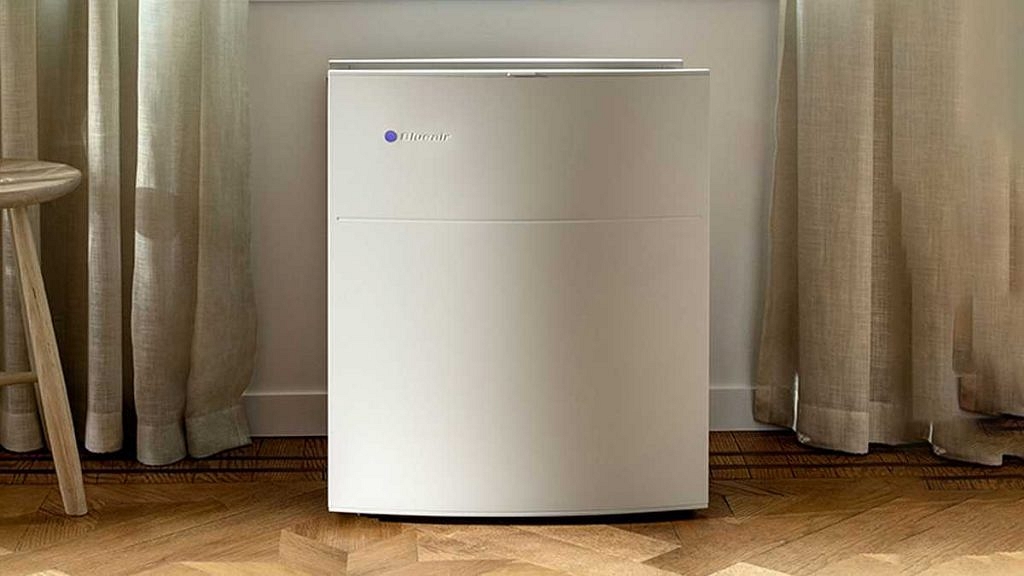
The Blueair Classic 480i Air Purifier is a premium range air purifier that competes against the likes of Dyson and Philips in the flagship category. The Blueair Classic 480i air purifier has all the modern features that you can ask for in any air Air purifier and is ozone free. This air purifier also features HEPA purification technology to filter out harmful pollutants.

The coverage area of this air purifier is large at 200 sq meters making it suitable for medium to large-sized rooms. It additionally features SmokeStop filter that eliminates heavy gaseous pollutants from your room providing clean and healthy air to breathe. The air purifier comes with Wi-Fi connectivity and is compatible with the Blueair Friends app, Auto mode, and CADR (Clean Air Delivery Rate) of 510 m3/hr. The cost of this premium air purifier is around Rs. 49,999 in the Indian market.

Buying Link: Amazon

Honeywell Air Touch HAC35M1101G Room Air Purifier

Pros

Pre-installed washable filters makes it easy to clean

Affordable compared to other models in this list

HEPA filter integrated to remove dust and pollutants

Cons

Not apt for large rooms

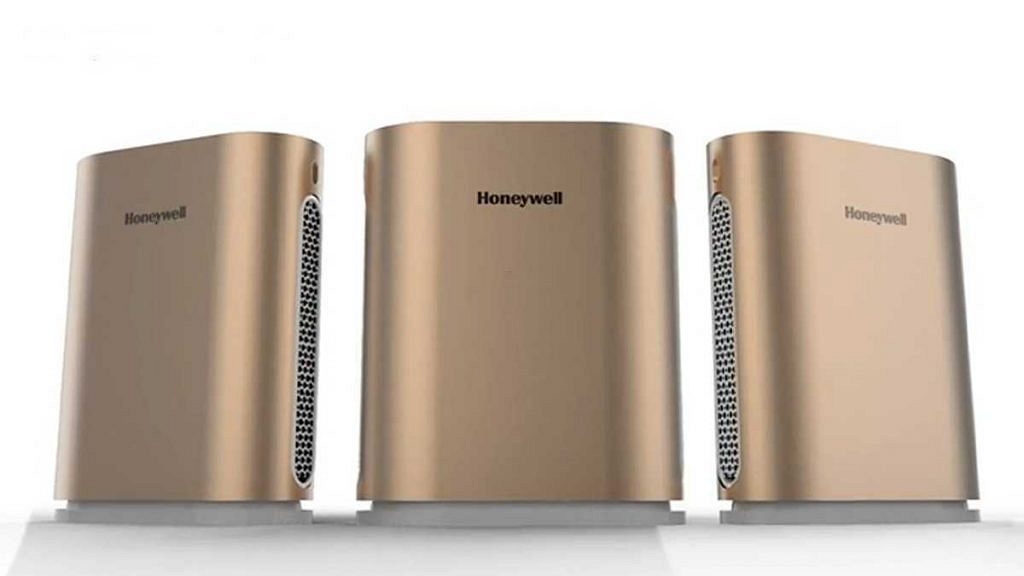
If you need an air purifier for your room loaded with features without actually burning a hole in your pockets, then Honeywell Air Touch HAC35M1101G makes for the best option. At just Rs. 12,999, you get a modern air purifier with a 450 sq.ft coverage area and a 300 m3/hr CADR (Clean Air Delivery Rate) range.

This air filter comes with a HEPA filter that can remove PM 2.5 particles and allergens with a unique honeycomb design. The Honeywell Air Touch air purifier also features washable filters which makes it easy to clean.

Buying Guide: Amazon

Best Air Purifier ModelsPrice In India
Dyson Pure Hot+ Cool Air PurifierRs. 56,900
Blueair Classic 480i Air PurifierRs. 49,999
Philips 3000 Series AeraSense PurifierRs. 25,499
Honeywell Air Touch HAC35M1101G Room Air PurifierRs. 12,999