Categories
Featured Leaks mobile

Mystery Poco Phone Clears BIS Certification As Rebranded Redmi Note 12 5G: Is It The Poco M5 5G?

Key Highlights

Poco Phone with 2210316UP model number clears BIS certification

Could be Poco M5 5G model powered by Snapdragon 4 Gen 1 chipset

Will debut as a rebranded Redmi Note 12 5G

Xiaomi has taken the wraps off its affordable Redmi Note 12 smartphone series in its home country China. The Redmi Note 9 series successor has as many as four different models including the Redmi Note 12 Pro, Redmi Note 12 Pro Plus, Redmi Note 12 Explorer Edition, and the vanilla Redmi Note 12 5G. These new Redmi 12 series are all set to make their debut in India and other global markets. Meanwhile, a Poco Phone has cleared its certification that apparently is one of the aforementioned phone’s rebranded model. What is this latest development? Read on below:

New Poco Phone To Be A Rebadged Redmi Note 12 Model?

The latest Poco handset which has been certified by the Bureau Of Indian Standards (BIS) authentication portal bears the 2210316UP model number. The exact moniker of this Poco handset hasn’t been confirmed by the Indian certification website, however, it is likely a rebranded Redmi Note 12 phone.

The possibility of this upcoming Poco phone being the rebadged version of the standard Redmi Note 12 5G is being tipped online. That’s primarily due to the similarities between the model number of both these phones. Just for reference, the Redmi Note 12 in China features the 2210317C model number.

Now, the biggest question remains what will be the exact model of this Poco handset? Well, rumors are rife that Poco might bring the 5G version of the Poco M5. To recap, the Poco M5 4G model has been launched just recently in the Indian market and the 5G model’s launch has been in the pipeline for a while.

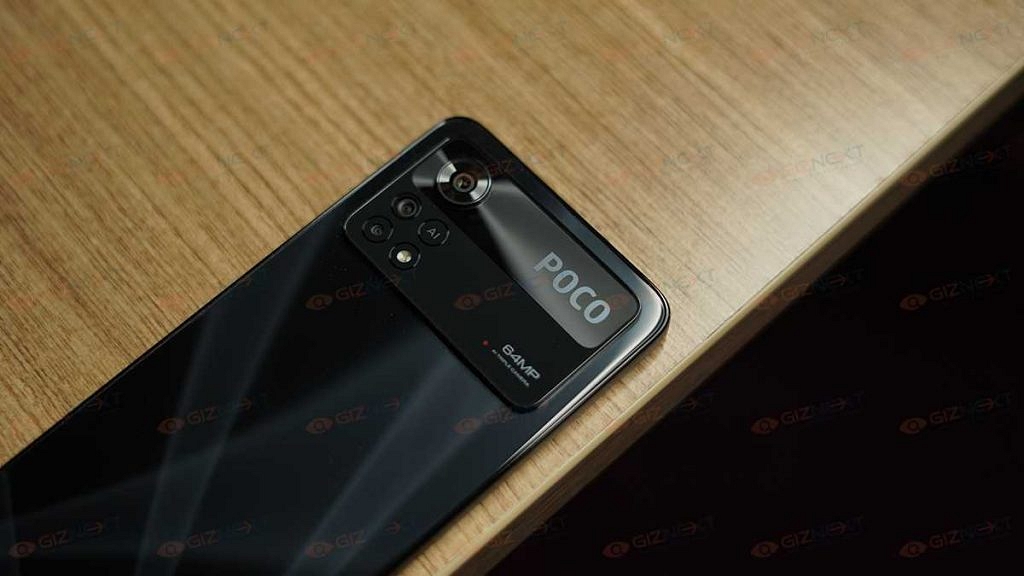
And with the alleged Poco handset clearing its certification via BIS, an official launch is also likely just around the corner. We can expect Poco to share some information on this Poco phone’s upcoming launch timeline and sale details. As for the features, the Poco M5 5G as rumored will offer a similar spec sheet as the Redmi Note 12 5G.

Poco M5 Possible Specifications

The alleged Poco M5 5G model will be using the Snapdragon 4 Gen 1 chipset. The Android version will be Android 12 OS topped with an MIUI interface. It could flaunt a 6.67-inch FHD+ display which will be an OLED panel supporting a 120HZ refresh rate. For optics, the Poco M5 5G might offer a 48MP dual rear camera module and an 8MP selfie snapper. A 5,000 mah battery with 33W fast charging will be completing the internals.

Categories
Featured How To TV

OnePlus TV Sound Issue: How To Fix No Audio Issue With OnePlus Smart TV Speakers

OnePlus is a popular consumer electronics brand that has a wide catalog of smartphones, digital accessories such as audio and smart wearables, and more. The company has also been showing its expertise with smart TVs and filling in the user’s requirements for premium large-screen LED TVs. OnePlus has multiple smart TV lineups that bring in the latest of technological innovations and smart features for a rich viewing experience.

The OnePlus smart TVs offer Wi-Fi and Bluetooth network connectivity as an advanced set of features that helps users to stream videos via OTT platforms and also pair external accessories such as wireless speakers and more. OnePlus also equips all its smart TV lineups with powerful audio systems so that users get the best viewing experience sitting from the comfort of their homes.

We have been sharing quick hacks and troubleshooting steps to resolve issues with OnePlus gadgets including TWS earbuds, smartphones, and smart TVs. Our previous coverage has been around fixing display-related issues with OnePlus smart TVs. In this article, we are listing out the ways in which you can quickly fix issues with the OnePlus TV sound system.

How To Fix OnePlus TV Sound Issues Without Visiting Service Centres

When there is no audio at all from the speakers.

Step 1: If the no audio issue is with a specific app on your OnePlus smart TV, you need to clear the cache data of the app. To do so, open the Settings menu and select the Apps option. Click on the required app and tap on the “Clear Data” option. Go back and check if the audio issue is fixed.

Step 2: Change the HDMI 2 interface and try HDMI 1 or HDMI 3 interface to check if the audio works.

Step 3: If the audio issue is still there, you need to open the Settings option and tap on the Sound option. Select Audio and then set the output to speaker.

Step 4: Unplug the OnePlus TV’s power cord and re-plug. Power on the TV. This should resolve no audio issue with your speakers.  

If for some reason, the speakers still don’t deliver any audio, there are possibilities of a hardware fault. You might have to contact the service centers to get it fixed.

Categories
Apps Featured How To

WhatsApp Security Code: What Is It? How To Get WhatsApp Security Code Notification On Android, iPhones, And Laptop/ PC?

WhatsApp is a league ahead in the instant messaging application race and has found its way into almost every other iPhone or Android handset. Even for laptop and PC users, the web version comes as an option for private messaging. WhatsApp claims to offer one of the most secure platforms for messaging, video/voice calls, and media transfer. The end-to-end ecosystem is what enhances the privacy aspects of this messenger.

WhatsApp provides a dedicated security code to each user that is used to verify the end-to-end encryption with the sent/received calls and messages. A WhatsApp security code comprises a 60-digit number and a QR code.  If you are unaware, the security code can be easily located within the app itself.

As mentioned above, the security codes are unique for each user and you can check your WhatsApp security code on the contact screen. There are instances when you might receive a security change notification on WhatsApp. This could happen if either your or one of your contacts has changed their phone number. Another reason you receive a  WhatsApp security code change notification is the addition or removal of a paired device.

You can easily toggle on WhatsApp security code notifications using your Android or iOS handset and laptop or PC using the WhatsApp Web version. The steps for the same are mentioned below:

Steps To Enable WhatsApp Security Code Notification On Android Phones

Step 1: Launch WhatsApp application and click on the More (three dots) icon on the home screen.

Step 2: Click on the Settings menu.

Step 3: Now, select the Accounts option.

Step 4: Tap on the Security option.

Step 5: Scroll down to the Show security notification option and toggle it on.

How To Enable WhatsApp Security Code Notification On Apple iPhone (All models)

Step 1: From the WhatsApp app’s home page, go to the Settings menu.

Step 2: Select the Account option.

Step 3: Now, click on the Security tab.

Step 4: Enable the WhatsApp Security notification on iPhone.

How To Activate WhatsApp Security Code Notifications On WhatsApp Web

Step 1: Open any web browser on your laptop or PC.

Step 2: Launch the WhatsApp Web application.

Step 3: Go to the Menu option or tap on the downward arrow icon placed above the chat list.

Step 4: Tap on the Settings menu.

Step 5: Click on Security.

Step 6: Now, enable the Security code option for WhatsApp web.

Categories
Featured Info

OnePlus Gadget Support: How To Change And Update New OnePlus Email Account

OnePlus has created a vast ecosystem for smartphones and related accessories for audiences across the globe. The company has been showing its expertise with all its consumer gadgets including smart TVs and is making rattles in the market with reasonably priced high-end products. OnePlus is fulfilling users’ requirements with performance-oriented devices and is additionally providing prompt support for all its products.

If you own any OnePlus smartphone or any other product, you can create an official OnePlus account to find resolutions and highlight any major issues on the brand’s forums. Also, having one OnePlus account on the official website will allow you to make purchases from the OnePlus online store. Now, you can either create or sign up for a OnePlus account using any of your email addresses. You also get the option to sign up using your Facebook ID or Google ID.

OnePlus also gives the option to the users to change or use an alternate email address in the later stages. Editing an old email address and updating it with a new one is an easy process. If you need to update your OnePlus Email account and add a new one, here are the steps with which you can do so.

Steps To Edit And Update OnePlus Account Email Address With A New One

Step 1: Open any web browser on your laptop or smartphone.

Step 2: Log into your OnePlus account.

Step 3: You would need to reset the password if you are unable to log in. ‘

Step 4: Go to the Edit Email section once you have successfully signed in to your OnePlus account.

Step 5: Type in the new email address that you wish to update.

Step 6: Now, enter the old password for OnePlus to authenticate the account.

Step 7: You will receive a new confirmation link on your email address.

Step 8: Make sure you confirm the link within 24 hours.

Step 9: Your new password will be updated for the OnePlus account.

If for some reason, you are unable to confirm the link within 24 hours and it expires, you can simply repeat all of the steps mentioned above to generate a new confirmation link for email change.

Categories
Featured Leaks mobile

Samsung Galaxy A14 Will Come With Standard 4G Network Support; Hints Geekbench

Key Highlights

Samsung Galaxy A14 spotted at Geekbench

Octa-core Helio G80 Chipset confirmed

Android 13 OS and 4GB RAM capacity also tipped

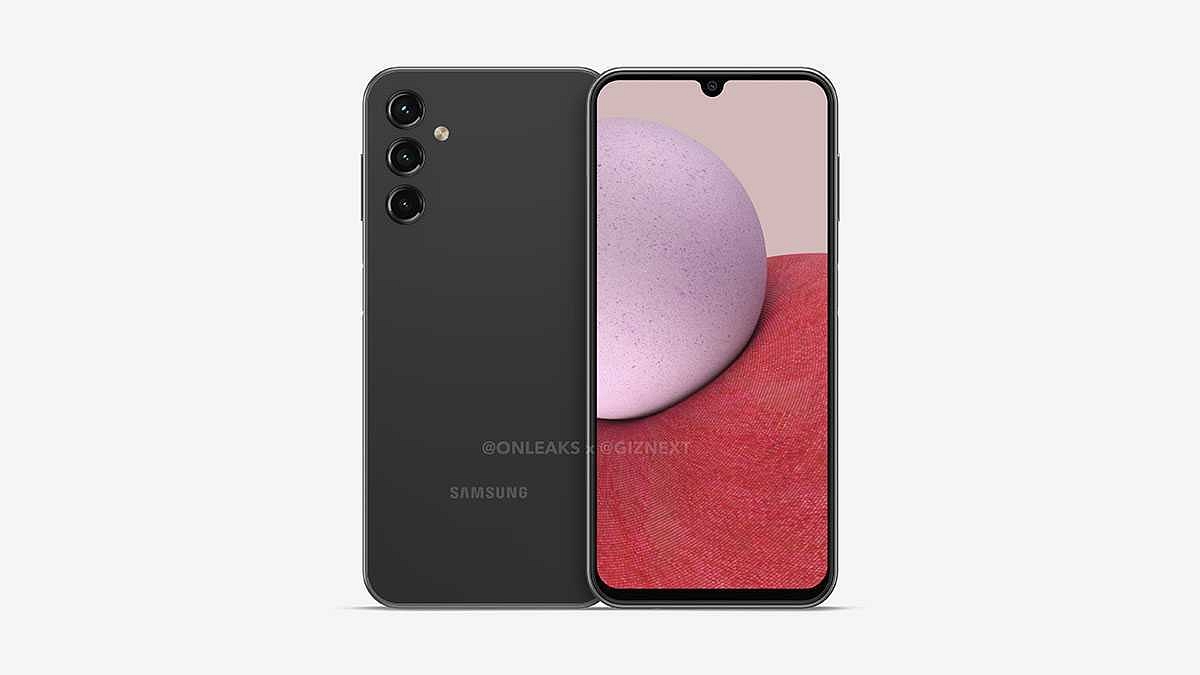
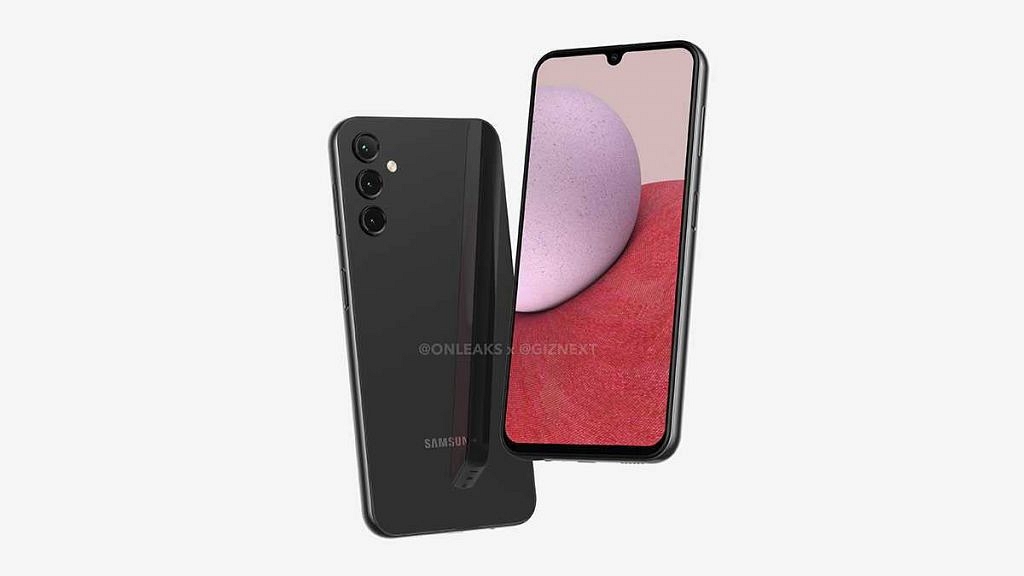
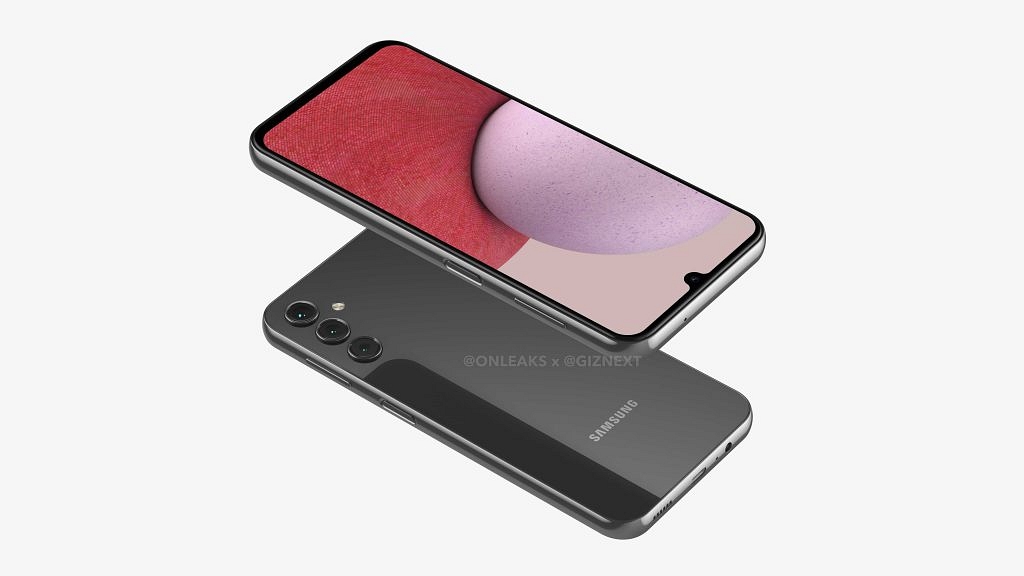
Samsung is all set to launch a new range of Galaxy A series phones. The Galaxy A14 is one of the models which is in the pipeline. The successor to the Galaxy A13 has started making online appearances via leaks and rumors. Following Gizext’s exclusive coverage revealing its 5K renders, the handset has made several sightings online including a couple of certification websites. Now, the Galaxy A14 has been stopped by a popular benchmark website hinting at its final test runs before the official launch.

Samsung Galaxy A14 Processor Details, Benchmark Scores Out

The Samsung Galaxy A14 will be launched in the coming months as per the latest developments. The fresh Geekbench listing of this handset has been spotted hinting at an imminent launch. The Geekbench database shows the device listed with the SM-A145P model number which matches previous leaks.

According to the benchmark website, the Samsung Galaxy A14 will be using the ARM MT6769V/CT chipset for power delivery. For the unaware, this is a MediaTek gaming chipset for mid-range Android phones and is widely popular as the Helio G80. Thanks to this information, we now are aware the Galaxy A14 will be available with standard 4G network support.

There have been anticipations that Samsung could launch the Galaxy A14 with 5G network support as well similar to its predecessor, i.e., the Galaxy A13 5G. The Helio G80 chipset driving the Galaxy A14 will deliver a max frequency range of 2.0GHz and will be combined with Mali-G53 GPU for graphics.

Additionally, the RAM and Android OS details along with the benchmark scores of the Galaxy A14 are also out. The listing reveals the Galaxy A14 will be available with a 4GB RAM configuration. Currently, only this RAM option is mentioned and there is no clue if Samsung will launch this Galaxy A series handset with a higher RAM option or not.

The Galaxy A14’s storage capacity is not confirmed as of now. However, we might get to see atleast a 64GB storage variant. Furthermore, it is also expected to offer a dedicated microSD card slot like its predecessor for additional storage.

The Galaxy A14 will have Android 13 firmware on top of a custom OneUI interface. Lastly, the device logged 1668 and 5284 points respectively in the single-core and multi-core benchmark test on Geekbench.

Categories
Featured Info mobile

Nokia G60 5G with Snapdragon 695 Chipset Marks Debut In India Under Rs. 30,000

Key Highlights

Nokia G60 5G launched as first 5G Android phone by Nokia in India

Nokia G60 5G is priced at Rs. 29,999 in India

120Hz FHD+ display and 50MP triple rear cameras

HMD Global has expanded its portfolio in India with a new Nokia G series phone. The brand has introduced its first-ever 5G smartphone for the Indian audience called the Nokia G60 5G. The mid-range 5G Nokia phone was previously unwrapped alongside the Nokia X30 in the global markets and has marked its presence in India as the first 5G handset by Nokia. What features it offers and how much does it cost? Read the details below:

Nokia G60 First 5G Nokia Phone Specifications And Features

Display And Design

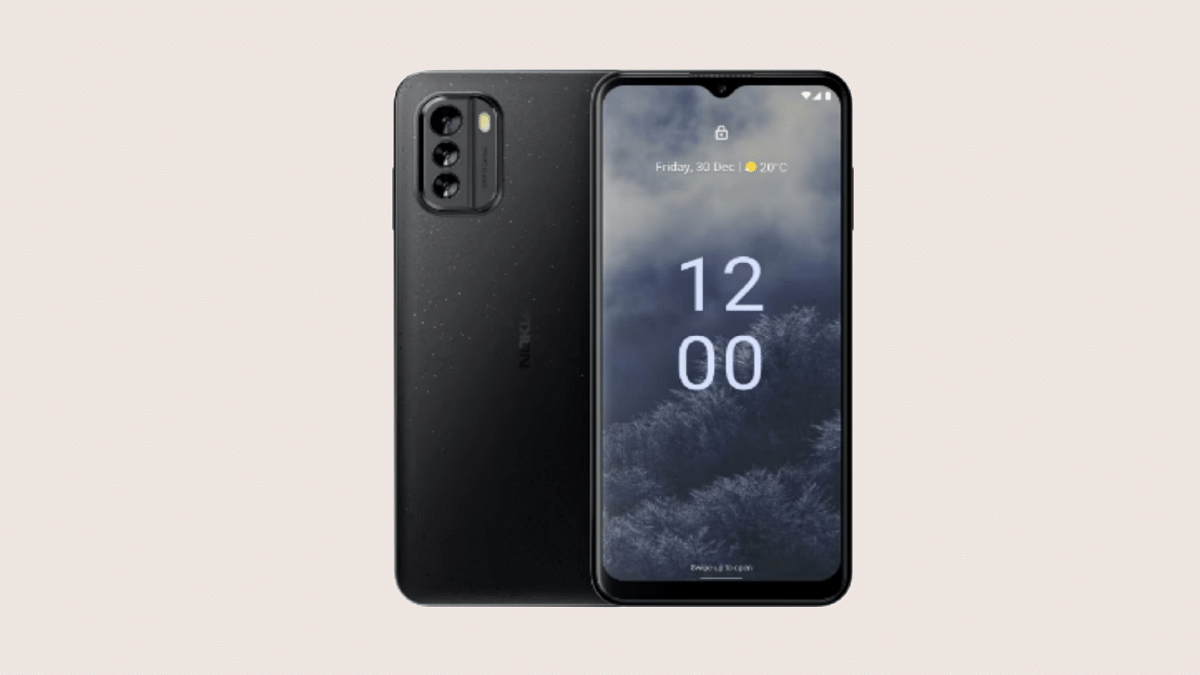
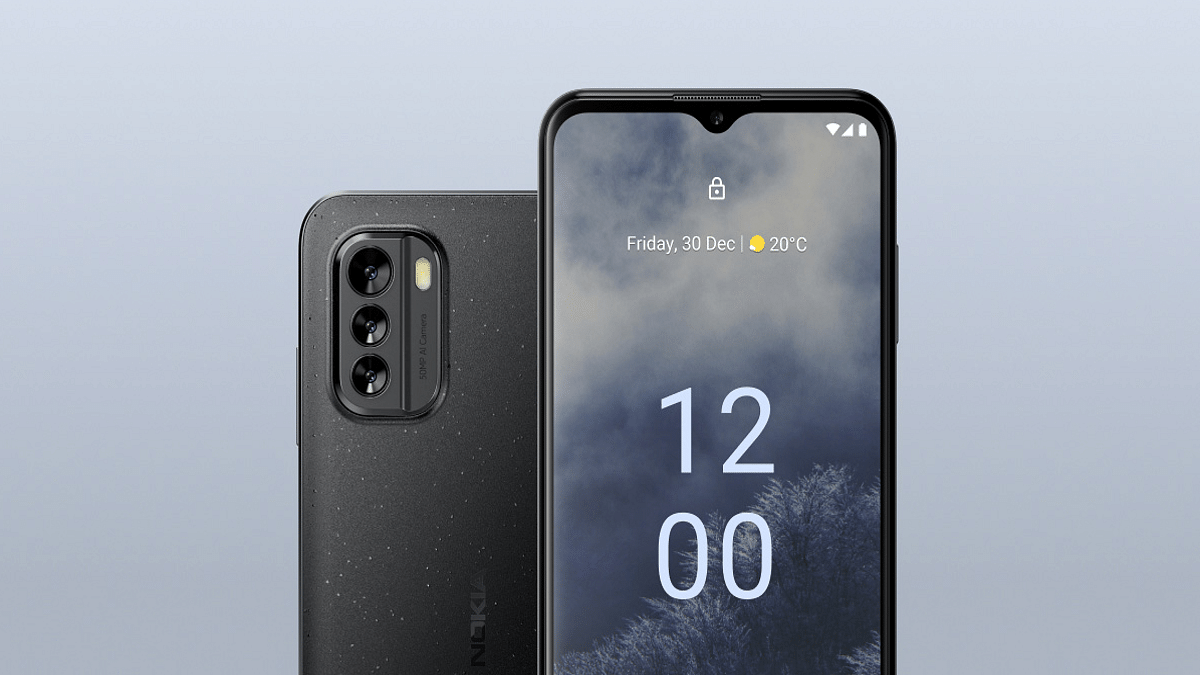
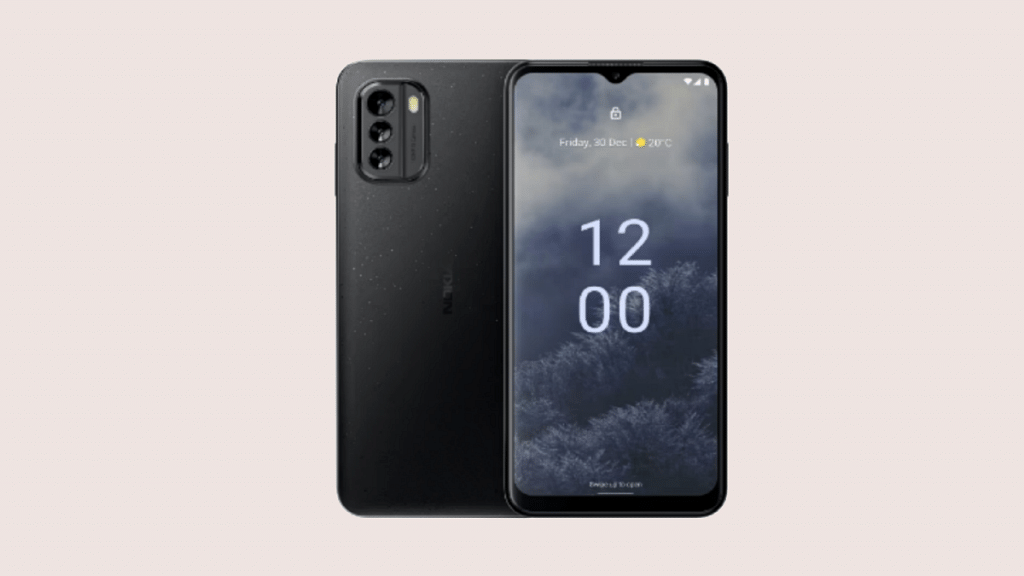
The Nokia G60 5G has been launched as one of the most innovative handsets by the Finnish manufacturer in the country. The Nokia G60 has an eco-friendly design with the back panel crafted out of 100 percent recycled polycarbonate material.

The latest Nokia G series 5G phone flaunts a tall 6.58-inch display. The panel that Nokia used is a standard IPS LCD which offers a 1080p FHD+ screen resolution along with a 120Hz refresh rate. The display has a standard U-shaped notch for the selfie camera and Corning Gorilla Glass 5 protection. That said about the design and display, the camera, and other key features are mentioned below.

Chipset, Firmware Version

The Nokia G60 5G gets its power from the Snapdragon 695 5G phones. The octa-core 5G chipset by Nokia has been used by several popular mid-range 5G phones as well as a couple of popular tablets such as the Realme Pad X 5G. The Nokia G60 5G has been announced in India with 6GB RAM and 128GB storage configuration.

It also features external microSD card compatibility for extra storage space. It is pre-installed with Android 12 OS and offers a stock Android UI along with up to three years of promised major OS upgrades.

Camera, Battery Specs

Speaking of the camera hardware, the Nokia G60 5G has three cameras at the back and a single snapper upfront. The back panel has a 50MP main camera which is combined with a 5MP ultrawide lens and a 2MP depth lens.

Upfront, the selfie snapper packed inside the waterdrop notch is an 8MP lens that also doubles up for video calling. A 4,500 mAh battery rounds off the spec sheet along with 20W fast charging.

Nokia G60 5G Price In India And Sale Details

Speaking of the prices, the Nokia G60 5G comes in a single 6GB RAM and 128GB storage option that you can purchase at Rs. 29,999 in the country. The device is already available for pre-orders in the country and will be available for sale starting today via major retail outlets in the country.

Categories
Featured Info mobile

Realme 10 Is Coming To India On November 9: Features We Know

Realme had started teasing its upcoming affordable smartphone launch for the global and the Indian market. The brand announced the Realme 10 series launch via its official Twitter handle but didn’t confirm the exact launch date for the Realme 9 series successor. After all the hype, the Chinese OEM has finally revealed when all the Realme 10 series models will be breaking covers in India as well as the international markets. Below are the details:

Realme 10 Series India, Global Launch Announced For Next Week

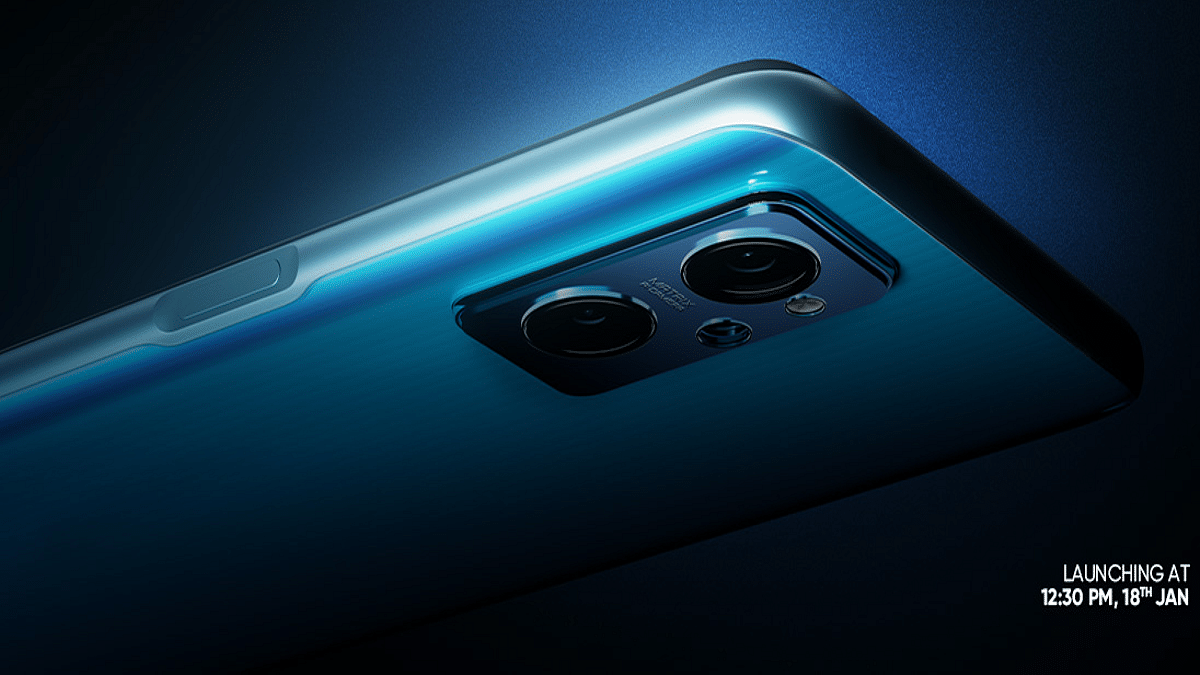
The Realme 10 series official India launch is scheduled for November 9. The brand has currently announced only the vanilla Realme 10 model’s launch on the aforementioned date. A tweet has been shared by Realme for the same. It is yet to be confirmed if the remaining variants will also be breaking covers alongside.

The company will be hosting an online launch event to introduce the Realme 9’s successor. The event timeline is slated for 2 PM. You will be able to watch the live-stream event via Realme India’s official YouTube channel. The launch updates will also be shared via Realme’s other dedicated social media handles.

Realme 10 Rumored Specifications

The Realme 10 has been leaked on multiple occasions and some of the features have been confirmed by the brand. The vanilla Realme 10 will be packing the octa-core MediaTek Helio G99 chipset which is a mid-range gaming chipset. There are rumors that Realme could also launch the Realme 10 with 5G network support. But the exact hardware differences remain unspecified for this variant.

The standard Realme 10 4G will possibly be available with 4GB RAM and 64 or 128GB storage options. It will also feature expandable microSD card support to suffice the extra storage requirements. However, the expandable memory capacity is not specified. We might see an Android 12 OS with a custom Realme UI as the firmware.

The recent leaks and rumors have also suggested a 50MP AI main camera for photography on the Realme 10. The handset will also have additional depth and macro snappers. A 33W fast charging support has also been tipped by the rumors.

Realme 10 4G Expected Price In India

The Realme 10 4G pricing details are not confirmed by the brand. However, the possibility of this handset retailing under Rs. 15,000 is highly likely.

Categories
Featured Leaks Tablet

Alleged Xiaomi Pad 6 Features Leaked Again: First Snapdragon 8 Plus Gen 1 Chipset Powered Android Tablet

Key Highlights

Xiaomi Pad 6 could be first Snapdragon 8 Plus 1 Gen Chipset tablet

144Hz LTPO OLED display tipped

Could feature 120W fast charging

Android tablet market has flourished widely over the last decade with the OEMs releasing best-in-class options for audiences across the globe. Multiple smartphones and PC brands are releasing new tablets laced with the latest hardware innovations such as a premium range display, chipset, and battery features. Xiaomi has emerged as a prime player in the tablet industry as well and is grabbing all the headlines for the Redmi and Xiaomi Pad tablet series.

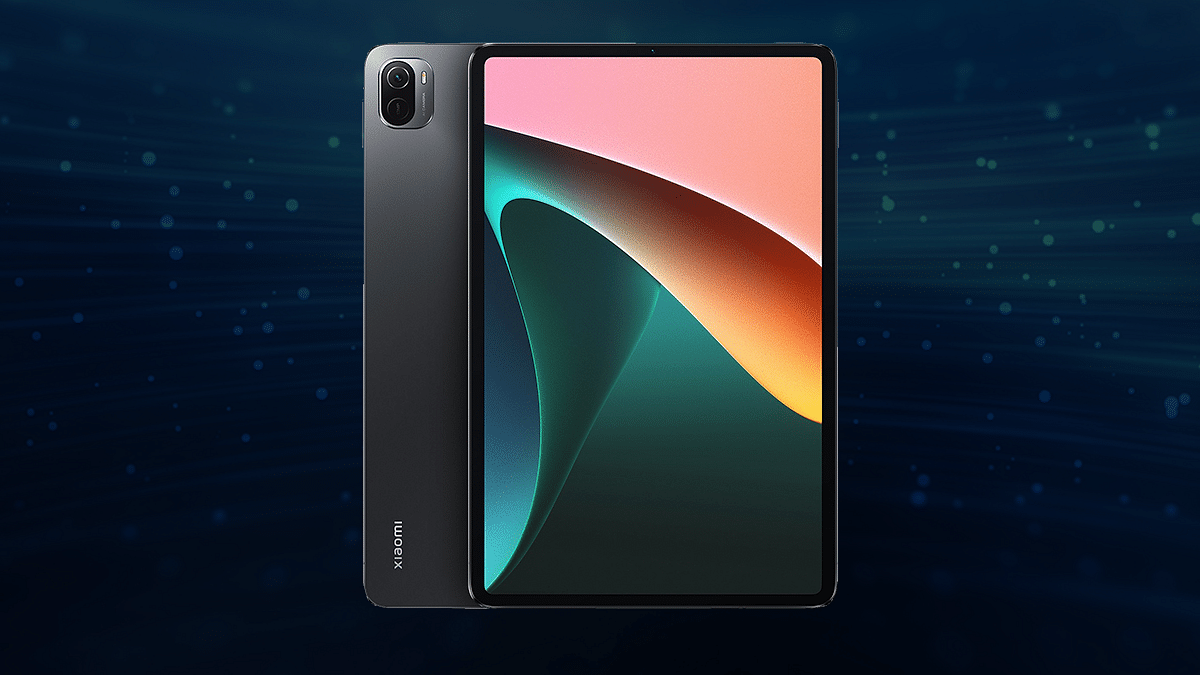
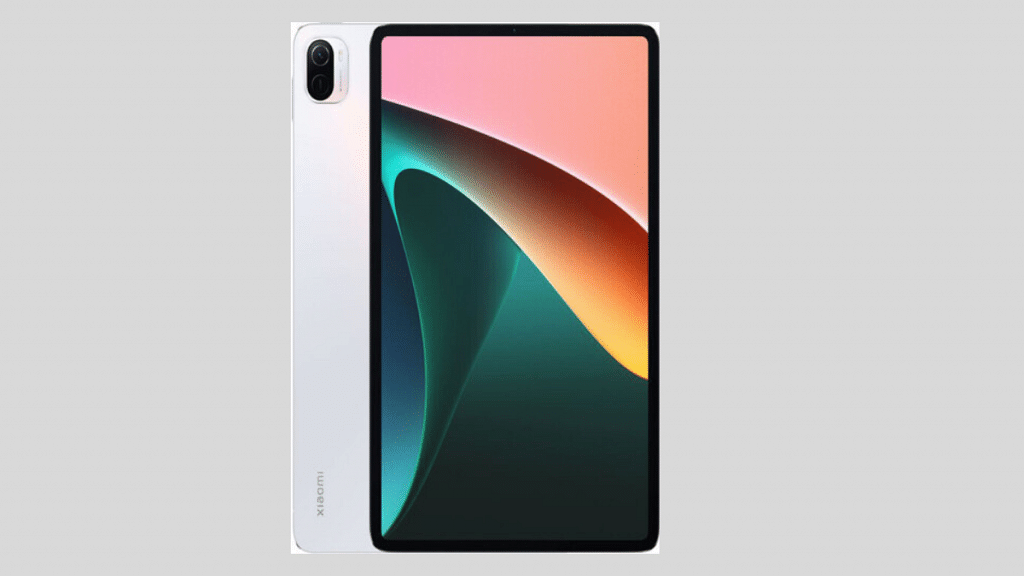
The Xiaomi Pad 5 is the brand’s top-tier Android tablet powered by the Snapdragon 860 octa-core chipset. Now, the brand is reportedly going to set new standards in the tablet industry with the launch of the first Snapdragon 8+ Gen 1 chipset. It could be the Xiaomi Pad 6 as per the fresh rumors and leaks. What all other hardware features this flagship-grade Xiaomi tablet will offer? Read on here:

Xiaomi Pad 6 Could Be First Snapdragon 8+ Gen 1 Chipset

A fresh leak shared by noted Chinese tipster Digital Chat Station has revealed the key details related to the next Xiaomi tablet which is being released for premium end users. The alleged Xiaomi Pad 6 will be arriving with the Snapdragon 8 Plus Gen 1 chipset. If this report is correct, the Xiaomi Pad 6 will be arriving with Qualcomm’s most premium Snapdragon 8 Plus Gen 1 chipset.

Also Read: Xiaomi Pad 5 Vs Honor Pad 8 Vs Realme Pad X: Best Premium Mid-Range Tablet

With this high-end SoC, the upcoming Xiaomi Pad 6 will be competing against the top-tier tablets in the market such as the iPad Pro 2022 and the Samsung Galaxy Tab S8. There are other rumors that reveal that Xiaomi might also bring a Dimensity 9000 chipset. The exact model name is unspecified, but it could be the Xiaomi Pad 6 Ultra or the Xiaomi Pad 6 Pro. Since the Xiaomi Pad 6 series is said to

The 14-inch Xiaomi Pad 6 series may arrive as a competitor to the likes of the Galaxy Tab S8 Ultra and the iPad Pro 2022. Hence, there is a possibility that the device could be called the Xiaomi Pad 6 Pro / Ultra. A report from the past said that the same model might come with a Dimensity 9000 chipset.

While the configuration details are not specified, the Xiaomi Pad 6 is rumored to ship with the latest Android 13 OS firmware. It will have a custom user interface as well. If we go by the other leaks, the Xiaomi Pad 6 will be available with an LTPO OLED display.

Xiaomi Pad 6 TabletRumored Specifications
Display14-inch OLED/ LTPO panel with 140Hz refresh rate
ChipsetSnapdragon 8 Gen 1
Camera (rear)Single lens
Selfie cameraSingle lens
Fast Charging120W

The screen size and the resolution of this tablet is kept under wraps at this point. However, the panel is said to support a whopping 144Hz refresh rate. The tablet is also tipped to ship with 120W fast charging technology which is amongst the fastest charging speeds for Android tablets.

Categories
Featured Info mobile

Nokia G60 5G To Launch Soon As First Nokia 5G Phone In India: Price, Specification, Competitions

Key Highlights

Nokia G60 5G will be the first Nokia 5G Phone in India

India launch confirmed on Twitter

To debut with Snapdragon 695 5G chipset, 6GB RAM, and 128GB storage

Will flaunt a 6.58-inch LCD display with 120Hz refresh rate

50MP triple rear camera setup

HMD Global has announced the launch of the first 5G Nokia Android phone in the Indian market. The Finnish brand is bringing the Nokia G60 5G to Indian shores soon. An official confirmation has been shared by the brand via its official Twitter handle. Which phones the Nokia G60 will be competing against and what all hardware features it will offer? We have shared the details below:

Nokia G60 India Launch Announced Officially

As mentioned above, the Nokia G60’s India launch has been revealed via an official tweet. Nokia will finally be joining the 5G smartphone race with this 5G handset in the Indian market. Only the upcoming launch has been announced, the exact Nokia G60 5G launch date is still kept a mystery by Nokia.

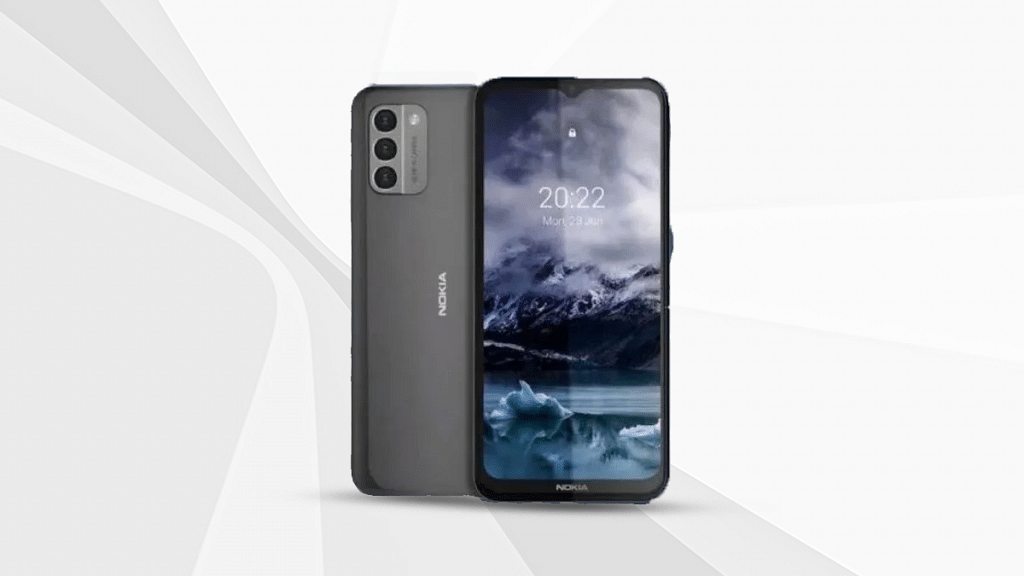
It is worth mentioning that the first Nokia 5G handset is also listed on the official website. This suggests the Nokia G60 5G launch date is just around the corner; could be a few weeks. The Nokia G60 5G official website listing hasn’t revealed the exact pricing details as well. However, it does mention a single 6GB RAM and 128GB storage configuration. The color options listed are Ice and black.

Nokia G60 5G Chipset And Configuration

The Nokia G60 5G made its international debut alongside the Nokia X30 a few months back. It will be coming with the same set of internals to the Indian market. The chipset powering the first Nokia 5G phone in India will be the Snapdragon 695 chipset. The octa-core 5G processor will be paired up with 6GB RAM and 128GB storage configuration (as per the official India website listing).

Nokia G60 Display, Camera, Battery

The Nokia G60 5G will be launched in India with a 6.58-inch LCD display that will support an FHD+ screen resolution and 120Hz refresh rate. The panel will feature a waterdrop notch design. This dewdrop notch will be housing an 8MP selfie and video calling lens.

Speaking of the Nokia G60’s camera configuration, there will be three cameras at the back. The camera module will sport a 50MP main camera which will be aided by a 5MP depth and a 2MP macro camera sensor. The first Nokia 5G phone will be packing a 4,500 mAh battery unit that will support 20W fast charging.

Nokia G60 Expected Price And Competition In India

The Nokia G60 5G price is under wraps as of now. However, it is expected to be launched with a reasonable price tag and in the mid-range 5G Android phone segment. The pricing of the Nokia G60 5G in India could be under Rs. 20,000 (as per the rumors). However, we will have to wait for the official launch to be sure of the pricing.

If we speak of the competitors, the Nokia G60 5G will face direct heat from a couple of popular premium mid-tier Android phones such as the Moto G82, OnePlus Nord CE 2 Lite, Xiaomi Redmi Note 9 Pro, and the Vivo T1 Pro, etc.

Categories
Featured How To Laptop

How To Fix Bluetooth Pairing Issues With Dell Laptops (All Models)?

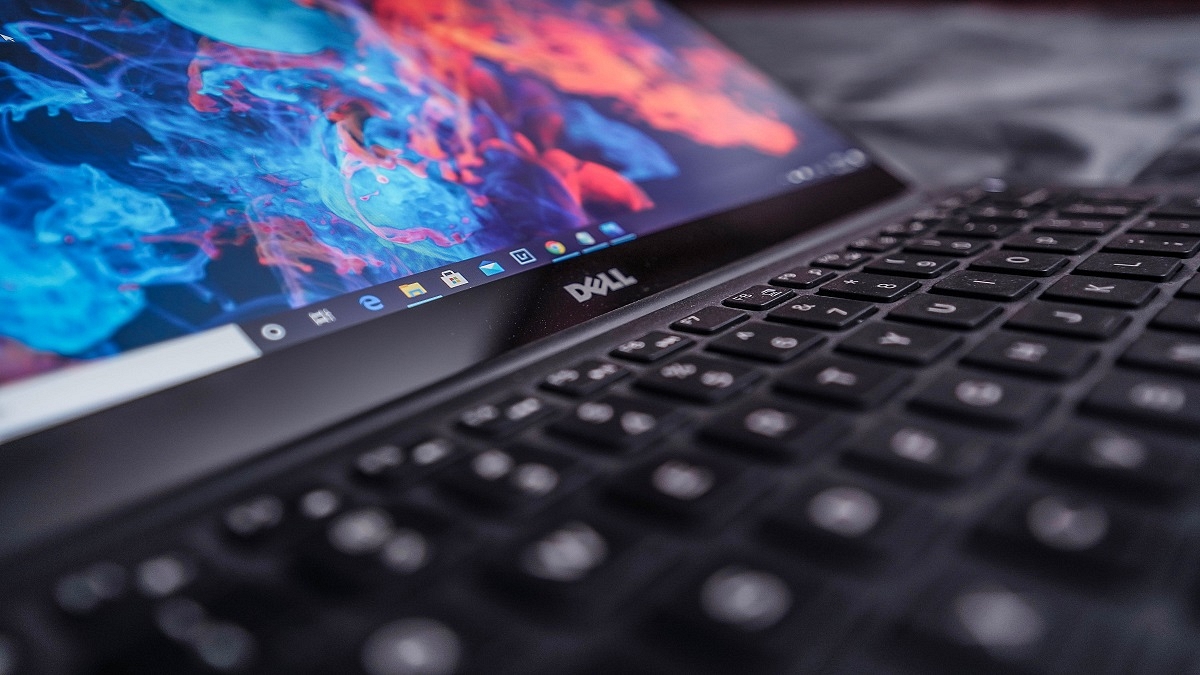
Dell is one of the largest players in the laptop and PC market in India and other global markets. The PC manufacturer has designed several popular laptop lineups including Inspiron, Vostro, XPS, and Alienware. The former two have both affordable and premium mid-range laptop models, while the latter two are designed for premium end customers.

Dell laptops are multifunctional and equipped with best-in-class hardware. The vast and easily accessible service support ecosystem has been a primary factor for this brand’s popularity amongst the Indian audience. Dell has both Intel as well AMD-powered laptop models that feature the latest hardware innovations and are performance oriented.

All Dell laptops offer modern connectivity options including Wi-Fi and Bluetooth for wireless connectivity and pairing external accessories. Often there are general connectivity issues reported with both Wi-Fi and Bluetooth networks. We have previously covered the quick troubleshooting steps to fix issues with Wi-Fi internet connectivity while using Dell laptops. In this article, we are sharing the quick steps to resolve issues with Bluetooth in Dell laptops.

How To Quickly Fix Issues With Dell Laptop Bluetooth

Step 1: Check if the Bluetooth adapter of your Dell laptop is toggled on. If not, turn it on.

Step 2: Make sure the wireless device that needs to be paired with the Dell laptop is within range.

Step 3: You might need to change or replace the battery of the Bluetooth device for better connectivity.

Step 4: Restart the Dell laptop. Do save the important data or take a backup.

Step 5: From the control panel, go to the Bluetooth settings.

Step 6: Unpair the device with which you are experiencing connectivity issues.

Step 7: Re-pair the Bluetooth device and the connection should be successful.

Step 8: If the issue persists, open the SupportAssist application on your respective Dell laptops. Optimize the laptop using this application and the issue should be resolved.

Step 9: You will need to run the Bluetooth Adapter hardware test to check for errors.

Step 10: Download and install the latest Bluetooth drivers.

Step 11: The Bluetooth connectivity issue should be fixed. If for some reason, the Bluetooth adapter test fails while using the Support Assist feature, you would need to contact the Dell Technical Support center.