As the Assistant Editor, Sandeep is generating tech-oriented content and also monitoring the content published on the website. He has over six years of experience in tech journalism and has expertise in product reviews, news articles, listicles, and media campaigns.
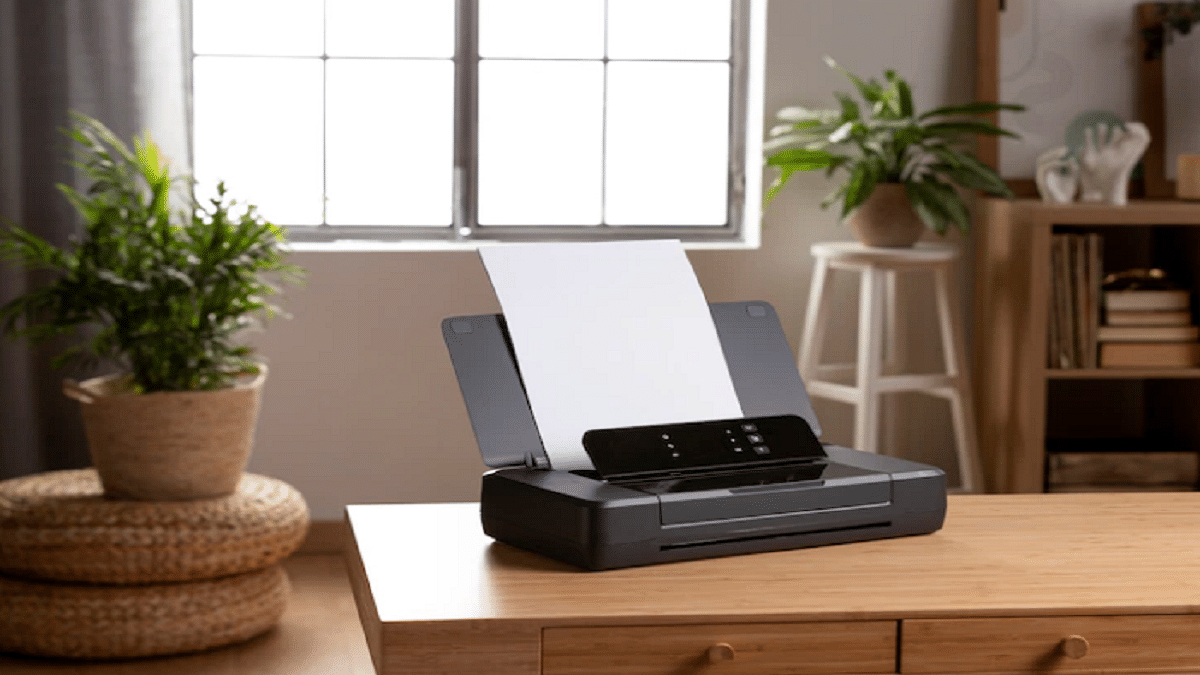
A printer is a must to keep gadgets for professional organizations and even for homes when you need printed documents readily available. And when you step out to buy a new printer you are flooded with options to choose from. One of the biggest players in the Printer segment is HP which has the widest portfolio of professional and home printers.
HP Printers are tech advanced and offer a host of features for reliable printing. All of the HP printers are compatible with Windows and Mac operating systems. We previously covered one of the printer issues where HP Printers stop working after a Windows 11 update. But what if you are using a Mac laptop or desktop and are experiencing a Printer offline and not working. We have listed the troubleshooting steps below:
Troubleshooting For Printer Showing Offline On Mac Computers And Laptops
Before you proceed with the steps, make sure your printer is on and has sufficient ink levels. Also, make sure there is no display errors or blinking lights.
Step 1: Check if the printer is not off or in Sleep mode. If it is not on, press the power button to wake it or turn it on.
Step 2: Also check the paper inside the feeder tray is placed properly. If everything is in place and there is no error then proceed with the Diagnose and fix option.
Fix Printer Not Showing Using Diagnose & Fix
Step 1: Open the HP smart app and click on the Diagnose and Fix option. You can download the app from Mac App store.
Step 2: Tap on the name of the printer and then click Printers. You’ll see this option in the top menu bar. Select Diagnose & Fix option.
Step 3: Select Start. Make sure you don’t close the HP Smart app while the troubleshooting is running.
Step 4: If there are any on-screen instructions follow them to fix the issue.
Step 5: If in case the issue persists, go to HP customer support or select one of the additional resources on the screen.
Try Removing And Re-adding the Printer
Step 1: First, delete your printer from the printer queue. This will clear all the errors. To do so, click on the Apple menu.
Step 2: Click on System Preferences and then click Printers & Scanners or Print and Scan.
Step 3: Select the printer that is to be removed and click on the Minus sign from the list of printers at the bottom.
Step 4: Tap on the Delete Printer option.
Step 5: Now, re-add the printer by tapping on the Plus sign and then following the on-screen guide.
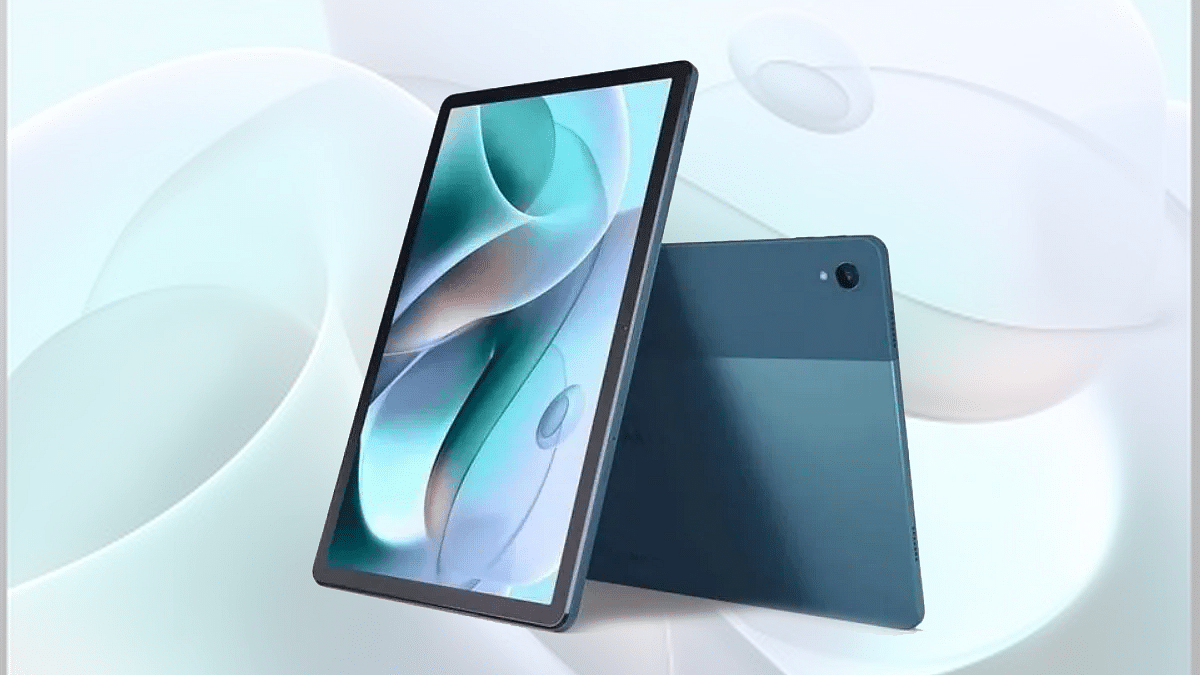
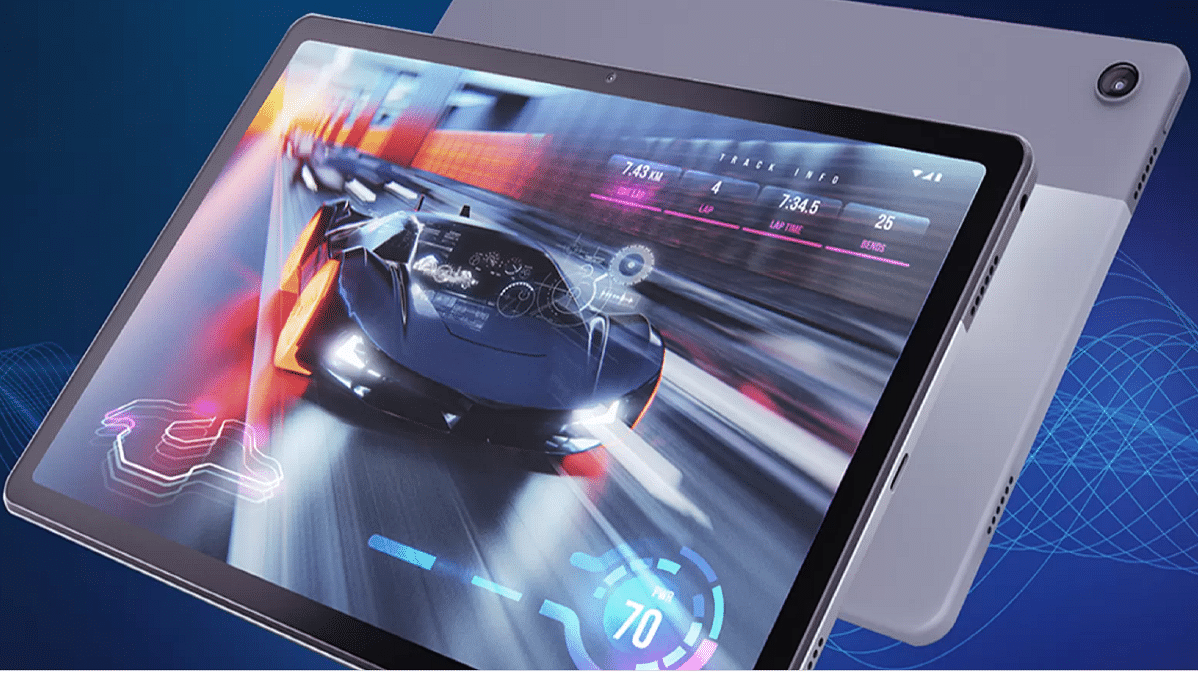
Motorola is ramping up its tablet business in India. The company has released the Moto Tab G60 as its latest mid-range tablet in the country with a starting price tag of Rs. 15,999. With this mid-tier tablet, Motorola is competing against Realme, Lenovo, OPPO, and other players in the tablet market. We just compared the Moto Tab G62 with OPPO Pad Air and the Realme Pad. In this article, we are pitting the Tab G62 against the Realme Pad X and the Moto Tab G70. Which one of these tablets is a good option to consider? This spec-sheet-based comparison will clear all your confusion:
Motorola Moto Tab G62 Vs Realme Pad X Vs Moto Tab G70: Display Specifications
Starting with the latest model, i.e., the Moto Tab G62, it is packed with a 10.6-inch display which is an IPS LCD panel. The display features an aspect ratio of 5:3 and has a screen-to-body ratio of 80.2 percent. It comes with a 1200 x 200 pixels screen resolution.
The Realme Pad X also features an IPS LCD screen that is bigger in size when compared to the Moto Tab G62. The Realme 5G tablet’s display measures 10.95-inches and has the same screen resolution as the Moto Tab G62, i.e., 1200 x 2000 pixels.
The Moto Tab G70 has the biggest panel size of 11-inches. It is also an IPS LCD screen like the remaining two variants that supports 1200 x 2000 pixels screen resolution. All three tablet display is well-loaded to deliver a rich viewing experience be it with videos or gaming.
Moto Tab G62 Vs Realme Pad X Vs Moto Tab G70: Camera Features
The Motorola Moto Tab G62 comes with a single rear camera. It features an 8MP ultrawide primary camera which has an f/1.4 aperture and 118-degree FoV. The Moto Tab G62’s main camera can shoot 1080p@ 30fps videos and also have Autofocus support.
The Realme Pad X also features a single rear camera. The sensor here is bigger compared to the Moto Tab G62. The Realme 5G tablet offers a 13MP main wide-angle camera that has an f/2.2 aperture. The main camera on the Realme Pad X 5G offers a 1080p video recording compatibility@ 30fps and also has HDR and other shooting modes.
The Moto Tab G70 also has the same rear camera hardware as the Realme tablet. The primary sensor at its back is a 13MP lens with the same f/2.2 aperture. The video recording capabilities are also the same as the Realme Pad X 5G.
For selfies, the Moto Tab G62 employs an 8MP snapper upfront. The remaining two tablets are also packed with the same 8MP sensor for selfies and video calling. If good camera hardware is your primary requirement with the next tablet, the Realme Pad X and the Moto Tab G70 would be the ideal pick.
Moto Tab G62 Vs Realme Pad X Vs Moto Tab G70: Chipset Comparison
The Moto Tab G62 is a mid-tier Android tablet that uses the Snapdragon 680 4G chipset for power delivery. This 6nm octa-core chipset has Adreno 610 GPU for graphics. It is available with 4GB RAM and 64GB native storage capacity.
The Realme Pad X is a 5G tablet that employs the octa-core Snapdragon 695 5G processor under the hood. The mid-range 5G Qualcomm processor uses Adreno 619 GPU to render all high-end graphics. This tablet can be purchased in multiple configurations, unlike the Moto Tab G62. The highest RAM capacity offered by the Realme Pad X is 6GB, while the built-in storage capacity is 128GB. The tablet also supports an external microSD card for additional storage requirements.
The Moto Tab G70 is powered by a MediaTek processor. This tablet draws its power from the MediaTek Helio G90T mid-range gaming processor. The octa-core MediaTek processor here has Mali-G76 MC4 GPU support to handle the graphics. This mid-tier tablet comes with 4GB RAM and 64GB storage configuration and features external microSD card support for extra space.
Moto Tab G62 Vs Realme Pad X Vs Moto Tab G70: Battery And Fast Charging Capabilities
The Moto Tab G62 uses a 7,700 mAh battery unit which is clubbed with 20W fast charging support. The Realme Pad X has a better battery hardware which includes a battery capacity of 8,340 mAh. This tablet has 33W fast charging support. Lastly, the Moto Tab G70 uses the same setup as the Moro Tab G62, i.e., a 7,700 mAh battery unit with 20W fast charging.
Motorola is rapidly expanding its tablet portfolio in India. The Moto Tab G62 is the brand’s latest bid in the mid-range tablet market with features like the Qualcomm Snapdragon chipset and 2K display. The latest Motorola tablet comes at an asking price of Rs. 15,999 and goes up against the likes of the Realme Pad and the OPPO Pad Air in the mid-tier Android tablet segment. This is a comparison article between these three tablet models to help you decide your next pick in this segment.
Moto Tab G62 Vs OPPO Pad Air Vs Realme Pad: Display Features
The Motorola Moto Tab G62 has been announced with a tall 10.6-inch display. The panel used by the new Motorola tablet is an IPS LCD that has a screen-to-body ratio of 80.2 percent and a 220 PPI pixel density. The Moto Tab G60’s display delivers a screen resolution of 1200 x 2000 pixels which makes it a good companion for high-resolution multimedia playback.
The Realme Pad competes with the Moto Tab G62 with its 10.4-inch display which is also an IPS LCD panel similar to the Moto tablet. The Realme Pad offers the same screen-to-body ratio of 80.2 percent and a 2K screen resolution of 1200 x 2000 pixels. The pixel density here is 224 PPI.
On the other hand, the OPPO Pad Air isn’t much different compared to the Moto Tab G62 and the Realme Pad in terms of display specifications. The panel size is 10.36-inches and the type is IPS LCD> This tablet also features the same 1200 x 2000 pixels 2K resolution and has a 225 PPI pixel density. Since the panel type and the resolution is the same on all three tablets, you can expect similar performance with video playback and gaming.
Moto Tab G60 Vs OPPO Pad Air Vs Realme Pad: Camera Features
The camera hardware is almost identical on all these three models. The Moto Tab G60 has an 8MP single rear camera that has an f/2.2 aperture and 118-degree FoV. The primary camera on the Motorola tablet comes with autofocus support and HDR. It can record 1080p FHD videos@ 30fps.
The Realme Pad also features an 8MP single rear camera like the Moto Tab G60. The camera here is also capable of recording 1080p@ 30fps videos and has HDR support. Lastly, the OPPO Pad Air’s back panel features an 8MP ultrawide camera with 105-degree FoV and 1080p @30fps video recording. The rear camera on all three tablets can click some good set of images when the background has ample lighting conditions.
Moving on to the selfie snapper, the Moto Tab G62, and the Realme Pad has an 8MP snapper, whereas, the OPPO Pad Air features a smaller 5MP sensor for self-portraits. You can consider any of the variants for a good photography experience. However, the Moto Tab G62 and the Realme Pad gets an edge over the OPPO Pad with a bigger selfie snapper.
Moto Tab G62 Vs OPPO Pad Air Vs Realme Pad: Hardware Performance
Power delivery is handled by the octa-core Qualcomm Snapdragon 680 chipset on the Moto Tab G62 and the OPPO Pad Air. The mid-range 4G chipset on both these tablets is built using a 6nm fabrication process and has Adreno 610 GPU support for graphics.
The chipset driving both Moto Tab G62 and the OPPO Pad Air is powerful enough to handle extensive tasks without any lags or stutters. Both these tablets offer a good gaming experience as well.
Driving the Realme Pad is a MediaTek processor. The company has used the Helio G80 chipset which is built on a 12nm fabrication process. This is a mid-range chipset oriented toward gaming smartphones and tablets.
Coming to the configuration details, the Moto Tab G62 comes with 4GB RAM+ 64GB storage, whereas, the OPPO Pad Air offers up to 6GB RAM and 128GB storage option. The Realme Pad can be purchased with up to 6GB RAM and 128GB storage configuration.
Moto Tab G62 Vs Realme Pad Vs OPPO Pad: Battery Hardware
The battery capacity is the biggest on the Moto Tab G62. It is packed with a 7,700 mAh battery unit which is aided by 20W fast charging. On the other hand, the OPPO Pad Air and the Realme Pad feature the same 7,100 mAh battery unit along with 18W fast charging support.
Mivi is an emerging homegrown brand that is creating a strong product base with consumer electronics and digital accessories in India. The brand has released a bunch of soundbars and wireless speakers for the budget-conscious masses in the country. The Mivi Fort S24 is one of the latest soundbars by the brand that brings some modern features such as wireless connectivity, studio-quality bass, and support for voice-based digital assistants such as Siri and Google
We at Giznext have received the Mivi Fort S24 review unit and have been testing its performance since the last few weeks. Priced at Rs. 1,999, the Mivi Fort S24 can be purchased online via Flipkart and Mivi’s official India website. But is it only the cheaper price tag that makes it worth buying or the audio performance as well? We have shared our feedback below. Take a look:
Mivi Fort S24 Review: Design
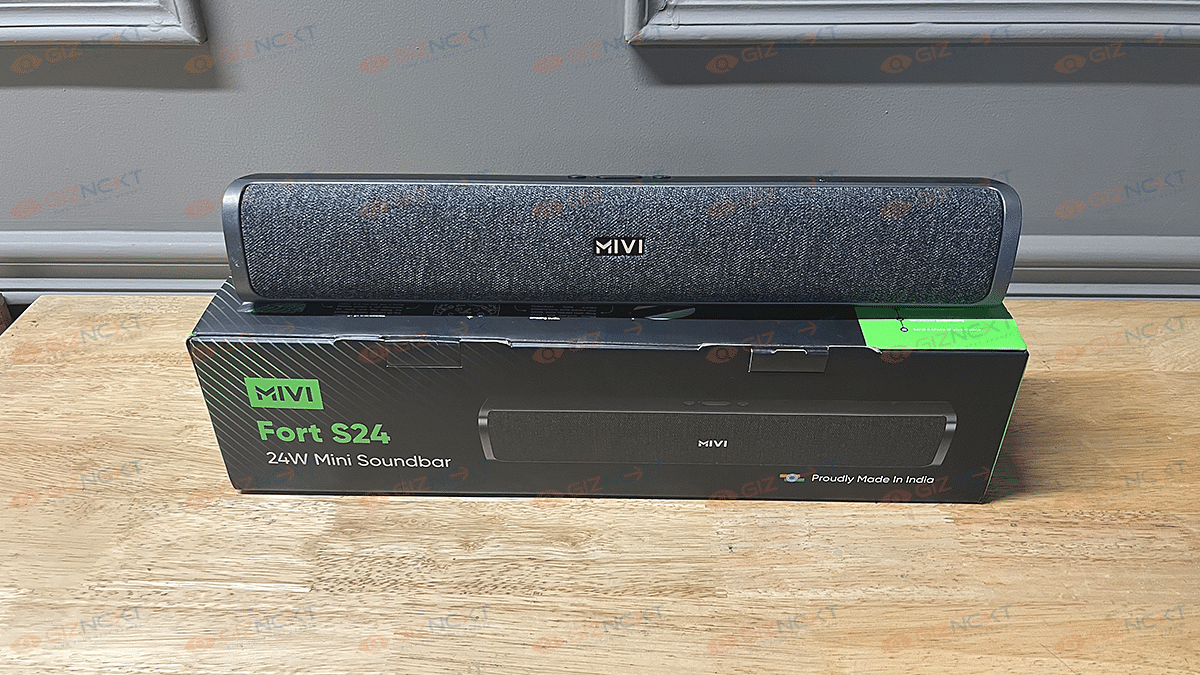
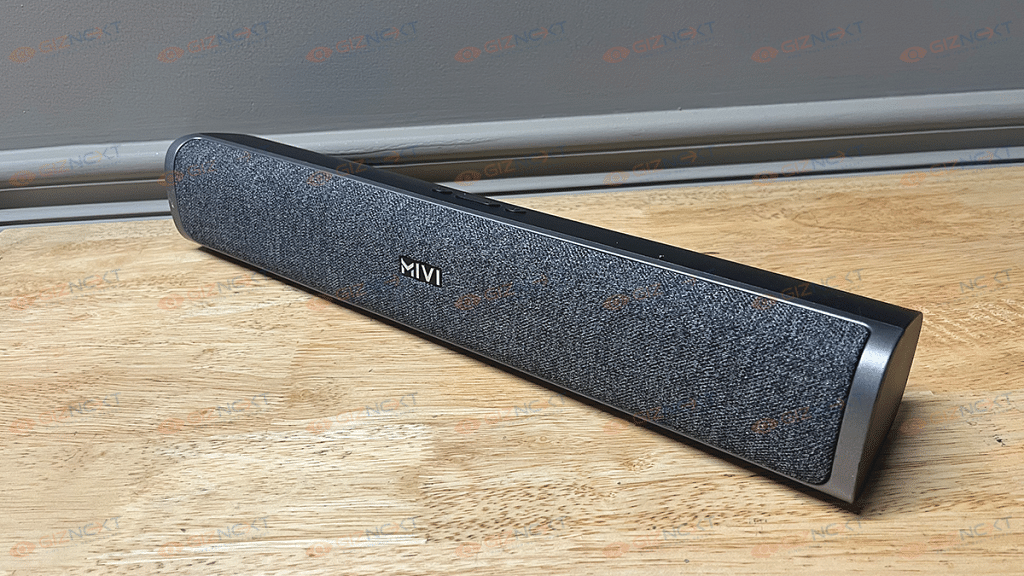
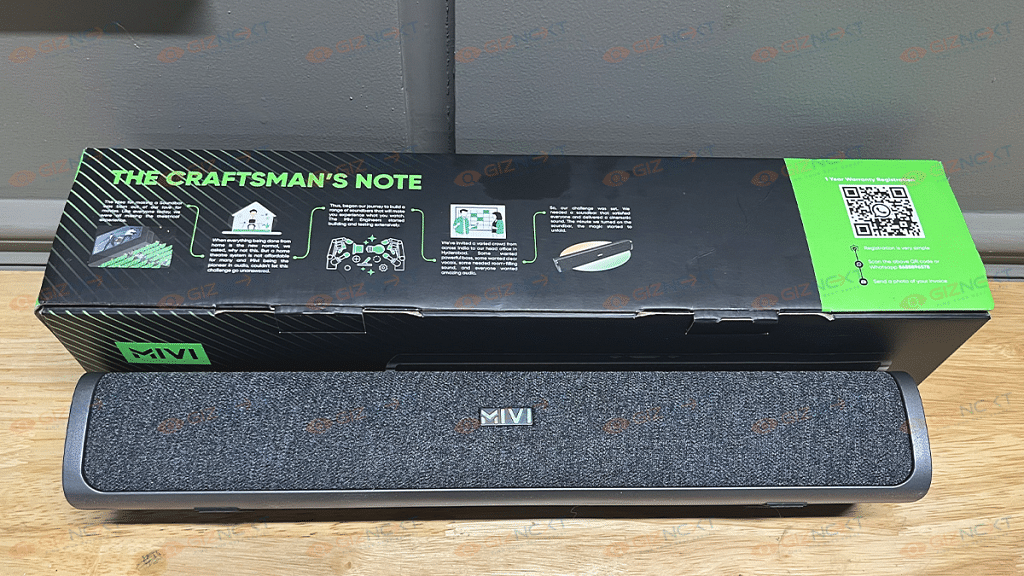
The Mivi Fort S24 isn’t like any other bulky or big soundbar that would require a large space to fit. Its portable design lets you place it easily on any tabletop beside your TV. It features a standard bar design that isn’t too large. The soundbar is entirely made of plastic with fabric mesh up front covering the speaker area. The dual tone effect with the fabric and the plastic body gives it a premium appeal.
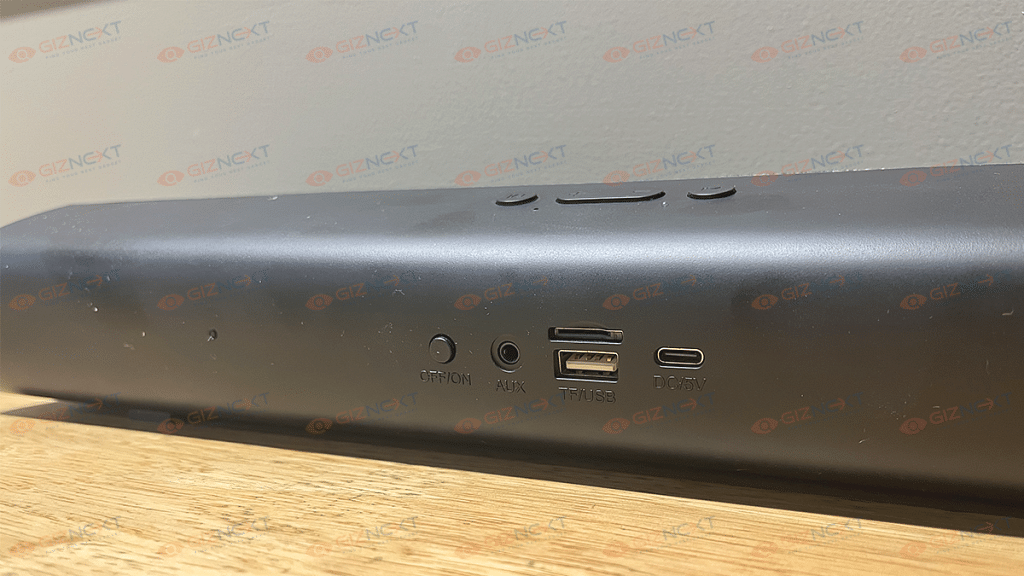
The lightweight form factor is another positive aspect of the Fort S24’s design. You can easily lift it up with a single hand and would hardly feel any heft. The control keys are placed on the top of the speaker from where you can control the volume, play/pause, and mute the audio. The connectivity ports are at the back of the speaker.
It has the power on/ off key, AUX in port, a TF/ USB card reader, and the DC 5V USB Type-C port. The keys are swift with functionality and the clicks aren’t stiff which we liked. Overall, the Mivi Fort S24’s design is decent and falls in line with modern-day requirements.
Mivi Fort S24: Audio Performance
The Mivi Fort S24 are equipped with dual passive radiators that collectively fire a 24W output. The loudness levels are decent for a small to mid-sized room. Mivi hasn’t revealed the frequency response range offered by the Fort S24.
However, the output is good overall if you keep the volume levels medium with this soundbar. We have paired this soundbar with one of the smart TVs and the performance has been up to the mark. While you wouldn’t have any issues with the audio quality and lower and mid-levels, pumping it up to the max could hamper the listening experience.
That’s because the audio seems muddy and muffled when the volume levels are loudest. You’ll be satisfied with the output at around 70 to 80 percent. The soundbar’s bass levels are also decent. It isn’t super punchy but does its job fine. The output is slightly better when you use an AUX cable rather than the wireless. But you’ll be able to notice that only if you are a hardcore audiophile.
Mivi Fort S24: Pairing And Other Features
The Mivi Fort S24 comes with Bluetooth 5.1 wireless technology. You can connect this soundbar wirelessly with not just smart TVs but also smartphones, tablets, and laptops/ PCs. The pairing process isn’t tricky, you just need to switch it on and look for the device name in the Bluetooth settings.
The connectivity range is standard of up to 10 meters. If you keep the soundbar too far from the TV or any other connected device, you’ll experience intermittence in the audio. Besides wireless connectivity, the soundbar also offers a wired connectivity option using an AUX cable.
Additionally, you can also connect a USB drive or a microSD card to play music offline without connecting it to any other source. The soundbar also comes with digital assistant support. You can use both Google Assistant and Siri to give voice commands.
Mivi Fort S24: Battery Backup
The Fort S24’s battery capacity Is also not specified by the company. However, the brand claims a backup of around six hours on a single charge. The claims are somewhat accurate if you play this soundbar at around 70 to 80 percent volume. If you have paired it wirelessly with the TV or any other compatible device and are playing volume at maximum levels, the backup is around four to five hours.
Mivi Fort S24: Verdict
The Mivi Fort S24 is amongst the cheapest soundbars available in India. The company has not just focused on affordable pricing but also on features. It is one of the few soundbars in India that retails at Rs. 2,000 and offers multiple connectivity options and digital assistant support. The sound performance is decent and so is the battery backup. If you are on a budget constraint, the Fort S24 makes for a decent pick in its segment.
OPPO has been one of the biggest players in the smartphone industry in India and the global regions. But lately, the Chinese tech giant has also started strengthening its portfolio with the launch of other consumer durables including smart TVs, smart watches, audio products, and tablets. The Enco series is OPPO’s bet in the audio category. The company has recently revamped its TWS catalog with the Enco X2.
The OPPO Enco X2 brings the promise of delivering a pristine audio experience at a price tag of Rs. 10,999. OPPO has laced the latest TWS earbuds with advanced Dynaudio technology, ANC (Active Noise Cancellation), and wireless charging support. But what about the audio performance and overall user experience?
Do the latest TWS earbuds from the Enco series live up to expectations in terms of audio performance and is it worth an investment? We at Giznext got to use the Enco X2 for a while and in this review article we are giving our feedback on the same:
OPPO Enco X2: Design
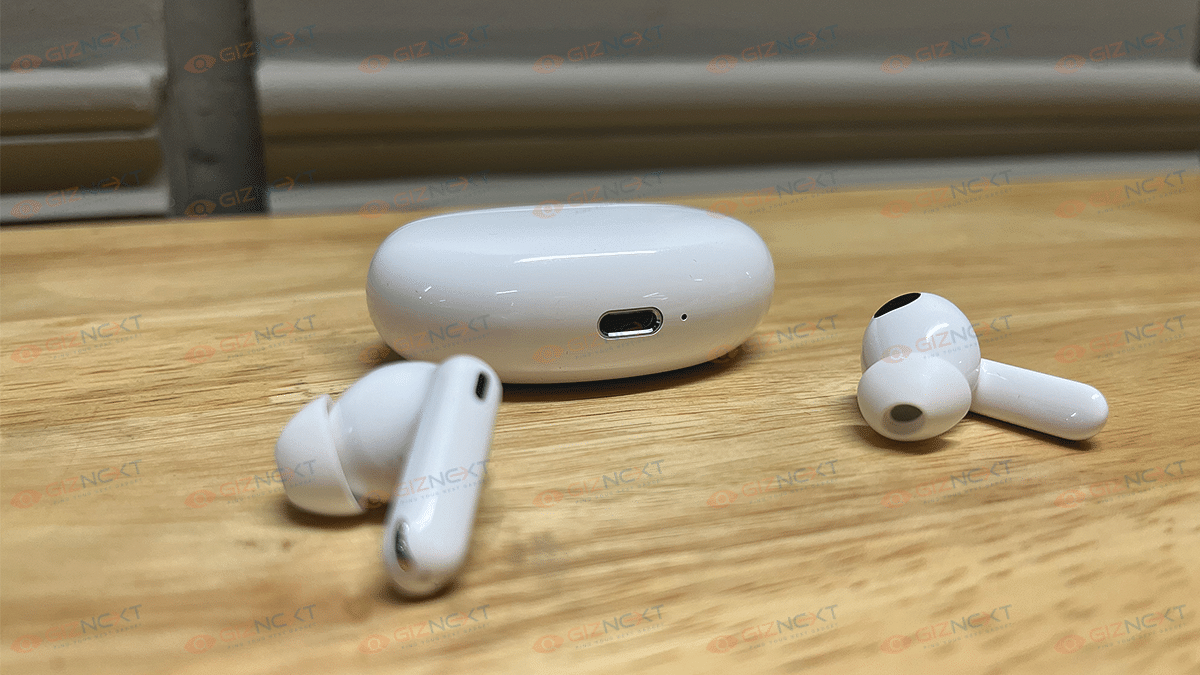
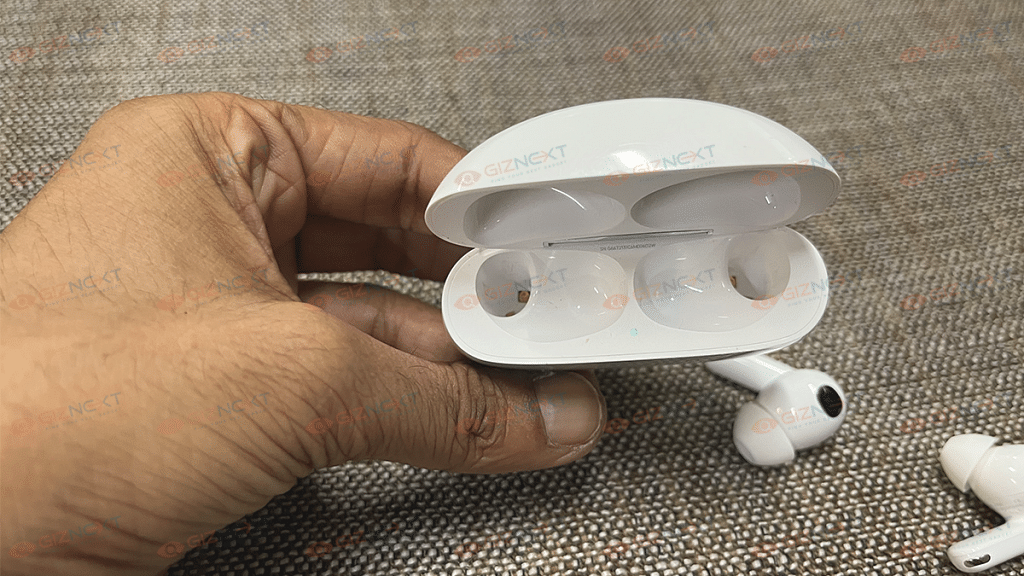
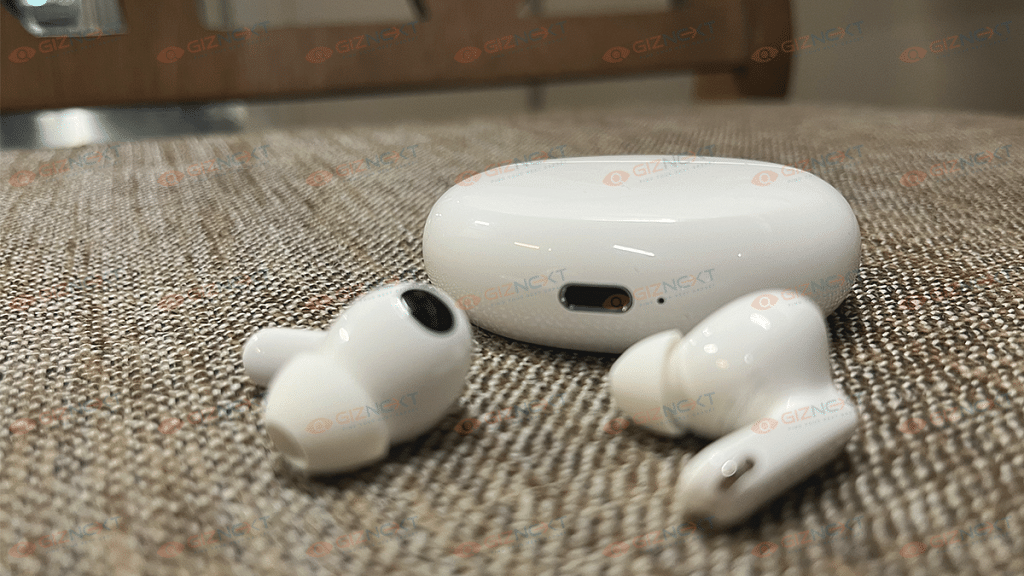
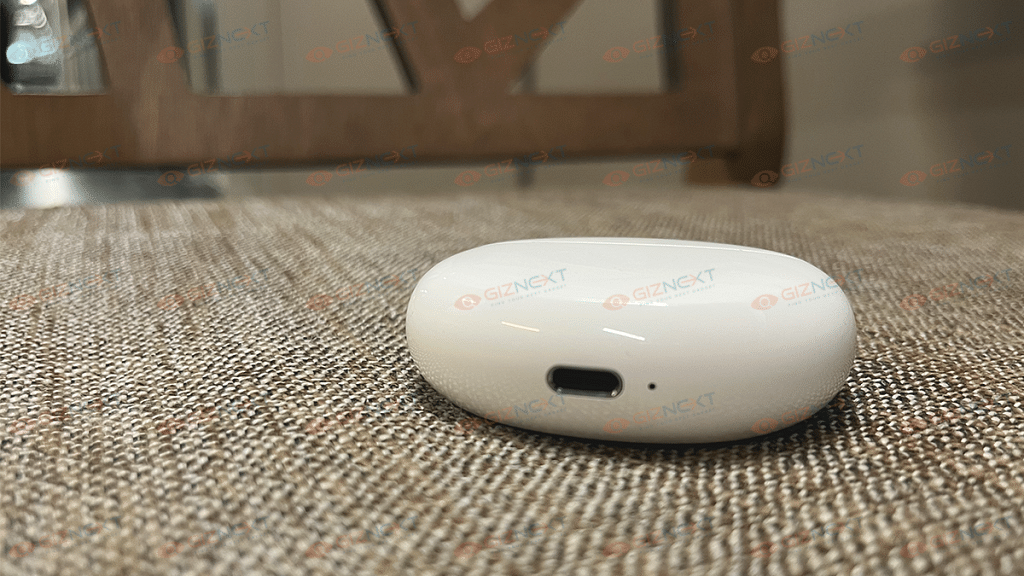
The OPPO Enco X2 is quite familiar in terms of design. It ships inside an oval-shaped case that has a flat surface. The hinge has a metallic strip with DYNAUDIO labeling at the back. The metallic hinge definitely adds to the case’s durability factor. The USB Type-C charging port along with an LED flash is at the bottom.
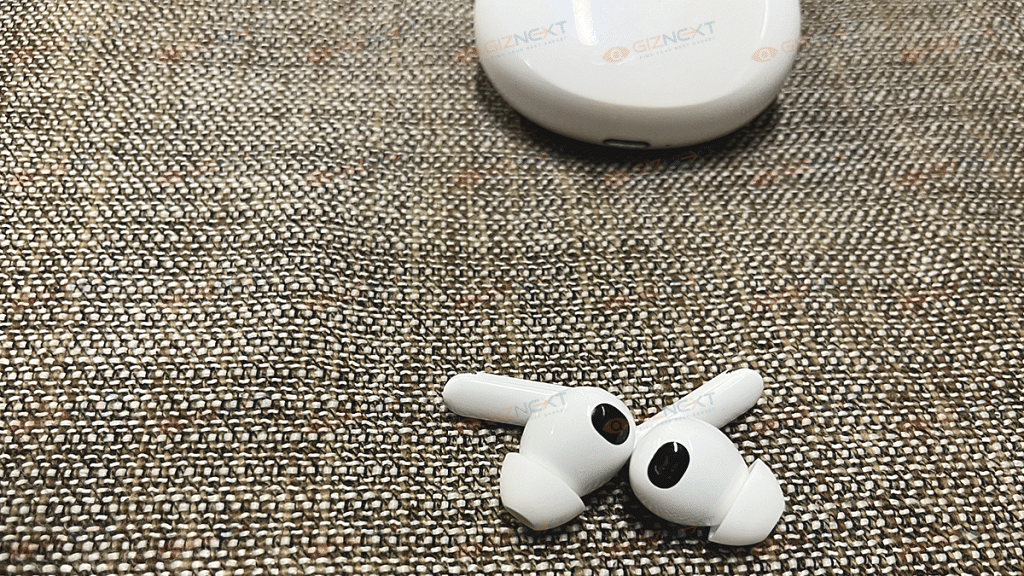
When you flip open the case there is another LED placed between the partition of the earbuds slot. The charging case also has a pairing key on the right side. As for the earbuds, they feature a small stem design with metal rims at the edge. The stems are equipped with built-in keys to control ANC and media playback. You can also control the volume levels with this.
The earbuds feature a snug fit design which we found to be comfortable for daily and prolonged usage. The left and right markings are in bold which makes it easy to wear them on the go. Overall, the Enco X2 is designed well for daily usage. The earbuds come with IP54 certification which further adds to the practicality by making them dust and water-resistant.
OPPO Enco X2 Review: How’s The Audio Experience?
The OPPO Enco X2 has some advanced hardware that delivers a rich audio experience. The Enco X2 is packed with 11nm dynamic drivers and 6nm planar diaphragm drivers. It also features multiple audio codecs and Bluetooth profiles for lossless audio transmission wirelessly. Speaking of the codecs, this pair is compatible with AAC, LHDC, and SBC.
The audio performance is at par with the competition and is improved compared to its precursor. The pair manages to deliver a balanced audio output without being affected by the loud levels. You can easily tune into your favorite music tracks and toggle on the ANC feature if you don’t want any disturbances during your music listening sessions.
The bass is also punchy. You get ample thump with each beat. So, be it music or movies, the output is good and consistent with this pair. The OPPO Enco X2’s ANC is also effective in blocking background noise. It reduces the surrounding noise to a high extent which is impressive for its price point.
Irrespective of the genre played, the OPPO Enco X2 TWS earbuds deliver a premium listening experience. The pair does a good job of maintaining the balance between the lows, mids, and highs. We tested the audio with multiple genres and have been impressed with the consistent rich output.
You won’t experience any of the audio aspects to overlap even if you turn up the volume levels to the max. Also, there is no muffling or distortion with the audio levels when at peak. The clarity levels are maintained throughout which adds some extra pointers for the Enco X2.
Pairing And Calling Experience
The OPPO Enco X2 can be easily paired wirelessly with compatible smartphones, tablets, and laptops, etc., using Bluetooth 5.1 technology. You can even pair this truly wireless earbud with modern smart TVs that are equipped with Bluetooth. The pairing process is quick and easy.
If in case the pair doesn’t show up automatically in the list of available devices in the Bluetooth settings, you can resort to the manual key placed on the right of the charging case. Just press and hold the pairing key until you see the white LED on the charging case and then complete the pairing process as you would with any other wireless product.
It is worth adding the Enco X2 comes with multiple connectivity support and you can connect it with more than one smartphone or compatible device simultaneously. Also, the Enco X2 is compatible with HeyMelody App. With this, you can additionally fine-tune the audio and make use of the extra features.
As far as the calling experience is concerned, the OPPO Enco X2 delivers a decent experience here as well. We were able to hear the caller properly and the conversation has been smooth throughout. No, complaints with the audio with calling.
Battery Backup
OPPO has used a 57 mAh battery to power the Enco X2 earbuds (each earbud). The charging case packs an additional 566mAh battery. The total juice offered by the earbuds is around 40 hours (with the case included). That’s what the company has claimed.
During our usage, the backup has been between 30 – 40 hours. With a single charge and refill via the charging case. The backup also depends on multiple factors including the volume levels and ANC. The backup reduces slightly with all these factors in place. These premium TWS earbuds also feature Qi wireless charging and fast charging technologies which come in handy for quick refuels.
Oppo Enco X2: Final Verdict
The OPPO Enco X2 is a feature-rich TWS earbud that ropes in some of the best technologies for a premium user experience. It has a powerful ANC system that will let you enjoy your music listening or binge-watching experience even when you are traveling in a crowded bus or metro. Besides, the TWS market is consistently evolving in India and you get a plethora of products at an affordable price range. But the Enco X2 raises standards with its premium sound stage and tech-advanced features.
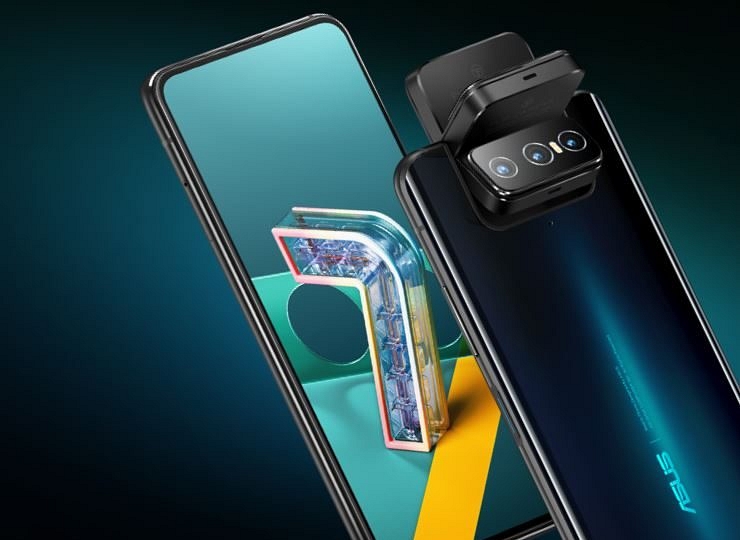
Asus might soon refresh its premium smartphone lineup in India. The Taiwanese tech giant is expected to bring the high-end Zenfone 9 to the country. However, the handset will be released with a different moniker called the Asus 9z. The change in name comes following the trademark issues with the ZenFone labeling. Asus had dropped the ZenFone branding for the Indian market a few years back and has been following this sales strategy each year. The Asus 9Z launch details along with features are listed below.
Asus 9Z India Launch Soon
The Asus 9Z is expected to launch sometime later this week. While the exact launch date is not announced the company is expected to dish out the details soon via its official social media handles. The upcoming handset will be the rebranded version of the Asus ZenFone 9 which has already been introduced outside India.
The device will only have a different name. The specifications and features will be identical to the international model. Separately, a YouTuber called Sahil Karoul suggested the Asus 9Z will be launched on August 23 in India which happens to be on Tuesday. That’s just two days away. But until there is some official announcement from the company itself we can’t verify this piece of information.
Asus 9Z Expected Specifications And Features
The Asus 9Z is expected to launch in India with the octa-core Snapdragon 8+ Gen 1 chipset. It will be amongst the few flagship phones to be packed with this premium Qualcomm chipset in the country. The Asus 9Z will likely be available with up to 16GB of LPSDDR5 RAM and 256GB storage configuration.
The Asus 9Z will possibly ship with Android 12 OS. It is expected to feature a 5.9-inch AMOLED screen with an FHD+ screen resolution and 120Hz refresh rate. The Asus 9Z will be packed with a dual rear camera setup comprising a 50MP Sony IMX766 sensor (main camera) and a 12MP ultra-wide-angle sensor at the back. A 12MP camera will be used for selfies and video calling. Rounding off the Asus 9Z’s spec-sheet will be a 4,300 mAh unit with 30W fast charging.
If your WhatsApp account is temporarily banned, you will see a message stating that your account is blocked.
Following are the steps that the user can follow to ban from your account.
WhatsApp is a commonly used messaging application by Android and Apple iPhone smartphone users. The app’s popularity isn’t just limited to India but also the global region. The privacy-oriented end-to-end encryption platform makes it the most secure for all types of conversations. WhatsApp is stringent with its privacy policies and in recent years has started blocking accounts if found of any fraudulent activities.
If in case, you see a message from WhatsApp the next time you launch the app stating your account is “Temporarily banned”, you might not be able to use the application for messaging. What can you do in that case and how can you get the ban on your WhatsApp account revoked? Read on here for the steps:
WhatsApp in most cases imposes a ban on any user account for violating its terms and services or for using the unsupported WhatsApp version including GB WhatsApp and WhatsApp Plus. If you have been using any of the moderated versions of WhatsApp, your account getting banned is highly likely. Since WhatsApp doesn’t support such third-party apps, you will have to start using the official version to get the ban removed.
Steps To Switch To Official WhatsApp App From Mod Versions?
Step 1: You can start the process to switch to the official WhatsApp app, you will have to wait for the temporary ban to be removed. You will see a timer that will show the length of the ban on your account.
Step 2: If you are using GB WhatsApp, click on the More tab.
Step 3: Select the Chats option.
Step 4: Tap on Back up chats.
Step 5: Now, open the Phone settings menu.
Step 6: Click on Storage.
Step 7: Select the Files option.
Step 8: Locate the GB WhatsApp folder. Press and hold it to select it.
Step 9: From the top right corner, select the More option.
Step 10: Rename this folder to WhatsApp.
Step 11: Go to the Google Play Store and then download the official WhatsApp application.
Step 12: Complete the installation process and start using WhatsApp. Make sure you restore the data before setting up the app.
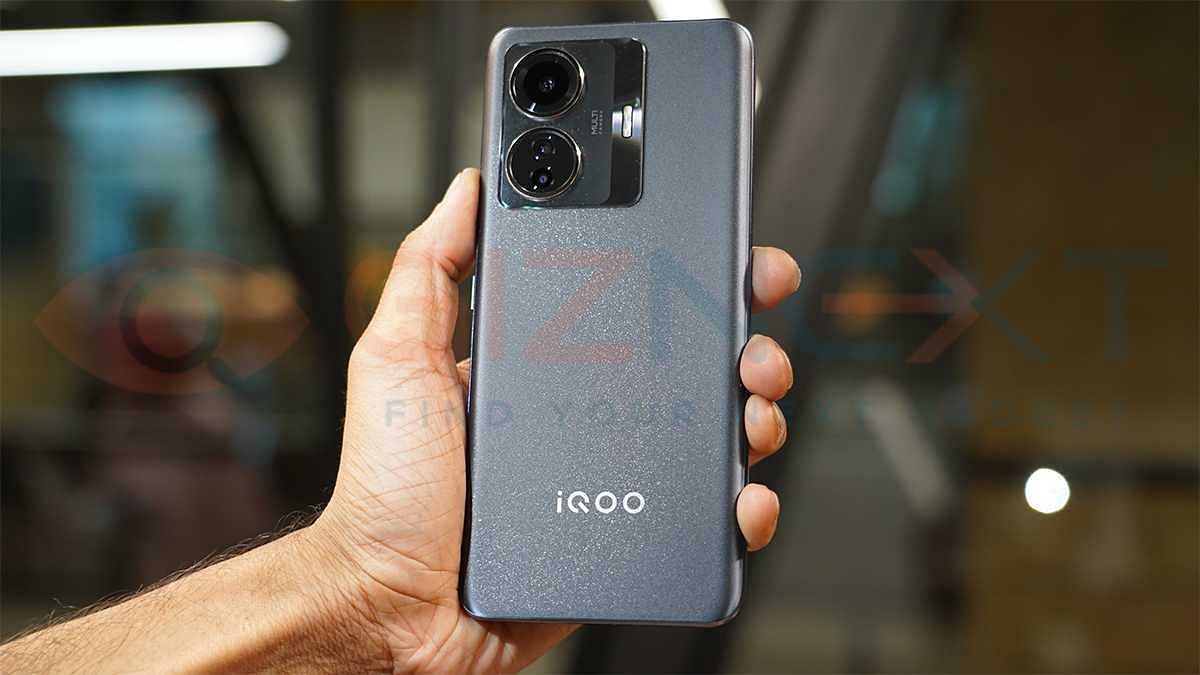
iQOO Z6 is one of the most successful mid-tier smartphone series by the company. The brand has already introduced the standard Z6 along with the Z6 Pro 5G in the country. Now, two more variants in this series might soon see the light of the day. The iQOO Z6 Lite and the Z6x are said to go official in India and China respectively. What all the leaks and rumors have revealed? Below are the details:
iQOO Z6 Lite, iQOO Z6x Key Specifications, Official Launch Details
An exclusive report by 91Mobiles suggests the iQOO Z6 Lite is under development and could be announced in the Indian market soon. As per the report, the next iQOO Z6 series phone will be arriving with similarities to the Vivo T1x which has been introduced back in July this year in the country.
The iQOO Z6 Lite is expected to be a budget variant with 4G network connectivity. Its launch is tipped to be in the second week of September according to the report. In terms of features, the iQOO Z6 Lite will bring a similar set of features to the Vivo T1x.
The upcoming iQOO Z6 series phone will be powered by the Qualcomm Snapdragon 680 chipset. The octa-core processor will be combined with 6GB RAM and 128GB storage configuration. It will also have external microSD card support and Android 12 OS.
The iQOO Z6 Lite might flaunt a 6.58-inch display with an FHD+ screen resolution and 90Hz refresh rate. It could be an IPS LCD panel with a standard waterdrop style notch. The camera setup on the iQOO Z6 Lite is said to come with a dual-lens camera module at the back. The imaging setup will feature a 50MP main camera.
For selfies, the device will flaunt an 8MP camera for self-portraits. It will also come with a 5,000 mAh battery unit along with 18W fast charging support.
As for the iQOO Z6x, the details related to the hardware and availability are limited. Only the handset’s China launch is known at this point. If we go by the reports, the iQOO Z6x could come with up to 8GB RAM and 256GB storage configuration, and 44W fast charging support.
Vivo has launched the V25 series in India. The vanilla Vivo V25 debuted alongside the V25 Pro in the country. Now, the third variant in this series is already in the works. The upcoming Vivo V series phone is called the V25e, a 5G phone with mid-tier hardware. The Vivo V25e has cleared a bunch of certifications online including EEC and IMEI. Now, the renders and specifications of the handset have been leaked.
Vivo V25e Key Features And Specifications Leaked
The Vivo V25e renders and specifications have been leaked freshly by 91MobilesHindi. The leaked renders show two different color options for the handset including black and gold. The handset will be flaunting a standard waterdrop notch display design with a slim side and top bezel. The bottom bezel is considerably thick.
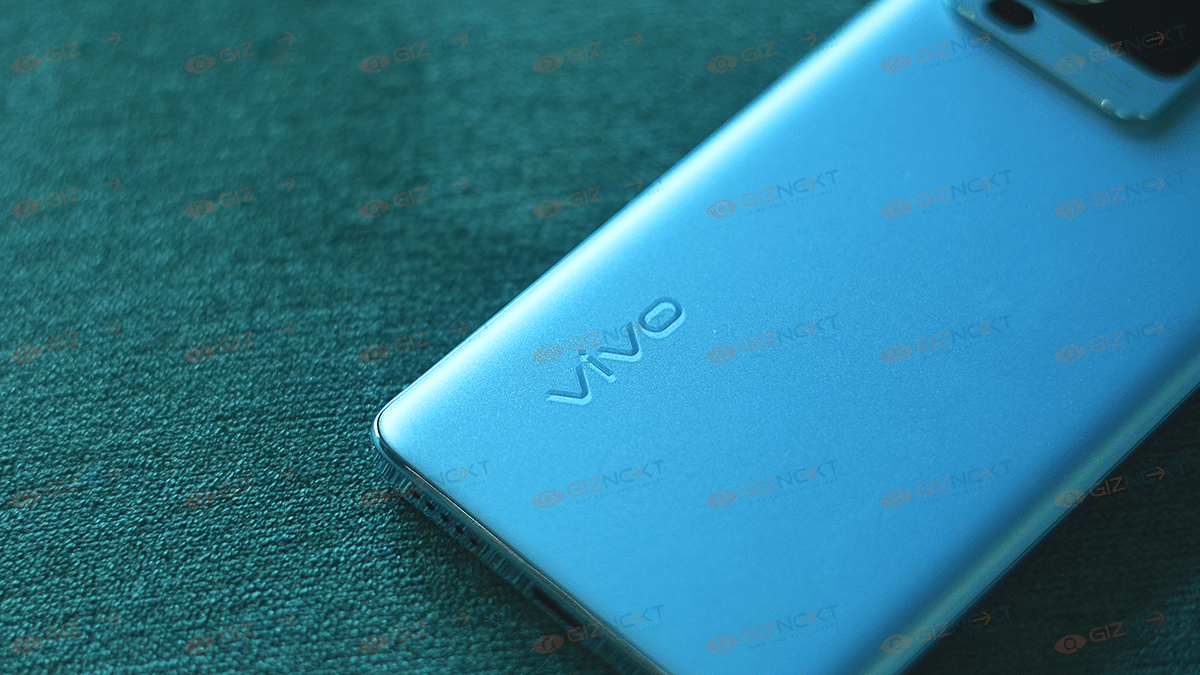
At the back, a large square module will house two large and one small camera sensor along with the LED flash. The Vivo branding is inscribed at the bottom left of the V25e’s back panel. The volume and the power key are on the right panel. It seems the power key will integrate the fingerprint scanner.
Moving on to the specifications, the Vivo V25e’s triple rear camera setup will comprise a 64MP main camera along with OIS support. The remaining camera sensors are not mentioned in the report. However, a 4,500 mAH battery unit is confirmed.
The handset will feature 44W fast charging support. It is also said to come with up to 8GB RAM and 128GB storage configuration. The exact number of variants remains a mystery at this point. The report has only shared the battery and camera features of the V25e. Thanks to the previous leaks, we know some of the other features as well.
The Vivo V25e is rumored to be powered by the MediaTek Helio G99 processor. The octa-core chipset will be clubbed with Mali G57 GPU for graphics. It is expected to ship with the same Android 12-based FunTouch OS as the other Vivo V25 series phones. The device is further said to feature an FHD+ display with 1080 x 2040 pixels resolution and 440 PPI pixel density. The display panel could be LCD but the details are not yet confirmed.
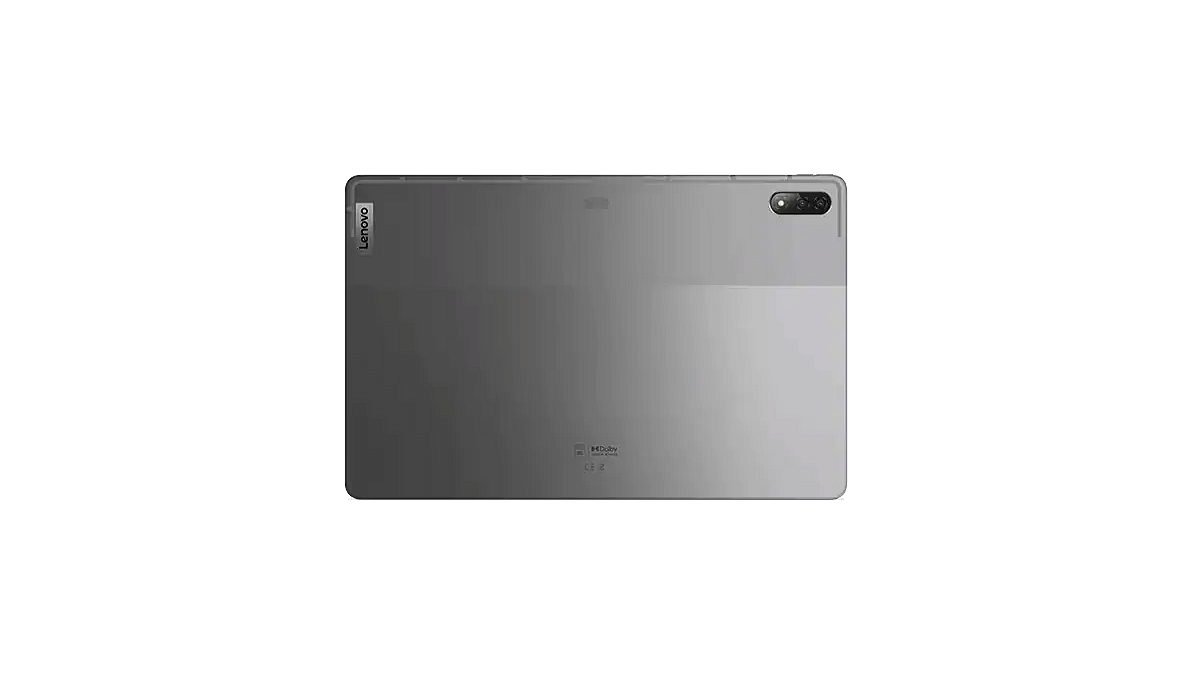
Lenovo today refreshed both its smartphone and tablet portfolio with the launch of the Legion Y70 gaming smartphone and the Xiaoxin Pad Pro 2022 tablet. The latest tablet comes as a successor to the Xiaoxin Pad Pro 2021 and is a premium mid-range product with highlight features such as the Qualcomm Snapdragon 870 chipset, a 2.5K display, and a fast charging supported battery. Below are the Lenovo Xiaoxin Pad Pro 2022’s key features and expected India launch timeline:
Lenovo Pad Pro 2022 Full Specifications
The premium mid-tier Lenovo Xiaoxin Pad Pro 2022 tablet utilizes the octa-core Snapdragon 870 chipset as its brain of operations. With this, the latest Lenovo tablet goes against the OPPO Pad, Xiaomi Pad 5 12.4, and the Vivo Pad tablet. The premium mid-range Android tablet will be available in dual configurations.
It will be available with 6GB RAM and 128GB storage configuration. There will be another variant that will feature 8GB RAM and 128GB storage options. The tablet will also have external microSD card support for additional storage. The Lenovo Xiaoxin Pad Pro 2022 tablet will be shipped with Android 12 OS.
Upfront, the Xiaoxin Pad Pro 2022 tablet will employ a tall 11.2-inch display. The panel used is OLED which supports a 2.5K screen resolution along with a 120Hz refresh rate. It also has HDR10+ certification and Dolby Vision support for an enhanced visual experience. To complement the high-resolution screen, the Lenovo tablet is equipped with a JBL quad-speaker system along with Dolby Atmos support.
Moving on to the camera hardware, the Xiaoxin Pad Pro 2022 tablet is packed with a single 13MP rear camera. This tablet features an 8MP snapper for selfies and video calling. It is worth mentioning that Lenovo has launched two different variants of this tablet. In addition to the Snapdragon model, the tablet is also launched with a MediaTek processor.
The other Xiaoxin Pad Pro 2022 model will be powered by the MediaTek Kompanio 1300T octa-core chipset. Lastly, the Xiaoxin Pad Pro 2022 will be using an 8,200 mAh battery unit that gets 68W fast charging technology support.
Lenovo Xiaoxin Pad Pro 2022 Price, Expected India Launch Timeline
The Lenovo Xiaoxin Pad Pro 2022 tablet will be available with an asking price of 2,199 Yuan which is around Rs. 25,800 in Indian currency. The 8GB RAM variant which is driven by the Snapdragon 870 chipset is priced slightly higher at 2,499 Yuan which translates to roughly around Rs. 29,300. Lenovo has currently announced this tablet in China and has not revealed any plans for its launch in India.