Categories
Chipset Comparison Featured

Qualcomm Snapdragon 888 Vs MediaTek Dimensity 9000 Processor: Flagship Mobile Chipset Comparison

Qualcomm is one the largest players in the mobile chipset market with MediaTek as its biggest rival. The former is offering Snapdragon series chipsets for all categories of smartphones, while the latter is competing in this space with its Helio and Dimensity lineup of processors. We already have done multiple chipset comparisons from both these brands.

In this article, we are again bringing two of the prominent mobile chipsets from both of these brands that are driving the modern-day flagship Android smartphones. We are comparing the CPU and GPU performance of the Snapdragon 888 and the Dimensity 9000 processor. Read on the differences below:

Qualcomm Snapdragon 888 Vs MediaTek Dimensity 9000: CPU Comparison

Qualcomm has designed the premium Snapdragon 888 processor using the ARMv8.4-A Instruction set. This is an octa-core processor with a 2840MHz base frequency with one Cortex-X1 core clocked at 2.84GHz, three Cortex-A78 cores clocked at 2.42GHz, and four 1.8GHz Cortex-A55 cores.

The MediaTek Dimensity 9000 is also an octa-core processor that is built using 5nm fabrication technology and is based on the ARMv8.2A Instruction set. The Dimensity 9000 offers a 2850Mhz frequency and has four Cortex A-78 cores clocked at 2.85GHz and four Cortex-A55 Cores clocked at 2GHz.

Snapdragon 888 Vs Dimensity 9000: GPU Comparison

The Qualcomm Snapdragon 888 chipset gets Adreno 660 GPU support which is based on Adreno 600 Architecture and has two execution units. On the contrary, the MediaTek Dimensity comes with Mali-G610 MC6 GPU support to render extensive graphics with ease.

The GPU frequency of the Snapdragon chipset is 840MHz, whereas the Dimensity 9000 chipset has a 600MHz GPU frequency with six execution units. Both chipsets have a 1.1 Vulkan version, 2.0 OpenCL version, and 12 DirectX version. These flagship-grade processors are easily capable of rendering intensive graphics for immersive gaming visuals.

Snapdragon 888 Vs Dimensity 9000: Memory, Multimedia (ISP)

Speaking of the memory and multimedia (ISP) connectivity, the Snapdragon 888 chipset has UFS 3.0 and UFS 3.1 storage support. It offers a maximum display resolution of 2160 x 3840, a max camera resolution of 1X200MP, 2X25MP, and a video capture/recording capability of 8K@30fps.

The MediaTek Dimensity 9000 only comes with UFS 3.1 storage support. The maximum display resolution is slightly lower than the Snapdragon 888 at 1440 x 2960 pixels. The camera resolution is 1X200MP and video capture/playback support is 4K@60fps.

Moving on to the video and audio codecs, the Snapdragon 888 has H.264x H.265, VP8, VP9 video codec support and AAC, AIFF, CAF, MP3, MP4, and WAV audio codecs. The video codecs are the same on the MediaTek Dimensity 9000, so are the audio codecs; except for the additional HE-AACv1, HE-AACv2, and FLAC codecs.
Categories
Featured Info Telecom

T-Mobile Gets Onboard With Elon Musk’s SpaceX To Provide Network Coverage Across Dead Zones On Earth

T-Mobile, one of the largest wireless mobile carriers in the US has just announced its plans to offer network coverage across the dead zones going forward. The company is making this a reality by joining hands with the Elon Musk-owned SpaceX brand. This new collaboration between two of the world’s largest tech giants will redefine mobile communication by allowing connectivity across the remotest of locations on earth. Read on the developments here:

No More Dead Zones For Mobile Networks?

The modern generation of mobile communication is majorly driven by cell tower connections. But Elon Musk at an event hosted at his South Texas-based rocket facility announced his plans in association with T-Mobile to cut the requirements for cell towers in the future for mobile communications. A new initiative is underway that will make it possible for mobile phones to connect directly with satellites so that coverage is possible with no network zones on earth.

T-Mobile will be using Musk’s Space X-owned Starlink satellites to offer mobile connectivity across regions where it currently is impossible. Users will be able to send text messages and also use different messaging applications in such locations. Musk further clarified how both these brands plan to achieve this target of providing cellular networks in the dead zones using Starlink satellites cutting down on the ground towers.

For this, Space X is said to integrate bigger and larger-sized antennas with the second-generation Starlink satellites which will allow for better network reception with the satellite cellular connections. Musk has emphasized how the larger-sized antennas on the Starlink satellites will help with improving the satellite cellular connectivity that will further make it possible to achieve mobile communication across the no-network zones.

The antennas are said to be around 5 to 6 meters in height which will help with enhanced network reception. Also, users will not only get the provision to send or receive simple text messages in the current no-network zones but also multimedia messages (MMS). The possibilities will also open up for some of the messaging applications.

T-Mobile’s mid-band spectrum will be used by the new-generation Starlink satellites to create a new network for the dead zones or the areas with zero network coverage. Users will get an approximate speed of 2 to 4 Mbps with a specific coverage range across the dead zones.

Categories
Apps Featured Info

Don’t Remember Password For WhatsApp Encrypted Backup? Here’s What You Can Do

Key Highlights

  • WhatsApp is known for its end-to-end encryption chat module
  • It lets you access the encrypted chat or transfer it to a new device if the correct password is entered
  • You can turn off end-to-end encrypted backup on WhatsApp

WhatsApp is providing one of the most secure platforms for personal and official conversation to smartphone and desktop users. The Meta-owned messaging platform is known for its end-to-end encryption chat module that safeguards all the user data including texts, photos, and videos. The brand has been adding additional security layers to fortify its platform against hacks data thefts and hacks. Users get the option to set up a security pin and or two-way authentication factor to keep their data protected.

WhatsApp has been securing chats and conversations on its platform by offering end-to-end encrypted backups with a password or 64-digit encryption key. WhatsApp only lets the user access the encrypted chat or transfer it to a new device if the correct password is entered.

Also Read: Here’s How to Set Long Videos as WhatsApp Status

But there are situations when you might have forgotten the password or need to modify it for security reasons. What can you do in such scenarios and how can you change the password to turn off the end-to-end encryption backup? Read on the quick ways to fix it:

Also Read: How Can You Upload Instagram Stories In High-Quality

How To Change WhatsApp Password For Encrypted Backup

Step 1: Launch the WhatsApp application on your Android smartphone or iPhone respectively.

Step 2: Go to the Settings menu.

Step 3: Click on Chats and then Chat Backup.

Step 4: Select the End-to-end encrypted backup option.

Also Read: OnePlus Call Being Recorded Notification: How To Stop ‘Call Is Now Recording’ Message On OnePlus 10T, 10 Pro, OnePlus 9, 8 Series

Step 5: You will now get the Change Password option, tap on it.

Step 6: Now, hit on the I forgot my password option and then complete your ID verification using biometrics or your device PIN.

Step 7: Set up the new password for your end-to-end encrypted backup.

Also Read: How To Access And Enable The SIM Toolkit On An Android Device?

How Can You Disable or Turn Off End-to-End Encrypted Backup On WhatsApp

You can also turn off end-to-end encrypted backup on WhatsApp if in case you don’t wish to use the additional security layer.

Step 1: Open the Settings menu on the WhatsApp application.

Step 2: Click on Chats and select the Chat Backup option.

Step 3: Now, tap on the End-to-end encrypted backup option.

Step 4: Select the Turn off option and then “I forgot my password”. You will need to verify using the biometrics option or device PIN.

Step 5: You will see the Turn Off option. Tap on it and then click Done.

Also Read: 100 Best Instagram Boys Name With Alphabets M To Z

Categories
Apps Featured How To

Instagram Account Hacked; Here’s How You Can Get Your Account Access Back If Hacked

Instagram’s popularity is rising consistently each year. The photo-sharing app has evolved as one of the most used social media applications for content creation and sharing with a targeted set of users. Instagram has added thousands of new users to its platform in the last few years; specifically, the surge has been content creators ever since the brand introduced TikTok rival Reels. Instagram bets high on user privacy on its platform and has introduced several security features such as two-factor authentication and others to prevent unauthorized login and access.

But there are instances where a user account gets compromised with hack attempts. In such scenarios, attackers take control of an active account restricting the authorized user from accessing the app’s feature. If you find any suspicious activity from your Instagram account, chances are it has been hacked.

If you are experiencing such issues where you think some unauthorized person might have taken the control of your Instagram account, you should follow some security protocols as advised by the brand. You can also recover your account in time if it has been hacked.  We have the methods using which you can easily recover or get control of your hacked Instagram account.

What To Do If Your Instagram Account Is Hacked?

  • Check your registered email account if there is any security-related message sent via Instagram.

If you see any email from Instagram’s security department (security@mail.instagram.com) stating your email address is changed it is a clear indication that your account is compromised. If you haven’t made this change, it is advised to undo this action. You can easily do this by selecting the revert this change option in the same mail. If the additional information has also been changed such as the password, and you aren’t able to undo the changes, you can request a new security code or login link. Below are the steps to request both the login link as well as the security code:

How To Request A New Login Link From Instagram If Account Is Hacked?

Step 1: Open the Instagram login page on your respective devices and click on Get help to log in or Forgot password (Android and iOS respectively).

Step 2: Enter the original username along with the email address and the phone number that is associated with your account. Notably, if you don’t have an access to all these details, you can continue by tapping on the ‘Can’t reset your password option.

Step 3: Tap on Next.

Step 4: Now, you have to select the email address or the phone number option and then hit on the ‘Next’ tab.

Step 5: Tap on the login link sent to your email address or the text message (SMS) option and follow the on-screen steps.

How To Request A New Security Code Reset Support From Instagram On Android and iOS?

Step 1: On Android devices, go to the Instagram login screen and tap on Get help logging in placed below the Log in option.

Step 2: You will now need to enter the email address, username, or registered phone number.

Step 3: Now, click on Need more help. If you have more than one Instagram account, select the one with which you need help.

Step 4: Follow the on-screen steps and select the email address or the phone number on which you wish to receive the security code.

Step 5: Tap on Send security code option.

Step 6: Click on the I can’t access this email address or phone number option if you don’t get the new security code.

Step 7: Follow the steps mentioned on the screen to get the fresh security code.

For iPhone users, the steps are slightly different.

Step 1: Open the Instagram app and then go to the login link screen.

Step 2: Click on the Need more help option which is located right below the Send log in link option.

Step 3: Now, choose the email address or the phone number where you want to receive the security code.

Step 4: Tap on the Send security code option. You can now take back control of your hacked Instagram account.

Categories
Apps Featured How To

WhatsApp Two-Step Verification Pin Reset: How To Reset Two Factor Authentication Pin With or Without Email

Key Highlights

  • WhatsApp offers strong privacy with end-to-end encryption and two-factor authentication
  • Setting up two-factor authentication on WhatsApp is easy, with instructions in prior articles
  • This article explains how to change the security PIN for two-factor authentication

WhatsApp is one of the most private messaging applications that are available for smartphone (Android, iOS), and desktop (Windows/ Mac) users. Despite being based on an end-to-end encryption module, Meta has been consistently ramping up its privacy policies so that the platform remains secure from any security breaches. Besides the end-to-end encryption for chats, the company has also added two-factor authentication on its platform. Also Read | WhatsApp Fake Messages: Don’t Get Tricked! Here’s How To Identify And Avoid Them

Setting up two-factor authentication on WhatsApp is a simple process. We have shared the steps for the same in one of our previous articles. But what if the security key that you have set for two-factor authentication is compromised or you simply wish to update to stay protected from the hacks?

In this article, we have listed the steps with which you can change the security PIN for two-factor authentication on WhatsApp. Do note that you can reset the two-step verification PIN on WhatsApp using multiple methods. Take a look below:

How To Reset WhatsApp Two-Step Verification PIN Using Email Address?

By using this method, you can get a PIN reset link for two-factor authentication immediately. The steps for the same are listed below:

Step 1: Launch the WhatsApp application and select Forgot Pin option.

Step 2: Click on the Send Email option. As soon as you do this, a reset link will be sent to the registered email address.

Step 3: Now, open your email and follow the reset link and then click on Confirm.

Step 4: Re-launch the WhatsApp application and tap on the Forgot Pin option again.

Step 5: Click on Reset.

Also Read | Use Meta AI On WhatsApp And Instagram In Three Steps: Here’s How

How To Reset WhatsApp Two Factor Authentication PIN Without Using Email?

If in case you don’t have the access to the email address, you can reset the two-factor authentication PIN only after seven days. This method will also be useful if somebody else have setup the two-step verification PIN on your WhatsApp account.

Step 1: Open the WhatsApp application. Make sure you do this after seven days.

Step 2: Click on Forgot PIN option.

Step 3: Tap on Reset.

Just for reference, deleting or reinstalling the application wouldn’t resolve this issue. You’ll have to perform the aforementioned steps to reset the two-factor authentication PIN on your WhatsApp account.  

Categories
Apps Featured How To

Instagram Allows Cross-Posting Reels Videos On Facebook: Here’s How To Do It

Instagram is undeniably the top-rated social media platform available across Android and iOS ecosystems. Meta is consistently working on upgrading its platform by adding new features and options. While several new features have already been released, Meta is also testing multiple other new features for the application. One of the recently introduced features by Instagram for its users is the ability to cross-post reels on Facebook.

With this new feature, you will get the option to share your Instagram Reels on Facebook to get a wider audience reach for your reels video.This option is being made available for both general users as well as professional creators. Instagram at its support page mentions this feature isn’t available for all users.

The users need to have linked Facebook and Instagram accounts to be able to cross post the Reels videos. If you wish to know the steps to cross-post your Instagram Reels videos on Facebook, we are making it easy for you by sharing the step-by-step guide. Take a look below:

How To Cross Post Instagram Reels Videos With Your Linked Facebook Account

Step 1: Go to the Instagram application on your devices.

Step 2: You will need to initiate the Reels making process. Once you have recorded the Reels video move to step 3 below.

Step 3: Right before sharing the Reel video, you need to select the Share to Facebook option.

Step 4: Select the toggle option placed next to the Facebook account on which you want to share the reel video.

Step 5: Now, set the default option if you want to share all your future Instagram reels videos to Facebook. You can also do this just for the current Reel video.

Step 6: Click on the Share option placed on the top right.

If you wish to share all your future Instagram Reels videos to Facebook, you need to perform some manual steps in the app itself. The steps for the same are listed below:

Step 1: On the Instagram app, click on your profile.

Step 2: Tap on the menu option (three lines).

Step 3: Select the Settings menu.

Step 4: Now, go to the Accounts Centre Option.

Step 5: You will now need to select the account from where the Reels will be shared. You will also need to add the account to which the Reels video will be shared.

Step 6: Click on the Automatically share option.

Step 7: Tap on the Setup or toggle option placed next to the Reels. All your future reels videos will now be shared to the Facebook profile.

Categories
Leaks Mobile

Xiaomi Redmi Note 11 SE August 26 India Launch: Yet Another Rebranded Xiaomi Phone Incoming?

Xiaomi is gearing up to add yet another mid-range handset in its popular Redmi Note 11 series in India. The Chinese tech giant is bringing the Redmi Note 11 SE to the Indian shores. The official launch for the next Redmi Note 11 series phone has been set for August 26 in the country, i.e., tomorrow. Multiple leaks and official teasers have revealed the key features.  The online availability of the Redmi Note 11 SE has also been confirmed by one of the major e-commerce giants. Seems like Xiaomi is again rebadging one of its older launches and re-labeling it as the Redmi Note 11 SE in India. Details are as follows:

Xiaomi Redmi Note 11 SE India Launch Details

The Xiaomi Redmi Note 11 SE is going official tomorrow in India, i.e., August 26, 2022. The brand has not yet confirmed if it’s hosting any launch event for the upcoming handset. However, the possibilities are it could be live streamed on the company’s official YouTube and other social media handles.

The handset is confirmed to be available via Flipkart in the country. It will be exclusive to the online retailer and will be sold starting August 31.

Xiaomi Redmi Note 11 SE Expected Specifications: Yet Another Rebadged Model?

The Xiaomi Redmi Note 11 SE leaked spec-sheet hints it’s not an entirely new phone. Rather, the brand seems to have re-monikered the last year’s Redmi Note 10S as the Redmi Note 11 SE. The latest Redmi Note series phone will have the same set of features as the Redmi Note 10S. That said, Xiaomi will be using the octa-core MediaTek Helio G95 chipset to power the Redmi Note 11 SE.

The handset is said to flaunt a 6.43-inch Super AMOLED screen which is identical to the Redmi Note 10S. The display will support 1080p FHD+ screen resolution and will have a higher refresh rate. The Redmi Note 11 SE’s imaging setup is said to include a quad rear camera module at the back comprising a 64MP main camera along with an 8MP ultra-wide-angle sensor, and a pair of 2MP sensors for depth and macro shots.

For selfies and video calls, the Redmi Note 11 SE will accommodate a 13MP inside the punch-hole camera cutout upfront. It will come with a side-mounted fingerprint scanner for security and will be backed by a 5,000 mAh battery unit along with 33W fast charging technology.

Categories
Chipset Comparison

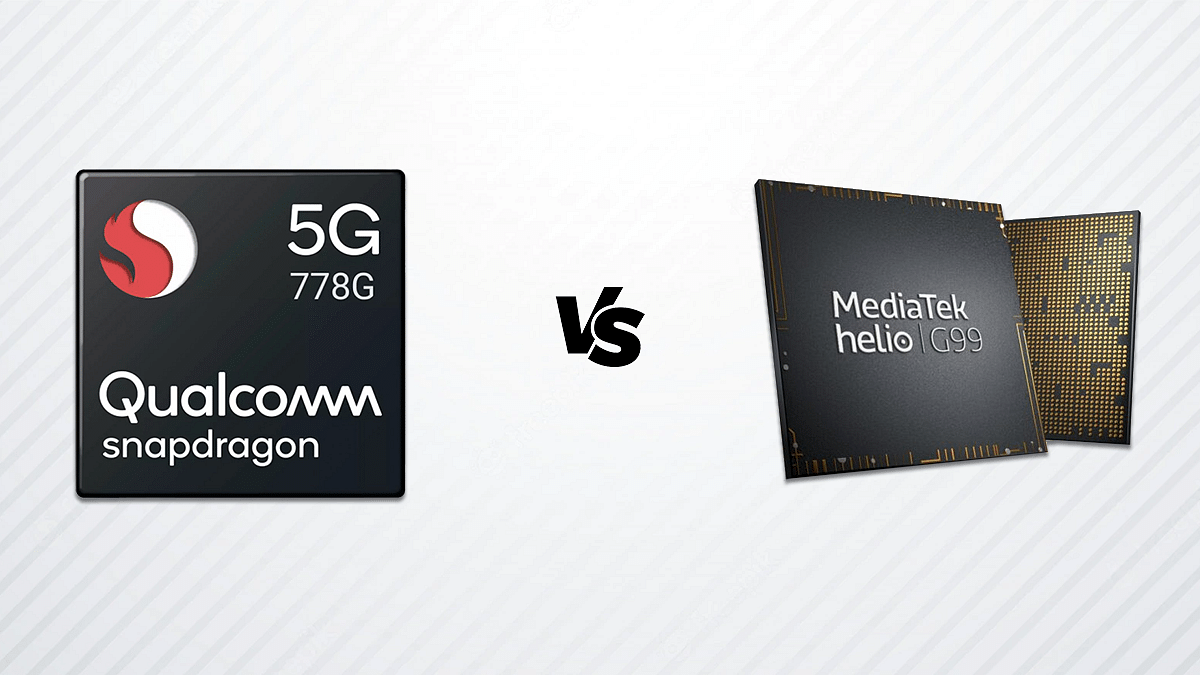
Qualcomm Snapdragon 778G Vs MediaTek Helio G99 Mid-Range Chipset Comparison

Qualcomm and MediaTek are the driving force behind Android smartphones across the global markets. All major smartphone OEMs opt for either a Qualcomm or MediaTek series chipset to power their products. We have been comparing the latest mobile chipsets from both these brands. This article is a quick comparison between the Snapdragon 778G processor and the Helio G99 processor. How do both the chipsets compare in terms of CPU and GPU performance? Read on here:

Qualcomm Snapdragon 778G Vs MediaTek Helio G99: CPU Performance

Both Qualcomm Snapdragon 778G processor and the Helio G96 chipset are built on a 6nm fabrication process. The Qualcomm mid-range processor has octa-cores including one 2.4GHz Cortex-A78 core, three Cortex-A78 cores clocked at 2.2GHz, and four Cortex-A55 cores at 1.9GHz. The MediaTek Helio G99 also has octa-cores which there are two Cortex-A75 cores clocked at 2.2GHz and six Cortex-A55 cores clocked at 2GHz. The frequency range for Qualcomm Snapdragon 778G is 2400 MHz, while the Helio chipset has a 2200MHz frequency range.

Snapdragon 778G Vs Helio G99: GPU Comparison

The Qualcomm Snapdragon 778G processor has the Adreno 642L GPU which is built on Adreno 600 architecture. On the contrary, the Helio G99 comes with Mali-G57 MC2 GPU support which is based on Valhall architecture with each of them offering 2 execution units. The SD 778G has 384 shading units, while the Helio G99 has only 32 shading units. Both chipsets have a 1.1 Vulkan version, 2.0 OpenCL Version, and 12 DirectX version.

Snapdragon 778G Vs Helio G99: Memory, Multimedia (ISP) Comparison

Moving on to the memory type, the octa-core Snapdragon 778G processor comes with LPDDR5 RAM with a max memory frequency and bandwidth of 3200 MHz and 25.5 Gbit/s respectively. The maximum memory size is 16GB with the Qualcomm chipset. Moving on to the Helio G99, it has LPDDR4X RAM support with 4266MHz memory frequency and 10GB max memory size. Qualcomm has added support for UFS 2.1, UFS 2.2, UFS 3.0, ad UFS 3.1 storage, whereas MediaTek has added support for just UFS 2.2 storage.

As for the Multimedia, the max display and camera resolution supported by the Qualcomm Snapdragon 778G processor are 2520 x 1080 pixels and 1x192MP/ 2x36MP respectively. The MediaTek Helio G99 processor offers the same max display resolution but slightly different max camera resolution, i.e., 1x10⁸MP and 2x 16MP. The video recording and playback capability is 4K@30fps with the Snapdragon 778G chipset and 2K@30fps with the MediaTek Helio G99 processor.

Categories
Chipset Comparison Featured

Qualcomm Snapdragon 695 Vs MediaTek Dimensity 820: Which Mid-Range 5G Chipset Is Better?

Smartphones have proved to be one of the most essential commodities for communication and entertainment on the go.  And if we speak of the market it’s majorly Android and Apple iPhones that are ruling the smartphone industry. For Android smartphones, the prime mobile chipset providers are Qualcomm and MediaTek.

Both these brands are ramping up the competition by integrating the latest technologies in their SoCs. We have done several comparisons between MediaTek and Qualcomm processors. This time, we are pitting two of the best mid-range 5G processors from both brands against each other. From Qualcomm, we have selected the Snapdragon 695 chipset, whereas, the Dimensity 820 will take up the slot for MediaTek.

Qualcomm Snapdragon 695 Vs MediaTek Dimensity 820: CPU Comparison

The Snapdragon 695 is an octa-core chipset like most of the mid and premium-range Qualcomm processors. It is built on an ARMv8.2-A Instruction set and a 6nm fabrication process. The SD 695 architecture comprises two Cortex-A78 Kyro 60 Gold cores clocked at 2.2 GHz and six Cortex-A55 cores with 1.7GHz clock speed. It offers a total frequency range of 2200MHz.

On the other hand, the MediaTek Dimensity 820 processor is fabricated using a 7nm process and is based on the ARMv8.3-A Instruction set. The Dimensity 820 chipset also has octa cores including four Cortex-A76 cores clocked at 2.6GHz and four Cortex-A55 cores clocked at 2GHz.

Snapdragon 695 Vs Dimensity 820 Chipset: GPU Differences

Qualcomm has integrated Adreno 619 GPU with the Snapdragon 695 processor which is based on Adreno 600 architecture. The total GPU frequency is 840 MHz with 128 shading units. The MediaTek Dimensity 820 processor comes with Mali-G57 MC5 GPU support which is based on Valhall architecture and has a 650 MHz GPU frequency with 5 execution units. The Vulkan version, OpenCL version, and the DirectX version are 1.1, 2.0, and 12 respectively on both chipsets.

Snapdragon 695 Vs Dimensity 820 Processor: Memory, Multimedia (ISP)

The Snapdragon 695 processor supports LPDDR4X memory type with 2133MHz memory frequency. The same is supported by Dimensity 820 processor. The Max memory allocation size is 8GB for the Snapdragon 695 and 16GB for the Dimensity 820. The storage type is eMMC 5.1 and UFS 2.2 for the Snapdragon chipset, whereas, the Dimensity processor only has UFS 2.2 support.

Moving on to the display and camera resolution, the Snapdragon 695 has a 2520 x 1080 max display resolution and 108MP, 2x16MP camera resolution. The Dimensity 820 supports 2520 x 1080 pixels max display resolution and 1x80MP, 2x 32MP max camera resolution. The Qualcomm chipset can record up to 1080p@60fps videos, while the Dimensity 820 supports 4K@30fps video capturing.

Categories
Chipset Comparison

Qualcomm Snapdragon 888 Vs MediaTek Helio G95 Gaming Chipset Comparison

Qualcomm and MediaTek are the major contributors to the mobile chipset industry. Both these brands have created their strong base with smartphone processors and have launched SoCs for all categories of mobile including affordable and premium. MediaTek has dual chipset series for smartphones including Helio and Dimensity. The latter is the brand’s latest bet in this race and is designed specifically for 5G Android phones.

Whereas, the Helio series is MediaTek’s oldest processor series for Android smartphones. MediaTek just refreshed the Helio series with the Helio G95 which is a game-centric chipset for premium range phones. In this article, we are comparing it with Qualcomm’s high-end Snapdragon 888 processor. Take a look:

Qualcomm Snapdragon 888 Vs Helio G95: CPU Comparison

The Qualcomm Snapdragon 888 is an octa-core chipset that is built on a 5nm fabrication process. It has one Kyro 680 Prime Cortex-X1 core clocked at 2.84GHz, three Kyro 680 Gold Cortex-A78 cores clocked at 2.42Ghz, and four Cortex A55 cores at 1.8Ghz.

On the other hand, the MediaTek Helio G95 is also an octa-core chipset that is built using a 12nm fabrication process. It has dual Cortex-A76 cores clocked at 2.05GHz and six Cortex-A55 cores clocked at 2GHz.

The frequency response range offered by the Qualcomm chipset is higher compared to the MediaTek processor. The Snapdragon 888 chipset has a 2480 MHz frequency based on the ARMv8.4-A Instruction set. On the other hand, the Helio G95 has a 2050 MHz frequency and ARMv8.2-A instruction set.

Snapdragon 888 Vs Helio G95: GPU

Speaking of the GPU, the Qualcomm Snapdragon 888 processor has Adreno 660 GPU support for graphics rendering. The GPU is based on Adreno 600 Architecture and has 840MHz GPU frequency with two execution and 512 shading units. The MediaTek Helio G95 comes with Mali-G76 3EEMC4 GPU which is built on Bifrost Architecture. The Helio G95 gaming processor has a 900MHz GPU frequency with 4 execution and 64 shading units. Both chipsets run 1.1 Vulkan version, 2.0 OpenCL version, and 12 DirectX version.

Snapdragon 888 Vs Helio G95: Memory, Multimedia (ISP)

The Qualcomm Snapdragon 888 supports LDDR5 RAM with 3200 MHz memory frequency, while the Helio G95 comes with LPDDR4X RAM and 2133 MHz memory frequency. The maximum size supported by Qualcomm SD 888 is 24GB, whereas the Helio G95 has 10GB max memory size support.

The Qualcomm Snapdragon 888 chipset gets UFS 3.0 and UFS 3.1 storage support, whereas, the Helio G95 has eMMC 5.1 and UFS 2.1 storage. The max display and camera resolution offered by the Snapdragon chipset is 3840 x 2160 pixels and 1 x 200MP, 2x 25MP. The Qualcomm chipset’s max video capturing capability is 8K@30fps and 4K@120fps. It supports 8K230fps video playback and H.264, H.263, VP8, and VP9 video codecs. The audio codecs supported by the SD 888 include AAC, AIFF, CAF, MP3, MP4, and WAV.

As for the Helio G95, it offers a max display and camera resolution of 2520 x 1080 and 1X64MP, 2X 24MP respectively. This premium mid-range MediaTek processor supports 4K@30fps videos and H.264, H.265, and VP9 video codecs. The audio codecs supported by this chipset are AAC, AIFF, CAF, MP3, MP4, and WAV.