Categories
Featured Info Tablet

List Of Best Android Tablets Under Rs. 20,000 You Can Buy In India In 2022

India has gradually become a hub for tech brands and we are witnessing a new product launch every other week in different categories. Smartphones and tablets are amongst the most sold gadgets in the modern market. Specifically, the tablet industry has started expanding exponentially in the last decade with the smartphone OEMs stepping their foot in this market.

Android tablets are amongst the best options for users looking for a big-screen gadget for daily use. Currently, the Indian market has a plethora of options when it comes to budget-friendly and feature-rich tablets. If you have been considering buying a new Android tablet that fits your budget and can also perform extensive tasks without any hassles then this list will be your guide. We have curated the list of best mobile tablets that you can purchase under Rs. 20,000 in 2022 in India.

Top Android Tablets Under Rs. 20,000 In India This Year

Samsung Galaxy Tab A7 Tablet

One of the top-selling Android tablets under Rs. 20,000 price bracket in India is the Samsung Galaxy Tab A7. This Android tablet from Samsung is equipped with the mid-range octa-core Snapdragon 662 processor which is further clubbed with up to 3GB RAM and 32GB storage.

The Samsung Galaxy Tab A7 tablet flaunts a 10.4-inch display which offers a 1200 x 2000 pixels screen resolution. The Galaxy Tab A7 imaging setup comprises an 8MP rear camera and a 5MP selfie snapper.

The battery capacity packed inside the Galaxy Tab A7 is a 7,040 mAh unit which is sufficient for more than half a day of backup with a single plugin. The price of the Galaxy Tab A7 tablet with 3GB RAM is approx. Rs 17,950 in India.

Samsung Galaxy Tab A8 Android Tablet

The second best Android tablet that can be purchased for under Rs. 20,000 in India is also from Samsung. The Galaxy Tab A8 is the model that makes this list of budget-friendly Android tablets in India in 2022. This tablet has slightly similar features to the Galaxy Tab A7. The display here is slightly bigger at 10.50-inches which supports 1200 x 1920 pixels screen resolution.

The chipset driving the Galaxy Tab A8 is the Unisoc T618 processor paired with 3GB RAM. The storage option offered is up to 32GB, further expandable via an external microSD card. The imaging setup on the Galaxy Tab A8 is the same as the Galaxy Tab A7, i.e, a 5MP selfie camera and an 8MP rear camera. The battery capacity on this Galaxy Tab A tablet is 7,040 mAh.

Nokia T20 Android Tablet

If you wish to buy the latest tablet model loaded with features and priced reasonably then the Nokia T20 would be an ideal pick. This is another Unisoc series processor-powered phone (Unisoc T610) which is priced under Rs. 20,000.

This tablet features a 10.40-inch IPS LCD display which supports a 2K resolution of 1200 x 2000 pixels. This tablet comes with a 3GB/4GB RAM option and ships with Android 11 OS. The storage option is also dual, i.e., 32GB and 64GB.

The Nokia T20 tablet offers an 8MP primary rear camera and a 5MP selfie snapper. The battery capacity is bigger compared to the aforementioned Galaxy Tab A tablets. It is powered by a 8,200 mAh battery unit. The starting price of the Nokia T20 in India is Rs. 15,499.

Realme Pad Budget Android Tablet

Realme is one of the newest names in the mobile tablet space. The Realme Pad is the brand’s first Android tablet which is designed for the mid-range audience. The Realme Pad tablet is powered by the MediaTek Helio G80 processor.

The octa-core chipset on the Realme tablet employs Mali G52 GPU for graphics, up to 6GB RAM for multitasking, and 128GB storage configuration.  For optics, it offers an 8MP back camera and an 8MP selfie camera. The battery capacity on this tablet is 7,100 mAh which is aided by 15W fast charging. You can buy the Realme Pad tablet at an asking price of around Rs. 13,999 in the country.

TCL Tab 10 Max Wi-Fi Android Tablet

The TCL Tab 10 Max is another good option to consider if your budget is below Rs. 20,000. At an asking price of Rs. 18,999, you get a 10.36-inch display with 1200 x 2000 pixels screen resolution and a massive 13MP main camera.

This Android tablet can be purchased with up to 4GB RAM and 64GB onboard storage and also has expandable storage support. It uses an 8MP snapper for selfies and video calls. The battery capacity driving this handset is 8,000 mAh and the asking price is around Rs. 18,999.
Categories
Featured Leaks Mobile

iQOO 9T Live Unboxing Video Surfaces Just Ahead Of Launch; Full Design, Features Out

iQOO 9T India launch is just around the corner. The next flagship iQOO gaming phone is scheduled to launch this month itself in India. As per the rumors, the iQOO 9T will be debuting in the country as the rebranded version of the iQOO 10 which is also slated for July launch in China. The device is confirmed to be available in the country via the e-commerce platform Amazon. Now, a popular YouTuber has shared an unboxing video of the iQOO 9T BMW edition right ahead of the launch.

iQOO 9T Unboxing Video Surfaces On YouTube

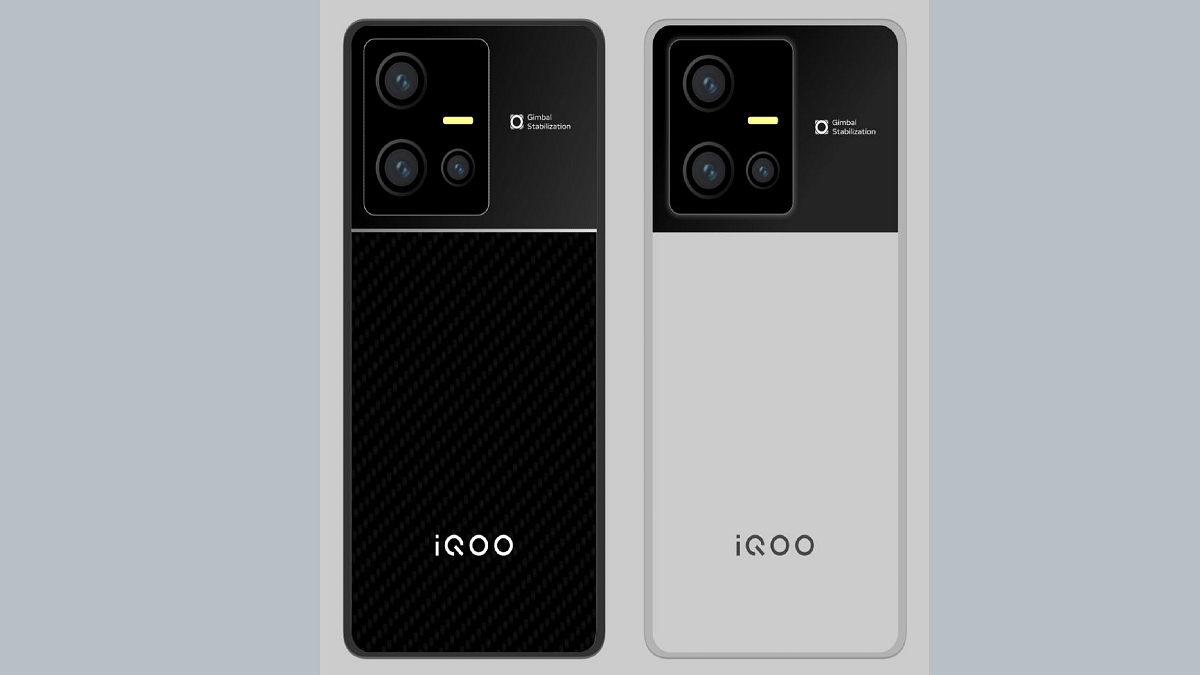
The iQOO 9T unboxing video has been uploaded on YouTube by Tech Burner. The design of the upcoming flagship gaming iQOO phone has been revealed in full glory. The YouTuber has shared the unboxing video of the iQOO 9T BMW Edition which can be seen sporting the white rear surface with red/black/blue stripes running down the camera module.

The video also shows a black color variant of the iQOO 9T. Notably, both color variants offer a dual-tone finish. The rectangular camera module painted in black adds to the dual-tone effect. The glass back panel is surrounded by a metallic frame. Both volume and the power keys are placed on the right panel. The bottom panel accommodates the USB Type-C port and a 3.5mm headphone jack.

The iQOO 9T retail box contents include a SIM ejector tool, user manuals, USB Type-C charging cable, and a 120W power brick. The retail box also packs a transparent back panel which will safeguard the handset from scratches and smudges. The unboxing video also confirms a punch-hole camera cutout upfront for selfies and video calling. The iQOO 9T’s display will also integrate an in-display fingerprint scanner for biometrics.

iQOO 9T Expected Specifications

The iQOO 9T unboxing video shared by Tech Burner also confirms the key specs. The live hands-on video confirms the presence of the Snapdragon 8+ Gen 1 processor. This same detail has been tipped by multiple other leaks in recent times. The octa-core premium chipset will have LPDDR5 RAM support along with UFS 3.1 storage.

The unboxing video of the iQOO 9T has also confirmed a 50MP primary Samsung GN5 camera lens at the back. The handset will come integrated with the Vivo V1+ imaging chip for enhanced photography.

Categories
Accessories Featured

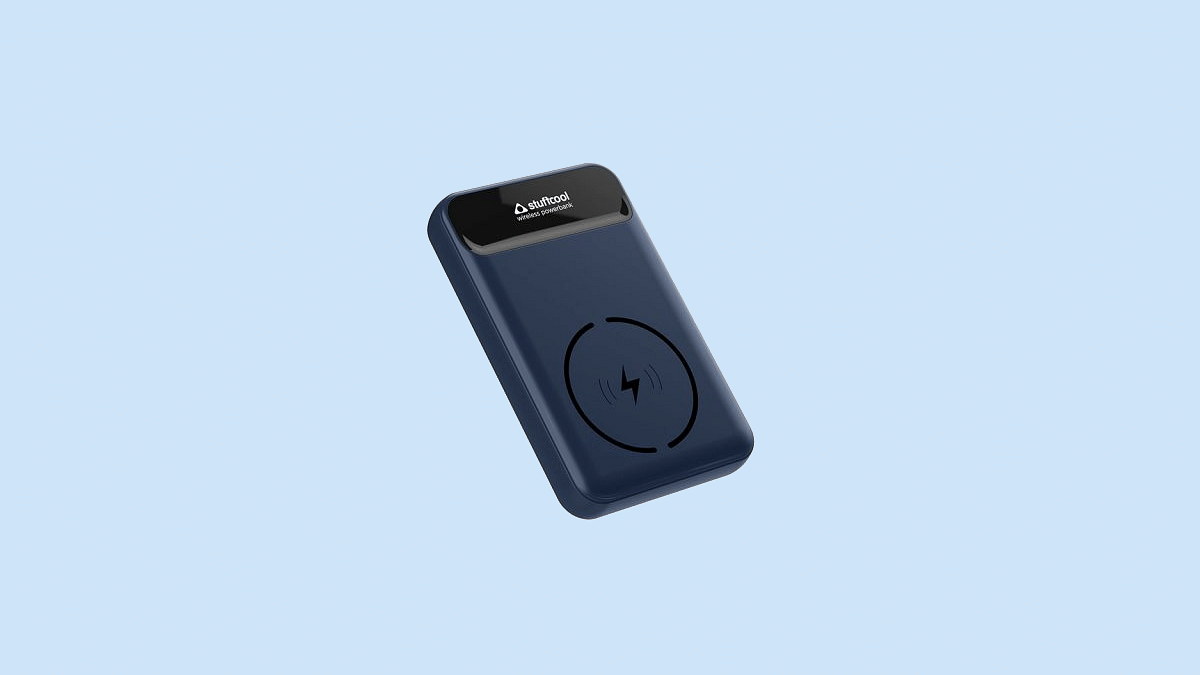
Stuffcool Magnetic Wireless Powerbank With 20W PD Charging, MagSafe Launched In India

Stuffcool is quite popular in the Indian market with its wide range of smartphone accessories. The brand is catering to the Indian audience with advanced solutions with mobile accessories. The company is gradually strengthening its portfolio with charging accessories; specifically, powerbanks. Now, the company has launched a new Magnetic Wireless powerbank with 20W PD charging in India.

Stuffcool Magnetic Wireless Powerbank Key Features

The Magnetic Wireless Powerbank is one if the most advanced portable charging device from Stuffcool. This portable smartphone charger has a 10,000 mAh capacity that can easily refuel any latest smartphone twice (full charge). The Magnetic wireless powerbank is compatible with both Apple and Android smartphones.

The Stuffcool Magnetic Wireless powerbank comes with MagSafe charging for new-generation iPhones. It can wireless charge the iPhone 12 and iPhone 13 models. If you own any of these iPhone variants, you will be able to charge your handset wirelessly with the magnetic holder.

As mentioned above, the latest Stuffcool Magnetic wireless charger also features PD20W fast wired charging. It has both USB Type A and USB Type C ports for wired charging. Speaking of the charging speeds, the magnetic wireless charger is claimed to re-fuel an iPhone up to 50 percent within 30 minutes. It uses QC3.0 fast charging technology which is delivered from the USB Type A port.

Just for reference, for the supported Apple iPhones, the latest Stuffcool charger offers a total of 15W charging. Besides the iphone 12 and the iPhone 13 models, the charger is also capable of wireless charging other flagship Android phones and also a bunch of Apple accessories. The supported Android devices are the ones enabled with Qi charging.

The flagship-grade Samsung phones and the Google Pixel 6 models will be compatible with this wireless charger. The magnetic charger can also recharge Apple AirPods Pro wirelessly. The powerbank is BIS certified and has advanced security features for a safe charging experience.

Stuffcool Magnetic Wireless Powerbank Price In India, Buying Details

The Stuffcool Magnetic Wireless powerbank is launched at Rs. 4,990 in the Indian market. This portable wireless powerbank is available for purchase via both online and offline retail stores in the country.

Categories
Featured Info Mobile

Xiaomi 11 Lite Getting Discontinued Ahead Of Xiaomi 12 Lite 5G India Launch: Here’s Why

Xiaomi 11 Lite arrived as one of the powerful mid-range phones by the Chinese tech giant in India. Now, the brand is gearing up to bring its successor called the Xiaomi 12 Lite in the Indian market. The company is said to launch the Xiaomi 12 Lite in the coming months. Ahead of the launch, rumors are rife that its predecessor will be removed from the shelves in the Indian stores. Here’s what the latest developments are:

Xiaomi 11 Lite Likely Getting Discontinued In India Soon

The Xiaomi 11 Lite 5G is said to be discontinued soon in the Indian market. The device might be removed from the stores right ahead of the Xiaomi 12 Lite’s official launch in the country. Tipster Paras Guglani has shared this development via Twitter. The tipster has learned from industry sources that the Xiaomi 11 Lite will be replaced by the Xiaomi 12 Lite as soon as the latter makes its debut in the country.

The tweet shared further hints the brand will continue selling the Xiaomi 11 Lite NE 5G variant post the Xiaomi 12 Lite 5G’s launch.  The reason for the discontinuation of the Xiaomi 11 Lite 5G is not confirmed officially. However, it seems the brand will likely replace this model to boost the sales of the new variant.

As for the Xiaomi 12 Lite, it already has made its debut in the international markets and will be arriving with the same set of features in India. The chipset used to power the 12 Lite is said to be the Snapdragon 778G processor combined with up to 8GB RAM and 256GB storage. The handset will feature a big 6.5-inch AMOLED screen which will deliver an FHD+ screen resolution and 120Hz refresh rate.

The Xiaomi 12 Lite’s AMOLED screen will also feature Dolby Vision and HDR10+ certification. The camera specifications of the upcoming premium mid-range Xiaomi handset include a 108MP main camera which will be a Samsung HM2 lens with an f/1.9 aperture.

The primary sensor will be combined with an 8MP ultra-wide-angle sensor and a 2MP macro lens. The selfie department will be taken care of by a 32MP lens packed inside the punch-hole camera cutout. This handset will draw its power from a 4,300 mAh battery unit with 67W fast charging.

Categories
Apps Info

WhatsApp Users On iOS Might Soon Get Option To Upload Voice Notes As Status

A new WhatsApp feature is being released for iOS users soon. The Meta-owned instant messaging platform has released multiple new features to both Android and iOS users and for the latter, it now plans to add one more. WhatsApp’s next update might let iOS users add their personal voice notes as status. What is the exact feature WhatsApp is working on and is it coming to Android users as well? Here are the details:

New WhatsApp Update To Allow Post Voice Notes Via Status

WhatsApp had borrowed the Status feature from Instagram’s stories and has been making improvements ever since its release. As of now, the company only allows users to upload images or short videos as status. Users can also set different privacy options for status visibility on their respective profiles. Now, amongst the several upcoming WhatsApp features reported is the ability to share voice notes as status.

This new upcoming feature is said to be in the testing phase and could be released for iOS users initially. A report via WABetainfo suggests this development. The method to share voice notes as status on WhatsApp would be same as images and videos. The report also has a screen shot that shows how a user will be able to share audio recordings as a status on WhatsApp.

Once the stable update for this app is released, a dedicated audio recording icon will be added alongside the camera and the edit tabs. Users will get the option to directly record audio messages and upload them as status. The report doesn’t mention when the stable update will be released. Also, there is no word how soon this new feature will be made available for Android users.

Categories
Apps Featured How To

Here’s How You Can Restore Accidentally Deleted Google Drive Files On Android, iOS

Google’s Android ecosystem is quite vast and offers users a whole range of services and tools. If you are one of the Android phone users, you must have accessed the different apps available on the Play Store. You not just get apps from third-party developers but also from the search giant itself. Google has a whole host of useful applications that helps the masses with different tasks. One of such applications offered by Google is the free cloud storage service called Google Drive.

The Google Drive application is available for both Android and iOS users. This storage app lets users save documents and other files on the cloud which can be accessed when required. This app not just allows the provision of storing files but also make necessary changes and share it with other users via different modes. You can delete unwanted files to free up some additional space.

While removing unnecessary files definitely helps with storage management, there are scenarios when we accidentally delete important documents on Google Drive. Thankfully, Google doesn’t permanently delete the files once removed from the app. A 30 days grace period is offered to restore deleted documents on Google Drive. How do you restore accidentally deleted files on Google Drive? Read on the steps below:

Steps To Restore Accidentally Deleted Google Drive Files On Android Phones

Step 1: Launch the Google Drive mobile application on your respective Android devices.

Step 2: Click on the menu option (three horizontal bars).

Step 3: Tap on the Trash/ Bin option.

Step 4: Scroll down to the file that you wish to restore and click on the three dots icon next to it.

Step 5: Select the restore tab. The file will be restored on your Google Drive application.

Steps To Recover Deleted Google Drive Files On iOS Devices

Step 1: Unlock your iPhones and launch the Google Drive app.

Step 2: Repeat the same steps as mentioned above for Android OS.

In addition to Android and iOS devices you can also use Google Drive services on laptops and PCs. You can access all the features that you get on the mobile version. Also, you can restore the deleted files on Google Drive using the desktop version.

Categories
Apps Featured How To

How To Make Your Android Smartphone A Document Scanner? Step By Step Guide

Smartphones are becoming powerful with each passing day. What was earlier used for communication is now capable of delivering a powerful gaming experience and photography experience. The new-generation smartphones are capable enough to replace laptops and PCs to some extent. That’s specifically with the usage of professional tools such as MS office and others.

And the market is majorly dominated by Google‘s Android and iOS devices. The former has a larger ratio due to the affordability factor and also the availability of numerous third-party mobile applications. We now have some of the popular PC apps available for download on the Google Play Store. And you get multiple options if you go to download any such app.

Document scanning is one such key task that a modern-day smartphone is capable of performing. And you wouldn’t require a PC or laptop for the same if you own a new-age Android phone. There are a plethora of Android applications that allow document scanning. But how exactly can you turn your Android smartphone into a document scanner? Here in this article, we have listed all the steps:

How To Scan Documents Using Android Smartphone?

In order to turn your Android smartphone into a document scanner, you will need either need to download a third-party application or use the Google Drive app. If you don’t want to use the dedicated Google app then Adobe Scan and Microsoft Office Lens are the two other popular options. We have listed the steps to use the Google Drive document scanner since this is a pre-installed app on most Android phones.

Step 1: Unlock your Android phone and launch the Google Drive application.

Step 2: On the bottom right corner, you will see the “Add” option. Click on it.

Step 3: Select the “Scan” button.

Step 4: Capture the photo of the document of which you need a scanned copy.

Step 5: Now make the required adjustments to the scanned document.

Step 6: Click on Done.

The process of scanning a document using the remaining two apps, i.e., Microsoft Office Lens and Adobe scan is almost similar. You would need to capture the image of the document and make a scanned copy.

Categories
Apps Featured How To

How To Activate Call Forwarding On Android, iOS Smartphones?

Smartphones today are one of the most commonly used commodities of the modern world. With numerous brands competing in the smartphone industry, users are flooded with options to choose from. We now can do much more than simple voice calls and messages with the new mobile phone age. Despite smartphones offering a plethora of services and tools, the primary function till date remains audio calling. Different telecom operators in India offer calling and messaging services.

The advancements in the tech field now allow users to divert calls on different mobile numbers. This is a useful option that comes to the rescue when you wish to avoid some calls or are traveling and might be unreachable due to bad networks or no battery.

Most Android OEMs are now pre-loading the call forwarding feature on their devices that you can use at your convenience. Similarly, Apple iPhones also offer the call forwarding option for you to divert calls on a different mobile number. But how do you start and stop call forwarding on your respective Android and iOS devices? Read on to know:

How To Start Call Forwarding On Android Smartphones?

Step 1: Unlock your respective Android phones and launch the Phone dialer application.

Step 2: Launch the phone application.

Step 3: From the top right corner click on the three dots option.

Step 4: Select the “Settings” option.

Step 5: Now, click on “Call Settings”.

Step 6: Select the “Call Forwarding” option,

Step 7: Set the option as required. You can either set Always Forward, Forward when busy, Forward when unanswered, and Forward when unreached.  

Step 8: You will now get an option to enter the mobile number on which you need to divert the calls.

Step 9: Click on Ok to save the settings.

How To Activate Call Forwarding On Apple iPhones?

Step 1: Open the settings menu on your iPhone.

Step 2: Select the Phone option.

Step 3: Tap on Call forwarding. While performing these steps, you need to make sure you have access to the cellular networks and are within range.

That’s all you need to do to activate call forwarding on your Android and iOS smartphones.

Categories
Comparison Featured Tablet

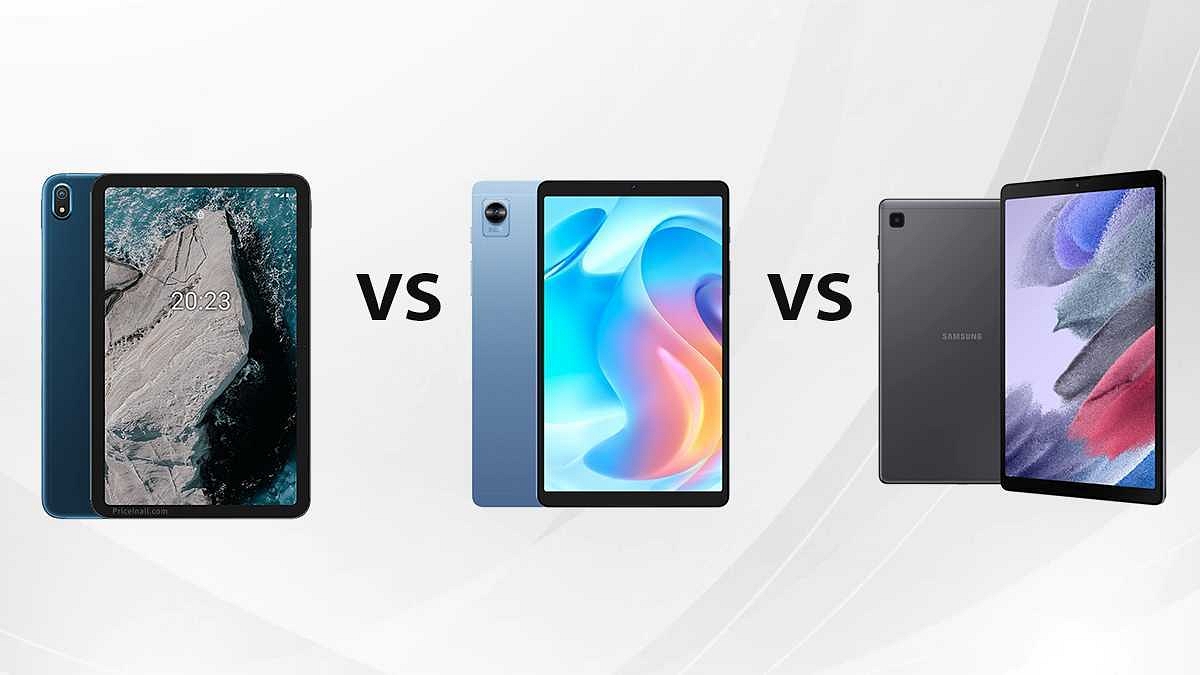
Nokia T20 Vs Realme Pad Mini Vs Samsung Galaxy A7 Lite: Budget Tablet Specification Comparison

The budget tablet market in India is frequently getting revamped with new products. A major contribution is now coming in from smartphone OEMs. Nokia has also forayed into the tablet market and released many models including the Nokia T20 in India. Similarly, Realme has also launched two tablet models in the country for the mid-range and budget audience. For the latter, it’s the Realme Pad Mini which retails under Rs. 15,000 in the country. Going up against both these tablets is the Samsung Galaxy A7 Lite. We have done a full comparison of all three models in this article to help you with your next buy.

Nokia T20 Vs Realme Pad Mini Vs Samsung Galaxy Tab A7 Lite: Display Comparison

The Nokia T20 uses a 10.4-inches display which has a screen-to-body ratio of 78.9 percent and a pixel density of 224 PPI. The panel on the Nokia tablet is an IPS LCD that supports 1200 x 1200 pixels screen resolution and has 400 nits peak brightness levels.

The Realme Pad Mini features a smaller 8.7-inches screen which is also an LCD panel like the Nokia tablet. The display on the Realme Pad Mini has a lower screen resolution compared to the Nokia tablet. It offers 800 x 1340 pixels resolution and 179 PPI pixel density.

The Samsung Galaxy Tab A7 Lite has a similar 8.7-inch display but uses a TFT LCD instead of an IPS LCD. The Galaxy Tab A7 Lite’s screen support 800 x 1340 pixel resolution and has the same 179 PPI pixel density as the Realme Pad Mini. If your requirement is a bigger screen size and higher pixel resolution then the Nokia T20 would be the better model among the two.

Nokia T20 Vs Realme Pad Mini Vs Samsung Galaxy Tab A7 Lite: Chipset, Configuration

The Nokia T20 has been packed with the Unisoc T610 processor which is an entry-level mobile chipset based that supports 4G network support and is built on a 12nm fabrication process. The octa-core Unisoc processor on the Nokia T20 is supported by the Mali-G52 GPU for graphic rendering and 3GB/4GB RAM for multitasking. The Nokia T20 can be purchased with up to 64GB of internal storage. It has a dedicated microSD card slot for storage expansion in case of a crunch.

Realme has also used a Unisoc processor to power its budget tablet. The Realme Pad Mini is powered by the octa-core Unisoc Tiger T616 chipset which is also built on a 12nm fabrication process. The Realme Pad Mini comes with up to 4GB RAM and 64GB storage configuration and has a hybrid SIM slot for extra storage space.

Samsung on the contrary has equipped the Galaxy Tab A7 Lite with the octa-core MediaTek Helio P22T processor. This budget chipset is fabricated using a 12nm process like the remaining two models. The Galaxy Tab A7 Lite’s octa-core processor has PowerVR GE8320 GPU support and up to 4GB RAM and 64GB storage support. The performance delivery will be the same on all these tablets. You will be able to use it for basic as well as moderate tasks.

Nokia T20 Vs Realme Pad Mini Vs Samsung Galaxy Tab A7 Lite: Camera Comparison

The primary camera on the Realme Pad Mini, Samsung Galaxy Tab A7 Lite, and the Nokia T20 are the same. All three tablets offer an 8MP main camera with an f/2.0 aperture. The selfie snapper is identical to the Realme Pad Mini and the Nokia T20, i.e., a 5MP lens. However, the Samsung Galaxy Tab A7 Lite has a smaller 2MP sensor.

Nokia T20 Vs Realme Pad Mini Vs Samsung Galaxy Tab A7 Lite: Battery, Fast Charging

The Nokia T20 is a powerful beast with an 8,200 mAh battery unit with 15W fast charging. The Realme Pad Mini comes second in the list with a slightly smaller 6,400 mAh battery unit. On the other hand, the Samsung Galaxy Tab A7 Lite features the smallest battery capacity in this list, i.e., a 5100 mAh unit.

Categories
Comparison Featured Tablet

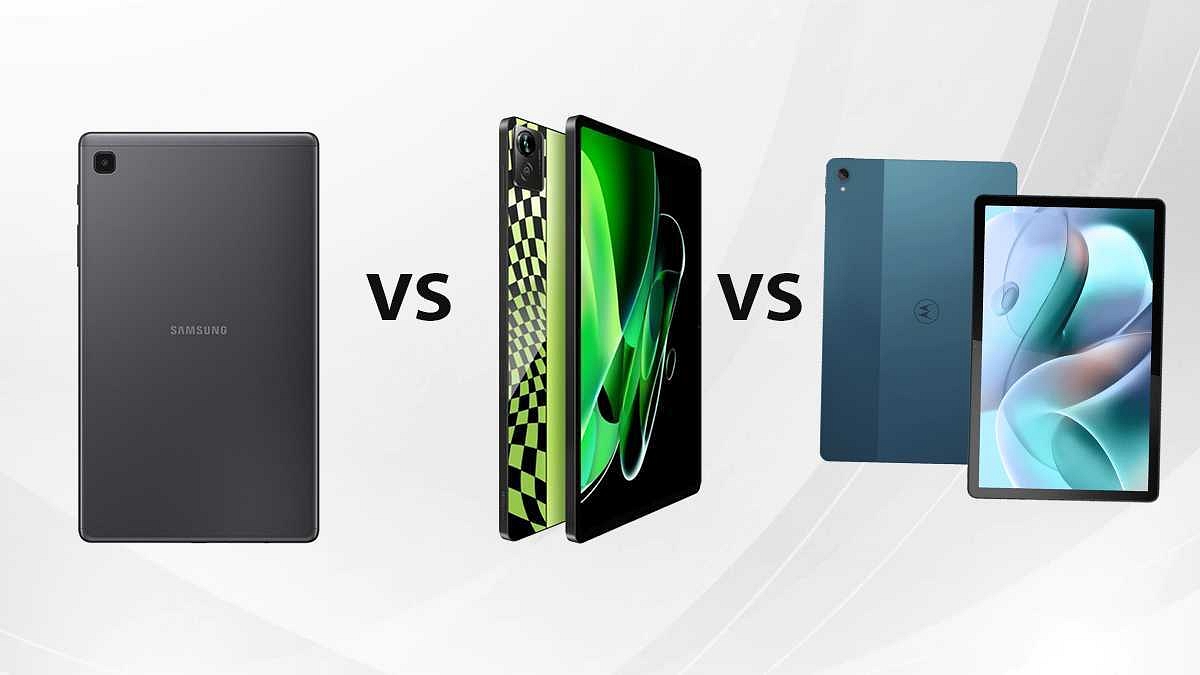
Samsung Galaxy Tab A8 Vs Moto Tab G70 Vs Realme Pad X 5G: Which One To Buy?

The tablet industry has seen major growth in the Indian market. The surge has been evident with the smartphone OEMs venturing into this segment. We have been comparing the best tablets in all the price categories that you can consider depending on your usage. In this article as well, we are comparing some of the most popular tablets with premium mid-range hardware. We have listed down the hardware differences between the Samsung Galaxy Tab A8, Moto Tab G70, and the Realme Pad X 5G.

Samsung Galaxy Tab A8 Vs Moto Tab G70 Vs Realme Pad X 5G: Display Specifications

The Samsung Galaxy Tab A8 bestows a TFT screen that measures 10.4-inches and supports 1200 x 2000 pixels screen resolution. The tall screen size is apt for high-resolution video playback. The Realme Pad X 5G features a similar-sized panel as the Samsung tablet. This Realme tablet is packed with a 10.6-inch screen which has an aspect ratio of 5:3 and a screen-to-body ratio of 7.4 percent.

Motorola has also used an IPS LCD screen on the Tab G70 which has an aspect ratio of 5:3 and a screen-to-body ratio of 81.8 percent. The Motorola tablets support a 2K resolution of 1200 x 2000 pixels which is optimum for content consumption. The Realme Pad X 5G and the Moto Tab G70 offer a good panel for daily usage, while the Samsung Galaxy Tab A8’s display is also decent for day-to-day use.

Samsung Galaxy Tab A8 Vs Moto Tab G70 Vs Realme Pad X 5G: Chipset, Configuration Details

The Motorola Tab G70 is packed with the MediaTek MT6785 processor. For the unaware, this MediaTek processor is marketed as the Helio G90T chipset which is built on a 12nm fabrication process. This is a game-centric processor that has Adreno 619 GPU support that can handle extensive tasks and games. This Motorola tablet is packed with up to 4GB RAM and 64GB storage configuration and also has a dedicated slot for storage expansion and dual microSD card support.

The Realme Pad X 5G features the Qualcomm Snapdragon 695 processor which supports 5G network and is built on a 6nm process. The octa-core 5G processor supports Adreno 619 GPU to render all the high-end graphics. This Realme 5G tablet comes with a 4GB/ 6GB RAM configuration and 64GB/ 128GB storage. This tablet also comes with expandable storage support.

Samsung has also used a Qualcomm chipset to drive the Galaxy Tab A8. This tablet is packed with the octa-core Snapdragon 662 chipset which is based on an 11nm process and supports standard 4G network connectivity. The Galaxy Tab A8’s octa-core processor combines Adreno 610 GPU for graphics.

And for multitasking, the Galaxy Tab A8 offers 3GB and 4GB RAM and 32GB and 64GB storage options. The option to support an external microSD card for additional space is also present here. All three tablet models in this list are suitable for users for daily use. However, if you require a future-ready tablet that is 5G ready, the Realme Pad X 5G would be the ideal pick.

Samsung Galaxy Tab A8 Vs Moto Tab G70 Vs Realme Pad X 5G: Camera Hardware

Speaking of the camera hardware, the Samsung Galaxy Tab A8 is the only model in this list that features basic camera hardware. The rear panel on the Galaxy Tab A8 comprises a single 8MP lens with autofocus and 1080p@30fps video recording. On the other hand, both Motorola Moto Tab G70 and the Realme Pad X 5G feature the same camera specifications. The primary camera on both these tablets includes a 13MP lens with an f/2.2 aperture and autofocus support. Both these tablets also record 1080p videos at 30fps.

Moving on to the selfie snapper, the Samsung Galaxy Tab A8 has a smaller 5MP lens for selfies and video chats. On the other hand, both Realme Pad X 5G and the Moto Tab G70 flaunt an 8MP selfie camera with an f/2.0 aperture. For better output, you should opt for the latter two models.

Samsung Galaxy Tab A8 Vs Moto Tab G70 Vs Realme Pad X 5G: Battery, Fast Charging Capacity

In terms of battery capacity, the Realme Pad X 5G is the most powerful model. Realme has packed the Pad X 5G with a beefy 8,340 mAh battery unit which combines 33W fast charging for faster refuels. The Moto Tab G70 is the next in line with a 7,700 mAh battery unit and 20W fast charging. Lastly, the Samsung Galaxy Tab A8 offers a slightly small 7,040 mAh battery unit aided by 15W fast charging technology.