As the Assistant Editor, Sandeep is generating tech-oriented content and also monitoring the content published on the website. He has over six years of experience in tech journalism and has expertise in product reviews, news articles, listicles, and media campaigns.
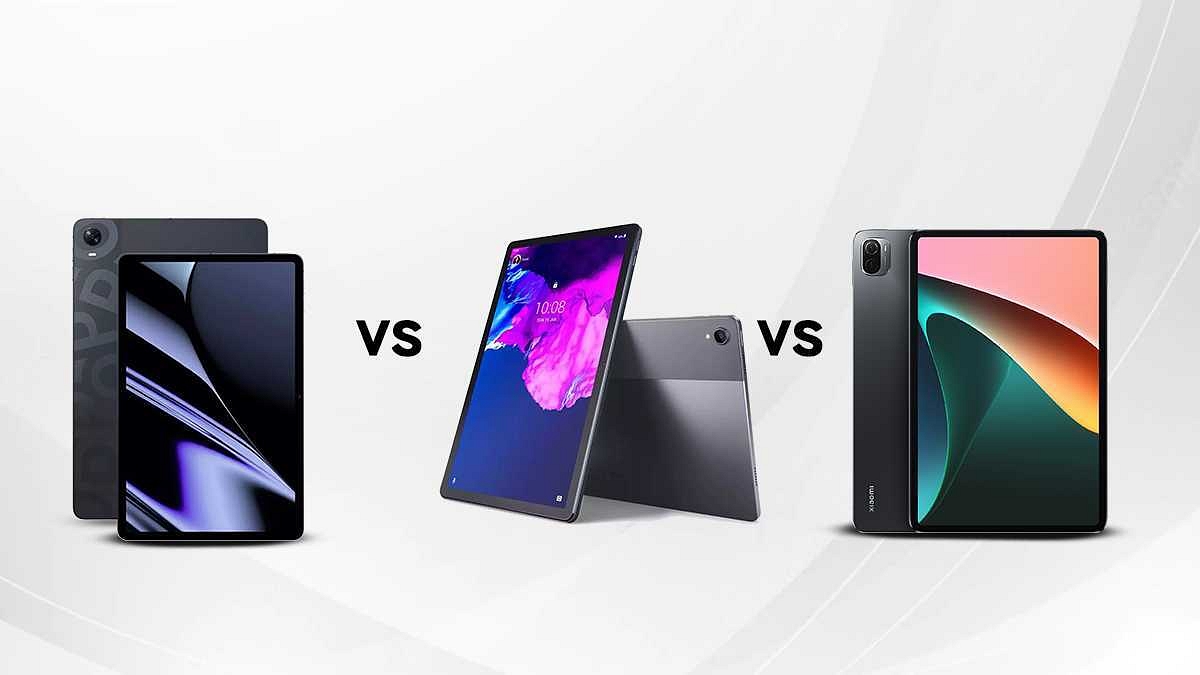
Several smartphone OEMs have forayed into the tablet market in the last few years. OPPO, Realme, Xiaomi, and others are amongst the latest brands in the tablet market that are currently competing against the existing players. Lenovo is one of the major players in the tablet industry which recently expanded its portfolio in this space with the Tab P11 Plus.
The latest Lenovo Tab P series tablet is going up against the likes of the OPPO Pad and the Xiaomi Pad 5 with its mid-range hardware. We are doing a spec-sheet-based comparison between all three models so that you can consider the best next tablet buy for you.
OPPO Pad Vs Lenovo Tab P11 Plus Vs Xiaomi Pad 5: Display Features
The OPPO Pad flaunts a tall 11-inch IPS LCD screen with an 84.9 percent screen-to-body ratio. The display on the OPPO tablet renders a 2K resolution of 1600 x 2560 pixels and has an aspect ratio of 16:10. This advanced panel also features a 120Hz refresh rate which allows for smooth frame transitions with every type of content.
The Lenovo Tab P11 Plus has also been announced with an IPS LCD screen that measures the same as the OPPO tablet, i.e., 11-inches. The panel comes with a 1200 x 2000 pixels screen resolution (slightly lower compared to the OPPO Pad tablet). The refresh rate is also higher on the OPPO model.
You get an identical display on Xiaomi Pad 5 tablet as the OPPO Pad. The 11-inch IPS LCD screen flaunts a 120Hz refresh rate and a 2K resolution of 1600 x 2560 pixels. The display is HDR 10 certified that lets you consume 1080p content on OTT platforms including Netflix and Amazon Prime videos. All three tablets offer a premium watching experience with big screen size and higher resolution/refresh rate.
OPPO Pad Vs Lenovo Tab P11 Plus Vs Xiaomi Pad 5: Chipset Comparison
The chipset and configuration are the same on the OPPO Pad and the Xiaomi Pad 5. Both these Android tablets are packed with an octa-core Snapdragon 870 chipset. This is a premium mid-tier Qualcomm processor which comes with 5G network support and is suitable for high-end gaming. The OPPO Pad can be purchased with 6GB/ 8GB RAM and 128GB/ 256GB storage option.
However, the Xiaomi Pad 5 only has a single 6GB RAM option which is clubbed with 128GB and 256GB storage configurations. As for the Lenovo Tab P11 Plus, this tablet is driven by a MediaTek gaming processor instead of a Qualcomm chipset like the OPPO and Xiaomi tablets. The chipset used is the MediaTek Helio G90T processor. The configuration here is lower compared to the remaining two models. The Tab P11 Plus is launched with 4GB/ 6GB RAM and 64GB/128GB storage space.
OPPO Pad Vs Lenovo Tab P11 Plus Vs Xiaomi Pad 5: Camera specification Comparison
While most of the hardware features are different on all three tablets, the camera specifications are identical. The OPPO Pad tablet comes with a 13MP main camera which is a wide AF lens that can record 1080p@30fps videos. The same is the case with the Lenovo Tab P11 Plus and the Xiaomi Pad 5. Both these tablets are equipped with a 13MP main camera at the back that is capable of shooting 1080p videos at 30 fps. You can expect a good daylight photography experience on all three OPPO, Xiaomi, and Lenovo tablets.
For selfies and video calls, the OPPO Pad, Lenovo Tab P11 Plus, and the Xiaomi Pad 5 use an 8MP snapper with an f/2.0 aperture. This is a decent setup for self-portraits and you’ll easily be able to flaunt your selfies and social media portals.
OPPO Pad Vs Lenovo Tab P11 Plus Vs Xiaomi Pad 5: Battery, Fast Charging
If you want the biggest battery setup, the Xiaomi Pad 5 will be the best suit. This tablet is packed with an 8,720 mAh battery unit. This tablet also features 33W fast charging so you aren’t stranded in case of emergencies and can refuel it quickly. The OPPO Pad follows with an 8,360 mAh battery unit. The OPPO tablet also features the same 33W fast charging as the Xiaomi tablet for quick backup. Lastly, the Lenovo Tab P11 Plus offers a slightly smaller 7,700 mAh battery unit which is aided by 20W fast charging.
Realme Notebook Air laptop launch confirmed on July 13 in China
Notebook Air will sport Realme Pad X 5G-like desisgn
Features yet to be confirmed
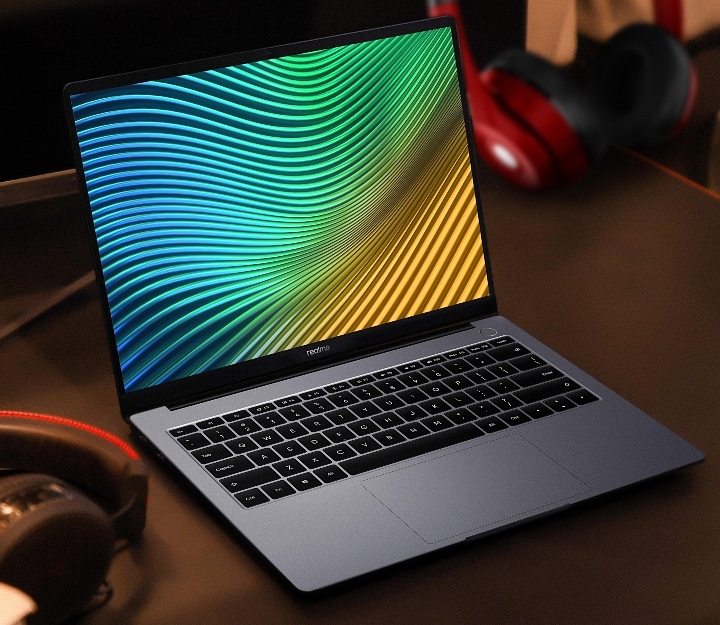
Realme has become a known player in the smartphone industry in a short span and is ramping up its product portfolio with other consumer electronics gadgets as well. The company has also ventured in the smart TV, tablet, smart wearables, audio, and even laptop market. The Realme Book slim was the brand’s first laptop with premium range hardware at affordable pricing. Now, the brand is ready to expand its laptop portfolio with the Notebook Air this month itself. The latest laptop will be debuting alongside the Realme GT 2 Master Explorer Edition next week. Here’s what all the features the upcoming Realme tablet will bring to the table:
Realme Notebook Air Official Launch Date
The Realme Notebook Air is making its debut besides the GT Master Edition on July 13, 2022. The company will be announcing the upcoming laptop in its home country China. This would be the first Realme laptop with the Notebook moniker. There is no announcement by the company if it’s a new laptop lineup and why it isn’t launching this model in the Realme Book series.
The Realme Notebook Air features are not announced by the brand yet. The company has only confirmed a slim laptop profile with a narrow edge bezel that will measure just 4.9mm. That’s the only information currently confirmed by the brand. But the company could launch the details soon since the official launch is just a few days away. Nevertheless, the rumor mill has shared some information related to the upcoming Realme Notebook Air laptop.
As per the leaks, the Realme Notebook Air will borrow its design from the recently launched Realme Pad X 5G tablet. This means the Notebook Air will also be featuring a green chessboard-like design. Separately, the Realme Notebook Air comes in dual color options including Sea Salt Blue and Star Gray shades.
Currently, that’s the only detail the brand or the leaks have shared on the upcoming Realme Notebook Air laptop. It remains to be seen whether the brand uses an Intel Core chipset or AMD Ryzen series processor to power the upcoming laptop. There is also no word if the company will be launching this laptop with affordable pricing like the previous-gen model. We will update your with all the details once available.
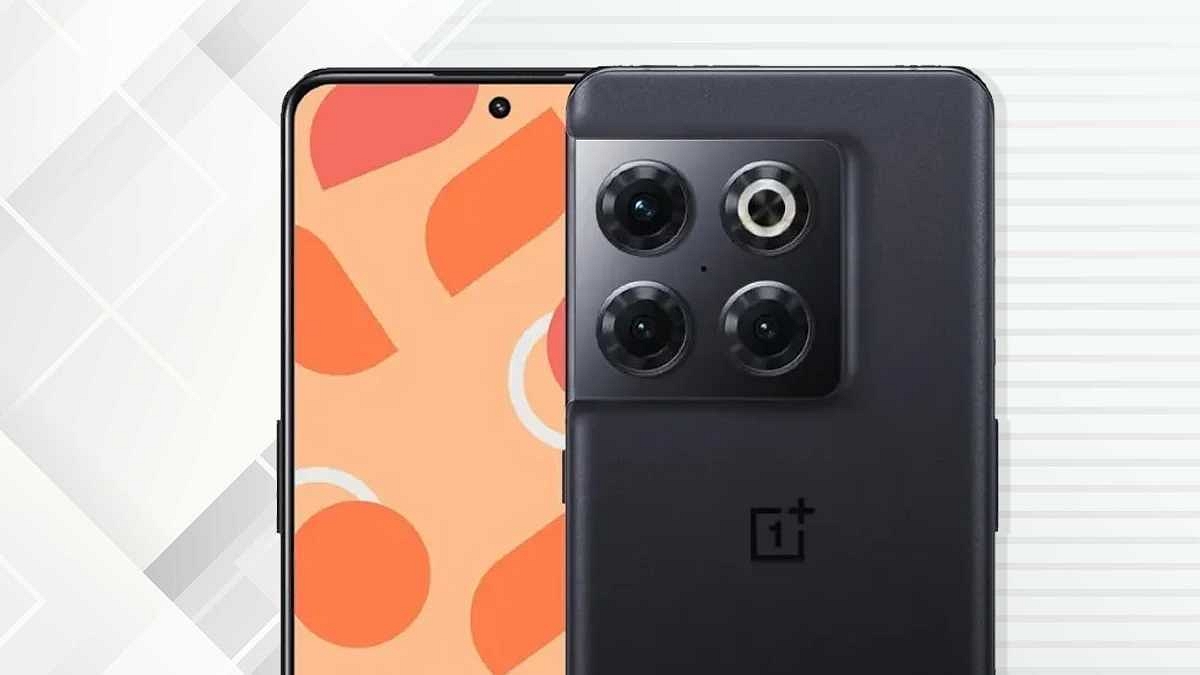
OnePlus introduced the OnePlus 10 series with the OnePlus 10 Pro earlier this year. Later, the brand expanded this lineup with the OnePlus 10R. Two more devices are expected to debut in this flagship Android lineup including the vanilla OnePlus 10 and the OnePlus 10T. The latter is expected to arrive soon in India with the latest Qualcomm premium chipset, i.e., the Snapdragon 8+ Gen 1 chipset. The OnePlus 10T has made several appearances over the web including some popular benchmark websites confirming the final test runs. Now, the expected OnePlus 10T India launch timeline and availability details have been shared online.
OnePlus 10T India Launch Date, First Sale Announced
The OnePlus 10T India launch timeline along with the first sale date has been tipped by a new report shared by PriceBaba. As per the latest reports, the OnePlus 10T will be announced in the Indian market somewhere between July 25 to August 1, 2022. The exact date could be announced soon by the company via official teasers.
Additionally, the report also mentions the sale and availability of the upcoming OnePlus 10 series phone. According to the report, OnePlus will host the 10T’s first sale next month itself soon after the official launch. The device will be sold in the first week of August in the country. OnePlus will be selling the OnePlus 10T online via Amazon in India.
The e-commerce giant is yet to create a dedicated product page for the next OnePlus 10 series phone in the country. But we will update this section as soon as the retailer uploads the product page on its platform. The OnePlus 10T pricing details are currently at large. But the rumor mill will get active with the approaching launch timeline. It is worth adding that the leaks have also tipped a single Moonstone Black color option for the 10T in India.
OnePlus 10T Rumored Specifications
The OnePlus 10T is leaked with a tall 6.7-inch E4 AMOLED display. The panel is said to come with an FHD+ screen resolution and 120Hz refresh rate. This OnePlus 10 series phone will also flaunt a punch-hole for the selfie snapper. We might see the handset flaunting a 32MP snapper for self-portraits and video chats.
The OnePlus 10T’s rear camera setup might accommodate a 50MP main camera which could be combined with a 16MP ultrawide sensor and a 2MP macro lens. The device is expected to be powered by the Snapdragon 8+ Gen 1 processor which will possibly be paired up with atleast 8GB RAM and 128GB storage. The handset might ship with a 4,800 mAh battery that will get 150W SuperVOOC flash charge support.
Motorola X30 Pro confirmed to sport 200MP primary camera
Snapdragon 8+ Gen 1 processor also confirmed
Could launch as Motorola Frontier in global markets
Motorola has been competing aggressively with the Chinese Android OEMs in the affordable and mid-range Android smartphone segment. The brand is also marking a stronger presence in the premium smartphone segment with its new launches. This time Motorola is gearing up to upgrade its mobile camera game with the launch of its first 200MP camera phone. Called the Moto X30 Pro or the Motorola Frontier, the latest camera-centric Motorola handset is expected to break covers later in July 2022 in the market. Now, the Moto X30 Pro’s exact camera details have been confirmed officially.
Moto X30 Pro/ Motorola Fusion Camera Features Leaked
The Motorola general manager, Chen Jin has revealed the Moto X30 Pro/ Motorola Frontier’s camera specifications via the Chinese microblogging website Weibo. There are several rumors that this upcoming Motorola flagship camera phone will be debuting with the Moto X30 Pro in China. However, in the global markets including India, this phone might arrive as the Motorola Frontier.
As per the company’s general manager, the Moto X30 Pro will indeed be announced with a massive 200MP primary camera. It will be a 1/1.22-inch sensor which as per the leaks could be the Samsung ISOCELL HP1 lens. This would probably make the Moto X30 Pro/ Motorola Frontier the first few Android phones with such as massive camera sensor. The remaining camera specifications are not confirmed officially as of now.
However, if we believe the leaks, the Moto X30 Pro will probably ship with three rear cameras. In addition to the 200MP main camera, the Motorola Frontier is also said to feature a 50MP secondary sensor that’ll be combined with a 12MP additional lens. Unfortunately, the functionality of the remaining sensors is not specified. The selfie camera tipped is a 60MP lens.
Separately, the brand has also confirmed the Snapdragon 8+ Gen 1 processor driving the Moto X30 Pro/Motorola Frontier. This flagship processor will probably be combined with up to 12GB RAM and 256GB storage configuration.
The rumor mill has also shared the display and battery specifications of the Moto X30 Pro/ Motorola Fusion. As per the leaks, Motorola will be using an AMOLED screen with an FHD+ resolution. The screen will measure 6.73-inches which will also support a 144Hz refresh rate. The handset is said to boot in Android 12 OS which will be layered with the custom MyUX OS interface. The Moto X30 Pro is also expected to ship with a 4,500 mAh battery will get 125W fast charging support.
iQOO 9T latest leak reveals Snapdragon 8+ Gen 1 chipset
E4 AMOLED display with 120Hz refresh rate
120W fast charging technology
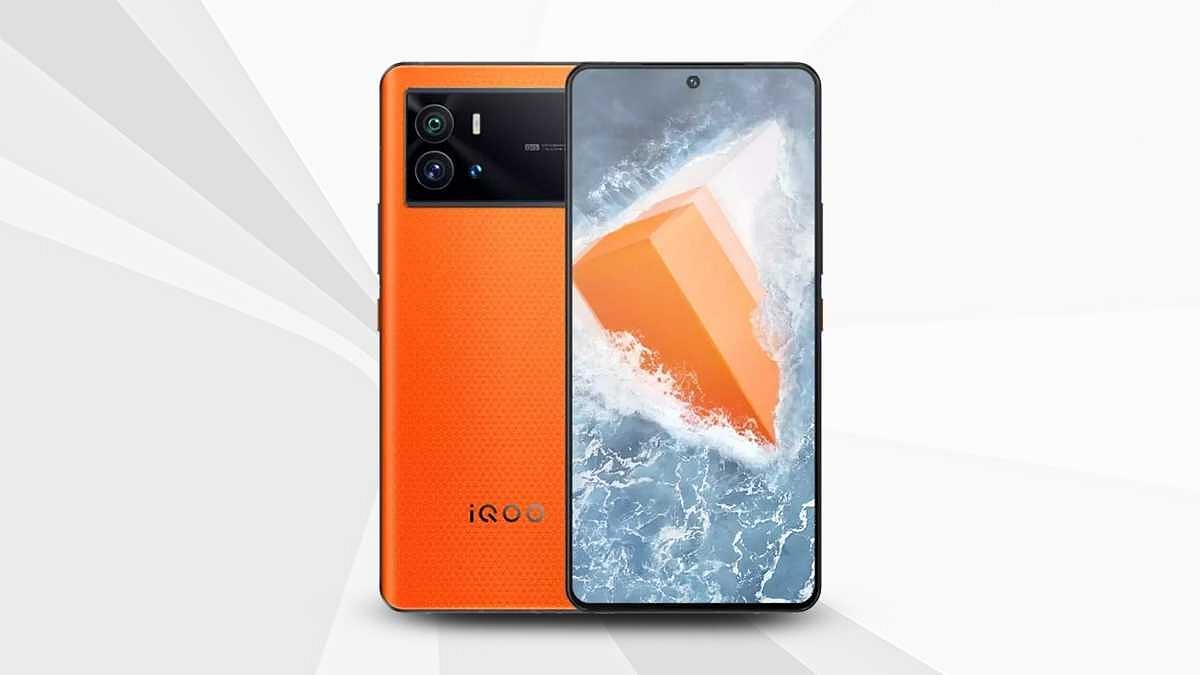
iQOO has a bunch of devices lined up for launch in the market. The brand is ready to launch a new iQOO 9 model in India and the iQOO 10 series in the international markets. The iQOO 9T is rumored to be the upcoming iQOO 9 series phone in the country whose features have been tipped via leaks in the last few weeks. iQOO is rumored to launch the 9T towards the end of July 2022 in India and ahead of the expected launch, more and more leaks are splashing up revealing the key features A fresh leak has now surfaced that reveals the chipset and other details.
iQOO 9T Specifications Leaked Again Ahead Of Launch
The iQOO 9T features have now been leaked by tipster Mukul Sharma. The tipster has shared a tweet confirming the Snapdragon 8+ Gen 1 processor. This will make the iQOO 9T among the first flagship Android phones to be powered by Qualcomm’s latest top-tier Snapdragon processor. iQOO has not yet confirmed this processor for the upcoming 9T in India. But multiple other leaks have also shared the same information. This makes us believe the fresh leak shares authentic details.
This leak has not shared details related to RAM and storage variants. However, as per previous reports, the iQOO 9T will likely be launched with up to 12GB RAM and 256GB storage configuration. It will probably ship with a hybrid SIM slot as other high-end iQOO phones.
Apart from the chipset, the tipster has also revealed the display and camera features of the iQOO 9T. The tipster hints at an E5 AMOLED display with 120Hz refresh rate. However, there is no mention of the display size or the screen resolution.
The iQOO 9T’s leaked imaging setup includes a 50MP Samsung GN5 primary sensor. The exact number of sensors packed at the rear panel is not specified, but there is a possibility we get to see a triple-lens module. The iQOO 9T is also said to come with a Vivo V1+ imaging chip that’ll enhance the overall imaging experience. Lastly, the tipster has also hinted at a 120W fast-charging capacity.
Modern-day smartphones have proved a blessing in disguise for the masses globally. Google’s Android and Apple iOS are the two prime mobile operating systems that can be found on the latest devices. Thanks to these handheld devices, we now don’t need to power on laptops or PCs for professional tasks that require accessing documents in different formats.
You can even find applications such as MS Office on the Android and iOS ecosystem that help you with official tasks. Downloading and accessing all such applications is fairly simple. You just have to visit the Play Store and App Store on your respective Android and Apple iPhones and search for the supported apps.
You can also have an access to numerous third-party apps that supports document files for which you would’ve previously used MS Office. PDF files are one such example. Downloading, accessing, and even editing any PDF file is now easier with Android and iOS smartphones. In fact, advanced technologies now let you add encryption to PDF documents so that unauthorized access can be kept at bay.
You might have seen password-protected PDF documents shared in the form of bills or bank statements. This is one of the safest ways of sharing confidential documents, be it personal or professional. Adding password protection to any PDF document is an easy task if you are using a laptop or PC. But is it possible to lock a PDF document using smartphones? Well, the answer is yes. Smartphones nowadays are quite potent and can easily let you encrypt or add password protection to any PDF document. If you wish to know the steps, read on below:
Steps To Encrypt/ Password Protect Any PDF Document Using Smartphones
Not all smartphones are launched with the default tools to modify the privacy settings or even load a PDF document. In such cases, you can head to the Google Play Store or Apple App Store to download a third-party app supporting these features. Adobe Acrobat Reader, PDF Anti Copy, and iLOVEPDF are a few of the apps that support PDF file reading and also let you add password protection to the document. The method to add password protection to a PDF file using these apps is almost identical.
Step 1: Download and install any of the aforementioned apps on your respective Android or iOS smartphone.
Step 2: Open the PDF document on which you want to add the password protection.
Step 3: Now, locate the tools option in the respective app.
Step 4: You will be able to see the “Protect PDF” option. Tap on it.
Step 5: In the next step, you will get the option to add a new password to lock the document.
Step 6: Save the changes to password protect or encrypt the PDF document.
Microsoft Windows OS is one of the most commonly used computer operating systems across the globe. The Redmond giant has been upgrading this OS and proactively brings the newer versions each year. Currently, Windows 11 is the latest OS that is being used by the new-generation laptops and PCs across the globe. With the Windows 11 OS, Microsoft has made several improvements with the different services and tools offered by the platform. The security aspects have also been refined with the newer version of the Windows OS.
If you have purchased a new laptop/ PC with the latest Windows 11 OS, you would want to use the different privacy lock options to keep your system at bay from unauthorized access. Specifically, if you want to use your laptop/PC as a shared device, then you would need to activate the privacy features.
Besides the traditional password protection, the Windows 11 OS offers a host of other modern security features. Facial Recognition, a physical fingerprint scanner, and, picture passwords are some of the advanced biometric authentication modes available on the Windows 11 OS. Now, setting up a complex passkey is always crucial to make sure your laptop or PC is secure from unwanted hacks and data thefts.
It is also advised to update your password frequently to enhance the overall security. So, how do you update your password on Windows 11 OS? And is there any way to reset it in case you have forgotten your current password? If that’s something you have been trying to figure out, this article will be your guide:
Steps To Reset Windows 11 Password Without Old Password
Now, the method to reset the password mentioned below will be useful if in case you don’t remember your old password and wish to rest it.
Step 1: When you are trying to log in to your Windows 11-powered laptop or PC and are unsuccessful, you’ll see the Reset Password option. Click on it.
Step 2: If you have set up a PIN for authentication, then you would see the PIN sign-in issues. Select it.
Step 3: You will now see the security question tab once you click on the Reset password option. Answer the security question.
Step 4: Now, you will need to enter a new password. Make sure the password is complex so that unauthorized access becomes difficult.
Step 5: Once you have rest your old password, you’ll be able to log in to your laptop or PC easily.
How To Change Lock Password In Windows 11 OS Laptops/ PCs
Step 1: From the Windows home screen, click on the start menu.
Step 2: Head to the Settings app on your respective devices.
Step 3: Click on the Accounts menu.
Step 4: Select the sign-in option.
Step 5: Tap on the “Password” option and then “change password”.
Step 6: Now, you just need to follow the on-screen steps to change the old password. That’s it. The password on your Windows 11 OS laptop or PC will be updated.
India has gradually become the one-stop destination for technology brands to introduce a wide range of consumer-centric goods. Smartphones and digital accessories are among the most sought-after consumer tech products in the country. Speaking of digital accessories, wireless audio products such as portable speakers, over-the-ear headphones, TWS earbuds, and neckbands have seen a significant boom in terms of sales in the last few years. German audio specialist Blaupunkt has also ventured into the Indian market space delivering quality products to the Indian audience.
Blaupunkt has introduced a series of wireless neckbands under its BE series. The Blaupunkt BE200 is one of the wireless neckbands that is designed for the budget masses. Priced at around Rs. 1299, the BE200 neckband can be purchased via online retail platforms in the country. But if you visit the shopping portals, you will be flooded with options in the wireless neckband segment.
Often, affordable pricing isn’t enough to drive the sales of any product; specifically audio products including wireless neckbands. This is where brands fiddle along with the design and features so that their products can easily stand out from the crowd. What unique features does the Blaupunkt BE200 brings to the table that lets it compete against its rivals? And is it a practical product for daily usage? Read on this review to know if this budget Blaupunkt Bluetooth neckband is worth a purchase?
Blaupunkt BE200 Neckband Review: Design And Wearing Comfort
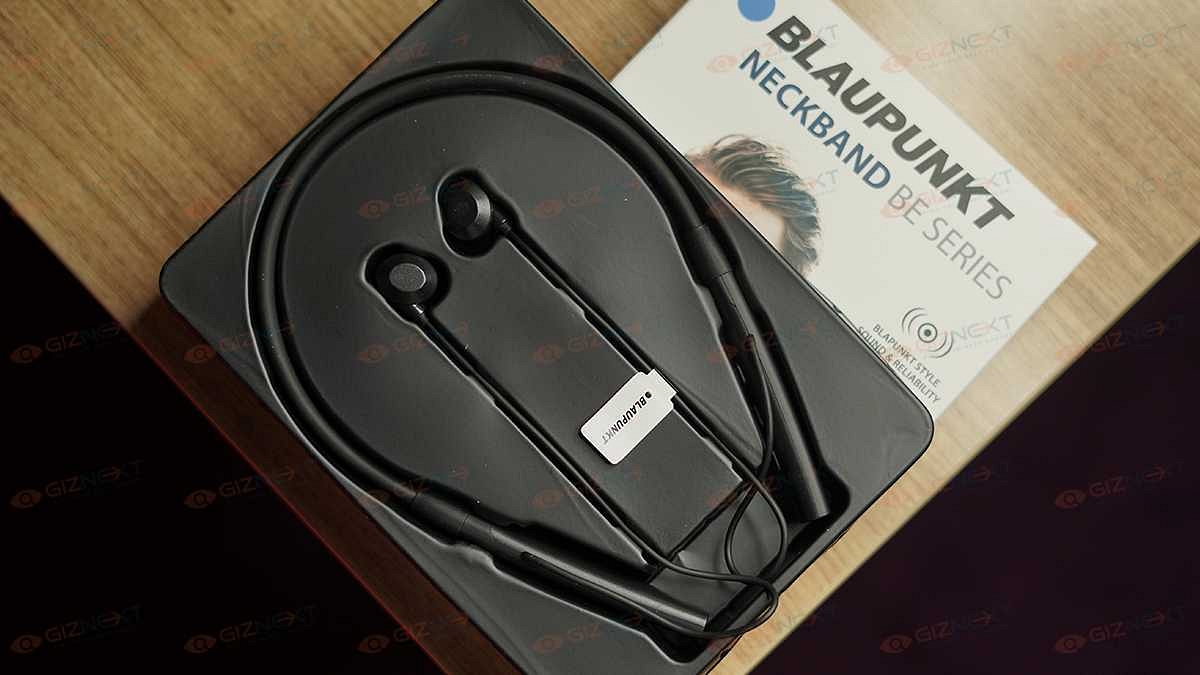
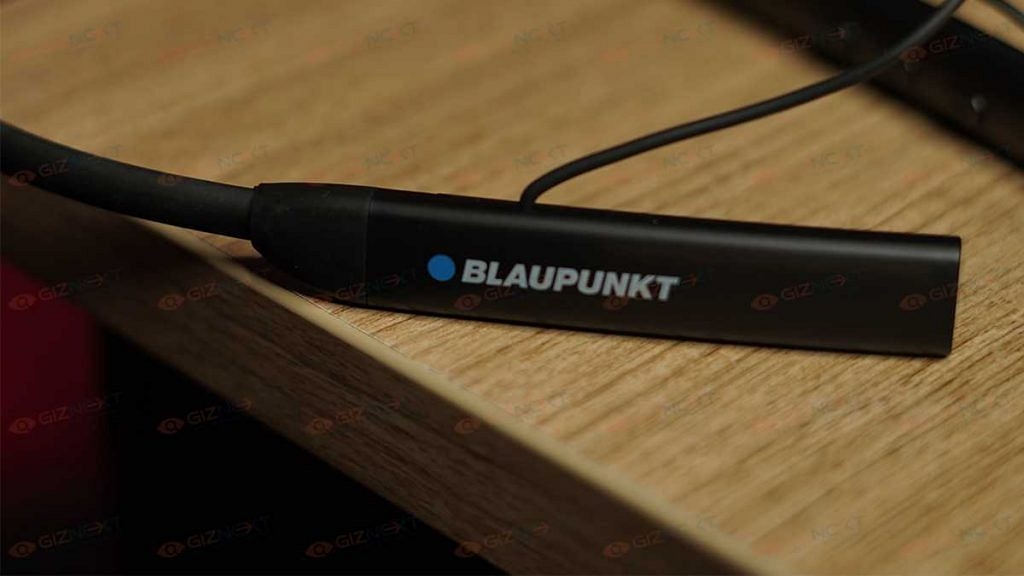
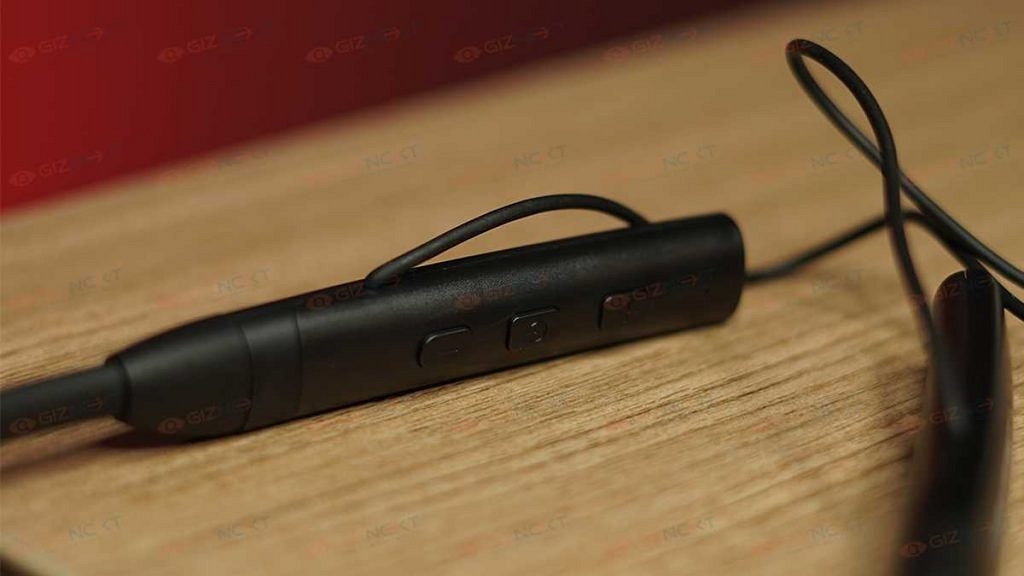
The Blaupunkt BE200 features a standard neckband style. Blaupunkt has used both plastics as well soft rubber material to design this pair. Unlike the conventional neckbands, the Blaupunkt BE200 is a bit thick and bulky. However, the excess bulk is on the lower edges (the console) where the physical control keys and the USB port are placed. The left stem of the neckband houses three keys. You get the power key sandwiched between the volume rockers.
The quality of the keys is good and you don’t get any missed click feedback. Speaking of the controls, you can press and hold the volume keys to change the music track. A single tap on the power key will play/ pause music.
The same panel accommodates the USB Type-C port for charging and an LED panel to display the battery percentage. Now, this latter part is what we believe will grab the users looking out for something unique in terms of neckband design. Thankfully, the wires connecting the eartips and the neckband aren’t fragile.
No complaints there with the built quality. But we aren’t really a fan of the bulkiness. Specifically, while using this pair in the soaring temperatures in NCR in the last few months. It’s the lightweight form factor that gives us some relief.
The in-ear design of the earbuds offers a snug fit that keeps them from falling off easily if you are using the pair with outdoor activities. Again, the earbuds are bulky and you might struggle a bit initially to get used to wearing them comfortably. But once you get a hang of it, it is easier to put them on while on the go. The earbuds also have a magnetic latch option that hooks both earbuds and protects them from falling off when not in use.
The Blaupunkt BE200’s driver size is unpecified. However, the frequency response range delivered by this budget wireless neckband is 20Hz-20KHz. This is a standard frequency range that you can find on budget earphones and headphones nowadays. As for the audio output, it is decent. The audio can get super loud at the highest levels.
But turning up the volume to the max might hamper your listening experience. That’s because the output sounds distorted and muffled when you fire up the volume levels to the max. And that’s not the case when you listen to the music at around 50- 60 percent volume levels. That has been our usual setting for audio playback. You might need to increase the volume levels if you are commuting in noisy backgrounds.
The Blaupunkt BE200 comes void of the Active Noise cancellation feature. Well, that’ll be criminal to ask with the sub Rs. 1500 asking price. But thanks to the design of the snug-fit earbuds, the audio listening experience isn’t hampered outdoors. The pair is able to block the surrounding noises passively. If we further emphasize on the audio performance, this pair sounds a bit stereophonic. The audio clarity is average on this Blaupunkt neckband. The bass levels are mediocre not super punchy.
Blaupunkt BE Neckband: Calling And Connectivity
The Blaupunkt BE200 neckband supports Bluetooth v5.0 for wireless pairing with compatible devices such as smartphones, tablets, laptops, and PCs. The pairing process is simple and you just have to follow the standard connectivity procedure. Just press and hold the power key unless the earbuds go into the pairing mode.
You’ll see the notification LED flickering red and blue. Open the Bluetooth settings on your respective devices and select the name of the neckband to complete the pairing. Thankfully, the Bluetooth pairing process is swift. The Blaupunkt BE200 neckband is good with calling as well. We were able to make and answer calls without struggling with the audio quality.
Blaupunkt BE200 Neckband Battery Backup
The Blaupunkt BE200 wireless neckband packs a 600mAh battery which as per the brand offers 100 hrs of music playtime. The figures were close to our testing. But only when the audio was played at around 50 percent volumes. This budget neckband also features Turbo volt charging technology that adds around 10 hours of backup with 10 minutes of quick charge. This is a useful feature that will be helpful for the users traveling outstations with no easy access to a power plug.
Blaupunkt BE200 Wireless Neckband: Final Verdict
The Blaupunkt BE200 neckband is a decent pick in our opinion. This neckband is suitable for users demanding a durable pair with good audio output. And if your budget is below Rs. 1500, this Blaupunkt neckband makes for a good choice if you can compromise a bit on the comfort levels and can also workaround with not-so-punchy bass.
POCO has established itself as one of the most powerful contenders in the value flagship Android smartphone segment. The Xiaomi sub-brand has created its niche with pocket-friendly 5G smartphones. The Poco M and the Poco X series are currently the brand’s bet in this market. The latter got refreshed earlier with the Poco X4 Pro 5G. It has arrived as the successor to the Poco X3 Pro which has been one of the best mid-range phones in the country.
The new-generation model is introduced with advanced hardware such as the latest Snapdragon 600 series processor, 64MP triple camera module, and 67W fast charging technology. And you pay an asking price of Rs. 18,999 for the Poco X4 Pro 5G’s base model which packs 6GB RAM+64GB storage.
If you need some additional space or RAM, you can also go for the 6GB RAM+ 128GB storage model or the 8GB/256GB variant priced at Rs. 19,999 and Rs. 21,999 respectively. With multiple 5G Android phones available in this price bracket, does the POCO X4 Pro 5G makes the cut? Here in this review, you can read our feedback on the POCO X4 Pro 5G:
POCO X4 Pro 5G Full Review: Design And Display
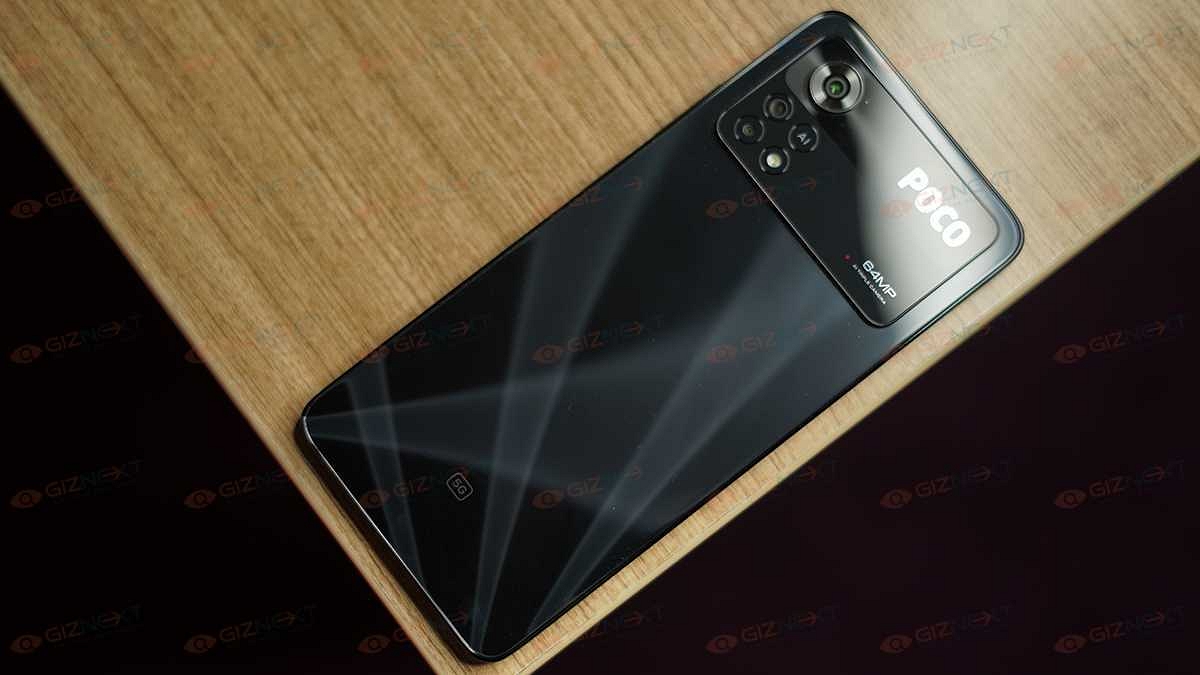
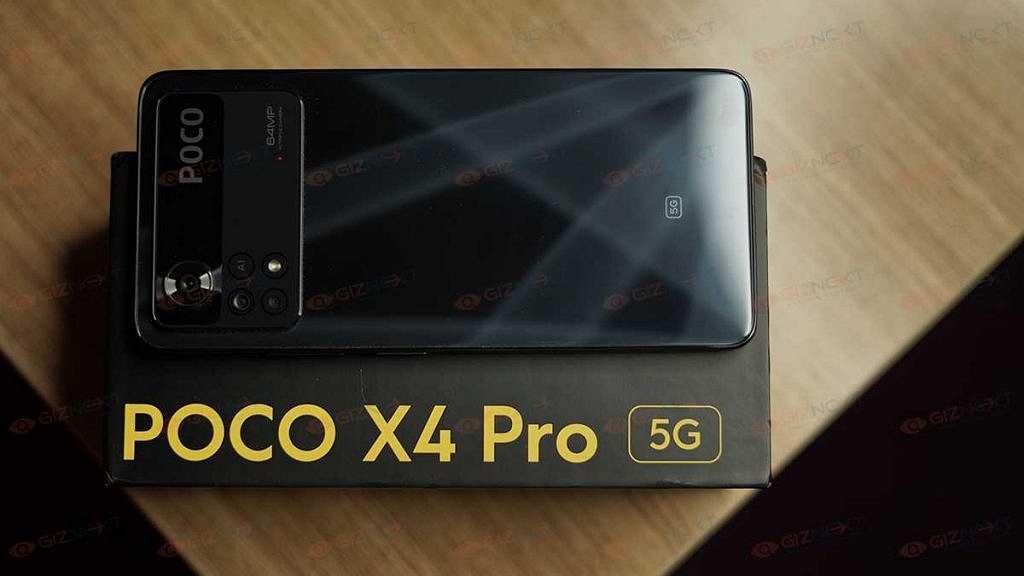
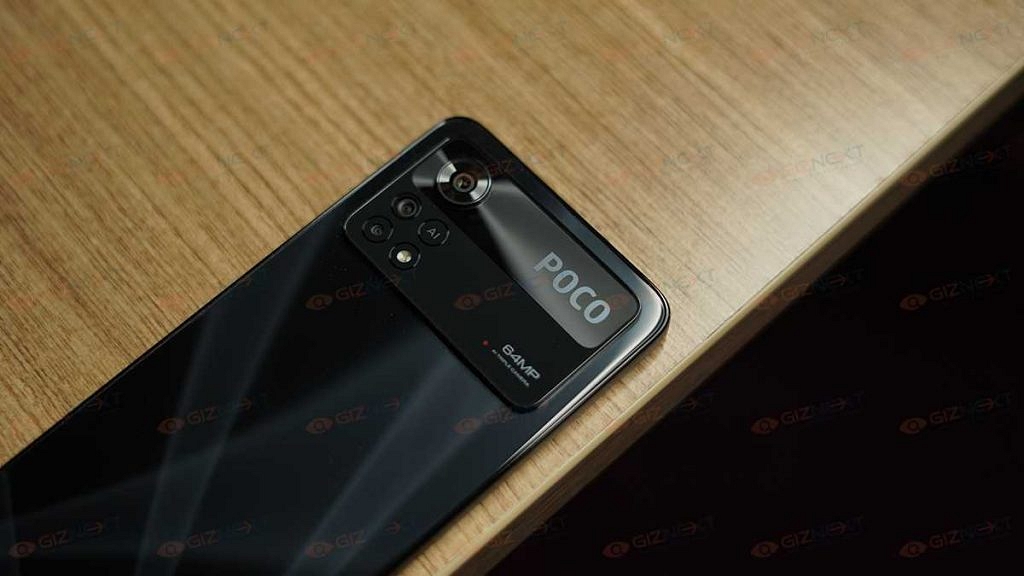
The POCO X4 Pro 5G flaunts one of the most striking designs in the mid-range segment. You can buy this phone in the iconic Poco Yellow shade, Laser Blue, and Laser Black shades. We received the black color variant of the latest POCO X series phone which wears a shimmering screen that reflects patterns with light rays falling on it. POCO has used a glass-back design which definitely is one of the USPs under Rs. 20,000.
There is a large camera module that covers almost one-third of the upper panel and has a dual-tone finish and protruding design. This entire combination makes the device all premium in looks. While the glass back on the POCO X4 Pro 5G is visually appealing, it is one big fingerprint magnet.
Using a transparent TPU case will not just keep fingerprints and smudges at bay but will also let you show off the cool design while adding protection against scratches and accidental drops. Poco has kept the left panel of the X4 Pro 5G barren, placing the power key and the volume rockers on the right.
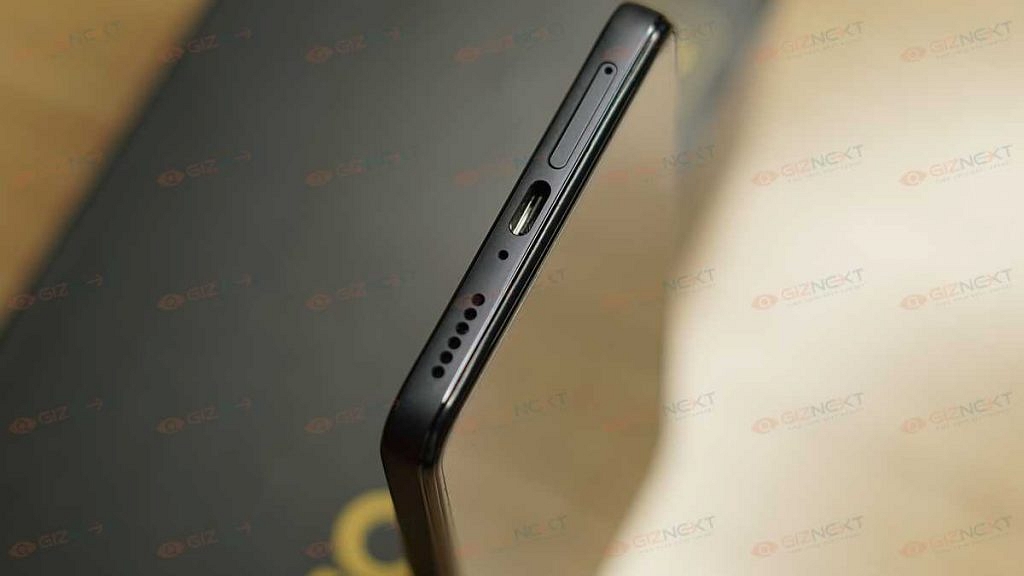
On the top panel, a 3.5mm headphone jack on the top is placed along with the speaker grille. At the bottom, you get the USB Type-C port along with the microSD card slot and another speaker grille. The IP53 certification and the flat-edge frames earn the phone’s design additional pointers. Overall, we found the POCO X4 Pro 5G’s design to be not just visually appealing but also practical for daily usage.
The panel offered by the POCO X4 Pro 5G is AMOLED. The screen size is 6.7-inches which delivers an FHD+ screen resolution of 1080 x 2400 pixels. The panel also features a high 120Hz refresh rate which along with the FHD+ resolution is definitely a good combo. The presence of the AMOLED panel itself is a big relief; specifically considering the sub Rs. 20,000 price tag.
The panel is apt for viewing shows and movies in high resolution on OTT platforms such as Netflix and Amazon Prime videos. The color production by the AMOLED panel is vivid and you will love every bit of your screen time on this POCO X series phone. The display on the POCO X4 Pro 5G is also HDR10+ certified which further enhances the overall viewing experience on online streaming platforms.
The higher refresh rate also allows for smoother frame transitions with extensive gaming. The default display profile is good enough for all content formats. However, you can also switch between standard, saturated, and vivid display models depending on the scenes.
The viewing angles are good and you won’t find the display going black if you are viewing it from the edges. The POCO X4 Pro 5G’s display panel doesn’t compromise on the brightness levels at all. Thanks to the 1300 nits peak brightness levels the panel doesn’t go dark under direct sunlight. Besides, the larger surface area courtesy of the tiny punch hole and narrow borders makes viewing the screen an enjoyable experience overall.
POCO X4 Pro 5G Review: Overall Hardware Performance
The POCO X4 Pro 5G is packed with the octa-core Snapdragon 695 5G chipset which is built on a 6nm process. This is a premium mid-range processor by Qualcomm which churns out massive power to handle daily tasks without any lags or stutters. Specifically, with general web browsing and varied application usage. POCO has introduced the X4 Pro 5G with a 6GB/8GB RAM option and 128GB/256GB storage configuration.
The multitasking experience has also been good throughout the usage. Apps fire up smoothly without any noticeable delays. We were also able to load and use multiple apps simultaneously. It is good to see that despite using a mid-range 5G chipset, the POCO X4 Pro 5G doesn’t fall short of power delivery.
The gaming experience has been decent. The gameplays don’t get jittery with the highest settings which we appreciate. The warm-up issues are mostly while charging and using the handset with extensive apps or gaming simultaneously. Otherwise, there are no prominent heating issues.
Speaking of the firmware, the POCO X4 Pro 5G boots on Android 11 OS. Now, this is an older Android version and most of the latest mid-range and even budget phones are shipping with Android 12 OS. We would have appreciated if the X4 Pro 5G also arrived with the Android 12 version out-of-the-box. But using the phone’s interface is not a bad experience.
While there is some pre-installed bloatware, the refreshed UI design with the MIUI 13 is a respite. You get a smooth user experience while scrolling through the phone’s applications. It would have been nimbler minus the pre-installed bloatware.
POCO X4 Pro 5G Camera Review: Familiar Output?
The POCO X4 Pro 5G employs triple rear cameras for primary imaging. The spec-sheet comprises a 64MP main sensor which is accompanied by an 8MP ultrawide camera and a 2MP macro sensor. Now, we have seen this setup on multiple mid-range and premium mid-range Android phones in the last few years.
The rear camera setup on the POCO X4 Pro 5G is not just good on paper but is also capable in real-life scenarios. The main sensor is capable of capturing the tiniest of details. The image clarity is specifically good with daylight shots where the cameras don’t struggle with logging the details of the subject as well as the backgrounds.
The POCO X4 Pro 5G’s AI-enabled cameras offer a high dynamic range with the captured clicks. You can also toggle on the HDR mode if you wish the images to pop out vividly. The portrait images are also good. You won’t find the background blurs artificial or gimmicky. Besides, you can also manually modify the blur intensity to further improve the output.
The camera app integrates multiple other shooting modes. The dedicated 64MP camera mode is one of them. This mode will let you capture high-resolution photos that won’t pixelate if you plan to zoom in and crop the shot later. If you scroll through the available camera modes, you’ll see the Night mode as well. Now, this mode will
help you capture detailed images in low-light backgrounds. This camera mode does a good job of reducing excess noise and grains in the night shots.
This POCO mid-range phone can record 1080p FHD videos @30fps. The camera stabilization is decent with the video recording. You also get the option to shoot slow-motion and time-lapse videos with the latest POCO X series phone. The selfie snapper offered by this phone is a 16MP lens which is also good for capturing details and color production.
Poco X4 Pro 5G: Battery Backup And Fast Charging Speeds
The POCO X4 Pro 5G has a 5,000 mAh battery unit for power delivery. Now, this battery capacity has become a standard in the mid and budget smartphone segment. The handset stores enough juice to run through an entire day on a single charge.
You would need to re-plug it to a charger twice only if you are hooked to the screen for hours for gaming or media playback (specifically high-resolution videos). The 67W fast charging technology comes to the rescue here. It can refuel the handset in just over 30 minutes (zero to 100 percent).
POCO X4 Pro 5G Review: Final Verdict
The POCO X4 Pro 5G is among the few pocket-friendly Android phones that has 5G network support in India. The asking price below Rs. 20,000 and quality internals makes the POCO X4 Pro 5G a hard-to-miss deal in its league. We have used the handset for a long and have not experienced any issues with both general as well as extensive usage. You should consider the POCO X4 Pro 5G if you have slight budget constraints yet you don’t wish to compromise on the user performance.
Microsoft Laptop Surface Go 2 series announced in India
11th Gen Intel Core i7 processor
Price starts at Rs. 73,999
Microsoft has refreshed its laptop portfolio in India with the launch of new Surface series laptops. The Redmond giant has unveiled the latest Surface Laptop Go 2 series in the country. The brand has announced the new-generation Surface Go 2 series laptops for the affordable masses in the country with the latest 11-th Gen Intel Core i5 processors. The Surface Go 2 laptop lineup was introduced recently in the international markets and has finally arrived in the Indian market as well.
Microsoft Surface Laptop GO 2 Full Specifications And Features
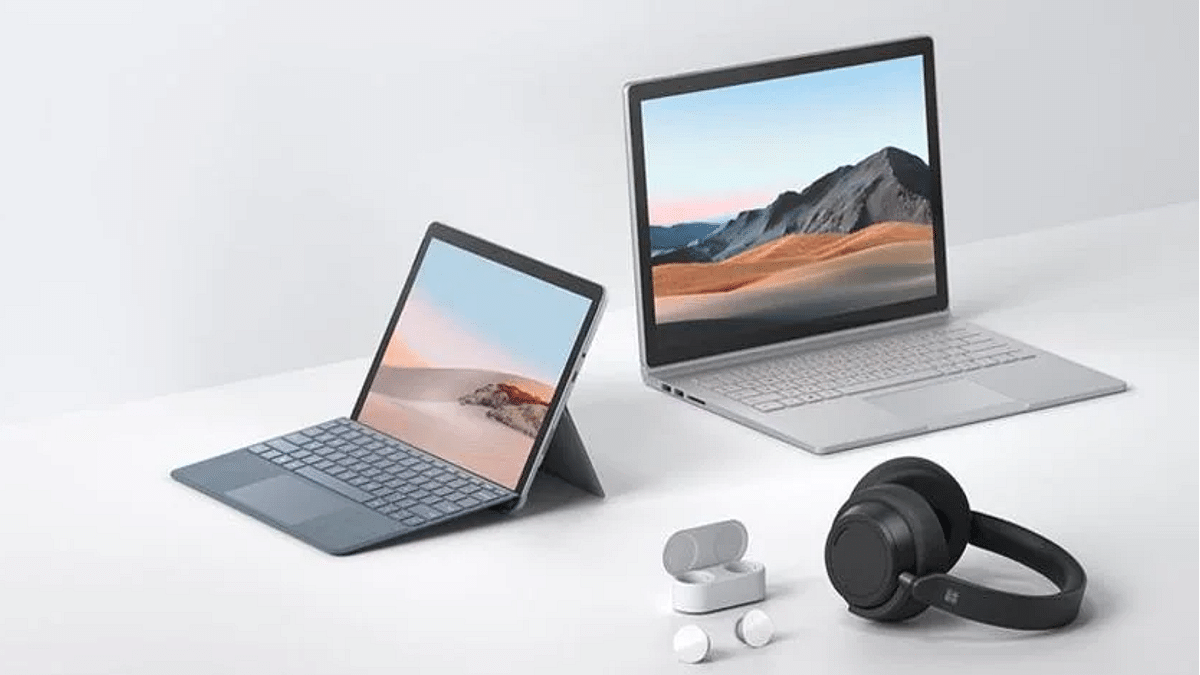
The Microsoft Surface Laptop Go 2 features a compact and lightweight design. The laptop is just around 1.1 Kg in weight and flaunts a 12.4-inch PixelSense display. The Surface Laptop Go 2’s display features a 1024 x 1536 pixels screen resolution that is perfect for FHD media playback and gaming.
Under its hood, the latest Microsoft Surface Laptop Go 2 uses the 11th-gen Intel Core i5 processor. This high-end processor will allow the Laptop Surface Go 2 to deliver a lag-free performance with basic tasks and gaming. The Microsoft Surface Go 2 laptop has been announced with up to 8GB RAM which will handle all the multitasking with ease. This Microsoft laptop comes with up to 256GB storage option. The configuration can be further expanded for a better user experience.
As for the connectivity options, the Microsoft Surface Laptop Go 2 offers one USB Type-C port and one standard USB port that will allow pairing with external supported devices. For charging and data transfers, the Microsoft Surface Go 2 Laptop still features the standard Surface Connect port as the previous-generation models.
Microsoft has also refreshed the design and has equipped the Surface Go 2 with an improved keyboard and trackpad. The battery backup is also significantly improved with the new-generation model.
Microsoft Surface Laptop Go 2 Price In India
The Microsoft Laptop Surface Go 2 has been announced in India with an asking price of Rs. 73,999. You will get the base model with 8GB RAM and 128GB storage model with this price tag. On the other hand, the Surface GO 2 with 8GB RAM and 256GB storage configuration can be bought at Rs. 80,999. Notably, for business consumers, the Microsoft Laptop Surface Go 2 will be available with a starting price range of Rs. 79,990 in the country.