Categories
Featured Info

No More Ad-Free Amazon Prime Videos In India: Subscription Plans Confirmed For Ad-Free Experience

Key Highlights

  • Amazon to start playing ads in Prime Videos
  • Add-on subscriptions will be must for ad-free video playback
  • Prime membership subscription to remain unchanged

Amazon Prime Videos is amongst the leading OTT services in India with a huge library of regional and international movies and TV shows. It currently offers ad-free experience to all Prime membership holders. But Amazon now has different plans and is planning to charge users in India to stream movies and shows without any ads. Find out more below:

For the tech geeks, stay updated with the latest cutting-edge gadgets in the market, exclusive tech updates, gadget reviews, and more right on your phone’s screen. Join Giznext’s WhatsApp channel and receive the industry-first tech updates.

Also Read: No More Snooping: How To Get Instant Login Alerts On Instagram And Protect Privacy

Advertisements Starting Soon On Amazon Prime Videos?

Amazon has confirmed Prime Videos won’t be entirely free for the users in India including Amazon Prime membership holders. The brand will be starting with “limited advertisements” from next month on Prime Videos. All the Prime account holders who were able to stream free videos without any ads will have to purchase additional subscriptions for an ad-free experience.

Amazon is sharing confirmation emails related to the same to all the Prime members and is said to roll out this new model starting next month, i.e., June 2025.

Also Read: Your Aadhaar Details Compromised? Here’s How To Instantly Check For Data Leaks, Unauthorized Aadhaar Use

Amazon Prime Videos Advertisement Free Subscription Plans

Amazon Prime Videos Add-On Subscription Plan
Per month Rs. 199
Six months Rs. 699

Amazon will be offering add-on subscriptions to allow ad-free streaming on its platform. The company has set the current deadline of June 17, 2025 by when the interested customers can avail the services at an introductory price of Rs. 129 per month. Additionally, the brand will be offering the add-on subscription for a six months duration at just Rs. 699.

Also Read: Terror Hits Pahalgam & Poonch: How To Enable Emergency Alerts On Your Phone Amid Rising Indo-Pak Tensions

Change In Amazon Prime Membership Subscriptions

As mentioned above, the new plans released are add-on for ad-free streaming. For the e-commerce platform there is no change in the subscription plans. The prices remains the same for Prime membership subscriptions starting at Rs. 299 per month going up to Rs. 1,499 annually.


Categories
Featured Mobile

Realme GT 7 Series May 27 India Launch Announced: First Android Flagships With 7,000 mAh Battery

Key Highlights

  • Realme GT 7 series debut set for May 27
  • First Realme handset with massive 7,000 mAh battery
  • Will come with 120W fast charging capabilities
  • Could be powered by MediaTek Dimensity 9300+ chipset

Realme will be setting up new benchmarks in the mobile industry with its upcoming GT series phones. The tech OEM has lined up GT 7 series launch this month. Alongside the global markets, the upcoming GT 7 series phones will be launched in India as well by the end of this month. Realme is bringing groundbreaking battery tech with the new lineup with the GT 7 handsets being the first mainstream Android gaming phones with the largest 7,000 mAh battery pack.

For the tech geeks, stay updated with the latest cutting-edge gadgets in the market, exclusive tech updates, gadget reviews, and more right on your phone’s screen. Join Giznext’s WhatsApp channel and receive the industry-first tech updates.

Also Read: Vivo T4 5G Review: A Sleek, Battery-Heavy Smartphone That Packs A Punch

Realme GT 7 Series Official Launch Date (India and Global)

Realme will be hosting the GT 7 launch series for the global as well as Indian market on May 27, 2025. The event will be live streamed via company’s global and India social media handles including YouTube. The updates will be shared via Realme’s Facebook and X (previously Twitter) handle.

Also Read: Lenovo Tab K11 Enhanced Edition Review: Fits All Bills?

Realme GT 7 Series: Upcoming Models, Expected Pricing, And Availability

Realme GT 7 series is likely to bring along two models this time. The realme GT7 and the Realme GT 7T are said to be the variants debuting in India and the global regions. Pricing details are vague at this point but both these models could come with strategic costing to beat the competitions. Both the Realme 7 series phones will be available for purchase via realme’s official website, e-commerce platform Amazon, and other partner channels in the country.

Also Read: Audio Technica ATH-TWX7 TWS Review: Masterpiece For Audiophiles Or A Letdown?

Realme GT 7 Series Specifications And Features (Known So Far)

Realme GT 7 Series Specs (Expected)
Display size6.7-inch
Display specs LTPO AMOLED
ChipsetDimensity 9300+ (vanilla Realme GT 7)
Dimensity 8400 (Realme GT 7T)
RAM12GB
Storage256GB/ 512GB
Battery7,000 mAh
Fast Charging 120W

Some of the Realme GT 7 series’ hardware has been teased officially, while others have been tipped by the rumor mill. Confirmed features revealed by the brand includes a massive 7,000 mAh battery pack. This will make both the Realme GT 7 and the Realme GT 7T to be the first handsets to come equipped with such a large battery size. Both variants will ship with a 120W fast charger.

MediaTek’s flagship Dimensity 9300+ chipset is said to be used as the powerhouse for the Realme GT 7. The trimmed down GT 7T variant could utilise the Dimensity 8400 chipset instead for power delivery. Up to 12GB LPDDR5X RAM and 512GB storage configuration options are likely to be available post launch. Both these phones will feature an advanced cooling system comprising a ‘IceSense’ graphene-based cooling system and ‘Skin Temperature Control’.

Categories
Featured Mobile

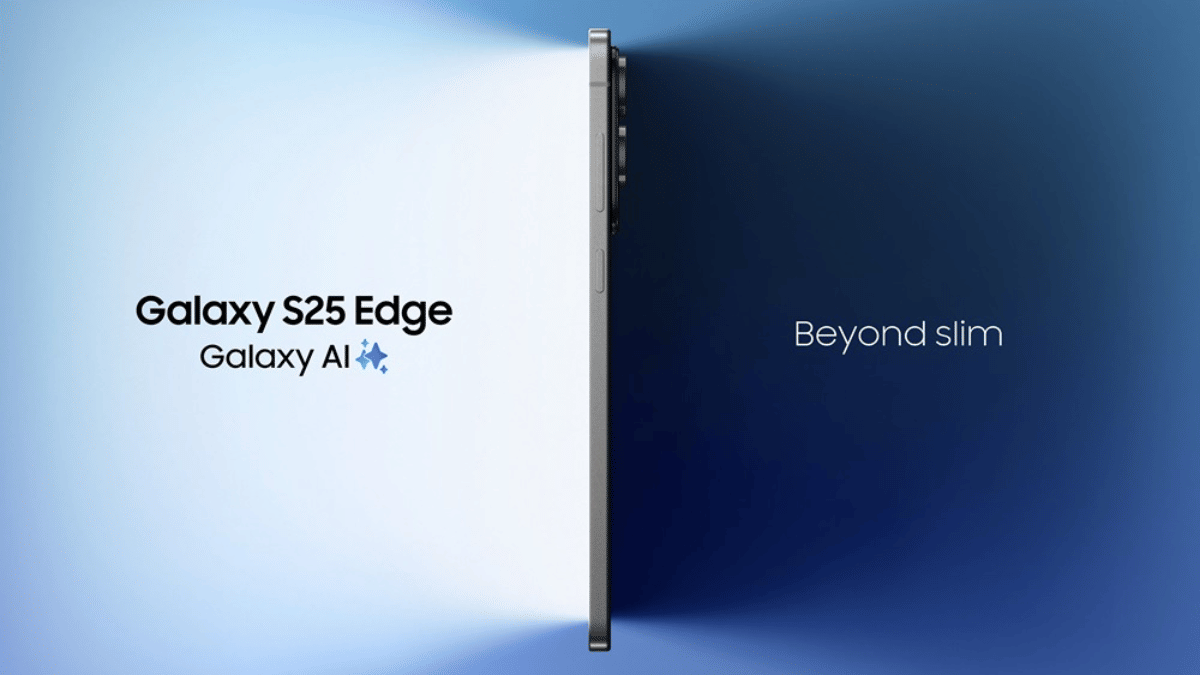
Samsung Galaxy S25 Edge Launched In India: Top Highlights

Key Highlights

  • Samsung Galaxy S25 Edge announced
  • Features Snapdragon 8 Elite SoC under its hood
  • Ultra-slim design with just 5.8 mm thickness
  • Sports 6.7 inch QHD+ Dynamic AMOLED 2x display with 120Hz refresh rate
  • Powerful 200MP primary camera
  • Introduced in  Titanium Silver, Titanium Jetblack and Titanium Icyblue color options

Samsung India today (May 13, 2025) launched the final variant in the Galaxy S25 series. After months of wait, the Galaxy S25 Edge has been introduced in the country. The latest edition comes as the slimmest model in this flagship lineup accommodating powerful set of specs such as the Qualcomm Snapdragon 8 Elite chipset, a massive 200MP main camera, a 120Hz Dynamic AMOLED 2x display, etc. Here are the top highlight offered by the Samsung’s newest Galaxy S25 series member.

Also Read: Vivo T4 5G Review: A Sleek, Battery-Heavy Smartphone That Packs A Punch

Design And Display

Galaxy S25 Edge Key Profile
Thickness profile5.8 mm
Weight163 gm
Display size6.7-inch
Panel typeDynamic AMOLED 2x
Resolution, refresh rateQHD+, 120Hz

Samsung Galaxy S25 Edge stands out with its ultra-slim profile where it weighs just 163 gms and measures just 5.8mm in thickness. It gets a curved edge profile wrapped around with titanium frame and Corning Gorilla Glass Ceramic 2 coating and IP68 rating for that added durability.

It gets a curved edge profile for the perfect grip and has a massive 6.7-inch screen. It’s the same Dynamic AMOLED 2x panel as the remaining Galaxy S25 series phones that supports a QHD+ resolution and 120Hz refresh rate.

Also Read: Lenovo Tab K11 Enhanced Edition Review: Fits All Bills?

Hardware Performance

Samsung Galaxy S25 EdgeHardware
Chipset Snapdragon 8 Elite
RAM12GB
Storage 256GB, 512GB
Battery 3,900 mAh
Fast charging 25W

Powering the Galaxy S25 Edge is the Qualcomm’s current flagship mobile chipset, i.e., the Snapdragon 8 Elite. Just like its older siblings, the Galaxy S25 Edge will also deliver smooth performance and will be taking on extensive tasks with ease. Configuration options include 12GB RAM+ 256GB and 12GB+ 512GB. To keep the processor ticking, the S25 Edge comes equipped with a 3,900 mAh battery combined with 25W fast charging. This unit will also ship with the Android 15-based OneUI 7.0.

Also Read: Online Shopping? Here’s How To Spot Fake Reviews Like A Pro

Imaging Hardware

Samsung Galaxy S25 Edge Camera specifications
Rear camera (main)200MP (OIS, 2x optical zoom)
Rear camera (secondary)12MP ultrawide
Front camera 12MP with f/2.0 aperture

Samsung Galaxy S25 Edge continues to carry the legacy and brings along a powerful imaging setup both at the rear and upfront. The primary optics hardware include a 200MP main lens which is a wide sensor supporting OIS and 2x optical zoom. This massive lens is further clubbed with a 12MP ultra-wide lens which has an f/2.0 aperture.

Also Read: Audio Technica ATH-TWX7 TWS Review: Masterpiece For Audiophiles Or A Letdown?

Samsung Galaxy S25 Edge Price, Color Options, Availabilty

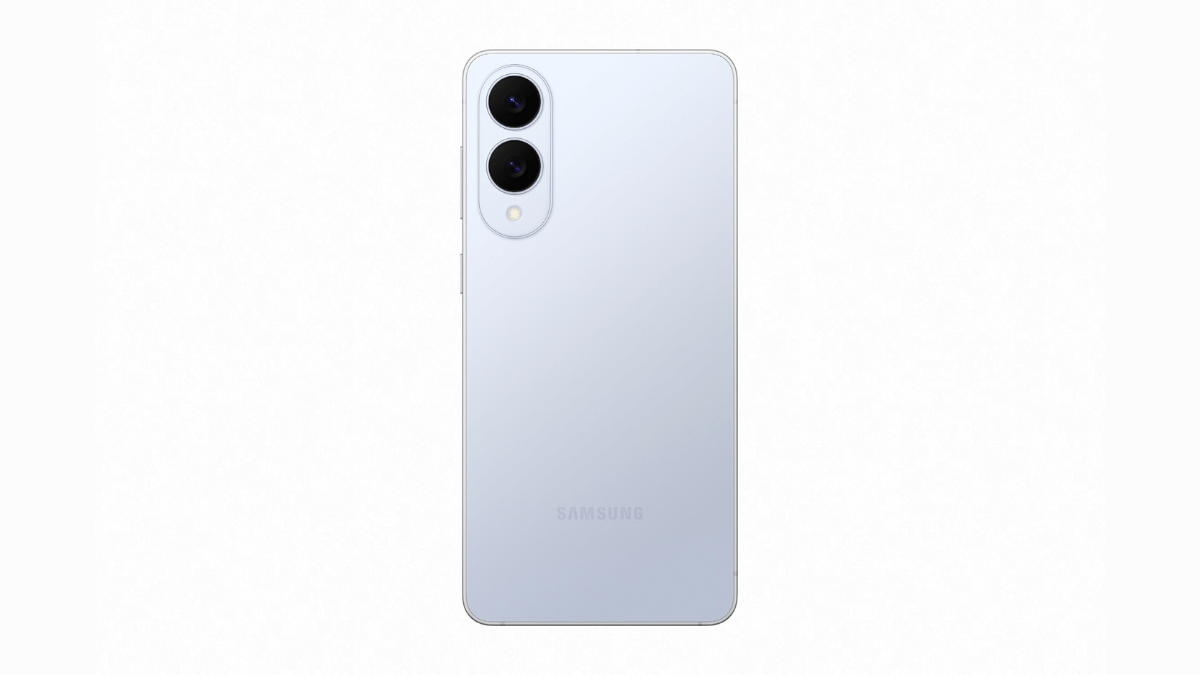
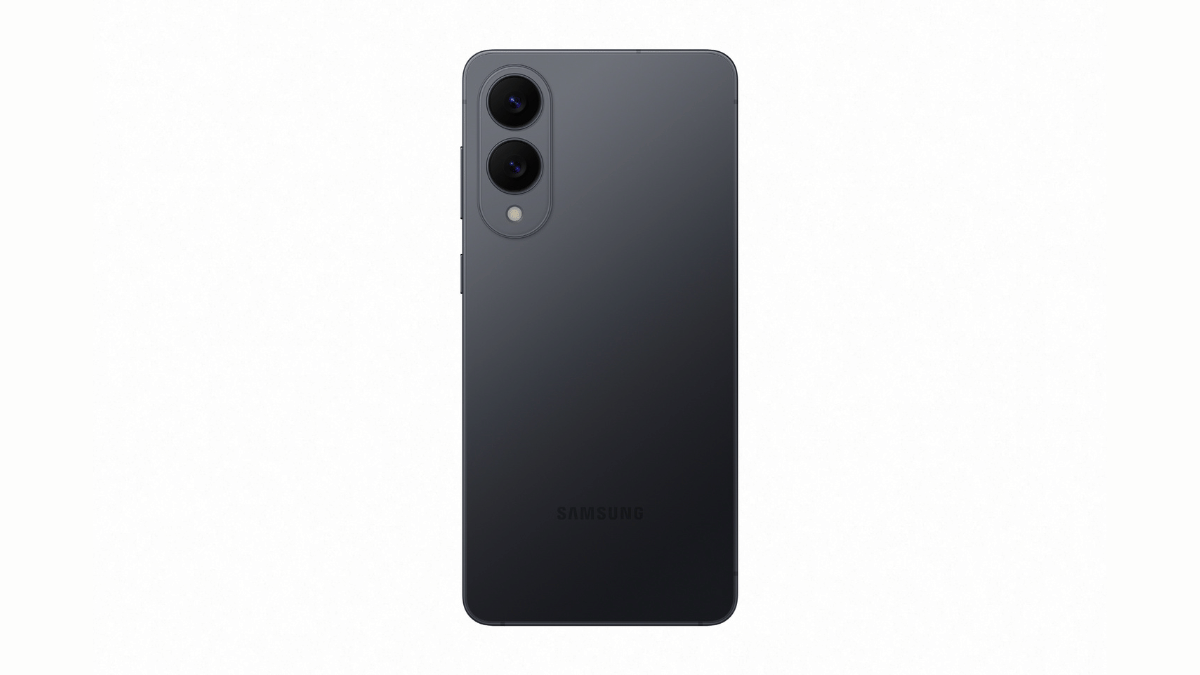
Samsung is expected to make the Galaxy S25 Edge’s price announcements later today. We will be updating this section once the details are revealed. That said, this new model is launched in three color options Titanium Silver, Titanium Jetblack and Titanium Icyblue shades.

Categories
Featured Mobile

Vivo V50 Elite May 15 India Launch Announced: New Upgrades Over V50 Series?

Key Highlights

  • Vivo V50 Elite series launching this week in India
  • Is expected to placed above V50
  • Features not revealed officially yet
  • To feature Zeiss-co-engineered camera setup

Vivo has just announced a new smartphone launch in India. The V50 series is getting a special Edition model called the Vivo V50 Elite. Launching as the third variant in the V50 series, the Vivo V50 Elite is expected to be positioned above the vanilla V50. Zeiss co-engineered cameras is likely to be the highlight besides the new design with the new V50 Elite variant. Here’s what all we know:

For the tech geeks, stay updated with the latest cutting-edge gadgets in the market, exclusive tech updates, gadget reviews, and more right on your phone’s screen. Join Giznext’s WhatsApp channel and receive the industry-first tech updates.

Also Read: Vivo T4 5G Review: A Sleek, Battery-Heavy Smartphone That Packs A Punch

Vivo V50 Elite Official India Launch Date

Vivo V50 Elite will be launched this week itself in India. The brand has scheduled its launch on May 15, 2025, i.e., Thursday. The announcement has been made officially at Vivo’s X handle (previously Twitter) that reads, “Elite. Enigmatic. Arriving soon. With sound that surrounds and portraits that captivate — this is more than just a phone.”

The Vivo V50 Elite’s launch timing is scheduled for 12 PM ISTVivo is possibly hinting the powerful portrait imaging experience offered by the V50 Elite along with the powerful surround sound capabilities. At this moment, no hardware or key feature has been teased. However, the details will be clear within a few days.

Also Read: Lenovo Tab K11 Enhanced Edition Review: Fits All Bills?

Vivo V50 Elite Features And Specs: Upgrades Expected Over V50 And V50e?

While Vivo is tight lipped related to the V50 Elite’s hardware features, it is said to share features with its remaining siblings. The major upgrades could be in the design department apart from some other minor tweaks. That said, the V50 (standard variant) has a 6.77-inch FHD+ curved AMOLED display that supports 120Hz refresh rate and HDR10+.

This same panel can be used for the V50 Elite along with the in-display fingerprint scanner for safety. Camera island unlike pill-shaped found on the remaining V50 series models will be updated to a round module on the V50 Elite. But the sensor details are at large. Whether Vivo uses a Qualcomm Snapdragon or MediaTek Dimensity series chipset is something that remains to be seen.

Categories
Apps Featured How To

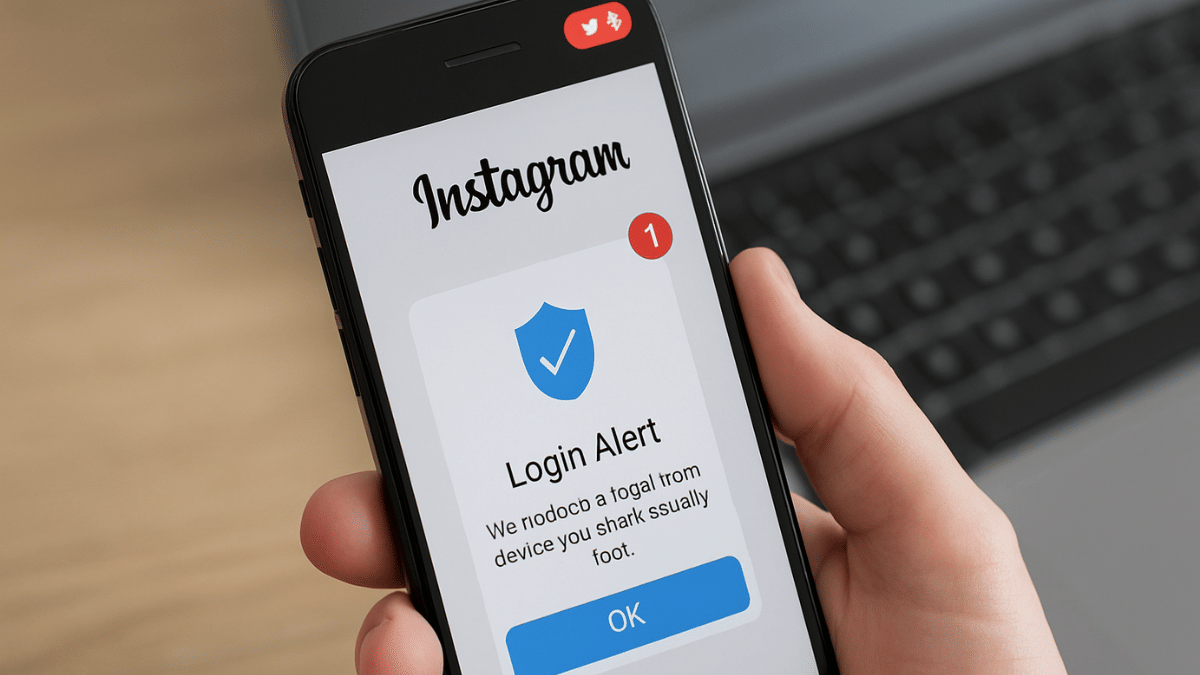
No More Snooping: How To Get Instant Login Alerts On Instagram And Protect Privacy

Key Highlights

  • Instagram offers multiple privacy and safety features
  • Enabling login alerts prevents unwanted access and account controls
  • Feature available for both Android and iOS devices

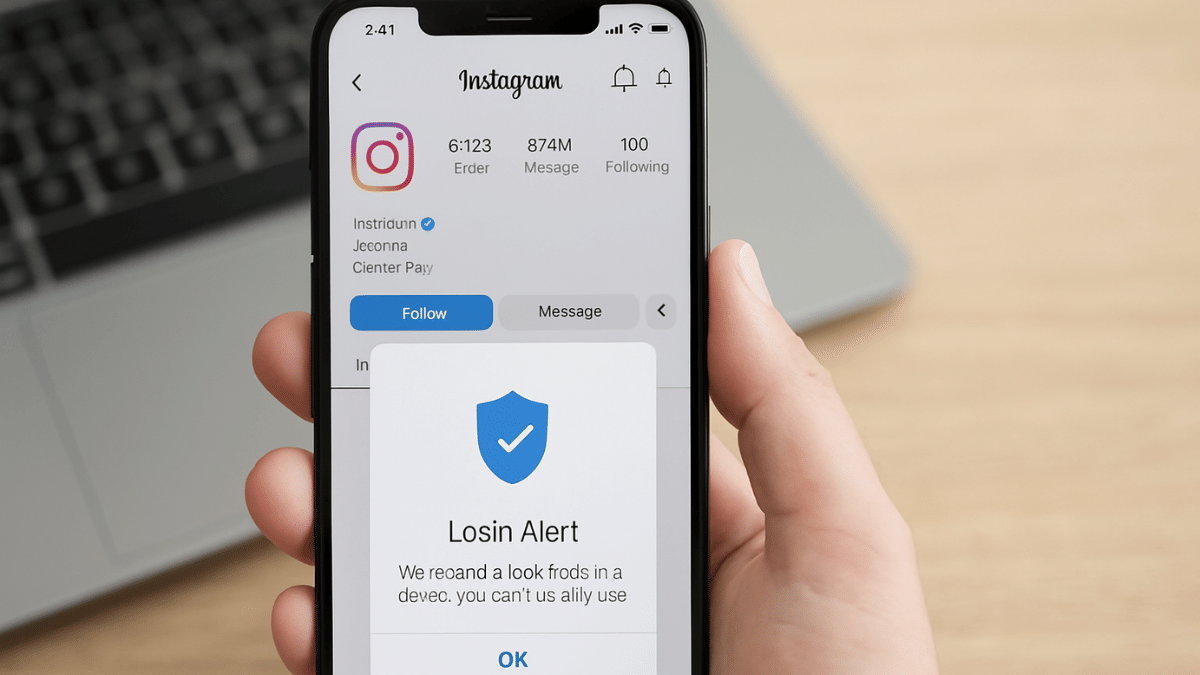
Instagram remains the dominating app in the social media space. And with constant surge in its user base, this we definitely are getting some of the unique features that keeps us hooked to this platform. And not just entertainment, Instagram has turned out to be one of the best apps for having fun conversations. Besides, Instagram has evolved as created a whole different era of social media influencing giving opportunities to creators and brands reach out a larger audience base boosting their market presence overall. Collectively Instagram is one of those apps that if you are using (as a general user, creator, or for business) then you need all the precautionary measures offered by the platform enabled. Login alert notification is one such feature that you need to enable for advanced privacy. In this guide, we tell you how to enable Instagram login alert notification making your account more private and secure. This will help you know if someone has logged into your Instagram account and if there’s any privacy breach.

Also Read: Instagram Edits: New Standalone Editing Insta Tool? 10 Easy Steps To Use!

How To Activate Login Alerts For Your Instagram Account (Android, iOS)

Step 1: After launching Instagram mobile app, tap on the profile icon from the homepage.

Step 2: Tap on the Menu (three dots) icon

Step 3: Tap on the Accounts Centre option

Step 4: Click on the ‘Password and Security’ option

Step 5: Now, select the Login Alerts option

Step 6: Enable the in-app notifications

Step 7: Ensure Email notification is enabled to Always on. Also, cross check the email address.

Also Read: Operation Sindoor Live: How To Map Real-Time Action, Track Live Updates On Smartphones

How To Check If Some Other User Has Logged Into Your Instagram Account

Step 1: Open Instagram app and tap on the Profile icon

Step 2: Now, click on the Settings tab and head to the Accounts Centre

Step 3: Tap on the ‘Where you’re logged in’ option. Check the list of login devices along with the locations. Make sure there are no unfamiliar device or login location. If there is, your account security might be compromised.

Step 4: Change your password if you believe account security might have been compromised. Otherwise, enable the login alerts using the procedure listed above.

Categories
Apps Featured How To

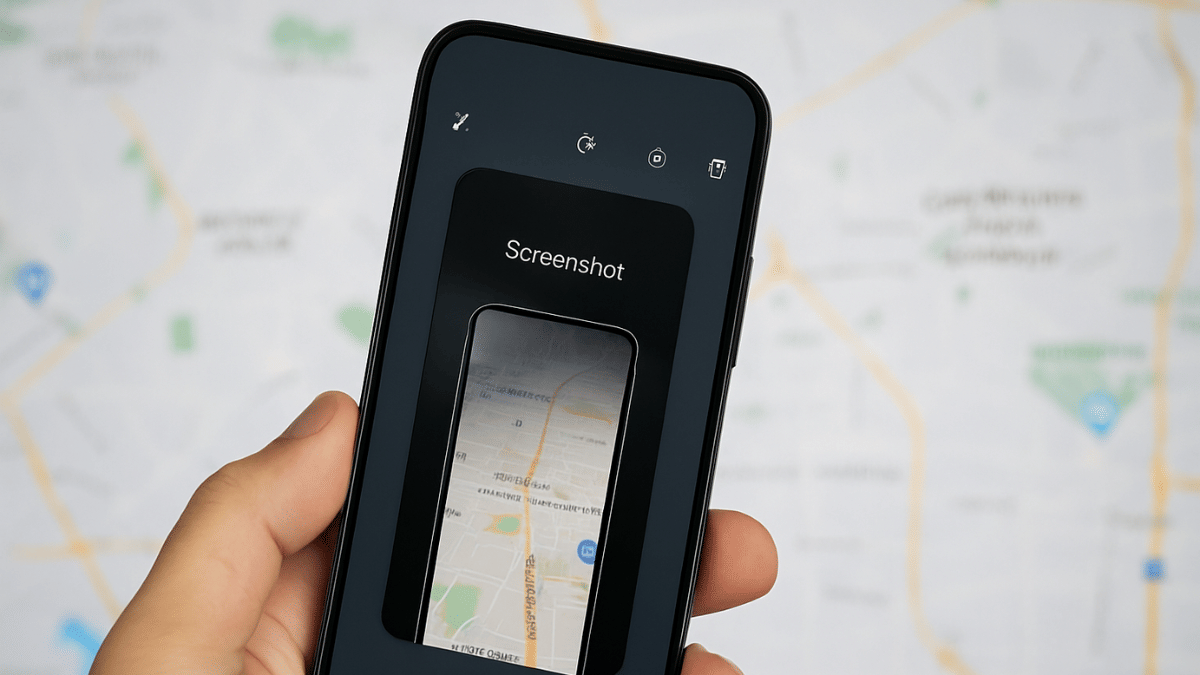
Tired of Losing Location Screenshots? Google Maps Now Lets You Save Screenshots Directly: Here’s How

Key Highlights

  • Google Maps gets screenshot save feature
  • Helps with finding locations from saved screenshots
  • This feature is Gemini-AI backed

Google Maps is getting is routine update. Now, the navigation app has become more smarter in terms of finding locations and guiding you with the routes, nearby places, and more. Google has introduced a new feature that will allow users to save screenshots directly to Maps app and use the same to find the destination. Let’s dive into more details below:

For the tech geeks, stay updated with the latest cutting-edge gadgets in the market, exclusive tech updates, gadget reviews, and more right on your phone’s screen. Join Giznext’s WhatsApp channel and receive the industry-first tech updates.

Also Read: Google Confirms Maps Timeline Data Deleted Accidentally: Check Steps To Restore Deleted Maps Timeline

Google Maps Screenshot Saving Feature Explained

The screenshot saving feature is introduced for Maps where a user can easily keep a track of all the screenshots grabbed from a travel blog, news article, or social media posts for planning a vacation or trip. Instead of saving that location’s screenshot into your device’s gallery and then going through a whole long log of photos to find the same, you can do it directly into the Maps app. This will not only save extra hassle but make it much convenient for planning travels. Note, This feature is currently released only for iOS users and will likely be made available to Android in the coming months.

Also Read: Terror Hits Pahalgam & Poonch: How To Enable Emergency Alerts On Your Phone Amid Rising Indo-Pak Tensions

How To Use Google Maps Screenshot Saving Feature On iOS

Step 1: Open Google Maps and ensure it’s updated to the latest version

Step 2: Head to the ‘You’ tab at the bottom

Step 3: Once you perform the step 2, a new badge with ‘Try it out’ (with a screenshot list) will be visible. Tap on it.

Step 4: A video will be played explaining how the feature works. There’ll be a provision to try it out along with the video tutorial.

Step 5: Grant the permission to Google Maps to access your device gallery and photos.

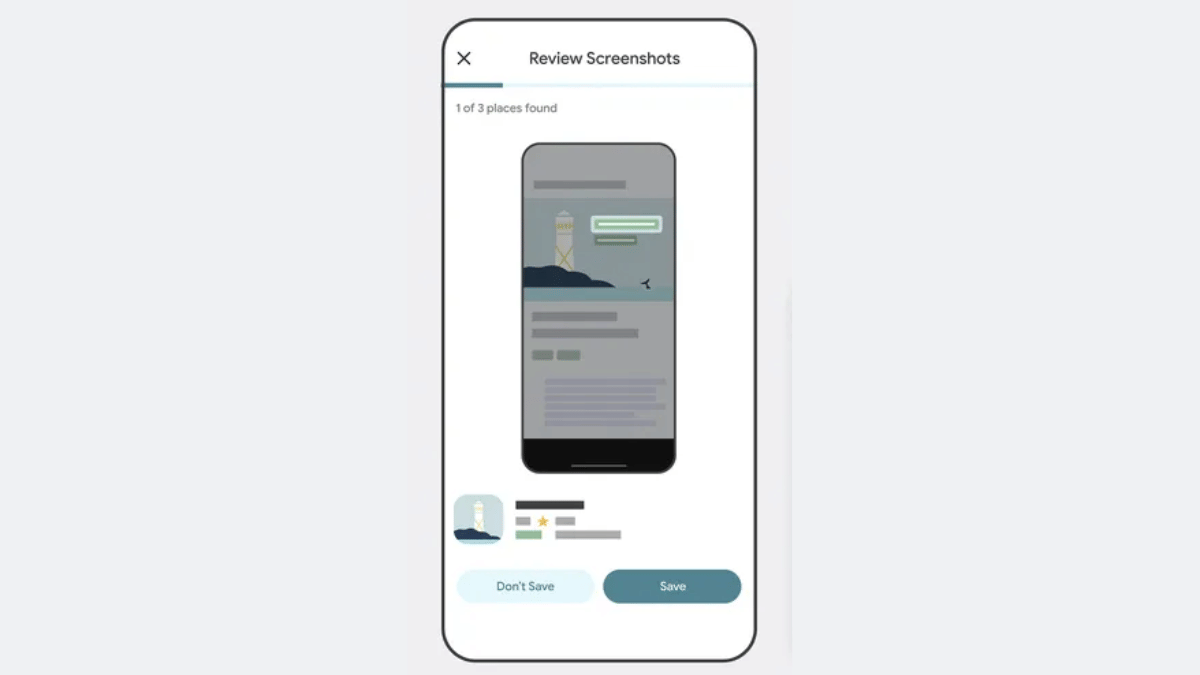
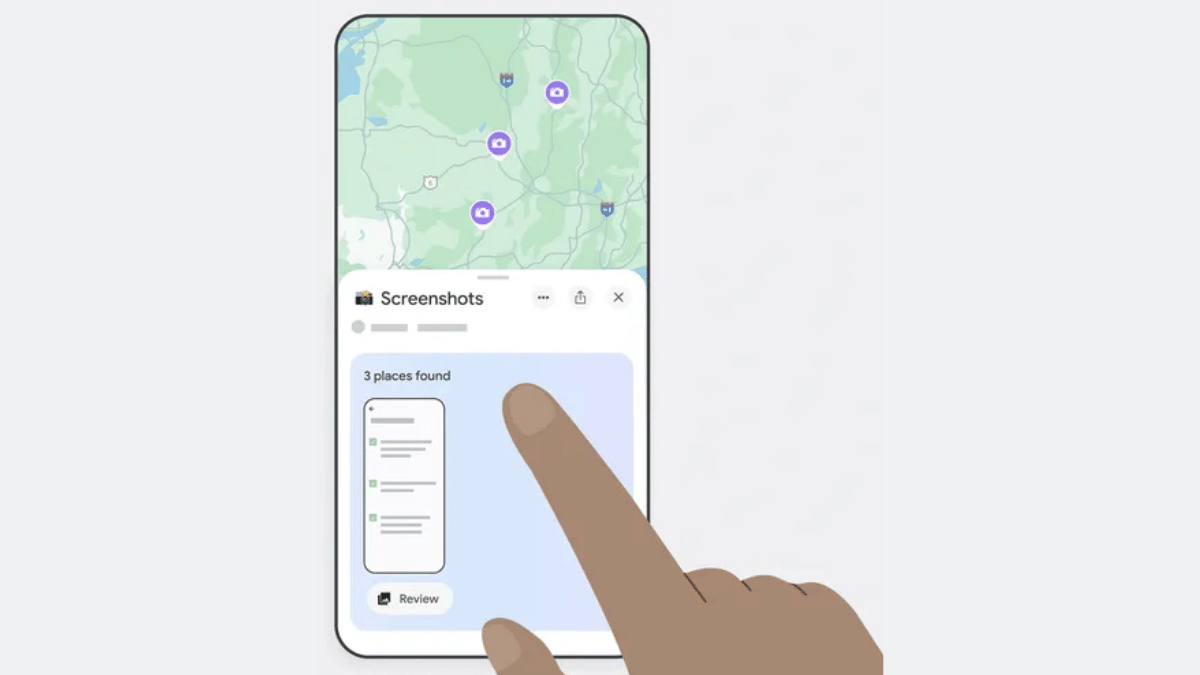
Step 6: You’ll see the list of screenshots on Maps along with the suggestions once the scanning is complete

Step 7: Click on the Review tab if you wish to add the screenshot to Google Maps list.

Step 8: Once all the screenshots are saved, you can later see the list directly by tapping on the You tab.

Categories
Featured How To

Your Aadhaar Details Compromised? Here’s How To Instantly Check For Data Leaks, Unauthorized Aadhaar Use

Key Highlights

  • Aadhaar details if compromise can lead to scams on your name
  • Fraudster can take loans using your stolen Aadhaar credentials
  • Access to personal information, privacy breach possible if Aadhaar details compromised

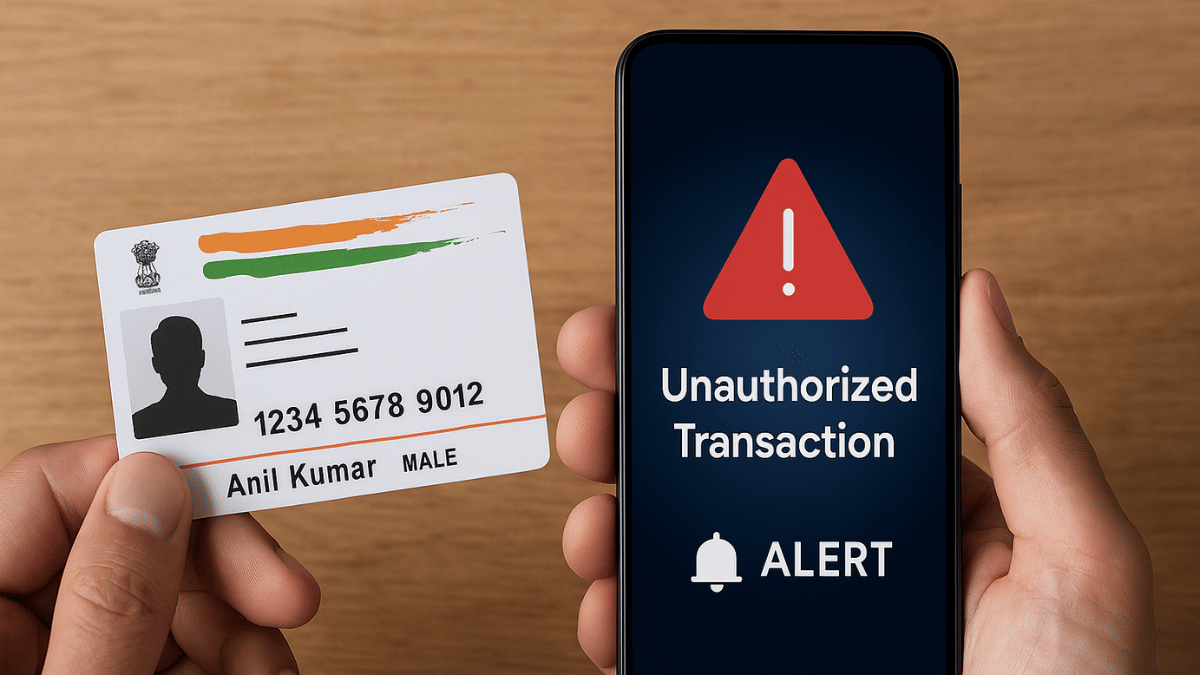
Aadhaar is the most crucial personal identity document issued by the government of India. A 12-digit unique personal identity number that is given to each citizen is now a mandatory document for almost all financial and other professionals services handled by both public and government sector. Despite Aadhaar being the most private and confidential personal ID, data leaks and card thefts have become common. This has led to scenarios where frauds are being carried out without a victim’s knowledge. Such identity thefts can pose serious threats to your personal safety. And if you are suspecting that you might have fallen into such traps where your Aadhaar details might have been compromised then it’s wise to take the necessary measures. What exactly can you do to check if your Aadhaar details are being misused and what all are the dangers associated with it.

Also Read: Samsung Galaxy S25 Edge Launch Date Finally Revealed: How To Watch Live Stream? Expected Specs

Steps To Check Aadhaar Data Leak, Misuse, And Exploitation

Step 1: On your smartphones, tablets, laptop/ PC, open any web browser.

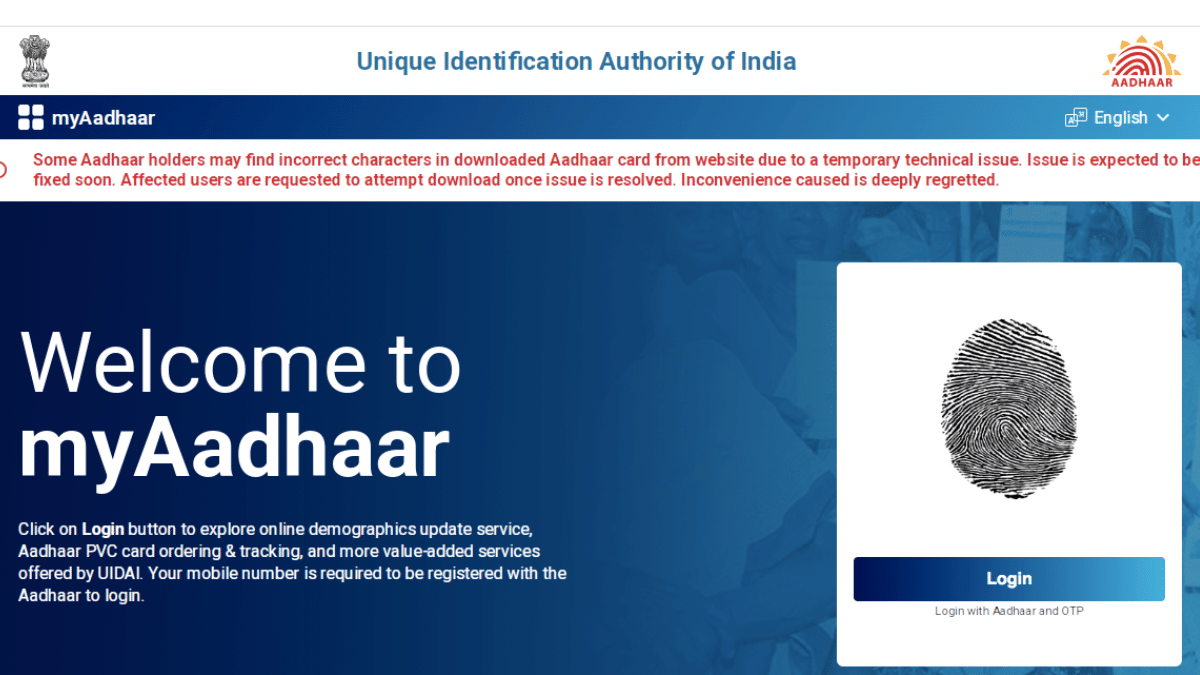
Step 2: In the search bar, type https://myaadhaar.uidai.gov.in/

Step 3: To login to the portal, enter your 12-digit UIDAI (Aadhaar number) followed the by CAPTHA.

Step 4: Tap on the ‘Login with OTP’ option

Step 5: Enter the One-Time-Password sent on your registered mobile number

Step 6: Tap on the Menu and select ‘Authentication History’ option

Step 7: You can check your Aadhaar card’s authentication report for a selected timeline. Set the date and month range during which you suspect your Aadhaar details could have been stolen or leaked.

Step 8: Once the details are available, verify for any fraudulent activity.

Step 9: Immediately contact UIDAI customer support and headline in case of any Aadhaar data leak or misuse

Also Read: Operation Sindoor Live: How To Map Real-Time Action, Track Live Updates On Smartphones

Immediate Measures To Take In Case Of Aadhaar Card Leak, Misuse, Exploitation

Lock Aadhaar Card To Prevent Future Mishaps

Besides reporting the fraud, you can instantly lock your Aadhaar to prevent any future scams or crimes being carried out on your name. The steps for the same are below

Step 1: Open https://uidai.gov.in official website on your devices.

Step 2: Select your preferred language

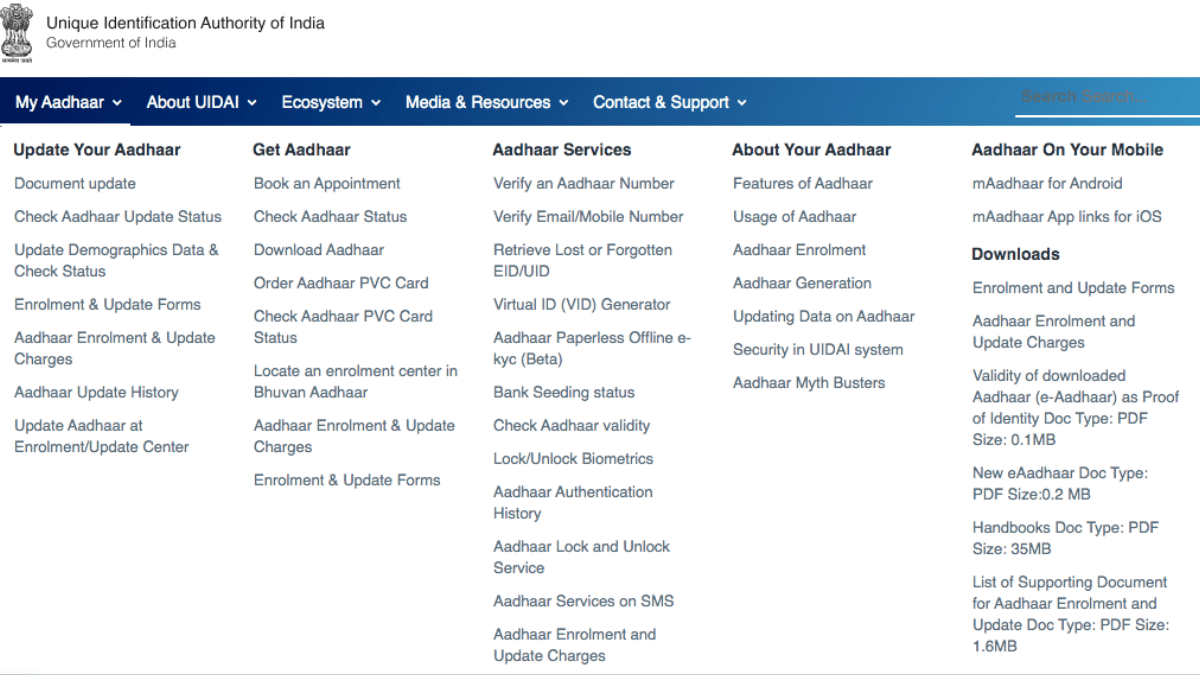
Step 3: Hover the cursor over My Aadhaar tab and select ‘Aadhaar Services’ from the drop down

Step 4: Click on the ‘Aadhaar Lock/ Unlock’ option

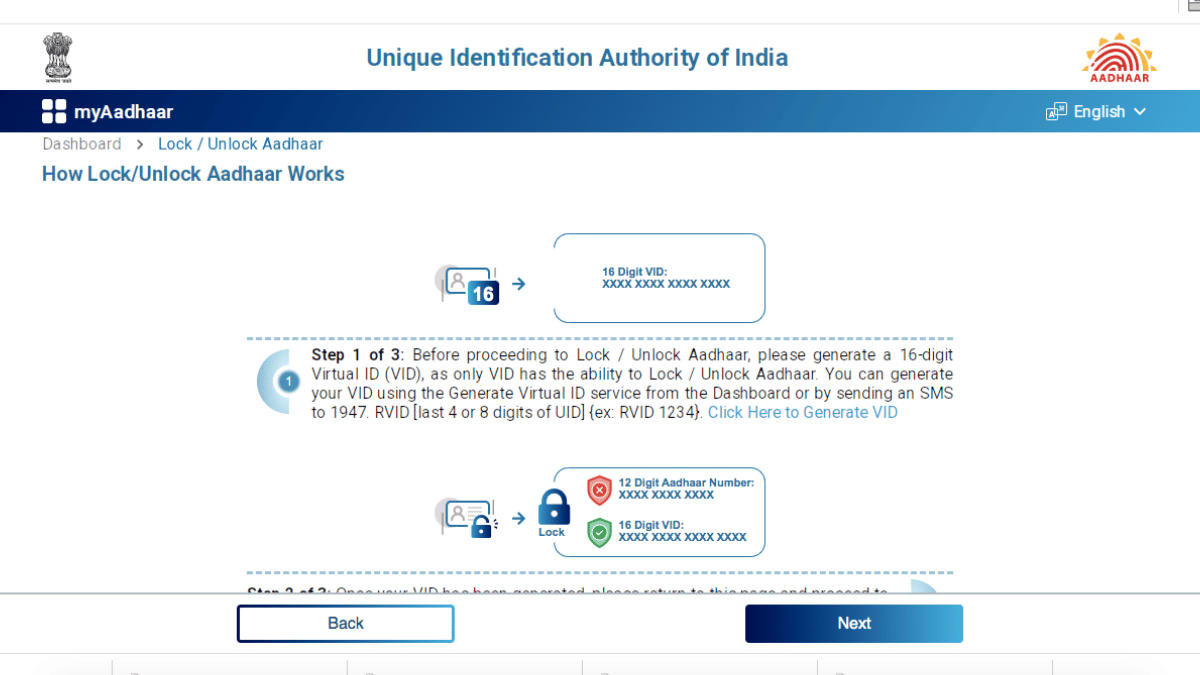
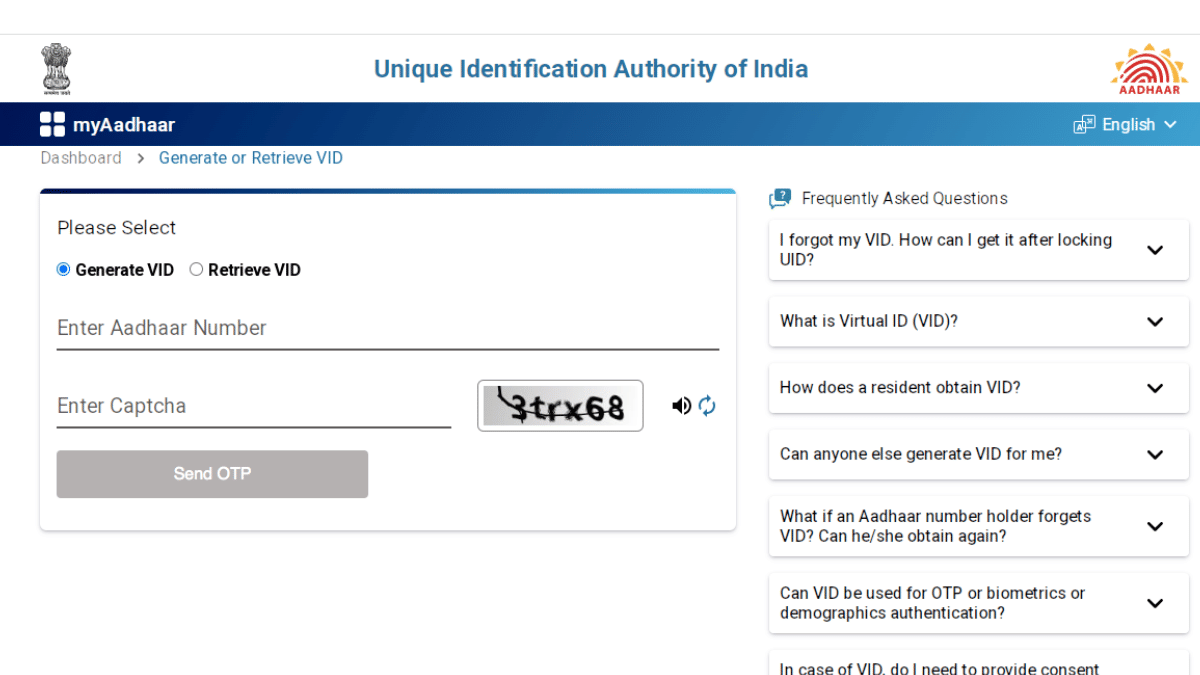
Step 5: You need to create a 16 digital unique virtual ID. Tap on this link to do so https://myaadhaar.uidai.gov.in/genericGenerateOrRetriveVID. If you already have one, proceed with the same.

Step 6: Enter the 16-digit virtual ID, your full name and area PIN code.

Step 7: Now, select the ‘Send OTP’ option and use the OTP received on your registered mobile number to proceed further.

Step 8: Once the verification is complete, the Aadhaar card will be locked successfully

Categories
Featured Mobile

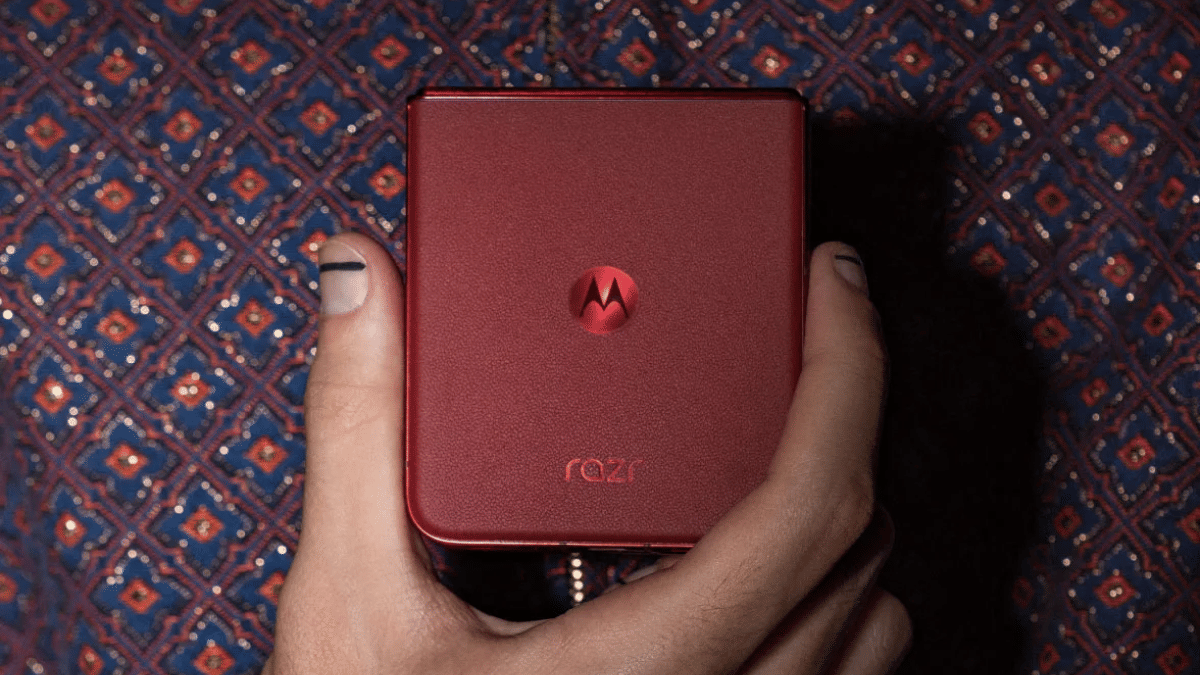
Moto Razr 60 Ultra Foldable Flip May 13 India Launch Confirmed: Details Known So Far

Key Highlights

  • Motorola Razr 60 Ultra India launch next month
  • First Moto clamshell foldable phone with 50MP triple rear cameras
  • To be sold in India via Amazon
  • Expected to be powered by the flagship Snapdragon 8 Elite processor

Motorola’s next flagship foldable clamshell is heading to India in the coming week. The Moto Razr 60 Ultra which is touted as the most powerful and the fastest flip phone and also the first to sport a 50MP triple lens optics hardware is slated for launch next week in the country. Official confirmation reveals the date and its availability. Read below to know what to expect from the upcoming ultra-premium Moto foldable flip handset:

For the tech geeks, stay updated with the latest cutting-edge gadgets in the market, exclusive tech updates, gadget reviews, and more right on your phone’s screen. Join Giznext’s WhatsApp channel and receive the industry-first tech updates.

Also Read: Terror Hits Pahalgam & Poonch: How To Enable Emergency Alerts On Your Phone Amid Rising Indo-Pak Tensions

Moto Razr 60 Ultra: India Launch Date, Live Stream Details

Motorola has announced the Moto Razr 60 Ultra’s official launch will be taking place on May 13, 2025. The company has currently not shared the live stream details and has also not created the live event page on YouTube (at the time of writing this article). However, if the details are shared anytime soon, we’ll ensure to update this section.

Also Read: Operation Sindoor Live: How To Map Real-Time Action, Track Live Updates On Smartphones

Expected Pricing, Availability

Moto Razr 60 Ultra is expected to an ultra-premium foldable handset from Motorola getting introduced this year. To recap, its predecessor, i.e., the Edge 50 Ultra arrived with a price label of Rs. 99,999. Moto could be launching the new variant with a slightly higher price tag over the last-gen version. While Motorola hasn’t hinted the pricing, around Rs. 1.10 lakh cost is being speculated.

Also Read: Level Up Your Mobile Gaming:Top 5 Efficient Methods To Enhance Smartphone Battery Life, Performance

Moto Razr 60 Ultra Expected Specs

Display Specs– Outer Panel (cover screen) – 4 inch pOLED LTPO, Inner panel (unfolded state)- 7-inch pOLED LTPO. 165Hz refresh rate (inner screen).

Camera Specs– Rear camera setup: 50MP+ 50MP primary camera hardware, 50MP front camera for selfies

Chipset And Configuration: Qualcomm Snapdragon 8 Elite Chipset. 16GB of LPDDR5X RAM+ 512GB UFS 4.0 storage

Battery: 4,700mAh battery with 30W wireless fast charging and 68W fast wired charging

Categories
Apps Featured

WhatsApp Testing Message Summarisation Via Meta AI: Update Coming Soon?

Key Highlights

  • WhatsApp testing new message summarisation feature
  • Spotted in beta build 2.25.12
  • Uses Meta AI to provide a quick summary of messages

WhatsApp is making its messaging platform all advanced with incorporation of Meta AI. On Android and iOS, WhatsApp allows users to make use of Meta AI for image creation, create and draft new messages/ emails, find information related to different topics, etc. And now, a new feature leveraging Meta AI’s capabilities is in tow which will make it much easier to be updated with all the incoming messages. The messaging platform is testing AI summarisation feature which has been spotted in the latest beta build.

For the tech geeks, stay updated with the latest cutting-edge gadgets in the market, exclusive tech updates, gadget reviews, and more right on your phone’s screen. Join Giznext’s WhatsApp channel and receive the industry-first tech updates.

Also Read: WhatsApp Advanced Chat Privacy: How To Add Extra Safety Layer For WhatsApp Chats?

WhatsApp AI Chat Summarisation Feature: Update Available?

WhatsApp is testing a new feature that will provide an AI-based summary of the messages that have been missed. This feature is being tested with the Android beta build 2.25.15.12 and can be dowloaded via Play Store. This feature has been spotted in the testing phase by WABetaInfo and is expected to be made available to the users as a stable version in the coming months.

Also Read: Terror Hits Pahalgam & Poonch: How To Enable Emergency Alerts On Your Phone Amid Rising Indo-Pak Tensions

WhatsApp AI Chat Summarisation: How Will It Work?

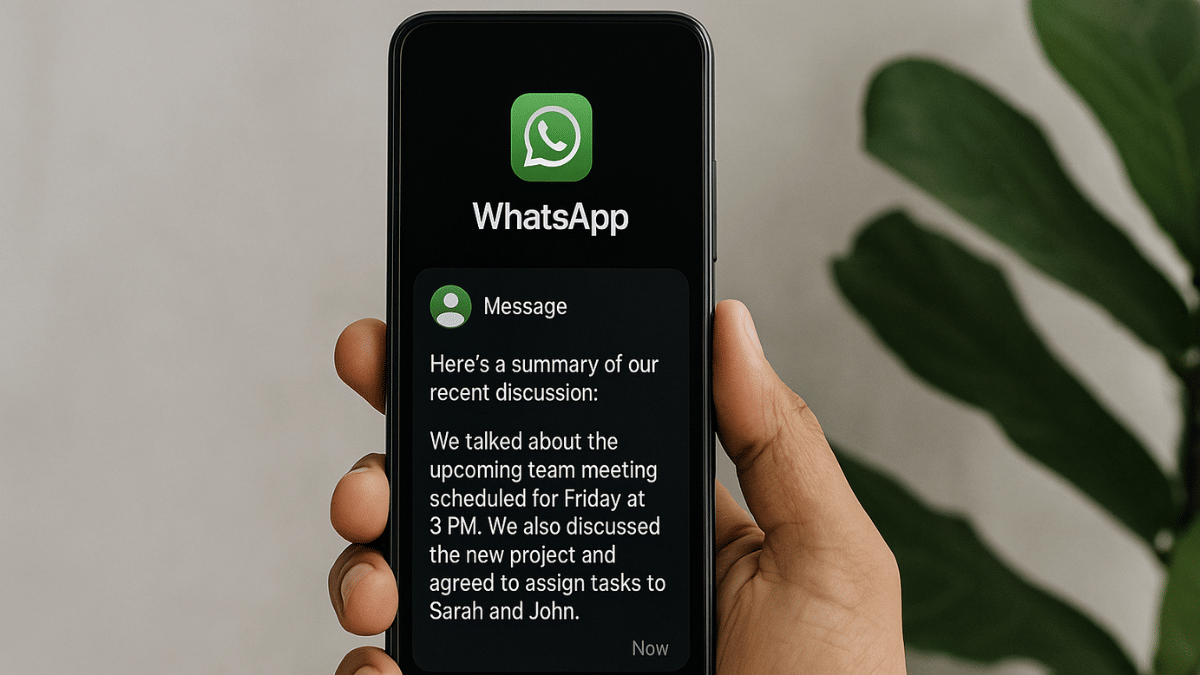
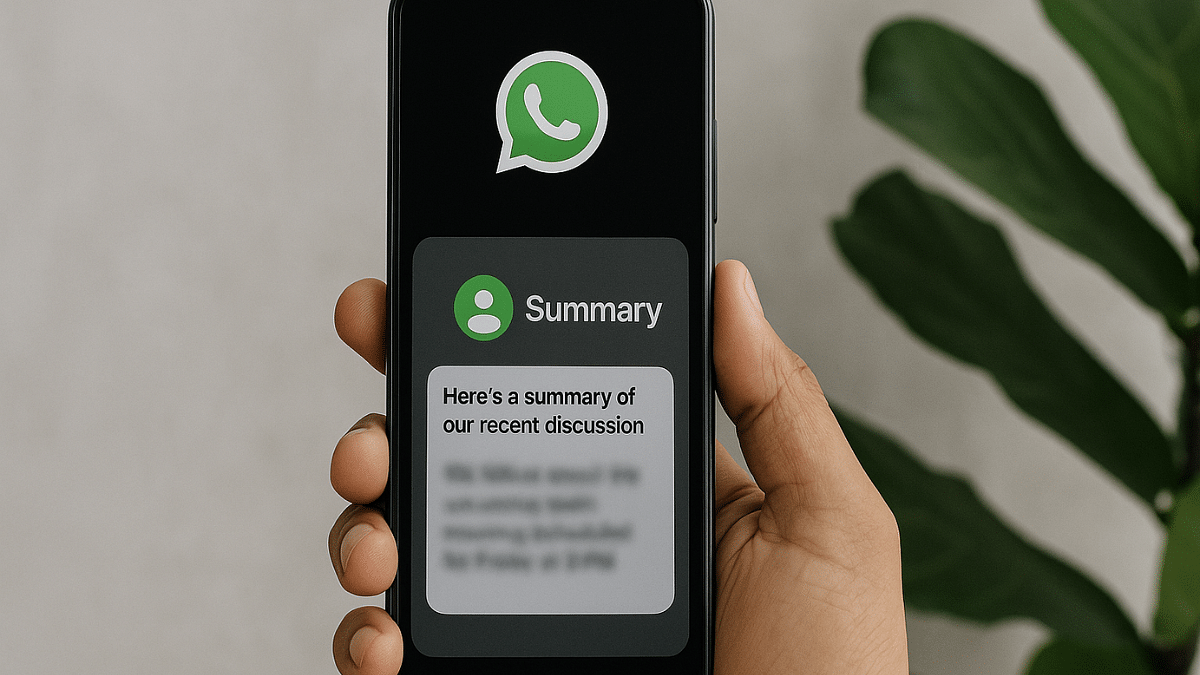
Th screenshots shared by WABetaInfo shows how the upcoming AI chat summary feature will work on WhatsApp. It uses Meta AI for summarising long texts. This feature is beneficial when there are multiple unread messages where users will be able to see a se Summarise with Meta AI button option in the chat. Once the users taps on this option, a comprehensive summary of the missed chats will be created allowing user to quickly run through the updates.

The AI message summarisation feature will be available for all chat formats on WhatsApp. This will include all personal and private messages with a single contact or group and even for WhatsApp channels that a user follows.

Also Read: Operation Sindoor Live: How To Map Real-Time Action, Track Live Updates On Smartphones

Privacy Concerns With Message Summary Feature On WhatsApp?

While the AI Message summary feature will be available for all chat formats on WhatsApp, it wouldn’t be functional for the chat Windows where Advanced Chat Privacy feature is enabled. This will make sure the privacy remains intact. Additionally, WhatsApp claims that the messages will be summarised using the Private Processing infrastructure which will ensure no messages or chats are read or stored separately.

Categories
Featured How To Mobile

Terror Hits Pahalgam & Poonch: How To Enable Emergency Alerts On Your Phone Amid Rising Indo-Pak Tensions

Key Highlights

  • Tensions are rising across Indo-Pak borders
  • Operation Sindoor conducted to strike down terror organisations and infrastructure
  • Mock drills conducted across the country on May 7, 2025
  • Fresh attacks shatters Poonch in Jammu & Kashmir
  • High-time to enable emergency alerts on smartphones
  • Can help receiving wireless emergency alerts shared by the government
  • Can be activated on both Android and iOS devices

Indo-Pak border tensions are certainly escalating and seems like there could be some real emergency-like situations soon. After 26 tourists lost their life in the heinous terror attack carried out in Pahalgam Kashmir, Pakistan army now carried out shell attacks claiming life of 15 innocent civilians and one army personnel. This cowardice move apparently comes after the Operation Sindoor carried out by the Indian army in retaliation to the Pahalgam attack striking down terror organisations and infrastructure in the nearby region.

Indian government also seem to be taking swift actions countering all such terror attacks. Following Operation Sindoor, Operation Abhyaas was carried out on May 7, 2025 which was essentially a nation safety mock drill bolstering preparedness for war-like emergency scenarios. This is the high time when staying alert related to the current-affairs, specifically Indo-Pak tensions is a necessity. So is enabling the government emergency alerts on your smartphones.

For the tech geeks, stay updated with the latest cutting-edge gadgets in the market, exclusive tech updates, gadget reviews, and more right on your phone’s screen. Join Giznext’s WhatsApp channel and receive the industry-first tech updates.

Also Read: Operation Sindoor Live: How To Map Real-Time Action, Track Live Updates On Smartphones

Government Emergency Alerts On Your Smartphones: Saviour Feature In Case Of War-Like Emergencies

All the modern smartphones are integrated with emergency alert feature that can keep a user updated with any emergency. This feature is available across Android and iOS ecosystems; specifically the latest firmware builds. For Android, the Android v11 and above comes with Emergency Alerts feature. On the other hand, Apple provides emergency alerts feature with iOS 17 and above.

These wireless alerts can notify users of current emergencies even without active mobile connections. This makes them extra handy in emergency situations. So, how do you enable them? Find out the steps to activate wireless emergency alert feature on both Android and iOS platforms:

Also Read: Samsung Galaxy S25 Edge Launch Date Finally Revealed: How To Watch Live Stream? Expected Specs

How To Enable Wireless Emergency Alerts On Android

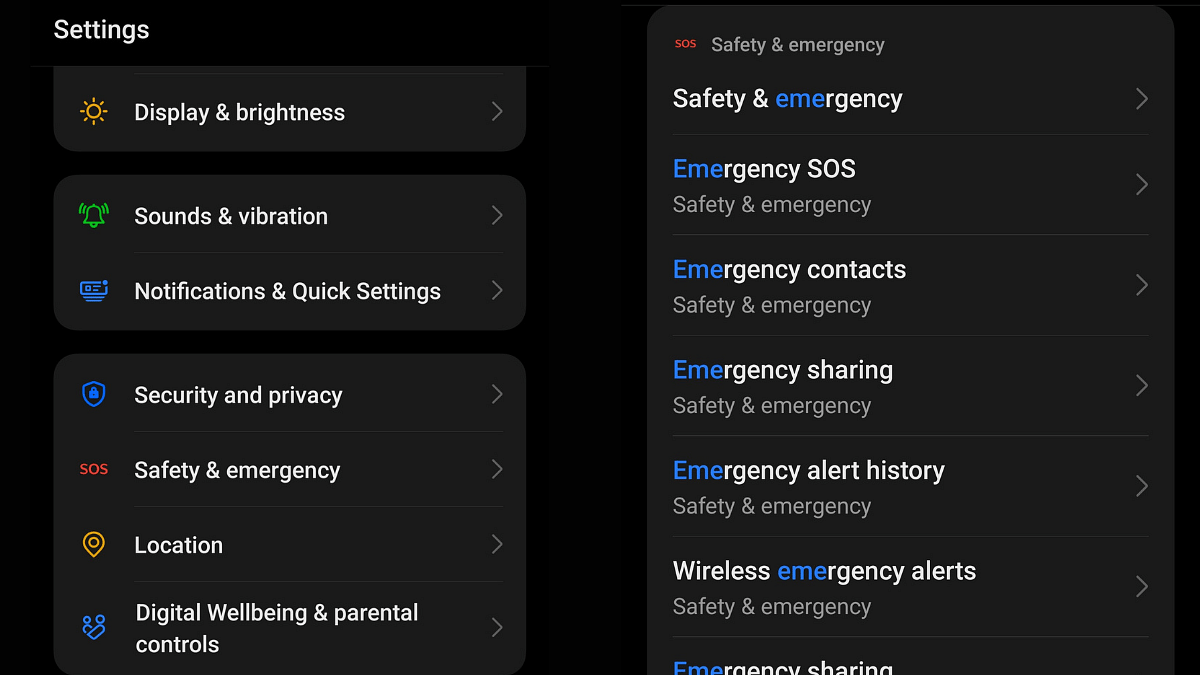
Step 1: Unlock your Android phone and launch the Settings app

Step 2: Navigate to the ‘Safety And Emergency’ option

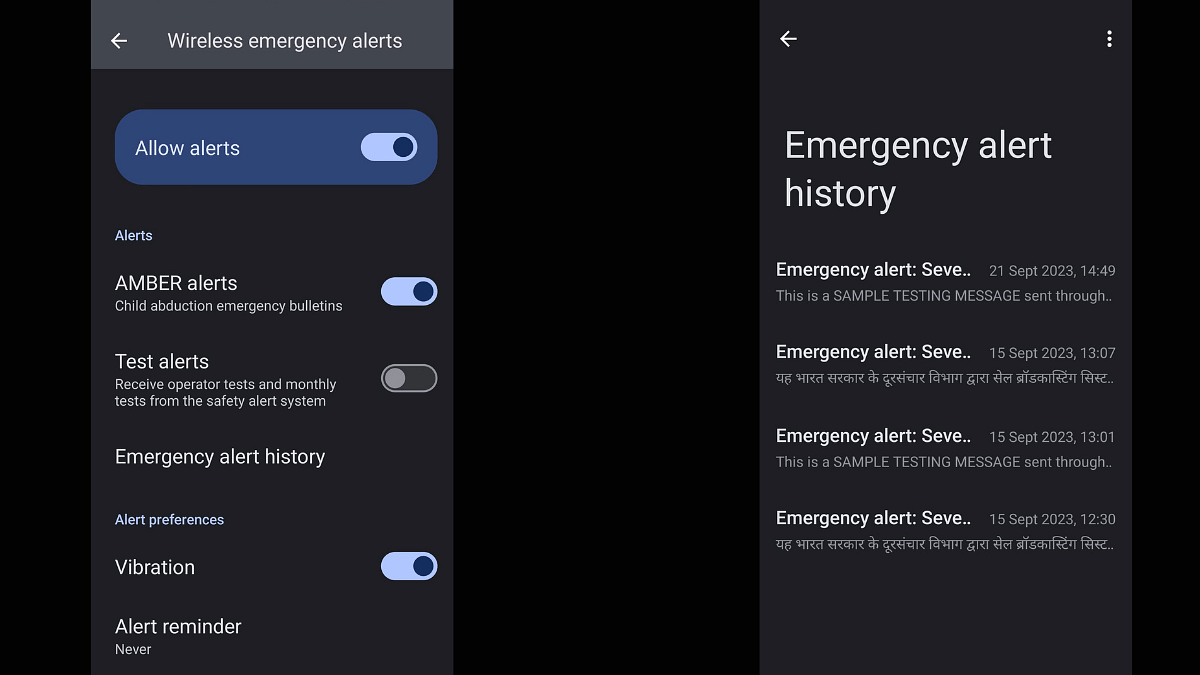
Step 3: At the bottom, you’ll find the ‘Wireless emergency alerts’. Tap on it.

Step 4: Enable all the necessary emergency alert options including AMBER, government, and Test alerts.

That’s all, you’ll receive emergency alert notifications wirelessly on your Android device even if there is no mobile connection.

Also Read: Apple AirPods Maintenance Guide: How To Check And Update AirPods, AirPods Pro Firmware Version

How To Enable Wireless Emergency Alerts On iOS

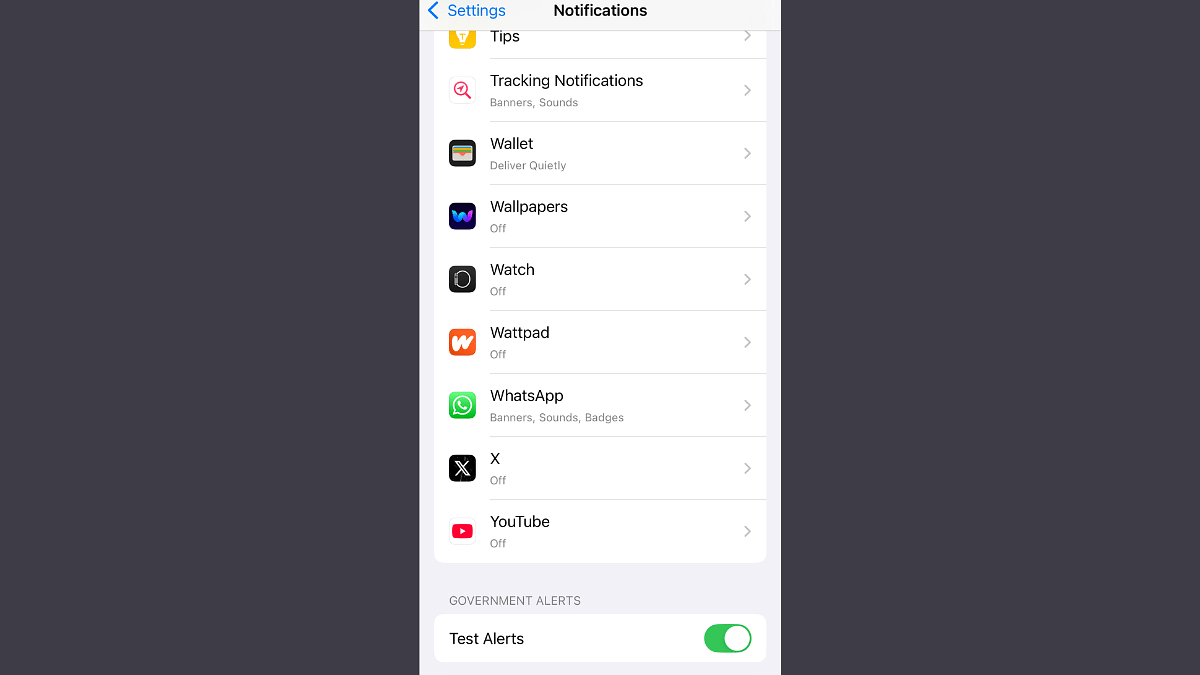
Step 1: Unlock your iPhone open the Settings menu

Step 2: Go to the Notification option.

Step 3: Navigate to the ‘Test Alerts’ and the ‘Government alerts’ section

Step 4: Enable it.