Categories
Auto Tech Featured

Mahindra Be 6, XEV 9e Lower Trims To Be Introduced With Bigger 79 kWh Battery Pack: Details

Key Highlights

  • Mahindra BE 6, XEV 9e new trims expected
  • 79kWh battery option to be available with lower-spec trims
  • Both XEV 9e and BE 6 currently being made available in phases

Mahindra BE 6 and the XEV 9e are two of the hot shots in the electric SUV market in India. Soon after their launch last year, Mahindra received massive interests from the buyers which the brand is fulfilling in the form of deliveries in batches. Both BE 6 and the XEV 9e are launched with a 59 kWh and a 79 kWh battery pack option where the latter is available majorly with the higher-spec trims. But Mahindra certainly is planning to expand its reach and target a wider consumer segment with new BE 6 and XEV 9e trims. Reports indicate Mahindra is planning to bring the bigger 79 kWh battery variants of the low-end XEV 9e and BE 6 trims. Here are the developments:

For the tech geeks, stay updated with the latest cutting-edge gadgets in the market, exclusive tech updates, gadget reviews, and more right on your phone’s screen. Join Giznext’s WhatsApp channel and receive the industry-first tech updates.

Also Read: Drive Smart And Safe: List Of Top Electric SUVs With Advanced Safety Features In India In 2025

Mahindra BE 6, XEV 9e Entry-Level Trims With Bigger 79 kWh Battery Pack Launching Soon?

Mahindra BE 6, XEV 9e will be launched soon with a bigger 79 kWh battery option for the lower end trims. Currently Mahindra is delivering the BE 6 and XEV 9e’s variants in phases with the Pack Three trims up for grabs at the dealer ships. It is speculated that the higher demand for the top-spec variants featuring the larger 79 kWh battery pack has led the brand to consider launching lower-trims too with the same battery pack. This move is expected to not just boost sales but also make these two EVs more accessible to different consumer segment.

Considering over 75 percent of bookings are registered for the 79 kWh battery model of the XEV 9e and BE 6, Mahindra’s plan could be a success in a longer run. As of now, the timeline for the launch of the affordable XEV 9e and BE 6 trims featuring the bigger 79 kWh battery remains uncertain. But certainly, these upcoming variants could be introduced once the remaining models are delivered.

Also Read: Odysse Hy-Fy Low-Speed Electric Scooter Launched At Just Rs. 42,000: Price, Top Features

Mahindra BE 6, XEV 9e: Available Trims, Battery Size, And Price

Mahindra BE6 VariantsBattery capacityPrice
Pack One59 kWhRs. 18.90 lakh
Pack One Above59 kWhRs. 20.50 lakh
Pack Two59 kWHRs. 21.90 lakh
Pack Three Select59 kWHRs. 24.50 lakh
Pack Three 79 kWhRs. 26.90 lakh
Mahindra BE6 All Variants And Price
Mahindra XEV 9e VariantBattery capacityPrice
Pack One59 kWhRs. 21.90 lakh
Pack Two59 kWhRs. 24.90 lakh
Pack Three Select59 kWhRs. 27.90 lakh
Pack Three79 kWhRs. 30.50 lakh
Categories
Tech Gadgets

Samsung Galaxy S25 Edge Launch Date Finally Revealed: How To Watch Live Stream? Expected Specs

Key Highlights

  • Samsung announces Galaxy S25 Edge launch date
  • Debut set for this month itself via virtual Galaxy Unpacked Event
  • To sport 6.7-inch FHD+ display
  • Might feature dual rear cameras

Samsung is all set to begin an ultra-thin era with smartphones starting with the Galaxy S25 Edge. The low-end model in the flagship Galaxy S25 series was teased officially earlier this year and finally its launch date has been revealed by the brand. Along with the thin form factor, Samsung‘s upcoming Galaxy S series phone is expected to be equipped with premium grade hardware including a 200MP dual rear camera island, massive FHD+ display, etc. Let’s dive into the details below:

For the tech geeks, stay updated with the latest cutting-edge gadgets in the market, exclusive tech updates, gadget reviews, and more right on your phone’s screen. Join Giznext’s WhatsApp channel and receive the industry-first tech updates.

Also Read: Operation Sindoor Live: How To Map Real-Time Action, Track Live Updates On Smartphones

Samsung Galaxy S25 Edge Launch Live Stream: How And Where To Watch?

Samsung has officially announced Galaxy S25 Edge’s launch date. The South Korean tech OEM is hosting the Galaxy Unpacked Event where the upcoming flagship model will be introduced. However, Samsung is hosting an online event for the Galaxy S25 Edge. The virtual Galaxy Unpacked Event is scheduled for next week on May 13, 2025.

The event will kickstart at 8 PM ET (5.30 AM IST). Samsung will be streaming the Galaxy S25 Edge’s Unpacked Event live via its official YouTube channel and other social media handles. Samsung has already created the live stream page for the upcoming Galaxy S25 Edge confirming its upcoming launch and the remaining timer. We have embedded the YT video for you easy reference below:

Also Read: Level Up Your Mobile Gaming:Top 5 Efficient Methods To Enhance Smartphone Battery Life, Performance

Samsung Galaxy S25 Edge: Expected Spec-Sheet

Samsung Galaxy S25 EdgeExpected Hardware
Display size6.7-inch
Panel TypeSuper AMOLED
Resolution and refresh rate FHD+, 120Hz
ChipsetSnapdragon 8 Elite
RAM12GB
Storage256GB/ 512GB
Camera (rear)200MP primary + 12MP ultrawide
Battery 3,900 mAh
Fast Charging25W

Samsung has already teased the Galaxy S25 Edge and as per the rumors this handset will start the ultra-thin trend. It is said to come with 158.2 x 75.5 x 5.84mm dimensions (without the camera bump) and sport a massive 6.7-inch Super AMOLED display supporting 2400 x 1080 pixels FHD+ resolution.

Similar to its older siblings, it will support a smooth 120Hz refresh rate. Imaging hardware packed inside the Galaxy S25 Edge will be a dual rear lens setup at the rear comprising a 200MP main Samsung ISOCELL HP2 lens combined with a 12MP ultra-wide lens.

At its core, the S25 Edge will come equipped with the Snapdragon 8 Elite chipset clubbed with 12GB RAM and 256GB/ 512GB storage option. The Galaxy S25 Edge will feature a 3,900 mAh battery pack featuring 25W fast charging support like the other S25 variants.

Categories
Featured How To Info

Operation Sindoor Live: How To Map Real-Time Action, Track Live Updates On Smartphones

Key Highlights

  • Operation Sindoor launched by Indian Army
  • Targets terrorist infrastructure in Pakistan occupied Kashmir and Pakistan
  • For live updates only trusted media publishers should be followed
  • Live mapping can be done on smartphones
  • Satellite tools can be used for tracking live updates

Post the heinous attack on tourists claiming multiple lives in Kashmir, Indian army launched its strategic move to hit terrorists hard. Called Operation Sindoor, the war announced against terrorists targets all the their important infrastructures. And amidst all the rising tensions across the India-Pakistan border, specifically Kashmir, staying updated with Operation Sindoor certainly is more important now. And what if tell you there are ways that can help you get the live ground report of the Operation Sindoor and future actions. In this article, we tell you how to make full use of of your smartphone not to just stay updated with the latest news related to Indo-Pak tensions, but also the tricks to map all the action live on your device.

For the tech geeks, stay updated with the latest cutting-edge gadgets in the market, exclusive tech updates, gadget reviews, and more right on your phone’s screen. Join Giznext’s WhatsApp channel and receive the industry-first tech updates.

Also Read: Level Up Your Mobile Gaming:Top 5 Efficient Methods To Enhance Smartphone Battery Life, Performance

Operation Sindoor: Army’s Strategy Targeting Terrorists

Operation Sindoor is being carried out to counter the terror attack by the infiltrators on April 22 in Pahalgam. This attack killed several Indians and even a Nepali citizen along with an officer serving in the Indian Navy. Pakistan-based terror organisation LeT (Lashkar-e-Taiba) is said to be the brains behind these recent attacks in Jammu & Kashmir.

At the moment, the Indian Government is being tight-lipped across the strategies being developed to improve border security and curb all the menace created by the terror organisations. Instead a sense of panic has been created after the announcements of nationwide mock drills today, i.e., May 7, 2025. The tension is definitely flaring and getting development on your smartphone that too from trusted sources is more than necessary.

Also Read: Travelling Overseas? Here’s How To Activate International UPI On Gpay, PhonePe For Payments Abroad

Mapping Operation Sindoor Live Updates: Apps And Satellite Imagery

Apps For Live Tracking War Updates

Well, there isn’t any war declared yet but the rising tensions between both the countries can create a similar situation. Interactive Maps-based apps can help with real-time updates related to nationwide conflicts. These apps are also capable of providing updates in real-time for global conflicts. Otherwise, stick to trusted channels and accounts social media apps such as Twitter and Telegram.

  • Liveuamap: If you want an interactive-app for crucial news and reports of any conflicted region, this is the app you should install on your devices. Liveuamap app is available to download on both Android and iOS and can provide region-wise live and fresh updates for war and other conflicts.
  • Telegram and X: Both Telegram and X (previously Twitter) are the apt source for all the latest updates related to Operation Sindoor and other counters that India plans to take against Pakistan and terror groups. But ensure, you also rely on trusted media accounts and channels for the same.

Also Read: Realme Unveils 10,000mAh Slim Concept Phone

Setup Real Time Alerts

Use dedicated news apps or Google to get real time alerts for the Operation Sindoor and other such missions being carried out by the Indian government and the army.

Create Google Alerts: Use Google Alerts to create emergency alerts for Operation Sindoor. You can also use other keywords for the same.

Third Party News Apps: Official news apps such as The Hindu, The Guardian, Al-Jazeera, can be used for real time alerts. Ensure you don’t trust any random news website or media and stick to mainstream platforms for the same.

Categories
Auto Tech Featured

Odysse Hy-Fy Low-Speed Electric Scooter Launched At Just Rs. 42,000: Price, Top Features

Key Highlights

Key Highlights

  • Odysse Hy-Fy e-scooter debuts
  • New low-speed e-scooter with up to 90 km range
  • Features a 250W motor
  • Comes in five color schemes
  • Priced at Rs. 42,000 (ex showroom)

India’s electric two wheeler market is witnessing a steady growth which has created a competitive space for the OEMs. Specifically, startups have been making the most of this opportunity expanding their portfolio with new models frequently. Odysse Electric after launching the Evoqis Lite electric motorcycle has come up with yet another new budget electric two wheeler for the Indian consumers. The latest offering introduced by the E2W startup in India is the Odysse Hy-Fy- a daily commuter EV.

For the tech geeks, stay updated with the latest cutting-edge gadgets in the market, exclusive tech updates, gadget reviews, and more right on your phone’s screen. Join Giznext’s WhatsApp channel and receive the industry-first tech updates.

Also Read: Odysee Evoqis Lite Budget Sports Electric Motorcycle Debuts: 75 kmph Top Speed, 90 KM Range

Odysse Hy-Fy Electric Scooter Key Features

Odysse Hy-Fy is a lightweight electric scooter sporting LED headlamp up front. The e-scooter integrates a digital instrument console displaying ride statistics and battery levels. The Hy-Fy e-scooter comes with a load carrying capacity of up to 150 kg which makes it ideal for two riders.

For safety, the Odysse Hy-Fy electoc scooter uses disc brakes at the front and drum rear brakes. Additionally, it offers cruise control, a reverse riding modes, etc. Suspension duties on this new low-speed electric scooter are taken care of by telescopic and spring shock suspension system upfront and rear respectively. Tyre profiles on which the Hy-Fy e-scooter sits on is 10-inch tubeless tyre.

Also Read: Drive Smart And Safe: List Of Top Electric SUVs With Advanced Safety Features In India In 2025

Odysee Hy-Fy Electric Scooter Powertrain

Powering the Odysee Hy-Fy low-speed electric scooter is the 250W electric motor linked to a 48V 60V battery pack. The brand is giving customers an option between a Lithium-ion battery pack or a Graphene battery pack. Around 8 hours charging time is said to be timed taken for full battery charge. Overall range the brand is claiming is within 70- 90 km per charge. It’s top speed maxes out at 25 kmph.

Categories
Featured How To Mobile

Level Up Your Mobile Gaming:Top 5 Efficient Methods To Enhance Smartphone Battery Life, Performance

Key Highlights

  • Smartphone battery can deplete fast with prolonged gaming
  • Smart management helps improving battery life
  • Basic tweaks can help with battery management in smartphones

Mobile gaming has a set a new benchmark and now OEMs are coming in with highly potent gaming smartphones. The craze is real with mobile gaming and its not stopping anytime soon. Mobile gamers are known to push their smartphone’s hardware to the extreme limits while engaged in prolonged gaming sessions. This makes it necessary to look out for ways to optimise a smartphone’s battery life for a steady and stable performance. If you are into extreme mobile gaming and are worried about your smartphones battery life, this guide will be your saviour. Take a look below at the top 5 efficient ways to optimize your smartphone’s battery performance and its overall life.

For the tech geeks, stay updated with the latest cutting-edge gadgets in the market, exclusive tech updates, gadget reviews, and more right on your phone’s screen. Join Giznext’s WhatsApp channel and receive the industry-first tech updates.

Also Read: Summer 2025 Hacks: Use This Basic Air Conditioner Timer Feature With/ Without Remote To Save Electricity Bills

1. Keep A Check For Smartphone/ Battery Overheating

Frequent smartphone overheating can lead to depleted battery health. If your smartphone is overheated, try to stop your gaming session and wait for the device to cool down. Simple tricks such as avoiding charging while gaming or using a case while gaming can also help with heat management.

  • Avoid using a TPU or any other case while gaming
  • Avoid plugging-in a charger while gaming
  • Playing games in a cool room helps too

Also Read: WhatsApp In-App Language Translation Feature In Works: Update

2. Display And Network Tweaks Helps

When you play a mobile game in high resolution or using 5G network, expect a faster drainage rate. Tweaking these settings can help with battery management and its overall performance.

  • Screen Brightness: Switch to lower screen brightness and disable the auto brightness mode. It is an efficient trick to cut down on excessive battery drain.
  • Screen Resolution Settings: Try playing FPS and other graphic-extensive games at a lower screen resolution of UHD or FHD.
  • Screen Refresh Rate Settings: Switch down to 60Hz instead of 90Hz or higher refresh rate
  • Haptics Feedback Settings: Helps with lower battery consumption when disabled.
  • Network/ Connectivity Settings: Use Wi-Fi instead of mobile data for stable connections and lower battery drainage.

Also Read: UPI Refund Scam In India: What’s This New Digital Scam? How You Should Stay Safe?

3. Game Setting/ Gaming Modes Adjustments

If you have one of those gaming Android smartphones chances are there will be a built-in gaming or performance modes. Tuning these integrated gaming engines can help with boosting battery life and health collectively.

  • Performance Mode: Instead of enabling the High-performance mode, stick to medium or low settings. This can be done occasionally to maintain an optimum battery health.

Also Read: Apple AirPods Maintenance Guide: How To Check And Update AirPods, AirPods Pro Firmware Version

4. Limit Background Apps And Tools

This is one of the best tricks to get the maximum juice out of your smartphone’s battery be it while gaming or general usage. Besides enhancing the battery life, limiting background apps will ensure smoother gameplay and better performance delivery. Close any unused app before starting your next game and feel the difference.

Also Read: Facebook Tips And Tricks: How To Save And Download Facebook Live Videos Before Deletion

5. Battery Optimisation

Power Settings: Some of the high-res gaming titles comes with a Balanced or Battery saver mode. Switching these settings on ensures battery life remains unaffected despite heavy game play.

Charging Percentage: Another crucial factor determining smartphone battery life. Charging and draining battery from 100 to 0 can have an impact in a longer run. Instead stick to the 20- 80 percent charging range for your smartphone in daily run.

Also Read: Top 5 Effective Tips To Click High-Resolution Low Light Photos Using Smartphone Camera

Categories
Apps Featured How To

UPI Refund Scam In India: What’s This New Digital Scam? How You Should Stay Safe?

Key Highlights

  • UPI refund fraud is the new online scam in India
  • Targets UPI users
  • Often money gets deducted from users account in pretext of refunds

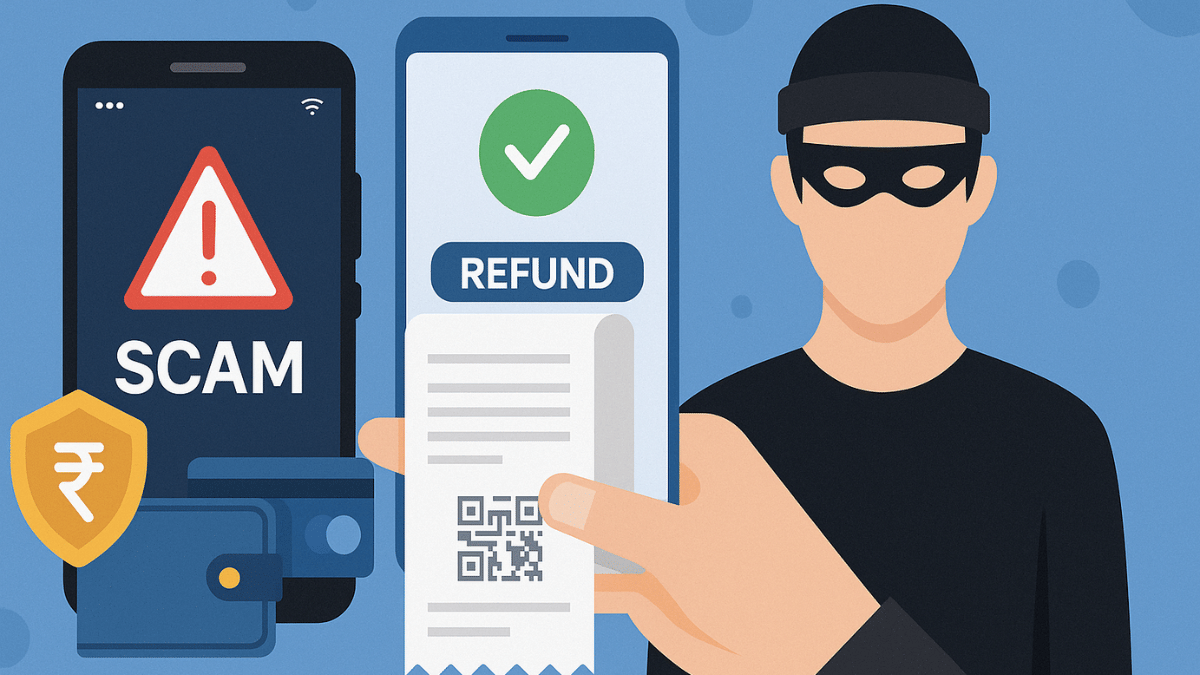
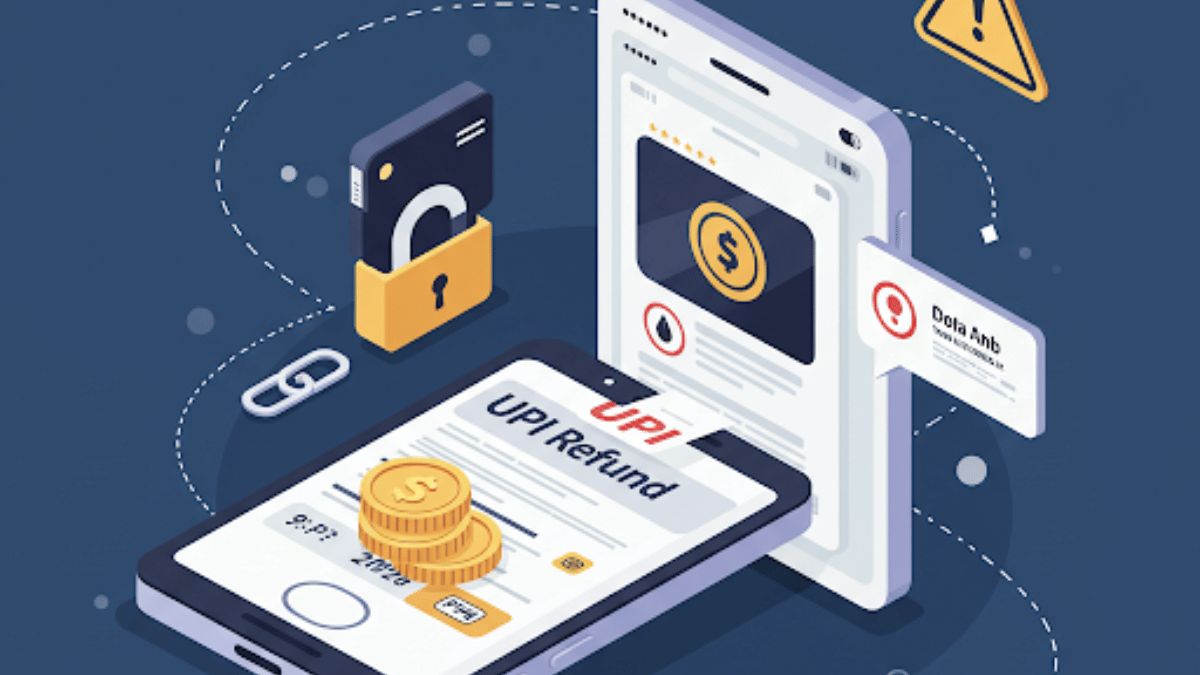
UPI adoption has been rapid over the last few years, with the Indian masses shifting towards the digital payments services. We definitely have seen a boom in the digital transactions and the surge in UPI app usage across the country. This certainly has also paved in way for cybercriminals to scam innocents robbing them off their hard earned money. Digital scams have certainly become more common with the imposters coming out with new ways each time for such frauds. UPI refund is another scam which is being reported nowadays where criminals send fake messages and create emergencies citing wrong fund transfers and asking a refund for the same. In this guide, we break down this new UPI refund scam and the tips to avoid falling in such traps.

For the tech geeks, stay updated with the latest cutting-edge gadgets in the market, exclusive tech updates, gadget reviews, and more right on your phone’s screen. Join Giznext’s WhatsApp channel and receive the industry-first tech updates.

Also Read: Travelling Overseas? Here’s How To Activate International UPI On Gpay, PhonePe For Payments Abroad

UPI Refund Scam Breakdown: How It Works?

As is the case with most of the digital scams, cybercriminals use modern tactics involving UPI app for frauds. Scammers tricks UPI users into believing that money has been sent accidentally to their account for which they need a refund. A sense of emergency is being created to transfer the money back which essentially is the scam. Let’s take a look at how this UPI scam is carried out:

  • Money Transfer: This is a deliberate move where the scammer will send a small amount of money to your UPI or bank account. It could also be a SMS stating amount credited to your account which likely will be fake.
  • The Initial Contact: This is the first stage where the imposter sends you message or tries to contact you citing accidental money transfer yo your account. It could be a standard phone or WhatsApp call.
  • Emotional Tactics: The scammer will then persuade the victim under emotional baggage and request for money refund.
  • UPI Refund Request: You might also receive money transfer (refund) request on your UPI app from the fraudster. In some cases, you might be shared a QR code scanner for fund transfer.
  • Final Scam: If you approve the UPI refund request then sadly you have fallen a victim to the UPI refund scam.

Also Read: EPFO Quick PF Withdrawal Via UPI Apps, ATMs Becoming Reality Soon? Transaction Limit, Eligibility Criteria

How to Stay Safe From UPI Refund Scams

To stay safe from such UPI and other digital scam, follow the do’s and the dont’s listed below:

The Do’s

  • Verify message and sender authenticity: Make use of caller ID platforms or your contacts to verify the sender. This can help you stay vigilant of such scams.
  • Enable UPI Message Alerts: Ensure you have enabled notifications and SMS/ message alert feature enabled for all UPI apps. In case of transactions including money receiving and transfers, you’ll be notified directly.
  • Verify and cross-check UPI requests: Never approve any random UPI request. All requests should be verified even for the smallest of transactions.
  • No authorisation required for refunds: Remember, none of the shopping, food delivery, and similar apps will ask for authorisation, OTPs, etc., for refunds. Make sure you report such requests. Hence, never approve UPI refund or payment requests from strangers.

The Don’ts

  • Scan QR Codes: Never scam random QR codes. Specifically, if you are lured in to receive a refund or free money.
  • Accept Payment/ Refund Request: Never approve any payment or refund related requests uyou receive without any prior information on your UPI apps. If you receive any SMS or WhatsApp messages with similar links avoid clicking them.
  • Share UPI PIN: Ensure you don’t share your UPI pin with any random person or official. It could be a scammer disguised as a professional.
  • Click messages containing links from unknown sources: If you recieve any message from unknown number containing promotional or some banking links, never click on them. It could give attackers access of your device and accounts.

Categories
Accessories Featured How To

Apple AirPods Maintenance Guide: How To Check And Update AirPods, AirPods Pro Firmware Version

Key Highlights

  • Apple AirPods, AirPods pro firmware update enhances performance
  • Released as OTA
  • Manual steps can be performed to check and update AirPods firmware

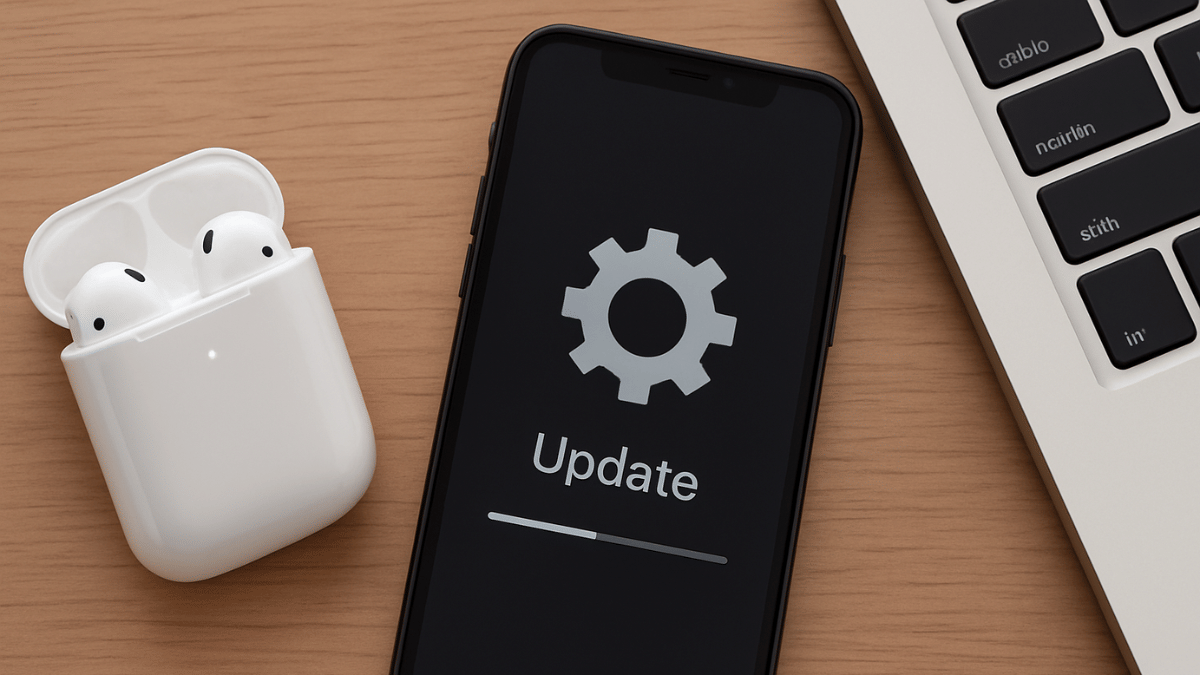
Apple is consistent with releasing OTA updates for its mobile devices and gadgets to boost overall performance and security. While OS updates are common for iPhones, iPads, and MacBooks, they also are for rolled out to smart accessories including the Apple Watch and Air Pods TWS. For the latter, it’s rather less talked about with most of you likely being unaware of any firmware rollout for AirPods and AirPods Pro. That wouldn’t be the case going forward. In this guide, we are making it easier for you to check and update your AirPods/ AirPods Pro firmware easily with just a few taps.

For the tech geeks, stay updated with the latest cutting-edge gadgets in the market, exclusive tech updates, gadget reviews, and more right on your phone’s screen. Join Giznext’s WhatsApp channel and receive the industry-first tech updates.

Also Read: Instagram Edits: New Standalone Editing Insta Tool? 10 Easy Steps To Use!

Steps To Check AirPods, AirPods Pro Firmware Version

Step 1: Pair your AirPods with your iPhone

Step 2: Go to the Settings menu on your iPhone

Step 3: Navigate to the Bluetooth Settings

Step 4: Tap on the “i” icon placed next to the AirPod’s name

Step 5: Now, head to the About section where the firmware version will be listed.

Also Read: Summer 2025 Hacks: Use This Basic Air Conditioner Timer Feature With/ Without Remote To Save Electricity Bills

Steps To Update Apple AirPods Firmware To The Latest Version

Step 1: Check the iPhone or iPad’s iOS version. Update it if required to proceed to the next step.

Step 2: Connect your iPhone or iPad or Mac to Wi-Fi and then make sure the AirPods are within range of the device.

Step 3: Pair the AirPods with the iPhone/ iPad/ or Mac.

Step 4: Keep the AirPods in the charging case and ensure the lid is shut.

Step 5: Connect the AirPods’ charging case to a power source

Step 6: Now, wait for at least 30 minutes for the firmware update to be installed

Step 7: Open the charging case and re-pair the AirPods with the iPhone/ iPad or any other compatible device you want.

Step 8: Do verify the firmware version by following the procedure mentioned above

Also Read: WhatsApp Advanced Chat Privacy: How To Add Extra Safety Layer For WhatsApp Chats?

Apple AirPods, AirPods Pro Firmware Update: Why Is It Important?

Apple AirPods and AirPods Pro firmware update are crucial and it is advised that you install the updates once available. All such firmware updates released for AirPods, AirPods Pro, or AirPods Max ensure these TWS earbuds functions properly and the bugs (if any) are fixed. Overall, the firmware updates enhances the AirPods performance by improving the connectivity, optimising battery life, and refine sound output.

Categories
Apps Featured How To

Need Emergency Funds? Here’s How To Apply For Personal Loan Via Google Pay

Key Highlights

  • Google introduces personal loan services for GPay
  • Will help with emergency fund
  • Minimum personal loan amount one can apply for is up to Rs. 30,000

Google Pay is the amongst the most secure UPI apps available for Android and iOS users in India. From making daily payments to monthly bills, Gpay allows it all with just a few taps. GPay is being consistently upgraded to be more than just a basic UPI app that can help users send or receive money. Features like split bills, bank transfer to self and others makes it more user-friendly. But now, Google has introduced a new feature that sets Google Pay apart from the rest in the UPI race. GPY users will now be able to apply for personal loas directly via the app.

For the tech geeks, stay updated with the latest cutting-edge gadgets in the market, exclusive tech updates, gadget reviews, and more right on your phone’s screen. Join Giznext’s WhatsApp channel and receive the industry-first tech updates.

Also Read: GPay Payment Split: Get Done With Hassle Free Bills/ Payment Splits On Android, iOS

Google Pay Personal Loan Feature: Total Loan Amount

Google Pay has released a new personal loan feature for its users. If you are using Google Pay app for UPI services, you can also make use of the personal finance feature. This is something that can be helpful in situations where you need funds for medical or other emergencies.

Coming to the loan services and amount, all the Google Pay users will be able to apply for personal loan services using the app itself. No additional paper work or standing on long queues in a bank would be required to apply for personal loan when using GPay app. Instead, all can be done with just a few taps. This will be an entirely digital process like UPI where customers will be eligible for up to Rs. 10,00,000 or personal loan.

  • Minimum personal loan amount limit: Rs. 30,000
  • Maximum personal loan amount limit: Rs. 40,000
  • Eligibility Criteria: Will depend on the user’s financial profile

If you are wondering about the re-payment of the loan, then you’ll be glad to know that Google Pay is offering flexibility with payments where one can select the timeline for loan repayment. A minimum EMI amount of up to Rs. 2,000 will be applicable for the basic loan amount of Rs. 30,000.

Also Read: Enhance WhatsApp Privacy: How To Blur Images On WhatsApp Mobile, Desktop App

Eligibility Criteria, And Application Process

  • Customer should have a steady source of income (could be self-employment or a jon)
  • Customer should be at least 21 years for personal loan application
  • Bank account should be linked to Google Pay
  • KYC verification should be complete while applying for the loan

Below are the steps to apply for personal loan using Google Pay

Step 1: Open Google Pay app

Step 2: Navigate to the “Manage Your Money” tab

Step 3: Locate the “Personal Loan” feature and tap on it

Step 4: Enter your personal details including source of income

Step 5: Now, upload your KYC documents such PAN and Aadhaar

Step 6: Sign the document digitally

Step 7: Once all the above steps are completed and the loan is approved, the amount will be credited to the linked bank account.

Categories
Apps Featured How To

Facebook Tips And Tricks: How To Save And Download Facebook Live Videos Before Deletion

Key Highlights

  • Facebook Live videos now gets removed automatically after 30 days
  • Move comes as a part of updated storage policy
  • Bulk download policy available for multiple videos

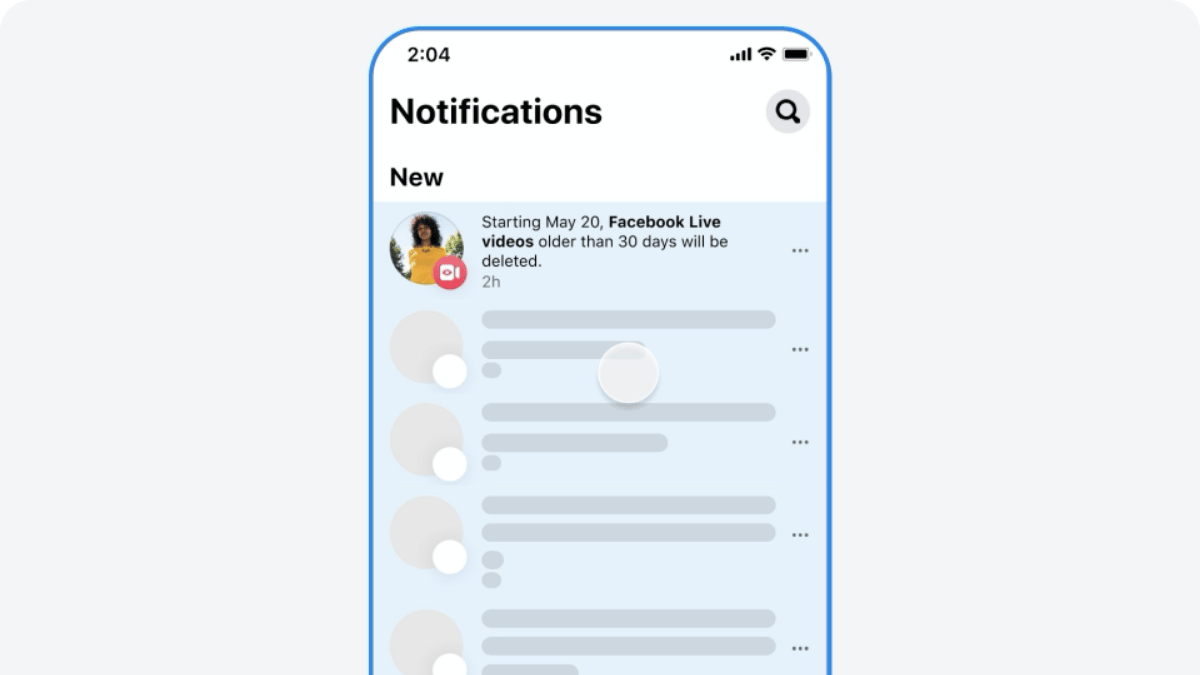
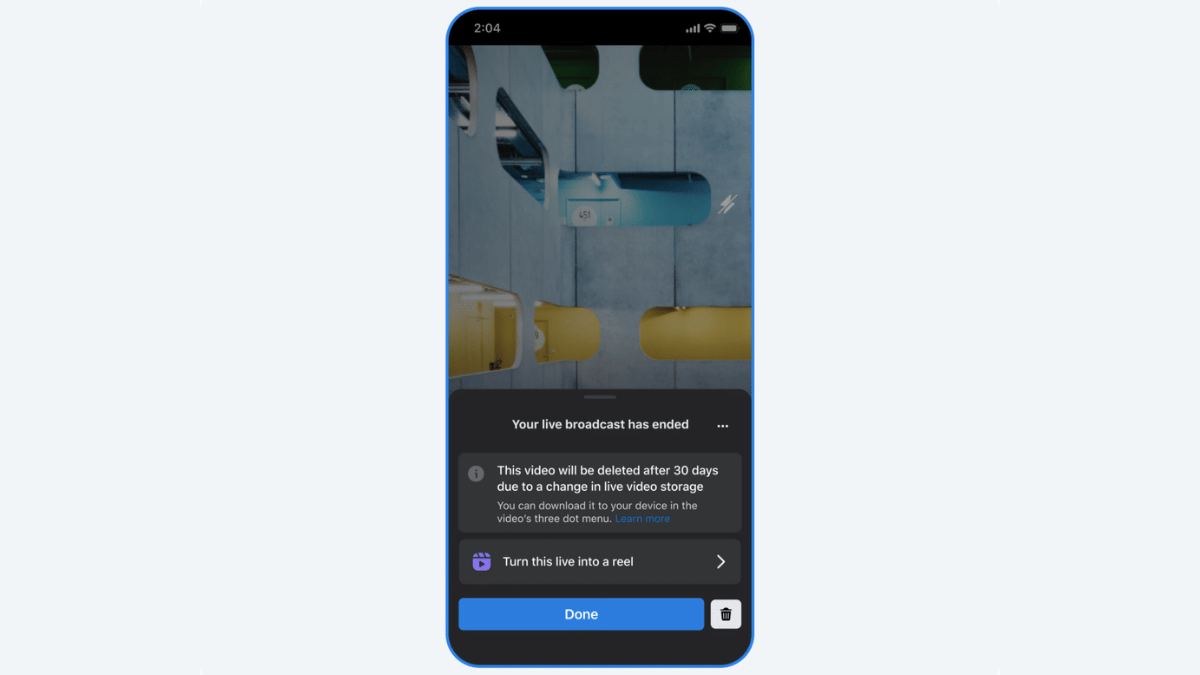
Earlier in February this year, Facebook revised its storage policy guidelines for its platform. One direct impact was the stopping of live video storage on Facebook for unlimited period. After introducing a 90-day grace period to download old live videos library, Facebook has now announced a new timeline of 30 days. If you are frequently going live on Facebook and have a large database of old live videos, you should save it offline or download it. In this guide, we share the steps to do so.

For the tech geeks, stay updated with the latest cutting-edge gadgets in the market, exclusive tech updates, gadget reviews, and more right on your phone’s screen. Join Giznext’s WhatsApp channel and receive the industry-first tech updates.

Also Read: Instagram Edits: New Standalone Editing Insta Tool? 10 Easy Steps To Use!

How To Download Facebook Live Videos Before 30 Days Deletion Timeline (Single Videos)

Step 1: Open Facebook mobile app

Step 2: Visit the Activity centre

Step 3: Locate “Your Live Videos” option

Step 4: Move to Videos or Live tab on your profile, page, or Meta Business suite

Step 5: Locate the video and tap on it for full screen mode

Step 6: Now, tap on the three dots to download the video

Also Read: WhatsApp In-App Language Translation Feature In Works: Update

How To Download Facebook Live Videos In Bulk

Step 1: Open Facebook app and tap the notofication for storage policy update to enter into the download flow.

Step 2: Click on “Download Live videos” option

Step 3: Confirm the file download location (smartphone/ tablet, laptop/ pc).

Step 4: Select th date range for the live videos that will be downloaded on the selected device

Step 5: Click “Create File”

Categories
Apps Featured

YouTube Now Allows Premium Subscription Sharing Between Two People: Plan Price, Features

Key Highlights

  • YouTube bringing Premium subscription plan sharing option
  • Will allow sharing Premium plan with family member
  • Pilot phase started already in select regions

YouTube’s growth has been immense in the last few years. What earlier was primarily a free user-oriented entertainment hub is now a full fledged platform for both public and creators. For the former, it’s no more free services and you have to purchase subscription plans to watch ad-free videos for an uninterrupted media watching experience. A new subscription is being introduced that intends to make YouTube premium services more accessible to the users. The two-person subscription sharing feature is what YouTube’s rolling out for the masses that will allow sharing premium subsciption between two users. Let’s dive into the details below:

For the tech geeks, stay updated with the latest cutting-edge gadgets in the market, exclusive tech updates, gadget reviews, and more right on your phone’s screen. Join Giznext’s WhatsApp channel and receive the industry-first tech updates.

Also Read: Exam Results: How To Check CBSE, ICSC, ISC, UPMSP Exam Results Via Digilocker App

YouTube Two-Person Subscription Sharing Plan: What Is It?

YouTube subscription plans starts at a monthly charges of around Rs. 99 (for students going all the way to up to Rs. 299 (for families) allowing single individual or family members get all the premium services. However, it’s only the family pack where you can login and use YouTube on multiple devices. But now, a new subscription is under pilot where YouTube premium subscription can be shared between two people. You can either share your YouTube premium plan’s credential with one of your family member or any friend with this package.

Also Read: Want Free Delivery And Streaming? Here’s How To Join Amazon Prime On Mobile

YouTube Two-Person Subscription Sharing: Plan Costs, Features

YouTube is selling the two-person subscription plan at a monthly charge for Rs. 219. Currently, this subscription plan is under trial phase and is being offered in some select regions. The market where users can access two-person subscription plan includes some parts in France, Hong Kong, India, and Taiwan. Besides, during the pilot phase, the YT music subscription plan will be available at Rs. 149 per month.

Full Subscription Price List

  • YouTube Two-Person sharing plan (latest): Rs. 219
  • YouTube Premium subscription (for students): Rs. 89
  • YouTube Premium subscription (Individual): Rs. 149
  • YouTube Premium subscription (Family): Rs. 299

Features

  • Ad-free playback experience
  • Video offline download option
  • Background video playback option

Also Read: Top YouTube Channels For Exploring Hindu Mythology