Categories
Auto Tech Featured

Kinetic Green New Family E-Scooter Coming To India Within 18 Months

Key Highlights

  • New Kinetic e-scooter in works
  • Will be a family-segment e-scooter
  • Launch timeline within next 18 months
  • Badging and powertrain details to be revealed

Kinetic Green, the two wheeler manufacturer is planning to upgrade its electric two wheeler fleet in India by next year. The company earlier brought back its legendary moped Luna in an electric avatar and soon after has been spied testing a new e-scooter. The company during a media briefing has revealed its plans to introduce the new family-centric e-scooter in India along with its revenue strategies.

For the tech geeks, stay updated with the latest cutting-edge gadgets in the market, exclusive tech updates, gadget reviews, and more right on your phone’s screen. Join Giznext’s WhatsApp channel and receive the industry-first tech update.

Also Read: BGauss Electric Scooter Production Kicks Off In India

New Kinetic Family E-Scooter: Expected Arrival
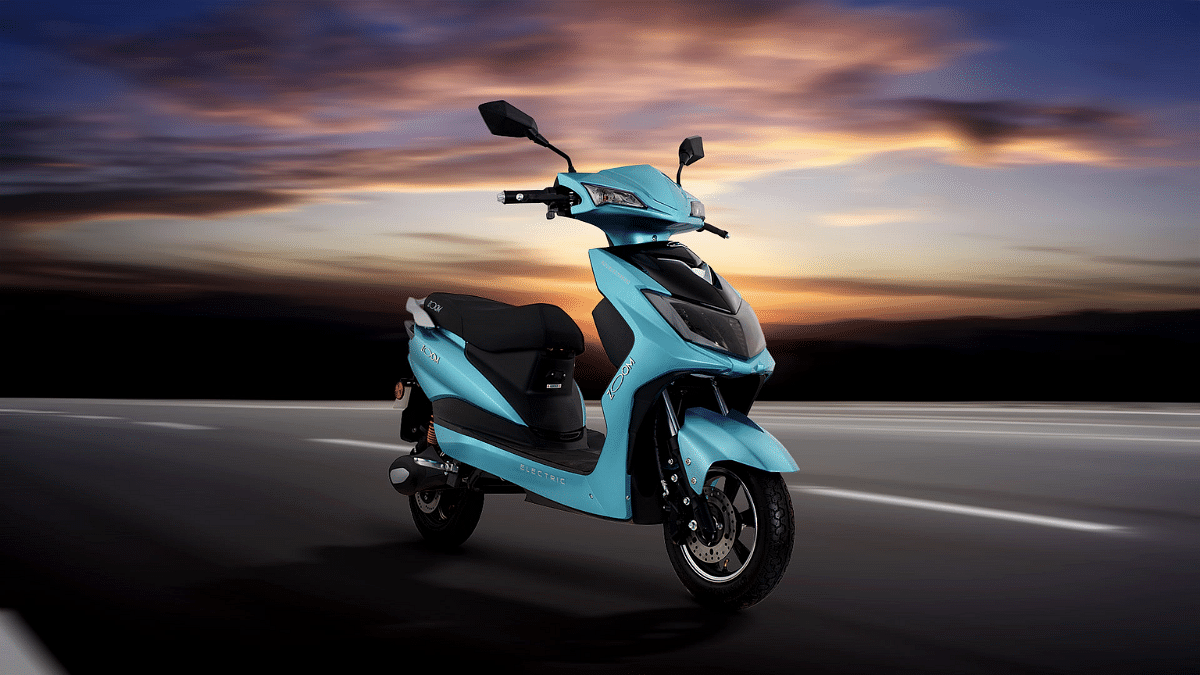
Kinetic Green will be launching its family-segment e-scooter within next one and a half years timeframe. The company’s CEO and founder Sulajja Firoda Motwani, confirmed this development along with the business strategies. She also clarified that the upcoming electric scooter will be catering to modern consumers and will be based on an urban format.

In a statement Motwani said, “We are working on a family e-scooter, which will be launched in about 18 months from now. The e-scooter would be in the urban format.” Adding on, the company’s CEO also revealed the strategies where it is targeting to achieve the milestone of Rs. 10,000 crore revenue by 2030 where 60 percent of the revenue target is expected to be completed from the brand’s two-wheeler business.

And it wouldn’t be just two-wheelers but three-wheelers as well which the brand plans to launch in the market going forward. Motwani further added, “We know what we are doing. Now when we have the first investor on board, we have to do much better.” This is in regards to the Vision 3.0 roadmap which the brand is aspiring for its EV business in the country.

Also Read: Kia EV6 Facelift Design Gets Patented In India: When Is It Launching?

Upcoming Kinetic Family E-Scooter: Details Known So Far
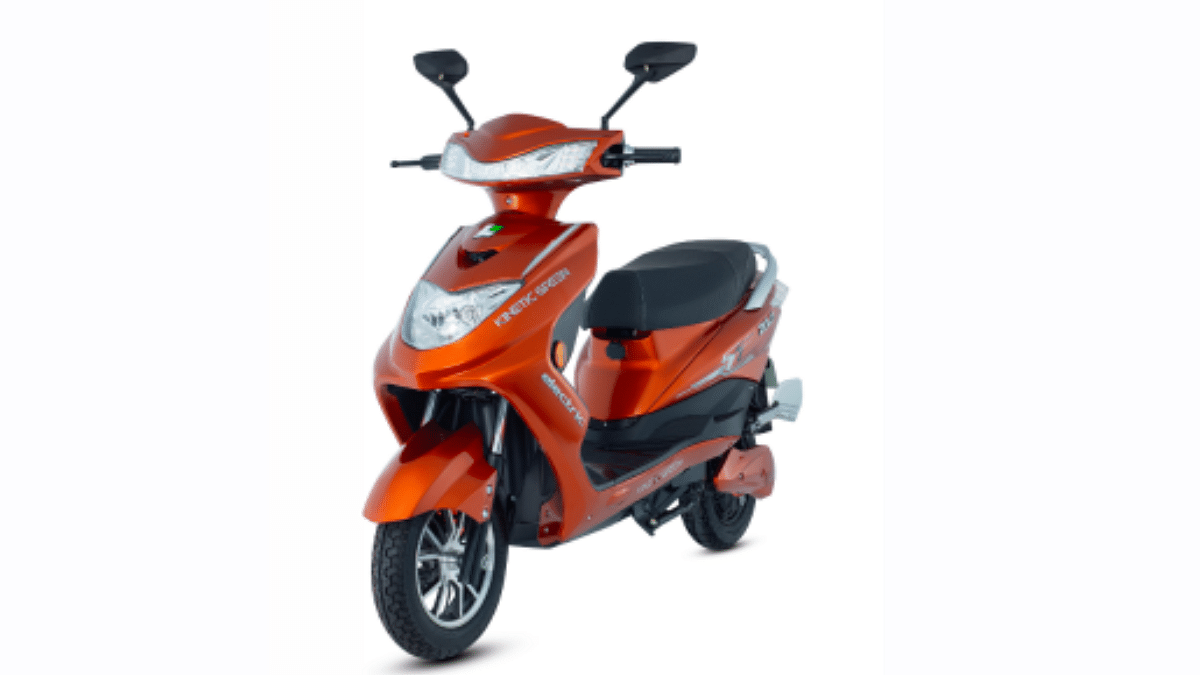
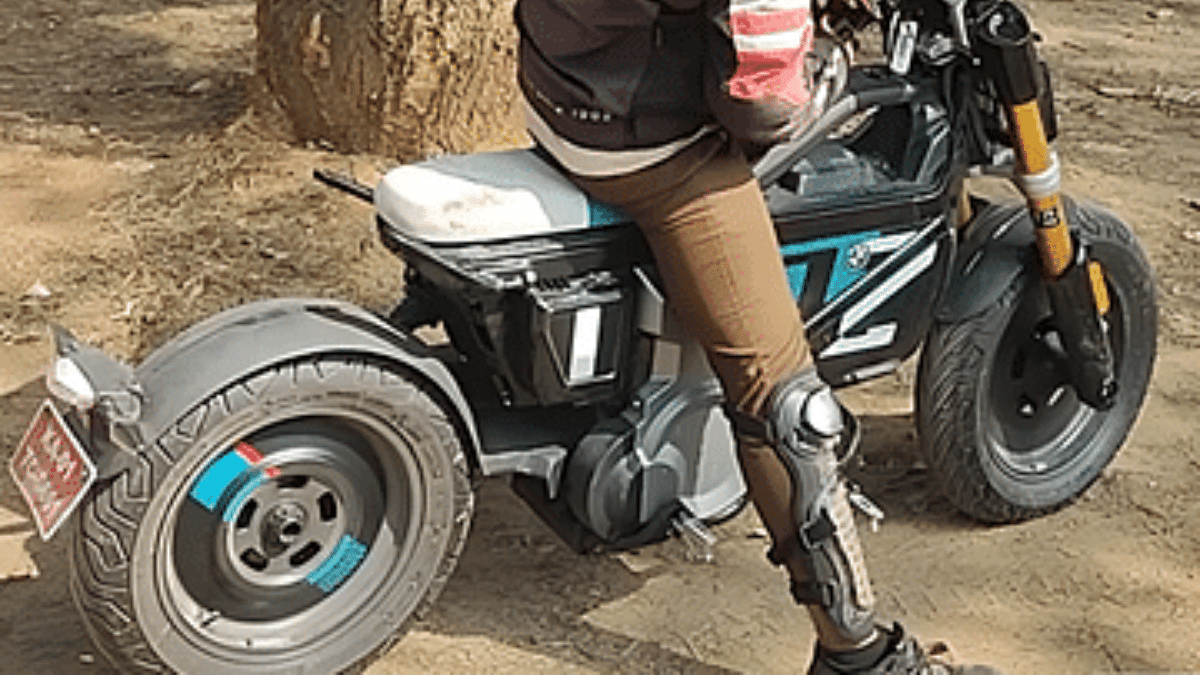
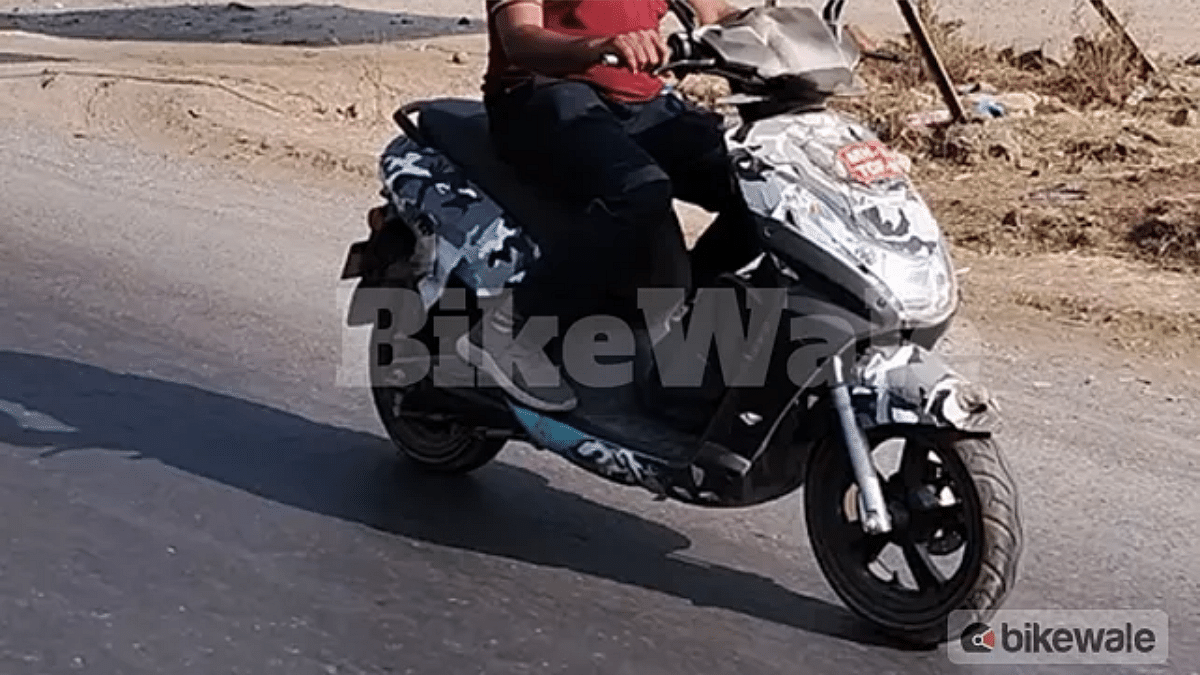
Unfortunately, the details surrounding the upcoming Kinetic family e-scooter is not known. Only the launch timeline which is set for next 18 months has been revealed by the brand. Notably, a mystery Kinetic e-scooter with a rather modern design than the Luna e-moped has been spied multiple times. Only the comfortable design with single-piece seat has been snapped. But since the official announcement has arrived from the brand itself, it shouldn’t be long before the details are shared.
Categories
Auto Tech Featured

MG Windsor EV Latest Teaser Showcases 18-inch Diamond-Cut Alloy Wheels

Key Highlights

  • MG Windsor EV another new teaser leaked
  • Alloy wheel design revealed
  • Is coming to India on September 11, 2024

JSW MG Motor India is making all buzz for its new EV in the Indian market. The company is consistently teasing the Windsor EV which is the rebadged version of the Wuling Cloud EV. Almost every alternate day, a new teaser of the Windsor EV has been uploaded online. Adding on to the collections of the teasers is the alloy wheel design of the third Windsor EV. Check out the details below:

For the tech geeks, stay updated with the latest cutting-edge gadgets in the market, exclusive tech updates, gadget reviews, and more right on your phone’s screen. Join Giznext’s WhatsApp channel and receive the industry-first tech update

Also Read: Tata Curvv EV, Nexon EV Range Revised As Per New MIDC Test Cycles

MG Windsor EV New Details Leaked

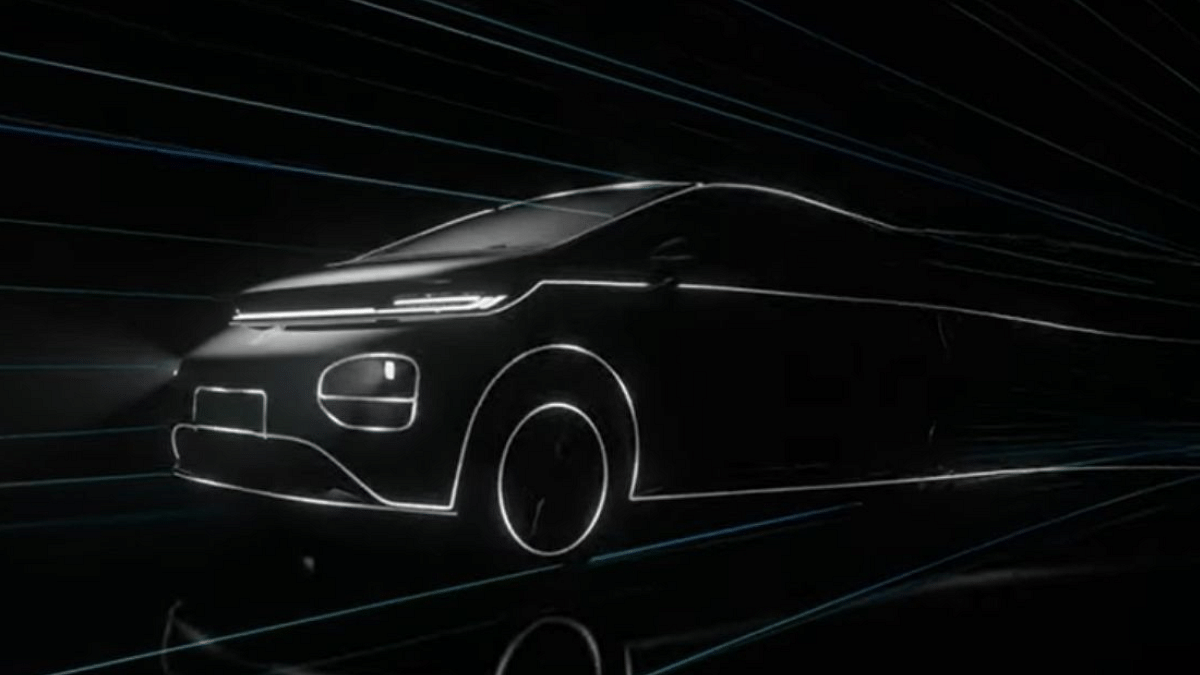
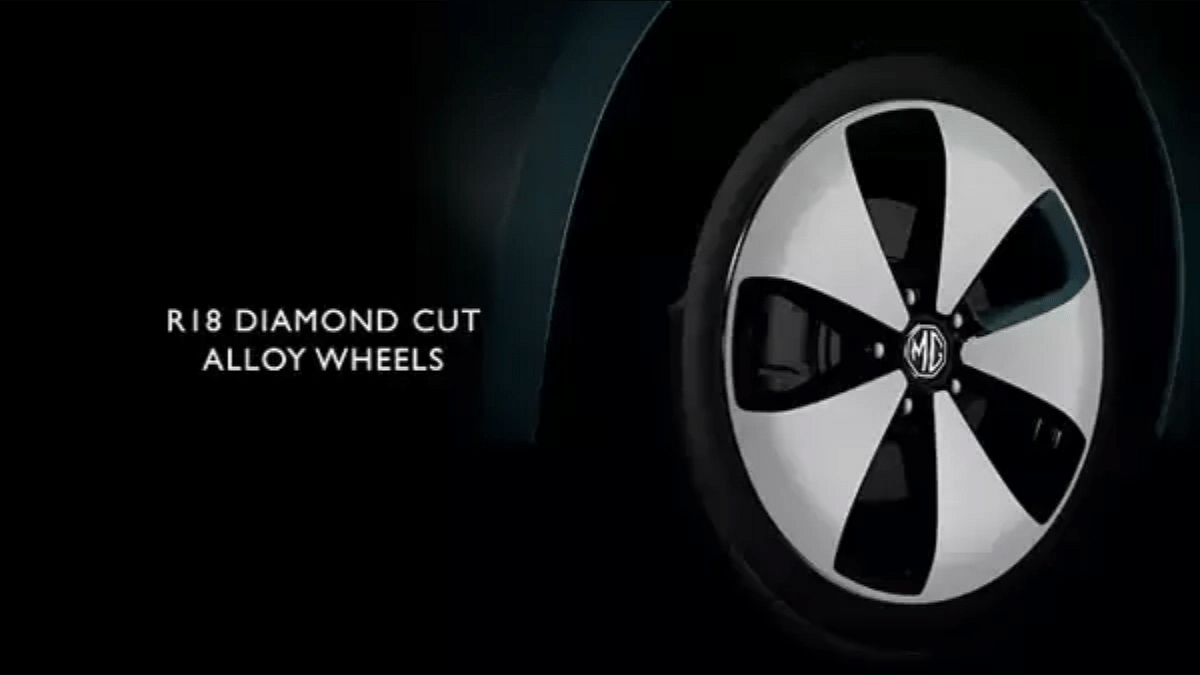
MG Motor India’s latest teaser shows the exteriors once again. However, this time the teaser highlights the side profile of the crossover utility vehicle and also a quick glimpse of the front bumper. The LED headlamp and DRL design was teased earlier. With the new teaser, the front fender mounted charger is confirmed. Additionally, the 18-inch dual-tone diamond-cut alloy wheels have also been revealed.

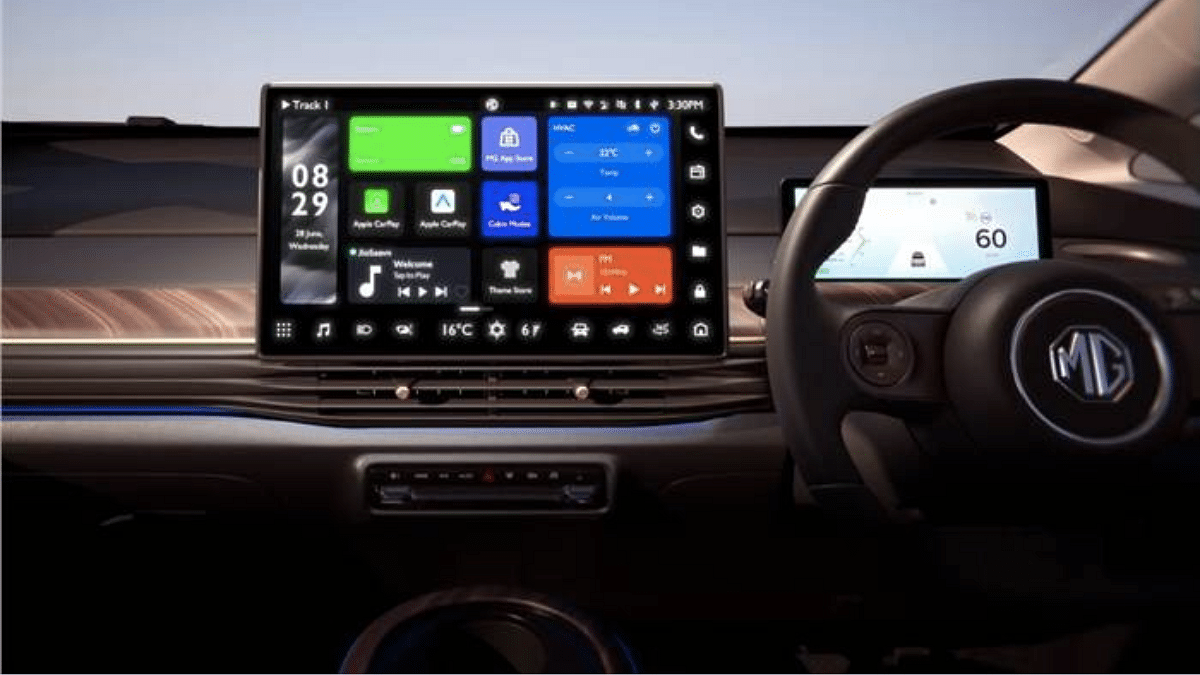
If we sum up all the teasers in the past, we now know that the Windsor EV will be the country’s first crossover utility vehicle with a 3-passenger Aero-Lounge rear seats. The Windsor EV will feature the segment’s largest fixed glass panoramic sunroof, a modern dashboard with the largest 15.6-inch Grandview touchscreen infotainment screen.

MG Windsor EV has certainly became the talk of the town and besides the teasers its booking details also surfaced online. As per the rumors, unofficial bookings for the Windsor EV have been active at some of the dealerships in India. However, official booking details are expected to be announced during its launch which is slated for September 11, 2024 in the country.

Categories
Auto Tech Featured

Tata Curvv EV, Nexon EV Range Revised As Per New MIDC Test Cycles

Key Highlights

  • Tata Curvv EV and Nexon EV range updated
  • New figures updated as per MIDC text cycle
  • Up to 20 percent drop with new test cycle

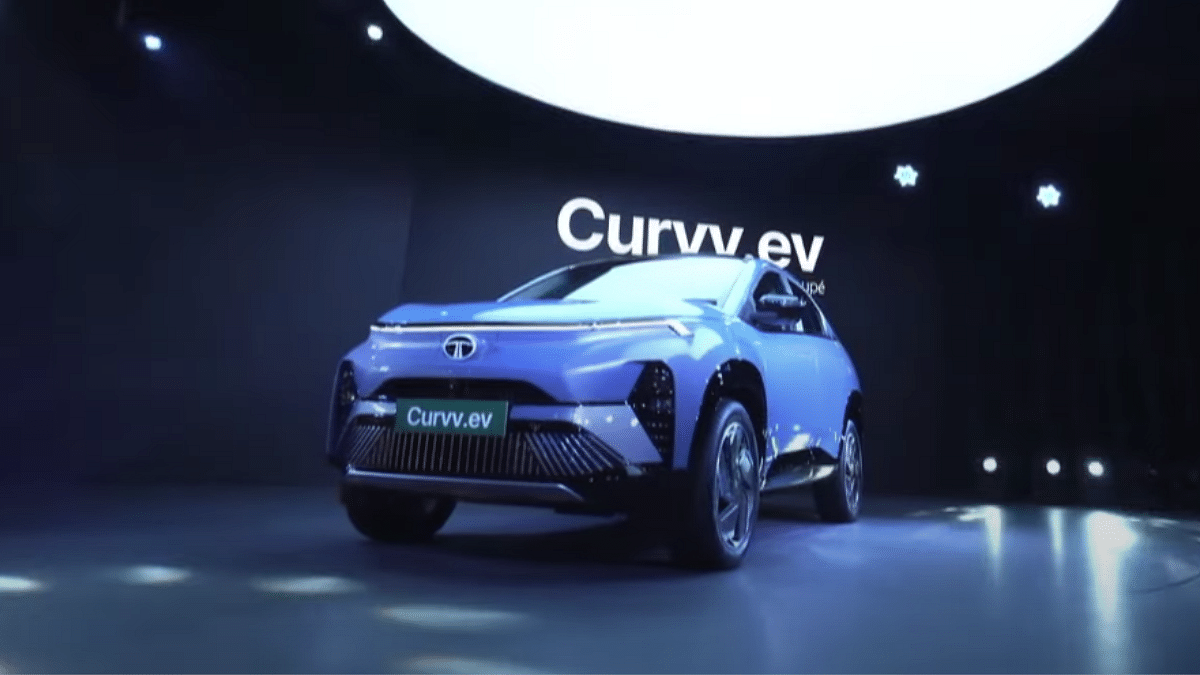
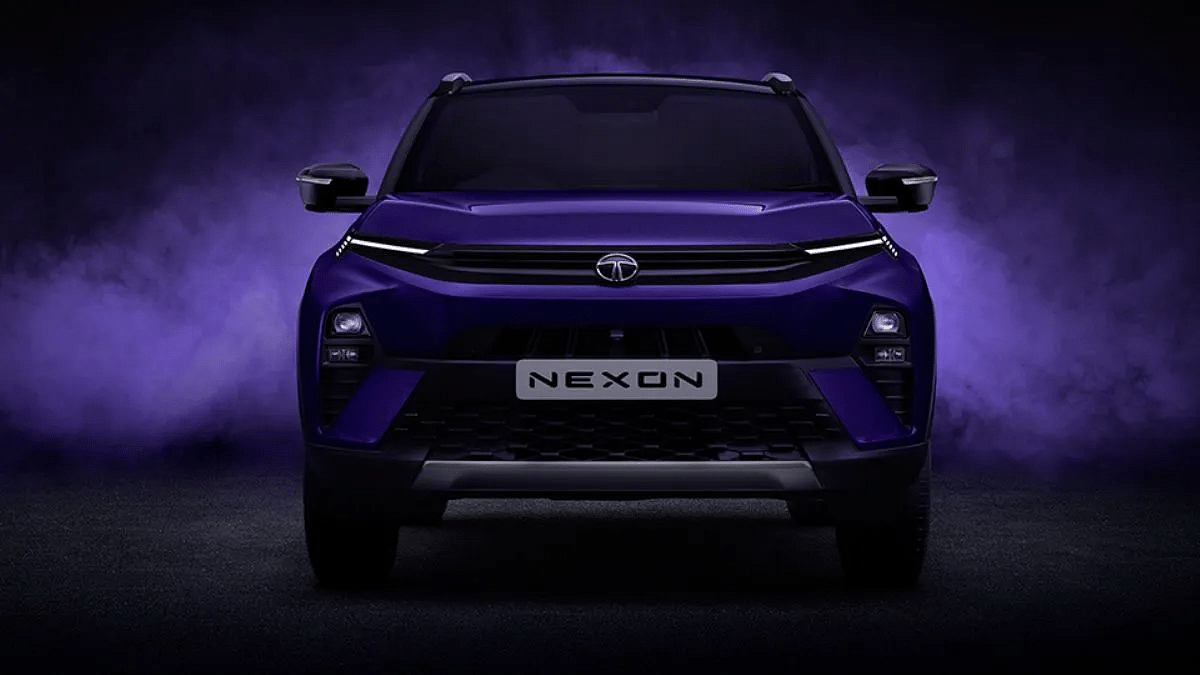
Tata Motors is currently the top contender in the electric four wheeler segment in India. The just launched Curvv EV is setting up new milestones in the mid-size e-SUV segment, while the Nexon EV has already been heating up this segment. Both these Tata EVs gained popularity for the modern features, design, and also the long range delivery. However, the company has now announced revised range figures for the Curvv and the Nexon.ev that falls in line with the updated MIDC test cycle guidelines.

For the tech geeks, stay updated with the latest cutting-edge gadgets in the market, exclusive tech updates, gadget reviews, and more right on your phone’s screen. Join Giznext’s WhatsApp channel and receive the industry-first tech update

Also Read: Kia EV6 Facelift Design Gets Patented In India: When Is It Launching?

Tata Curvv EV, Nexon.EV Updated Range Per Charge

Tata EV ModelOld MIDC Range Per Charge New MIDC Range Per Charge
Tata Curvv EV 55 kWh585 km per charge 502 km per charge
Tata Curvv EV 45 kWh502 km per charge430 km per charge
Tata Nexon EV 40.5 kWh465 km per charge390 km per charge
Tata Nexon EV 30 kWh325 km per charge275 km per charge
Tata Punch EV 35 kWh421 km per charge365 km per charge
Tata Punch EV 25 kWh315 km per charge265 km per charge
Tata Tiago EV 24 kWh 315 km per charge275 km per charge
Tata Tiago EV 19.2 kWh250 km per charge221 km per charge

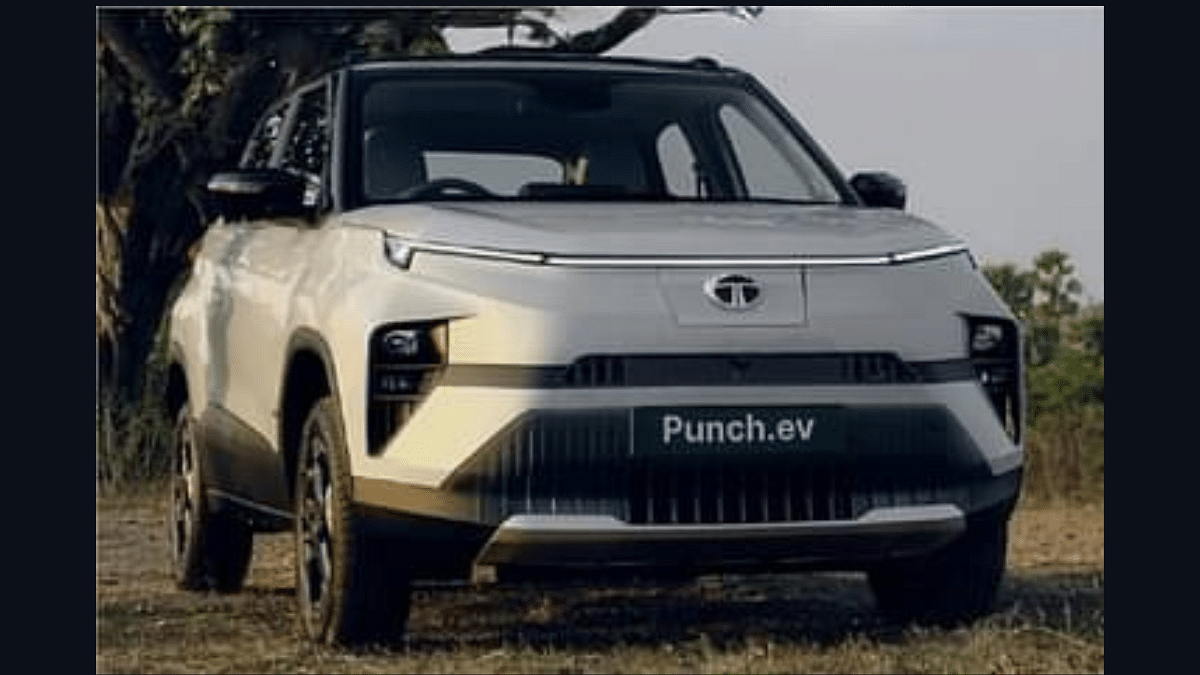
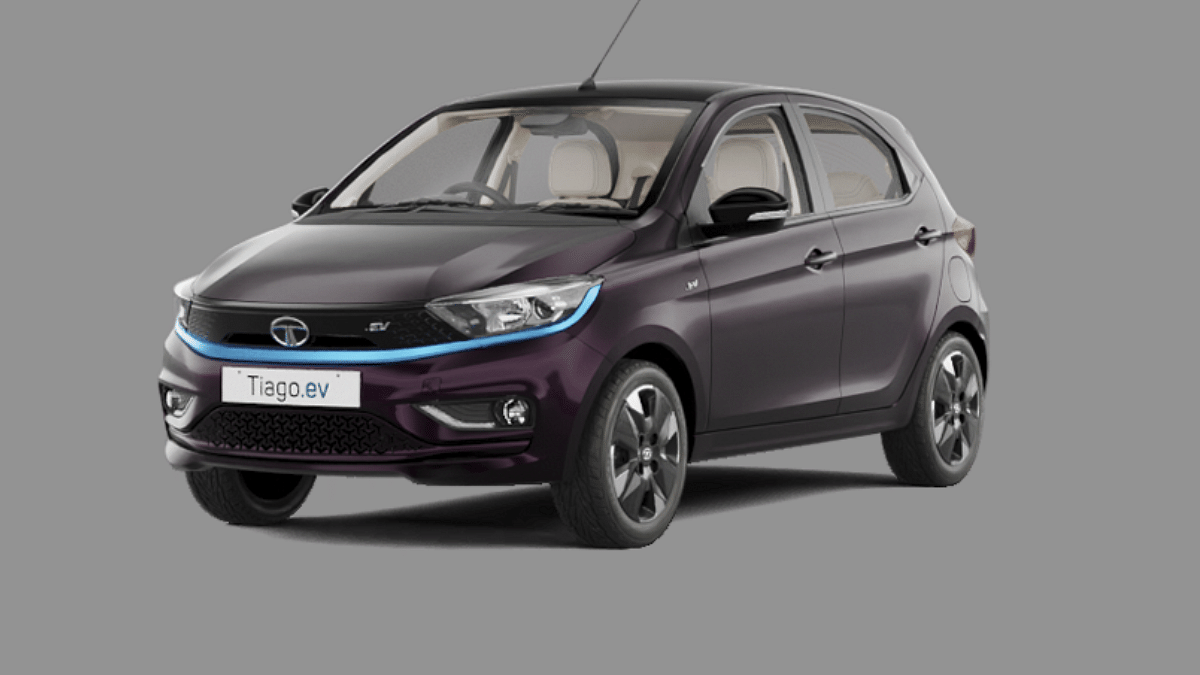
Tata has shared the updated range figures of its EV fleet which now is as per the fresh MIDC test cycles. Not just the Curvv EV and the Nexon.ev, but the Punch EV and the Tiago EV’s prices have also been updated.

Falling in line with the new MIDC standards, the Curvv EV’s 55 kWh variant has now 502 km range delivery instead of previous 585 km range. The Curvv EV 45 kWh variant which earlier had a range figure of 502 km per charge is now dropped to 430 km per charge.

The Nexon EV’s 40.5 kWh battery variant which was offering 465 km range mark will has now dropped down to 390 km per charge. Likewise, the Nexon.ev’s 30 kWh battery variant had earlier 325 km range delivery, while with the updated MIDC guidelines it will be 275 km per charge.

As for the Punch EV, the 35 kWh and the 25 kWh variant’s range now stands at 365 km and 265 km per charge respectively. The Tiago EV’s updated range figures are 275 km and 221 km per charge for the 24 kWh abd 19.2 kWh battery variant

Also Read: MG Windsor EV Teased Yet Again: Exteriors Revealed

Tata Curvv EV, Nexon.ev, Punch EV, Tiago EV Real Life Range Delivery

While the new MIDC test cycle gets the range updated for all the Tata EVs, Tata itself have shared C75 range which is the real world range delivery. As per Tata, up to 75 percent consumers can rely on these stats.

Tata EV Model Tata C75 Range
Tata Curvv EV 55 kWh400- 425 km approx.
Tata Curvv EV 45 kWh330- 350 km approx.
Tata Nexon EV 40.5 kWh290- 310 km approx.
Tata Nexon EV 30 kWh210- 230 km approx.
Tata Punch EV 35 kWh270- 290 km approx.
Tata Punch EV 25 kWh190 – 210 km approx.
Tata Tiago EV 24 kWh190- 210 km approx.
Tata Tiago EV 19.2 kWh150- 260 km approx.
Categories
Auto Tech Featured

Kia EV6 Facelift Design Gets Patented In India: When Is It Launching?

Key Highlights

  • Kia files EV6 design patent
  • Ultra premium EV launched recently in international markets
  • Updated fascia and a larger battery pack
  • Up to 494 km range

Kia Motors launched the facelift version of the ultra-premium electric SUV, the EV6 a few months back. Now, the company is apparently gearing up to launch the EV6 Facelift in India soon. The patent for the e-SUV’s design has been filed indicating an upcoming launch in the country.

For the tech geeks, stay updated with the latest cutting-edge gadgets in the market, exclusive tech updates, gadget reviews, and more right on your phone’s screen. Join Giznext’s WhatsApp channel and receive the industry-first tech update

Also Read: MG Windsor EV Teased Yet Again: Exteriors Revealed

Kia EV6 Facelift E-SUV Patent Details, Expected Launch Timeline

Kia Motors has filed the patent for EV6’s facelift’s design which confirms its plans to expand the EV lineup in India. Kia has already introduced the updated EV6 globally and is expected to soon bring it via the CBU route to the country. Unfortunately, there is no exact timeframe known yet for the EV6 facelift India launch. But we can expect the teasers to be dropped off within next few months.

Also Read: Tata Curvv EV Deliveries Finally Kickstarts In India: What About The Delayed Waiting Period?

Kia EV6 Facelift Design And Powertrain Ugrades

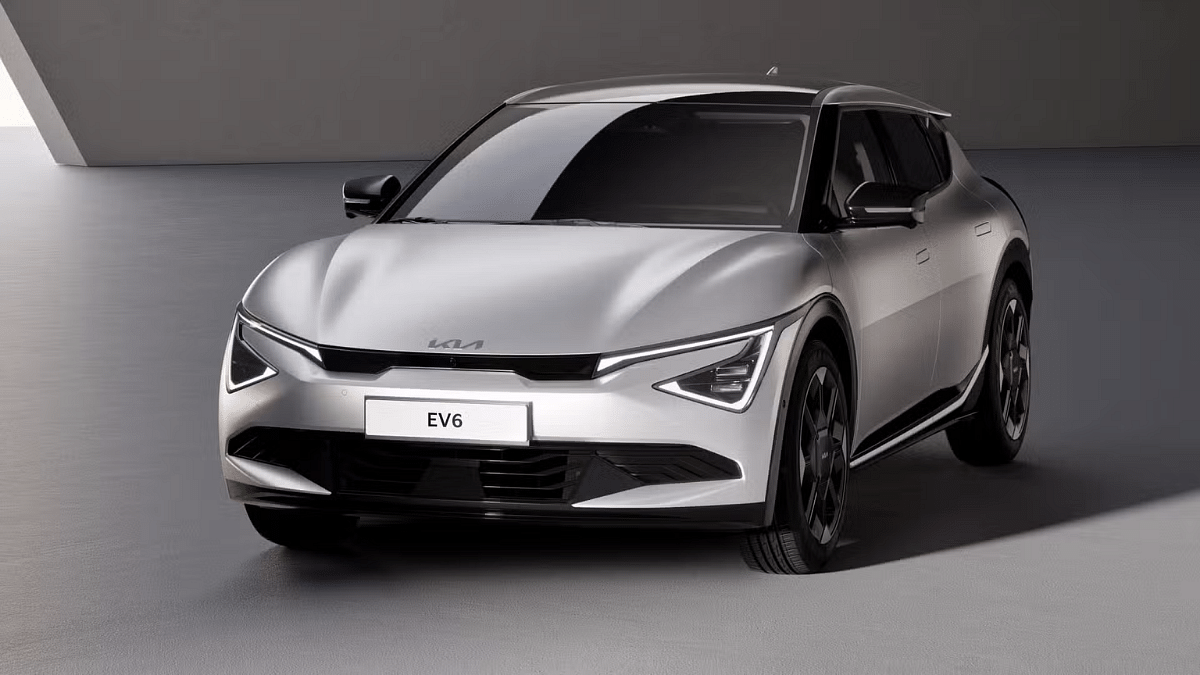
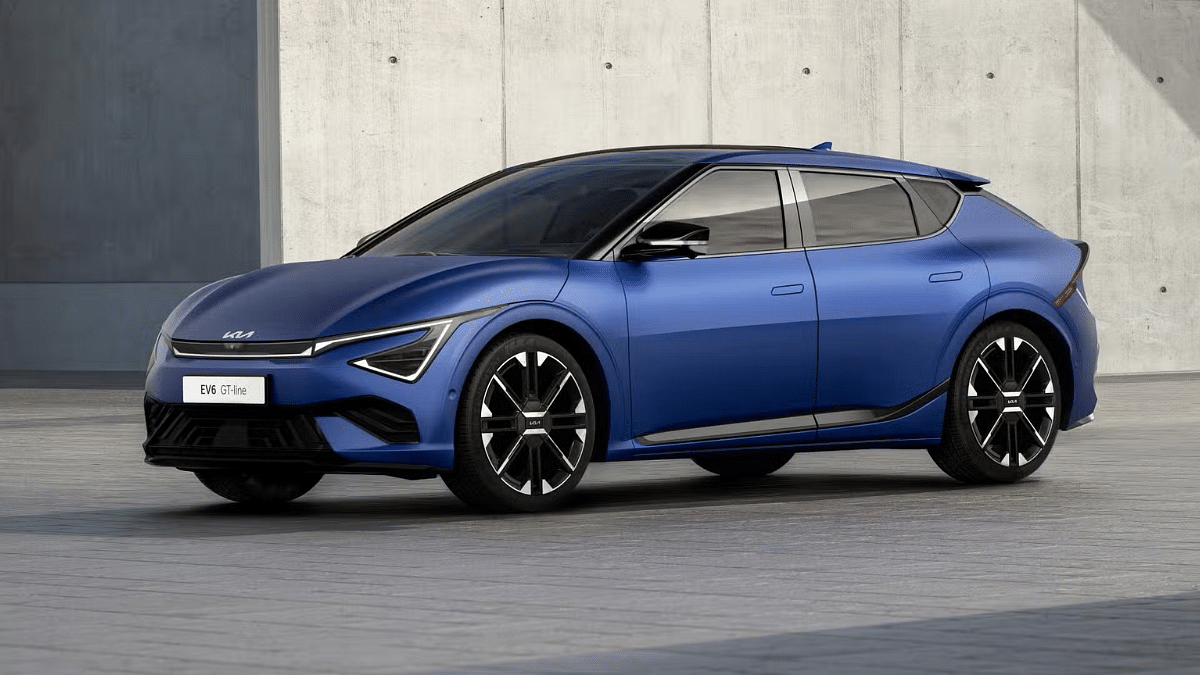
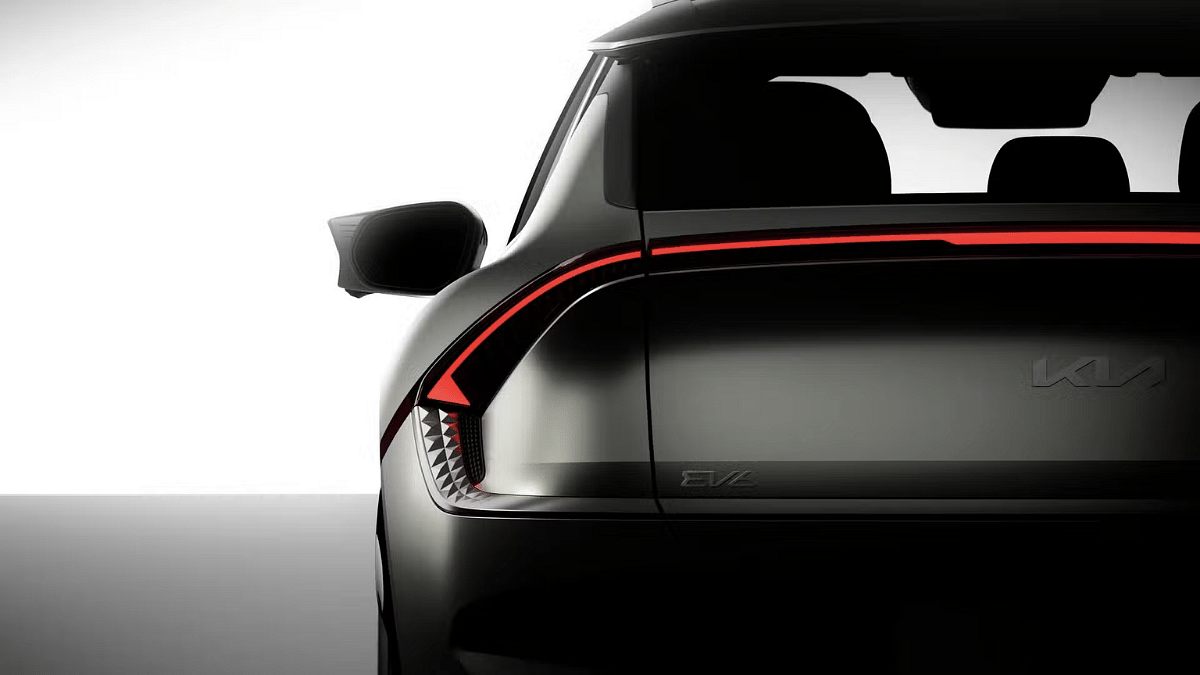
The Kia EV6 facelift version has been introduced with a re-worked front design and a connected LED tail lamp setup. The angular Star-Map LED headlamp design is inspired from the new-gen EV3 and EV4. The grille and bumpers have also received an overhaul. The side-profile of the EV6 facelift version is revised too and the EV now sits on 19-inch and 20-inch black and silver alloy wheels.

The EV6 facelift version is launched outside India with both single motor RWD and dual motor AWD drivetrain options. Power delivery with the standard RWD model will be 225 bhp and 250 Nm torque, while the dual motor AWD variant will offer 320 bhp and 605 Nm torque. The battery pack integrated is an 84 kWh unit. Notably, the previous-gen EV6 has smaller 77.4 kWh battery. With the new battery pack, the EV6 facelift version will offer 494 km range on a full charge.

Categories
Auto Tech Featured

MG Windsor EV Teased Yet Again: Exteriors Revealed

Key Highlights

  • New MG Windsor EV teaser shared
  • Glimpse of exteriors showcased
  • Based on company’s Aeroglide design platform
  • Gets connected LED DRLs upfront
  • India launch on September 11

JSW MG Motor India seems to be going grand for its next EV launch in India. Within just a few weeks, the company will be launching its first Crossover Utility Vehicle, i.e., the Windsor EV whose teasers are being constantly dropped at the brand’s social media handles. Following the segment’s largest touchscreen infotainment’s teaser, the brand has now shared the glimpse of the Windsor EV’s exteriors. All details are mentioned below:

Also Read: MG Windsor EV Pre-Bookings Starts In India: Wait! There’s A Catch

MG Windsor EV Exteriors Teased Officially

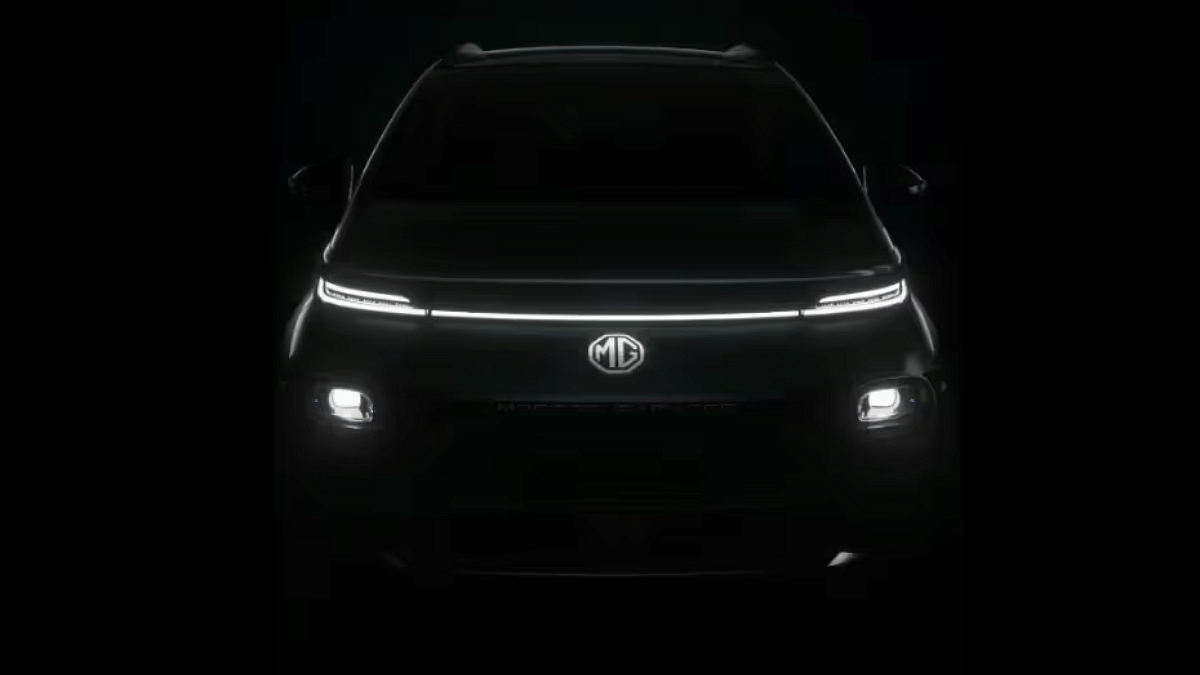
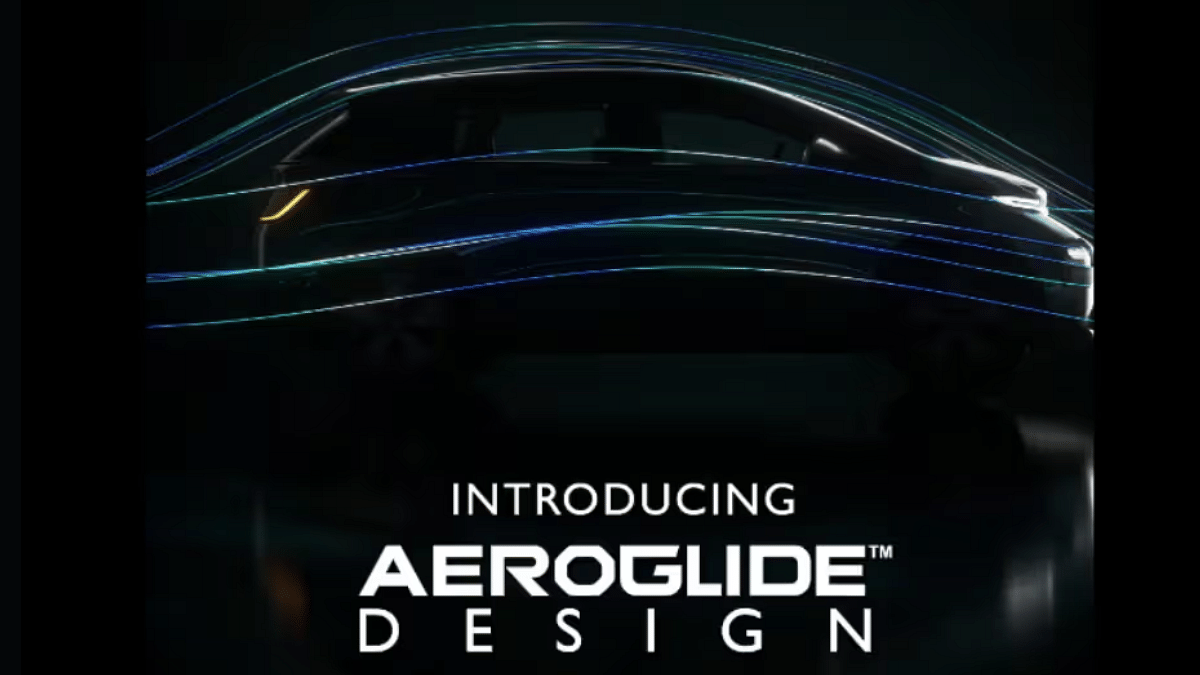
In its latest teaser video, MG Windsor EV’s quick glimpse of the exteriors confirms the curved crossover stance just like its international counterpart, the Wulling Cloud EV. The fascia and the rear of the Windsor EV can be seen in the teaser where the former has connected LED DRL and LED headlamp setup. The MG logo will be etched below the connected DRLs. Notably, the company is referring this design as “Aeroglide” which nothing but the crossover-styling.

To recap, MG Motor India have also teased the interiors if the Windsor EV revealing the black leatherette upholstered seats. But the distinguishing features of the rear seats is the Aero-Lounge design they can be reclined to up to 135-degrees. The segment’s largest GrandView touchscreen infotainment screen has also been revealed in one of the teasers previously.

MG Windsor EV Launch Date, Price, Expected Powertrain

Just to recap, the MG Windsor EV will be launched this month itself in India and the launch is set for September 11, 2024. The electric CUV is the rebranded variant of the Cloud EV which is currently available outside India. The Windsor EV is the third electric vehicle from MG Motor in the country which is expected to be priced lower than the ZS EV and could arrive under Rs. 20 lakh.

The Windsor EV will be possibly launched with a 50.6 kWh battery pack and will deliver 136 PS power and 200 Nm torque respectively. It will deliver approx. 460 km ranger per charge and will get ADAS, 360° camera security features.

Categories
Auto Tech Featured

BME CE 02 E-Scooter Set To Launch In India This Month

Key Highlights

  • BMW CE 02 e-scooter India launch soon
  • Will be manufactured by TVS in India
  • To carry a hefty pricing

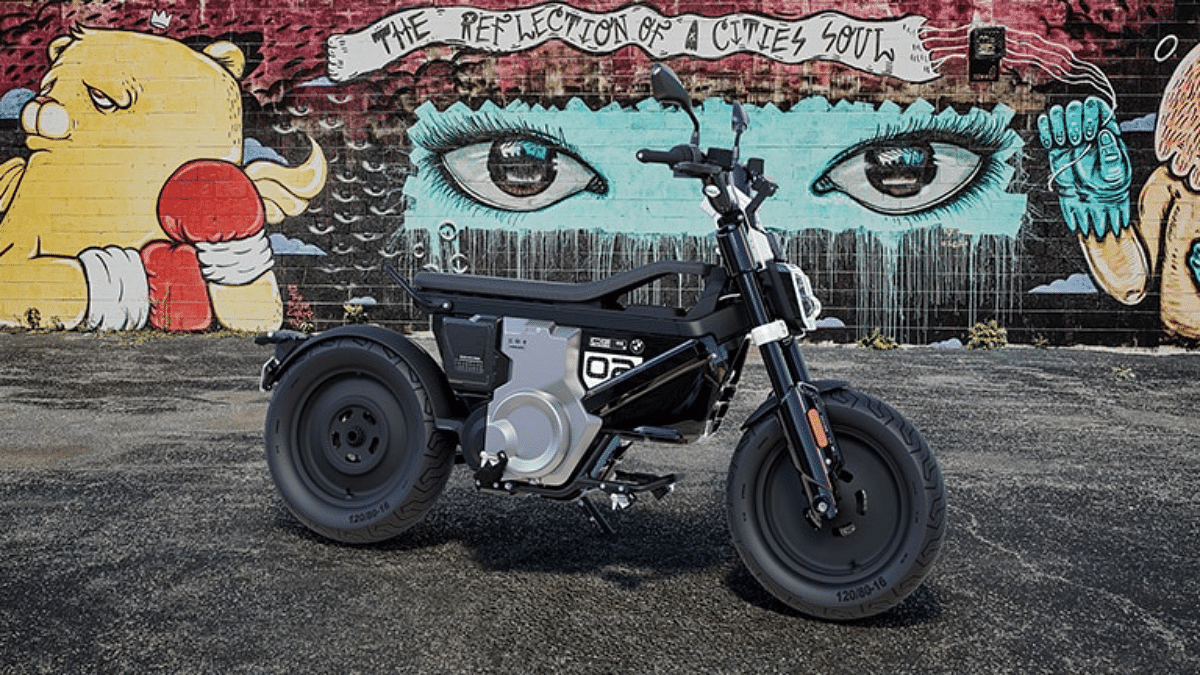
BMW is all set for a new EV launch in India. The German auto giant is now bringing the CE 02 e-scooter in the country as its second E2W. This new e-scooter will be joining the CE 04 which arrived as the most premium electric scooter in India a few months back. The CE 02 will also a top-end flagship electric scooter featuring twin 2 kWh battery pack and up to 90 kmph top speed.

For the tech geeks, stay updated with the latest cutting-edge gadgets in the market, exclusive tech updates, gadget reviews, and more right on your phone’s screen. Join Giznext’s WhatsApp channel and receive the industry-first tech update

Also Read: MG Windsor EV Pre-Bookings Starts In India: Wait! There’s A Catch

BMW Ce 02 E-Scooter India Launch September 2024

BMW Motorrad has been rumored to be working on to bring its new premium electric scooter in India, i.e., the CE 02. And the wait seems to be finally over now. The BMW CE 02 is set to launch this month in India making it the second E2W offering from the German automotive brand. BMW is expected to make the official announcement for the CE 02’s official India launch date.

Notably, the debut of the premium e-scooter has been confirmed by BMW itself via its official media handles. The teaser posters confirming the launch date have also been shared online. It is worth adding that the CE 02 won’t be imported via the CBU route. Instead, the flagship electric scooter will be manufactured at the Hosur facility of TVS. The locally produced Ce 02 will then be exported in the global markets.

Also Read: Ola S1X 3kWh, 4 kWh E-Scooters Bags PLI Certification In India

BMW CE 02 E-Scooter Powertrain And Features

BMW CE 02 e-scooter will also be amongst the most expensive electric scooter in the Indian market. It will be launching with both single and a dual battery pack option. The single battery pack of 2kWh capacity will be delivering up to 45 km range per charge and will deliver up to 45 kmph top speed. On the other hand, the CE 02 twin 2 kWh battery pack option will be offering 90 km range per charge and up to 95 kmph top speed.

Categories
Apps Auto Tech Featured

Enhance WhatsApp Security: How To Protect IP Address On WhatsApp Calls And Silence Unknown Callers?

Key Highlights

  • WhatsApp allows securing IP address during a voice call
  • Dedicated privacy settings have to be enabled
  • Muting unknown callers is also an option

From two-factor authentication to view once messages , the privacy features on WhatsApp ensure you get a safer platform for your personal and professional conversations. It’s not just the text messages that get these security layers. For the audio and video calls too, WhatsApp provides a secure environment to the users. For instance, WhatsApp has added the provision for the users to protect the IP address while making a voice call and also lets users silence unknown callers. The steps for the same are mentioned below:

For the tech geeks, stay updated with the latest cutting-edge gadgets in the market, exclusive tech updates, gadget reviews, and more right on your phone’s screen. Join Giznext’s WhatsApp channel and receive the industry-first tech update

Also Read: Unable To Connect AirPods With MacBook: How To Fix AirPod And MacBook Pairing Issues?

Steps To Protect IP Address During WhatsApp Calls

This feature helps safeguarding the IP address of a user’s device from other users during WhatsApp voice calls. In this feature, the voice calls aren’t connected directly which helps masking the IP address which the call’s receiver won’t be able to see.

Step 1: Launch WhatsApp app on your smartphone or tablet

Step 2: Click on the More (three dots) option from the top of the app’s homepage

Step 3: Tap on the Settings menu

Step 4: Click on Advanced option

Step 5: Enable the Protect IP address in calls.

Also Read: Google Play Store Update: How To Download And Update Multiple Apps In One Go

How To Silence Unknown Caller On WhatsApp

WhatsApp lets users make phone call to the saved contacts. However, even if there isn’t a number saved in your contacts, you can get the calls from the same user. By modifying the privacy settings, you either can block a spam or unknown number or silence it. After muting the unknown callers, you automatically enhance the privacy levels on your device and be less bothered with the stranger calls.

Step 1: Open WhatsApp mobile app on your smartphone

Step 2: Tap on the three dots (More) option

Step 3: Click on the Settings menu

Step 4: Tap on the Calls option

Step 5: Enable the ‘Silence unknown callers’ option

Categories
Apps Featured How To

Android Tips And Tricks: How To Create Your Selfie GIF And Send Via Google Messages

Key Highlights

  • Google Messages can be used to send multimedia messages
  • One can also create a selfie GIF on Google Messages
  • Option available with newer version of Android

Android is currently the most powerful OS which is driving modern-age smartphones and tablets. Each year, Google releases a new version of Android with several enhancements and upgrades so that masses get the best experience with its usage. Over the years, all the Google apps and tools have got advanced with the latest technologies allowing for a refined user experience overall. With the Android OS, calling and messaging experience is also taken to whole new level. You now don’t have to solely rely on your mobile networks for calling/ SMS. Rather this can be done if you have an active internet connection on your device.

Also, sending multimedia messages has become easier than ever with Google-powered devices. You don’t need a third party app to share photos or videos with your friends or families. The same can be done using the standard Google Messages app. Yes, you read that right. The option to send multimedia messages including pics and short videos can be accessed on Google Messages. And to make messaging more fun, Google Messages also let you create a GIF of your selfie which you can later share with any contact. Interested in knowing the steps? Read on below:

For the tech geeks, stay updated with the latest cutting-edge gadgets in the market, exclusive tech updates, gadget reviews, and more right on your phone’s screen. Join Giznext’s WhatsApp channel and receive the industry-first tech update.

Also Read: YouTube Music To Apple Music: Here’s How To Transfer Your Playlists With Ease

Steps To Create And Share Selfie GIF Using Google Messages

Step 1: Unlock your smartphone from which you wish to send your selfie as a GIF

Step 2: Go to the Google Messages app and open it

Step 3: Start a new conversation or open the conversation window where you want to send the selfie GIF

Step 4: In the message compose box, you’ll see a bunch of options including the camera. Tap on it. It’s worth adding that this feature will be available with the newer Android versions.

Step 5: Tap and hold the Camera icon placed next to the message type box.

Step 6: You will see a countdown window which essentially will be the buffer for you to get prepared for the selfie.

Step 7: The selfie video will be recorded automatically.

Step 8: Once the GIF is captured, simply tap on the Send icon to share the selfie GIF with the contact.

It’s worth adding that these selfies captured in the Google Messages can’t be edited. Instead, you’ll need to tap on the Restart button for the new recording. Furthermore, the selfie GIF that is recorded by the Google Messages has only 3 seconds of duration. The GIFs will be saved on the device’s camera roll which you can access later from the Photos or gallery app.

Categories
Accessories Featured How To Laptop

Unable To Connect AirPods With MacBook: How To Fix AirPod And MacBook Pairing Issues?

Key Highlights

  • Apple AirPods offer wide compatibility with a variety of gadgets
  • AirPods compatibility with MacBook is swift
  • Pairing issues if there can be fixed manually

Apple is amongst the top favorites when we speak of consumer tech brands specifically smartphone OEMs with a niche for premium product range. The Apple iPhone series is the world’s most powerful smartphone lineup today so is the MacBook laptop series which is also taking care of the premium end consumers. Besides smartphones and tablets, Apple has also created its expertise with audio products and has been the first in the lot to introduce the concept of truly wireless earbuds with the AirPods.

Apple AirPods offer a wide range of connectivity and can be paired up with mobile devices beyond iOS, PadOS and MacOS. Of course, the pairing is seamless with the Apple devices running on these platforms. While the pairing process of AirPods with iPhone and other Apple products is swift, there could be scenarios when you experience pairing issues with your AirPods and MacBook. What can be done in such situations? Are there any troubleshooting steps that you can perform to connect AirPod with MacBook? We have listed the steps for a quick fix below:

Also Read: Google Play Store Update: How To Download And Update Multiple Apps In One Go

How To Fix AirPods And MacBook Pairing Issues

If you are experiencing connection issues while pairing your AirPod with MacBook, you can perform a few steps for a fix. But before you proceed, ensure the MacBook with which the AirPod is being paired runs on the latest macOS version. You can manually update the OS version and then perform the remaining steps.

Step 1: Power on your Apple MacBook

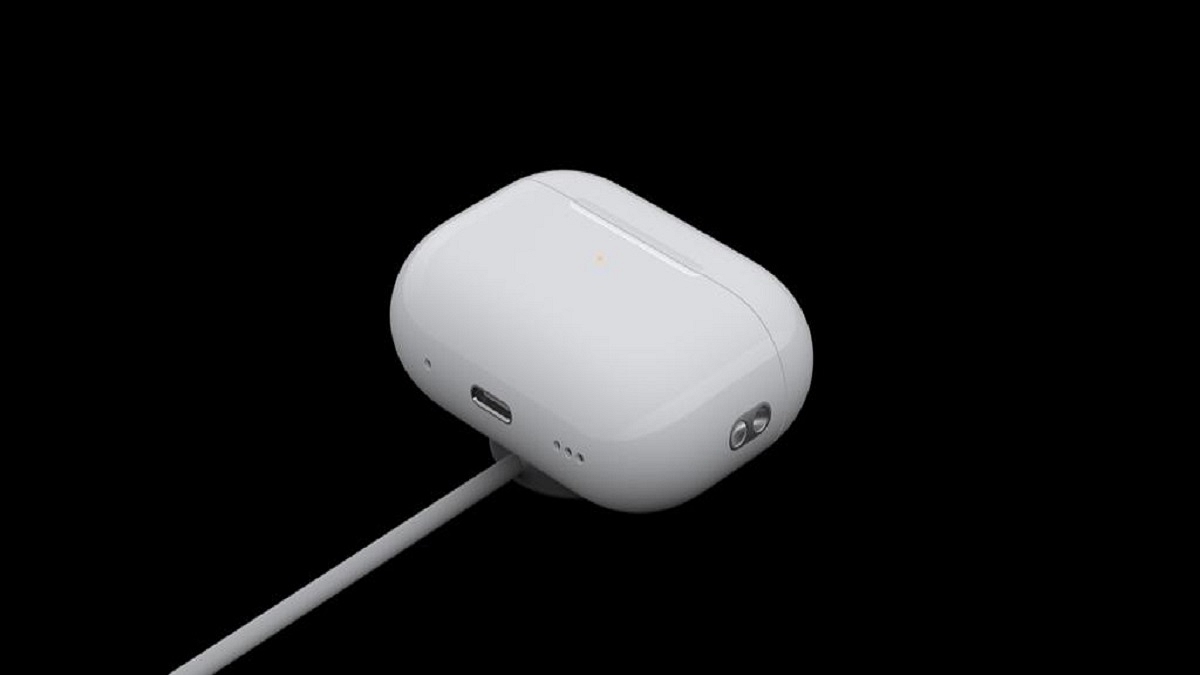
Step 2: Get the AirPods that you need to connect with the MacBook and put them inside the charging case. Ensure both earbuds are getting charged.

Step 3: Now, on your MacBook go to the Apple Menu and select System Settings.

Step 4: Tap on Bluetooth.

Step 5: Select the AirPods as the audio device if the they are already connected to the MacBook.

Step 6: If the AirPods show up as connected but they aren’t working, you will need to remove it from the paired list. Tap on the X to delete the AirPods from the connected devices list.

Step 7: Now, put the earbuds back in the case and close the lid for 15 seconds. Re-open the case’s lid after 15 seconds.

Step 8: You will now need to tap a hold the setup button on your AirPod’s charging case for 10 seconds. Wait for the white LED to flicker which will be an indication for the active pairing status.

Step 9: Bring the charging case with the AirPods inside right next to the MacBook. Make sure the lid is open.

Step 10: Complete the on-screen steps for the pairing.

Step 11: You might need to reset your AirPods if the aforementioned steps don’t fix the pairing issue. And if still the issue persists, you might need a service center visit.

Categories
Featured How To Mobile

Android Tips And Tricks: How To Maximize Battery Health And Reduce Battery Drain

Key Highlights

  • Android OS offers battery optimizations
  • Dedicated battery saver mode helps with extra backup
  • Battery drainage can be controlled with different steps

Android OS is currently the most advanced mobile operating system. Developed by Google, Android has been the driving force behind smartphones and tablets and off late is powering new-generation smart TVs, and also automotive in the form of Android Auto. With Android OS, you can get done with a whole range of customizations and optimizations on your smartphones. From display, audio, to performance, Android OS allows optimizing various features on the device.

Battery backup is one such crucial element which can be optimized using the Android OS. In fact, if you own an Android smartphone or tablet, you can keep a check on the battery drain status of your device and can easily fix if there are some issues. What all can you do to maximize the battery backup of your Android device and how can you avoid battery drainage. We have shared the tips and tricks below:

For the tech geeks, stay updated with the latest cutting-edge gadgets in the market, exclusive tech updates, gadget reviews, and more right on your phone’s screen. Join Giznext’s WhatsApp channel and receive the industry-first tech update

Also Read: MG Windsor EV Pre-Bookings Starts In India: Wait! There’s A Catch

Android Battery Saver Tips: What All You Do To Reduce Battery Drain And Extend Its Life?

  • Disable any active screen saver: By turning off any active screen saver, you can get an extended backup on a single charge.
  • Activate Auto Brightness and reduce high brightness levels: The screen brightness levels of your Android smartphone is a determining factor for the battery consumption which when reduced consumes lower power.
  • Restrict apps that consume battery extensively: Mobile apps that drain battery faster when restricted helps with an extended battery life
  • Enable Dark theme: You can activate the Dark theme on your Android devices. With darker app backgrounds, the battery consumption becomes limited.
  • Limit active internet connection usage: By keeping the internet connections deactivated when not in use, the device gets an extended battery life. You can enable directly disable Wi-Fi, Bluetooth, and mobile new when not in use and also activate the airplane mode for the same.
  • Disable GPS and Location services when not required: If you deactivate the GPS and location services, the battery drainage is low. This is another quick setting that you can toggle off for saving battery.
  • Use dedicated power saving mode: This will come in handy when your device is almost out of juice and has only limited battery percentage remaining. Enabling this mode will ensure battery drainage is at the lowest speeds.
  • Avoid keeping the device’s screen active: You need to avoid performing those actions that keeps the screen awake. For instance, if a video playback is going on and the device is not in use, it will drain the battery faster. Hence, it is advised that you keep the phone’s screen locked when not in use without any screen saver or similar apps running in the background.
  • Always use official power adapter: Charging you device with a non-compatible or a different company’s charger can have effect on your device’s battery health. Hence, ensure to use the power adapater that ships with your device.

By using these settings, you can easily keep a check on the battery health of your Android smartphone/ tablet and reduce excessive drain. These steps will also help with improving the battery health overall and extend its life cycle.