Categories
Featured Gaming How To

How To Fix Lag In Garena Free Fire Games For Immersive Gameplay

Key Highlights

  • Garena Free Fire has become one of the best battle royale games of the last decade
  • It features graphics for gamers who enjoy gaming in highly realistic environments
  • Players must have experienced lag or stuttering in their games, even when running on medium-quality settings

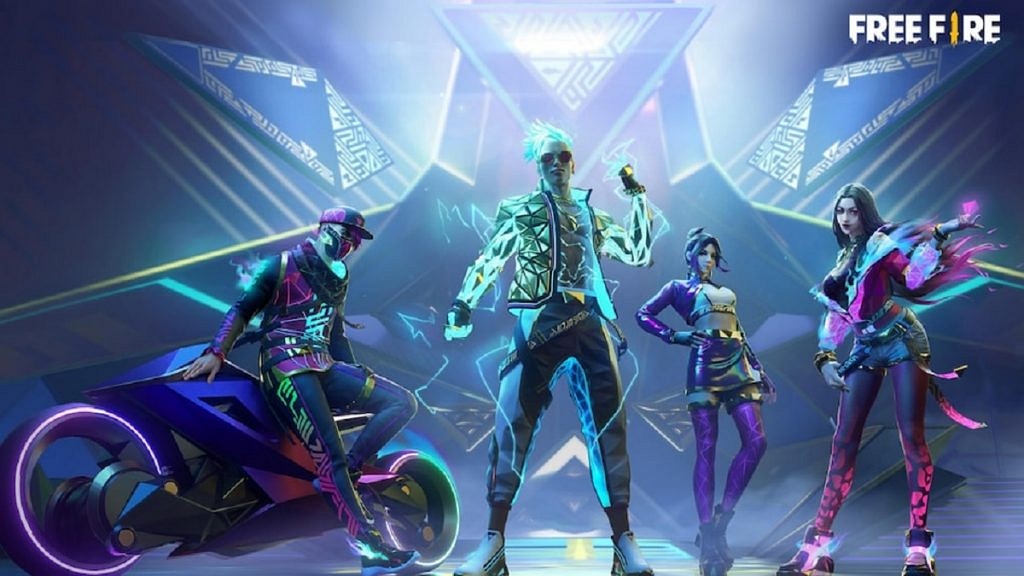
Free Fire is a popular mobile battle royale game that has a large player base. Despite its popularity, some players experience lag in the game, which can affect their performance and overall gaming experience. This can be frustrating, especially for those who are serious about winning. This article will discuss tips and tricks to help you fix lag in Garena Free Fire games.

Also Read | Free Fire Booyah Pass 2023 Free Diamonds: How To Get All Free Diamonds In Free Fire Booyah Pass 2023

Check Your Device’s Specifications

Before anything else, checking if your device meets the minimum requirements for playing Free Fire is important. If your device is outdated or doesn’t meet the requirements, you might experience a lag in the game.

Update Your Game

Keeping your game up to date can help resolve bugs and improve performance. You can check for updates in the app store and install them.

Close Other Apps

Having too many apps running in the background can slow down your device and cause lag in the game. Make sure to close all other apps before playing Free Fire.

Clear The Cache

Clearing the cache can help free up space and improve performance. To do this, go to your device’s settings, select the app manager, and find Free Fire. Clear the cache and restart the game.

Adjust Graphics Settings

If you’re experiencing lag, try adjusting the graphics settings to a lower setting. This can help reduce the load on your device and improve performance.
Connect To A Stable Network

A stable and fast internet connection is crucial for a smooth gaming experience. Try connecting to a Wi-Fi network instead of mobile data and make sure your internet connection is stable.

Also Read | Free Fire Maps: Top Five Free Fire Drop Locations On Map For Maximum Loot

Use A Gaming VPN

If you’re still experiencing lag, you can try using a gaming VPN. A VPN can help reduce lag by improving the stability of your internet connection and reducing network congestion.

Fixing lag in Garena Free Fire games can be done by following the tips and tricks mentioned above. If you’re still experiencing lag, try restarting your device or contacting the game’s support team for further assistance. By taking these steps, you can improve your gaming experience and enjoy Free Fire to the fullest.

For the tech geeks, stay updated with the latest cutting-edge gadgets in the market, exclusive tech updates, gadget reviews, and more right on your phone’s screen. Join Giznext’s WhatsApp channel and receive the industry-first tech updates.
Categories
Accessories Featured Mobile

Nothing Phone (2), Nothing Buds 2: Developments We Know So far

Key Highlights

  • Nothing is going to launch the Nothing Phone (2) in the US
  • Nothing Buds 2 renders have surfaced online

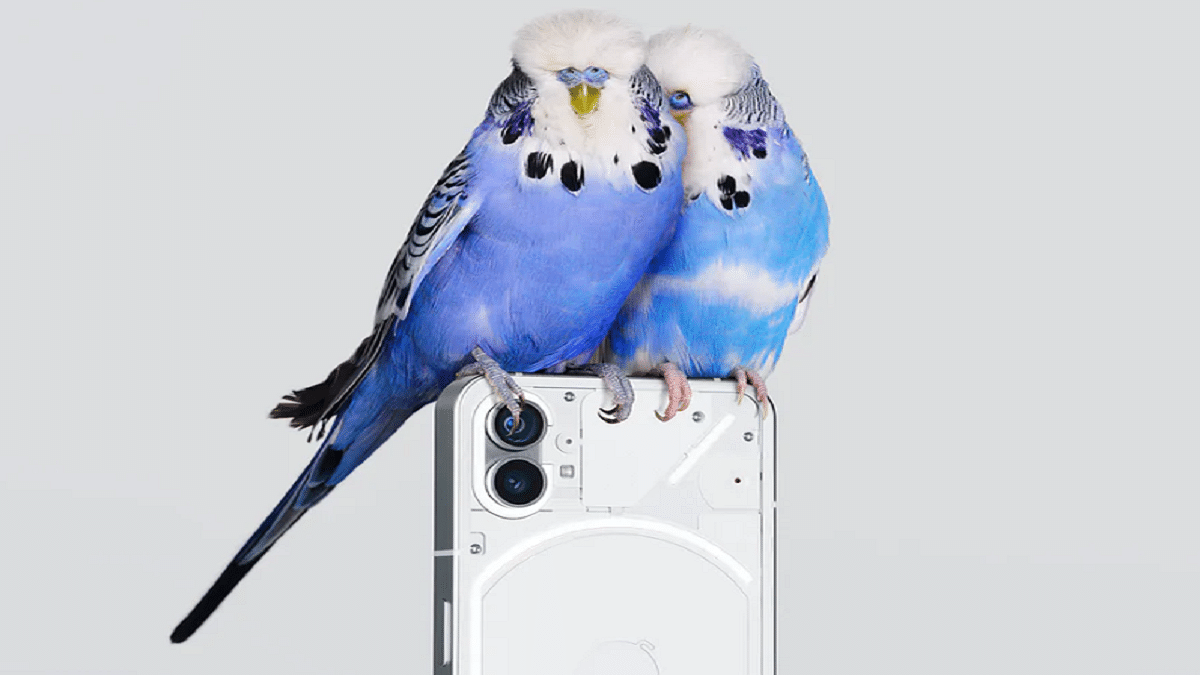
Nothing is once again making headlines as Nothing CEO Carl Pei announced that Nothing Phone (2), which would be “more premium,” will be released in the latter half of 2023. The US might, however, host the phone’s launch first, with India and other international markets following.

The Nothing Phone (2) can be introduced in the US first, according to Nothing founder and CEO Carl Pei, who stated in an interview with Inverse that the company has opted to make the US its first focus. Also Read | How To Find Nothing Service Centres: See All Steps Here

Nothing Phone (2) Specifications

The Nothing Ear (1), the company’s first product, was released in 2021. It was succeeded by the company’s first smartphone – Nothing Phone (1) in 2022. The smartphone has a 6.55-inch Full HD+ OLED screen with an adjustable refresh rate of 60Hz to 120Hz. The screen has a Corning Gorilla Glass 5 layer on the front and back and is HDR10+. Nothing smartphone is powered by a mid-range Qualcomm Snapdragon 778+ octa-core processor.

The smartphone’s battery life is rated at up to 18 hours of use per charge and two days of standby time. The phone offers fast charging and is claimed to charge from zero to fifty percent power in just thirty minutes. Power accessories like Nothing Ear (1) with 5W reverse charge. The charging coil Glyph even lights up to indicate reverse charging is happening.

Nothing Ear 2 TWS Buds Renders Leaked Online

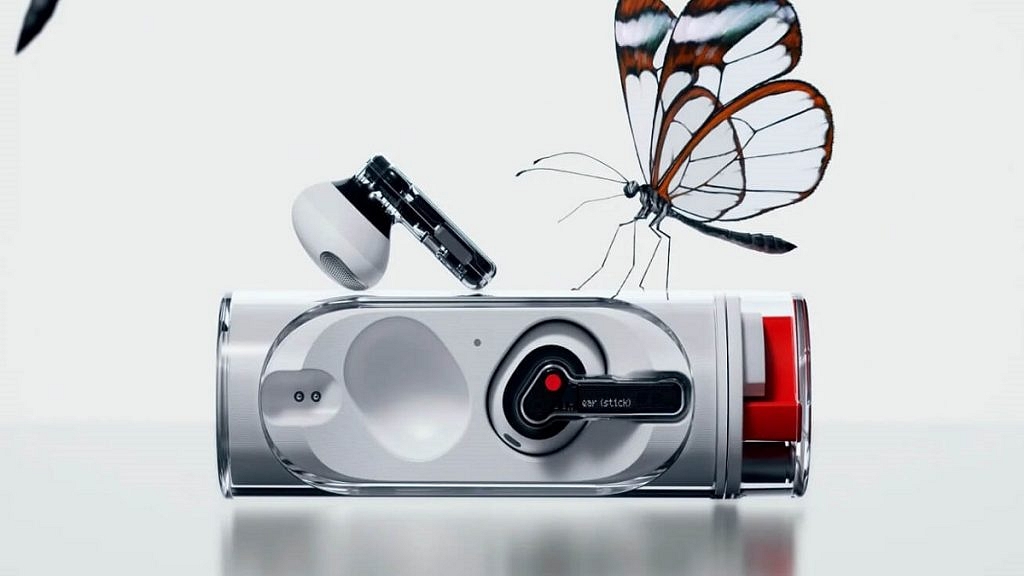
Online renders for the Nothing Ear (2) Buds have surfaced online, courtesy of renowned leakster OnLeaks working with Smartprix. The TWS earbuds give off the initial impression that the company is sticking with a familiar design with a transparent appearance.

The design has only undergone a few small changes. The noise-canceling microphone, which was formerly on top but has now been repositioned to be close to the red color marking on the front, is the sole aspect of the exterior design that is clearly different.

The Nothing Ear (1) and the Nothing Ear (2) are identical in appearance. Both the earbuds and the travel case have a translucent appearance. The design is almost exactly the same as the predecessor, with the exception of the noise-canceling microphone. If you liked the Nothing Ear (1) design, you will definitely like the Nothing Ear (2) as well.

Also Read | Nothing Ear (Stick) Competitions: Best Alternatives To Consider Under Budget

Categories
Featured Info Mobile

Samsung Galaxy S23 And Galaxy S23 Plus Launched With Snapdragon 8 Gen 2: All Details

Key Highlights

  • Samsung Galaxy S23 and Galaxy S23 Plus have been launched officially
  • The Galaxy S23 series comes with the latest Snapdragon 8 Gen 2 SoC
  • The Galaxy S23 is now available for pre-booking in India

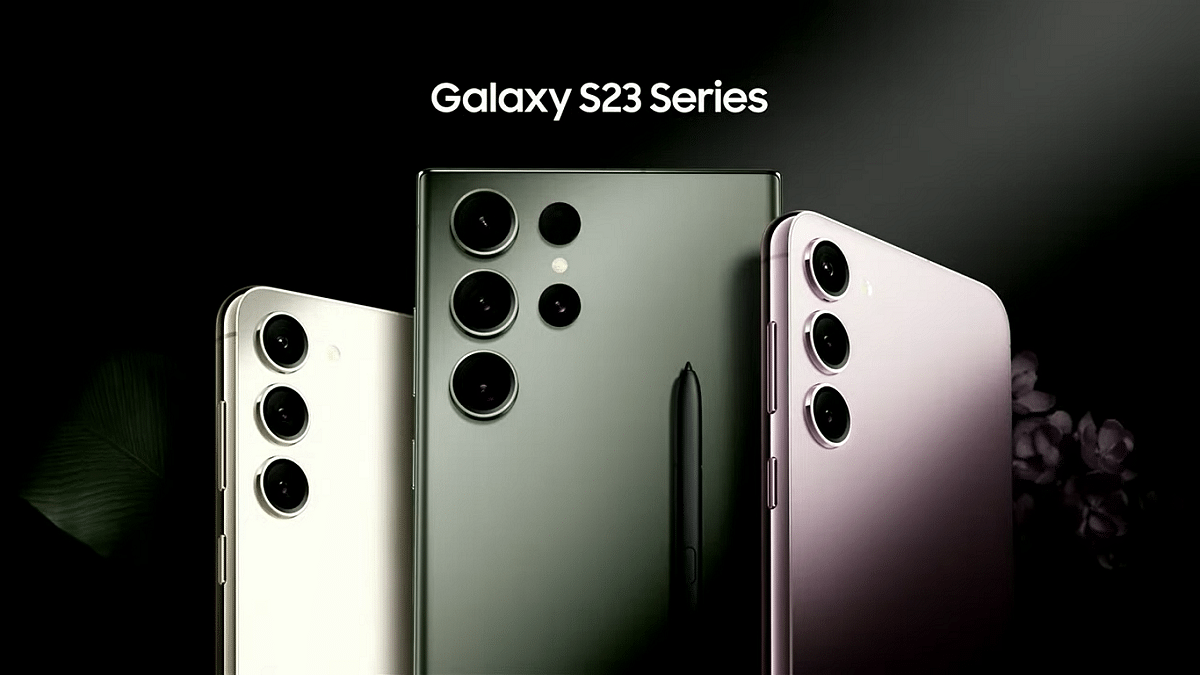
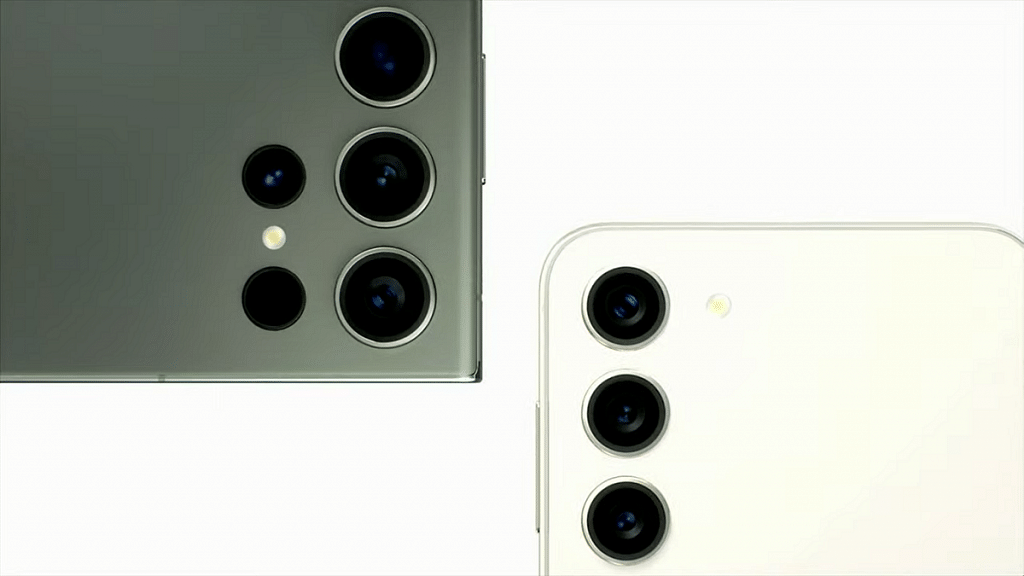
The Samsung Galaxy S23 and Galaxy S23 Plus were formally unveiled at the Unpacked event. These are the brand’s latest flagship phones for the year, and there will likely be many more in the coming months. The smartphones don’t differ significantly in appearance from their Galaxy S22 counterparts. The Galaxy S23 and Galaxy S23 Plus include rounded edges for an easy grasp in the hand, a punch hole cutout in the middle, triple cameras on the rear, and an in-display fingerprint sensor for security. Also Read | Samsung Galaxy S23 Ultra With 200MP Camera Goes Official: Price And Specifications

 Samsung Galaxy S23Samsung Galaxy S23 Plus
Display6.1 inches Dynamic AMOLED 2X6.6 inches Dynamic AMOLED 2X
ProcessorQualcomm Snapdragon 8 Gen 2Qualcomm Snapdragon 8 Gen 2
Rear Camera50MP + 10MP +12MP50MP + 10MP +12MP
Selfie Camera12MP12MP
OSAndroid 13Android 13
Battery3,900mAh4,700mAh

Samsung Galaxy S23 and S23 Plus Price In India

Samsung will announce the pricing of the Galaxy S23 series in India on Thursday, February 2 at 11 am. In the US, the Galaxy S23 starts from USD 799 (around Rs. 65,500).

Samsung Galaxy S23 and S23 Plus Specifications

The 6.1-inch FHD+ Dynamic AMOLED 2X screen on the Samsung Galaxy S23 features a 120Hz refresh rate, a Vision enhancer, a punch-hole cutout for the selfie camera, and a 240Hz Touch Sampling Rate in Game mode. The Galaxy S23 Plus, on the other hand, features a 6.6-inch FHD+ Dynamic AMOLED 2X Display with a 120Hz refresh rate, a 240Hz Touch Sampling Rate in Game Mode, and a Vision Booster.

Both smartphones are powered by the overclocked version of Qualcomm Snapdragon 8 Gen 2 chipset paired with Adreno GPU. The chipset is coupled with up to 512GB of extendable storage and 8GB of RAM. Both devices run on Android 13-based OneUI 5.1 custom skin out of the box.

The standard Galaxy S23 and Galaxy S23 Plus include a 50MP main camera with an LED flash, an OIS, a 12MP camera with a 120-degree field of view, and a 10MP telephoto sensor with a 3x optical zoom. For selfies and video calls, the front camera has a 12MP sensor.

With a 3,900mAh battery and 25W fast charging, the Samsung Galaxy S23 has a smaller battery than the Galaxy S23 Plus, which has a big 4,700mAh battery and 45W fast charging. Both Wireless PowerShare and Fast Wireless Charging 2.0 are supported. 5G, 4G LTE, Wi-Fi 6E, Bluetooth 5.3, GPS, and a USB Type-C connection for charging are among the connectivity choices. The phones are also dust and water-resistant, with an IP68 grade.

Also Read | Nokia T21 Vs Moto Tab G62 Vs Samsung Galaxy Tab A8: Best Android Tablet Under Rs. 20,000 In India

Categories
Featured Info Mobile

Samsung Galaxy S23 Ultra With 200MP Camera Goes Official: Price And Specifications

Key Highlights

  • Samsung hosted its Galaxy Unpacked 2023 event today
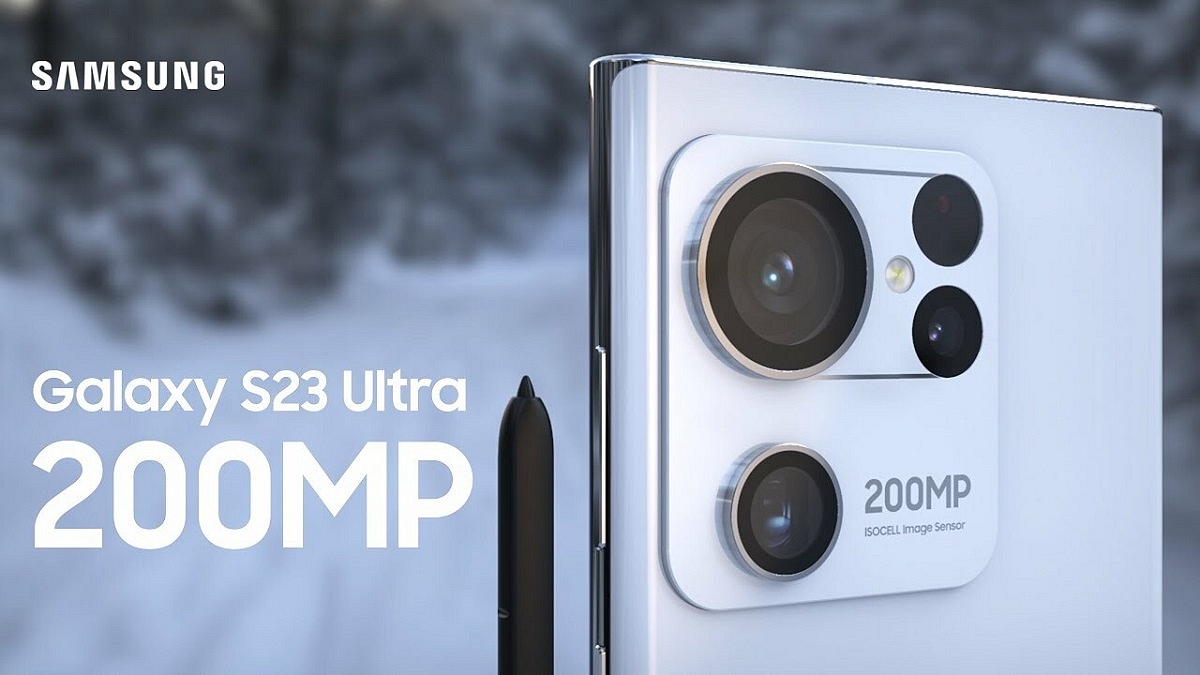
  • The Galaxy S23 Ultra features a 200MP ISOCELL HP2 sensor
  • The Galaxy S23 Ultra is available in three additional colors

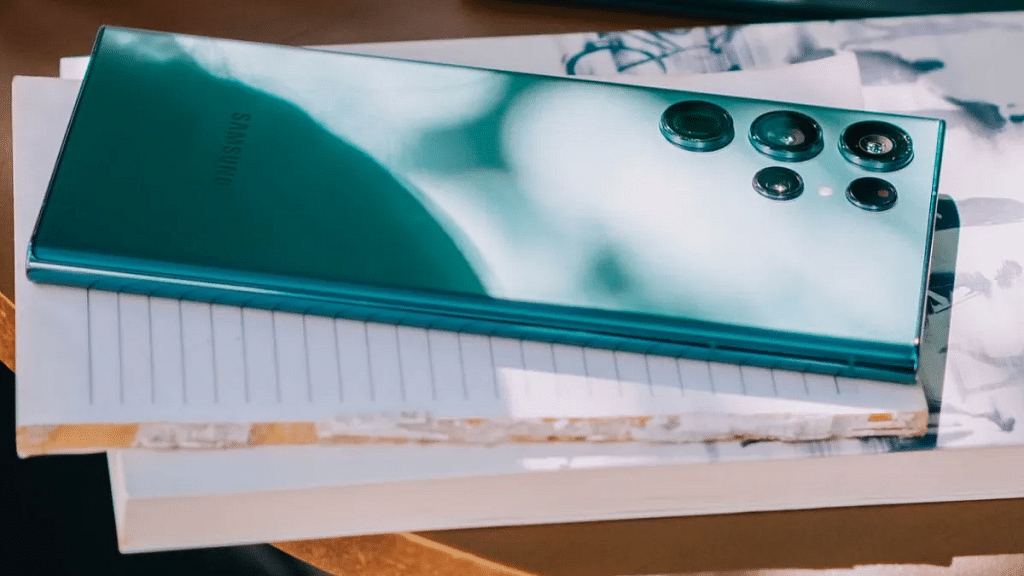
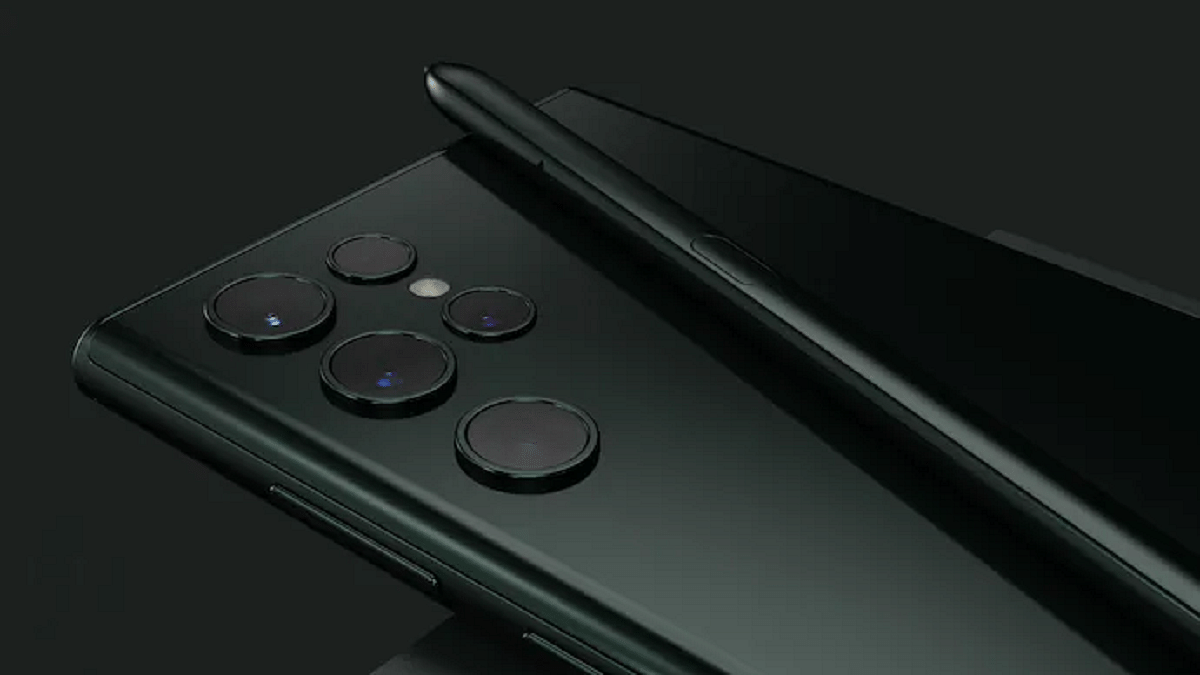
The Samsung Galaxy S23 Ultra is finally official and is probably the most discreet upgrade in Samsung’s flagship phone history. That is to say, despite the fact that it appears to be nearly identical to the Galaxy S22 Ultra, it isn’t. The Galaxy S23 Ultra is available in three additional colors in addition to the classic Phantom Black, including Green, Lavender, and Cream. This is the most noticeable difference. Here’s all you need to know about the newly launched Samsung Galaxy S23 Ultra. Also Read | Do You Own This Samsung Phone? WhatsApp Is Ending Support For Multiple Samsung Phones

Display6.8 inches Dynamic AMOLED 2X
ProcessorQualcomm Snapdragon 8 Gen 2
Rear Camera200MP + 10MP +10MP +12MP
Selfie Camera12MP
OSAndroid 13
Battery5,000mAh

Samsung Galaxy S23 Ultra Price In India

The base Samsung Galaxy S23 Ultra starts from €1,400 in Europe, $1,200 in the States, and Rs. 115,000 in India.

Samsung Galaxy S23 Ultra Specifications

The Samsung Galaxy S23 Ultra features a 6.8-inch Dynamic AMOLED 2X Infinity-O QHD+ display with a 120Hz adaptive refresh rate, 500 ppi density, and 1,750 nit peak brightness.

The Samsung Galaxy S23 Ultra is equipped with the Snapdragon 8 Gen 2 mobile platform custom-tuned for the Galaxy. Samsung has opted for Qualcomm’s latest SoC for its entire Galaxy S23 series and you won’t get an Exynos-powered S23 in any market this time around. The chipset has a Cortex-X3 core, running at up to 3.36GHz, up from the usual maximum 3.2GHz on the SD 8 Gen 2. The Adreno 740 GPU is reportedly clocked at 719GHz, instead of 680MHz.

The Galaxy S23 Ultra has a quad-camera system for optics. It is led by a 200MP sensor. The primary camera is accompanied by a 12MP ultra-wide-angle sensor and two 10MP telephoto cameras for 3x and 10x optical zoom. You also have the standard 100x digital zoom choice. There is a 12MP sensor on the front.

A 5,000mAh battery inside the Galaxy S23 Ultra supports both Super Fast Charging 2.0 and Fast Wireless Charging 2.0. Watching how quickly the 5,000mAh cell charges will be intriguing. Additionally, you have the choice to use wireless power share to charge your smartwatch or earbuds by placing them on your phone.

Also Read | Samsung Galaxy F04 Vs Poco C50: Latest Entry-Level Android Phones Battle

Categories
Apps Featured Info

Twitter Direct Message Feature Removed For Android, iOS Users: What Will Be The Impact?

Key Highlights

  • Twitter has reportedly removed the DM  feature on its Android and iOS mobile app
  • This has been said to simplify its user interface and make it more user-friendly
  • The DM button was previously located on the top navigation bar

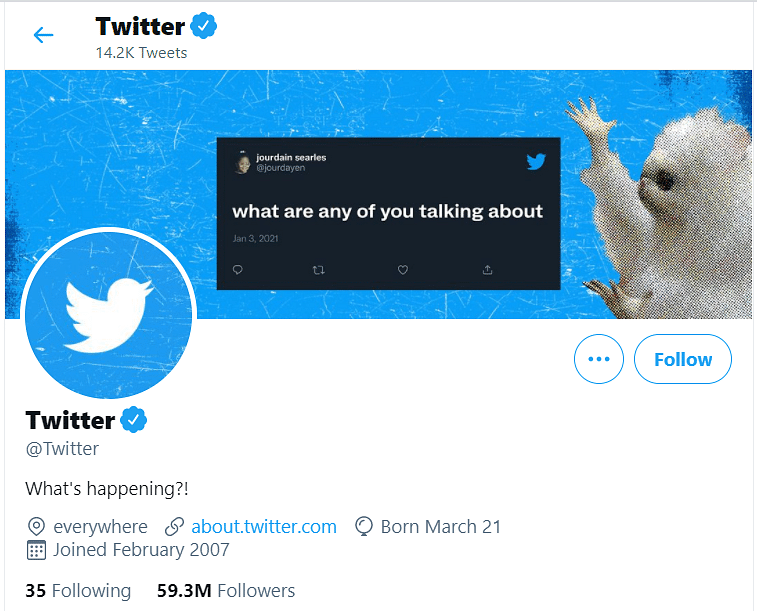
Twitter, the popular microblogging platform, has recently made the decision to remove its direct messaging feature for users of its Android and iOS mobile apps. This change, which has generated mixed reactions among Twitter users, is part of the company’s effort to streamline its platform and improve the user experience.

Twitter’s direct messaging feature, also known as “DMs”, has been a staple of the platform since its inception. It allowed users to privately communicate with one another and was seen as a way to build community and foster relationships on the platform. However, as Twitter has evolved, so too has the way people use the platform. Also Read | Best Tips And Tricks To Increase Your Followers On Twitter

Twitter Direct Messaging Shut Down: What Is The Reason?

In recent years, Twitter has increasingly become a source of news and information, with users relying on the platform to keep up with the latest developments. This has led to a shift in the way people use Twitter, with more emphasis on public conversations and less on private messaging. In light of this shift, Twitter has decided to remove the direct messaging feature from its mobile apps, in an effort to simplify the user experience and make it easier for people to stay informed.

What Does It Change For Twitter Users?

While the removal of the direct messaging feature has caused frustration among some users, many others have welcomed the change. By simplifying the platform, Twitter hopes to make it more accessible to new users, who may have been intimidated by the complex interface of the previous version. Additionally, the removal of DMs will free up resources for Twitter to invest in other areas of the platform, such as improving the overall user experience and developing new features that will benefit users.

New Twitter Direct Messaging Feature Alternatives?

It’s important to note that while the direct messaging feature has been removed from the mobile apps, it remains available on the desktop version of Twitter. This means that users who still want to send private messages to one another can do so by logging into Twitter on their desktops. Additionally, Twitter has stated that they are working on alternative ways to facilitate private communication on the platform which may include new features or third-party tools.

The removal of the direct messaging feature from Twitter’s mobile apps is a controversial change, but one that the company believes will ultimately benefit its users. By simplifying the platform and freeing up resources, Twitter hopes to make it more accessible and user-friendly for everyone. Whether this change will prove to be successful remains to be seen, but for now, Twitter users can look forward to improved user experiences and new features in the future.

Also Read | Planning To Leave Twitter? Here Are The Best Twitter Alternatives To Download

Categories
Featured Info Mobile

Samsung Galaxy Unpacked 2023 Event: How And Where To Watch Live Stream

Key Highlights

  • Samsung Galaxy Unpacked 2023 kicks off tonight at 10:30 PM (IST) in India
  • Samsung Galaxy S23 series is expected to include Galaxy S23, Galaxy S23 Plus, and Galaxy S23 Ultra
  • Samsung Galaxy Book 3 series is likely to include Galaxy Book 3, Galaxy Book 3 Pro, and Galaxy Book 3 Pro 360

Samsung is set to unveil its latest flagship smartphone, the Galaxy S23, in a virtual launch event on February 11, 2023. The Galaxy S23 series is likely to include Galaxy S23, Galaxy S23 Plus, and Galaxy S23 Ultra. On the other hand, the tech giant is also expected to launch Galaxy Book 3 series at the event. The Galaxy Book 3 series is expected to include Galaxy Book 3, Galaxy Book 3 Pro, and Galaxy Book 3 Pro 360.

The event promises to showcase the latest in Samsung’s smartphone technology and is expected to be watched by millions of people around the world. If you’re looking to tune in, here’s how to watch the Samsung Unpacked Galaxy S23 Launch Event. Also Read | Samsung Galaxy S23+, Galaxy S23 Ultra Promotion Material Out Ahead Of Launch: Here’s What All Is Revealed

Samsung Galaxy S23 Unpacked Event: Date

The Galaxy Unpacked event to unveil the Galaxy S23 series is scheduled for February 1 in San Francisco at 10 am PT/1 am ET/7 pm CET. The live stream will also start at the same time, so you get to experience the launch in the same way virtually as in-person attendees.

Samsung Galaxy S23 Unpacked Event: How To Watch?

The easiest and most convenient way to watch the Samsung Unpacked event is online. The event will be streamed live on Samsung’s official website and on their YouTube and Facebook channels. Simply visit the website, or log in to YouTube or Facebook, and you’ll be able to watch the event in real time.

If you have a Samsung smart TV, you can watch the Samsung Unpacked event directly on your TV. You simply have to open the Samsung TV Plus app, select the Samsung Unpacked channel, and the event will start automatically.

Also Read | Samsung Galaxy S23 Ultra Could Feature A 200MP Camera: Check Details

Categories
Apps

100+ Best Instagram Names For Motivational Speakers To Inspire The Audience

Key Highlights

  • Crafting Memorable Names for Motivational Influencers.
  • Catchy Names for Motivational Insta-Profile.

Finding the perfect Instagram name for a motivational speaker can be a challenging task. Your name should be memorable, catchy, and, most importantly, relevant to your niche. Here are some of the best Instagram names for motivational speakers that you can consider for your profile.

Also Read | Instagram Names For Tech Geeks: 100+ Catchy And Unique Usernames

Cool Instagram Names For Motivational Speakers

InspireWithWordsFuse WordLife Survivor
RiseAboveFollowing Your Dreams For RealThe Successful Way To Live
The Motivational TribeEncourageNationBecome Your Own Leader
DreamChaserEmpowermentHQYour Leader To Success
MindsetMavenSpeakSuccessMy Motivation is You
Thriving For SuccessChangeAgentStruggle And Succeed
TheMotivatorYour Way To SuccessImproving Thy Self
Way To SuccessLife And BlessingsLife Survivor
LifeLiftBuilding Dreams in Every PostLive To Struggle And Survive

Also Read | 100 Best Instagram Name Ideas For Graphic Designers

Trendy Instagram Names For Motivational Speakers

True Meaning Of LifeSurviving Life And Its HurdlesQuotes Boost
Overcoming DifficultiesLife’s DestinyImpact Boost
Life And Its BlessingsThe Key To Your LifeInspiration Max
Common Sense Self-ImprovementSacred CreativeSensational Sparks
Power-Up Your LifeWonderful CreativeFrenzy Inspirations
My Life And My StoriesCreative SpiritualProphetic Eloquent
Everyday Life HackHeartfelt CreativeSpirit Magic
Own LeaderImproving Thy SelfStruggle And Succeed
Everyday Motivation for MomsImpact ReactionInspired Posters

Catchy Instagram Names For Motivational Speakers

WordvolutionsInspiration WizLeaders Evolution
Faith SoulThe Key YouZero To Being
Inspiration FreshMind WizardShadow Mystery
Word InspirationsMindful SenseInsight Head
Spiritual CreativeLove AmatoryAlien Spirit
Quotes ConnectFlourish SoulWise Session
Mystic SecretMaster GenuineInnovation Vision
Before you Wake upUnusual MageExpand Portal

Also Read | 100 Best Instagram Names For Food Bloggers To Get More Followers

Unique Instagram Names For Motivational Speakers

Spirit StellarShine to FlyWorthy Vibe
Liv VibranceDivine MomentsWonder Words
Being FountainLife GridMany Dreams
Ladder Of LivingNature SiblingsPerception Pie
Life MisfitsPick the HandYour Existence
Miles MemoriesTravel OftenManiac Moon
Plante of LifeImpact ReactMemory Blends
Mind TalesPositive DimensionShow and Inspire
Blissful BurstLife CharmUtterly Sky

In conclusion, choosing the right Instagram name is an important step in building your personal brand as a motivational speaker. It should be memorable, catchy, and relevant to your niche. Consider using one of these names as a starting point or get creative and come up with something that speaks to you and your message.

Also Read | 100+ Best Catchy And Unique Instagram Names For Your Pets

Categories
Featured Leaks Tablet

Apple May Launch Its First Foldable iPad With Carbon Fiber Kickstand Next Year

Key Highlights

  • Apple is planning to launch its first foldable iPad in 2024
  • Analyst Ming-Chi Kuo informed this on the micro-blogging platform Twitter
  • The foldable iPad is said to feature a carbon fiber kickstand

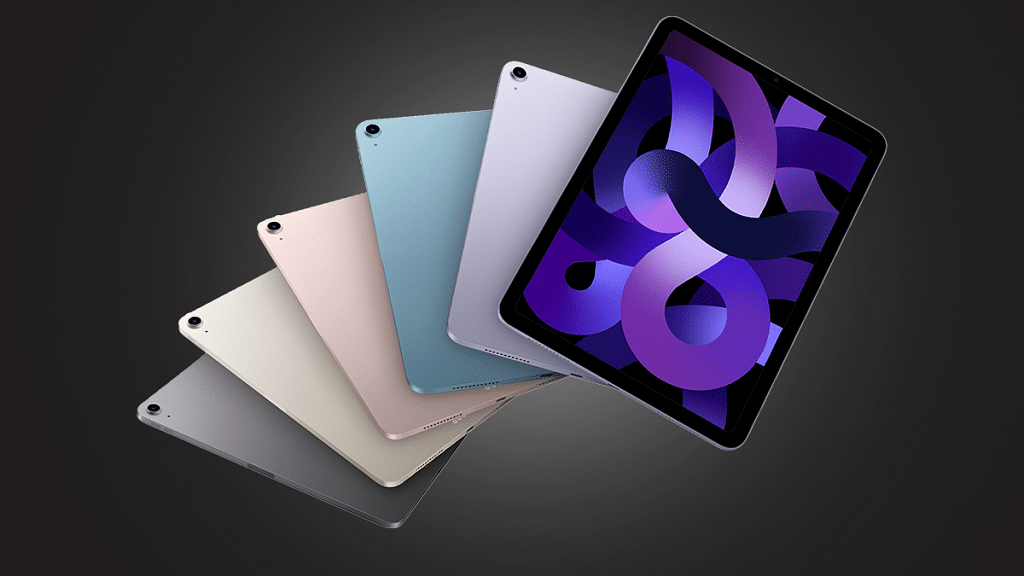
Apple is widely speculated to be launching a foldable iPad in 2024. The device is expected to feature a carbon fiber kickstand that will provide increased durability and flexibility to the tablet. The foldable iPad is expected to be a game-changer for the tech giant and could revolutionize the way people use and interact with their devices.

Ming-Chi Kuo, an analyst, stated the following regarding Apple’s foldable iPad on Twitter: “I’m positive about the foldable iPad in 2024 and expect this new model will boost shipments and improve the product mix. My latest survey indicates that the foldable iPad will feature a carbon fiber kickstand. Carbon fiber material will make the kickstand lighter and more durable.” Also Read | Forgot Apple iPad Passcode? Here’s How To Reset iPad Passcode Of Any Model

According to Ming-Chi Kuo, the number of Apple iPad shipments could fall by 10 to 15 percent this year. However, the upcoming release of a new Apple iPad will improve the product mix while also benefiting Apple iPad shipments.

Apple iPad Expected Specifications

The foldable iPad is expected to have a large, high-resolution OLED display that will provide users with an immersive viewing experience. The tablet is expected to run on the latest version of Apple’s iOS operating system, which will bring a wide range of new features and enhancements. Additionally, the foldable iPad will likely support Apple’s growing ecosystem of accessories, including the Apple Pencil and Smart Keyboard.

The launch of a foldable iPad will place Apple in direct competition with other tech companies that have already launched foldable devices such as Samsung and Huawei. However, with Apple’s reputation for innovation and quality, the foldable iPad is expected to set a new standard for the industry and be highly sought after by consumers. With the recent rumors of the launch, the tech industry is eagerly waiting for the official announcement from Apple.

Also Read | Apple iPad Tricks: How Can You Use Visual Look Up Feature On iPad Running On iPadOS 15.1 And Above

Categories
Apps Featured Info

Netflix Introduces ‘Kids Mystery Box’ Feature To Android Users: All Details

Key Highlights

  • Netflix rolls out Kids Mystery Box feature on Android devices
  • Mystery Box content changes daily and includes shows and characters such as Boss Baby: Back In The Crib and Back to the Outback
  • This Mystery Box feature allows users to discover new content on the platform

Netflix, the world’s leading streaming service, has recently introduced a new feature called “Kids Mystery Box” on Android devices. This feature is designed to provide a fun and engaging experience for kids while they browse through the Netflix library.

The Kids Mystery Box feature is a welcome addition to the Netflix app for Android devices. It provides a fun and engaging experience for kids, while also giving parents the ability to control what their children are watching. With this new feature, kids can enjoy a personalized and exciting viewing experience on Netflix. Also Read | Here’s How To Download Videos From Netflix, Amazon Prime, And Disney+ Hotstar

Kids Mystery Box: What Is It?

The Kids Mystery Box is a selection of curated shows and movies that are specifically chosen for children. The selection is based on the child’s age and preferences, making it easier for parents to find suitable content for their kids. To access the Kids Mystery Box, parents can simply tap on the “Kids” section of the Netflix app and select the “Mystery Box” option.

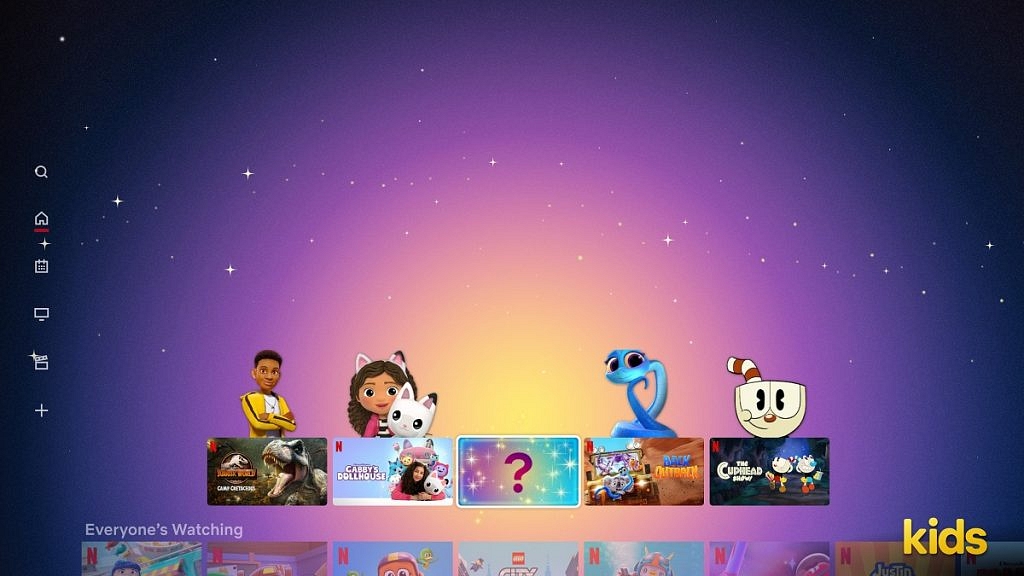
The feature is designed to be interactive and engaging with a surprise element that keeps kids entertained. When a child selects a show or movie from the Kids Mystery Box, they are presented with a box that needs to be opened to reveal the content. This creates a sense of excitement and anticipation, making it a fun experience for kids.

In addition to the surprise element, the Kids Mystery Box also provides an opportunity for children to discover new shows and movies that they may not have otherwise come across. This helps to expand their viewing options and provides a more personalized experience.

The Kids Mystery Box feature is a great addition to the Netflix app, providing a safe and fun environment for kids to explore and discover new content. It also gives parents peace of mind, knowing that the content their children are watching is suitable and appropriate for their age.

Also Read | Netflix For Fitness Enthusiast: Collaborates With Nike To Stream Workout Videos On Its OTT App

Categories
Apps Featured How To

Recharge Your Delhi Metro Card Using Airtel Thanks App: Here’s How

Key Highlights

  • Delhi Metro has partnered with Airtel Payments Bank
  • Delhi Metro cards can now be recharged via the Airtel Thanks app
  • This will make it easier for Delhi Metro users to recharge their smart cards

Airtel Payments Bank, a subsidiary of Bharti Airtel, recently announced a partnership with Delhi Metro. Recharging your Delhi metro card has become a lot easier now with the Airtel Thanks app. This app allows you to recharge your metro card quickly and easily without having to visit the metro station or a physical recharge outlet. In this article, we will explain the step-by-step process of recharging your Delhi metro card using the Airtel Thanks app. Also Read | How To Recharge Metro Smart Card Online: A Step By Step Guide

How To Recharge Delhi Metro Card Via Airtel Thanks App

Step 1: Download the Airtel Thanks app from the Google Play Store or Apple App Store. Once you have downloaded the app, open it and sign up for an account. If you are an existing Airtel customer, you can log in using your mobile number.

Step 2: Once you have logged in, you will need to add your Delhi metro card to the app. To do this, click on the “Metro Recharge” option and then select “Delhi Metro”. You will then need to enter your metro card number and the amount you wish to recharge.

Step 3: Now, make the payment for the recharge. You can do this using your debit card, credit card, net banking, or UPI. Once the payment is successful, the recharge amount will be credited to your Delhi metro card.

Step 4: You can check the status of your recharge by clicking on the “Recharge History” option in the Airtel Thanks app. This will show you a list of all the recharges you have made and the status of each recharge.

Step 5: Once the recharge is successful, you can use your Delhi metro card to travel on the Delhi metro as usual. The recharge amount will be automatically deducted from your card as you travel.

Recharging your Delhi metro card using the Airtel Thanks app is a simple and convenient process. With just a few clicks, you can recharge your metro card from the comfort of your own home. So, next time you need to recharge your metro card, give the Airtel Thanks app a try.

Also Read | How To Check Metro Card Balance Offline And Online? Learn Here