Say hello to Shweta, a tech fan who's hooked on keeping up with all things tech. When she's not exploring the latest gadgets, she's diving into a good book, clicking photos as an amateur photographer, or enjoying classic movies and music. With her love for both tech and creativity, Shweta adds her own touch to tech news in a way that's easy to understand and enjoy.
Memorable, unique names are crucial for pet Instagram accounts
Reflecting your pet’s personality adds charm to the account
Creative names enhance engagement and attract followers
Pet Instagram accounts are a fun way to share the adventures of your furry friend with friends and followers. When choosing a name for your pet’s Instagram account, it’s important to pick something memorable, unique, and reflective of your pet’s personality. Here are some of the best pet Instagram names to consider. Also Read | 100 Best Instagram Names For Food Bloggers To Get More Followers
100+ Best Pets Instagram Names
Get creative and have fun with it! Remember, your pet’s Instagram name will be the first impression people have of your account, so choose wisely.
Pet Instagram accounts offer a delightful platform to share your furry friend’s adventures. Choosing a memorable and unique name reflective of your pet’s personality is key to standing out. Creative names not only enhance engagement but also attract a wider audience eager to follow along with your pet’s journey.
Google has rolled out the fingerprint lock for the Android users
The feature is already available on the iOS platforms
With this feature, users can ensure that only they can access their incognito tabs
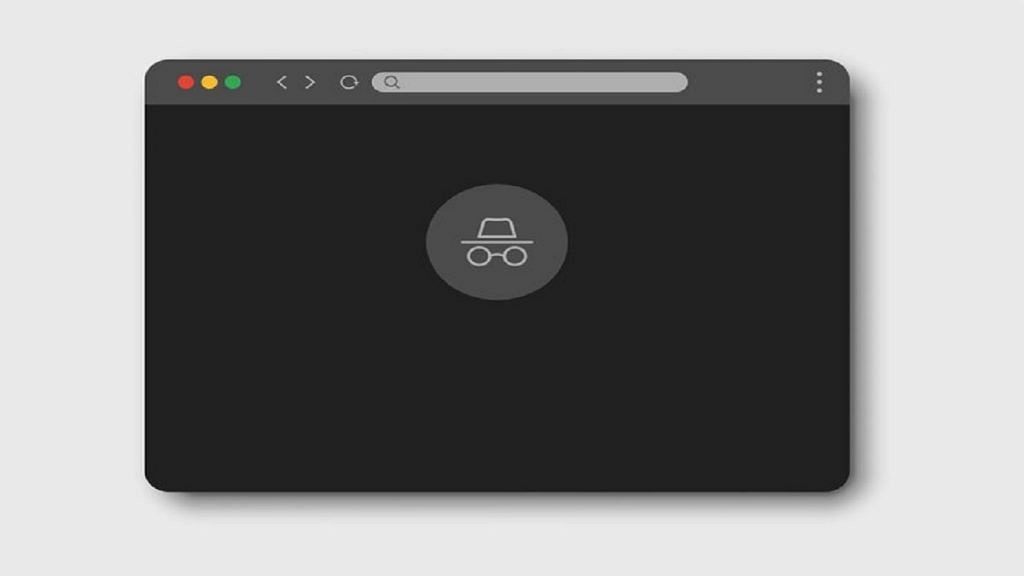
Google Chrome, the widely used web browser, has announced a rollout of a new feature for its Android users – a fingerprint lock for incognito tabs. This feature provides an extra layer of security for users who want to keep their online activities private and secure.
Incognito mode, also known as private browsing, has been a staple feature of Google Chrome for desktop and mobile for several years. It allows users to browse the web without saving their history, cookies, or search information. However, this mode does not prevent other people who have access to your device from seeing what you are doing. With the new fingerprint lock feature, users can ensure that only they can access their incognito tabs.
“You can require biometric authentication when you resume an interrupted Incognito session,” the tech giant wrote in a blog post. Notably, the feature is already available on the iOS platforms and can now be used by Android users now. Also Read | How to search on google using images or video?
How To EnableFingerprint Lock For Incognito Tabs
To use the fingerprint lock feature, users must have a device with a fingerprint sensor and the latest version of Google Chrome for Android. Once they have these requirements, they can activate the feature by following simple steps:
Step 1: Go to the Chrome settings.
Step 2: Now, select “Privacy and Security”.
Step 3: After that, enable the “Fingerprint lock for incognito tabs” option.
From then on, when you open an incognito tab, you will be prompted to scan your fingerprint to access the tab. If you have multiple fingerprints saved on your device, you can choose which one you want to use for this feature.
The feature is particularly important for those who use public Wi-Fi networks or shared devices. With the fingerprint lock, they can ensure that their incognito tabs are secure, even if someone else has access to their device.
In addition to the security benefits, the fingerprint lock feature is also convenient for users. It eliminates the need for them to remember a password or pattern to access their incognito tabs. Instead, they can simply scan their fingerprint to access the tabs. This is especially helpful for users who frequently use incognito mode and don’t want to be bothered with entering a password every time.
Instagram has introduced a dynamic profile photo feature for its users
Anyone who visits your profile can switch between your photo and avatar
If you already have an avatar on Facebook, this update will cause it to automatically move into the third dimension
A new tool that allows users to create avatars and use them as profile pictures is being rolled out by Instagram. You don’t even have to change your original display image. In order to fit both your original profile photo and the avatar profile photo, Instagram has added a new “flip” feature. All users can access the new Dynamic Profile Photo feature. Check the Google Play Store or the Apple App Store for the most recent update to the Instagram app if you don’t see it there. Also Read | Create And Use Your Personalized Instagram Avatar: Here’s How To Do It
The feature was announced on Instagram’s microblogging site Twitter. “New profile picture, who’s this? Now you can add an avatar on the other side of the picture so anyone who visits your profile can switch between the two,” the company wrote in a tweet.
Dynamic Profile Picture On Instagram: How To Use This Feature?
The procedures to use the new feature of the Meta-owned photo-sharing app are listed below.
Step 1: Open the Instagram app on your mobile phone and go to your profile.
Step 2: Tap on “Edit Profile”.
Step 3: Using your camera and the customization choices, add an avatar at this point.
Now the profile picture will flip between the image and the avatar whenever someone opens your profile.
Additionally, throughout the company’s Quest and VR platforms, avatars can be shared as stickers, profile images, feeds, and more. New face features and “assistive devices for people with disabilities” are also part of the avatar feature.
According to the unversed, Meta just started using avatars on Instagram. If you already have an avatar on Facebook, it will instantly transition into the third dimension as part of this update, claims Meta. They can even enter the editor if they want to make their own improvements.
A YouTube presence is essential if you want to become an influencer or a blogger. You’ve definitely been considering unique and original usernames for your YouTube channel as well. Your brand and subscriber base can be greatly impacted by your channel name. In fact, “Best YouTube channel name in India” is an often-searched term.
You can choose from a variety of names for your YouTube channel. Finding a name that is both original and strong among the sea of YouTube options can be challenging. You can use names that describe a person’s initial and last name or the whole subject matter or brand of a channel. In this post, we have hundreds of YouTube channel name ideas for boys that they can use.
Windows 11 allows users to restore older versions of files
Users can restore older versions of files from backups
Users can also restore older versions from previous versions of files
Although Windows 11 is a powerful operating system, there are times when data loss may occur. Virus attacks, complex disc problems, unanticipated power outages, program crashes, and insufficient backups are some common causes. Well, not to worry if you accidentally deleted a file on Windows 11. Your data can still be recovered in a number of ways. Contrary to popular opinion, Windows 11 frequently allows for the manual recovery of deleted files. This blog post will go through how to quickly and simply recover essential documents and data from lost files on Windows 11. Also Read | How To Check Available RAM Slots On Windows: A Step-By-Step Guide
Steps To Restore Deleted Files Via Backup
Step 1: Click on the Start button.
Step 2: Open the Control Panel. For that, scroll down and click on it.
Step 3: Now, choose the option System and Maintenance.
Step 4: Select the Backup and Restore option.
Step 5: Select the option to “Restore my files” after that, and then proceed as directed on the screen to finish the procedure.
Steps To Restore Backup Of A File Through A Previous Version
Step 1: Click on the Start button.
Step 2: Open the Computer app.
Step 3: Go to the folder where the file or folder once resided, right-click on it, and then choose the Restore Previous Versions option.
Step 4: Right-click the drive and choose to Restore previous versions if the folder was on the drive’s top level such as C:\.
Step 5: In the event that the file or folder is part of a library, right-click it where it is saved rather than in the library. And you are done.
Coca-Cola phone should make its formal debut in India soon
It appears to contain a dual-rear camera configuration
The rumored said to be a rebranded version of the Realme 10 series
The world’s most recognized brand, Coco-Cola, is introducing a smartphone. In the next few weeks, the Coca-Cola phone should make its formal debut in India. To manufacture the Coca-Cola Android smartphone, the soft drink company looks to be collaborating with a smartphone manufacturer, most likely from China. The leak which offers a glimpse of the Coca-Cola smartphone hints at some of the specifications and features. Let’s check out all the available information on the Coca-Cola phone. Also Read | Tecno Phantom X2 vs Realme 10 Pro 5G Vs OPPO Reno 9 Pro Full Comparison: Best Latest Premium Mid-Range 5G Smartphones Of 2022
Coca-Cola Phone Design Leaks
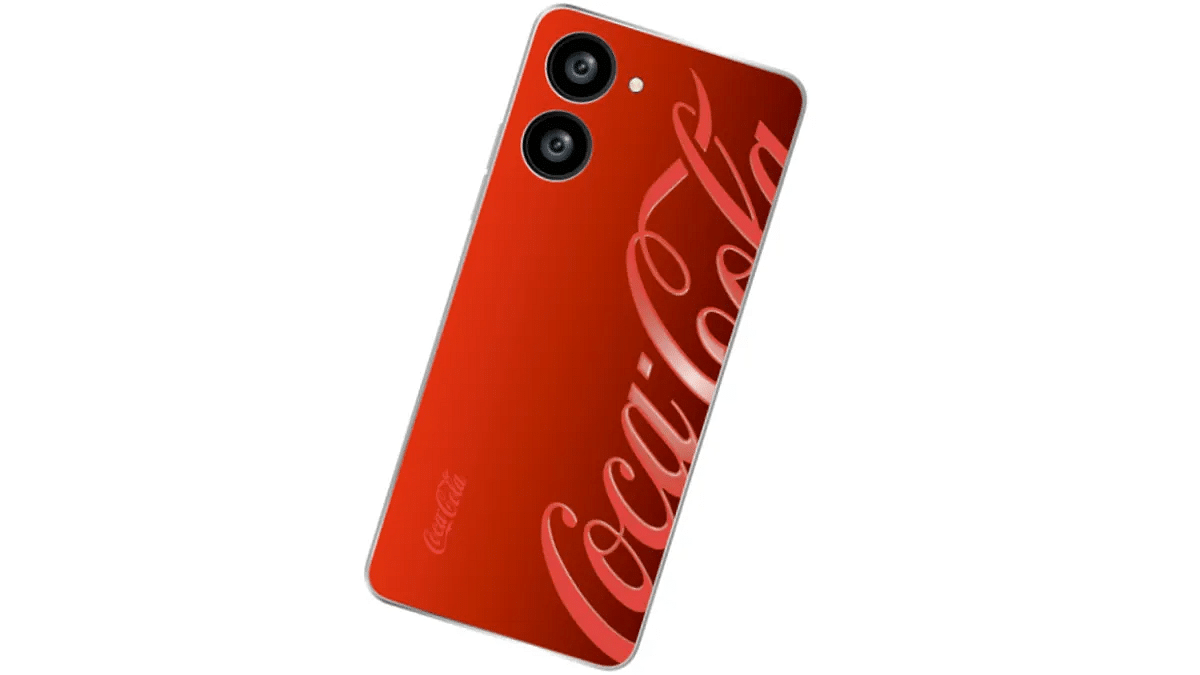
According to reports, Coca-Cola is working with an unknown smartphone manufacturer to create its device which is covered in the brand’s signature Red color.
[Exclusive] Here's the all new #Cola Phone 😍 Can confirm that the device is launching this quarter in India. Coca-Cola is collaborating with a smartphone brand for this new phone. Feel free to retweet.#ColaPhonepic.twitter.com/QraA1EHb6w
The Cola Phone’s rear panel is shown in the lone image that was leaked in the tweet. The smartphone appears to contain a single LED flash and a dual-rear camera configuration. The Coca-Cola Phone or the Cola Phone should launch in India this quarter, claims a new leak about the device.
Cola Phone: A Rebranded Realme 10?
There’s an actual Colaphone Global Twitter account that follows a total of eight other accounts, all of which are smartphone brands. One of the speculative scenarios is that the Cola phone will be a rebranded version of the Realme 10 series with a strong chance of it being the vanilla Realme 10 model.
Although the image of the Cola Phone doesn’t confirm, the design, camera arrangement, and volume rockers imply that Realme and Coca-Cola may have collaborated together. Coca-Cola has opted to brand what seems to be a Realme 10 smartphone.
Cola Phone: Expected Specifications
The MediaTek Helio G99 processor, along with a Mali G57 GPU, up to 8GB of RAM, and 128GB of internal storage, may power the Cola Phone if its report of being a Realme 10 model is true. A 6.4-inch Full HD+ AMOLED display with a 90Hz refresh rate and Corning Gorilla Glass 5 protection can be present on the smartphone.
The Realme 10 has a 50MP main camera and a 2MP monochrome sensor. Equipped with a 5,000mAh battery unit that supports 33W SuperVOOC charging via the Type-C port.
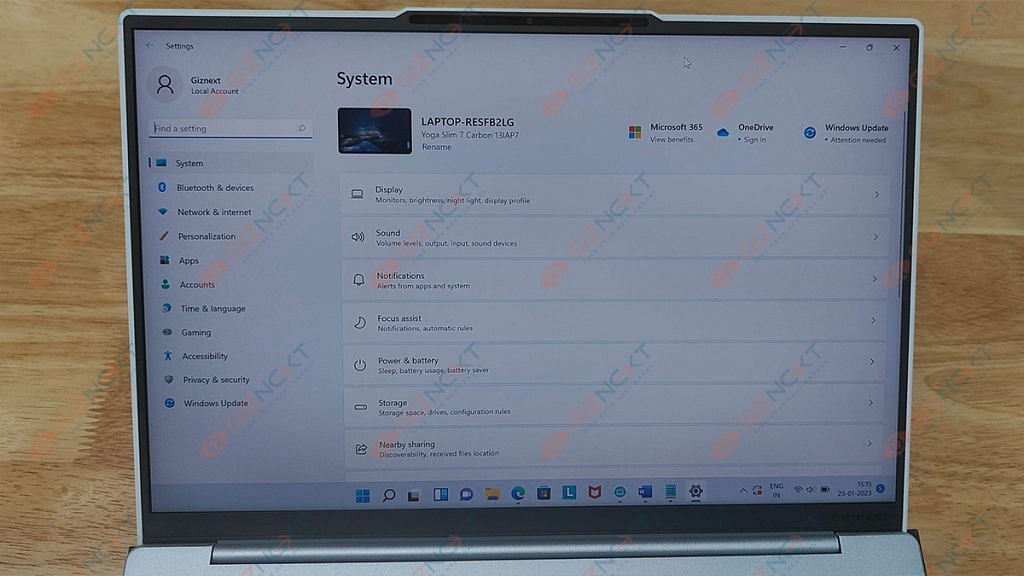
When it comes to high-end Windows laptops, Lenovo is one of the reputed brands. The company is consistently focusing on high-end ultraportable notebooks in the market with powerful battery backup. The Yoga series laptops are the brand’s bet in this segment. We at Giznext got to review the Lenovo Yoga Slim 7i Carbon. Does this laptop have a chance in a market that is being steadily dominated by MacBooks? Let’s find out in this review.
What’s Inside The Box?
Lenovo Yoga Slim 7i Carbon Notebook
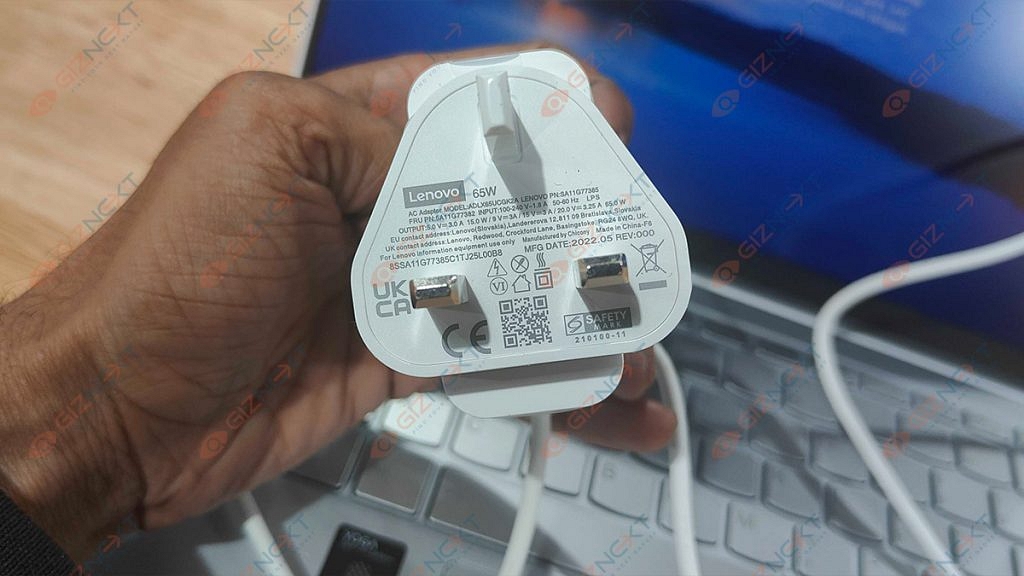
65W USB Type-C charger
USB Type-C to Audio jack adapter
Some paperwork
Design
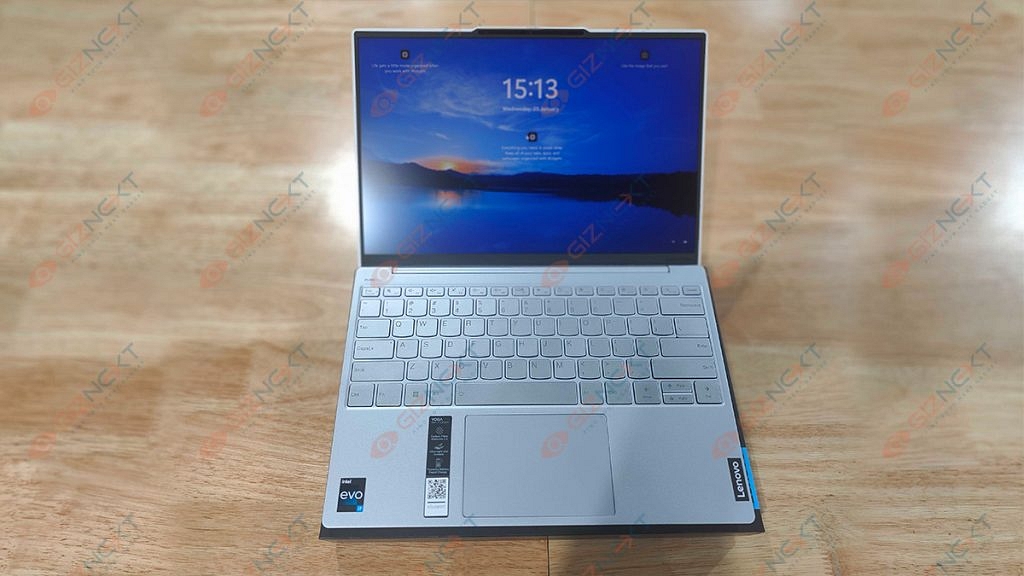
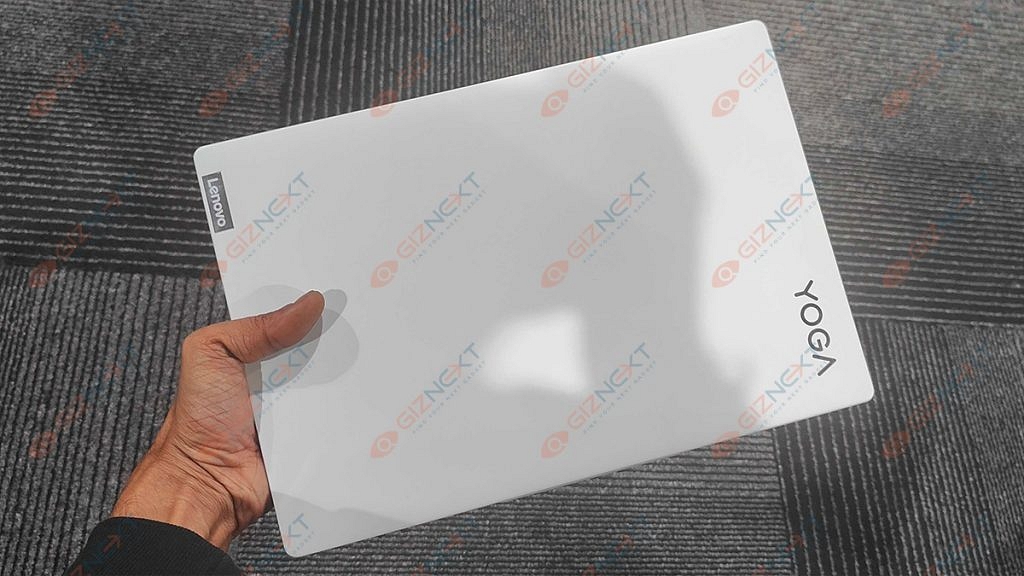
The Lenovo Yoga Slim 7i Carbon is an attractive laptop. As the name suggests, it’s a portable laptop made for those who work on the go and need to swiftly tuck it into a bag or case as they sprint from one meeting to the next.
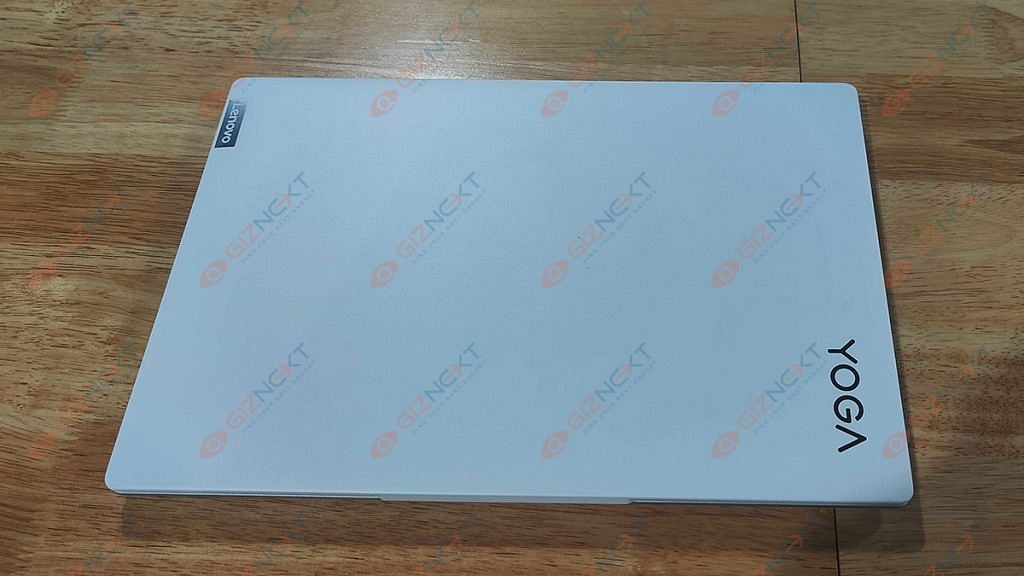
Lenovo claims that the base is an alloy of magnesium and aluminum while the lid is composed of carbon fiber. Opening this device’s lid is a super satisfying experience. Thanks to the notch, it folding up or closing the lid is a fluid experience. The hinges are smooth and support a 180-degree fold. The top bezel of its matte display which has very thin bezels houses the HD Web camera, IR face scanner, and ToF sensor.
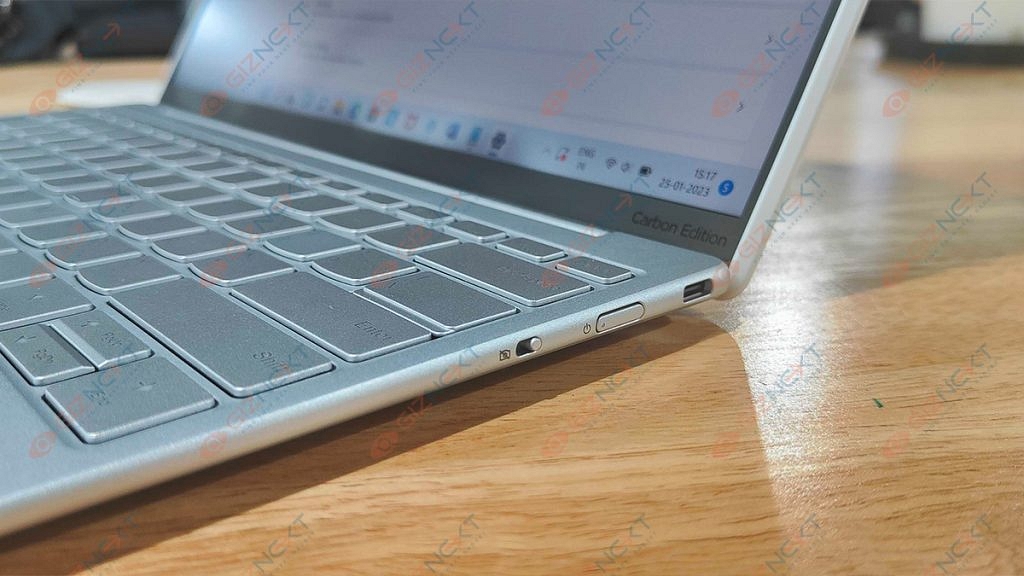
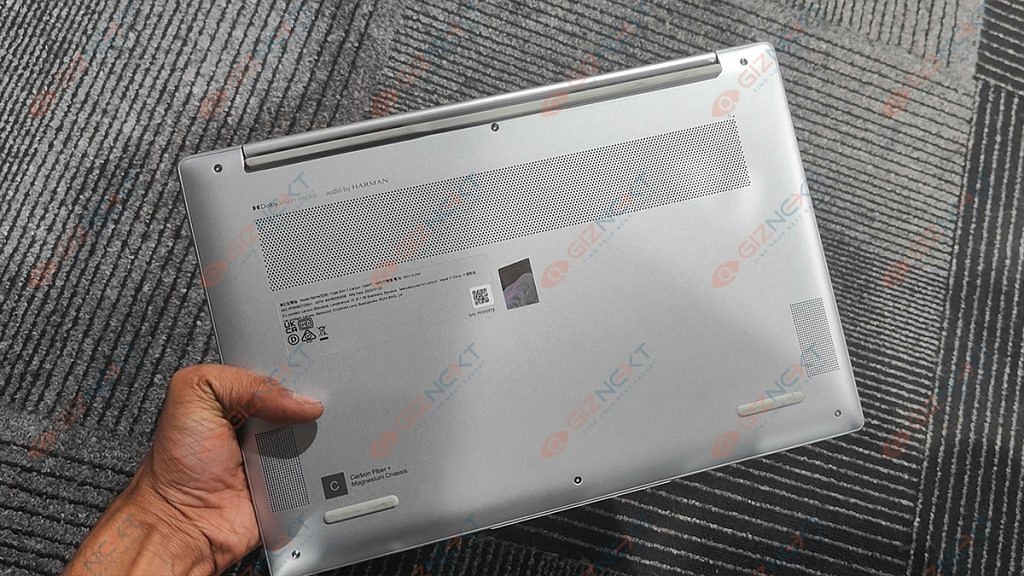
On the left side, you get a Thunderbolt 4 connector; on the right, there is a USB Type-C 3.2 (Gen. 2) port and a Camera E-shutter. Flip the laptop over to reveal two speaker cutouts and ventilation grilles. Hot air is exhausted through a vent between the base and the lid.
Display
Coming to the display, the Lenovo Yoga Slim 7i Carbon has a QHD IPS 90Hz panel which helps the screen stand out and contributes to the device’s overall minimalist and slim design. The screen size of this Lenovo yoga laptop measures 13.3 inches and comes with a resolution of 2560 x 1600 pixels. The screen ratio is 16:10 and the pixel density is 227 PPI. The laptop’s dimensions are 0.11 x 0.11 mm.
The viewing angles are comfortable. The wide hinge makes it easy to adjust the screen on the Yoga Slim 7i Carbon, although you might notice a fair bit of wobble here. Rubberized feet on the bottom raise the deck slightly away from the desk, allowing the twin fans to push heated air out of the vent.
Although this is a Yoga device, it should be noted that the Slim 7i Carbon lacks a 360-degree hinge that would let the screen to completely spin around to enable various usage modes. However, the display does fold entirely flat to a desk.
Hardware Performance
This Lenovo Yoga Slim 7i Carbon has a Core i5-1240P or a Core i7-1260P, which are both powerful alternatives for such a tiny package. We got the Intel Core i7-1260P version for review. In terms of graphics, you get integrated Iris Xe graphics. The most advanced option features 16GB of 4800MHz LPDDR5 RAM. There is just one M.2 PCIe x4 slot available for Gen 4 SSDs. It fits both 42 and 80-mm drives.
This combination offers great performance for the intended use and we experienced no lags or stutters. For intended uses like MS Office, web browsing, or light photo editing, this CPU is too powerful. However, it lacks the power to handle intensive operations like 3D modeling or video editing. It would have been nice if Lenovo had an i5-powered model of this laptop available in India that could have handled all intended duties quite well.
We can conclude that the Yoga Slim 7i Carbon easily completed routine office duties for day-to-day professional needs. Chrome, with ten open tabs, including one for a YouTube playlist, didn’t really notice the laptop freeze up until roughly five hours of work.
Keyboard & Sound
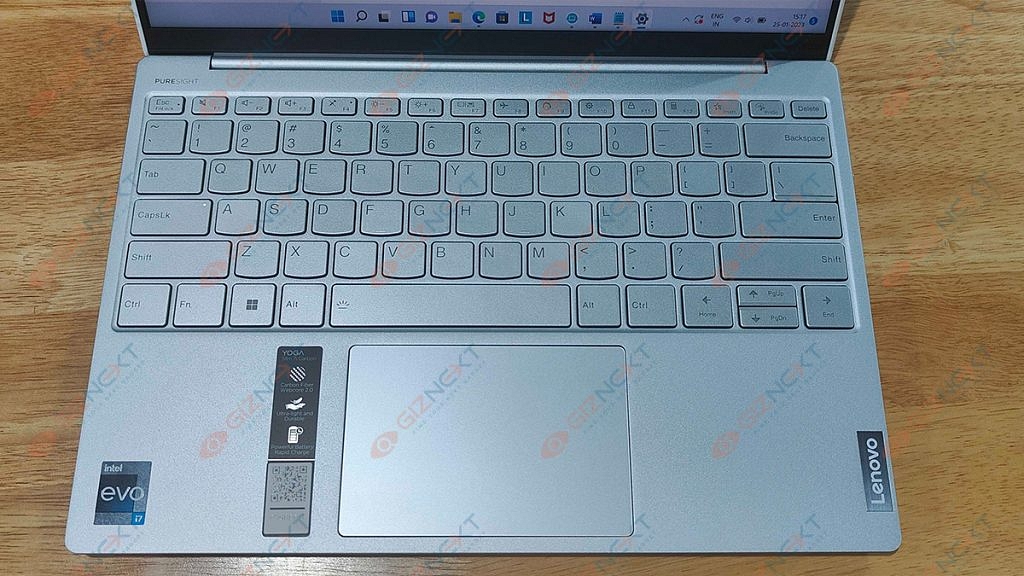
We find a surprisingly good unit. The keys fire back quickly, and the keycaps are nice and wide. It doesn’t matter if you have giant Jack Reacher-style super-sized hands, getting acquainted is no problem. The keycaps do feel a little thin which makes us wonder how they may withstand a year or two of typing.
Naturally, it has a slightly shorter key travel. But you can get the most out of it thanks to the clicky feedback of individual keys. Also, it’s bright enough to cut through glare on a sunny day, and if you’re working late or somewhere dark, you can dip things down, and turn on the keyboard backlight.
The trackpad is good and is layered with a glass surface which offers a smooth gliding experience. In addition, the 70 by 105 mm size is respectable for this form factor.
Speaking of experience with audio delivery, the Lenovo Yoga Slim 7i Carbon’s speakers are quite good. The notebook’s Harman speakers produce a sound of very good quality and a pretty loud volume. Its low, mid, and high tones are clear of deviations. Thanks to the loud and clear audio, you wouldn’t always need to pair any external speaker while watching movies or shows.
Battery
This laptop has great battery life. There is a 50Wh battery pack. It can be used for approximately eight hours of video playback or more than nine hours of web browsing. It doesn’t use much battery when in sleep mode which generally plagues most Windows laptops. The battery lasts for roughly six to seven hours even when the brightness is adjusted to above 80 percent. You can effortlessly reach 10 hours when the brightness is decreased.
The laptop comes bundled with a 65W Type-C PD charger and it can be charged through either port. But it does take well over two hours to fully recharge.
Final Verdict
I really enjoyed my time with the Lenovo Yoga Slim 7i Carbon 13IAP7. Priced at Rs. 1,19,990, this laptop relies heavily on its weight and form factor. However, the Yoga Slim 7i Carbon is one of the most stunning lightest laptops I have ever used. It offers solid performance for the size and has a decent screen that would not disappoint anybody who looked at it. Lastly, you hardly ever need to charge the laptop because the battery just lasts forever. I can suggest the Lenovo Slim 7i Carbon to anyone searching for a sleek and reliable ultrabook because it accomplishes what it is designed to do quite well.
Signal only offers local backups of your conversation
Signal users can restore all of their chats up to the most recent backup
Signal has gone from being a relatively unknown app to being the best free app in various nations including India. WhatsApp’s revised terms of service and privacy regulations are to credit for the large influx of new users to the open-source application. The number of downloads has increased as people look for WhatsApp alternatives. Worldwide users of the platform can freely connect with one another via messaging, sending stickers, emoticons, pictures, videos, audio, voice messages, contacts, files, and even user location.
Signal generates a variety of data after being used for a while or for a long time. And the majority of us have tried to free up phone memory by deleting the cache on the app which includes messages, images, videos, etc. Or then, we simply removed some old data from the contact list. Therefore, if you accidentally erase something on Signal, you can easily recover it. Here’s how:
One of the most useful features of WhatsApp that Signal currently lacks is the ability to create a cloud backup of your chats. Unlike WhatsApp, Signal only offers local backups. However, you can restore all of your chats up to the most recent backup if you unintentionally delete a chat. Follow these steps to backup and restore your Signal chats:
Step 1: Open the Signal app on your device and click on the three dots menu at the top right corner.
Step 2: Now, click on settings.
Step 3: Then, click on ‘Chats and Media’.
Step 4: Now, click on ‘Chat backups’.
Step 5: On the next screen, click on ‘Turn on’ to enable chat backups.
Step 6: Now, click on ‘Choose folder’ to select where the backup is saved.
Step 7: After choosing the folder, select “Use this folder” at the bottom.
Step 8: To provide Signal access to the files in the chosen folder, click the “Allow” button now.
Step 9: You will now be given a 30-digit passcode that you must remember in order to restore backups later.
Step 10: Write down or take a screenshot of these numbers and click “Enable backups” That’s all.
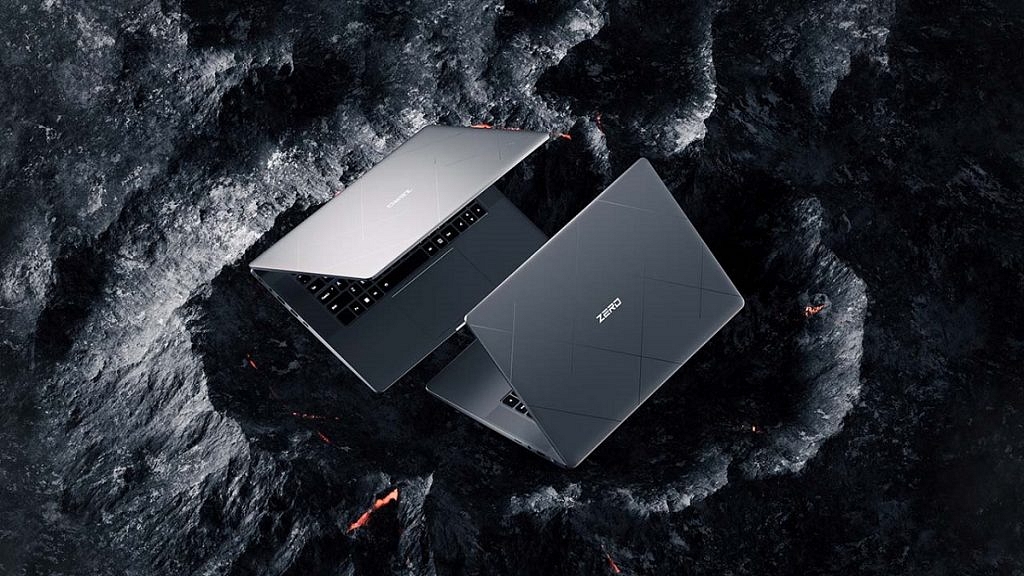
The Infinix Zero Book notebook is scheduled to launch on January 31
It will be priced higher than any of the Infinix laptops already on the market
The device will be available in four configurations
Infinix will launch the Note 12i in India on January 25 according to information provided over the weekend by Indian online retailer Flipkart. The Infinix Zero Book Ultra and the Zero 5G 2023 series are the next two devices that the company will introduce after the Note 12i. The notebook is expected to go on sale on January 31 while the country’s debut of the Zero-series phone is set to release on February 4. Here you can find everything you can expect from the Infinix Zero Book series of notebooks.
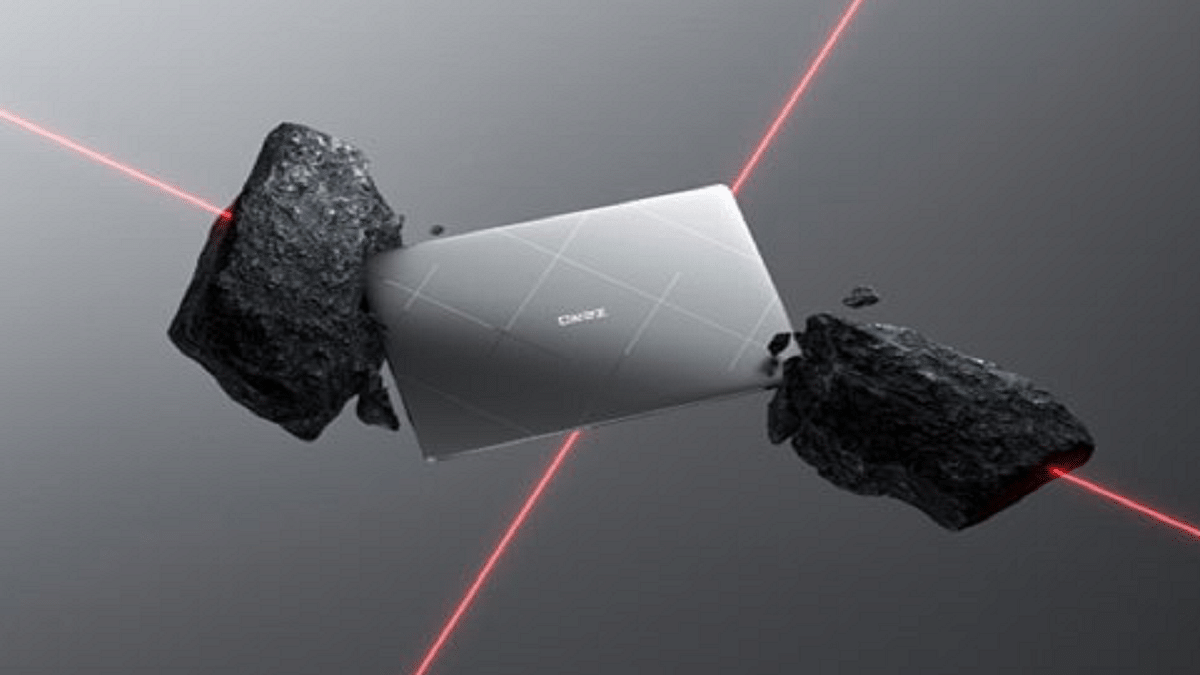
The upcoming Zero Book series of notebooks, which are geared toward creators, will be more expensive than any Infinix laptop already in the Indian market.
The highest configuration model will cost under $1,100 (about Rs. 90,000), which is a startlingly low price considering that notebooks with this configuration are typically priced at around Rs. 1,50,000 in India.
Infinix Zero Book Ultra Specifications
The device will include options for 12th-generation Intel Core H processors, including the Core i5, Core i7, and Core i9, to give a great performance. The Zero Book series will have PCIe 4.0 SSD storage and LPDDR5 RAM.
The Zero Book series’ first generation will be available in four configurations: Core i5 with 16GB of RAM and 512GB of storage, Core i7 with 16GB of RAM and 512GB of storage, Core i9 with 32GB of RAM and 1TB of storage, and Core i9 with 32GB of RAM and 1TB of storage.
Free Fire has three classic maps including Bermuda, Purgatory, and Kalahari
Choosing the best drop location in Free Fire is the main focus before heading into battle
There are many hot-drop locations that players should avoid if they want to play safely
Every player must be aware of the great Free Fire locations for loot. This is a crucial part of the game because the battle royale gameplay style necessitates players dropping into specific areas of the map and scavenging. With so many options, it can sometimes be challenging for newbies to decide where to land. This guide will help you know some of the best locations for landing and looting. Also Read | Free Fire Booyah Pass 2023 Free Diamonds: How To Get All Free Diamonds In Free Fire Booyah Pass 2023
Peak (Bermuda)
Peak, which is in the center of the map of Bermuda, has a sparse population of structures. Owing to its popularity, this area is dangerous as more players tend to land to collect the maximum amount of loot that is primarily scattered in large quantities. It is not a very safe location to scavenge for items, for there will be a crowd, putting everyone at risk of being eliminated early.
Brasilia (Purgatory)
Brasilia, like Peak in Bermuda, is located in the heart of this breathtaking island. It also has an abundance of resources that have been spawned in numerous buildings and compounds. Because of the many ways that adversaries might strike you, including the ziplines, this hot-drop site is also incredibly dangerous.
Moathouse (Purgatory)
Given that the area is completely encircled by water on all sides, preventing most players from landing in this zone, Moathouse is one of the safest places in Purgatory. Although there isn’t much stuff to be found here, it is a great spot to explore and prepare for the fight ahead.
Refinery (Kalahari)
The Refinery is also situated in Kalahari’s geographic center. Consequently, it is frequently close to the runway. Due to its placements and the fast rate at which loot spawns, it is one of the most dangerous in this game. Additionally, it is connected to other locations via ziplines.
Bimasakti Strip (Bermuda)
The next high-risk drop site is also on Bermuda Island. It’s quite close to the island’s center. As a result, when you arrive here, you will have to participate in the initial gunfights. It’s also a favorite place for pro players who come to get more kills and increase their K/D ratio and rank points, especially at the start of each season.