Categories
Apps Featured

100 Best YouTube Channel Names For Travel Vloggers

Key Highlights

  • Here’s the list of 100 travel bloggers’ youtube channels.
  • The list consists of Inspirational travel videos that can inspire you to visit places.

Most of us would consider it a dream come true to be paid to travel and have delectable meals. Starting a YouTube channel or blog about these themes sounds like a tempting way to live if you’ve ever wanted to travel the world, experience its delights, and consume local cuisine and beverages while doing so.

If a YouTube Vlog channel does not have a strong name, it will not be successful. Therefore, if you’re thinking about creating a travel vlog channel and need suggestions for names, this list of the best YouTube channel names is for you. Ideal for individuals seeking something original, catchy, and current. There are many other name types on this list, including book titles, movie titles, and everything else you have in mind.

Also Read: 100 Gaming Channel Name Ideas For YouTube You Can Use: Here’s The List

Unique YouTube Channel Names For Travel Vloggers

Solo FriendlyTravel with funSolo Travel Dude
Fast pace TravelWandering EarlLegal Nomads
Go See writeOnly tourTraveling Buzz
Dream view sitesPause The MomentMini Tour
Fearful AdventurerTravel MamasThe Professional Hobo
Y Travel BlogDesired spotsNotes from the Road
Good CruiseLife CruiserBook your seats
Never Ending FootstepsTraveling FluencyJourneys and Tours

Also Read | 100 Best Instagram Name Ideas For Graphic Designers

Cool YouTube Channel Names For Travel Vloggers

Two-way ticketWandering EducatorsStories Of The Shoe
Ready your bagsHappy HotelierTwin City Travel & Tourism
Sharing Travel ExperiencesLeave Your Daily HellJust Travelous
Go NomadWilderness ExplorersWest Wild Camper
Family On BikesChris Around the WorldYoung Adventuress
Buckle upThe Highway ResidentThe life of Traveling
Up Up and Away ClubSomewhere Down The RoadNowhere Somewhere
Tour Guide ClubTour GuideThe Path Finder

Also Read | 100+ Best Catchy And Unique Instagram Names For Your Pets

Trendy YouTube Channel Names For Travel Vloggers

Time To TravelSailoring The WorldThe Pocket Traveler
Practical NomadDestiny Travel InternationalSoar High Adventures
Travel and TasteStories Of The EarthHappy Feet’s Diary
My Itchy Travel FeetThe Road ForksTales Of A Traveler
Lost And FoundTravelcationsEars Of The Wall
Camping CatalystWhere to Go Travel ToursPlaces Untold
Happy RollingLost In The WoodsAt One Point
The In-Depth WorldTimeless TourismEvergreen Travel Insurance

Also Read | 100 Best Instagram Names For Food Bloggers To Get More Followers

Attractive YouTube Channel Names For Travel Vloggers
Time Travel TurtleAlmost FearlessTriumph Club
Night WalkerMigrant MusingsWhat a Trip
Where Bean Has BeenWisdom Of The WorldFinding The Universe
Travel and ShareChanges in LongitudeTravel Right
Fate Of The FearlessBest Picked PlacesWill Fly For Food
Travel Bucket ListHe Who Dares To TravelBucket List Journey
Backpack BuddiesWorld Wide TravelThe Road Forks
Off Track PlanetMayflower ClubNever Ending Voyage
TraveloggedGoats On The RoadSavored Journeys / Hecktic Travels

Also Read | Are You A BTS Fan? Here Are The 100 Best Instagram Names For BTS Army

Categories
Featured Info Mobile

Amazon Great Indian Festival Sale 2022: Grab iPhone 12 Under Rs. 40,000

Key Highlights

  • Apple iPhone 12 deal on Amazon revealed
  • The phone will be available below Rs. 40,000
  • This will probably be the price of the base variants

Amazon Great Indian Festival Sale 2022 will commence on September 23, and the website has already begun teasing the deals that will be offered over the month-long sale. The Amazon Great Indian Festival sale 2022 has not revealed when the annual sale will end.

Last year, the Apple iPhone 11, Apple iPhone 12, Samsung Galaxy S20 SE, OnePlus 9 Pro, Realme GT, and other smartphones were quite reasonably priced on Amazon. Following the release of the iPhone 14 series, Apple has now reduced the price of the earlier iPhone models.

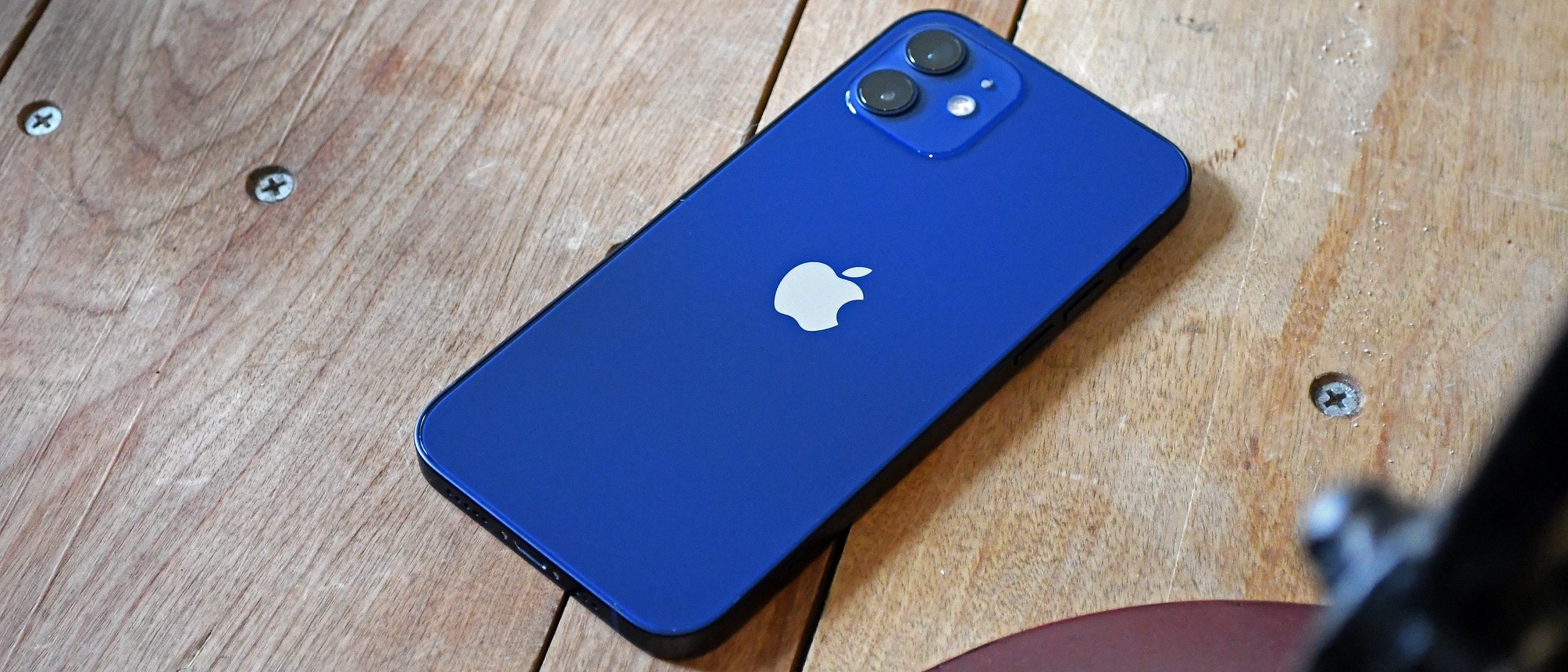
Apple iPhone 12

The Apple iPhone 12 will be available during the Great Indian Festival Sale for under Rs. 40,000. This will probably be the cost of the phone’s base models which come with 64GB of internal storage.

In India, the iPhone 12 is currently priced at Rs. 59,990. As per the teaser image on Amazon’s Great Indian Festival micro-site, the pricing of the iPhone 12 will be the “lowest ever” at this time.

iPhone 12 Specifications

2020 saw the release of the Apple iPhone 12, which went on sale for Rs. 79,999. The A14 Bionic chipset from Apple powers the 6.1-inch Super Retina XDR OLED display of the iPhone 12.

It boasts two 12MP back cameras with optical image stabilization and 4GB of RAM. The front camera of the iPhone is 12MP. The iPhone 12 comes pre-installed with iOS 14 and supports 5G connectivity.

The phone has a MagSafe feature that allows chargers and other devices to magnetically attach to the back of the device. With the iPhone 12 launch, Apple stopped offering chargers and EarPods after the iPhone 12.

Amazon Great Indian Festival Sale: Bank Offers

For the 2022 Amazon Great Indian Festival Sale, the retailer has partnered with the State Bank of India. This means that buyers using SBI Bank credit or debit cards will be able to avail 10 percent instant discount during the month-long sale. Usually, the 10 percent instant bank discount on selected banks is capped at Rs. 1,500.

Categories
Apps Featured How To

Recharge Your FASTag On WhatsApp: Here’s How To Do It

Key Highlights

  • WhatsApp users can now recharge FASTag directly from the app
  • IDFC FIRST Bank announced the launch of an integration with WhatsApp payments
  • This service is available on the IDFC FIRST WhatsApp chatbot

Recharging FASTags has become a common occurrence for vehicle owners. Banks are creating novel and simple techniques for including user-friendly payment options. Now, IDFC FIRST Bank and WhatsApp have teamed up to make FASTag recharge on the instant messaging app simple.

Notably, while the service has been introduced by IDFC FIRST bank, only IDFC FIRST users will be able to use it. Users won’t need to close WhatsApp in order to recharge their FASTag thanks to the service. With “payments on WhatsApp,” users of the service will also be able to recharge their phones without logging into another mobile app or a net banking website.

Steps To Recharge Your IDFC First FASTag Via WhatsApp

Step 1: IDFC FIRST Bank customers can get started by simply texting ‘Hi’ to the bank’s official WhatsApp chatbot number +919555555555.

Step 2: Select the recharge option in the WhatsApp chat.

Step 3: Now, you will have to enter the amount and provide an OTP for transaction authentication. A notification verifying the transaction will be sent to you.

This new feature will enable users to pay for their recharge using “payments on WhatsApp” without having to sign into any other mobile app or Netbanking platform. This will make the recharge process easier and faster for millions of the Bank’s FASTag users.

Users can send and receive money from friends on WhatsApp using the UPI by just sending a WhatsApp message. They will need to input a different UPI-PIN for each payment.

Through IDFC FIRST Bank’s WhatsApp banking channel, users can also access over 25 services like savings accounts, credit cards, loans, and FASTag.

The bank has so far distributed nine million FASTags. Thanks to IDFC FIRST Bank, which has a 40 percent market share in the processing of monthly toll values, about 420 toll plazas and 20 parking lots accept payments via FASTag. The Bank is also the biggest parking grabber with a 45 percent market share.

Categories
Featured How To TV

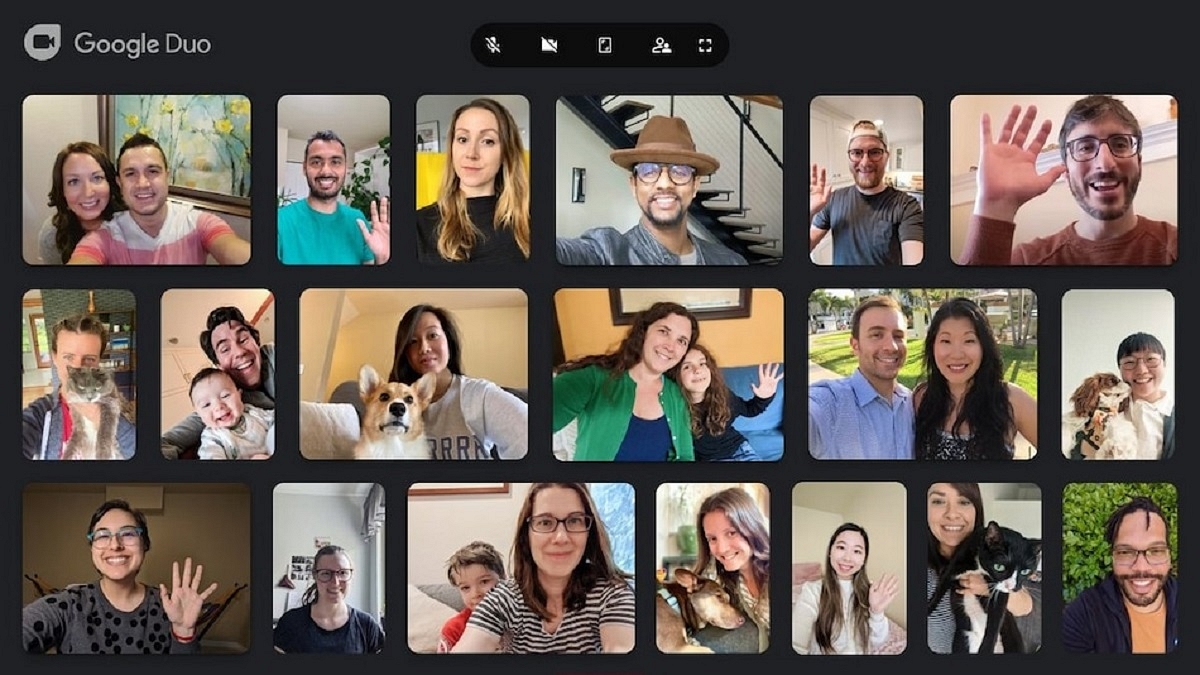
How To Set Up Google Duo On Your Android TV: Follow These Steps

Our lives have become increasingly reliant on video calls, particularly in light of the pandemic. Over time, video conferencing apps have introduced useful features to improve our experience. Google is well known for its continuous advancements and improvements.

The American tech giant previously introduced its Duo calling service for Android TVs. Recently, Google merged Google Meet and Google Duo, two of its video calling applications. With Google Duo, which has been consolidated into a single video calling solution, all Google Meet capabilities are accessible. The Meet app has also been upgraded by Google and made accessible for Android users with a new green symbol and a name change to Meet (original).

With the new Duo-Meet on your Android TV, you can use this app to make and accept individual and group calls. You can access it through the “app drawer” on your TV or add it to your list of favorites because it supports the home screen of Android TV. The Google Play Store will let you download the app to your Android TV. Here we tell you how to download and set up Google Duo on your Android TV. Let’s check it out:

Pre-requisites

You should have the below-mentioned things to successfully set up Google Duo:

  • An Android TV with Android 8.0 Oreo or later
  • If your Android TV or Android TV device does not have a built-in camera or microphone, then you need a USB camera and microphone
  • Stable internet connection

How To Download Google Duo On Android TV?

Step 1: From the Android TV Home screen, scroll to Apps.

Step 2: Open ‘Google Play Store.’

Step 3: At the top of the screen, tap on the search icon.

Step 4: Search Duo.

Step 5: Select Install.

Steps To Set Up Google Duo On Android TV?

Step 1: On your Android TV, open ‘Google Duo.’

Step 2: Log into your account.

Step 3: Choose the grant access option.

Step 4: To complete the setup, follow the on-screen instructions. And you are all done.

Categories
Featured Mobile

Upcoming Mobile Phones Powered By Qualcomm Snapdragon 6 Gen 1

Key Highlights

  • Qualcomm recently launched Snapdragon 6 Gen 1 chip
  • It aims at mid-range smartphone markets
  • Motorola intends to use it in its upcoming device

The Snapdragon 6 Gen 1 is the latest smartphone processor from Qualcomm that is targeted at mid-range smartphone markets. Kryo cores of the Snapdragon 6 Gen 1 have a maximum clock speed of 2.2GHz and are manufactured using a 4nm technology. This chipset has a Qualcomm Spectra triple 12-bit ISP for image processing which allows gigapixel-speed image capturing.

Qualcomm expects the availability of devices powered by the Snapdragon 6 Gen 1 SoC in Q1 2023. Motorola has made known that it intends to use this chipset in an upcoming device. In this article, we have compiled the list of upcoming Snapdragon 6 Gen 1-powered mobile phones. Let’s take a look:

OPPO F22 Pro

The OPPO F22 Pro is rumored to be launched in June 2023. The Snapdragon 6 Gen 1 CPU is expected to power the OPPO F22 Pro. The phone will come with 8 GB RAM as well as 128GB of internal storage. The device will also likely support a memory card of up to 1TB. The OPPO F22 Pro’s expected price in India is Rs. 24,999.

Poco M6s

The Poco M6s is an upcoming smartphone that is expected to launch by next year. The mobile phone will likely be equipped with the latest Qualcomm Snapdragon 6 Gen 1 chipset. It will house a 5,000mAh battery with 67W fast charging technology. Besides, it is expected to have a triple rear camera setting of 50MP, 13MP, and 2MP. The Poco M6s expected price in India is Rs. 21,990.

Vivo V28

The Vivo V28 is an upcoming 5G smartphone that is expected to be powered by the Snapdragon 6 Gen 1, Octa Core, 2.2 GHz Processor. It will have a 6.7-inch IPS LCD display and will offer a resolution of 2400 x 1080 pixels. Also, the display will have a 120Hz refresh rate. The price of the Vivo V28 in India is expected to be Rs. 28,990.

Categories
Apps Featured How To

Spending Too Much Time On Instagram? Here’s How To Check The Screen Time And Limit The Usage

Key Highlights

  • Instagram users can track their time spent on the app
  • Check the process here

Instagram, a popular photo and video-sharing app, has a huge fan base. The Meta-owned platform has been used by users all over the world to keep themselves entertained. Instagram users get access to the updates and posts from the people they follow, and the other way around.

However, if your Instagram account is public, anyone can view your posts since they are not just visible to your followers. It is often incredibly entertaining. As a result, there can be times when you navigate through the app’s homepage for several hours without realizing it. Well, Instagram too is worried about how its users use the platform as well. Thus, it released a feature that shows users how much time they are spending using its app.

Read on for information on how to check your Instagram usage if you’re attempting to break an Instagram addiction or simply want to see how much time you are wasting on the platform.

Steps To Know How Much Time You Have Spent On Instagram

Instagram offers a feature to track users’ activity so they can maintain tabs on how much time they spend using the app. The average amount of time spent on Instagram during the previous seven days is visible. How Instagram users can track their usage time is as follows:

Step 1: On your mobile phone, open the Instagram app.

Step 2: Click on your profile or profile picture in the bottom right.

Step 3: Click on the Menu.

Step 4: Tap ‘Your Activity’ and then click on ‘Time’.

By following the above steps, you will be able to see the average time you spent on Instagram in the last week.

How To Set A Reminder To Limit Time Spent On Instagram?

Step 1: Tap on the ‘Profile’ option and click on the three-bar option at the top.

Step 2: After that, tap ‘Your Activity’.

Step 3: Select the time frame for using the app by clicking ‘Set Daily Reminder.’

Step 4: Tap on Set Reminder.

Step 5: Lastly, click on the Ok option. And you are all done.

Categories
Featured How To Smart Watch

Lost Your Smartwatch? Here’s How You Can Find Your Lost Wear OS Watch

Key Highlights

  • Find My Device can help you find your lost Wear OS watch
  • The app is on by default when you set up your watch

What can you do if your watch is lost and the battery is slowly dying while the clock is symbolically and somewhat literally ticking away? Fortunately, Google’s Find My Device app allows you to find Android Wear devices if you ever find yourself in that situation. It only functions with Android Wear 2.0 devices, and its usefulness is constrained in the absence of a speaker. You will, however, be prepared the next time your couch swallows your watch.

It turns out that if you know where to look, it’s not that tough, and Google may have only implemented the capability. However, you can miss it if you don’t already know where to look. We are here to help you learn how you can find your lost wear OS Watch.

Also Read: Amazfit GTR Mini Smartwatch With Massive 20 Days Battery Backup Announced: Price, India Availability

How To Find Your Lost Smartwatch?

These techniques are only effective if your watch’s location feature is enabled. You can use features on your phone to locate your watch because your phone and watch are always connected via Bluetooth. This is how you can find your lost or misplaced smartwatch by following these simple steps:

Step 1: Verify your mobile phone is turned on.

Step 2: Make sure your phone’s Bluetooth is turned on and connected to your watch.

Step 3: Make sure your watch and phone are both signed into the same Google account.

Also Read: Working Trick To Use WhatsApp On Smartwatch: Steps To Install WhatsApp On Your Smartwatch

Step 4: Open a browser on your phone, such as Chrome, type android.com/find into the address bar, and then press the enter key.

Step 5: Sign in to the same Google account you use on your watch.

Step 6: If more than one device appears, choose your watch at the top of the screen.

Also Read: Best Smartwatches You Can Buy Under Rs. 500

Where To Get The Find My Device App?

To be able to use your Android phone or tablet to find your Wear OS watch, you can also install the Find My Device app on your Android device from Google Play Store.

Also Read: Smartwatches Under Rs. 2,000: See List Here

Categories
Featured Mobile

List Of Upcoming Smartphones With Snapdragon 4 Gen 1 Processor

Key Highlights

  • Qualcomm recently launched Snapdragon 4 Gen 1 chip
  • It aims to offer great performance and multi-day battery life
  • iQOO Z6 Lite is the first phone using the Snapdragon 4 Gen 1

The Snapdragon 4 Gen 1 is the newest mid-range chip from Qualcomm, and it brings more advanced features and more effective designs to affordable Android smartphones.

The Snapdragon 4 Gen 1 is a 6nm chip for affordable mobile phones. According to Qualcomm, the processor “boasts” multi-day battery life as well as a 15 percent CPU and 10 percent GPU performance improvement over the previous iteration. While lacking 4K, this chip offers a 108MP camera. Six Cortex-A55 cores and two Cortex-A78 cores are what make up the processor.

The iQOO Z6 Lite is one of the first smartphones using the Snapdragon 4 Gen 1. In this article, we have compiled the list of upcoming Snapdragon 4 Gen 1-powered mobile phones. Let’s take a look:

Vivo V26e

The Vivo V26e is an upcoming mobile phone expected to be released in December this year. The Qualcomm Snapdragon 4 Gen 1 Octa-core CPU is supposed to power the device. Android v12 is anticipated to run on it. The device will have 256GB of internal storage. The device’s internal storage might also be expanded to 512GB. The expected price of the Vivo V26e in India is Rs. 21,990.

Realme 10i

The upcoming smartphone, the Realme 10i, is expected to debut in India by next year. The Qualcomm Snapdragon 4 Gen 1 Octa-core chipset is probably in it. The smartphone is rumored to be powered by a 5,000mAh battery and run the Android v12 operating system. The Realme 10i is rumored to be available at a starting price of Rs. 25,984.

Xiaomi Redmi 13 Prime 5G

This year is predicted to see the launch of the Redmi 13 Prime 5G from the Xiaomi brand. The Qualcomm Snapdragon 4 Gen 1 processor will power the smartphone. The smartphone is anticipated to include a 6.73-inch IPS LCD Display with a 1080 x 2408 pixel resolution. It is expected to be backed by a 5,100mAh battery. The phone will further run on Android v12. The expected price of the Xiaomi Redmi 13 Prime 5G in India is Rs. 17,990.

Categories
Featured How To Smart Watch

Need To Track Your Medications On Apple Watch? Here’s How To Do It

Key Highlights

  • You can track medications on Apple Watch
  • It lets you input a medication list you take and set a specific reminder schedule for each drug
  • Here’s how the feature works

Unfortunately, it’s all too easy to forget to take your supplements, prescriptions, and vitamins, particularly on days when your regular schedule is entirely ignored. Fortunately, you can help yourself remember to take your medication on time by setting a simple reminder on your iPhone or Apple Watch.

Apple has given the Apple Watch a much-needed capability. Users can keep track of their meds and set up reminders with the new Medications app in WatchOS 9. You can keep track of your pills and log them with reminders in the Medications app on your Apple Watch. Here’s how to configure an Apple Watch medicine schedule.

WatchOS 9 Compatibility

The listed Apple Watch models can download WatchOS 9:

  • Apple Watch SE (2020)
  • Apple Watch Series 4
  • Apple Watch Series 5
  • Apple Watch Series 6
  • Apple Watch SE (2022)
  • Apple Watch Series 7
  • Apple Watch Series 8
  • Apple Watch Ultra

How You Can Track Your Medications On Apple Watch?

According to Apple, based on the schedule you’ve set up in the Health app on your iPhone, your Apple Watch will automatically remind you when it’s time to take your meds. Follow these steps to record your prescriptions:

Step 1: Tap the notification if you have received one asking you to log your prescriptions. If not, launch the Medication app on your Apple Watch.

Step 2: Tap the current medications schedule – the medications you take in the morning, for example.

Step 3: Press ‘Log All as Taken.’ The dosage, the number of units consumed, and the moment you took the medication are all recorded by Apple Watch.

Step 4: Scroll down, select a drug under ‘Your Medications,’ and then select ‘Log’ to record each medication. Under Logged, the name of the drug and the time logged are shown.

Step 5: In order to change the status of a logged medication, you have to tap it, and click on ‘Taken’ or ‘Skipped.’

Step 6: Now, tap on ‘Done.’ That’s all.

Categories
Featured How To Mobile

How To Use Car Crash Detection Feature On Your iPhone: Steps Inside

Apple recently released the iPhone 14 series. There has been a lot of debate about the features of these new smartphones, which run iOS 16. The severe Car Crash detection tool is one of the new features of the iPhone 14 series.

However, because the feature is new, not many people are familiar with how it operates. This function is useful in emergencies and has the potential to save lives. Apple has published a video demonstrating how to use the standard functionality on iPhone 14 series and Watch models.

Supported Devices

Notably, not all iPhone models running iOS 16 support Apple’s new automobile crash detection capability. It is available on the iPhone 14 and iPhone 14 Plus versions as well as the iPhone 14 Pro and iPhone 14 Pro Max with iOS 16.

Apple’s Car Crash Detection Features

The Apple Watch and iPhone’s crash detection feature is made to identify serious car crashes. This feature will automatically summon emergency personnel on your behalf if you are injured in a car accident and are not responding.

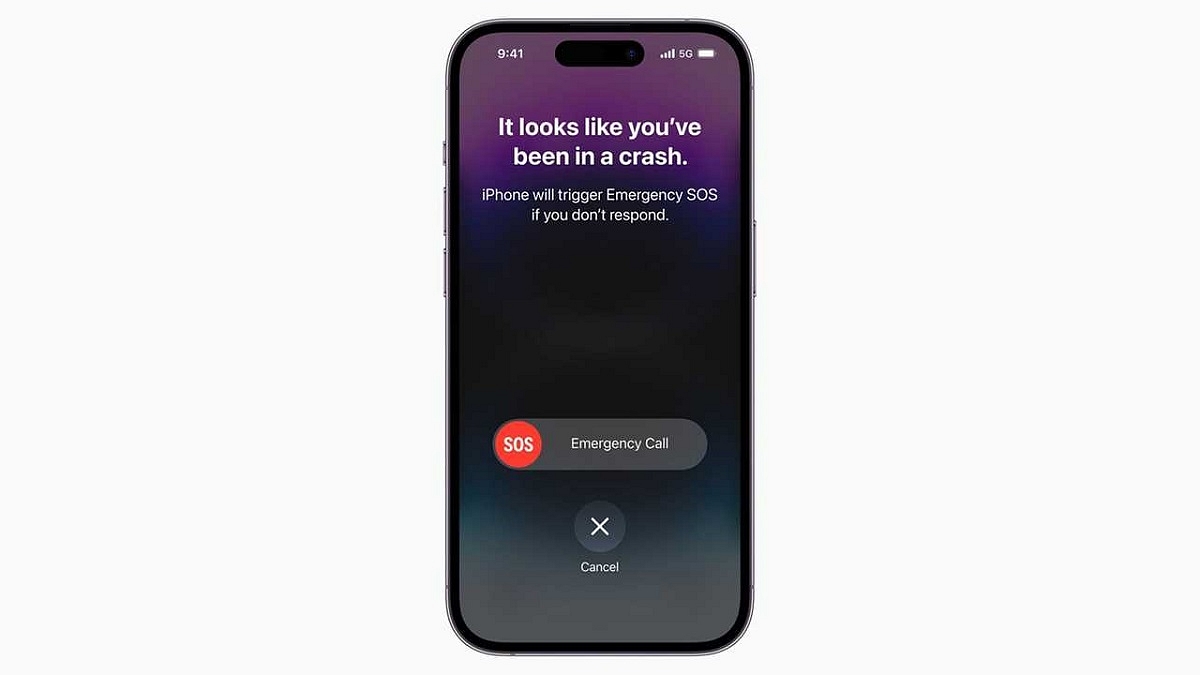
Apple claims that when a serious car accident is detected, a supported iPhone will show a warning and sound an alert. Swiping the emergency call slider on their iPhones will allow users, if they are able, to contact emergency personnel. Additionally, if they ignore the alarm after that, the device will begin another countdown of 10 seconds. The device dials 911 if they don’t answer any further.

On a compatible iPhone, the car crash detection feature makes use of sensors like accelerometers and gyroscopes. According to Apple, the feature also uses “advanced motion algorithms” designed by Apple.

Apple had to use more than a million hours of actual driving and crash data to train its advanced algorithms. To increase the feature’s effectiveness and accuracy, this is required. Additional details about the crash detection feature, including significant safety issues, are outlined in Apple’s video and support document.

How To Turn On Car Crash Detection On iPhone?

It is important to note that this feature is turned on by default. However, you can manually activate it on your smartphone by following these simple steps:

Step 1: On your iPhone, go to the ‘Settings’ app.

Step 2: Now, tap the option ‘Privacy & Security’.

Step 3: Then, you have to go to ‘Location Services’.

Step 4: Next, tap the ‘System Services’ option.

Step 5: Here, make sure ‘Emergency Calls & SOS’ option is turned on. And you are all done.