Say hello to Shweta, a tech fan who's hooked on keeping up with all things tech. When she's not exploring the latest gadgets, she's diving into a good book, clicking photos as an amateur photographer, or enjoying classic movies and music. With her love for both tech and creativity, Shweta adds her own touch to tech news in a way that's easy to understand and enjoy.
It’s that time of the year again when Flipkart has its annual major sales and offers lucrative discounts on smartphones. The Big Billion Days sale of Flipkart is set to officially start soon but some offers are already live. Almost all major smartphone brands have deals and offer available on a wide variety of devices, but some deals stand out above the rest.
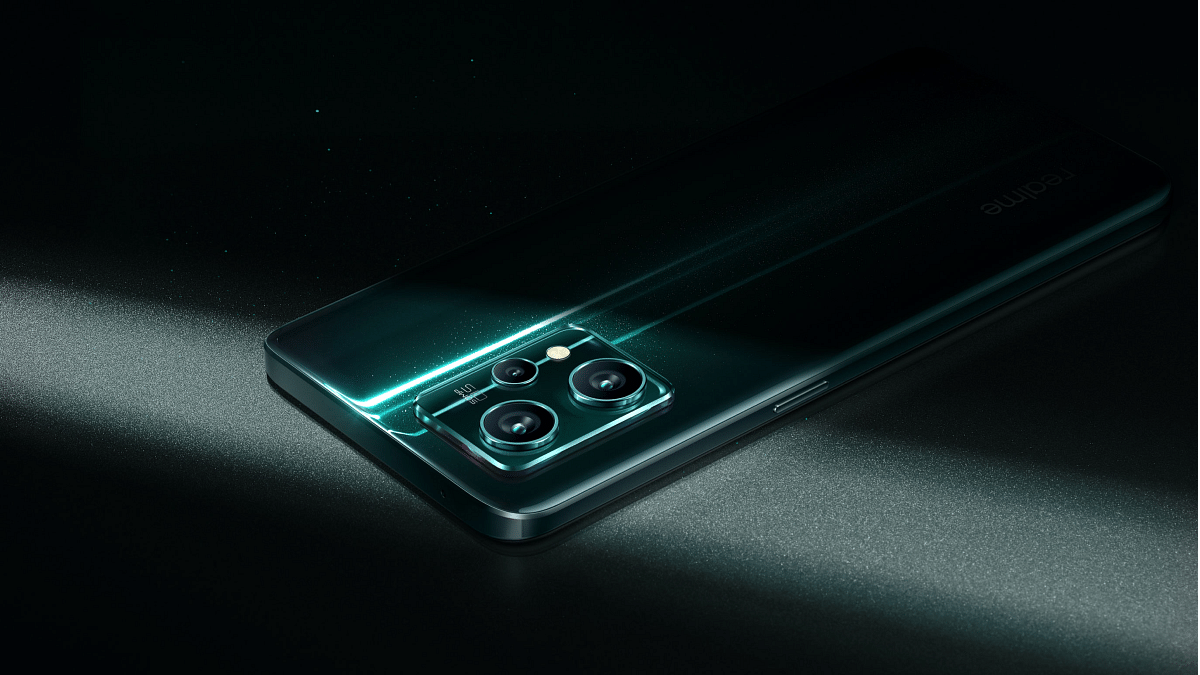
Deals on Oppo, Realme, Motorola, and Infinix are now known, according to Flipkart’s official page. Realme 9 Pro will be offered in the sale starting at Rs. 14,999. Realme 9 4G is available during the sale for Rs. 12,999 and above. The retail cost of the phone’s 5G model has not yet been disclosed. On the other hand, the Realme GT 2 Pro will sell at a discounted price of Rs. 26,999.
Offers On Realme 9 Pro 5G And Realme GT 2 Pro
The Realme 9 Pro 5G is a great choice if you’re looking for a reliable, all-around smartphone that won’t break the budget and is future-proof. The phone, which typically costs about Rs. 18,000 at retail, is being given for Rs. 14,499.
Using a discount of Rs. 1,500 on Axis Bank and ICICI Bank cards, an additional Rs. 500 discount on ICICI credit cards, and partial payment with Flipkart Supercoins, the selling price of Rs. 16,999 can be further decreased. The Realme GT 2 Pro, on the other hand, will be sold at a discounted price of Rs. 26,999. This offer is already live.
What Else In The Flipkart Big Billion Days Sale?
The following sale will feature discounts of up to 80 percent on electronics and accessories. There will be discounts on wireless earbuds, headphones, telephones, and other things. TVs and other electrical items will be discounted by up to 80 percent. For instance, air conditioners would be sold at up to a 50 percent discount during Flipkart’s Big Billion Days in 2022.
Along with discounts on smartphones, tablets, laptops, and audio accessories, the Big Billion Days sale will also offer savings on home and kitchen appliances, lifestyle products, clothing, cosmetics, food, toys, and other items. To make every purchase inexpensive, users will also receive offers and discounts on grocery goods.
Pixel 6a will be available with significant price reductions
It will cost you Rs. 27,699
Flipkart’s festival sale will start soon and feature significant savings on electronics as suggested by the teasers. The largest Indian e-commerce major has unveiled the deals it would be offering on several smartphones during its Big Billion Days Sale.
The discount event is expected to last through the end of the month on Flipkart. The e-commerce site has announced a few bargains on 5G phones, including the Pixel 6a, ahead of the sale. This will be the first significant price drop for the newly released Google Pixel 6a. Here’s everything you need to know.
Flipkart Big Billion Days Sale: Google Pixel 6a Price
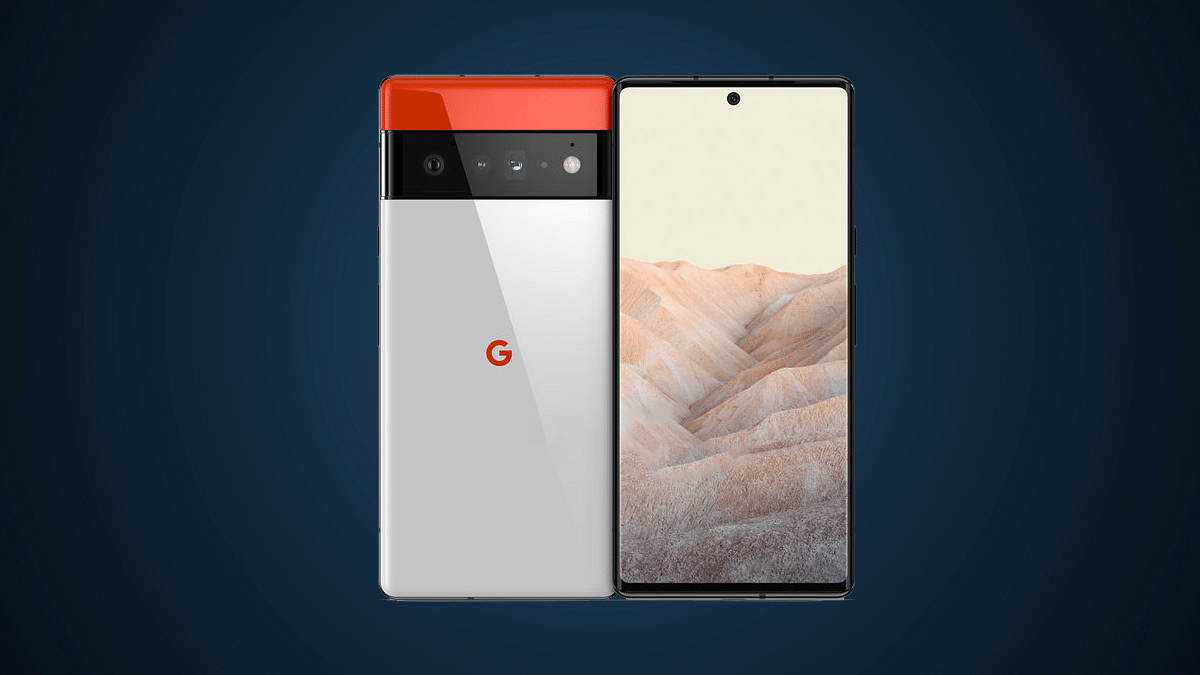
The price of the Google Pixel 6a will drop drastically during Flipkart’s forthcoming Big Billion Days event. According to the offer, the 6GB RAM/ 128GB storage version costs Rs. 27,699. This is a seductive bargain at its Rs. 43,999 original launch price. This suggests that you will receive Rs. 16,300 discount. Besides, there are two color options for the Pixel 6a: Charcoal and Chalk.
Google Pixel 6a Specifications
Users get a 6.14-inch FHD+ display with a 90Hz refresh rate to interact with the device. The front is covered in Gorilla Glass 3 while the back is made of “3D thermoformed composite.”
The device is powered by Google’s Tensor chip which also powers the company’s premium Pixel 6 and Pixel 6 Pro smartphones. The variant introduced in India has 6GB RAM, 128GB of storage, and a 4,306mAh battery with support for fast charging. It runs Android 12.
The smartphone boasts a dual camera arrangement on the back (12.2MP + 12MP), and it also includes an 8MP selfie camera on the front.
As for durability, the phone has an IP67 rating for resistance to dust and water which is comparable to that of the Pixel 6 and 6 Pro in terms of durability (which are both IP68 water and dust-resistant). It includes Recorder, Live Caption, and Live Translate voice recognition features.
It’s true that gamers have the best game names. Your character in the realm of online gaming is defined by your gamer tag. In order to stand out from the crowd, a gamer tag or nickname should be chosen. Numerous males have gaming names, but in order to stand out, you must have a distinctive name that accurately describes your gaming preferences.
Finding a catchy gamer moniker can be difficult if you’ve only recently entered the gaming world. For you, we have compiled this list of the top gaming names for boys. These names can be tailored to your tastes or used by default because they sound excellent and will aid in the development of a unique identity for your in-game character.
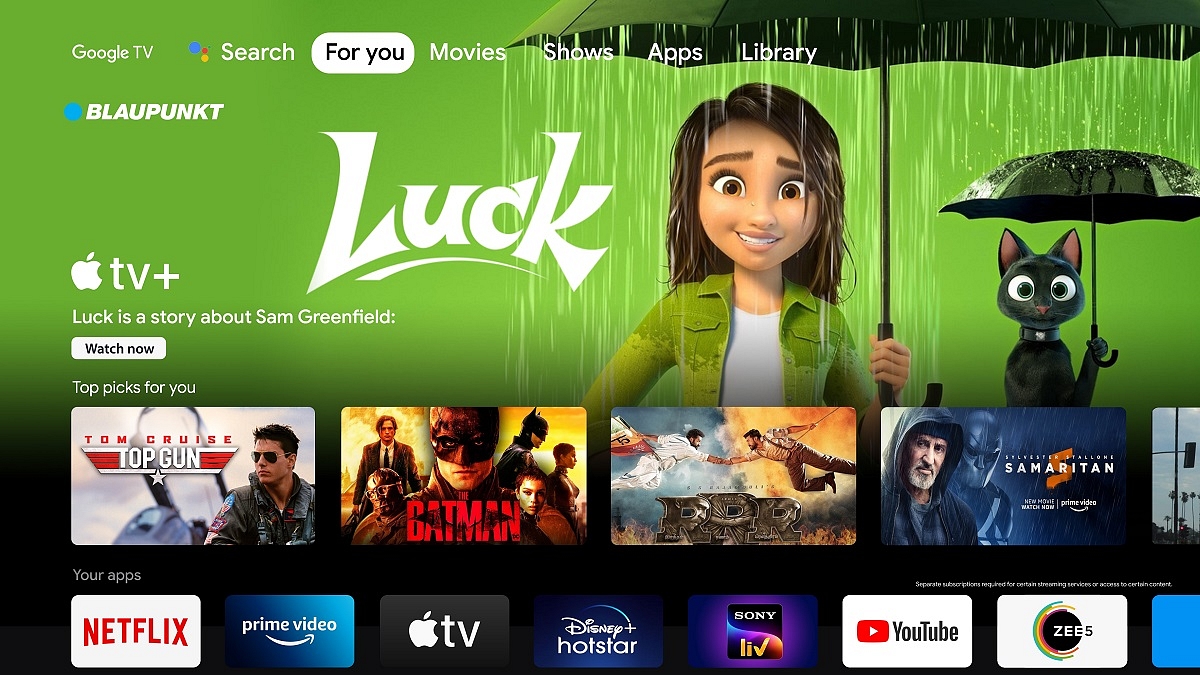
Blaupunkt TV has introduced next-gen high-performance three premium QLED TV models with Google TV in India. Packed with fully-loaded features, the TVs will be available in 50-inch, 55-inch, and 65-inch and carries 60W dynamic sound output with four inbuilt speakers.
The buyers will be able to purchase these much-awaited TVs on Flipkart’s ‘The Big Billion Days Specials’ with an introductory price starting at Rs. 36,999. Here’s all you need to know:
Blaupunkt Google QLED TV Specifications
The Blaupunkt Google TV offers 360-degree surround sound with 60W speakers and Dolby Atmos compatibility, creating a theater-like experience at home and completely changing the living room. Additionally, it offers Far Field Voice Control with Google Assistant, allowing you to turn on and control your TV with only voice commands.
The Blaupunkt Google QLED TV is one step ahead of any other entertainment box, allowing users to navigate and quickly select their favorite trending movies and shows depending on their watching preferences.
Google TV and its voice assistant feature offer a whole new user interface that unifies every aspect of the smart experience onto a single, uncomplicated home page.
Each TV unit has a QLED 4K display with 1.1 billion colors, HDR 10+, a 60-watt Dolby stereo box speaker with four installed speakers, and DTS TruSurround sound technology with Dolby Vision, Dolby Atmos, and Dolby Digital Plus.
Allow stand, Bezel-less, and Airslim designs are standard on all models. Additionally, it has Google TV with Voice Assistant, Dual Band Wi-Fi, and Bluetooth 5.0. The 50-inch and 55-inch televisions have a 550-nit brightness, while the 65-inch has a 600-nit brightness.
These models also come with 2GB RAM, 16GB ROM, Digital Noise Filter, QLED Panel, Voice-enabled Remote with Far Field Voice Control with Google Assistant. They have Dedicated Shortcut Keys on Remote for Netflix, Prime, YouTube, and Google Play, and access to more than 10,000 Plus apps and games like Netflix, Hotstar, Prime Video, Zee5, Voot Sony LIV, Apple TV, and Google Play Store with 500,000 Plus TV Shows.
Blaupunkt Google QLED TV Price
The 50-inch TV will be available for Rs. 36,999, the 55-inch model will cost you Rs. 44,999, and the 65-inch TV will be priced at Rs. 62,999 during the upcoming Flipkart Big Billion Days festive sale.
A catchy gamer name is vital for a virtual gaming identity
Choosing one can be tough for multi-game players
This article offers gaming name ideas for girls, aiding in persona creation
The first step in developing that fantastic virtual gaming identity is coming up with a terrific gaming name. Are you even a gamer if you don’t have a catchy gamer name? But let’s not fool ourselves; it can be challenging to think of a new gaming name, particularly if you play a ton of different games.
In this article, we have created a list of game names that girl players can select from or get ideas from in light of all of this. Browse through our extensive selection of the best gaming names for girls to find one that suits your preferences. Let’s take a look.
Some of the smart devices out there fulfill the most ambitious fantasies
These smart home gadgets can start making your life easier right now
Smart Lock, Bulbs, and more are some of the gadgets that you can consider buying
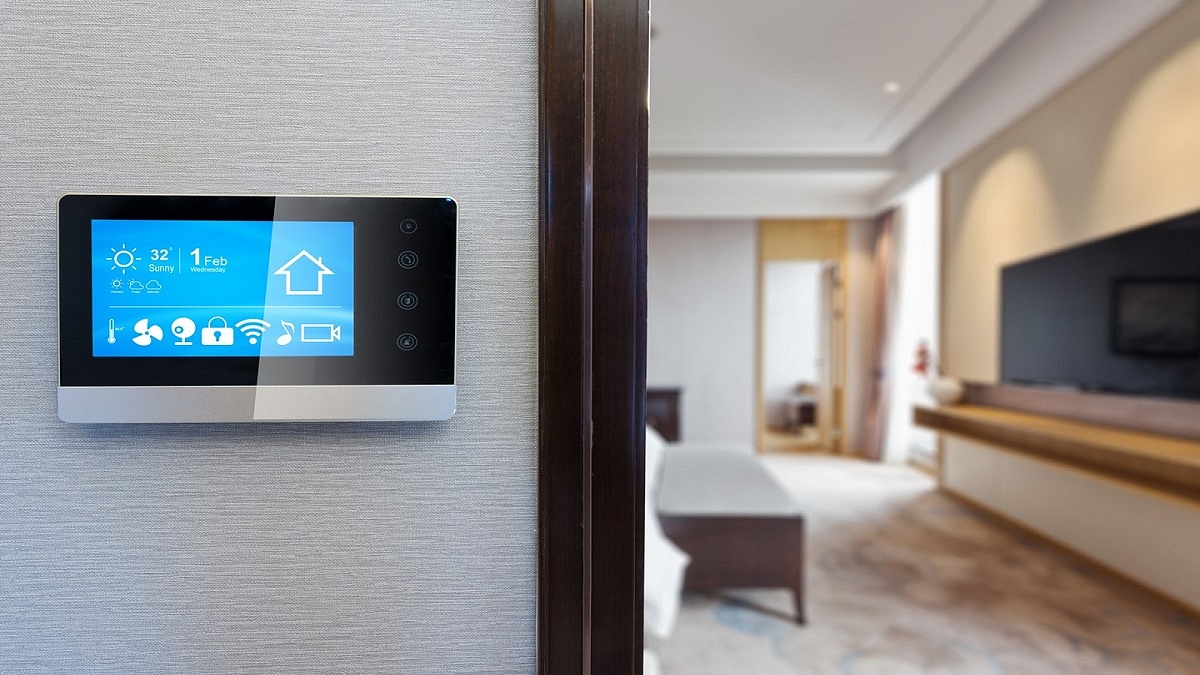
Today, working from home is something that more and more of us do. Or spending a lot more time there than a few years ago. At the same time, homes have evolved into more intelligent and functional settings, equipped with Wi-Fi-enabled speakers, video doorbells, security cameras, and other devices. Picking the right devices can be complicated. In this article, we will look at some of the best smart home products that you must check out to upgrade your home. Let’s start:
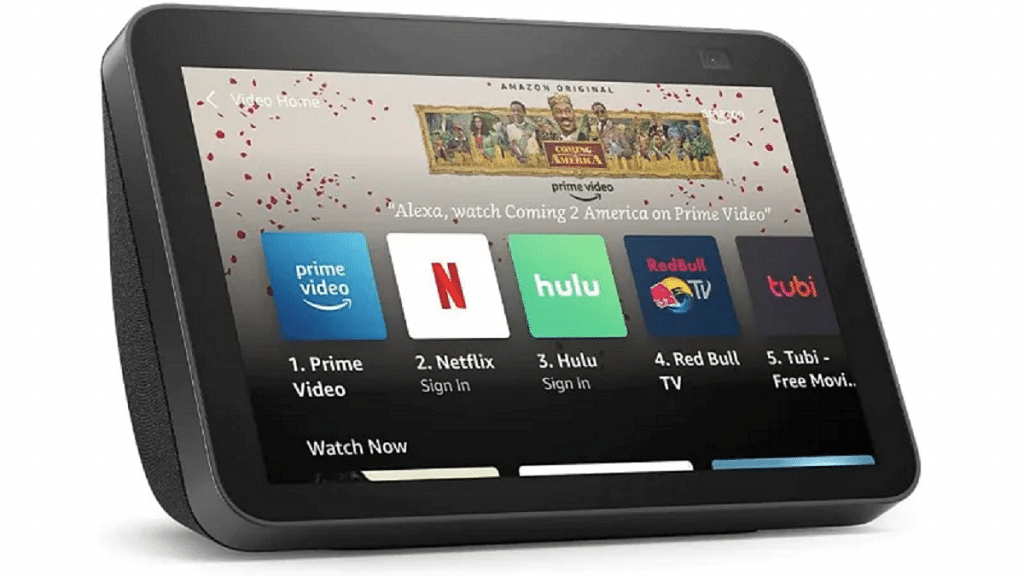
The device you should keep by your bedside can be the Amazon Echo Show. It can show you everything it is doing because it has a display, making it more than just a simple smart home assistant. So, keep at your bedside, add some photographs, and you have a perfect digital photo frame right next to you. If you’re buying a present for a couple, this is also a very beautiful option. This is available for sale for Rs. 7,499.
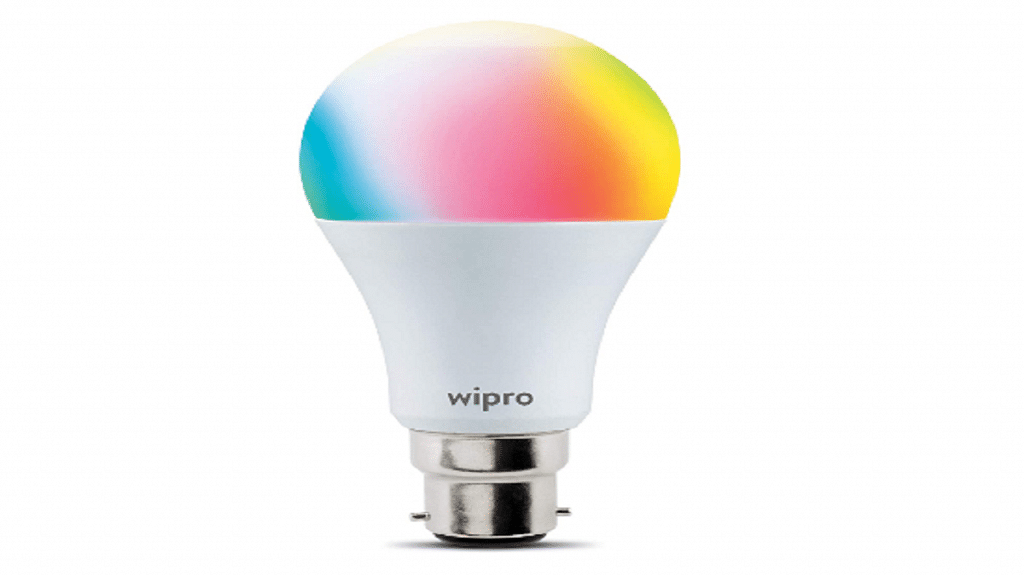
Wipro Smart Bulb
Smart bulbs will be the future of lighting. We all have distinct likes in lights, thus no one wants a plain white LED. One of the best things about this whole lighting setup is how quickly your home can change from white to green. Additionally, you’ll save a significant sum of money by having theatre lights installed on your fake ceiling. The Wipro Smart Bulb will cost you Rs. 736 in India.
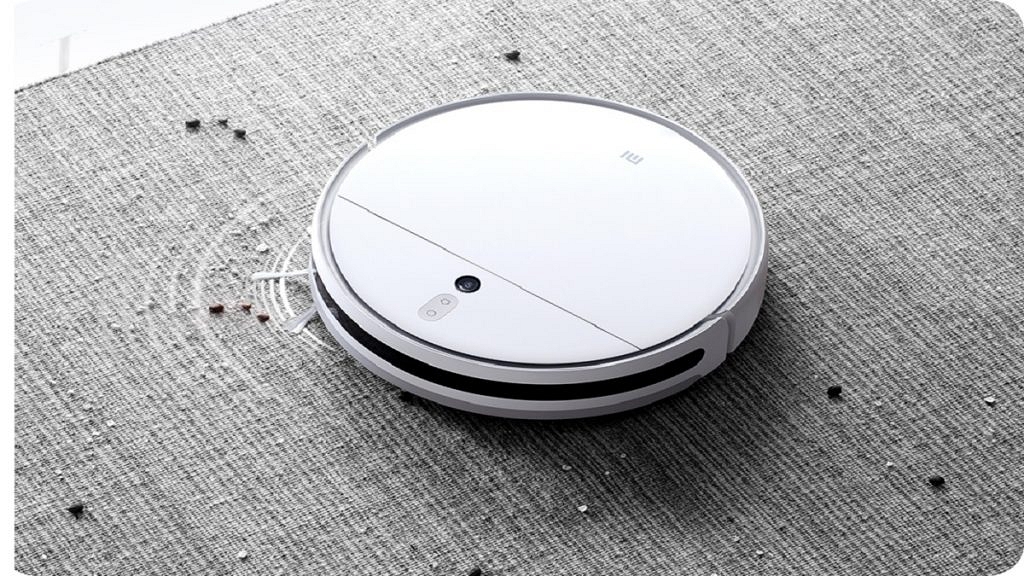
Xiaomi Vacuum Robot
Do you require cleaning assistance? Get a robot! The Xiaomi Vacuum Robot is arguably the most affordable vacuum robot in the market. Your entire apartment can be scanned by the device, and it will automatically clean it. Just place it on the floor and forget about it. Additionally, it will refuel automatically and clean your home at the designated hour. The Xiaomi Vacuum Robot can be purchased for Rs. 24,999 in India.
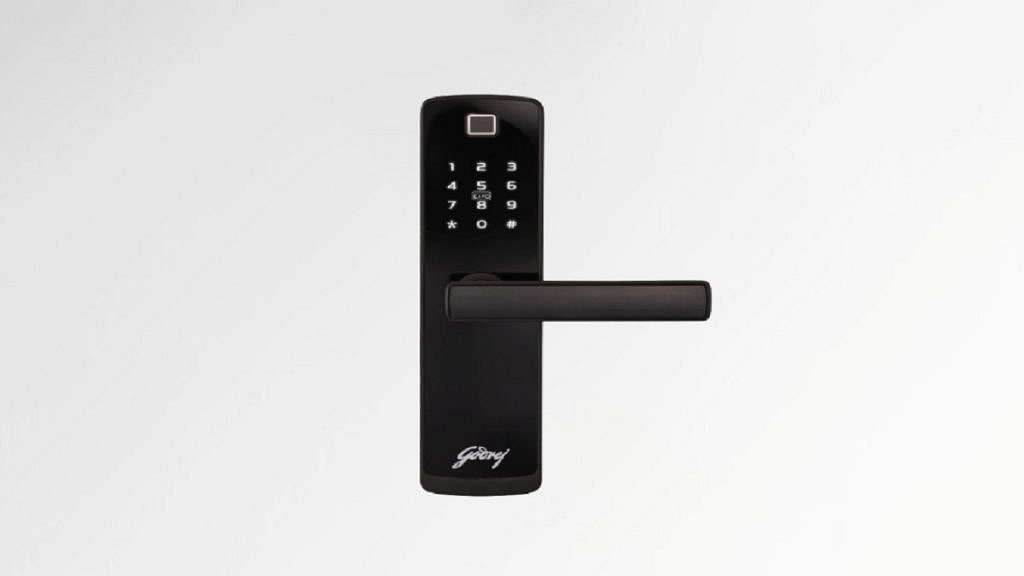
The Godrej Smart Lock is possibly the most interesting smart home device you’ll own. This little device features mechanical key unlocking, RFID unlocking, passcode unlocking, biometric unlocking, and obviously biometric unlocking for emergency situations. The Godrej Smart Lock can be purchased for Rs. 28,720.
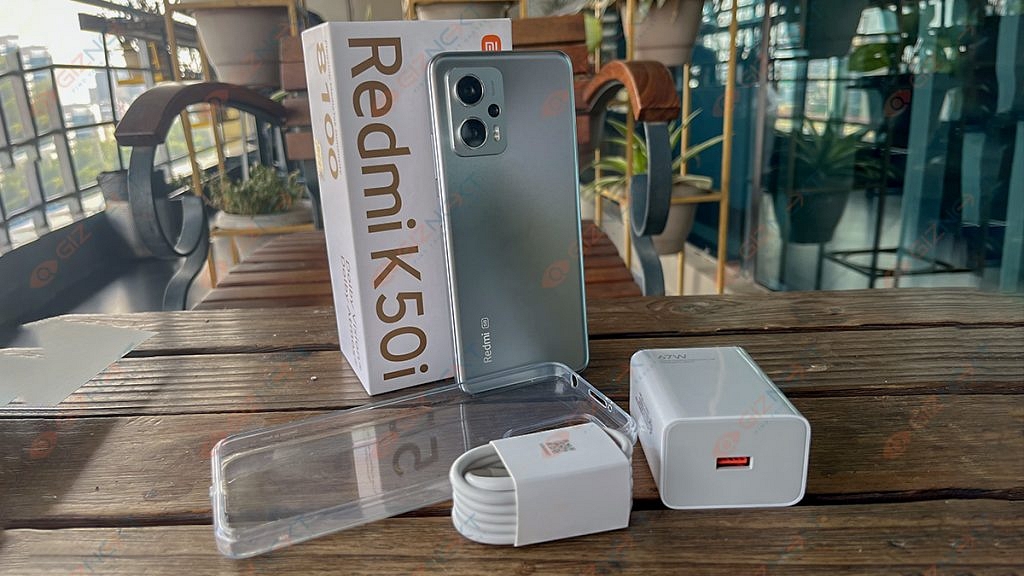
With the release of the Redmi K50i, the competition for India’s top smartphones under Rs. 25,000 has intensified. Nearly three years after the Redmi K20 series was, the company has marked the resurgence of the K-series in India with the launch of the Redmi K50i. The phone claims to give all of that without significantly draining customers’ wallets. The phone is aggressively priced at Rs. 25,999.
Like its competitors, can the Redmi K50i justify its performance? We’ve used the smartphone for a while to see whether it can outperform other mid-range smartphones, and here are the results for you.
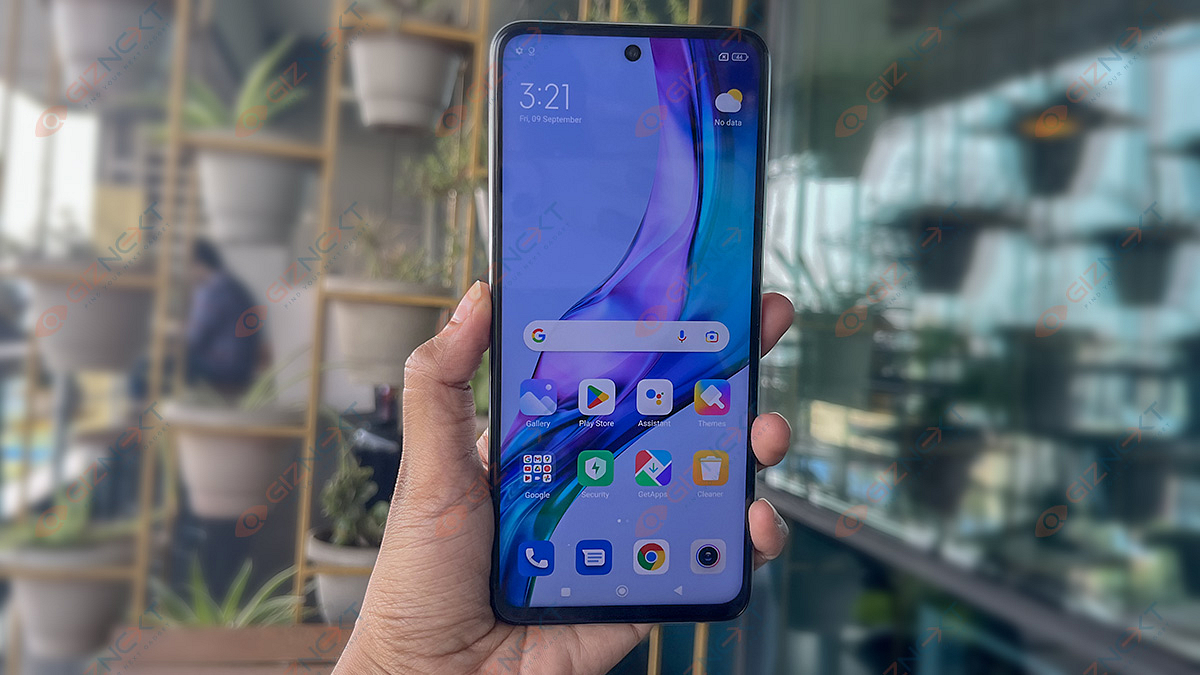
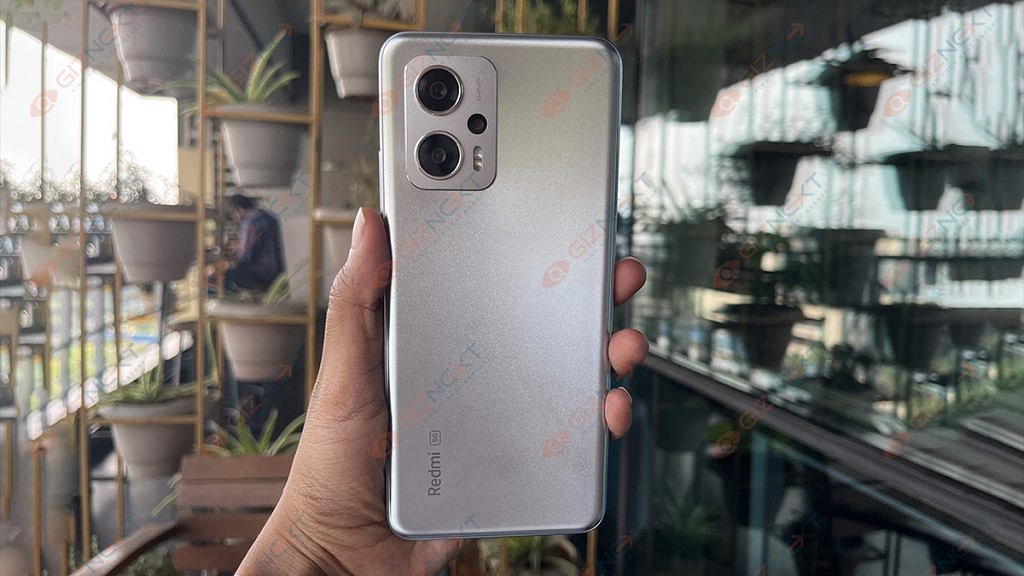
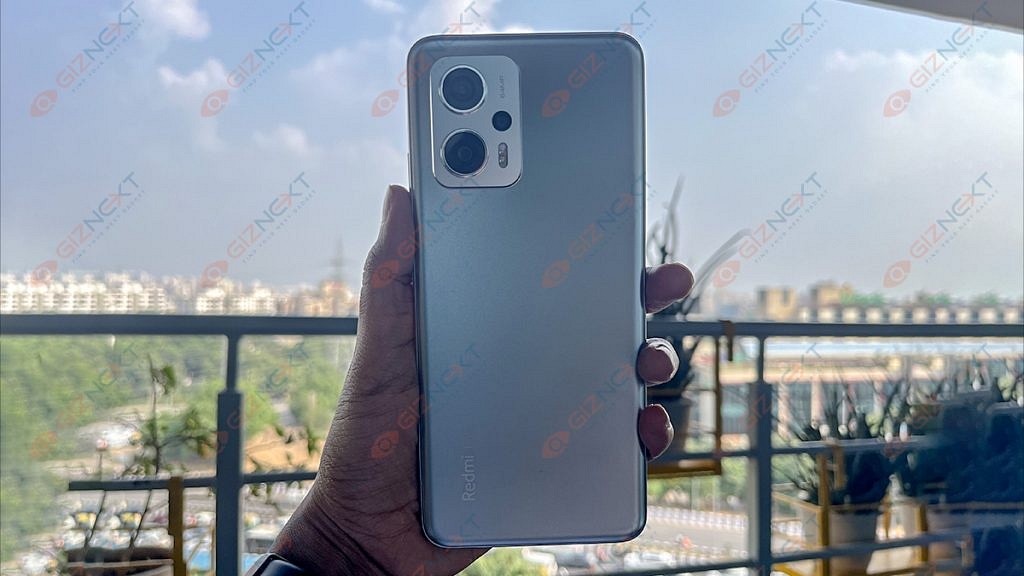
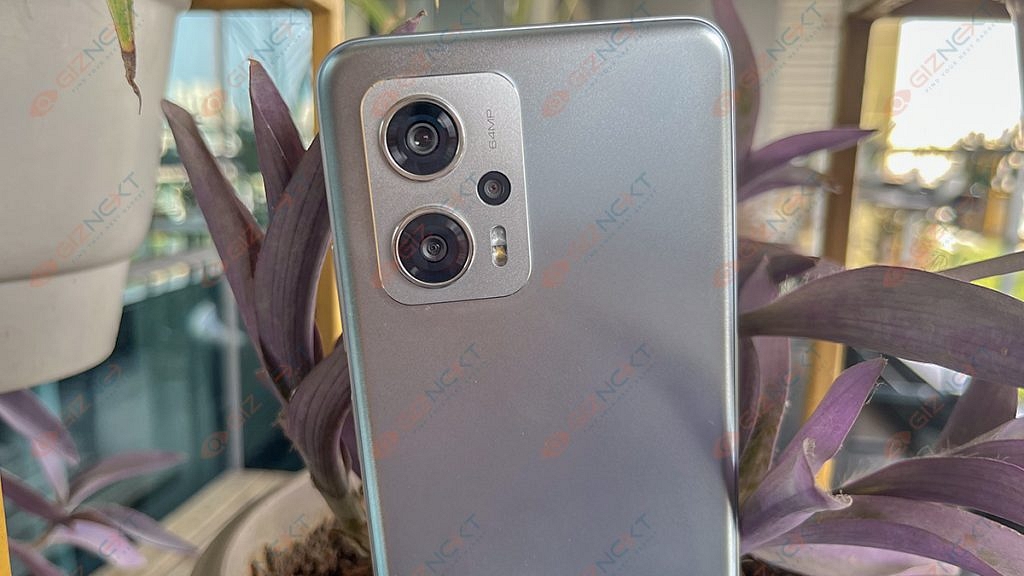
The Redmi K50i is a decent-looking smartphone. With a somewhat textured back and a prominent rectangular camera housing on the back, it looks distinctive. We have the Quick Silver color option with us which brings sparkly silver color traces that change depending on the light. Its rear panel and frame are made of plastic which easily resists dust and smudges despite all the shimmers.
The top center at the front has a punch-hole cutout. The chin of the phone is reasonably thick, while the remaining bezels are thin. With Gorilla Glass 5 on the front and an IP53 rating which is only seen in a few smartphones at this price point, Xiaomi has made sure that the smartphone is adequately protected.
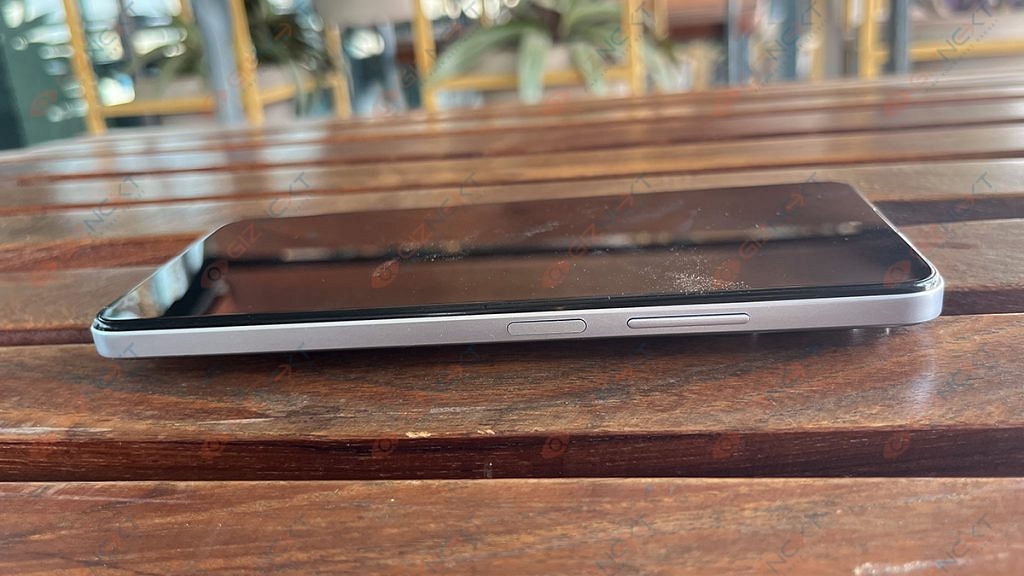
On the right side, there are buttons for power and the volume rocker. The power toggle has a fingerprint sensor built in. However, the majority of smartphones in this price range come with an in-display fingerprint reader. At the top, it also contains the IR blaster. There is also the headphone jack which many modern phones come sans with.
Overall, design preferences are purely subjective, so we’ll let you make the final decision. What you should know is that the phone feels solid in hand and provides a secure hold. Although the frame is flat, the back panel is somewhat curved which makes it easier to hold onto.
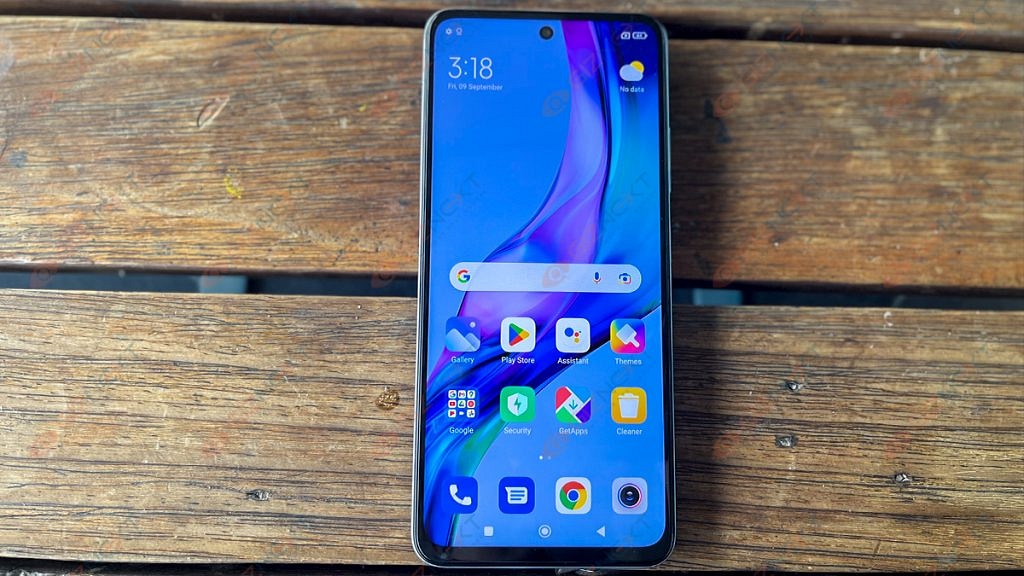
The Redmi K50i has a 6.67-inch FHD+ LCD screen. It has a 144Hz refresh rate. The smartphone also has adaptive refresh rate technology which automatically changes the screen’s refresh rate (from 30Hz to 144Hz) depending on the content the user is viewing.
The IPS LCD screen performs admirably in terms of color reproduction, clarity, and sharpness. The degrees of brightness is also good. Simply put, the viewing angles could have been more favorable. While tilting the phone to the side, we picked up on the slight color and brightness difference. The screen supports HDR10 and Dolby Vision which helps stream FHD videos and shows on Netflix.
Typically, there are 500 nits of brightness which is more than enough for everyday indoor use. Even with the brightness set to maximum, the display feels a bit dim when you are outside in the sun.
The Redmi doesn’t have an AMOLED screen which many will complain about. However, we must say that the display is incredibly smooth. When using the phone, there is no lag or stutter and everything feels quick.
The Redmi K50i excels in terms of performance. It has a MediaTek Dimensity 8100 chipset which effortlessly handles both multitasking and daily tasks. You can easily enjoy high-end games with no complaints. There are two variants of the Xiaomi Redmi K50i, i.e., 6GB / 128GB and 8GB / 256GB.
In its segment, the Redmi K50i is one of the fastest smartphones. When using your routine apps, you won’t experience any lag. The joy in this category is the lag-free, buttery-smooth scrolling.
Coming to the software side of things, the MIUI 13 based on the Android 12 software experience is just like the other Xiaomi phones. You can play with customization options, wallpapers, adding widgets, and a lot more. There are several pre-installed apps, some of which can be removed, while others remain resistant.
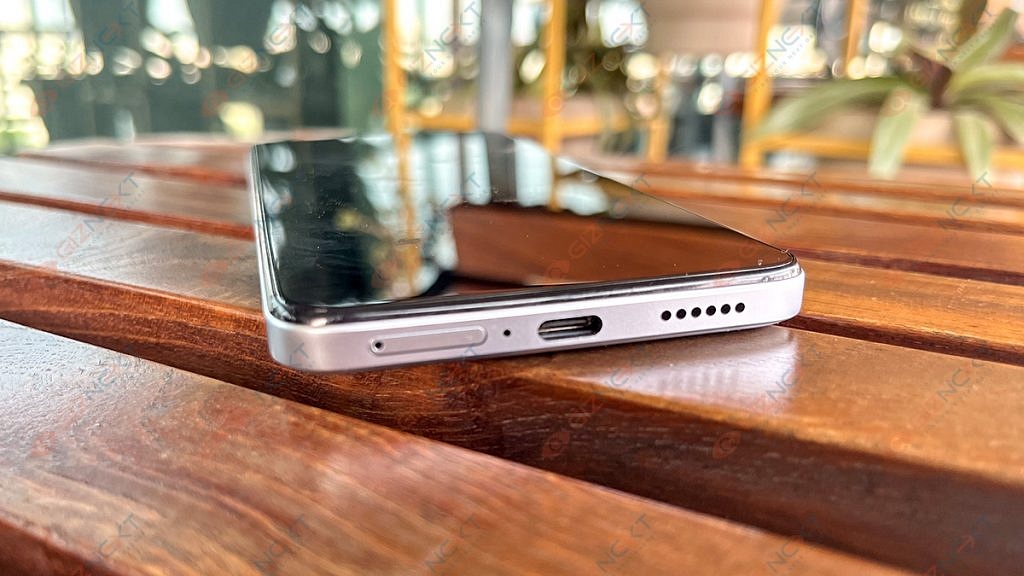
The phone also has dual speakers with Dolby Atmos support which bring out clear and well-tuned sound even at maximum volume levels. The Redmi K50i’s main speaker is located at the bottom edge and the other one is at the top.
The Redmi K50i still has a 3.5mm headphone jack in an age where most smartphones do not. Gamers will love this because they often prefer corded earphones or headphones to cordless ones when playing mobile games.
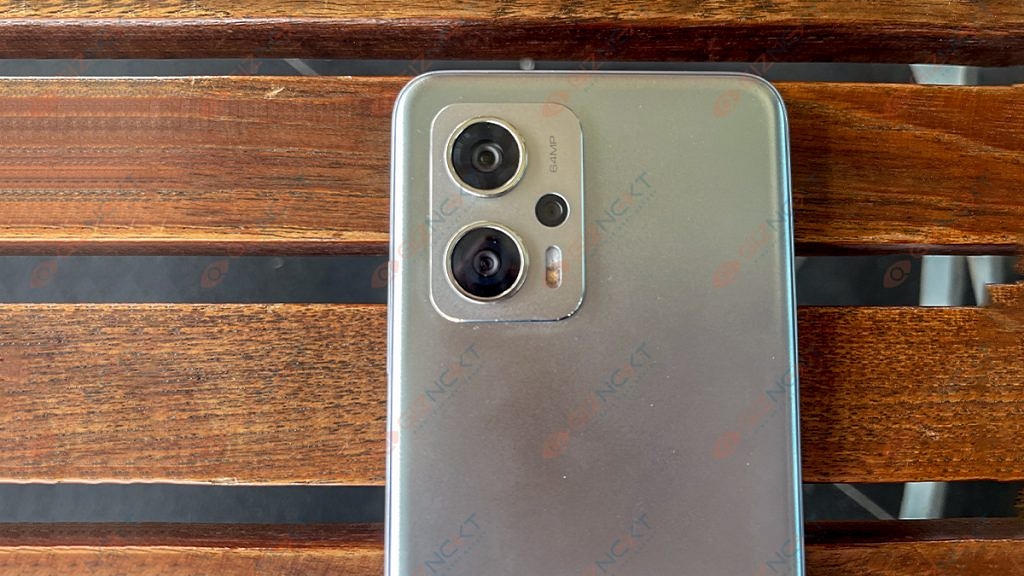
The Redmi K50i has a single camera arrangement up front and a triple rear camera setup at the back. The 64MP primary sensor, an 8MP ultra-wide sensor, and a 2MP depth sensor are all part of the rear configuration. A 16MP camera is located on the front for selfies.
Xiaomi has stuck using a 64MP sensor when the rest of the world is gradually moving toward the 50MP primary sensor and we are not complaining about it.
Shots from the primary camera are clear and have a nice dynamic range and color. Most of the time, the colors were enhanced but not overly saturated so that they appeared more pleasing to the eye.
The camera increases the exposure in low-light situations to provide brighter photographs while reducing noise and grain. When you begin looking for details, especially in the darker areas, photos appear a little hazy.
Images taken with the 8MP ultrawide camera have a slightly cooler color temperature, giving them a faint blue tint. Although the 2MP macro camera lacks autofocus, it performs well when it does.
A 16MP front-facing camera does a decent job capturing details. With regard to edge detection, portrait mode is quite good.
Under the hood, the Redmi K50i packs a 5,080mAh battery. When we used the phone, the battery easily lasted a day with the refresh rate set to “Default” and the use case was fairly mediocre. When we say mediocre, we mean basic calling and messaging, scrolling on social media apps, watching a few YouTube videos or shows on Netflix, etc. The phone packs a 67W fast charger in the box which refills the battery and charges the phone quickly.
Final Verdict
Some crucial areas are where the Redmi K50i shines. This smartphone can play mobile games at high frame rates and simply doesn’t sacrifice performance. The primary sensor is trustworthy for taking images on a daily basis and the battery backup is good.
The K50i’s two drawbacks are that Xiaomi went with an LCD panel rather than an OLED and that the design is extremely bland and fails to differentiate itself from the competition. Overall, the Redmi K50i is a competent smartphone that makes a nice pick for anyone seeking a device with strong performance, battery life, and camera capabilities.
Jio attracts a large number of subscribers from other popular networks
Porting is the process of moving an existing number to a new network to which it is ported
Users can continue to use the same number under the new network
The competition among the different networks has increased as a result of Jio’s entry into the market for network providers a few years ago. By unveiling some really appealing prices, tariffs, and free deals, Jio has been luring numerous subscribers from other well-known networks to the Jio realm.
Follow these easy steps to port if you’re a Vodafone customer eager to switch to Jio. By the way, the procedure by which your current number will be ported to the new network you are migrating to is called porting. As a result, you can use the same number with the new network.
You’ll find a step-by-step guide on how to move your current mobile number to Jio’s prepaid or postpaid service in this article. In the event of an intra-circle port, the Mobile Number Portability (MNP) procedure can take up to 48 hours. However, it could take up to four days if you’re changing your telecom circle.
How To Port Your Vi Number To Jio?
Porting your Vi (Vodafone Idea) number to Jio is a straightforward process, and it allows you to retain your existing phone number while switching to Jio’s network.
Here are the steps to port your Vi number to Jio:
Step 1: SMS ‘PORT’ to 1900 from your existing number in order to port from Vi to Jio.
Step 2: You’ll receive an SMS with the UPC code and its expiration date.
Step 3: With the UPC (Unique porting code), enter the nearby Jio Store or Jio Retailer.
Step 4: To make a port request, carry your original Aadhaar card or original Proof of Address (POA)/Proof of Identity (POI) documents. Also, you will be asked to provide your passport-size photographs.
Step 5: Now, your Jio connection will get activated at the store.
Make sure your dues to the existing operator are settled during this process. The procedure starts right away, but it could take up to three days to finish. For users in North East India, Assam, and Jammu & Kashmir, the porting procedure is anticipated to take 15 days. You can use your Vodafone number as usual up until that point without interruption.
According to a Jio retailer, the process isn’t free because you’ll have to choose a plan that costs more than Rs. 300. Jio says the port-in requests from the North Eastern states, Assam, and Jammu & Kashmir will be fulfilled in 15 working days.
The live location feature of WhatsApp can be really useful for safety purposes
It is one of the easiest and most popular ways to share your location
WhatsApp allows users to share their current location with any of their contacts
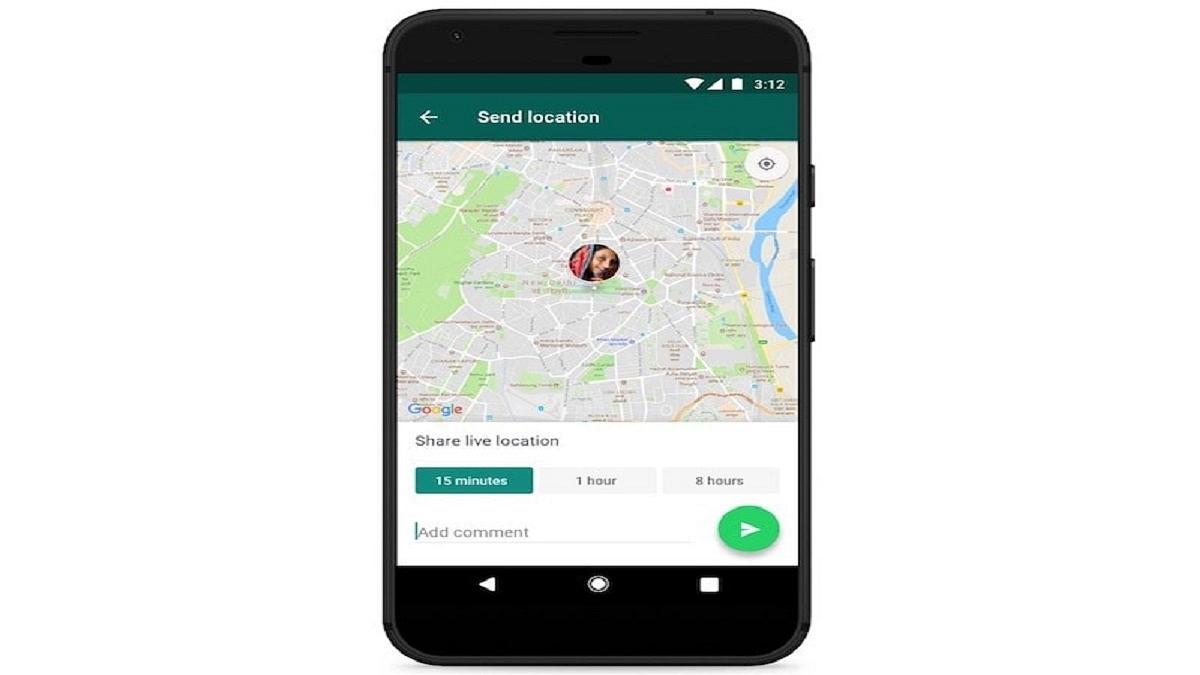
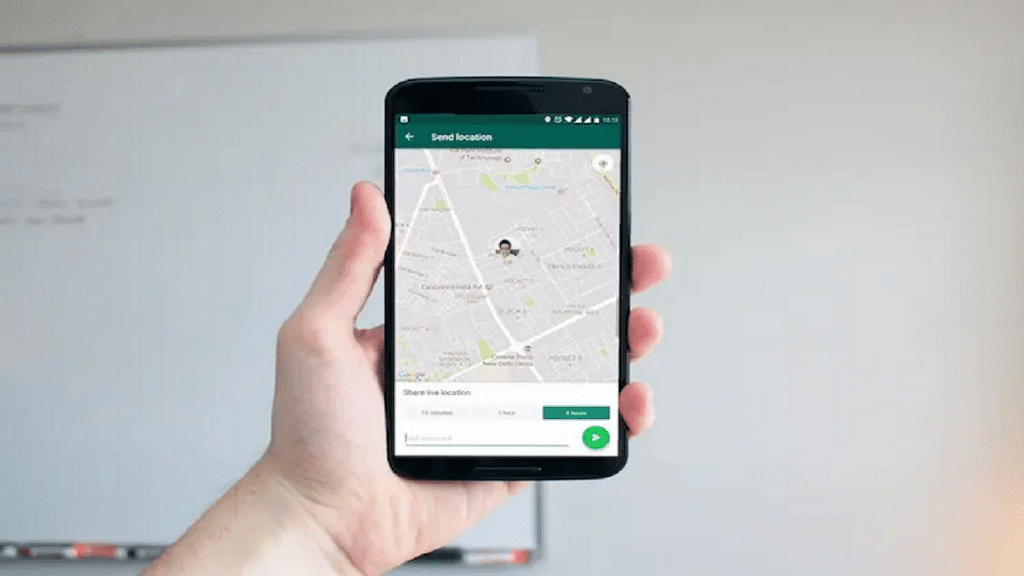
One of the most crucial things our smartphones enable us to perform is location tracking, whether for security, surveillance, or any other purpose. And one of the simplest and most common methods to communicate your whereabouts with someone is using WhatsApp’s Live Location feature.
You get a choice over whether and how long your live location is shared. At any time, you can decide not to reveal your present location. Only the people you shared this feature with will be able to see your current location because it is end-to-end encrypted. Here is a step-by-step guide on how to share a live location on WhatsApp with an iPhone and Android user.
Step 4: Tap on the plus sign in the bottom-left corner.
Step 5: Tap on ‘Location’.
Step 6: If you choose to disclose your location always, it will ask you whether you also want to do so ‘Only While Using the App.’
Step 7: Choose ‘Share Live Location’ or ‘Send Your Current Location.’ Tap ‘Send’.
How To Share Your Current Location Using An Android Phone?
Step 1: Fire up WhatsApp on your iPhone.
Step 2: Tap on ‘Chats’.
Step 3: Select the person or group you want to share the location with by tapping on their name.
Step 4: In the message field at the bottom of the screen, tap the paperclip icon.
Step 5: Click on the ‘Location’ icon.
Step 6: Select a location from the list or click ‘Share live location’ to proceed. Click ‘Send’.
To stop sharing your location, simply reopen the group or individual chat and select Stop sharing > STOP. End-to-end encryption safeguards the location-sharing feature, but you can always disable it by simply turning off WhatsApp’s location permissions on your iPhone or Android phone.
You can do a factory reset if your OnePlus smartphone is running slowly or hanging
Delete all the accounts on the device and back up your data before doing a factory reset
There are many ways to reset a OnePlus device
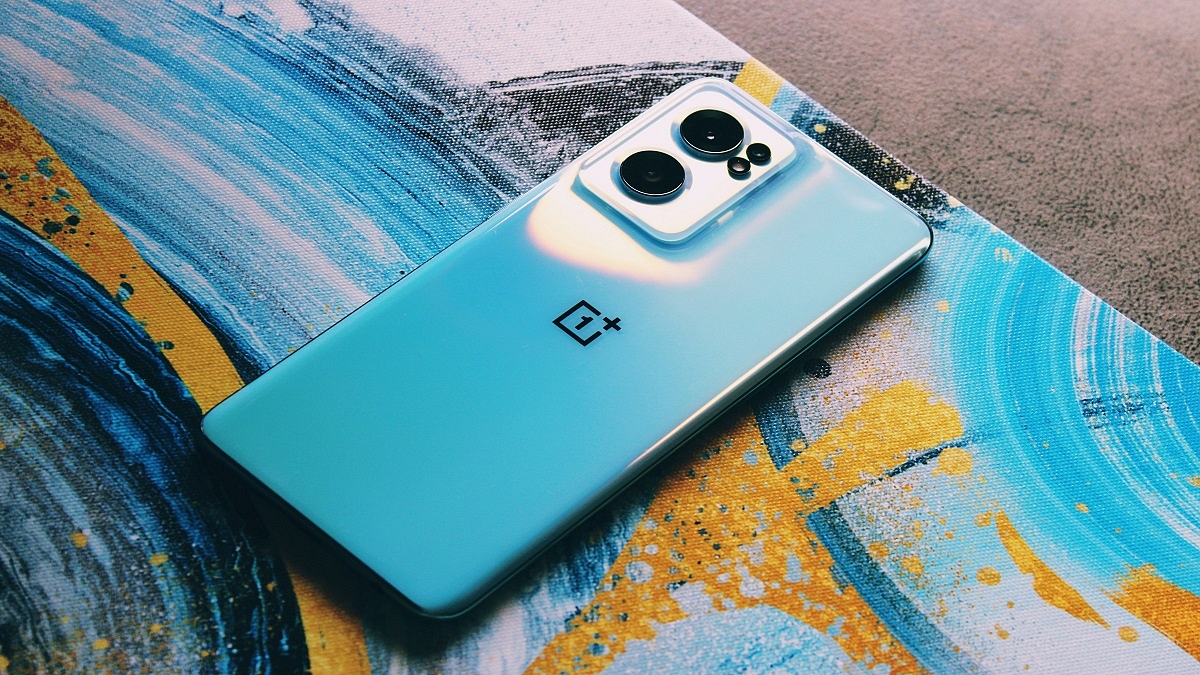
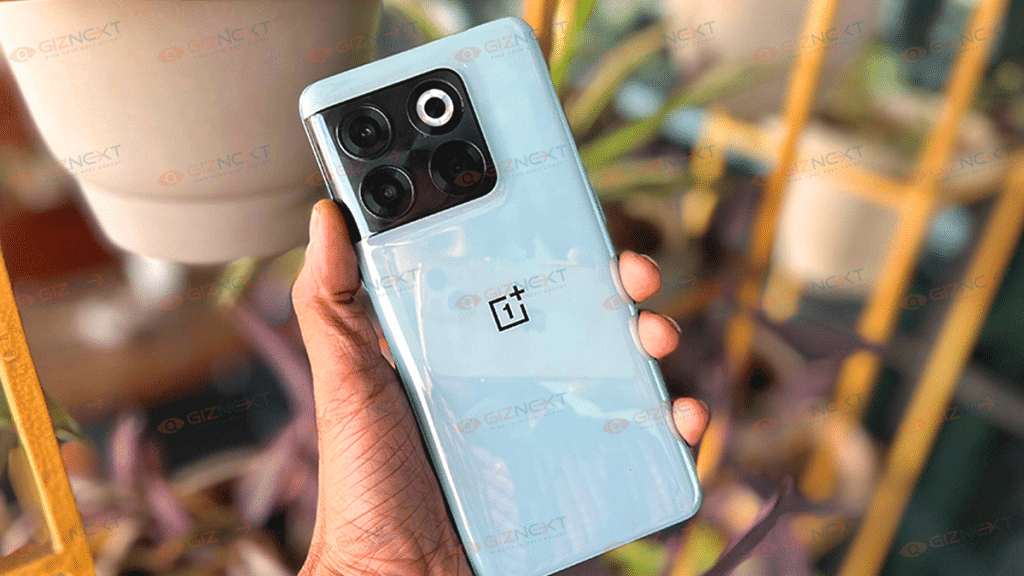
Any phone will eventually reach the point when you decide to sell it, give it away, or exchange it for a newer one. Before you do decide to get rid of your old OnePlus phone, you should definitely conduct a factory reset to remove all of your settings and personal data.
Make sure you’ve properly backed up your personal data before you reset your phone. When you have a big problem, your device is being repaired or being traded in, or both, you must perform a hard reset.
With a hard reset, you wipe all the information on your smartphone. You should therefore create a backup first. You won’t lose your contacts, images, or apps if you do it this way. The data can be stored in the cloud. Making a backup with Google is as easy as following the listed steps:
Step 1: Launch ‘Google Drive’ and navigate to ‘Settings’.
Step 2: Make a backup.
Step 3: Now, download Google photos and make a backup.
Step 4: Then, open Google photos and turn on backup.
How To Hard Reset Your OnePlus Phone?
Step 1: On your OnePlus smartphone, open the ‘Settings’ app.
Step 4: Then, tap on the ‘Erase all data’ (factory reset).
Step 5: Toggle Erase internal storage.
Step 6: Click on ‘Erase All Data’.
Your OnePlus phone is now prepared to be returned, sold, or used again by another person. Before wiping your phone, keep in mind that you can simply choose to reset your connection settings (Wi-Fi, mobile, and Bluetooth) or reset your app preferences from the Reset choices page.