Categories
Featured Info

Open Letter: Billie Eilish, Katy Perry, And 200 Artists Oppose AI’s Takeover In Music

Key Highlights

  • Music icons urge AI firms and platforms to protect artists’ rights
  • Concerns include AI copying voices and denying fair pay
  • The call reflects industry-wide fears about AI’s effects on artists

A letter recently published on Medium by the Artists Rights Alliance has garnered attention from over 200 prominent figures in the music and entertainment industries. This letter calls upon AI companies and digital music platforms to make a commitment: to refrain from creating or using AI tools that might diminish the creative input of songwriters and artists or result in unfair compensation for their work. Also Read | Have You Tried Google’s ImageFX Yet? Learn How To Use This New AI Image Generator

Who Signed It?

Among the signatories are well-known names like Billie Eilish, Katy Perry, Nicki Minaj, R.E.M., Jonas Brothers, and many others who have lent their support to this cause.

What’s The Concern?

At its core, the letter urges AI developers and digital music services to cease employing AI in ways that could undermine the rights of human artists. While acknowledging the potential benefits of AI when used responsibly, the letter highlights instances where AI is being used to stifle creativity and hinder artists’ rights.

Why Is This Important?

Central to the letter’s message is the protection of artists against AI-generated imitations of their voices or other violations of their rights. It seeks to prevent AI from being weaponized to harm the music ecosystem and the livelihoods of those within it.

Also Read | AI Magic: The Beatles’ Final Song ‘Now and Then’ Released After Decades

The Bigger Picture

The issue at hand reflects broader concerns about the role of AI across various industries, including the arts and entertainment sectors. In the past, disputes over AI have even led to strikes. Within the music business, AI has become an integral tool, particularly for independent artists using it for tasks such as writing, production, and mastering. Notably, organizations like the Grammy Awards have implemented restrictions on submissions involving AI, although they have not outright banned its usage.

Conclusion

The Artists Rights Alliance’s letter serves as a distressing reminder of the growing anxiety surrounding the impact of AI on the music industry. It underscores the necessity of ensuring fair treatment and compensation for artists and creators, even in the face of technological advancements. By uniting behind this cause, the signatories aim to safeguard the integrity of artistic expression and preserve the vibrancy of the music ecosystem for generations to come.
Categories
Featured Info Laptop

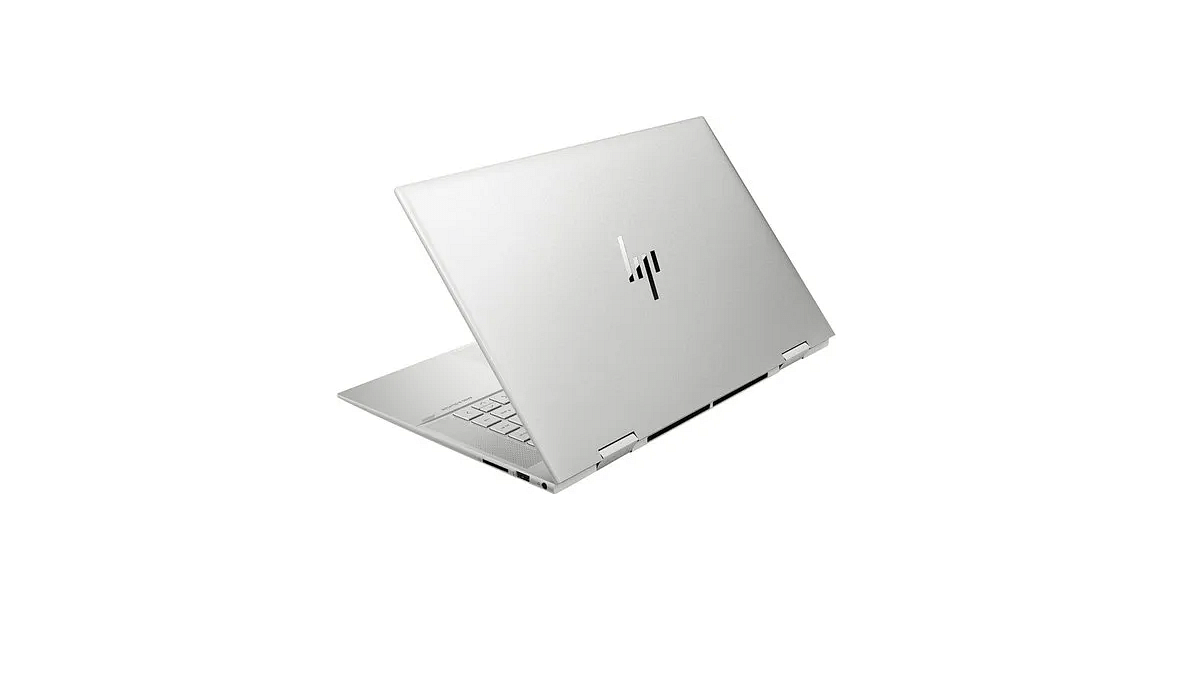
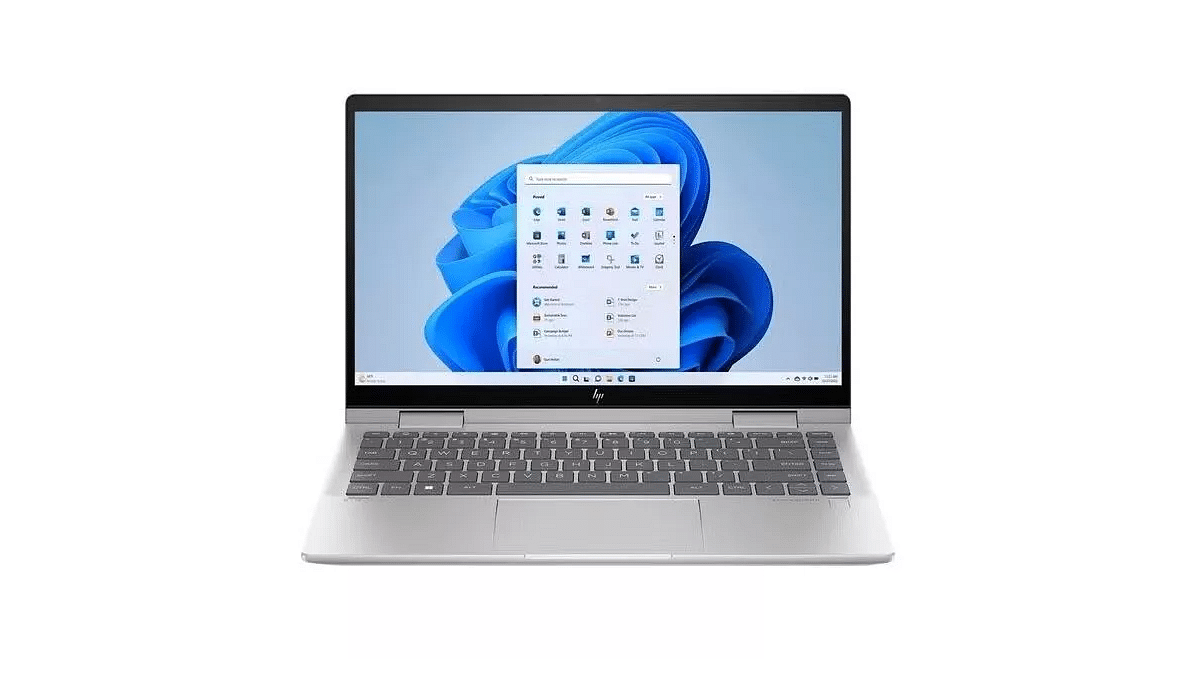
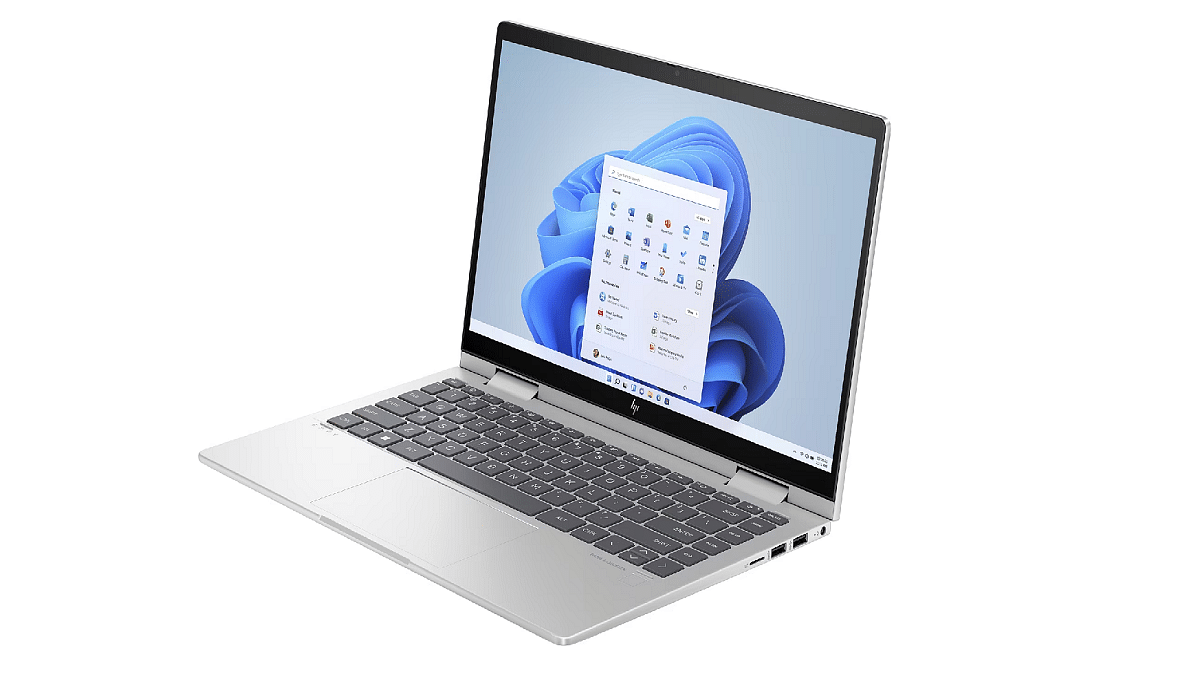
HP Introduces Laptop Featuring Microsoft CoPilot Button For AI Functions: Check Price

Key Highlights

  • HP Envy x360 14 available in two colors, from Rs. 99,999
  • Versatile design with advanced security, plus Microsoft CoPilot integration
  • High-performance features including long battery life and Wi-Fi 7 support

HP has launched its latest Envy x360 14 laptops in India. These laptops are not only sleek and stylish but also lightweight, weighing just 1.4 kilograms. They come with a 14-inch OLED touch display that can be easily adjusted for comfortable use whether you’re working, writing, watching videos, or playing games.

Powered by Intel Core Ultra processors, these new Envy 14 laptops are designed to handle demanding tasks like using Adobe Photoshop. Plus, they come with a Neural Processing Unit (NPU) that improves battery life by 65 percent. Here’s all you need to know. Also Read | Best Laptops Under Rs.45,000 For Online Learning

Immersive Visual Experience

The HP Envy x360 14 features a 14-inch 2.8K OLED touch display, providing vibrant colors and sharp clarity for an immersive visual experience. With an 89.5 percent screen-to-body ratio, users can enjoy more screen space for work and entertainment. Moreover, the IMAX Display technology provides an exclusive Expanded Aspect Ratio for specific content.

Advanced AI Integration

What sets the Envy x360 14 apart is its integration of Microsoft CoPilot AI features. With a dedicated button on the keyboard, users can access advanced AI capabilities such as assisted search and content generation.

Also Read | Best Laptops For Online Learning In India

Key Specifications

The HP Envy x360 14 offers x360 functionality, touch capabilities, and optional pen support, catering to a variety of user preferences and tasks. Security is prioritized with the convenient 5MP camera and IR face recognition feature for secure logins. Additionally, users have control over their privacy with the Manual Camera Shutter, allowing them to manage camera activation.

In terms of performance, the HP Envy x360 14 boasts up to 14.75 hours, making it perfect for on-the-go usage. With Wi-Fi 7 support, users can enjoy fast and reliable connectivity. The Temperol Noise Reduction (TNR) technology enhances audio quality by minimizing background noise during calls and entertainment sessions. Multi-camera support enables efficient multitasking. Moreover, the advanced thermal management system ensures powerful performance without generating disruptive noise. Lastly, audio tuning by Poly Studio enhances collaboration and entertainment experiences with clear sound quality.

Price and Availability

The HP Envy x360 14 can be purchased both at HP World Stores and HP Online stores. Starting at Rs. 99,999, it is available in Meteor Silver and Atmospheric Blue colors. As an added bonus, purchasers will receive a complimentary Creator’s Sling Bag, enhancing their overall experience with the HP Envy x360 14.

Categories
Apps Featured How To

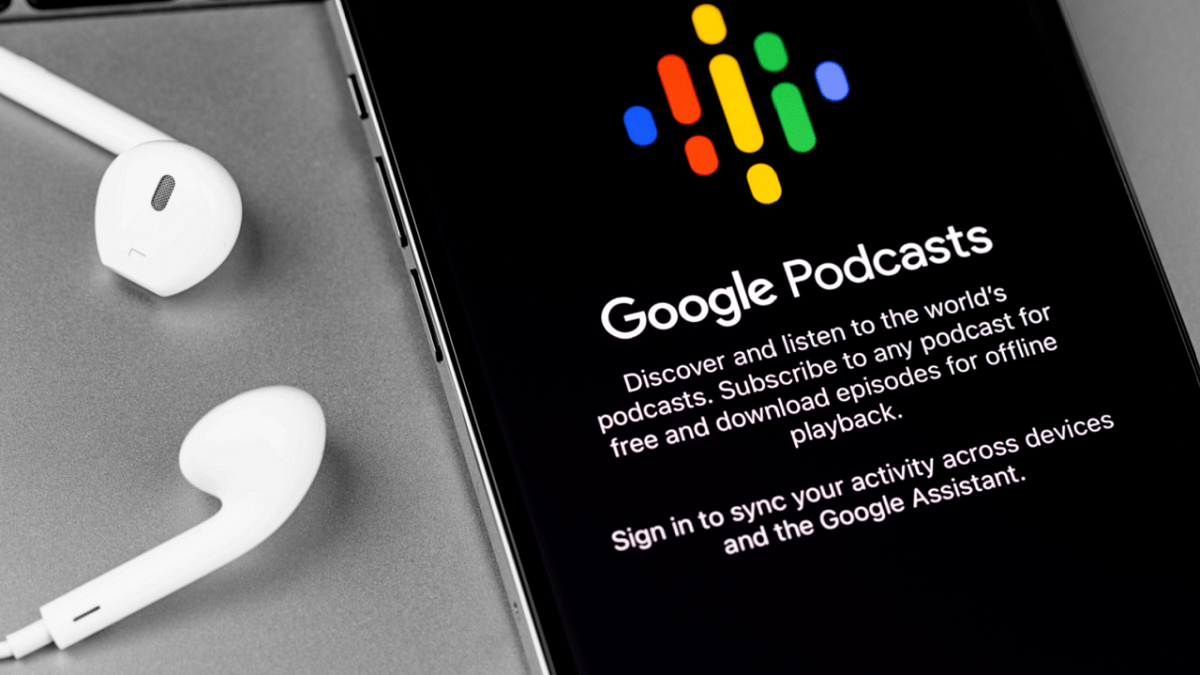
Google Podcasts Shutting Down: Here’s How To Move Your Subscriptions

Key Highlights

  • Google Podcasts is closing down, starting in the US
  • Users should transfer their subscriptions to YouTube Music or another service
  • Google plans to improve podcast experience on YouTube Music by 2024

Google Podcasts, a popular app with over 500 million downloads on the Play Store, will no longer be available for streaming in the US starting from April 2. Last year, Google announced the closure of Google Podcasts through a blog post, as the company wanted to focus more on audio and video podcasts via YouTube Music. Although the app is shutting down in the US, it will stop functioning for users in other parts of the world by later this year. Also Read | Google’s Big Shift: What’s Really Happening To Gmail In August 2024?

Why Google Podcasts Is Closing?

Google has been sending reminders via in-app notifications and has also placed a warning on the app’s home page, urging users to transfer their data to YouTube Music or another podcast service.

How To Transfer Your Subscriptions To YouTube Music?

To transfer your Google Podcast subscriptions to YouTube Music, follow these steps:

Step 1: Launch the Google Podcasts app on your Android or iOS device.

Step 2: Click on the Home tab.

Step 3: Look for the Google Podcasts app shutdown notification.

Step 4: Click on “Export Subscriptions.”

Step 5: Select “Export to YouTube Music” under the Export Subscriptions option.

Step 6: You will be redirected to the YouTube Music app and asked to choose a Gmail account.

Step 7: Once selected, your subscriptions will be added to the YouTube Music app.

Note that it may take some time for all your subscriptions to be transferred.

Content Migration

However, not all podcasts you listen to will be migrated to the YouTube Music app. Some users might encounter a “Content is unavailable” message in certain cases. You can manually add a podcast by entering the show’s RSS feed link.

Also Read | Google’s Latest Math Solver App ‘Photomath’ Hits Play Store: Key Features

Google’s Future Plans

Google explained its decision to discontinue the Google Podcasts app in a blog post, citing increased investment in the podcast experience on YouTube Music. The aim is to enhance the platform for both fans and podcasters by offering unique YouTube-only features related to discovery, community, and audio/visual switching by 2024.

Conclusion

With Google Podcasts shutting down, it’s important to transfer your subscriptions to YouTube Music or another podcast service. Follow the steps provided to ensure you don’t lose access to your favorite shows.

Categories
Apps Featured Info

No Sign-Up Needed: OpenAI Enables Account-Free ChatGPT Access

Key Highlights

  • ChatGPT is now accessible without needing an OpenAI account
  • Users can opt out of data usage for improving the AI chatbot
  • Certain features like saving chat history still require an OpenAI account

ChatGPT, a widely used AI chatbot, has always been free, but required users to have an OpenAI account. However, OpenAI has recently made an important announcement: users will no longer need an account to chat with ChatGPT. Here’s all you need to know. Also Read | Considering ChatGPT Plus? Here’s Why And How To Subscribe

No Account Needed

ChatGPT

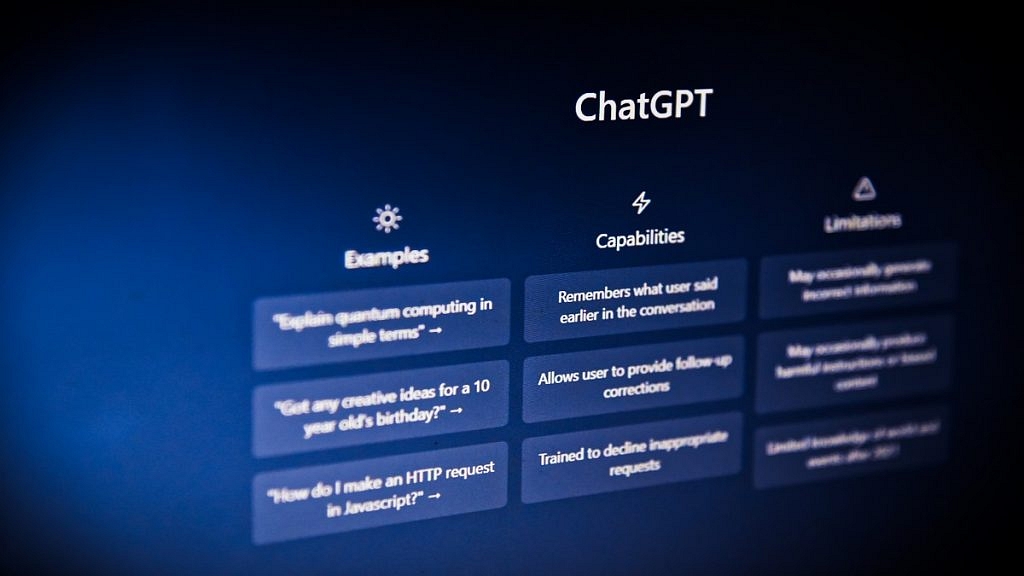
In a recent blog post, OpenAI explained that users can now interact with ChatGPT without having to sign in. However, OpenAI may still use the questions and conversations with ChatGPT to improve its capabilities. If users prefer not to contribute to this improvement, they can easily opt out by adjusting the settings in the chatbot.

Some Features Still Require An Account

While the ability to chat with ChatGPT is now account-free, certain features still require users to have an OpenAI account. These features include saving and reviewing chat history, receiving voice responses, and sharing generated results with others. Additionally, access to paid versions and other OpenAI products, such as DALL-E 3, still demands signing in.

Extra Safeguards

OpenAI has also implemented additional measures to ensure the safety and appropriateness of ChatGPT interactions. Although specific details were not provided, OpenAI is actively working to enhance safeguards and maintain ChatGPT’s utility and safety for all users.

Gradual Rollout

With over 100 million users across 185 countries engaging with ChatGPT every week, OpenAI anticipates a gradual rollout of the no-account feature. Users in certain regions may still encounter prompts to sign in, but OpenAI assures that the feature will become universally accessible over time.

Also Read | Google Gemini Advanced vs ChatGPT Plus: A Head-to-Head Comparison

Conclusion

This update represents a significant improvement in accessibility and convenience for ChatGPT users worldwide. With the elimination of the account requirement, more people can now seamlessly engage with ChatGPT for various purposes. OpenAI remains committed to enhancing ChatGPT’s functionality while ensuring user privacy and safety.

Categories
Featured Info Mobile

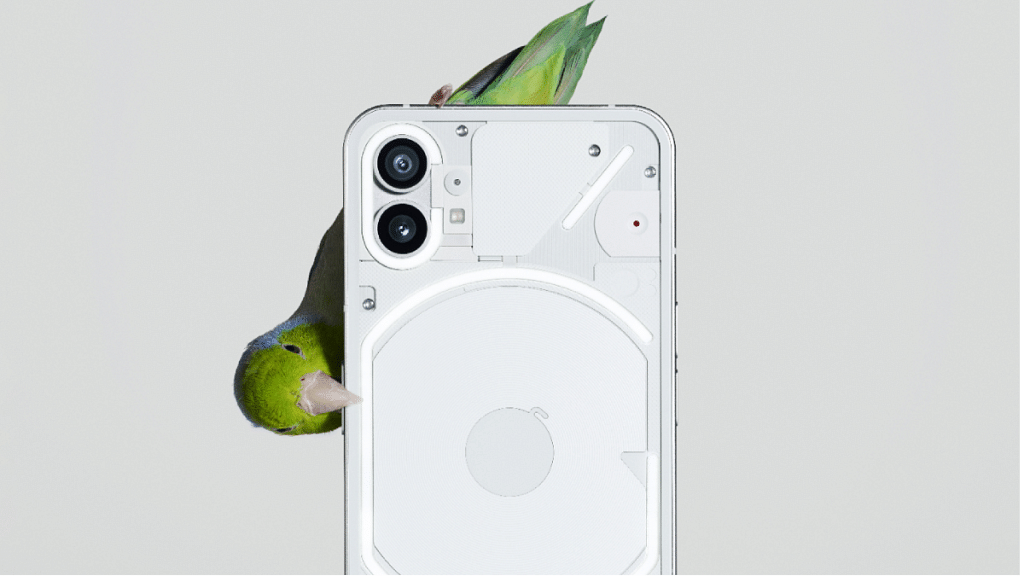
Nothing Phone 3: India Price Leaked, May Launch With Snapdragon 8s Gen 3 SoC

Key Highlights

  • Nothing Phone 3 may launch with Snapdragon 8s Gen 3
  • Features OLED display, dual cameras, and fast charging
  • Expected to be priced between Rs. 40,000-45,000 in India

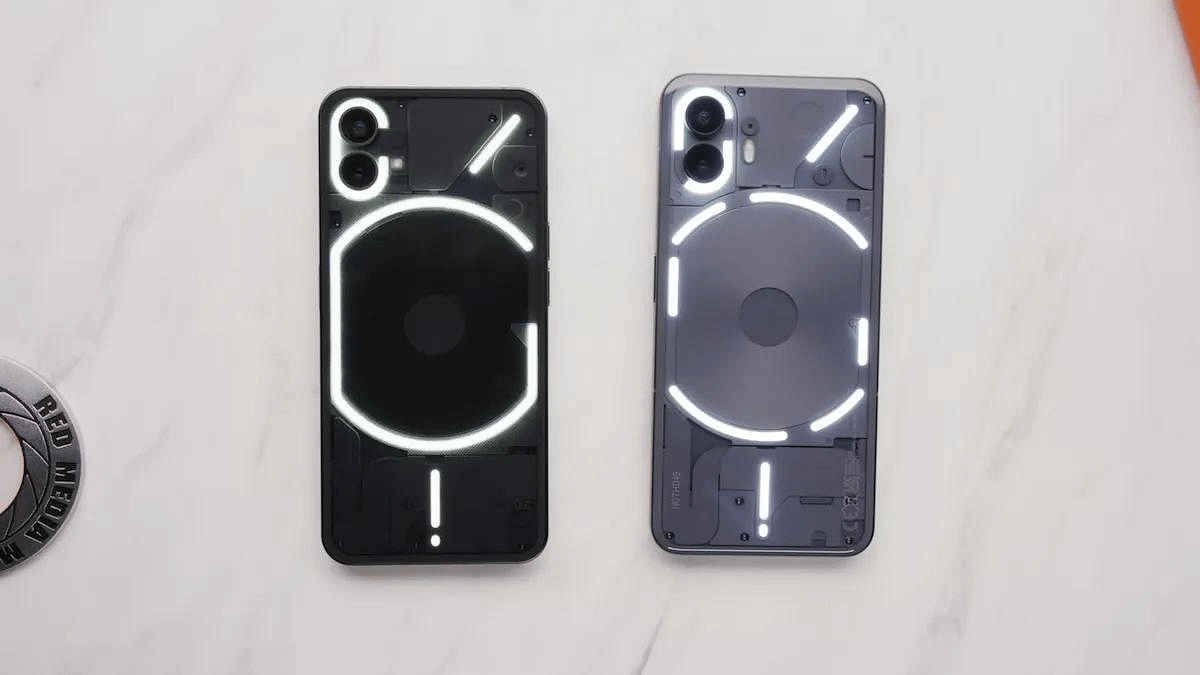
After the recent launch of the budget-friendly Phone 2a smartphone in India, Nothing is now gearing up for what could potentially be its flagship release of the year – the Nothing Phone 3. Expected to build upon the success of its predecessor, the Nothing Phone 2, this new smartphone promises upgraded specs and design. Let’s delve into the latest report revealing key details about the upcoming device. Also Read | Nothing Phone 2 Vs Nothing Phone 1: New And Old Gen Nothing Phone Comparison

Expected Price Range In India

According to a report by 91Mobiles Hindi, the anticipated price range for the Nothing Phone 3 in India falls between Rs. 40,000 and Rs. 45,000. This positions it slightly more affordable than the initial launch price of the Phone 2. Nothing seems to be strategically targeting the Rs. 20,000-Rs. 40,000 segment to expand its user base, opting not to venture into the premium segment just yet.

Nothing Phone 3: Expected Specifications

While initial expectations hinted at a high-end chipset for the Nothing Phone 3, recent insights suggest otherwise. The smartphone is likely to be equipped with the Qualcomm Snapdragon 8s Gen 3 chipset. Despite belonging to the ‘8’ series, this chip is a more moderate version compared to the Snapdragon 8 Gen 3, which might reflect differences in performance.

The upcoming Nothing Phone 3 is rumored to sport a big OLED display with high refresh rate support. Additionally, it’s anticipated to feature at least a dual-camera setup on the rear and a massive battery that supports both wired and wireless charging, similar to the Phone 2.

Also Read | Nothing Phone (2a) Debuts In India: Top Features, Price

Awaiting Further Details

As of now, detailed specifications of the Nothing Phone 3 remain scarce, leaving much to the imagination. Although Nothing has teased the device on its social media platforms, specific details are yet to be unveiled. Fans eagerly await further announcements regarding this highly anticipated smartphone.

Nothing Phone 2 Features

In retrospect, the existing Nothing Phone 2 boasts a 6.7-inch LTPO OLED display with FHD+ resolution and a 120Hz refresh rate. It comes with Corning Gorilla Glass protection. The device features a dual-rear camera system comprising a 50MP main lens and a 50MP ultrawide sensor, accompanied by a 32MP selfie camera. Under the hood, it houses the Snapdragon 8+ Gen 1 chipset and packs a robust 4,700mAh battery supporting 45W wired fast charging and 15W wireless fast charging. Additionally, it was launched with Android 13 OS and has since received the Android 14 update.

Categories
Apps Featured Info

X’s ‘Click Here’ Viral Trend: What Is It And Why It’s Sparking Debate

Key Highlights

  • Users share ‘Click Here’ images, sparking debate
  • Misuse of ‘ALT’ text criticized for accessibility concerns
  • Urgent call for proper alt text usage to aid visually impair

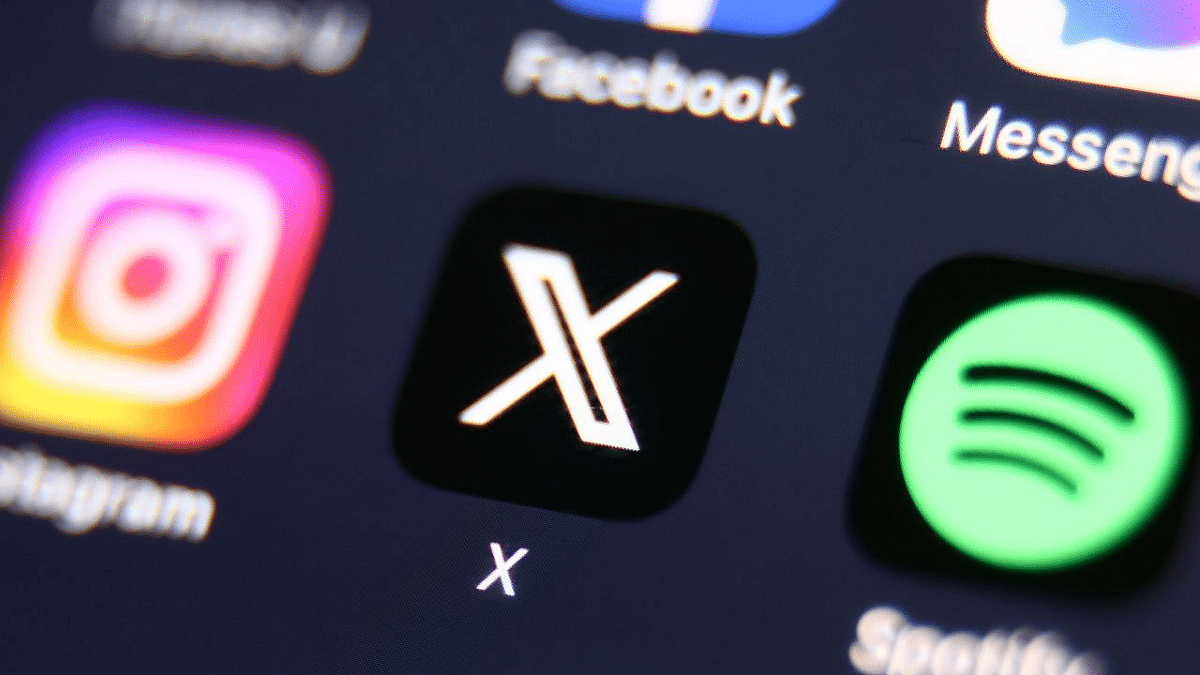
Since last Saturday, X (formerly Twitter) has been abuzz with the viral “Click Here” trend, captivating users’ attention. While many have eagerly embraced this trend, others are left bewildered by its emergence. Notably, major political parties such as the Bharatiya Janata Party (BJP), Aam Aadmi Party (AAP), and Congress have actively participated in this trend through their official X pages. Here’s all you need to know. Also Read | X (Twitter) To Soon Allow Video, Audio Calling Without Any Phone Number

What Is The ‘Click Here’ Trend?

This new trend sees thousands of users sharing images featuring a simple white background with the bold statement “Click here” displayed prominently. Accompanying the text is a diagonal arrow pointing towards the “ALT” text located in the bottom left corner of the picture.

Explanation Of The “ALT” Text

The “ALT” text is a feature introduced by X in 2016, formerly known as Twitter. It allows users to add descriptions to the photos they share on the platform, aiming to make images accessible to visually impaired individuals. X highlighted the importance of this feature in a blog post, emphasizing inclusivity on their platform.

Some users have expressed concern over the misuse of the “ALT” text feature. They argue that repurposing this text for unrelated content goes against web content accessibility guidelines (WCAG).

How To Use This Feature

X’s blog post also provides guidance on utilizing this feature. Users can enable it through the “compose image descriptions” option in the app’s accessibility settings. This allows for the addition of descriptions to images, enhancing accessibility for visually impaired individuals who utilize assistive technology such as screen readers and braille displays. Descriptions can be up to 420 characters in length.

Also Read | Elon Musk’s Twitter: Genuine Followers Or Fakes Dominating the 153 Million?

‘Click Here’ Trend: What’s The Criticism?

In a 2023 BBC article, criticism arose against the “Click Here” trend, notably when major brands like McDonald’s and Red Bull embraced it. The trend’s misuse of accessibility technology for meme-sharing among sighted users raised concerns, deviating from its original purpose of aiding visually impaired individuals.

Conner Scott-Gardner’s correspondence with McDonald’s highlighted this, stressing the importance of alt text as a vital accessibility feature. He criticized the selective usage of alt text for convenience rather than its intended purpose. The controversy prompted discussions on the necessity for content creators to incorporate alt texts properly, echoing concerns raised in a 2022 New York Times article. Research findings underscored widespread neglect of alt text implementation, indicating the urgency for improved awareness and adherence to accessibility standards.

Categories
Featured Info Mobile

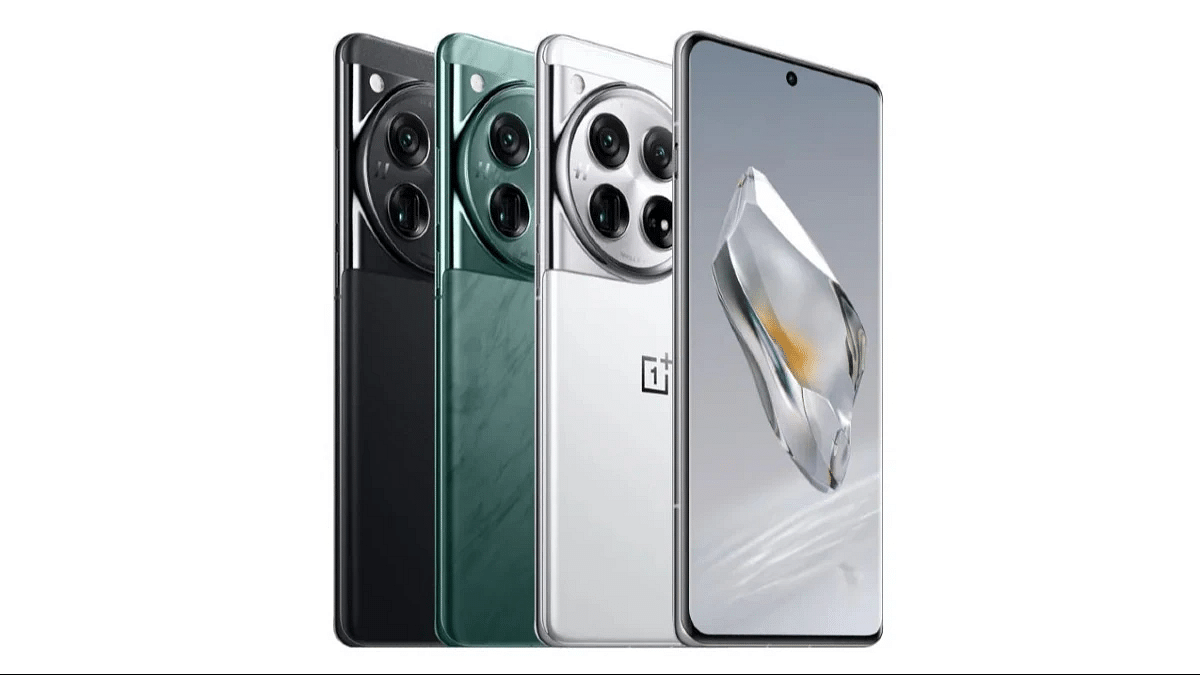
OnePlus 12 Now More Affordable Than Ever: Check Out The New Price

Key Highlights

  • OnePlus 12 price slashed on Flipkart to Rs. 63,027, 3% off
  • 6.82-inch ProXDR Display, Snapdragon 8 Gen 3, Hasselblad Cameras
  • 5,400mAh battery, 100W SUPERVOOC, 50W AIRVOOC fast charge

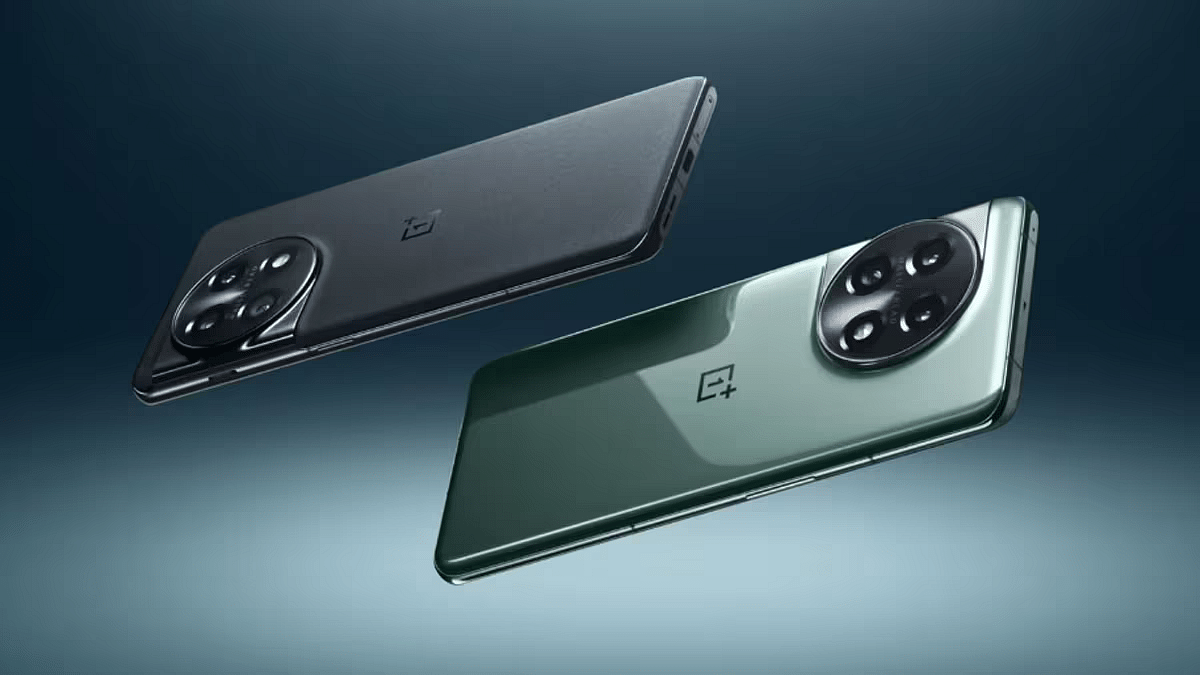
The OnePlus 12 hit the market approximately two months ago and quickly became one of the most desired smartphones out there. Initially, the base model was priced at Rs. 64,999, while the higher-end variant came with a price tag of Rs. 69,999. Now, for the first time ever, the phone is available at a reduced price. If you’ve been eyeing this smartphone for a while, this is your opportunity to snag it. Also Read | Best Smart Phones Under Rs. 25,000

Price Cut On Flipkart

You can now find the OnePlus 12 on Flipkart at a discounted rate of three percent. The new price is Rs. 63,027. Additionally, users with Citi-branded Credit Cards can enjoy up to Rs. 2,000 off on EMI transactions. HSBC credit card holders can also avail a discount of up to Rs. 1,500 on EMI transactions.

OnePlus 12: Specifications

Display6.82-inch ProXDR Display
ProcessorSnapdragon 8 Gen 3
Rear Camera50MP main camera, 48MP wide camera, 64MP telephoto camera with 3X optical zoom, 48MP ultra-wide camera
Front Camera32MP
Battery5,400 mAh
Fast Charging100W SUPERVOOC, 50W AIRVOOC
ColorsFlowy Emerald, Silky Black
Operating SystemOxygenOS with Android 14
Connectivity5G, Wi-Fi 6E, Bluetooth 5.2, NFC
Other FeaturesHaptic motor, Alert Slider, Gesture Controls

The OnePlus 12 boasts a 6.82-inch display, offering sharp visuals and ProXDR Display technology. With a refresh rate of up to 120Hz, the display is further shielded by sturdy Corning Gorilla Glass Victus.

The OnePlus 12 maintains a sleek and comfortable design. Available in Flowy Emerald and Silky Black colors, the phone runs on OxygenOS and comes with Android 14 straight out of the box. Underneath the surface, it’s powered by the Snapdragon 8 Gen 3 processor.

Also Read | Best Gaming Phones Under Rs. 35000

When it comes to battery life, the OnePlus 12 doesn’t disappoint, featuring a 5,400mAh battery that promises to last all day. Moreover, the battery is complemented by 100W SUPERVOOC and 50W AIRVOOC fast charging capabilities. The phone also incorporates a Haptic motor for vibration feedback and various buttons including Gestures, on-screen navigation support, Alert Slider, Power button, and Volume buttons.

In terms of photography, the OnePlus 12 excels with its Hasselblad Camera technology and functionalities like Nightscape and Portrait Mode. The smartphone is equipped with a 50MP main camera, 48MP wide camera, 64MP telephoto camera with 3X optical zoom, 48MP ultra-wide camera, and a 32MP front camera. Additionally, it supports remarkable video recording capabilities, including 8K at 24 fps, 4K at 30/60 fps, and 1080p at 30/60 fps, with Dolby Vision HDR.

Categories
Apps Featured How To

WhatsApp Fake Messages: Don’t Get Tricked! Here’s How To Identify And Avoid Them

Key Highlights

  • Stay cautious of unknown calls and urgent requests on WhatsApp
  • Verify the caller’s identity before disclosing any personal information
  • Activate two-factor authentication and promptly report any suspicious activity

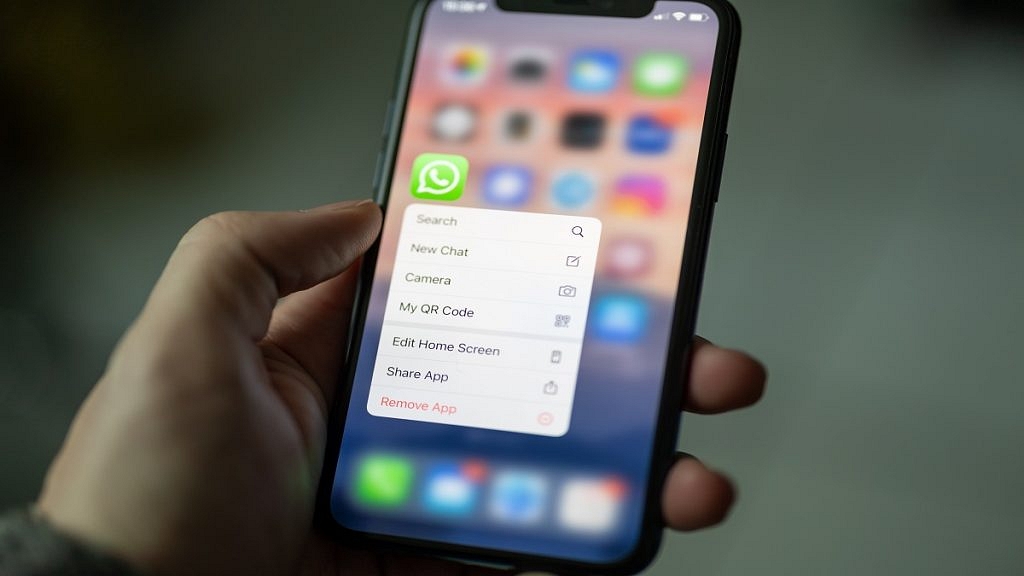
In India, the number of cybercrimes, especially on platforms like WhatsApp, is increasing. Scammers are always finding new ways to trick people, often using WhatsApp calls to get sensitive information like banking details. But there are things you can do to protect yourself from these scams. Also Read | Fed Up With Scam Calls? Here’s How To Use Chakshu Portal For Reporting Fraud

Understanding Scams: What You Need To Know

Scams are illegal schemes where people try to trick you into giving away personal or financial information. It can occur in various settings, and anyone can become a victim. Our goal is to help you recognize and protect yourself from these tricky schemes.

How To Spot WhatsApp Scams

  • Be Careful with Unknown Calls: If you get a call from a number you don’t know on WhatsApp, be extra careful. It’s best to avoid answering if you’re not sure.
  • Verify the Caller: Before sharing any personal info, make sure you know who you’re talking to. Ask questions to confirm their identity.
  • Watch Out for Urgent Requests: Scammers often try to rush you into giving them information by creating a sense of urgency. Don’t fall for it. Take your time and think before you share anything.
  • Avoid Suspicious Links: If someone sends you a link and you don’t know them well, don’t click on it. It might redirect you to a fraudulent website aimed at stealing your information.
  • Use Two-Factor Authentication (2FA): Turning on 2FA adds an extra layer of security to your WhatsApp account. This makes it harder for scammers to hack into your account.

Also Read | Scammed On The Internet? Here’s How To Report Online Scams Via India’s Cyber Crime Portal

What To Do If You Encounter A WhatsApp Scam

  • End the Conversation: If you suspect someone is trying to scam you, stop talking to them immediately. Avoid providing any information or money under any circumstances.
  • Block and Report: Block the person’s number to stop them from contacting you again. You can also report them to WhatsApp so they can take action against the scammer.

By following these simple tips, you can protect yourself from WhatsApp scams and stay safe online. Remember to always be cautious and think twice before sharing any personal information.

Categories
Featured Home Appliances

IPL 2024: Five Must-Have Gadgets For Cricket Fanatics

Key Highlights

  • Elevate your IPL 2024 experience with cutting-edge gadgets
  • From smart TVs to projectors, enjoy cricket like never before
  • Stay connected, cool, and entertained throughout the season

As the Indian Premier League (IPL) returns for another thrilling season of cricketing action with IPL 2024, fans everywhere are gearing up for two months of non-stop excitement. But how can you make your viewing experience even better? The answer lies in technology. Here, we’ve selected five essential gadgets to enhance your cricket experience. Also Read | New Netflix Mobile Games Announced: Shadow And Bones, Money Heist, And More Titles

GadgetPrice
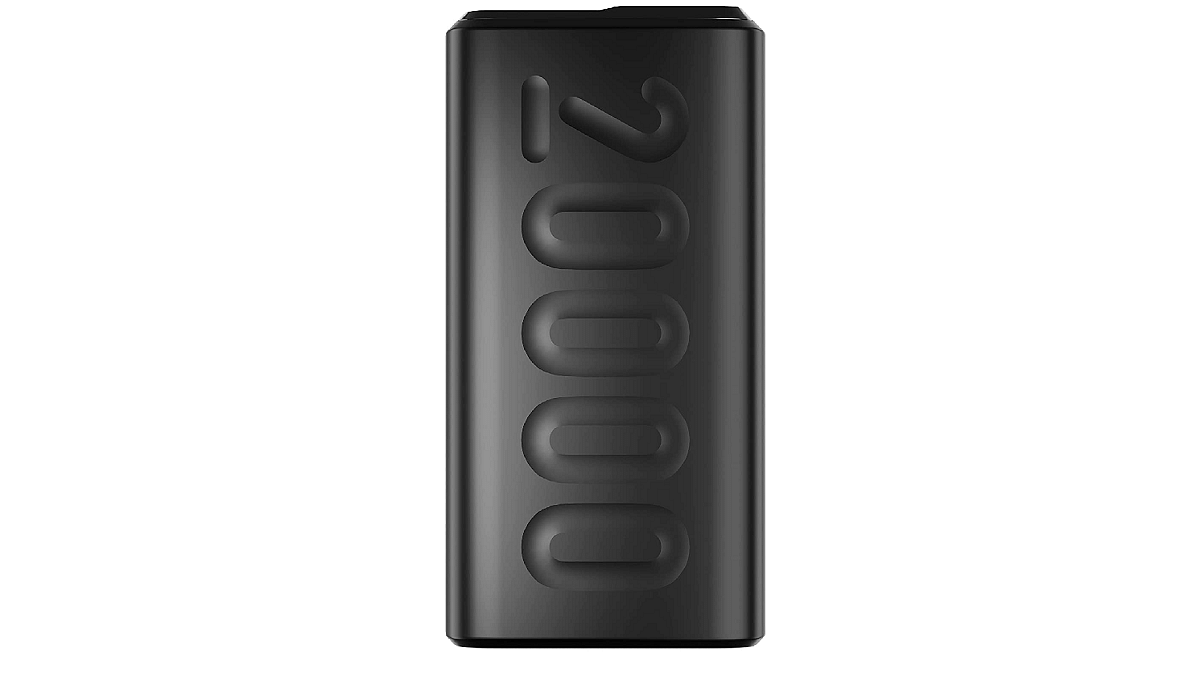
Ambrane 20,000 mAh Mini Power BankRs. 1,999
Philips HD9252/90 Digital Air FryerRs. 8,499
Zebronics PIXAPLAY 22 Smart ProjectorRs. 10,999
Elista EL-SAC18-3INVBP 1.5 Ton Split AC InverterRs. 49,990
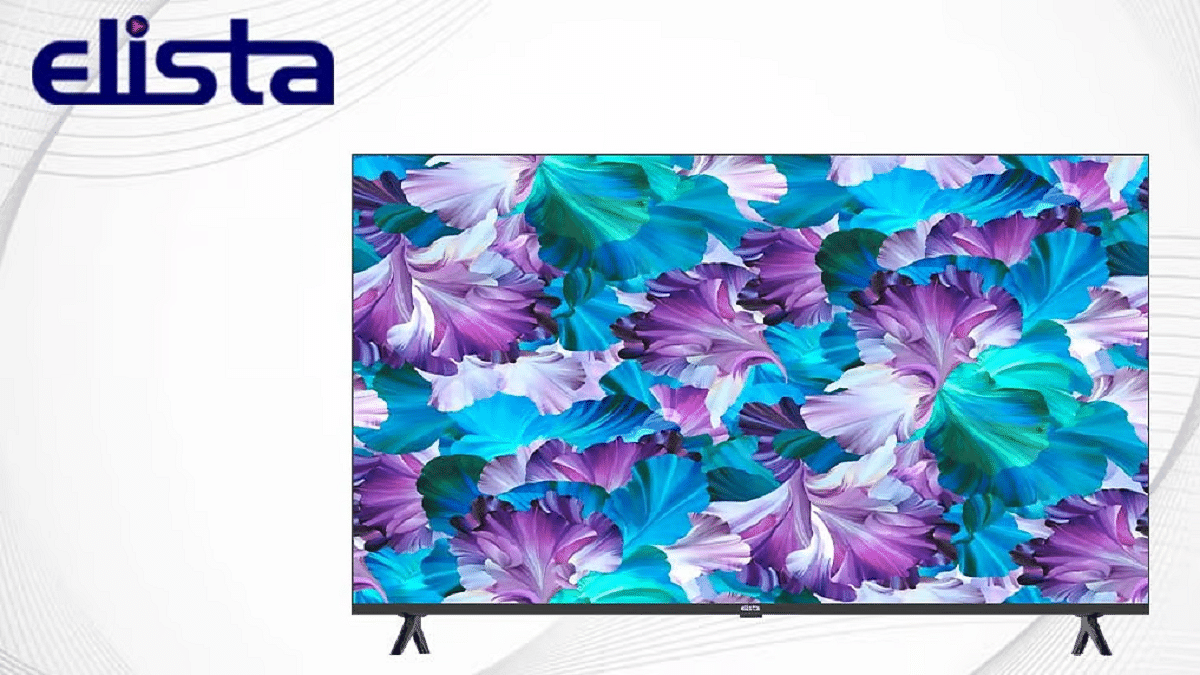
Elista GTV-65UILD Smart TVRs. 62,999

Ambrane 20,000mAh Mini Power Bank

Never miss a moment of the action with the Ambrane 20,000mAh Mini Power Bank. This is a reliable power bank that ensures your device stays charged. It supports fast-charging technology and offering triple output options for added convenience.

Philips HD9252/90 Digital Air Fryer

Make your cricket viewing experience even more enjoyable with the Philips HD9252/90 Digital Air Fryer. This air fryer lets you enjoy tasty, healthier snacks with up to 90 percentage less fat, perfect for munching on during those nail-biting matches.

ZEBRONICS PIXAPLAY 22, Smart Projector

Turn any wall into a 160-inch screen with the Zebronics PIXAPLAY 22 Smart Projector. This budget-friendly projector offers crisp image quality and multiple connectivity options, allowing you to enjoy IPL 2024 on the big screen from the comfort of your home.

Also Read | IPL 2024 Live Matches Streaming Free On JioCinema: Here’s How To Watch

Elista EL-SAC18-3INVBP 1.5 Ton Split AC Inverter Air Conditioner

Combat the summer heat and enjoy IPL 2024 in cool comfort with the Elista EL-SAC18-3INVBP 1.5 Ton Split AC Inverter Air Conditioner. With its Turbo Cool Power Chill mode and advanced cooling technology, this AC guarantees a pleasant viewing experience. It’s a must-have for cricket enthusiasts.

Elista GTV-65UILD Smart TV

The Elista GTV-65UILD Smart TV is here to revolutionize your living room experience. With its 65-inch UHD bezel-less display and Dolby Audio enabled powerful audio system, you’ll feel like you’re right in the stadium. This smart TV offers the latest connectivity options and runs on the user-friendly Google TV OS.

With these must-have gadgets by your side, get ready to elevate your IPL 2024 experience to new heights of excitement and entertainment.

Categories
Accessories Featured

Click Like A Pro: Learn Seven Crucial Smartphone Camera Tips And Tricks

Key Highlights

  • Keep your smartphone lens clean for clearer photos
  • Opt for natural light to avoid harsh shadows and overexposure
  • Experiment with various angles for more dynamic photos

In the era of smartphones, our trusty devices aren’t just for making calls and sending texts anymore. They’ve become our all-in-one gadgets for capturing life’s precious moments. But are you making the most out of your smartphone camera? Here are some simple tips and tricks to help you become a pro at capturing stunning photos with your smartphone. Also Read | Love Capturing Moments? Check Out The Best Camera Phones Under Rs. 15,000

Clean Your Lens Regularly

Before you start snapping away, take a moment to clean your smartphone lens. It’s easy for dust, fingerprints, and smudges to accumulate, which can affect the clarity of your photos. Just a quick wipe with a soft cloth can make a world of difference in the quality of your shots.

Understand Your Camera Settings

Most smartphones come with a variety of camera settings that allow you to customize your shots. Take some time to familiarize yourself with these settings, such as exposure, white balance, and ISO. Experimenting with these settings can help you achieve the perfect shot, whether you’re capturing a bright sunny day or a dimly lit room.

Use Gridlines For Composition

Composition plays a crucial role in photography, and your smartphone’s gridlines can help you achieve well-balanced shots. Enable the gridlines in your camera settings, and use the rule of thirds to frame your subject. Placing your subject off-center can add visual interest and make your photos more dynamic.

Take Advantage Of Natural Light

When it comes to photography, lighting is key. Whenever possible, try to shoot in natural light to avoid harsh shadows and overexposure. If you’re indoors, position yourself near a window or doorway to let in as much natural light as possible. Avoid using the flash unless absolutely necessary, as it can often result in unnatural-looking photos.

Also Read | iPhone Tips & Tricks: Here’s How You Can Measure Height Using An iPhone Camera

Experiment With Different Angles

Don’t be afraid to get creative with your shots by experimenting with different angles and perspectives. Try shooting from high above or down low to give your photos a unique look. Changing your perspective can add depth and dimension to your images, making them more visually appealing.

Edit Wisely

While it’s tempting to apply every filter and editing tool available, less is often more when it comes to editing your photos. Instead of relying heavily on filters, focus on enhancing the natural beauty of your shots. Simple adjustments like brightness, contrast, and saturation can make a big difference without sacrificing the authenticity of your photos.

Practice, Practice, Practice

Like any skill, mastering smartphone photography takes practice. Take every opportunity to snap photos and experiment with different techniques. Do not get discouraged if your photos don’t turn out perfectly at first. With time and patience, you’ll improve your skills and capture moments worth cherishing.

Conclusion

By following these simple tips and tricks, you can take your smartphone photography to the next level. Whether you’re capturing everyday moments or special occasions, mastering your smartphone camera will allow you to preserve memories that will last a lifetime.

Also Read | Best Camera Phones Under Rs. 6,000