Say hello to Shweta, a tech fan who's hooked on keeping up with all things tech. When she's not exploring the latest gadgets, she's diving into a good book, clicking photos as an amateur photographer, or enjoying classic movies and music. With her love for both tech and creativity, Shweta adds her own touch to tech news in a way that's easy to understand and enjoy.
Strong passwords protect against unauthorized access and data breaches
It safeguards personal information and sensitive data
It ensures confidence in online interactions and transactions
In today’s digital age, keeping your online accounts safe is more important than ever. With cyber threats lurking around every corner, one of the simplest yet most effective ways to protect yourself is by using strong passwords. However, many people struggle with creating and remembering complex passwords. Fortunately, there are some easy strategies you can employ to strengthen your passwords and keep your accounts secure. Also Read | Step Into Safety: Learn How To Change Your UPI PIN On Google Pay And PhonePe
Why Strong Passwords Matter?
Before diving into how to create and remember strong passwords, it’s essential to understand why they are crucial. Weak passwords serve as an open door for hackers, facilitating unauthorized access to your accounts. Strong passwords, on the other hand, act as a robust barrier, significantly reducing the risk of security breaches.
Tips For Creating Strong Passwords
Length Matters: Opt for passwords with a minimum of 12 characters as longer passwords pose greater difficulty for hackers to decipher.
Mix it Up: Incorporate a variety of uppercase and lowercase letters, numbers, and special characters (! @, #, etc.) for added complexity and security. This mix adds complexity and makes your password more secure.
Avoid Common Words and Patterns: Steer clear of using easily guessable passwords like “password” or sequences like “123456.” Hackers often use automated tools that can quickly crack these types of passwords.
Unique Passwords for Each Account: While it might be tempting to use the same password for multiple accounts, resist the urge. If one account is breached, it can jeopardize the security of your other accounts. Employing unique passwords for each account strengthens overall security.
Creating strong passwords is only half the battle; remembering them is equally important. Here are some tips to help you manage your passwords effectively:
Use Mnemonics: Create a memorable phrase or sentence and use the first letter of each word to form your password. For example, “I love hiking in the mountains” could become “Ilh1nth3m!”
Password Managers: Consider using a password manager tool that securely stores all your passwords in one encrypted location. Password managers not only generate strong passwords for you but also autofill them when needed.
Write Them Down Securely: If you prefer a more traditional approach, write your passwords down on a piece of paper and store it in a secure location, such as a locked drawer or a safe.
Regularly Update Your Passwords: Make it a habit to update your passwords periodically, ideally every few months. This practice enhances security and lowers the likelihood of password compromise.
Conclusion
Effective password management is essential for safeguarding your online accounts from cyber threats. By following these simple tips for creating and remembering strong passwords, you can significantly enhance your digital security and enjoy peace of mind knowing your personal information is protected.
BGMI 3.1 update offers new maps and modes for improved gaming
WoW mode introduces smaller maps and unique rules for players
Collaboration with Bentley adds luxury cars to the game
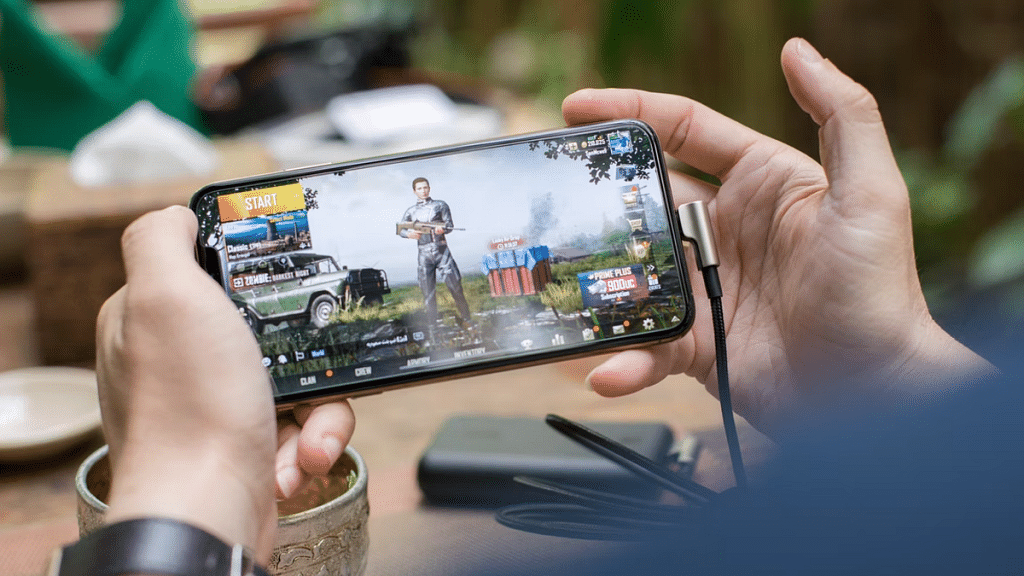
Krafton has finally released the long-awaited BGMI 3.1 update, bringing new excitement to players tired of the same old maps. The update introduces the WoW (World of Wonder) mode, offering a variety of new maps for an enhanced gaming experience. These maps are smaller and come with different rules compared to the existing ones. Krafton is confident that players will enjoy this upgrade. Also Read | BGMI Hacks For Beginners: Best PUBG Tips Every Newbie Should Know
BGMI 3.1 Update Now Available For Android And iOS
The BGMI 3.1 update is now rolling out for Android and iOS devices. This update introduces six new maps through the WoW mode, with two more coming soon. Here’s what’s on offer:
Ninja Race: A fast-paced map where players must demonstrate quick reflexes to emerge victorious.
Dinosaurs vs Motorcycles (Solo Mode): Engage in a thrilling solo battle between dinosaurs and motorbikes.
The Fun Run (Solo Mode): Navigate through a challenging obstacle course within a time limit to win the match.
Jump, Bro Jump! (Solo Mode): Be the first to safely land on the ground in this mode, while dealing with melee weapons for an added challenge.
Daredevil Stunt Rider: Master your motorbike skills atop a towering structure.
Airdrop Wars: Engage in intense battles with unlimited airdrops, requiring quick elimination of rivals to emerge as the winner.
Two additional maps, Giant Duck Wars (Solo Mode) and Battleship (6v6), will be added later.
The BGMI 3.1 update also introduces a new theme mode called Skyhigh Spectacle, inspired by Aladdin’s world. Players will search for a magical lamp, uncover treasures, and conquer Sky Castle in both day and night versions. Additionally, players can utilize teleports and Magic Carpets for enhanced mobility.
Furthermore, the update features a collaboration with Bentley, offering players access to multiple Bentley cars. Players will need to unlock their preferred cars.
Important Note For Users
However, it’s important to note that with this update, some Android and iPhone users won’t be able to play the game anymore. Krafton is ending support for Android phones running Android 4.4 or below and iPhones running iOS 10 or below.
The 16th edition of the Indian Premier League (IPL) is currently going on, presenting an exciting clash among ten teams vying for the championship. Each team will face off twice in a round-robin format, with the top four advancing to the playoffs. The opening match between Chennai Super Kings and Royal Challengers Bangalore set the tone for the tournament. Also Read | Best Action Games For Android
Free Live Streaming: IPL 2024 On Mobile And TV
Wondering how to catch all the action without spending a penny? You’re in luck! IPL 2024 is available for free streaming on JioCinema. Viacom 18 has secured the digital rights for the Indian subcontinent, allowing cricket enthusiasts to watch matches on their mobile phones and Smart TVs at no cost. Additionally, Star Sports will broadcast the IPL matches on television.
How To Watch IPL 2024 On JioCinema
Watching IPL 2024 on JioCinema is simple. Here’s how to get started:
Download JioCinema App: Head to the Google Play Store or Apple App Store on your mobile device.
Search for JioCinema: Look for the JioCinema app and download it.
Installation: Install the app on your Android or iOS device.
Access IPL Matches: Once installed, open the app and tap on the IPL banner to start streaming the matches for free.
To enjoy uninterrupted IPL streaming, consider these prepaid plans from Reliance Jio:
Rs. 219 Plan: 14 days validity, 3GB/day data, unlimited voice calls, 100 SMS/day, Jio app suite subscription.
Rs. 399 Plan: 28 days validity, 3GB/day data, unlimited voice calls, 100 SMS/day, Jio app suite subscription.
Rs. 749 Plan: 90 days validity, 2GB/day data, unlimited voice calls, 100 SMS/day, Jio app suite subscription.
Rs. 999 Plan: 84 days validity, 3GB/day data, unlimited voice calls, 100 SMS/day, Jio app suite subscription.
Rs. 1,499 Plan: 84 days validity, 3GB/day data, Netflix Basic subscription, Jio app suite subscription.
With these plans, you can enjoy IPL 2024 matches without worrying about data limits. So, get ready to witness cricketing brilliance and cheer for your favorite teams as they battle it out for glory!
Apple’s WWDC 2024 returns in June, focusing on AI for iPhone software
Possible partnerships with Google, OpenAI, and Baidu
New software updates expected for iPad, Mac, Apple Watch, and Apple TV, plus news on the Vision Pro headset
Apple’s annual Worldwide Developers Conference, known as WWDC, is back again this June. It is scheduled to start with its keynote presentation on June 10 and continue through June 14. WWDC is one of Apple’s major events where they show off their new technologies. Usually, they talk about new software for their devices and sometimes even new hardware. This time, they might be focusing on improving the iPhone with artificial intelligence, or AI. Here’s all about the upcoming event. Also Read | Rice Isn’t Nice: Here’s Apple’s Preferred Method For Wet iPhone Recovery
What’s New For WWDC 2024?
Every year, WWDC is a big deal for developers who come to see what’s new with Apple products. This year, Apple is catching up with rivals like Google and Samsung by finally talking about AI. It’s expected that AI will come to the iPhone and iPad software later this year. Apple has been training its AI models and might even partner with other companies like Google, OpenAI, and Baidu to use their AI resources.
A Big Focus On AI
Reports suggest that Apple might open up its ecosystem to AI developers. This means people outside of Apple could come up with new ways to use AI in iPhone software. Apple has been working on its AI for a while, but now they might go all out with AI features at this year’s WWDC. They want to show off why their AI is better than what Samsung and Google offer. Even though Apple’s latest MacBook Air M3 doesn’t have AI in its apps, Apple calls it “the world’s best consumer laptop for AI.”
Along with AI, Apple will probably announce new versions of software for iPad, Mac, Apple Watch, and Apple TV. They might also talk about software for their new Vision Pro mixed-reality headset.
Testing starts in the UK, merging with music/podcasts
Spotify, known for its music and podcasts, is now venturing into education. This move aims to transform Spotify from solely a music platform to a destination for learning as well. Let’s explore how this transformation is taking shape. Also Read | Want To Download Songs On Spotify For Offline Playback? Here’s How
Partnerships For Educational Content
To kickstart this educational journey, Spotify has teamed up with educational technology companies like BBC Maestro, PLAYvirtuoso, Skillshare, and Thinkific. Together, they aim to deliver video-based courses directly to Spotify users.
Initial Testing In The UK
Initially, Spotify is testing these video-based courses in the UK. This means users in the UK will be among the first to access and experience this new educational content.
Users will discover these video courses alongside their favorite music, podcasts, and audiobooks, seamlessly integrating learning into their Spotify experience.
Diverse Content Themes
Spotify’s educational content will cover a wide array of topics, grouped into four main themes: making music, fostering creativity, business skills, and promoting healthy living.
Spotify’s Vision
Babar Zafar, Spotify’s VP of Product Development, expressed the company’s commitment to exploring new offerings for both creators and users. They aim to leverage their expertise in personalizing music and podcasts to enhance the potential of video-based learning.
Expanding Creator Opportunities
Spotify sees video-based courses as an opportunity to introduce educational creators to a new audience while enriching its own content library.
User Engagement, Premium Benefits
About half of Spotify Premium subscribers have already shown interest in education or self-help-themed podcasts. To encourage engagement, both Free users and Premium subscribers in the UK can access at least two lessons per course for free before deciding to purchase additional content.
Conclusion
Spotify’s foray into education marks an exciting evolution for the platform. By offering diverse educational content alongside its music and podcasts, Spotify aims to become a comprehensive destination for both entertainment and learning.
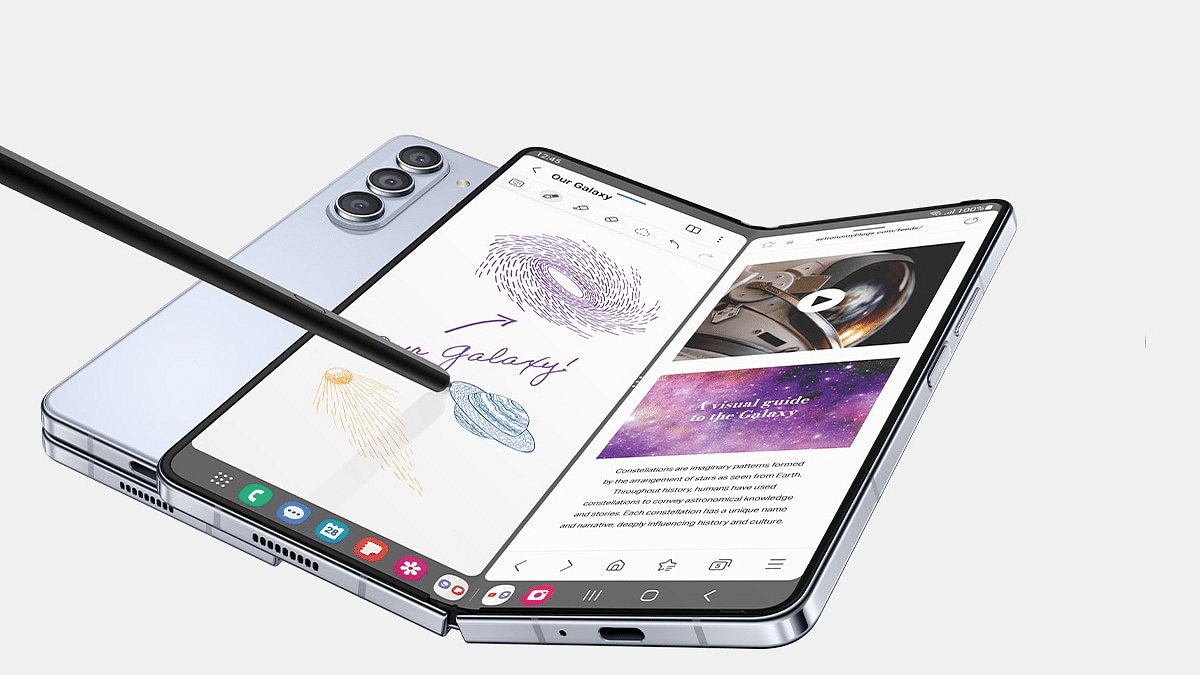
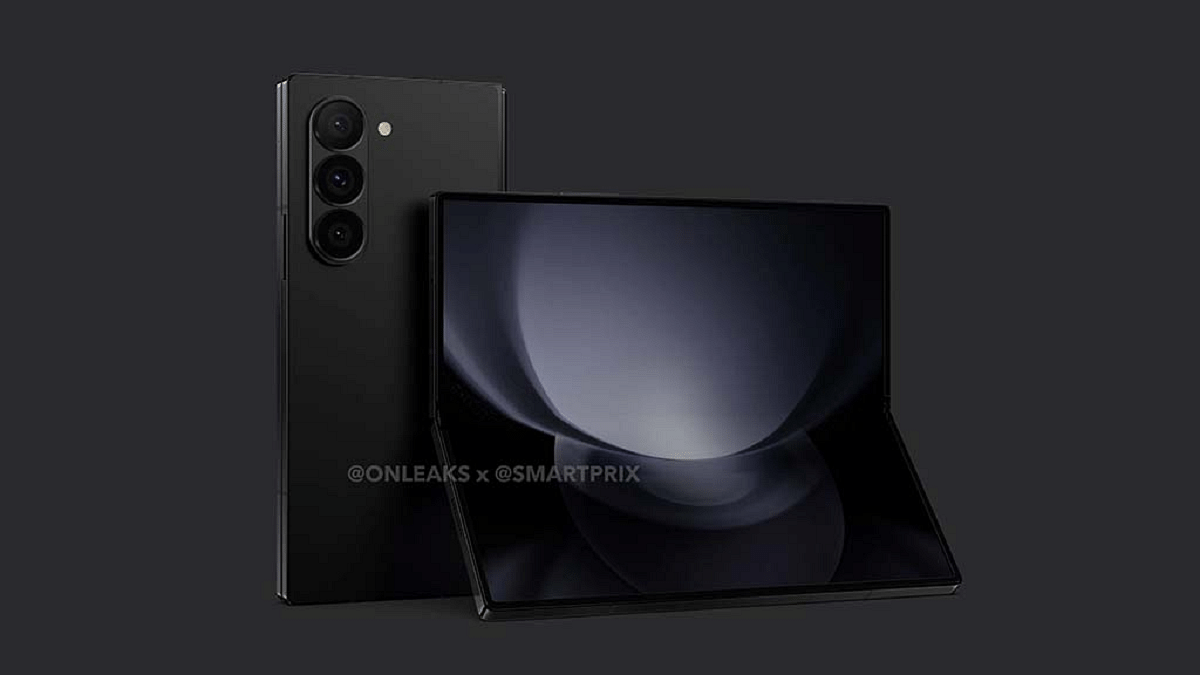
Recent reports suggest that Samsung might surprise us with not just one, but two smartphones in the Z Fold 6 series: a standard Galaxy Z Fold 6 and an Ultra model. This anticipation has kept tech enthusiasts on the edge of their seats, eager to see what Samsung has in store for its loyal customers.
Tipster Drops A Bombshell
A renowned tipster, Revegnus, shared a bombshell revelation on social media platform X (formerly Twitter). According to the tipster, the Samsung Galaxy Z Fold 6 is set to revolutionize the industry with its titanium frame. Although the original post by the tipster is no longer available, reports from Gizmochina confirm the news.
The Power Of Titanium
Why is titanium such a big deal? Well, for starters, it’s incredibly strong yet lightweight. This means the Galaxy Z Fold 6 could offer both durability and a luxurious feel without compromising on weight. Furthermore, titanium’s resistance to scratches and dents could make the device even more robust, ensuring it stands the test of time.
Aside from the titanium frame, rumors are swirling about other exciting features of the Galaxy Z Fold 6. It’s expected to pack a punch with the Snapdragon 8 Gen 3 processor, along with enhancements like improved cooling, a redesigned hinge for smoother folding, fortified Gorilla Glass Armor, and a long-lasting 4,600mAh battery. Plus, brace yourselves for a sleek new boxy design that’s sure to turn heads.
Bigger And Better Displays
Display analyst Ross Young dropped another bombshell, suggesting that the Galaxy Z Fold 6 and Galaxy Z Flip 6 might boast even larger displays than their predecessors. This means more screen real estate for all your multitasking needs.
Expected Release Date
When can we get our hands on the Galaxy Z Fold 6? While nothing is set in stone, speculation is rife that both the Galaxy Z Fold 6 and its sibling, the Galaxy Z Flip 6, could hit the shelves around mid-July 2024. Keep your calendars marked for what could be a monumental moment in smartphone history.
Conclusion
As anticipation builds for the Samsung Galaxy Z Fold 6, one thing is clear: Samsung is gearing up to redefine the foldable smartphone landscape once again. With its titanium frame and a slew of other innovative features, the Galaxy Z Fold 6 promises to be a game-changer in the world of mobile technology.
Use protective cases or covers to shield devices from color splashes
Apply screen protectors for an extra barrier against stains and scratches
Clean devices immediately post-color exposure with a soft, dry cloth
Holi, the vibrant festival of colors, brings joy and excitement to everyone. However, amidst the fun and frolic, it’s crucial to ensure that our beloved devices stay protected from the colorful mayhem. Here are some simple tech tips to help you clean and safeguard your devices from Holi colors.
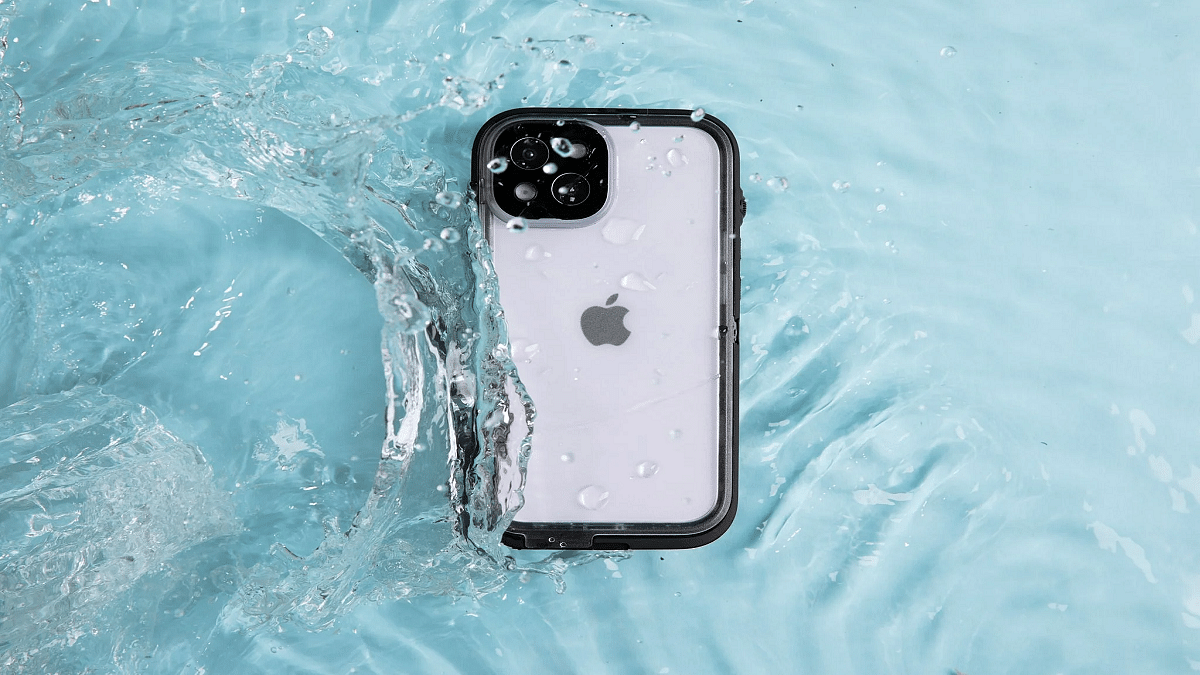
Before the Holi festivities begin, take proactive steps to safeguard your devices. Invest in protective sealed pouch dry bag cell phone case to shield them from accidental color splashes. Additionally, store your gadgets in a safe place to prevent direct exposure to colors.
2. Screen Protectors For Added Protection
Apply screen protectors on your smartphones and tablets to create an extra barrier against liquid and color damage. These thin layers act as shields for your device’s display, keeping it safe from unwanted stains and scratches during Holi celebrations.
3. Opt For Waterproof Cases
Consider using waterproof cases for your devices if you anticipate being around water and colors. These cases provide an additional layer of protection, ensuring your gadgets remain unharmed even in the midst of vibrant Holi celebrations.
If your device does come into contact with Holi colors, take immediate action to minimize damage. Turn off the device and gently wipe off excess color with a soft, dry cloth. Avoid using water or harsh cleaning solutions directly on the device to prevent further harm.
5. Allow Sufficient Drying Time
After cleaning your devices, allow them sufficient time to dry thoroughly before powering them on. Avoid rushing this process, as moisture trapped within the device can lead to corrosion and other internal damages.
Conclusion
By following these five tech tips, you can enjoy the colorful spirit of Holi while ensuring the safety and longevity of your beloved devices. With a little precaution and care, you can celebrate worry-free knowing that your gadgets are well-protected from the colorful chaos of Holi.
For the tech geeks, stay updated with the latest cutting-edge gadgets in the market, exclusive tech updates, gadget reviews, and more right on your phone’s screen. Join Giznext’s WhatsApp channel and receive the industry-first tech updates.
Supported phones: iPhones, Samsung Galaxy, Google Pixel, and more
Simple activation process for enhanced security and flexibility
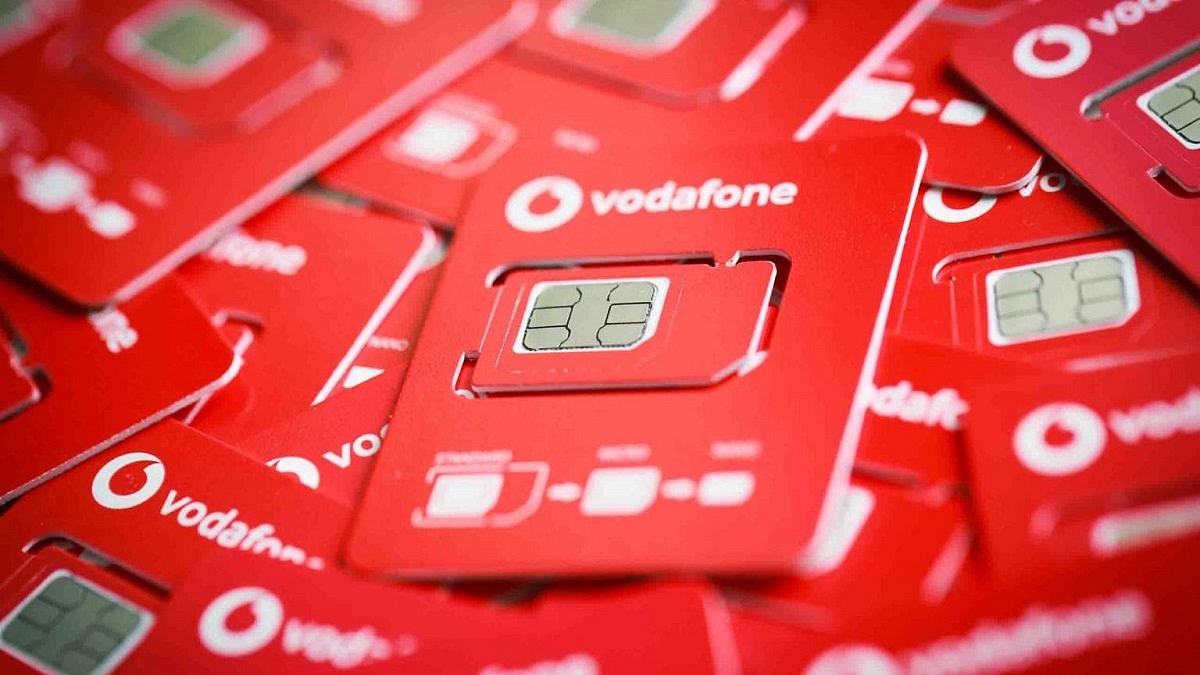
Vodafone Idea, known as Vi, has launched its electronic SIM (eSIM) service in New Delhi. This service was already up and running in Maharashtra (including Mumbai) and Goa. Now, prepaid users of Vi in the capital of India can also experience the convenience of an eSIM. Here’s all you need to know. Also Read | Want To Port Your Vodafone Number To Jio? Here’s How To Do It
Vi eSIM: Benefits
Simplified activation process, especially for existing customers
Enhanced security and safety of the SIM and your data
Easy device switching
Dual-SIM capability in certain devices
Environmentally friendly compared to physical SIM cards.
Vi eSIM: Supported Phones
If you own one of the following phones, you’re good to go:
Apple: iPhone XR and above
Google: Pixel 3 and above
Motorola: Razr, Next Generation Razr, Edge 40
Nokia: G60, X30
Samsung: Galaxy Fold, Galaxy Note 20, Galaxy Note 20 Ultra, Galaxy S21, Galaxy Z Flip, Galaxy Z Fold 2, and more
Step 1: Make sure your email ID is registered with Vi. If not, send ‘Email <space> Your Email ID’ to 199. You can proceed with the eSIM process after 48 hours.
Step 2: Send a message with ‘eSIM <space> your registered email ID’ to 199 to initiate the switch.
Step 3: You’ll receive a confirmation message. Respond with ‘ESIMY’ within a 15-minute window to confirm your interest.
Step 4: You’ll also receive a message asking for consent over a call.
Step 5: Once approved, you will receive a QR Code sent to your registered email ID. Scan it through your phone Settings.
Step 6: Follow the activation steps provided for your specific device. The QR code remains valid for one device for a period of seven days.
Step 7: You can rename the data plan label for the secondary SIM if you wish. Otherwise, proceed to the next step.
Step 8: Choose the default line (Primary/Secondary) for this number and then tap “Done”.
Step 9: Your eSIM will be active within 30 minutes.
How To Activate Vi eSIM For New Customers
If you’re a new customer:
Step 1: Head to the nearest Vi store to request a new prepaid eSIM.
Step 2: Provide a copy of your Aadhaar Card or another ID proof when asked by the store representative. Or, complete the Vi eSIM activation process through the official Vi website.
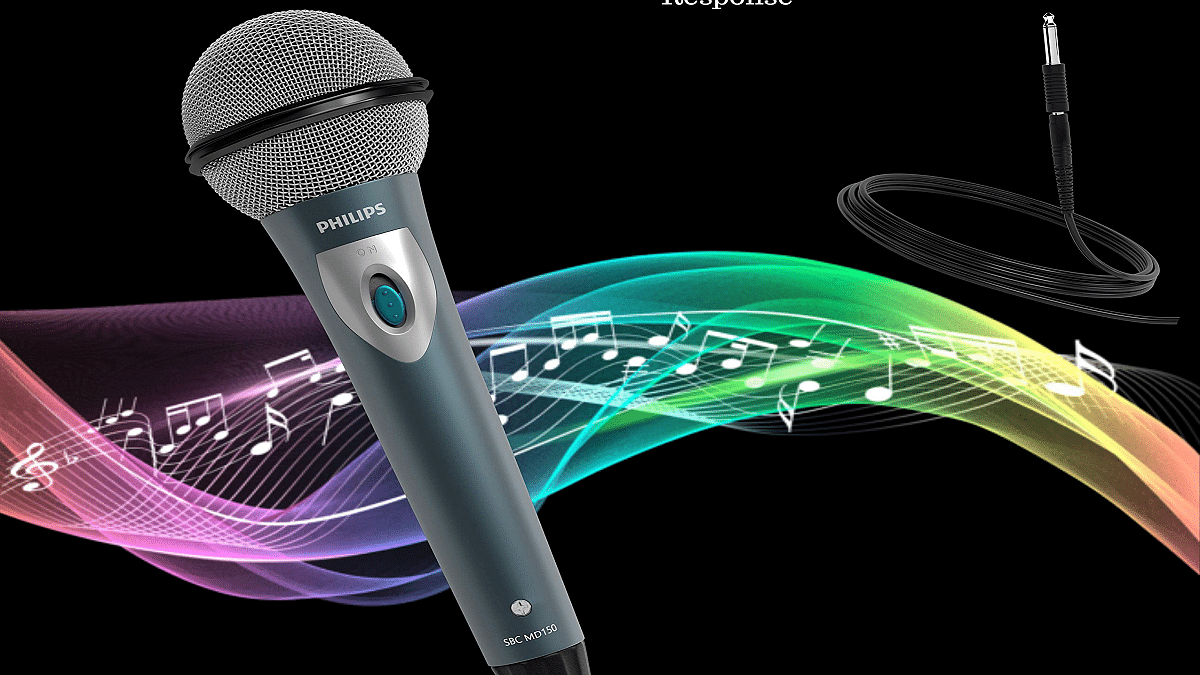
Receive a free microphone with select party speakers
Act fast, offer ends March 25, 2024
Holi, the festival of colors, is approaching fast, and what better way to celebrate than with some fantastic deals on Philips Home Audio Range. TPV Technology is offering a special ‘Free Mic offer’ on selected Philips Audio products to add more melody to your festivities. This offer is available from today until March 25, 2024, ensuring you have plenty of time to grab your favorite speakers and enhance your Holi celebrations. Also Read | Just Corseca Sushi Albatross Bluetooth Speaker Review: Is It The Ultimate Party Companion?
Claim Your Free Mic
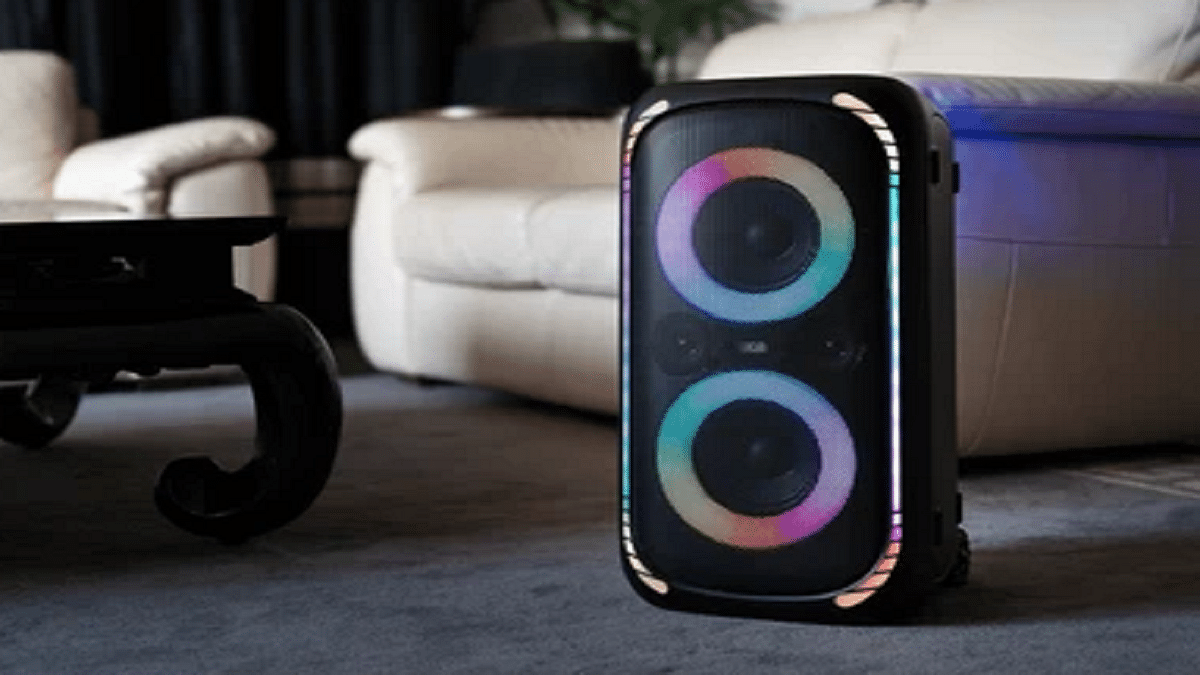
With this special promotion, customers purchasing Philips Party Speakers like TAX5708, TAX5206, or TAX3206 can receive a complimentary wired microphone. Adding this mic to your setup will not only elevate your audio experience but also bring more value to your entertainment arrangements. Getting your free microphone is easy:
Send Your Purchase Details: Email a copy of your purchase invoice along with the product’s serial number to philipsmarketing@tpv-tech.com or via WhatsApp to 9560119945
Provide Your Address: Ensure to provide complete address details for the courier delivery of your free microphone
Get In Touch: For any inquiries, feel free to reach out to 1800 425 6396.
Finance Options
In addition to the ‘Free Mic offer’, customers can also enjoy attractive finance options:
0 Down Payment, 1 EMI Free: Available offline on select models
Credit Card and EMI Options: Available for select models on Amazon
Remember, this offer is only valid from March 15 to March 25, 2024. So, hurry up and grab your favorite Philips Party Speaker to make your Holi celebrations even more melodious and vibrant.
Conclusion
As you prepare to celebrate the festival of colors, don’t miss out on the opportunity to elevate your festivities with Philips Home Audio Range. Avail of the ‘Free Mic offer’ and explore exciting finance options to make your Holi celebrations truly unforgettable. Hurry, the offer ends soon.
Your lounge, kitchen, or your favorite spot in the park, anywhere you go, music can make it better. And when it comes to portable sound, we’ve got just the thing – the newly launched Albatros Sushi Bluetooth Speaker from Just Corseca. Picture this: 20 watts of pure audio awesomeness packed into a sleek, portable package. But wait, there’s more. This bad boy doesn’t just stop at Bluetooth – it’s a connectivity chameleon, with USB, AUX, FM, and TF card support. Oh, and did I mention the RGB lights? Yep, this speaker isn’t just about sound; it’s a visual fiesta too. Stick around as we dive deep into whether this speaker is the ultimate party companion or just another gadget gathering dust. Let’s roll! Also Read | Mivi Fort S24 Soundbar Review: Portable And Affordable
Pros
Cons
Multiple Connectivity
Limited Range for Wireless Connectivity
Compact and Portable
Average FM radio reception
Rich Sound Quality
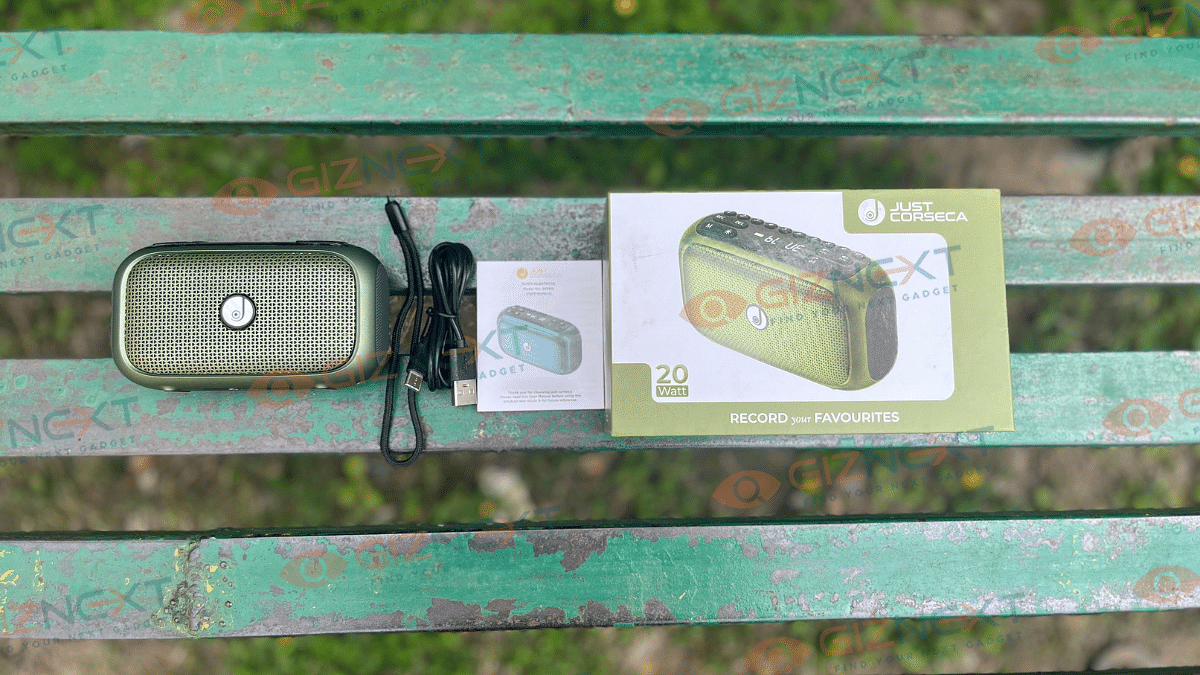
Unboxing The Sushi Albatross: What’s Inside?
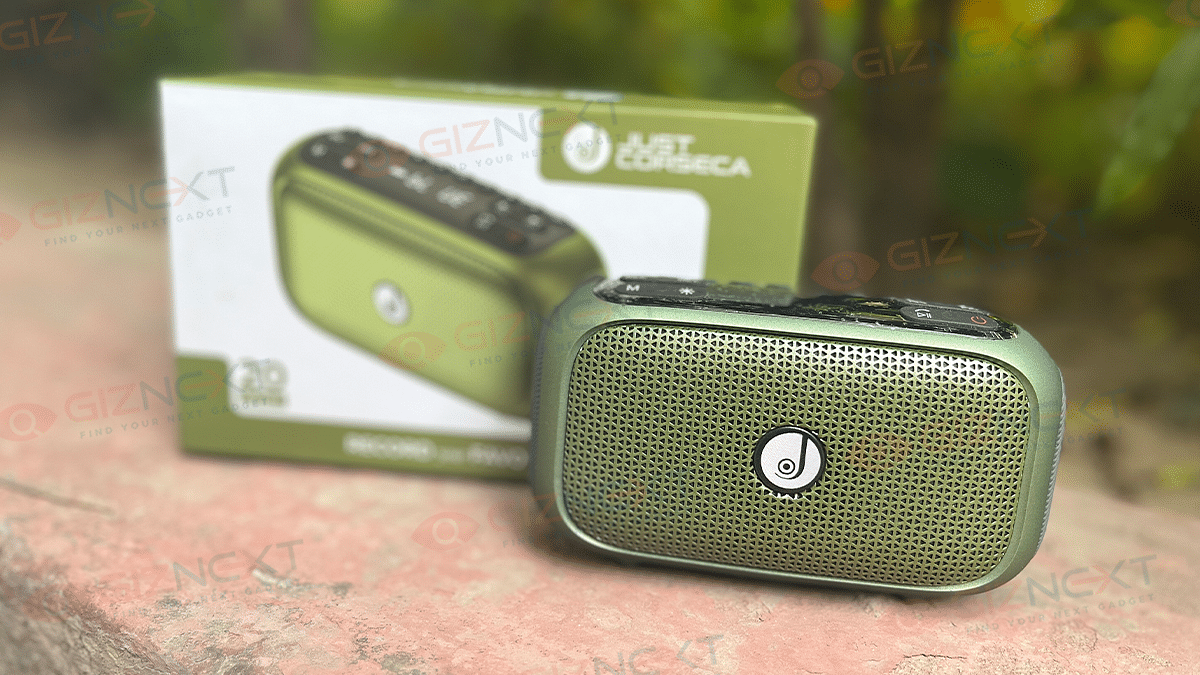
Sushi Albatross Bluetooth Speaker (Green)
String
Charging Cable
User Manual
Design: Stylish Build
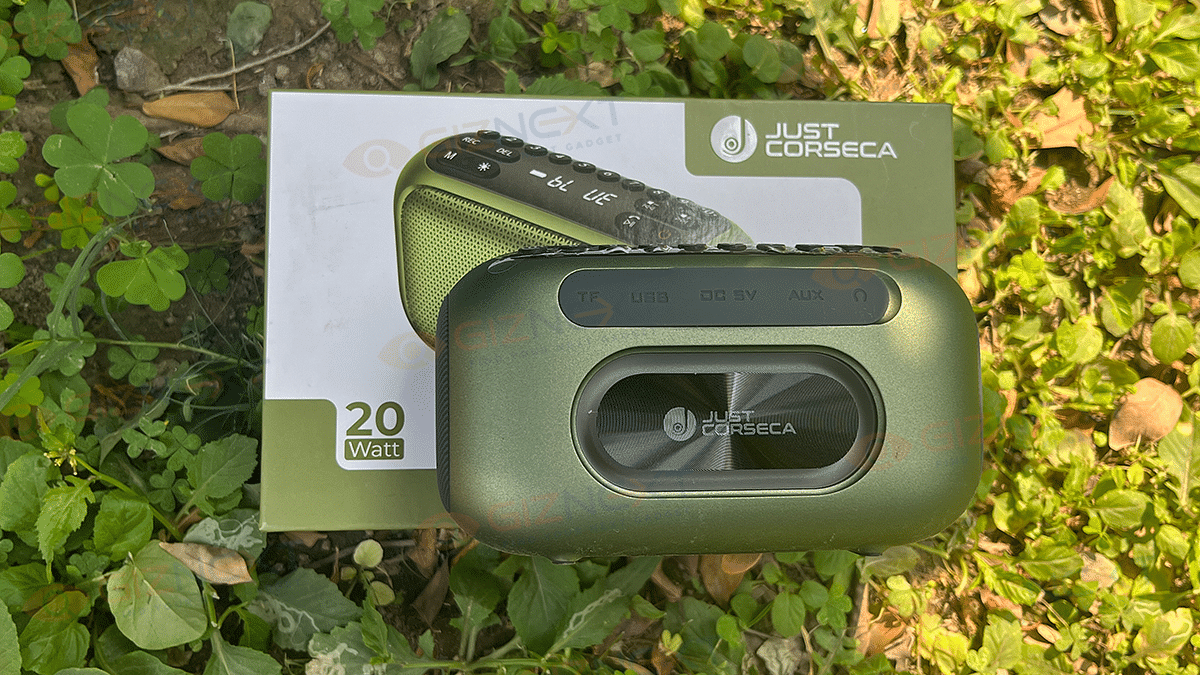
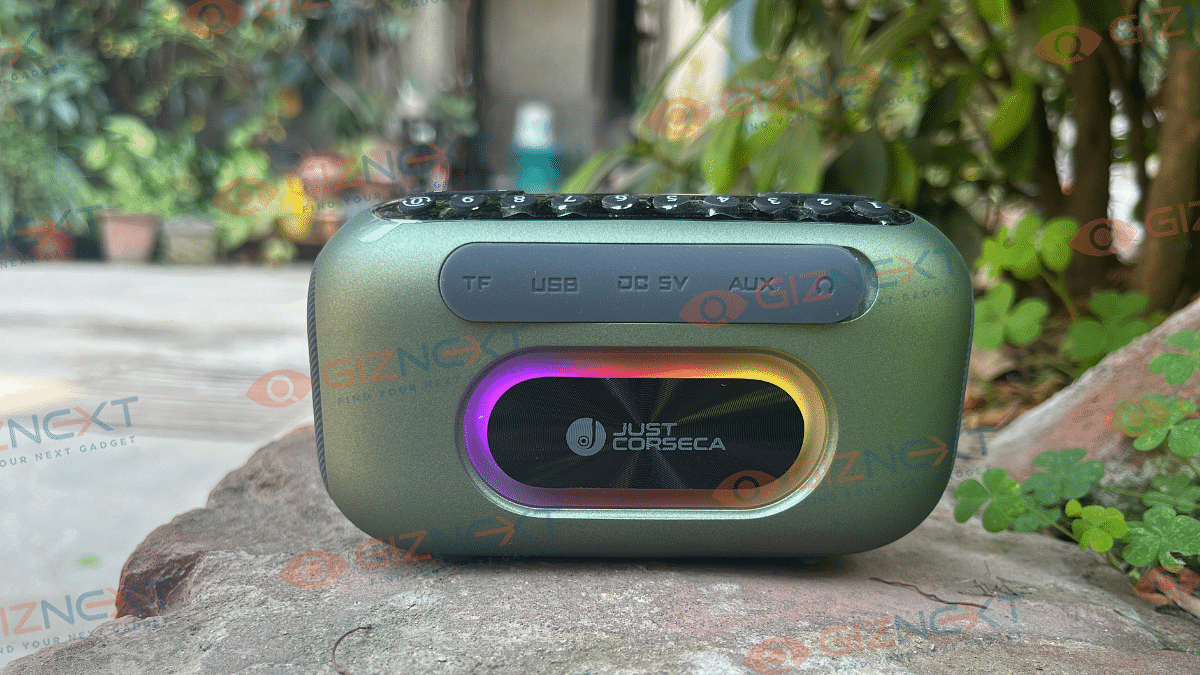
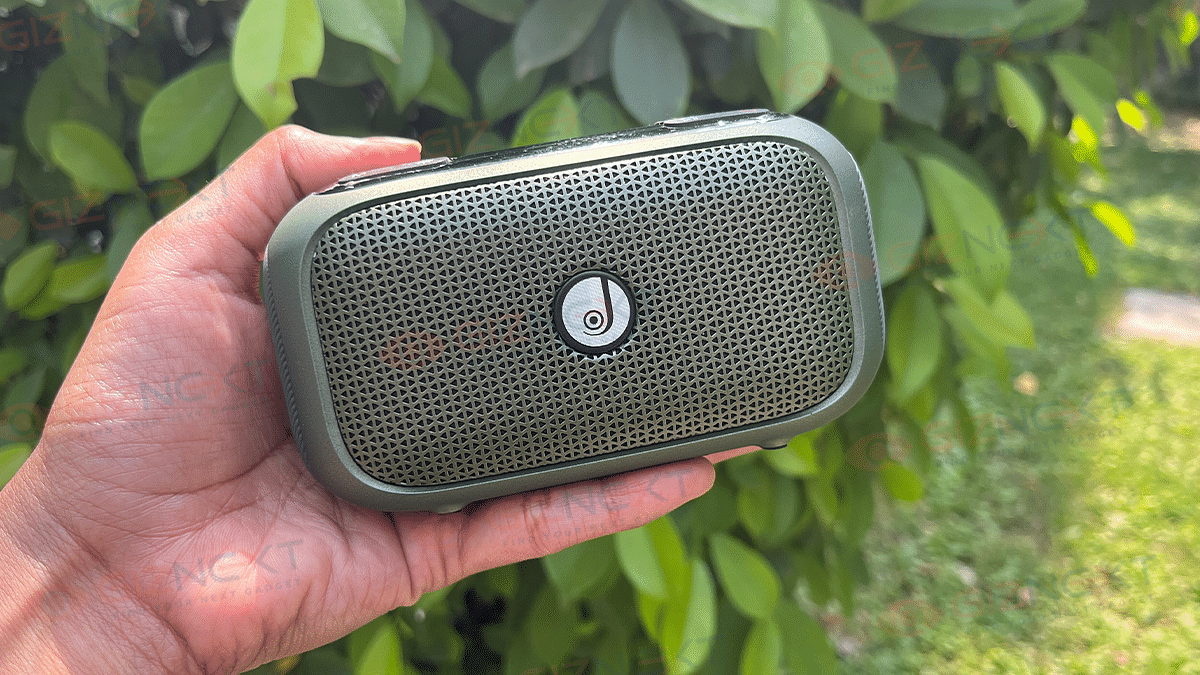
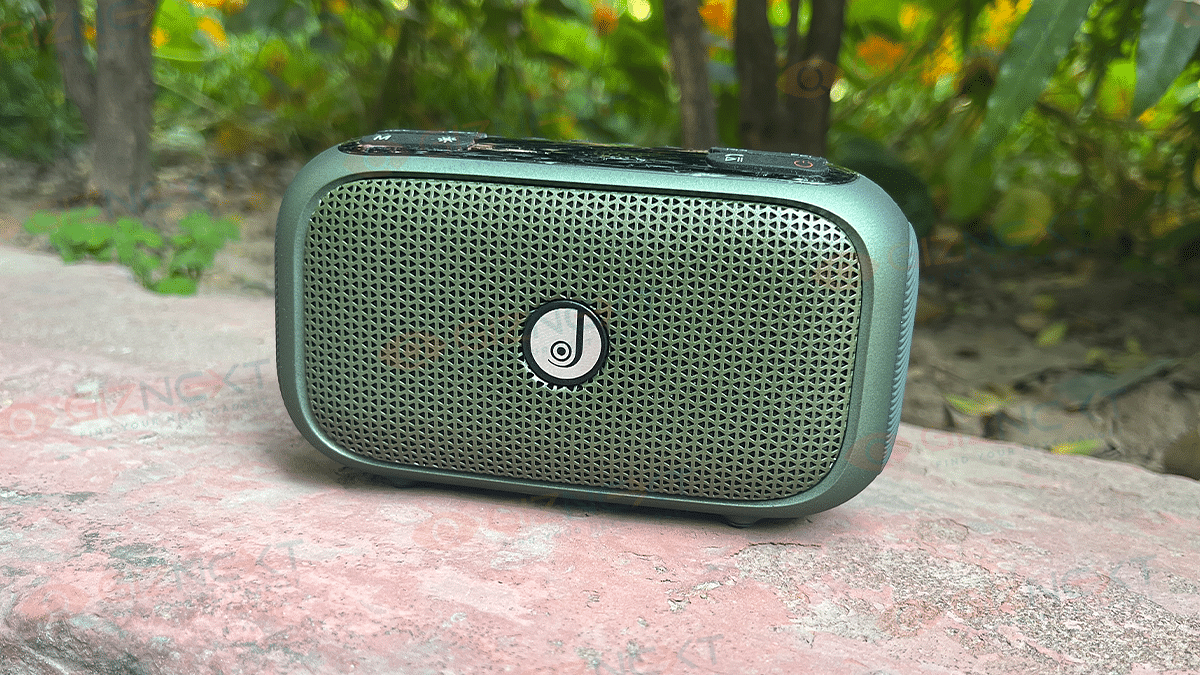
The Sushi Albatross Bluetooth Speaker has a tough built with a mix of plastic and metal mesh on the front that gives it a rugged look. Plus, it’s got bass radiators on each side for extra oomph and rubberized grips for stability.
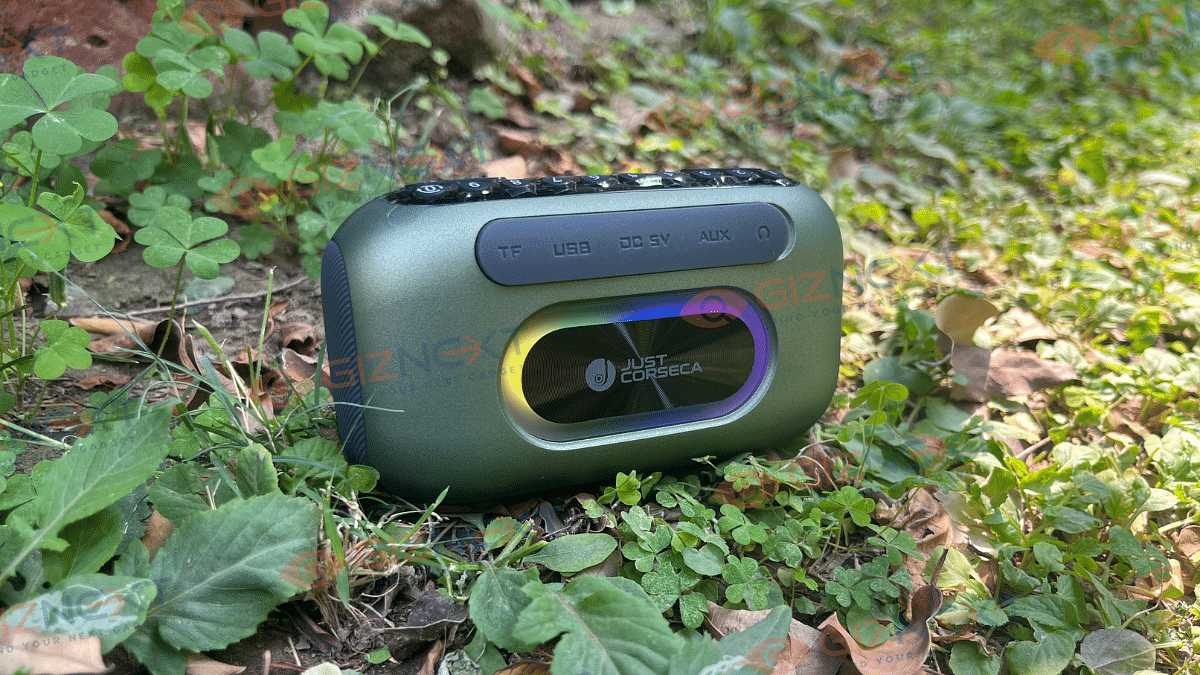
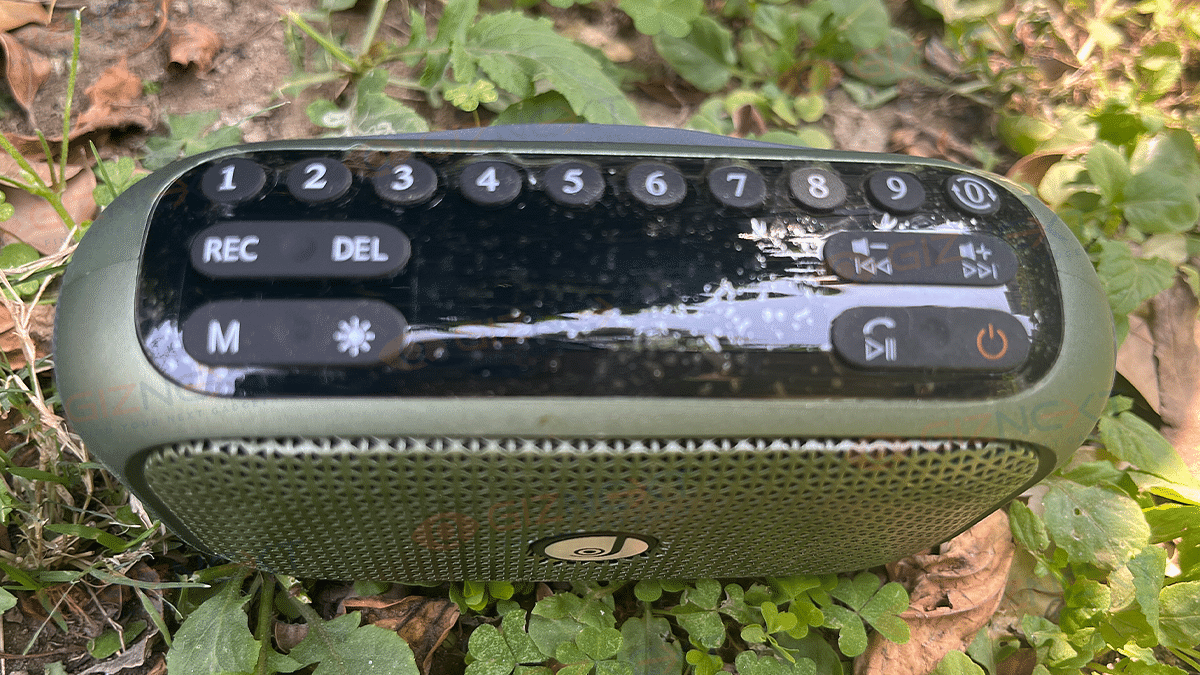
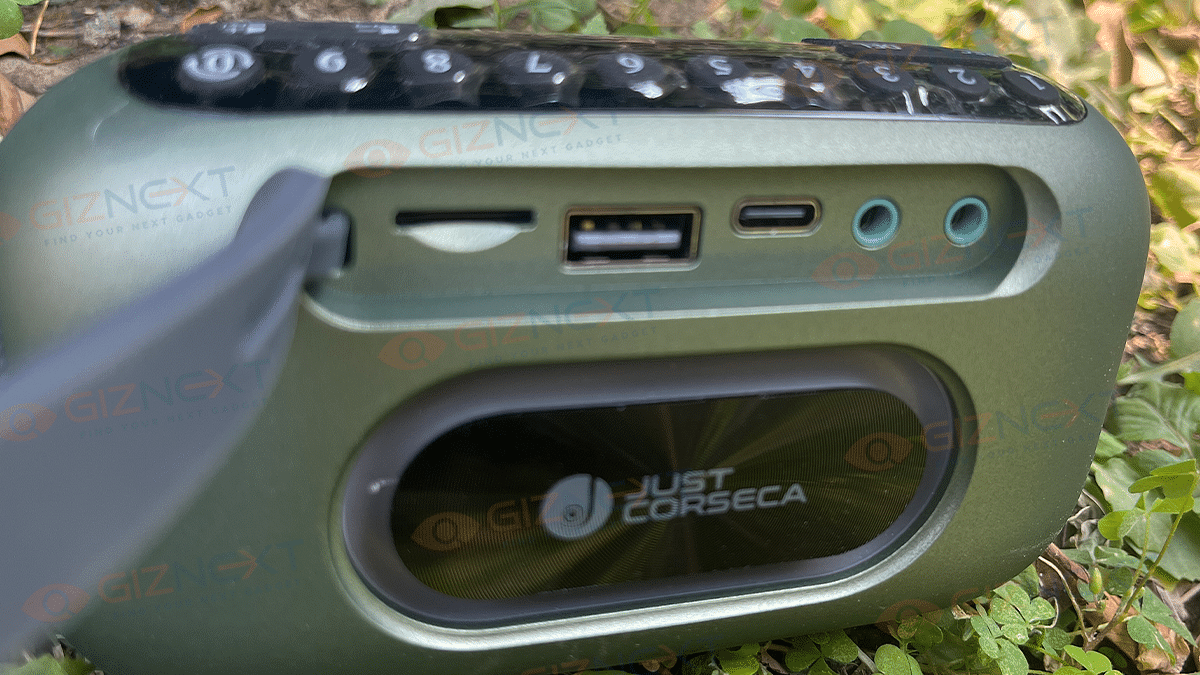
On the back, there’s a snazzy Just Corseca logo with RGB lighting that you can switch up for different vibes. And don’t worry, if you’re not into flashy lights, you can turn them off. All the ports like USB, Charging, Aux-in, and Headphone Jack are neatly tucked away under a waterproof flap.
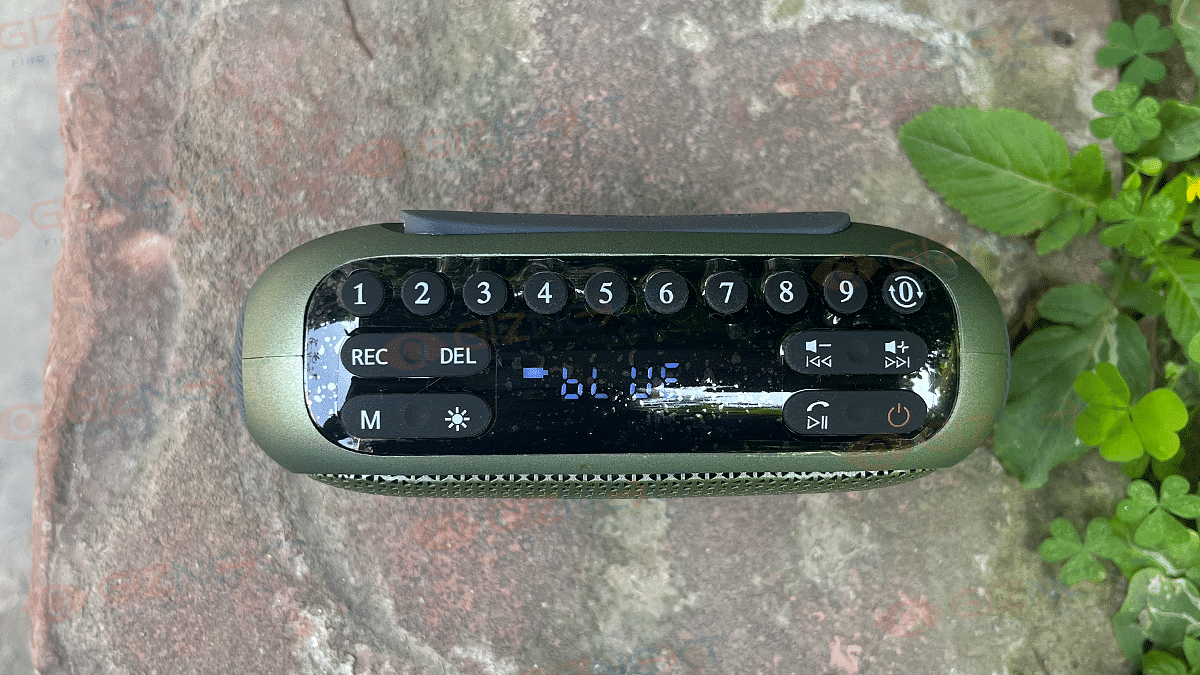
This little guy is super portable and light, so you can take it anywhere. It even charges with a Type-C cable, so you can use your phone charger in a pinch. But wait, there’s more. It’s not just a speaker, it’s a whole entertainment hub. You can play FM radio, select songs from a USB or Micro SD card, and even record your voice or music. And controlling it is easy with the buttons on top for volume, playback, and even hands-free calling.
Oh, and did I mention it’s cute? At just 123x70x45mm and 240g, it’s like the fashion accessory of speakers. Pop it in your bag or sling it on your wrist with the included strap, and you’re ready to rock wherever you go.
Connectivity And Controls
The Sushi Albatross Bluetooth Speaker offers multiple connectivity options. For wireless connections, it’s equipped with Bluetooth V5.0, giving you a range of up to 10 meters. On the wired side, you have AUX, USB, and headphone jack inputs, allowing you to play music from various devices like your phone, pen drive, PC, or Mac. It even supports Voice Recording and FM radio.
To connect via AUX, simply plug one end of the audio cable into the speaker and the other into your device. For Bluetooth, just long-press the Power Button for two seconds to activate Bluetooth Mode, then search for ‘SUSHI ALBATROSS’ on your device and connect. The speaker will confirm connection with a tone. Note that it automatically reconnects to the last paired device, but you can switch to a new one by disconnecting from the original.
To use FM radio, extend the antenna and switch to FM Mode by pressing the Mode button. Hold the Mode button to initiate auto-search, and press it again to stop. Use the Next button to cycle through stations or directly input the station number using the keypad.
For recording, long-press the REC button to start recording (available only with USB/Micro SD inserted), and short-press to stop. The recorded audio plays automatically and is saved onto the USB/Micro SD.
Function
Instructions
AUX Connection
Plug one end of the audio cable into the speaker and the other end into your device
Bluetooth Connection
Long-press the Power Button for 2 seconds
FM Radio
Press the Mode button to switch to FM Mode. Use the Next button to cycle stations
Recording
Long-press the REC button to start recording. Short-press to stop
Control Buttons
Number keys: FM/song selection, Volume/track adjustment, Play/pause, hands-free
Power
Press to turn the speaker on/off
The Sushi Albatross Bluetooth Speaker effortlessly synced up with my iPhone via Bluetooth V5.0, and it held onto a robust signal throughout my home, without any pesky dropouts. I could groove to tunes from various music streaming services on my phone, seamlessly selecting tracks from anywhere in the house without a hitch in the connection.
The Sushi Albatross – a palm-sized compact speaker packing a big punch in sound quality. Despite its small size, this little powerhouse delivers impressive bass that’ll have you tapping your feet. Thanks to its clever design with passive radiators at each end, you get a rich and finely tuned balance of frequencies that’s unexpected from such a compact device. However, the speaker’s wireless range may be limited to approx. 10 meters. Users expecting extended coverage may find this range insufficient, especially in larger spaces or outdoor settings.
Turn up the volume and you’ll still be impressed by the loudness this speaker can muster, reaching levels you wouldn’t believe possible. However, be mindful not to crank it too high indoors, as the higher frequencies can get a bit overwhelming.
Although the speaker includes FM radio functionality, its reception quality may not always meet expectations. Users may experience issues such as poor signal strength or difficulty in tuning to desired stations, particularly in areas with weak radio signals. However, considering its price tag of Rs. 3,999 online and Rs. 2,299 offline, it still holds its own quite well.
Now let’s talk connectivity – this speaker is a champ in the Bluetooth department. Plus, it plays nice with both iOS and Android devices, offering minimal lag for watching movies or videos.
And here’s a bonus feature – alongside Bluetooth V5.0 and a 3.5mm AUX input, it even comes with a Micro SD card slot. While not everyone’s cup of tea, if you’re someone who rocks out with a Micro SD card full of tunes, this speaker has got you covered.
Battery
The speaker boasts a 1800mAh battery, perfectly matched to its compact design. It promises an impressive four hours of uninterrupted music playback, although in my experience, it clocked around three and a half hours. Still, it’s a noteworthy performance. Keep in mind, though, your real-world battery experience may dance to a different tune depending on how you use it.
Giznext’s Final Verdict: Is The Sushi Albatross Worth Your Investment?
The Sushi Albatross offers great sound quality considering its affordable price tag. It’s solidly constructed, equipped with FM radio, voice recording capabilities, and all the necessary input ports. Plus, it comes with extra features like RGB lighting and a convenient carrying strap, making it a well-rounded package.
Despite its compact size, this speaker packs a punch with impressive bass and delivers sound that surpasses expectations. While the price may have gone up a bit, it’s still a fantastic value for a portable Bluetooth speaker, offering strong performance that won’t disappoint.