Categories
Accessories Featured

Choosing The Right Earbuds For Workout? Five Key Features To Look For

Key Highlights

  • Sweatproof and secure fit for workouts
  • Good sound and noise isolation for focus
  • Easy controls and strong connectivity for convenience

Finding the right earbuds or headphones for workouts is essential for a hassle-free fitness experience. Whether you are lifting weights, running, or cycling, your audio gear should be comfortable, secure, and resistant to sweat and moisture. Here are five key things to consider when choosing workout earbuds or headphones.

Also Read | Stay Safe While Using Earbuds: Five Essential Tips You Should Know

Sweat And Water Resistance

  • Check the IP rating to ensure protection against sweat and water
  • IPX4 is good for sweat resistance, while IPX7 or higher can handle heavy moisture and splashes
  • Waterproof models allow you to use them during intense workouts or light rain
  • Look for nano-coating technology to prevent internal damage from sweat

Secure And Comfortable Fit

  • Choose ear hooks, wing tips, or memory foam ear tips for a snug and stable fit
  • Over-ear headphones should have lightweight and cushioned ear cups for long-lasting comfort
  • Adjustable headbands or ear tips ensure a custom fit for different ear sizes
  • A secure fit prevents earbuds from falling out during intense movement

Battery Life And Fast Charging

  • Look for 5-10 hours of battery life in earbuds with an extra 20-30 hours from the charging case
  • Over-ear headphones should offer at least 20-40 hours per charge
  • Fast charging support provides hours of playback in just a few minutes
  • Wireless charging options add convenience for on-the-go users

Sound Quality And Noise Isolation

  • Choose earbuds with powerful bass and clear mids/highs for a motivating sound experience
  • ANC blocks unwanted noise for better concentration
  • Transparency mode allows ambient sounds for outdoor workouts
  • Look for low latency to ensure smooth sound without delays, especially for guided workouts

Also Read | Best Wireless Earbuds Under Rs. 1,500

Controls And Connectivity
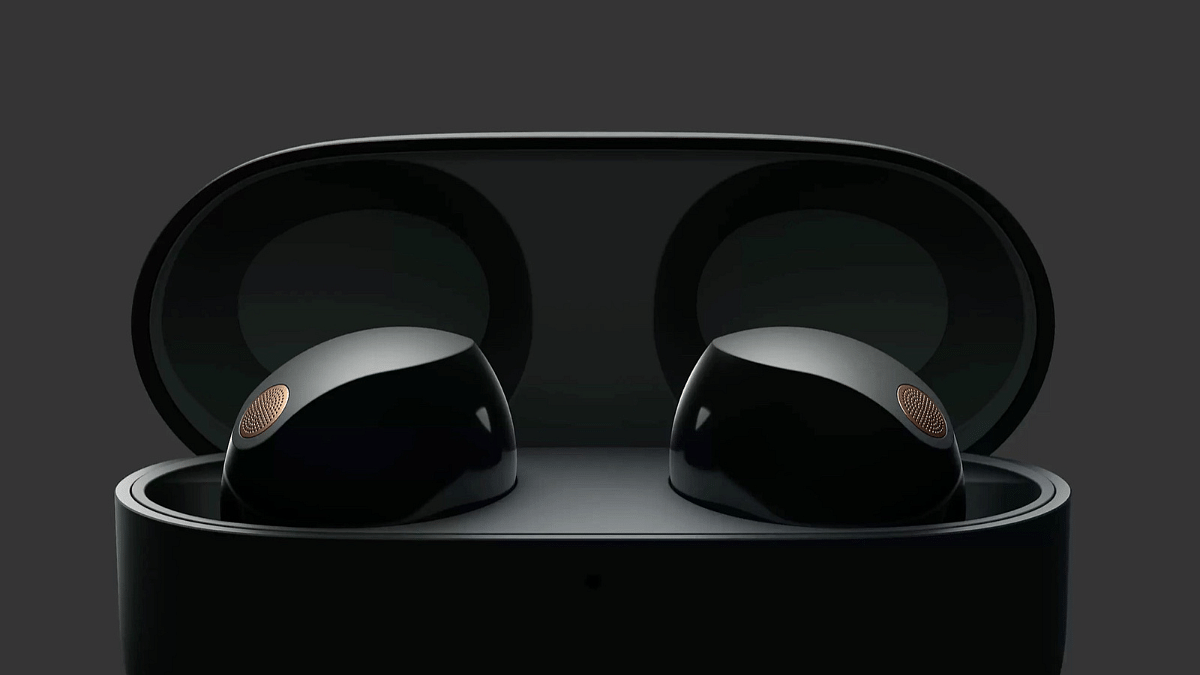
  • Touch or physical button controls make it easy to adjust volume, change tracks, or take calls
  • Ensure Bluetooth 5.0 or higher for a stable connection and minimal dropouts
  • Multi-device pairing allows seamless switching between phone, smartwatch, or tablet
  • Voice assistant support enables hands-free control.

For the tech geeks, stay updated with the latest cutting-edge gadgets in the market, exclusive tech updates, gadget reviews, and more right on your phone’s screen. Join Giznext’s WhatsApp channel and receive the industry-first tech updates.

Categories
Featured How To

Aadhaar Card Lost Or Misplaced? Here’s How to Apply for a Duplicate Aadhaar Card Online

Key Highlights

  • Aadhaar card is an important ID document
  • Duplicate aadhaar card can be applied online
  • Applications for duplicate aadhaar card can also be done offline

Aadhaar card is validated as the most essential identity document by the government of India. It is mandate for every single citizen to apply for a Aadhaar identification card which can be done via UIDAI (Unique Identification Authority of India). For those who already own an Aadhaar card, loosing it can be a scary situation. If you somehow land in such situation where your Aadhaar card has been misplaced or stolen then you don’t have to panic. Thanks to the digitisation, it is now super easy to apply for a duplicate Aadhaar card online. Let’s dive into the steps below:

For the tech geeks, stay updated with the latest cutting-edge gadgets in the market, exclusive tech updates, gadget reviews, and more right on your phone’s screen. Join Giznext’s WhatsApp channel and receive the industry-first tech update.

Also Read: Summer 2025 Buying Guide: How To Choose The Perfect Air Conditioner And Pay Less Electricity Bills

Steps To Apply For Duplicate Aadhaar Card Online

1. Retrieve Your Aadhaar Number (If Not Available)

This is the most crucial step to initiate the process of applying a duplicate Aadhaar card. If you already remember your EID (Enrolment ID) or UID (Aadhaar number) then you can simply jump to the step 2.

How To Check Aadhaar UID/ EID On Laptop/ PC

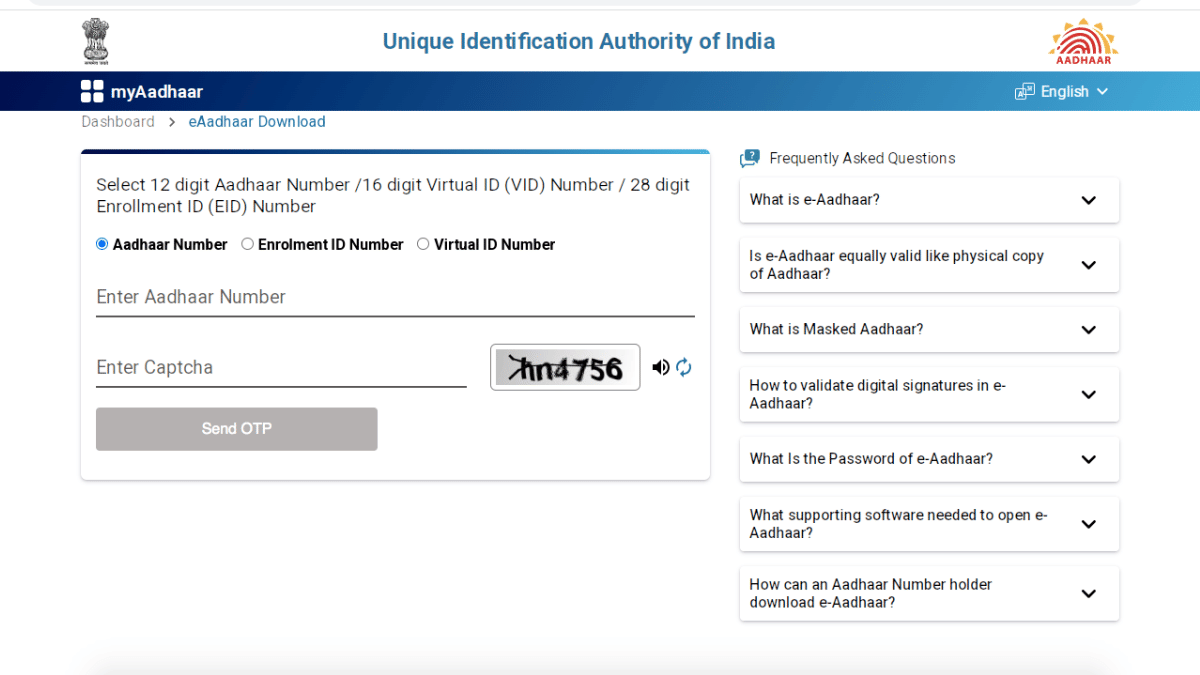
  • Open any web browser and go to the official UIDAI website (https://uidai.gov.in).
  • Head to the ‘My Aadhaar’ section.
  • Tap on the “Retrieve Lost UID/EID”
  • You will need to enter the registered mobile number or email ID associated with your Aadhaar.
  • Enter the CAPTCHA for verification
  • Tap on the “Send OTP” option.
  • You will receive an OTP on your registered mobile number. Enter it and click submit.
  • You will receive the Aadhaar number or Enrolment ID on your registered mobile via SMS.

How To Check Aadhaar UID/ EID On Android, iOS

  • Download an install Umang app via Google Play Store or App store on iOS
  • Search Aadhaar services
  • Go to Retrieve EID/ Aadhaar Number section
  • Select EID or Aadhaar number option
  • Enter your register mobile number or email address
  • After completing the captcha verification, tap on Send OTP
  • Enter the OTP and tap on submit. You will receive the EID/ Aadhaar number on your mobile via an SMS.

Also Read: Summer 2025 Buying Guide: How To Choose The Perfect Air Conditioner And Pay Less Electricity Bills

2. Order a Reprint of Aadhaar Card/ Duplicate Aadhaar Process

Once you have retrieved the EID or Aadhaar number, it will be become easy for you to apply for a duplicate aadhaar card. You can also request for a reprint which will cost you minimal charges of Rs. 50.

  • Visit the official UIDAI website once again. Open any browser and search https://uidai.gov.in.
  • Open ‘My Aadhaar’ section
  • Tap on “Order Aadhaar Reprint” option. This is the step for printing a duplicate aadhaar card.
  • You will need to enter the Aadhaar number or Virtual ID.
  • Confirm and enter the security code
  • Now, click on the “Send OTP” option.
  • Verify the OTP that you will receive on the registered mobile number.
  • A nominal fee of Rs. 50 (including GST and speed post charges) will be charged. Complete the payment.
  • Once all these steps are performed, the duplicate Aadhaar card will be sent to the registered address via post. Estimated timeline for the same is around 5- 7 working business days.

3. Download e-Aadhaar Card Online For Emergencies

You can always keep a copy of e-Aadhaar card in case of lost or misplaced physical card. The steps for the same are below

  • Launch https://eaadhaar.uidai.gov.in website.
  • Navigate to the Download Aadhaar option and click on it
  • Enter your Aadhaar number, Enrolment ID, or Virtual ID.
  • Complete CAPTCHA verification
  • Select the “Send OTP” option.
  • Enter the OTP which will be sent on the registered mobile number.
  • Click “Download Aadhaar”. The file will be saved as PDF.
Categories
Featured Home Appliances Info

Amazon Home Shopping Spree 2025: Best Deals On Air Coolers, Inverters And More

Key Highlights

  • Amazon Home Shopping Spree begin from April 1-5, 2025 with big discounts
  • Get deals on air coolers, vacuum cleaners, and more
  • Upgrade your home at the lowest prices of the year

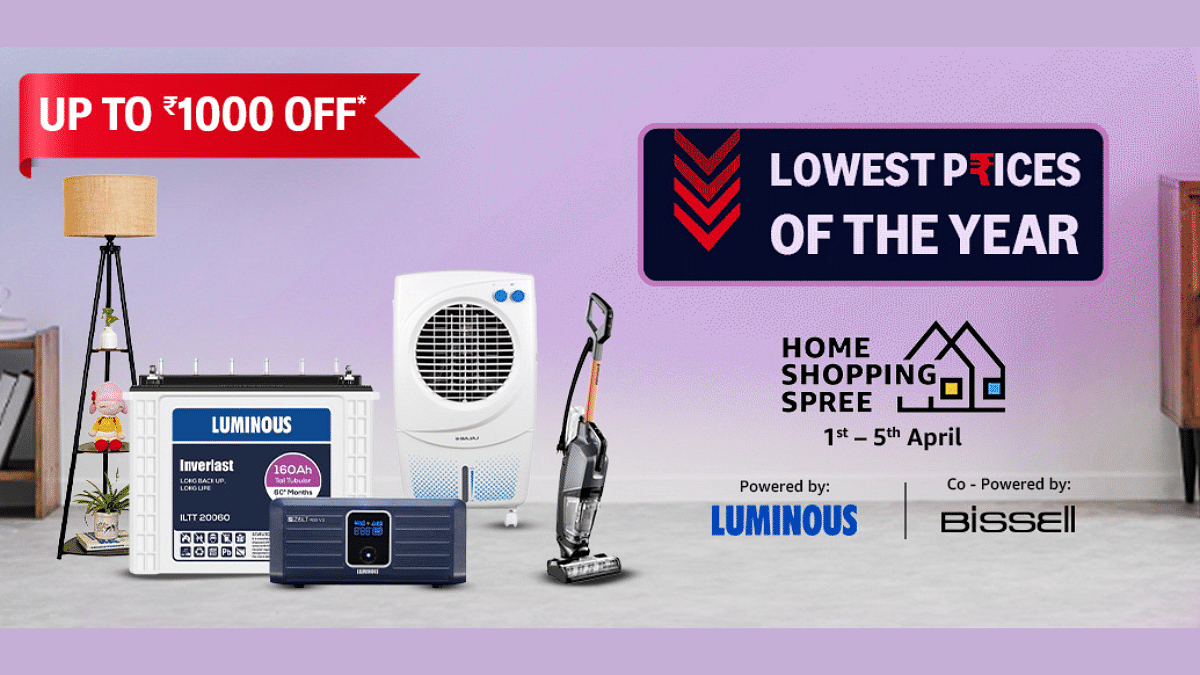
Summer is here, and it’s the perfect time to refresh your home with new appliances and essentials. Amazon India is back with its Home Shopping Spree, running from April 1 to April 5, 2025. This special sale brings unbeatable deals on home appliances to make sure your home is ready for the hot season. From air coolers to vacuum cleaners, inverters, and more, customers can grab the best discounts on the most wishlisted products. Here are some must-buy products at amazing prices during the sale.

Also Read | Summer 2025 Buying Guide: How To Choose The Perfect Air Conditioner And Pay Less Electricity Bills

Top Picks From Amazon Home Shopping Spree

ProductPrice
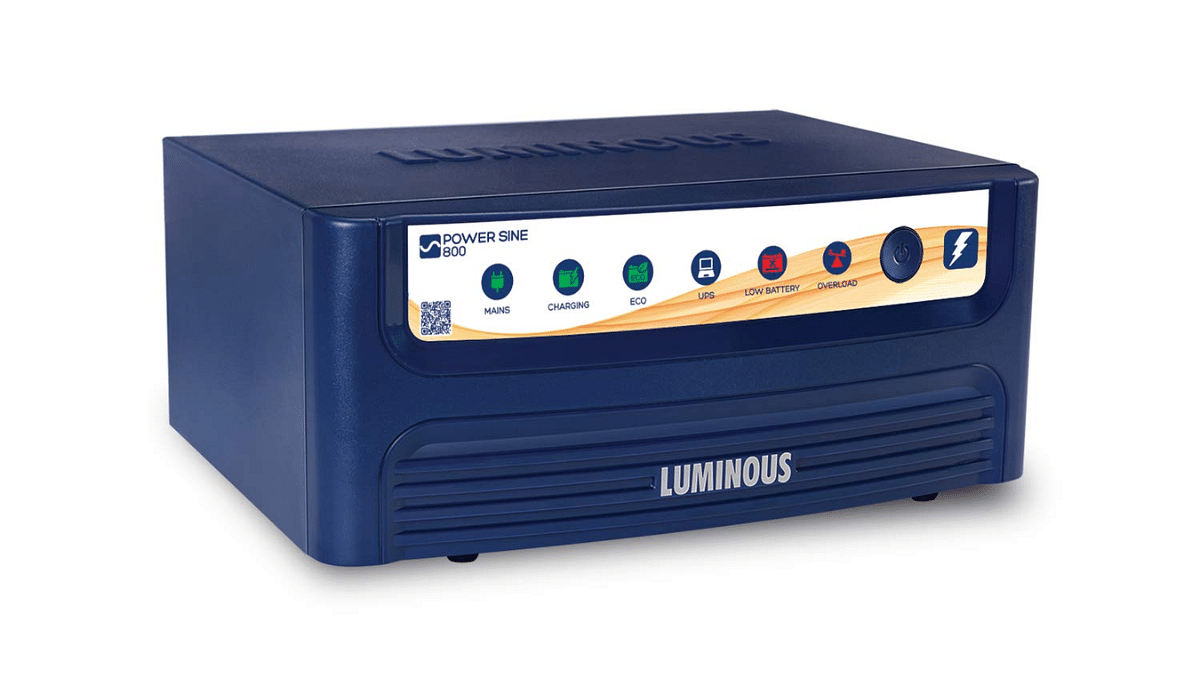
Luminous Power Sine 800 InverterRs. 4,049
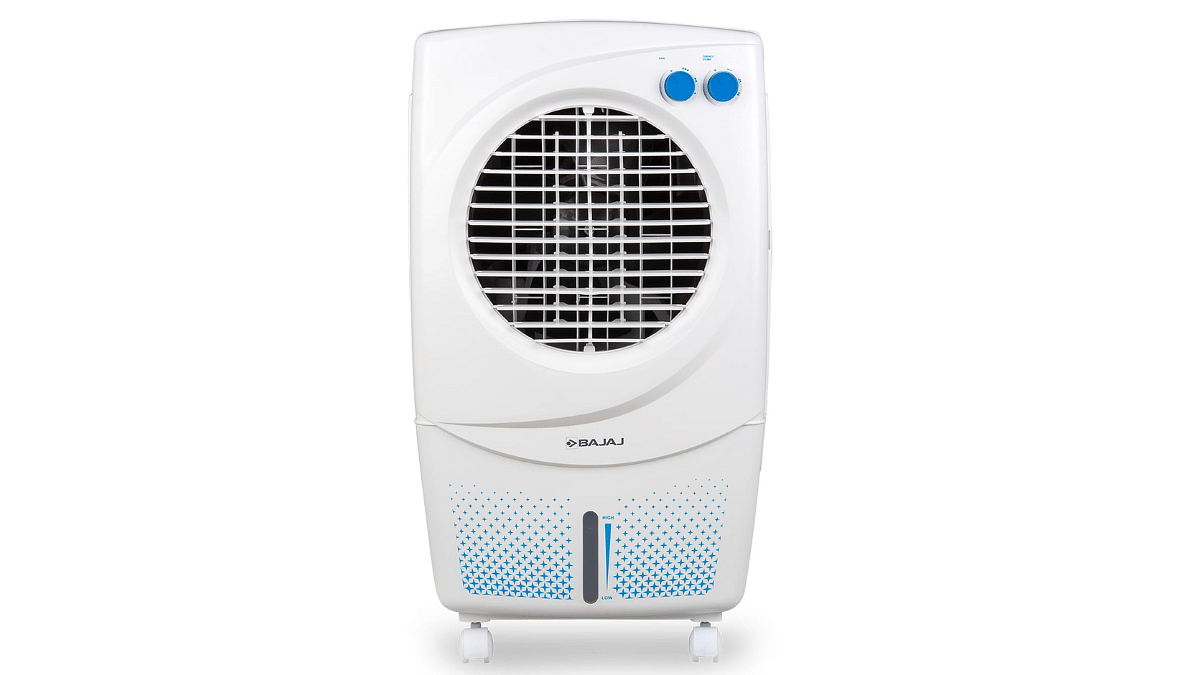
Bajaj PX97 Torque New 36L Personal Air CoolerRs. 5,749
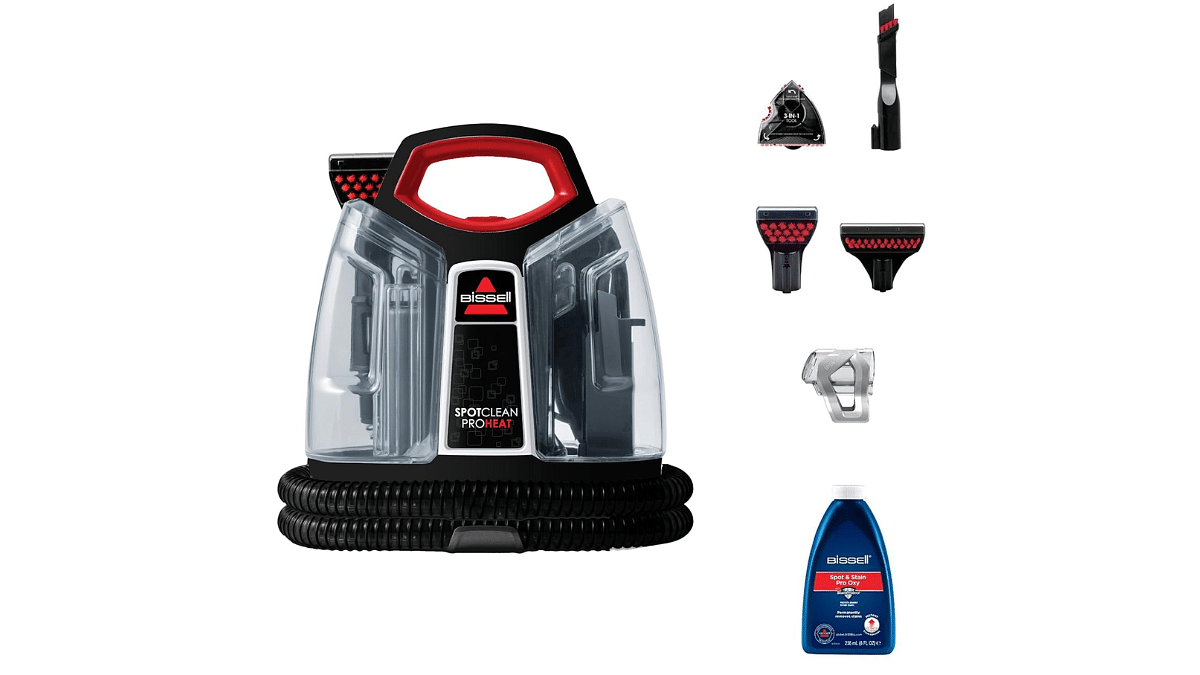
Bissell Portable Wet & Dry Vacuum CleanerRs. 16,990

Luminous Power Sine 800 Inverter

Power cuts during summer? No worries! The Luminous Power Sine 800 is a pure sine wave inverter that ensures uninterrupted power with low energy consumption. Featuring three-stage charging and ECO & UPS mode, this inverter is reliable, efficient, and perfect for homes that need a steady power supply.

Bajaj PX97 Torque New 36L Personal Air Cooler

Designed with Turbo Fan Technology, Bajaj PX97 Torque 36L air cooler delivers strong airflow, keeping your space comfortable. The Anti-Bacterial Hexacool Master feature ensures clean and fresh air. Its adjustable airflow lets you control the cooling.

Also Read | Stay Cool On A Budget: Four Best Coolers Under Rs. 15,000 For Summer

Bissell Portable Wet & Dry Vacuum Cleaner

The Bissell Portable Wet & Dry Vacuum Cleaner uses Heatwave Technology and comes with specialized tools to remove tough stains and spots from carpets, upholstery, and more. Whether you are dealing with dust, pet hair, or spills, this vacuum cleaner ensures a spotless home with minimal effort.

With Amazon’s Home Shopping Spree, you get the lowest prices of the year on essential home products. Whether you need cooling solutions, cleaning gadgets, or power backups, this sale has it all.

For the tech geeks, stay updated with the latest cutting-edge gadgets in the market, exclusive tech updates, gadget reviews, and more right on your phone’s screen. Join Giznext’s WhatsApp channel and receive the industry-first tech updates.

Categories
Apps Featured How To

Major WhatsApp Update: Now Add Music To Your WhatsApp Status On Android, iOS

Key Highlights

  • WhatsApp allowing option to add music to status update
  • Option to add music allowed only with photo and videos uploaded as status
  • Some regions yet to recieve this update
  • Both Android and iOS users can access this feature

WhatsApp has been testing multiple features that are designed for improving the personalised chat experience on its platform while keeping privacy as the priority. The instant messaging app has also received numerous features that offer an intuitive experience to the users. One of the such features that WhatsApp was testing at the beginning of this year was the option to add songs and music to status updates. Earlier available as a beta version, this update’s stable version is now rolling out to the masses in a phased manner. Both Android and iOS smartphone users will soon be able to upload their favourite music track with their next status update. We have brought you the step-guide for the same.

For the tech geeks, stay updated with the latest cutting-edge gadgets in the market, exclusive tech updates, gadget reviews, and more right on your phone’s screen. Join Giznext’s WhatsApp channel and receive the industry-first tech update.

Also Read: Apple’s WWDC 2025 Dates Announced: What To Expect, How To Watch, More

Before You Proceed

It is worth adding that the option to add music to status update is currently accessible in limited markets. Since the stable rollout is underway in a phased manner, users in some regions won’t be able to use this feature. That said, there is another catch to adding music as a status upload. WhatsApp is currently only allowing users to add music in Status uploads for images and videos. There is still no option to add music to the statuses containing texts, GIFs or stickers. Also, your WhatsApp application has to be updated to the latest version. Try checking for any pending updates manually.

Also Read: Incognito Browsing Not So Private! Steps To Check Incognito Mode Browsing History And How To Delete

Steps To Add Music To WhatsApp Status Uploads On Both Android, iOS Devices

Step 1: Open the WhatsApp mobile application

Step 2: At the bottom of the app’s home page, click on the ‘Updates’ section

Step 3: Now, tap on the ‘Add media’ option (camera icon with a + symbol). This will open up your phone’s gallery.

Step 4: Select the image or video that you wish to upload as your WhatsApp status

Step 5: After selecting the media file, you will see a add music tab on the top. Click on it.

Step 6: You will be redirected to the music browser where you can search for any soundtrack

Step 7: Now, using the progress bar trim down and select the specific part of the soundtrack that you want to add to the Status upload.

Step 8: Click on Done to set the selected music part to the Status upload

Categories
Featured Home Appliances Info

Summer 2025 Buying Guide: How To Choose The Perfect Air Conditioner And Pay Less Electricity Bills

Key Highlights

  • Summers season could be hotter this year
  • Air Conditioners becoming a necessity for peak summers in urban regions
  • High-electricity bills always associated with heavy air conditioner usage

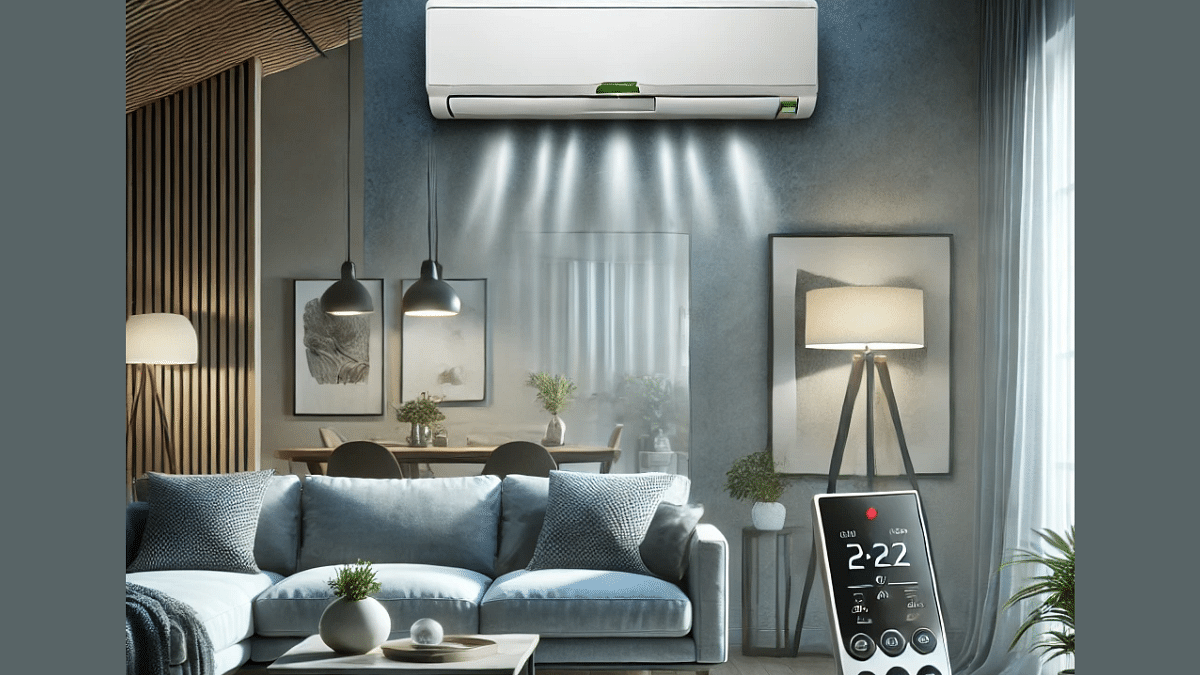
With summers season starting, air conditioner sales will soon start witnessing a spike. Manufacturers will be rolling out discounts to boost sales across air conditioner and coolers soon. And before the summers touches peak this year, it would be wise to buy a suitable air conditioner for your home. This is where selecting the right air conditioner type with several energy-efficient features can help keep your home cool while cutting down power consumption for low electricity bills. We have broken down the key factors that will help you to pick the perfect explore key factors to consider when selecting an AC for peak summer use without excessive energy costs.

For the tech geeks, stay updated with the latest cutting-edge gadgets in the market, exclusive tech updates, gadget reviews, and more right on your phone’s screen. Join Giznext’s WhatsApp channel and receive the industry-first tech update.

1. Select AC With High Energy Efficiency Rating (BEE Star Rating)

  • It is advised to always consider purchasing an Air Conditioner with a higher BEE (Bureau of Energy Efficiency) star rating.
  • The higher the BEE Star energy rating, the lower the electricity consumption is
  • 5-star AC models will consume significantly lower electricity than 1 Star, 2- Star, or a 3-star AC model.
  • High Star rated air conditioners are slightly expensive than low star variants

2. Always Consider Apt AC Type For Your Space

There are different air conditioner types that are available in the market for purchase. Compact and portable air conditioners are suitable for home usage. Below are the common types of ACs that you can purchase in the market.

  • Split AC: These type of air conditioners are suitable for medium and large rooms that don’t have space for window AC type. Split ACs are also efficient with cooling and produce lower noises during operation.
  • Window AC: These are the type of air conditioner which fits well in small room settings. Window air conditioners are less efficient compared to split AC type and can be noisy after a few year of operations.
  • Portable AC: These are air conditioners which are suitable for temporary setup or of you are in a rented space. Portable Air conditioners not only take up less space but can also be moved easily.

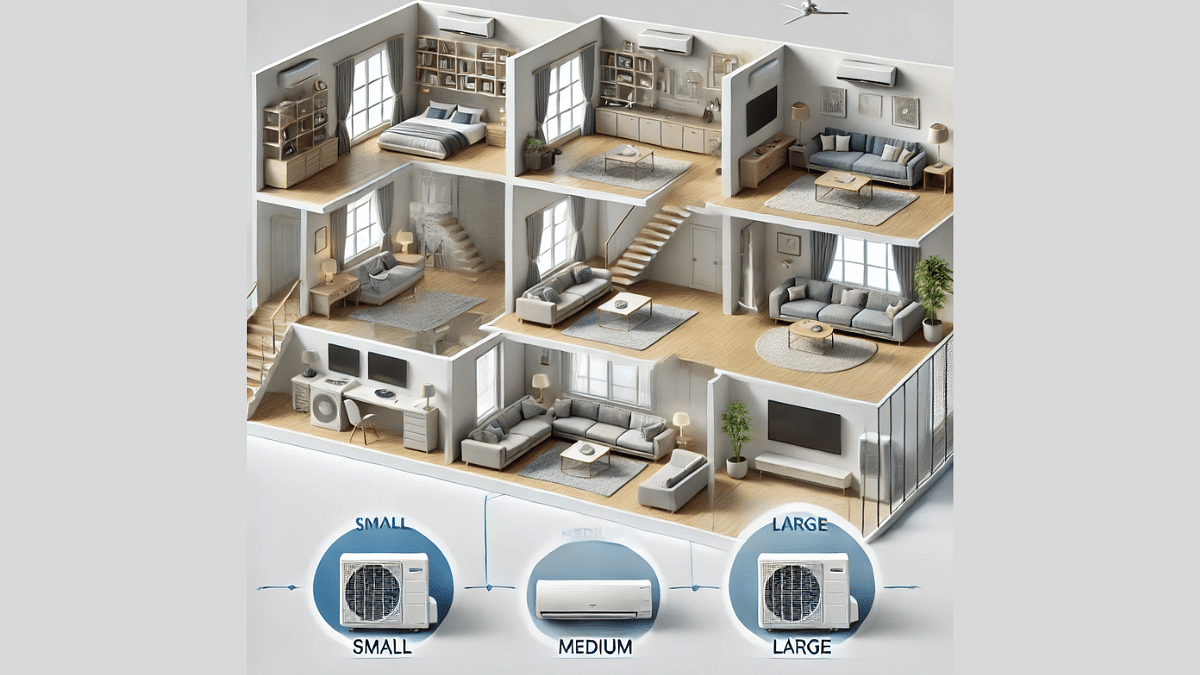
3. Tonnage Selection Depending On Room Size Should Be Right

For lower electricity consumption and efficient cooling, it is always advised to purchase an air conditioner with apt tonnage for your room. Smaller tonn AC units will need more energy to keep the room cool hence will consume high electricity. Same goes for the bigger tonn units which will need more power for operations.

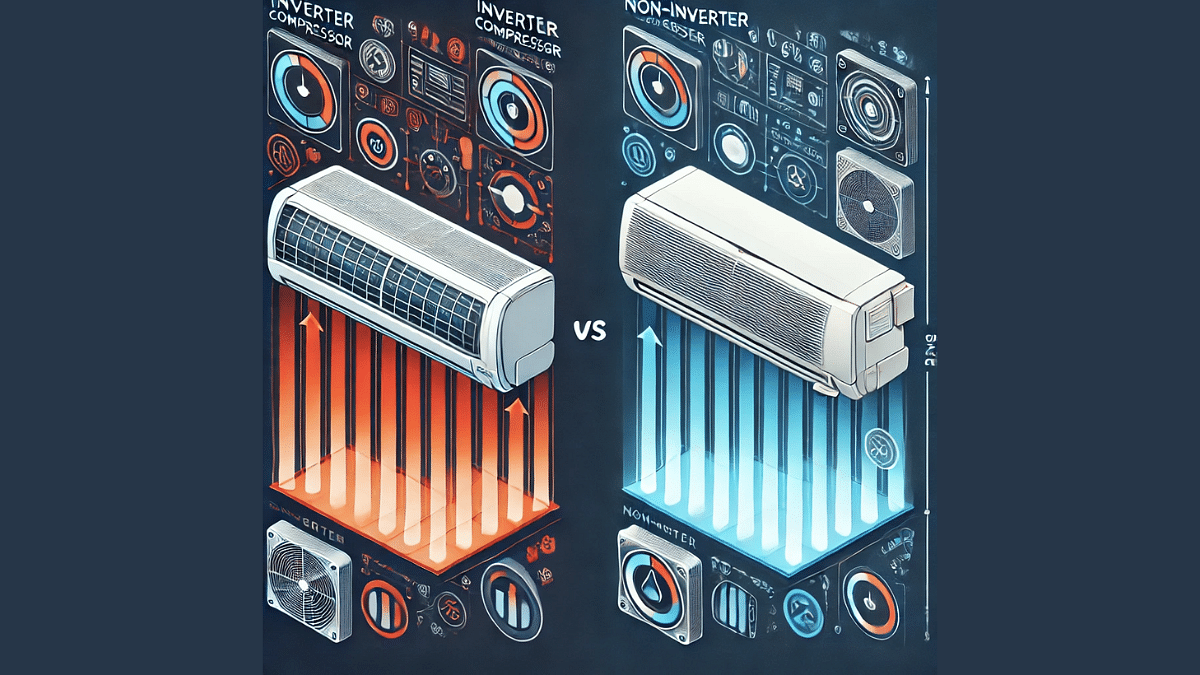
4. Compressor Type (Inverter and Non-Inverter) Matter

  • Inverter ACs: The modern age air conditioners that are equipped with an inverter compressor are known to be more energy efficient compared to conventional models. The inverter compressor automatically adjusts its speed which is based on the cooling requirement. An inverter AC is claimed to save up to 40 percent more energy than conventional non-inverter AC.
  • Non-Inverter ACs: The non-inverter compressor equipped air conditioner consumes more electricity hence will lead up to increased electricity costs.

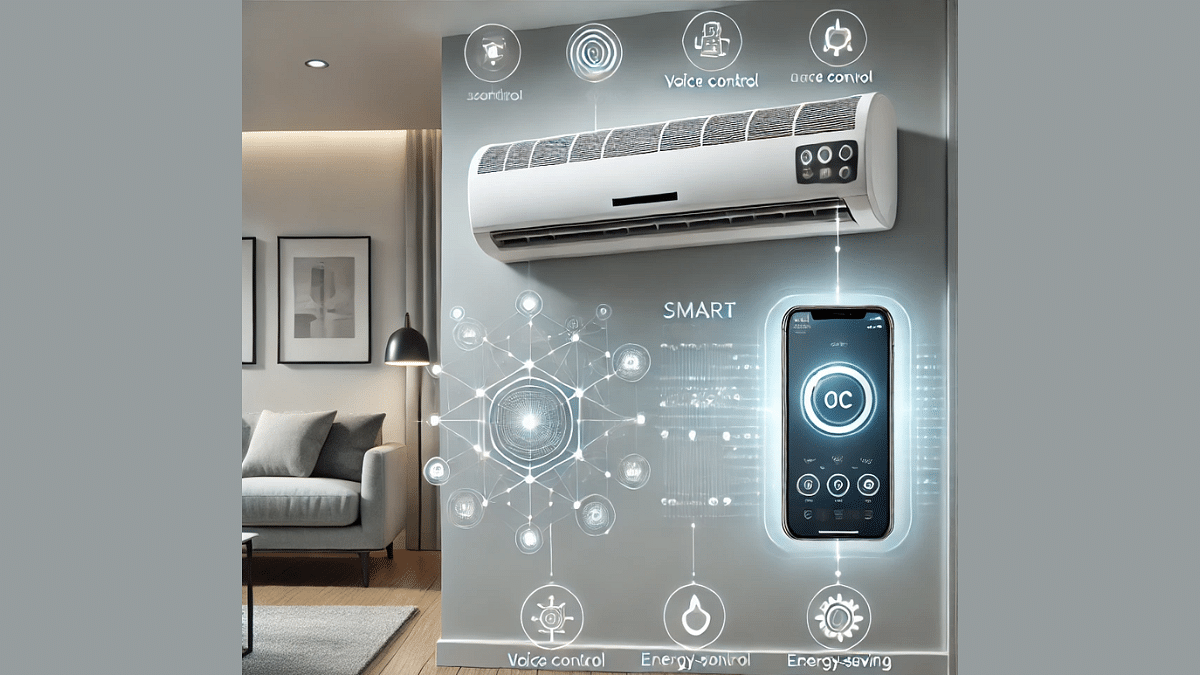
5. Smart Features & Modes Are Add On

Most of the new-age ACs are loaded with smart range of features that helps with energy efficiency and lower consumption rates. Some of such common smart modes that you can find in the ACs are:

  • Sleep Mode: Helps with automatic temperature adjustments. Not only it optimises cooling efficiency but also reduces excessive energy consumption.
  • Eco Mode: Allows optimising power consumption while maintaining air conditioner’s cooling efficiency. This mode consumes least power during operations.
  • Smart Wi-Fi Control: This is another add on feature which is found in advanced air conditioner range. This feature helps with remote AC controls via mobile apps.

Final Conclusion

It can be tricky to choose the right air conditioner for low energy consumption. However, if you consider all these aforementioned factors while keeping a check on its periodic service maintenance, you can effectively save massive amounts despite heavy usage of your AC.

Categories
Apps Featured How To

Gemini Gems Are Now Free: Here’s What It Is And How To Use

Key Highlights

  • Gems are custom AI assistants in Gemini, now free
  • Users can personalize Gems for various tasks
  • Available on web and Android, customization on web

Google has started rolling out its customizable AI assistants Gems to free users on the web and Android. Previously available only to paid users, these AI-powered tools let you personalize Gemini to match your specific needs. Whether you need help brainstorming, coding, learning, or writing, Gems can be fine-tuned to work exactly the way you want. So, what makes Gems special, and how can you start using them? Here’s everything you need to know.

Also Read | How to Use Gemini AI as Your New Assistant on Android (Step-by-Step Guide)

What Is Gemini Gems?

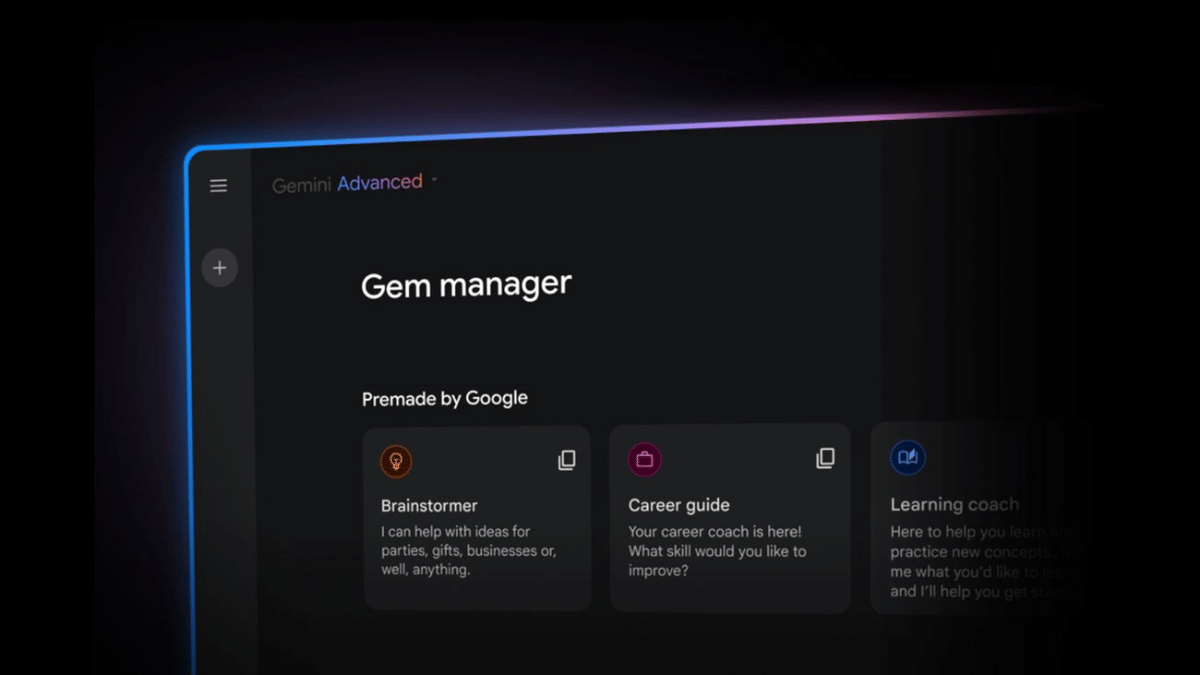
Gems is custom AI assistants built inside Gemini. Unlike regular AI chatbots, these assistants can be tailored to your specific needs by setting instructions for tone, response length, and even workflow preferences. Google provides five ready-made Gems to get started:

  • Brainstormer: Helps with creative ideas.
  • Career Guide: Offers job and career advice.
  • Coding Partner: Assists with programming tasks.
  • Learning Coach: Aids in studying and learning.
  • Writing Editor: Helps improve writing skills.

You can also create your own custom Gems and train them for specific tasks.

How To Access Gemini Gems

Step 1: On Android, go to the Gem manager inside the account menu.

Step 2: On the web, you will find it in the side panel at gemini.google.com.

Step 3: While you can use Gems on mobile, creating and customizing them is currently limited to the web version.

How To Customize A Gem

Step 1: Set instructions for tone and response style.

Step 2: Adjust response length to be brief or detailed.

Step 3: Upload files so your Gem can analyze and refer to specific documents.

This makes Gems great for automating repetitive tasks or creating a personal assistant that fits your workflow.

Google making Gems available for free users is a big deal. Previously, these features were only for paying customers, but now more people can experience AI customization without a subscription. Plus, with Google I/O 2025 coming soon, even more AI features may be announced for Gemini.

For the tech geeks, stay updated with the latest cutting-edge gadgets in the market, exclusive tech updates, gadget reviews, and more right on your phone’s screen. Join Giznext’s WhatsApp channel and receive the industry-first tech updates.

Categories
Featured Info

Apple’s WWDC 2025 Dates Announced: What To Expect, How To Watch, More

Key Highlights

  • WWDC 2025 runs from June 9-13, mostly online
  • Apple to unveil iOS 19, macOS, and more updates
  • Keynote live-stream on June 9 via Apple’s platforms

Apple has officially revealed the dates for its biggest software event of the year, the Worldwide Developers Conference (WWDC) 2025. The event will take place from June 9 to June 13 at Apple Park in Cupertino, California. Apple is expected to unveil the latest updates to iOS, iPadOS, macOS, watchOS, visionOS, and more, along with new tools for developers. Wondering how to watch the event? Here’s what you need to know.

Also Read | iPhone 16 vs. iPhone 15: Is It Worth Upgrading Your Apple Smartphone?

WWDC 2025 Keynote Details

The event will kick off with a pre-recorded keynote on June 9. Here, Apple’s CEO Tim Cook and other senior executives will showcase the company’s latest software updates. The keynote will be live-streamed globally on Apple’s website, YouTube channel, and Apple TV app. Last year, it started at 10:00 AM PT (10:30 PM IST) and a similar schedule is expected this time.

WWDC 2025: What To Expect

Apple will reveal iOS 19 which is rumored to bring a major design overhaul inspired by the Vision Pro’s glassy, rounded UI. Additionally, Apple is set to share updates on Apple Intelligence, its AI-powered features that have faced delays and criticism. Other announcements will likely include updates for macOS, watchOS, iPadOS, tvOS, and visionOS along with new developer tools.

Who Can Attend In Person?

Apple has limited in-person attendance to current members of the Apple Developer Programme and Developer Enterprise Programme along with Swift Student Challenge winners from the past three years. Those interested can apply for the lottery system until April 2 with winners being notified on April 3. Passes are non-transferable.

Also Read | Apple iPhone 14 Vs Apple iPhone 15 Comparison

Special Events For In-Person Attendees

Those attending WWDC 2025 at Apple Park will get access to exclusive sessions, live demos, and labs where they can interact with Apple engineers. They will also watch the keynote and Platforms State of the Union presentations with additional special activities planned for attendees.

For the tech geeks, stay updated with the latest cutting-edge gadgets in the market, exclusive tech updates, gadget reviews, and more right on your phone’s screen. Join Giznext’s WhatsApp channel and receive the industry-first tech updates.
Categories
Featured Home Appliances Info

Reduce Electricity Bills This Summers: 5 Ultimate Smart Home Gadgets To Cut Electricity Costs

Key Highlights

  • Electricity consumption to increase in summers
  • Smart home accessories help reducing electricity bills
  • Smart Plugs, Smart lights some of the gadgets to consider

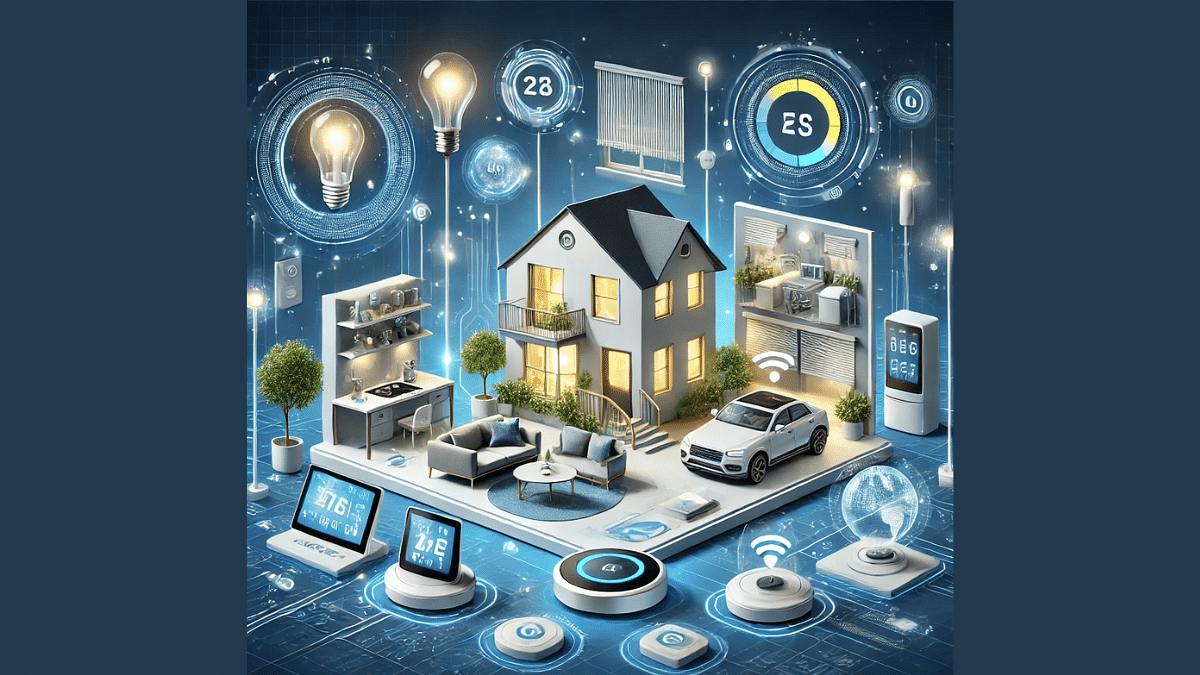
With the summer season approaching, electricity bills will certainly see a spike for the next few months. Turning up air conditioners and coolers will add up to the higher electricity bills. This calls for smart energy consumption that will eventually help with reduced electricity bills in the summer season. Thanks to the modern age technology and availability of smart home gadgets rising electricity costs can be controlled to great extents. Let’s explore some of the smarter ways to reduce electricity bills this summer.

For the tech geeks, stay updated with the latest cutting-edge gadgets in the market, exclusive tech updates, gadget reviews, and more right on your phone’s screen. Join Giznext’s WhatsApp channel and receive the industry-first tech update.

1. Smart Plugs: For Efficient Energy Consumption

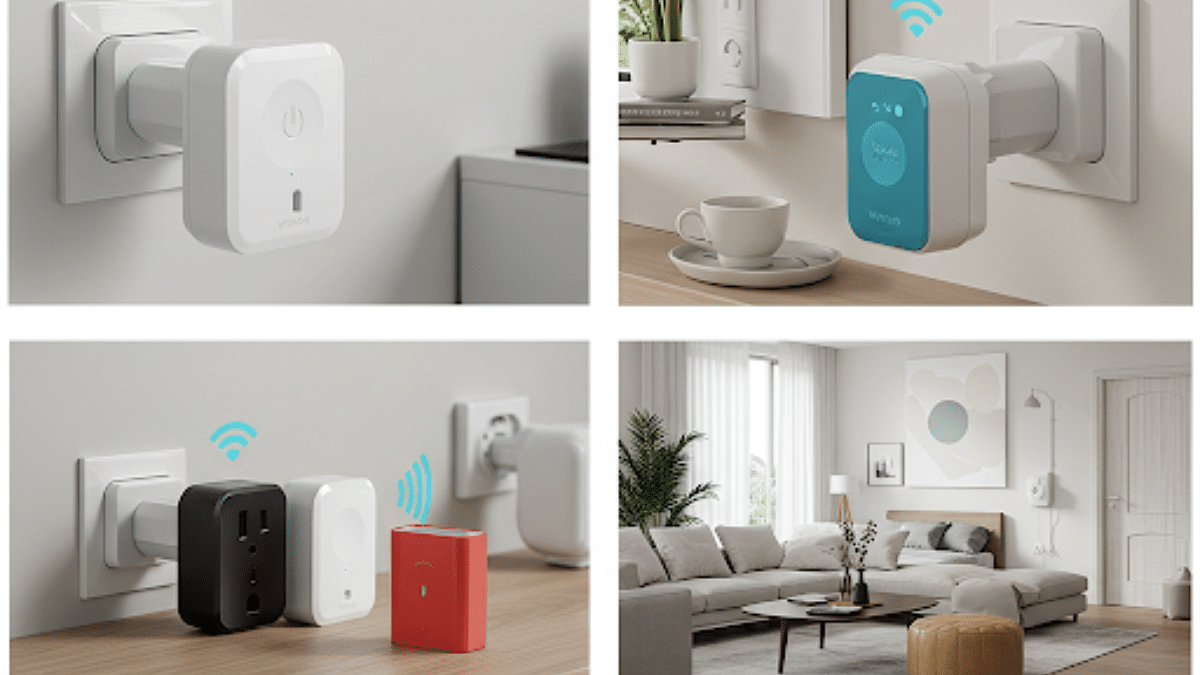
Functionality: Smart plugs are the modern take on electric plugs. Their functionality is to enable smart control for the connected electrical home appliances. With the help of a compatible mobile app, smart plugs can be controlled to power-on or power-off any gadgets. It also allows monitoring electricity consumption via the compatible mobile app.
How It Helps With Energy Optimisations

  • Can power off electrical appliances when not in use automatically.
  • Can allow setting up schedule for devices to operate during off-peak hours.
  • Helps to monitor real-time energy usage.
  • Automatic monitoring cuts down on unnecessary power consumption

Also Read: Enhance Your Daily Productivity: How To Pair Android Smartphones With Windows 11 PC, Laptop Without USB Cable

2. Smart Thermostats: For Home Heating & Cooling Optimisations

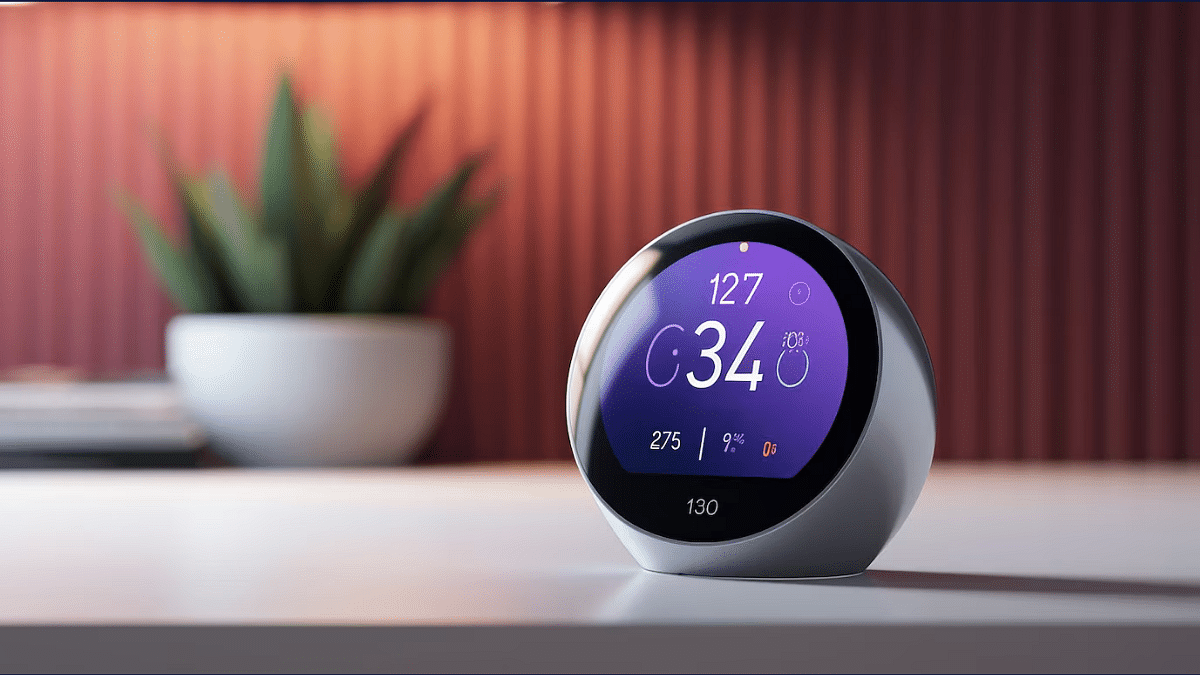
Functionality: Another smart gadget that helps reducing high electricity consumption by optimising temperature control in your house. Smart thermostats can remember user’s preferences and modify temperature settings automatically which lowers down electricity wastage eventually cutting down on the electricity costs.

How It Helps With Electricity Consumption Smart Management

  • AI-enabled algorithms helps learning user preference
  • Can automatically adjust temperature as per the learnings
  • Gives energy usage insights

Also Read: Worried About Heat And Water Damage? Here’s How To Protect Your Gadgets


3. Smart Lights: Energy-Efficient Bulbs

Functionality: Smart LED bulbs is also an efficient way to lower down excessive electricity bills. Smart LED bulbs are known for their less power consumption and also smart control option. Compatible mobile app and voice assistant controls makes these gadgets worthy purchase for your smart home.

How It Helps With Energy Saving

  • Consumes around 80 percent lower energy compared to conventional bulbs
  • Comes with smartphone app and digital voice assistant compatibility
  • Allows brightness adjustments (low or high) via app

Also Read: Instagram Tips And Tricks: How To Share Music/ Songs As DMs With Friends On Instagram


4. Smart Power Strips: To Reduce/ Eliminate Phantom Energy Consumprion

Functionality: Phantom energy is nothing but the idle energy consumed by the devices that are in sleep or stand by mode. Using a Smart power strips helps with auto detection of such stand by electrical devices and cut off the energy supply. This not only helps with saving electricity wastage but also lower electricity bills.

How It Helps With Energy Consumption Management:

  • Can identify and eliminate energy consumed by devices in idle or standby state
  • Adds surge protection for the idle devices
  • Can shut down devices automatically when not in use

Also Read: Merge Two Different PF Accounts Into One: How To Guide


5. Smart Energy Meters: Helps To Manage High Energy Consumption

Functionality: Smart energy meters are designed to provide real-time electricity consumption by different appliances. With these tracking of electricity usage becomes easy and one can take control of the devices that are consuming heavy electricity.

How It Helps:

  • Helps with tracking energy consumption of different devices
  • Can notify users by sending alerts for power consumption
  • Allows reading power usage patterns for optimisation battery
Categories
Auto Tech Featured

Hero Vida Z E-Scooter Spied Undisguised:

Key Highlights

  • Hero Vida Z e-scooter test mule snapped
  • Clear design revealed
  • Is an upcoming budget variant in the V2 lineup
  • Currently available in the international market

Hero will soon be launching a new electric scooter in India. The upcoming model will be joining the Vida V2 series as an entry-level model. And it seems the launch could be imminent as fresh spy shots of the new Vida Z e-scooter has surfaced. Hero has been conducting its test runs without wrapping it in any camouflage. Thanks to the sighting, we have got a clear glimpse of the updated design.

For the tech geeks, stay updated with the latest cutting-edge gadgets in the market, exclusive tech updates, gadget reviews, and more right on your phone’s screen. Join Giznext’s WhatsApp channel and receive the industry-first tech update.

Also Read: Drive Smart And Safe: List Of Top Electric SUVs With Advanced Safety Features In India In 2025

Hero Vida Z Snapshots Leak Ahead Of Launch

Hero Vida Z electric scooter was recently clicked during its testing. The undisguised snapshots of the Vida Z shows the yellow color variant of the e-scooter taking its design cues from the outgoing Vida V2 lineup. The sharp front apron is complemented with the LED headlamp setup similar to the Vida V2 series

Other common design elements that the Vida Z’s test mule has been snapped with includes the streamlined LED turn indicators, dual spoke alloy wheels. front disc brakes, twin rear shock absorbers, and telescopic front fork suspension module. However, the test mule apparently misses out on the pillion backrest and orange accents in the design as the model showcased during the 2024 EICMA and 2025 Auto Expo events.

Also Read: List Of Best Electric Scooters With Large Storage Space In 2025

Hero Vida Z E-Scooter Powertrain (Expected)

The Vida Z e-scooter is expected to be driven by the PMSM electric motor. It could be featuring battery capacity ranging between 2.2 kWh to 4.4 kWh. Just like the Vida V2 lineup, the Vida Z is also expected to come equipped with swappable battery packs. It is worth mentioning that the Vida Z is already on sale in the UK and Hero will likely launch this e-scooter with an aggressive pricing to take on the competitive e-scooter market in the country. It is expected to be launched with a price range starting under Rs. 1 lakh.

Categories
Featured Home Appliances Info

Havells Introduces Vita Dlight To Bring The Benefits Of Sunlight Indoors

Key Highlights

  • Provides 60% daily UVB for vitamin D
  • Smart lighting with customizable modes
  • Supports health and wellness indoors

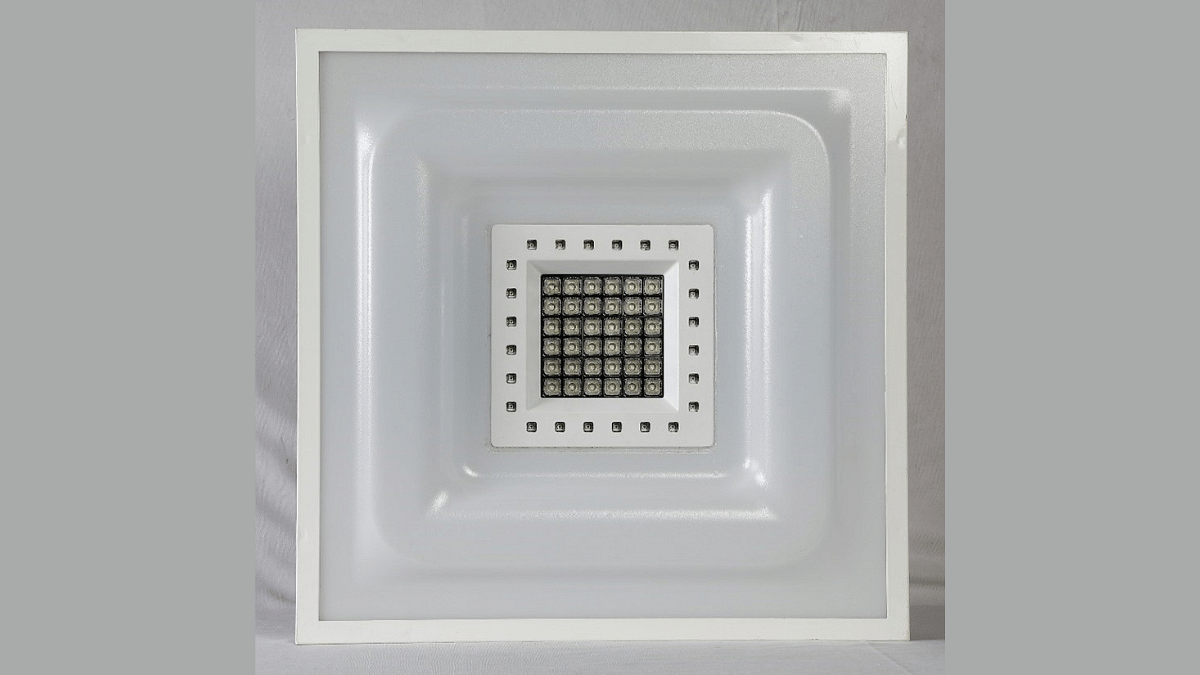
In today’s urban lifestyle, many people suffer from vitamin D deficiency due to limited exposure to UVB rays. High-rise buildings, congested neighborhoods, and indoor-centric routines make it difficult to get enough sunlight. To address this issue, Havells has introduced Vita Dlight, a smart lighting solution designed to bring the benefits of sunlight indoors. Here are the key features of Havells Vita Dlight and how it helps improve health and well-being.

Also Read | Here’s The List Of Best Smart Home Gadgets You Can Buy In India

Havells Vita Dlight: Features

Sunlight Indoors

  • Provides up to 60 percent of the daily UVB requirement for vitamin D synthesis.
  • Helps bridge the vitamin D gap for people with limited outdoor exposure.
  • Offers around 400 units of vitamin D per day, totaling 10,000 units per month.

Nature Indoors

  • Mimics natural sunlight to improve indoor lighting and well-being.
  • Ideal for homes, offices, and workplaces with limited natural light.
  • Aligns with the growing demand for post-pandemic wellness solutions.

Wellness

  • Helps employees stay healthier and more productive by ensuring vitamin D sufficiency.
  • Reduces health-related absenteeism in offices.
  • Creates a wellness-focused indoor environment for businesses and individuals.

Also Read | Here’s The List Of Best Smart Home Gadgets You Can Buy In India

Smart Control And Monitoring

  • Allows switching between general lighting and UVB mode.
  • Offers pre-set modes like ‘Daily Wellness,’ ‘High Boost,’ and ‘Custom Mode.’
  • Enables automated scheduling for controlled and safe UVB exposure.

With its ability to provide sunlight indoors, enhance ambiance, offer smart control, and promote wellness, Havells Vita Dlight is a smart and effective solution for modern urban living. Whether for homes or offices, it is a future-ready lighting innovation designed to improve health and well-being effortlessly.

For the tech geeks, stay updated with the latest cutting-edge gadgets in the market, exclusive tech updates, gadget reviews, and more right on your phone’s screen. Join Giznext’s WhatsApp channel and receive the industry-first tech updates.