Categories
Apps Featured How To

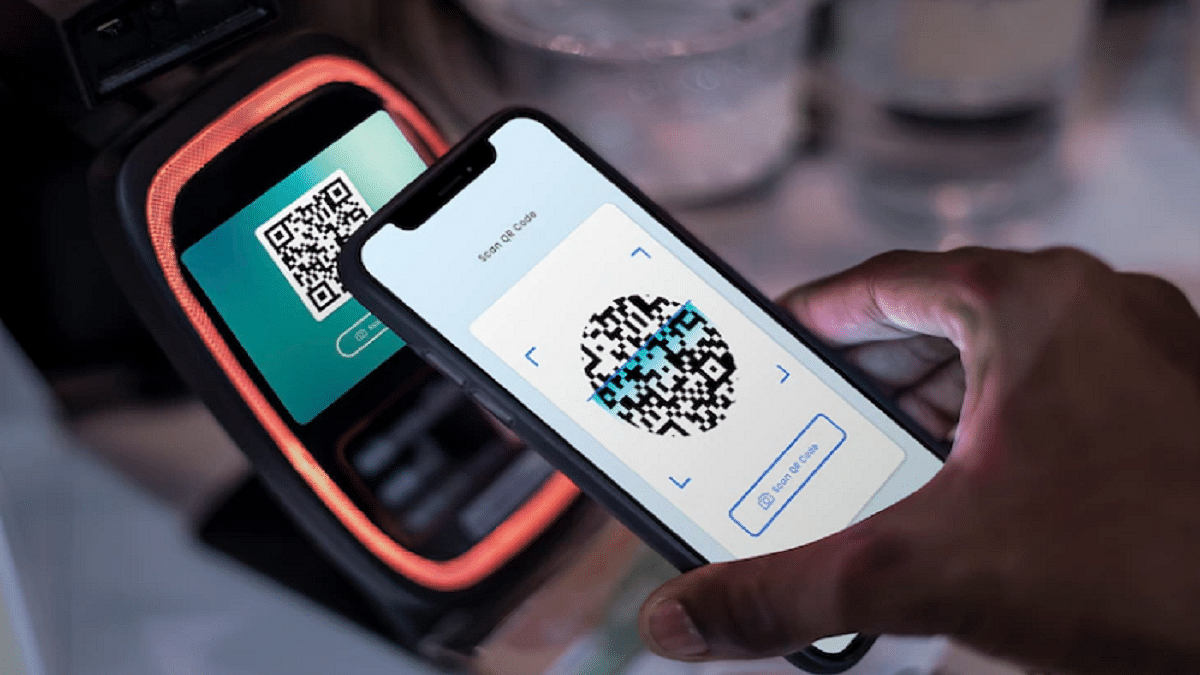
Transferred Money To Wrong Paytm Account/Bank? Here’s How To Retrieve Money When Transferred To Wrong Account Using Paytm

Key Highlights

  • UPI apps have gained massive popularity in India
  • Paytm is the most commonly used UPI app
  • Paytm money can be retrieved when transferred to wrong account

Paytm is the biggest player in the UPI industry and is the first massive-scale digital payment system in India. Besides UPI payments and online transactions, Paytm has been rapidly expanding its services for online ticket reservations and bill payments. Ordering food and groceries and insurance is also an option with Paytm. With a wide range of services, Paytm’s popularity is consistently on the rise amongst both general as well as business users.

Paytm has also made online bank transfers a simplified process. You don’t necessarily have to keep your bank’s net banking details handy all the time. If you have a registered Paytm account, you can easily add your own bank details and do online transactions such as sending or receiving money.

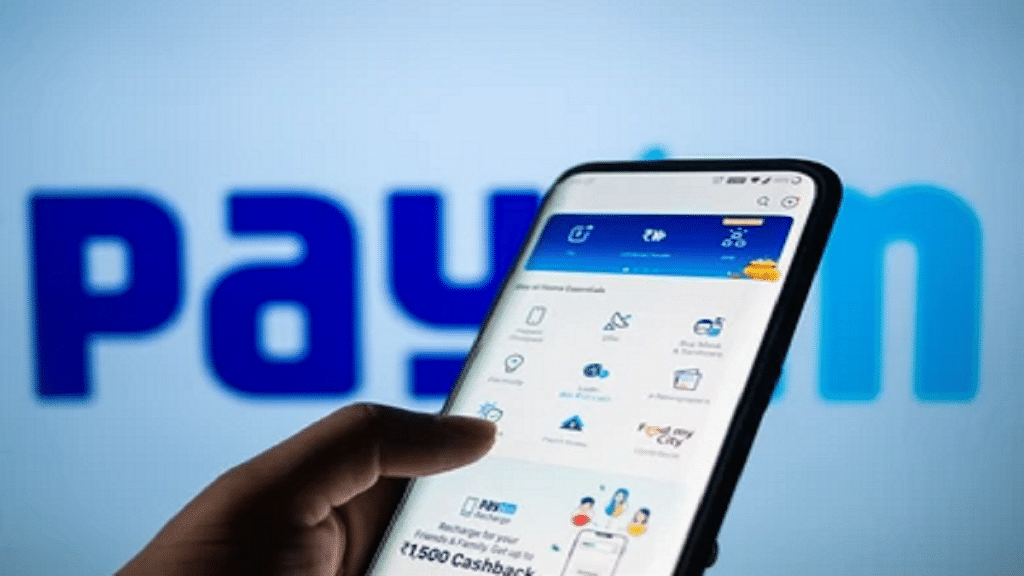
Seamless digital payments services are why Paytm is popular amongst the audience. While transferring funds digitally to any bank account, you would need to enter the receiver’s bank account details. It is always suggested to cross-verify all the details such as the bank account number and IFSC code to avoid transfers to any wrong account.

But if in case you have accidentally transferred money to the wrong bank account, you should be aware of the procedure to retrieve the lost money. So what should you do if you have transferred money to any wrong account using Paytm? Read on the steps below:

Also Read: UPI Money Transaction Limit In India: Here’s The Limit Of Transactions You Can Do Via GPay, PhonePe, Paytm Daily

What To Do If Transferred Money To Wrong Bank Account Using Paytm?

It is worth mentioning that Paytm doesn’t have the authority to directly claim or reverse the Paytm once the funds are transferred. Therefore, it is advised to re-check the banking details before any money transaction.

Step 1: If the funds have been sent to the wrong person, the first approach recommended by Paytm is to directly reach out to that person.

Step 2: You can either coordinate with the bank of the receiver or Paytm 24 x 7 help center to get the person’s details.

Step 3: If in case the receiver’s account is registered with Paytm via the Paytm wallet of Paytm Bank then Paytm will try contacting the receiver for consent to reverse the transferred funds.

Step 4: If in case the user gives consent, the funds will be transferred back immediately.

Step 5: If the recipient refuses to give back the money, you would have to take a legal approach for the same.

Also Read: Want To Make Paytm UPI Payments To Non-Paytm Users? Here’s The Trick
Categories
Accessories Featured How To

Dirty AirPods: Here’s How You Can Clean AirPods At Home Easily Without Damaging

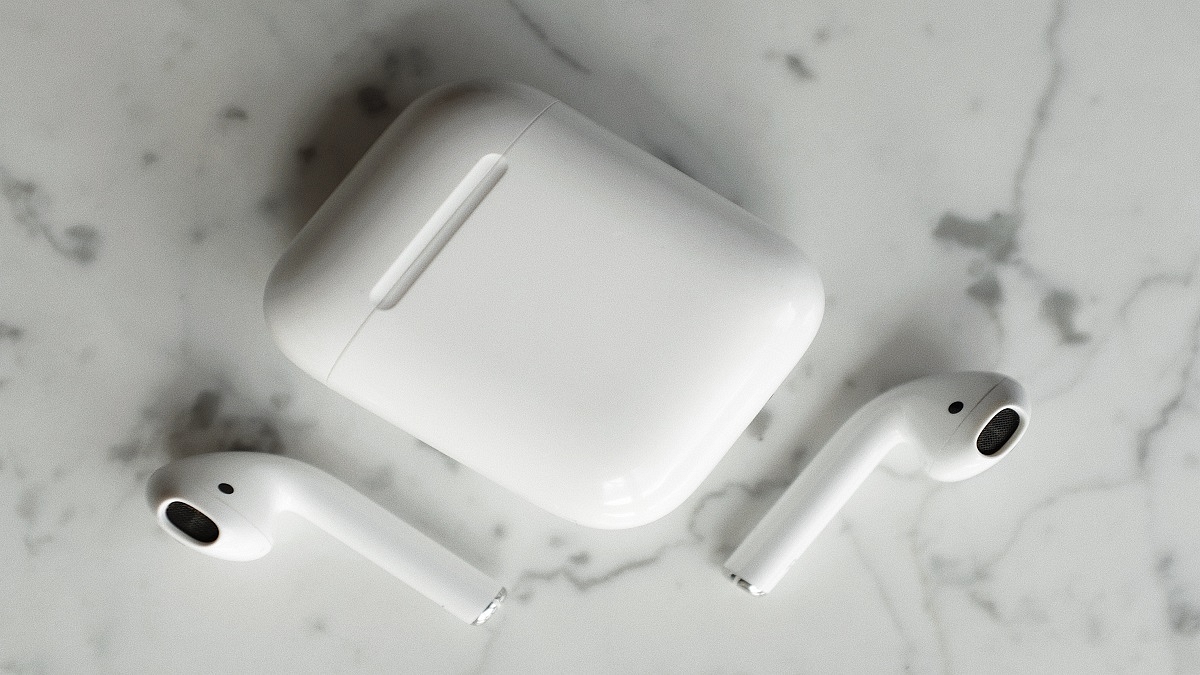
So it’s been a few months, and your AirPods Max has lost its luster. Even your closest friends will flinch in disgust at the sight of the caked-in earwax and discolored ear tips when you try to share your music with them. We advise routine in-ear cleaning if you wish to prevent this. Regular care will not only keep your AirPods clean, but it will also keep them looking good for a lot longer. It’s time to put on your working shoes. Also Read | AirPods But No iPhone? Here’s How You Can Pair AirPods With Any Android Smartphone

How To Clean Your AirPods Max

Step 1: Don’t run your AirPods Max under water.

Step 2: Make use of a lint-free, soft, dry cloth.

Step 3: In the event that your AirPods Max comes into contact with anything that could result in stains or other damage including detergents, shampoos, conditioners, lotions, perfumes, solvents, detergents, acids, or acidic foods, insect repellant, sunscreen, oil, or hair dye:

  • Use a soft, dry, lint-free cloth that has been softly dampened with fresh water to clean them.
  • Wait till they are completely dry before attempting to use them.

Step 4: Make sure no liquid enters the openings.

Step 5: Do not use abrasive cleaners or sharp objects to clean your AirPods Max.

How To Clean Your AirPods Max’s Cushions And Headband

Step 1: Mix 1 tsp. (5 mL) of liquid laundry detergent with one cup (250 mL) of water in a clean container.

Step 2: The ear cups’ cushions should be taken out.

Step 3: When you clean the headband, hold your AirPods Max upside down to prevent liquid from flowing into the headband attachment point.

Step 4: Soak a lint-free cloth in the soapy water mixture, wring it lightly, and then gently rub the cushion and headgear for one minute each.

Step 5: Wipe cushions and headgear with an extra cloth lightly dampened with fresh water.

Step 6: Use a gentle, dry, lint-free cloth to dry the cushions and headband, making sure to get rid of any extra moisture.

Step 7: Let it dry on a flat surface for at least a day before putting the pads back on and using your AirPods Max again.

How To Clean The Case Of Your AirPods Max

Use a soft, dry, lint-free cloth to clean your smart case. If necessary, lightly dampen the cloth with isopropyl alcohol. Let the smart case dry. Do not clean the smart case with rough materials.

Also Read | Lost Your AirPods’ Charging Case? Here’s How To Charge AirPods Without A Case

Categories
Featured Leaks Tablet

OnePlus Pad 5G Tablet Private Testing Begins In India: How Soon Is It Launching?

Key Highlights

  • OnePlus Pad enters testing phase in India
  • Codenamed Aries internally
  • Price range could be above Rs. 20,000

OnePlus will be bringing its first-ever Android tablet to the Indian market this year. The Chinese tech giant is set to venture into the tablet industry with the OnePlus Pad tablet. OnePlus and will be going up against other popular Chinese OEMs that have recently joined the tablet industry including OPPO, Xiaomi, Realme, and Vivo. The OnePlus Pad has been leaked throughout 2022 with no official launch timeline foreseen. Apparently, OnePlus will finally launch the OnePlus Pad in India and other global markets. At least, that’s what the latest sightings hint at. Look at the details below:

OnePlus Pad TabletExpected Key Specs
Display120Hz FHD+ AMOLED
CameraSingle rear and front
ProcessorSnapdragon 865
Fast Charging45W
Price Expected above Rs. 20,000

OnePlus Pad Enters Private Testing Phase In India

OnePlus has commenced private testing of the OnePlus Pad in India. The company has given the OnePlus Pad “Aries” internal codename to its upcoming Android tablet for the Indian market. This contradicts the previous rumors that suggested Reeves codename for the OnePlus tablet. Nevertheless, we are also not sure of the exact moniker of the first OnePlus tablet. It could either be dubbed OnePlus Tab or OnePlus Pad.

With the OnePlus tablet entering the private testing phase, we can safely assume an imminent launch. Possibly in the next few months. Unfortunately, OnePlus is silent as of now and hasn’t shared any details on the exact timeline for the tablet’s launch. In fact, there has been a delay in its arrival due to unknown reasons. But it will finally break covers this year.

If we consider all the past leaks, the OnePlus Pad or the OnePlus Tab tablet will be a premium mid-range tablet that would possibly compete against the Oppo Pad and Xiaomi Pad 5. Just like the availability, the upcoming OnePlus tablet’s pricing is also kept under wraps by the company. But the rumors have indicated a price range above Rs. 20,000 in India.

Also Read: OnePlus Call Being Recorded Notification: How To Stop Call Is Now Recording Message On OnePlus 10T, 10 Pro, OnePlus 9, 8 Series

OnePlus PadKey Specifications

The OnePlus Pad / OnePlus Tab specifications have been leaked several times in 2022. The expected specifications include an FHD+ OLED display and a 120Hz refresh rate. The upcoming OnePlus tablet will be launched with the premium octa-core Snapdragon 865 processor combined with up to 6GB RAM and 128GB storage. It is also expected to come with 45W fast charging support. These are rumored specs and some concrete information on the same will possibly be out soon.

Also Read: Call Recording Warning: Here’s How To Stop

Categories
Featured How To TV

Airtel Digital TV: How To Add Or Remove Airtel DTH Channels

Key Highlights

  • Airtel Digital TV is gaining more subscribers
  • TRAI’s new regulation lets users choose only the channels they want
  • Adding or removing channels is now easier on Airtel Digital TV

As Dish TV and Tata Sky users reach a saturation point in the market, Airtel Digital TV is quickly adding more subscribers. Users can fully benefit from TRAI’s new regulation by only subscribing to the channels they want to view. In the past, users had to choose packs from different channels. They can now choose which specific channels they want to add because the process has grown increasingly open over time. Here’s how you can add or remove channels from your Airtel Digital TV.

Also Read | How To Remove Channels From Tata Sky: Tips To Save Extra Bucks

Airtel DTH: How To Add A Channel In Airtel DTH Via SMS

With the use of its SMS service, Airtel Digital TV makes it simple to add or remove channels. Do note that there are different procedures depending on whether you are sending it using a registered or an unregistered phone number.

Step 1: The list of Airtel DTH channel numbers should be kept nearby.

Step 2: The SMS should be formatted as “ADD <channel number>” and sent to 54325. For instance, you would send “ADD 203” to add Zee Cinema to your list of subscribed channels.

Airtel DTH: How To Add A Channel Without A Registered Mobile Number

Step 1: Hold onto your Customer ID.

Step 2: SMS “ADD <channel number>” and <customer ID>” should be sent to 54325. For Zee Cinema, you would need to send “ADD 203 30xxxxx-001), for instance.

Step 3: Following your action, an OTP will be sent to your phone number.

Step 4: Send the OTP to 54325 using the format “Top <OTP>.” For example, if the OTP is 4321, you have to send “Top 4321” to 54325, from the same non-registered mobile number.

Step 5: A confirmation SMS will then be sent to you. Your list of subscribed channels will now include the channel you’ve selected.

Also Read | Change Registered Mobile Number In Tata Sky: Here’s How To Do It

Airtel DTH: How To Remove Channel Via SMS

For this method to work, you would require a list of channel numbers provided by Airtel Digital TV. Also, keep in mind that this method only works with registered mobile numbers.

Step 1: Open your phone’s messaging app.

Step 2: To remove a channel, send the message “Rem <channel number of the channel that you want to be removed> to 54325. For instance, to unsubscribe from Zee Cinema’s channel 203, send the text “Rem 203” to 54325. And you are done!

Categories
Comparison Featured mobile

OnePlus 11 5G Vs iQOO 11 5G: Latest Flagship Mobile Comparison

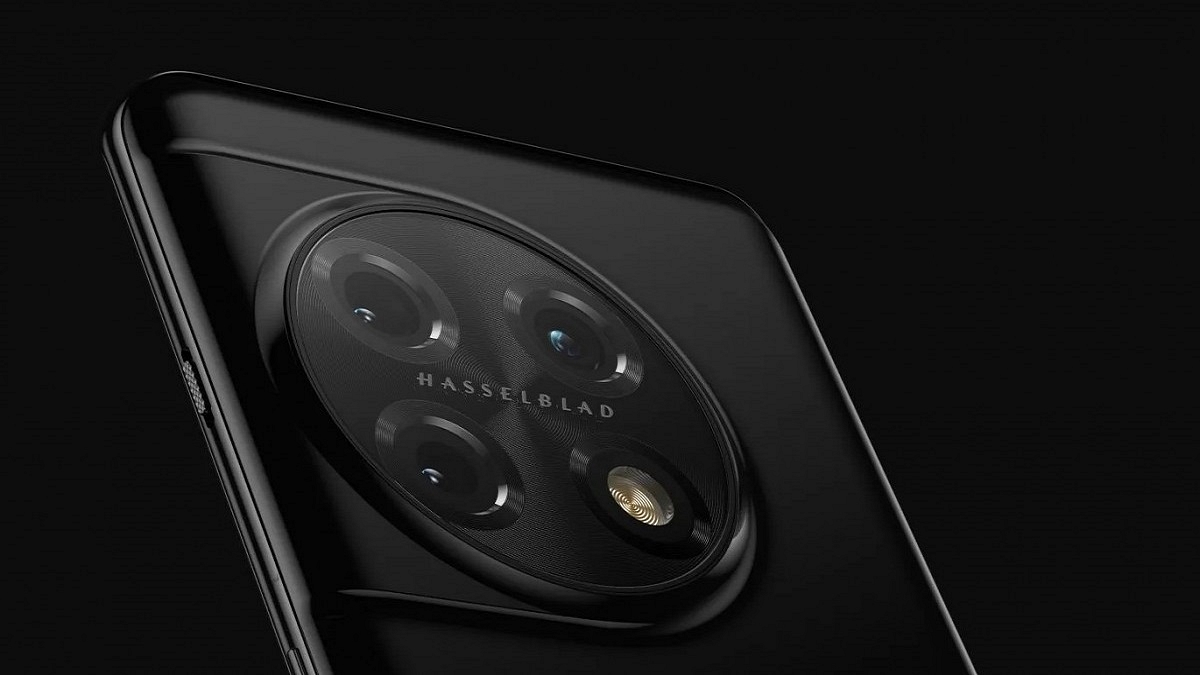
OnePlus has unleashed its most powerful Android smartphone for the masses. The company has released the OnePlus 11 5G in its home country China with top-of-the-line specifications such as the Snapdragon 8 Gen 2 mobile processor and 50MP Hasselblad camera setup and more. The iQOO 11 5G which is another upcoming flagship phone in the Indian market is arriving as one of the biggest competitors of the newly launched OnePlus 11 5G. Which one will emerge as a winner if we compared these two premium Android phones? Read all details below:

OnePlus 11 5G Vs iQOO 11 5G: Display Comparison

ModelOnePlus 11 5GiQOO 11 5G
Display120Hz 6.7-inch LPO3 AMOLED144Hz 6.7-inch LTPO4 AMOLED
Camera50MP+32MP+48MP50MP+13MP+8MP
ChipsetSnapdragon 8 Gen 2Snapdragon 8 Gen 2
Battery5,000 mAh5,000 mAh
Fast Charging100W120W

The OnePlus 11 5G has been announced with an AMOLED display. The 6.7-inch screen on LTPO3 display supports 1440 x 3216 pixels screen resolution and 120Hz refresh rate. It also comes with HDR10+ certification, Always-on feature, and 1300 nits peak brightness. iQOO has used a slightly more powerful panel on nthe iQOO 11 5G compared to the OnePlus 11 5G.

The iQOO 11 5G packs a 6.78-inch display panel with 1440 x 3200 pixels screen resolution along with 144Hz refresh rate. Besides the higher refresh rate, the peak brightness is also better on the iQOO 11 5G at 1800 nits. While both OnePlus 11 5G and the iQOO 11 5G have a premium-class display, the latter will perform better with gaming and video playback.

Also Read: Call Recording Warning: Here’s How To Stop

OnePlus 11 5G Vs iQOO 11 5G: Camera Specification Comparison

Speaking of the camera hardware, the OnePlus 11 5G offers a 50MP main wide camera with PDAF and OIS, a 32MP telephoto sensor with 2x optical zoom, and a 48MP ultrawide-angle sensor with 115-degree FoV. This is a Hasselblad series camera that promises a rich photography experience under all scenarios. A 16MP camera is used by this new-generation OnePlus phone with an f/2.4 aperture.

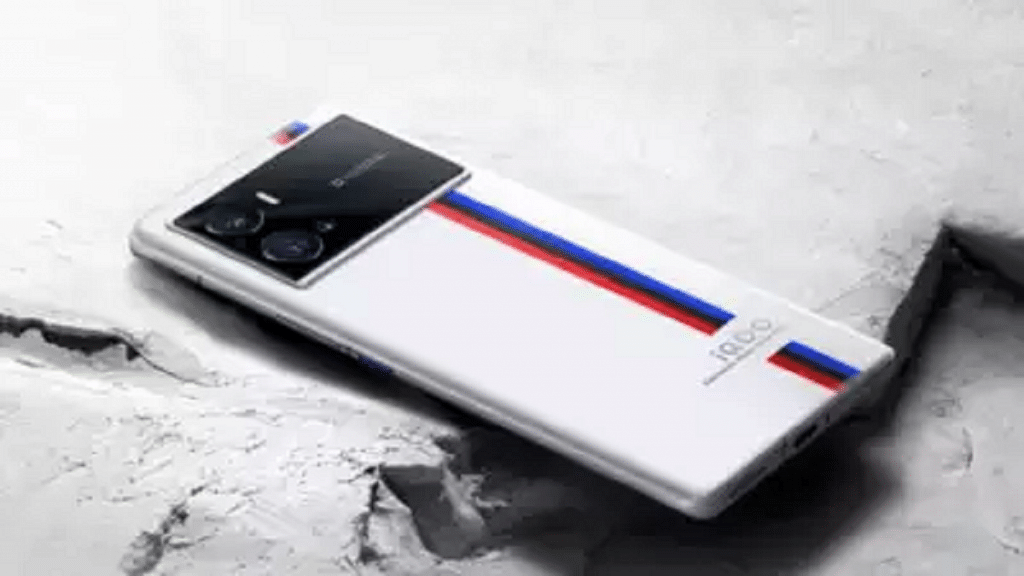
The iQOO 11 5G also jas a triple lens camera setup with the primary sensor being a 50MP lens with OIS and PDAF, 13MP telephoto sensor, and an 8MP ultra-wide angle lens.  This phone also features a 16MP camera for selfies and video conferencing. In the camera department, the OnePlus 11 5G will offer a slightly better experience compared to the iQOO 11 5G.

Also Read: OnePlus Call Being Recorded Notification: How To Stop Call Is Now Recording Message On OnePlus 10T, 10 Pro, OnePlus 9, 8 Series

OnePlus 11 5G Vs iQOO 11 5G: Battery, Chipset

The Qualcomm Snapdragon 8 Gen 2 processor works as the powerhouse for both iQOO 11 5G and the OnePlus 11 5G. This octa-core chipset is built on 4nm process and has Adreno 740 GPU support. Both these phones will boot on Android 13 OS out-of-the-box with a custom UI overlay.

The OnePlus 11 5G and the iQOO 11 5G are fully capable of handling the most demanding and extensive tasks with the flagship-grade Qualcomm processor. A 5,000 mAh battery drives both OnePlus 11 5G and the iQOO 11 5G. However, the former supports 100W fast charging, while the latter supports 120W support.

Also Read: OnePlus TV Y1s Pro Vs Xiaomi MI TV 4X: Best 43-inch Smart TV Model Under Rs. 30,000 In India

OnePlus 11 5G Vs iQOO 11 5G: Which One Is Best?

Both OnePlus 11 5G and the iQOO 5G can outperform the most high-end phones in the market. The competition is stiff between both these phones. However, for better optics, the OnePlus 11 5G has the required hardware, while the iQOO 11 5G will serve best for gaming.

Also Read: OnePlus Tech Support: How To Migrate And Restore Data From iPhone To New OnePlus Smartphone Using Clone App

Categories
Accessories Featured Gaming Info

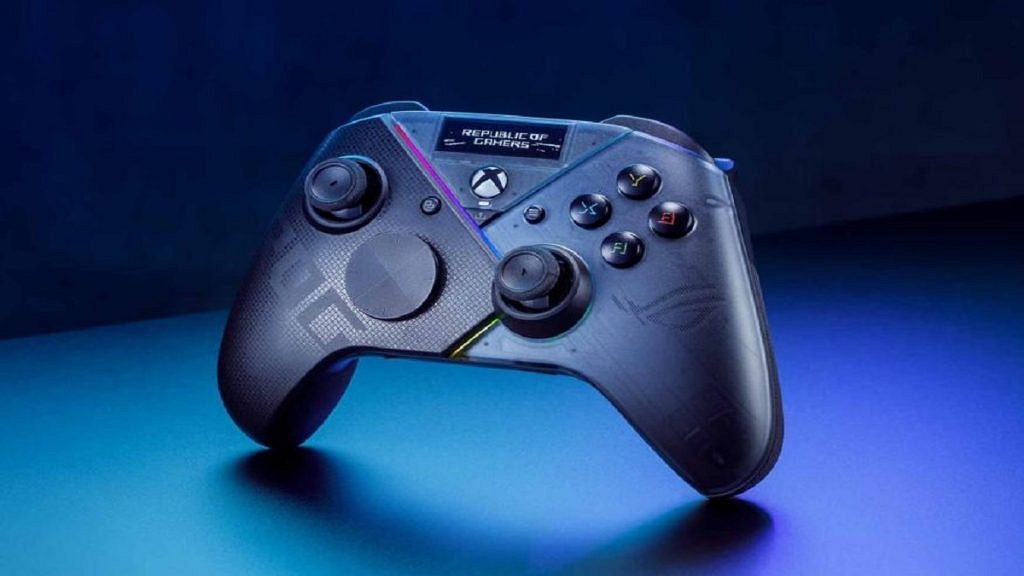
Asus Raikiri Pro Is The Latest High End Xbox Controller Integrated With OLED Display: Price, Specs

Key Highlights

  • The gaming controller was announced at the ongoing CES 2023
  • The ROG Raikiri series includes two controllers: an entry-level wired ROG Raikiri controller and a high-end wireless ROG Raikiri controller
  • It will be available in the first quarter of this year

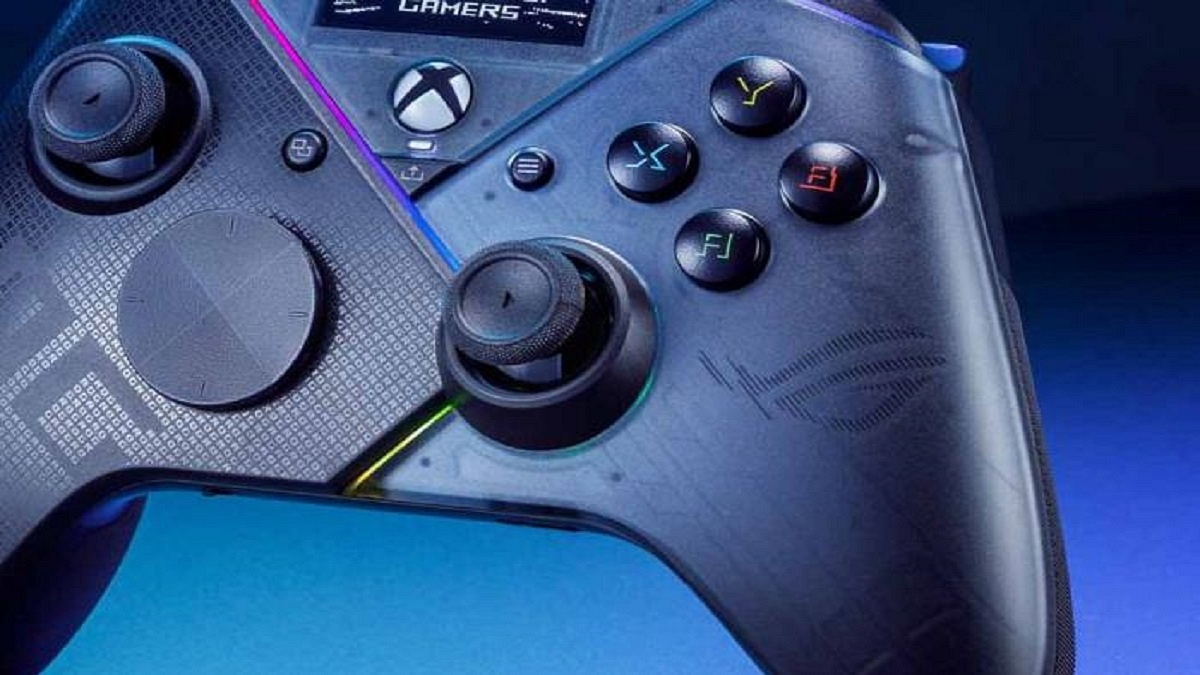
ASUS introduced its most recent ROG Raikiri lineup of gaming controllers for PCs and Xbox consoles at the Consumer Electronics Show 2023. The OLED display on the Raikiri controllers was added by the Taiwanese manufacturer as a nod to the additional panels on its ROG series laptops and smartphones.

The ROG Raikiri series comprises two controllers: the entry-level wired ROG Raikiri controller and the premium wireless ROG Raikiri controller featuring a 1.3-inch OLED display. Along with the ASUS laptop series and ROG-branded hardware, the gaming controllers from the ROG Raikiri series were introduced at the current CES 2023. In the first quarter of this year, it will go on sale. Also Read | CES 2023 Highlights: Asus ROG Zephyrus M16, G16, G14 Gaming Laptops Unveiled With Powerful Internals

ASUS ROG Raikiri Controller Features

The ASUS ROG Raikiri controller’s standard version only supports wired connectivity. When it goes on sale, it will be the less expensive of the two controllers. Two additional buttons on the back of the gaming controller, both of which can be customized using ASUS’ Armoury Crate software, are meant to provide basic functionality.

The joystick connectivity can also be adjusted by customizing the buttons. Programmable triggers with adjustable ranges and dead zones are located around the back (via the Armoury Crate app). A four-way D-pad with a cross pattern is included. The ASUS RGB Aura lighting on the Raikiri controller is also included, and it can be adjusted using an app. Like the Raikiri Pro, the Raikiri Standard is compatible with Xbox consoles and PCs.

ASUS ROG Raikiri Pro Controller Features

Even while the ASUS ROG Raikiri Pro isn’t the first controller with a display, it is the first of its kind to offer tri-mode connectivity. It features Bluetooth v5.0 and 2.4GHz RF wireless communication as well as wired connectivity through a USB Type-C interface. The controller’s three working modes are intended for PCs, but the wired mode also enables pairing with an Xbox console.

In order to lessen Bluetooth interference when gaming, ASUS claims that the controller’s wireless connectivity choices use adaptive frequency hopping (AFH) technology. The controller has a similar design aesthetic to the ROG Raikiri standard controller, but it has a better 8-way D-pad and four extra rear buttons that can be customized using the Armory Crate software.

Also Read | Best Games On Xbox Game Pass That Are Worth Playing

Categories
Apps Featured mobile

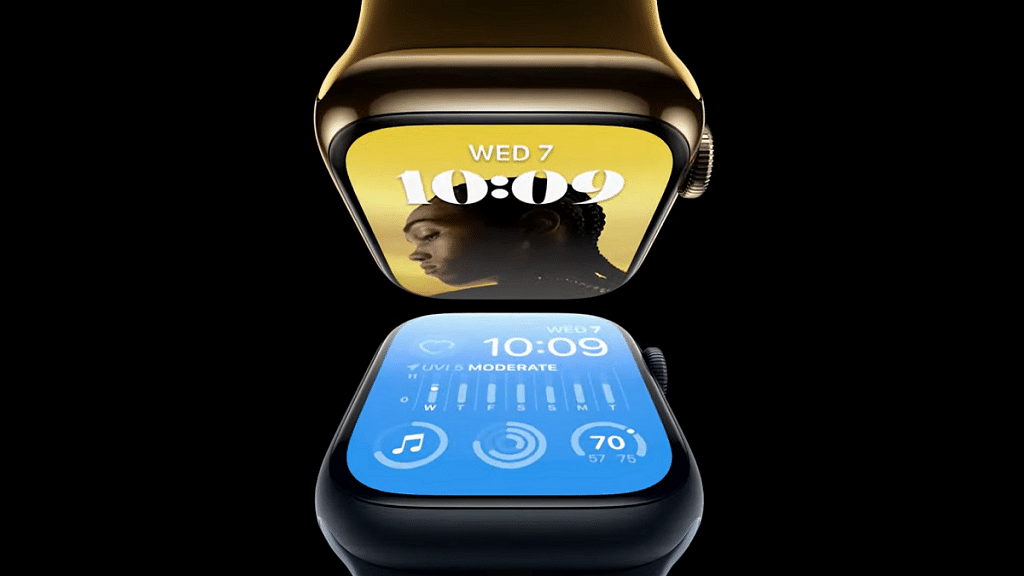
Google Maps On Apple Watch: How To Setup And Use Google Maps For Navigation On Apple Watch

Key Highlights

  • Google Maps can be used on Apple Watch
  • iOS 10 or above and Watch OS 5 or above required
  • One can access ETA and step-by-step directions

Apple has a strong ecosystem of tech products and supported services. iOS is the driving force for all iPhones and iPads delivering a premium user experience. Apple has released some unique features to iOS that are accessible to all iPhone users. Specifically, the new-generation iOS is loaded with numerous user-oriented features to improve the modern lifestyle.

The navigation system with Apple iOS is also top-notch. However, some users still use Google Maps with their respective Apple devices. This might be the case for most Android users transitioning to Apple devices. It’s not just the Apple iPhone or the iPad with which you can use Google Maps but also Apple Watch. Using Google Maps on Apple Watch is a provision.

To use Google Maps, you can download the application n your respective Apple Watch smartwatch. This will allow seamless navigation between the phone and the Apple Watch while using the Google Maps application. As far as the functionalities are concerned, you can get the ETA and step-by-step directions. Also, Google Maps will work swiftly if your Apple devices are running on iOS 10 0r above and Watch OS 5 or above. Let’s now look at the steps to set up Google Maps on any Apple Watch:

Also Read: iOS 16 Tips And Tricks: How To Add Up To 15 Stops In Maps With iOS 16 Beta

How To Setup And Turn On Location Services In Google Maps On Apple Watch

Step 1: Open the Settings menu on your iPhone.

Step 2: Go to the Location Services option.

Step 3: Select Google Maps.

Step 4: Now, click on the Always Allow or Only While Using the App option.

Step 5: Go to your Apple Watch and launch the Google Maps application.

Step 6: Click on Home, Work, or Edit shortcuts to add destination shortcuts.

Step 7: Now, go to the iPhone and follow the on-screen guide to setup the Home and Work shortcuts.

Also Read: iOS Tips And Tricks: How To Download Offline Maps On Apple iPhones, iPads?

Steps To Use Google Maps On Apple Watch For Navigation

Step 1: Launch Google Maps on your Apple Watch.

Step 2: Select one of the saved shortcuts. The step-by-step directions will be displayed on the Apple Watch screen.

Step 3: If you wish to travel to a new destination using Google Maps on Apple Watch then tap on the Start (Arrow) option.

Step 4: You can start the navigation on your iPhone.

Step 5: Select the Current Trip option on your Apple Watch.

Step 6: Select ETA to know the expected travel time.

Also Read: Google Maps Location Sharing Alert Notification: How To Notify Your Contacts Of Your Arrival And Departure Using Maps

Categories
Auto Tech Featured Info

Sony, Honda Teams Up To Bring Qualcomm Technology-Laced Afeela Electric Car: Official Debut In 2026

Key Highlights

  • Sony showcased a new EV prototype called Afeela during a presentation at CES in Las Vegas
  • The vehicle will be manufactured by a joint mobility company between Sony and Honda
  • A production version to use Qualcomm’s Snapdragon Digital Chassis technology

During a presentation on Wednesday at CES in Las Vegas, Sony showcased a brand-new electric vehicle prototype dubbed Afeela. This car will be manufactured by Sony and Honda’s joint mobility venture which was first revealed in October. The joint venture’s first production electric vehicle, called Afeela, is scheduled to go on sale in North America in 2026. Also Read | Renault Arkana Coupe SUV To Be Revealed At Auto Expo 2023: Rivals, Expected Specs

The first cars will be delivered in North America in the spring of 2026, said Yasuhide Mizuno, CEO of Sony Honda Mobility, who stated that the company will begin accepting pre-orders for the vehicle in the first half of 2025. He said that to provide a special experience, the car would draw on Sony’s expertise in artificial intelligence, entertainment, virtual reality, and augmented reality.

“Afeela represents our concept of an interactive relationship where people feel the sensation of interactive mobility and where mobility can detect and understand people and society by utilizing sensing and AI technologies,” said Mizuno.

The Japanese conglomerate’s close collaboration with Qualcomm on the car’s computing power was also made public. Additionally, Epic Games and Sony have partnered to integrate their technology, such as Unreal Engine 5, into the Afeela electric vehicle. The rendering of the infotainment cluster and the animations seen on the car’s screens will be done by the operating system of the automobile using Unreal Engine 5.

In March 2022, Sony and Honda announced their joint venture, in which they will collaborate on automotive and mobility technology. The collaboration combines Sony’s experience in image, networking, sensors, and entertainment with Honda’s competence in vehicle production, mobility technologies, and sales. The Afeela electric car will be manufactured at one of Honda’s 12 plants in the United States.

Also Read | Kia EV9 Concept Teased Ahead Of 2023 Auto Expo: Debuting Next Year?

Categories
Apps Featured

100 Creative Business Name Ideas For Your Instagram Account

Key Highlights

  • Instagram, boasting billions of users, offers vast business potential
  • Businesses like e-commerce and personal training benefit from Instagram marketing
  • A strong brand name on Instagram is key for growth and engagement

With more than a billion users globally, Meta-owned Instagram is one of the most popular social media platforms right now. Similar to other websites, the photo-sharing app facilitates interpersonal connections. And where the attention is focused, you can be confident that business possibilities will follow.

Whether you operate an e-commerce site, a restaurant, or a personal training studio, your business can profit from Instagram marketing. We’ve organized some of the name suggestions for your Instagram business profile to assist you in coming up with a successful brand name. Let’s check them out. Also Read | 100 Best And Unique Instagram Names For Fitness Freaks

Best Business Name Ideas For Instagram

Nala BandanaThe Diving DuoBooks For Less
Doing Your LaundryBaking PerfectionistAmazing Handicrafts
Pet ProdigiesThe IG EntrepreneurNomad Photographer
Graphic PainterFilm EnthusiastGrown Organic
Fine Tune CreativesThe Golden MamaBranded Life
Fine Tune CreativesThe Cozy CamperThe Traveling Couple

Trendy Business Name Ideas For Instagram

Baked GoodsSocial Media Salesman/womanPhotographed By Jed
The Cookie CrustOrganic ScentsFine Tune Creatives
We Take PhotosBrilliant GoodsPoint and Shoot
Branded ArtfullyPic Perfect IGThe Active Painter
Discreet PhotographerTravel GlimpsesThe Wellness Coach
Pink CreativesZeal ArtistsEverything Coffee

Also Read | 100+ Best Instagram Names For Pet Parents

Attractive Business Name Ideas For Instagram

Coffee CoachThe Event PhotographerThe Travelling Couple
Shades All You CanInterior MasterMindsInsta Apparel
Better MagicianKeep It SimpleRule of Thirds
For Knights & PrincessesStrikingly Fashionable MeDesirable Shoes
Recipes CapturedSweets CreativeThe Photo Experts
The Snaps CollectiveQuick SnapsThe Visual Artist

Catchy Business Name Ideas For Instagram

Baked Goods Co.The Right NotesPink Dots Boutique
Needles & Threads DesignCoffee Break AttireHealth and Wellness Inc.
Truffles BonanzaThe Modern Day ArtistPlant Mama
Hems & SeamsChoco ItalianoChef’s Kiss
Second Hand LuxuryRunway DivasIG Aesthetic

Unique Business Name Ideas For Instagram

Zesty LemonPremium MarketWorld Of Pixels
InstaWriterHome FashionCharming Charlotte
Straight Out Of The RunwayPosed to PostElite Interior
Books OnlineOrganic SagesSmooth Dresser
The Uptown ShopThe Sweet LifeThe Little Things
Homes and GardensFantabulousCountry Living
Splendor GoodsSunset VillasThe Grand Chef

Also Read | 100 Best Instagram Names For Food Bloggers To Get More Followers

Categories
Featured Gaming Laptop

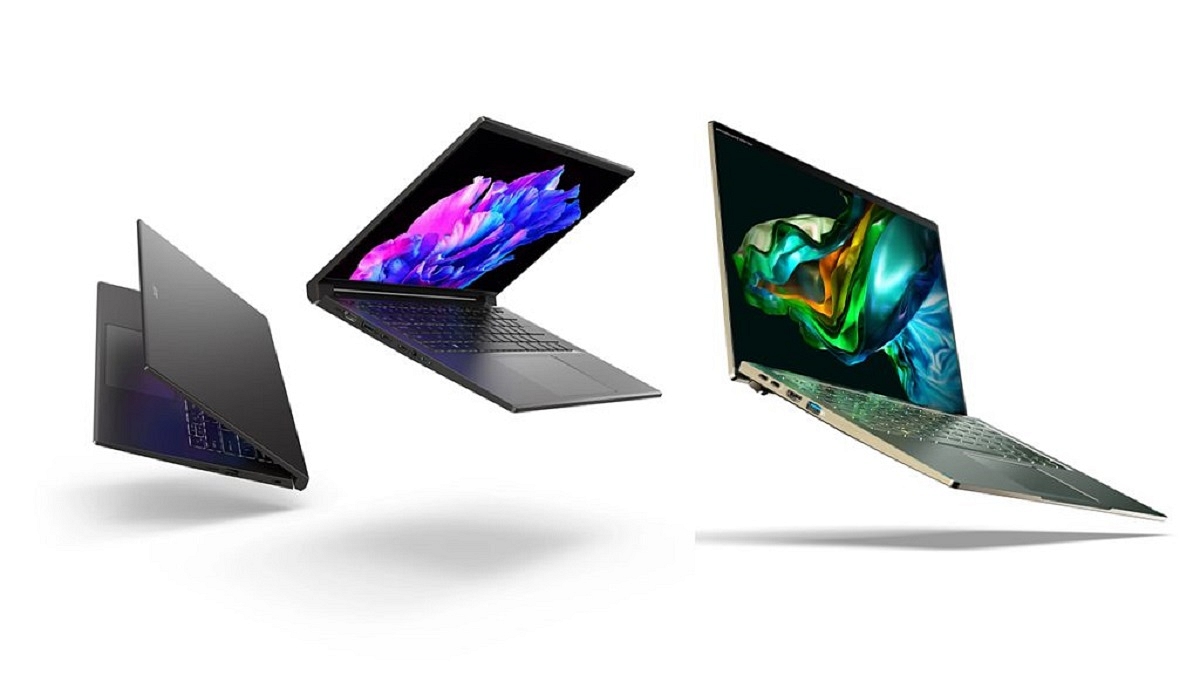
January 2023 Major Laptop Launches: Acer Introduces New Range Of Predator Helios, Nitro, Swift Go, Aspire Notebooks With Premium Features

Key Highlights

  • Acer has announced multiple laptops and desktops
  • The company has revealed the Predator Helios series, Nitro series, and Aspire series notebooks
  • Acer also unveiled Aspire branded desktops

Acer has added numerous new products to its lineup of laptops and monitors. These laptops have 13th-generation Intel Core processors and are from the company’s Predator Helios series, Swift Go series, Aspire series, and Nitro line of laptops. They will be available from January 2023 in select markets around the globe.

Acer Predator Helios, Nitro, Swift Go, Aspire Notebooks: Pricing

ModelPrice
Acer Predator Helios 16$1,649.99 (around Rs. 1,37,000)
Acer Predator Helios 18$1,699 (approx. Rs. 1,41,000)
Acer Nitro 16 and Nitro 17$1,199.99 (approx. Rs. 1,00,000)
Acer Swift Go 16$800 (approx. Rs. 66,300)
Acer Swift Go 14$850 (around Rs. 70,400)
Acer Swift X 14$1,100 (around Rs. 91,100)
Acer Swift 14$1,400 (around Rs. 116,000)
Acer Aspire S 27-inch$1,200 (around Rs. 99,400)
Acer Aspire S 32-inch$1,700 (approx. Rs. 140,800)
Acer Aspire 3 14-inch$499 (approx. Rs. 41,300)
Aspire 3 15-inch$349 (approx. Rs. 28,900)
Aspire 3 17-inch$379 (around Rs. 31,400)
Acer Aspire S 14-inch$550 (approx. Rs. 45,500)
Aspire 5 15-inch$600 (roughly Rs. 49,700)
Aspire 5 17-inch$700 (approx. Rs. 57,900)
Acer Chromebox CX15$290 (approx. Rs. 24,000)

Also Read | List Of Best Premium Gaming Laptops For E-Sports Gamers

Acer Predator Helios 16, Predator Helios 18: Specifications

The recently released 13th Gen Intel Core i9 or i7 HX mobile CPUs are what power the Predator Helio 16 and Helio 18 laptops. They come with up to 32GB of DDR5-4800MHz RAM, up to 2TB of PCIe Gen4 NVMe SSD with RAID 0 storage, and up to an NVIDIA GeForce RTX 4080 Laptop GPU. Both of these laptops have 5th-generation AeroBlade 3D metal fans and rectangular-shaped vector heat pipes. These features improve heat transfer.

The Predator Helios 16 has a 16-inch WQXGA display with a screen refresh rate of 165Hz or 240Hz and a peak brightness of more than 1,000 nits. Contrarily, the Predator Helios 18 has an 18-inch WUXGA screen with a 165Hz or 240Hz refresh rate. Both of these laptops include a one-month subscription to Xbox Game Pass or PC Game Pass.

Acer Nitro 16 And Nitro 17: Specifications

The upgraded 16-inch WUXGA or WQXGA display on the Nitro 16 gaming laptop has a refresh rate of 165Hz that supports NVIDIA Advanced Optimus. On the other hand, the Nitro 17 has a QHD panel with a refresh rate of 165Hz or an FHD display with a 144Hz or 165Hz refresh rate.

The most recent 13th Gen Intel Core HX processors power the new Acer Nitro 16 and Nitro 17 gaming laptops. It is paired with the NVIDIA GeForce RTX 40 series laptop GPUs that have up to 32GB of DDR5 4800 RAM and up to 2TB of storage.

The new Nitro laptops also include an HD camera, two microphones, and two speakers that support DTS:X Ultra audio. Both of these laptops contain three USB 3.2 Gen 2 ports, an HDMI 2.1 port, a microSD card reader, two Thunderbolt 4 ports with power delivery, a Killer DoubleShot Pro, and Killer Wi-Fi 6 1650i for connectivity.

Acer Swift Go 14 And Swift Go 16: Specifications

The Acer Swift Go 16 has a 16-inch 3.2K OLED screen with a resolution of 3200 x 2000 and a refresh rate of 120Hz, while the Swift Go 14 has a 14-inch 2.8K OLED screen with a resolution of 2880 x 1800 and a refresh rate of 90Hz. Both of these laptops have 500 nits of peak brightness and are TÜV Rheinland Eyesafe certified.

The 13th Gen Intel Core M3 processor powers the Acer Swift Go 14 and Swift Go 16 notebooks. It comes along with the Intel Evo platform, Intel Movidius VPU, up to 2TB PCIe Gen 4 SSD, and up to 16GB LPDDR5 memory. Both these laptops have up to 9.5 hours of battery life.

The updated TwinAir twin fan system, dual D6 copper heat pipes, an air-inlet keyboard, a 14.9mm aluminum chassis, and extremely thin side bezels are further features of each of these laptops.

Also Read | CES 2023 Highlights: Asus ROG Zephyrus M16, G16, G14 Gaming Laptops Unveiled With Powerful Internals