Categories
Chipset Comparison Featured

Qualcomm Snapdragon 695 Vs MediaTek Dimensity 1300 5G Chipset: Quick Comparison

Qualcomm and MediaTek are flooding in options for smartphone OEMs and general users with mobile processors. Both these brands are making the most of the new technology innovations and designing the best-in-class chipsets for Android smartphones. While we do have a couple of other players in this market such as Samsung and Unisoc, MediaTek and Qualcomm are the preferred choices for a large segment of global smartphone brands as well as the audience.

 In continuation with the series of chipset comparisons, we are now pitting down the Snapdragon 695 5G processor from Qualcomm against the Dimensity 1300 chipset by MediaTek. Which of the two premium mid-range mobile chipsets outperforms the other in terms of CPU and GPU performance? Let’s find out:

Qualcomm Snapdragon 695 Vs MediaTek Dimensity 1300 5G Chipset: CPU Architecture, Performance

Qualcomm has used an octa-core CPU cluster for the Snapdragon 695 featuring two Cortex-A78 cores clocked at 2.2 GHz and six Cortex-A55 cores with 1.7GHz clock speed. The base frequency offered by the SD 695 5G is 2200MHz, while the Instruction set used is ARM8.2-A. This premium mid-range chipset is fabricated using a 6nm fabrication process.

Even MediaTek has used the same fabrication process for the Dimensity 1300 chipset along with an 8-core cluster. This processor offers a 3200MHz frequency range and has the ARMv8.2-A instruction set which is also the same as the Snapdragon 695 5G chipset. Overall, the CPU performance will be more or less similar with both these chipsets.


Snapdragon 695 SoC Vs Dimensity 1300 Chipset: GPU Performance

Qualcomm has packed an Adreno 600 series GPU inside the Snapdragon 695 processor; Adreno 619 GPU to be precise. This GPU frequency is 840MHz with 128 shading units, 1.1 Vulkan version, OpenCL 2.0, and DirectX 12. The MediaTek Dimensity 1300 processor has the Mali-G77 MC9 GPU based on Valhall architecture.

It delivers an 850MHz frequency range which isn’t much different from the SD 695. Also, the other aspects including the Vulkan version, OpenCL, and DirectX version are the same. The GPU performance with the Snapdragon 695 and the Dimensity 1300 chipset is equally powerful to render extensive graphics.

Qualcomm Snapdragon 695 Vs Dimensity 1300 Processor: Memory, Multimedia

The memory compatibility is identical on both Snapdragon 695 5G and the Dimensity 1300 processor, i.e., LPDDR4X RAM. However, the memory frequency is different. The former offers 2133MHz, while the latter delivers around 4266 MHz of memory frequency. The maximum memory size supported is 8GB with the Snapdragon 695 and 16GB with the Dimensity 1300. The higher memory support is an advantage of the MediaTek processor. The storage support is eMMC 5.1 and UFS 2.2 with the SD 695 and just UFS 3.1 with the Dimensity 1300 processor.

Coming to the memory features, the Snapdragon and the Dimensity processor has an identical 1080 x 2520 pixel max display resolution. The max camera resolution is different with the Qualcomm processor offering support for 1 x 10⁸MP and 2 x 16MP max camera resolution and 1 x 200MP camera resolution.
Categories
Apps Featured How To

Instagram Business Boost: How To Create And Share Shopping Stickers Via Stories On Instagram

Instagram is offering possibilities beyond just photo sharing now. The social media app is now full-fledged with features such as stories and reels. Direct messaging is also an option with Instagram on Android and iOS. Meta has also opened up business possibilities with Instagram and lets creators and even general users make use of this platform for marketing their products and getting monetary benefits using the app.

To aid with the personal business on Instagram, an option to add stickers has been released. Using this feature, Businesses and shopping partners can easily add any shopping-related sticker to Instagram Stories that will help boost the business. All the business accounts must be approved in order to be set up for Instagram shopping. You will also be able to tag products if you’re a partner with a professional account.

Additionally, the Instagram affiliate creators will be able to share shopping stickers via stories. And also there is a provision to add stickers with additional stickers and upload highlights and videos.

Steps To Add And Share Shopping Stickers To Instagram

Step 1: Click on the add icon and tap on Story.

Step 2: From the gallery, select the product image or the video that needs to be shared via story.

Step 3: From the Sticker tray, select the desired shopping sticker.

Step 4: Now, from the list of your product catalog, select the required collection that you wish to feature in stories.

Step 5: Click on Done.

Step 6: Adjust the placement of the shopping sticker by dragging it across. You can also fiddle with the styling of the shopping sticker.

Step 7: Once done, tap on send. You can select your desired audience.

Step 8: Click Share and the shopping sticker will be shared as a story on Instagram.

Categories
Comparison Featured Tablet

Oppo Pad Air Vs Samsung Galaxy Tab A7 Vs Honor Pad 8: Which Should Be Your Bet

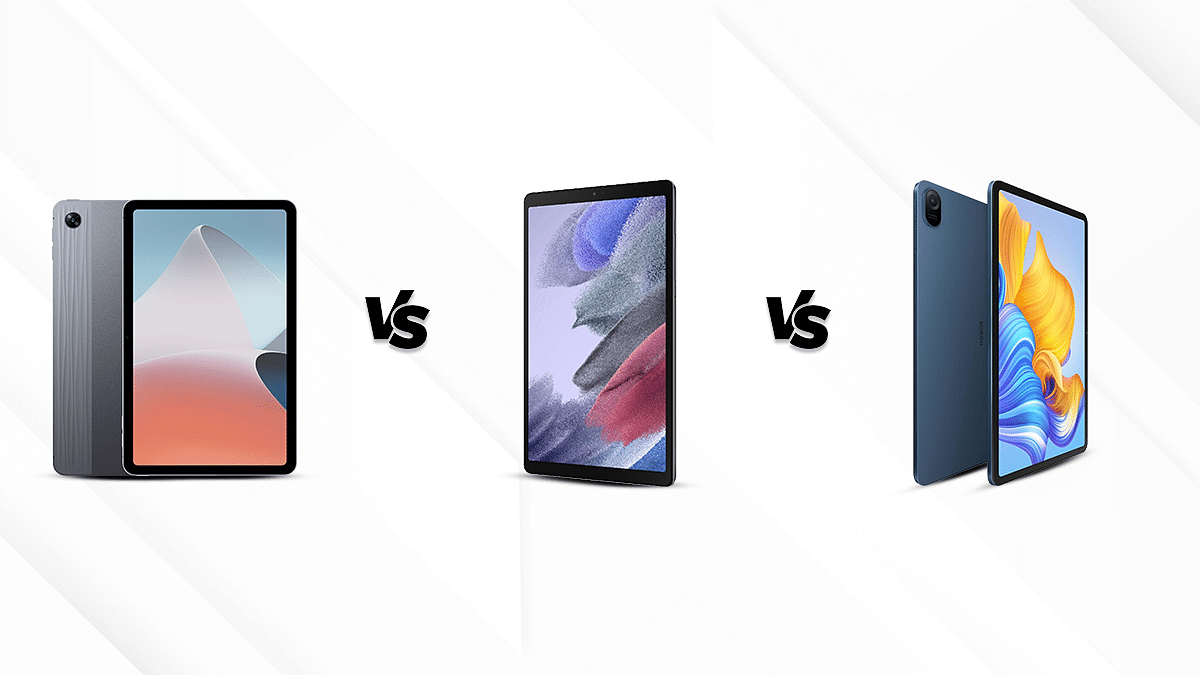
Tablets have seen an upshot in the tech market due to the versatility of functions. As a result, multiple smartphone OEMs have been entering the tablet industry by introducing new models and revamping their portfolios. Similar is the case of the popular smartphone brand Oppo which has forayed into the tablet market by introducing a budget tablet with a premium design and best in-hand feel. Samsung, which already has a strong foothold in the Indian market has been offering stiff competition to others which includes the Chinese tech-giant Honor. So, here we are today to carry out a comparison between the Oppo Pad Air, Samsung Galaxy Tab A7, and the Honor Pad 8.

Display Comparison 

The Oppo Pad Air has a 10.36-inches IPS LCD display. It has a resolution of 1200 x 2000 pixels and a brightness of 360nits.

The Samsung Galaxy Tab A7 has a 10.4 inches display which has a brightness of 1200 x 2000 pixels and a screen-to-body ratio of 79 percent. 

On the other hand, the Honor Pad 8 brings in a 12-inches IPS LCD display and has a resolution of 1200 x 2000 pixels. Moreover, it comes with a brightness of 350nits, which makes it legible even when outdoors. 

Overall, the three tablets offer fairly the same specifications in terms of display. However, the Honor Pad 8 offers the widest screen with a comprehensive visual experience.

Chipset Specifications 

The Oppo Pad Air operates on the Qualcomm Snapdragon 680 crafted using 6nm fabrication. The chipset offers an octa-core CPU cluster and is clubbed with 4GB of RAM/64GB and 128GB storage respectively. It also offers support for expandable memory via a microSD card slot.

The Samsung Galaxy Tab A7 houses Qualcomm Snapdragon 662, which is also an octa-core CPU combined with up to 3GB of RAM along with 32GB and 64GB storage options. This tablet is also available with 4GB RAM and 32GB of internal storage and also offers the feature of expandable memory similar to the OPPO Pad Air. 

The Honor Pad 8 is equipped with Qualcomm Snapdragon 680. It is available in two variants, with 4GB and 6GB of RAM respectively with 128GB of ROM. 

When presented together, we see that the Oppo Air Pad and Honor Pad 8 feature more or less similar performance.

Camera Features 

The Oppo Pad Air has an 8MP (f\2.0) rear camera which supports panorama mode along with a binch of other shooting modes. The Pad Air is also equipped with a 5MP (f\2.2) front camera which allows video recording of 1080P @30fps. The rear camera also has the same 1080p video recording capability.

The Samsung Galaxy Tab A7 also features an 8MP rear camera and a 5MP front camera which is equipped with an autofocus mode and supports 1080P video recording at 30fps. 

The Honor Pad 8 has a 5MP camera, both in the rear and front end. It supports LED flash and also allows video recording of 1080P at 30fps. 

Overall, the Oppo Pad Air and Samsung Galaxy Tab A7 have fairly the same camera features which are good for general photography; specifically, daylight. Also, online conferencing experience will be decent with all three tablets in this list.

Battery and Fast Charging 

The Oppo Pad Air houses a 7100mAh battery which is accompanied by an 18W fast charging technolgy. One full charge can support up to 12 hours of video playback and can be recharged in just two hours. 

The Samsung Galaxy Tab A7 has a 7040mAh battery which can be recharged by the 15W charger in 3 hours. The battery backup claimed isup to 10 hours of video playback. 

The Honor Pad 8 is equipped with a 7250mAh battery which can be fuelled up to full via the 22.5W charger. It takes about two hours to completely charge the tablet to full and can support up to 10 hours of video streaming. 

The Oppo Pad Air has a good battery backup and supports fast charging as well. The Honor Pad 8 and Samsung Galaxy Tab A7 follows. 

Final Verdict 

When we take all the aspects into account, we arrive at the conclusion that all these three tablets are akin to each other. However, if you still would like to choose, the Oppo Pad Air offers to be an effective choice. Overall, the Samsung Galaxy Tab A7 and Honor Pad 8 have offered stiff competition and can be easily seen as its alternatives. 

Categories
Apps Featured How To

Not Receiving WhatsApp Message Notifications On Google Chrome? Here’s The Fix

WhatsApp has been giving users a premium messaging experience. The messaging application has roped in the latest technology and has also made it possible to make voice and video calls using the same messaging application. The added end-to-end encryption is another benefit that you get with this messaging application.

WhatsApp is just catering to Android or iPhone users. The app is also available for laptop and PC users in the form of WhatsApp web. The company has extended the same features to the desktop version allowing users to experience the same premium experience as the mobile app. You can use the WhatsApp Web version on any web browser available on your laptop or PC. You just have to log in to the WhatsApp web account using Google Chrome, Edge, and other browsers.

Once the account is logged in and you receive a message, a notification will pop up on the Chrome browser just like the mobile apps. But in some cases, WhatsApp message notifications wouldn’t show while you are using the desktop version. Notifications being turned off could be one of the reasons you are not getting notified of incoming messages or calls on WhatsApp web.

Blocked notifications could be another factor. What should you do if you can’t receive notifications on Chrome while using WhatsApp web? Well, this article has all the steps mentioned that will help you resolve this issue with the WhatApp web notification on Google Chrome.

How To Fix No Notification Issue With WhatsApp Web On Google Chrome

You can start by turning on the WhatsApp notifications for the WhatsApp web on Chrome.

Step 1: On the Google Chrome browser visit the WhatsApp web portal and log into your account.

Step 2: Above the chat list, you will see a blue banner which is for activating the desktop notifications. Tap on it. If for some reason the blue banner isn’t visible, you can try refreshing the page.

Step 3: A bunch of steps will be shown on the screen. Follow them to turn on the WhatsApp notification on Google Chrome.

Step 4: You will start receiving WhatsApp notifications after performing all these steps.

If in case, you still aren’t able to receive any notification when a new WhatsApp message arrives on the desktop version, you can try the unblock notification method. The steps are below:

Step 1: Open the WhatsApp web application of Google Chrome and click on the More icon.

Step 2: From there, tap on the Settings option.

Step 3: Go to the Privacy and security tab.

Step 4: Tap on Site Settings.

Step 5: You will now see the Notifications option. Click on it.

Step 6: Check if Ask before sending the (recommended) setting is toggled on. If not, turn it on.

Step 7: If you see the https://web.whatsapp.com in the block list, remove it. To do so, click on the More icon right next to it.

Step 8: Tap on Allow. You will now start receiving WhatsApp message notifications on Chrome.

Categories
Accessories Featured

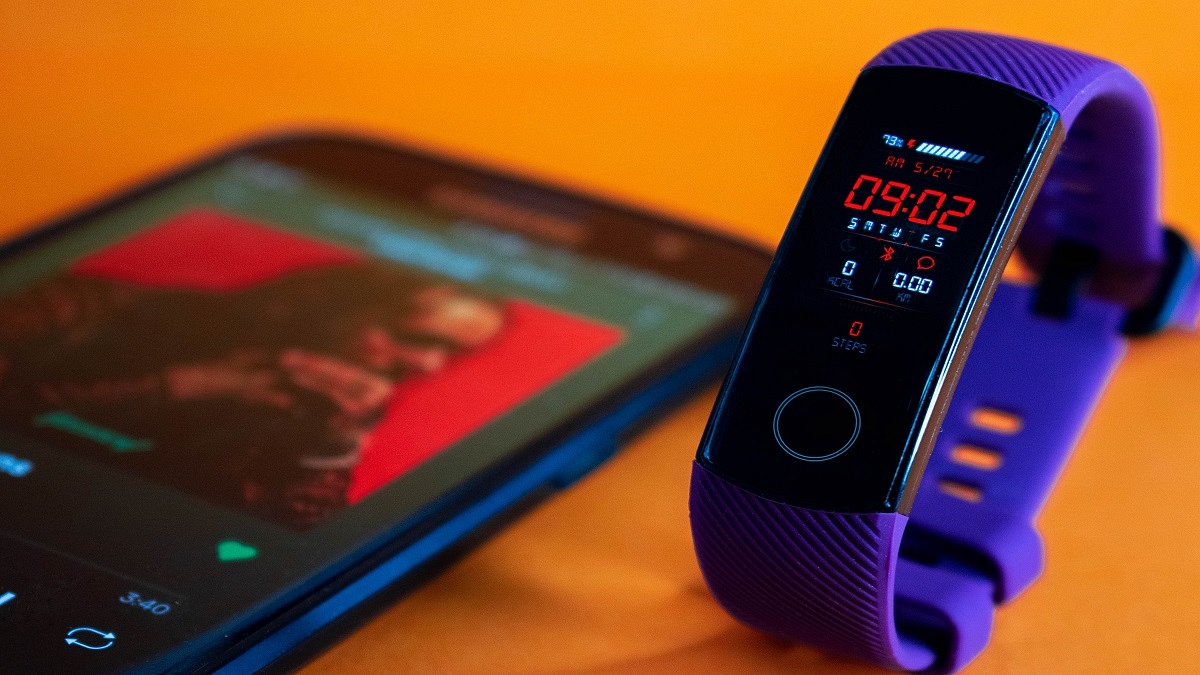
Best Fitness Bands To Buy In India To Stay Healthy

Wearable technology has evolved from being a novelty to being truly useful. While there are step-counting fitness tracking apps in smartphones, they lack the precision and feature-richness of fitness trackers. As people become more aware of the importance of being active and exercising, fitness trackers are becoming more popular.

We have put up a list of the best fitness trackers in India to assist anyone considering buying a fitness band but unsure of which product to choose. Let’s have a look.

Xiaomi Mi Smart Band 6

The Mi Smart Band 6 from Xiaomi has a battery life of up to 14 days, a 1.56-inch AMOLED display with a maximum brightness of 450 nits, a PPG heart rate sensor, SpO2 tracking, and many more features. The band connects to a special app that you can use to configure the gadget, personalize it, and keep track of your health information. The Mi Smart Band 6 is our choice for the best affordable fitness band and is quite feature-rich for something that costs Rs. 3,500.

Fitbit Charge 4 Fitness and Activity Tracker

The Fitbit Charge 4 Fitness & Activity Tracker has decent Bluetooth technology and an OLED screen, as well as a built-in GPS. It also comes with an Active Zone Minutes tracker and seven days of battery life when fully charged. Additionally, it has the amazing feature of being water-resistant up to 50 meters, and you can quickly reply to texts with this band. It is available for purchase for Rs. 7,999.

Huawei Band 6

The Huawei Band 6 has a large 1.47-inch AMOLED display with lots of information available at a glance. It allows users to track their heart rate, blood oxygen levels, stress levels, sleep patterns, and other things. It has 96 distinct workout modes that let you keep track of different workouts. It also has a tracking feature for menstrual cycles. The Huawei Band 6 will cost you Rs. 4,490.

OnePlus Smart Band

The OnePlus Smart Band has a dual-tone finish and a 1.1-inch AMOLED display. Along with 13 activity modes, it includes heart rate and SpO2 sensors. Additionally, it provides smart software that provides a thorough study of each night’s smarter sleep. Also, it silently alerts the user of any unusual activity within the body. It features 5ATM IP68 ratings for water and dust protection. The price of the OnePlus Band in India is Rs. 2,499.

Categories
Accessories Featured

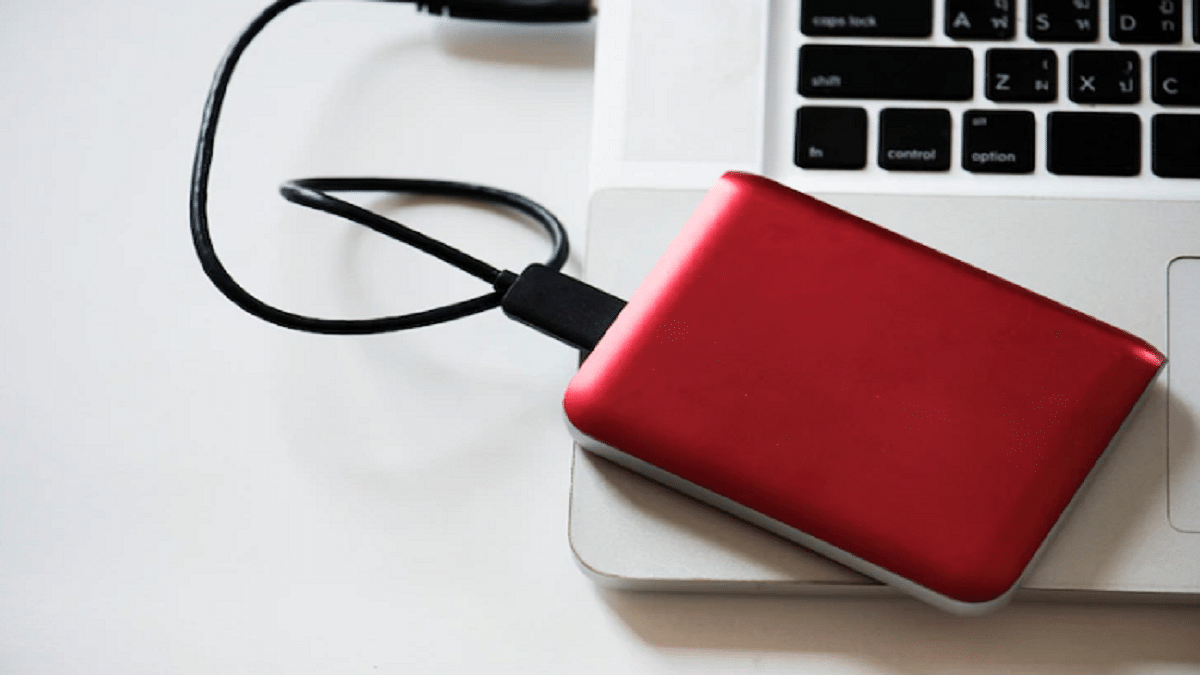
Need More Storage? Check Out The Best External Hard Drives You Can Buy

Hard drives are useful for everyone, whether you are a student or a professional. We often look for external storage when the internal storage provided by our device is insufficient. If you’re looking for an external hard drive, you must have looked at the thousands of options available. So, how do you know which one is the best? Well, this post lists the best storage devices you can consider buying. Let’s check them out.

SanDisk Ultra Dual Drive Go Type C Pendrive

The SanDisk Ultra Dual Drive Go is a 2-in-1 flash drive that makes it simple to transfer files across Macs, USB Type-A laptops, USB Type-C smartphones, and tablets. Simply plugging in the drive will instantly release space on your smartphone or do an automatic backup of your files. The SanDisk Ultra Dual Drive Go Type C Pendrive is available in 32GB, 64, 128GB, and 256GB storage variants.

Toshiba Canvio Ready 1TB USB 3.0 Portable External HDD

With its “Canvio Ready External HDD,” Toshiba offers a reasonably priced option with a stylish, black appearance. With transfer rates up to 5.0 GB/s, the hard disc not only ranks in affordability but also in quality. The HDD’s USB 3.0 connectivity makes it hassle-free. There is no software required; simply plug it in and you’re ready to go. Both versions of Windows work well with both Windows and Mac.

Transcend StoreJet 25H3 4TB USB 3.1 Gen 1 Portable Hard Drive

A sturdy, shock-resistant silicone outer casing and a cutting-edge internal hard drive suspension system are used to build the Transcend StoreJet 25H3 4TB USB 3.1 Gen 1 Portable Hard Drive. This safeguards data in the event of drops and collisions. It is compatible with PC and Mac computers. A one-touch auto-backup button is included with the StoreJet 25H3 to quickly back up your data with just one press.

Lenovo Portable 1TB External Hard Disk Drive HDD

The Portable HDD from Lenovo is one of the best external hard drives. The hard disc, which offers 1TB of capacity, offers quick speed at reasonable prices. Because it is so small and light, you can carry this hard drive everywhere with you. Additionally, it protects your data by withstanding pressure and shock. The hard drive has a decent grey color that raises the bar for quality.

Categories
Featured Home Appliances

Need A Smart Bulb? Here’re The Best Smart Bulbs With Google Assistant And Alexa Support

In recent years, light bulbs have become immensely smarter. And today, you can choose from a number of connected alternatives to replace your regular bulb and even manage it with just a few touches on your smartphone or tablet. Some are also compatible with smartwatches and virtual assistants, allowing you to control them with your wrist or only your voice.

Therefore, if you are thinking about purchasing an LED smart bulb, the variety of smart bulbs on the market may overwhelm you. As a result, we present to you in this post the best smart bulbs for upgrading your homes.

Wipro Smart LED Bulb

The Wipro WiFi Enabled Smart LED Bulb B22 9W can be controlled with voice commands using Google Assistant and Amazon Alexa. It can be customized with 16 million different colors using the Wipro Next Smart app. The app can also be used to choose themes, schedule turns on, and create scenarios and routines. You can give the bulbs different names and ask Alexa to alter a specific light to the desired color. You can buy this smart bulb for Rs. 664.

Halonix Wi-Fi Enabled Smart LED Bulb

The Halonix Wi-Fi Enabled Smart LED Bulb promises a total of 16 million colors with just the touch of a button. You can speak out the orders if you have a Google Home or Alexa system. This is one of the smartest LED bulbs since it allows presets, routines, and timers. The Halonix Wi-Fi Enabled Smart LED Bulb will cost you Rs. 449 in India.

Syska 7-Watt Smart LED Bulb

The Syska 7W Smart LED Bulb comes in three million different shades and tones that you can choose using the app or Google Assistant and Alexa. This allows you to control your home lighting from anywhere in the world. It can connect to WiFi and control every aspect of your lighting from your smartphone or tablet. You can purchase the Syska 7-Watt Smart LED Bulb for Rs. 996 on Amazon.

Mi LED Smart Color Bulb

Mi claims its LED Smart Bulb has a lifespan of 12 years. It is easy to set up and fits into a traditional B22 bulb socket. This application allows you to adjust various parameters of your light, such as tone, brightness, and color. Its integration with Home Assistant also lets you control your lights with your voice. The Mi LED Smart Color Bulb is available for sale for Rs. 649.

Categories
Apps Featured How To

Want To Set Up UPI Lite In BHIM App? Here’s How To Do It

Key Highlights

  • UPI Lite feature is allowed in the BHIM app
  • It has a daily transaction limit of Rs. 200
  • Users can save up to Rs. 2,000 in the UPI Lite e-wallet

UPI Lite could be your savior if you’re tired of repeatedly entering your UPI pin for insignificant payments. Shaktikanta Das, governor of the Reserve Bank of India, has introduced a new service for citizens named “UPI Lite.” Users can conduct small transactions up to Rs. 200 in a nearly offline mode without using their UPI pin.

An “on-device” wallet can be used to conduct low-value transactions after this feature is enabled on the BHIM App. It might resemble other wallets that are available in the market. A maximum of Rs. 2,000 can be stored in the wallet at any given time.

It is easy to use UPI Lite. You must first create an e-wallet in the BHIM app. This UPI Lite e-wallet is connected to your bank account. Then you send money to your UPI Lite e-wallet from your associated bank account. Contrary to how things operate in the case of standard UPI transactions, this balance is then used to make transactions without the need for a UPI. Here’s a step-by-step guide for configuring UPI Lite in the BHIM app.

Also Read | Replacing Paytm FasTag? Steps To Get Instant FasTag For Your Car

How To Set Up UPI Lite In BHIM App?

Step 1: On your Android phone or iPhone, download and install the BHIM app.

Step 2: For UPI transactions, sign in to the app and add your bank account.

Step 3: Next, scroll down and click on the UPI Lite banner.

Step 4: Now, click on the ‘Enable Now’ button.

Step 5: Then tap the ‘Enable Now’ option after reading all the details.

Step 6: Here you will be asked to add Rs. 2,000 to your UPI Lite e-wallet. Enter the amount you want to send.

Step 7: Select the bank account to transfer the amount. Then, click the ‘Enable UPI Lite’ button.

Step 8: Type in your UPI PIN. Your UPI Lite e-wallet will be enabled once the amount has been sent.

Also Read | Traveling To India? Here’s How To Pay Like A Local Using UPI One World

As of now, customers of the State Bank of India (SBI), Union Bank of India, Utkarsh Small Finance Bank, Canara Bank, HDFC Bank, Indian Bank, Kotak Mahindra Bank, and Punjab National Bank will only be able to use the UPI Lite payment system.

For the tech geeks, stay updated with the latest cutting-edge gadgets in the market, exclusive tech updates, gadget reviews, and more right on your phone’s screen. Join Giznext’s WhatsApp channel and receive the industry-first tech updates.

Categories
Comparison Featured mobile

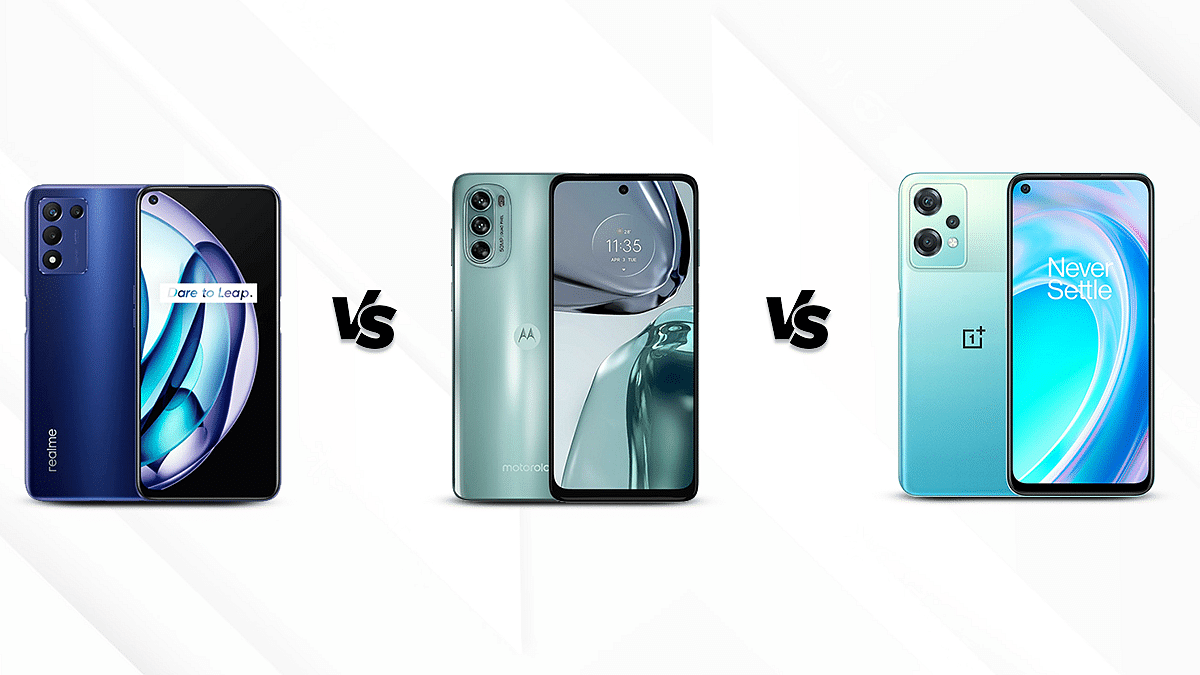
Realme 9 SE Vs Moto G82 Vs OnePlus Nord CE 2 Lite: Best Android Phone Under 20,000 In India

Motorola has continued to introduce new G-series products to the market. The firm wants to compete with a wide range of products in the higher mid-range segment, which at the moment includes products from popular brands such as OnePlus, Redmi, Realme, and more. We decided to compare the Moto G82 5G to the OnePlus Nord CE 2 Lite 5G and the Realme 9 Pro Plus to see how they stack up against the competition.

Display Comparison

The 6.6-inch IPS LCD screen on the Realme 9 SE 5G has a 20:9 aspect ratio and FHD+ resolution of 1080 x 2412 pixels. Additionally, the smartphone wears a thin bezel profile and a punch-hole cutout for the selfie snapper. That’s not it, the Realme 9 SE’s screen has a pixel density of 400ppi and a refresh rate of 144Hz which is the highest in its segment.

The Moto G82’s 6.6-inch P-OLED display has a resolution of 1080 x 2400 pixels and a pixel density of 399ppi. A smooth viewing experience is provided by its 120Hz refresh rate. The display also has a  punch hole design similar to the Realme 9 SE 5G  for the selfie snapper.

The OnePlus Nord CE 2 Lite 5G also has an IPS LCD front screen with an FHD+ resolution of 1080 x 2412 pixels and a 401ppi pixel density. The screen size is 6.59-inches and is surrounded by narrow bezels on the sides. For the selfie camera, this model also has a punch-hole cutout.

Camera Features

The Realme 9 SE has a 48MP f/1.8 main camera supported by a 2MP f/2.4 macro lens and an additional 2MP f/2.4 depth camera with LED flash. Up front, it accommodates a 16MP front camera with an f/2.1 aperture.

The Moto G82 has a 50MP f/1.8 wide-angle main camera at the back. The primary sensor is supported by a 2MP f/2.4 macro camera and an 8MP f/2.2 ultra-wide angle camera. In addition, the camera setup also has LED flash support along with digital zoom, HDR mode, and other shooting modes. The smartphone’s front features a potent 16MP f/2.2 wide-angle selfie shooter.

The OnePlus Nord CE 2 Lite has three cameras at the back including a 64MP f/1.7 primary camera, a 2MP f/2.4 depth camera, and a 2MP f/2.4 macro shooter with an LED flash. Additionally, a 16MP f/2.0 camera up front handles the selfies and video calling department.

Configuration and Battery

The Realme 9 SE runs on a Qualcomm Snapdragon 778G chipset. Additionally, the combination of Adreno 642L GPU and 6GB RAM allows for seamless multitasking and graphics experience. The Realme 9 SE 5G comes with a 5000mAh Li-Polymer battery that is compatible with 30W Dart Charging.

The Moto G82 is equipped with the Qualcomm Snapdragon 695 chipset. With its 6GB RAM and Adreno 619 GPU, the Moto G82  also guarantees fast processing speeds and a rich gaming experience. The Moto G82 has a 5000mAh battery combined with 30W Turbo Power charging.

The OnePlus Nord CE 2 Lite contains the Qualcomm Snapdragon 695 chipset with a 6nm construction process. . Additionally, an Adreno 619 GPU and 6GB of LPDDR4X type RAM are included. The OnePlus Nord CE 2 Lite has a battery capacity of 5000mAh. that supports 33W Super VOOC charging. All three phones have a powerful premium mid-range Qualcomm Snapdragon chipset to deliver a lag-free performance with daily tasks. The gaming experience would be decent with all three phones mentioned in this list.

Storage and Connectivity

The Realme 9 SE 5G has 128GB of internal storage. Using an external microSD card, it can be expanded to up to 1TB. Users can utilize 4G VoLTE networks to make calls for connectivity purposes.  Connectivity aspects on this phone include Bluetooth v5.2, A-GPS with Glonass, 5G, USB Type-C, Mobile Hotspot, and Wi-Fi.

The Moto G82’s internal storage capacity is 128GB. The option to expand by up to 1TB is also available on this phone. Along with A-GPS with Glonass, Bluetooth v5.1, Wi-Fi, USB Type-C, and 4G VoLTE, the smartphone supports also supports 5G and 4G network connections.

The OnePlus Nord CE 2 Lite has a capacity of 128GB. It can be increased up to 1TB. Among the connectivity options are USB Type-C, Bluetooth v5.2, Mobile Hotspot, Wi-Fi, A-GPS Glonass, and USB OTG. Both 4G VoLTE and 5G networks support calling.

Categories
Comparison Featured Tablet

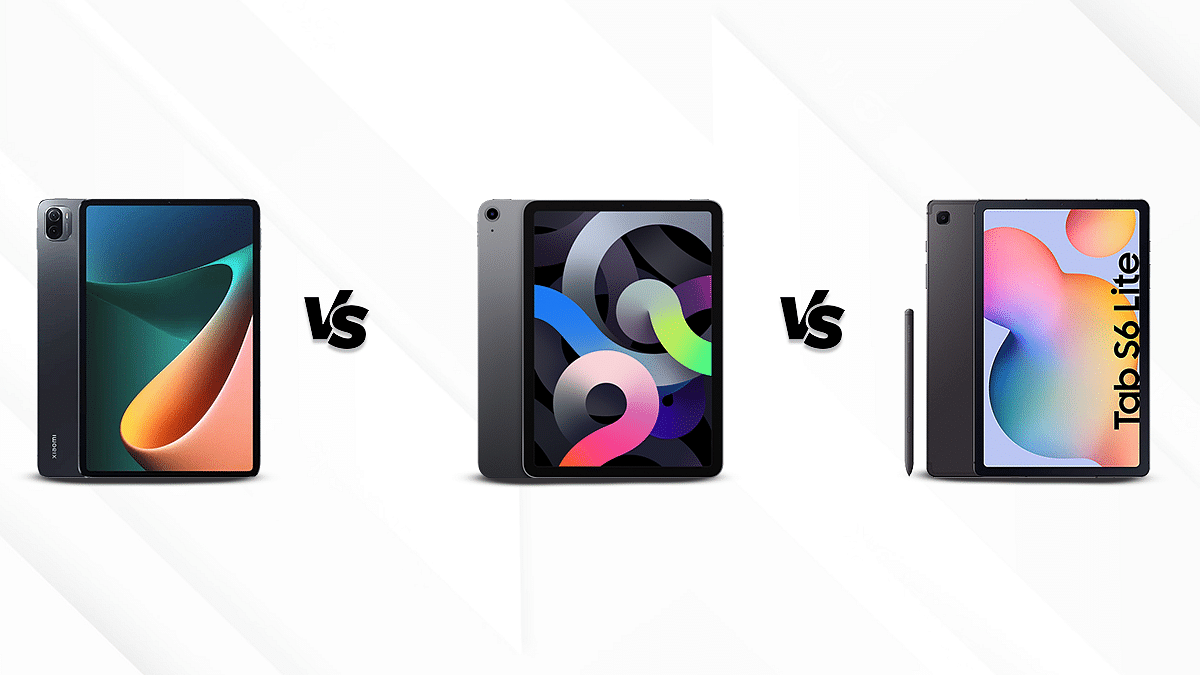
Xiaomi Pad 5 Vs Apple iPad Air Vs Galaxy Tab S6 Lite: The Best Premium Tablets That You Should Consider

Key Highlights

  • The following is the comprehensive comparison between three latest best-selling tablets in India.
  • The Xiaomi Pad 5 offers close competition to the iPad Air and emerged as having a better display. 

The recent decade has witnessed a soaring high demand for tablets. The large screen gadgets have become popular amongst students and work professionals for and versatility in functions. Apple has secured its position in the market for producing high-end flagship gadgets and has faced competition from several Chinese tech giants including Xiaomi which aims at manufacturing cost-effective devices.  Samsung is also popular for its durable gadgets. Today we are comparing three of the best-selling tablets including the Xiaomi Pad 5, the Apple iPad Air, and the Galaxy Tab S6 Lite. Read on to know more- 

SpecificationXiaomi Pad 5Apple iPad AirGalaxy Tab S6 Lite
Display Size11-inch10.9-inch10.4-inch
Resolution1600 x 2560 pixels1640 x 2360 pixels1200 x 2000 pixels
Camera13MP(back); 8MP(front)12MP(back); 12MP(front)8MP(back); 5MP(front)
Processor Snapdragon 860 processorApple M1 chipset Snapdragon 720G chipset
Storage CapacityUpto 6GB RAM and 256GBUpto 8GB RAM and 256GBUpto 4GB RAM and 128GB
Battery 8720 mAh7606 mAh7040 mAh

Display Specifications 

The Xiaomi Pad 5 features an 11-inches screen which has a resolution of 1600 x 2560 pixels. This tablet’s display ensures vivid color production and high brightness levels. It has a refresh rate of 120Hz and a pixel density of 274 PPI which allows for a good viewing experience in general scenarios.

The iPad Air has a liquid retina display which prevents eye fatigue. Moreover, it has a massive screen of 10.9 inches and a pixel density of 264 PPI. Apple tablets are popular for their impressive display output and rich visual experience. Similarly, the iPad Air has a resolution of 1640 x 2360 pixels and comes with a special scratch-resistant glass, which makes it shine as new. 

The Samsung Galaxy Tab S6 Lite is equipped with a 10.4 inches screen with a pixel density of 224 PPI and a resolution of 1200 x 2000 pixels. 

Overall, the Xiaomi Pad 5 offers close competition to the iPad Air and emerged as having a better display. However, the Galaxy Tab S6 Lite isn’t far behind and offers a decent video playback experience.

Chipset Comparison 

The Xiaomi Pad 5 operates on the Qualcomm Snapdragon 860 processor based on a 7nm fabrication process. It is an octa-core CPU with up to 6GB RAM and 256GB storage. It does not feature expandable memory. 

The Apple iPad Air houses an Apple M1 chipset. It is also available in two variants, which have 8GB RAM and 64GB and 256GB of ROM respectively. 

The Samsung Galaxy Tab S6 Lite is equipped with Snapdragon 720G chipset, which is also an octa-core chipset for premium mid-range smartphones and tablets. It is also available in two variants, both of which have 4GB RAM along with 64GB and 128GB of ROM respectively. However, it has an upper edge over the rest of the two in terms of expandable memory. It has a dedicated microSD card slot. 

Overall, the Apple iPad Air offers impressive performance and has higher RAM. 

Camera Features 

The Xiaomi Pad 5 has a 13MP (f\2.0) rear camera which comes with the features such as HDR, panorama mode, 4K, and 1080P video recording. Apart from that, it also comes with an 8MP (f\2.0) front camera for selfies and video calling

On the other hand, the Apple iPad Air has a 12MP (f\1.8) rear camera which supports HDR, PDAF, and 1080P, 4K video recording. It offers electronic image stabilization as well. It also has a 12MP (f\2.4) ultra-wide camera front camera. 

The Samsung Galaxy Tab S6 Lite has an 8MP wide rear camera that supports HDR, panorama mode, and video recording of 1080P@ 30fps. The 5MP ultrawide front camera also captures decent shots. 

The Apple iPad Air has ruled out the others in the camera department. Even though the Xiaomi Pad 5 offers close competition to it. 

Battery and Fast Charging 

The Xiaomi Pad 5 has a massive 8720mAh Li-Po battery. It is accompanied by a 33W fast charging technology. It can be fuelled up to full within just two hours and can support up to 16 hours of video playback. 

The Apple iPad Air features a 28.6Wh battery, which gets charged via the 30W charger. It takes about two hours to completely charge it and it can support up to 10 hours of playback. 

The Samsung Galaxy Tab S6 Lite houses a 7040mAh battery which can be charged by the 15W charger. It takes about three hours and can support up to 13 hours of video playback. 

Overall, the Xiaomi Pad 5 has emerged as the best performer in the battery life department. Moreover, it supports fast chagrin as well. 

Final Verdict: Which One Should You Choose?

The Apple iPad Air emerges as an effective choice over the other two. It has a higher megapixel camera, a richer display, and smooth performance. However, the Xiaomi Pad 5 has succeeded in the battery life and charging department. Overall, the Xiaomi Pad 5 offers stiff competition to the Apple iPad Air and has fairly similar features. The Xiaomi Pad 5 can be chosen as its effective alternative.