Categories
Apps Featured How To

Instagram Notes: What Is It And How To Use This New Feature

Key Highlights

  • Instagram introduces its new feature ‘Notes’
  • Users can only post one note at a time
  • If users publish another note before the prior note’s 24 hours have passed, the first note will be automatically erased

Users now have access to a new 60-character limit short message feature on Instagram. The user-created messages will reportedly display in the DM section and vanish after 24 hours, much like Stories. However, users cannot keep track of a note’s views. The most recent version of Instagram must be downloaded in order for users to use the feature.

What Is The Notes Feature?

According to Instagram, the new “Notes” feature provides you a private area to share updates as brief text messages with certain people, who can subsequently reply to them using Instagram messaging. One note can only be shared at a time, and the preceding note will be removed if you frequently share more than one note.

Steps To Share A Note On Instagram

You can read and share notes from your friends and followers in the DM section. To share your note, follow these steps:

Step 1: On your iOS or Android device, launch Instagram.

Step 2: To access the chat page, swipe from left to right or hit the chat button in the upper right corner.

Step 3: Now, if you have this feature, you can find it on the chat page’s top, just below the search bar. Click the ‘Your Note’ button to create a new note.

Step 4: There is a 60-character restriction, so write what you want to say.

Step 5: Tap the Share icon in the top right corner once you’re done writing. You can tap on the Close Friends option and then tap on the Share button to send a note to them personally.

That’s it, that’s how you can try Instagram’s new feature. For 24 hours, everyone will be able to see your note at the top of the chat list. You can always delete your note by selecting the Delete note option after giving it one tap. There will be a private chat between you and the individual who answers to your note.

Categories
Featured How To Mobile

iOS 16 Tips And Tricks: Here’s How To Use Focus Mode On iPhone

With iOS 16, Focus mode receives some useful updates that make it simpler to set up, more adaptable, and more powerful. This is in addition to the option to create custom Lock Screens for iPhones. Focus filters, the ability to link various Focus modes to Lock Screens, the ability to define a custom Home Page, and other features are among the new additions. Here’s how to use iOS 16‘s new Focus mode.

Steps To Create A Custom Focus In iOS 16

Step 1: On your iPhone, go to the Settings app.

Step 2: Go to the Focus option and tap it.

Step 3: After that, click on the ‘Add’ button at the top right corner and then select the ‘Custom’ option.

Step 4: Give your Focus a name, then hit Return.

Step 5: Tap ‘Next’ after selecting a color and an icon to symbolize your Focus.

Step 6: To customize it, select ‘Customize Focus’. Next, configure the parameters for your custom Focus.

Steps To Connect Lock Screen To Focus

Step 1: Go to the Settings app and then go Focus settings.

Step 2: Select the Focus that you want to customize, then choose the Lock Screen option.

Step 3: Create a new Lock Screen. Then select an existing Lock Screen. You can also select multiple Lock Screens that you want to connect to this Focus.

Step 4: Tap Done.

Steps To Add Focus Filters In iOS 16

Step 1: Navigate to the Settings app. Then, go to Focus settings.

Step 2: Select ‘Add Filter’ from the Focus filters menu by scrolling down.

Step 3: When this Focus is turned on, tap an app, then choose the data you wish to use from that app.

Step 4: Tap Add to add the filter to the Focus.

In iOS 15 last year, Apple included Focus settings to help you stay focused. Filtering away apps or notifications that you don’t want to appear at particular times was intended to keep you “in the moment.”

You can still configure Smart Activation (automation) for Focus modes, just like in iOS 15. The quickest method for manually turning on or off a Focus mode is still to open Control Center and hit the circle symbol next to the Focus mode.

Categories
Comparison Featured Tablet Tech Gadgets

Nokia T10 Vs Nokia T20 Vs Samsung Galaxy Tab A7 Lite: Best Budget Tablets For Students In India

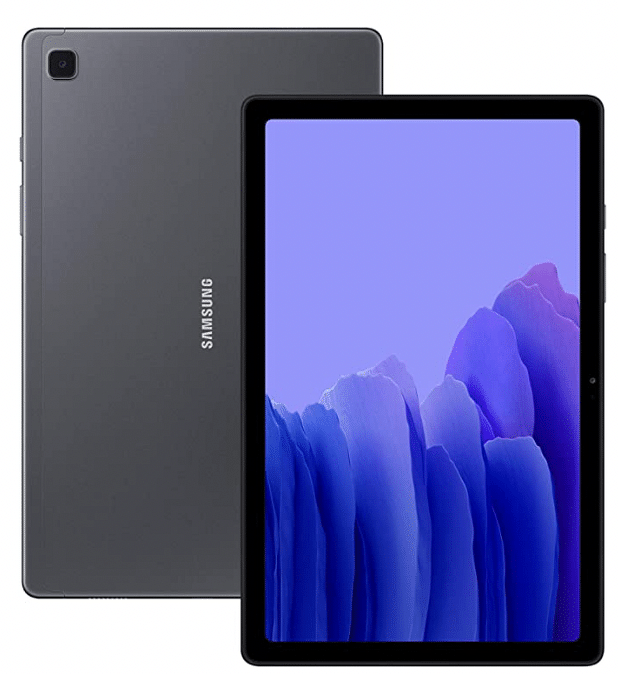
Nokia has marked its presence in the tablet industry by introducing entry-level tablets. Nokia tablets have become widely popular among the budget masses with their durable design and user-friendly interface. The Nokia T10 and the Nokia T20 tablets have emerged as popular choices. The Galaxy Tab A7 Lite has been one of the foremost reinventions by Samsung which falls in the budget segment. Here we are comparing the Nokia T10, the Nokia T20, and the Galaxy Tab A7 Lite 

Also Read: Samsung Galaxy Tab A8 Vs Nokia T10 Vs Moto Tab G62: Which Tablet Makes The Best Option For Budget Audience

Display Comparison 

The Nokia T10 features an 8 inches IPS LCD display which has a typical brightness of 360nits. Moreover, it has a resolution of 800 x 1280 pixels.

On the other hand, the Nokia T20 has a 10.4 inches IPS LCD display which has a resolution of 1200 x 2000 pixels. This model has a typical brightness of 400 nits which is higher than the Nokia T10 and offers better visibility outdoors. Its screen has scratch-resistant glass as well. The Galaxy Tab A7 Lite has an 8.7 inches TFT LCD display which has a resolution of 800 x 1340. 

Overall, the Nokia T20 offers an immersive visual experience through its high-resolution expansive display. It will deliver clear output compared to the remaining models and will be suitable for high-res video consumption.

Chipset Specifications 

The Nokia T10 has the Unisoc T606 chipset with a 12 nm fabrication and an octa-core CPU architecture. It is available in two different variants to choose from. The base model, includes 3GB RAM and 32GB ROM, while the top model features 4GB RAM along with 64GB onboard storage. 

The Nokia T20 runs on the Unisoc T610 which is also fabricated with a 12nm TSMC process. It is also available in two variants to choose from including 3GB of RAM+ 32GB storage and the second one offers 4GB of RAM and 64GB of storage. 

The Samsung Galaxy Tab A7 Lite houses the  MediaTek Helio P22T with a 12 nm architecture. This tablet also comes in dual configurations with the base model offering 2GB RAM along with 32GB of ROM, and the second variant featuring 3GB RAM+32GB storage and 4GB RAM+ 64GB storage.

Overall, all three tablets offer similar performance since they are equipped with an entry-level chipset based on a 12nm architecture. However, the Nokia T10 and Nokia T20 are slightly better performers with daily tasks. 

Camera Features 

The Nokia T10 has an 8MP rear camera and a 2MP front camera. It supports LED flash and allows video recording of 720P and 1080P respectively.

The Nokia T20 also has an 8MP AF rear camera and a 5MP front camera. It also supports LED flash and video recording of 1080P at 30fps. 

The Galaxy Tab A7 Lite is equipped with an 8MP AF rear camera and a 2MP front camera. It allows the users to record videos of 1080P at 30fps. 

Overall, the Nokia T20 has a higher megapixel selfie camera that captures vivid and detailed selfies. On the other hand, both Nokia T10 and Galaxy Tab A7 Lite are good for general photography. 

Also Read: Nokia T21 Vs Nokia T20 Vs Realme Pad Mini Tablet Comparison: Best Entry-Level Android Tablet For Daily Use

Battery and Fast Charging 

The Nokia T10 has a battery of 5250mAh which can be fueled up by a 10W charger. The company claims that it has a battery life of up to a day. 

The Nokia T20 is equipped with a massive battery of 8200mAh which is supported by a 15W charger, which fuels up its battery to full in three hours. It has a battery life of about 5 hours. 

The Galaxy Tab A7 Lite has a 5100mAh battery which is accompanied by a 15W charger. It takes about three hours to completely charge it. Moreover, once fully charge it can last up to 10 hours 

Overall, the Nokia T20 ranks on top since it has a longer battery backup. 

Final Verdict 

After comparing all the key aspects of the three tablets, we have arrived at the conclusion that Nokia T20 offers the best value for money, keeping in mind its widescreen, rich display, smooth performance, and good battery backup, it becomes an obvious choice. The Galaxy Tab A7 Lite and Nokia T10 follow 

Also Read: Oppo Pad Air Vs Samsung Galaxy Tab A7 Vs Honor Pad 8: Which Should Be Your Bet

Categories
Comparison Featured mobile

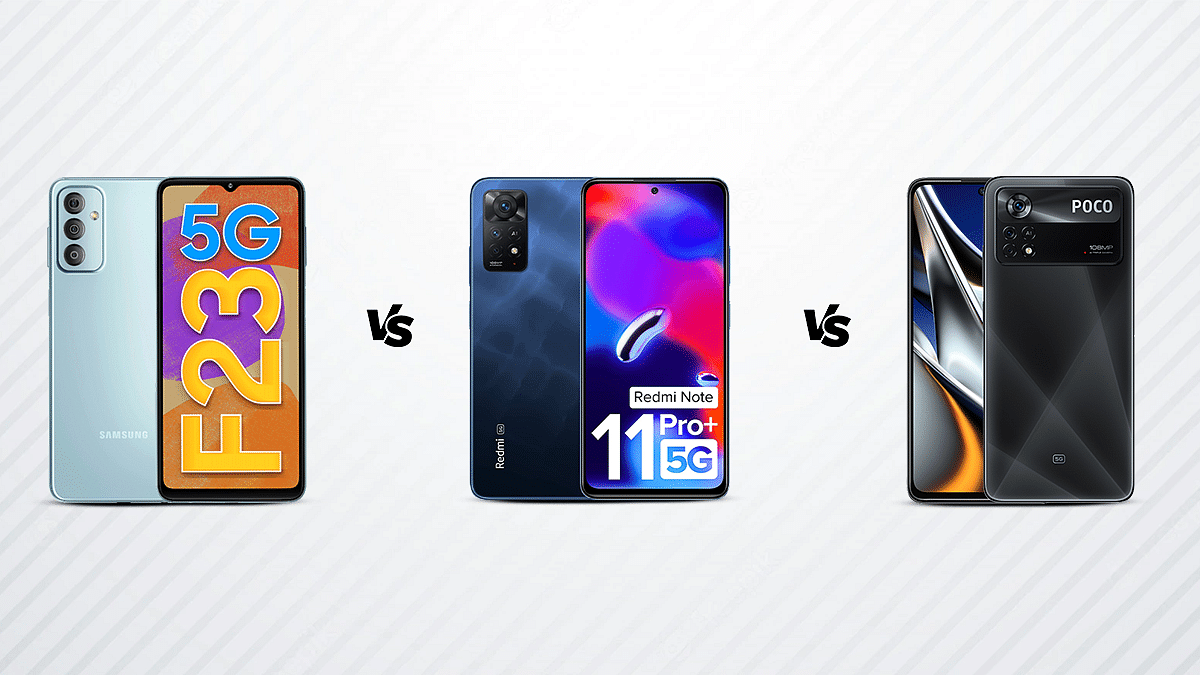
Galaxy F23 5G Vs Redmi Note 11 Pro Plus Vs Poco X4 Pro 5G: This Should Be Your Pick Under Rs. 20,000

After debuting in the Global Market at the MWC 2022 event, the POCO X4 Pro has made its way to the Indian Smartphone Market. Surprisingly, the smartphone ships with a 64MP primary sensor, considering its global counterpart comes with a 108MP camera. Redmi Note 11 Pro+, which launched in India,  earlier this year packs similar specifications to the newly launched POCO X4 Pro 5G. The Samsung Galaxy F23 5G is equipped to get you going whether you’re a die-hard gamer, a movie buff, or prefer to keep connected to the outside world on social media.  As these phones come with a similar price tag as well and could make it harder for you to choose between these three, we are going to compare all the crucial aspects of these phones to help you figure out which one suits your needs better.

Display Specifications

The Samsung Galaxy F23 5G is equipped with a 6.6-inch TFT display. Additionally, its bezel-free display features a resolution of 1080 x 2408 pixels, a 20:9 aspect ratio, and a pixel density of 400ppi, providing excellent graphics overall.

The Xiaomi Redmi Note 11 Pro Plus come with a 6.67-inch AMOLED DOT display and has a resolution of 1080 x 2400 pixels. Also boasting a high refresh rate of 120Hz and a pixel density of 395ppi is the device’s bezel-free display.

The Poco X4 Pro sports a huge 6.67-inch AMOLED DOT with no bezels. The smartphone features a punch-hole structure with a screen that has a resolution of 1080 x 2400 pixels and a pixel density of 395ppi.

Camera Specifications

The Samsung Galaxy F23 5G has a 50MP primary camera along with an 8MP ultra-wide angle camera with an f/2.2 aperture and a 2MP macro camera with an f/2.4 aperture. The smartphone features an 8MP front camera.

The Xiaomi Redmi Note 11 Pro Plus 5G has a triple camera configuration on the back, with a 108MP f/1.9 wide-angle primary camera, an 8MP f/2.2 ultra-wide angle camera, and an additional 2MP f/2.4 macro camera. A few of the key features included are Face Detection, Auto Flash, ISO Control, Autofocus, Continuous Shooting, Digital Zoom, HDR mode, and Exposure Compensation. On the front, there is a 16MP primary camera with an f/2.4 aperture for taking selfies.

The Poco X4 features three cameras on its back and front, including a 64MP f/1.8 main camera, an 8MP f/2.2 ultra-wide angle lens, and a 2MP f/2.4 macro camera. Among the built-in camera capabilities are dual native ISO and 9-in-1 Pixel binning technology. On the front, there is a 16MP selfie camera.

Configuration and Battery

The Samsung Galaxy F23 5G is equipped  with Qualcomm Snapdragon 750G chipset, 4GB of RAM, and Octa-core processor. The specific processor guarantees lag-free performance thanks to a dual Kryo 570 arrangement that is present and operating at the maximal frequency of 2.2GHz. The final component is an Adreno 619 GPU, which handles the graphic requirements. The Samsung Galaxy F23 5G has  large 5000mAh Li-ion battery with 25W Fast Charging mechanism.

The Xiaomi Redmi Note 11 Pro Plus 5G has an Octa-core processor with a Dual Kryo 660 architecture and a Qualcomm Snapdragon 695 chipset. Furthermore, a powerful Adreno 619 GPU and 6GB of RAM provide outstanding performance. A 5000mAh Li-Polymer battery along with  67W Turbo Charging.

The Poco X4 features dual Core Kryo 660 2.2GHz and Hexa Core Kryo 660. A flawless operating experience is guaranteed by a 6GB RAM and Qualcomm Snapdragon 695 CPU. Additionally, the Adreno 619 GPU handles the graphic requirements. A strong 5000mAh Li-Polymer battery is included in the smartphone. In addition the cell is compatible with 67W Sonic Charging technology.

Storage and Connectivity

The Samsung Galaxy F23 5G has 128GB of internal storage. This storage capacity may be increased by as much as 1TB with the aid of a micro SD card. The smartphone supports Bluetooth v5.0, A-GPS, USB Type-C, Wi-Fi, and network connectivity for both 5G and 4G VoLTE.

There is 128GB of internal storage on the Xiaomi Redmi Note 11 Pro Plus 5G. Along with USB Type-C, Glonass, A-GPS, Bluetooth v5.1, USB OTG, Wi-Fi 802.11, ac/b/g/n/n, and Mobile Hotspot, the smartphone is equipped with 4G VoLTE and 5G network connectivity. The internal storage of the Poco X4 Pro is 64GB, however it can be increased by up to 1TB with the use of a microSD card. The smartphone comes with capabilities for connectivity like Mobile Hotspot, A-GPS, USB Charging, Wi-Fi, 5G, and 4G VoLTE.


Categories
Featured Leaks mobile

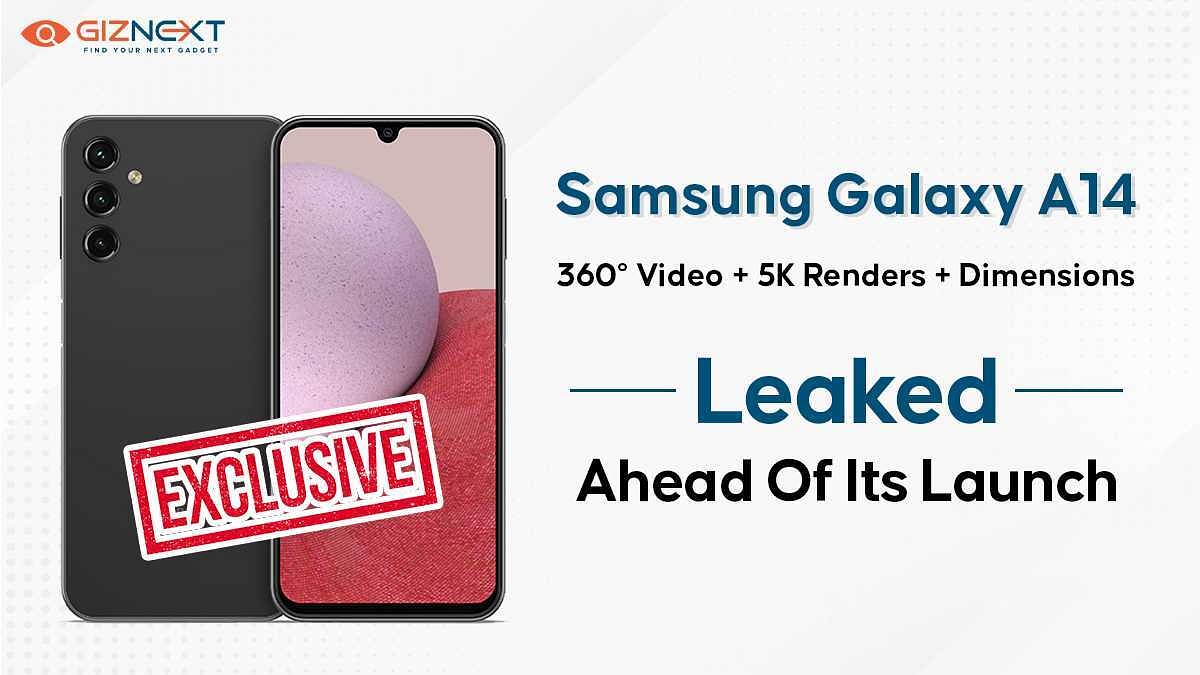
[Giznext Exclusive]: Samsung Galaxy A14 Leaked 5K Renders, Video Reveals Design In Full Glory: Here’s The First Look

Key Highlights

Almost flat frame design

To sport Infinity-U display

Larger 6.8-inch FHD+ display

Triple rear camera setup

Side-mounted fingerprint scanner

USB Type-C Port, 3.5mm headphone jack

Samsung has earned its share of fame in the budget segment with the Galaxy A and the Galaxy M series smartphones. The South Korean tech behemoth added multiple models to these lineups in 2022. A recent leak suggested Samsung has already started testing a bunch of new Galaxy A series phones that will be debuting in 2023. The Galaxy A53, Galaxy A34, and Galaxy A14 have entered the testing phase. Adding on to the latest set of leaks are the exclusive 5K renders and video of the Galaxy A14 that Giznext has managed to source from one of the popular leakster.

Samsung Galaxy A14 Official 5K Renders Out

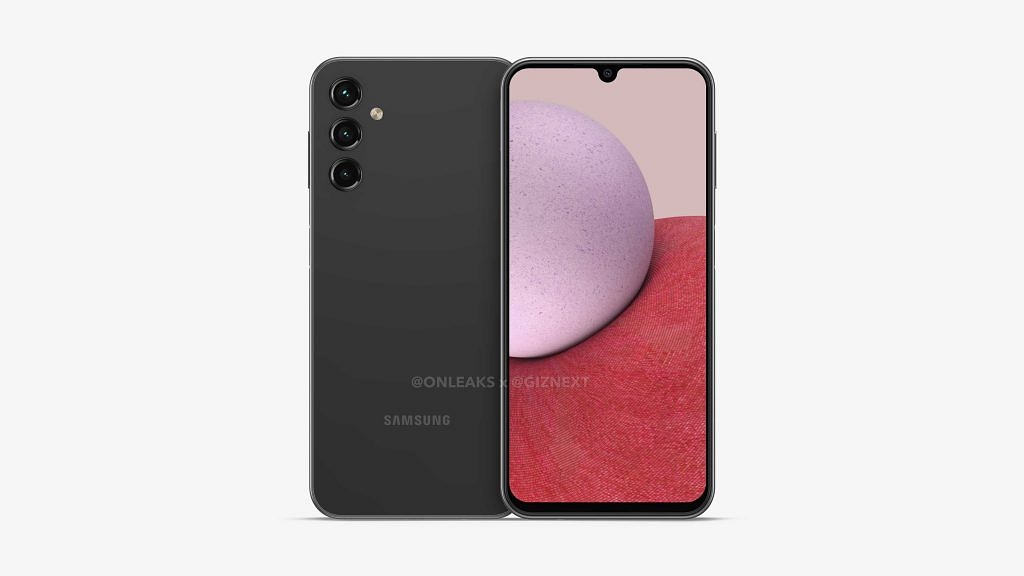
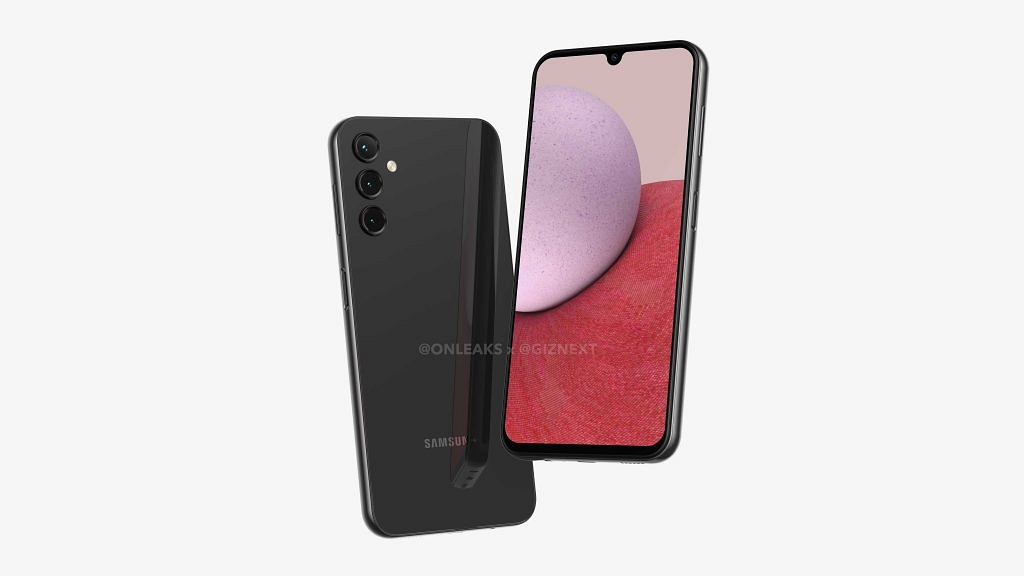
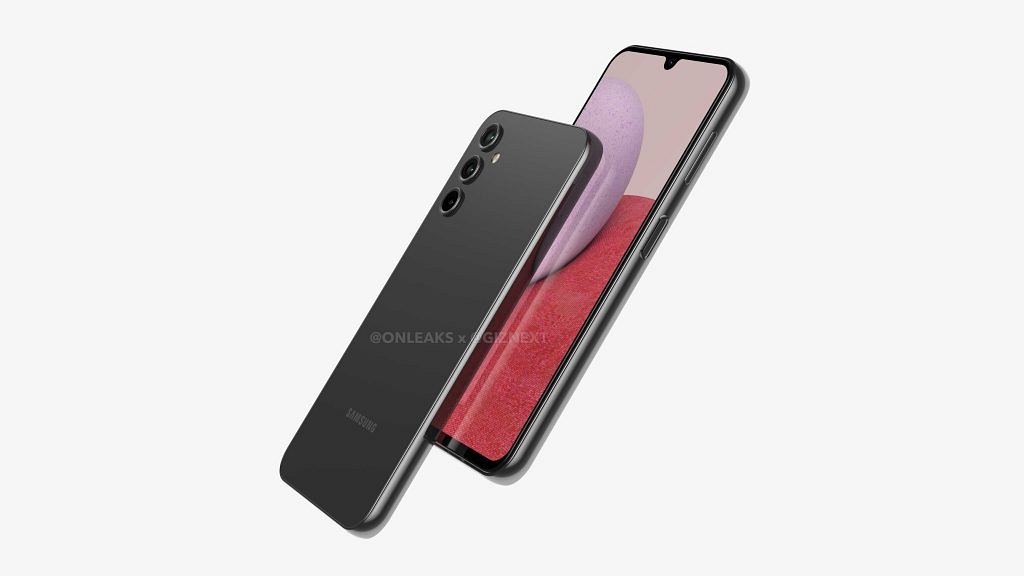
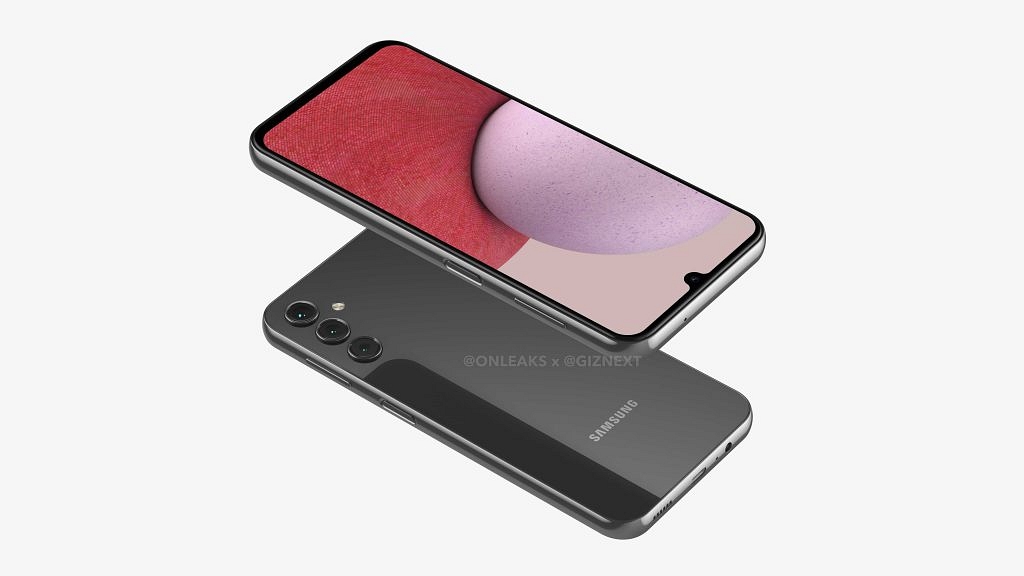
Giznext has once again collaborated with noted tipster @OnLeaks to bring you the exclusive 5K renders of Samsung’s upcoming budget handset, i.e., the Galaxy A14. The leaked renders give a clear view of the entire design of the Galaxy A13’s successor.

https://newsimg.giznext.com/mobile/production/news/wp-content/uploads/2022/10/01104014/SAMSUNG-GALAXY-A14.mp4

According to the images, the Samsung Galaxy A14 will be slightly similar to its precursor in terms of design. Only minor differences are noticeable. The primary design change is the Infinity-U display upfront instead of the Infinity-V panel used by the Galaxy A13.

Seems like Samsung will refrain from using a punch-hole camera design on this next-gen Galaxy A series phone. Now, this is an upgrade we all have been expecting. Besides, the frame design (almost flat) is also identical to the previous gen model and also the camera module.

However, the Galaxy A14 will have a triple rear camera setup unlike the quad-camera module offered by the Galaxy A13. We aren’t sure why Samsung is chucking out the extra sensor. But we expect an upgrade in the camera hardware, specifically, a larger main camera sensor.

The back panel appears to flaunt a plain gradient design. We have received only the black color variant’s images, but are sure Samsung will add some more colors to the lot. The Galaxy A14 render images have also confirmed the presence of a side-mounted fingerprint scanner for added privacy.

The remaining design aspects are also the same including the positioning of the power key-integrated fingerprint scanner and the volume rockers on the right spine. The bottom edge can be seen housing the 3.5mm headphone jack, a USB Type-C port, and the speaker grille.

Samsung Galaxy A14 Expected Specifications

As of now, the details related to the Galaxy A14 hardware are minimal. Our source has tipped a larger screen size of 6.8-inches compared to the 6.6-inch panel on the Galaxy A13. The Galaxy A14 could also feature the same LCD screen as its precursor along with an FHD+ screen resolution.

The dimensions of the handset could be 167.7 x 78.7 x 9.3mm. This is an estimated figure and the exact data could differ. We aren’t also sure if Samsung will launch the Galaxy A14 with 5G network support as its predecessor, but are expecting the rumor mill to confirm this in the coming months.

It would be interesting to see what all hardware upgrades Samsung will add to the Galaxy A14 compared to the last gen model and when precisely the brand plans its launch for the global market including India.

Wrap Up

  • Samsung Galaxy A14 5K renders and video leaked ahead of launch
  • Will feature a 6.8-inch Infinity-U display with an FHD+ resolution
  • Side-mounted fingering scanner for security
  • Almost flat frame design
  • USB type C, 3.55 mm headphone jack
  • Launch likely next year
Categories
Chipset Comparison Featured

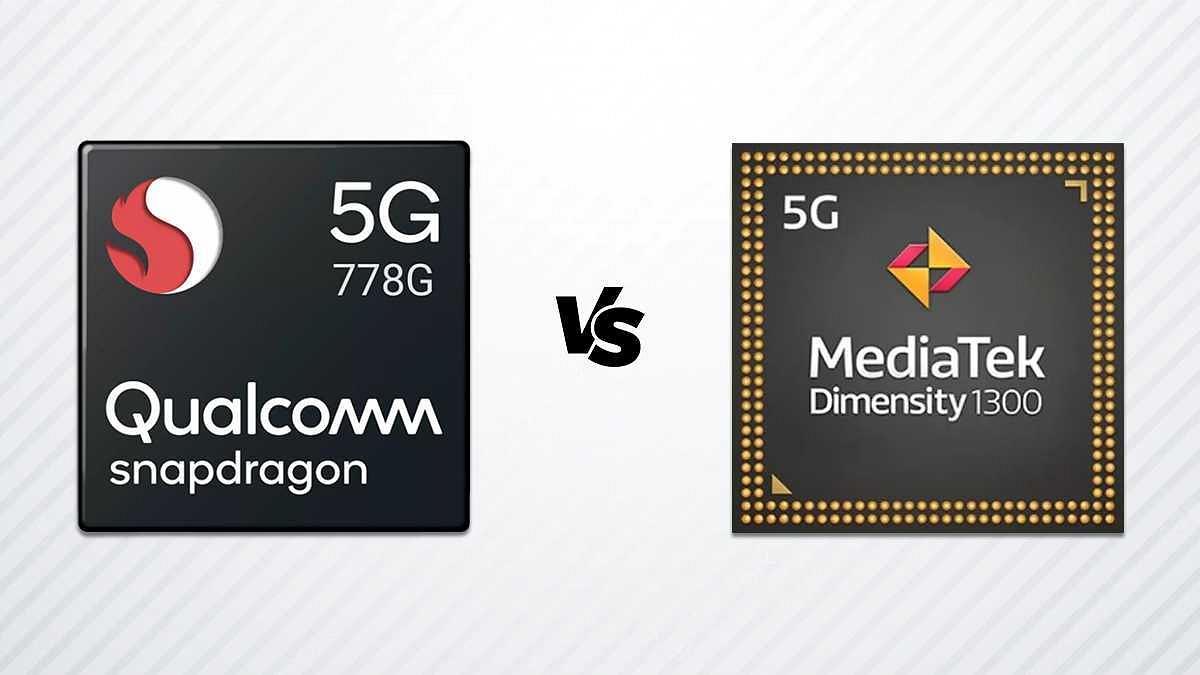
Qualcomm Snapdragon 778G Vs MediaTek Dimensity 1300 Chipset: Quick Comparison

Key Highlights

  • The Snapdragon 778G is based on the 6 nm fabrication process, while the Dimensity 1300 is also fabricated on a 6 nm processor.
  • The Snapdragon 778G has better memory compatibility with LPDDR5 RAM and UFS 3.

Qualcomm ventured into the mobile chipset space long ago and has been bringing in some of the best options for smartphone OEMs. The Snapdragon mobile processors have been used by numerous smartphone brands as a powerhouse for their offerings. Likewise, MediaTek has also been present in the mobile chipset industry for a while and has seen a massive surge in its demand. Both these chipset OEMs are meeting the demands of general and high-end users with their powerful chipset ranges.

The latest mobile chipsets from these brands are thinner despite integrated modem support for 5G connectivity. Qualcomm even has released a dedicated gaming chipset series. The Snapdragon 778G gaming processor is one of the best game-centric mobile chipsets used by some of the best latest Android phones including the Vivo T1 Pro 5G, iQOO Z6 Pro 5G, and others.

Similarly, MediaTek’s Dimensity 1300 chipset is one of the best examples of a premium mid-tier mobile chipset used by popular devices like the OnePlus Nord 2T, Vivo V25 Pro, OPPO Reno8 Pro 5G, and others.  The Qualcomm Snapdragon 778G battle and the Dimensity 1300 is quite stiff. Which one out of the two has a better CPU and GPU performance? Read on to know:

Also Read: Qualcomm Snapdragon 8 Gen 2 Vs MediaTek Dimensity 9200 Chipset Comparison: Most Advanced 5G Flagship Mobile Processor?

Qualcomm Snapdragon 778G Vs MediaTek Dimensity 1300 Processor: CPU Architecture And Performance

The Qualcomm Snapdragon 778G is an octa-core chipset with the CPU cluster featuring one 2.4GHz Cortex-A78 core, three Cortex-A78 cores with 2.2GHz clock speed, and four Cortex-A55 cores clocked at 1.9GHz. This chipset offers around 2400MHz of the frequency with its ARMv8.4-A instruction set. Qualcomm has used a 6nm fabrication which is used by MediaTek as well to design the Dimensity 1300 chipset.

MediaTek has also used an octa-core CPU cluster with ARMv8.2-A Instruction set and a 3200MHz frequency range. The cores included are one Cortex-A78 core with 3GHz clock speed, three Cortex A-78 cores clocked at 2.6GHz clock speed, and four Cortex-A55 cores clocked at 2GHz. Both SD 778G and the Dimensity 1300 have a solid CPU architecture and the performance delivery is also good.

Snapdragon 778G Vs Dimensity 1300 Chipset: GPU Hardware

Starting with the Snapdragon 778G processor, Qualcomm has used an Adreno 642L GPU which has around 490MHz GPU frequency. On the other hand, MediaTek has integrated the Mali-G77 MC9 GPU with the Dimensity 1300 chipset which offers around 850MHz. Execution units are 2 and 9, while the shading units are 384 and 144 with the Snapdragon 778G and the Dimensity 1300 respectively. Both these processors ship with the same 1.1 Vukan, 2.0 OpenCL, and 12 DirectX versions. You can expect a lag-free graphic rendering with both these premium mid-range processors but the Snapdragon 778G has a slightly better GPU performance.

Also Read: MediaTek Dimensity 9200 Processor Vs Qualcomm Snapdragon 8 Gen 1 Chipset: High-End Mobile Chipset Comparison

Snapdragon 778G Vs Dimensity 1300 SoC: Memory, Multimedia (ISP)

Memory compatibility is where the game changes and the Qualcomm chipset takes the lead. The Snapdragon 778G processor has LPDDR5 RAM support, while the Dimensity 1300 features LPDDR4X RAM. The memory frequency is 3200MHz with the SD 778G and 4266 with the Dimensity 1300. Both these processors have up to 16GB max memory support. As for the storage, UFS 2.1, UFS 2.2, UFS 3.0, and UFS 3.1 with the Snapdragon 778G and UFS 3.1 with the Dimensity 1300. Again, the Snapdragon processor is better with multiple storage support.

If we talk of multimedia support, the Snapdragon 778G has a 1080 x 2520 pixels max display and 1x192MP, and 2x36MP max camera resolution respectively. The MediaTek Dimensity ships with the same max display resolution by only 1x 200MP max camera resolution which is higher than the Snapdragon chipset. While the Snapdragon 778G can record and playback 4K@30fps videos, the Dimensity 1300 can record and playback 4K@60fps videos. The Dimensity 1300 offers better multimedia support.

Also Read: Qualcomm Snapdragon 750G Vs Snapdragon 732G: Premium Mid-Tier Gaming Chipset Comparison
Categories
Comparison Featured Tablet

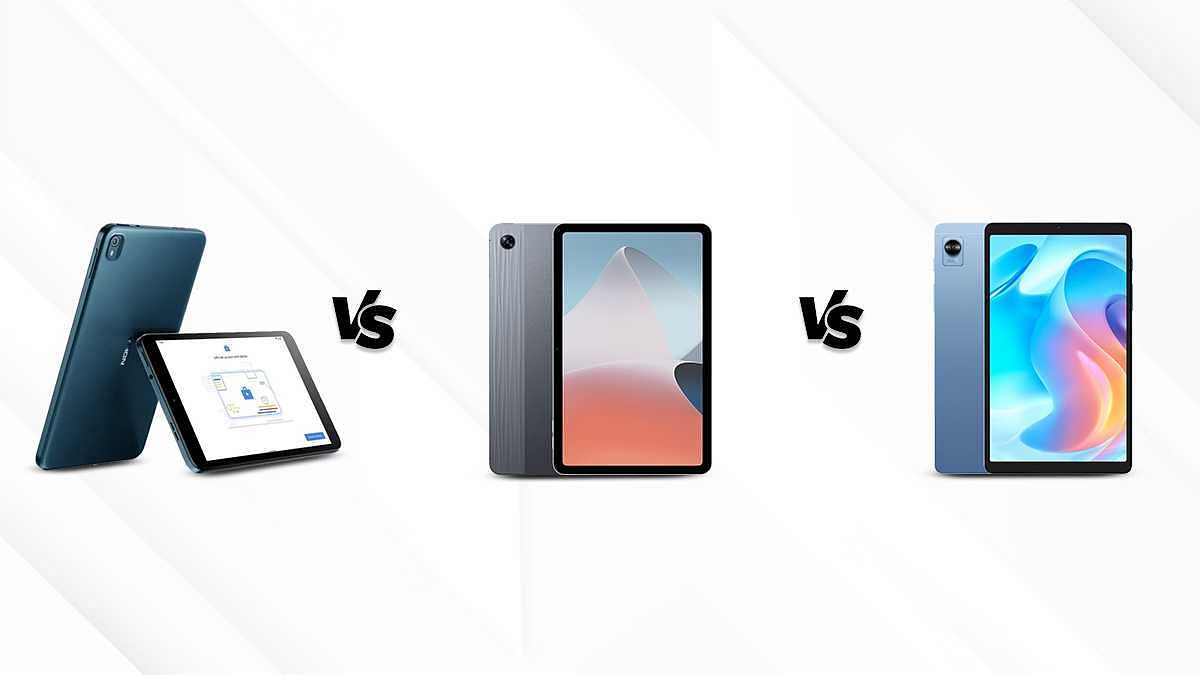
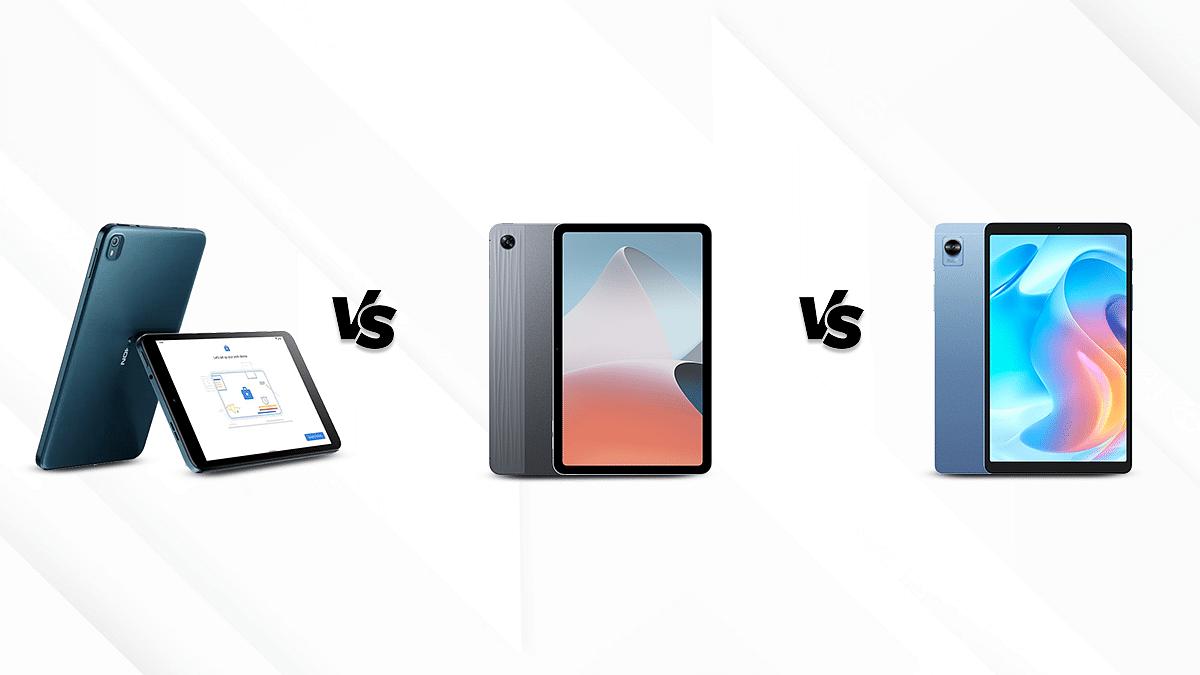
Nokia T10 Vs Oppo Pad Air Vs Realme Pad Mini: Best Budget Tablet To Buy In India?

India has been a hub for smartphone and tablet OEMs. The vast majority of usage share for these companies lies in the Indian market, where they have secured the reliability of their users. Nokia has seen soaring demand in the tablet industry primarily because of its durable products at affordable prices 

On the other hand, relatively new entrants in the tablet industry include Oppo and Realme. The former has introduced the Oppo Pad Air, while the latter had launched the Realme Pad Mini for the budget masses. These three OEMs are in a tight race against each other in the smartphone as well as tablet market. So, here we compare the best tablets of these three companies: Nokia T10 Vs Oppo Pad Air Vs Realme Pad Mini. 

Display Comparison 

The Nokia T10 has an 8-inches IPS LCD display with a resolution of 800 x 1280 pixels. It has a typical brightness of 360 nits and a screen-to-body ratio of 72.4 percent. 

On the other hand, the Oppo Pad Air features a 10.36-inches IPS LCD display. It has a 1200 x 2000 pixels resolution and a screen-to-body ratio of 80.5 percent. 

The Realme Pad Mini is furnished with an 8.7 inches IPS LCD display and has a resolution of 800 x 1340 pixels. Moreover, it has a screen-to-body ratio of 81.5 percent.

Overall, the Oppo Pad Air outshines the other tablets in terms of display and screen size. It offers a richer and more immersive visual experience. The Realme Pad Mini and Nokia T10 offer a decent experience  

Chipset Specifications 

The Nokia T10 operates on the Unisoc T606 chipset with a 12nm fabrication and has an octa-core CPU unit. It is available in two different variants to choose from including 3GB RAM+32GB storage and 4GB of RAM along with 64GB of storage. 

The Oppo Pad Air houses the Qualcomm Snapdragon 680 octa-core chipset with 6nm architecture. It is available in two variants to choose from, both of which have 4GB of RAM and feature 64GB and 128GB of ROM respectively. 

The Realme Pad Mini is equipped with a Unisoc Tiger T616 chipset with an octa-core CPU unit.  It is also available in two variants, the first one has 3GBRAM along with 32GB of ROM and the second one has 4GB of RAM+64GB storage option. 

The Oppo Pad Air emerges as a top performer with its powerful chipset. The Snapdragon 680 chipset can deliver some powerful performance compared to the remaining Unisoc series chipset used by the Nokia tablets.

Camera Features 

The Nokia T10 has an 8MP rear camera that supports LED flash and allows video recording of 1080P at 30fps. Upfront, it has a 2MP selfie camera that can record 720P videos. 

The Oppo Pad Air has an 8MP (f\2.0) rear camera and a 5MP (f\2.2) front camera. It offers panorama mode and 1080P video recording at 30fps. 

The Realme Pad Mini has more or less similar camera specifications as the former and has an 8MP (f\2.0) rear camera and a 5MP (f\2.2) front camera. It also allows video recording of 1080P at 30fps. 

As seen above, the Oppo Pad Air and Realme Pad Mini are both good for general photography. 

Battery and Fast Charging 

The Nokia T10 is furnished with a 5250mAh massive battery that can be fueled up by a 10W charger in about three hours. Once fully charged, it can easily get you throughout the day. 

The Oppo Pad Air houses a whopping battery of 7100mAh and is accompanied by an 18W fast charging setup that charges it within two hours. A single charge can deliver a backup of around an entire day on a single charge.

The Realme Pad Mini has a 6400mAh battery that supports an 18W fast charging setup and takes a little over two hours to completely charge it. Once fully charged it can last up to two days. 

Overall, the Realme Pad mini and Oppo Pad Air have fairly the same battery life and offer fast charging. 

The Crux: Which One Should You Consider?

While going through all the aspects, we arrived at the concussion that Oppo Pad Air emerges as an effective choice against the other two. However, the Realme Pad Mini has offered fierce competition to the former in terms of camera and battery life. Both tablets are good and can be considered cost-effective. You would need to pay a bit extra for the OPPO Pad Air, but that would be a good investment in the longer run.

Categories
Accessories Featured

Amazon Great Indian Festival 2022: Best Offers Under Rs. 5,000

The much-awaited Amazon Great Indian Festival Sale 2022 is currently live. The world’s largest online retailer has revealed a number of intriguing deals on various goods. Bank discounts make it possible to buy these items for significantly lower prices.

In order to save your valuable time during this week’s Amazon Great Indian Festival sale, we have hand-selected some of the top deals and offers under Rs. 5,000 that you may want to check out. During the festive season, Amazon is giving you the opportunity to get the most out of your purchase with exchange and/or payment offers. Here are some of the products that you can grab under Rs. 5,000:

Fire TV Stick 4K

The Fire TV Stick 4K that comes with Alexa Voice Remote supports Dolby Vision and offers TV and app controls. In addition to receiving it at the already discounted price of 50 percent, you can apply for an Amazon Pay ICICI Credit Card and receive Rs. 300 cashback as well as Rs. 2,200 welcome rewards. You can buy the Fire TV Stick for Rs. 2,999.

Echo Dot With Clock

The Echo Dot (4th Gen, 2020 release) with clock is discounted by 46 percent. On Amazon Pay with an ICICI Credit Card, you can get Rs. 300 in cashback and Rs. 2,200 in welcome rewards. The Echo Dot With Clock is available for Rs. 2,949, down from its original price of Rs. 5,499.

Toshiba Canvio Basics

The Toshiba Canvio Basics 1TB external HDD, which is the most affordable and with a maximum savings of 36 percent, is available with No Cost EMI on select cards for orders over Rs. 3,000. The Amazon Pay ICICI Credit Card also offers Rs. 300 in cashback and Rs. 2,200 in welcome reward. The Toshiba Canvio Basics can be purchased for Rs. 3,599 during the sale.

Noise ColorFit Ultra 2 Buzz

After a discount of 54 percent, the Noise ColorFit Ultra 2 Buzz is offered for sale at a cost of Rs. 3,198. On select cards for orders above Rs. 3,000, there is No Cost EMI available. You can also get Rs. 300 cashback and Rs. 2,200 welcome rewards on Amazon Pay ICICI Credit Card.

Realme Buds Air 3S

True wireless stereo earphones from Realme are the Buds Air 3S and they can be purchased for Rs. 1,899 with a 62 percent discount. Additionally, you can receive Rs. 300 in cashback and Rs. 2,200 in welcome rewards when using your Amazon Pay ICICI Credit Card.

JBL Go 2

The JBL Go 2 should be on your list if you’re seeking a portable Bluetooth speaker that is both compact and powerful. It has a powerful battery that should provide five hours of playback time. It is now available for Rs. 1,699, a reduction from its original price of Rs. 2,999.

Categories
Accessories Featured How To

Apple AirPods Pairing Issue? How To Fix AirPod Not Connecting Issue With iPhones and iPad

Apple is a well-known brand globally for its premium smartphones (iPhones) and related accessories. The Cupertino tech giant has one of the strongest ecosystems for IoT products and offers the best user experience with products besides iPhones. Apple Airpods are amongst those products that redefined the music listening experience on the go. Apple has been the first brand to release truly wireless earbuds in the form of the Apple AirPods. Since then, the tech behemoths; specifically the smartphone manufacturers seized this opportunity and have released multiple iterations.

Apple released a new version of AirPods this year at the Far Out event alongside the iPhone 14 series. The previous-gen Apple AirPods are also quite popular amongst the audience for a premium music listening experience. While Apple AirPods are known for offering a rich listening experience, they are also prone to general technical glitches as any other electronic gadget or accessory.

One of the common and frequent issues notified by AirPods users is a pairing issue or one earbud not working. We already have shared the quick fix to resolve one AirPod earbud not delivering an audio issue. In this article, we have shared tips to fix the issues with pairing. If you aren’t able to pair your AirPods with the compatible iPhone or iPad, here is what you can do.

How To Fix Pairing Issues With AirPods

Step 1: You need to ensure the iPhone or iPad with which you are trying to pair the AirPods is running on the latest version of iOS or iPadOS.

Step 2: Make sure the AirPods are charged. You can put the AirPods (both) inside the charging case to check if they are getting charged properly.

Step 3: Go to the Bluetooth settings on your iPhone or iPad and toggle it on.

Step 4: If in case the AirPods are already connected, you need to check if they are selected as the audio device for respective iPhones or iPads.

Step 5: If the AirPods are already showing up in the list and still you aren’t able to listen to the audio or are unable to connect, put the AirPods back inside the charging case.

Step 6: Close the lid of the charging case. Wait for at least 15 seconds.

Step 7: Now, open the lid.

Step 8: You will see the pairing key on the charging case. Press and hold this key for 10 seconds.

Step 9: The LED will start flickering white light which means the AirPods are in the pairing mode and are ready to connect.

Step 10: Just follow the standard pairing process and your AirPods will now be successfully connected.

Categories
Accessories Featured

Flipkart Big Billion Days Sale 2022: Top Deals You Can Grab Under Rs. 5,000

The Flipkart Big Billion Days 2022 Sale concludes on Friday this week. However, there are still many great deals and offers available including electrical goods priced under Rs. 5,000. Further reducing the cost of these products are the various bank discounts, which include a 10 percent instant discount for ICICI Bank and Axis Bank clients.

If you’re looking for an affordable option during a sale, we’ve compiled a list of the best deals currently available under Rs. 5,000 on Flipkart. Let’s have a look:

Boat Stone 350

The Boat Stone 350 is currently on sale for just Rs. 1,299 after a significant 62 percent price reduction. This portable speaker can produce 10W of audio output. According to claims, the 2,200mAh battery can support up to 12 hours of listening time. It is supposed to have a wireless range of up to 10 meters and supports Bluetooth v5.0.

Fire-Boltt Atom

A 1.3-inch AMOLED touch screen is featured on the Fire-Boltt Atom smartwatch. It has an integrated speaker and microphone to facilitate Bluetooth calling. A voice assistant can also be controlled via the watch. In addition, it is equipped with more than 150 sports modes. There is a whopping 76 percent discount on it right now. The smartwatch is available for Rs. 3,799 during the sale.

Seagate Ultra Touch 1TB

The Seagate Ultra Touch has received a 31 percent price cut which has brought its price down to Rs. 4,099. This external hard drive offers USB Type-C connectivity and compatibility with the USB 3.0 standard. Claimed to offer transfer speeds of up to 120MBps, the hard drive also features 256-bit AES encryption to protect your data. You can get this hard drive for Rs. 4,099.

TP-Link Archer C6

The TP-Link Archer C6 is a wireless router with a dual-band Wi-Fi connection in the 2.4GHz and 5GHz range. There are four RJ-45 Gigabit LAN ports and one RJ-45 Gigabit WAN port on the router. Four antennae are also included for easy wireless connectivity with a variety of devices. For network security, this router includes the WPA3 security protocol. During the sale, the price was reduced by 54 percent. Further, the available exchange offer can reduce its cost by up to Rs. 200. You can buy it for Rs. 2,299.

Western Digital (WD) My Passport 1TB

Due to a 51 percent discount, Flipkart is currently offering the Western Digital My Passport 1TB for Rs. 3,899. For data security, this external hard drive has 256-bit AES hardware encryption built in, as well as password protection. A USB 3.2 Gen 1 interface is available for quick data transfers. It is 11.15mm thin and weighs about 120g, the company claims. Buy it now for Rs. 3,899.