The first step in developing that fantastic virtual gaming identity is coming up with a terrific gaming name. Are you even a gamer if you don’t have a catchy gamer name? But let’s not fool ourselves; it can be challenging to think of a new gaming name, particularly if you play a ton of different games.
In this article, we have created a list of game names that girl players can select from or get ideas from in light of all of this. Browse through our extensive selection of the best gaming names for girls to find one that suits your preferences. Let’s take a look:
With the onset of smartphones, we have seen a rising trend in mobile photography across the globe. Social media apps and platforms like YouTube have opened up opportunities for the general public to showcase their expertise with content creation using just smartphones and no high-end DSLR and other professional-grade cameras. Smartphone OEMs have made sure the mobile photography experience is elevated with their products which is why we have seen some of the advanced camera hardware with the new-generation smartphones including Android and iPhones.
While Android smartphone brands are undeniably bringing in the best-in-class camera hardware even in the budget and mid-range segment, Apple iPhones are still the user’s preference in the flagship camera race. The video quality offered by an iPhone camera can give some high-end cameras a run for money.
And since iPhones now are all-capable, you won’t always need a PC or laptop to edit videos shot by your iPhone. The in-house video editor on iPhone is quite potent. But, you still have the provision to download and use third-party apps for video editing on your iPhones if you wish to further improve the quality by adding different effects and more. If you are one of those emerging social media content creators who is relying on an iPhone for good-quality videos, the following list of the best video editing apps should be of great use:
List of Best Video Editing Apps You Can Download On Your iPhone
The apps mentioned here can be downloaded from the Apple App Store. You can install these apps on all new generation models including the iPhone 13 series, iPhone 12 series, iPhone 11, and iPhone X series.
iMovie Video Editor For iPhones
The iMovie is an in-house video editor that you can easily find in the Apple App Store. This video editor is the best option if you are looking for a free video editing tool for not just your iPhones, but also iPads and Mac laptops/ desktops. This app is already pre-installed on the new-generation iPhone and iPad models. For the remaining devices, the App Store is the option to download and use this video editing tool.
With the iMovie video editor, you can easily import your videos from the gallery and other sources and then compile them as per your requirements. You can also use transitions and increase brightness levels to enhance the video quality.
Splice Video Editing App For iPhone
Splice is another highly rated video editor app for iPhones. The video editing app has been developed by GoPro which is known for its world-class action cameras in the market. The Splice video editor is also a full-fledged video editor with which you can add several effects including music and transitions and also highlight the important scenes in the video. Splice is rated 4.6 stars on the App Store which indicates its popularity amongst the audience.
FimoraGo Video Editor & Maker Editing App For iPhones/ iPads
Filmora is one of the most popular video editing apps for smartphones. The FilmoraGo app can be downloaded for not just on iPhones or iPads but also on Android smartphones and tablets. This app offers an easy-to-use interface to add different effects and transition frames to the video. You can easily create a high-quality video using the FlimoraGo application if you are at the beginner or intermediate level. This app is shining with 4.7 stars in the Apple App store.
KineMaster Video Editor For iPhones
One of the best video apps that you can download and use on your iPhone is the KineMaster video editor. This video editing tool is free to download on the App Store and has a similar star rating as the Splice video editing app, i.e, 4.7 stars. If you wish to create a professional grade videos by adding transition effects and more, this is the app you should install on your respective iPhones. What gives this video editing app an edge over the remaining is the support for landscape, portrait, and also square video type.
WhatsApp is crawling up all the ladders in terms of popularity amongst users globally. And Meta has got aggressive with releasing new features and services so that the masses get the best user experience throughout. WhatsApp has also been ramping up privacy aspects on its Android and iOS apps. The same set of new features has also been added to the WhatsApp web version.
Using WhatsApp has its own set of perks which is why it is still preferred over other similar instant messaging applications. But despite all the merits, you might wish to uninstall or stop using this application due to several reasons. Compromised security in most cases is one of the biggest reasons for WhatsApp users to delete their accounts or break from social networks. Most of you must be aware of the procedure to download and use WhatsApp and also create a user account.
But what if you want to permanently get rid of WhatsApp and not just rely on uninstalling the app? Deleting the user account in such scenarios is the only workaround. No stalker or unwanted person will be able to find your account and stalk you unnecessarily. If you aren’t aware of the procedure to delete your WhatsApp account. We have listed the method below. Take a look:
Steps To Permanently Delete WhatsApp Account
Step 1: On your mobile or laptop/PC, open the WhatsApp application.
Step 2: Select the menu option from the app’s homepage (three dots).
Step 3: Tap on the Settings tab.
Step 4: Select the Account option.
Step 5: Scroll down to the “Delete my account” option.
Step 6: Enter the phone number registered with your WhatsApp account. Make sure you enter the country code along with the mobile number. For India, the country code is +91.
Step 7: Now, click on the Delete My Account option. As soon as you perform this step, WhatsApp will initiate the process to delete your account.
Notably, once you delete the account, WhatsApp will complete this process within 90 days. However, your account will be unavailable for other users during this period. Also, deleting your account won’t remove the chat history or media sent to other contacts.
Some of the smart devices out there fulfill the most ambitious fantasies
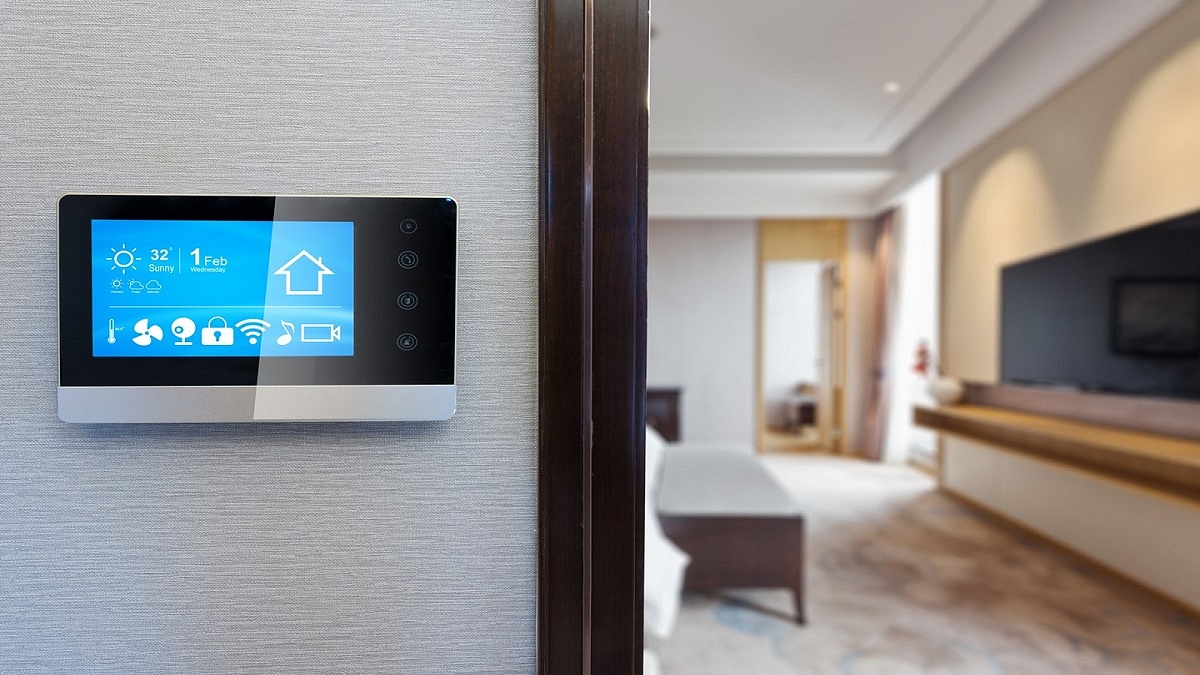
These smart home gadgets can start making your life easier right now
Smart Lock, Bulbs, and more are some of the gadgets that you can consider buying
Today, working from home is something that more and more of us do. Or spending a lot more time there than a few years ago. At the same time, homes have evolved into more intelligent and functional settings, equipped with Wi-Fi-enabled speakers, video doorbells, security cameras, and other devices. Picking the right devices can be complicated. In this article, we will look at some of the best smart home products that you must check out to upgrade your home. Let’s start:
The device you should keep by your bedside can be the Amazon Echo Show. It can show you everything it is doing because it has a display, making it more than just a simple smart home assistant. So, keep at your bedside, add some photographs, and you have a perfect digital photo frame right next to you. If you’re buying a present for a couple, this is also a very beautiful option. This is available for sale for Rs. 7,499.
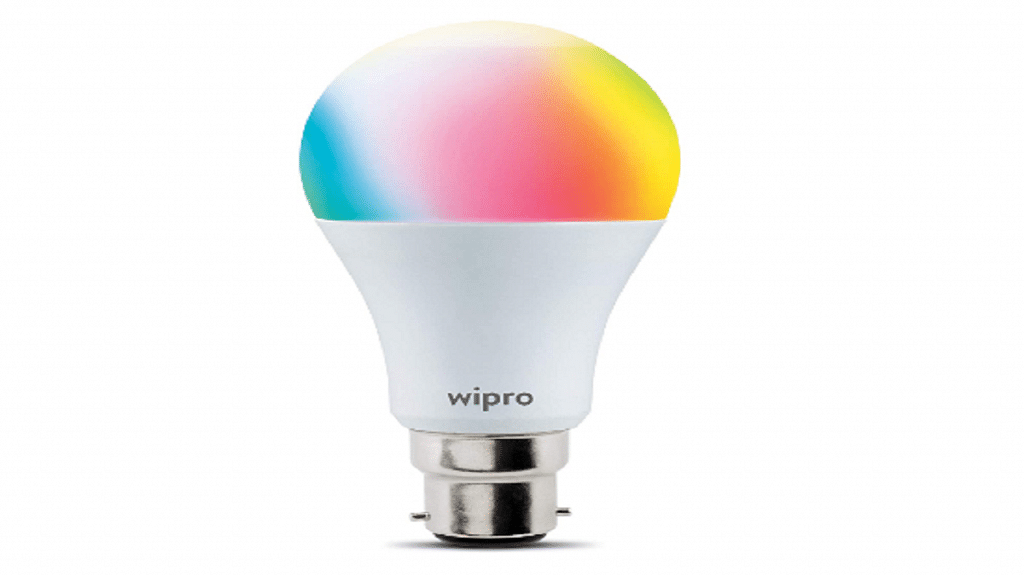
Wipro Smart Bulb
Smart bulbs will be the future of lighting. We all have distinct likes in lights, thus no one wants a plain white LED. One of the best things about this whole lighting setup is how quickly your home can change from white to green. Additionally, you’ll save a significant sum of money by having theatre lights installed on your fake ceiling. The Wipro Smart Bulb will cost you Rs. 736 in India.
Xiaomi Vacuum Robot
Do you require cleaning assistance? Get a robot! The Xiaomi Vacuum Robot is arguably the most affordable vacuum robot in the market. Your entire apartment can be scanned by the device, and it will automatically clean it. Just place it on the floor and forget about it. Additionally, it will refuel automatically and clean your home at the designated hour. The Xiaomi Vacuum Robot can be purchased for Rs. 24,999 in India.
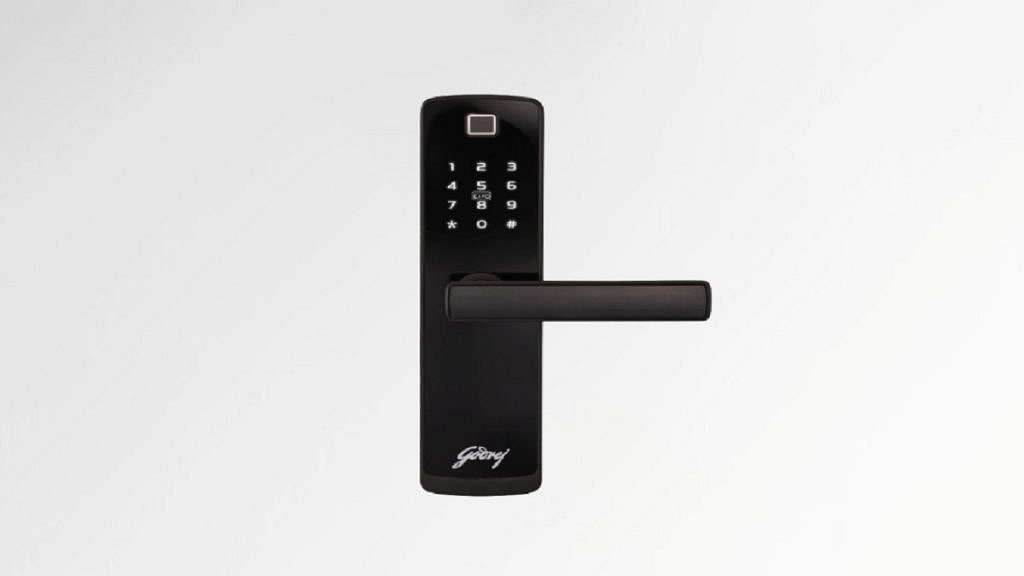
The Godrej Smart Lock is possibly the most interesting smart home device you’ll own. This little device features mechanical key unlocking, RFID unlocking, passcode unlocking, biometric unlocking, and obviously biometric unlocking for emergency situations. The Godrej Smart Lock can be purchased for Rs. 28,720.
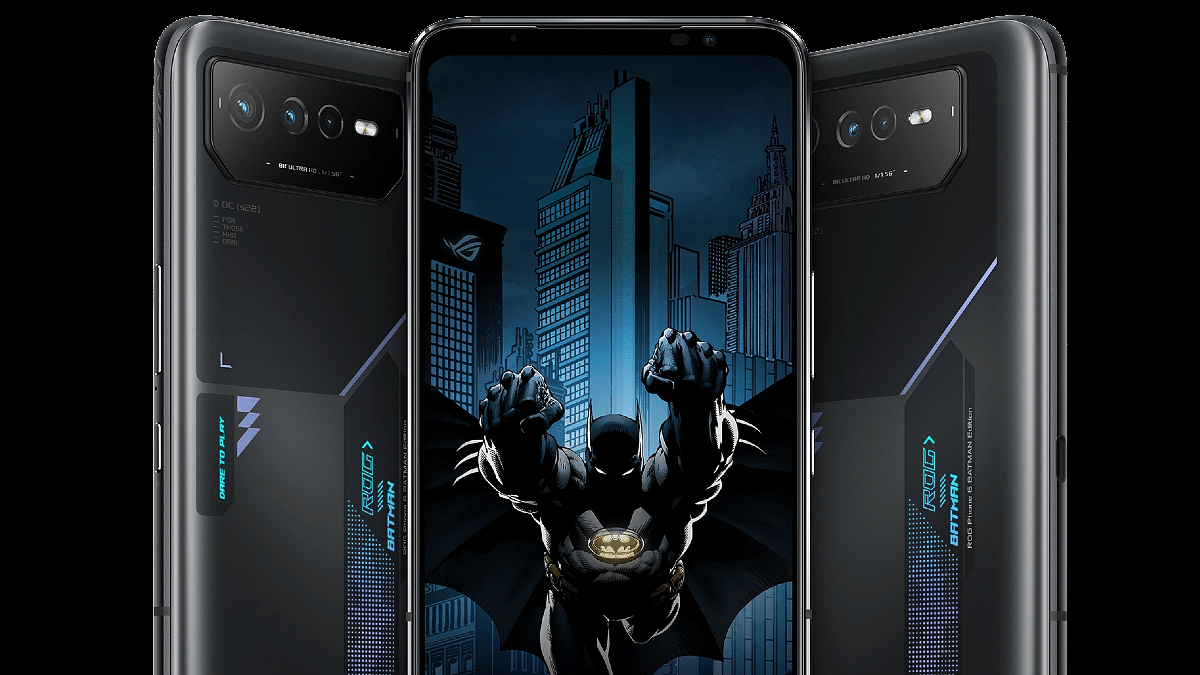
Asus is ready to ramp up the gaming smartphone market with the new ROG PHONE 6 series models. We already know of the ROG PHONE 6D Ultra and the ROG PHONE 6D slated for this month’s launch. But now, another special edition of the upcoming flagship ROG PHONE 6 series is confirmed to debut soon. Asus is bringing in a treat for Marvel fans with the ROG PHONE 6 Batman Edition. The renders of the ROG PHONE 6 Batman Edition have surfaced online.
Asus ROG PHONE 6 Batman Edition Renders Leaked Online
The Asus ROG Phone 6 Batman Edition development has been tipped by 91Mobiles. The publication has shared official-looking renders of the upcoming ROG PHONE 6 series special DC-themed model. This isn’t the first time we have seen smartphone OEMs bringing Marvel or DC universe-themed phones. But for a gaming handset, this would be first-of-its-kind.
The ROG Phone 6 Batman Edition will have Batman-based themes in the design aspects including skins. Apart from the distinctive design elements, the ROG Phone 6 Batman Edition will be packed with a similar set of specifications and features as the standard ROG Phone 6 model. The camera island design and the RGB strip are identical to the older model. The placement of the keys and ports will also be the same as the previous model.
Nevertheless, the customized themes and skins would be a visual delight for the universe fans. The report doesn’t specify the exact date when this Special Edition model will go official. However, the handset is likely breaking covers alongside the ROG 6D Ultra. Just for reference, Asus has scheduled the official launch event for the ROG 6D Ultra on September 19 in the global markets.
Since the ROG Phone 6 Batman Edition’s hardware features are expected to be identical to the vanilla ROG Phone 6, we can expect the Qualcomm Snapdragon 8+ Gen 1 chipset to take care of the power delivery. The special edition ROG 6 gaming phone will possibly be available with up to 12GB RAM and 256GB storage variants.
The device could come with an AMOLED display with 165Hz refresh rate and FHD+ resolution. The optics on the ROG 6 Batman Edition could comprise a 50MP triple rear camera setup and a 12MP selfie camera. The battery capacity expected is 6,000 mAh with 65W fast charging support. But until Asus confirms these details, we would suggest you take this information as grain of salt.
With the release of the Redmi K50i, the competition for India’s top smartphones under Rs. 25,000 has intensified. Nearly three years after the Redmi K20 series was, the company has marked the resurgence of the K-series in India with the launch of the Redmi K50i. The phone claims to give all of that without significantly draining customers’ wallets. The phone is aggressively priced at Rs. 25,999.
Like its competitors, can the Redmi K50i justify its performance? We’ve used the smartphone for a while to see whether it can outperform other mid-range smartphones, and here are the results for you.
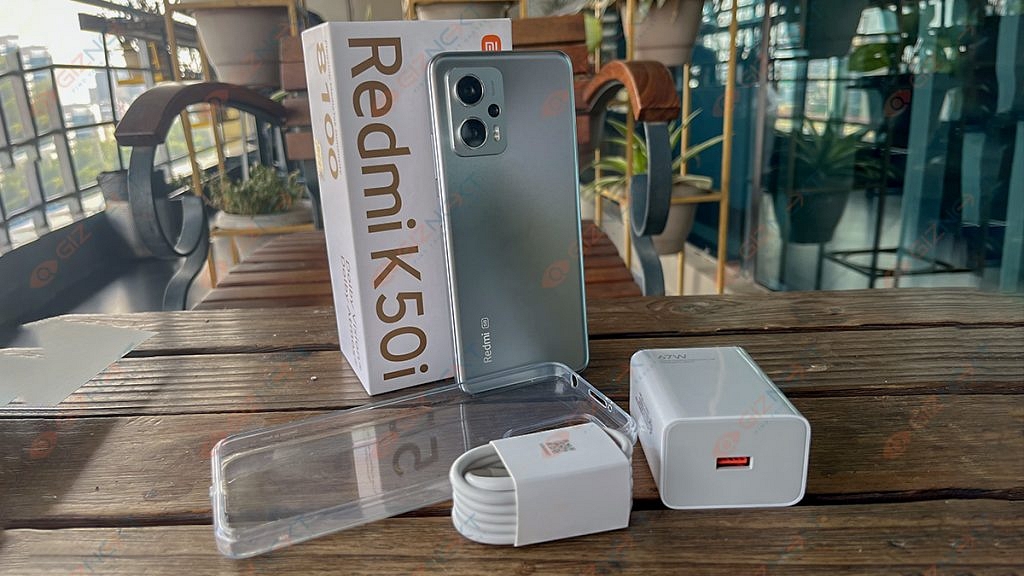
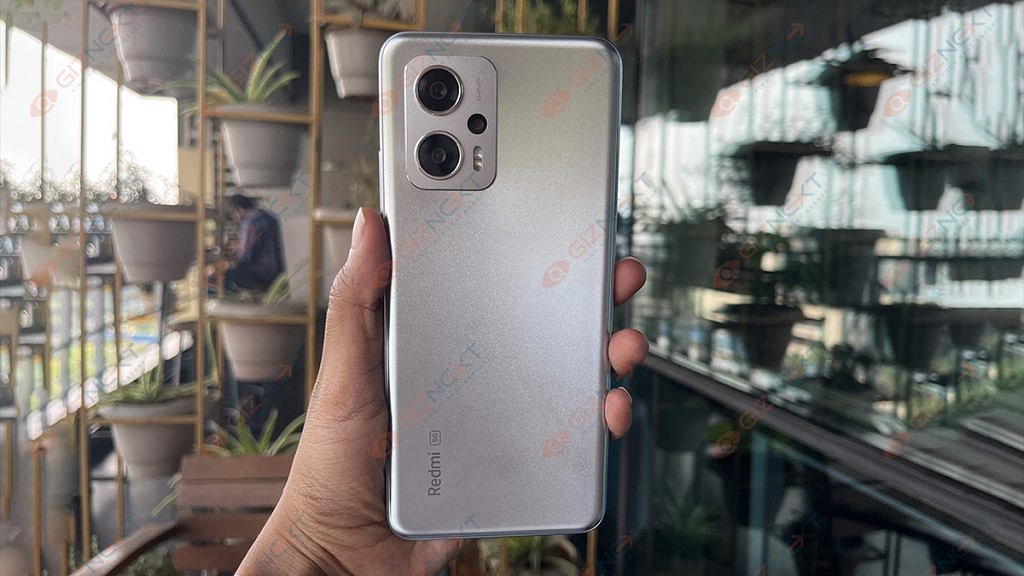
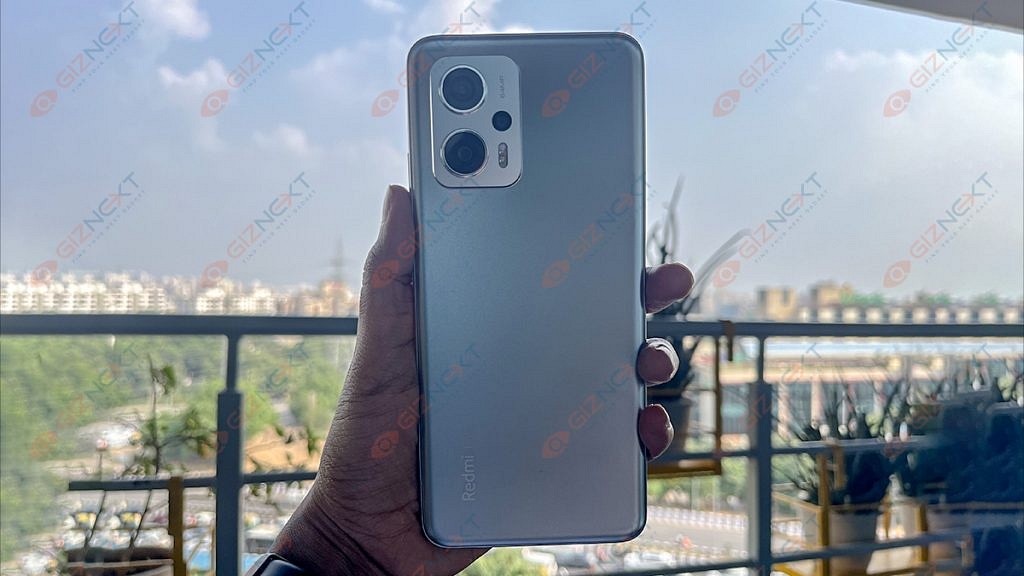
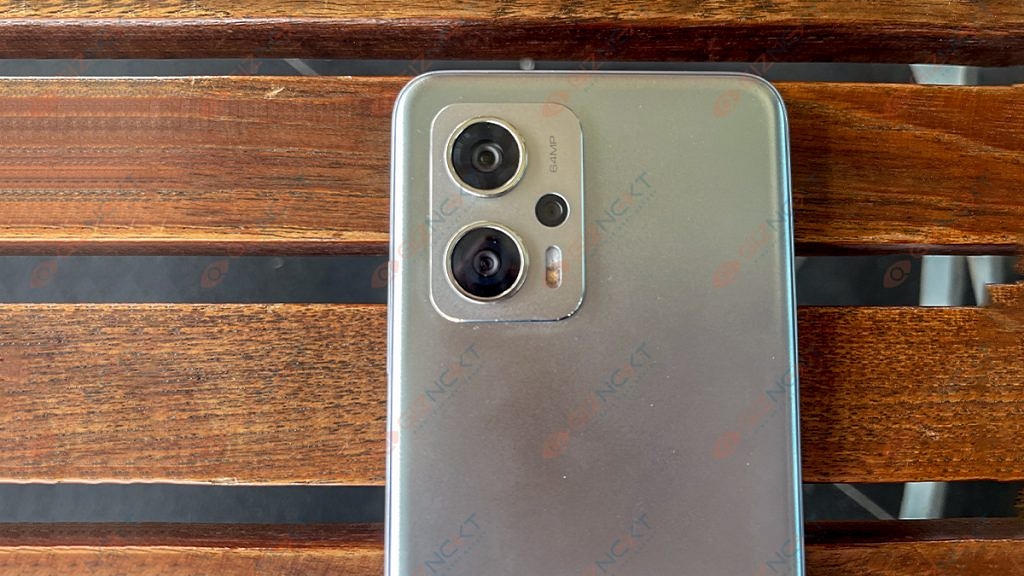
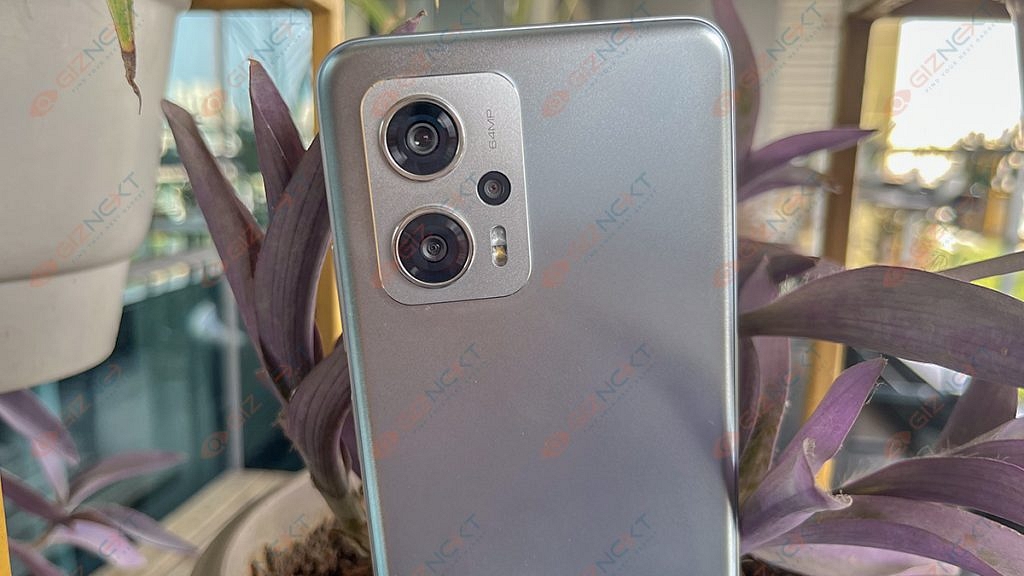
The Redmi K50i is a decent-looking smartphone. With a somewhat textured back and a prominent rectangular camera housing on the back, it looks distinctive. We have the Quick Silver color option with us which brings sparkly silver color traces that change depending on the light. Its rear panel and frame are made of plastic which easily resists dust and smudges despite all the shimmers.
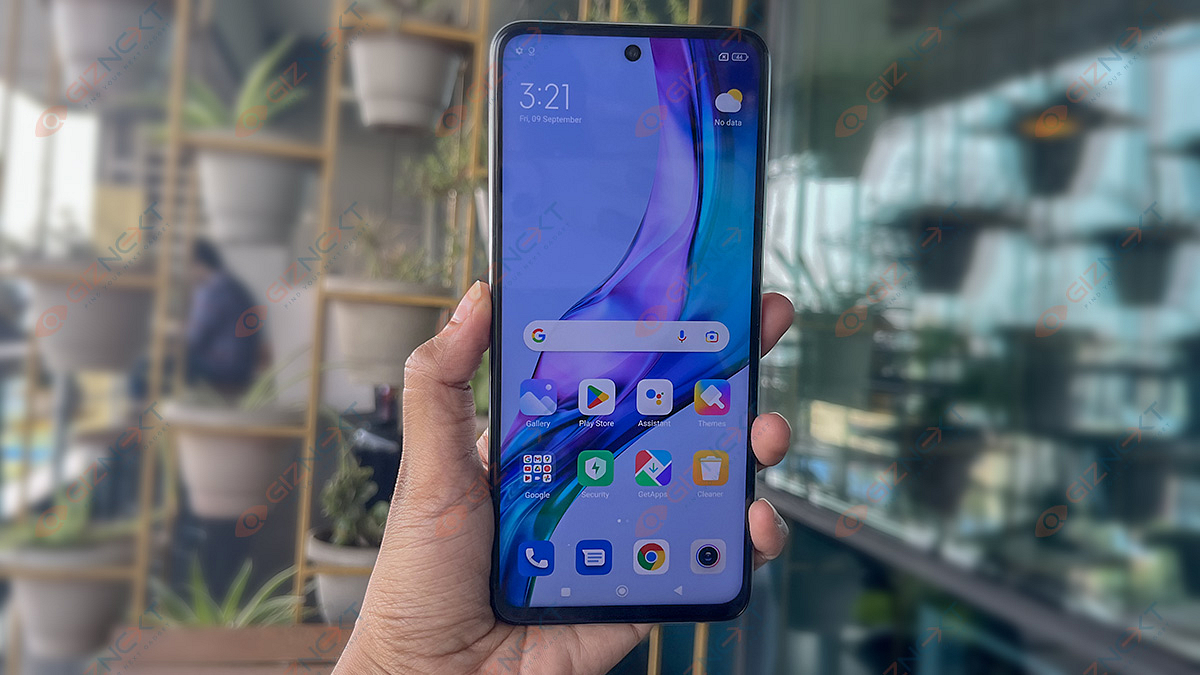
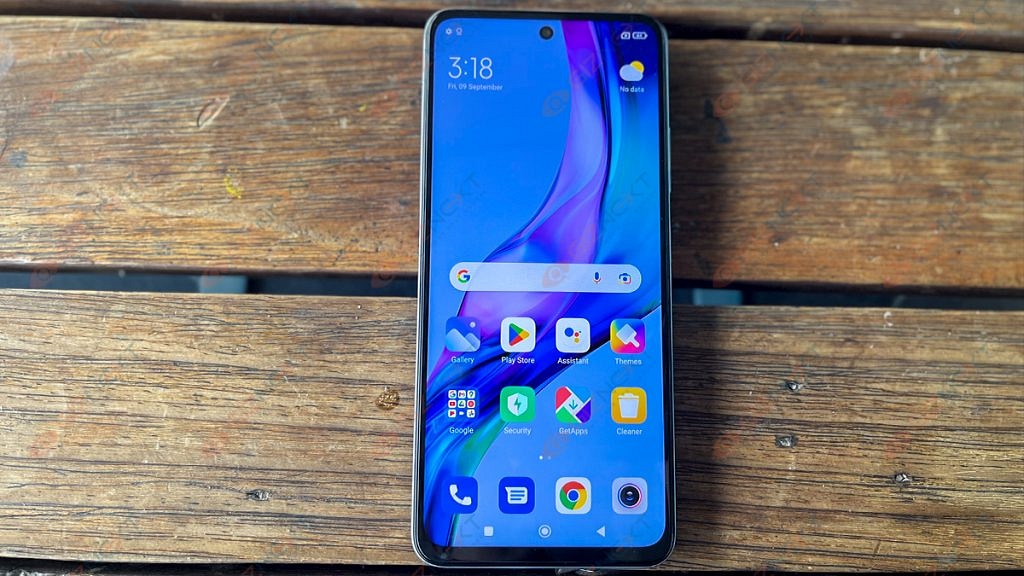
The top center at the front has a punch-hole cutout. The chin of the phone is reasonably thick, while the remaining bezels are thin. With Gorilla Glass 5 on the front and an IP53 rating which is only seen in a few smartphones at this price point, Xiaomi has made sure that the smartphone is adequately protected.
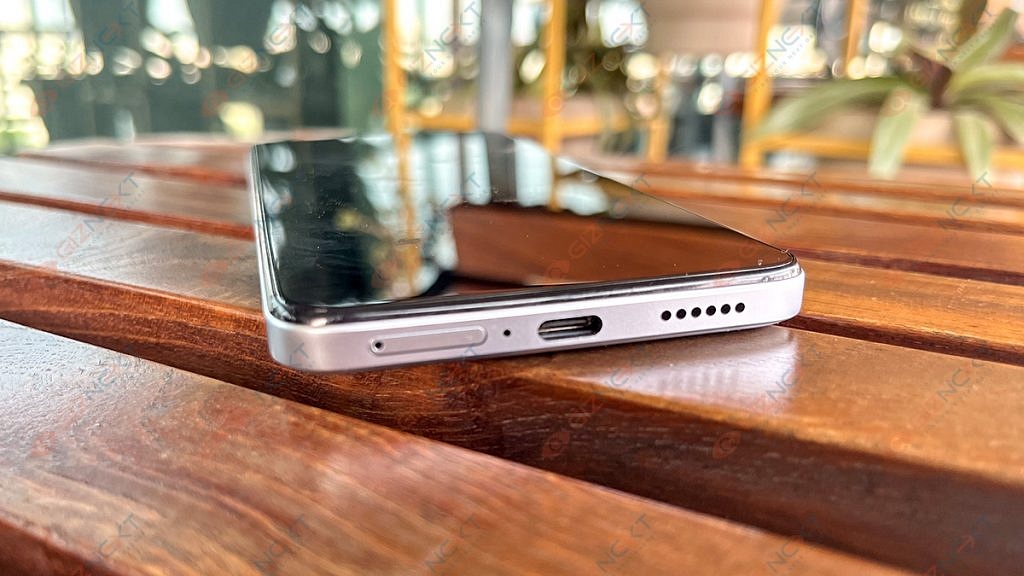
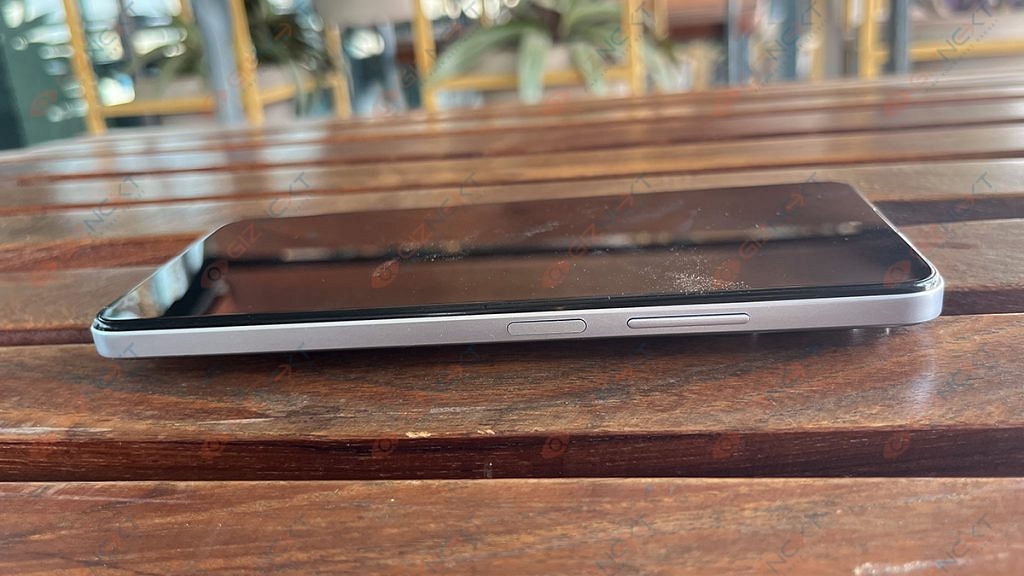
On the right side, there are buttons for power and the volume rocker. The power toggle has a fingerprint sensor built in. However, the majority of smartphones in this price range come with an in-display fingerprint reader. At the top, it also contains the IR blaster. There is also the headphone jack which many modern phones come sans with.
Overall, design preferences are purely subjective, so we’ll let you make the final decision. What you should know is that the phone feels solid in hand and provides a secure hold. Although the frame is flat, the back panel is somewhat curved which makes it easier to hold onto.
The Redmi K50i has a 6.67-inch FHD+ LCD screen. It has a 144Hz refresh rate. The smartphone also has adaptive refresh rate technology which automatically changes the screen’s refresh rate (from 30Hz to 144Hz) depending on the content the user is viewing.
The IPS LCD screen performs admirably in terms of color reproduction, clarity, and sharpness. The degrees of brightness is also good. Simply put, the viewing angles could have been more favorable. While tilting the phone to the side, we picked up on the slight color and brightness difference. The screen supports HDR10 and Dolby Vision which helps stream FHD videos and shows on Netflix.
Typically, there are 500 nits of brightness which is more than enough for everyday indoor use. Even with the brightness set to maximum, the display feels a bit dim when you are outside in the sun.
The Redmi doesn’t have an AMOLED screen which many will complain about. However, we must say that the display is incredibly smooth. When using the phone, there is no lag or stutter and everything feels quick.
The Redmi K50i excels in terms of performance. It has a MediaTek Dimensity 8100 chipset which effortlessly handles both multitasking and daily tasks. You can easily enjoy high-end games with no complaints. There are two variants of the Xiaomi Redmi K50i, i.e., 6GB / 128GB and 8GB / 256GB.
In its segment, the Redmi K50i is one of the fastest smartphones. When using your routine apps, you won’t experience any lag. The joy in this category is the lag-free, buttery-smooth scrolling.
Coming to the software side of things, the MIUI 13 based on the Android 12 software experience is just like the other Xiaomi phones. You can play with customization options, wallpapers, adding widgets, and a lot more. There are several pre-installed apps, some of which can be removed, while others remain resistant.
The phone also has dual speakers with Dolby Atmos support which bring out clear and well-tuned sound even at maximum volume levels. The Redmi K50i’s main speaker is located at the bottom edge and the other one is at the top.
The Redmi K50i still has a 3.5mm headphone jack in an age where most smartphones do not. Gamers will love this because they often prefer corded earphones or headphones to cordless ones when playing mobile games.
The Redmi K50i has a single camera arrangement up front and a triple rear camera setup at the back. The 64MP primary sensor, an 8MP ultra-wide sensor, and a 2MP depth sensor are all part of the rear configuration. A 16MP camera is located on the front for selfies.
Xiaomi has stuck using a 64MP sensor when the rest of the world is gradually moving toward the 50MP primary sensor and we are not complaining about it.
Shots from the primary camera are clear and have a nice dynamic range and color. Most of the time, the colors were enhanced but not overly saturated so that they appeared more pleasing to the eye.
The camera increases the exposure in low-light situations to provide brighter photographs while reducing noise and grain. When you begin looking for details, especially in the darker areas, photos appear a little hazy.
Images taken with the 8MP ultrawide camera have a slightly cooler color temperature, giving them a faint blue tint. Although the 2MP macro camera lacks autofocus, it performs well when it does.
A 16MP front-facing camera does a decent job capturing details. With regard to edge detection, portrait mode is quite good.
Under the hood, the Redmi K50i packs a 5,080mAh battery. When we used the phone, the battery easily lasted a day with the refresh rate set to “Default” and the use case was fairly mediocre. When we say mediocre, we mean basic calling and messaging, scrolling on social media apps, watching a few YouTube videos or shows on Netflix, etc. The phone packs a 67W fast charger in the box which refills the battery and charges the phone quickly.
Final Verdict
Some crucial areas are where the Redmi K50i shines. This smartphone can play mobile games at high frame rates and simply doesn’t sacrifice performance. The primary sensor is trustworthy for taking images on a daily basis and the battery backup is good.
The K50i’s two drawbacks are that Xiaomi went with an LCD panel rather than an OLED and that the design is extremely bland and fails to differentiate itself from the competition. Overall, the Redmi K50i is a competent smartphone that makes a nice pick for anyone seeking a device with strong performance, battery life, and camera capabilities.
We have seen a trend with smartphone OEMs targeting the tablet market and bringing advanced products for daily and extensive use. Realme is one of the brands which has started its innings in the mobile tablet industry with the launch of the Realme Pad series tablets. Until now, the company has launched three tablets in India and the global markets including the Realme Pad Mini, vanilla Realme Pad, and the Realme Pad X.
The Realme Pad X is the brand’s latest tablet model and is the most advanced variant in the entire lot. Like the smartphone industry, Realme is also showing its expertise in the tablet space by launching pocket-friendly yet powerful devices for daily and extensive usage.
The Realme Pad X is taking the crown for being the most budget-friendly 5G Android tablet in the markets including India. Features such as a 2K LCD display, a premium mid-range Snapdragon 600 series 5G chipset, and fast charging enabled battery. You can buy the Realme Pad X in India starting at Rs. 19,999.
Now, this sub Rs. 20,000 starting price tag might sound worth spending on a full-fledged Android tablet that can easily handle any given task. But should you? It’s always better to invest in any such gadget if you are sure of its performance delivery. If you have been eyeing this Realme tablet as your next upgrade, you must read this review article to clear all confusion related to its daily life performance.
Realme Pad X 5G Tablet Review
Design, Display User Experience
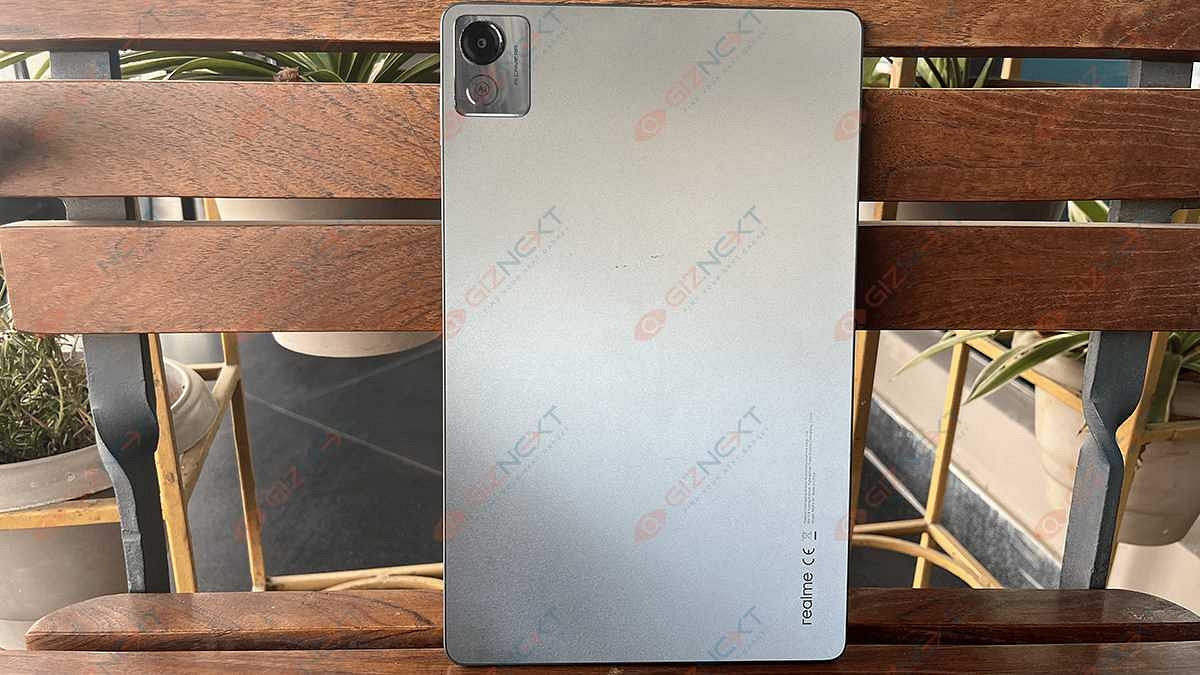
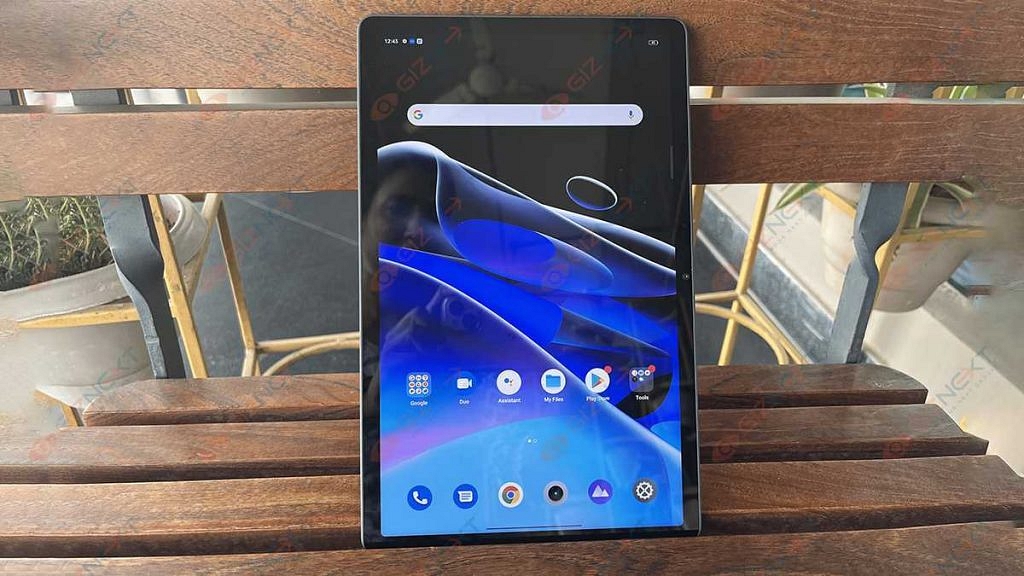
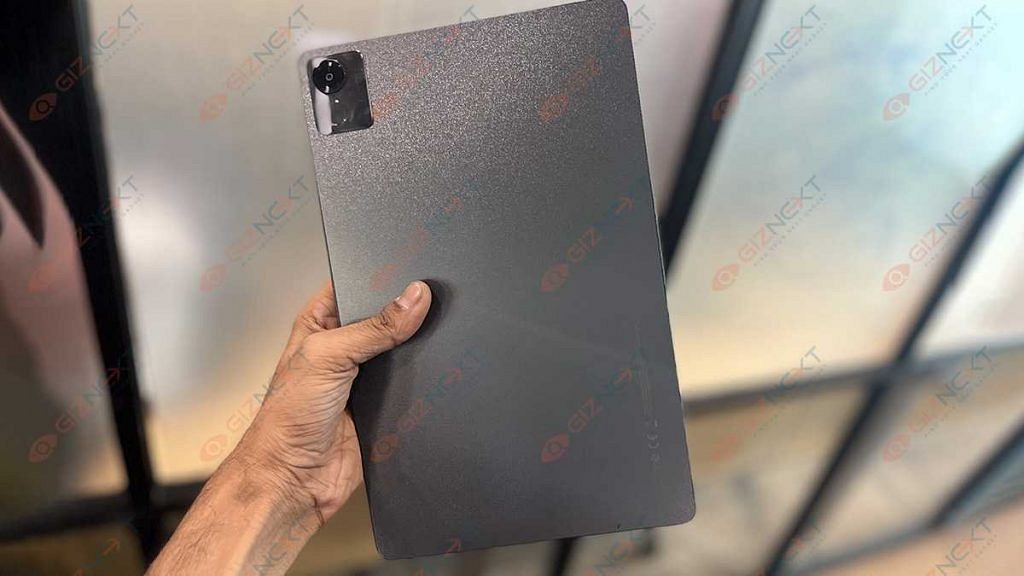
We would say the Realme Pad X is a stunner in terms of looks. This tablet gives a robust feel when you take it out of the retail box. The tablet flaunts a Glowing Light design which is a mix of sparking sand texturing along with concave lens UV texturing that allows for a glittering astral effect.
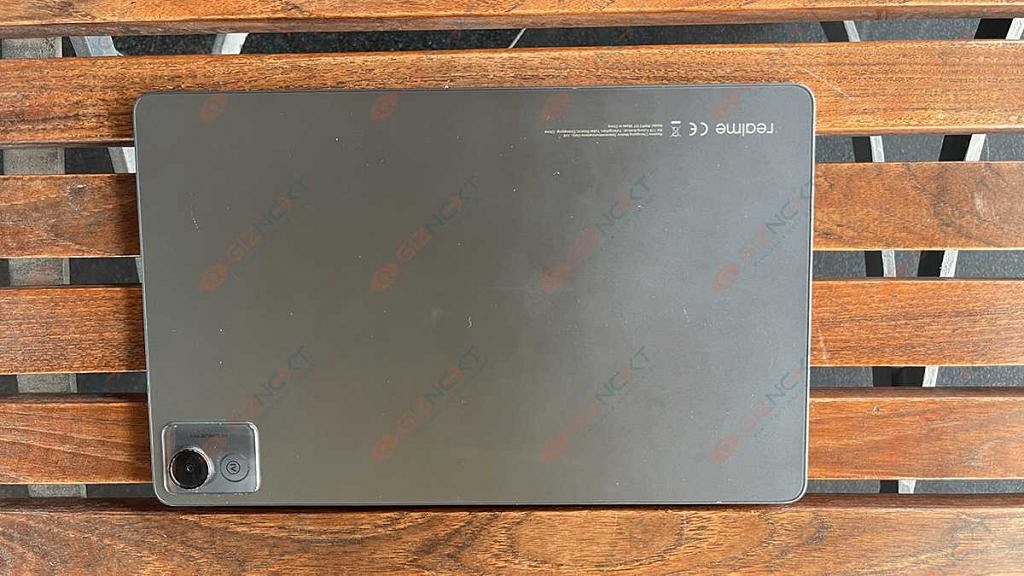
We are impressed with the Realme Pad X’s design language. It isn’t just appealing but also practical for daily usage. Realme has used a plastic back material for the Pad X 5G. The quality is good and doesn’t feel cheap anyhow. A squarish transparent camera module is neatly placed on the top-left corner housing a single snapper with the AI badging.
With a 7.1mm ultra-slim profile and just 499 grams of weight, the Realme Pad X offers a comfortable grip during operations. You will have no complaints with its usage be it for general tasks or gaming. Of course, you can’t compare the single-hand user experience of tablets with smartphones. But you get the added benefit of using a keyboard for a laptop-like user experience.
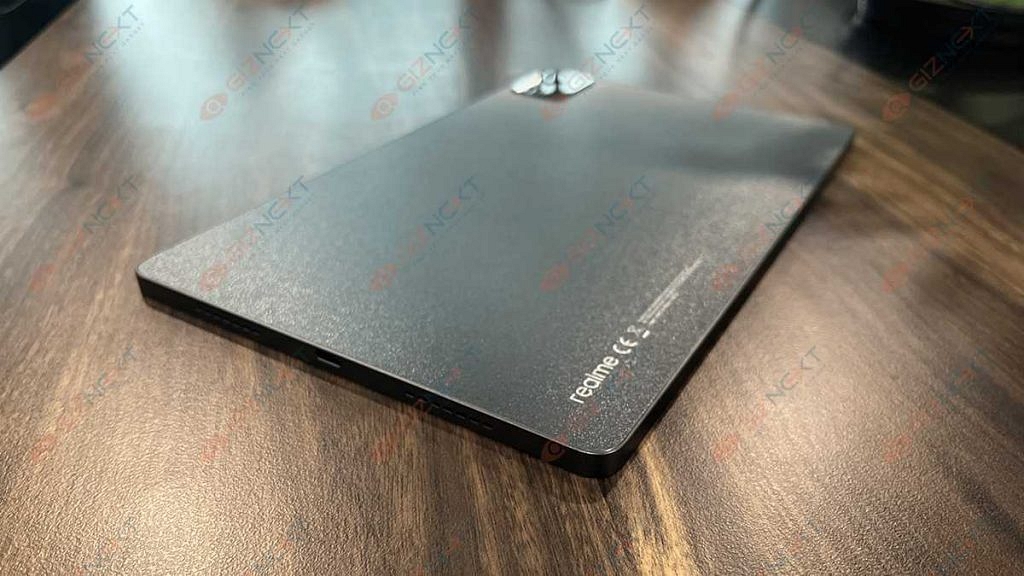
In addition to the keyboard, you can also use the Realme pencil (stylus pen) with the Pad X 5G. The stylus pen can be magnetically latched on the top. Do note that this is an additional accessory that you would need to buy separately. The ports and key placement is neat. The power key is on the right edge of the top panel, while the volume keys are placed on the right spine.
At the bottom, the Realme Pad X has a USB Type-C port and speaker grilles. Just for reference, this tablet has a quad-speaker system for audio delivery out of which two are bottom-firing and two are top-firing speakers. The tablet has Dolby Atmos certification that allows for loud and clear audio output.
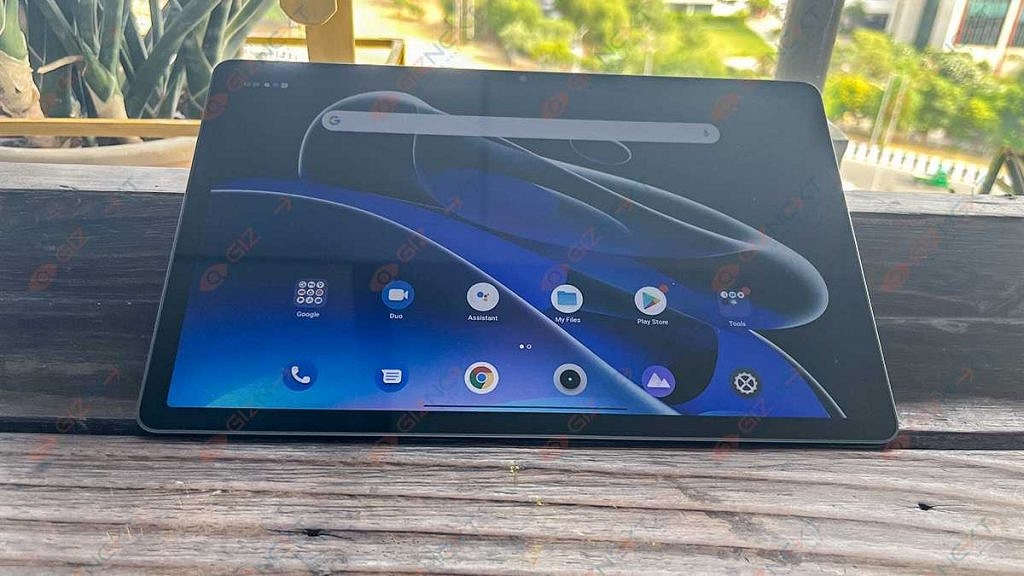
Quickly moving over the display, the Realme Pad X 5G tablet sports an IPS LCD screen that is surrounded by comparatively narrow bezels as you see on the old-generation Android tablets. The screen size is 10.95 inches and the resolution is WUXGA+, i.e., 1200 x 2000 pixels. The full view display on the Realme Pad X 5G has an 84.6 percent screen-to-body ratio and 450 nits peak brightness levels.
The display visibility is decent under direct sunlight. We had the least struggles while using the Pad X 5G tablet outdoors. Since the panel is a standard LCD, don’t expect a super crisp output and deeper blacks as you would get on an AMOLED panel.
Now, this is one of those areas where we believe Realme could have made a perfect device by using an upgraded AMOLED or Super AMOLED. However, that would have significantly increased the rates of this tablet. Using an LCD panel is one of the brand’s strategies to effectively reduce pricing.
But this doesn’t mean the quality deteriorates with video playback or gaming. You still get to enjoy your favorite TV shows and movies at high quality. We have been streaming videos via OTT platforms and have also played videos from the offline directory. Our viewing experience has been good overall.
Realme Pad X 5G Hardware Performance
The Realme Pad X 5G has the Snapdragon 695 chipset packed under its hood for power delivery. Realme has made sure that consumers get a premium user experience while operating the Pad X 5G tablet. The octa-core Qualcomm processor with 5G network support ensures the same. The Snapdragon 695 5G processor gets Adreno 619 GPU support for graphics.
You can opt for dual configurations including 4GB RAM+ 64 GB storage and 6GB RAM+ 128GB storage options. The Wi-Fi+ LTE variant that we have received ships with a dedicated SIM card slot which lets you use two SIM cards and one microSD card (up to 512GB). We have been using this tablet for all kinds of tasks; majorly for media playback.
During its entire usage, the tablet has delivered an overall good performance with general as well as extensive tasks. We have received the 6GB RAM variant which offered a swift multitasking experience. We could easily switch between multiple apps and also perform different tasks simultaneously with this processor.
The premium mid-range chipset along with the high RAM capacity makes sure the performance delivery isn’t hampered in any scenario. You can expect a similar performance delivery with gaming as well. The tablet is capable of rendering graphic-extensive games with ease.
In terms of the software, the Realme Pad X 5G ships with the Android 12 OS out-of-the-box. The user interface on top of the Android build is RealmeUI 3.0. The UI is tweaked for the tablet. The usage gets convenient with this UI.
Thankfully, the Pad X 5G’s UI is neat and you don’t get multiple pre-installed bloatware which allows for a cleaner UI. Realme has added multiple features with which the user experience is elevated while using the Pad X 5G. You get to use Split screen, a Flexible Window, and Smart Sidebar with the Realme UI 3.0 on the Pad X 5G.
How Is The Camera Performance?
The Realme Pad X 5G is packed with a bigger 13MP main camera at the back. The primary camera of this tablet comes with an f/2.2 aperture and has multiple shooting modes as you would get on the Realme-labelled smartphones. The Realme Pad X 5G’s back camera supports AI scene recognition, HDR, AI Filter, and other modes.
The camera on this tablet can also shoot slow-motion videos. The standard video recording capabilities include 720p@30fps, 720p@60fps, and 1080p@30fps/60fps video recording. The cameras are good at capturing details if you are clicking pictures in broad daylight or specifically in areas with ample lighting conditions.
The 8MP selfie snapper with an f/2.0 aperture is suitable for video calling. Specifically, if you plan to join an official video conferencing call on this tablet, you wouldn’t be disappointed. The selfie camera performs well with all the popular video conferencing apps such as Zoom, Google Meet, or Microsoft Teams.
Battery Backup And Charging Speeds
The Realme Pad X is equipped with a massive 8,340 mAh battery unit and has both fast as well as reverse charging technologies. The Realme Pad X 5G’s is enabled with 33W Dart Charge. Talking of the backup and charging speeds, the mid-rage 5G Realme tablet offers over six hours of backup if the usage is moderate or light.
The backup reduces slightly if you are using this tablet extensively. As far as the charging speeds are concerned, expect around three hours of a plug-in for a full recharge (zero to 100 percent).
Realme Pad X 5G: Worth A Buy?
The Realme Pad X 5G has impressed us with its performance delivery and practical yet appealing design. This tablet makes for the perfect upgrade to a bigger screen for smartphone users who still don’t wish to buy a new laptop considering the portability factor. The Realme Pad X 5G with a starting Rs. 19,999 price tag is definitely a value-for-money deal if your want a full-fledged Android tablet for creative tasks, gaming, or media playback. Not to forget the support for additional accessories such as a keyboard and stylus pen (Realme Pencil).
Jio attracts a large number of subscribers from other popular networks
Porting is the process of moving an existing number to a new network to which it is ported
Users can continue to use the same number under the new network
The competition among the different networks has increased as a result of Jio’s entry into the market for network providers a few years ago. By unveiling some really appealing prices, tariffs, and free deals, Jio has been luring numerous subscribers from other well-known networks to the Jio realm.
Follow these easy steps to port if you’re a Vodafone customer eager to switch to Jio. By the way, the procedure by which your current number will be ported to the new network you are migrating to is called porting. As a result, you can use the same number with the new network.
You’ll find a step-by-step guide on how to move your current mobile number to Jio’s prepaid or postpaid service in this article. In the event of an intra-circle port, the Mobile Number Portability (MNP) procedure can take up to 48 hours. However, it could take up to four days if you’re changing your telecom circle.
How To Port Your Vi Number To Jio?
Porting your Vi (Vodafone Idea) number to Jio is a straightforward process, and it allows you to retain your existing phone number while switching to Jio’s network.
Here are the steps to port your Vi number to Jio:
Step 1: SMS ‘PORT’ to 1900 from your existing number in order to port from Vi to Jio.
Step 2: You’ll receive an SMS with the UPC code and its expiration date.
Step 3: With the UPC (Unique porting code), enter the nearby Jio Store or Jio Retailer.
Step 4: To make a port request, carry your original Aadhaar card or original Proof of Address (POA)/Proof of Identity (POI) documents. Also, you will be asked to provide your passport-size photographs.
Step 5: Now, your Jio connection will get activated at the store.
Make sure your dues to the existing operator are settled during this process. The procedure starts right away, but it could take up to three days to finish. For users in North East India, Assam, and Jammu & Kashmir, the porting procedure is anticipated to take 15 days. You can use your Vodafone number as usual up until that point without interruption.
According to a Jio retailer, the process isn’t free because you’ll have to choose a plan that costs more than Rs. 300. Jio says the port-in requests from the North Eastern states, Assam, and Jammu & Kashmir will be fulfilled in 15 working days.
Flipkart is all set to host its biggest sales this year in the form of the Big Billion Days sale. The e-commerce giant will offer lucrative deals on a wide range of products. While the company is yet to officially reveal the first sale date for the upcoming festive sale on its platform. However, the retailer has already started teasing the brands whose products will be up for grabs with discounts and other offers.
Flipkart Big Billion Days Sales Offers: Best Electronics Deals
Flipkart has announced it will be offering massive discounts and offers on consumer electronics products including smartphones, tablets, and more. Up to 80 percent discount has been announced by Flipkart on electronics and accessories for the Indian audience. In addition to smartphones, buyers will also get sale offers on audio accessories including wired and wireless headphones, TWS earbuds, and speakers.
Smart TVs and other electronic home appliances will also be sold at discounted rates during the Flipkart Big Billion Days sale 2022. The aforementioned up to 80 percent discount is expected on these products as well. Additionally, Flipkart has also some special deals on select bank cards. The buyers making a purchase via ICICI bank and Axis bank credit and debit cards will be getting a 10 percent extra discount on the purchase.
The Flipkart Big Billion Days sale will also offer deals and offers on other categories of products including fashion, sports, furniture, and lifestyle products. This will be a limited period celebratory sale which you should make the most of and grab the best offers on your desired products.
If we speak of the specific tech brands whose products will be sold with discounts during the Big Billion Days sale this month then Asus, Poco, Realme, and Samsung are some of the popular brands that will be selling their smartphones and other accessories at cheaper rates. Massive offers will also be offered in Noise smart wearables and accessories.
Buyers can also opt for the Flipkart Pay Later option with which they will get a credit of up to 1,00,000. The no-cost EMI option will also be available for Bajaj Finserv cardholders. Flipkart Axis Bank credit card users will also get an additional 5 percent discount on purchase of new products during the Big Billion Days sale. We will keep posting updates for the best offers brand and product wise in the coming days. So, stay tuned with us.n
The live location feature of WhatsApp can be really useful for safety purposes
It is one of the easiest and most popular ways to share your location
WhatsApp allows users to share their current location with any of their contacts
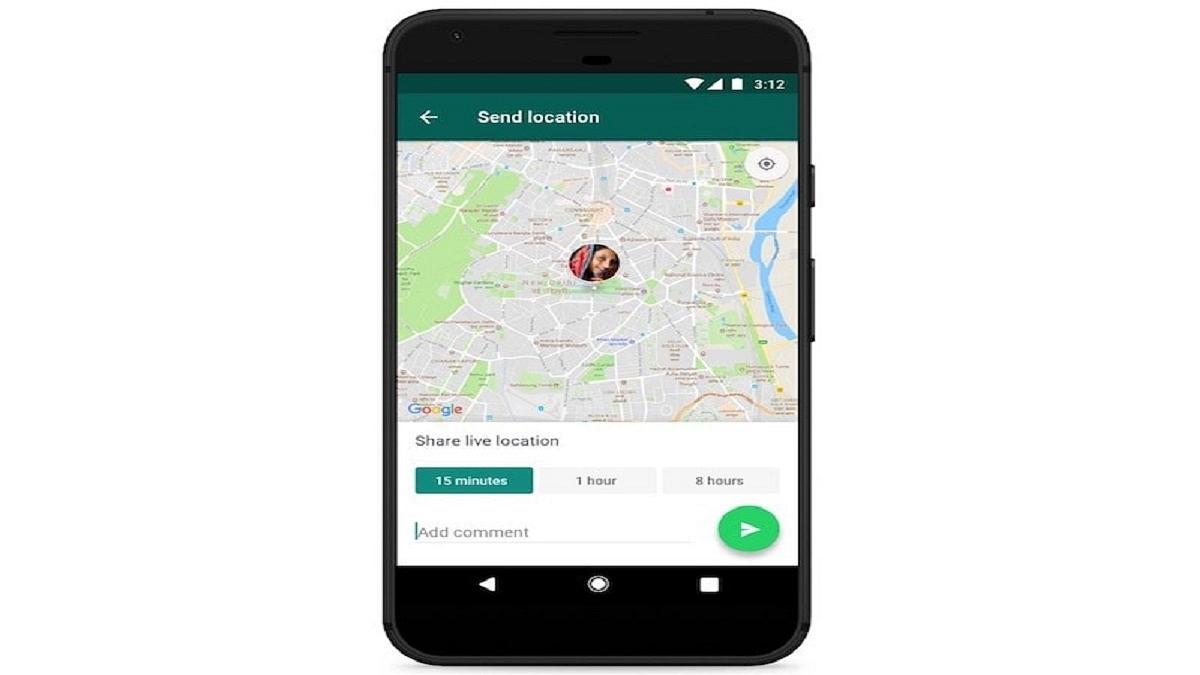
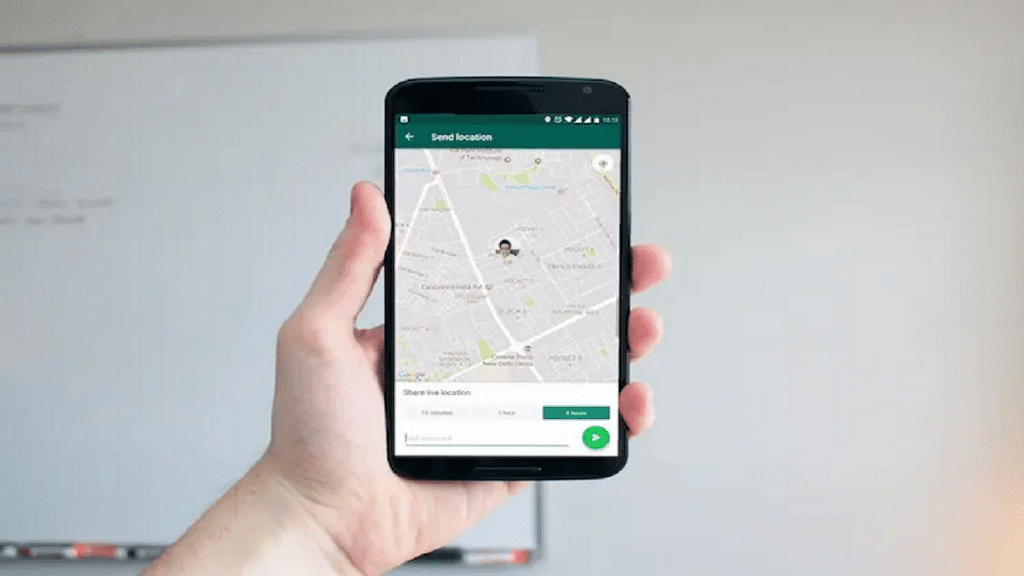
One of the most crucial things our smartphones enable us to perform is location tracking, whether for security, surveillance, or any other purpose. And one of the simplest and most common methods to communicate your whereabouts with someone is using WhatsApp’s Live Location feature.
You get a choice over whether and how long your live location is shared. At any time, you can decide not to reveal your present location. Only the people you shared this feature with will be able to see your current location because it is end-to-end encrypted. Here is a step-by-step guide on how to share a live location on WhatsApp with an iPhone and Android user.
Step 4: Tap on the plus sign in the bottom-left corner.
Step 5: Tap on ‘Location’.
Step 6: If you choose to disclose your location always, it will ask you whether you also want to do so ‘Only While Using the App.’
Step 7: Choose ‘Share Live Location’ or ‘Send Your Current Location.’ Tap ‘Send’.
How To Share Your Current Location Using An Android Phone?
Step 1: Fire up WhatsApp on your iPhone.
Step 2: Tap on ‘Chats’.
Step 3: Select the person or group you want to share the location with by tapping on their name.
Step 4: In the message field at the bottom of the screen, tap the paperclip icon.
Step 5: Click on the ‘Location’ icon.
Step 6: Select a location from the list or click ‘Share live location’ to proceed. Click ‘Send’.
To stop sharing your location, simply reopen the group or individual chat and select Stop sharing > STOP. End-to-end encryption safeguards the location-sharing feature, but you can always disable it by simply turning off WhatsApp’s location permissions on your iPhone or Android phone.