Categories
Featured Gaming

Best ‘Call of Duty’ Games To Download And Play: Check Out The List

‘Call of Duty’ is one of the most well-known first-person shooter games ever. It can be challenging for COD fans to choose which games rank among the best. Whoever you question about the best Call of Duty games is likely to give you a different response. So, if you’re having trouble choosing which COD game to download and play, don’t worry. In this article, we have listed some of the best Call of Duty games that you should consider playing.

Call of Duty 4: Modern Warfare

Without a doubt, the COD series’ high point is ‘Call of Duty 4: Modern Warfare’. This was a revelation when it came out and is now without a doubt a classic, setting the bar for all new entries. Players are still drawn in by the tempting combination of compulsive unlocks, outstanding map design, and potent feedback. If you only ever play one ‘Call Of Duty’, make sure it is none other than ‘Modern Warfare’.

Call Of Duty: Modern Warfare 2

In addition to having some of the best Call of Duty multiplayer maps, ‘Modern Warfare 2’ also succeeded in keeping gamers interested with a compelling narrative. Building on the success of the original Modern Warfare, MW 2 follows the core characters as they deal with Viktor Makarov, a Russian ultranationalist who wants to start a war between the United States and Russia. Even nearly 13 years after its initial release, Modern Warfare 2 still performs remarkably well overall.

Call of Duty: Black Ops

Without a doubt, ‘Call of Duty: Black Ops’ is the developer’s best in the series. This spy thriller set during the Cold War has high-quality voice acting from Sam Worthington, Gary Oldman, Ed Harris, James C. Burns, and Ice Cube. The Cold War era turns out to be the ideal setting for Call of Duty, with its moral ambiguity having the potential to shock at times and its flawless usage of The Rolling Stones giving it a feel that none of the previous games have.

Call Of Duty (2003)

Sometimes the original manages to surpass much of what came after it. The original ‘Call of Duty’ was a 2003 PC game, therefore its high rating speaks volumes about the original’s quality. Yes, it did give rise to a massive brand, but that franchise later strayed from its original direction. The Call Of Duty 1 stands here in the list on its own merits.

Call of Duty: Warzone

The ‘Call of Duty: Warzone’ has rapidly turned into one of the most popular since its introduction in March 2020, when the pandemic began to impact people everywhere. Proficient in holding 150 players at a time, it’s the home of Call of Duty‘s second attempt to capture the hearts of the Battle Royale crowd.

Categories
Auto Tech Featured

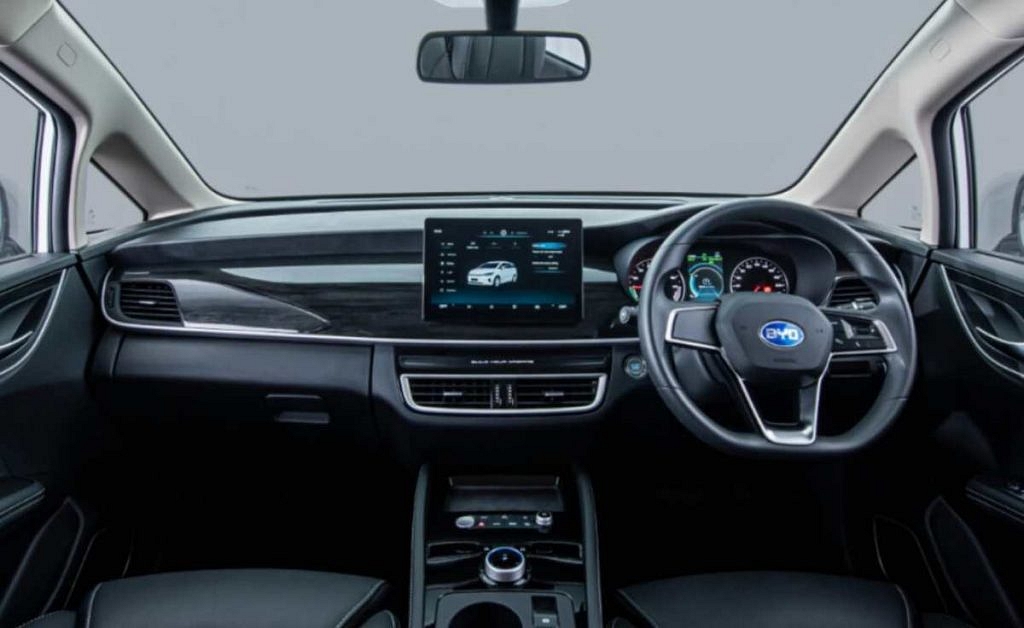
You Can Now Buy The 520km Range BYD e6 Electric MPV For Private Use

BYD has been selling electric vehicles in India for some time now. And we aren’t just talking about the e6 MPV but also e-buses that the company supplies to various state transport corporations. The e6 electric vehicle has been on sale since last year but was only meant for commercial operations. However, with the launch of its first dealership in Ernakulam (Kerala), private buyers can now put down their money for this spacious 5 seater electric MPV. Know more about the BYD e6 here.

The ex-showroom price for the BYD e6 electric is Rs. 29.15 lakhs. Customers who want a quick 7 kW charger will need to pay an extra Rs 40,000. In comparison, the top end diesel automatic Innova Crysta currently sells for about Rs 26.5 lakh. In terms of power train, the BYD e6 gets a large 71.7 kWh battery pack and this is the reason why the claimed range is over 500km! In terms of power, the motor makes about 94 HP and generates a max torque of 180 Nm. The top speed is limited to 130 km/h.

If you are looking at this electric MPV, you will be happy to know that it supports both AC and DC fast charging. With the latter, the e6 can be charged from 30 to 80 % in just 35 mins. The e6 also comes fully loaded with features like leather seats, touchscreen infotainment, rear view camera et al. Being a large vehicle and limited to just 2 rows, space at the back is immense while also liberating a lot of boot space that stands at 580 litres.

Peace of mind comes from a 3 year / 1.25 lakh km basic warranty. In addition to this, you also get a warranty of 8 years / 5 lakh km on the battery and a 8 years / 1.5 lakh km warranty on the motor. BYD will soon expand its dealerships across India and will increase the product line up as well. We are sure the company will showcase more products at the upcoming 2023 Auto Expo.

Categories
Featured How To Laptop

How To Check Available RAM Slots On Windows: A Step-By-Step Guide

How much RAM does your computer have? How about upgrading slots that are available? Well, having the option to add extra memory down the road will help you futureproof the device and improve its performance depending on your workload.

While Windows does give you all the information you require about your computer, finding what you need can be a difficult task for many. In this post, we have detailed a few ways to check available RAM slots in Windows laptops/PC. Let’s check them out:

How To Check RAM Slots Via Task Manager

Step 1: On your computer, launch task manager. Tap on ‘Task Manager’ by performing a right-click on the Windows icon in Windows 11. Simply right-click the taskbar in Windows 10 and tap on Task Manager from the menu.

Step 2: Click on ‘Performance’ once you open the ‘Task Manager’.

Step 3: Click ‘Memory’. On the bottom right, in front of the ‘Slots used’, you ought to see the available RAM slots.

How To Check RAM Slots Using System Information

System Information is another simple way to view the RAM specifications. All you have to do is:

Step 1: Click on the Start menu.

Step 2: Now, search for ‘System Information’.

Step 3: Click on the ‘Best match’.

Step 4: Scroll to find Installed Physical Memory (RAM) and Total Physical Memory.

This will provide you with all the essential details you require regarding your installed RAM. Using the System Information tool, you can also discover other PC system specifications.

How To Check RAM Slots Through Third-Party App

To view the available RAM slots, we’ll use the CPU-Z app. Using a third-party app like CPU-Z allows you to see a lot more information than just the RAM slots.

Step 1: Download and Install CPU-Z on your PC.

Step 2: Launch the CPU-Z app and click on SPD.

Step 3: Then, click on the drop-down menu under Memory Slot Selection.

This will show you the available RAM slots on your computer/PC. If you have four RAM slots, you will see four Slot#s, if you have two, you will only see two Slot#s. Using this app, you can also check the RAM type, frequency, etc.

Categories
Auto Tech Featured

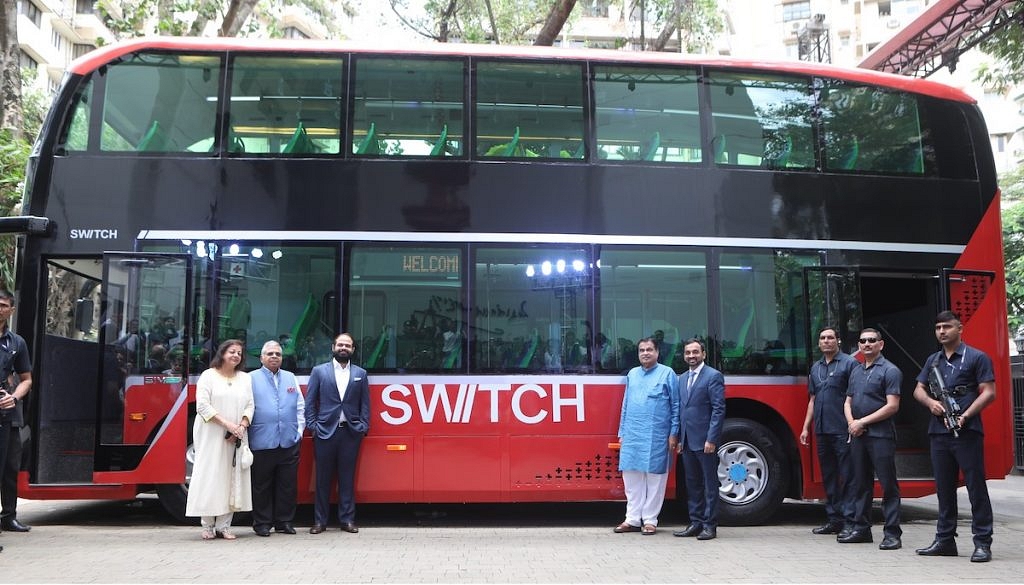
Here is India’s First Electric Double Decker Bus – Switch EiV 22

Remember the good old double decker buses we used to see in various cities a decade back? These are set to return and the first city to get these buses will be Mumbai. And keeping in mind with modern times and electric mobility, these buses will be full electric! Switch Mobility, part of the Ashok Leyland group has showcased the EiV 22 bus that will be used by BEST (Brihanmumbai Electricity Supply and Transport) as an efficient public transport mode. This also makes the Switch EiV 22 is India’s first electric double-decker air-conditioned bus. The brand believes it will revolutionize public transportation in the country and will set new standards in the intra-urban bus market.

This electric double decker bus is powered by a 231 kWh capacity, 2-string, liquid-cooled, higher density NMC chemistry battery pack with a dual gun charging system. Switch claims that the bus will offer a range of up to 250 km for intra-city applications. The company has already secured an order of 200 electric double-decker buses for Mumbai and is looking forward to dominating the sector with the electric double-decker bus, across key regions in the country.

The Switch EiV 22 electric double decker bus is indeed a great achievement in terms of packaging. It is the world’s first standard floor-based, air-conditioned electric double-decker bus with a wider door on the rear overhang as well as in the rear staircase. Further, the vehicle is constructed on a lightweight aluminium body which will surely offer a higher passenger-to-weight ratio and fuel efficiency. 

ALSO READ – Ola Electric Car Launch in 2024

With contemporary styling and feel-good interiors and exteriors, the double decker boasts of wide front and rear doors, two staircases and an emergency door complying with the latest safety standards. The AC offers effective cooling in India’s hot climatic conditions, while the optimized seating for 65 passengers is the maximum number of seats to be offered in the given footprint. Each seat has a lightweight cushion and the interiors come with car like comfort for passenger convenience. This state-of-the-art electric double decker serves as an ideal solution for urban commuting, as they occupy less road, terminal and depot floor space per seated passenger.

Not many would remember but it was Ashok Leyland that first launched the double-decker in 1967 in Mumbai and its electric mobility arm, Switch is now carrying forward that legacy. Switch already sells double decker buses internationally including in the UK.

Categories
Featured Leaks Mobile

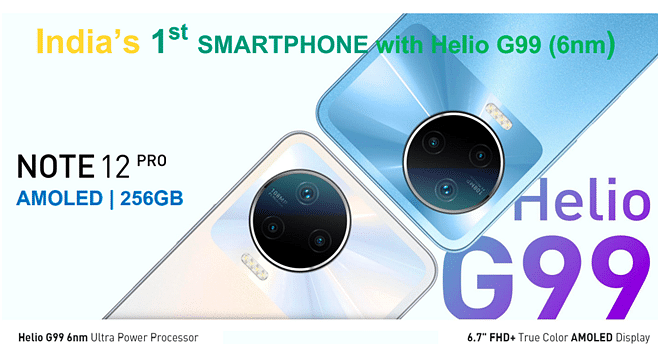
Infinix To Launch Note 12 Pro Smartphone With MediaTek Helio G99 SoC On August 26

Infinix has recently launched more than half a dozen devices in India and again planning to bring new devices soon. The upcoming smartphone might be available in the mid-range segment. The Infinix Note 12 Pro smartphone will be launched on August 26 (Friday).

Notably, the Infinix Note 12 5G was launched in July with Dimensity 810 processor, 108MP primary camera, AMOLED panel, and 33W fast charging. However, the Infinix Note 12 Pro will have 4G connectivity and will be powered by the MediaTek Helio G99 processor that was recently launched in the country.

Infinix Note 12 Pro Smartphone: Expected Specifications

According to the company, the upcoming smartphone will have a MediaTek Helio G99 processor. Notably, the Infinix Note 12 smartphone is the first smartphone that will have the same processor.

For the unaware, the Helio G99 processor is built on a 6nm process that offers a maximum speed of up to 2.2GHZ, paired with ARM Mali G57 GPU. In addition, the device is expected to have a 6.7-inch Full HD+ AMOLED display, 108MP primary camera, and will have storage of up to 256GB.

Infinix Note 12 Pro Smartphone: As Per Aliexpress Listing

For the unaware, the smartphone was also listed on Aliexpress last month. The listing reveals that the Infinix Note 12 Pro is likely to have a 6.7-inch Full HD+ AMOLED panel and is expected to have a standard 60Hz panel.

The smartphone will have 8GB of RAM and 256GB of storage. On the camera front, the device will have 108MP primary camera along with a depth sensor and an AI lens. In addition, the smartphone will have 16MP selfie snapper.

Moreover, the Infinix Note 12 Pro will have a 5,000mAh battery along with 33W fast charging. The smartphone will run Android 12 OS along with XOS 10.6 skin. In addition, the device will feature 5G virtual RAM, 4D vibrations, Wi-Fi, Bluetooth, and a USB Type-C port.

Infinix Note 12 Pro Smartphone: Expected Price

The smartphone is likely to be priced at Rs. 14,999 in the country. This clearly means that the smartphone is under Rs. 15,000 for the 4G connectivity.

Categories
Featured Leaks Mobile

Vivo Might Launch Six Smartphones In India: See All Details Here

The Chinese smartphone Vivo might bring half a dozen of devices in September. The new development comes soon after the launch of the V25 and V25 Pro smartphones. Notably, this was first reported by the tipster Paras Guglani.

Vivo Upcoming Smartphones In India: Details

The tipster claims that the company will launch six smartphones under the budget segment. Guglani also shared the names of the smartphones, including Vivo Y22, Vivo Y22s, Vivo Y02s, Vivo Y16, Vivo Y35, and Vivo Y01A.

It is worth noting that the tipster has not shared the specification and prices of the devices other than model names. On the other hand, Pricebaba recently shared the retail box along with live images of the Vivo Y22s smartphone.

In addition, the Vivo Y22s is likely to be the successor of the Vivo Y21s that was launched last year in Indonesia.

Vivo Y22s Smartphone: Expected Price

It is important to note that there are no details about the price; however, the smartphone is expected to be available in the budget segment. In fact, some rumors suggested that the smartphone will be available for under Rs. 15,000.

Vivo Y22s Smartphone: Expected Design, Colours, Specifications

According to the available image, the Vivo Y22s is likely to have dual cameras at the back and will be available in two color options Dark Blue and Sky Blue.

In addition, the packaging of the box will have Vivo branding on the front. However, the previous image claims that Vivo might have 6.55-inch water-drop notch display along with an LCD panel, HD resolution, and standard refresh rate.

On the camera front, the upcoming smartphone is likely to have a dual camera, including a 50MP primary camera and a 2MP secondary sensor for depth or macro shots.

Under, the hood, the device will have a Qualcomm Snapdragon 680 processor that is paired with 8GB of RAM and 128GB of internal storage. Moreover, the device will also have a microSD card slot for extra storage.

Besides, the device is likely to have a 5,000mAh battery along with 18W fast charging capabilities. Plus, the device will run Funtouch OS 12, which is based on Android 12 OS.

Categories
Featured Leaks Mobile

Vivo V25e Full Renders, Key Specifications Out; 64MP Triple Cameras And More

Vivo has launched the V25 series in India. The vanilla Vivo V25 debuted alongside the V25 Pro in the country. Now, the third variant in this series is already in the works. The upcoming Vivo V series phone is called the V25e, a 5G phone with mid-tier hardware. The Vivo V25e has cleared a bunch of certifications online including EEC and IMEI. Now, the renders and specifications of the handset have been leaked.

Vivo V25e Key Features And Specifications Leaked

The Vivo V25e renders and specifications have been leaked freshly by 91MobilesHindi. The leaked renders show two different color options for the handset including black and gold. The handset will be flaunting a standard waterdrop notch display design with a slim side and top bezel. The bottom bezel is considerably thick.

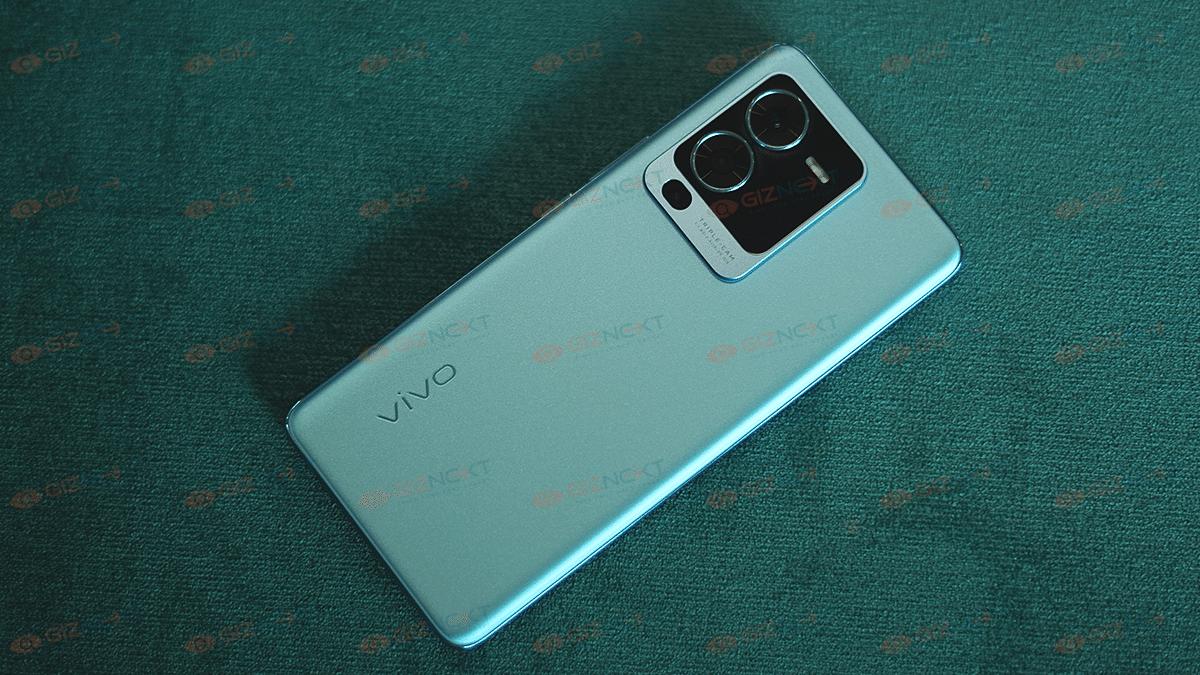
At the back, a large square module will house two large and one small camera sensor along with the LED flash. The Vivo branding is inscribed at the bottom left of the V25e’s back panel. The volume and the power key are on the right panel. It seems the power key will integrate the fingerprint scanner.

Moving on to the specifications, the Vivo V25e’s triple rear camera setup will comprise a 64MP main camera along with OIS support. The remaining camera sensors are not mentioned in the report. However, a 4,500 mAH battery unit is confirmed.

The handset will feature 44W fast charging support. It is also said to come with up to 8GB RAM and 128GB storage configuration. The exact number of variants remains a mystery at this point. The report has only shared the battery and camera features of the V25e. Thanks to the previous leaks, we know some of the other features as well.

The Vivo V25e is rumored to be powered by the MediaTek Helio G99 processor. The octa-core chipset will be clubbed with Mali G57 GPU for graphics. It is expected to ship with the same Android 12-based FunTouch OS as the other Vivo V25 series phones. The device is further said to feature an FHD+ display with 1080 x 2040 pixels resolution and 440 PPI pixel density. The display panel could be LCD but the details are not yet confirmed.

Categories
Featured How To Mobile

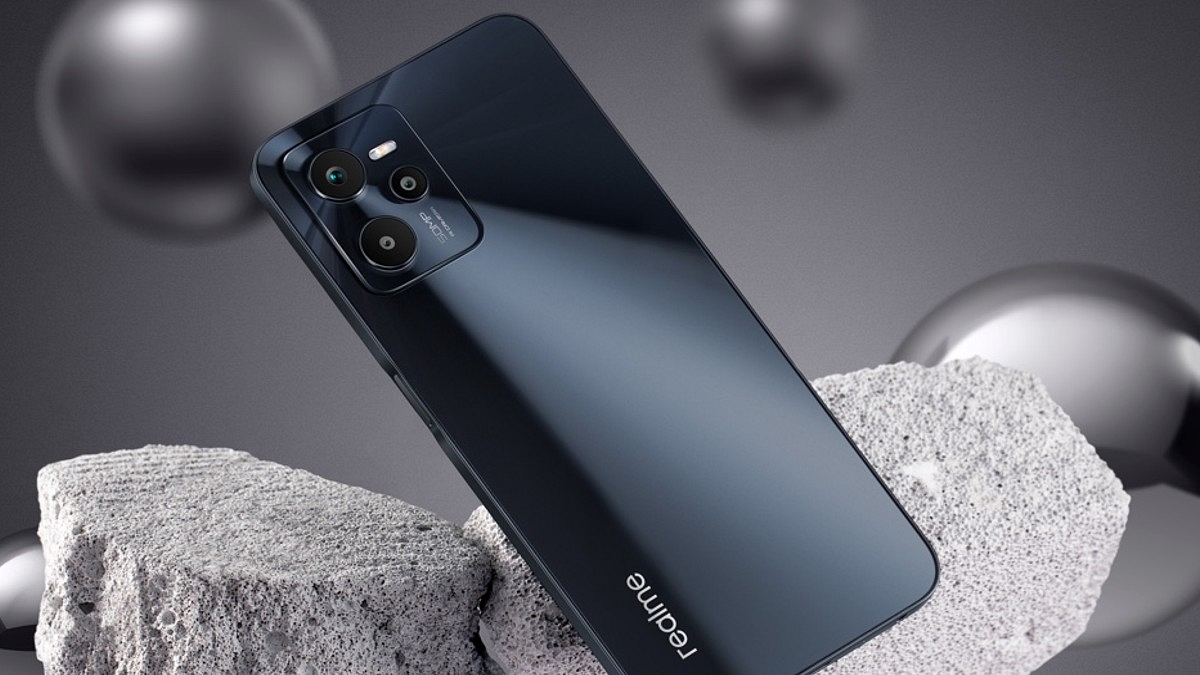
How To Take Screenshot On Realme C35: A Step-By-Step Guide

Nowadays, an essential feature in a mobile phone is the ability to take screenshots or to capture in an image what appears on the screen at that precise moment. If we talk about Realme, then it is gradually gaining traction on global markets, so there’s a high possibility you either already own a product from the brand or are eager to do so. However, are you aware of how to take screenshots on your Realme smartphones? We’ll tell you how.

How To Take Screenshot On Your Realme C35

There are many ways to easily take screenshots on your Realme C35 smartphone that are described in this post. The good news is that you don’t need to install any additional apps because this feature is already included in the Android 11 and Realme UI 2.0 operating system.

Method 1: Three Finger Screenshot

Slide your three fingers downward on the screen of your Realme C35 to take a screenshot. Here’s how to do it:

Step 1: Go to Settings on your phone.

Step 2: Tap on ‘Convenience Aid’ and then ‘Gestures & Motions’.

Step 3: Now, enable a three-finger screenshot.

Step 4: After that, swipe your three fingers down on the screen of your phone. That’s it.

Method 2: Use Key Combination

Step 1: Open the screen that you want to screenshot.

Step 2: Now, press the Power Button and the Volume down button simultaneously.

Method 3: Use Smart Sidebar

Step 1: Go to your phone’s Settings.

Step 2: Then you have to head to Convenience Aid.

Step 3: Press the ‘Smart Sidebar’ button.

Step 4: Now activate the ‘Smart Sidebar.’

Step 5: Locate the screen you wish to take a screenshot of, launch the Smart Sidebar, and then click the Screenshot icon.

Method 4: Use Assistive Ball

Step 1: Go to Settings.

Step 2: Then you have to go to Convenience Aid. After that, go to Assistive Ball.

Step 3: Turn on the Assistive Ball now.

Steps To Take A Long Screenshot On Realme C35

You will need to add one more step to the above-mentioned standard snapshot techniques if you wish to take a long screenshot of the current page or a webpage.

Step 1: You need to open the screen you wish to screenshot.

Step 2: Then, take a screenshot using any of the aforementioned techniques.

Step 3: Now click the screenshots you just took.

Step 4: Next, press the ‘Scroll’ button.

Step 5: After the page has automatically scrolled to the location where you wish to take the screenshot, click ‘Done’. That’s it.

Categories
Featured Tablet

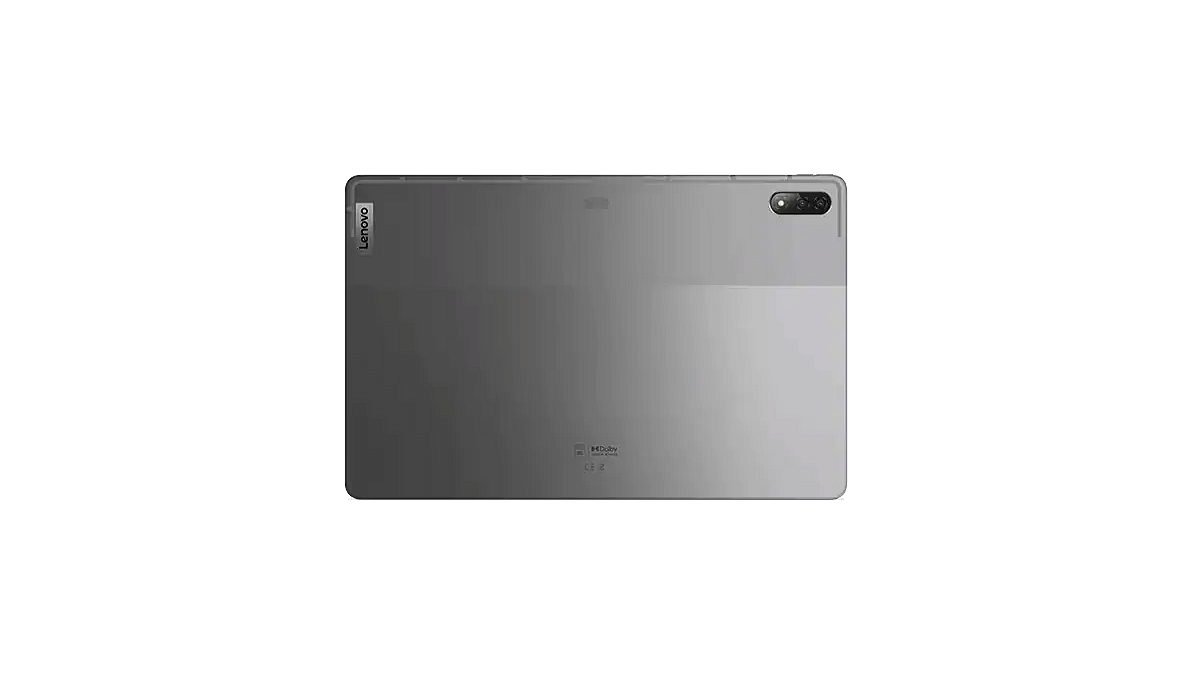
Lenovo Xiaoxin Pad Pro 2022 Is A Premium Mid-Range Tablet Powered By Two Different Chipsets

Lenovo today refreshed both its smartphone and tablet portfolio with the launch of the Legion Y70 gaming smartphone and the Xiaoxin Pad Pro 2022 tablet. The latest tablet comes as a successor to the Xiaoxin Pad Pro 2021 and is a premium mid-range product with highlight features such as the Qualcomm Snapdragon 870 chipset, a 2.5K display, and a fast charging supported battery. Below are the Lenovo Xiaoxin Pad Pro 2022’s key features and expected India launch timeline:

Lenovo Pad Pro 2022 Full Specifications

The premium mid-tier Lenovo Xiaoxin Pad Pro 2022 tablet utilizes the octa-core Snapdragon 870 chipset as its brain of operations. With this, the latest Lenovo tablet goes against the OPPO Pad, Xiaomi Pad 5 12.4, and the Vivo Pad tablet. The premium mid-range Android tablet will be available in dual configurations.

 It will be available with 6GB RAM and 128GB storage configuration. There will be another variant that will feature 8GB RAM and 128GB storage options. The tablet will also have external microSD card support for additional storage. The Lenovo Xiaoxin Pad Pro 2022 tablet will be shipped with Android 12 OS.

Upfront, the Xiaoxin Pad Pro 2022 tablet will employ a tall 11.2-inch display. The panel used is OLED which supports a 2.5K screen resolution along with a 120Hz refresh rate. It also has HDR10+ certification and Dolby Vision support for an enhanced visual experience. To complement the high-resolution screen, the Lenovo tablet is equipped with a JBL quad-speaker system along with Dolby Atmos support.

Moving on to the camera hardware, the Xiaoxin Pad Pro 2022 tablet is packed with a single 13MP rear camera. This tablet features an 8MP snapper for selfies and video calling. It is worth mentioning that Lenovo has launched two different variants of this tablet. In addition to the Snapdragon model, the tablet is also launched with a MediaTek processor.

The other Xiaoxin Pad Pro 2022 model will be powered by the MediaTek Kompanio 1300T octa-core chipset. Lastly, the Xiaoxin Pad Pro 2022 will be using an 8,200 mAh battery unit that gets 68W fast charging technology support.

Lenovo Xiaoxin Pad Pro 2022 Price, Expected India Launch Timeline

The Lenovo Xiaoxin Pad Pro 2022 tablet will be available with an asking price of 2,199 Yuan which is around Rs. 25,800 in Indian currency. The 8GB RAM variant which is driven by the Snapdragon 870 chipset is priced slightly higher at 2,499 Yuan which translates to roughly around Rs. 29,300. Lenovo has currently announced this tablet in China and has not revealed any plans for its launch in India.

Categories
Apps Featured How To

WhatsApp Tips And Tricks: How To View Someone’s Status Secretly

WhatsApp allows users to stay connected with friends and family. When we want to know what’s going on around us but don’t want to divulge our identities, however, online anonymity comes into play. The Meta-owned app allows you to hide online status and message delivery data. But did you know that you can also view other people’s status in secret? By default, WhatsApp Status keeps track of who has viewed it. However, there are certain methods you can use to view someone’s status without their knowledge. Wondering how? Read on.

By turning off read receipts or viewing it offline, Android and iOS users can view the WhatsApp Status of their contacts without letting them know. On your phone, you can also check the hidden WhatsApp status folder to avoid viewing the Status directly.

Here’s How To View Other’s Status Without Letting Them Know

Method 1: Turn Of Read Receipts

Step 1: Open WhatsApp on your phone or iPhone and click the three dots icon that is present on the screen.

Step 2: Then, go to ‘Settings’ and head to the ‘Account’ option.

Step 3: To check the advanced features and turn off the ‘Read Receipts’ option, go to ‘Privacy.’

Method 2: Via Phone’s File Manager

Keep in mind that only Android users are allowed to use the feature.

Step 1: Go to file manager on your mobile phone.

Step 2: Open internal storage and click on WhatsApp

Step 3: Open the media folder and tap on the ‘Status’ folder.

Step 4: Here, you can find all the images that your contacts have posted as WhatsApp Statuses.

In case the folder is not visible, navigate to File Manager settings and enable the ‘Show hidden files’ option. Then, you will be able to see the folder.

Method 3: Switch To Airplane Mode

You can also use Airplane mode on your mobile phone to access WhatsApp status. Here is what to do:

Step 1: Turn off the mobile data of your phone and switch on the Airplane mode.

Step 2: View the status on WhatsApp by heading to WhatsApp. Now, you have the option to see WhatsApp status without letting others know. That’s all.