Categories
Featured Reviews Smart Watch

Inbase Urban Fit S Smartwatch Review: An Overall Decent Package

Smart wearables are driving the current generation. With all the advancements in the tech field, the brands are embedding the latest of technologies that are helping the modern masses not just keep a track of the time but also monitor their health on the go.  We have several players including smartphone OEMs that are flooding the markets with new smartwatches and fitness bands. Inbase Urban Fit S is one of the latest smartwatches which brings a familiar Apple Watch Band-like design but has a cheaper price tag and yet is loaded with features.

The Urban Fit S smartwatch can be on your buying list for its affordable price tag. It retails for around Rs. 4,999. With this price label, it goes up against the likes of the Realme Watch 2 Pro, Redmi Watch 2 Lite, and Noise ColorFit Ultra 2.

At a sub Rs. 5,000 price point, the Urban Fit S with multiple health features such as SpO2 monitor, steps tracker, heart rate monitor, and an Apple Band-like design, the Urban Fit S definitely sound a good deal. But is it so? Giznext has reviewed the Urban Fit S smartwatch and in this article, we are sharing our feedback on whether you should buy this smartwatch or should skip it.

Urban Fit S Smartwatch: Design And Display

As mentioned above, the Urban Fir S smartwatch is designed identical to the Apple Watch band. It flaunts a square dial and has silicon rubber straps. The Urban Fit S smartwatch features a digital crown that is apparently borrowed from the Apple Watch counterpart.
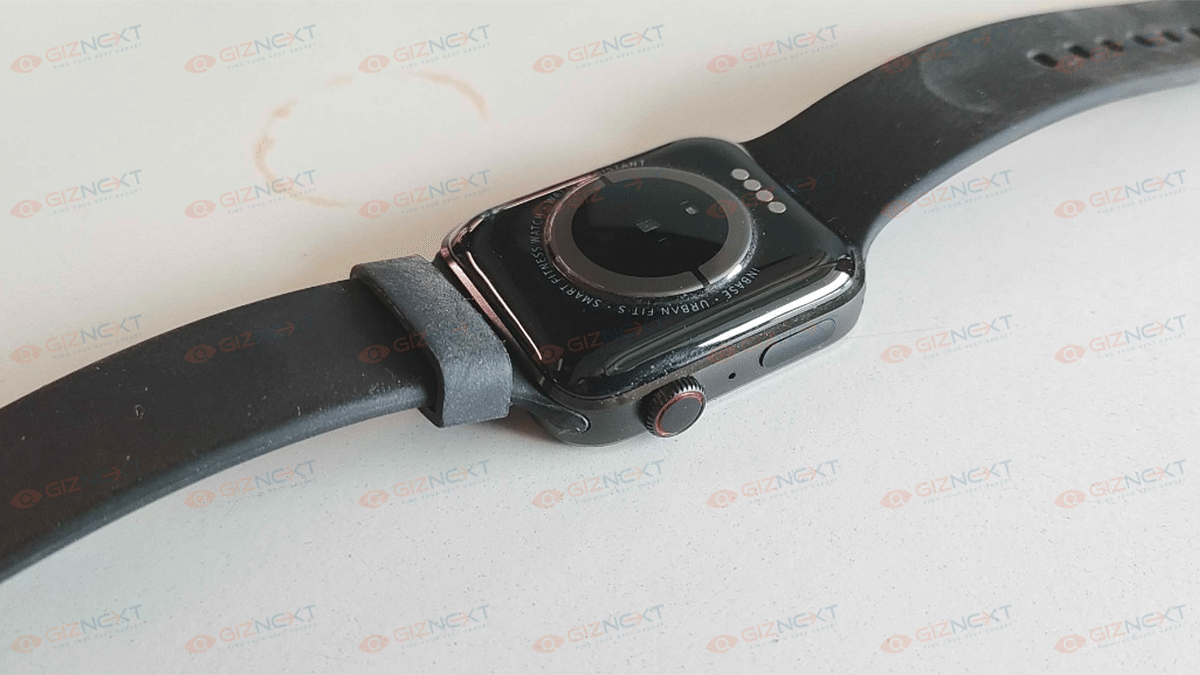
That’s not it, the straps of the Urban Fit S smartwatch are removable and the slider mechanism is identical to that of Apple’s. The design of this smartwatch is practical otherwise. You wouldn’t have any complaints about it. The only drawback with the design is it isn’t entirely sweat resistant. If you are doing some rigorous activities, you’ll feel your wrist getting all sweaty. If you can ignore this factor, the Urban Fit S has a good design that fits modern standards.

Now coming to the display, the Urban Fir S smartwatch is equipped with a 1.78-inch AMOLED display. Now, this screen size is a bit taller than what the competition offers. It is a color touchscreen panel that offers smooth feedback with scrolling through the menu and available features on the watch. The color produced by the Urban Fit S smartwatch’s display is good with deeper blacks. It’s the AMOLED panel that helps with the same.

Urban Fit S Smartwatch: How Do The Features Perform?

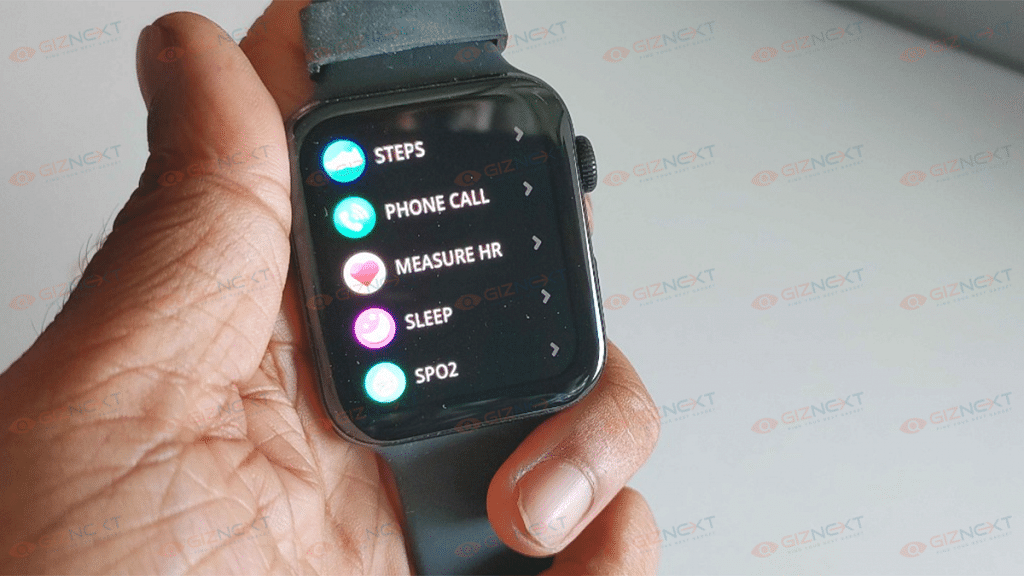
The Urban Fit S smartwatch is integrated with multiple health features. But what gives it an edge is the support for Bluetooth Calling. Now, this is one unique feature that you get on any smartwatch specifically the affordable ones. If we speak of the health features, the Urban Fit S smartwatch is capable of tracking steps, monitoring sleep, reading blood oxygen levels with the SpO2 monitor, and also measuring heart rate.

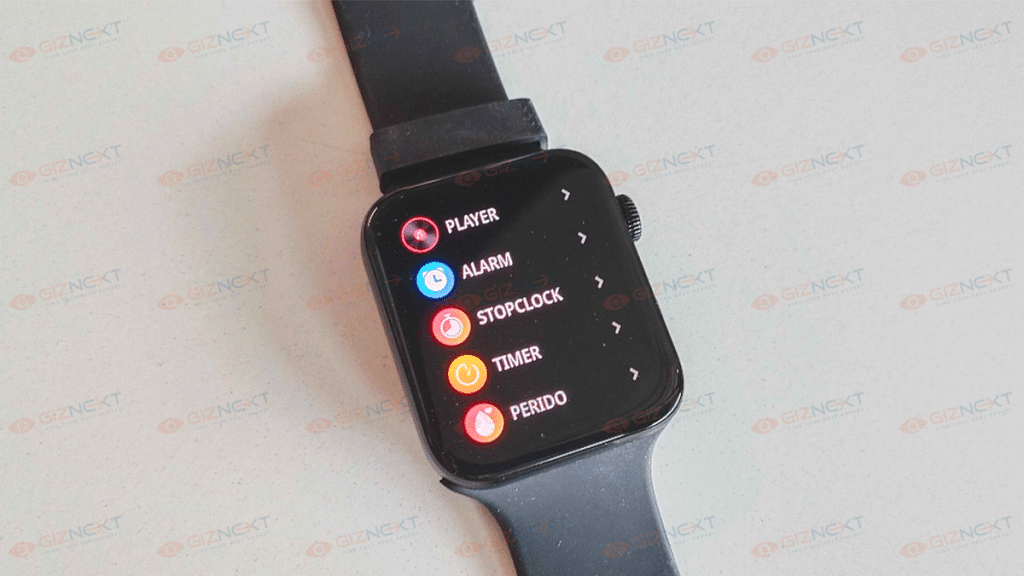
Additionally, the Urban Fit S smartwatch can also measure blood pressure and has a bunch of tools including the Calculator and Weather app. These health-oriented features are definitely helpful in our current fast-paced lifestyle where it’s hard to pay a visit to a doctor’s clinic frequently. The data collected is always not accurate. We have noticed some differences in the readings when measuring the data with actual medical equipment. Therefore, we would suggest you not rely entirely on the data that this watch shows.

Urban Fit S Smartwatch: Pairing And Calling Experience

You can easily pair the Urban Fit S smartwatch with any compatible Android or iOS smartphone. The pairing is done over Bluetooth with the supported devices. You can download the Da fit application from Google Play Store or Apple App store to sync the watch and read all the data on your smartphone itself. The pairing process has been swift and we could easily pair this smartwatch with our devices.
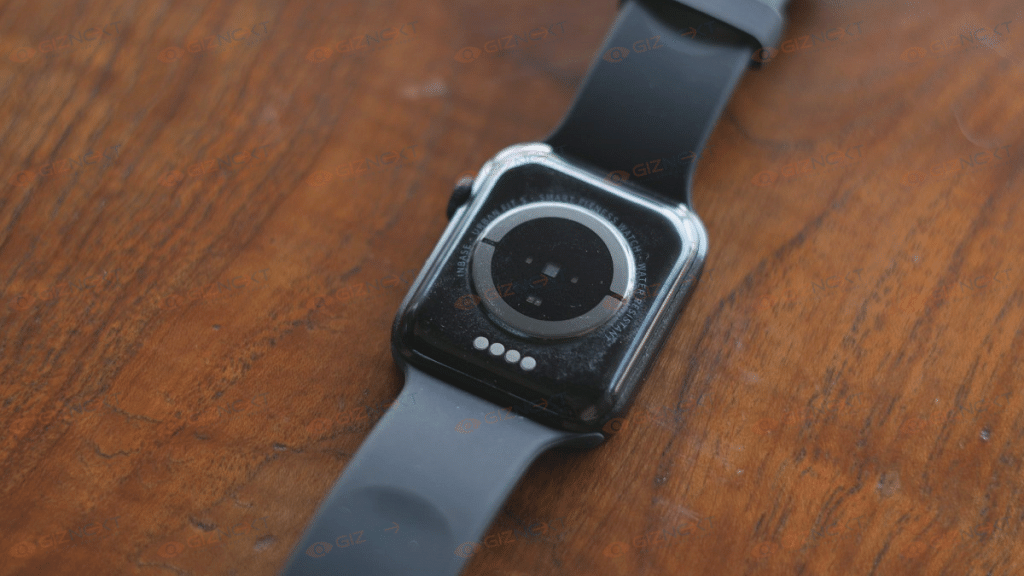
The smartwatch also aids with Bluetooth calling. It has an integrated speaker and a microphone to help with communication. You also get to play music on this watch when paired with your smartphone. The audio quality has been decent and you can easily speak with the caller without any distortion or noise in the audio. But you might have to keep the watch close to your face while speaking so that the caller can listen to your voice clearly.

Urban Fit S Smartwatch: Battery Backup

The Urban Fit S smartwatch is packed with a 250 mAh battery unit. According to the company, this smartwatch can deliver a total backup of around 10 days with normal usage. The backup will drop to five days if you use the calling feature frequently.
Now, we found the claims to be correct during our usage. The Urban Fit S smartwatch was able to deliver over a week of backup with a single charge. Inbase has also enabled the Fit S smartwatch with fast charging technology so that you can quickly refuel the batteries.

Urban Fit S Smartwatch: Final Verdict

The Urban Fit S smartwatch is a fully-loaded package under Rs. 5,000 price bracket in India. It offers all the health-oriented features which any modern millennium would need to maintain a healthy lifestyle. You can go for this smartwatch if you want a mix of good looks and features that too on a budget price point.

Categories
Featured Mobile

Best Feature Phones To Buy In India: List Inside

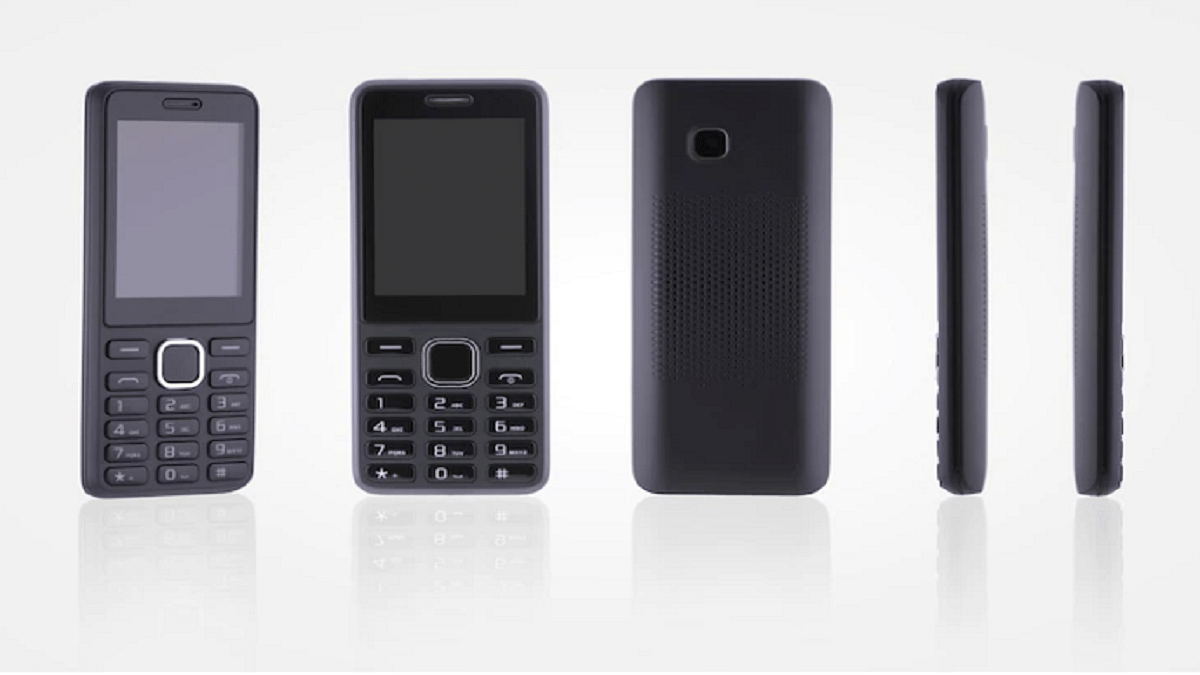
The era of feature phones is over. Smartphones with glass slab touchscreens have taken over and are the norm today. However, there are still a lot of folks who might not want a glass-based device that is extremely expensive to replace or insure. A feature phone will work best for you whether you’re traditional or only want your basic demands to be met. Check out some of the best feature phones in this article that you might want to buy in India. Here we go:

Nokia 110

HMD Global has recently launched Nokia 110 in India. The new feature phone is powered by the Unisoc T107 processor. It comes with a built-in torch, FM, and pre-loaded games such as Snakes. It has 48MB RAM with 128MB of storage that can be expanded up to 32GB. The phone can store up to 8,000 songs. The Nokia 110 is offered in three color options, i.e., Charcoal, Cyan, and Rose Gold. The phone comes with a starting price of Rs. 1,699.

Samsung Metro 313

The Samsung Metro 313 packs a 2-inch QVGA display. It is powered by a 208MHz single-core processor. The phone has 10MB RAM and 2MB ROM which is expandable to up to 16GB. This feature phone boasts a dual SIM capacity and houses a 1,000mAh battery capacity. The phone is available in three color options: Black, Gold, and Grey. The Samsung Metro 313 is available for sale in India is Rs. 2,300.

JioPhone

The JioPhone comes with a 2.4-inch TFT display. It has a dual-core ARM Cortex processor with 512MB of RAM and 4GB of internal storage. Up to 128GB further space can be added to the storage. Though it looks tiny, the phone has a 2MP camera on the rear and a 0.3MP lens on the front for selfies. The feature phone has a 1,500mAh battery that lasts up to nine hours. The JioPhone can be purchased for Rs. 1,999.

Motorola Moto A70

The Moto A70 from the house of Motorola features a 2.4-inch TFT display. The phone has 4MB of internal storage and 4MB of RAM. As for optics, it has a 0.3MP rear camera with LED flash. The Moto A70 feature phone further houses a 1,750-battery capacity. It is priced at Rs. 1,999 and is available for sale on Flipkart.

Nokia 8110 4G

The Nokia 8110 4G features a 2.45-inch QVGA display. It is powered by the Qualcomm Snapdragon 205 Dual Core 1.1 GHz OS. The feature phone comes with 4GB of RAM and 512MB of ROM. It has a 2MP back camera in the camera section. As for connectivity options, the phone includes Bluetooth, FM, Wi-Fi, GPS, and 4G LTE with VoLTE. The Nokia 8110 4G is priced at Rs. 5,999 in India.

Categories
Apps Featured How To

WhatsApp Finally Allows Users Delete Sent Messages After Two Days: Here’s How To Do It

WhatsApp has released several privacy-oriented features for Android and iOS users in the last few years. The Meta-owned messaging platform earlier allowed its users to delete any sent message on the mobile app. However, the default time limit to delete any message until now has been up to 60 minutes. For a while, WhatsApp has been testing an extended time limit to delete any message. After all the anticipations the brand has now dished out the stable update post which you’ll be able to delete messages after two days.

WhatsApp Delete Message Gets Extended Two Days Limit

WhatsApp has shared a tweet confirming that users will now be able to delete any message that is two days old. The Meta-owned instant messaging application will now let both Android and iOS users delete sent messages which is 2 days old. If we speak of the specifics, users will be able to delete the messages even after 2 days and additional 12 hours.

Users will get the option to delete the messages within the aforementioned timeline from both a single or group chat window. Users have been requesting WhatsApp to increase the time limit to delete any message sent using the app.

Finally, this security feature is being made available for the masses. You’ll get an update notification on your respective Android and iPhones. But if you don’t receive any notification, you can also go ahead and check it manually.

How Can You Delete WhatsApp Individual And Group Chat Messages After 2 Days?

Step 1: Launch the WhatsApp application on your Android or iPhone respectively.

Step 2: Open the individual or the group chat window from where you wish to delete the message.

Step 3: Scroll to the text and then press and hold the message.

Step 4: You’ll see a set of options on the top of the app’s window. Select the delete option (bin icon).

Step 5: You’ll get three options Delete For Me, Cancel, Delete For Everyone. You have to select the Delete For Everyone option.

The steps are identical as you would have performed before the time limit to delete any text was extended.

Categories
Featured Info Mobile

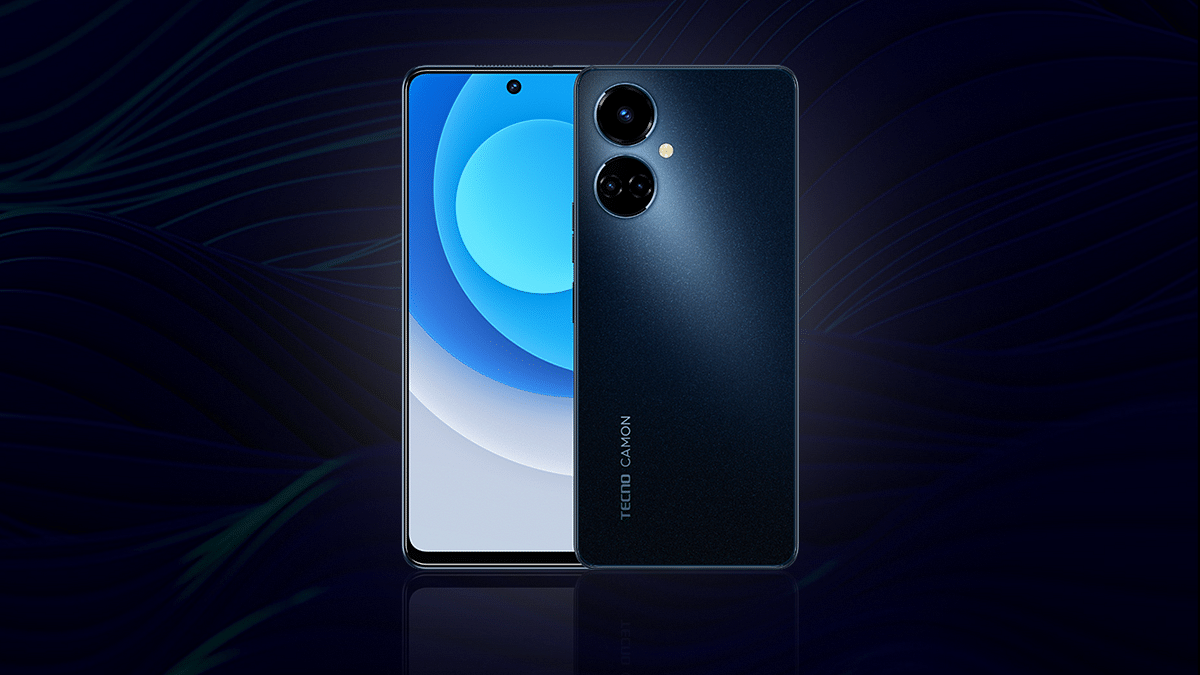
Tecno Camon 19 Pro 5G India Launch Scheduled For August 10; Is It A New Budget 5G Android Phone?

Key Highlights

Tecno Camon 19 Pro official India launch on August 10

Will ship with a 64MP main camera

Might feature the Dimensity 810 5G processor

Tecno has recently revamped its popular budget Camon series in India with the launch of the Camon 19 lineup. The brand has launched multiple models in this budget-friendly Android smartphone lineup in the country with the most recent model being the Camon 19 Neo. Now, the brand is gearing up to add yet another model to this series which has been previously announced in the international markets. We are speaking of the Tecno Camon 19 Pro 5G. Giznext has recently shared an exclusive report where we confirmed next week’s launch. In the latest development, Tecno has officially confirmed the exact date for the Camon 19 Pro 5G’s launch via Twitter.

Tecno Camon 19 Pro 5G India Launch Date Announced

The Tecno Camon 19 Pro 5G is slated for an August 10 launch in India. The upcoming Camon series phone will be announced for the budget audience in the country who are looking for a 5G-ready phone. Tecno has revealed the Camon 19 Pro 5G’s official launch timeline via an official tweet. The company has also released a short teaser video on the microblogging website that reveals next week’s launch date along with the camera capability.

The latest Camon 19 Pro 5G’s teaser video also confirms a 64MP main camera lens. The brand is touting the camera capabilities of the upcoming Camon handset in the teaser video. The other hardware details should be confirmed soon via some more teaser posters.

Tecno Camon 19 Pro 5G Expected Price In India

As of now, Tecno has kept the pricing as well as the availability details of the Camon 19 Pro 5G a mystery. But going by the leaks, there is a possibility this Camon series phone could be announced under Rs. 20,000 or Rs. 25,000. It is also yet to be revealed if this Tecno Camon handset will be sold via Amazon or Flipkart in India. We can expect one of these e-commerce retailers to update the dedicated product page on their respective platforms soon.

Tecno Camon 19 Pro 5G Key Specifications

The Tecno Camon 19 Pro isn’t an entirely new device. It was introduced in the global markets recently with an LCD screen measuring 6.8-inches. The screen on this Camon series phone will offer an FHD+ screen resolution and 120Hz refresh rate. The display will sport a punch-hole selfie camera cutout which will be accommodating a 16MP lens.

The Tecno Camon 19 Pro 5G will be packing a triple-lens camera system with a 64MP main lens and a pair of 2MP sensor for macro and depth shots. The Tecno Camon 19 Pro will boot on Android 12 OS topped with a HiOS interface. The chipset driving this handset will be the Dimensity 810 5G processor which will be combined with up to 8GB RAM and 256GB native storage capacity. The spec-sheet will be rounded off by a 33W Fast charging supported 5,000 mAh battery unit.

Categories
Featured Tablet

LG Ultra Tab With Snapdragon 680 Chipset, 2K Display Goes Official: Is LG Making A Comeback In India?

Key Highlights

LG Ultra Tab Android tablet launched

Runs on Snapdragon 680 4G chipset

Features 10.35-inch display with 2K screen resolution

LG seems to be back in the Android game with the launch of the Ultra Tab tablet. The brand has released its new tablet for the audience following its exit from the smartphone industry in the last few years. The LG Ultra Tab tablet has been released for the mid-range audience packed with a 2K display and the Qualcomm Snapdragon 600 series chipset. Here are its full specifications and pricing details:

LG Ultra Tab Full Specifications And Features

As per the reports, the LG Ultra Tab has been introduced as the successor to the company’s G Pad tablet lineup. The latest LG tablet has been launched with the Snapdragon 680 chipset. This octa-core mid-range Qualcomm processor has standard 4G network connectivity and is clubbed with 4GB RAM for multitasking.

The storage option offered by the tablet is 64GB (internal). It also has expandable microSD card support to handle the extra space requirements. The LG Ultra Tab tablet comes with a 10.35-inch display which is an IPS LCD screen as offered by other mainstream mid-range tablets announced this year in India and the global markets.

The display supports 2K screen resolution. In terms of optics, the LG Ultra Tab tablet is packed with an 8MP camera with autofocus. The LG Ultra Tab Android tablet features a 5MP camera upfront for selfies. Unlike the rear camera, the front camera on the Ultra Tab has fixed focus support. LG has used a quad-speaker system for audio delivery on its latest tablet. The speakers are 1W each.  

Speaking of the additional features, the LG Ultra Tab runs n Android 12 OS and features a 3.5mm headphone jack to connect wired headphones. Other connectivity options include a standard 4G, Wi-Fi, and Bluetooth 5.1. It also features Stylus Pen support.

The tablet gets its power from a 7,040 mAh battery and has 25W fast charging technology for a quick recharge. LG has designed a slim and durable tablet in the form of the Ultra Tab. This tablet is MIL-STD-810G military-grade certified which makes it all sturdy.

LG Ultra Tab Price, India Availability

The LG Ultra Tab has been launched in South Korea in a single RAM and storage configuration that is priced at KRW 426,000 which is somewhere around Rs. 25,973 in Indian currency. The color option is also single, i.e., Charcoal grey.

Currently, the tablet has been announced only for users in South Korea. There is no information provided by LG for its release in the global markets including India. We are also not sure if LG is planning to make a comeback in the smartphone and tablet market in India anytime soon. But we will keep an eye on all developments and will share the details once announced.

Categories
Featured How To Printers

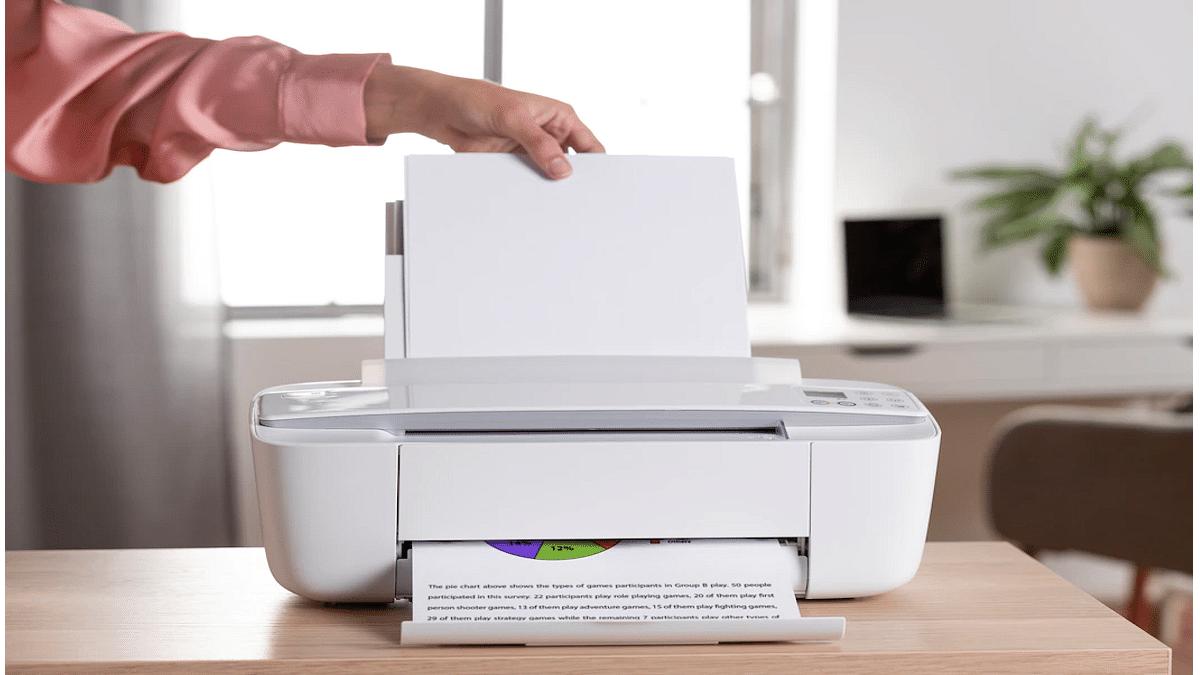
Printer Showing Offline: How To Fix Printer Offline Issue With HP Printers?

HP is one of the biggest names in the printer market. The company has created several printer lineups to meet the requirements of modern-day users. The company has quite a wide range of monochrome, all-in-one, and laser printers that you can buy from official HP stores as well as dedicated retail partner chains. HP printers are known for their high-end features and effective printing cost. While HP printers are reliable with printing, they often might show some errors with different features.

Thanks to HP’s wide service network, getting printers fixed isn’t much of an issue. Besides, HP has also started offering customers remote technical support so that they can get their printers fixed without actually paying a visit to the service centres. The company also has created a dedicated support forum wherein you can get your printer issues fixed by following troubleshooting steps on your own.

In one of our recent articles, we shared the procedure with which you can resolve issues with printers not working after Windows 11 update. In this article, we will be listing the steps with which you can resolve the printer offline issue with your HP laptop.

How To Resolve Printer Offline Or Printer Not Found Issues With HP Printers

You can easily resolve the printer offline issue with your HP printer using a Windows laptop or PC. You would need to install the HP Print and Scan Doctor app to fix this issue. Not just a Windows laptop or PC, you can also get this fixed using a Mac notebook or PC. However, for Mac systems, you would need the HP Smart app.

Step 1: On your Windows or Mac laptop/ PC, download the HP Print And Scan Doctor or HP Smart app respectively.

Step 2: Launch the downloaded application.

Step 3: Select your printer name from the list.

Step 4: If in case your printer is not mentioned in the list, tap on retry.

Step 5: If the error message reads connection problem, follow on-screen instructions.

Step 6: Once you get a message prompt that you need to turn on printer updates, click on Yes and then Continue.

Step 7: You will get another message prompt asking you to make your printer default. You need to select Yes.

Step 8: Your printer will now show online and you can start giving prints.

If for some reason, your printer is still showing offline, we have covered some additional troubleshooting steps that you can easily perform on Windows and Mac devices for a fix. You can read them here.

Categories
Featured Laptop Leaks

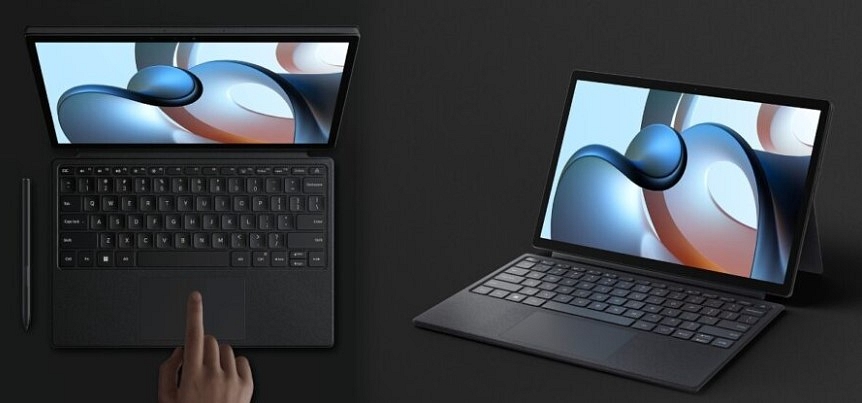
Xiaomi Book 14 Pro AMD Ryzen Edition Official Launch On August 8; Here Are The Expected Specifications

Xiaomi is among those few smartphone OEMs with quite a wide product catalog for consumer gadgets. The company started its venture in the laptop market with the Notebook Horizon series and since then has launched a bunch of other laptop models including the Xiaomi Book Pro 2022. The latest laptop model with Intel chipsets debuted alongside the Xiaomi 12s series last month itself. Seems like Xiaomi is now gearing up to introduce the AMD version of this laptop which would be called as the Xiaomi Book Pro 14 AMD Ryzen Edition. The upcoming Xiaomi tablet’s arrival detail has been confirmed along with some of the key features.

Xiaomi Book 14 Pro AMD Ryzen Edition Official Launch Details

Xiaomi will be expanding its laptop portfolio with the launch of the Xiaomi Book 14 AMD Ryzen edition. Xiaomi has announced the official launch of its next laptop will be hosted on August 8, i.e., tomorrow. Initially, the laptop would be introduced in China.

As of now, Xiaomi has not shared any information on the Xiaomi Book 14 Pro AMD Ryzen Edition’s arrival details for India and other global regions. The developments related to the same could possibly be confirmed post its China launch.

Xiaomi Book 14 Pro AMD Ryzen Edition Expected Spec-Sheet

Xiaomi has already confirmed a few crucial details related to the Xiaomi Book 14 Pro’s hardware details. This laptop variant will be arriving with AMD Ryzen 6000H processor instead of the Intel Core chipsets that are driving the Xiaomi Book Pro 2022 variant. Xiaomi is expected to launch the 14 Book Pro with 16GB LPPDDR5 RAM. The storage configuration would be 512GB PCIe 4.0 SSD.

 The brand has also shared the image of the upcoming laptop in the teaser poster that reveals an identical design to the Intel core variant.

The Xiaomi Book 14 Pro AMD Ryzen Edition is said to weigh around 1.5kg which is also the same as the Xiaomi Book Pro 2022 model. Furthermore, the AMD variant will also be designed using aviation-grade aluminum alloy. Xiaomi will be using a high-end CNC integrated craving process to design this laptop.

The Xiaomi Book 14 Pro will have a 14-inch display which will be an OLED panel with a 2.8K screen resolution and 90Hz refresh rate. The display on the upcoming laptop will feature 100 percent DCI-P3 color gamut and 600 nits peak brightness.

Categories
Apps Featured How To

Book An Uber Ride Using WhatsApp: Follow These Steps

Key Highlights

  • You can book Uber ride through WhatsApp
  • Available to commuters in the Delhi-NCR region
  • Uber ride on WhatsApp is quite simple

Now, you can order an Uber ride through WhatsApp. Yes, you heard it right. The new feature, which is now available to commuters in the Delhi-NCR region, was announced by the messaging platform and the provider of cab services in Hindi and English.

With the new feature, you can easily order an Uber ride without having to download the app. It will spare you the hassle of switching between applications. Also, it will save you from the trouble of downloading the Uber app and going through all the additional time-consuming requirements like registering and scheduling a cab, car, bike, etc. Even while it seems simple, some people who try to book a cab via WhatsApp seem to find it complicated.

Also Read | Uber EV Auto Rickshaw Services Begins In Ayodhya: Full Details

In this post, we will show you how you can easily book an Uber ride on WhatsApp in a few seconds. Unlike the Uber app, where you have to open and sign in to book a ride, you can simply send pick-up and drop-off instructions using WhatsApp. Here’s how:

How To Book An Uber Ride Through WhatsApp?

Step 1: To access the Uber chatbot on WhatsApp, open the app on your mobile phone and message ‘Hi’ or ‘Hi Uber’ to the number +91 7292000002.

Step 2: Next, you will need to provide your pick-up location and drop-off location. You can also scan a QR code that appears in the chat window.

Step 3: After that, you will get the expected fare, showing you how much you need to pay for your ride.

Step 4: At last, you need to confirm the ride.

You will receive a notification on WhatsApp itself as soon as a nearby driver accepts your request. After that, you can monitor every aspect of your ride in the chat.

Also Read | Stay Safe With Uber: Here’s How To Activate Audio Recording For Your Rides

Uber assured that riders will have the same access to safety features and insurance protections as those who book rides using the Uber app. At the time of booking, they will also be informed of the driver’s information and license plate. They will be able to contact their driver via a masked number and track his/her whereabouts while driving to your pickup location.

For the tech geeks, stay updated with the latest cutting-edge gadgets in the market, exclusive tech updates, gadget reviews, and more right on your phone’s screen. Join Giznext’s WhatsApp channel and receive the industry-first tech updates.

Categories
Auto Tech Featured

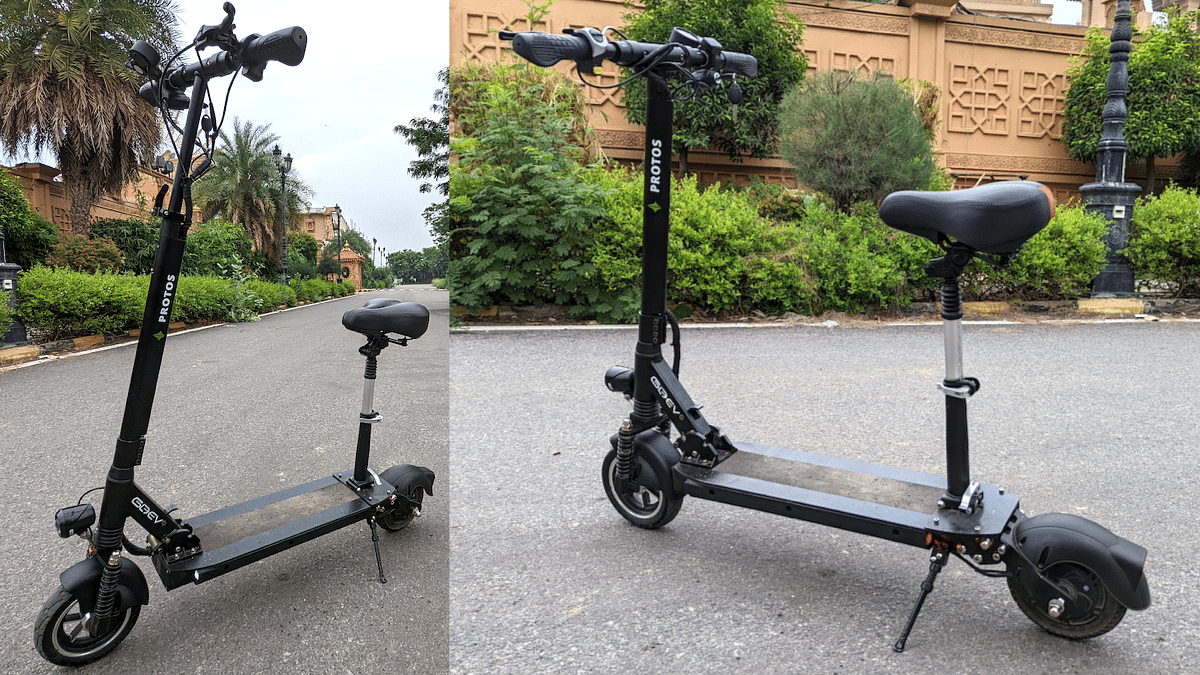
Gleeve Protos Foldable Electric Scooter Review

Globally, the idea of portable personal mobility took shape a lot of years back. The concept of having a foldable electric scooter has been gaining popularity internationally and the same trend will soon be accepted in India as well. As of now, the market is disorganised in terms of safe and reliable options but Gleeve aims to change this completely. We spent a few days with their Protos model and this is what you need to know about it. 

Size Matters 

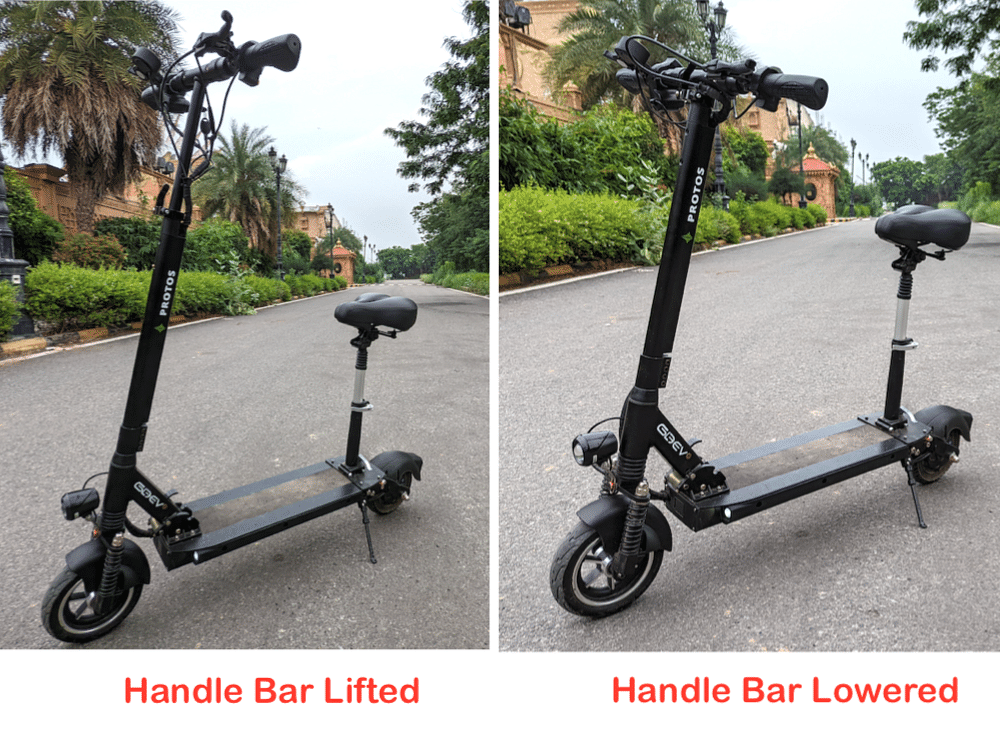
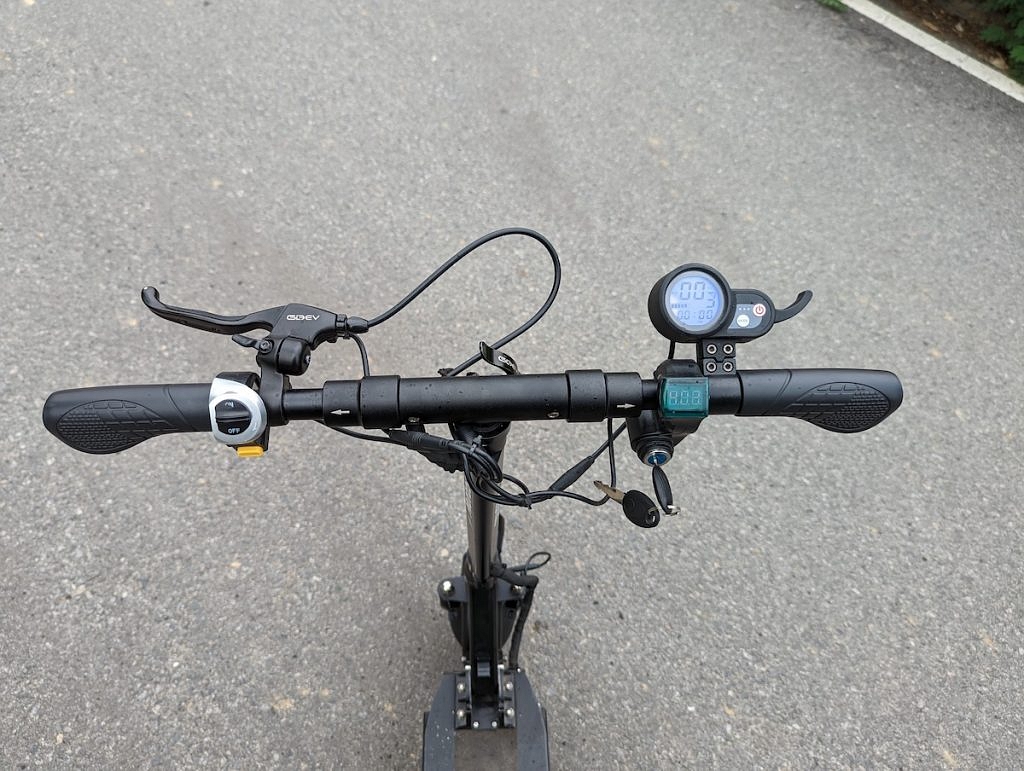
This foldable electric scooter is small enough to make you think twice. However, don’t be fooled by its dimensions as it did impress us a lot overall! It weighs in at just 17.5 kilos which means picking it ins’t a big task. To make it truly portable, it takes a small press of your foot and within a second, the vertical handlebar arm collapses down. You can even make the horizontal handlebar narrower – both the grips on either ends can be bend down completely. This means the Protos becomes tiny enough to be stowed away in the boot of even small hatchbacks. At the same time, when you want to ride it, the height of the handle bars is adjustable. Likewise, it also comes with an option to mount a small seat on the rear of the standing platform. 

Heart of the matter

The Gleeve Protos comes with a 250 watts, 36 Volt BLDC motor. Given its low weight, this motor is peppy enough to put a smile on your face. Giving this motor all the juice is a 15.6 Ah lithium-ion battery that takes about 3 hours for a full charge in and in turn, can give you a riding range of as much as 55km. But this depends on how you ride it. There are three speed modes and these can be controlled from the two buttons placed inside the little speedometer console. The modes give you option to limit the top speed to 10, 18 and 25 km/h respectively. And with a heavy rider like me (100+ kgs), I did see 25 on the speedometer easily. But ride it this way and I am sure range would drop significantly. 

Feature loaded

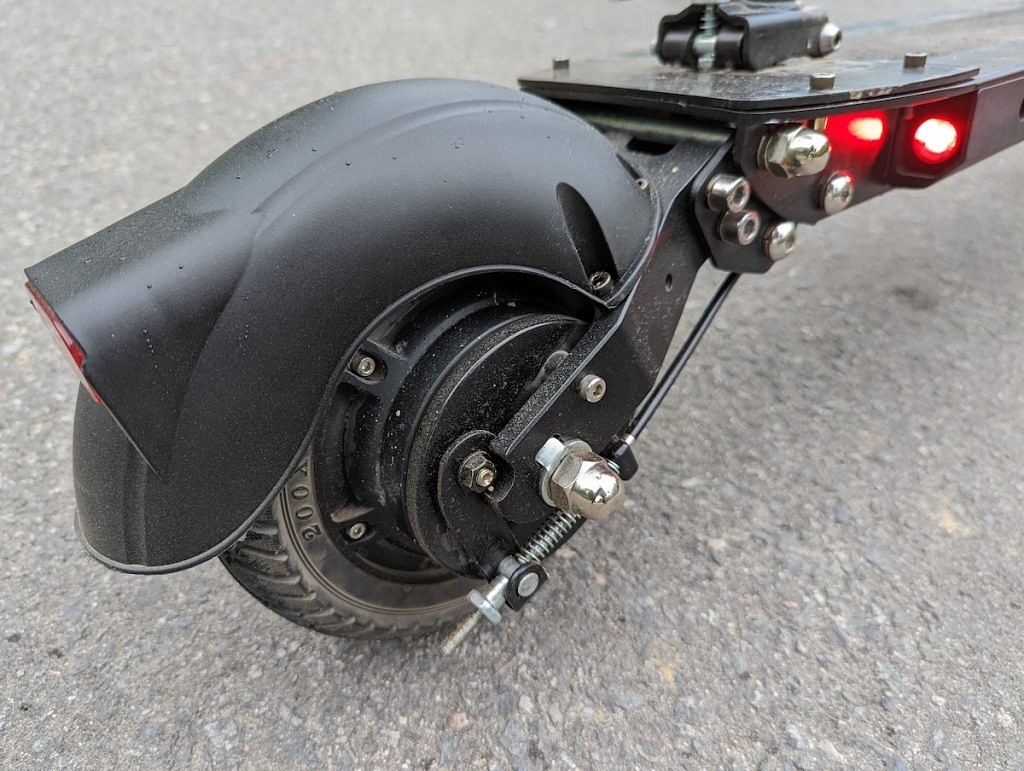
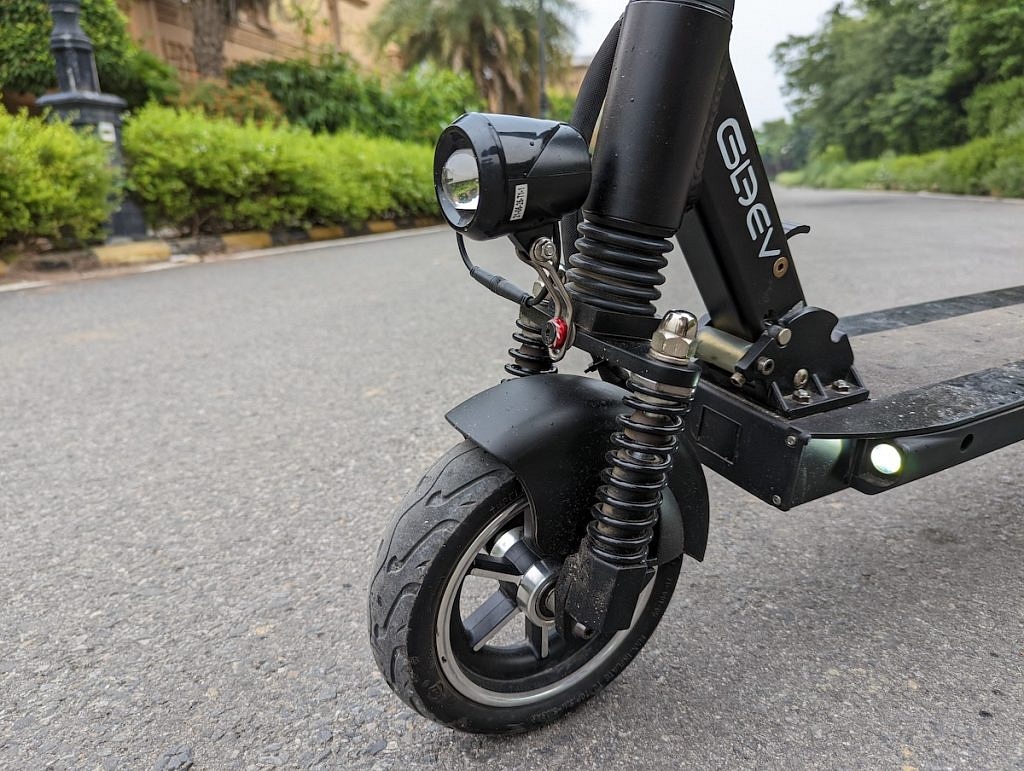
Gleeve has worked hard to make the Protos useful for next-gen clients. For example, it comes with a cruise mode – yes, this on a low cost foldable electric scooter. It also has regenerative electronic braking system – another surprise here. And then something that Gleeve calls as ‘Kick Start Option’. This feature is where the Protos will not move ahead (from a standstill) on accelerator inputs alone. You need to push it ahead with one feet (like you do on a skateboard) and this takes off some initial load from the motor. Clever. It also comes with a USB charging port, little headlight, lower deck lights (they look cool), a brake light and self-error diagnostics. 

Riding it 

Both me and team mate Jatin (under 75kg) rode the Protos a lot. This included parking lots and narrow lanes of Gurgaon. Happy to report that this little thing rides well enough to make you smile. Acceleration is brisk and even doing this while standing does not make you feel nervous. Yes, the tyres look tiny but you can still take curves while riding it at its top speed. Talking of which, while the rear wheel is solid (no air..), the front is a tubeless one. You also have a double coil underbelly rear suspension and a triple spring front suspension unit. These do the job while riding over speed breakers or smaller potholes. That said, the Gleeve Protos folding electric scooter isn’t mean for larger public roads. The battery makes up for big proportion of the weight and this is placed in the standing platform. This also keeps the center of gravity low enough.

Costing & Usage

Electric vehicles are never cheap and this is also the case with the Protos. It is priced at Rs 44,444 and they provide free delivery anywhere in NCR. This price might sound high but then, there is nothing like this on sale in India. It has been tested and approved by NATRAX, it makes use of aircraft grade aluminium and feels very sturdy enough. At less than 10 paise per km, running costs are shocking low as well. As a last mile connectivity option, or a transport solution for big campuses, resorts and townships, this clever little folding electric scooter makes a lot of practical sense. Want one? Get in touch with them via their website.

Categories
Apps Featured How To

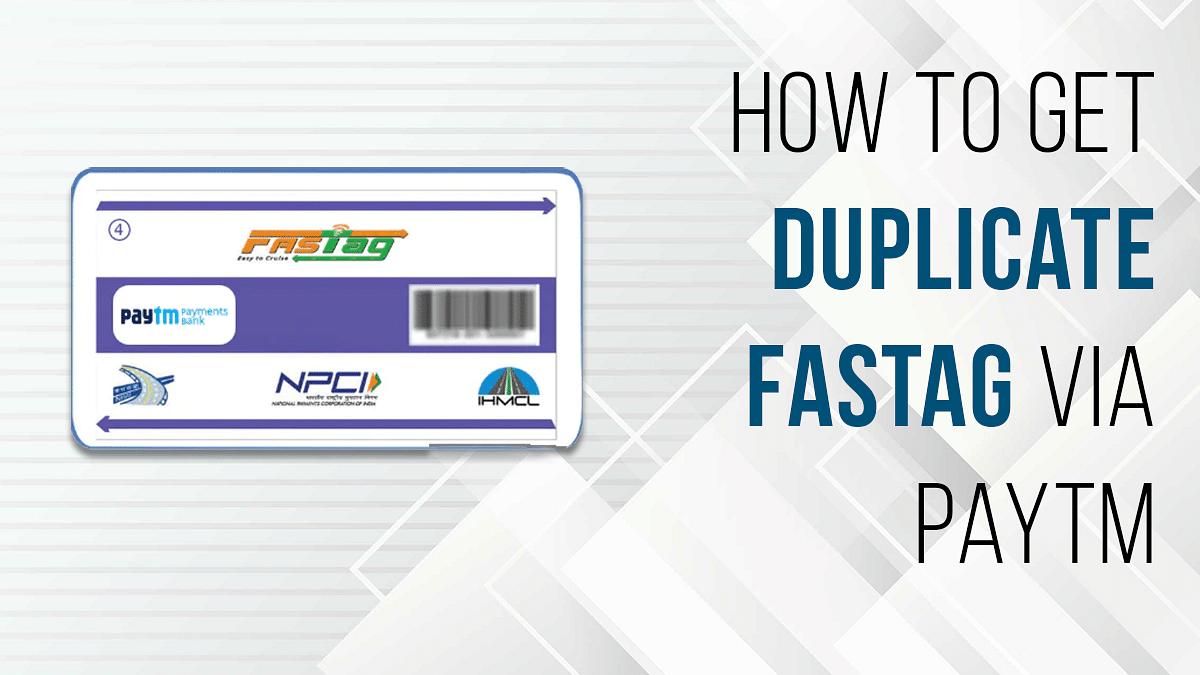
Damaged FASTag? Here’s How To Get Duplicate FASTag Via Paytm

Key Highlights

  • NHAI had issued guidelines for the commuters to ensure their car has a FASTag sticker
  • You can link your FASTag with Paytm and other wallets and bank accounts
  • You wouldn’t need to replace the FASTag sticker unless it’s damaged

If you own a car or any commercial vehicle in India. You must be aware of the FATag. The RFID sticker tag for toll collection for a hassle-free commute through the state and national highways in India is what we are speaking about. Introduced first in 2014, FASTags became a mandate for vehicles back in 2021 only. NHAI had issued guidelines for the commuters to ensure their car has a FASTag sticker mounted inside the windshield so that the tolls can be collected automatically via the linked UPI and bank accounts.

It’s basically a prepaid recharge system wherein you need to make sure there is sufficient balance so that the tolls can be collected on highways via integrated RFID readers at the booth. The primary goal has been to reduce the wait time and long queues at the toll booths across different state highways. You can link your FASTag with Paytm and other wallets and bank accounts and maintain a keep sufficient balance to pass through tolls swiftly.

Also Read: How To Check Metro Card Balance Offline And Online? Learn Here

In general scenarios, you wouldn’t need to replace the FASTag sticker unless it’s damaged. That can happen if unfortunately your car’s windshield breaks or the sticker peels off and can’t be used again. The only option you are left with is to place an order for a duplicate FASTag sticker. How can you do that? Read the steps here:

Also Read: Damaged HSRP Color Stickers? Here’s How To Apply For A Duplicate HSRP Sticker For Your Car

How To Get Duplicate FASTag Sticker Using Paytm?

Step 1: Open the Paytm app on your Android or Apple iPhone.

Step 2: In the search bar, type FASTag.

Step 3: You will see the list of services offered by Paytm. Scroll to the Replacement tag option.

Step 4: A new page will open where you’ll be able to see the Vehicle Registration number. Check if it’s correct.

Step 5: Click and upload the image of your RC’s front and back.

Step 6: You’ll see the amount breakup including the Tax Insurance Fee, GST on Tag Insurance Fee, and the FASTag balance. The amount is around Rs. 100 to place an order for the duplicate FASTag sticker.

Step 7: Check if the delivery address is correct. If now, make the required changes.

Step 8: Complete the payment and your order will be placed for the duplicate FASTag on Paytm. The general time period for the duplicate FASTag card delivery is around three to four days.

Also Read | Recharge Your FASTag On WhatsApp: Here’s How To Do It