Categories
Apps Featured Info

Duolingo Adds 148 New AI-Powered Language Courses: Largest Update Yet

Key Highlights

  • Duolingo launched 148 new AI-made language courses
  • Courses are now available in 28 different app languages
  • AI will play a big role in how Duolingo works and hires

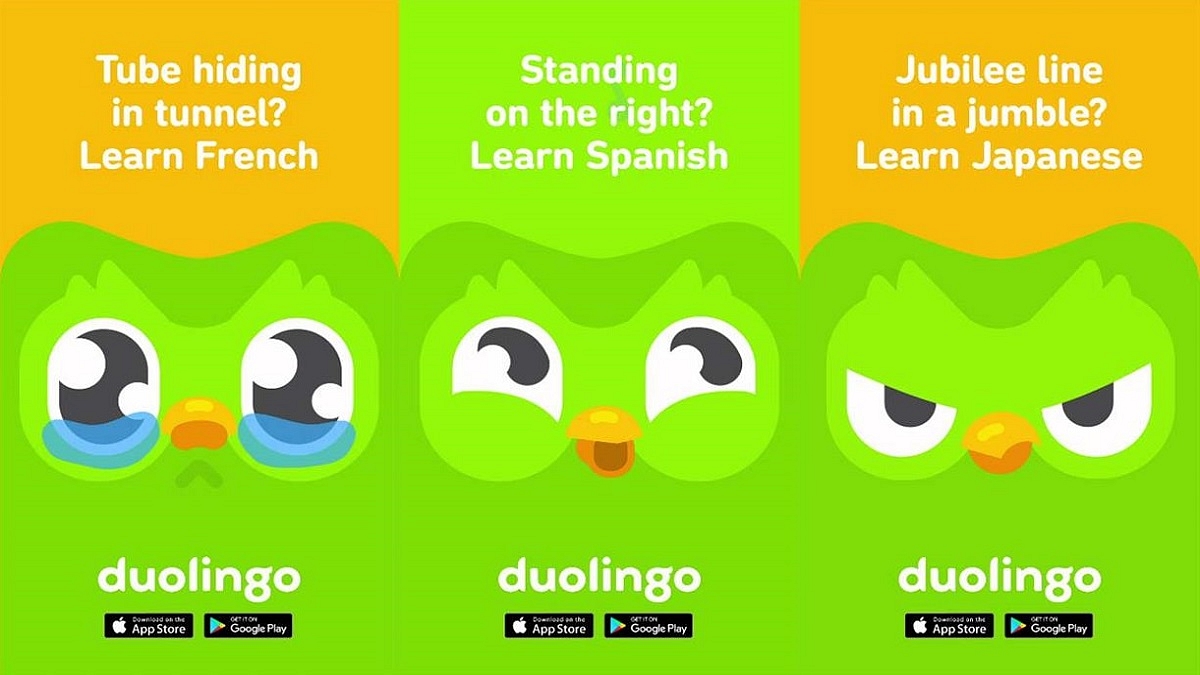
Duolingo has just taken a giant leap forward with the launch of 148 new language courses, its biggest content update ever. What makes this expansion even more exciting is that all the new courses were built using Duolingo’s own AI tools. Here’s everything you need to know about Duolingo’s AI-powered upgrade.

Also Read | Duolingo Delight: Top Five Features For Effortless Language Learning

Biggest Course Launch In Duolingo’s History

  • Duolingo added 148 new language courses, more than doubling its total offerings.
  • These courses were created in under a year using generative AI, a huge jump from the traditional process, which usually took years for just one course.

Powered By AI, Built For Speed

  • The platform used a new AI system called “shared content systems”, where a base course is created and then adapted into other languages.
  • This AI approach allowed the company to quickly scale and improve access to quality content.

Available In 28 User Interface Languages

  • The expansion ensures that Duolingo’s seven most popular non-English languages, Spanish, French, German, Italian, Japanese, Korean, and Mandarin, are now accessible across 28 UI languages.
  • This means over a billion global users can now learn in a language they are comfortable with.

More Learning Options For All
  • New courses let Spanish and Portuguese speakers learn Japanese, Korean, and Mandarin.
  • European language speakers can now access more Asian language courses.
  • Asian language users, who earlier only had English options, now have access to all top non-English languages.
  • All of the most popular non-English languages are now available to Asian language users, who previously had just English alternatives.

Also Read | Top 4 Language Translation Apps For Smooth International Travel

What This Means For Learners

Duolingo’s AI-first shift makes language learning faster, smarter, and more accessible. With more language combinations now available, learners from all over the world can connect and grow like never before.

For the tech geeks, stay updated with the latest cutting-edge gadgets in the market, exclusive tech updates, gadget reviews, and more right on your phone’s screen. Join Giznext’s WhatsApp channel and receive the industry-first tech updates.

Categories
Apps Featured How To

Want Free Delivery And Streaming? Here’s How To Join Amazon Prime On Mobile

Key Highlights

  • Sign up for Prime easily on your phone
  • Enjoy a 30-day free trial
  • Plans start at Rs. 299 per month

Are you someone who loves online shopping, binge-watching movies, or hunting for the best deals and discounts? If yes, then an Amazon Prime membership is something you should definitely consider. There are many benefits to Prime, including free delivery, Prime Video, and exclusive offers. Signing up is simple and quick, regardless of whether you’re using a desktop computer or a smartphone. To help you get started right now, here is a simple, step-by-step guide.

Also Read | How To Cancel Amazon Prime Subscription: See All Step Here

How To Install Amazon Prime On Your Smartphone

Signing up using your mobile is super simple. Just follow these steps:

Step 1: Open your mobile browser and go to Amazon Prime Page. This is where you’ll begin your Prime journey.

Step 2: Don’t have an Amazon account yet? Tap “Create Account”.

Step 3: Enter your password, name, and phone number. To get an OTP, tap “Verify mobile number.”

Step 4: If you’re an existing Amazon user, skip the account creation and simply log in with your details.

Step 5: Choose “Try Prime Free” after tapping the three-line menu.

Step 6: Press the “Start your 30-day free trial” button.

Step 7: Choose your Prime plan, confirm your billing and shipping details.

Step 8: You will be charged automatically when the trial period is up. If necessary, cancel at any moment.

For a better and faster shopping experience, download the Amazon app from your play store/ app store. It makes browsing, tracking, and shopping much easier.

Amazon Prime Membership Plans In India

Plan TypePrice
MonthlyRs. 299
3-Month PlanRs. 599
Annual PlanRs. 1,499

Also Read | Stay Safe While Shopping Online: Five Easy Tips To Avoid Getting Scammed

Why Prime Is Worth It

  • Many items come with free one- or two-day delivery
  • Special access to Prime-only offers and Lightning Deals
  • Prime Video and Prime Music streaming is unlimited
  • Prime Reading and gaming benefits

Whether you’re shopping, streaming, or saving, Prime has something for everyone.

For the tech geeks, stay updated with the latest cutting-edge gadgets in the market, exclusive tech updates, gadget reviews, and more right on your phone’s screen. Join Giznext’s WhatsApp channel and receive the industry-first tech updates.

Categories
Featured How To

Top 5 Effective Methods To Book Cheapest Flight Tickets In India In 2025

Key Highlights

  • Flight fares have become competitive in India
  • Dynamic pricing allows selecting cheaper flight tickets
  • Third-part apps for flight price comparison and booking available
  • Flexibility with travelling dates helps getting flight tickets at cheaper rates

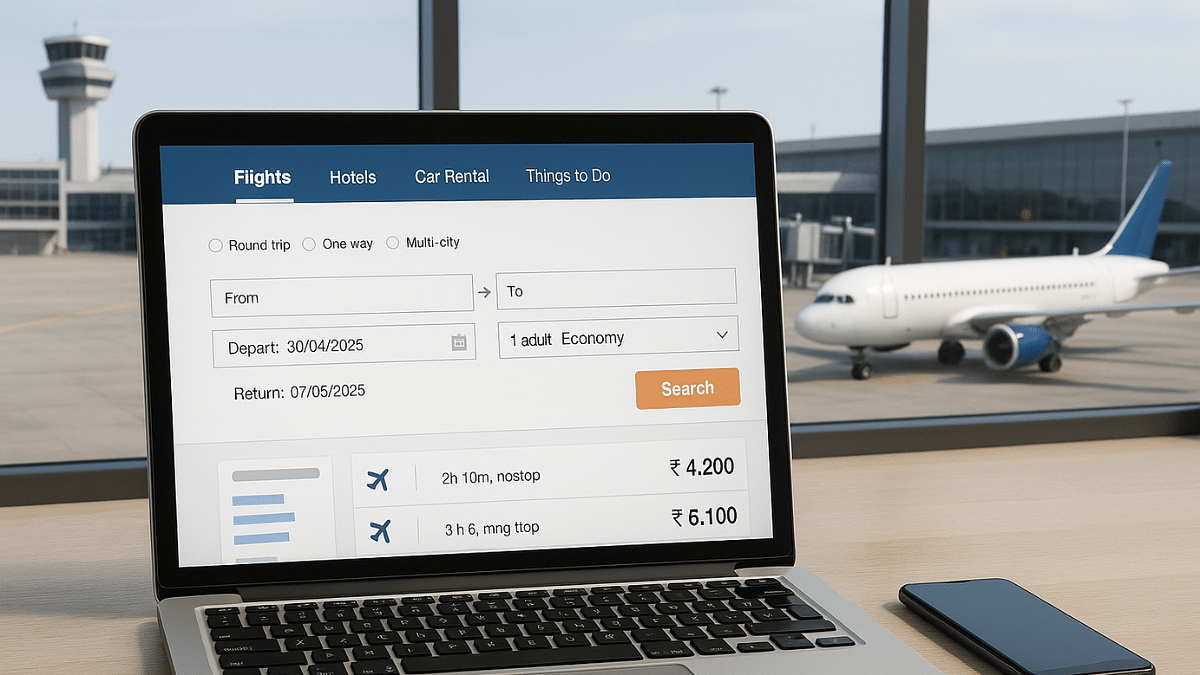
India has witnessed a rapid growth in the domestic as well international air travel. And certainly, the demand for cheaper flight tickets is higher than ever. This has led to a competitive market for the flight operators in India where customers are being offered different schemes to avail cheaper air fares for both domestic as well international travels. Be it for your next business meeting or a vacation, you can book flights at much lower rates if you know the right tricks. Here in this guide, we are listing down the ways with which you can purchase flights tickets at cheaper rates than usual.

For the tech geeks, stay updated with the latest cutting-edge gadgets in the market, exclusive tech updates, gadget reviews, and more right on your phone’s screen. Join Giznext’s WhatsApp channel and receive the industry-first tech updates.

Also Read: Hate Standing In Long Queues: Here’s How To Book Indian Railways Platform Ticket Online

Method 1: Advance Booking Is The Best Trick

Booking air tickets in advance can help you get maximum benefits. And you don’t have to wait for any special festive season or other discount deals. Booking made mid-week also tends be be cheaper compared to weekend or week’s start.

  • Try making reservations within an average span of 6- 8 weeks prior your travel date
  • Book tickets for Tuesdays or Wednesdays as they are cheaper compared to the rest of the week

Also Read: Smart Travel Guide: How To Apply For And Get Indian Railways Ticket Refund Via IRCTC

Method 2: Flexibility With Travel Dates And Airport Location Helps

If you are flexible with your travel dates, you might find a better deal on your air tickets. Also, flight arrival and departure timings if selected appropriately can help you bag cheaper flight tickets for your next travel. Also, opting for nearby airports can work sometime.

  • Check for air fare pricing for different dates using flight ticket comparison sites and apps
  • Consider flying via Red-eye flights (ones that operate early morning or late night)
  • Skip you travel during peak season including festivals, school vacations, etc. Ticket prices can go higher in such scenarios.
  • Check connecting flight prices and compare rates for other nearby airports

Also Read: DigiYatra Tips And Tricks: How To Add Flight Boarding Pass For Hassle Free Travel

Method 3: Check And Book Flight Tickets Via Flight Comparison Websites And Apps

There are multiple such platforms online that compares flight tickets and also allows booking in advance. There are a bunch of popular travel websites and apps such as MakeMyTrip, Ixigo, GoIbibo, etc. that can help you compare flight ticket prices and make the reservations at cheaper rates. Google Flights, Skyscanner are other popular platforms for the same.

Also Read: Vacation Planning Guide: 5 Effective Ways To Make Use Of AI For Travel Planning In 2025

Method 4: Skip Add-Ons Or Upgrades

You can opt-out of any add-ons to cut down on the higher flight ticket costs. Making bookings via low-cost carriers such as IndiGo airlines and Air India Express can also do the trick.

  • Avoid taking extra add-ons such as seat upgrade, travel insurance, and meals (if it’s a short flight).
  • Try carrying light luggage to avoid additional check-in luggage fees

Also Read: List Of Best Instagram Hashtags For Travellers

Method 5: Use Coupon Codes, Reward Points/ Air Miles, etc.

This is another solid trick that bets you get cheaper air tickets. Often airlines announces discounts on ticket prices to boost sale. Try taking advantage of such promotional offers. Also, most of the airlines provide reward points or air miles to frequent travellers which can be used to book cheaper flight tickets.

Categories
Apps Featured Info

From Hania Aamir To Ali Zafar: Instagram Bans Hit Pakistani Celebrities In India After Pahalgam Attack

Key Highlights

  • Instagram bans profiles belonging to Pakistani actors in India
  • 16 YouTube channels from Pakistan banned
  • India takes strong action after Kashmir terror attack

Indian fans wake up to find top Pakistani celebs like Hania Aamir and Mahira Khan suddenly vanish from their feeds. When fans in India try to access these profiles, they see a message saying, “Account not available in India. This is because we complied with a legal request to restrict this content.” This comes amid ongoing political tensions between India and Pakistan following a deadly terror attack in Kashmir on April 22. Here’s everything you need to know.

Also Read | Instagram Account Hacked? Immediate Steps To Take If Instagram Account Is Compromised

Pakistani Celebrities Blocked On Instagram In India

Several big names from Pakistan’s entertainment industry are no longer accessible to Indian Instagram users. These include:

  • Hania Aamir
  • Mahira Khan
  • Ali Zafar
  • Sanam Saeed
  • Bilal Abbas
  • Iqra Aziz
  • Imran Abbas
  • Sajal Aly

While fans are upset about not being able to follow their favorite stars, it’s important to note that not all Pakistani celebrities are blocked. For example, Fawad Khan and Wahaj Ali’s profiles are still visible to users in India.

16 Pakistani YouTube Channels Also Banned

Instagram is not the only social media platform subject to this ban. Additionally, 16 YouTube channels from Pakistan have been blacklisted by the Indian authorities. These channels were allegedly spreading false narratives and sensitive content targeting Indian security forces and creating communal tension.

Shoaib Akhtar’s YouTube Channel Taken Down

One of the most prominent takedowns was the YouTube channel of former cricketer Shoaib Akhtar, which had over 3.5 million subscribers. His channel was removed as part of this wider crackdown on digital content coming from Pakistan.

Why Is This Happening?

The restrictions come after the terror attack in Pahalgam on April 22, which claimed 26 lives. In response, India has taken a number of aggressive measures to censor sensitive content and false information online, such as banning YouTube channels and social media accounts associated with Pakistan.

Also Read | The Insta-Famous Five: Check Top Five Most-Followed Instagram Accounts

What It Means For Indian Users

If you try to search for these Pakistani actors or YouTube channels from India, you’ll likely be met with an “Account not available” message. This is due to a legal compliance request made by the Indian government to restrict content that could potentially incite unrest or misinform the public.

For the tech geeks, stay updated with the latest cutting-edge gadgets in the market, exclusive tech updates, gadget reviews, and more right on your phone’s screen. Join Giznext’s WhatsApp channel and receive the industry-first tech updates.
Categories
Apps Featured How To

Exam Results: How To Check CBSE, ICSC, ISC, UPMSP Exam Results Via Digilocker App

Key Highlights

  • Digilocker is authorized app for personal ID and document storage
  • Is available on Android and iOS platforms
  • School and university exams can be checked online

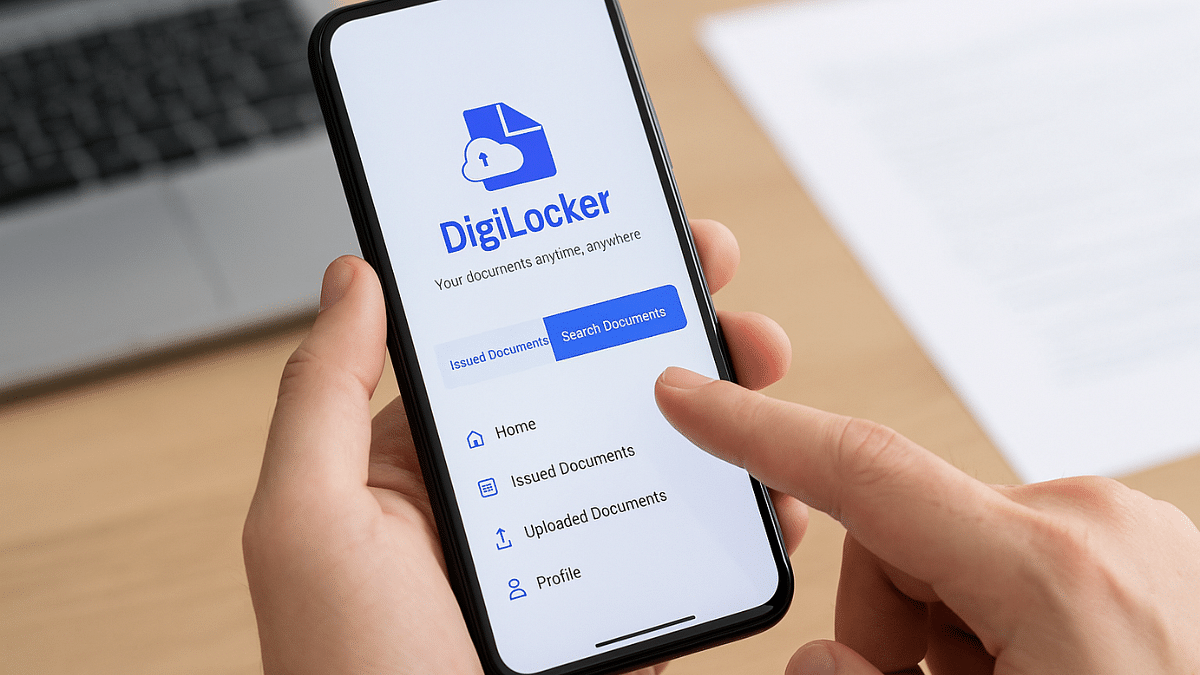
Digilocker is the safest platform to keep all crucial identity documents. Authorised by the government of India, this mobile app allows storing personal IDs (Aadhaar card, driving licence), vehicle documents, etc. Digilocker is also offering services to check and download school and university results. And with the exam result season kickstarting, Digilocker is the safest bet to verify and download results directly from the issuing organisation/ authority. Be it class 10th and 12th CBSE or ICSE or ISC or UPMSP board results, you can easily see your exam results and also download it for future use.

For the tech geeks, stay updated with the latest cutting-edge gadgets in the market, exclusive tech updates, gadget reviews, and more right on your phone’s screen. Join Giznext’s WhatsApp channel and receive the industry-first tech updates.
Also Read: IRCTC Helicopter Reservations Begin For Char Dham Kedarnath Yatra 2025: Ticket Prices, How To Book

How To Check And Download Any Exam Result Using Digilocker Mobile App

Step 1: Download and install Digilocker app. You can download this app on both Android and iOS platforms.

Step 2: You can also access its desktop version by visiting www.digilocker.gov.in

Step 3: Login using valid credentials or register if you are a first time user.

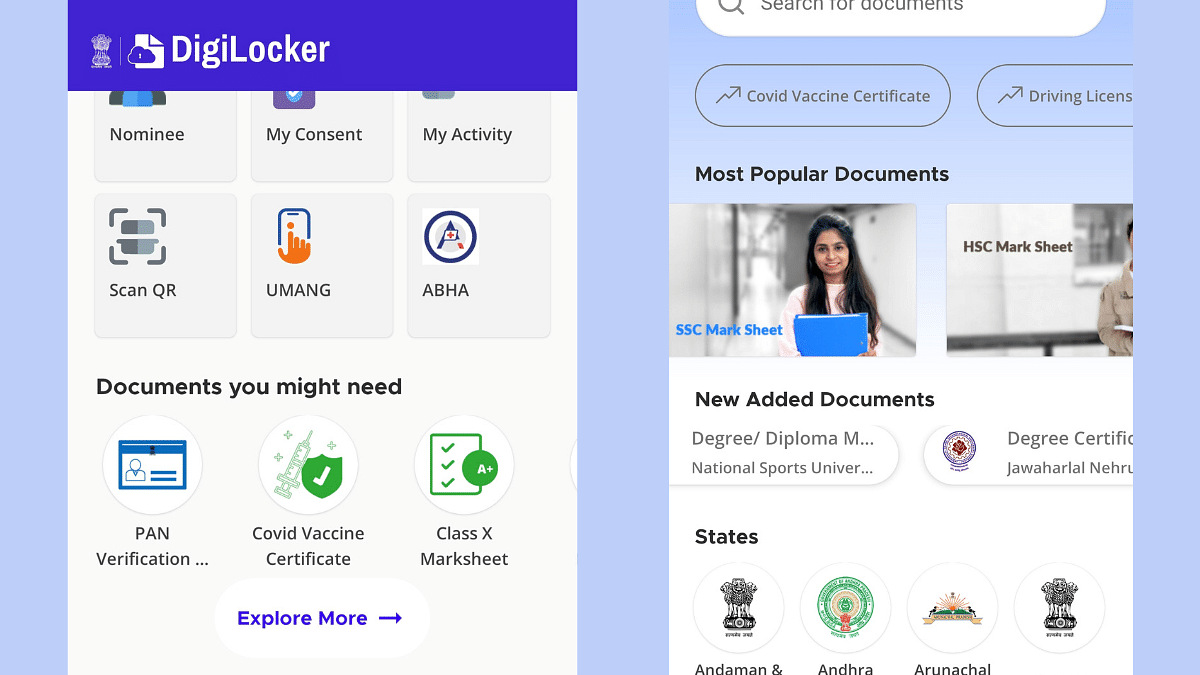
Step 4: Scroll down on the hompage to the ‘Documents your might need’ section. Look for your ‘Class marksheet’. You will get multiple options for different exam results such as SSC, HSC, Class X, etc.

Step 5: Select the board of examination.

Step 6: Alternatively, tap on search and directly type in CBSE, ICSE, ICS or other board exam result.

Step 7: Enter student’s name, roll number, and year of exam.

Step 8: Tap on Get Document option

Step 9: The exam result with authorised signature will be issued which you can download as a PDF on your device.

Step 10: Get the print of the result if required

Categories
Apps Featured How To

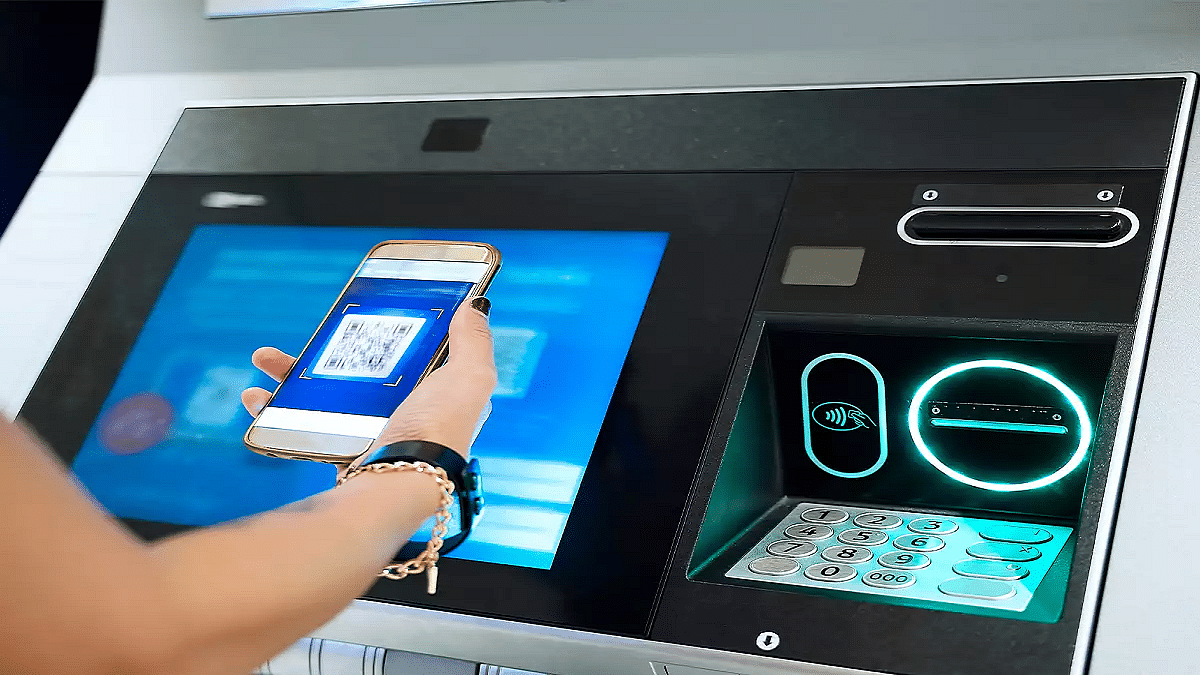
Travelling Overseas? Here’s How To Activate International UPI On Gpay, PhonePe For Payments Abroad

Key Highlights

  • UPI apps have simplified digital money transactions
  • International payments now allowed via UPI apps
  • Steps listed below to activate international UPI

UPI (Unified Payments Interface) has been the game changer for the Indian citizens. The digital money transaction platform have simplified making/ receiving payments with bank linked phone number and dedicated apps. UPI services have been active in India for long now with frequent improvements enhancing the payment interface and overall security with digital money transactions. It’s even possible now to use popular UPI apps such as Google Pay and PhonePe overseas for payments. So, if you are travelling abroad and have to make some emergency payments, international UPI comes to your rescue. But how do you activate it? Well, in this guide we have shared the steps with which you can easily activate international UPI on Google Pay and PhonePe.

For the tech geeks, stay updated with the latest cutting-edge gadgets in the market, exclusive tech updates, gadget reviews, and more right on your phone’s screen. Join Giznext’s WhatsApp channel and receive the industry-first tech updates.

Also Read: Instagram Account Hacked? Immediate Steps To Take If Instagram Account Is Compromised

How To Activate International UPI On PhonePe

Step 1: Open PhonePe mobile app

Step 2: Tap on your profile icon placed on the top of the app’s homepage

Step 3: Scroll down and find the ‘Manage Payments’ option. Click it.

Step 4: Now, navigate to the ‘International’ option and tap on it.

Step 5: Select the ‘UPI International’ option. Currently, it is available for over 6 countries.

Step 6: Tap on the ‘Activate’ button in front of the bank account that you wish to activate for international payments.

Also Read: Enhance Your Daily Productivity: How To Pair Android Smartphones With Windows 11 PC, Laptop Without USB Cable

How To Activate International UPI In Google Pay

Step 1: Open Google Pay app on your smartphones

Step 2: Tap on the QR code scanner

Step 3: Scan the QR code of the international merchant

Step 4: You’ll get an option to enable international UPI. Activate it.

Step 5: Enter the amount you want to make as a payment. You will be shown the currency conversion rate as per the current date.

Step 6: Simply complete the payment by entering your UPI pin.

Categories
Featured How To

Smart Travel Guide: How To Apply For And Get Indian Railways Ticket Refund Via IRCTC

Key Highlights

  • Railway ticket cancellation can be done online
  • Refund eligible for tickets cancelled before chart preparation
  • Up to Rs. 120 minimum cancellation charges

India has one of the largest railways network globally which is growing connecting more cities and villages. Over the years, Indian railways has adapted to the modern technologies and is now providing better services in a bid to cut down long queues at ticket counters. Making train reservations online helps you to plan your journey well ahead. And in case of any emergencies, you can also cancel your tickets online and get a refund. Indian railways has designed a hassle free ticket cancellation and refund process via IRCTC portal. Here in this guide, we have shared the steps that can help you cancel your railways ticket and apply for refunds in case of cancelled or delayed trains.

For the tech geeks, stay updated with the latest cutting-edge gadgets in the market, exclusive tech updates, gadget reviews, and more right on your phone’s screen. Join Giznext’s WhatsApp channel and receive the industry-first tech updates.

Also Read: WhatsApp Advanced Chat Privacy: How To Add Extra Safety Layer For WhatsApp Chats?

How To Cancel Railway Tickets Via IRCTC Online

Step 1: Open IRCTC mobile app or website

Step 2: Login with your registered user ID/ password or mobile number

Step 3: Navigate to Transactions section (mobile app) or My Bookings (website)

Step 4: From the list of upcoming bookings, select the ticket that you want to cancel

Step 5: Scroll down and select ‘Cancel Ticket’ option

Step 6: Verify the details before cancelling.

Step 7: Refund amount will be displayed on the screen which will include cancellation charges if applicable.

Step 8: Once the refund process is initiated, money will be transferred back to the original source within 5 to 7 working business days.

Also Read: Hate Standing In Long Queues: Here’s How To Book Indian Railways Platform Ticket Online

Criteria And Cancellation Charges For Railways Refund

Cancellation Charges Criteria
Rs. 120 If ticket’s cancelled 48 hours prior train departure
25% of base ticket price (minimum Rupees 120)If ticket’s cancelled before 12 hours of train departure
50% of base ticket price (minimum Rupees 120)4 hours before chat preparation or train departure (whichever is first)
Till departure of train No refund
After train departure No refund

Categories
Accessories Featured Info

Top 3 Budget Gaming TWS Earbuds With Low Latency Under Rs. 1,500

Key Highlights

  • TWS earbuds with low latency can be purchased at budget price point
  • Options available from Redmi, Realme, Noise, etc.
  • List includes models with starting price range under Rs. 2,000

Just like smartphones, wireless audio tech has enhanced exponentially over the last few years. You don’t necessarily have to burn a hole in your pocket to buy a good pair of TWS earbuds. Specifically, gaming buds which now can be purchased in the sub Rs. 2,000 bracket. And you get a whole set of options when it comes to low latency gaming earbuds. In this buying guide, we have handpicked the top 3 gaming earbuds with low latency you can buy in 2025.

For the tech geeks, stay updated with the latest cutting-edge gadgets in the market, exclusive tech updates, gadget reviews, and more right on your phone’s screen. Join Giznext’s WhatsApp channel and receive the industry-first tech updates.

Also Read: List Of Best Advanced Air Purifiers For Large Rooms

Redmi Buds 5a

If you are one of those avid mobile gamers and are looking for a pair that comes with both low latency and an ANC, the Redmi Buds 5a makes for a solid option. Priced at Rs. 1, 299, the Redmi Buds 5a supports 60ms low latency, 25 db ANC, and has an IPX4 rated body.

Redmi Buds 5aKey Specs
Driver typeDynamic
Driver size 12mm
ANC Yes (25db)
Low Latency 60 ms
IPX ratingIPX4
Bluetooth versionBluetooth 5.4
Battery 440 mAh (case)
34 mAh (each earbud)
BackupUp to 30 hrs (Case + Buds with ANC)
Buying LinkClick here

Also Read: Top TWS Earbuds With Noise Cancellation Under Rs. 3,000

Realme Buds T110 TWS

Another solid budget TWS pair that not only comes with a budget price range under Rs. 1,500 but also supports low latency. Realme Buds T110 comes with 85 ms low latency and other modern features like Google Fast Pair, smart touch controls, AI ENC for calls, etc.

Realme T110Key Specs
Driver typeDynamic
Driver size 10mm
ANC AI ENC for calls
Low Latency 88ms
IPX ratingIPX5
Bluetooth versionBluetooth 5.4
Google Fast PairYes
BackupUp to 38 hrs (Case + Buds)
Buying LinkClick Here

Also Read: Best Portable And Affordable Air Conditioners In India: See Here For All Details

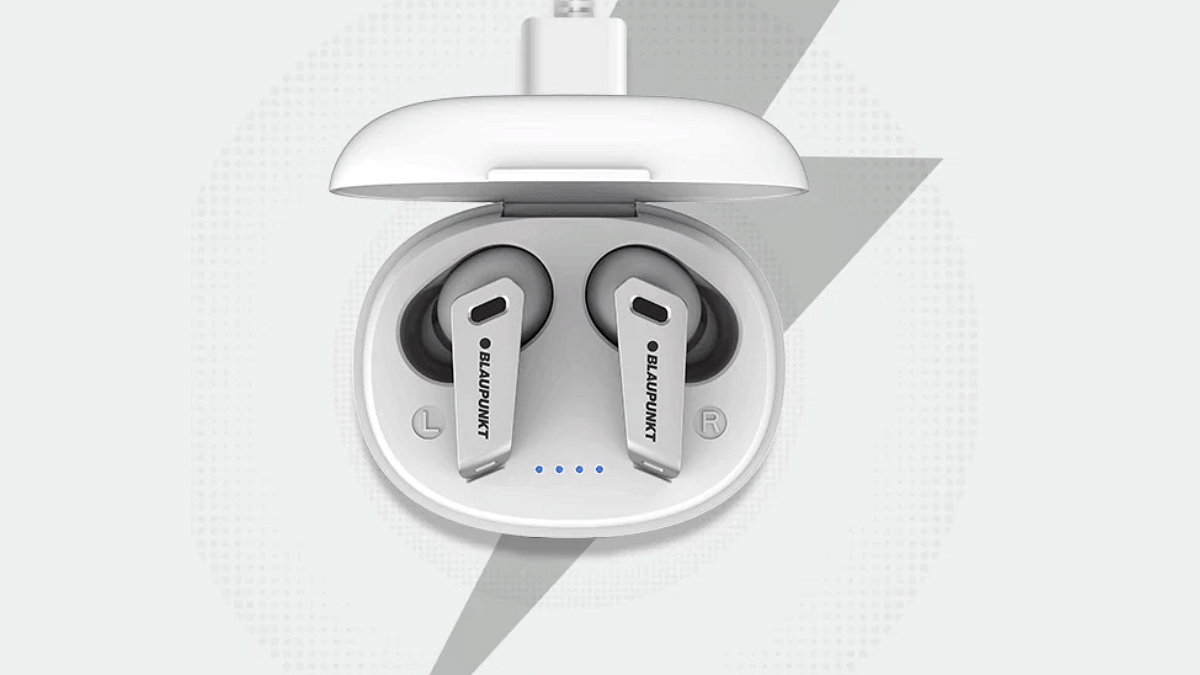
Blaupunkt BTW300 TWS

Blaupunkt’s BTW300 is a budget TWS earbud enabled with low latency for a rich gaming audio experience. This pair costs Rs. 1,499 and comes with features such as ENC, Turbo charging, Digital voice assistant support, etc.

Blaupunkt BTW300 TWS Key Specs
Driver typeDynamic
Driver size 8mm
ANC AI ENC
Low Latency 80ms
IPX ratingIPX5
Bluetooth versionBluetooth 5.3
Voice assistant Siri and Google Assistant
BackupUp to 40 hrs (Case + Buds)
Buying LinkClick Here
Categories
Auto Tech Featured

Odysee Evoqis Lite Budget Sports Electric Motorcycle Debuts: 75 kmph Top Speed, 90 KM Range

Key Highlights

  • Odyse Evoqis Lite sports-style e-motorcycle launched
  • Powered by a 60V battery
  • Delivers 75 kmph top speed and 90 km range
  • Priced at Rs. 1.18 lakh (ex showroom)

Odysse Electric is one of the fastest growing electric two wheeler startup in India. The brand has stepped up its game once again with the launch of a new budget electric motorcycle in the country called Evoquis Lite. Targeted at the the youth, the latest addition comes with a modern sports styling, a decent range of up to 90 kmph with the price tag below Rs. 1.20 lakh.

For the tech geeks, stay updated with the latest cutting-edge gadgets in the market, exclusive tech updates, gadget reviews, and more right on your phone’s screen. Join Giznext’s WhatsApp channel and receive the industry-first tech updates.

Also Read: List Of Best Electric Scooters With Large Storage Space In 2025

Odyesse Evoquis Lite Electric Scooter Design Highlights

The Odysse Evoquis Lite electric scooters brings along a modern attire which is sports inspired. It gets a sleek profile overall and features clip-on handlebar design. The turn indicators are side-mounted and it has an aerodynamic windscreen, split style seat layout that further adds to its aggressive looks.

Also Read: Drive Smart And Safe: List Of Top Electric SUVs With Advanced Safety Features In India In 2025

Odysse Evoquis Lite Powertrain And Features

Odysse Evoque Lite Powertrain
Motor type Hub motor
Battery capacity60V
Range90 km per charge
Top speed75 kmph

Evoquis Lite e-motorcycle draws its power from a hub motor mounted at the rear. This motor pack is linked to a 60V battery which helps this electric motorcycle to achieve a top speed of up to 75 kmph. As for its range, it is said to make a run of up to 90 km on a single charge.

Features range offered by the Evoquis Lite included multiple riding modes, anti-theft, keyless ignition, smart battery management, and motor cut off functionality.

Categories
Apps Featured How To

WhatsApp Advanced Chat Privacy: How To Add Extra Safety Layer For WhatsApp Chats?

Key Highlights

  • WhatsApp chats are backed by end-to-end encryption safety
  • New advanced safety layer added called ‘Advanced Chat Privacy’
  • Can be enabled manually on mobile app

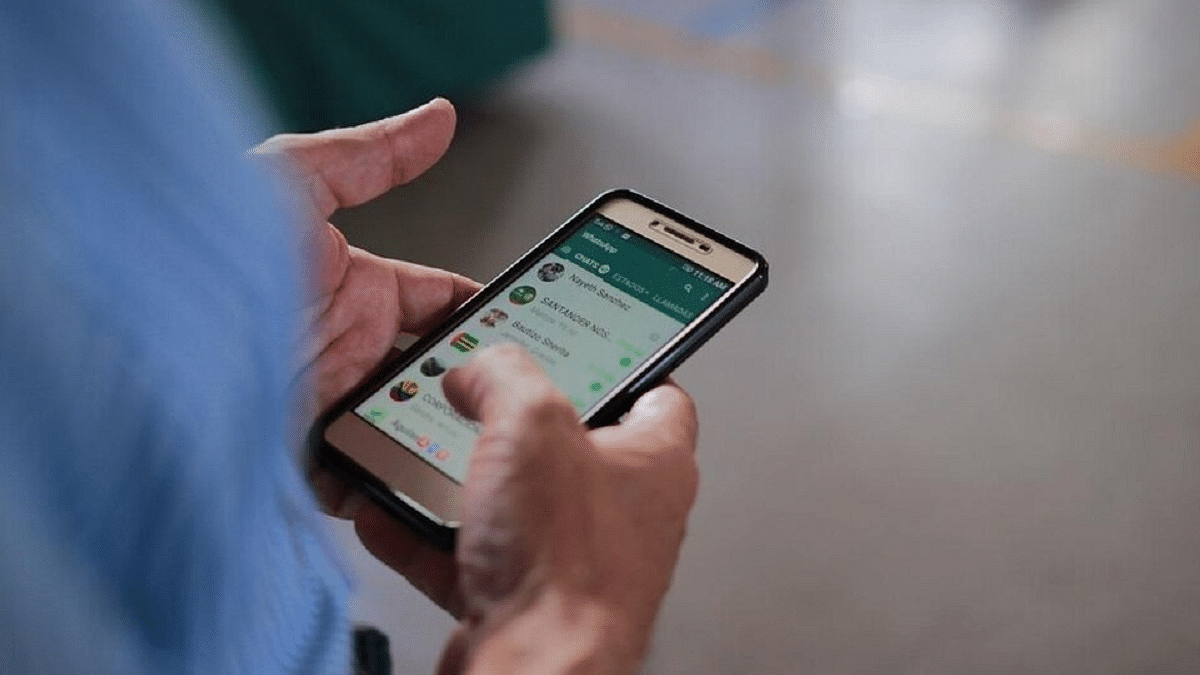
WhatsApp has been stepping up its privacy game ever since its launch. Despite being based on an end-to-end encryption platform, WhatsApp has been constantly upgrading its ecosystem with advanced safety and privacy features. The instant messaging app has received another new feature that will be providing advanced safety to all chats and media messages with a single chat or group. What is this new advanced chat privacy feature and how can you enable this feature:

For the tech geeks, stay updated with the latest cutting-edge gadgets in the market, exclusive tech updates, gadget reviews, and more right on your phone’s screen. Join Giznext’s WhatsApp channel and receive the industry-first tech updates.

Also Read: WhatsApp Advanced Privacy Hack: How To Share WhatsApp Profile Without Giving Out Your Mobile Number

WhatsApp Advanced Chat Privacy: What Is It?

WhatsApp has released a new privacy feature called the Advanced Chat Privacy to make conversations more secure and private. This feature has been in works for a while and was spotted via leaks. This new feature will act like an advanced safety layer for your chats where any random person won’t be able to export your chats or media without your knowledge.

The Advanced Chat Privacy feature will also restrict auto-download of media files and also AI tool plug-ins stopping Meta AI features in the selected chats. Advanced Chat Privacy feature on WhatsApp can be enabled with just a few taps on the mobile app. Let’s take a look at the steps below:

Also Read: Telegram Tips And Tricks: How To Schedule Messages On Telegram Android, iOS App

Steps To Enable Advanced Chat Privacy Feature On WhatsApp

Step 1: Open WhatsApp mobile app

Step 2: Go to the single or group chat where you want to enable the Advanced Chat Privacy feature

Step 3: Click on the chat name (from the top)

Step 4: Tap on Advanced Chat Privacy feature to enable it

That’s it, your chats have now been protected by an additional safety layer.