Categories
Apps Featured How To

Instagram AI Tips And Tricks: How To Create And Share AI-Generated Stickers For Stories Chats

Key Highlights

  • Instagram now has AI tools for messaging and media sharing
  • AI stickers can be shared as messages during chats
  • AI-generated stickers can be uploaded via Stories

Instagram has been making its platform all-advanced for the masses and has definitely taken up the top spot in the social media space. Ever since Meta took over the photo-sharing app, the platform has improved exponentially in terms of features. And since this is an AI era, how can Instagram be left behind. Meta has added a whole lot of AI-features to Instagram which can be accessed in DMs/ chats, stories, and posts.

One such features that Instagram has released for the masses is the option to send a AI-generated stickers to any chat. In addition to sharing the Instagram messages, AI-generative stickers can also be uploaded as stories. This creates a whole new experience while using Instagram for messaging or sharing posts. If you are also trying to level-up for messaging and content uploading game with Instagram, do check out the steps with which you can send AI stickers in chat or add them to story.

For the tech geeks, stay updated with the latest cutting-edge gadgets in the market, exclusive tech updates, gadget reviews, and more right on your phone’s screen. Join Giznext’s WhatsApp channel and receive the industry-first tech update.

Also Read: Unable To Connect AirPods With MacBook: How To Fix AirPod And MacBook Pairing Issues?

How To Send AI-Generated Stickers To Any Contact In Instagram Chat

Step 1: After launching the Instagram mobile app, go to the DM or the chat section

Step 2: Go to the chat window or type in the user name to whom you wish to send AI stickers

Step 3: You will be able to see a bunch of options right next to the message typing box. From here, tap on the “+” icon.

Step 4: ow, click on the Imagine+ option

Step 5: In the search box, type in the prompt that you wish to create as a sticker

Step 6: You will get the stickers generated by AI as per your prompt.

Step 7: Select the appropriate sticker and tap on the Send option.

Step 8: If you wish to animate the sticker, press and hold it before sending.

Also Read: Update Your Aadhaar Card For Free Before September 14: Here’s How

How To Add AI-Generated Stickers To Instagram Stories

Step 1: Open the Instagram app and click on the ‘Add’ button to create a new post.

Step 2: Tap on the sticker icon from the top before sharing a photo or video as a story

Step 3: Now, click on AI Stickers.

Step 4: Enter the text prompt for the AI sticker

Step 5: Click on the Generate button

Step 6: Once the sticker is created, tap on it to add it to Instagram Story feed
Categories
Featured Mobile

Still Love Small Phones? Here Are The Best Smartphones With 5-Inch Display

Key Highlights

  • Compact smartphones are becoming rare
  • 5-inch phones are still available in India
  • Options include Apple, Lava, and itel models

Where did all the small phones go? Compact mobile phones, which once dominated the market, are gradually being replaced by bigger handsets. Apart from the once-in-a-blue-moon small phone that are occasionally announced, the big players like Samsung, Apple, and Motorola release phones that are larger than life. These phones don’t cater to people with smaller hands or those who prefer a compact phone that is easy to pocket and carry around. However, smartphones with 5-inch screens are still available in India. And if you’re in the market for one, we’ve compiled a list of the best 5-inch smartphones that you can go for.

Also Read | Upgrade To A Curved Display: Four Best Smartphones To Buy

ProductPrice
Apple iPhone SE (2022)Rs. 46,599
Redmi GoRs. 5,999
Samsung Galaxy A01 CoreRs. 5,999
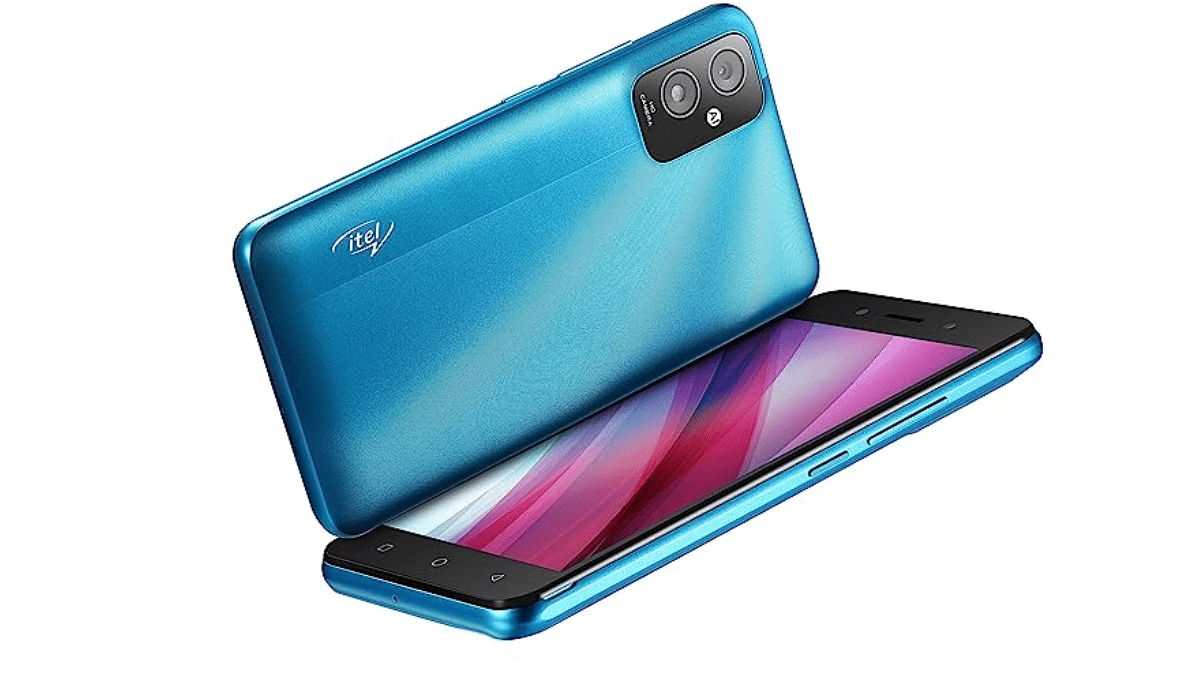
itel A23SRs. 4,799
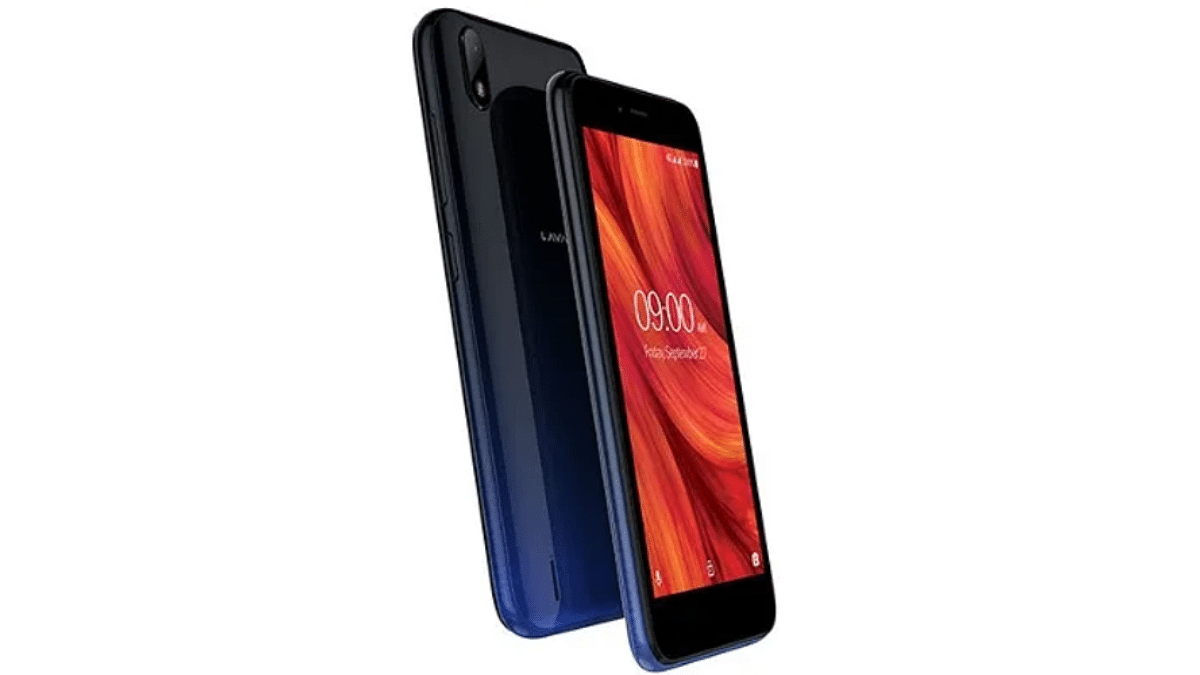
Lava Z41Rs. 4,799

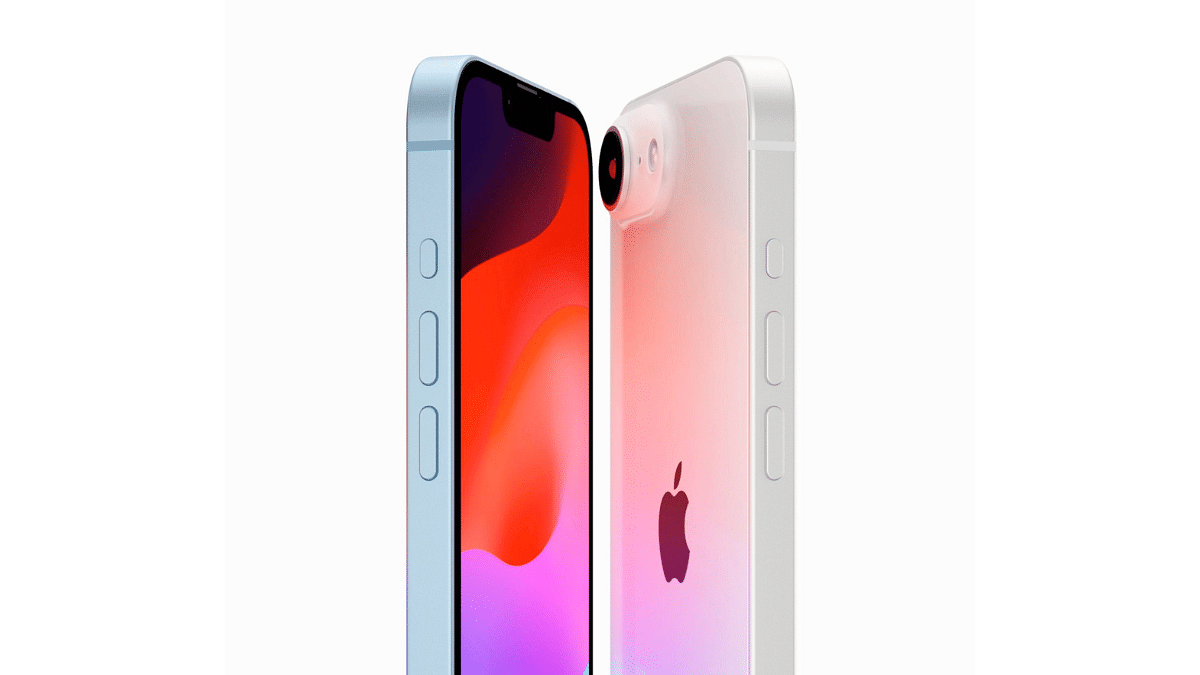
Apple iPhone SE (2022)

The Apple iPhone SE (2022) features a 4.7-inch Retina HD display. It is powered by the A15 Bionic chip and offers a compact design with powerful performance.

Display4.7-inch Retina IPS LCD
ProcessorApple A15 Bionic 
RAM + Storage4GB + Up to 256GB
Rear Camera12MP
Front Camera7MP
Battery2018mAh
OSiOS 15.4
ColorsMidnight, Starlight, Red

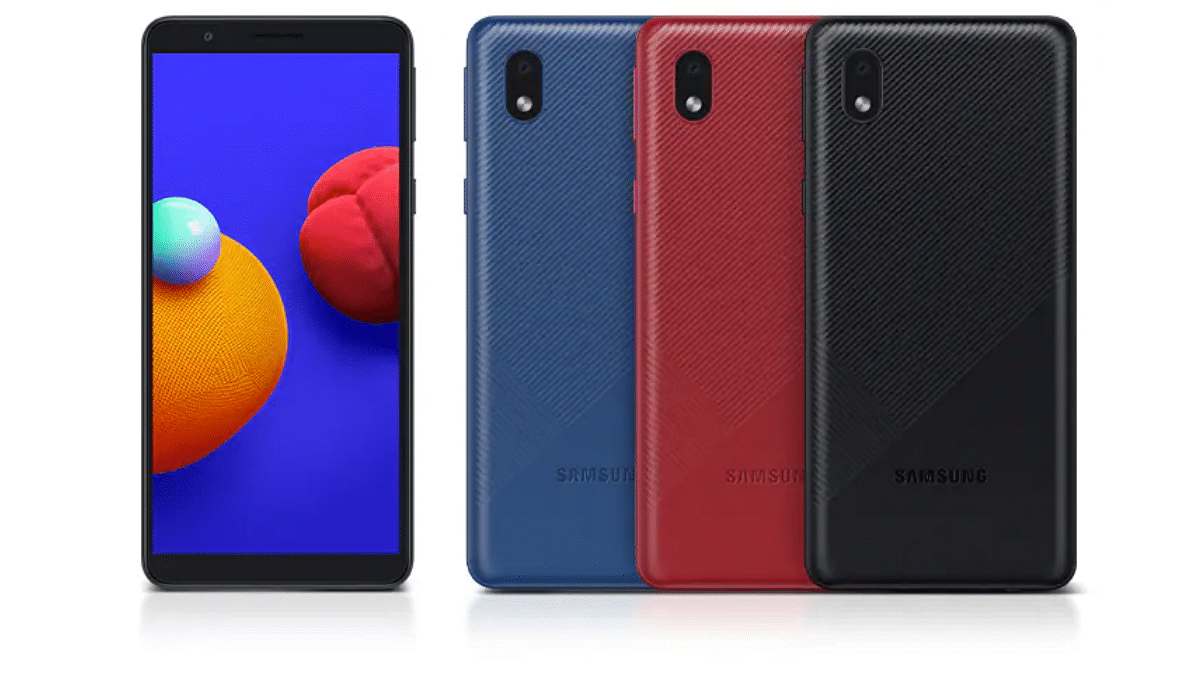
Samsung Galaxy A01 Core

This budget smartphone features a 5.3-inch display and a 3000mAh battery. The smartphone runs on Android Go, making it a value-for-money option.

Display5.3-inch PLS LCD
ProcessorMediatek MT6739
RAM + Storage2GB + Up to 32GB
Rear Camera8MP
Front Camera5MP
Battery3,000mAh
OSAndroid 10 (Go edition)
ColorsBlack, Blue, Red

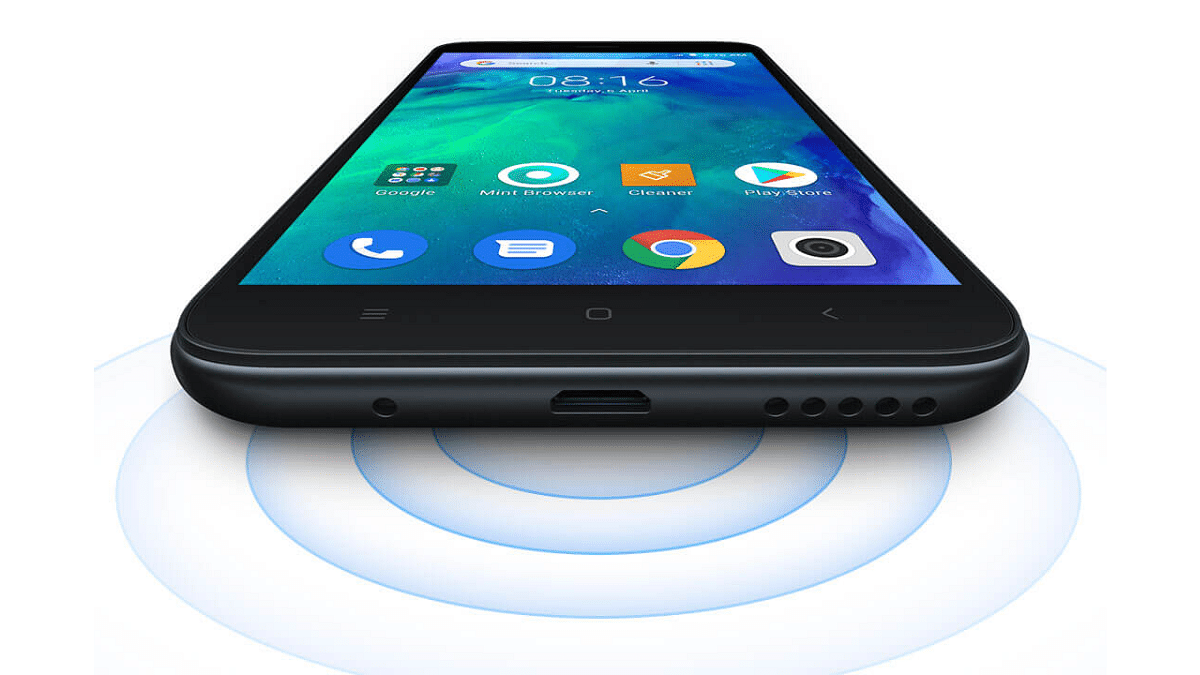
Redmi Go

With a 5.0-inch display, this smartphone runs on Android Go, providing a lightweight, user-friendly experience for entry-level users.

Display5.0-inch IPS LCD
ProcessorQualcomm MSM8917 Snapdragon 425
RAM + Storage1GB + Up to 16GB
Rear Camera8MP
Front Camera5MP
Battery3,000mAh
OSAndroid 8.1 Oreo (Go edition)
ColorsBlack, Blue

itel A23S

Features a 5.0-inch display, powered by a quad-core processor, and supports 4G VoLTE, making it a reliable, ultra-budget option for basic tasks.

Display5.0-inch IPS LCD
ProcessorUnisoc SC9832E
RAM + Storage2GB + 32GB
Rear Camera2MP
Front Camera0.3MP
Battery3,020mAh
OSAndroid 11 (Go edition)
ColorsSky Cyan, Sky Black, Ocean Blue

Also Read | Nokia C12 Vs Poco C50: Best Phone To Buy Under Rs. 8,000 In India?

Lava Z41

Equipped with a 5.0-inch LCD display, this device is designed for basic users looking for a budget-friendly smartphone.

Display5.0-inch LCD
ProcessorSpreadtrum SC9832E
RAM + Storage1GB + 16GB
Rear Camera5MP
Front Camera2MP
Battery2,500mAh
OSAndroid Pie (Go Edition)
ColorsMidnight Blue, Amber Red

For the tech geeks, stay updated with the latest cutting-edge gadgets in the market, exclusive tech updates, gadget reviews, and more right on your phone’s screen. Join Giznext’s WhatsApp channel and receive the industry-first tech updates.

Categories
Apps Featured How To

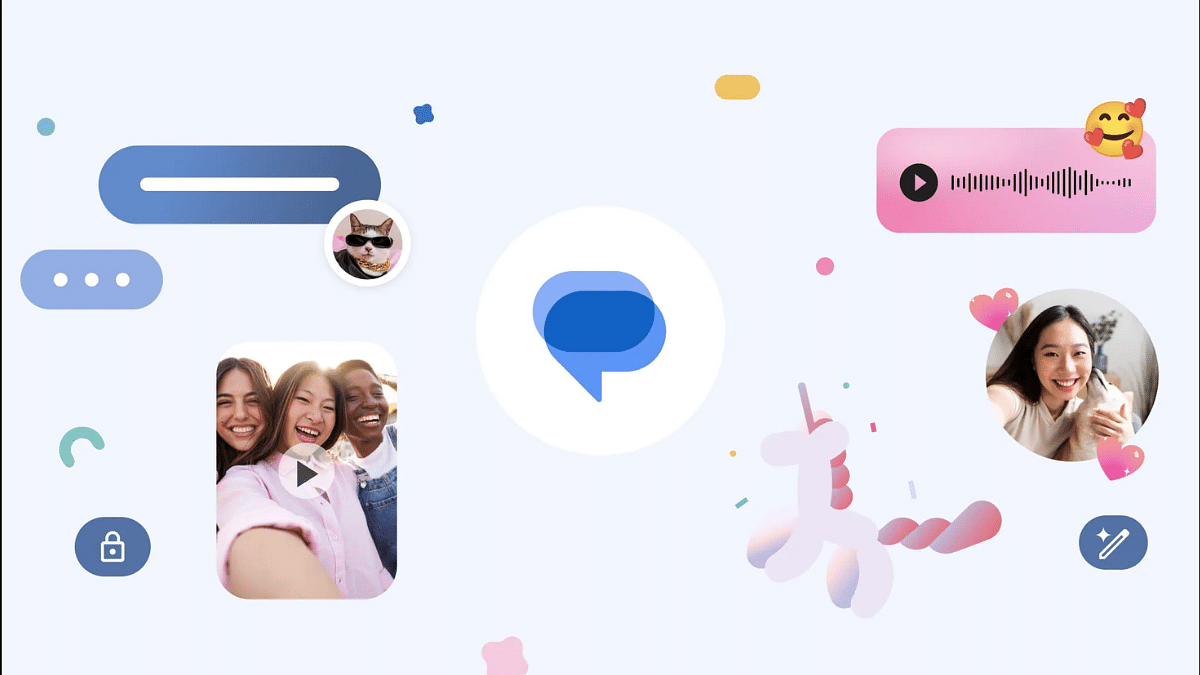
Google Messages Photomoji: What Is It? How To Use?

Key Highlights

  • Google Messages allows creating custom emojis from phots
  • Feature called photomoji
  • Allows using facial expressions or personal photos to create emojis

Android is one of the most powerful mobile platforms that is being used by almost every major smartphone OEM nowadays. Google has created a massive ecosystem of apps and tools to give the users an ultimate experience with Android devices. You even get AI-enabled features with the new version of Android. Google Messages which is the default messaging app for Android devices has also been updated just like the remaining in-house Google Apps with several advanced features. We earlier shared the tips and tricks to create and share a selfie GIF using Google Messages. This time, we are sharing the steps with which you can create and share a Photomoji using Google Messages. But what exactly is this Photomoji feature and how can you share it with your contacts? Read on the steps below:

Also Read: Unable To Connect AirPods With MacBook: How To Fix AirPod And MacBook Pairing Issues?

What Is Photomoji Feature In Google Messages?

Photomoji is cool messaging feature that you can access using Google Messages apps. This feature essentially lets you create an emoji using your personal photos, facial expressions, or any random object that you have clicked using your phone’s camera.

Do note that the Photomoji feature is available to use in the RCS chat feature of Google Messages which is nothing but the Android version of iMessages. You can use Photomojis as reaction to any message and can be shared in separate tabs to be used later. To use the Photomoji feature on your smartphone, you will need Android 8.0 OS or higher version.

Also Read: Enhance WhatsApp Security: How To Protect IP Address On WhatsApp Calls And Silence Unknown Callers?

Steps To Create Google Photomoji As A Sticker

Step 1: On your Android phone, launch the Google Messages App

Step 2: Go to any conversation or start fresh

Step 3: Click on the message box

Step 4: Select Emoji icon and then tap on Create

Step 5: Tap on the photo that you want to create as a photomoji reaction from the gallery

Step 6: You can adjust the subject that you wish to use as the reaction

Step 7: Click on Send

Steps To Create And Share Photomoji Reaction Using Google Message

Step 1: Launch Google Messages app

Step 2: Open any conversation and tap and hold the message to which you want to react

Step 3: Now, click Create

Step 4: Select the photo that you want to share as an emoji reaction

Step 5: Hit the Send button.

Categories
Apps Featured How To

Android Cool Tips And Tricks: How To Customize Google Chrome Themes With Generative AI

Key Highlights

  • Google has added AI features to most of its apps and services
  • Google Chrome has also received AI support
  • Aesthetics can be improved with AI customizations in Chrome

Google is actively integrated AI services to its entire range of apps and services which are available in Android. Gemini AI is the Google’s advanced AI-powered assistant helping the masses with a plethora of tasks ranging from research, marketing, and even customer services. Google has been gradually making the AI-features available with the different apps in a bid to improve the overall user experience. Google Chrome which is the dedicated emailing platform has also been updated with AI tools with which the users get a simplified yet advanced emailing services. Customizations with Google Chrome has been one the already available features which now have received AI support. But you can now customize the appearance of Google Chrome using AI. Interested in changing Google Chrome theme with AI? Find out the steps below:

For the tech geeks, stay updated with the latest cutting-edge gadgets in the market, exclusive tech updates, gadget reviews, and more right on your phone’s screen. Join Giznext’s WhatsApp channel and receive the industry-first tech update.

Also Read: Android Tips And Tricks: How To Maximize Battery Health And Reduce Battery Drain

Steps To Create A Customized Google Chrome Theme With Generative AI

As mentioned above, creating a personalized Chrome theme is now possible using generative AI. One can create themes by selecting any specific subject, style, or mood.

Step 1: Power on your laptop/ PC and open Google Chrome web browser.

Step 2: Launch a new home page on Google Chrome.

Step 3: Once the new tab page is open, look at the bottom right for “Customize Chome” option. Tap on it.

Step 4: Now, you’ll see the Change theme option. Click on it.

Step 5: Select the Create themes with AI option.

Step 6: You will now need to feed in the requirements in the “Add optional details”. In this menu you will get “Select a style”, “Select a mood”, and “Select a color” options. Fill the apt details.

Step 7: If you wish to use any specific color theme, tap on the “custom color” option,

Step 8: Tap on the Create your AI theme option

Step 9: Choose the theme to apply it to a new page. It is worth noting that up to 10 seconds can be taken for the entire customizations to be applied.

Categories
Accessories Featured

Celebrate Ganesh Chaturthi With These Cool Budget-Friendly Gadgets

Key Highlights

  • Fun and affordable tech gadgets for Ganesh Chaturthi celebrations
  • Smart lighting, speakers, and cameras for a festive vibe
  • Easy-to-use products that add joy and convenience to your home

Why not make this Ganesh Chaturthi celebration a bit more exciting with some smart gadgets? From rocking your favorite tunes to lighting up your home in vibrant colors, these budget-friendly tech goodies are all about adding extra joy to the festivities. Whether you are hosting a family gathering or just want to capture the perfect festive moments, these products have got you covered. Here, we have listed some cool devices to make this year’s Ganesh Chaturthi a celebration to remember. Let’s get to know about them.

Also Read | Four Best Tech Gifts Under Rs. 25,000

ProductPrice
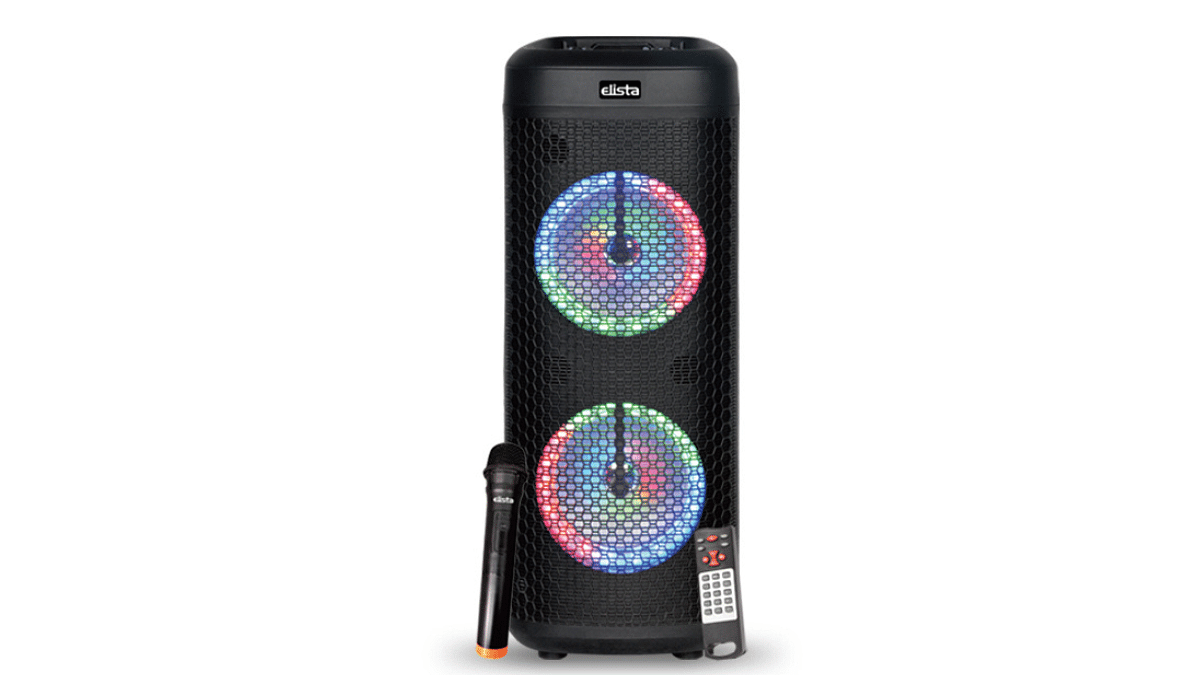
Elista ELS T-5000 Blast TUFB Trolley SpeakerRs. 6,499
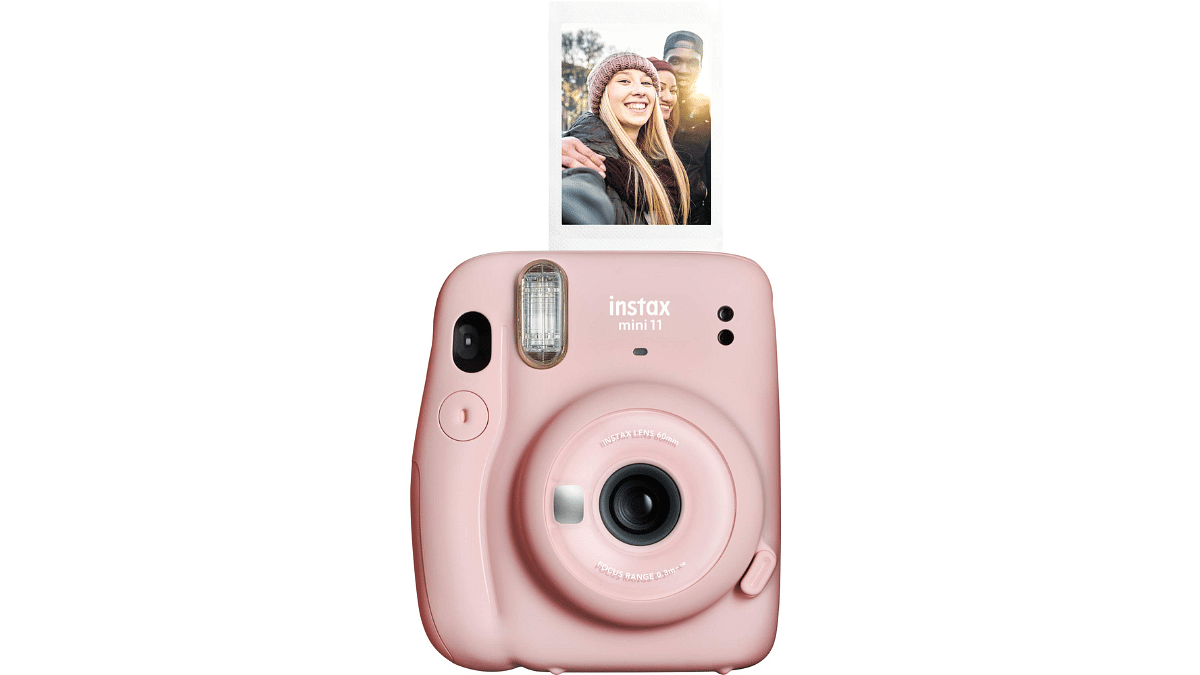
Fujifilm Instax Mini 11 Instant CameraRs. 5,998
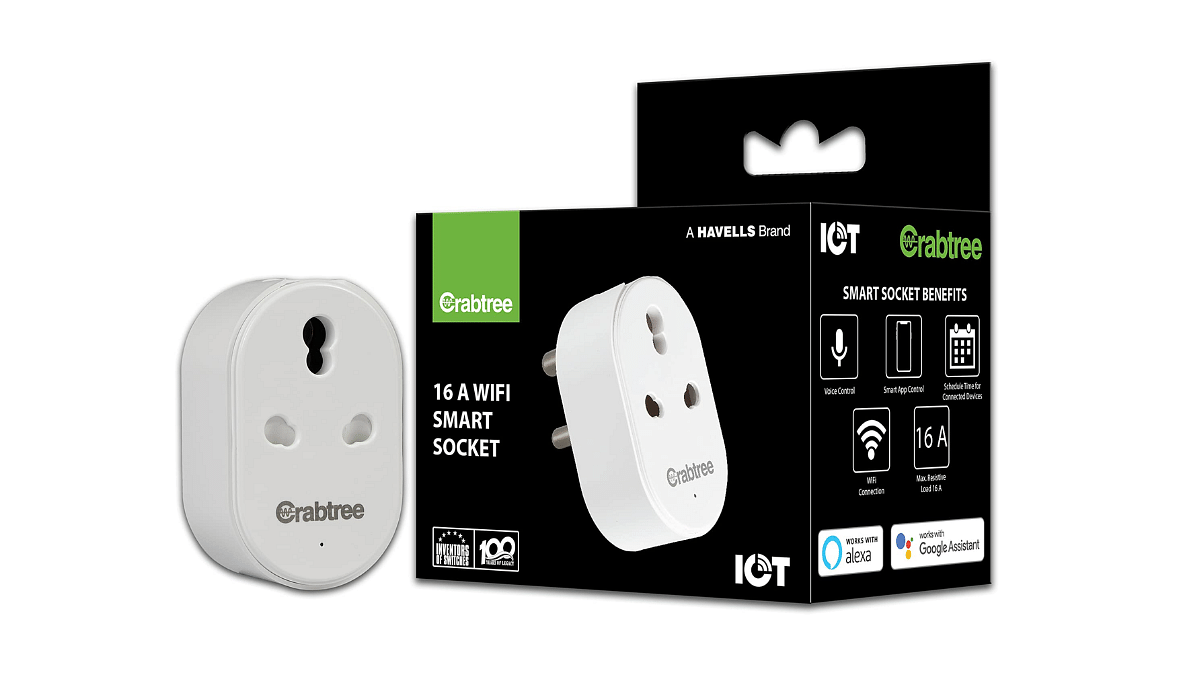
Havells 16 A Wi-Fi Smart PlugRs. 969
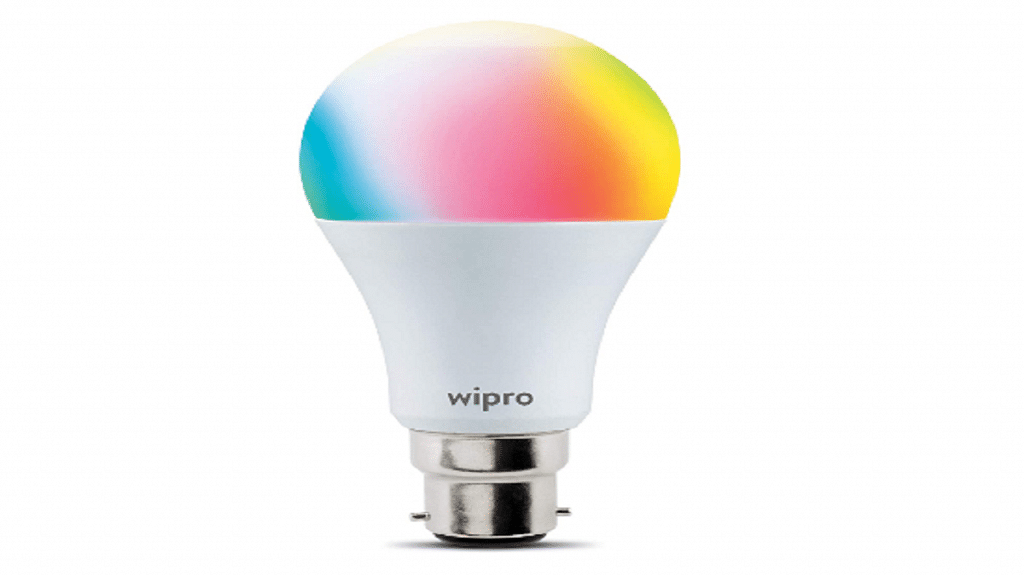
Wipro 9W B22D Wi-Fi LED Smart BulbRs. 589

Elista ELS T-5000 Blast TUFB Trolley Speaker

  • Power output: 40W (20W x 2) with dynamic subwoofers and tweeter
  • Bluetooth v5: 10-meter range for wireless streaming
  • Wireless Mic: Perfect for karaoke with adjustable Mic volume and echo control
  • LED lights: 7-segment Dancing Disco LEDs for party vibes
  • TWS function, remote handset, and mobile holder

Fujifilm Instax Mini 11 Instant Camera

  • Instant printing: Compact, pocket-sized instant camera
  • Built-in flash: Perfect for low-light photos
  • Soft-focus lens: Delivers bright, charming pictures

Havells 16 A Wi-Fi Smart Plug

  • 16 A capacity: Supports heavy appliances like ACs, refrigerators, and geysers
  • Wi-Fi enabled: Remote control via app for smart home experience
  • Smart power management: Keeps your devices safe and efficient

Also Read | All-time Tech Gifting Ideas: Top Five Cutting-Edge Tech Gifts For The Future

Wipro 9W B22D Wi-Fi LED Smart Bulb

  • 16 million colors with music sync feature
  • Brightness control: Dimmable from 10 percent to 100 percent
  • App control: Wipro Next Smart App for Android and iOS
  • Voice control: Compatible with Amazon Alexa and Google Assistant

For the tech geeks, stay updated with the latest cutting-edge gadgets in the market, exclusive tech updates, gadget reviews, and more right on your phone’s screen. Join Giznext’s WhatsApp channel and receive the industry-first tech updates.

Categories
Auto Tech Featured

Ather Energy Announces ARAS For E-Scooters: Improved Safety Features?

Key Highlights

  • Ather Energy announces ARAS for its e-scooters
  • Stands for Advanced Rider Assistance Systems (ARAS)
  • Will improve safety standards with Ather e-scooter lineup

Ather Energy is all set to set up new standards in the E2W market. The company has just announced ARAS safety standards for its e-scooter range. The new initiative has been launched to make the Ather e-scooters more safe for daily commutes. Ather will be adding the new safety suite to its e-scooter range including the Ather 450 series and the Rizta via software updates. The new range of safety features that come along as a part of the Ather ARAS scheme are mentioned below:

Also Read: MG Windsor EV Teased Yet Again: Exteriors Revealed

Ather ARAS Feature For Rizta, 450 Series Explained

Ather Energy is rolling out ARAS (Advanced Rider Assistance System) for its e-scooter fleet which brings added safety feature for the owners. All Ather e-scooters will now get dedicated safety features including Skid Control and FallSafe. These new features are being added to the Ather e-scooters as OTA update which means no special visit to the service centre is required for the same.

For reference, the SkidControl is the safety feature which will control the traction of the e-scooter and will monitor and accordingly tweak the motor torque so that skidding on low-friction surfaces such as gravel, sand, or water can be easily avoided.

On the other hand, the FallSafe safety feature being introduced as a part of the ARAS scheme adds protection from accidental falls. If in case, this feature detects the e-scooter’s fall, it will automatically cut the power supply to the motor. With this the added risks injuries can be avoided as the acceleration won’t work when there is no power supply to the motor.

Also Read: Ola Roadster Electric Motorcycle: Top Rivals Competing Ola’s Mid-Range Commuter

How Beneficial Will Be Ather ARAS Feature For Customers?

Safety standards have been improving with modern days automobiles. Specifically, electric four wheelers are now being loaded with advanced range of safety features such as ADAS (Advanced Driver Assistance System), ABS braking system (Anti-lock braking), and also 360° camera in some of the models. However, all this while none of the electric two wheeler manufacturer introduced such advanced safety standards for their offerings. With Ather bring the ARAS safety suite for the 450 and Rizta lineup, customers can take a breather resting all the safety concerns.

Categories
Accessories Featured Info

Dyson’s Festive Tech Drop: Hair Tools, Headphones, And More

Key Highlights

  • Dyson launches four new products in India for the festive season
  • New releases include hair tools, headphones, and a wet floor cleaner
  • Expanded retail presence with 20+ Demo Stores and 400+ locations

As the festive season approaches, Dyson has announced a lineup of four new products across its Beauty, Audio, and home categories in India. These new technologies include advanced hair styling tools, high-fidelity headphones, and a revolutionary wet floor cleaner. The products will be released in phases, adding excitement to the upcoming festive shopping period.

Also Read | New Dyson Airwrap Review: Enhance Your Style Statement On-The-Go With This Multi-Hair Stylist

Dyson’s Latest Hair Styling Tools

Dyson introduced two new beauty products aimed at transforming hair care and styling routines:

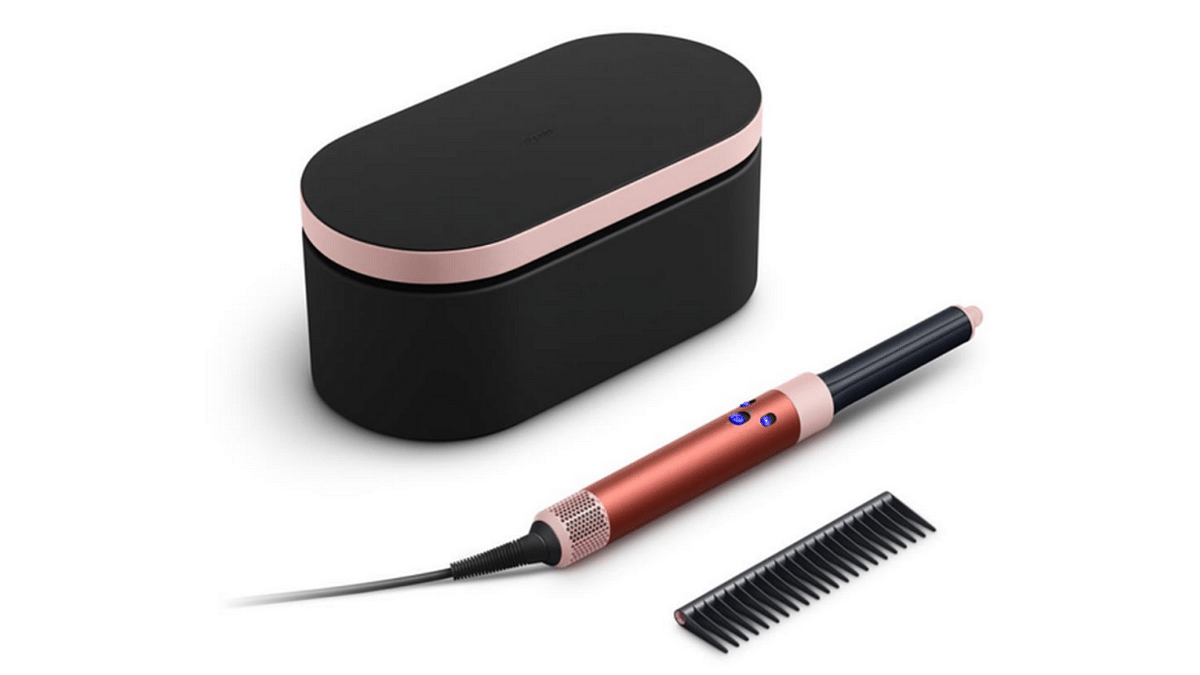
  • Dyson Airwrap ID Multi-Styler and Dryer: Priced at Rs. 45,900, this is Dyson’s first connected beauty tool. Equipped with Bluetooth technology, it allows users to create perfect curls without heat damage through the MyDyson app. The special Strawberry Bronze/Blush Pink edition includes six attachments and a complimentary detangling comb.
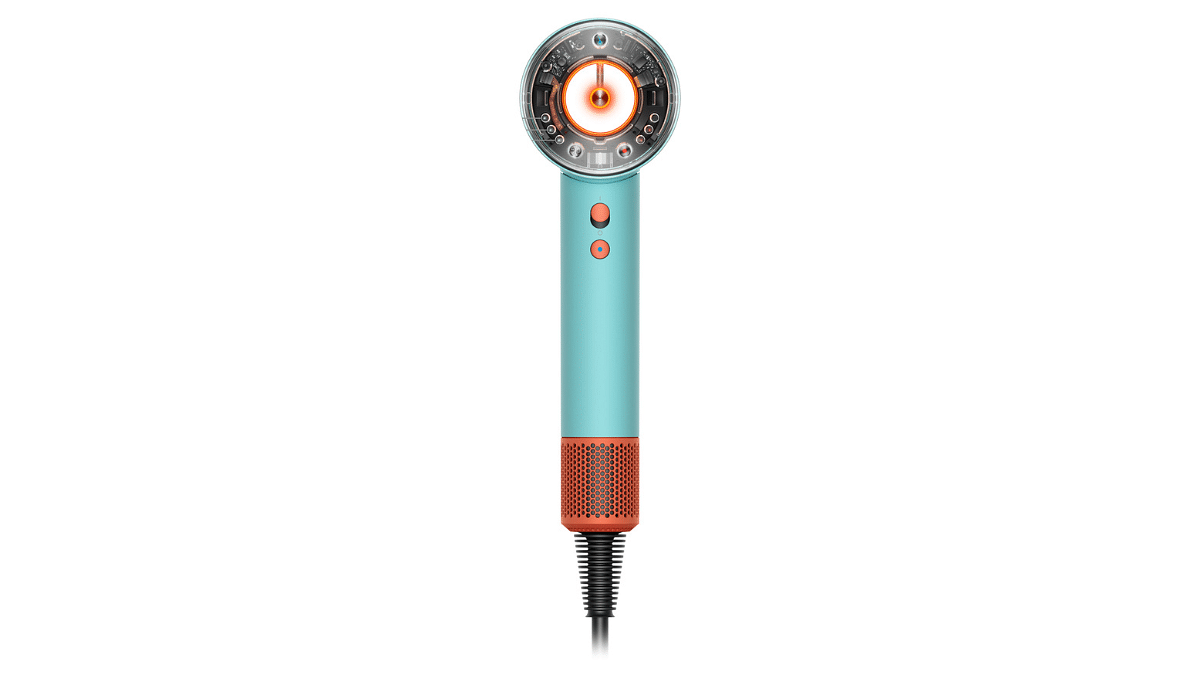
  • Dyson Supersonic Nural Hair Dryer: Available for Rs. 41,900, this intelligent hair dryer features Nural sensors that protect the scalp from heat damage. It also enhances hair shine and is available in two bold colors: Ceramic Patina and Topaz, or Vinca Blue and Topaz.

Dyson WashG1 Wet Floor Cleaner

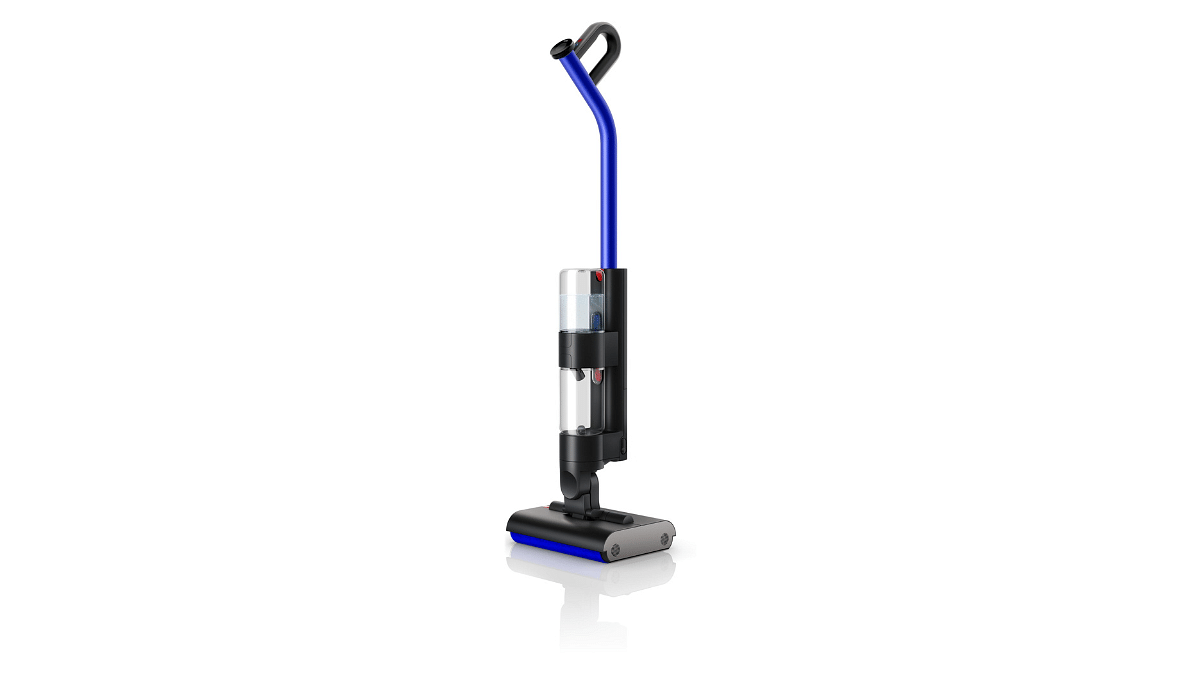
Dyson is also getting into home cleaning with the Dyson WashG1 Wet Floor Cleaner. It will launch in October 2024. It effectively removes both wet and dry material in a single pass. With a 1-litre clean-water tank, it can clean up to 3100 square feet and automatically separates wet and dry dirt for more hygienic cleaning.

Dyson OnTrac Headphones

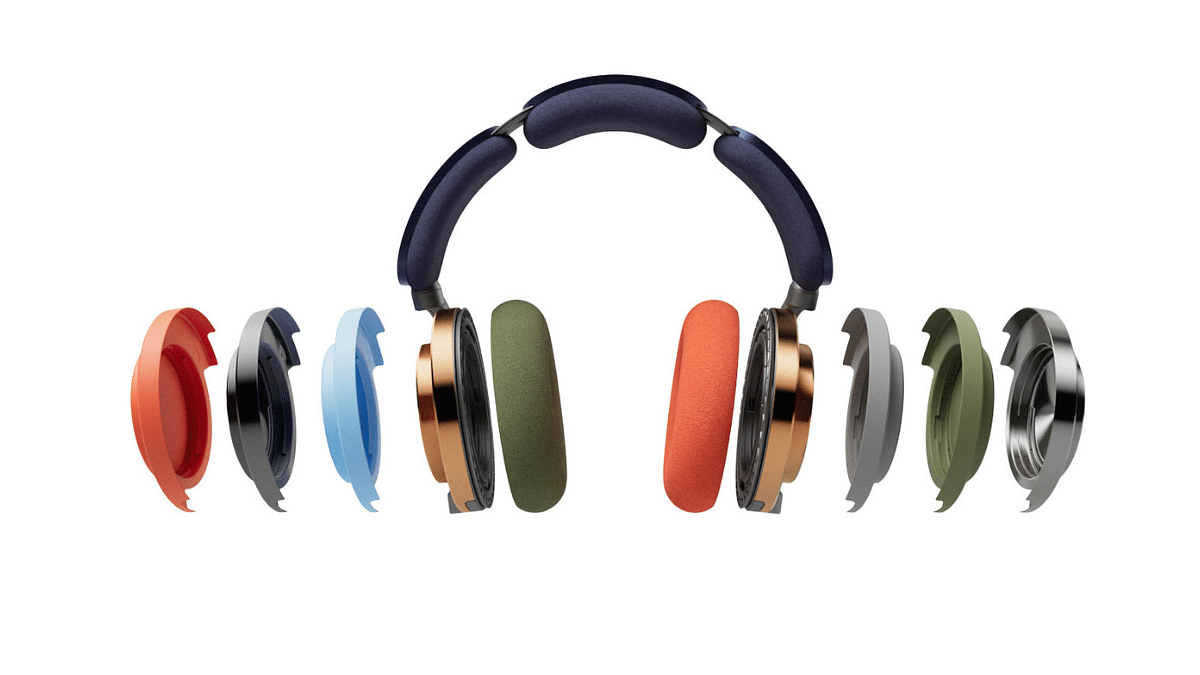
Dyson is introducing its OnTrac Headphones to India. These headphones are known for their high-fidelity music and industry-leading noise cancellation. They have a 55-hour battery life and over 2,000 configurable color options.

Also Read | Audio Technica ATH-M50xBT 2 Headphones Review: Solid Audio Performance Despite Missing ANC

Expanding Dyson’s Presence In India

Dyson is also expanding its retail presence across India. With over 20 Demo Stores and availability at 400+ retail locations, including Croma, Reliance Digital, and Shoppers Stop, Dyson is making its innovative products easily available to Indian customers.

For the tech geeks, stay updated with the latest cutting-edge gadgets in the market, exclusive tech updates, gadget reviews, and more right on your phone’s screen. Join Giznext’s WhatsApp channel and receive the industry-first tech updates.

Categories
Featured How To

Tired Of Unwanted Ads And Pop-Ups On Google Chrome? How To Remove

Key Highlights

  • Unwanted ads and pop-ups hampers user experience on Chrome
  • Pop-ups and malware can keep coming back
  • Changing default ad-settings can help blocking pop-up and malware

Google Chrome has become the preferred web browsers taking on some of the most popular counterparts such as Microsoft Edge, Opera, and others. Google has been working on to improve Gmail’s services making it compatible with various OS and gadgets. For instance, Gmail’s dedicated app is available for mobile devices including both Android and iOS smartphones and tablets. The desktop version is also available and getting advanced with the addition of new features.

While Chrome is undeniably one of the most powerful web browsers out there in the market, it isn’t free of pop-ups and unwanted softwares. At times, these non-stop pop-ups showing up on the screen can be annoying. Specifically, with no direct way of disabling them. You might be surprised to know that these unwanted ads or pop-ups could be due to a malicious software that is downloaded on your device leaving your safety and privacy at risk. What can you do to get rid of unwanted ads and pop-ups flooding Google Chrome? The steps are below:

Also Read: Enhance WhatsApp Security: How To Protect IP Address On WhatsApp Calls And Silence Unknown Callers?

How To Know If Any Unwanted Software Or Malware On Your Computer

If there is any unwanted software or malware has got accidentally installed on your computer, you will see the following issues.

  1. Pop-ups will show up along with new tabs that don’t go away easily
  2. You will see the Chrome homepage or search engine changing without permissions
  3. If there are unwanted Chrome extensions or toolbars that don’t go away easily
  4. You get constant alerts about virus or malware on your device

Also Read: Android Tips And Tricks: How To Create Your Selfie GIF And Send Via Google Messages

Steps To Block Unwanted Apps And Malware On Google Chrome

In order to block the unwanted ads and pop-ups on your computer, you can make modifications to the default ad settings and permissions. By doing so, you will get a better control on the ads and your privacy will be enhanced while you browse the web.

Step 1: After powering on your laptop or PC, launch the Google Chrome web browser

Step 2: From the home page, tap on the More (three vertical dots) icon. You can locate it on the top right of the Chrome’s home page.

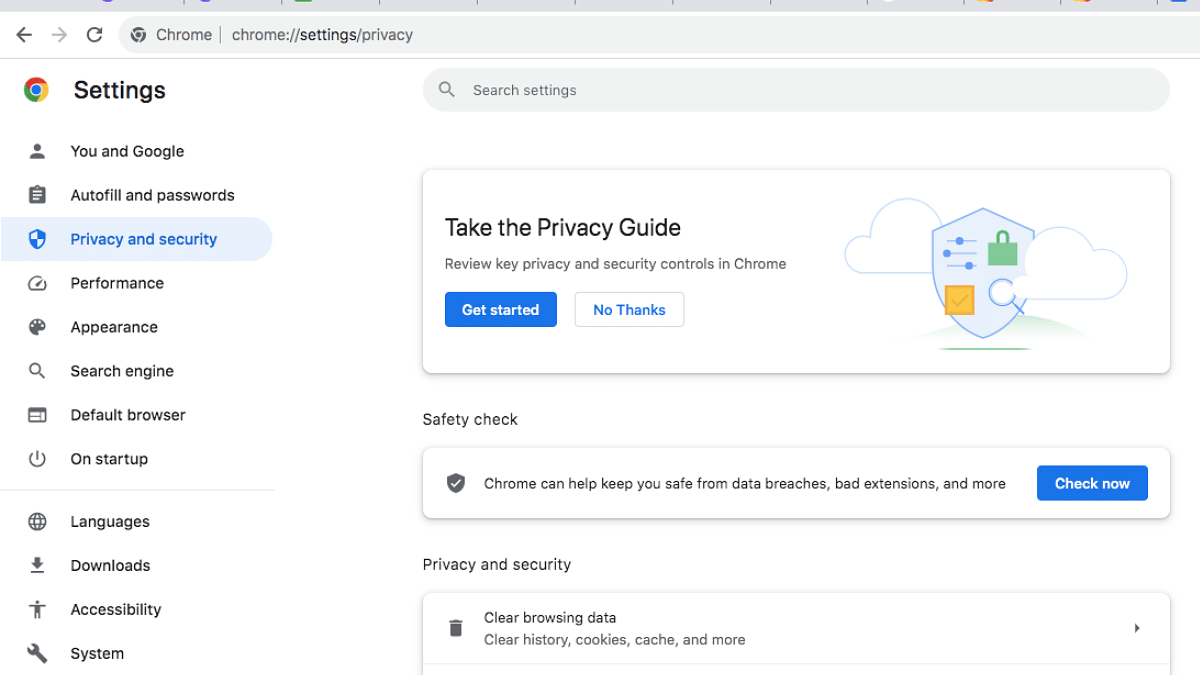
Step 3: Tap on the Privacy and Security option

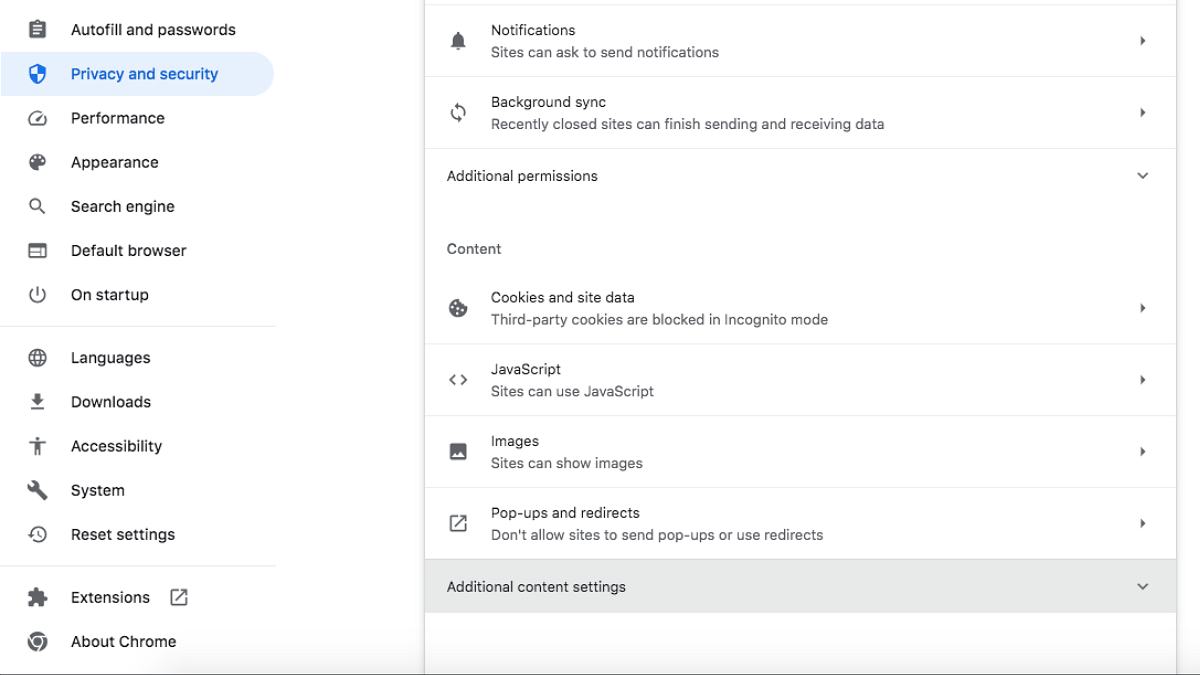
Step 4: Click on the Site Settings menu

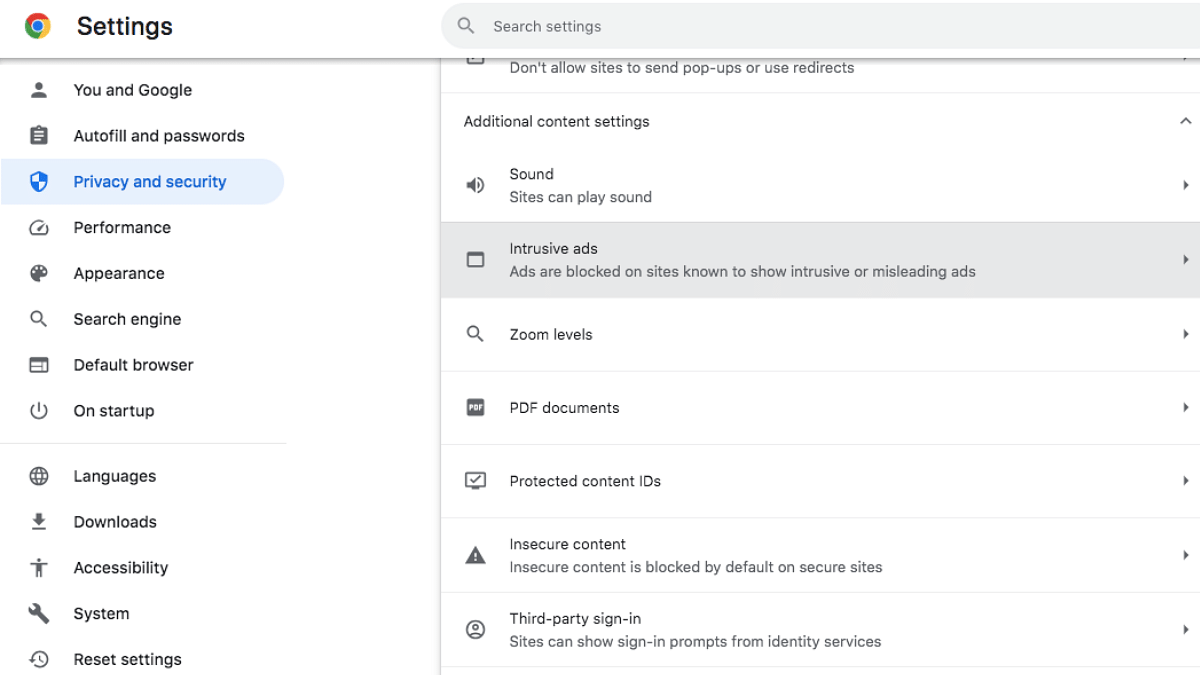
Step 5: Now, tap on the Additional content settings option.

Step 6: Click “Intrusive ads” setting

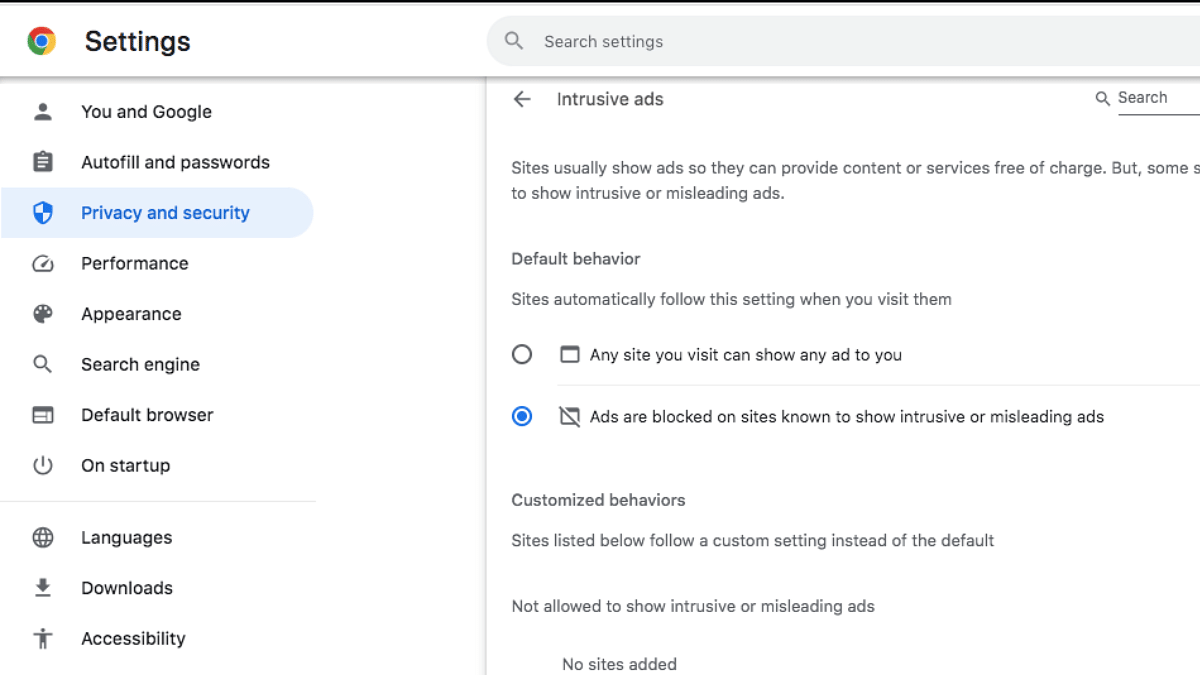
Step 7: Now, select the “Ads are blocked on sites known to show intrusive or misleading ads” as default setting.

By setting this up, you will be able to successfully block the unwanted ads and annoying pop-ups on Chrome.

Categories
Featured Info Mobile

From Casual Chats To Targeted Ads: How Your Phone Is Secretly Listening To You

Key Highlights

  • Active Listening software uses AI to listen to conversations
  • It combines voice and behavioral data for precise marketing
  • Meta and Amazon are focusing on privacy concerns related to this tech

Imagine talking to your friend about getting a new beauty product, only to see ads for it popping up on your phone shortly after. Mysterious, right? It turns out, this is not just a coincidence or the result of your recent searches, but your phone has been eavesdropping on you. Yes, you read that right. Recent reports confirm that smartphones are equipped with Active Listening software designed to listen in on conversations, turning your casual chats into prime data for advertisers. And the craziest part? It’s all legal.

Also Read | Android Tips And Tricks: How To Maximize Battery Health And Reduce Battery Drain

Active Listening Software: What Is It?

Active Listening software uses AI to track and examine conversations taking place close to the phone. In a recent investor presentation, Cox Media Group, a prominent player in radio and television news, provided information about their Active Listening technology. By listening to conversations, the AI-powered program collects real-time data about user intentions. Through this, advertisers can access highly targeted consumer insights.

The software listens in on your discussions in addition to concentrating on your searches. Through the integration of speech data and behavioral data, marketer can more precisely target potential customers. This transforms casual talks into highly effective marketing. In addition, Cox Media stated that in order to generate accurate customer profiles, it gathers behavioral and audio data from over 470 sources.

Legal But Invasive

According to the now-deleted post by Cox Media Group, Active Listening software is often hidden within the fine print of terms and conditions when users download or update apps. Users unknowingly agree to this software’s functionality, making it a legal practice. However, the ethical implications of such data collection have sparked debates. It raises questions about privacy and user consent, as most people are unaware of what they are agreeing to when they accept terms without reading.

Also Read | Is Google Listening To Your Conversations? Adjust These Phone Settings ASAP

Meta And Amazon Take Action

The exposure of this software has prompted big names like Meta and Amazon to take action. Meta is currently conducting a review to see if any data was collected without permission, potentially breaching contracts. Meanwhile, Amazon has denied involvement with the firm and has vowed to take legal action if it finds any breach in its terms of service by third-party partners.

As privacy concerns grow, users are encouraged to read app agreements more carefully and remain aware of the potential privacy risks involved.

For the tech geeks, stay updated with the latest cutting-edge gadgets in the market, exclusive tech updates, gadget reviews, and more right on your phone’s screen. Join Giznext’s WhatsApp channel and receive the industry-first tech updates.

Categories
Featured Info TV

Samsung Launches Crystal 4K Dynamic TV: Top Features You Should Know

Key Highlights

  • Offers 4K Upscaling and vibrant colors
  • Features include Samsung TV Plus, Q-Symphony, voice assistants
  • Available in 43-inch and 55-inch models
  • Price starting at Rs. 41,990

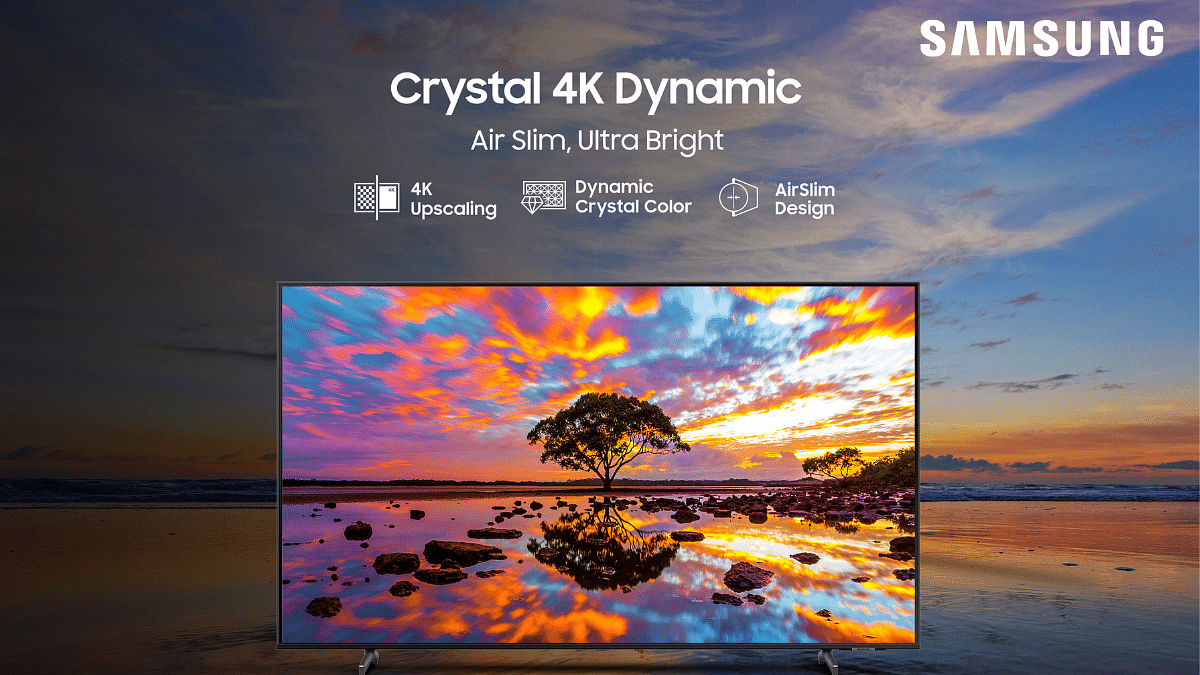
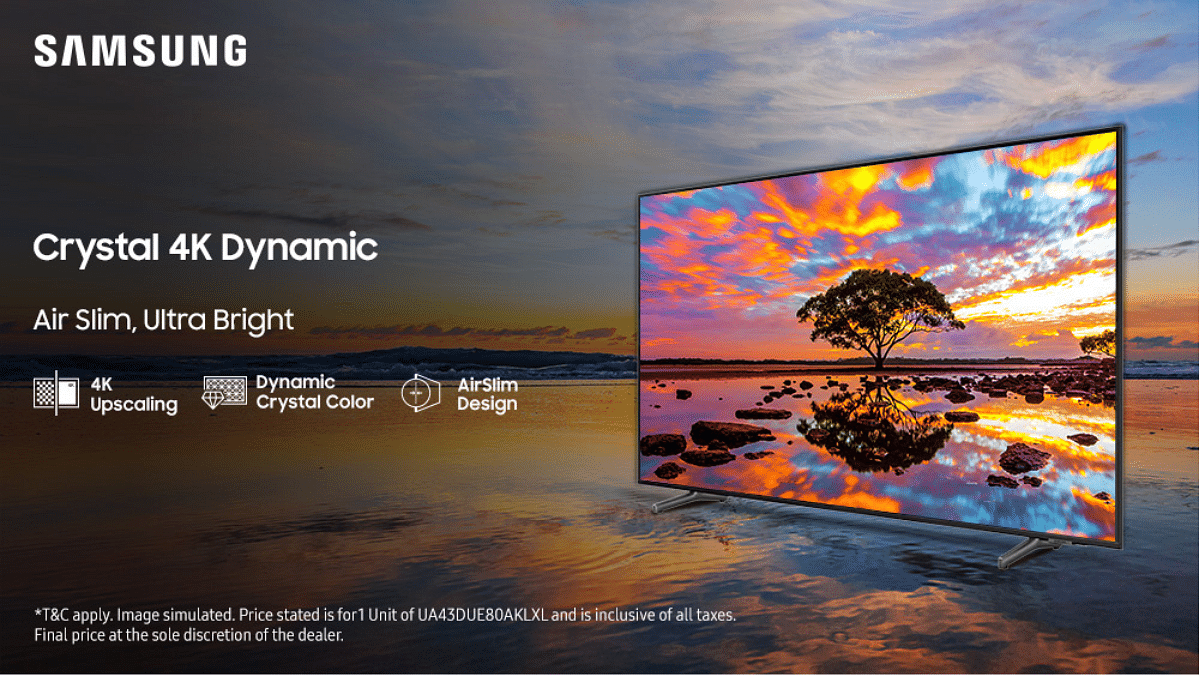
Samsung has introduced the 2024 Crystal 4K Dynamic TV series in India. With features like 4K Upscaling, Dynamic Crystal Color, and a sleek Air Slim Design, this TV promises great picture quality and a more immersive viewing experience. Here are the key highlights of the 2024 Crystal 4K Dynamic TV.

Also Read | Meet The Best Smart TVs Of 2024: Check Out The List

Samsung Crystal 4K Dynamic TV: Features

  • Air Slim Design: The Air Slim Design gives the TV a sleek, minimalist profile. Its modern aesthetic enhances the overall look of your living space while providing a decent viewing experience.
  • 4K Upscaling: The 4K Upscaling technology enhances the picture quality, making even lower-resolution content look close to 4K. This feature offers sharp detail and vibrant colors.
  • Dynamic Crystal Color: Samsung’s Dynamic Crystal Color technology delivers a vivid picture with over a billion shades of color. This advanced technology brings out rich, accurate colors to make every scene more realistic and engaging.
  • Samsung TV Plus: The Crystal 4K Dynamic TV includes Samsung TV Plus, which offers over 300 live TV channels and on-demand content in India. This service provides endless entertainment without additional subscription costs or the hassle of setting up apps or boxes.
  • Knox Security: Samsung’s Knox Security protects user data across the TV and online platforms.
  • SolarCell Remote: An eco-friendly innovation, the SolarCell Remote charges using sunlight or indoor lighting, eliminating the need for batteries.
  • Multi Voice Assistant: The TV supports both Bixby and Amazon Alexa, allowing for easy voice control of the TV and other smart home devices.
  • Crystal Processor 4K: This enhances color mapping for lifelike visuals, ensuring that all content is displayed in 4K resolution.
  • Q-Symphony: This feature lets the TV’s speakers and a connected soundbar work together to create richer surround sound.

Also Read | Best 55 Inch TVs Under Rs. 40,000 In India

Pricing And Availability

The Crystal 4K Dynamic TV series is available in 43-inch and 55-inch models, starting at Rs. 41,990. It can be purchased on Samsung’s official website and exclusively on Amazon India.

For the tech geeks, stay updated with the latest cutting-edge gadgets in the market, exclusive tech updates, gadget reviews, and more right on your phone’s screen. Join Giznext’s WhatsApp channel and receive the industry-first tech updates.