Categories
Featured Mobile Reviews

Vivo T4 Ultra Review: A Smarter Upgrade!

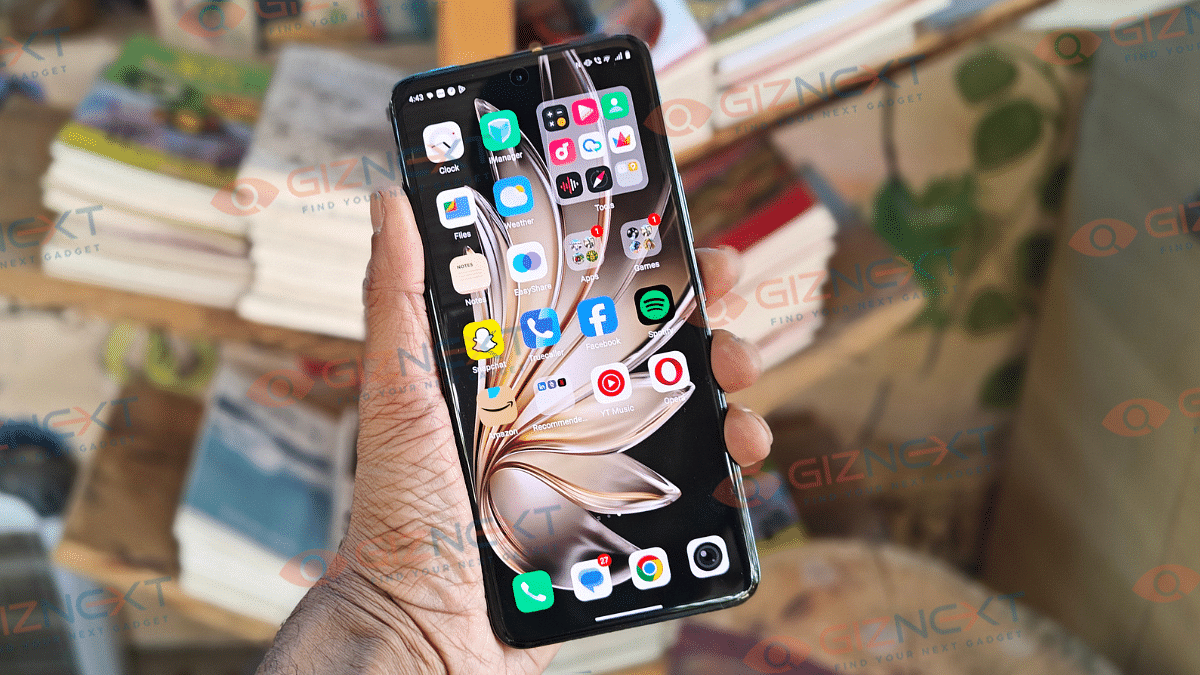
Vivo has been aggressively ramping up its mid-range portfolio and has added T4 Ultra to its portfolio. The successor to the T3 Ultra is targeting the premium mid-range segment (Under Rs. 40,000) with its powerful camera module offering 100x zoom, MediaTek Dimensity 9300+ chipset, beefy 5,500 mAh battery pack. Certainly this segment (Rs. 35,000- Rs. 40,000) has become the hot spot for all OEMs to compete. And with the T4 Ultra, Vivo seems to have raised the bars focusing on the imaging hardware and overall user experience. At Giznext, we got our hands on the T4 Ultra’s 8GB RAM trim and have tested its daily performance. Does it fair all the hype? We have tried to break it down below:

For the tech geeks, stay updated with the latest cutting-edge gadgets in the market, exclusive tech updates, gadget reviews, and more right on your phone’s screen. Join Giznext’s WhatsApp channel and receive the industry-first tech updates.

Also Read: Asus Vivobook S15 OLED Review: Stylish Performer Or Overpriced Ultrabook?

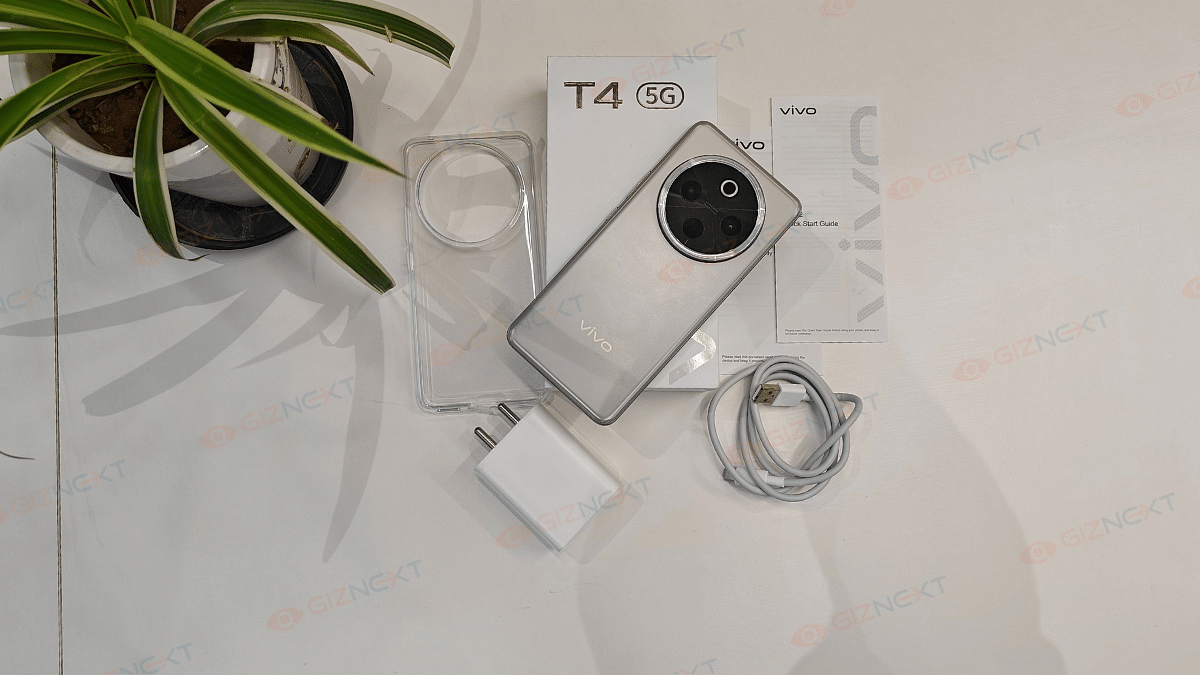
Box Contents

  • Vivo T4 Ultra (unit)
  • TPU case
  • User manuals
  • SIM ejector tool
  • Charging adapter
  • USB Type-C cable

Display Review

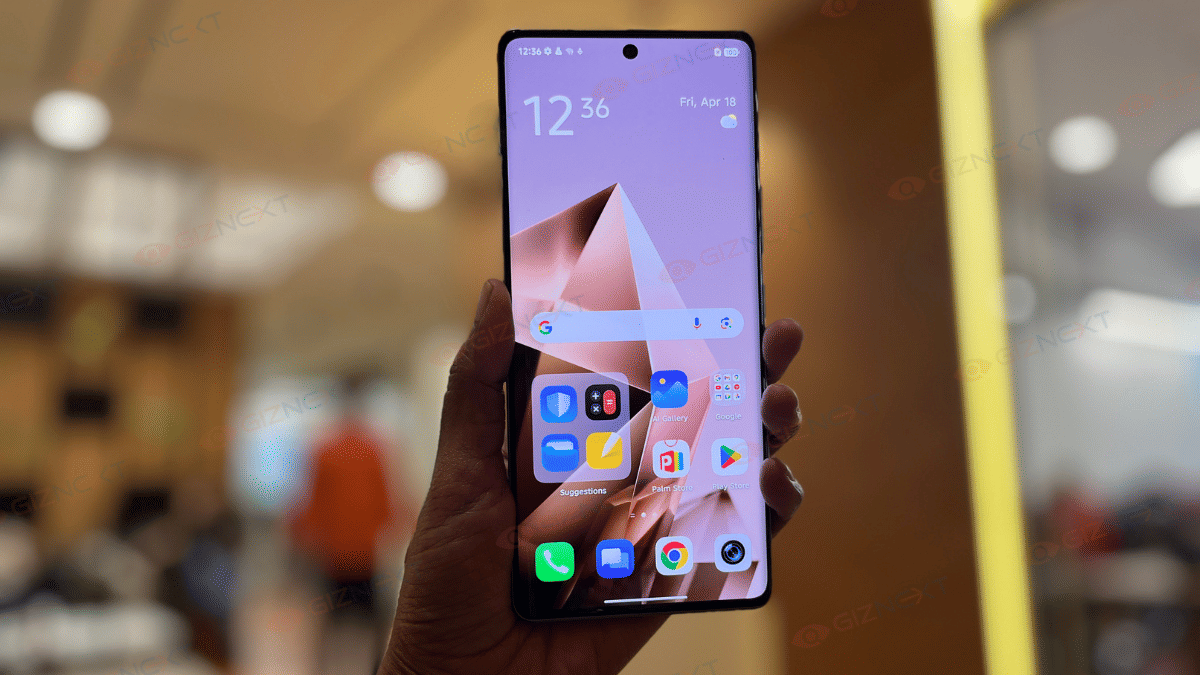
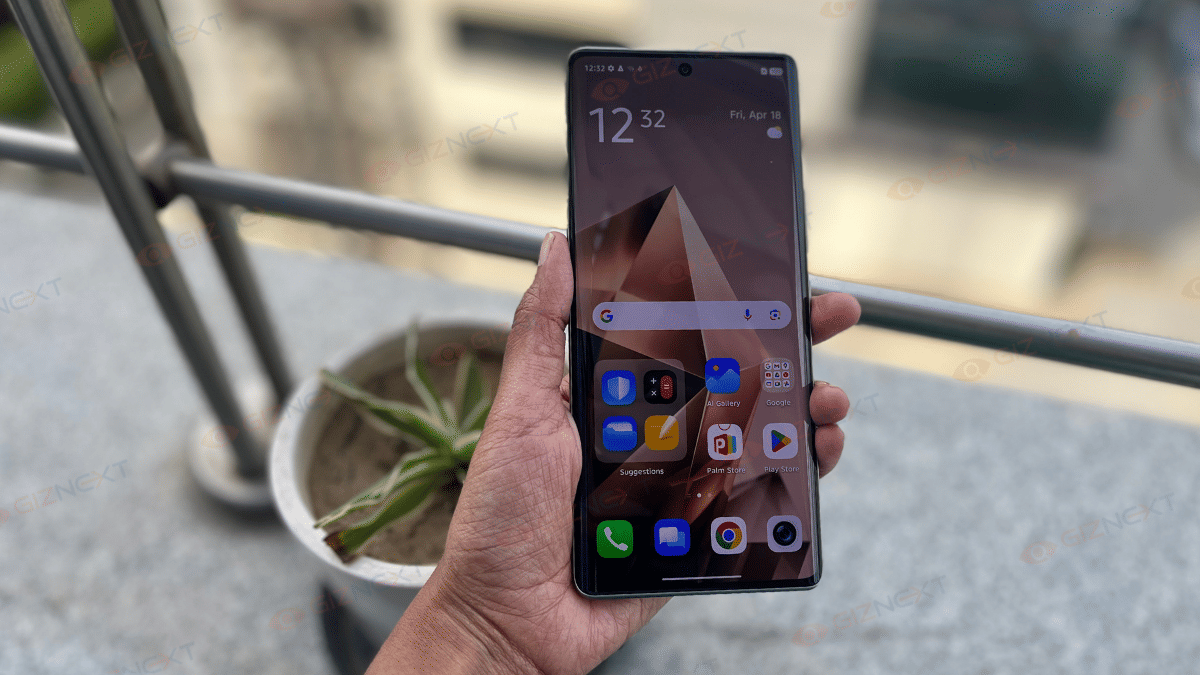
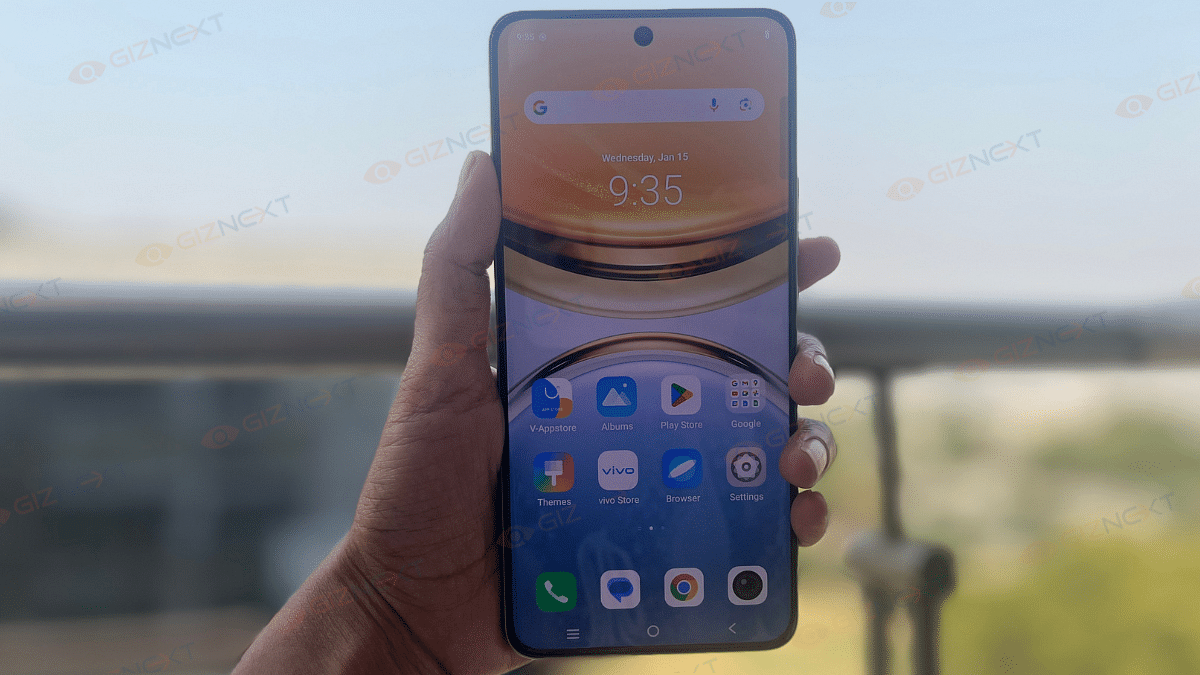
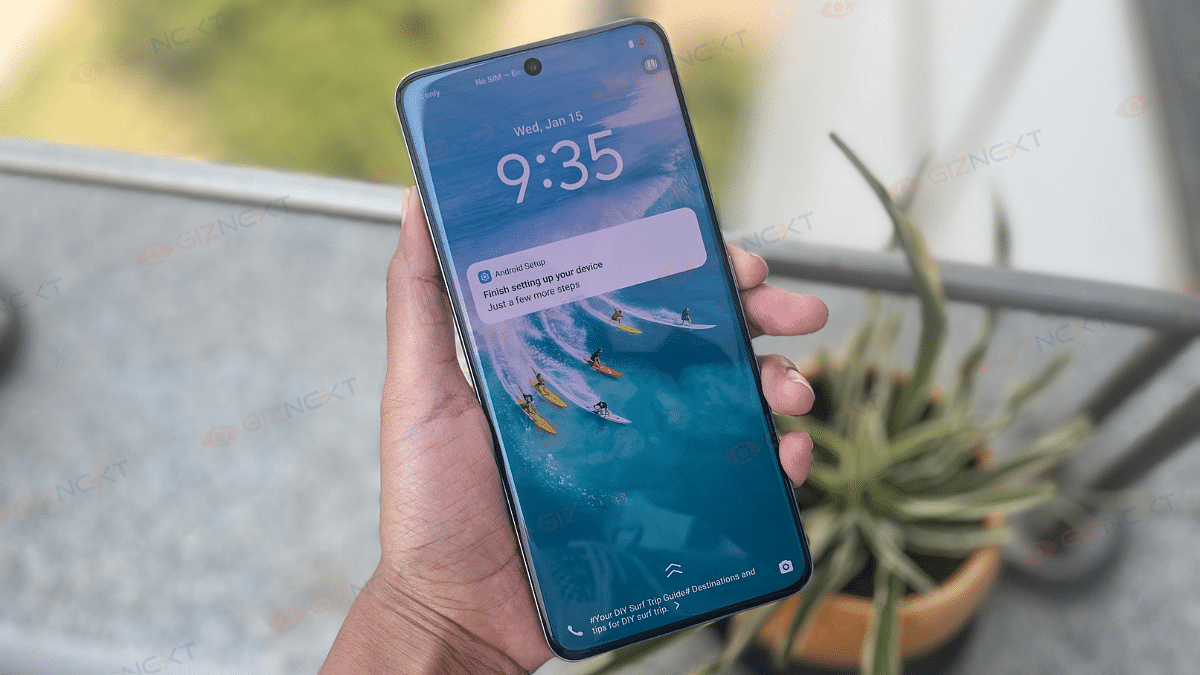
Let’s start with the basics first. The T4 Ultra’s big 6.67-inch quad-curved AMOLED panel looks sharp and crisp. Supporting a 2400 x 1200 pixels resolution with 460 PPI pixel density, the colors pops vibrant while the text look sharp. It comes with a 120Hz refresh rate and takes a step ahead in this visual game with whopping 5000 nits peak brightness. This definitely gives the T4 Ultra an edge over the rivals in the segment; specifically in the display game.

We were surprised how easy it was to watch videos and even get on with gaming outdoors. The T4 Ultra’s AMOLED panel has HDR10+ compatibility is another add on that provides an immersive visual experience with Netflix. Darks are clear and you don’t see any pixilations in the dark scenes. No evident frame drops and lags have been noticed during gameplays. You can find a Visual Enhancement feature in the display settings that makes content more vivid while optimizing power consumption.

Also Read: Urban Genesis Smartwatch Review: Premium Feel, Pocket-Friendly Price

Design

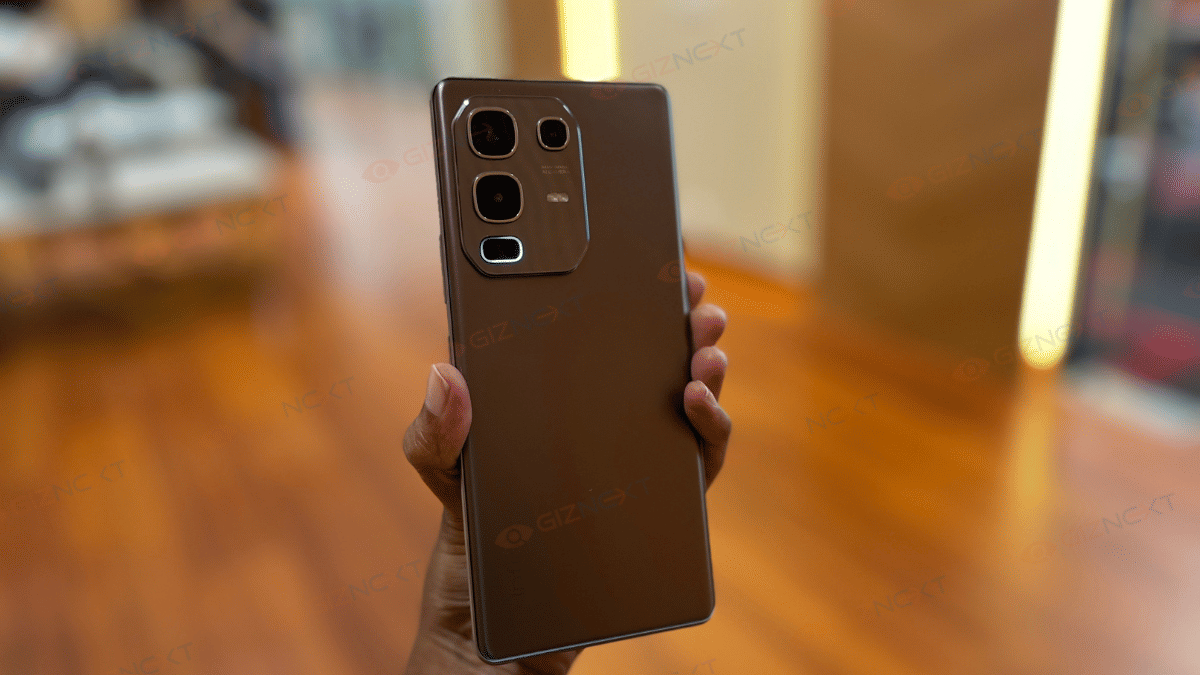
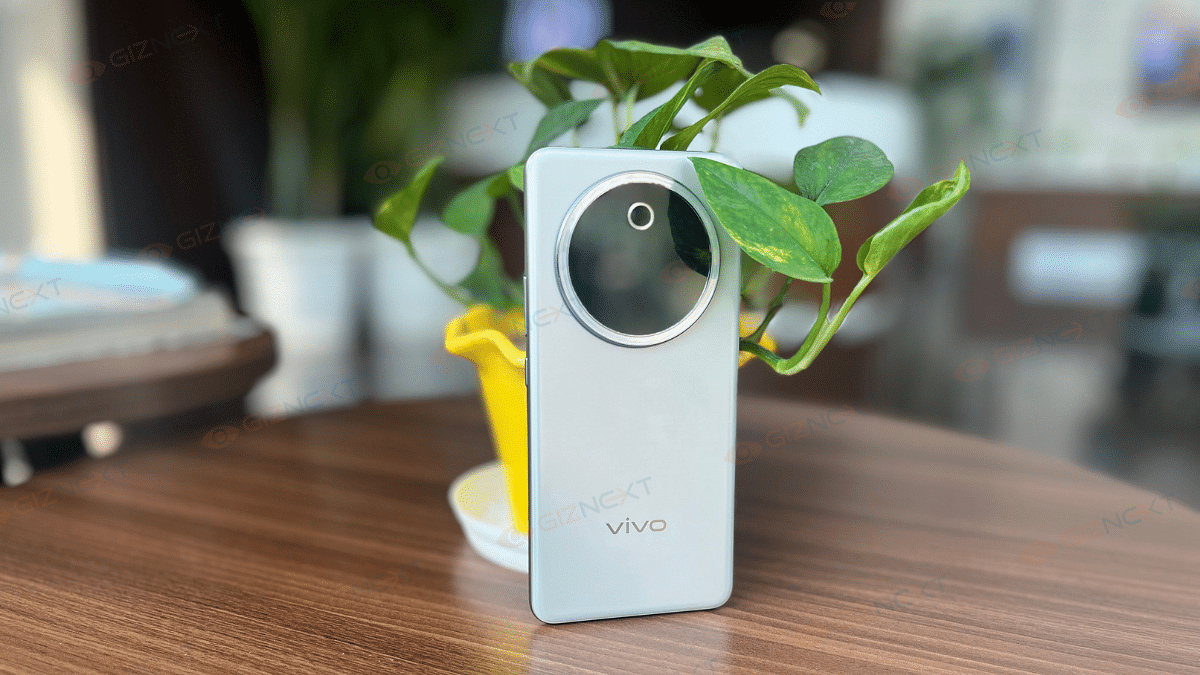
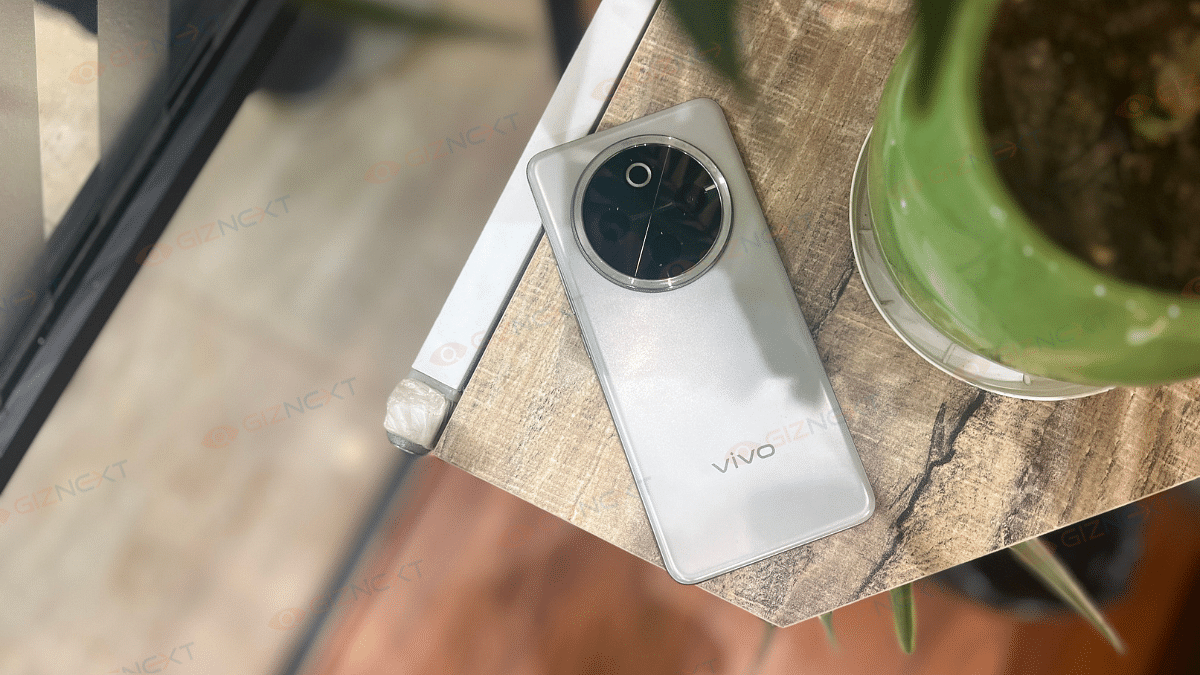
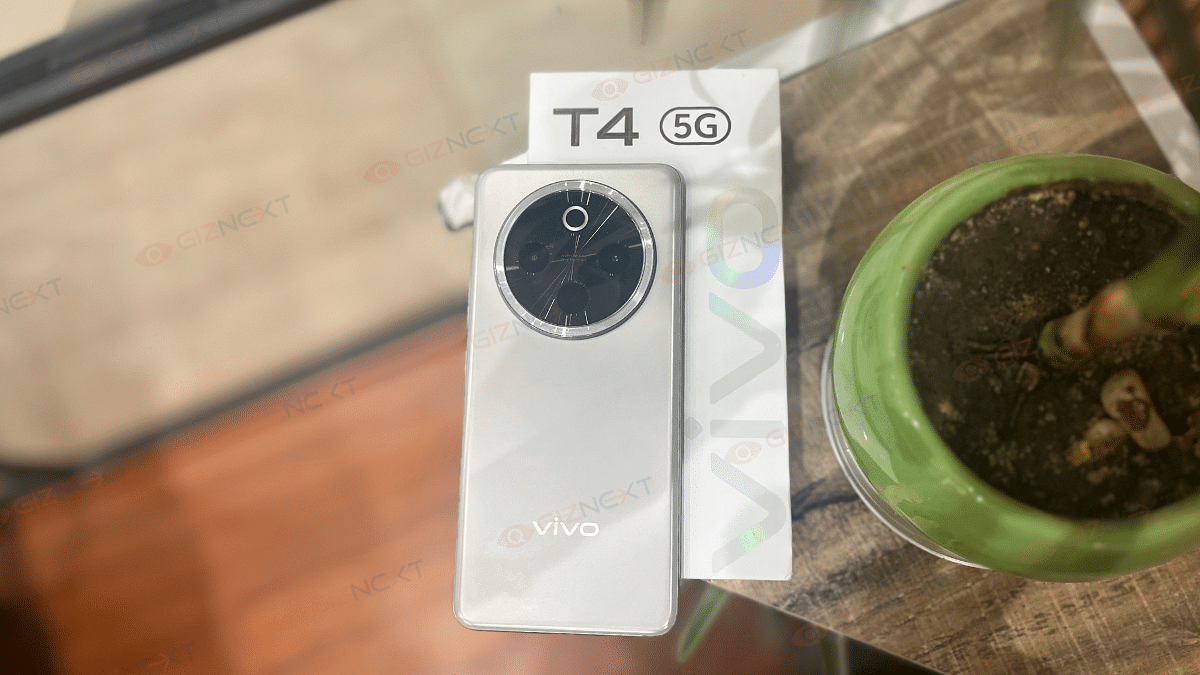
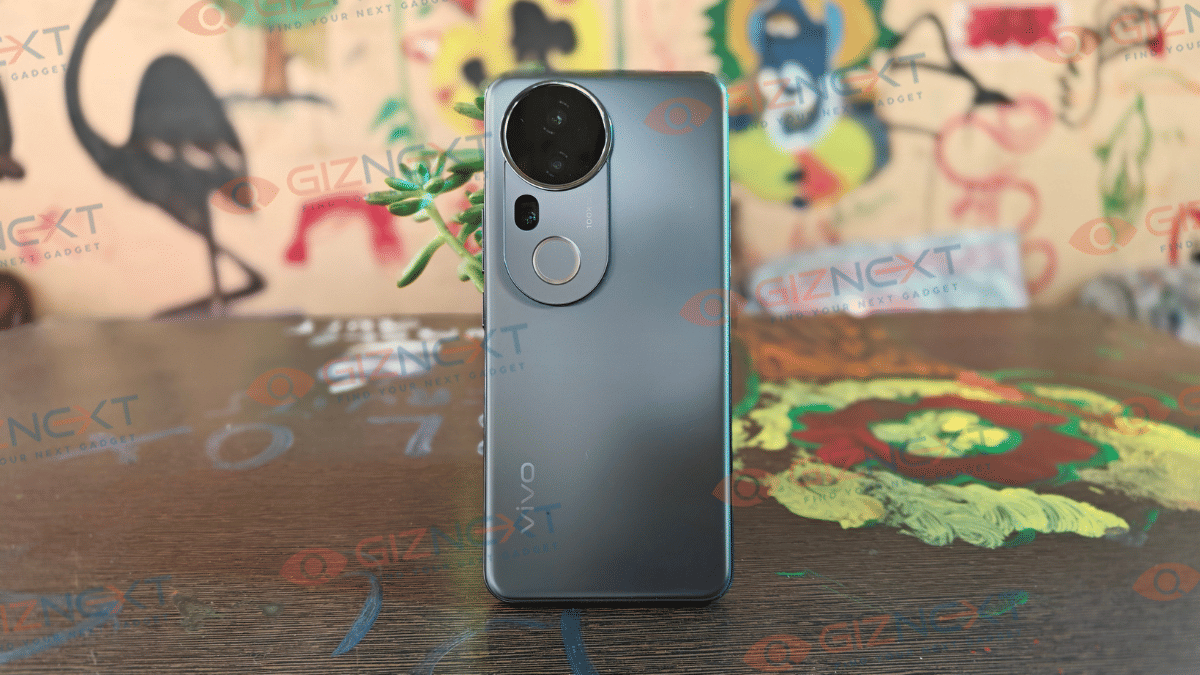
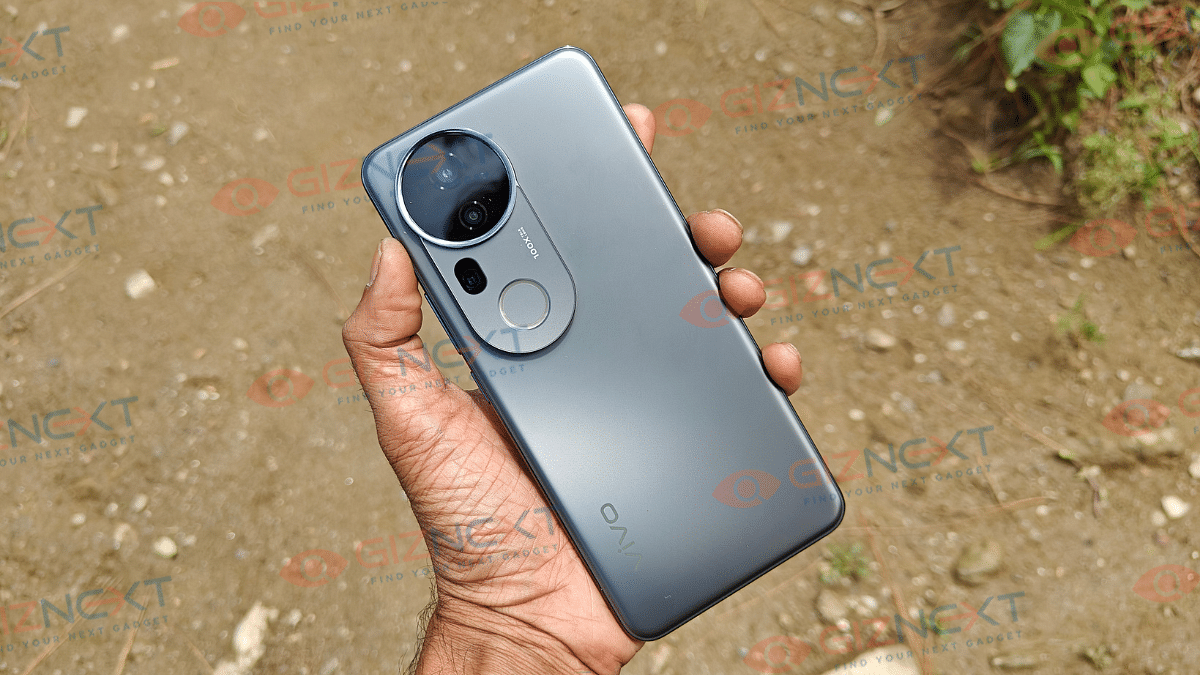
Design language hasn’t been altered much and you’ll find the looks familiar. The looks and feel’s all premium with the slim form factor along with the curved edge design. The large camera ring at the rear does grab the instant attention. And why not, that’s the top selling point for this. new T4 series handset. We have received the Meteor Grey variant of the T4 Ultra which looks subtle yet classy.

The combo of satin-matte texture of the rear panel is smooth to touch and provides a luxurious feel. It’s a lightweight handset with 192 gms weight that’s easy to both hold and carry around. Thankfully, even with the smooth texture the rear panel isn’t prone to fingerprints and smudges which is big respite. But the grip can be slightly slippery and you can use the soft TPU case that ships with the retail box.

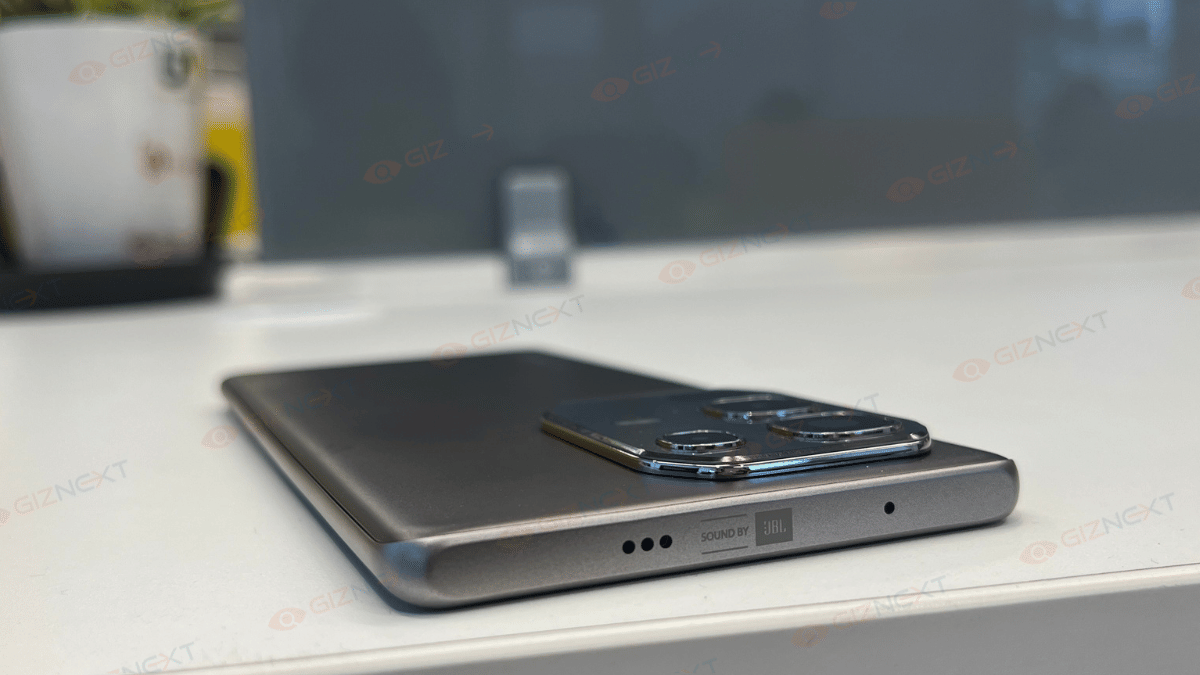
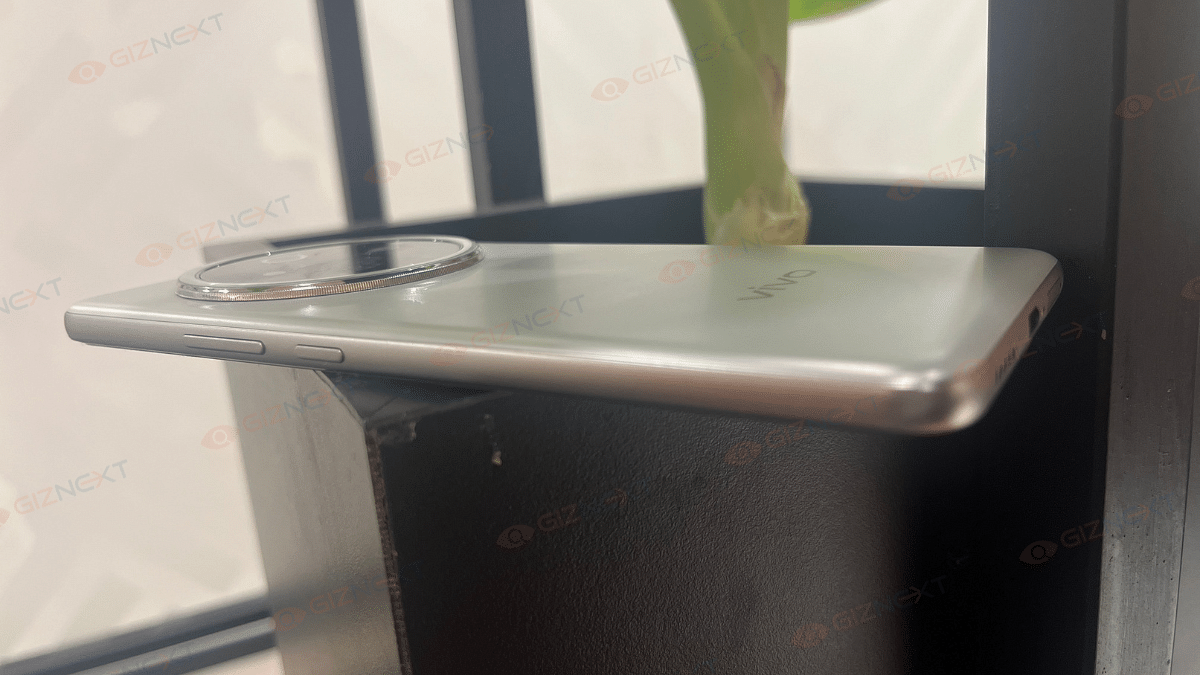
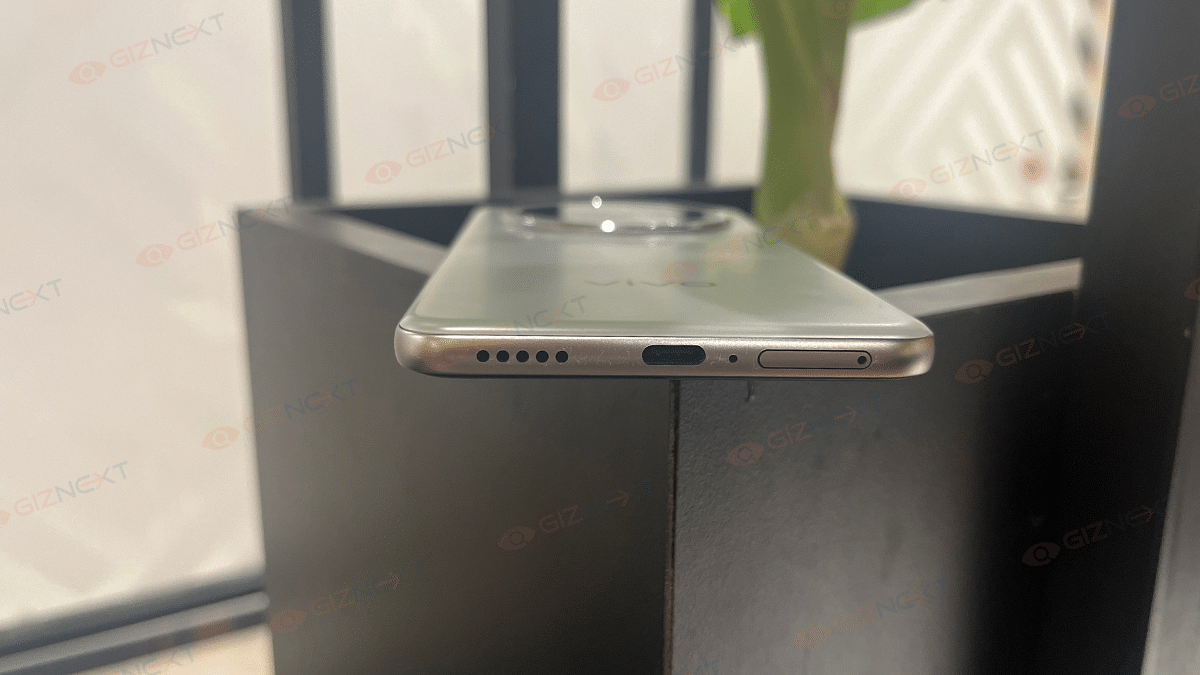
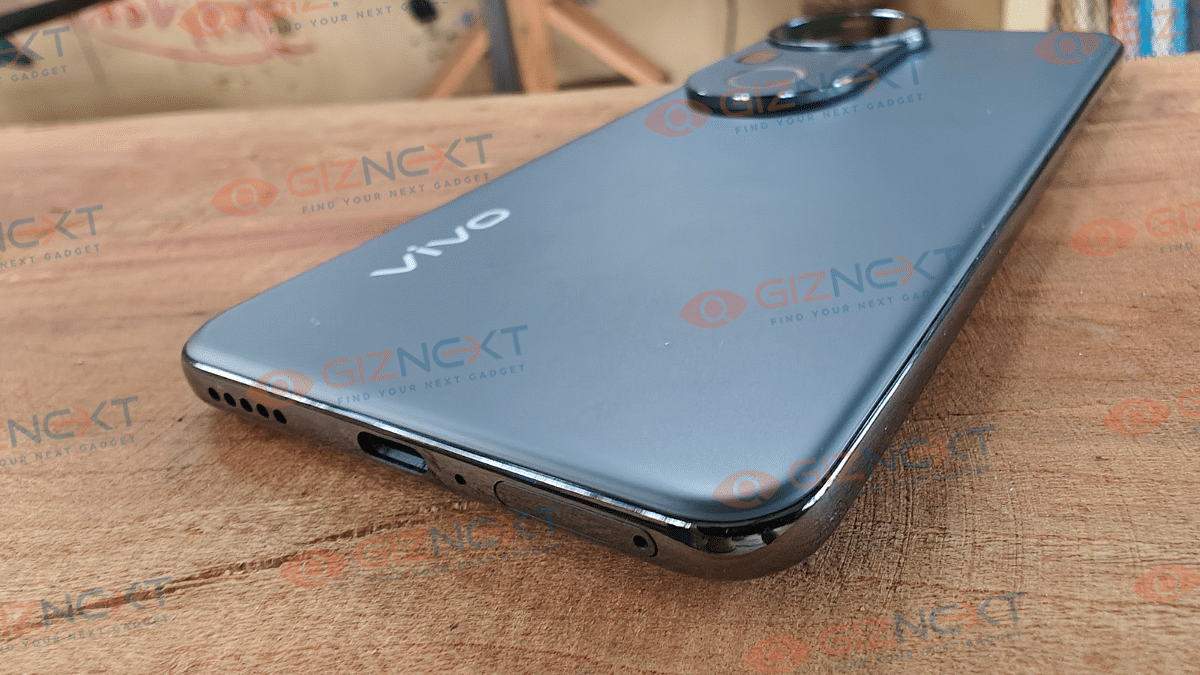
You also can opt for aftermarket cases and covers to protect the rear panel from scratches and also from accidental drops. Ports have got the usual placement with the power key and the volume key being placed at the right spine and the USB Type C port, speaker grille and the SIM card tray being positioned at the bottom panel. Note that this variant like its siblings come with hybrid SIM slot. So, only a single SIM card and a microSD card slot or just dual SIM cards can be used simultaneously.

Also Read: TecSox Luma LED Projector Review: Your Personal Theater In A Box

Camera

The biggest upgrade and the highlight of the T4 Ultra is its new and powerful camera setup. Vivo has stepped up the mobile photography game specifically in the mid-range segment. Specs here are a 50MP main lens (Sony IMX921) combined with 8MP ultra-wide angle sensor, and a 50MP periscope lens. Stepping up the photography game is the new periscope sensor which allows 3x optical and 100x digital zoom. While this isn’t a Zeiss co-engineered camera hardware like the X series, it’s definitely the T4 Ultra’s USP. We’ll speak about this one in a while, before that let’s start with the standard daylight performance.


The T4 Ultra’s main sensor does an impressive job with capturing details. Color retention is accurate no inconsistency is experience with color production. Dynamic range is to the point so is the edge detection. We are attaching a few samples here for the daylight shots and you can see the well balanced output it offers in broad daylight situations. Wide-angle sensor captures a decent frame overall both in daylight as well as night. Slight inconsistencies might occur in low light conditions.


filter: 2206; fileterIntensity: 1.0; filterMask: 0; captureOrientation: 90; runfunc: 0; algolist: 0; multi-frame: 1; brp_mask:8; brp_del_th:0.0000,0.0000; brp_del_sen:0.0000,0.0000; motionR: 0; delta:1; bokeh:1; module: polaroid;hw-remosaic: false;touch: (0.5910936, 0.54598737);sceneMode: 4194304;cct_value: 0;AI_Scene: (-1, -1);aec_lux: 290.0;aec_lux_index: 0;albedo: ;confidence: ;motionLevel: -1;weatherinfo: weather?null, icon:null, weatherInfo:100;temperature: 33;zeissColor: bright;

Portrait mode here does a fine job with background blurs and highlighting the subject. You can switch between different focal lengths with the maximum being 100mm. Now coming to the primary camera highlight, i.e, the zoom capabilities. Standard zoom shots (up to 10x) are clear and vibrant. Edge detection and color retention is apt when you stick to this range. With the maximum range the output tends to get slightly hazy. Using a tripod or stable surface does help when you are zooming on the subject over 5x zoom.


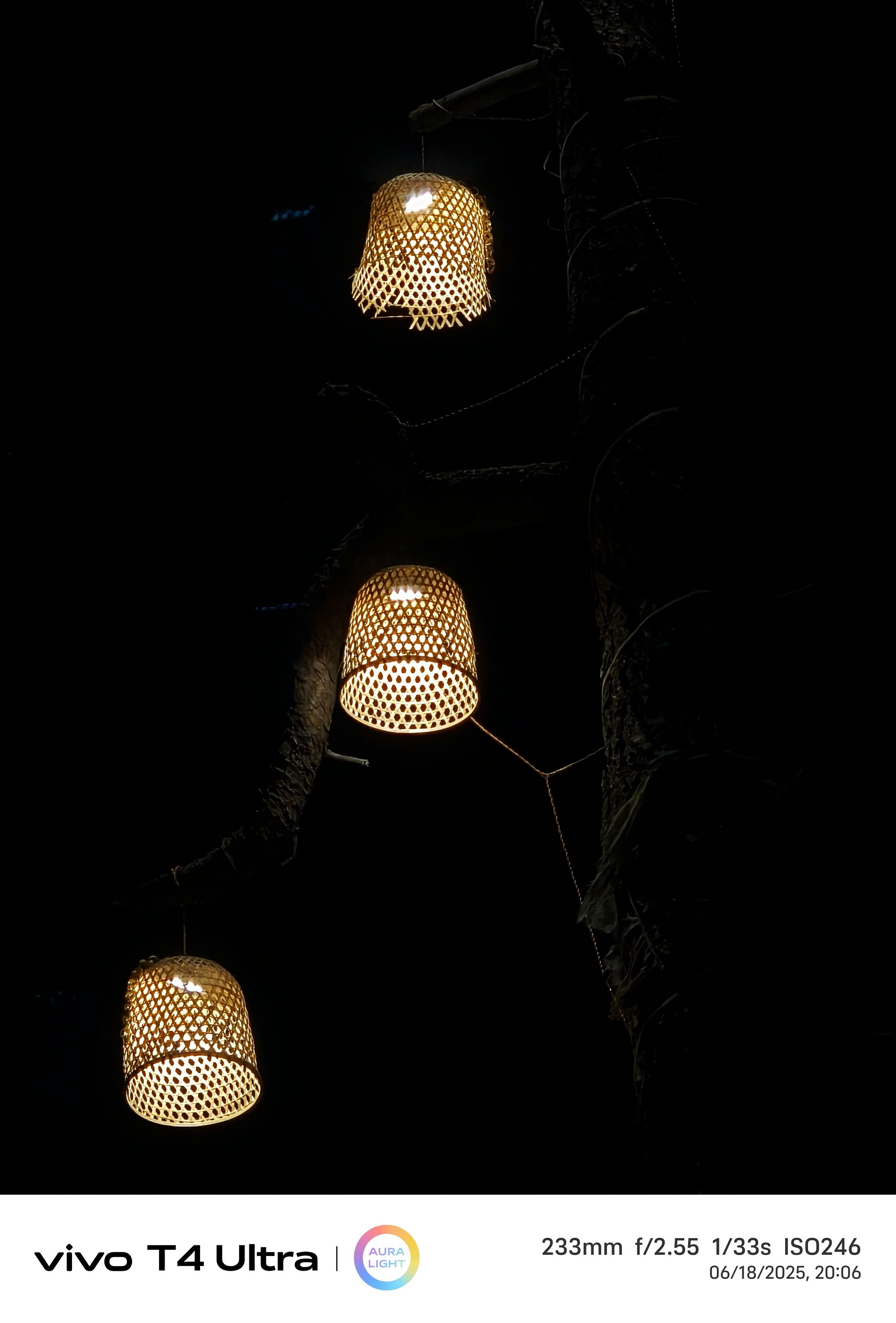
Night photography doesn’t disappoint when you enable the Night mode. Details are well retained here too with low grains and and noise. The 100x zoom option is available in the Night mode too but basic 5x and 10x clicks better output overall. Added bonus is the Aura light feature which helps improving the portraits at night.


Selfies are well defined with the 32MP snapper up front. You get all the primary modes including Night, Portrait, Dual View, etc while using the front camera. Overall output is good and the selfie sensor offers a pleasing experience.

Also Read: Infinix Note 50s 5G+ Review: The Sleek Budget Smartphone Powerhouse That Surprises

Performance And Battery Backup
Vivo T4 Ultra has been updated with the Dimensity 9300+ chipset. MediaTek’s flagship SoC lineup has been a well performer overall and that driving the T4 Ultra makes it handle all the tasks decently well. We got out hands on the 8GB RAM and 256GB storage variant. It’s built in 50,000 mm² cooling integrating a large vapour chamber area keeps a check at the temperature levels. This ensures experience is good with gaming and this unit has been able to handle graphic-intensive FPS and arcade titles well. Multitasking; specifically switching between multiple apps is swift. Storage is ample too if you go with the high end version. But still there is a provision for expanding storage via microSD card. This brings us to the SIM tray which is a hybrid SIM slot allowing using single SIM card and microSD card simultaneously.

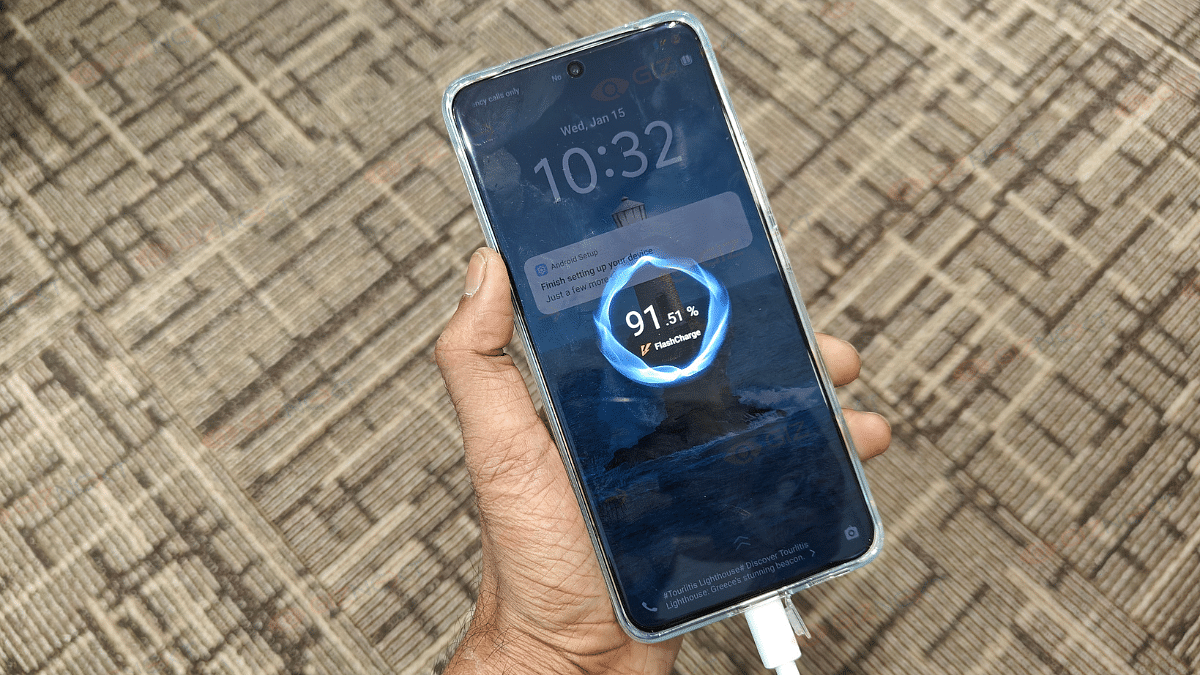
Under its hood is the 5,500 mAh battery that allows a backup of over a day with a single charge. No additional plug-in is required if your usage is limited to basic browsing, calling, texting, etc. If your usage is extensive, you will need to use the charger by the end of the day. Its bundled 90W charger allows rapid charging speed. It takes around half an hour for the handset to take up to 50 percent charge, while a full charge takes slightly over an hour.

Also Read: Lenovo Tab K11 Enhanced Edition Review: Fits All Bills?

Final Verdict
Vivo T4 Ultra is announced starting at Rs. 37,999 which brings it in the premium mid-range segment. It’s amongst the few Android phones in this price range to come offer a larger 10x telephoto macro lens. Photography is one of its forte, but the remaining features are well balanced. It has got a vibrant screen with fluid touch response, premium build and design, fast processing speeds, and decent backup. Vivo has certainly improved the user experience with the T4 series and solely focusing on the camera capabilities, overall performance has been optimised too. Vivo has definitely made some advancements with the series T phones and we have seen significant improvements in the T4 Ultra; specifically its imaging capabilities.

Categories
Featured Reviews Smart Watch

Urban Genesis Smartwatch Review: Premium Feel, Pocket-Friendly Price

Key Highlights

  • 1.45-inch Super AMOLED display
  • Always-On display
  • One-tap voice assistant
  • Multi-functional rotating crown
  • Stainless steel strap

If you’re like me and always on the lookout for a smartwatch that looks stylish, feels solid, and doesn’t cost a bomb, then the Urban Genesis might just catch your eye. Priced at Rs. 3,999, this watch promises a vibrant AMOLED display, health tracking, Bluetooth calling, and a metal build that screams premium. But here’s the real question, is it all just good looks or does it actually deliver on performance too? I’ve been using it for a few days now, and here’s everything you need to know before adding it to your cart.

Also Read | Urban Zippy Smartwatch Review: Your Wrist’s New BFF Or Just Another Device?

ProsCons
AMOLED display with Always-On modeNo built-in GPS
Stylish design with premium materialsWorkout modes are limited
Bluetooth calling with AI voice assistant access 

What’s Inside The Box?

  • Urban Genesis Smartwatch (main unit)
  • Charging dock
  • QR card
  • Warranty card

First Look: Premium Design That Grabs Attention

The first thing you’ll notice about the Urban Genesis is its sleek circular dial with a 1.45-inch Super AMOLED display. It’s bright, colorful, and supports always-on display, something you rarely get in this price range. The screen also features a Dynamic Island-style notification bar, which gives it a trendy and modern vibe.

Made with a metal chassis and a stainless steel block strap, this smartwatch looks and feels a lot more expensive than it actually is. It even has two functional buttons, including a rotating crown, which feels tactile and useful when scrolling or switching menus.

Also, I’ve been out with the Urban Genesis during light rain and even wore it while washing dishes, no issues at all. With its IP67 rating, the watch handled dust and splashes like a champ. It’s reassuring to know I don’t have to keep taking it off for everyday tasks. So yeah, whether it’s a dusty day or a sudden drizzle, my Urban Genesis has held up just fine.

Health Tracking: Tried And Tested

After using the Urban Genesis for a few days, I can say it’s packed with quite a few health features that are surprisingly good for the price. Here’s what I personally tested:

  • Heart Rate Monitoring: It gave me consistent readings throughout the day, especially during walks or while working.
  • Blood Oxygen (SpO2) Tracking: Handy when I wanted to check oxygen levels after workouts or during long work hours.
  • Blood Pressure Monitoring: While I wouldn’t rely on it as a medical device, it does offer a quick check when you’re feeling off.
  • Sleep Tracking: It gave a decent breakdown of my light and deep sleep cycles.
  • Stress Level Monitoring: This was interesting. It actually buzzed me to take a breather during a long meeting.
  • Breathe Mode: A simple guided breathing session that genuinely helped me calm down after a busy day.
  • Hydration Alerts: Loved this little nudge every few hours to drink water. Small but super useful.

Overall, while I wouldn’t replace professional health gadgets with this, it definitely gives a helpful snapshot of my daily wellness. For someone looking to build healthier habits, these features are genuinely useful.

Smart Features: Calls, Assistant And More

Now, this is where things got even more fun for me.

  • Bluetooth Calling: I was honestly surprised by how clear the calls were. I took a few calls straight from the watch using Bluetooth 5.3, and the connection was strong without any annoying dropouts.
  • AI Voice Assistants: Whether it was setting reminders or checking the weather, I just held the button and asked Google Assistant. It felt super handy when I was cooking or had my hands full.
  • Over 100 Watch Faces: This was one of my favorite parts. I’ve been switching up watch faces almost daily, there’s so much variety to match different moods and outfits.

It’s the little things like these that made using the Urban Genesis feel genuinely smart in day-to-day life.

Battery Life: Seven Days Of Smartness

When I first read that the Urban Genesis could last up to seven days on a single charge, I wasn’t sure what to expect. But after using it for almost a week, checking notifications, tracking sleep, using Bluetooth calls here and there, it actually held up pretty well. I didn’t have to reach for the charger every other day, which was a nice change. For regular day-to-day use, the battery life definitely impressed me.

The smartwatch charges via magnetic wireless charging, making it convenient to snap on and juice up without any hassle.

Also Read | Noise NoiseFit Crew Pro Bluetooth Calling Smartwatch Review: Ideal Feature-Packed Daily Wear

Giznext’s Final Verdict: Should You Buy It?

If you’re looking for a smartwatch that looks great, does all the basic health tracking, supports Bluetooth calling, and gives you a bit of everything, all under Rs. 4,000, then Urban Genesis is absolutely worth considering.

It’s ideal for students, working professionals, fitness beginners, or anyone wanting to try smartwatches for the first time. However, if you’re a serious athlete or tech enthusiast looking for advanced features like GPS or ECG, you might want to stretch your budget a little more.

For the tech geeks, stay updated with the latest cutting-edge gadgets in the market, exclusive tech updates, gadget reviews, and more right on your phone’s screen. Join Giznext’s WhatsApp channel and receive the industry-first tech updates.

Categories
Accessories Featured Reviews

TecSox Luma LED Projector Review: Your Personal Theater In A Box

Key Highlights

  • 4K ultra HD
  • Android 11
  • Auto horizontal keystones
  • 4 point correction
  • Stereo sound
  • 200 ANSI
  • 180-degree rotation

Have you ever wanted to bring the magic of the big screen right into your living room? Maybe you’ve dreamed of watching your favorite movie under the stars or binge-watching shows on a giant screen during your travels. Whether you’re a cinephile like me or just someone who enjoys casual movie nights, there’s something special about having your own portable projector. The problem? Most projectors are bulky, expensive, and just too complicated. But that’s changing. And now the TecSox Luma LED Projector is a proof.

When I first heard about TecSox’s new Android Smart Portable projector, I’ll admit, I was skeptical. A projector under Rs. 4,000 that claims to support 4K content, stream apps, and even rotate 180-degree? Sounds too good to be true, right? But after spending a few weeks with the LED projector, I can confidently say that this little gadget punches way above its price tag. Let’s get to know everything in this review.

Also Read | Urban Harmonic Soundbar 2080 Review: A Punchy Audio Upgrade For Your Home

What’s Inside The Box?

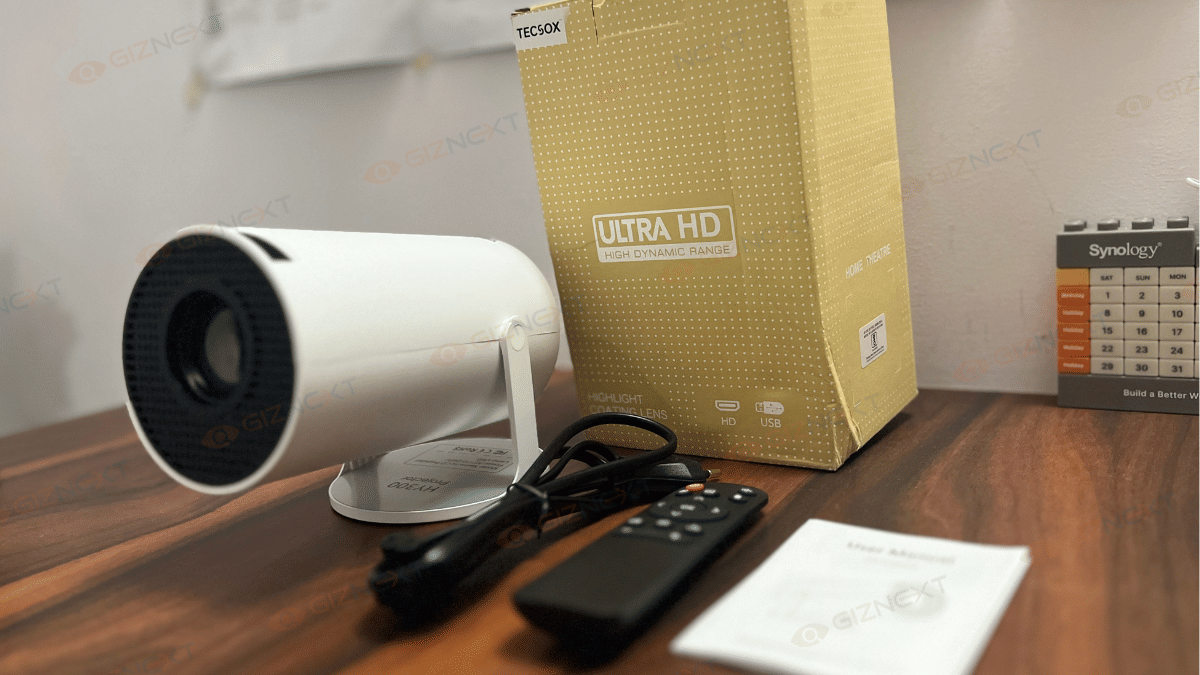
Here’s what you get when you unbox the TecSox LED Projector:

  • TecSox LUMA LED Projector (White)
  • Remote Control
  • Power Adapter
  • User Manual

The remote is handy and works well, though you’ll need AAA batteries (not included). Setup is pretty much plug-and-play. Within minutes, I was browsing the Android interface and streaming shows.

Design That Fits Anywhere

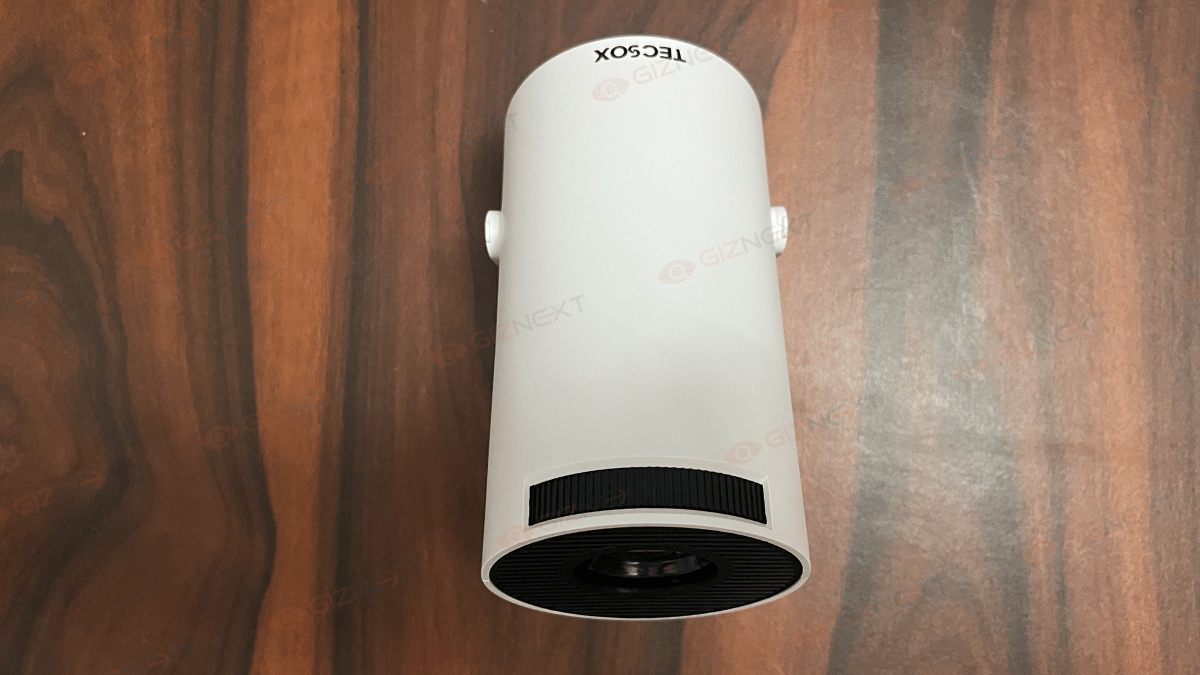
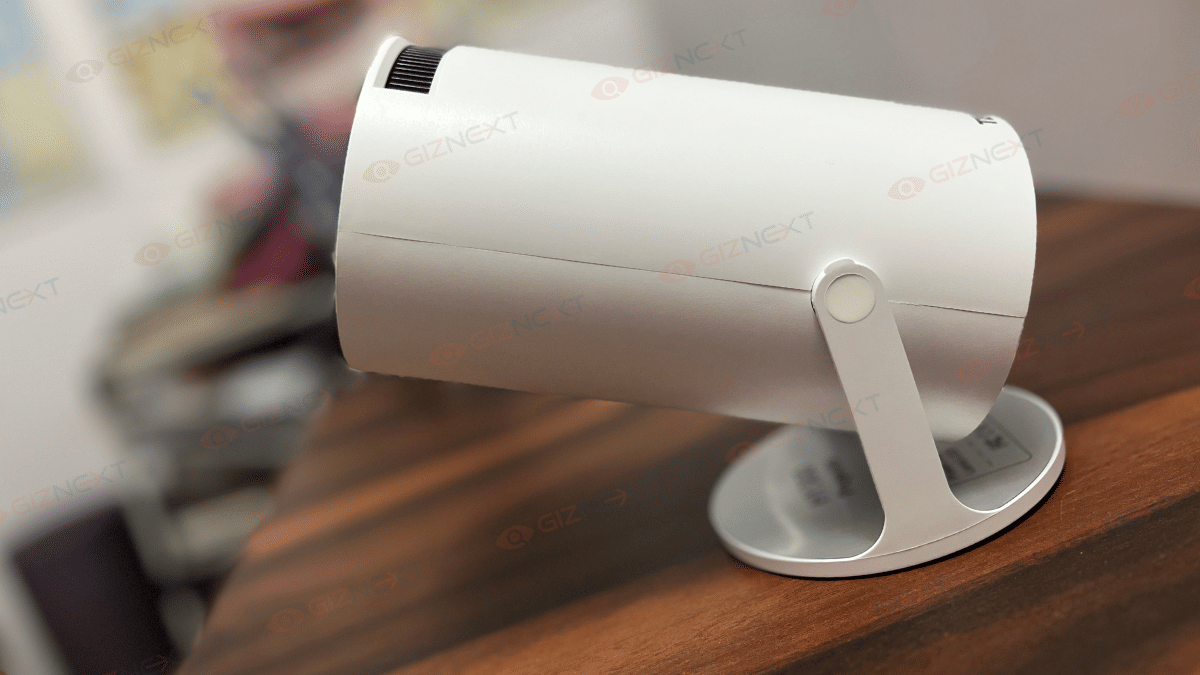
Let’s start with how it looks and feels. The TecSox LUMA is compact, lightweight, and comes in a clean white color that looks quite sleek. Weighing just 750 grams and sized at 17 x 9 x 10 cm, it’s smaller than most Bluetooth speakers and fits easily into a backpack or travel bag. This makes it perfect for weekend trips, office use, or even your terrace movie nights.

What really impressed me is the 180-degree rotatable design. You can tilt and angle the projector easily without needing a stand or stack of books. Whether you want to project on the wall, ceiling, or even at an angle, this little beast adapts with ease.

Visuals That Impress

Now, let’s talk about the most important part, the visuals. The TecSox LED Projector supports content up to 4K resolution, with a native 720p output. While it’s not true 4K, it still delivers sharp and vibrant visuals, especially when projecting up to 100 inches in size. The 200 ANSI lumens brightness ensures that you get decent picture quality in dimly lit rooms. Of course, don’t expect full-blown theatre performance in daylight, but for indoor and nighttime use, it truly shines.

I tested the projector with Netflix, Prime Video, and YouTube, and it handled all of them smoothly. The details were clear, and the colors felt well-balanced. It’s perfect for movies, YouTube sessions, or even basic presentations.

Sound And Connectivity

Built-in speakers? Yes. Powerful enough? Sort of. The audio is decent for small rooms, but if you’re aiming for an immersive experience, I’d recommend connecting external speakers or Bluetooth headphones. Thankfully, the Bluetooth 5.0 makes it super easy to pair your devices.

In terms of connectivity, TecSox has nailed it. With Wi-Fi 6 support, streaming content is fast and buffer-free. No more annoying loading circles while you’re mid-scene. And because the projector runs on Android 11, you get access to apps like Netflix, Prime Video, Disney+ Hotstar, and YouTube directly from the interface, no need to plug in your phone or laptop.

Auto Keystone And Image Correction

One of my favorite features on the TecSox LED Projector is the auto horizontal keystone correction and 4-point correction. These sound like fancy tech terms, but they simply mean that even if your projector isn’t placed perfectly straight, the image will auto-adjust to look rectangular and aligned. And trust me, this is a huge deal. No more fiddling with angle settings or moving the projector back and forth to fix distortion. Just point and play.

Also Read | Dreame H12 Dual Wet And Dry Vacuum Review: A Cleaning Dream Come True?

Performance And Storage

The TecSox LED Projector comes with 1GB RAM and 8GB of storage, which is enough for light use and app installations. You won’t be running heavy games on this, but for streaming and presentations, it gets the job done smoothly.

It also boasts a lamp life of 30,000 hours, which means you could watch a movie every day for over eight years without worrying about replacing the bulb. Now that’s value.

Who Should Buy This?

Honestly, the TecSox LED Projector is a perfect match for:

  • Students and bachelors who want an affordable entertainment setup.
  • Families who’d love outdoor movie nights on a budget.
  • Frequent travelers who need a portable presentation tool.
  • Small business owners looking for a budget-friendly projector for meetings or demos.
  • Movie buffs who want a secondary screen setup in the bedroom or terrace.

Also Read | Infinix 32Y1 Smart TV Review: Good Display Quality And Audio Experience Under Rs. 10,000

Final Verdict: Worth It Or Skip It?

At just Rs. 3,999, the TecSox LED Projector is an absolute steal. While it’s not meant to replace your high-end smart TV, it offers a fun, flexible, and feature-rich alternative that works surprisingly well in real-world usage. For casual movie watching, weekend binge sessions, or even your kid’s cartoon marathons, it’s more than enough.

What impressed me the most was how TecSox managed to bundle all the essential features like Android OS, 4K support, wireless connectivity, rotatable design, and auto image correction, into such a compact and affordable device. So, if you’ve been holding back on buying a projector because of the price or complexity, this is the one that might finally convince you. So go ahead, bring home the big screen, without burning a hole in your pocket.

For the tech geeks, stay updated with the latest cutting-edge gadgets in the market, exclusive tech updates, gadget reviews, and more right on your phone’s screen. Join Giznext’s WhatsApp channel and receive the industry-first tech updates.

Categories
Featured Mobile Reviews

Infinix Note 50s 5G+ Review: The Sleek Budget Smartphone Powerhouse That Surprises

Key Highlights

  • MediaTek Dimensity 7300 Ultimate
  • 5,500mAh battery with 45W FastCharge
  • 65MP Sony IMX682 camera
  • Active Halo Lighting
  • Military grade durability
  • Sounded by JBL

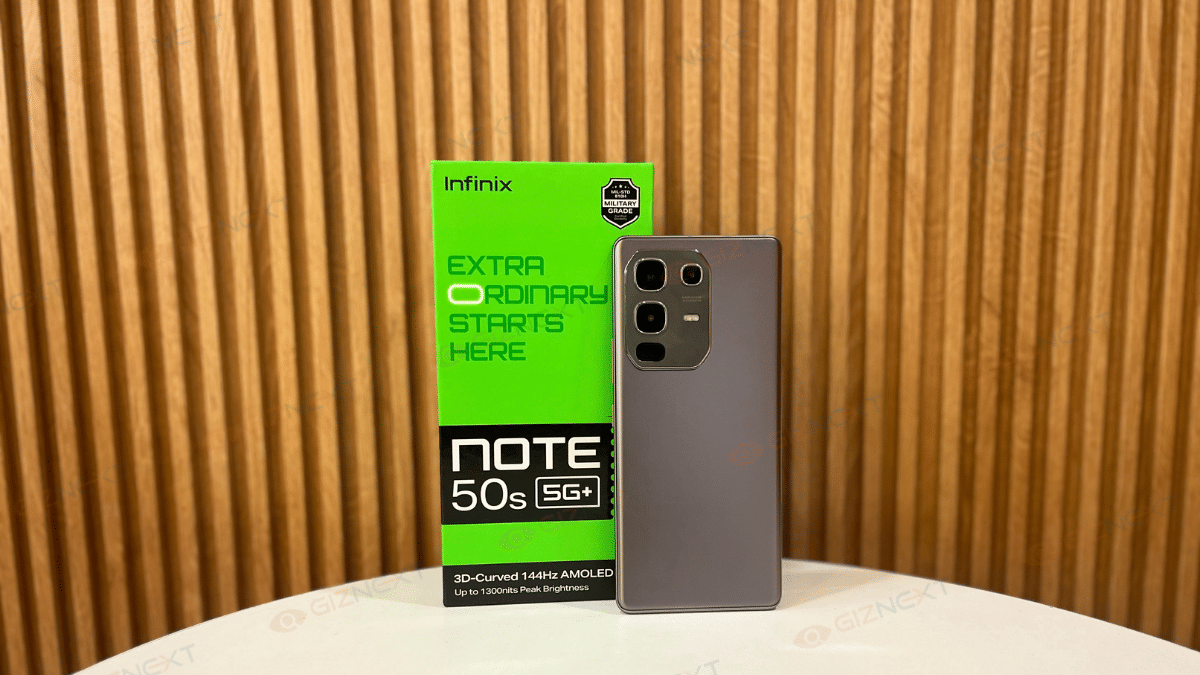
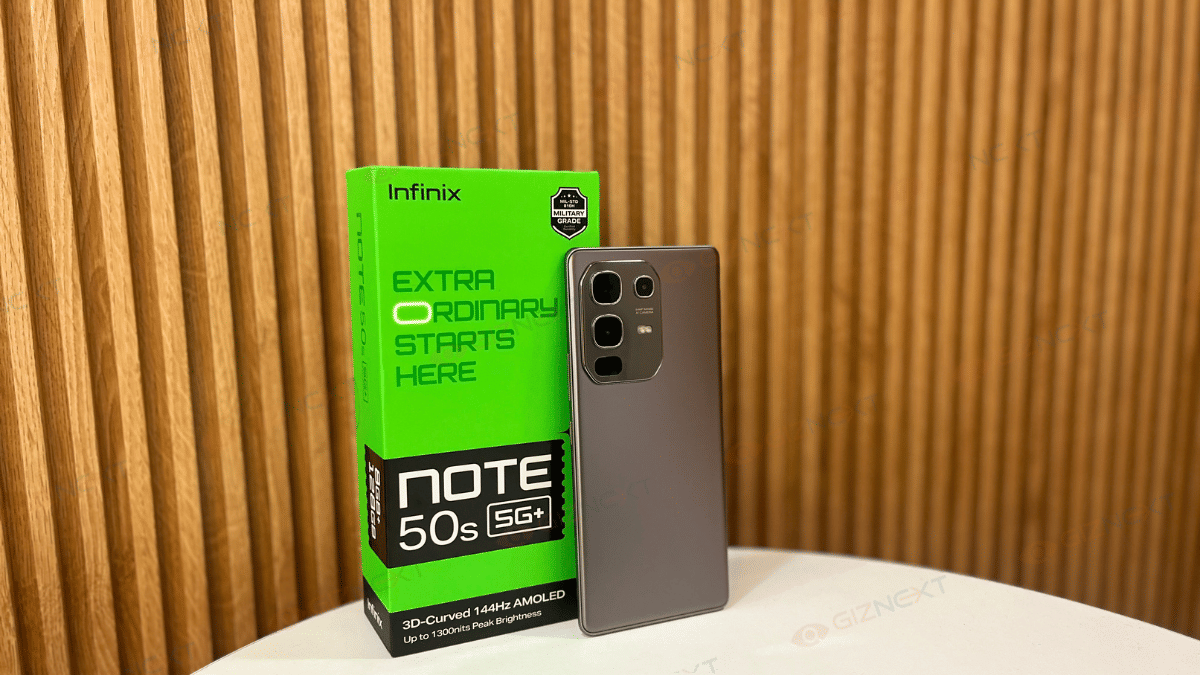
You know that moment when you try a phone just to ‘check it out,’ and then you keep reaching for it over your daily driver? Yep, that’s exactly what happened when I got my hands on the Infinix Note 50s 5G+. Priced at just Rs. 15,999, I wasn’t expecting anything out of the ordinary. But wow, this phone surprised me, and not in a ‘just okay’ kind of way.

From the stylish design to that vibrant AMOLED screen and surprisingly decent performance, the Note 50s 5G+ felt like a phone trying to prove a point, and doing it well. Of course, it’s not flawless (no phone at this price is), but what it offers for the money? Pretty impressive. So, if you are wondering whether this new Infinix device is just another forgettable mid-ranger or a smart steal, let’s get to know in this review.

Also Read | Infinix Zero 5G Long Term Review: Premium Design With Long Lasting Battery

ProsCons
Slim and lightweight designAverage Charging speed
Vibrant 6.78-inch AMOLED display with 144Hz refresh rateNo ultra-wide or macro lens
Long-lasting 5,500mAh battery 

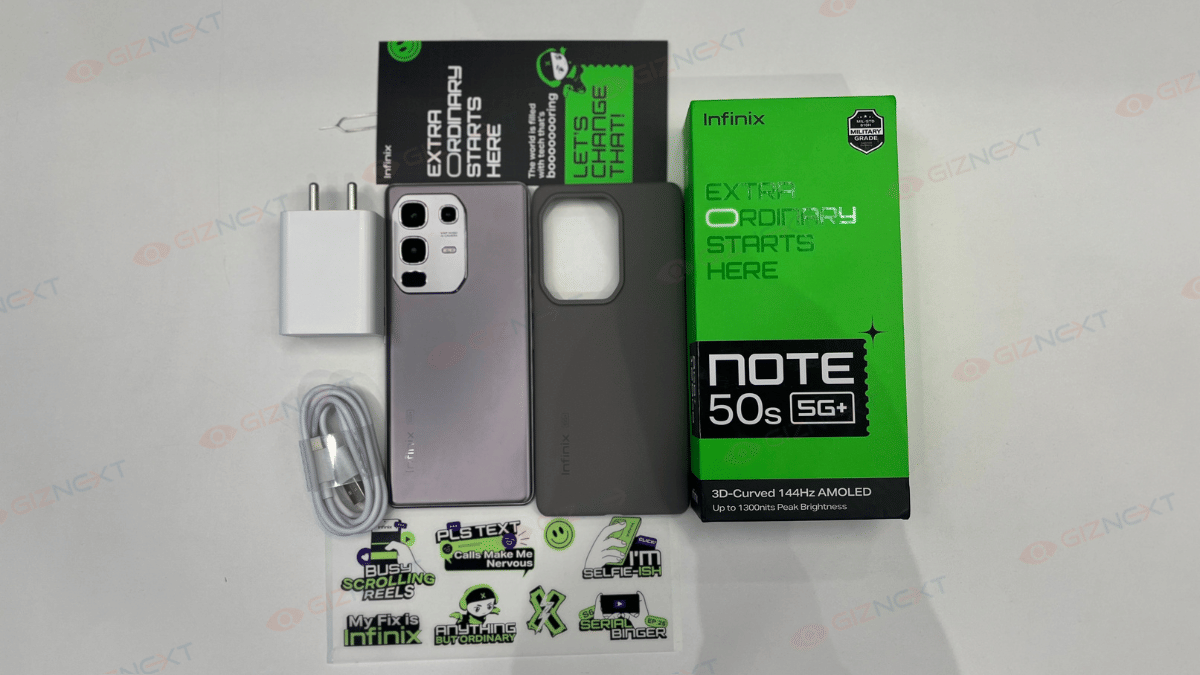
What’s Inside The Box?

  • Infinix Note 50s 5G+ handset (Titanium Grey)
  • USB cable
  • 45W FastCharge
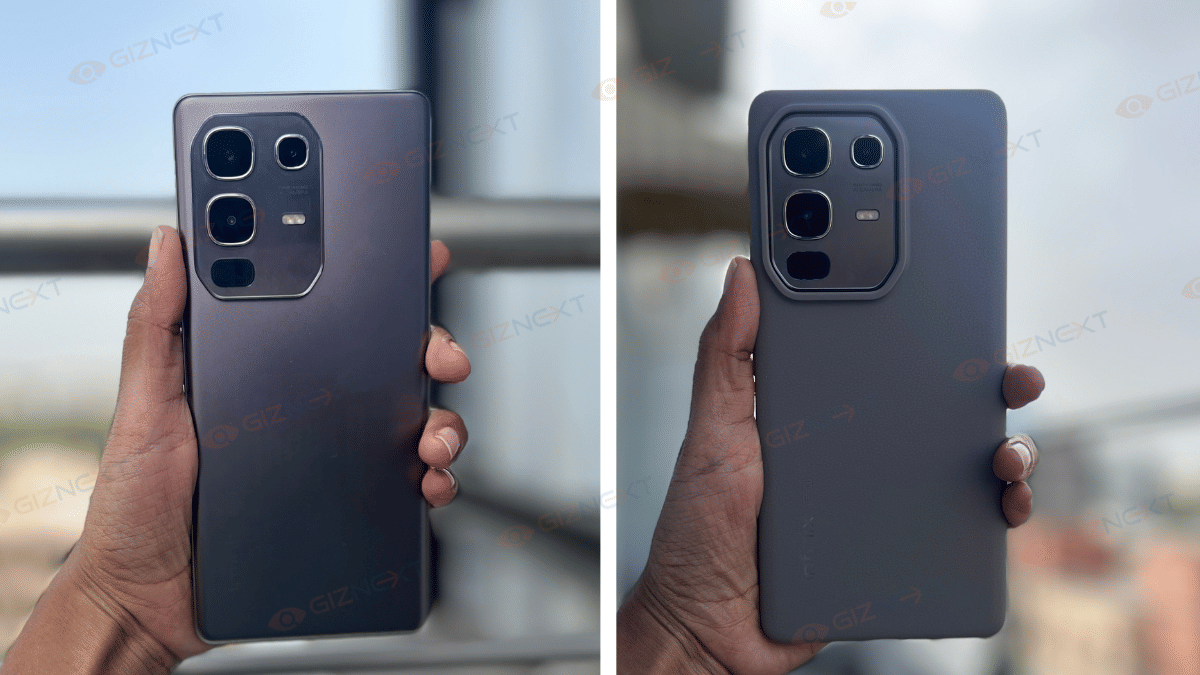
  • TPU case
  • SIM ejector tool
  • User manual
  • Warranty card
  • Stickers

Design

My attention was first drawn to the Infinix Note 50s 5G+’s slim and light design. At only 180 grams and 7.6mm thick, this phone feels incredibly sleek in the hand. This is something that I honestly didn’t expect at this price point. In fact, Infinix claims it’s the slimmest phone with a 3D curved display in this segment, and I’ve got to say, it definitely looks the part.

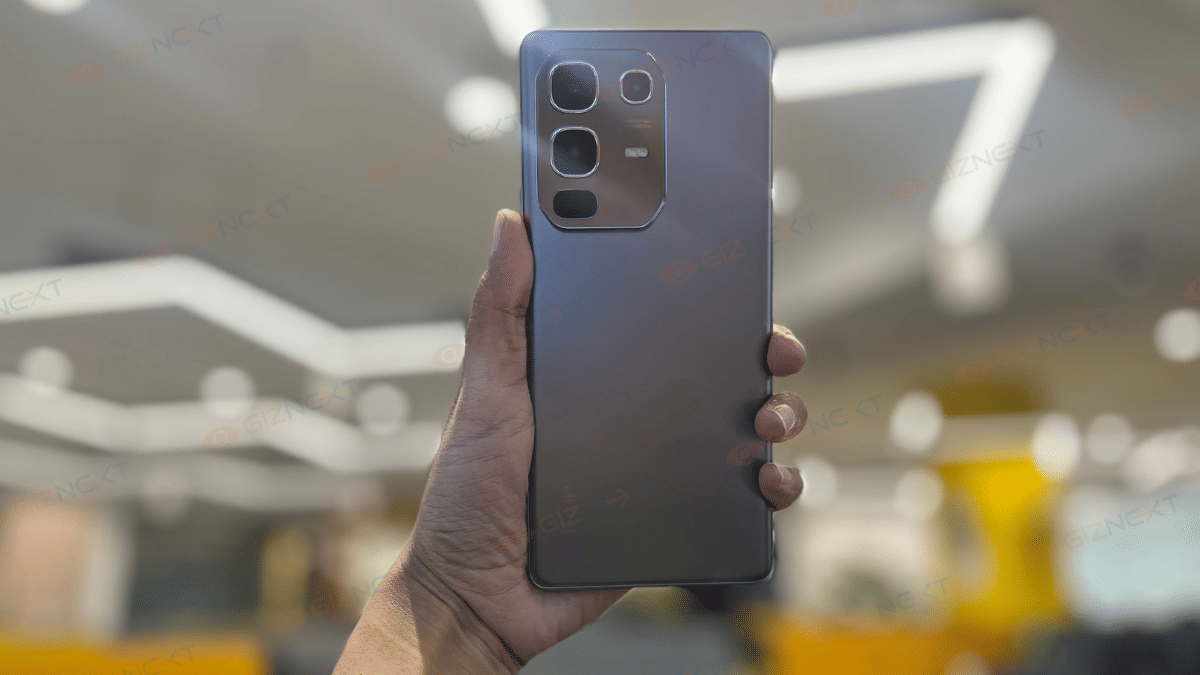
I have got the Titanium Grey variant and while the body is made of plastic, it absolutely doesn’t feel like it. The phone has a high-end feel thanks to the matte metallic rear finish, which shimmers a little in the daylight. It has the soft curves around the edges that makes it super comfortable to hold for long hours.

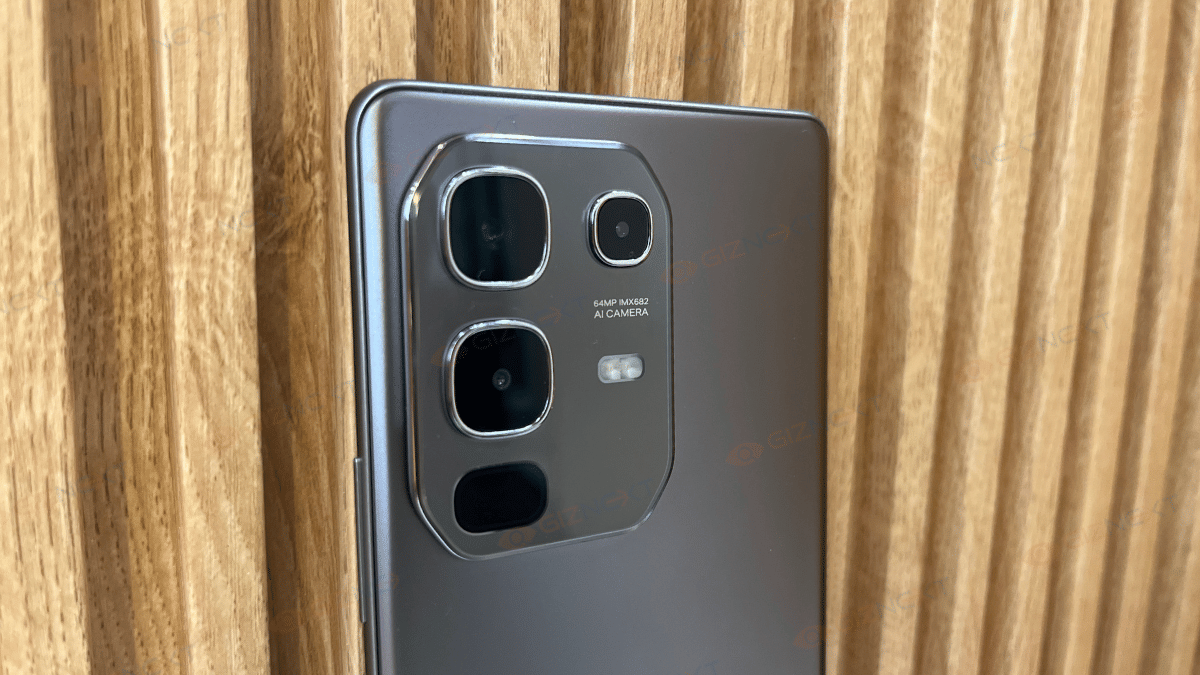
One design touch I really appreciated was the Active Halo lighting around the camera module. This subtle LED ring lights up during calls, charging, notifications, and even when clicking pictures.

On the back, the camera island sits neatly in the top left corner, housing three sensors. Meanwhile, you can see the Infinix branding at the bottom left. At the bottom edge, you’ll find the Type-C port, speaker grille, mic, and SIM tray, while the second speaker and mic sit at the top. Yes, dual stereo speakers on a phone under Rs. 16K. That’s rare, and it seriously boosts the media experience.

Display

This is the part where the Infinix Note 50s 5G+ really flexes its muscles. The moment you power it on, the 6.78-inch 3D curved AMOLED screen sets a premium vibe that’s hard to ignore. You get a Full-HD+ resolution, a super smooth 144Hz refresh rate, and 100 percent DCI-P3 color gamut support. In simple terms? Everything looks vibrant, colors pop, and animations feel silky-smooth. It genuinely gives off a flagship-like experience at a fraction of the price.

The display is further protected by Gorilla Glass 5 which is a nice bonus, especially for those of us who tend to drop our phones once in a while. Plus, the device is IP64-rated for dust and splash resistance, another rare find in this segment.

One cool little touch: at the top of the phone, you’ll spot ‘Sound by JBL’ printed above the screen, finely reminding you that this phone isn’t just about visuals, it’s got the audio chops too.

Overall, for Rs. 15,999, this panel easily beats most of its rivals. If you’re after a phone that looks and feels premium the moment you unlock it, the Note 50s 5G+ nails that first impression.

Performance

It is the MediaTek Dimensity 7300 Ultimate chipset that powers the Infinix Note 50s 5G+. It is paired with 8GB of RAM and an additional 8GB of virtual RAM. You also get up to 256GB of onboard storage which is more than enough for all your apps, games, and photos.

In day-to-day use, the performance is smooth. Whether it was multitasking, casual gaming, or editing photos, the phone handled everything smoothly. App switching is quick and there were no lags or slowdowns during my usage.

Now coming to gaming which is surprisingly good. I tested Call of Duty: Mobile and BGMI and both ran at high frame rates (up to 90fps on supported titles). Even during longer gaming sessions, there were no major heating issues. Sure, it warms up a bit during extended play, but nothing alarming.

On the software side, the Note 50s 5G+ runs XOS 15 based on Android 15. Infinix has been working on cleaning up its UI, and it shows. Animations feel smoother, bloatware is much less, and the overall experience is now more refined. Plus, you get some genuinely useful AI-powered features like Folax AI Assistant, AI Wallpaper Generator, and Smart Translator. These tools are subtle and add value without getting in your way.

And here’s the icing on the cake. Three years of security patches and two years of OS updates are what Infinix is guaranteeing. That kind of support is rare in this segment and definitely deserves a thumbs up.

Also Read | Infinix Smart 7 Review: Worth It On A Budget?

Camera

The Infinix Note 50s 5G+ comes with a 64MP Sony IMX682 primary camera and a 2MP depth sensor. What adds flair to the rear module is the Infinite Loop Lighting. It is a circular LED ring that lights up for calls, messages, and even gaming. It’s subtle but adds character.

Now, let’s talk image quality. Honestly, the 64MP sensor performs really well for this price. Daylight shots are vibrant, sharp, and carry just the right number of punchy colors. There’s noticeable AI processing, but it’s tastefully done. This is something you’ll find on pretty much all smartphones these days.

Where it really impressed me was low-light photography. Colors stay balanced, exposure is well-controlled, and you won’t be left with overly noisy shots. For a phone under Rs. 16000, that’s a big win.

On the front, you’ve got a 16MP selfie camera with loads of features. From 4K video recording at 30fps, portrait mode, and dual video, to beauty filters and wide-angle selfies, all of these will be appreciated by vloggers and casual content creators.

As for video, you can shoot at 4K at 30fps or 1080p at 60fps, which is more than fair for the segment.

Battery And Charging

The Infinix Note 50s 5G+ packs a big 5,500mAh battery into a slim 7.6mm body that is pretty impressive for a phone this sleek. In day-to-day use, it easily lasted me around 28 hours with medium to heavy usage. Light users can easily push it close to two full days. Infinix also adds clever touches like Bypass Charging, which sends power directly to the motherboard while gaming to reduce heat, and Low-Temperature Charging Mode, which slightly slows charging to protect long-term battery health.

Now, coming to the charging speed. It’s decent, though not mind-blowing. The 45W fast charger in the box got my phone from 6 percent to 100 percent in just about an hour. Not blazing fast, but totally acceptable at this price point.

Also Read | Infinix Hot 30i Review: Budget Smartphone In Segment

Giznext’s Final Verdict

The Infinix Note 50s 5G+ punches well above its weight with a sleek design, curved AMOLED display, solid performance, and impressive battery life. While the camera AI may not appeal to purists and charging could be faster, these are minor trade-offs. For under Rs. 16,000, it’s a feature-packed phone that nails the essentials and even throws in a few surprises. A solid value-for-money choice.

For the tech geeks, stay updated with the latest cutting-edge gadgets in the market, exclusive tech updates, gadget reviews, and more right on your phone’s screen. Join Giznext’s WhatsApp channel and receive the industry-first tech updates.

Categories
Accessories Featured Reviews

Urban Harmonic Soundbar 2080 Review: A Punchy Audio Upgrade For Your Home

Key Highlights

  • 80W RMS HD Output
  • Super balanced bass & treble
  • Signature 3D surround sound
  • Wired smart sub-woofer
  • Remote control operations

If you are someone who loves to bring the cinema experience home but doesn’t want to break the bank, the Urban Harmonic 2080 Soundbar might just be the upgrade you are looking for. I have been using this sleek little beast for a while now, and I am here to share my thoughts on whether it’s truly worth your money. Let’s dive in.

Also Read | Mivi Fort S24 Soundbar Review: Portable And Affordable

ProsCons
Sleek matte black design looks premiumWired subwoofer may limit placement flexibility
Powerful 80W output with deep bassNeeds constant power source
3D surround sound creates immersive feel

What’s Inside The Box?

  • Soundbar with subwoofer
  • Remote controller
  • Aux cable
  • User Manual
  • Customer Support card
  • Warranty Registration card
  • Thank You card

Design & Build

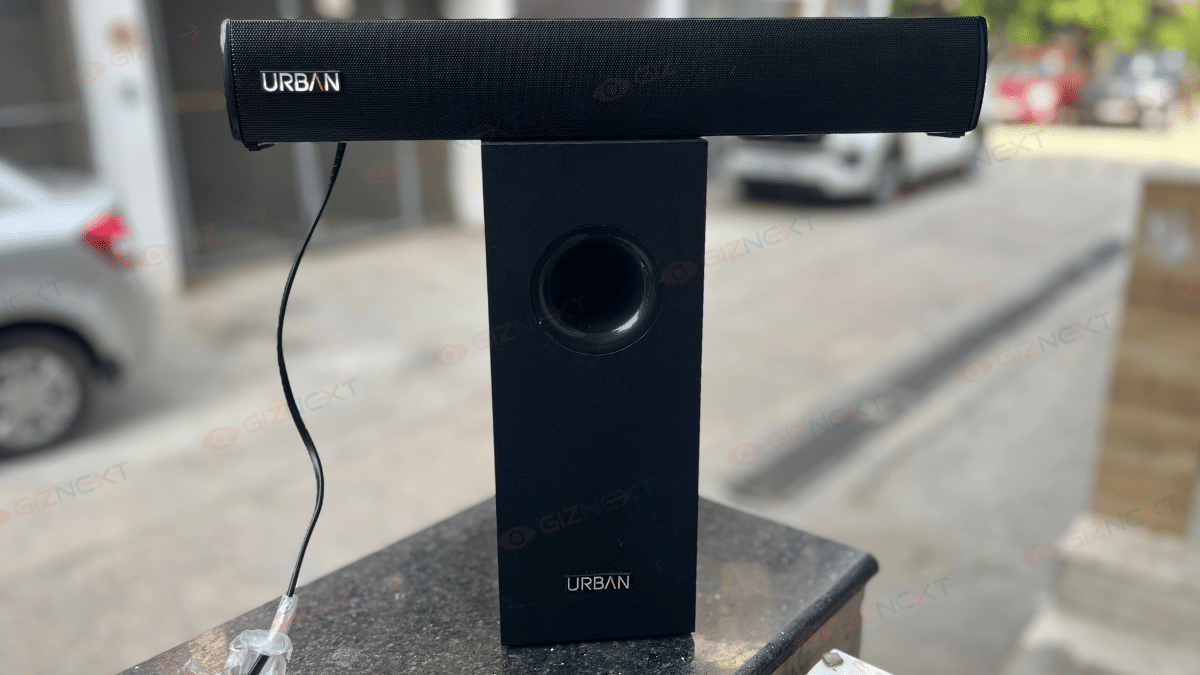
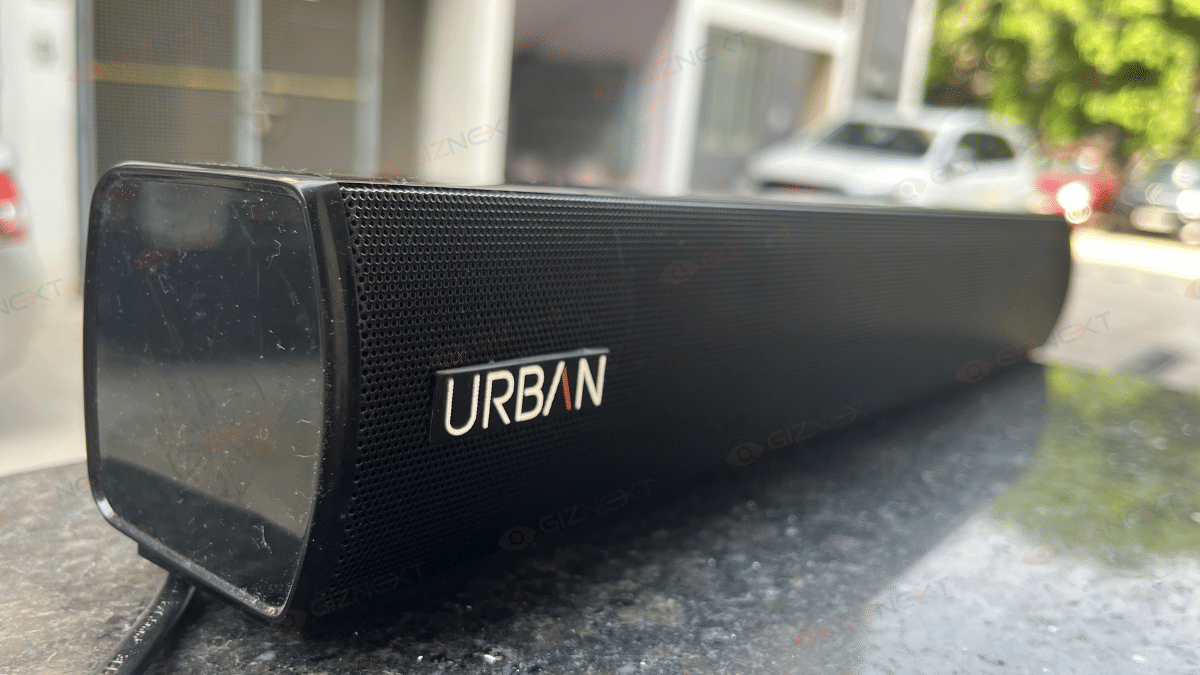
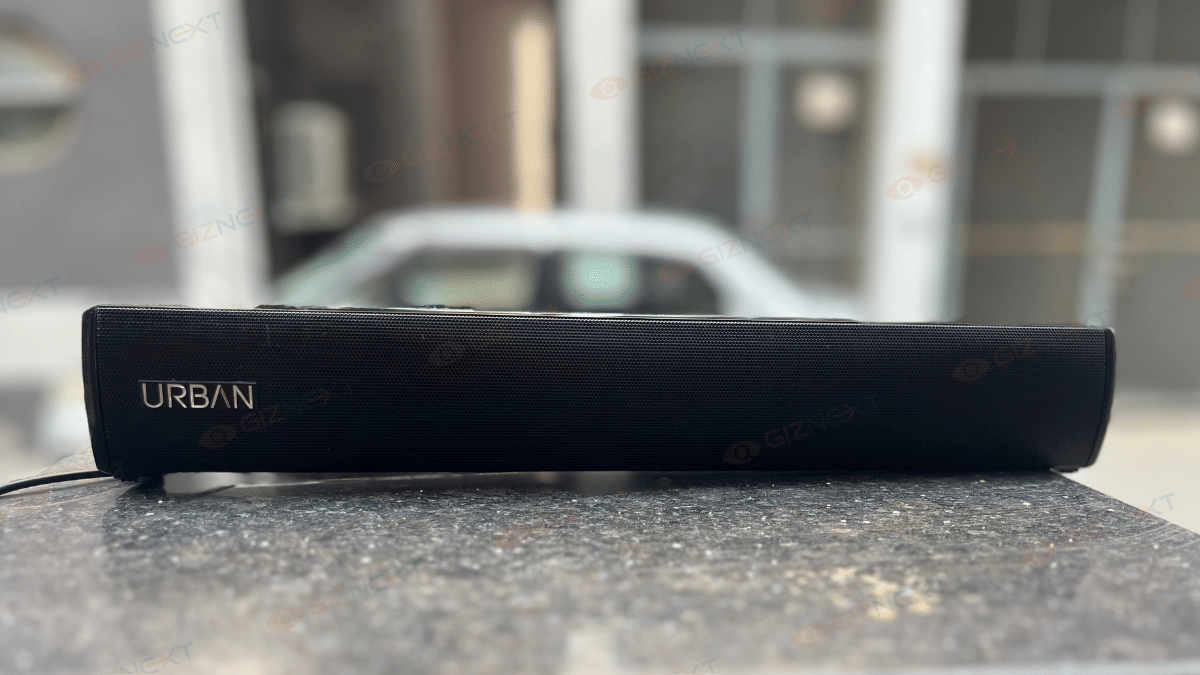
The Urban Harmonic 2080 soundbar looks way more premium than I expected at this price. The matte black finish gives it a very clean and stylish vibe. It’s not glossy or flashy, but that’s exactly what makes it blend so well with most room setups. Whether your TV setup is fancy or minimal, this soundbar won’t look out of place.

When I unboxed it, I was honestly happy to see how compact and lightweight it is. It didn’t feel bulky at all. I placed it right below my TV, and it fit perfectly, no extra wires popping out, no clutter. You can also wall-mount it if you prefer a more seamless look.

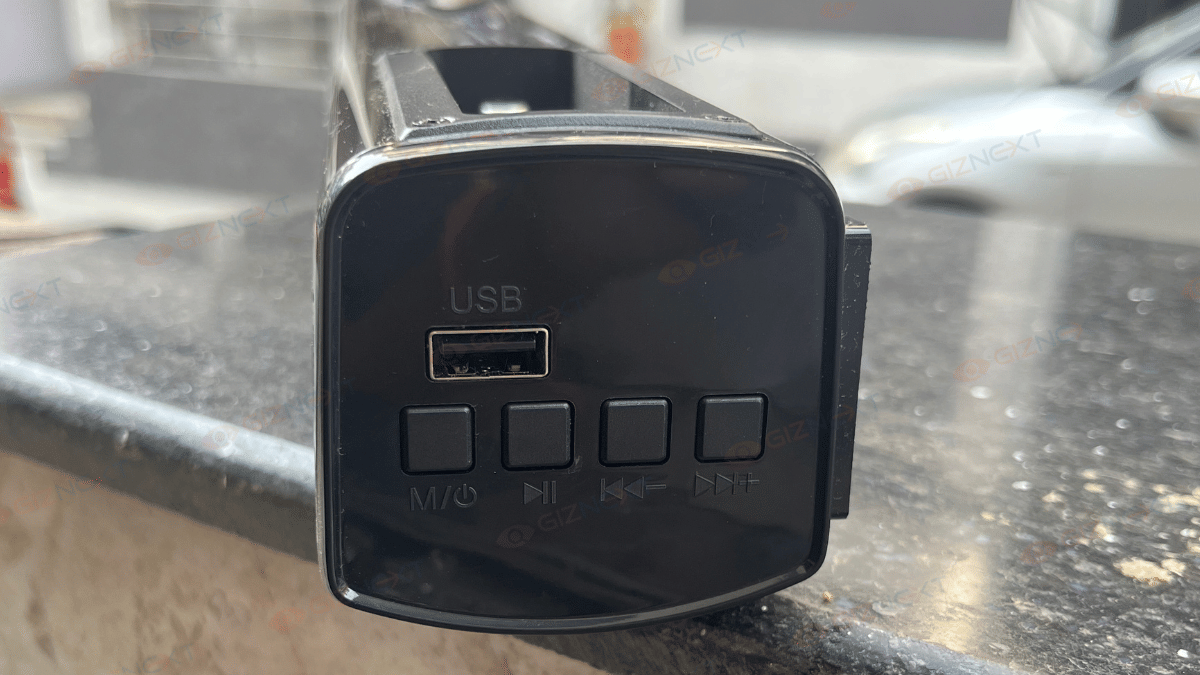
There is touch controls on the top that are smooth and responsive. I tried playing around with them, changing tracks, adjusting the volume, and everything worked smooth. There’s also a tiny LED light that shows whether it’s connected or not. It’s simple but helpful, especially when you are switching between Bluetooth and AUX.

Now, let’s talk about the subwoofer. It’s a wired one, and though it’s not very big, it actually looks quite neat beside the TV unit. It adds to the whole setup and definitely doesn’t feel cheap. More importantly, it doesn’t scream for attention but you’ll hear it when it kicks in.

Overall, the design is practical, space-friendly, and genuinely good-looking. It won’t make your living room look like a sound studio, it just blends in nicely and does the job. Honestly, for a soundbar under Rs. 7,000, Urban has nailed the looks and finish.

Sound Performance

The first thing I noticed was how rich the sound quality is. The 3D surround sound feature is a game changer. It creates a 360-degree immersive audio experience, making it feel like you are right in the middle of the action, whether you are watching movies or playing games. The wired subwoofer takes things to the next level. This delivers deep bass that you can actually feel.

What’s even better is the four EQ modes, there’s one for movies, music, news, and gaming. I’ve used the movie and music modes the most, and trust me, the difference in sound quality is noticeable. It tailors the audio to fit the content you are enjoying, whether you are vibing to music or following an intense action sequence.

The smart standby mode is another thoughtful addition. When you are not using the soundbar, it automatically switches to an energy-efficient mode. This saves the power without you needing to do anything. Small touches like this make a huge difference in the long run, both in terms of convenience and your electricity bill.

Also Read | Just Corseca Sushi Albatross Bluetooth Speaker Review: Is It The Ultimate Party Companion?

Connectivity

One of the standout features for me is the Bluetooth 5.3 support. I’ve connected my phone and tablet to the soundbar with no hassle, and streaming music from anywhere was simple. Plus, the USB, HDMI ARC, and AUX ports give you plenty of options to hook up your TV, gaming console, or whatever device you need. It’s versatile, and that’s something I always look for in a tech product.

Simple, Yet Effective Controls

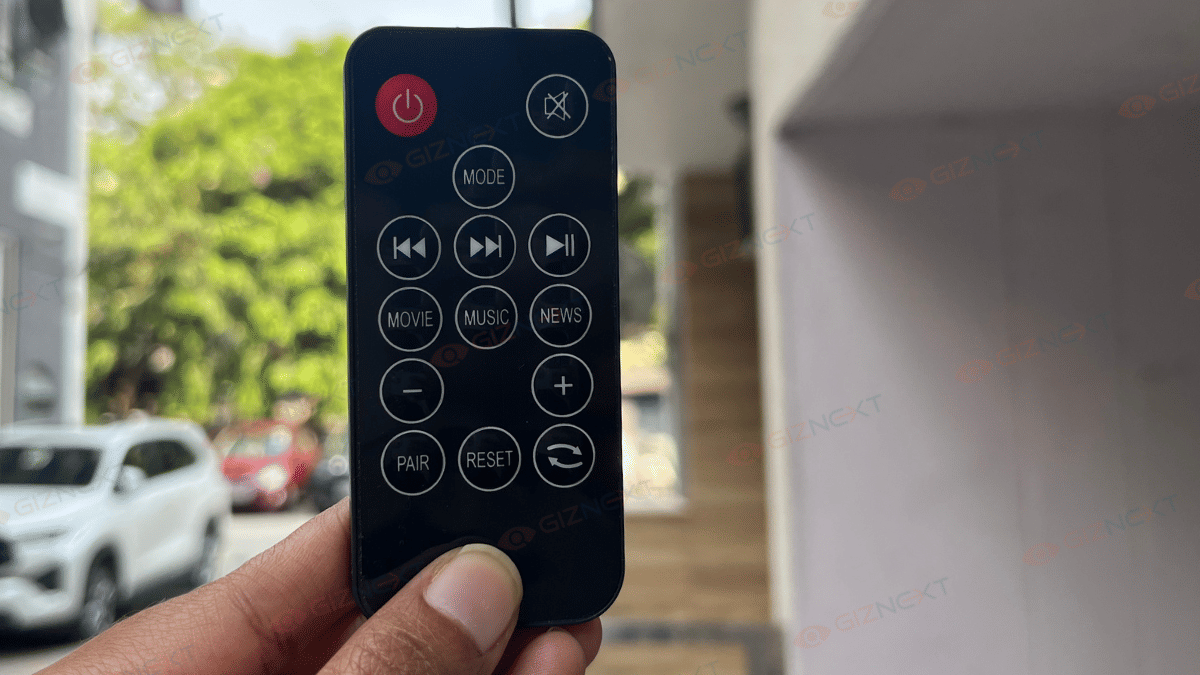
I love that Urban kept thing super simple when it comes to controls. You can either use the controls on the soundbar itself or pick up the remote control for easy adjustments.

Soundbar Panel Controls (Physical Buttons on the Unit)

ButtonFunction
Power/ModeLong press for 2 sec, Short press to switch the modes
Volume +Short press to increase volume | Long press for continuous volume increase
Volume –Short press to decrease volume | Long press for continuous volume decrease
Play/PausePress to play or pause music (BT/USB modes)

Remote Control Functions

ButtonFunction
PowerPress to turn ON/OFF the soundbar
VOL + / –Short press to adjust volume level step-by-step | Long press to rapid volume change
MUTEPress to mute or unmute sound
Play/PausePress to play or pause music (BT/USB mode)
Next / PreviousPress to skip to next/previous track (BT/USB)
BASS + / –Press to increase/decrease bass level
TREBLE + / –Press to increase/decrease treble level
MOVIE / MUSIC / NEWS / 3DSwitch to the respective sound mode

Also Read | Mivi Conquer X, Thunderbeats 2 Wireless Neckband Full Review: Hit Or A Miss?

Giznext’s Final Verdict

If you are looking for an affordable soundbar that packs a punch, the Urban Harmonic 2080 is a great option. It’s perfect for those who want better sound without the high-end price tag. So, is it worth buying? Absolutely! Whether you are a movie buff, a music lover, or a gamer, this soundbar will enhance your audio experience without emptying your wallet.

For the tech geeks, stay updated with the latest cutting-edge gadgets in the market, exclusive tech updates, gadget reviews, and more right on your phone’s screen. Join Giznext’s WhatsApp channel and receive the industry-first tech updates.

Categories
Featured Mobile Reviews

Vivo T4 5G Review: A Sleek, Battery-Heavy Smartphone That Packs A Punch

Key Highlights

  • 7,300mAh large battery
  • 90W flash charge
  • Flagship level quad curved AMOLED display
  • Snapdragon 7s Gen 3 processor

If you think big batteries mean bulky phones, the Vivo T4 5G is here to prove you wrong. Yes, I’ve got my hands on it to tell you how. With a massive 7,300mAh battery packed inside a surprisingly slim and stylish body, this phone instantly caught my attention. I’ve been testing it out, scrolling endlessly, binging shows, and clipping photos to see if it really lives up to the hype. Is the Vivo T4 5G just another mid-range phone with flashy specs, or does it actually deliver where it counts? Stick around because this one might just surprise you.

Also Read | Vivo T4x 5G Review: Is This The Best Budget 5G Smartphone?

What’s Inside The Box?

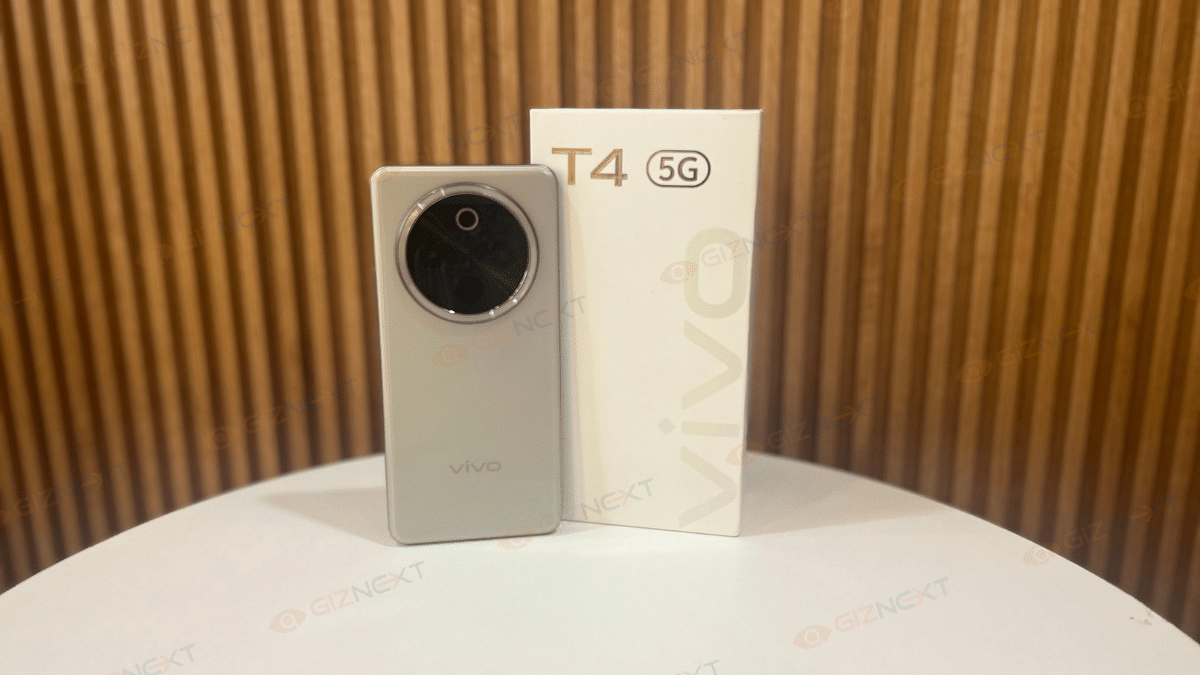
  • Vivo T4 5G handset (Phantom Grey)
  • Phone case
  • 90W charger
  • USB cable
  • SIM ejector tool
  • Quick start guide
  • Warranty card
ProsCons
Impressive 7,300mAh batteryNo ultrawide lens
Fast 90W FlashCharge supportLimited to FHD streaming on Netflix
Sleek design with slim profileNo expandable storage
32MP selfie camera 

Design

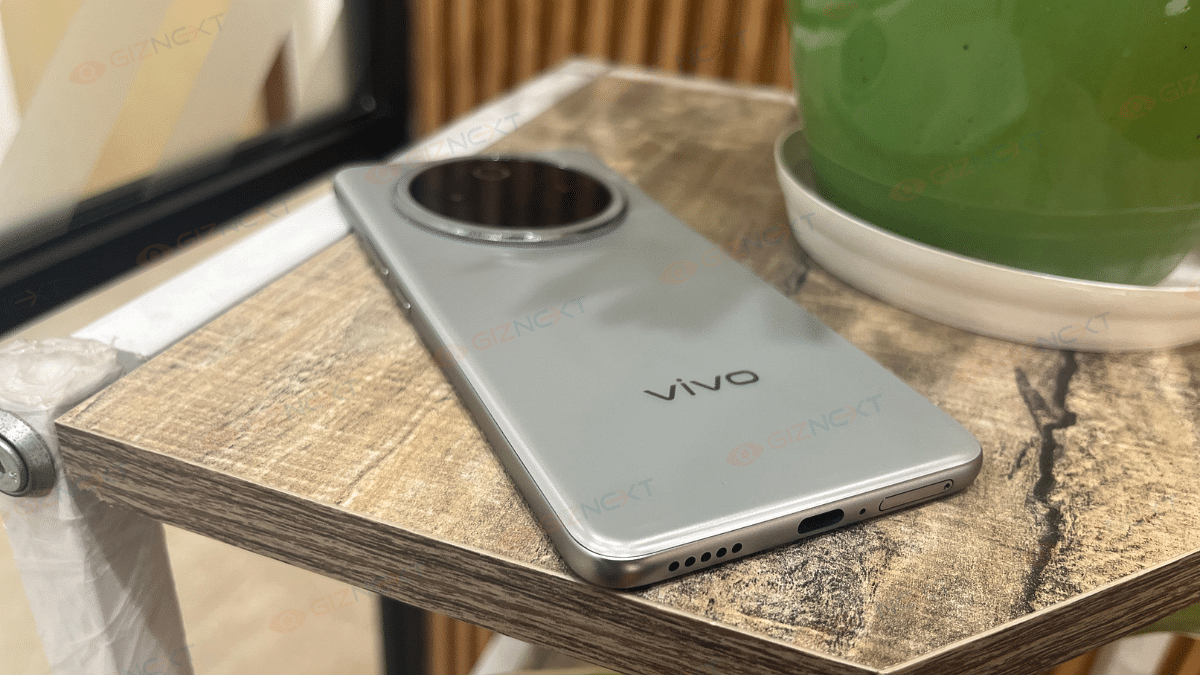
When I first held the Vivo T4 5G, I was surprised. The phone feels quite light and thin for a device with a massive 7,300mAh battery. It doesn’t feel heavy in the hand at all, even if you use it for long hours. The phone has smooth curved edges on the front and back which makes it easy to hold and gives it a nice, premium feel.

I’m using the Phantom Grey variant, and it looks classy. It has a soft metallic shine, not too bright, but stylish. The back is made of plastic, but it doesn’t get smudgy with fingerprints, which is great. The camera ring at the back adds a nice touch, though it sticks out just a little which is again great.

The buttons are placed well, easy to reach, and it even has an IR blaster in the camera area, which is useful for controlling your TV or AC. At the bottom, you get the SIM tray, speaker, and charging port. The left side is clean.

Furthermore, the smartphone comes with an IP65 rating, so it can easily handle dust and small water splashes, perfect for everyday use. On top of that, Vivo has tested it with military-level checks for drops and heat, which makes it build quality tougher.

Overall, the Vivo T4 5G looks nice, feels good in the hand, and is built to last. For a mid-range phone, Vivo has done a great job with the design.

Display

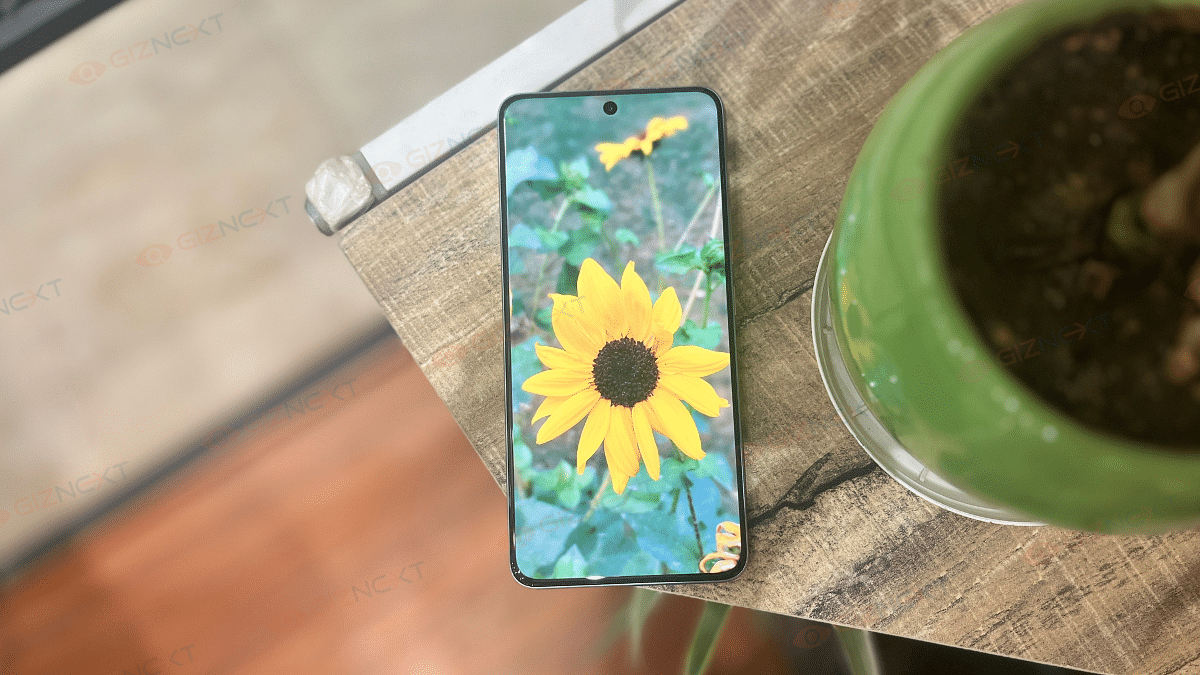
The Vivo T4 5G has a big 6.77-inch AMOLED screen with curved edges that looks and feels premium. It offers rich colors and smooth visuals, thanks to its 120Hz refresh rate. I watched YouTube and even IPL matches on it and the colors were bright, clear, and sharp. With a peak brightness of 5000 nits, it’s one of the brightest displays you’ll find in this price range.

Even outdoors under Delhi’s harsh summer sun, I had no trouble seeing the screen clearly. Vivo claims it can reach up to 5000 nits brightness, and honestly, outdoor visibility was excellent. Touch response was smooth too, and the in-display fingerprint sensor worked fine most of the time.

Though, streaming is limited to Full HD for now, but the display quality overall is top-notch for its price.

Performance

Under the hood, the Vivo T4 5G runs on the Snapdragon 7s Gen 3 processor. This is something we have already seen in many phones around this price. In daily use, it works really well. I had no issues switching between apps, scrolling through social media, or multitasking. The phone also comes with up to 12GB RAM and 512GB storage, which is great.

However, if you are into gaming, this phone might not be the best pick. I played BGMI on Smooth + Extreme settings, and while it ran okay, it was limited to 60FPS. There were noticeable frame drops during longer gaming sessions, which made the experience a bit frustrating. So, if you are a serious gamer, this might be a letdown.

Coming to the sound quality, it is just average. The Vivo T4 only has a single speaker at the bottom, no stereo setup like the previous Vivo T3. It’s loud enough for casual use, but don’t expect deep or rich sound.

On the software side, it runs on FunTouch OS 15 based on Android 15. It feels smoother than before, and Vivo has added some useful features like AI Erase and Note Assist. You will still find a few pre-installed apps, though. Vivo promises two years of major updates and three years of security updates.

Camera

The camera setup of the Vivo T4 5G is good. A 50MP Sony IMX882 main camera with OIS is included. It captures decent shots in daylight with good details and a fairly wide dynamic range. However, the colors can be a bit off at times with skin tones sometimes looking unnaturally saturated. The portrait shots are better, thanks to good edge detection and a nice blur effect in the background.

Low-light performance, though, isn’t as strong. Without Night Mode, the images turn out soft and lack detail, especially when zoomed in. The noise reduction sometimes goes overboard, making the photos look washed out. Unfortunately, there’s no ultrawide lens, which is something many phones in this price range offer.

The Vivo T4’s 32MP selfie camera is a significant improvement over the T3’s 16MP model. The result? Great selfies! While the preview may not always show accurate colors, the final photos are clear, sharp, and definitely one of the best in this segment.

For those who want extra detail, the 50MP high-resolution mode is there, though it takes a bit longer to process. The Supermoon mode lets you zoom up to 20X, though I found anything beyond 10X to be too soft.

In short, the Vivo T4 5G’s camera does a good job for casual photography and selfies. But it could use some improvements, especially for low-light shots and color accuracy. If you’re not expecting top-tier camera performance, it’s still a solid choice.
Battery

If there’s one thing that makes the Vivo T4 5G stand out, it’s the massive 7,300mAh battery. This is the biggest you’ll find in any phone in this price range right now. I’ve been using it for a while, and honestly, the battery life is incredible.

With regular use like calling, browsing, social media, and a bit of video watching, the phone easily lasted me two full days. If you are someone who uses the phone lightly, you can even stretch it to three days without needing to charge.

Charging is also fast, thanks to 90W FlashCharge support. It takes a little over an hour to fully charge, which is great considering how big the battery is. If long battery life is a top priority for you, the Vivo T4 5G won’t disappoint.

Also Read | Vivo V50e Launched: Top Highlights, Price In India

Final Verdict

The Vivo T4 5G is a solid mid-range phone. It offers an impressive 7,300mAh battery, sleek design, and decent camera performance for Rs. 21,999. Its large battery life, good display, and fast charging are standout features. However, gaming performance could be better, and the camera struggles in low-light conditions. Overall, it’s a good purchase for everyday users but not ideal for gamers or camera enthusiasts.
For the tech geeks, stay updated with the latest cutting-edge gadgets in the market, exclusive tech updates, gadget reviews, and more right on your phone’s screen. Join Giznext’s WhatsApp channel and receive the industry-first tech updates.

Categories
Featured Reviews Tablet

Lenovo Tab K11 Enhanced Edition Review: Fits All Bills?

Pros And Cons

Pros

  • Lenovo Tab K11 flaunts premium dual-tone metallic body
  • Landscape front camera positioning makes it convenient for video calls
  • Wi-Fi+ cellular 5G network option
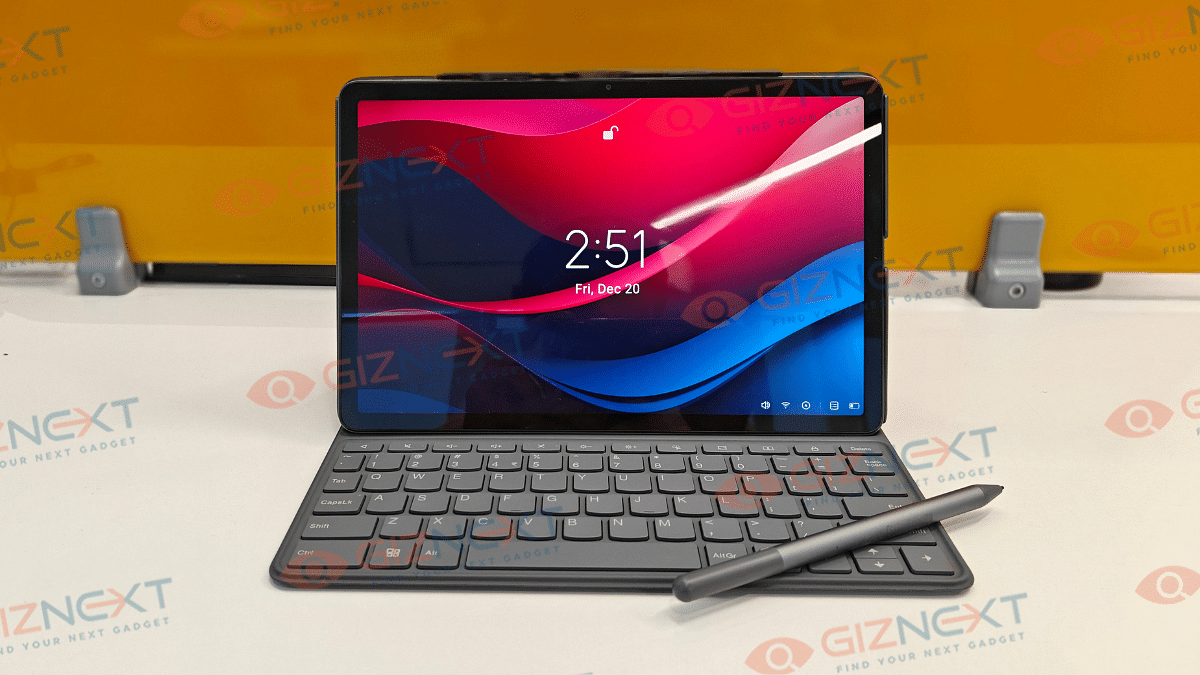
  • Comes with stylus pen and folio keyboard

Cons

  • Slow 10W charging speeds
  • Display comes void of HDR compatibility
  • Average low-light photography with primary camera
  • Dated Android 13 OS pre-installed

Lenovo has been at the forefront of PC and laptop industry and the brand has established itself as a strong player in the tablet market too. And its a wide audience segment Lenovo is catering to with its tablets range. Specifically, with the budget segment, Lenovo has been showing off its expertise and is frequently updating the catalogue as well. The Tab K11 Enhanced Edition is one of the newest members in the Tab K series that focuses on productivity and creativity aspects. At Rs. 26,999, the Tab K11 Enhanced Edition seems to be a well-rounded package specifically with the added folio keyboard and the stylus pen. But does it really justify its price tag? Its time to find out:

For the tech geeks, stay updated with the latest cutting-edge gadgets in the market, exclusive tech updates, gadget reviews, and more right on your phone’s screen. Join Giznext’s WhatsApp channel and receive the industry-first tech updates.

Also Read: Tablet Buying Guide: Top 3 Tablets With Stylus Pen Support Under Rs.30,000 In 2025

Box Contents

  • Lenovo Tab K11 (Enhanced Edition) main unit
  • Folio keyboard
  • Stylus pen
  • SIM ejector tool
  • Charging brick
  • USB Type-C cable
  • User manual and guides

Also Read: Realme 14 Pro Plus Review: Redefining Midrange Smartphone Luxury?

Lenovo Tab K11 (Enhanced Edition) Design Review

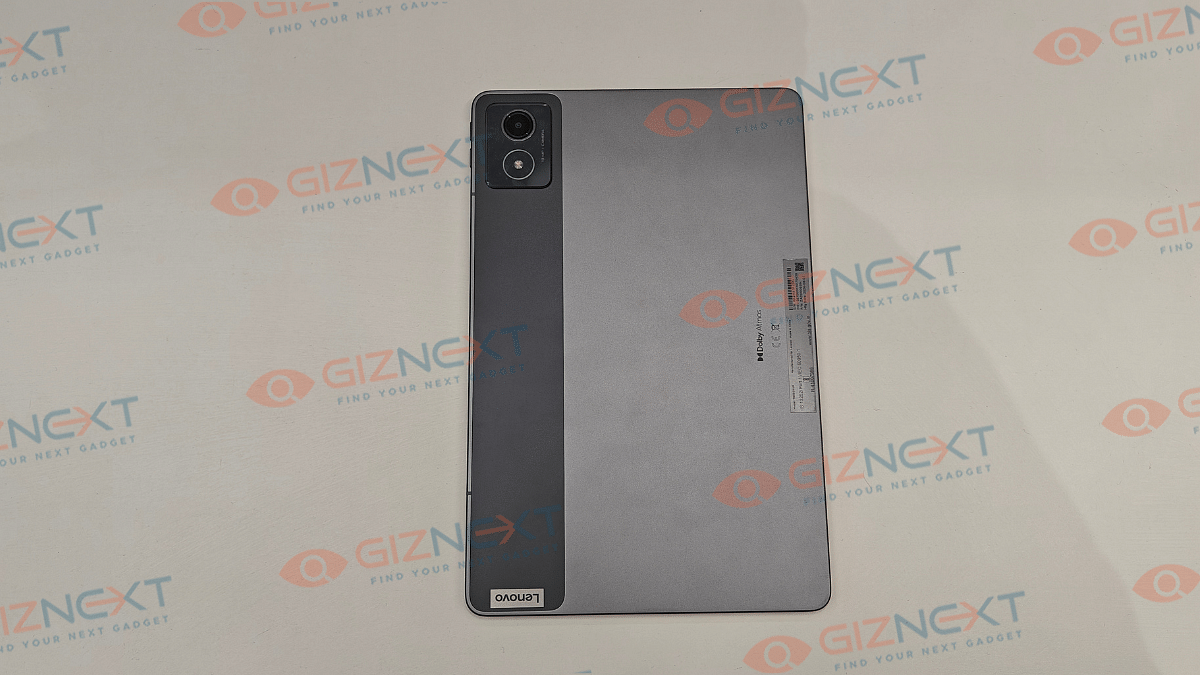
Lenovo has given a familiar design silhouette to the Tab K11 (Enhanced Edition) as its other budget-oriented tablet models. It also has a robust metallic body construction complemented with a dual-tone shade. For refrence, you ca opt from Luna Grey and Seafoam Green shades where we recieved the former for review at Giznext.

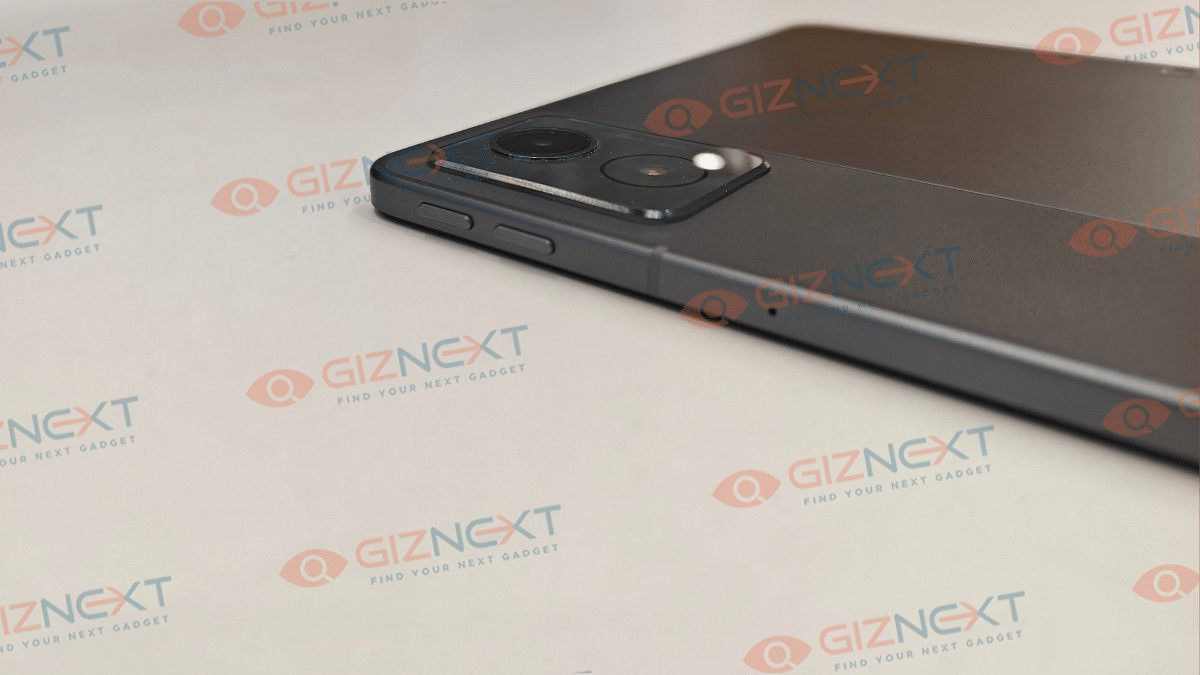
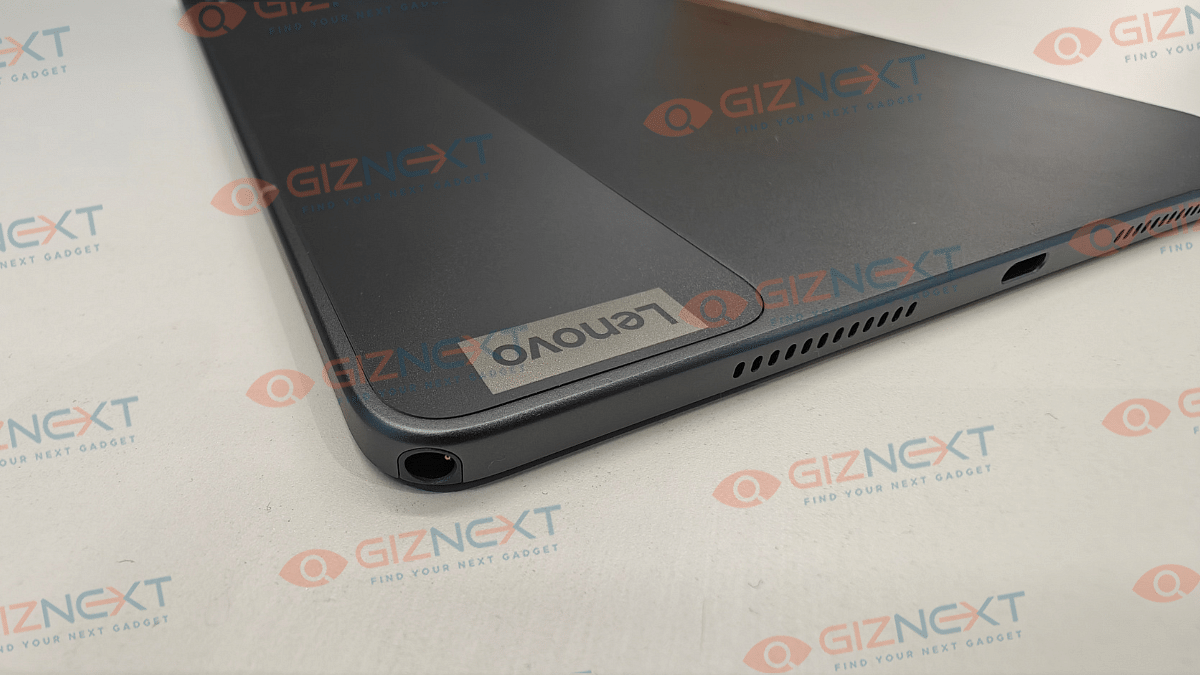
A single camera lens is housed inside the rectangular camera island on the top left of the back panel (on the dark gray vertical frosted polycarbonate strip). Right next to the camera island (housing a 13MP primary lens) on the right spine, there are the volume adjusters.

The flat frame-lightweight design along with the full-metal chassis gives confidence to hold and use the tablet with single hand. But eventually, you’ll have to use both your hands for extensive and creative tasks considering the tablet’s big form factor. Bottom panel includes a USB Type-C port sandwiched in between the speaker grilles and the stylus pen slot (on the top right bottom corner).

The Tab K11 comes void of any physical fingerprint scanner, but it offers Face Unlock as added privacy besides the standard PIN and Password protection. Summing it up, the Tab K11 Enhanced Edition while sporting a conventional design is practical for daily usage with its slim, lightweight rugged profile.

Also Read: Lenovo Tab M11 Review: A Versatile Tablet For Everyday Use

Lenovo Tab K11 (Enhanced Edition) Display Review

Lenovo Tab K11 Enhanced Edition has a substantially large display panel that measures at 11-inches. It is a standard LCD panel as is the case with most of the budget segment tablet. Panel specs offered by the Tab K11 Enhanced Edition includes an FHD screen resolution of 1200 x 1920 pixels and a 90Hz refresh rate. The display has Widevine L1 certification but comes void of Dolby Vision and HDR compatibility.

While two of these crucial display aspects are missing, it doesn’t mean the panel quality is compromised. The colors produced by the Tab K11 Enhanced Edition’s screen are good. The clarity levels are also satisfactory despite it being the conventional LCD screen.

The Tab K11 Enhanced Edition’s display offers 400 nits peak brightness levels. While you won’t face any difficulties with the brightness levels indoors, you might struggle a bit to view content outdoors under direct/ harsh sunlight. That’s one of the few shortcomings with the screen here.

Also Read: Lenovo Tab P11 Pro (2nd Gen) Tablet Hands On Review: A Fully Loaded Package

Lenovo Tab K11 (Enhanced Edition) Camera Review

Lenovo Tab K11 (Enhanced Edition) like most of the budget and mid-range tablet’s is equipped with a single rear and a single front camera setup. The sensors are also standard where the rear panel accommodates a 13MP lens with AF (Autofocus), while at the front there is an 8MP snapper with FF (Fixed Focus) and front flash.

Optics hardware with tablets aren’t as evolved as with smartphones. However, the imaging setup on all the tablets are suitable for basic usage. The same is the case with the Lenovo Tab K11 (Enhanced Edition), where the 13MP rear snapper is apt for capturing stills, scanning documents, and similar tasks. Overall clarity offered by the primary camera is decent.

That said, the selfie snapper upfront integrated in a landscape positioning is makes it convenient for video calling or conferencing. So if you need a device majorly for online conferences and don’t wish to invest heavily into a laptop, this tablet could serve the purpose well.

Also Read: Vivo T4x 5G Review: Is This The Best Budget 5G Smartphone?

Lenovo Tab K11 (Enhanced Edition) Performance Review

Lenovo Tab K11 (Enhanced Edition) is powered by the Helio G88 chipset. This MediaTek processor has standard 4G network support and is powering a majority of low-end and entry-level Android devices. The Helio G series focuses on refining the gaming and overall performance experience which we found to be true to some extent with the Tab K11 (Enhanced Edition).

You get this tablet with 8GB LPDDR4X RAM and 128GB eMMC 5.1 storage space. Storage expansion to up to 1TB is also possible via an external microSD card. This means no storage crunch issues even if you store large sized files and documents on this tablet.

The Helio G88 chipset performs well when you throw basic tasks at it which can range from general web browsing to streaming videos on YouTube and OTT platforms. You wouldn’t notice any major lags or frame drops with the basic tasks mentioned above. However, we found the tablet struggling slightly when there is any extensive game or app launched.

The app launch isn’t instant; specifically if there are multiple apps opened in the background already. The same feedback is with gaming where lightweight titles don’t experience any lags, but on the other hand, extensive game play can feel jittery at times. That said, it still is potent as a daily driver if you use it for moderate apps and games.

Also Read: Realme P3 Pro 5G Review: An All-Rounder Under Rs. 25,000?

Lenovo Tab K11 (Enhanced Edition) Accessories (Stylus and Keyboard)

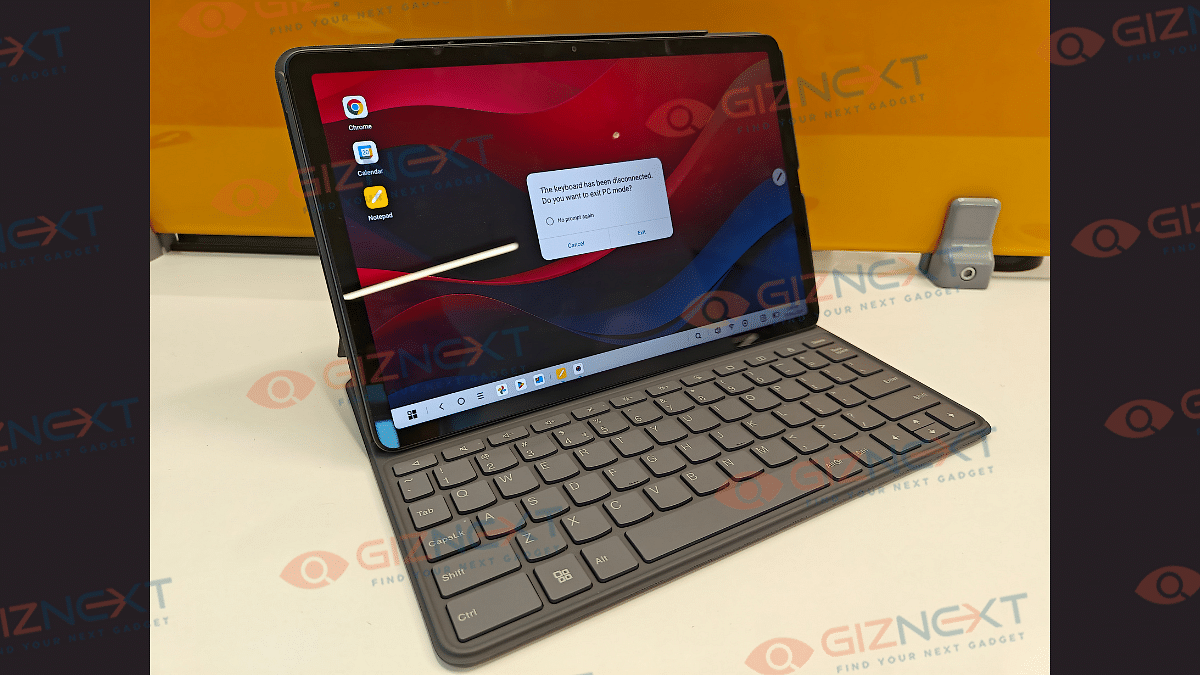
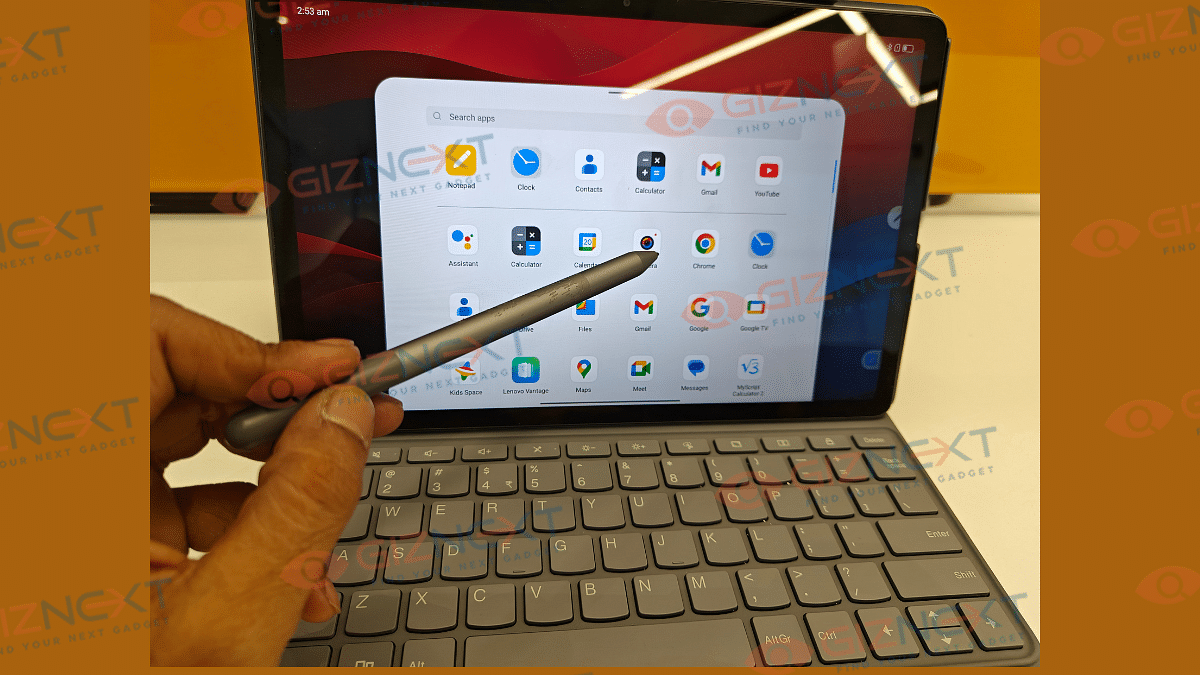
The Lenovo Tab K11 (Enhanced Edition) ships with a stylus pen and a Folio keyboard out-of-the-box. These added accessories definitely adds worth to this product. The stylus pen does’t get magnetic charging feature rather it uses a single AAA battery to power up. The thicker pen design allows ideal grip for writing and sketching. There is also a Palm rejection feature which functions well with taking notes.

There are dedicated apps to use with stylus such as Nebo (converting handwritten texts) and MyScript calculator that allows working on handwritten notes and equations. There are additional pen tips included with the stylus pen that can be replaced and used in case the default tip stops functioning properly.

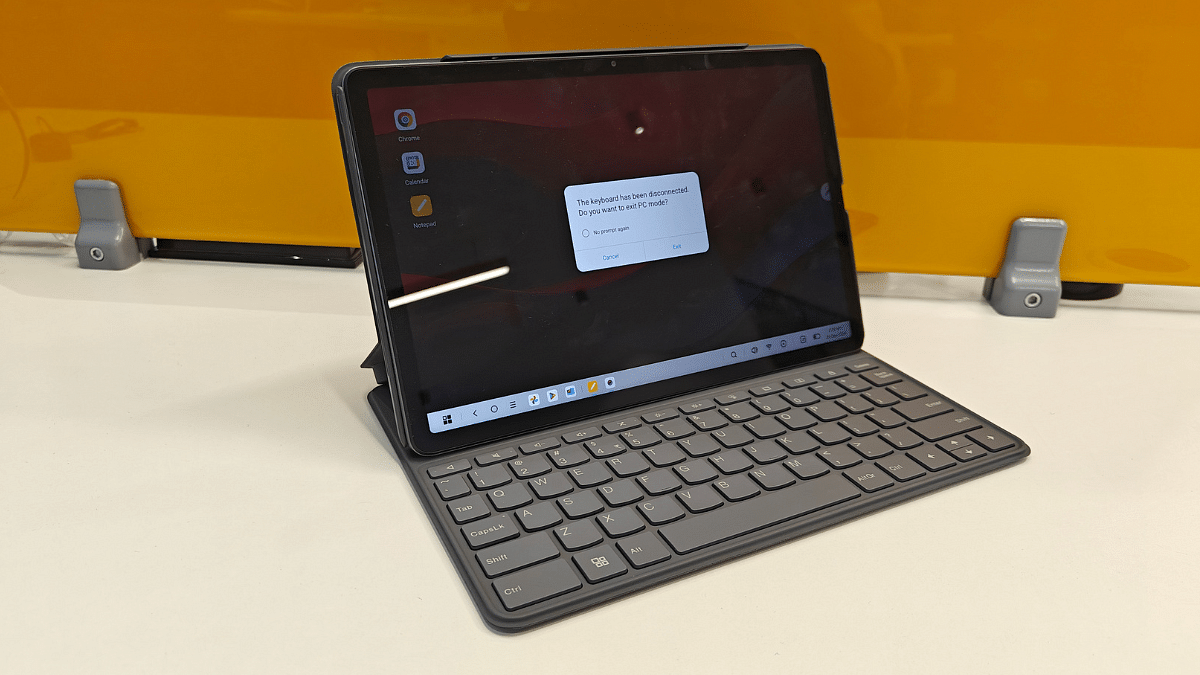
Another important accessory that the Tab K11 (Enhanced Edition) ships with is the Folio keyboard. It latches on magnetically to the tablet via pogo pins. Keyboard’s functionality is good and you will find the keys nimble to press.

Also Read: Vivo T3 Ultra 5G Smartphone Review: A Flagship Experience For Less?

Lenovo Tab K11 (Enhanced Edition) Battery Backup

Backing up the Tab K11 (Enhanced Edition) is a 2-cell 7040 mAh (Li-Ion) battery pack. The big battery module tucked inside the slim tablet body is decent with backup. It is capable of lasting an entire day with a single charge with extensive usage.

You won’t necessarily need an additional plug in until the next day. Expect the battery backup to extend to up to two days if you use it lightly with basic tasks such as browsing and online conferencing. Media playback and gaming if done extensive will drain the battery by the end of the day. This brings us to the charging speeds, the Tab K11 (Enhanced Edition) comes with 10W charging support. It takes close to 4 hours to charge this tablet from 0- 100 percent.

Also Read: Vivo V40 Review: Stylish Mid-Range Smartphone With Zeiss Magic

Lenovo Tab K11 (Enhanced Edition) Final Verdict: Worth Buying?

Lenovo Tab K11 (Enhanced Edition) is a well rounded package overall in the budget segment. It justifies its price tag with its robust build, vibrant screen, and the stylus pen/ folio keyboard accessories. This tablet is suitable for working professionals and students who need a daily use tablet for tasks such as online conferencing, taking notes, and media playback, etc. It wouldn’t be wrong to say that the Tab K11 (Enhanced Edition’s) added accessories is what gives it an edge over the standard version and the counterparts in this segment.

Categories
Accessories Featured Reviews

Audio Technica ATH-TWX7 TWS Review: Masterpiece For Audiophiles Or A Letdown?

Audio industry has seen a major transformation over the last decade. It isn’t just the music taste, but the gadgets that have also evolved. From wired headphones to speakers to wireless TWS earbuds and home theatres technology advanced has touched every niche in the audio accessories market. And brands are becoming consistent with new launches. It’s like you get to see a new TWS earbud being announced every alternate week. Options are numerous when we intend to buy a new pair that also fits the budget. The premium audio products category is not left behind and pioneers like Sony, Audio-Technica, Bose, and other are bringing in options for all those audiophiles out there. After reviewing the Audio Technica ATH-SQ1TW earbuds, we now have got our hands on the ATH-TWX7 (new premium range TWS ). Featuring an intuitive design with IPX4 certification, powerful dynamic drivers backed by hybrid noise cancellation, these pair seems an ideal pick for the premium consumer segment? We at Giznext have tested this pair and are sharing the comprehensive review below:
For the tech geeks, stay updated with the latest cutting-edge gadgets in the market, exclusive tech updates, gadget reviews, and more right on your phone’s screen. Join Giznext’s WhatsApp channel and receive the industry-first tech update.

Also Read: Audio- Technica ATH-SQ1TW TWS Review: Tiny Beasts

Pros And Cons

Pros Cons
Solid build and practical designBattery life is average
Snug-fit earbuds suitable for outdoor useNoise cancellation could have been better
Clear sound stage with decent bassUses older Bluetooth version for wireless pairing
App compatibility for EQ and more settings Lacks multiple device pairing

Also Read: Vivo T4x 5G Review: Is This The Best Budget 5G Smartphone?

Box Contents

  • User manuals
  • Carry pouch
  • ATH0TWX7 charging case and earbuds
  • USB charging cable
  • Additional ear tips

Also Read: Lenovo Legion Tab Review: Small Size, Big Gaming Potential

Design

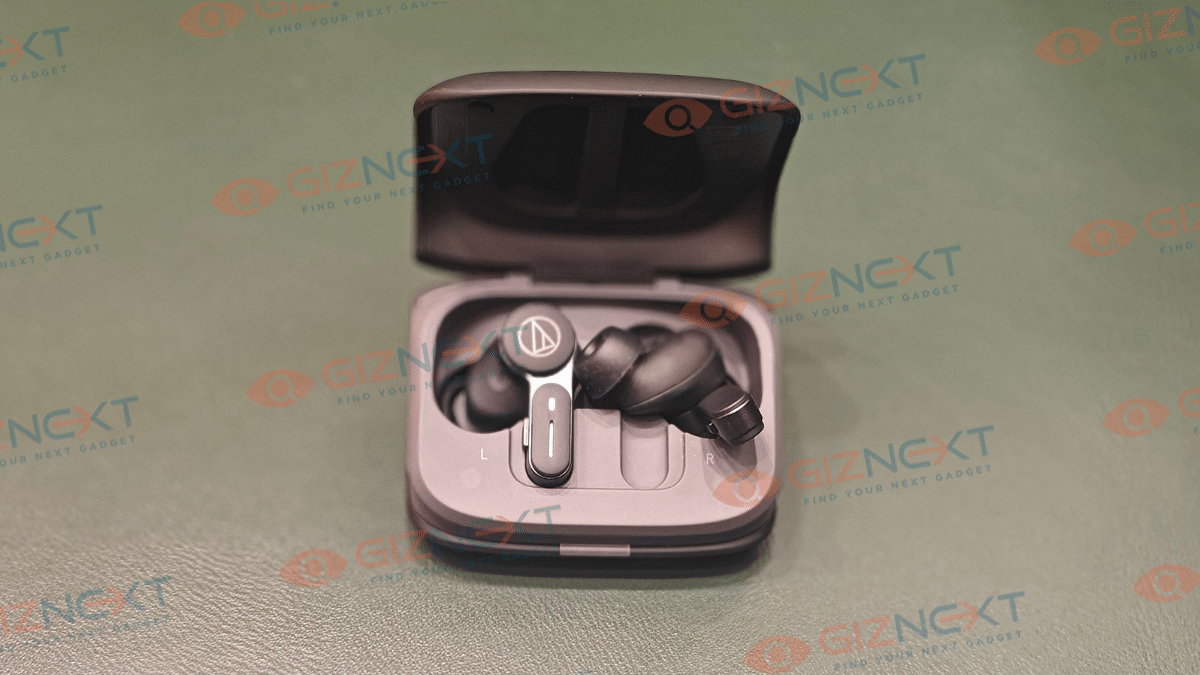
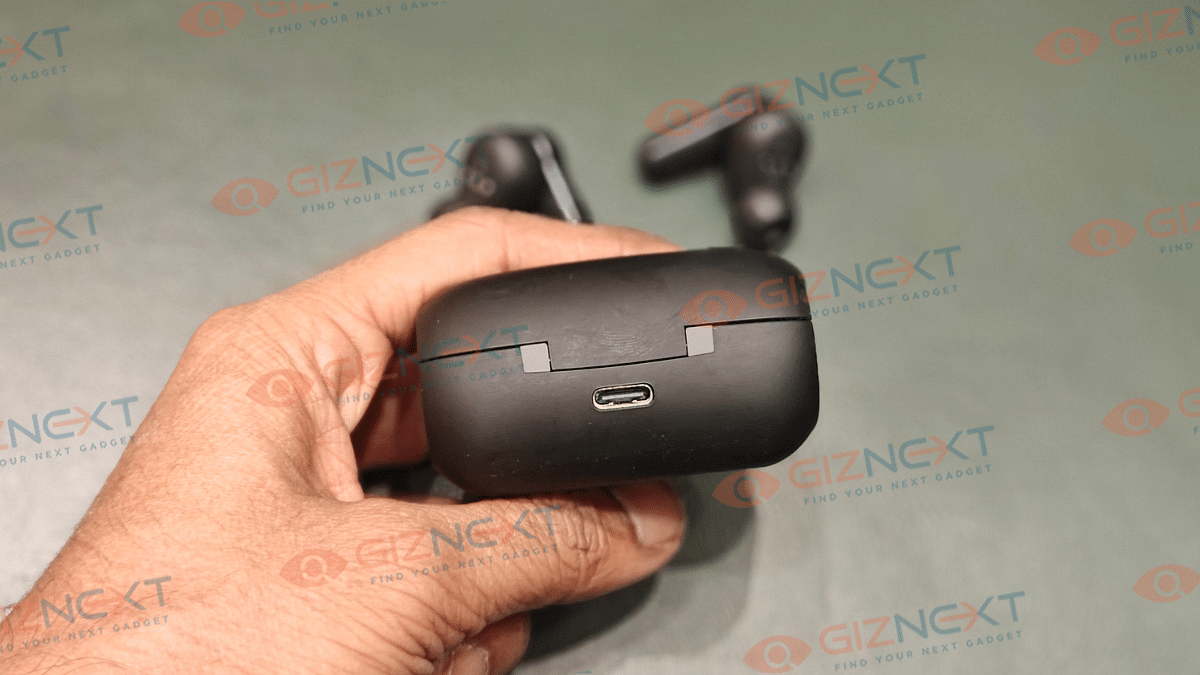
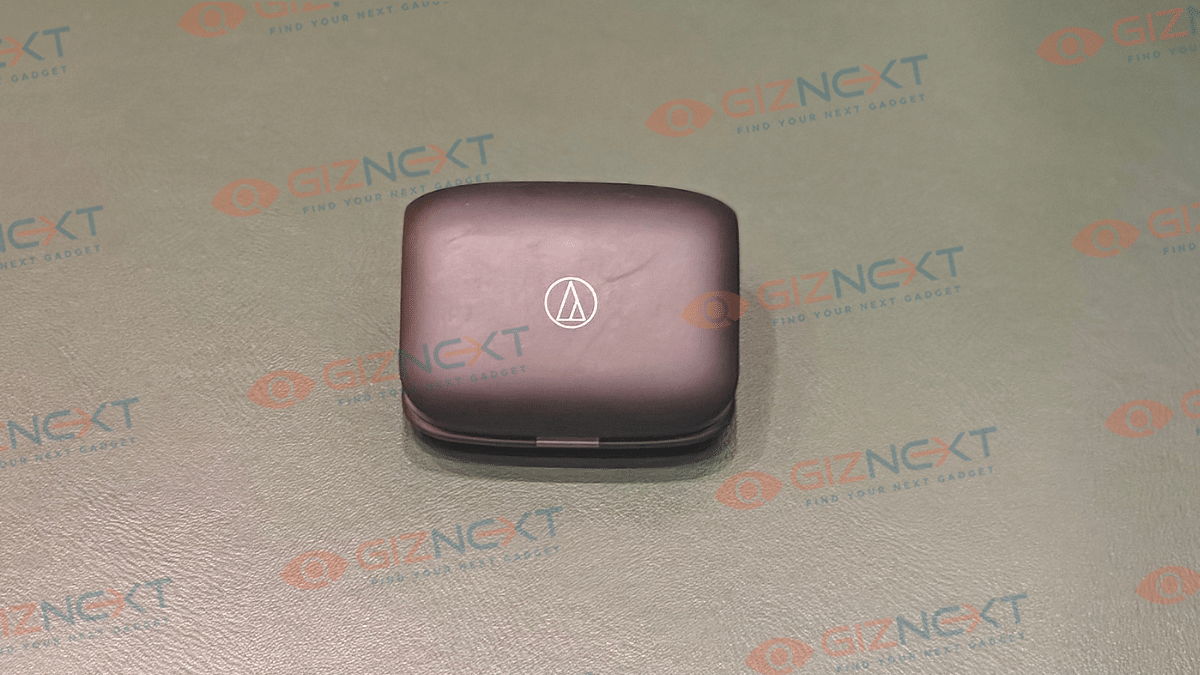
From the charging case to the earbuds, Audio-Technica has taken a unique and intuitive approach for the ATH-TWX7. The tapered teardrop shaped charging case easily slides even into the tiny pockets. This design further makes the unit rest at an angle while charging highlighting the brand’s logo. This is different than the conventional upright or flat positioning of the earbuds during charging. A small LED light is placed at the bottom flap that lits up as soon as you open or close the case’s flap and when it’s plugged in for charging/ battery notifications. To top it all the soft matte finish material of the charging case makes it feel more premium.

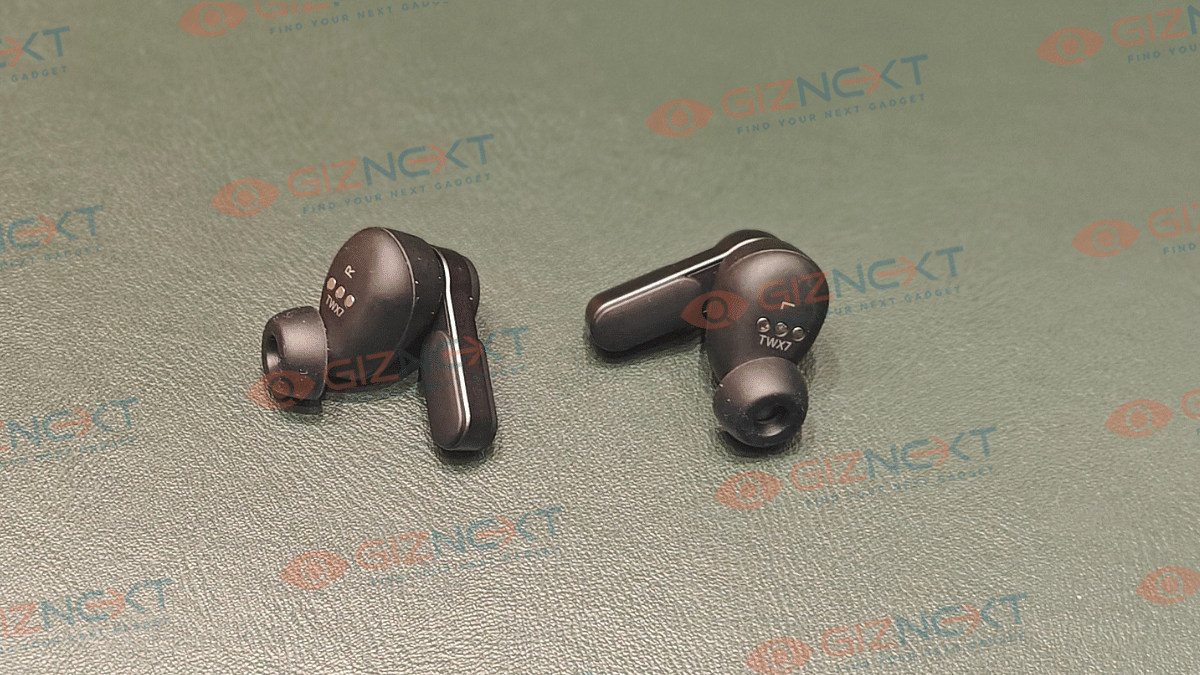
Coming to the earbuds, which sports a stem shaped in-ear design for a snug-fit. Default eartips are good to go out-of-the-box. Besides, the option to change eartips is also there with the additional pairs that ship with the box. You’ll find the earbuds offering a secure fit which makes them apt to wear during outdoor activities or work outs. The IPX4 certification adding dust and sweat resistance is a bonus point for the overall design.

Touch control actionsLeft EarbudRight Earbud
Single press No actionNo action
Double pressTalk-through modeTalk-through mode
Press and hold Enable/ disable ANC, Hear through modeSummon digital voice assistant
Audio Technica ATH-TWX7 TWS Earbuds Key Controls

Controls are handled by the set of physical kets on both earbuds. There are also touch control option which makes the design both modern and practical. Using the physical keys and the touch controls you can enable/ disable ANC, summon voice assistant, answer calls, and adjust volumes, etc. Let’s take a quick look at the functions of both keys an touch controls.

Key control actionsLeft EarbudRight Earbud
Single press1. Increase volume
2. Answer calls
1. Media Playback controls (Play/ Pause)
2. Answer calls
Double pressDecrease volume levels1. Toggle next track
2. Microphone mute
Press and holdEnd callsEnd calls
Audio Technica ATH-TWX7 TWS Earbuds Key Controls

Also Read: Nu Republic Cyberstud Spin TWS Earbuds Review: Trendy And Practical?

Sound Stage

Audito Technica definitely has some of the best sounding pairs out there in the market. And the ATH-TWX7 doesn’t break that legacy. Integrated inside are the 5.8 mm Dynamic drivers that deliver a frequency response range of 10- 40,000 Hz and 100db/ mW sensitivity.

These earbuds are definitely a treat for audiophiles offering a wide and rich sound stage. While it isn’t most well balanced sounding TWS earbuds in the premium/ mid-range category, it’s thumping bass right out of the box hits the right notes for all music lovers.

The overall sound output by these tiny buds packs ample punch to get you grooving to your favorite tracks. Lows, mids and highs are balanced decently and the combined output gives you that premium listening experience. It easily takes on all genres And if you want to tune up the earbuds as per your listening preferences, the AT Connect app compatibility will help you with all the EQ adjustments and further sound refinements.

Distortions with audio is a least of a concern with this pair even when you tune up to the highest audio levels. This makes it a pleasing experience when listening genres like hard metal, pop and R&B. Besides offering an rich output with music, the ATH-TWX7 will also be a solid companion if you are into binge watching shows and movies or gaming.

Also Read: Top TWS Earbuds With Noise Cancellation Under Rs. 3,000

Noise Cancellation, App Connectivity

With ANC support, the ATH-TWX7 is fully capable of blocking sounds from noisy environments. Combined with the secure fit eartips, the sounds get locked inside your ears leaving you undisturbed during your music playback sessions. Noise cancellation is predominantly constant with least or no variations during its usage.

While the ANC is at par with competitions, the older Bluetooth version is a setback. Instead of the latest versions like the Bluetooth 5.3, the ATH-TWX7 comes with dated Bluetooth 5.1 tech. Though, pairing isn’t a hassle, newer Bluetooth version would have been better for lossless transmission and range efficiency.

That said, it still gets the standard SBC and AAC Bluetooth codec support. Added bonus here is the LDAC codec which further helps with high-quality lossless audio delivery. To enable this feature, you’ll need the compatible A-T connect app installed on your devices. Besides accessing the Bluetooth codec profiles, the A-T connect app offers a host of tuning functionalities such as EQ settings, Low Latency mode, Soundscape, Ambience Control, Talk Through, and Call/ Microphone settings.

Also Read: CMF Buds Review: Do They Stand Out In The Crowded TWS Earbuds Market?

Battery Backup

Claimed backup figures are up to 6.5 hours (earbuds) with ANC on, whereas without ANC it is said to go up to 7.5 hours. Charging case holds up to 24 hours and 20 hours of additional backup respectively with and without ANC. But if we speak of the real world backup, the earbuds last close to five hours when listeing at an average volume level of 60 to 80 percent. This is with the ANC on. It only goes slightly up without the ANC being active. Now, for a premium earbud this is an average backup. You might need frequent re-charges with this pair which can be a bummer for some of the users.

Also Read: Urban Vibe Clip Open Ear Wireless TWS Review: Stylish And Secure, But Is It Worth The Cost?

Giznext Expert Opinion

Audio-Technica has once again proved its expertise in the audio segment with the ATH-TWX7. This pair striking a decent balance in terms of build, sound output and overall usage surely gets the game rolling. But it’s not solely the signature audio and design that decides its success. Battery backup is another factor that comes into consideration where it lacks somewhat compared to alternatives in the market. If you can get past that, the the ATH-TWX7 is worth all the money. Give it shot if you are a hardcore audiophile and are looking for a premium sounding TWS pair.

Categories
Featured Mobile Reviews

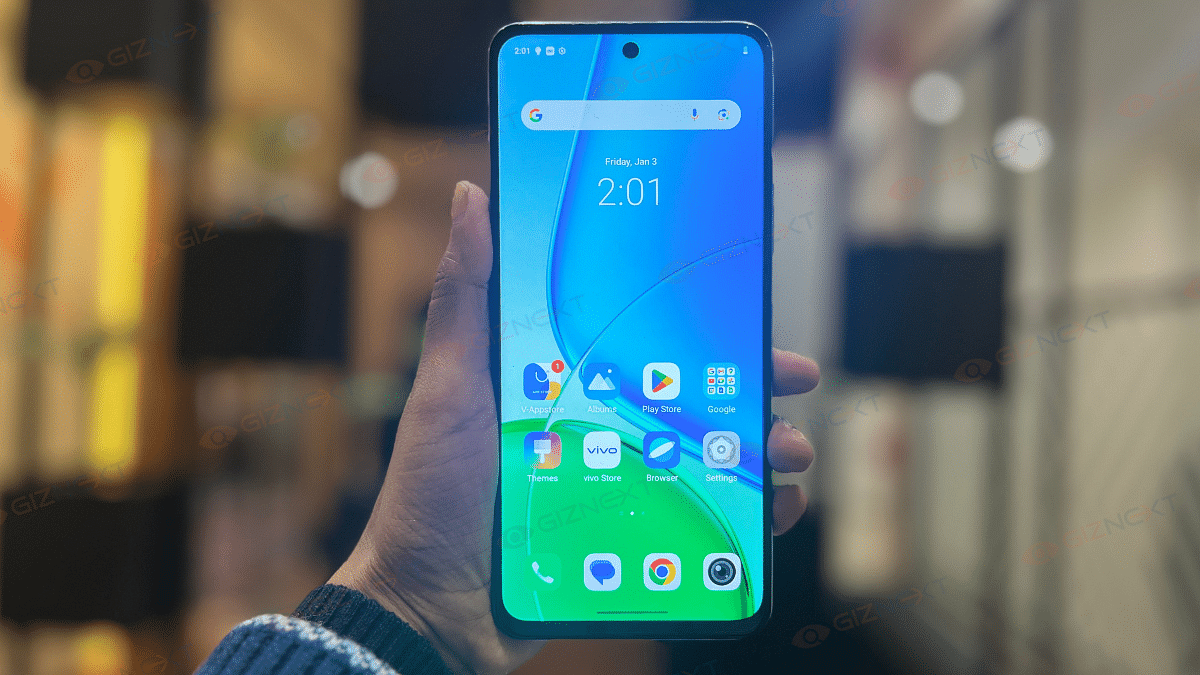
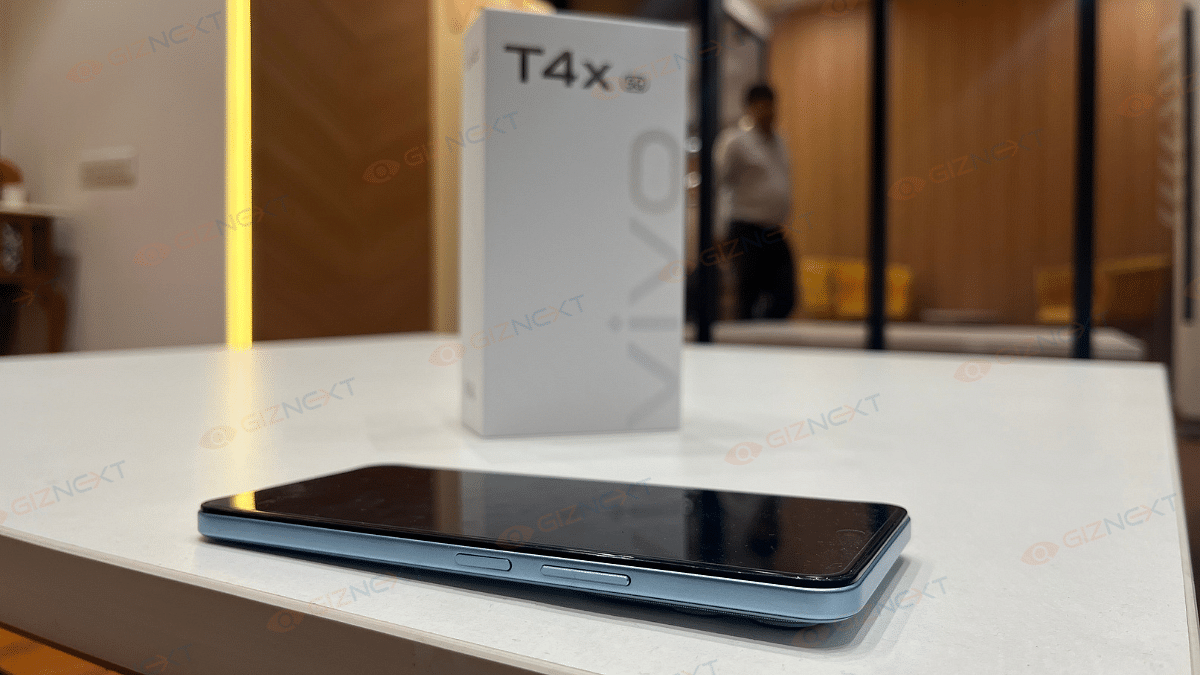
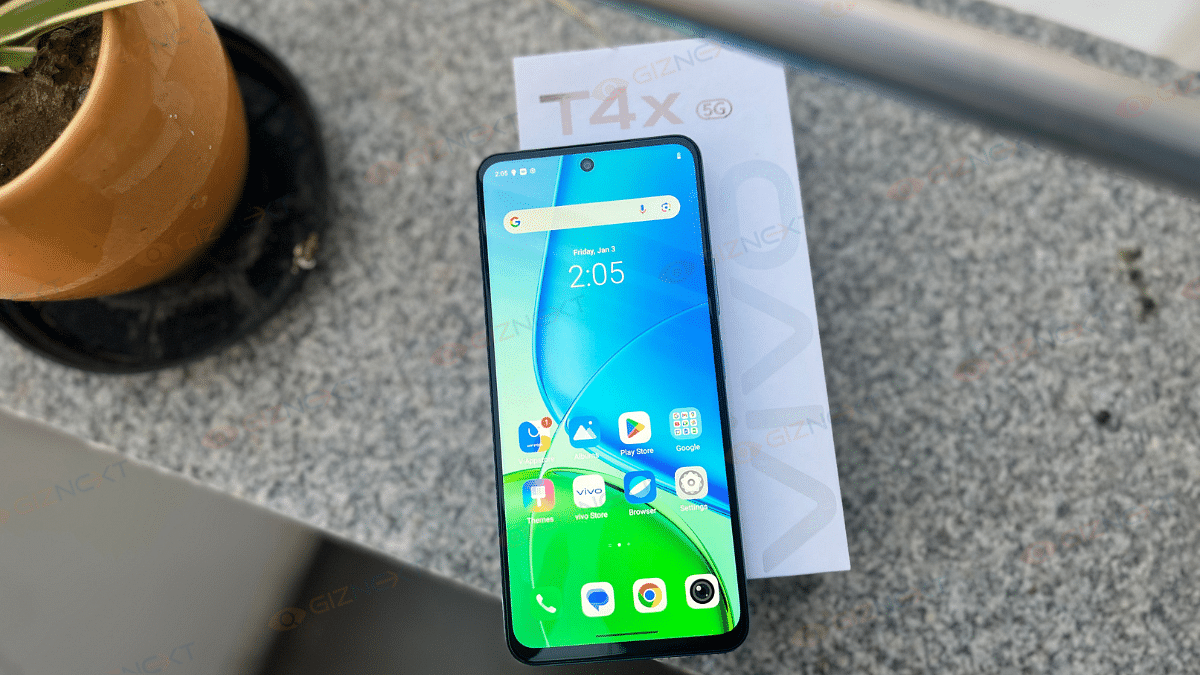
Vivo T4x 5G Review: Is This The Best Budget 5G Smartphone?

Key Highlights

  • Dimensity 7300 5G processor
  • Military-grade durability
  • 6,500mAh high-density battery
  • 50MP AI camera

The Vivo T4x 5G is here, and I finally got my hands on it. Now, if you are wondering whether this phone is worth every rupee or just another flashy device, let me take you through my experience. I’ve tested its performance, battery life, camera, and display to see if it’s truly worth your hard-earned money. So, is the Vivo T4x 5G a steal or just style without substance? Let’s dive in and find out in the review.

Also Read | Vivo T3 Pro 5G Review: Mixed Bag Or Real Deal?

ProsCons
120Hz high refresh rate displayAverage camera performance
Smooth PerformanceLCD display instead of AMOLED
6,500mAh long-lasting batteryBloatware

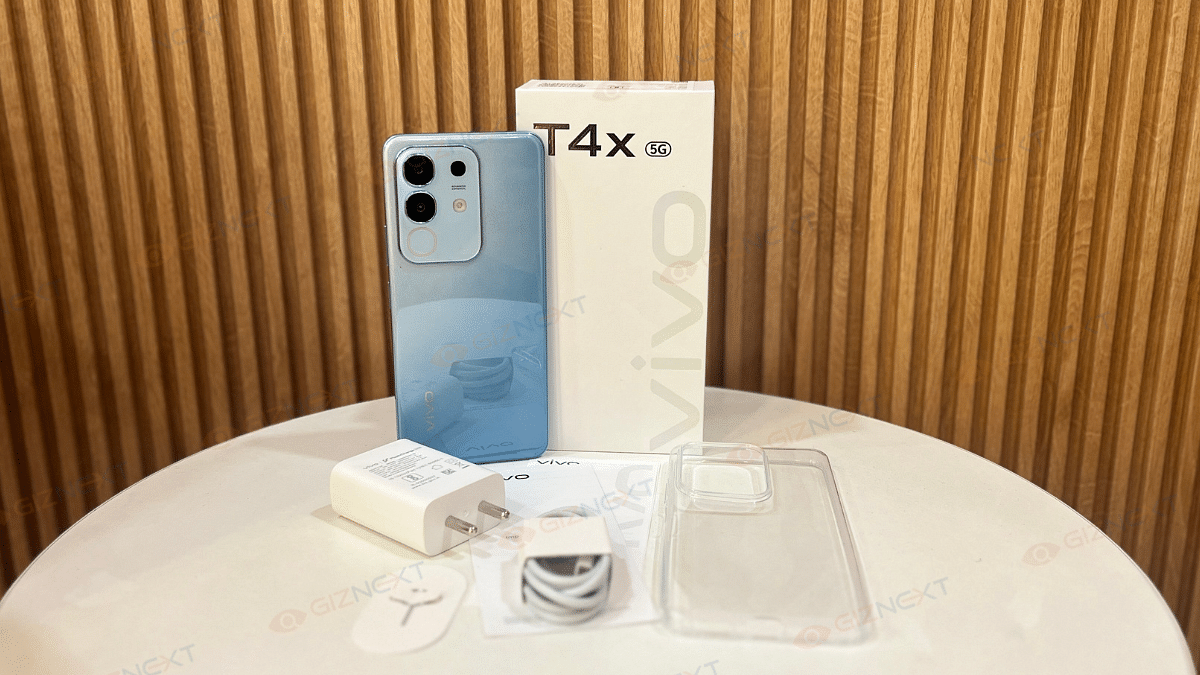
What’s Inside The Box?

  • Vivo T4x 5G handset (Marine Blue)
  • Charger
  • USB cable
  • Phone case
  • SIM Ejector Tool
  • Quick start guide
  • Warranty card

Design

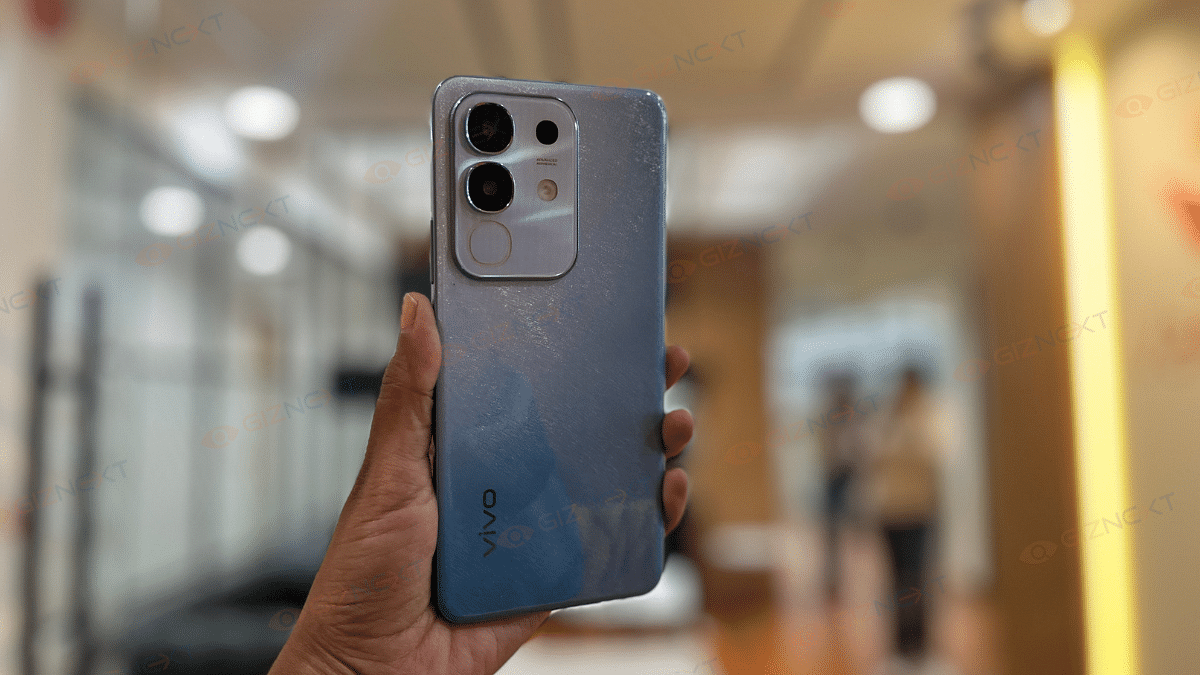
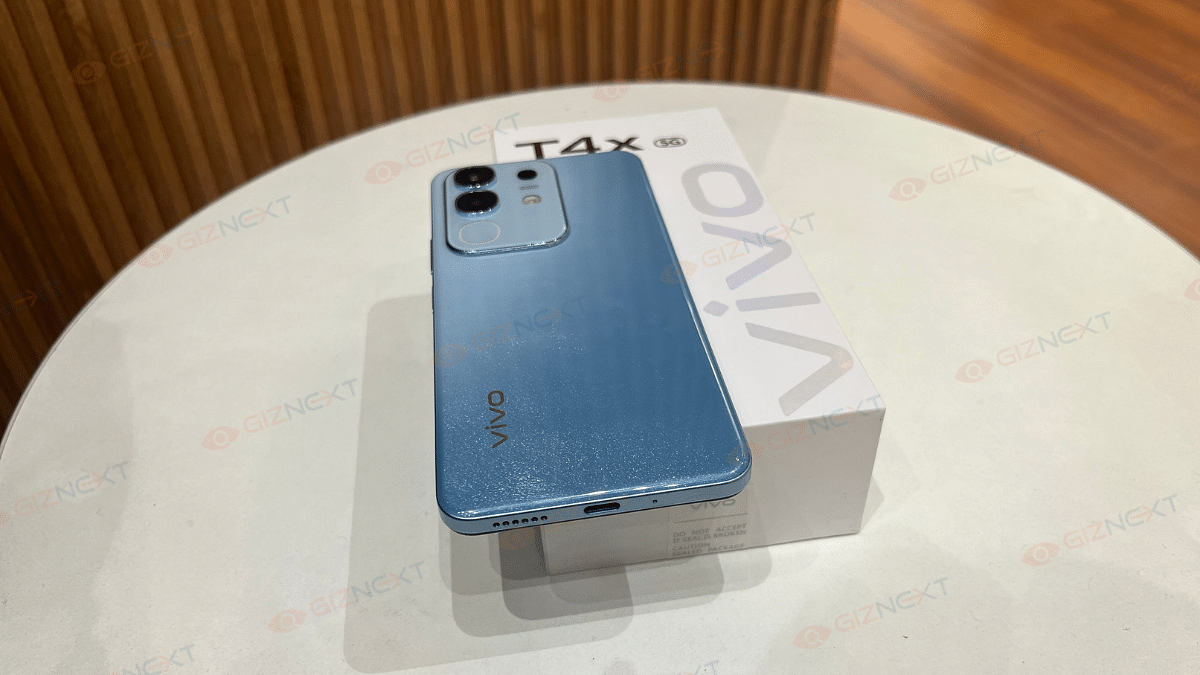
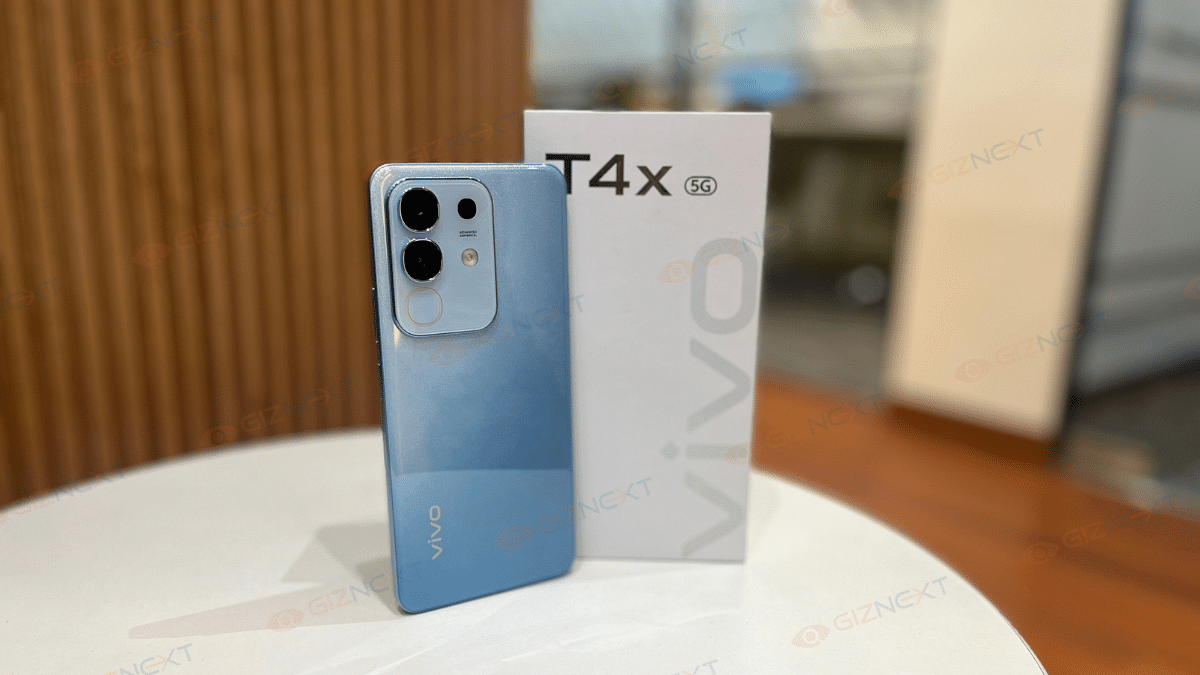
The Vivo T4x 5G comes in two eye-catching shades, that is, Marine Blue and Proton Purple. For this review, I got my hands on the Marine Blue variant, which features a glittery effect on the back. Now, whether you like this design or not is subjective. Some might find it flashy, while others, like me, will appreciate its unique pattern.

When you turn the phone backwards, you’ll find a camera module. There’s also a ring light around the camera module which goes by the name the Dynamic Light. But don’t mistake it for a flashlight. This Dynamic Light is purely for notifications, alerts, incoming calls, and charging indications. And yes, there’s also a regular flashlight on the back for when you actually need it.

In terms of build, the phone has a plastic composite back, which doesn’t feel ultra-premium but still looks stylish. At 208 grams, it’s slightly on the heavier side but the IP64 rating ensures protection against dust and splashes.

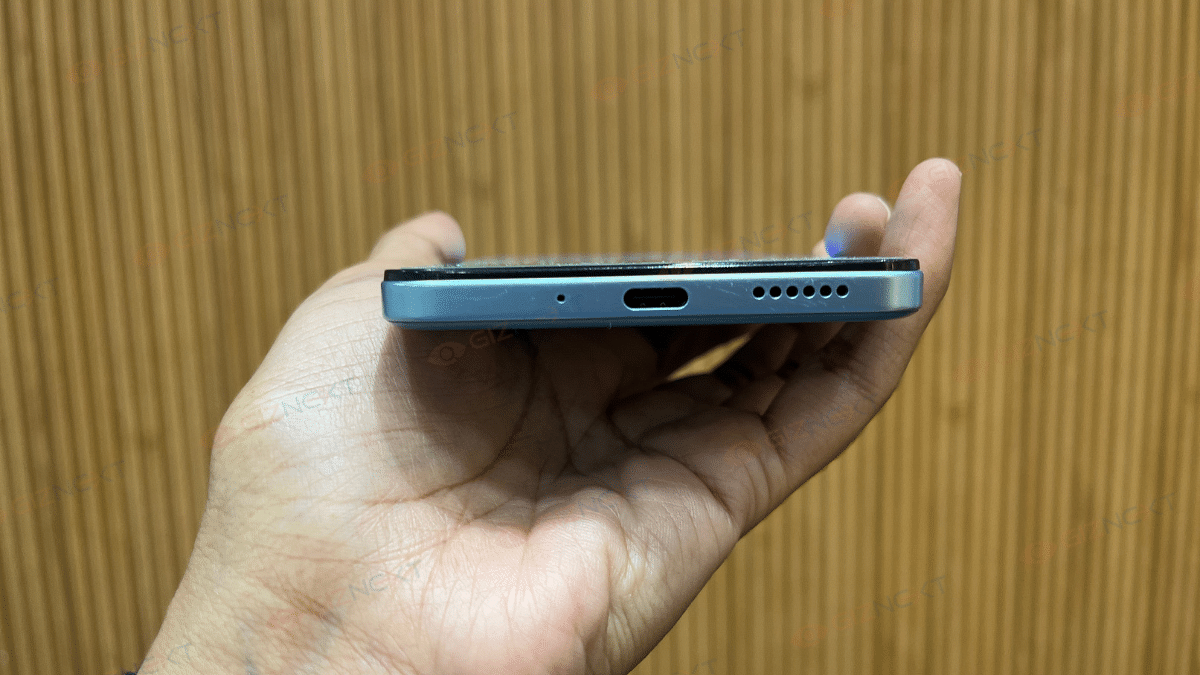
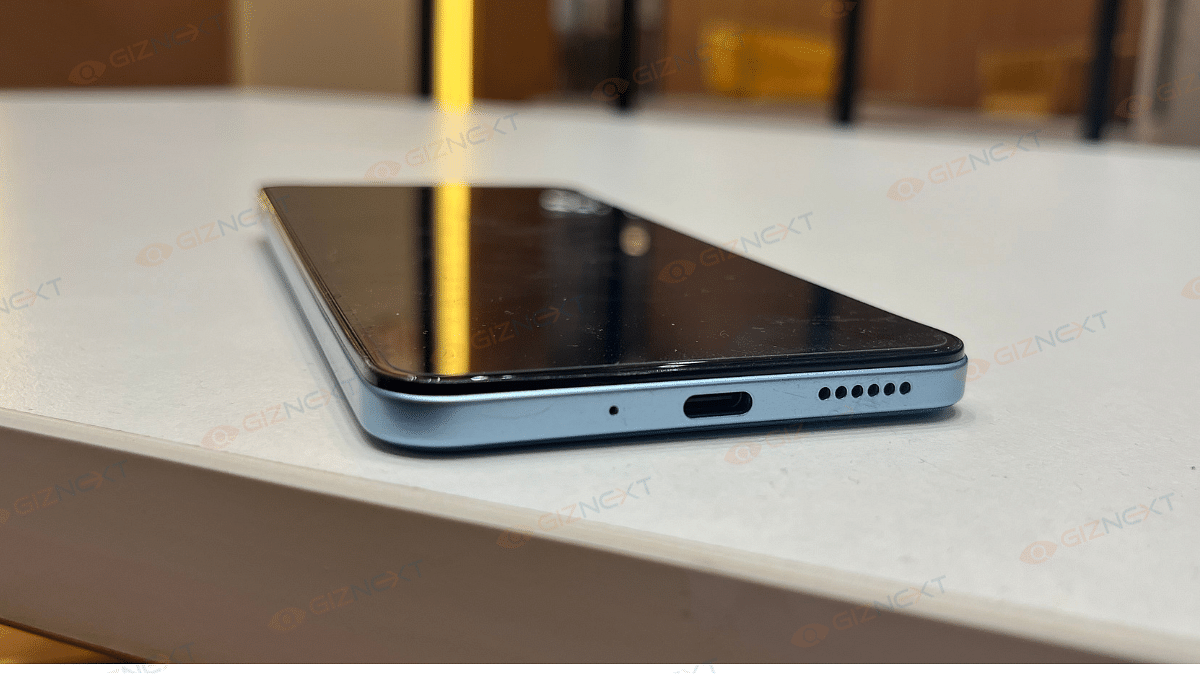
As for the button and port placement, the right side houses the volume rocker and power button, which are easy to access. The left side is home to the SIM tray, while the bottom features the charging port, microphone, and speaker grille. Everything is well-placed, and I didn’t face any issues with accessibility.

Display

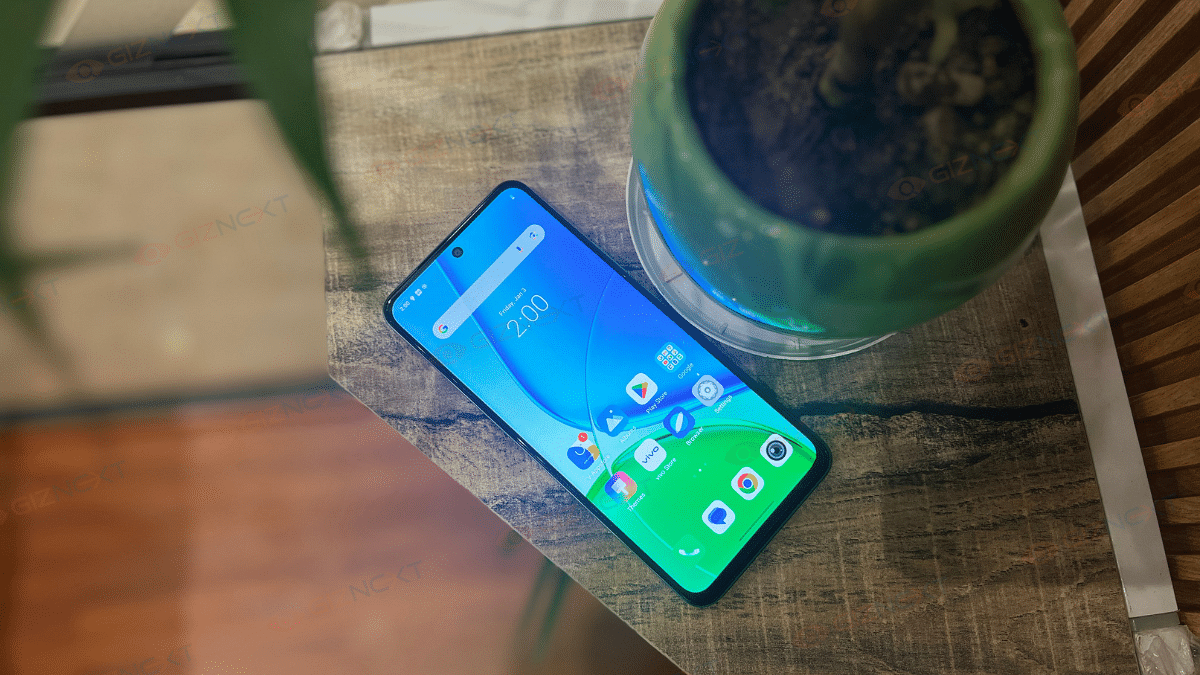
The Vivo T4x 5G sports a 6.72-inch LCD display with a 2408 × 1080 resolution. While I would have loved an AMOLED panel for deeper blacks and punchier colors, the 120Hz refresh rate makes up for it by delivering smooth scrolling and a fluid experience.

With a peak brightness of 1050 nits (HBM), outdoor visibility is decent. During my usage, I had no trouble using it under direct sunlight. The colors look vibrant enough, thanks to the 83 percent NTSC color gamut and the 393 pixel density ensures sharp visuals.

Touch response is snappy, and since it’s a capacitive multi-touch panel, interactions feel smooth whether you are gaming or just browsing. However, if you are someone who prefers deep contrast and rich colors, you might miss having an AMOLED display here. Overall, it’s a solid display for the price, but an AMOLED panel would have made it even better.

Also Read | Vivo T3 Ultra 5G Smartphone Review: A Flagship Experience For Less?

Performance

Under the hood, the Vivo T4x 5G is powered by the MediaTek Dimensity 7300 chipset (built on a 4nm process). Paired with 8GB of RAM and 256GB onboard storage, the phone handles everyday tasks with ease. Apps open quickly, multitasking is smooth, and even with multiple apps running in the background, I didn’t experience any major slowdowns.

Now when it comes to gaming, the Dimensity 7300 does a decent job. I played BGMI and Call of Duty: Mobile at high settings, and the gameplay was smooth with minimal frame drops. The 120Hz refresh rate does make animations and touch response feel smooth. However, after extended gaming sessions of around 45 minutes to an hour, the device starts to heat up slightly, nothing extreme, but noticeable.

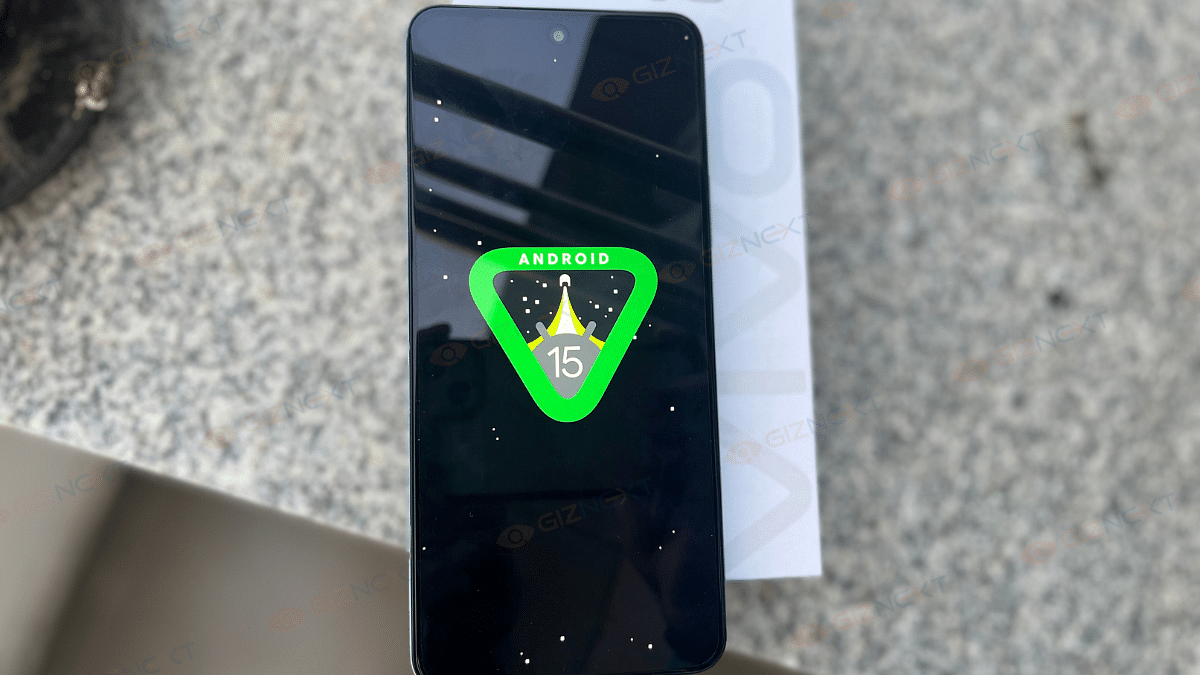
Now, here’s where things take a hit. The Vivo T4x 5G runs on Funtouch OS 15, based on Android 15. While it’s feature-packed and smooth in terms of performance, the cluttered UI and excessive bloatware kill the vibe. Pre-installed apps make the interface feel messy and cleaning them up takes effort. Vivo really needs to tone down the bloatware to make the software experience more enjoyable.

Overall, for everyday tasks and gaming, the Vivo T4x 5G performs well. If you can get past the bloatware, this phone delivers great performance for its price.

Camera

The Vivo T4x 5G features a dual-camera setup with a 50MP primary sensor and a 2MP depth sensor. For selfies, it comes with an 8MP front camera.

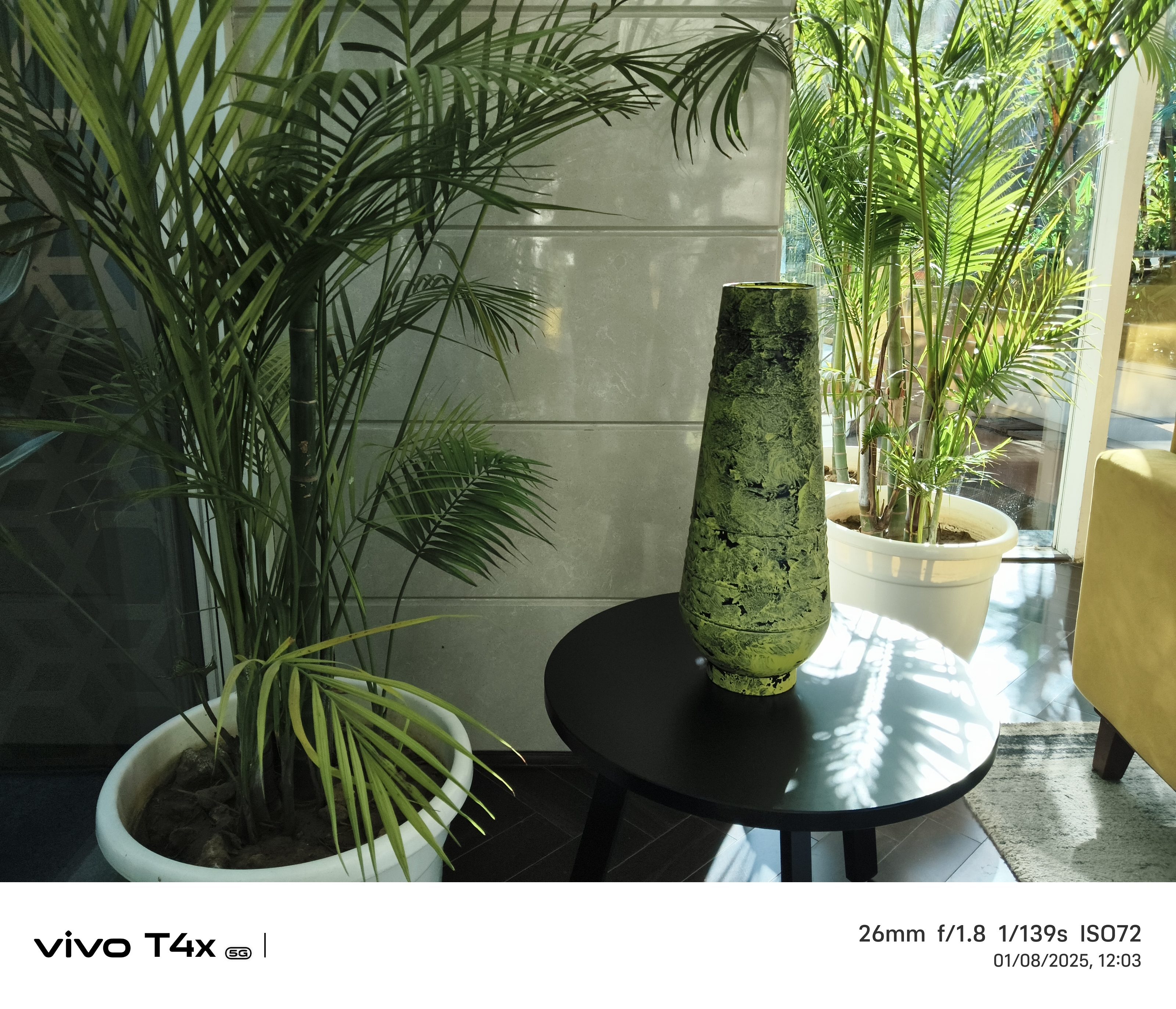
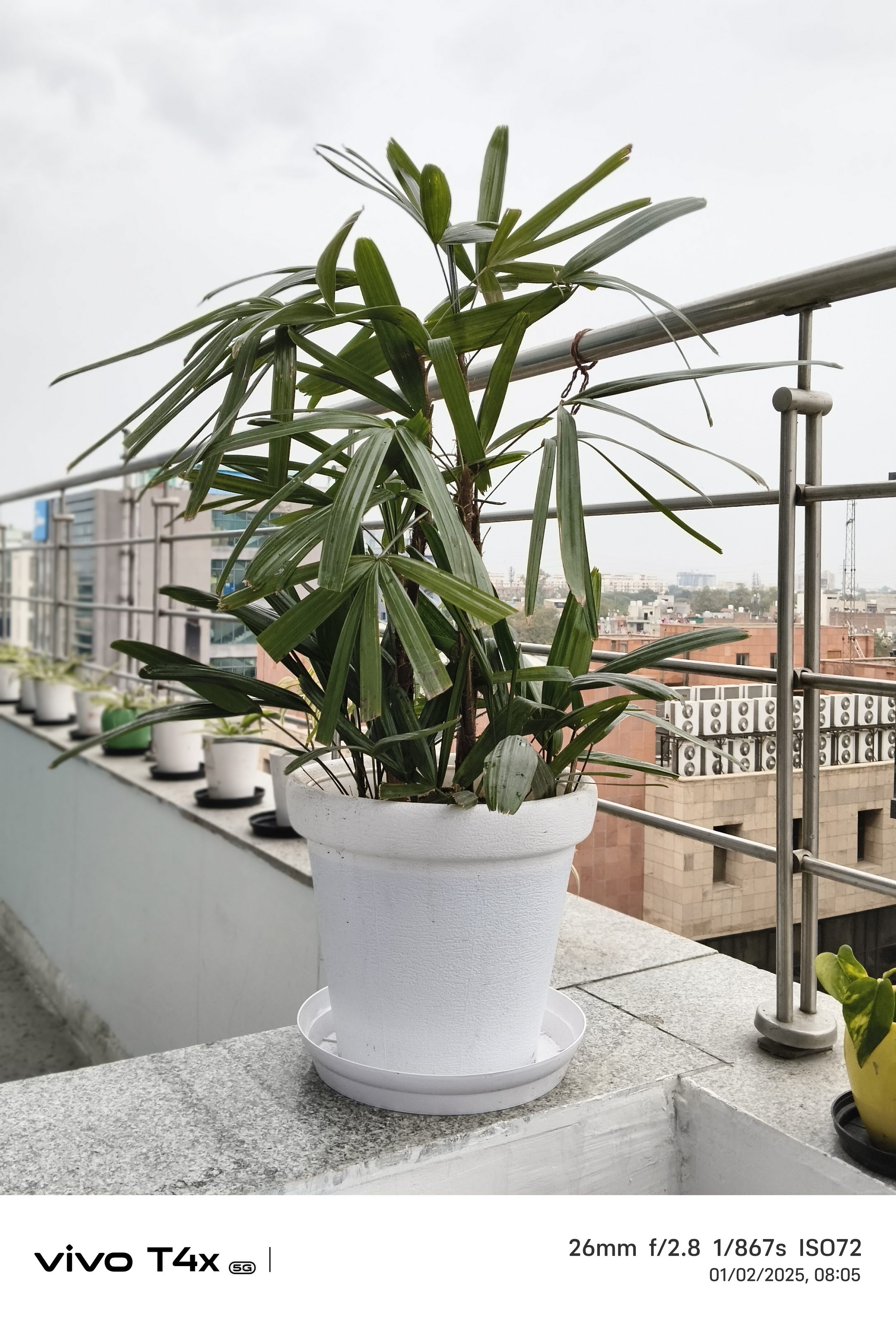
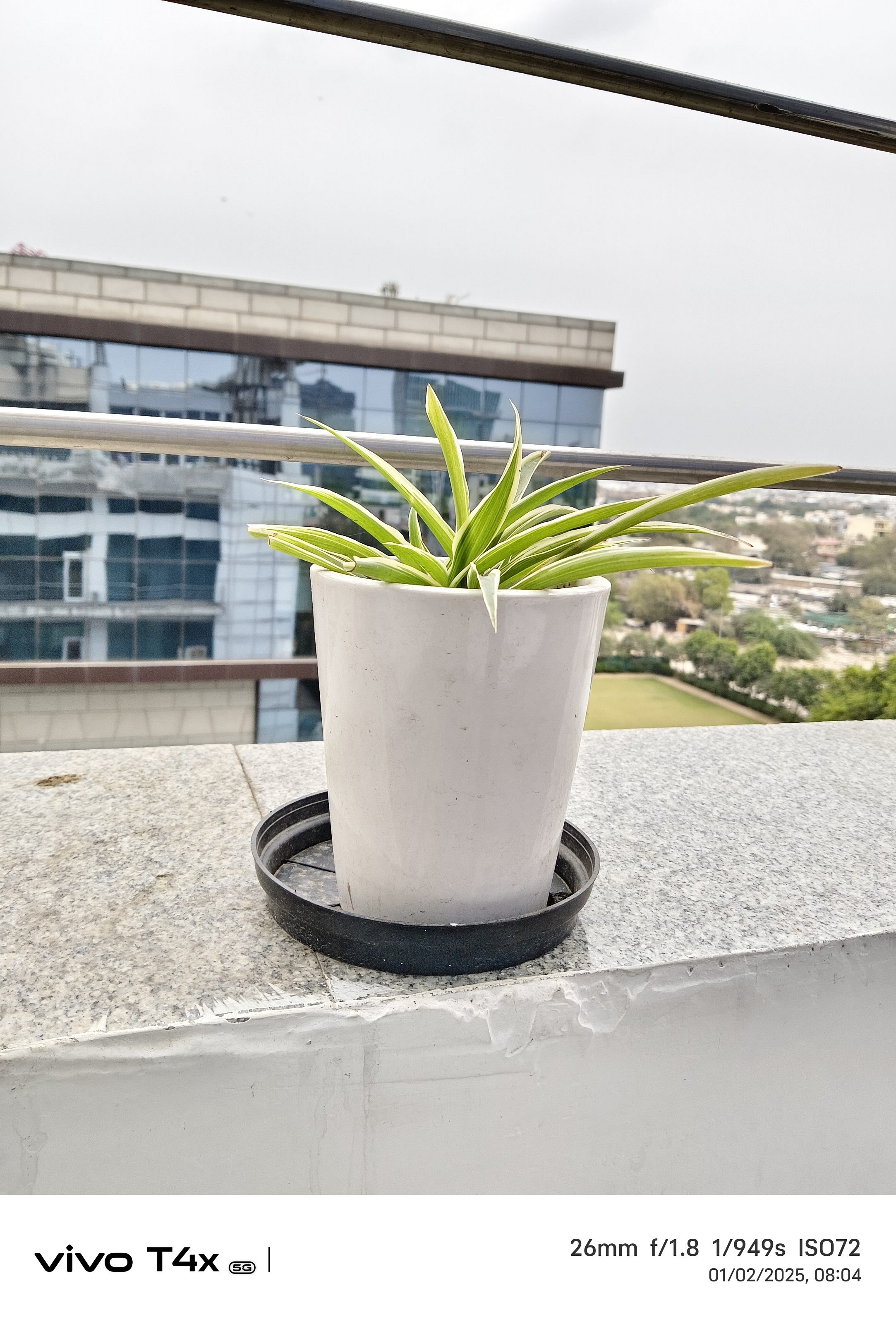
The 50MP main camera on the Vivo T4x 5G delivers vibrant and bright photos. But if you prefer more natural tones, you might find the color processing a bit aggressive. Details are decent, though not flagship-level, and in good lighting conditions, the camera captures some really nice-looking shots.

When the sun goes down, the camera performance takes a slight hit. While the Night Mode helps in improving brightness and details, the images still have noticeable noise. You can get usable shots, but don’t expect it to work wonders in low-light conditions.

Now if we talk about selfies and video calls, the 8MP front camera is good. It captures sharp images with accurate skin tones, and I like that it doesn’t go overboard with beauty filters.

Also, there’s no ultra-wide lens which might be a dealbreaker for some. But considering the Rs. 16,999 price tag, we really can’t complain too much. The 2MP bokeh sensor does a fair job at background blur, but it’s not something that will blow you away.

If you love vibrant, colorful photos, the Vivo T4x 5G’s camera won’t disappoint. It’s great for daylight shots and decent for selfies, but low-light photography isn’t its strong suit.

Battery And Charging

The 6,500mAh battery on the Vivo T4x 5G is an absolute powerhouse. Whether you are scrolling endlessly through Instagram, binge-watching your favorite series, or playing games, this phone just keeps going.

On moderate usage, I easily got a day and a half without reaching for the charger. Even with heavy gaming, 5G usage, and streaming, it comfortably lasted a full day.

When it comes to charging, the 44W fast charging isn’t the fastest in the segment, but it gets the job done. In about 1 hour and 20 minutes, the phone goes from 0 to 100 percent, which is pretty decent for such a massive battery. While I would have loved faster charging speeds, the battery life itself more than makes up for it. If you’re someone who hates carrying a charger all the time, this phone is a lifesaver.

Also Read | Vivo X200 Detailed Review In Points: It’s All About The Cameras!

Giznext’s Final Verdict: Should You Buy Vivo T4x 5G?

If you are in the market for a budget-friendly 5G smartphone that excels in battery life and offers smooth performance for everyday tasks, the Vivo T4x 5G is a worthy consideration. However, if premium build quality, advanced camera capabilities, or features like NFC are high on your priority list, you might want to explore other options. In conclusion, the Vivo T4x 5G provides considerable value for its price, making it a solid choice for users seeking essential features without breaking the bank.

For the tech geeks, stay updated with the latest cutting-edge gadgets in the market, exclusive tech updates, gadget reviews, and more right on your phone’s screen. Join Giznext’s WhatsApp channel and receive the industry-first tech updates.

Categories
Home Appliances Reviews

Dreame H12 Dual Wet And Dry Vacuum Review: A Cleaning Dream Come True?

Key Highlights

  • Wet and dry mode
  • 900ml clean water tank
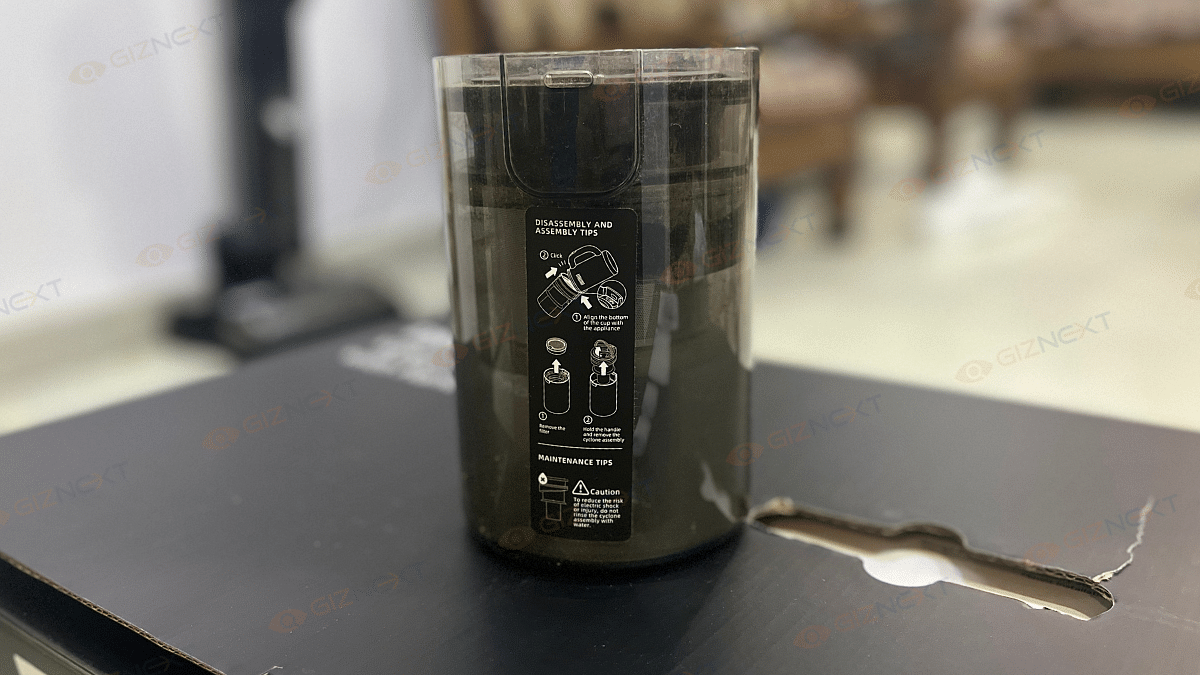
  • 700ml used water tank
  • Auto mode and suction mode
  • LED smart screen
  • Self-cleaning

Let’s be honest, vacuuming and mopping aren’t exactly the most exciting tasks. If you’re anything like me, you’d rather do just about anything else than push a heavy vacuum around and then go over the same area again with a mop. But what if I told you there’s a way to make cleaning not only easier but also kind of fun? That’s exactly what the Dreame H12 Dual Wet and Dry Vacuum promises. A two-in-one cleaning machine that sucks up dust and mops at the same time. Sounds like a dream, right? After putting it to the test in my home, I’m here to share my experience.

Also Read | New Dyson Airwrap Review: Enhance Your Style Statement On-The-Go With This Multi-Hair Stylist

ProsCons
Strong suction for both wet and dry messesA bit pricey
Self-propelling for easy maneuverabilitySlightly bulky for small spaces
Auto mode adjusts power based on dirt level 
Self-cleaning function keeps maintenance hassle-free 

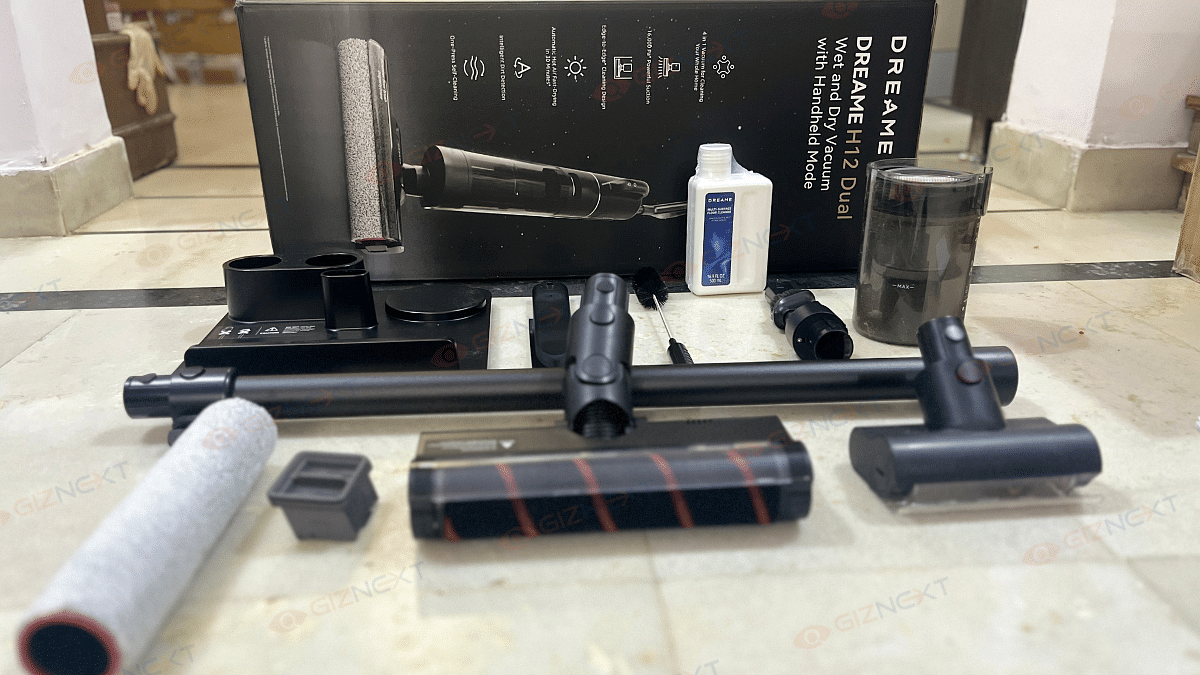
Unboxing: What’s In The Box?

  • Dreame H12 Dual (main vacuum unit)
  • Handle
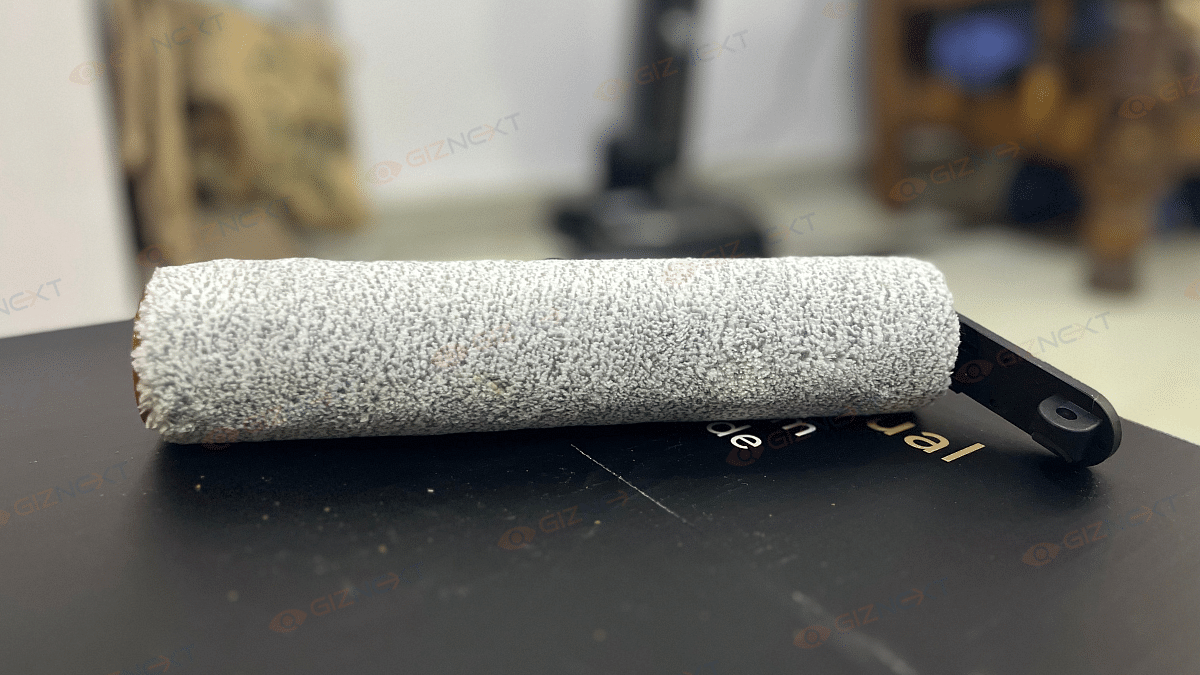
  • Spare brush roller
  • Cleaning solution
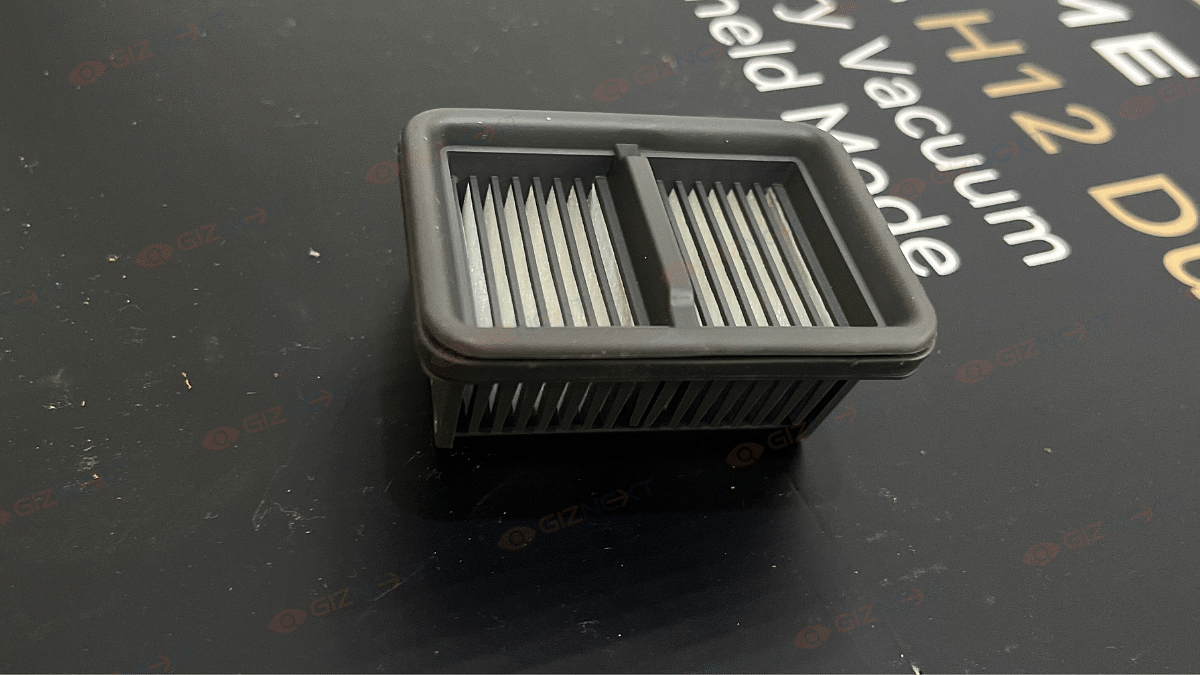
  • Replacement filter
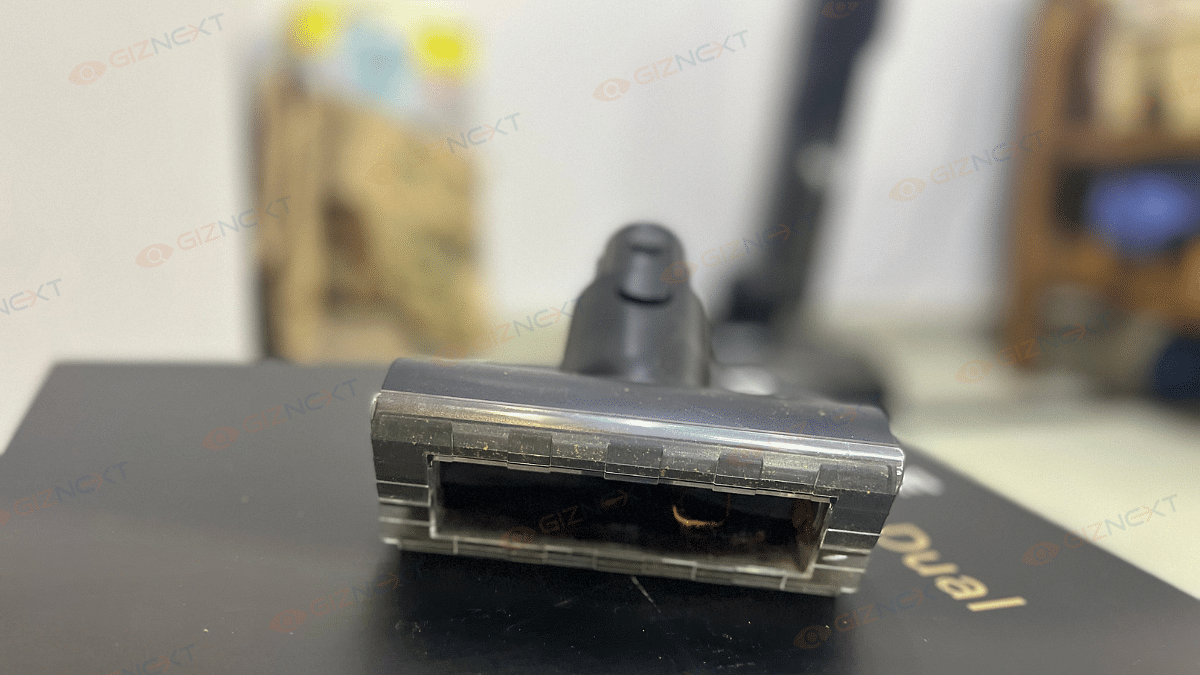
  • Crevice nozzle
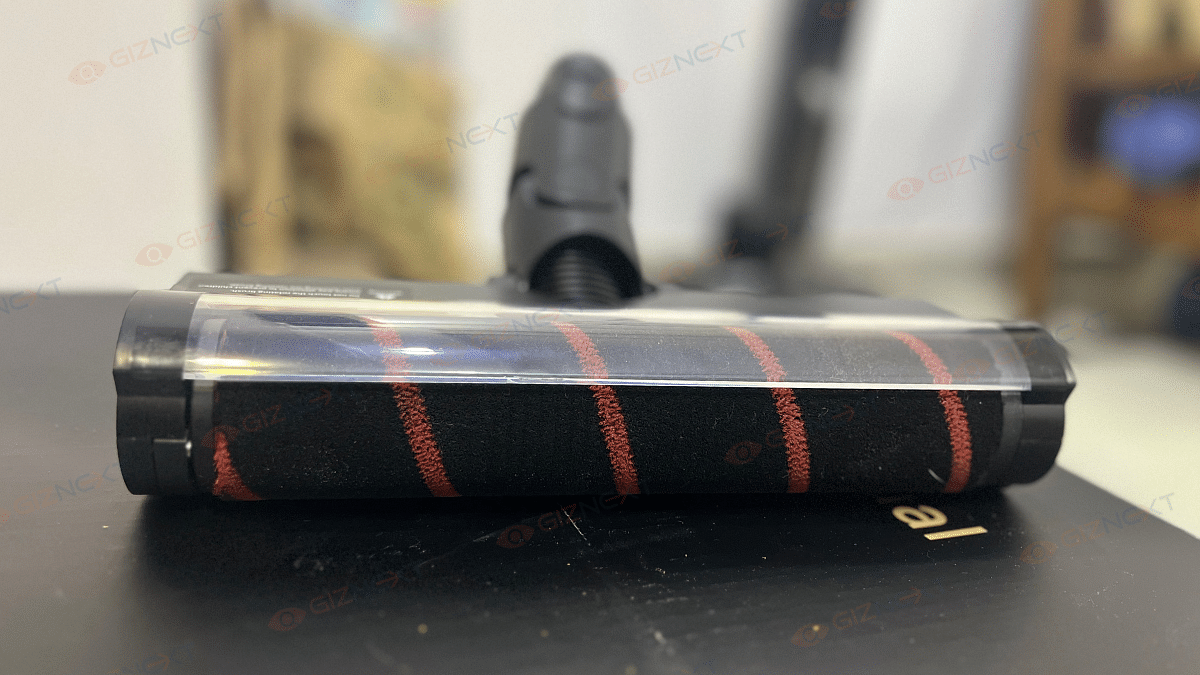
  • Motorized mini-brush
  • Cleaning brush
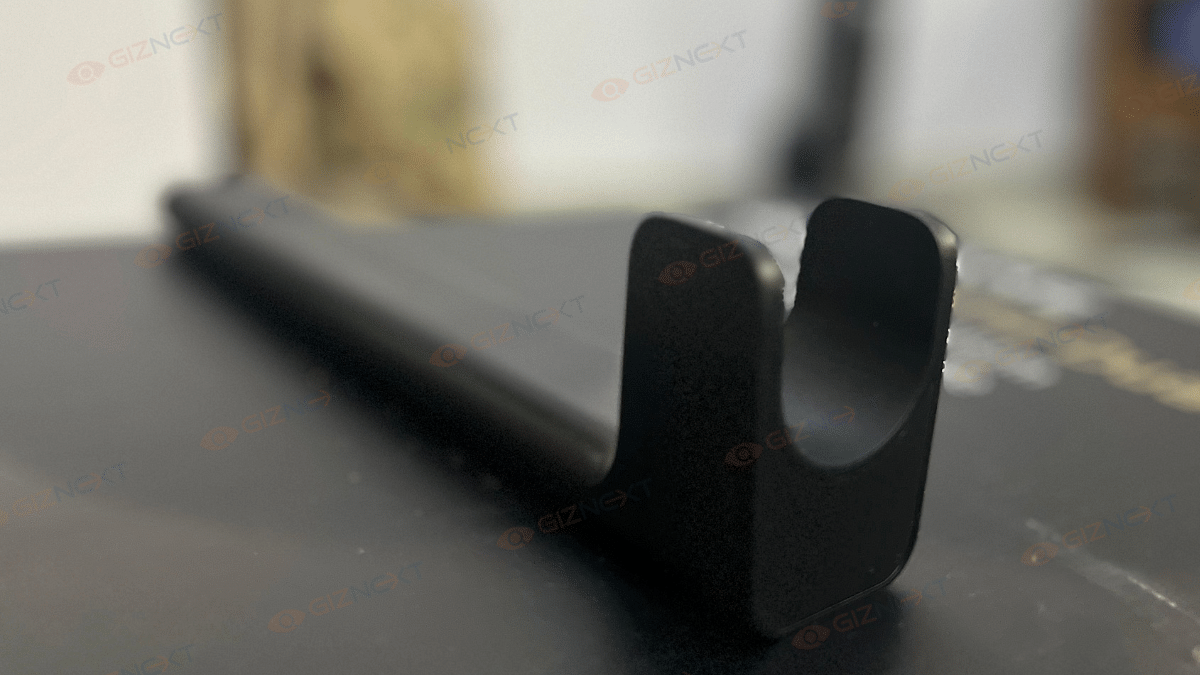
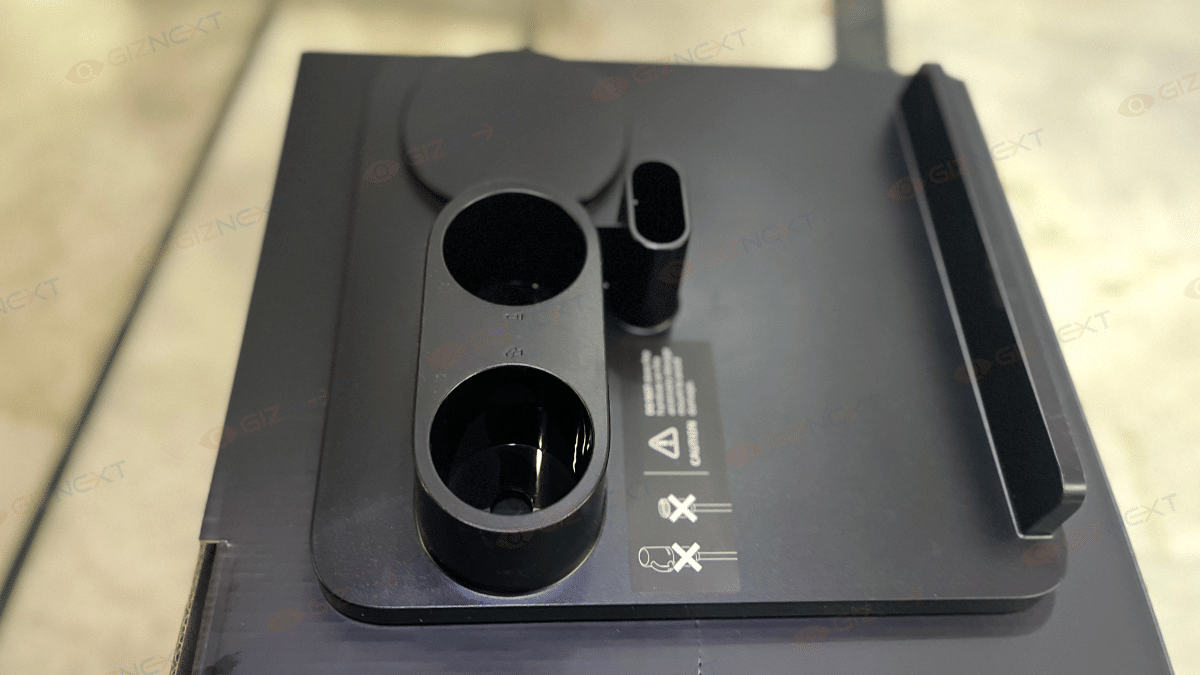
  • Charging base with an accessory holder

Design

The Dreame H12 Dual looks as premium as it feels. It sports a stylish black and grey color scheme with transparent elements for the water tanks. This gives it a modern and professional look. Weighing around 4.75 kg, it’s not the lightest vacuum out there, but it’s manageable. The ergonomic handle and self-propelling function help make movement effortless.

A notable feature is the dual water tank system. It’s 900ml for clean water and 700ml for dirty water. This means you’re not just moving dirt around but actually cleaning your floors properly. The built-in LED display is another win. It shows essential information like battery life and cleaning mode at a glance.

Setup: Quick And Simple

If you’ve ever struggled with setting up a new appliance, rest assured this one is quite simple. After assembling the handle and placing it on the charging dock, I filled the clean water tank and added a bit of the included cleaning solution. A full charge took about four hours, and then it was ready to go.

Performance: Does It Deliver?

Now, onto the real question. How well does it clean? Well, the Dreame H12 Dual has strong suction, handling dust, pet hair, and crumbs with ease. Unlike many vacuum-mop combos that focus more on mopping, this one does both jobs efficiently. It also features intelligent mess detection, automatically adjusting suction power to handle different levels of dirt and debris. The edge-cleaning function ensures it picks up messes right along baseboards, unlike some vacuums that leave behind untouched areas.

The wet cleaning function is where the H12 Dual shines. Whether it was a spilled juice or muddy footprints, it cleaned my floors effortlessly without leaving streaks. The Auto mode adjusts suction and water flow based on the mess. The Suction mode allows you to pick up spills without mopping, and Turbo mode increases power for stubborn stains.

To test its performance, I spilled flour, dirt, and even sticky juice on my flooring. Here’s how it handled each mess:

  • Flour: Cleared them up in one or two passes, proving its edge-to-edge suction works well.
  • Dirt and mud: Took about 5-10 swipes, depending on how dried the mud was, but still did the job effectively.
  • Sticky spills (juice/milk): No streaks left behind, and the vacuum automatically adjusted the suction power.
  • Eggshells and wet messes: Picked them up in just a couple of passes without clogging.

Smart Features: Making Cleaning Smarter

  • Auto Mode: Adjusts suction and water flow automatically.
  • Suction Mode: Picks up liquids without mopping.
  • Turbo Mode: Handles tough messes.
  • Edge Cleaning: Unlike many vacuums that struggle with corners, this one cleans right up to baseboards.
  • LED Display and Voice Prompts: Shows cleaning status and alerts you about water tank levels or maintenance needs.

Battery Life

Dreame claims a run time of 35 minutes for wet cleaning and up to 60 minutes for dry vacuuming. In real-world usage, I found this claim to be fairly accurate. It managed to clean my entire 3 BHK apartment in one go, with about 40 percent battery still remaining.

Once you are done with cleaning, simply place the vacuum back on its charging dock and press a button. The self-cleaning function washes the roller brush and dries it with hot air. This prevents bad odors and bacteria buildup. No more scrubbing dirty mop heads, huge win.

Also Read | Living Smarter: Home Automation Trends And Global Tech Leaders

Price

The Dreame H12 Dual is priced at Rs. 36,999 in India and is available on Amazon India. While this might seem like a premium price tag, it is justified by the vacuum’s powerful suction, wet-and-dry cleaning capabilities, and self-cleaning function. Many high-end vacuum-mop combos fall within this range, but the H12 Dual stands out with its smart features and edge-to-edge cleaning. If you are looking for a hassle-free, all-in-one cleaning solution, this could be a worthwhile investment.

Giznext’s Final Verdict: Should You Buy It?

If you are looking for a vacuum-mop combo that actually works well in both functions, the Dreame H12 Dual is a solid choice. It’s easy to use, efficient, and packed with smart features that make cleaning less of a chore. It’s an investment, but one that pays off in saved time and effort. Say goodbye to the old mop-and-bucket routine and hello to effortless cleaning.

For the tech geeks, stay updated with the latest cutting-edge gadgets in the market, exclusive tech updates, gadget reviews, and more right on your phone’s screen. Join Giznext’s WhatsApp channel and receive the industry-first tech updates.