Categories
Featured Mobile

Upcoming Smartphones Launching In December: Xiaomi, Vivo, OnePlus, And More

Key Highlights

  • Smartphone manufacturers are launching a plethora of phones in India in December
  • A plethora of phones has been released in 2022
  • Brands like Vivo, Xiaomi, and OnePlus are likely to launch their smartphones this month

Do you obsessively monitor every smartphone launch? 2022 must have been a busy year for your diary. The year has already produced a plethora of brand-new, gleaming smartphones, ranging from affordable blowers to innovative flagships to folding phones. But because you’re probably here to remain current on what’s coming up, here is our list of the top upcoming mobile phones in December.

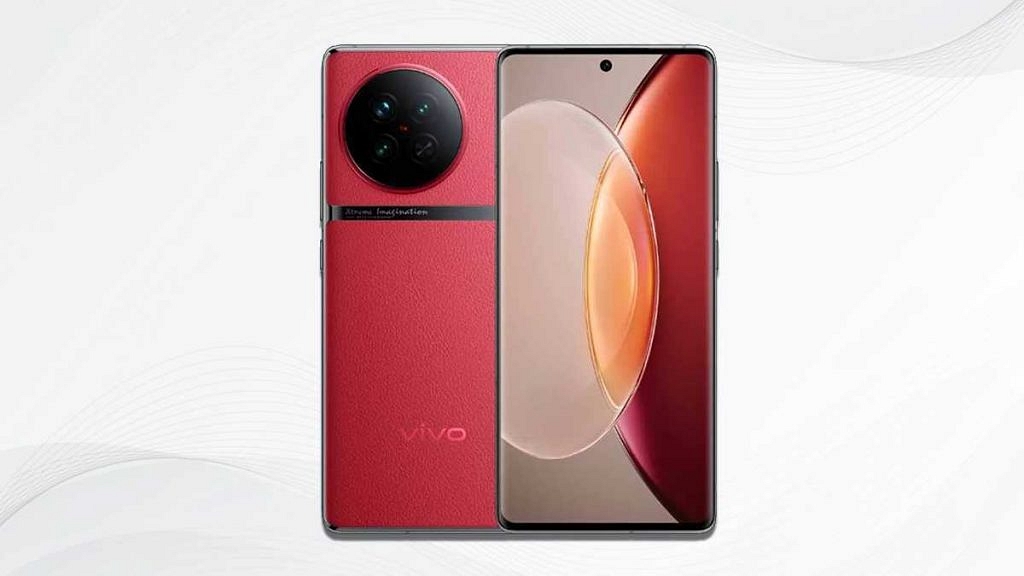
Vivo X90 Series

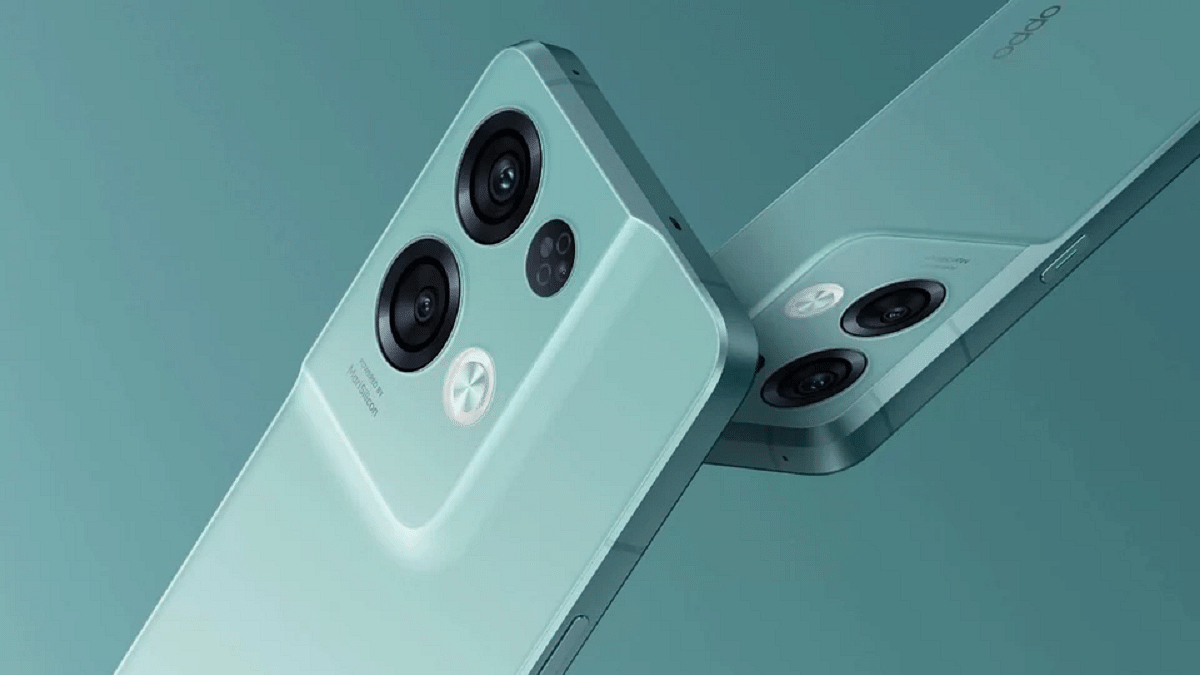
Oppo unveiled the Reno 9 Pro+, Reno 9 Pro, and Reno 9 smartphones in the Reno 9 series in China. The second half of December is now predicted to see the Indian release of Vivo’s camera-focused X90 series. The full-HD+ OLED curved panels on the top-tier Oppo Reno 9 series phones have refresh rates of up to 120Hz and measure 6.7 inches in size.

Launch Date (Expected)December 2022
Display6.7 inches
ProcessorQualcomm Snapdragon 750G
RAM8 GB
Camera64MP + 8MP + 2MP
Selfie Camera32MP
Battery5,000mAh
Price (Expected)Rs. 45,700

Also Read | Best Smartphones With Dolby Atmos To Buy In India

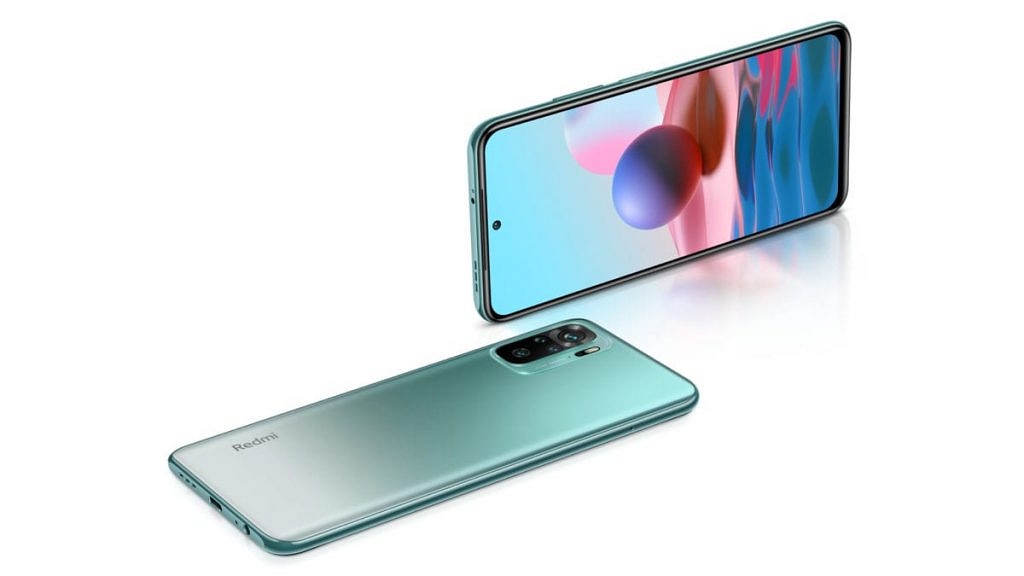
Redmi Note 12 Series
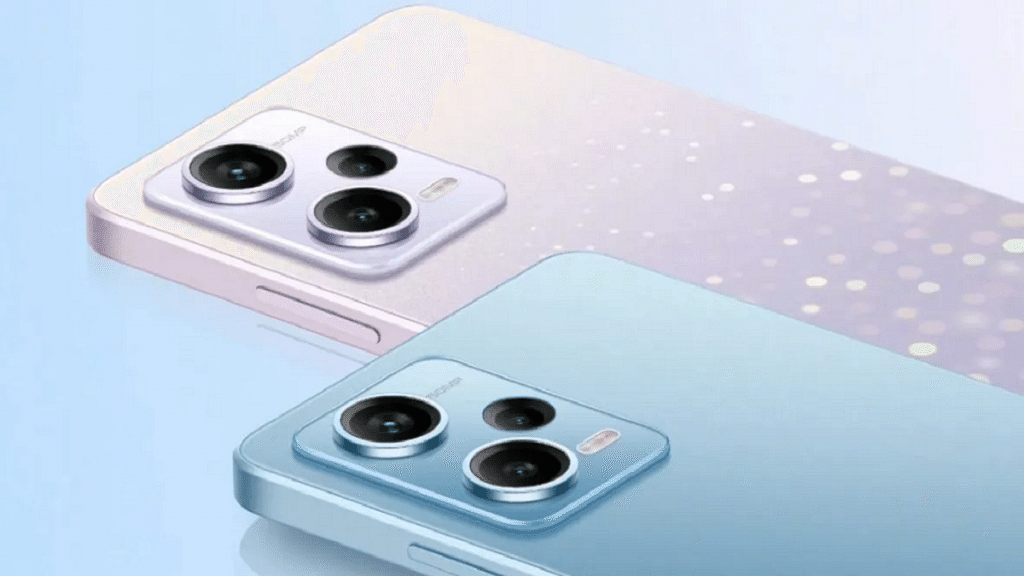
The Redmi Note 12 series has previously been revealed by Xiaomi in China. According to reports, the China and Indian versions will be very dissimilar. Both versions are anticipated to have a unique set of features which is unusual. Xiaomi has three variants available in China: the Redmi Note 12, Note 12 Pro, and Note 12 Pro+.

Launch Date (Expected)December 2022
Display6.67 inches
ProcessorQualcomm SM4375 Snapdragon 4 Gen 1
RAM8 GB
Camera48MP + 2MP
Selfie Camera8MP
Battery5,000mAh
Price (Expected)Rs. 13,690

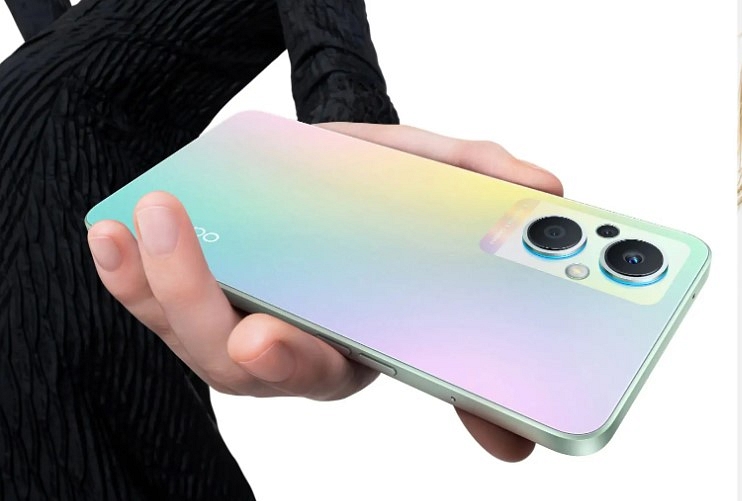
Realme 10 Series

The Realme 10 series is scheduled to launch in India in December. The smartphone is said to be equipped with a 6.4-inches AMOLED bezel-less screen. The particular display is expected to have an aspect ratio of 20:9, a pixel density of 411ppi, and a resolution of 1080 x 2400 pixels. Besides, a MediaTek Helio G99 chipset is anticipated to power the phone.

Launch Date (Expected)December 2022
Display6.4 inches
ProcessorMediaTek Helio G99
RAM4GB
Camera50MP + 2MP
Selfie Camera16MP
Battery5,000mAh
Price (Expected)Rs. 14,590

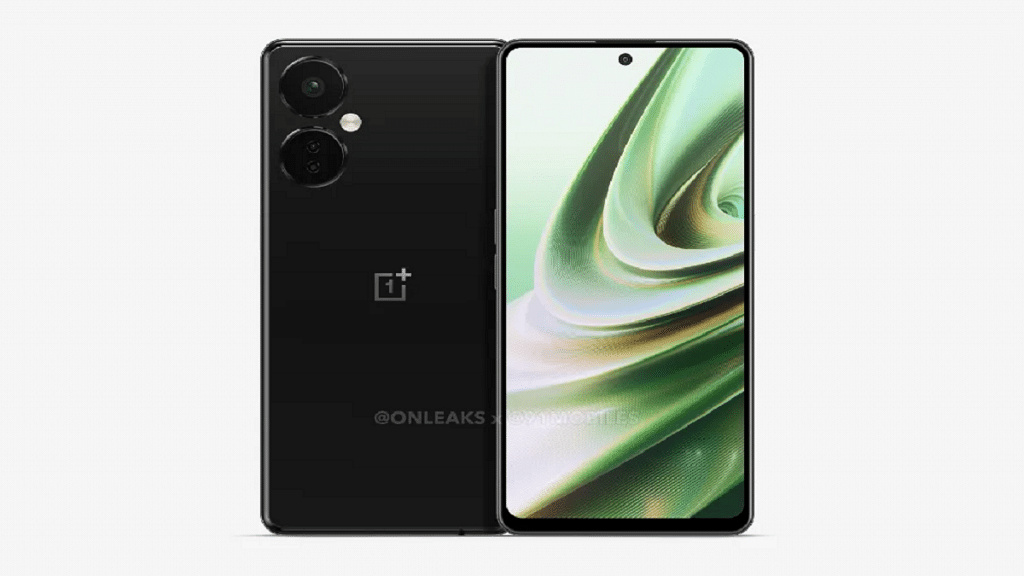
OnePlus Nord 3 CE

Rumors suggest that the 6.7-inch Full HD+ screen on the OnePlus Nord CE 3 will have a refresh rate of 120Hz. This one might have an LCD screen rather than the AMOLED one present on the previous one. The phone is said to be powered by the Snapdragon 695 CPU, just like the Nord CE 2 Lite. There can be up to 256GB of storage space and 12GB of RAM available in the device.

Launch Date (Expected)December 2022
Display6.7 inches
ProcessorQualcomm Snapdragon 695
RAM6GB
Camera108MP + 2MP + 2MP
Selfie Camera16MP
Battery5,000mAh
Price (Expected)Rs. 28,990

Also Read | Best Phones With Fast Charging Under Rs. 15,000
Categories
Featured Leaks Mobile

Oppo Reno 8T With 33W Charging Support Spotted On BIS, Launch Imminent

Key Highlights

  • Oppo Reno8 T spotted on the Indian certification website BIS
  • The SIRIM certification listing confirms the moniker of the handset
  • The Oppo Reno8 T smartphone will support 33W fast charging technology

The Oppo Reno 9, Oppo Reno 9 Pro, and Oppo Reno 9 Pro+ were recently released by Oppo in China as part of the Reno 9 Series. Although the global debut has not yet occurred, it appears that the Reno 8 series will welcome a new member before then. Multiple certification websites, including BIS, have reported the Oppo Reno 8T, which points to a soon-to-be-announced India launch.

On websites like BIS, TKDN, EEC, and others, the probable new member of the Oppo Reno 8 Series has been seen with the model number CPH2481. It is believed that BIS detection is the most reliable indicator of an imminent India launch. The Oppo Reno 8T will enable 33W fast charging, according to the Element Materials Technology listing. Other than this, no other spec has been revealed as of now. Apart from this, no other specifications have been announced yet.

Also Read | Tecno Phantom X Vs OPPO Reno 8 Vs Motorola Edge 30: Trending Premium Mid-Range Phones Comparison

Oppo Reno 9 Series Specifications

Meanwhile, Oppo debuted its Reno 9 series of smartphones which includes the Reno 9 Pro+, Reno 9 Pro, and Reno 9 last week in China. The premium Oppo Reno 9 series phones feature 6.7-inch full-HD+ OLED curved screens with refresh rates up to 120Hz.

Display6.7 inches
ProcessorQualcomm Snapdragon 750G
RAM8 GB
Camera64 MP + 8 MP + 2 MP
Selfie Camera32MP
Battery5,000mAh

These smartphones with 5G capabilities come with 32MP selfie cameras. The MediaTek Dimensity 8100-Max SOC powers the vanilla Oppo Reno 9, the Snapdragon 778G SoC powers the Reno 9 Pro, and the Snapdragon 8+ Gen 1 SoC powers the Reno 9 Pro+.

Oppo Reno 9 Series Price

The base 16GB RAM + 256GB storage Oppo Reno 9 Pro+ model costs CNY 3,999 (about Rs. 45,700), while the 16GB RAM + 512GB storage model costs CNY 4,399 (roughly Rs. 50,300). The smartphones are available in Bright Moon Black, Bihai Qing, and Tomorrow Gold shades.

Also Read | Oppo Reno 8 Lite Launched With Snapdragon 695 Processor, AMOLED Display: See Details And Specifications

Categories
Featured Tablet

Need A Tablet For Graphic Designing? List Of Best Tablets For Illustration and Graphics Designing Tasks

Smartphones and tablets are the most versatile gadgets for the current generation. The latter is becoming popular amongst consumers for offering endless possibilities with general as well as professional tasks. We even have tablets that can transform into laptops using compatible accessories such as wireless keyboards and stylus pens. Tablets with S Pen make for the best gadgets for graphic designers.

Portability and high-end creative tools and app support adds to the popularity of tablets amongst the user base. Apple and other premium OEMs such as Samsung, Xiaomi, and others have multiple options that are designed for general users but also for graphic designing. We have compiled a list of the best tablets that deem fit for creative users and graphic designers. Let’s take a look:

Tablet for Graphic Designing Price In India
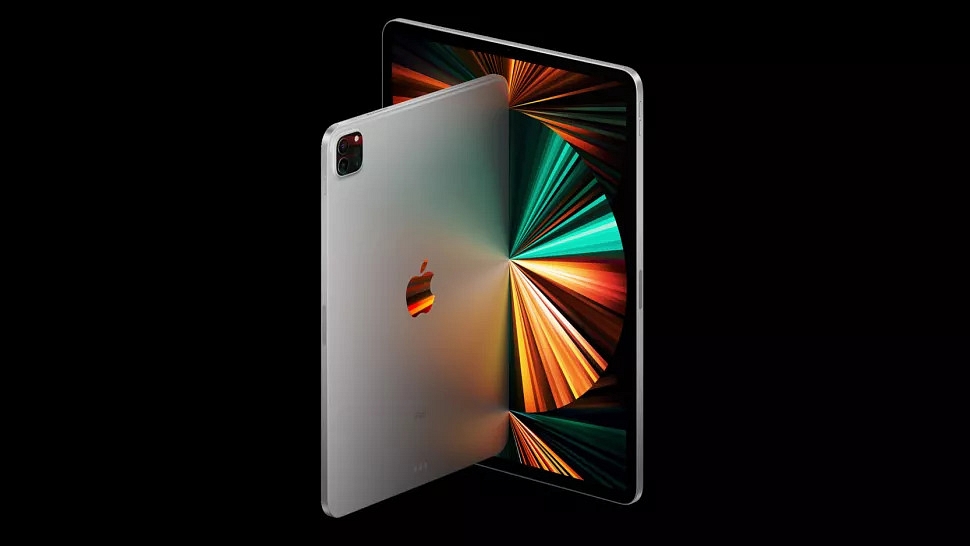
Apple iPad ProRs. 1,12,990
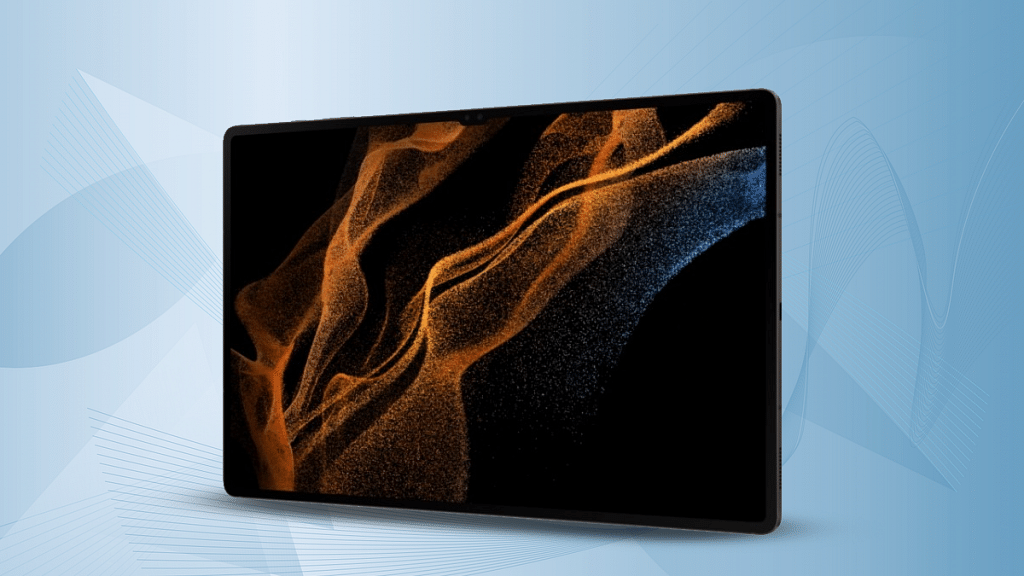
Samsung Galaxy Tab S7Rs. 37,998
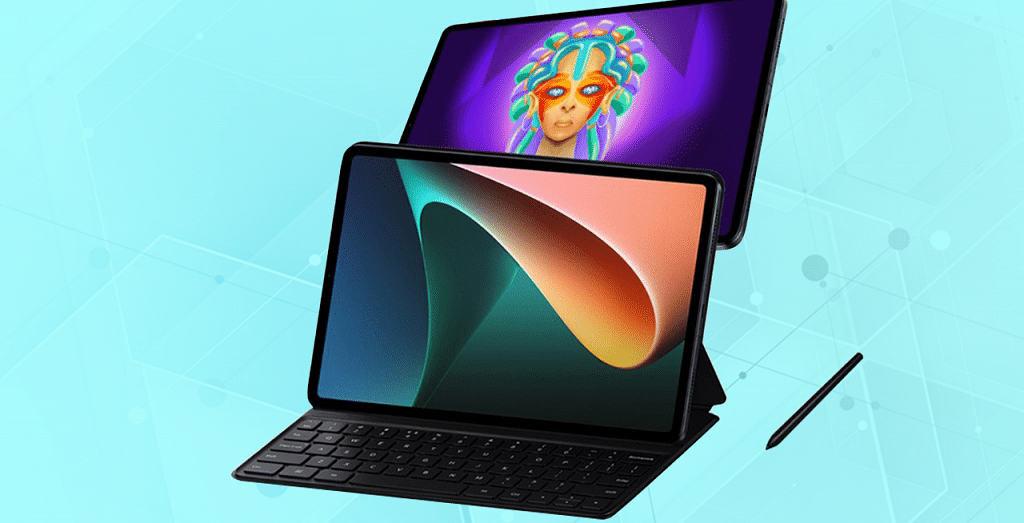
Xiaomi Pad 5Rs. 26,999
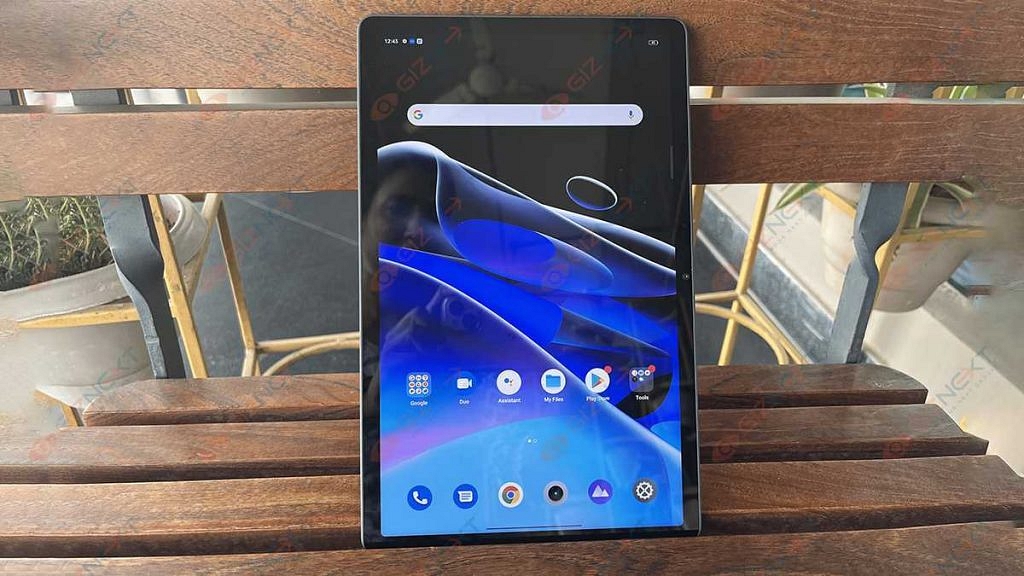
Realme Pad X 5GRs. 19,999

Apple iPad Pro 11-inch Tablet

The Apple iPad Pro 11-inch tablet is a popular choice for creative users. Powered by the Apple M1 chipset, the iPad Pro 11-inch is a performance-oriented tablet that can easily handle extensive tasks along with graphic designing requirements. Its 11-inch Liquid Retina display with ProMotion and True Tone technologies makes it apt for creative users. This tablet is compatible with Apple Pencil to let you draw with accuracy. The iPad Pro comes with a starting price of Rs. 1,12,900 in the country.

Also Read: Xiaomi Pad 5 Vs Honor Pad 8 Vs Realme Pad X: Best Premium Mid-Range Tablet

Samsung Galaxy Tab S7 Tablet

The Samsung Galaxy Tab S7 is another premium Android tablet that is best suited for designing and illustrative tasks. The Galaxy Tab S7 tablet features a vibrant 12.4-inch display with 1600 x 2560 pixels screen resolution and S-pen support. The tablet offers a rich experience with graphic designing as well as other tasks such as web browsing and gaming. It is powered by the Snapdragon 750G processor which is a premium mid-range chipset from Qualcomm designed for Android smartphones and tablets. The Galaxy Tab S7 is selling at around Rs. 37,998 via Amazon.

Also Read: Oppo Pad Air Vs Samsung Galaxy Tab A7 Vs Honor Pad 8: Which Should Be Your Bet

Xiaomi Pad 5 Tablet

Premium Android tablets make for the best options for all kinds of tasks. The Xiaomi Pad 5 is another model that you can consider for your graphics and illustration jobs. This chipset is powered by the octa-core Snapdragon 860 processor which is combined with 6GB RAM and 128GB storage configuration. The premium 10.95-inch display with Dolby Vision and 120Hz refresh rate. This tablet also has S pen compatibility with which you can easily complete all graphic and illustrative tasks flawlessly.

Also Read: Nokia T10 Vs Oppo Pad Air Vs Realme Pad Mini: Best Budget Tablet To Buy In India?

Realme Pad X 5G

Realme is a recent player in the tablet market with the Pad X 5G being its capable and powerful option for graphic designers and illustrators. The Realme Pad X 5G is also the first 5G mid-range Android tablet from the brand with high-end features such as octa-core Snapdragon 695 chipset, a WUXGA+ display panel, 13MP main camera, and more. The added support for Realme Pencil makes it the best option for graphic designers in India. The Realme Pad X can be purchased starting at Rs. 19,999 via Flipkart.

Also Read: Xiaomi Pad 5 Vs Apple iPad Air Vs Galaxy Tab S6 Lite: The Best Premium Tablets That You Should Consider

Categories
Mobile

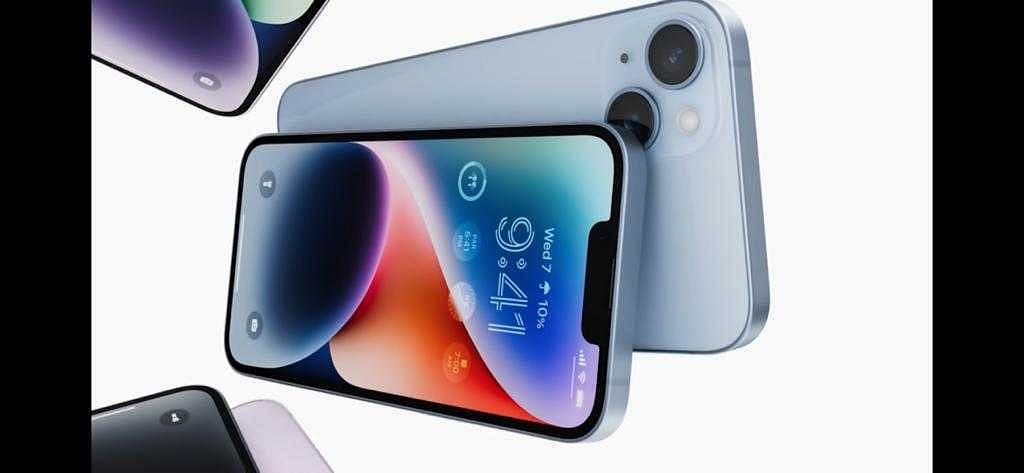
iOS 16 Tips And Tricks: Four Best Hidden Features To Try On Your iPhone 14

Key Highlights

  • iOS 16 includes many new features aimed at making a user’s life easier
  • Most of these features are simple and available in the main setting menu
  • Some of the most innovative features are hidden deep within the settings menu

With new iPhones come new features. For 2022, that comes in form of iOS 16 running on the latest iPhone 14 models. There’s still a lot to look for here to improve your life, but we are sure you’ve figured out some of the major new features by now. We’ve selected a handful of the features that we believe are most beneficial—or simply handy—to be aware of.

The Back Tap

Some of you are already familiar with the back tap. However, a lot of people are still unaware of this incredible iPhone feature. You can access many features on your iPhone 14 by simply tapping the back panel. When you don’t want to go through the drawn-out process of unlocking the smartphone, opening the app, and turning on the function, this hidden trick is really helpful.

Also Read | Here’s How To Use Emergency SOS Via Satellite On Your iPhone 14

Albums Protection

Although there is a hidden album option for the iPhone in the app, it is relatively simple for someone with access to your phone to find it. As a result, people can easily verify all the photographs and videos in the album and make it visible. But you can lock your hidden album using a trick in the new iPhone 14. To see a tiny lock, open the photos app and tap the bottom of the screen. You can access the “Hidden and Recently Deleted Albums” using Face ID or your passcode.

Sound Recognition

It is primarily intended for people who require assistance in listening to what is going on around them. When this function is activated, the iPhone can listen for sounds like weeping, sirens, shouting, horns, doorbells, running water, barking dogs, and more, which might be useful for notifying people when something happens in their surroundings.

Adding Captions to Photos

Users can now provide their image captions which can be used to quickly find the images. This eliminates the need to pointlessly trawl through your phone in search of a specific photograph and makes it simple to discover an image if something significant happens. Simply input the caption when you need to find an image to quickly and easily discover the one you need.

Also Read | iOS 16 Tips And Tricks: Here’s How To Make Stickers From Photos

Categories
Featured Laptop

Worried About Laptop Privacy: Best Windows Laptop With Fingerprint Reader Biometrics

Key Highlights

  • Having as many security checks as possible on your laptop is a good idea
  • Buying a laptop with a fingerprint sensor can provide easy unlocking and the utmost security
  • This feature is quite mandatory for people who work on the go

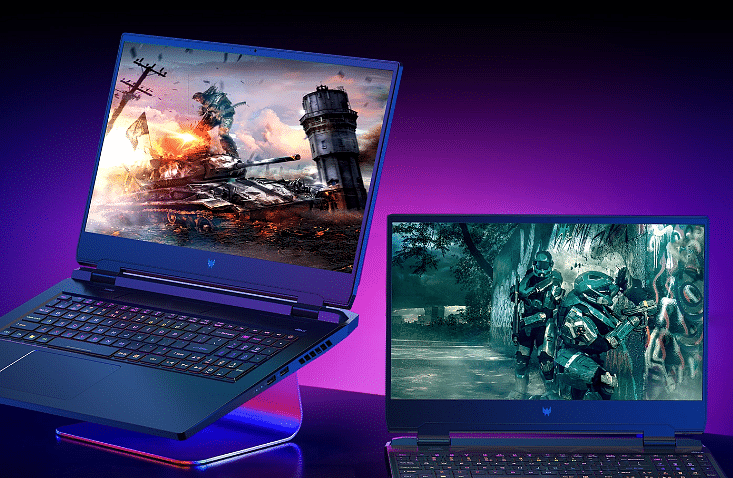
It’s crucial to keep a security lock on all of your electronic gadgets. Even with laptops, it’s crucial to maintain a password or PIN to prevent unwanted access. You can use various security features like face unlock and fingerprint sensors in addition to PINs and passwords. Some laptops are equipped with fingerprint sensors, just like some smartphones. By doing this, you can quickly and conveniently login to your laptop without having to type the PIN or password. Here is a list of the best laptops with fingerprint sensors if you’re seeking a feature like this.

HP Pavilion 14

The HP Pavilion 14 features a fingerprint scanner on the bottom right of the laptop, just next to the touchpad. The laptop includes a 14-inch Full HD display and an 11th Gen Intel Core i5-1135G7 processor. The HP Pavilion 14 comes with 512GB of SSD storage and 16GB of RAM. With this laptop, you also get Intel Iris Xe Graphics. Along with Office Home and Office 2019, it has Windows 10 Home pre-installed. You can get the HP Pavilion 14 at Rs. 67,850 from Amazon.

Screen Size14 Inches
Hard Disk Size512 GB
CPU ModelCore i5 Family
RAM Memory Installed Size16 GB
Operating SystemWindows 10 Home

Mi Notebook Ultra

A fingerprint scanner is built into the power button of the Mi Notebook Ultra. The laptop’s 15.6-inch QHD+ screen boasts minimal bezels. It is powered by an Intel Core i5-11300H CPU from the 11th generation. It has 512GB of SSD storage and 16GB of RAM. Along with Office Home and Student 2019, you also get Windows 10 Home. The Mi Notebook Ultra is available for sale on Amazon for Rs. 63,999.

Screen Size15.6 Inches
CPU ModelCore i5
RAM Memory Installed Size16 GB
Operating SystemWindows 11 Home

Also Read | Best Laptops Under Rs. 25,000 In India: Check Out The Most Popular Models

Lenovo IdeaPad Slim 3 2021

The 14-inch FHD display of the Lenovo IdeaPad Slim 3 has four-sided minimal bezels. It has an Intel Core i5 processor that is up to 11th generation. Additionally, the laptop has NVIDIA MX-450 graphics. There are numerous ports on the IdeaPad including USB-C. It also has a 13.5mm headphone/microphone port, one HDMI, one USB 3.2 Gen 1, one USB, and one Card Reader Slot. The Lenovo IdeaPad Slim 3 will cost you Rs. 43,250 on Amazon.

Screen Size14 Inches
Hard Disk Size256 GB
CPU ModelCore i3
RAM Memory Installed Size4 GB
Operating SystemWindows 10 Home

Asus VivoBook 15

The Asus VivoBook 15 has textured surfaces and diamond-cut edges. The ultrathin design and an overall weight of just 1.2kg make it convenient to carry. A low battery can be fully recharged to 60 percent with the rapid charge option in just 49 minutes. You can get the Asus VivoBook 15 from Amazon for Rs. 56,389.

Screen Size15.6 Inches
Hard Disk Size128 GB
CPU ModelCore i3
RAM Memory Installed Size4 GB
Operating SystemWindows 10 S Mode

Also Read | Best Laptops To Buy For Programming In India

Categories
Featured How To Laptop

Unable To Pair Bluetooth Device To Laptop/ PC? How To Resolve Bluetooth Pairing Issue With Windows 11

Windows 11 is a feature-loaded operating platform for laptops and PCs. Microsoft released this latest edition of Windows OS as an upgrade to Windows 10 with multiple new tools and features. This new version is also improved with the security aspects and overall user experience. The connectivity aspects are also enhanced and support for the latest networks has also been added.

Wireless connectivity is also better with Windows 11 machines and pairing Bluetooth devices is now a hassle-free task. All modern smartphones, tablets, and other compatible gadgets can be easily paired with a Windows 11 laptop or PC. While the Bluetooth pairing issue is least experienced with Windows 11 laptops/ PCs, it can occur randomly at any point.

It could be a general issue that can be fixed with basic troubleshooting steps and a visit to the service centers could be avoided. The Bluetooth issue pairing issue could randomly occur when you try connecting devices such as wireless audio devices including headphones and TWS earbuds. But if you are unaware of the troubleshooting steps to fix Bluetooth issues with Windows 11 OS, this article will help you with the steps:

Also Read: Dell PC, Laptop Support: How To Fix Display Issues With Dell Monitors At Home

Steps To Troubleshoot And Fix Bluetooth Pairing Issues With Windows 11 OS Laptop

Step 1: Check if the Bluetooth adapter on your laptop/PC is on. You can either check this via Bluetooth quick settings. Go to the Settings app and select Bluetooth & Devices option. Toggle on the Bluetooth settings if it’s off.

Step 2: Reboot the Bluetooth device that needs to be paired with the laptop or PC. Turn it off and wait for a few seconds before powering it on. This shall resolve general connectivity issues. Also, do check if the device is within range, otherwise, pairing won’t be successful.

Step 3: Turn off Airplane mode on your laptop or PC. This is one of the reasons that affect Bluetooth connectivity on laptops and PCs.

Step 4: Unplug and replug any Bluetooth device that is connected to the laptop/ PC.

Step 5: If this also doesn’t work, try re-pairing the Bluetooth device. First, remove the paired device and then re-initiate the connectivity process.

Step 6: You can also try rebooting the Windows 11 laptop or PC after performing the above steps. This should resolve the pairing issue.

Step 7: Running the Windows diagnostics test will also help you to identify and resolve the issue with Bluetooth. If there is any hardware issue, you will be notified and get it fixed from repair centers.

Also Read: Best Laptops To Buy For Programming In India

Categories
Featured How To Laptop

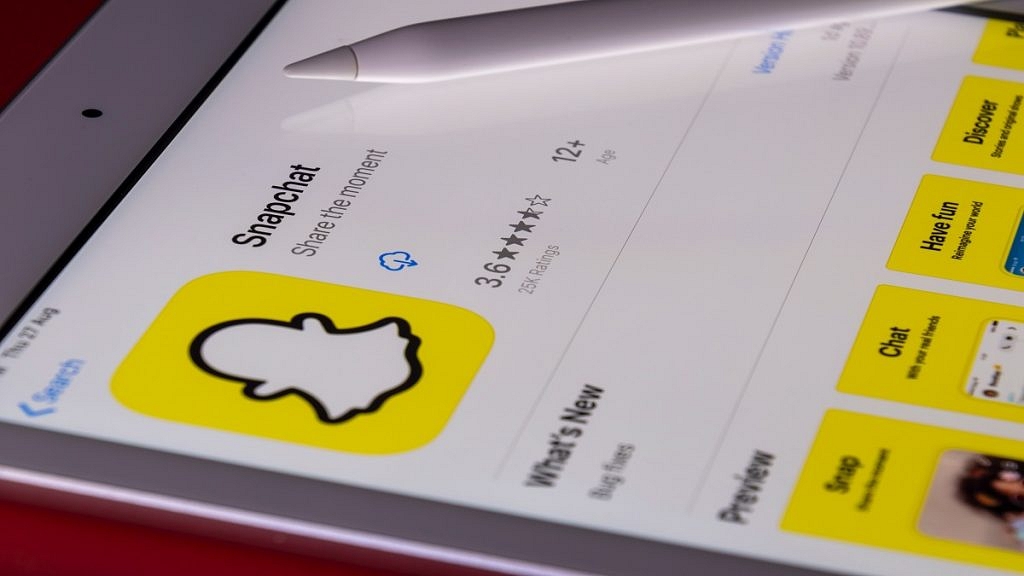
Snapchat Update: Here’s How To Download And Use Snapchat In Windows Laptop And PC

Key Highlights

  • Snapchat for Windows is now available as a Progressive Web App in the Microsoft Store
  • It doesn’t have all the features but it does have important features like video chat
  • Windows treats Snapchat as a native version app

The picture-sharing and instant messaging app Snapchat has refrained from arriving on Windows but it has officially made its debut on the Microsoft Store as a Progressive Web App.

It’s interesting to notice that the app on the Microsoft Store is based on the recently launched Snapchat web version. It is only 1.4MB in size and has the same features as the web version. The app is powered by Microsoft Edge, a Chromium-based browser.

How To Download Snapchat On Your Windows?

Since it is a progressive web app, the Snapchat app requires Microsoft Edge to be installed on your PC or laptop. Snapchat suggests using Edge’s most recent version.

Step 1: On your Windows laptop or computer, launch the Microsoft store.

Also Read | Dell PC, Laptop Support: How To Fix Display Issues With Dell Monitors At Home

Step 2: Use the top search bar to look for the Snapchat app.

Step 3: Tap on Get.

Step 4: The app will start downloading once you tap on Get. After that, click Open.

Step 5: Now, enter your information to log in. The Snapchat app is now accessible on your computer.

However, Windows treats it as the native app version. So, Snapchat for Windows has an app icon in the Start menu and supports responding to chats with notifications, replies, video filters, and more. The app will open the web address and allow you to use it. Since it isn’t a full-fledged version of the app, it makes more sense to use the web platform directly.

Visit Snapchat.com to go to Snapchat on the web, then sign up to start chatting. You can only accomplish a limited number of things on the online platform or the PC app, like video calling and chatting. The app’s mobile functions, such as filters and maps, are not accessible on a PC.

Also Read | Lost Your Snapchat Streak? Here’s How To Restore It With These Steps

Categories
Featured Leaks Mobile

Motorola X40 Pro Full Design, Dimensions Revealed Via Leaked 5K Renders; To Debut As Edge 40 Pro In India

Key Highlights

  • Motorola X40 Pro 5k renders leaked online
  • Will launch this month in China
  • Measures 161.3 x 73.9 x 8.6mm in dimensions
  • To sport a 6.67-inch curved display and a triple rear camera setup

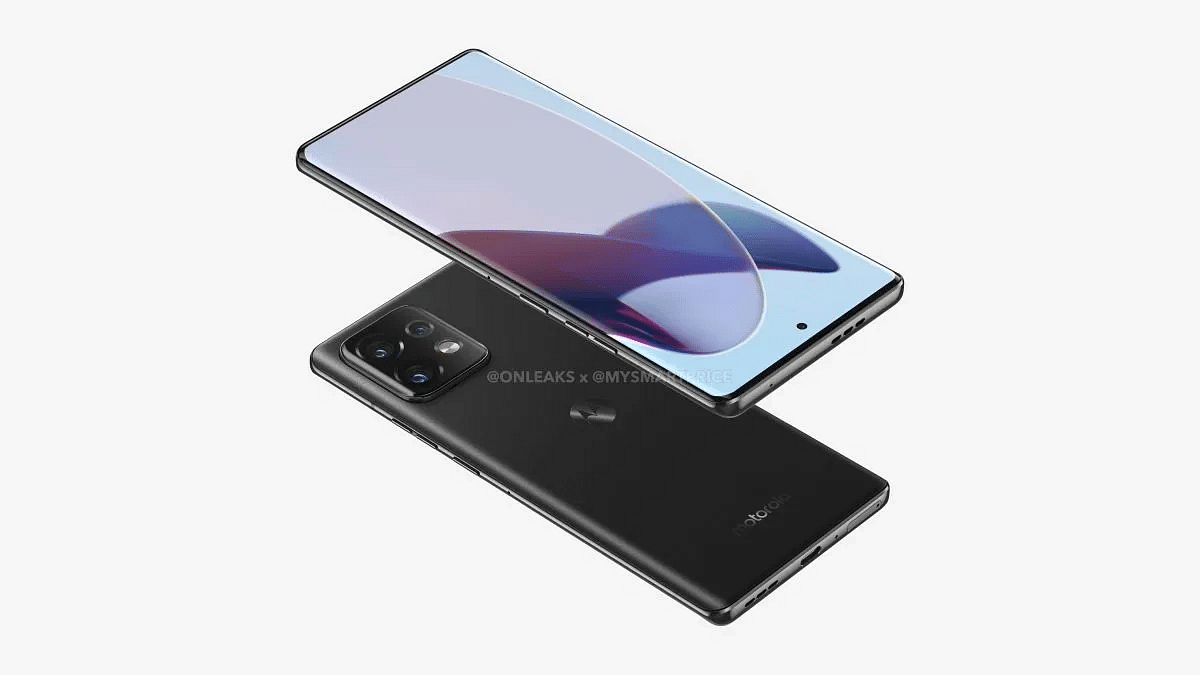
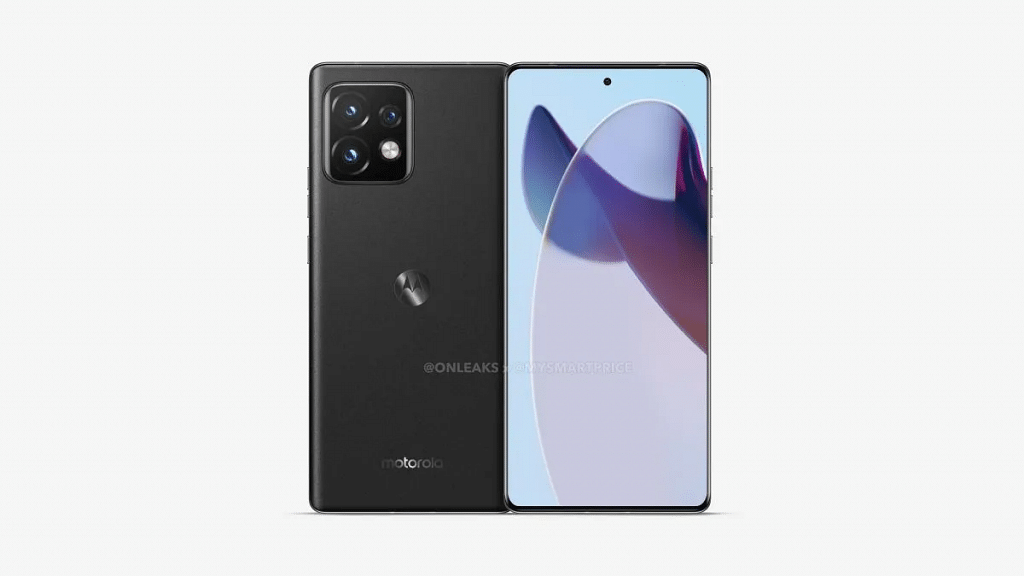
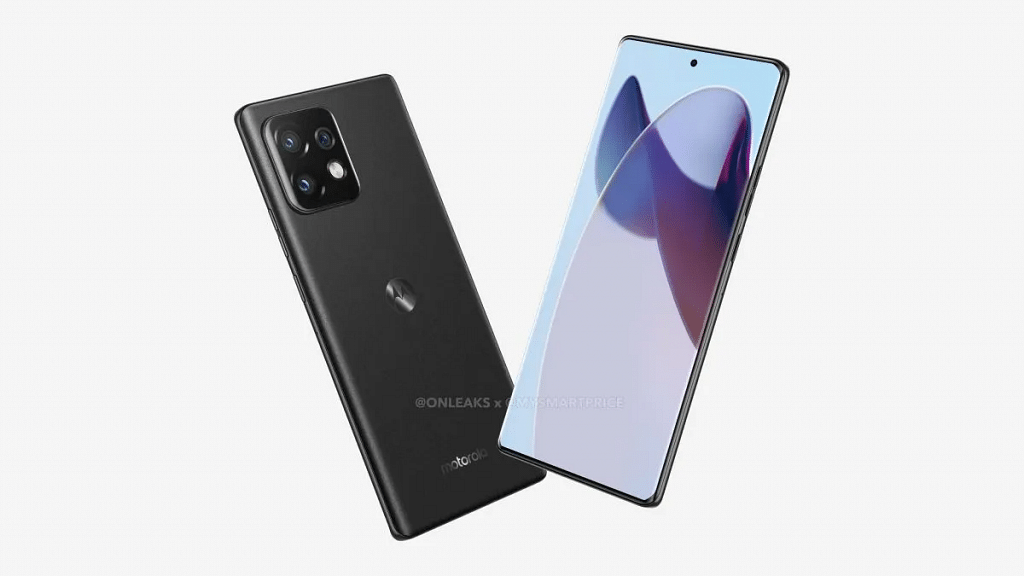
Motorola is all set to bring its new-generation flagship X series phone to the market. The Motorola X40 Pro aka the Motorola Edge 40 Pro is confirmed to debut this month in China. Motorola has announced the arrival of the X40 series phone along with the chipset details. Ahead of the launch, leaks are consistently contributing to the additional details. The 5K renders along with the 360-degree video of the Motorola X40 Pro/ Edge 40 Pro have surfaced.

Motorola X40 Pro/ Edge 40 ProKey Specs
Dimensions161.3 x 73.9 x 8.6mm
Display6.67-inch curved
Chipsetocta-core Snapdragon 8 Gen 2
CameraTriple rear
Android versionAndroid 13 OS

Motorola X40 Pro/ Edge 40 Pro Design Leaked Just Ahead Of China Launch

Mysmartprice in association with tipster @Onleaks has leaked the 5K renders along with the 360-degree video that reveals the complete design of the Motorola X40 Pro/ Edge 40 Pro. The leaked renders show both fasciae as well as the rear panel’s design of the upcoming Motorola flagship phone. The front panel has a tall display with curved edges and a centrally-aligned punch-hole camera cutout.

The Motorola Edge 40 Pro aka the X40 Pro’s right spine will accommodate the volume rockers and the power key. The back panel features a subtle design. A square-shaped camera module is packed on the top-left corner, while the iconic Moto logo is etched at the center of the back panel. Also, the device is rumored to feature a glass back panel to add a premium factor to the design.

At the bottom, the Edge 40 Pro has a USB Type C port along with a speaker grille, microphone, ad SIM card tray. It seems like Motorola has ditched the 3.5mm audio port and has opted for a dual speaker system. The second speaker grille is mounted at the top panel. The color option leaked is black. However, Motorola is expected to release a bunch of other color options as well.

Also Read: Xiaomi TV 5X Vs Motorola 55 UHD Vs OnePlus TV U Series 55-inch: Best Affordable Smart TV’s Under Rs. 40,000

Motorola Edge 40 Pro/ X40 Pro Expected Features And Specs

The publication has shared a bunch of other details as well such as the dimension and display size. The report suggests the Motorola X40 Pro/ Edge 40 Pro will measure 161.3 x 73.9 x 8.6mm in dimensions. The protruding camera module at the rear will be 10.8mm thick. Moving up front, the Motorola X40 Pro is leaked with a 6.67-inch display.

Screen resolution and panel type aren’t confirmed just yet. Bit since this a flagship grade phone, we would possibly see an FHD+ or QHD AMOLED screen with 120Hz or above refresh rate. The Motorola X40 Pro is already confirmed to run on the Snapdragon 8 Gen 2 chipset and could ship with up to 12GB RAM.

Optics hardware remains unknown, but there is a possibility Motorola carries forward the 200MP main camera from the previous gen model. We are yet to get the details, but are expecting some more information ahead of the launch.

Also Read: List Of Best Motorola Phones That You Can Buy In India Under Rs. 25,000

Categories
Featured Leaks Mobile

OnePlus Nord CE 3 First Look Revealed Via Leaked 5K Renders And 360-degree Video

Key Highlights

  • OnePlus Nord CE 3 renders display flat sides, a selfie camera with a punch-hole, and three rear cameras
  • The phone is expected to come with a 6.7-inch LCD display
  • The OnePlus Nord CE could launch in the first half of 2023

The OnePlus Nord CE 3 is expected to go on sale soon. Its purported specifications and renders appeared online before the official announcement. The smartphone will succeed the OnePlus Nord CE 2 which made its debut earlier this year and featured the MediaTek Dimensity 900 processor and three rear cameras. The upcoming OnePlus Nord CE 3 is anticipated to have a new design while retaining the three cameras on the back.

OnePlus Nord CE 3 Design Leaked

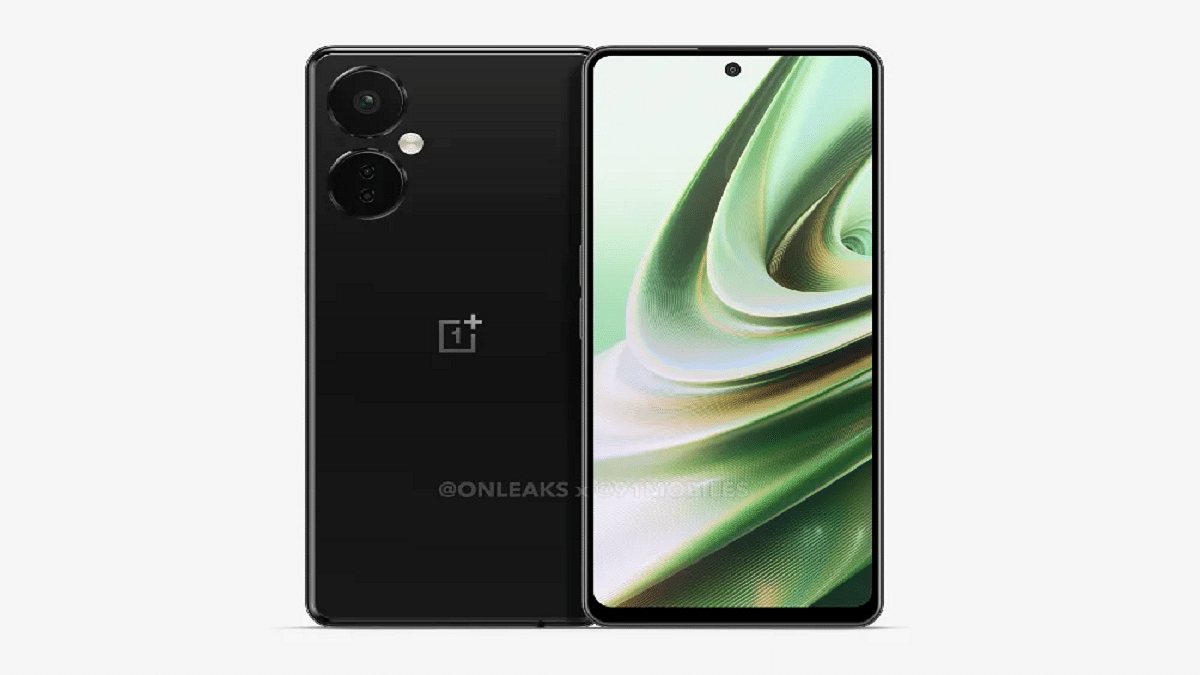
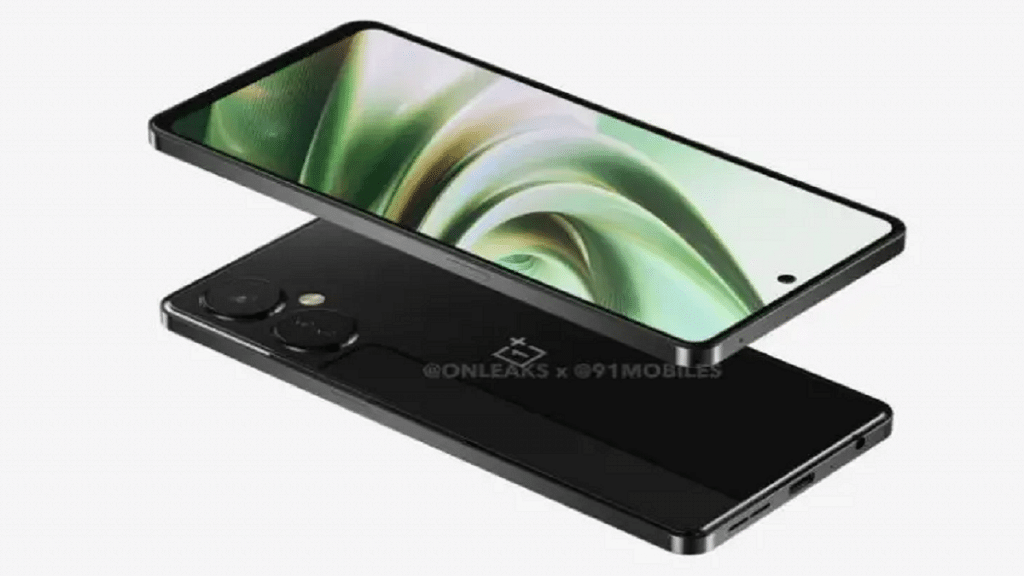
The renders come from 91Mobiles with tipster OnLeaks. Instead of the rounded edges present on the majority of OnePlus phones, the phone is displayed with flat edges. The OnePlus Nord CE 3’s hole-punch display and black finish are shown in the renderings. Two large camera cutouts will reportedly be added to the rear panel. The main camera sensor will be located in the major cutout, while there will be two sensors in the secondary cutout.

Also Read | OnePlus Nord CE 2 Lite 5G Review: A Decent Mid-Ranger That’s Worth Considering

According to the report, the OnePlus Nord CE 3 appears to have drawn design cues from the company’s famous OnePlus X and subsequent iPhone models. Additionally, it states that as the renders are based on a prototype, the actual product may vary somewhat. At launch, OnePlus might also provide more color choices.

OnePlus Nord CE 3 Specifications

According to rumors, the OnePlus Nord CE 3 will have a 6.7-inch Full HD+ screen with a 120Hz refresh rate. Instead of the AMOLED screen found on its predecessor, this one might be an LCD. Similar to the Nord CE 2 Lite, the phone is rumored to be powered by the Snapdragon 695 CPU. Up to 12GB of RAM and 256GB of storage space may be included in the device.

Display6.7-inch Fluid AMOLED
ProcessorQualcomm Snapdragon 695
RAM6GB
Camera108 MP + 2 MP + 2 MP
Selfie Camera16 MP
Operating SystemAndroid v12
Battery5,000mAh

Additional information about the device includes 108MP triple back cameras, a 5,000mAh battery with 67W rapid charging capability, OxygenOS 13, which is based on Android 13, and more.

OnePlus Nord CE 3 Price And Availability

The OnePlus Nord CE 3 price could drop under Rs. 30,000. As for the launch schedule, not much is known, but it could take place in early 2023.

Also Read | OnePlus Nord CE 2 Vs Xiaomi 11i Vs Moto G82: Top Premium Mid-Range Phone Comparison

Categories
Featured TV

Smart TV Buying Guide: Best Smart TVs With Voice Control Feature In India In 2022

Unlike traditional TVs, modern-day units offer internet and Bluetooth connectivity for an improved user experience. TV manufacturers are also ensuring the visual experience is top-notch by equipping high-resolution panels along with HDR certification and Dolby Vision support.  Smart features and control are also gradually becoming a new norm with smart TVs.

You don’t have to burn a hole in your pocket to buy a large-screen smart TV with a vibrant display and smart features such as wireless connectivity and dedicated digital voice control support. Multiple brands are enabling their smart TVs with Google Assistant and Alexa for easy controls using voice commands.

With so many options available for the audiences, it gets difficult to pick one option that offers all the required features at a reasonable price. If you are also confused and are unable to decide which smart TV with voice control makes for the best buy, this article will be your guide. Here we have compiled some of the best smart TVs equipped with voice control features (Google Assistant and Alexa support) that you can buy in India.

TV Model Voice Control FeaturePrice In India
Xiaomi MI TV 5a seriesYesStarts at Rs. 15,499
OnePlus TV Y1 seriesYesStarts at Rs. 15,999
Samsung Crsytal Neo 4K smart TVYesStarts at Rs. 31,990
OenPlus TV Y1s seriesYesStarts at Rs. 37,999

Xiaomi MI TV 5a Series Smart TV With Voice Control

Xiaomi is a popular Chinese consumer electronics brand with a specialty in smartphones and related accessories. However, Xiaomi is also well-received in the smart TV segment and has the MI TV 5a and 5X series as the most recent offerings. The Xiaomi MI TV 5a comes in three different panel sizes including 32-inch, 40-inch, and 43-inch.

It is amongst the most affordable smart TVs that bring along digital voice assistant compatibility. You can use Google Assistant for voice commands on this smart TV. This is an HD Ready smart TV with a display resolution of 768 x 1366 pixels and support for over 5000+ apps including Prime Video, YouTube, Disney+ Hotstar, and more. The Xiaomi MI TV 5a series price in India starts at Rs. 15,499.

Also Read: OnePlus TV HDMI Issue: How To Quickly Fix HDMI Picture Quality And Interface Issue With All OnePlus Smart TVs

OnePlus TV Y1s Series (Voice Control Enabled)

OnePlus TV Y1s is amongst the top selling smart TVs in the mid-tier segment. The OnePlus Y1s smart TV also comes in multiple screen sizes including 32-inch and 43-inch. This smart TV comes with digital voice assistant support. In addition to Google Assistant, the OnePlus TV Y1s is also integrated with Amazon Alexa compatibility.

The FHD display on this OnePlus smart TV supports a 60Hz refresh rate and 1080 x 1920 pixels screen resolution. It is based on Android TV 11 platform and has third-party app compatibility as well. OnePlus is selling the Y1s series starting at Rs. 15,999 in the Indian market.

Also Read: Want To Set Up Dolby Atmos On Your Apple TV? Here’s How To Do It

Samsung Crystal 4K Neo Series Ultra HD Smart LED TV

Samsung is another strong player in the TV market and has multiple lineups for audiences. The Crystal 4K UHD TV with 2160 x 3840 pixels screen resolution is one of the best deals for users looking for a high-end TV with all possible smart features including voice assistant support. You can access Google Assistant services for voice control on the Samsung Crystal 4K Neo series TV. The 43-inch variant of this smart TV will cost around Rs. 31,990 via Amazon.

Also Read: Best Smart TVs To Buy On EMI And Zero Down Payment: Samsung, OnePlus, And More

OnePlus TV U1S Series With Integrated Alexa Support

If you need a premium range smart TV equipped with a large 4K UHD panel, the OnePlus TV U series makes the best fit. The OnePlus TV U1S series comes with 50-inch, 55-inch, and 65-inch panel sizes all of which support 2160 x 3860 pixels resolution. The OnePlus TV U series is further integrated with HDR 10, HLG, MEMC, and a Gamma Engine. Similar to the OnePlus TV Y1 series, the OnePlus TV U1S lineup is also integrated with Alexa and Google Assistant support. Starting price range of this OnePlus TV lineup is Rs. 37,999 in India.

Also Read: OnePlus TV Y1s Pro Vs Xiaomi MI TV 4X: Best 43-inch Smart TV Model Under Rs. 30,000 In India