Categories
Featured How To Smart Watch

Need To Track Your Medications On Apple Watch? Here’s How To Do It

Key Highlights

  • You can track medications on Apple Watch
  • It lets you input a medication list you take and set a specific reminder schedule for each drug
  • Here’s how the feature works

Unfortunately, it’s all too easy to forget to take your supplements, prescriptions, and vitamins, particularly on days when your regular schedule is entirely ignored. Fortunately, you can help yourself remember to take your medication on time by setting a simple reminder on your iPhone or Apple Watch.

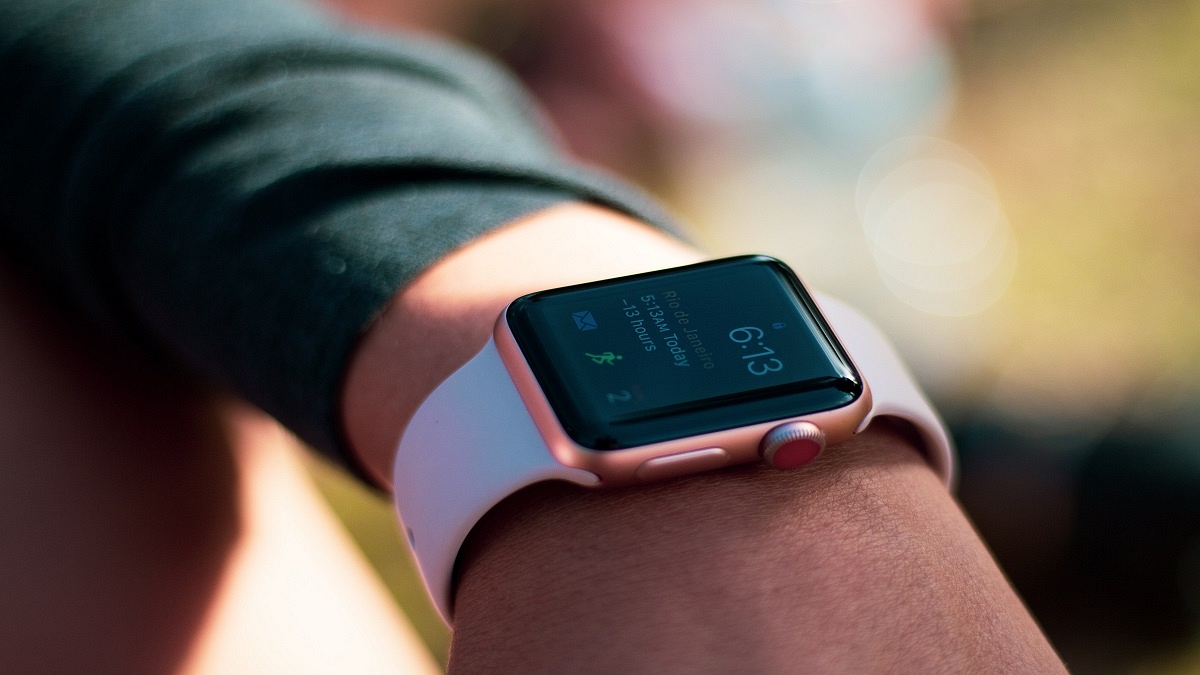
Apple has given the Apple Watch a much-needed capability. Users can keep track of their meds and set up reminders with the new Medications app in WatchOS 9. You can keep track of your pills and log them with reminders in the Medications app on your Apple Watch. Here’s how to configure an Apple Watch medicine schedule.

WatchOS 9 Compatibility

The listed Apple Watch models can download WatchOS 9:

  • Apple Watch SE (2020)
  • Apple Watch Series 4
  • Apple Watch Series 5
  • Apple Watch Series 6
  • Apple Watch SE (2022)
  • Apple Watch Series 7
  • Apple Watch Series 8
  • Apple Watch Ultra

How You Can Track Your Medications On Apple Watch?

According to Apple, based on the schedule you’ve set up in the Health app on your iPhone, your Apple Watch will automatically remind you when it’s time to take your meds. Follow these steps to record your prescriptions:

Step 1: Tap the notification if you have received one asking you to log your prescriptions. If not, launch the Medication app on your Apple Watch.

Step 2: Tap the current medications schedule – the medications you take in the morning, for example.

Step 3: Press ‘Log All as Taken.’ The dosage, the number of units consumed, and the moment you took the medication are all recorded by Apple Watch.

Step 4: Scroll down, select a drug under ‘Your Medications,’ and then select ‘Log’ to record each medication. Under Logged, the name of the drug and the time logged are shown.

Step 5: In order to change the status of a logged medication, you have to tap it, and click on ‘Taken’ or ‘Skipped.’

Step 6: Now, tap on ‘Done.’ That’s all.
Categories
Featured How To Mobile

How To Use Car Crash Detection Feature On Your iPhone: Steps Inside

Apple recently released the iPhone 14 series. There has been a lot of debate about the features of these new smartphones, which run iOS 16. The severe Car Crash detection tool is one of the new features of the iPhone 14 series.

However, because the feature is new, not many people are familiar with how it operates. This function is useful in emergencies and has the potential to save lives. Apple has published a video demonstrating how to use the standard functionality on iPhone 14 series and Watch models.

Supported Devices

Notably, not all iPhone models running iOS 16 support Apple’s new automobile crash detection capability. It is available on the iPhone 14 and iPhone 14 Plus versions as well as the iPhone 14 Pro and iPhone 14 Pro Max with iOS 16.

Apple’s Car Crash Detection Features

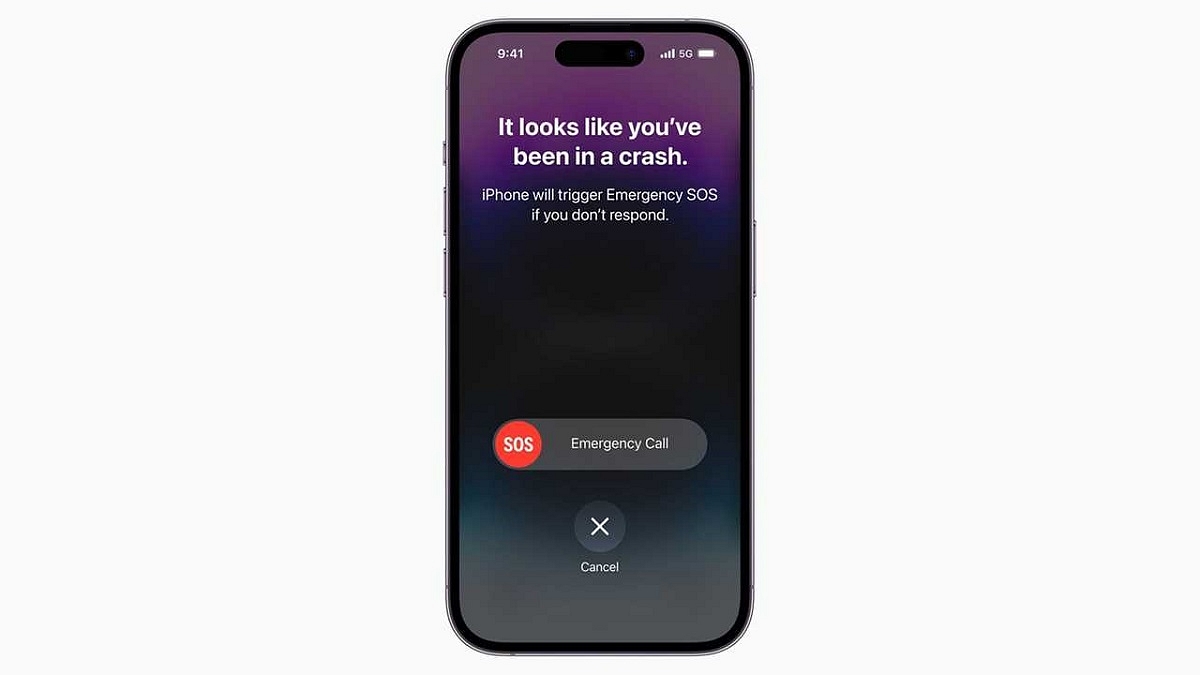
The Apple Watch and iPhone’s crash detection feature is made to identify serious car crashes. This feature will automatically summon emergency personnel on your behalf if you are injured in a car accident and are not responding.

Apple claims that when a serious car accident is detected, a supported iPhone will show a warning and sound an alert. Swiping the emergency call slider on their iPhones will allow users, if they are able, to contact emergency personnel. Additionally, if they ignore the alarm after that, the device will begin another countdown of 10 seconds. The device dials 911 if they don’t answer any further.

On a compatible iPhone, the car crash detection feature makes use of sensors like accelerometers and gyroscopes. According to Apple, the feature also uses “advanced motion algorithms” designed by Apple.

Apple had to use more than a million hours of actual driving and crash data to train its advanced algorithms. To increase the feature’s effectiveness and accuracy, this is required. Additional details about the crash detection feature, including significant safety issues, are outlined in Apple’s video and support document.

How To Turn On Car Crash Detection On iPhone?

It is important to note that this feature is turned on by default. However, you can manually activate it on your smartphone by following these simple steps:

Step 1: On your iPhone, go to the ‘Settings’ app.

Step 2: Now, tap the option ‘Privacy & Security’.

Step 3: Then, you have to go to ‘Location Services’.

Step 4: Next, tap the ‘System Services’ option.

Step 5: Here, make sure ‘Emergency Calls & SOS’ option is turned on. And you are all done.

Categories
Comparison Featured Tablet

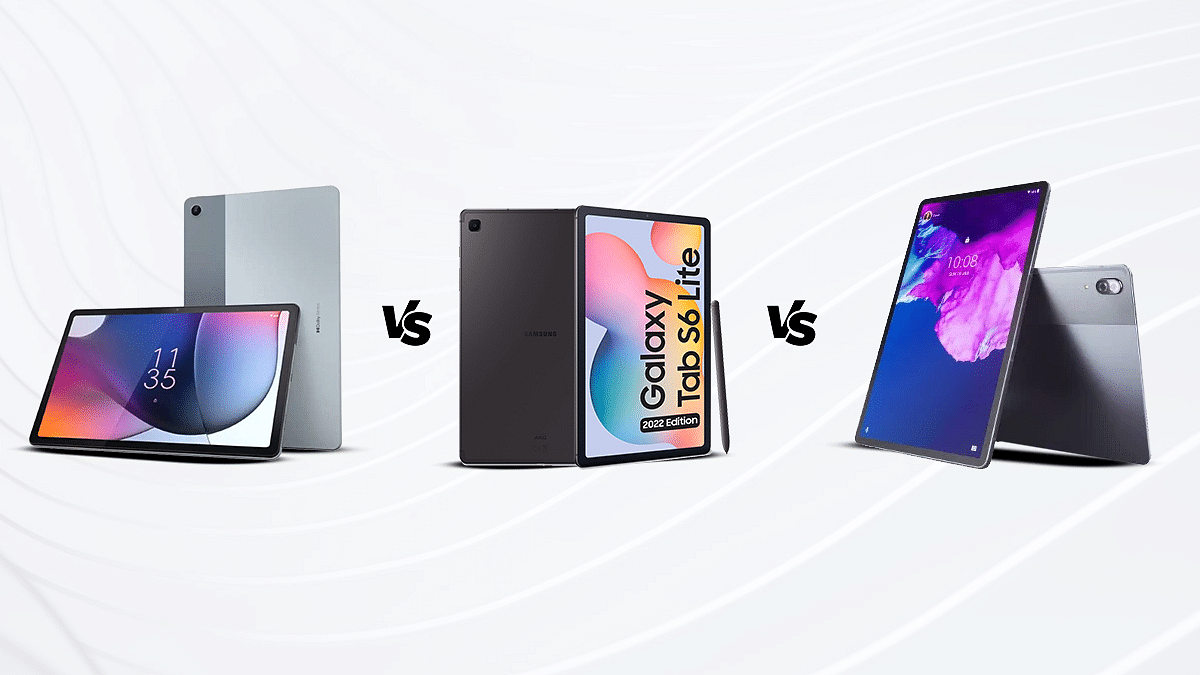
Samsung Galaxy Tab S6 Lite Vs Motorola Moto Tab G62 Vs Lenovo Tab P11 Pro: Which Mid-Range Tablet You Should Buy?

Key Highlights

  • The following article provides a thorough analysis of the hardware and overall performance of the three Tablets.
  • All three tablets come with a powerful processor.

Motorola has established itself as one of the strongest players in the smartphone and tablet market globally and in India. The brand has been upgrading its portfolio in both segments and has recently populated both these categories with new product launches. The Moto Tab G62 is the brand’s latest Android tablet which has been released for the mid-range audience wishing to upgrade from smartphones.

Besides, Motorola and some of the other popular smartphone OEMs are also considering India as their preferred market to introduce their iteration of consumer-centric tablets. Samsung and Lenovo are amongst those contenders in the tablet market and whose products we are comparing in this article.

Since the mid-range segment is the most demanded amongst the audience, we have selected models from the same category. We have selected the Samsung Galaxy Tab S6 Lite and the Lenovo Tab P11 Pro in this comparison article. How does the Motorola Tab G62 compare with the Samsung Galaxy Tab S6 Lite and the Lenovo Tab P11 Pro in terms of hardware and overall performance? Let’s find out:

Specifications Samsung Galaxy Tab S6 LiteLenovo Tab P11 ProMoto Tab G62
Display Size 10.4-inches11.5-inches10.6-inches
Resolution 1200 x 2000 pixels1600 x 2560 pixels1200 x 2000 pixels
Refresh Rate60 Hz120 Hz60 Hz
Processor Exynos 9611 chipset Snapdragon 730G chipsetSnapdragon 680 chipset
Back CameraSingle: 8MPDual: 13MP with 5MPSingle: 8MP
Storage Up to 4GB RAM and 128GBUp to 6GB RAM and 128GBUp to 4GB RAM and 64GB
Battery 7,040 mAh8,600 mAh7,770 mAh
Also Read: Samsung Galaxy Tab A8 Vs Nokia T10 Vs Moto Tab G62: Which Tablet Makes The Best Option For Budget Audience

Samsung Galaxy Tab S6 Lite Vs Motorola Moto Tab G62 Vs Lenovo Tab P11 Pro: Display Specifications

The Samsung Galaxy Tab S6 Lite has been announced as a premium mid-range Android tablet that has a tall 10.4-inch screen. Samsung has used a TFT LCD display which supports a 2K screen resolution of 1200 x 2000 pixels. The Galaxy Tab S6 Lite’s display has an aspect ratio of 81.6 percent and a 224 PPI pixel density.

Motorola has also used a similar display panel on the Moto Tab G62. This mid-range tablet employs a 10.6-inch display. The panel is IPS LCD instead of the TFT LCD that ships with the Galaxy Tab S6 Lite. The specifications are almost identical to the Samsung tablet. The Moto Tab G62’s screen also offers the same 1200 x 2000 pixels screen resolution and a standard 60Hz refresh rate. The Motorola tablet’s display supports a pixel density of 220 PPI and has an aspect ratio of 80.2 percent.

The Lenovo Tab P11 Pro features the best display panel compared to the remaining two models mentioned here. The Lenovo tablet’s screen size is 11.5-inches. In addition to the bigger screen size, the panel type is also better compared to the other two tablet models.

The company has used an OLED screen on this tablet that supports a higher 1600 x 2560 pixels resolution and has HDR10 certification along with Dolby Vision certification. You will get a better visual experience with the Lenovo Tab P1 Pro. The Samsung Galaxy Tab S6 Lite and the Moto Tab G62 will offer a decent experience with video playback.

Samsung Galaxy Tab S6 Lite Vs Moto Tab G62 Vs Lenovo Tab P11 Pro: Camera Specifications

Both Samsung Galaxy Tab S6 Lite and the Moto Tab G62 feature basic camera hardware both at the rear and upfront. Both these tablets are packed with a single rear camera which is an 8MP sensor with an f/1.4 aperture. The primary camera on both Samsung and the Motorola tablet can easily record 1080p@30fps videos. The camera quality is apt for daylight photography. The detailing levels are good with good lighting conditions.

The Lenovo Tab P11 Pro is quite strong in the camera department. The tablet with a dual rear as well as front camera module. It is one of the few premium mid-range Android tablets in the market which offers two selfie cameras. Speaking of its camera hardware, the back panel of Lenovo Tab P11 Pro is equipped with a 13MP main sensor which is accompanied by a 5MP secondary ultrawide sensor. Upfront, this tablet has an 8MP wide-angle selfie snapper along with another 8MP ToF sensor.

On the other hand, the Samsung Galaxy Tab S6 Lite offers a single 8MP selfie camera, while the Moto Tab G62 offers a smaller 5MP snapper for selfies and video calling. The spec-sheet clearly indicates the Lenovo Tab P11 Pro is the best deal amongst these three while considering the camera performance.

Also Read: Nokia T21 Vs Moto Tab G62 Vs Lenovo M10 Tab HD (2nd Gen) Tablet: Best Option For Budget Audience

Samsung Galaxy Tab S6 Lite Vs Moto Tab G62 Vs Lenovo Tab P11 Pro: Chipset, Battery Comparison

Samsung has integrated the in-house Exynos 9611 chipset for power delivery on the Galaxy Tab S6 Lite. This octa-core processor has been designed by Samsung primarily for mid-range Android phones and tablets. It is fabricated using a 10nm process and has Mali-G72 MP3 GPU support. The firmware version is the oldest on this tablet. It ships with an Android 10 OS-based OneUI interface. However, this tablet is eligible for up to Android 12 update. You can buy this Samsung tablet with up to 4GB RAM and 128GB storage configuration.

The Motorola tablet also features a mid-range chipset but from Qualcomm. This tablet is driven by the octa-core Snapdragon 680 chipset which is built on 6nm fabrication process. The Moto Tab G62;s mid-range chipset clubs Adreno 610 GPU for graphics. This tablet is also available with 4gB RAM and 64GB storage configuration. The firmware is new on this tablet, i.e., Android 12 OS.

The Lenovo Tab P11 Pro ships with the Qualcomm Snapdragon 730G chipset which is supported by Adreno 618 GPU and is fabricated using an 8nm TSMC process. Out of all three tablets, the Lenovo Tab P11 Pro has the best chipset for optimized power delivery. This tablet can be purchased with up to 6GB RAM and 128GB storage configuration.

Coming to the battery capacity, the Samsung Galaxy Tab S6 Lite is powered by 7,040 mAh battery unit which supports 15W fast charging. The Motorola Tab G62 employs a 7,770 mAh battery with 20W fast charging, while the Lenovo Tab P11 Pro has the biggest 8,600 mAh battery unit with 20W fast charging.

Also Read: Xiaomi Redmi Pad Vs OPPO Pad Air Tablet: Which Budget Android Tablet Should Be Your Next Buy?
Categories
Comparison Featured TV

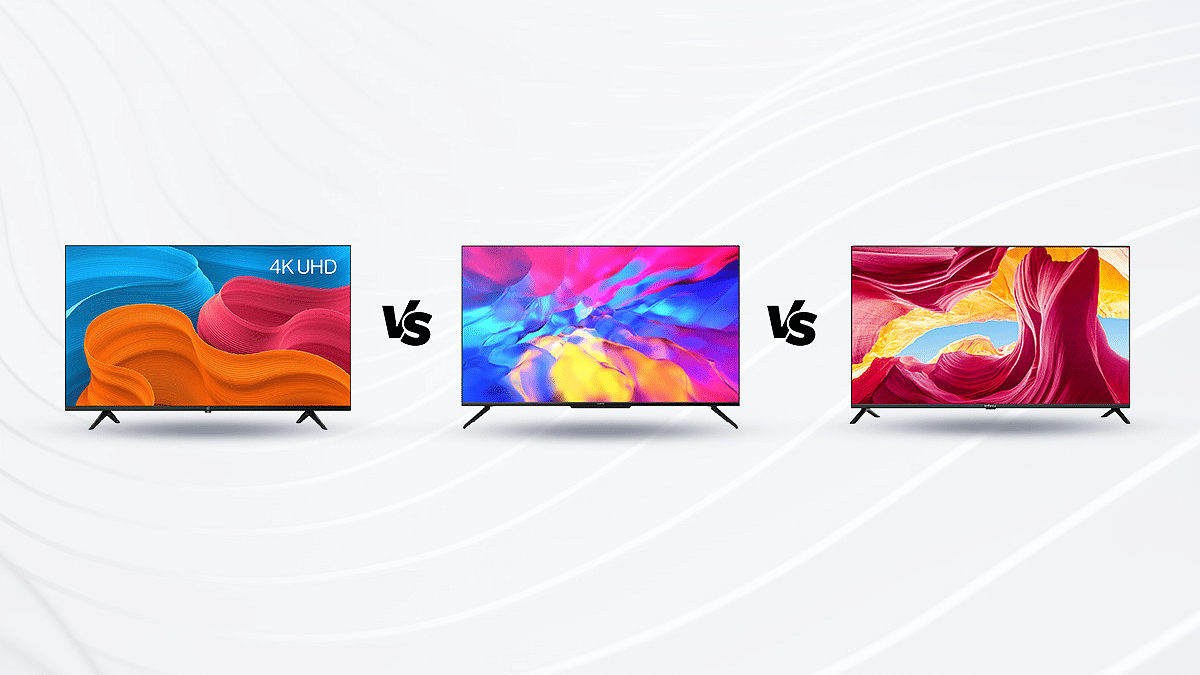
OnePlus TV Y1S Pro Vs Realme Smart TV 4K Vs Infinix Smart TV X1: Which Smart TV To Go For?

After a long day at work, turning on the television to watch your favorite shows is a modern form of peace. Today’s television, meanwhile, is about more than just watching entertainment; it’s also about enjoying the cinematic experience of seeing compelling stories in ultra-display, where no detail is overlooked.

The best Smart TV for your home will depend on how you intend to use it and where you want to put it. We have compared the OnePlus TV Y1S Pro, Realme Smart TV 4K, and Infinix Smart TV X1 to help you pick the best smart TV for your home. Let’s find out which TV is a worthy investment.

Design And Display

The OnePlus TV Y1S Pro sports a standard-looking design with narrow bezels covering the full panel. The device uses a 43-inch screen with a resolution of 2160 x 3840 pixels with HDR compatibility with HDR 10, HDR 10+ Decoding, and HLG. In order to enhance the watching experience, the OnePlus TV Y1S Pro also makes use of improved technologies including MEMC, Super-resolution, and Noise reduction technology.

The Realme Smart TV 4K TV, on the other hand, comes in two sizes, 43-inch, and 50-inch. You get Dolby Vision, a 10-bit panel with HDR, and 4K resolution. Additionally, it provides up to 83 percent NTSC and 90 percent DCI-P3 color accuracy.

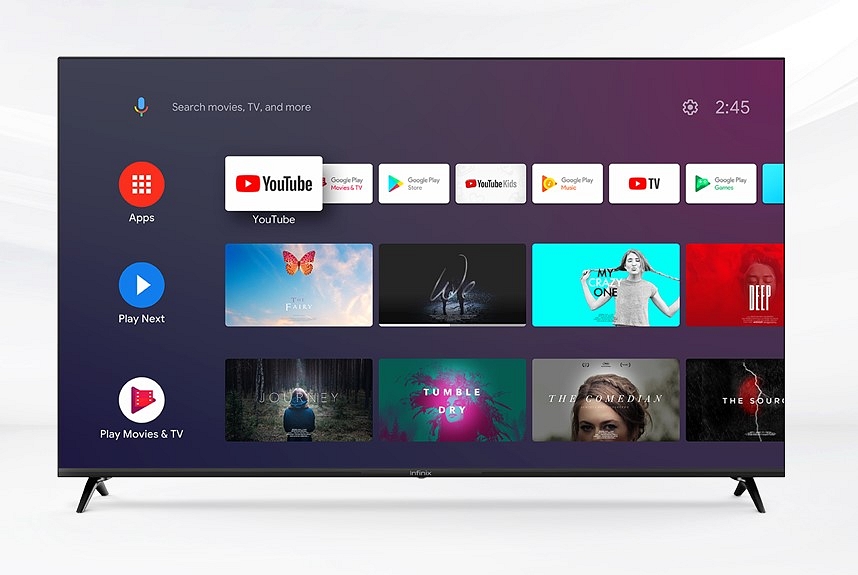
When it comes to the Infinix X1 Smart TV, it features a bezel-less frame. You’ll also find Infinix branding in the middle of the lower bezel. It supports 1920 x 1080 Full HD resolution and HDR 10 certification. There are several different modes available, including Standard, Game, Vivid, Sports, Games, Movie, and Energy Saving.

OS And Features

The OxygenPlay firmware is pre-installed on the OnePlus TV Y1S Pro, which runs the Android TV 10 operating system. It includes 8GB of internal storage and 2GB of RAM. The smart TV has a lot of pre-installed OTT and other apps and supports internet connectivity. It is compatible with Alexa and has Google Assistant built-in. There are also built-in Miracast, Multicast, and Chromecast functions. One RJ45 ethernet port, three HDMI 2.1 connections, two USB 2.0 ports, and one AV input are among the ports of the OnePlus TV Y1S Pro.

Realme has chosen Android TV 10 for its Smart TV 4K series, and the television is using the default Android TV launcher. Realme is keeping things simple by using only one launcher. Some preinstalled apps on the Realme Smart TV 4K, including Netflix, Amazon Prime Video, and YouTube. An RF remote is included with this smart TV. After pairing, it can be used for the majority of purposes even when not aimed at the TV. This television has Google Chromecast built-in, allowing you to cast content from compatible devices and apps wirelessly.

The quad-core MediaTek MTK 6683 64-bit processor and Mali-470 GPU power the Infinix Smart TV X1. It includes 8GB of internal storage and 1GB of RAM. The smart TV also contains an Android TV 9.0 OS and a number of third-party apps that can be accessed using the remote. You can also download additional apps from the app store using the TV.

Verdict

The competition is stiff among all three models. However, the Realme Smart TV 4K provides a bigger display experience and is a well-packaged value-for-money smart TV. In our opinion, the Realme Smart TV 4K makes it a good value for money.

Categories
Featured Info Mobile

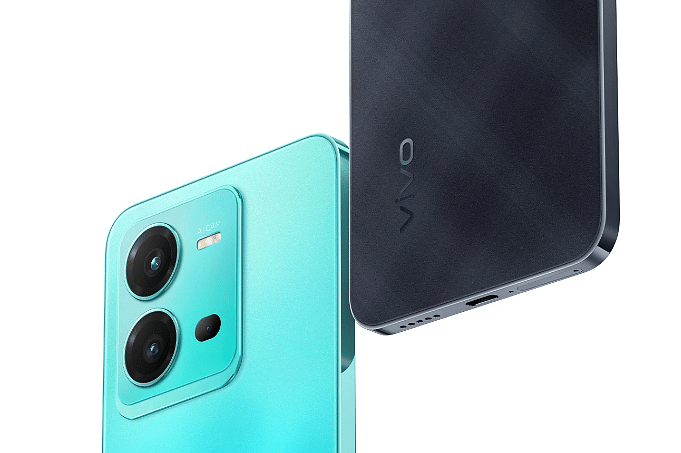
Vivo V25 5G Launched With MediaTek Dimensity 900 SoC, 4,500mAh Battery: See Here For Price In India, Specifications

Vivo has announced the launch of a new smartphone in the mid-range segment. The Vivo V25 5G is the second device in the same series after the Vivo V25 Pro which was launched in August this year. The main highlight of the device is its design and cameras.

The Vivo V25 5G comes with an Anti-Glare glass design that changes the color when the sunlight or UV touches or hits the rear panel of the device. In addition, the device features a 50MP camera for selfies. So, let’s take a look at the new Vivo V25 5G device. 

Vivo V25 5G Smartphone: Specifications And Features

The Vivo V25 5G comes with a 6.44-inch AMOLED display, Full HD+ resolution, and a 90Hz screen refresh rate. Besides, the device is powered by the MediaTek Dimensity 900 processor that is paired with 12GB of RAM and 256GB of storage and it packs a 4,500mAh battery along with 44W fast charging support. 

The Vivo V25 5G sports a triple camera setup at the back, including a 64MP primary camera along with OIS support an 8MP ultrawide camera, and a 2MP macro camera. On the front, you will get a 50MP eye AF front camera. Besides, the smartphone runs Android 12 which is based on Funtouch OS 12 out of the box.

Moreover, the smartphone includes features such as dual-band Wi-Fi, Bluetooth 5.2, an in-display fingerprint scanner, a cooling system, a USB Type-C port, and extended RAM up to 8GB. The device weighs 186 grams and measures 7.79mm in terms of thickness. 

Vivo V25 5G Smartphone: Price in India And Availability

The 8GB of RAM and 128GB of storage is priced at Rs. 27,999 and the 12GB RAM and 256GB of storage will cost you Rs. 31,999. Besides, the device is available for pre-orders from 3PM today on Flipkart and the company’s store. The device will be available in two colour variants such as Surfing Blue and Elegant Black. In addition, the buyers will get discount of Rs. 2,500 with SBI, ICICI Bank, and HDFC Bank credit cards.

Categories
Featured Mobile

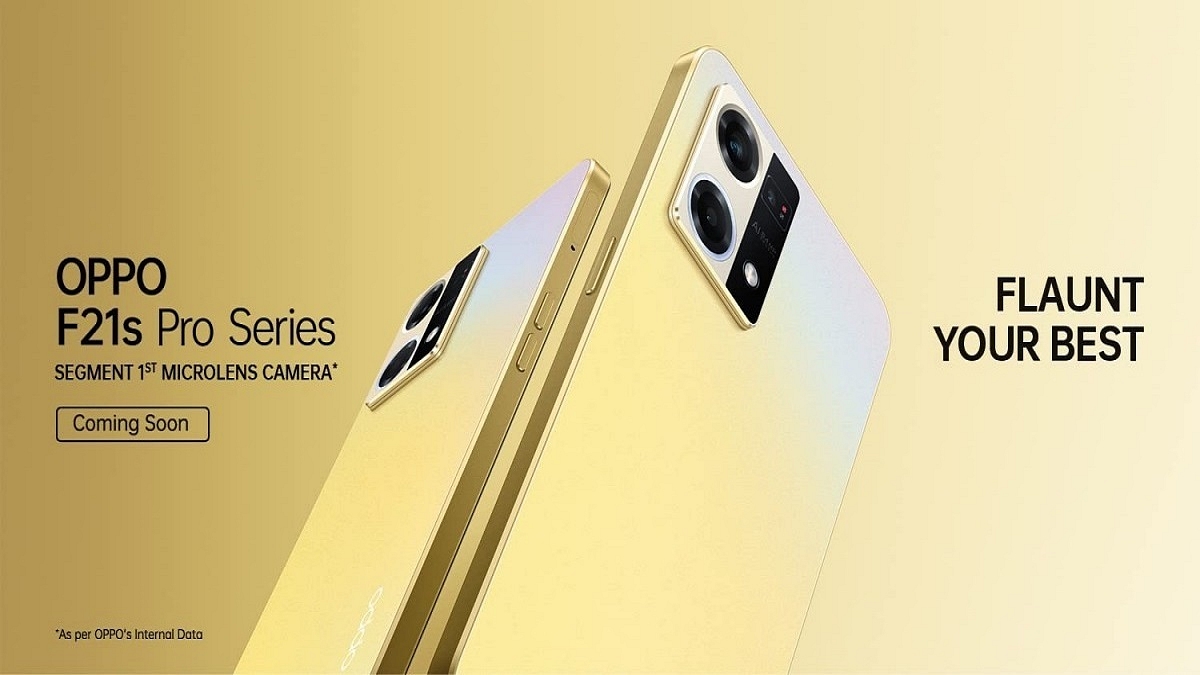
OPPO F21s Pro Premium Mid-Range Smartphone Series Launched In India: Feature Upgrades, Price Details

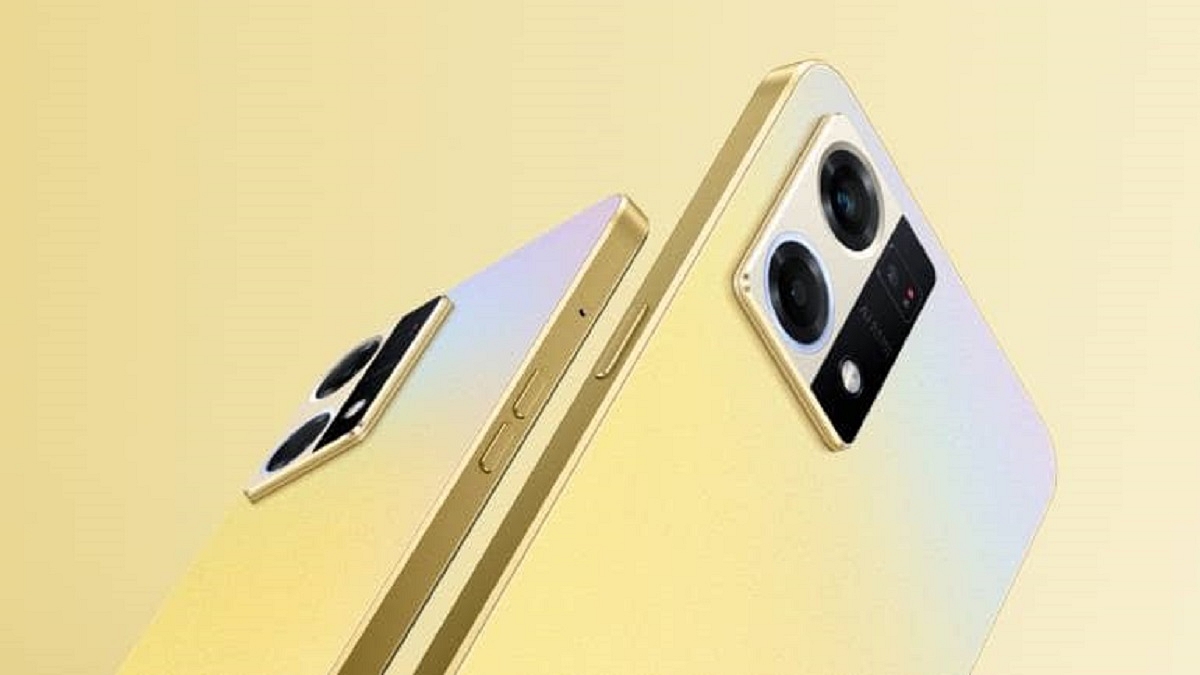
With the release of the OPPO F21s Pro series in the Indian market, the Chinese smartphone maker has acknowledged that it is growing its F-series of smartphones. The lineup includes two models, i.e., OPPO F21s Pro 4G and OPPO F21s Pro 5G. Let’s take a closer look at what these brand-new OPPO F21s Pro series phones have to offer.

OPPO F21s Pro 5G Specifications

Display

The 6.4-inch Full-HD+ display on the OPPO F21s Pro 5G offers a 2400 x 1080 pixel resolution, 409 PPI, and a maximum brightness of 600 nits.

Processor

A Qualcomm Snapdragon 695 5G chipset powers the OPPO F21s Pro. The smartphone comes with 128GB of internal storage and 8GB of RAM, which can be increased to 13GB by using 5GB of virtual RAM. Also, you can expand the storage via a microSD card slot. Besides, the OPPO F21s Pro 5G boots Android 12-based ColorOS 12.1 out of the box.

Battery

The OPPO F21s Pro 5G houses a 4,500mAh battery that supports 33W SuperVooc charging and keeps the lights on.

Camera

Shooting images on the OPPO F21s Pro 5G is taken care of by a triple camera setup on the rear. The back camera includes 64MP primary, 2MP macro, and 2MP depth. Up front, there is a 16MP snapper for selfies and video calling, capable of shooting 1080p videos at 30fps.

OPPO F21s Pro 4G Specifications

Display

The OPPO F21s Pro 4G sports a 6.4-inch Full-HD+ AMOLED screen with a refresh rate of 90Hz.

Processor

The Qualcomm Snapdragon 680 processor powers the OPPO F21s Pro 4G. It has 8GB of RAM and 128GB of expandable storage. It comes pre-installed with ColorOS 12.1 running on Android 12.

Battery

A 4,500mAh battery with 33W SuperVooc charging capabilities powers the OPPO F21s Pro 4G.

Camera

The OPPO F21s Pro 4G includes three rear cameras: a 64MP primary camera, a 2MP telephoto camera, and a 2MP depth camera. On the front, it has a 32MP selfie camera.

OPPO F21s Pro 4G, OPPO F21s Pro 5G India Price

OPPO F21s Pro 5G retails at Rs. 25,999 in India. On the other hand, the OPPO F21s Pro 4G is priced at Rs. 22,999 in the country. Both phones are available in two color options, i.e., Starlight Black and Dawnlight Gold.

These OPPO F21s Pro series phones will go on sale in India starting today purchasable via OPPO’s official website. OPPO will start shipping the OPPO F21s Pro series phones starting September 19. The company is offering up to Rs. 2,500 instant discounts via bank offers.

Categories
Featured How To TV

WhatsApp TV: How To Use WhatsApp On Smart TV For Messaging, Video Calling

Key Highlights

  • WhatsApp is an immensely popular messaging application for Android and iOS
  • Users can access WhatsApp messages on a smart TV
  • Only reading the messages is an option not replying to it

When we speak of the best mobile messaging applications, WhatsApp is the first name that comes to mind. Despite being a third-party app, WhatsApp has easily made its way to the top of the ladder. WhatsApp has been adding new features with monthly and weekly updates and also improving the security aspects simultaneously. In the last few years, WhatsApp has dished out multiple of such updates with which the usage possibilities are endless.

Also Read: How To Upload WhatsApp Status In High Quality (Images, Videos) On Android, iOS?

WhatsApp has also developed the same messaging ecosystem for Windows and Mac laptop and PC users in the form of the WhatsApp Web application. If you are working on any of these gadgets, you can easily loging using your registered mobile number and start using this application for texting, video, and voice calling. But WhatsApp’s compatibility isn’t solely with smartphones, tablets, and laptops/PCs. You can also read WhatsApp messages and notifications on smartwatches and smart TVs

In our previous article, we mentioned the steps to install and use WhatsApp on smartwatches. But if you want to view your WhatsApp messages on a larger screen besides any of the aforementioned gadgets, then a smartTV is the best option. Now, you must be wondering if WhatsApp is compatible with smart TVs and if you can read or send messages. The answer is yes and this article will guide you how.

Also Read: Smart TV Buying Guide: Best Smart TVs With Voice Control Feature In India In 2022

Can You Use WhatsApp On SmartTV?

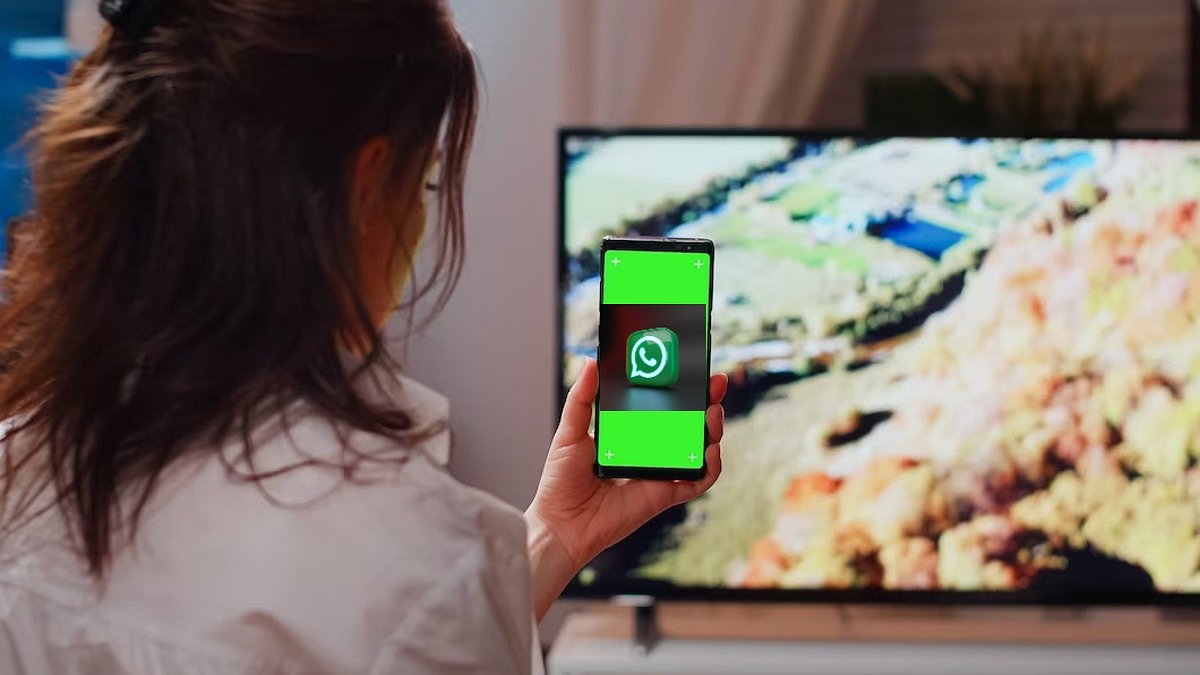
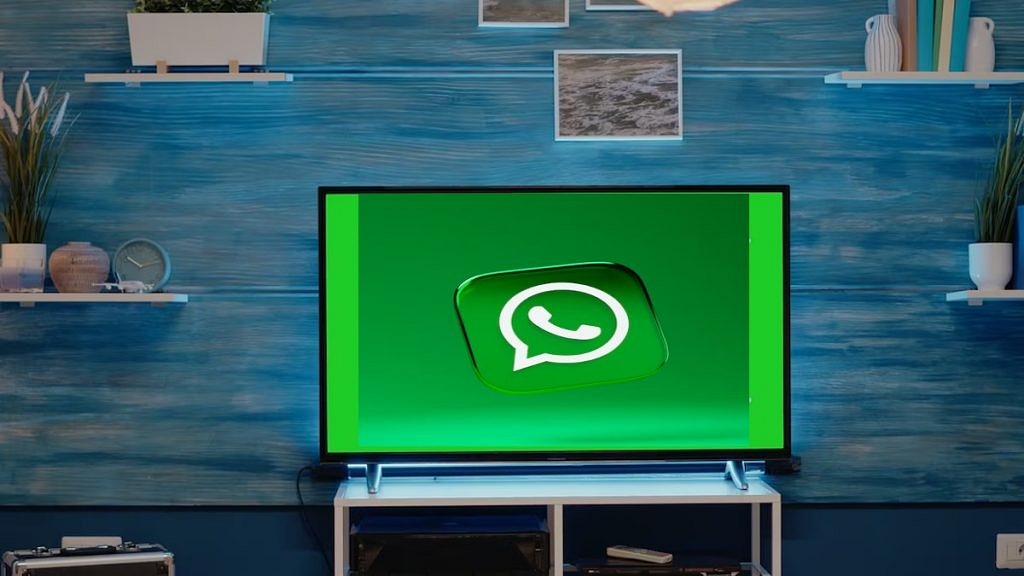
You will be able to use the WhatsApp application on any smart tv; specifically, if you have a new-generation TV that has all the required hardware and firmware. However, the user possibilities become limited if you use WhatsApp on any smart TV. As of now, you only will be able to cast the WhatsApp screen on the smart TV and read the messages.

Also Read: Best 55-inch High-Res Smart TVs Under Rs. 40,000 In 2023

Basically, you would be operating WhatsApp on your smartphone, tablet, or laptop, but see the content on a bigger screen simultaneously. Making a video call or voice call will not be possible directly via your TV since the required hardware isn’t present on TVs in most cases. We are speaking of an integrated webcam and microphones.

Also Read: Top 43-inch, 50-inch, 55-inch Smart TV Under Rs. 50,000

Steps To Send/ Read WhatsApp Messages On Any Smart TV

Step 1: On your Android or iOS smartphone, launch the screen cast app. You can do this directly from the notification bar in most of the latest smartphones. However, you can also head to the Settings menu to use the screen cast option.

Step 2: Both the smartphone and the smart TV should be connected to the same Wi-Fi network.

Step 3: Open the WhatsApp application on your smartphone. You will be able to see the app on your smart TV.

Step 4: Open the chat window whose conversation you want to read on the bigger screen.

Also Read: TCL C645 Premium 4K QLED Smart TV With AMD FreeSync, Dolby Vision Dolby Atmos Launched In India: Price, Full Features

Categories
Featured Mobile

OPPO F21s Pro India Launch Coverage: Here’s Everything You Need To Know

OPPO is all set to rattle the mid-range smartphone market in India with the launch of a new OPPO F series phone. The Chinese tech behemoth is all set to launch the F21s Pro. The upcoming model will be joining the OPPO F21 and the F21 Pro, which have already marked their debut in the Indian market. OPPO has officially confirmed the F21s Pro’s India launch timeline for today. Here’s what all upgrades the latest F21 series phone is bringing to the table:

OPPO F21s Pro Official India Launch Details

OPPO has announced the F21s Pro will be launched in India on September 15, 2022 (today). OPPO took to its official Twitter handle to announce the launch of the newest F21 series model in the country. OPPO has also created a dedicated product page on its official India website confirming the upcoming OPPO phone’s India launch.

The device will be sold via the company’s website and according to the product page, buyers will be able to grab an instant discount of up to Rs. 2,500 and also avail of additional no-cost EMI offers and more. OPPO has not listed the introductory sale offers and not the exact pricing details of the F21s Pro. However, going by the recent leaks, the device is expected to debut in Rs. 25,000 price range. We will keep you updated with the pricing and availability.

OPPO F21s Pro Rumored Specifications

The OPPO F21s Pro could be a premium mid-range phone with 5G network connectivity. OPPO is rumored to use the Qualcomm Snapdragon 695 5G processor to power the upcoming F21 series model. The handset could ship with up to 8GB RAM and 128GB storage configuration along with an external microSD card support for extra storage space. OPPO is expected to use the Android 12 OS and layer it with a custom ColorOS interface.

The OPPO F21s Pro will flaunt a 6.4-inch display, an AMOLED panel with 1080p FHD+ screen resolution. We might see a 90Hz or 120Hz refresh rate. In the camera department, the OPPO F21 Pro might sport a triple rear camera setup packed with a 64MP main sensor and a pair of 2MP sensors for depth mapping and macro photography. Lastly, a 4,500 mAh battery with 33W fast charging technology could handle the backup.

Categories
Tech Gadgets

Realme To Offer Rs. 7,000 Discount On GT Neo 3T Smartphone: Here’s How To Get It

Realme is all set to launch GT Neo 3T smartphone on September 16th in India. The Realme GT Neo 3T is expected to have 80W charging capabilities and Snapdragon 870 processor. However, ahead of the actual launch, the smartphone company has confirmed that there will be Rs. 7,000 discount during its sale.

Notably, this announcement comes soon after Flipkart and Amazon announced Big Billion Days and Great Indian Festival sales date. So, let’s take a look at the details of the upcoming smartphone.

Realme GT Neo 3T Smartphone: Specifications

The GT Neo 3T will have a 6.62-inch E4 AMOLED display along with a 120Hz refresh rate. Under the hood, the device gets power from the Snapdragon 870 processor paired with 8GB of RAM and up to 256GB of internal storage.

On the optics front, the device has 64MP primary camera, an 8MP ultra-wide camera, and a 2MP macro sensor. In addition, the device has a 16MP camera on the front and it is backed by a 5,000mAh battery along with support with 80W fast charging. Besides, the device is expected to charge up to 50 percent in only 12 minutes. The device is likely to be priced at €469.99, which is around Rs 37,200.

Rs.7,000 Off On Realme GT Neo 3T

The Realme GT Neo 3T will be launched on September 16th at 12:30 PM and will be available on Flipkart during the Big Billion Days Sale. Besides, the company confirmed that the Realme GT Neo 3T buyers will get a discount of up to Rs. 7,000. However, Realme has not shared the exact details of all offers on the upcoming device.

Realme C30s Launch: Details

Meanwhile, the company has launched its fifth smartphone under the C-series. The Realme C30s features a 6.5-inch HD+ LCD display, a 60Hz refresh rate, and a 120Hz touch sampling rate. In addition, the device has a 5MP camera on the front and an 8MP camera on the back.

Furthermore, the smartphone comes with an octa-core UniSoC SC9863A processor, which is paired with 4GB of RAM and 64GB of storage. Also, the smartphone is equipped with a 5,000mAh battery and 10W fast charging.

Categories
Comparison Info Mobile

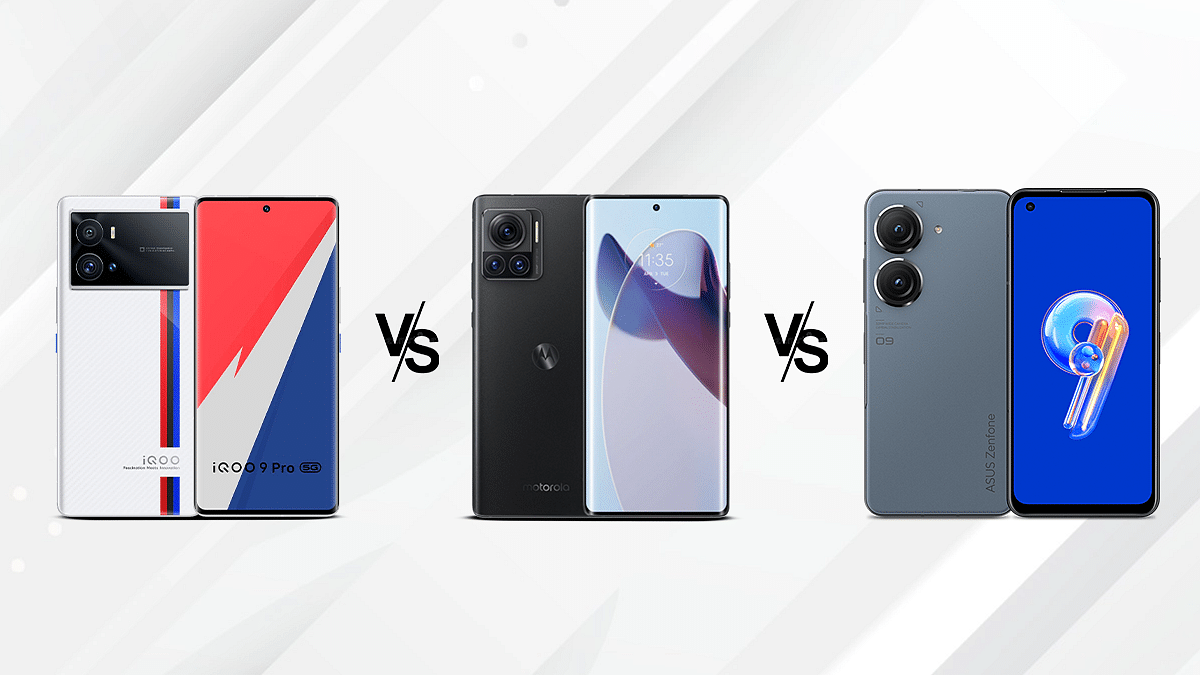
iQOO 9T Vs Motorola Edge 30 Ultra Vs Asus ZenFone 9: Premium Android Mobile Comparison

The flagship smartphone industry is getting ramped up with the launch of powerful Android smartphones from some of the popular brands. Motorola recently ramped its game in the premium smartphone market with the Moto Edge 30 Ultra which is the world’s first 200MP camera phone. Motorola isn’t just elevating the camera experience with the Edge 30 Ultra but also the overall user experience by equipping it with top-tier hardware.

The Motorola Edge 30 Ultra has joined the list of a few Snapdragon 8+ Gen 1 chipset-powered phones in the country. Amongst the previously introduced models are the iQOO 9T and the Asus ZenFone 9 both of which are also driven by Qualcomm’s new-age flagship Snapdragon 8+ Gen 1 processors. If you are confused about which out of three models makes for the best buy, this spec-sheet-based comparison will help you decide.

iQOO 9T Vs Motorola Edge 30 Ultra Vs Asus ZenFone 9: Display Specifications

Starting with the iQOO 9T, the flagship gaming handset has been launched with a massive 6.67-inch display, which is an AMOLED panel with an FHD+ resolution of 1080 x 2400 pixels. The screen on the iQOO 9T further supports HDR10+ certification and has 1500 nits peak brightness levels which allow for good visibility under direct sunlight. It has a 120Hz refresh rate for a fluid touch response. The panel on this iQOO phone is protected by a Corning Gorilla Glass 5 protection.

Motorola has released the Moto Edge 30 Ultra with an OLED display which is also tall and measures 6.67-inches. The Motorola Edge 30 Ultra’s screen also offers 1080 x 2400 pixels FHD+ screen resolution and has a standard 20:9 aspect ratio. The screen on the Moto Edge 30 Ultra supports a higher 144Hz refresh rate which is best suited for gaming visuals. The display on the Edge 30 Ultra has 1250 nits peak brightness which is lower than the iQOO 9T. However, the sunlight visibility is still good with this phone.

Asus has used a Super AMOLED screen on the ZenFone 9 that supports the same 1080 x 2400 pixels FHD+ resolution and 20:9 aspect ratio. The refresh rate on this phone is equal to the iQOO 9T, i.e., 120Hz. However, the ZenFone 9 has the smallest screen size out of all models on this list. It features a 5.9-inch display that is protected by Corning Gorilla Glass. The iQOO 9T has the brightest panel, while the Motorola Edge 30 Ultra has the highest refresh rate.

iQOO 9T Vs Motorola Edge 30 Ultra Vs Asus ZenFone 9: Camera Specifications

If you are looking for the best-in-class camera hardware, the Motorola Edge 30 Ultra with a 200MP triple rear camera is the best option. The flagship Moto handset’s main camera (200MP) combines a 12MP telephoto lens and a 50MP ultrawide sensor. The triple rear camera module on the Motorola Edge 30 Ultra can not only capture detailed daylight but also night images. The camera setup on the premium Motorola phone has up to 8K@30fps video recording support and has a bunch of shooting modes for an enhanced camera experience.

The iQOO 9T also ships with a triple rear camera setup where the primary lens is a 50MP sensor with an f/1.9 aperture. The iQOO 9T additionally features a 12MP secondary telephoto lens with an f/2.7 aperture and 2x optical zoom support and a 13MP ultrawide sensor with 120-degree FoV. This phone offers up to 4K@30fps video recording.

The Asus ZenFone 9 also ships with a 50MP main camera that has an f/1.9 aperture with gimbal OIS support. It is aided by a 12MP ultrawide camera that has a 113-degree FoV. In the selfie camera race as well, the Motorola Edge 30 Ultra takes the lead with the 60MP selfie snapper. The iQOO 9T and the Asus ZenFone 9 offers a 16MP and a 12MP selfie camera respectively.  

iQOO 9T Vs Motorola Edge 30 Ultra Vs Asus ZenFone 9: Chipset, Battery, Fast Charging Comparison

Under the hood, all these three phones, i.e., the iQOO 9T, Motorola Edge 30 Ultra, and the Asus ZenFone 9 use the latest generation Qualcomm premium chipset – the Snapdragon 8+ Gen 1 chipset. Fabricated using an ultra-thin 4nm process, the Snapdragon 8+ Gen 1 chipset makes sure power delivery is ample for basic as well as extensive tasks. The chipset further is integrated with Adreno 730 GPU. All three phones are launched with Android 12 OS and feature a custom user interface.

Both iQOO 9T and the Motorola Edge 30 Ultra offers up to 12GB RAM capacity, while the Asus ZenFone 9 comes with up to 16GB RAM option. As for the storage capacity, its 256GB with the iQOO 9T and the Asus ZenFone 9 and up to 512GB with the Motorola Edge 30 Ultra.

Speaking of the battery capacity and fast charging technology, the iQOO 9T ships with a 4,700 mAh battery unit with 120W fast charging, whereas the Motorola Edge 30 Ultra features a 4,610 mAh battery with 125W fast charging technology. Rounding off the Asus ZenFone 9’s spec-sheet is a compact 4,300 mAh battery with 30W fast charging technology.